Outdoor Portable Wireless Speaker
Thunder
Outdoor Portable Wireless Speaker
Quick Start Guide
Thunder
Check to make sure you have
everything below.
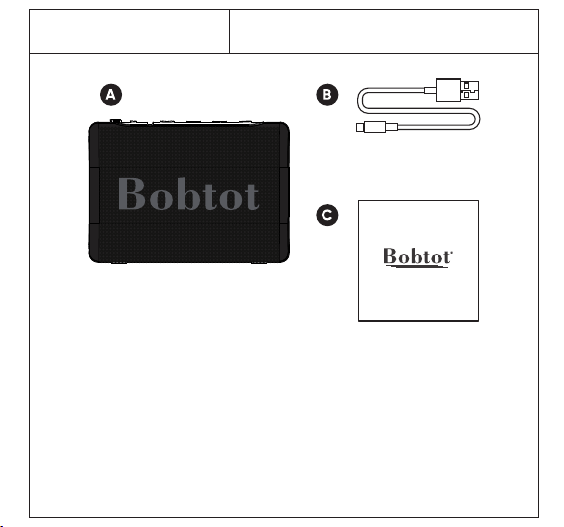
What's in the Box
A: 1*Thunder Portable Speaker
B: 1*USB Charging Cable (Type-C)
C: 1*Quick Start Quide
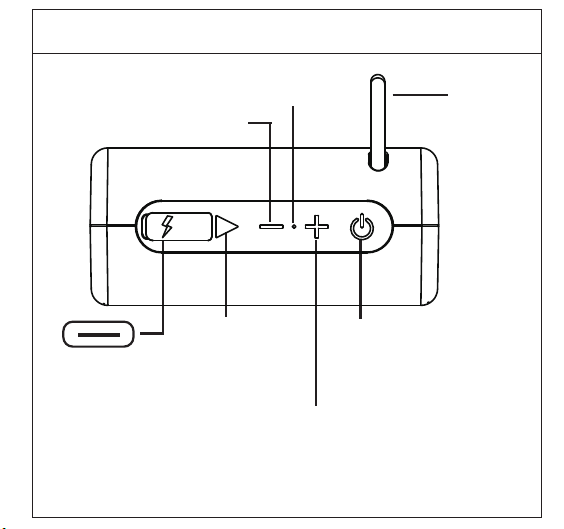
Power
TWS pairing
Play/Pause
Charging port
Answer Button
Volume Down
Previous Button
Volume Up
Next Button
Device Overview
Strap
Microphone
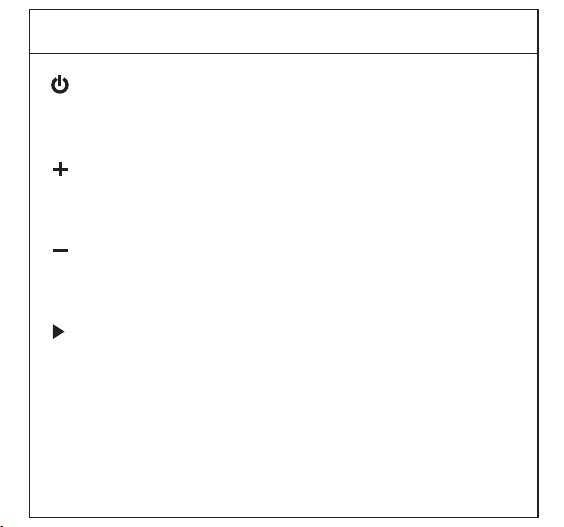
Buttons and Ports
Power/TWS
Long press to turn the speaker on/off.
Double click to TWS ,conntect or disconnet with two speakers.
Short Press to turn down the volume
Long Press to go to previous song
Volume Down/Previous Button
Short Press to turn up the volume
Long Press to go to next song.
Volume Up/Next Button
Short press to pause/play the music.
Short press to accept an incoming call.
Long press to reject an incoming call.
Long press 2s disconnet with BT.
Double click to call back.
Mode/Pause/Play
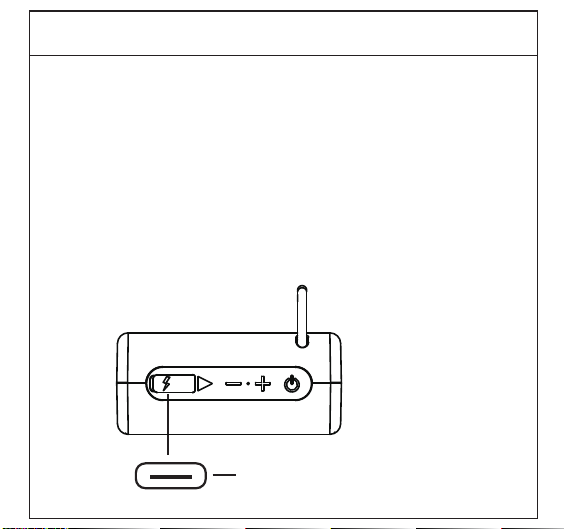
Charging port (USB Type-C)
Charging Your Device
Plug the included USB type-C cable into the speaker's charging port,
and connect the other end of the cable to a power adapter
(sold speparatedly).Allow approximately 2.5 hours to full charge the
battery.
The indicate light is red color when it's charging.
The red light will be off when it's full charged.
Note: We recommend using a USB wall adapter with a DC5V=1A
output.
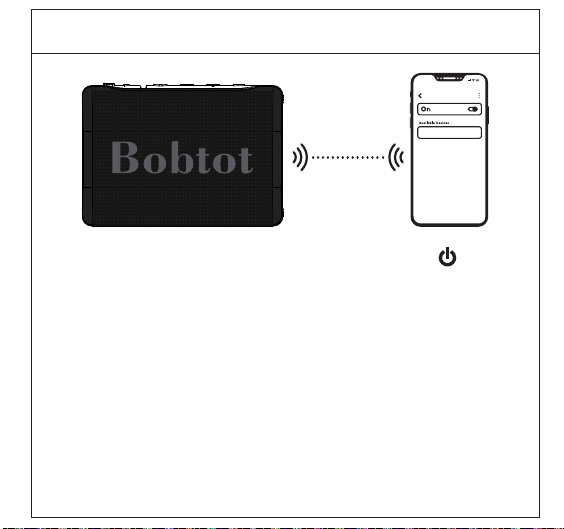
Initial Setup
1. Once your speaker is fully charged, press and hold the
Power button until you hear a voice prompt indicating the
device has entered BT paring mode.
2. On your smartphone or tablet, search for the BT device named
"Thunder" and tap to connect.
3. A prompt will play once pairing is successful.
Thunder
Note:
1. When you turn on the speaker but no connection, it will
automatically shut down after 10 minutes.
2. When you connected the speaker but no playback, it will
automatically shut down after 20 minutes.
BT device
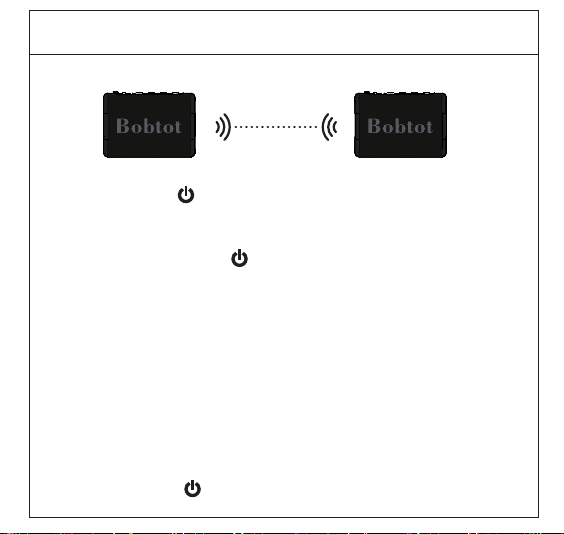
TWS Sync Mode
1.Long press the " " about 2s on both speakers to turn them on,
and the blue light flashes.
2.Quickly double-click the " " on any one speaker, a prompt sound
"connected"indicates the speakers enter into pairing mode, the
indicator light of one speaker turned solid blue.
3.On your smartphone or tablet, search for the BT device named
"Thunder" and connect it, you could hear the sound "connected"
again, which means connect successfully.You can enjoy the music
with two speakers together.
Notes:
*In TWS Mode, turn off one of the speakers, both of them are off.
*Double-click the " " button will be disconnected.
Hands-Free Calling
Volume Down
Short Press once to decrease volume
Volume Up
Short Press once to increase volume
Mode/Answer Button
Resetting Your Device
If your speaker is not operating properly, you may
reset it. To do so, press and hold the power
button for approximately 8s until the speaker
powers off, and then power it on again as usual.
Short press to accept an incoming call.
Long press to reject an incoming call.
Long press 2s disconnet with BT.
Double click to call back.
Specifications
-Model Name: Thunder
-Outdoor Portable Wireless Speaker
-Input Power: 5V 1A
-Impedance:4Ω
-Signal to Noise Ratio:≥ 78dB
-IPX7 water-resistant,sprayproof
-Built-in rechargeable battery
-Built-in Mic
-Range 33ft(10m)
-Frequency Response: 180Hz-12KHz
-TWS Sync Mode(Pair 2 of these speakers together)
-Up to 10 hours of playtime (battery life is measured
as number of playtime with volume set at50%)

Any changes or modifications not expressly approved
by the party responsible for compliance could void
the user’s authority to operate the equipment.
This device complies with Part 15 of the FCC Rules.
Operation is subject to the following two conditions:
(1) this device may not cause harmful interference,
and
(2) this device must accept any interference received,
including interference that may cause undesired
operation.
Note: This equipment has been tested and found to
comply with the limits for a Class B digital device,
pursuant to Part 15 of the FCC Rules. These limits
are designed to provide reasonable protection
FCC Warming

against harmful interference in a residential
installation.
This equipment generates, uses, and can radiate radio
frequency energy, and if not installed and used in
accordance with the instructions, may cause harmful
interference to radio communications. However,
there is no guarantee that interference will not occur
in a particular installation. If this equipment does
cause harmful interference to radio or television
reception, which can be determined by turning the
equipment off and on, the user is encouraged to try
to correct the interference by one or more of the
following measures:
– Reorient or relocate the receiving antenna.
– Increase the separation between the equipment
and receiver.
FCC Warming

– Connect the equipment into an outlet on a circuit
different from that to which the receiver is
connected.
– Consult the dealer or an experienced radio/TV
technician for help.
This equipment complies with FCC radiation exposure
limits set forth for an uncontrolledenvironment.
This equipment should be installed and operated with
a minimum distance of 20cm between the radiator
& your body. This transmitter must not be co-located
or operating in conjunction with any other antenna or
transmitter.
FCC Warming
FCC ID:2AZ43-ET21

Need help?
Customer Care Guide
At our company, we strive to provide exceptional customer
care to every one of our clients. We believe that building
strong relationships with our customers is essential to the
success of our business. To help us achieve this goal, we
have put together the following customer care guide.
Time
We understand that our customers' time is valuable, so we
will respond to any inquiries within 24 hours.
Feedback
We know that our customers are the heart of our business
so we value your feedback. We encourage you to share your
thoughts and ideas with us.
Solutions
If our customers encounter any issues, we will try our best to
find a quick and efficient solution that meets your needs.
Here at Bobtot, we take customer care very seriously. Our
customers are our first priority, and we are committed to
providing the highest quality service.
If you have any questions or concerns, please don't
hesitate to reach out to us.
We will be happy to assist you:
Call or Message: +1 888 572 1718
Email: [email protected]
Company: MOSWS INTERNATIONAL LIMITED
Add: FLAT/RM 07, BLK B, 5/F
KING YIP FACTORY BUILDING, 59 KING YIP STREET,
KWUN TONG, KOWLOON HONGKONG 999077
Production Standard: IEC/EN60065
Made In China
Need help?

©2023 BOBTOT // Features and specifications are subject to change and or improvement without notice.
bobtot.net