
PLUS
QUICK START GUIDE
CL-3033

WARNING
• Never rely solely on ROVI products when driving. Always practice safe driving
habits and follow all driving laws and standards. ROVI products are not a
replacement for safe driving habits.
• Always survey your surrounding before driving and operating ROVI products.
ROVI products are not replacements for manually checking your surroundings
• Never drive while only looking into the built-in monitors of ROVI products. The
images and objects viewed from the screen will be different from the actual
distance to your vehicle.
• Do not operate or change settings on any ROVI products while driving or while
the vehicle is in motion. Always practice safe, hands-free, and
unobstructed driving.
• Mounting and installation locations are for recommendations only. The
placement recommendations may not apply to every type of vehicle. Please
ensure that installation and mounting location you choose will not obstruct
visibility, any safety features of the vehicle, or violate government
safety standards.
BEFORE USING ROVI...
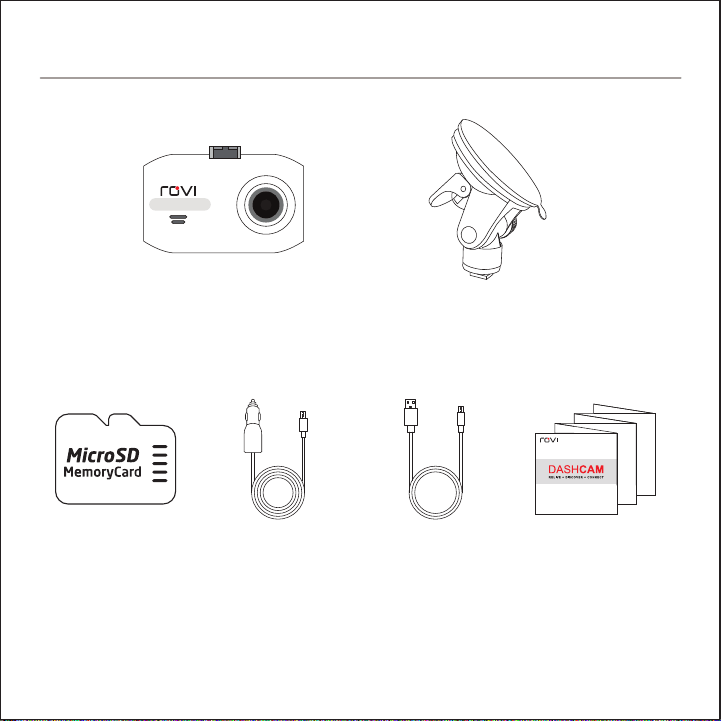
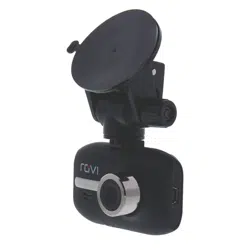
ROVI Dashcam Suction Mount
Accessories sold separately. Available on RoviCams.com
8GB
MicroSD Card USB Car Charger
USB Charge
and Sync Cable Quick Start Guide
IN THE BOX
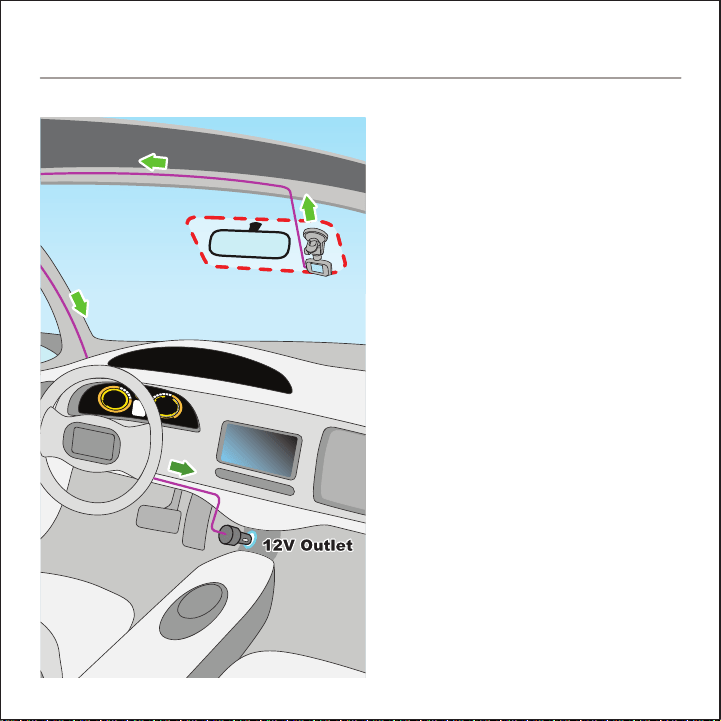
1. Insert the MicroSD card in the
ROVI dashcam. Push card
until it locks into place.
2. Determine mounting location
(See diagram for optimal
placement)
3. Attach the ROVI dashcam and
the mount to the windshield.
4. Connect USB power cable to
the ROVI dashcam.
5. Route cable around windshield
so it is not obstructing visibility.
6. Plug the USB car charger into
the 12V socket.
7. Adjust the angle of the
dashcam for optimal viewing.
INSTALLATION
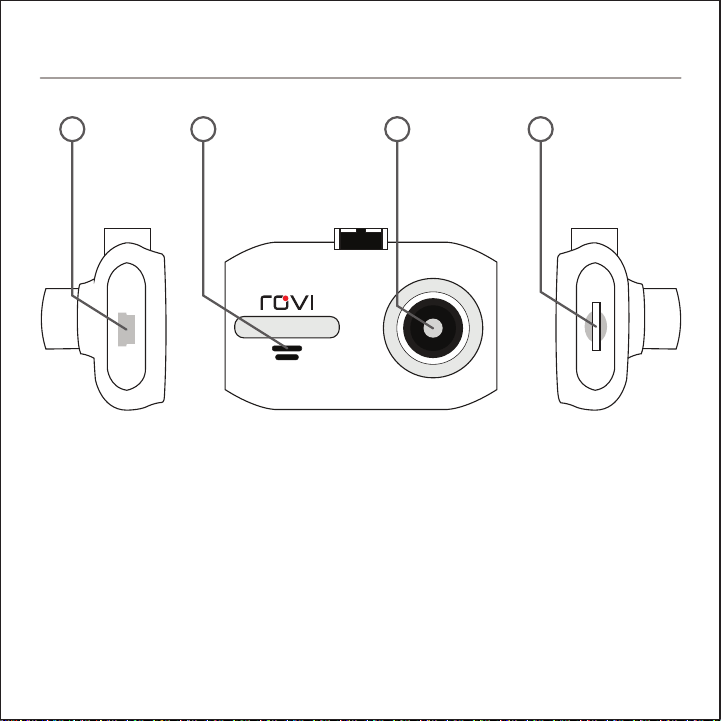
1. USB Power Connector
2. Speaker
3. Wide Angle Lens
4. MicroSD Card Slot
5. 1.5” Screen
6. Microphone
7. Mount Connector
1 2 3 4
BUTTON LAYOUT
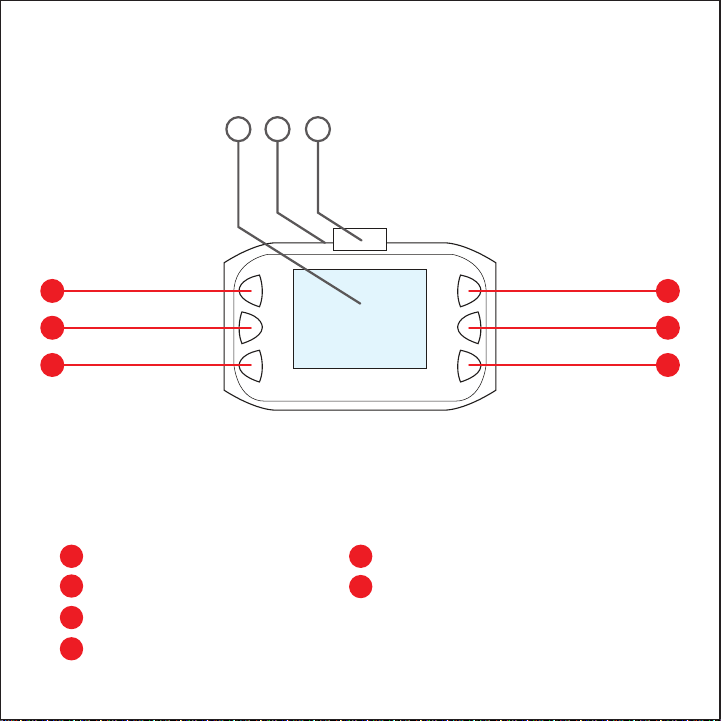
A Up
B Menu
C Down
D OK / Select
E Menu
F Power on/off
D
E
F
A
B
C
75 6
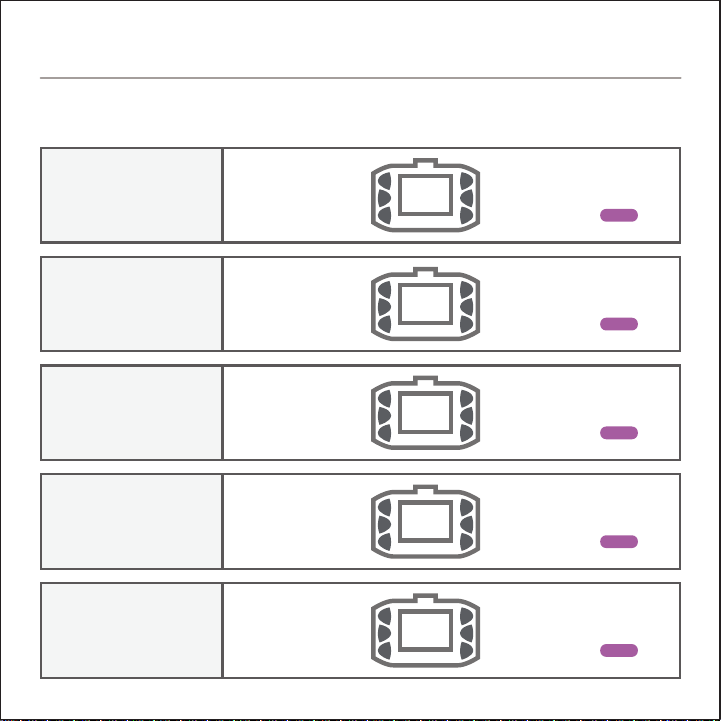
MENU
MODE
NOT RECORDING
RECORDING
FUNCTIONS
PLAYBACK
PHOTO
Zoom In
Menu
Zoom Out
Start Recording
Mode Select
Power On/Off
HOLD
Zoom In
Zoom Out
Stop Recording
Lock Current Clip
Power On/Off
HOLD
Previous File
Menu
Next File
Play / Pause Playback
Mode Select
Power On/Off
HOLD
Zoom In
Menu
Zoom Out
Take Photo
Mode Select
Power On/Off
HOLD
Up
Menu Toggle
Down
OK / Confirm
Mode Select
Power On/Off
HOLD
BUTTON FEATURES

Lens
LCD
Resolution/FPS
Languages
Battery
Storage
TV Standard
Security Application
120° Wide Angle
1.5” TFT LCD
MAX 1080p @25fps, 720p @30fps
English, Français (French), Español (Spanish), Português
(Portuguese), Deutsch (German), Italiano (Italian),
简体中文 (Simplified Chinese), 繁體中文 (Traditional Chinese),
pусский (Russian), 日本語 (Japanese),
한국어 (Korean)
Built-In, Rechargeable
MAX: 32GB micro SD (Class 10 Required)
NTSC/PAL
G-sensor / Motion detection
SPECIFICATIONS
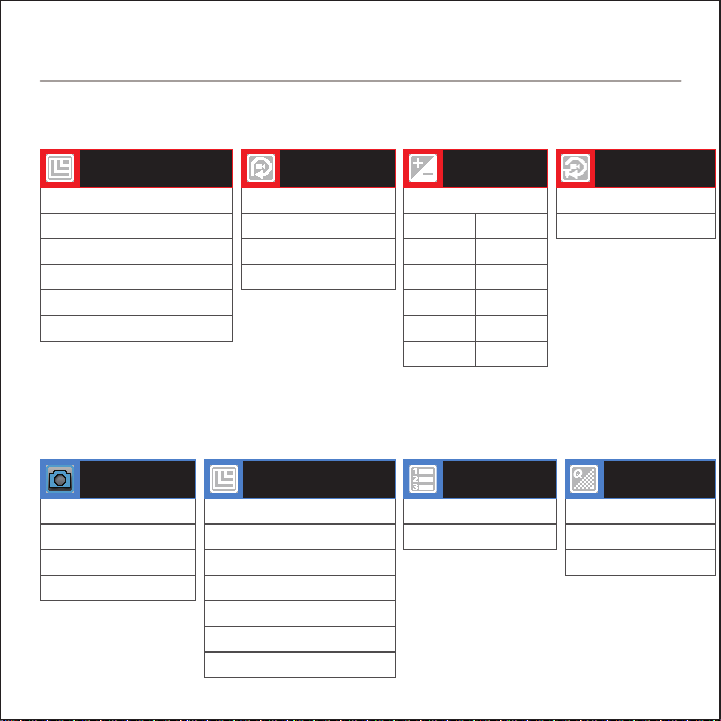
VIDEO RECORDING SETTINGS
PHOTO SETTINGS
1080 FHD 1920x1080
1080p 1440x1080
720p 1280x720
WVGA 848x480
VGA 640x460
QVGA 320x240
VIDEO
RESOLUTION
OFF
1 Minute
2 Minutes
3 Minutes
LOOP
RECORDING
+ 0.0
EXPOSURE
OFF
ON
MOTION
DETECTION
Single
2 Second Timer
5 Second Timer
10 Second Timer
TIMER
12M 4032x3024
10M 3648x2736
8M 3264x2448
5M 2592x1944
3M 2048x1536
2M 1920x1080
1.3M 1280x960
RESOLUTION
OFF
ON
SEQUENCE
Fine
Normal
Economy
QUALITY
+2.0
+5/3
+4/3
+1.0
+2/3
+1/3
-1/3
-2/3
-1.0
-4/3
-5/3
-2.0
MENU LIST
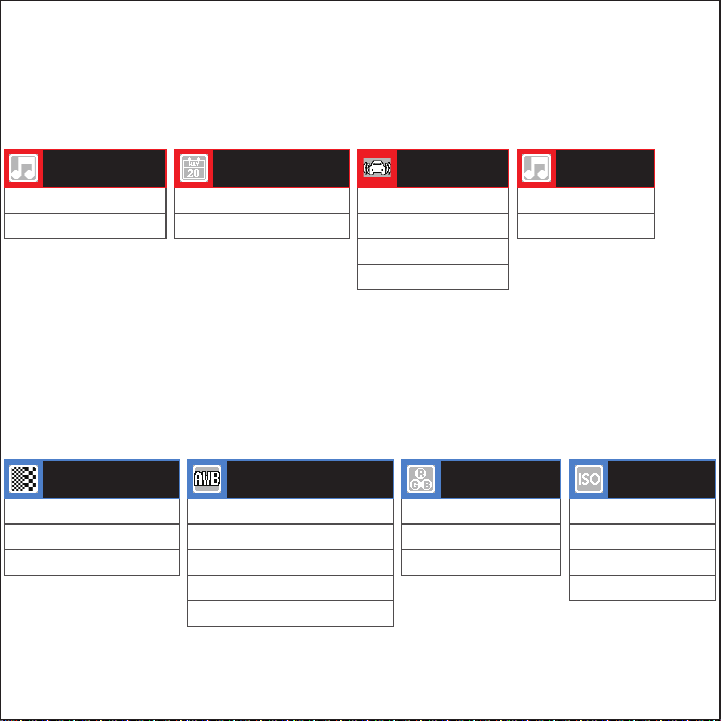
OFF
ON
BUTTON
SOUND
OFF
ON
RECORD AUDIO
OFF
ON
DATE STAMP
OFF
2G
4G
8G
G-SENSOR
SENSITIVITY
Strong
Normal
Soft
SHARPNESS
Auto
Daylight
Cloudy
Tungsten
Fluorescent
WHITE BALANCE
Color
Black & White
Sepia
COLOR
Auto
100
200
400
ISO
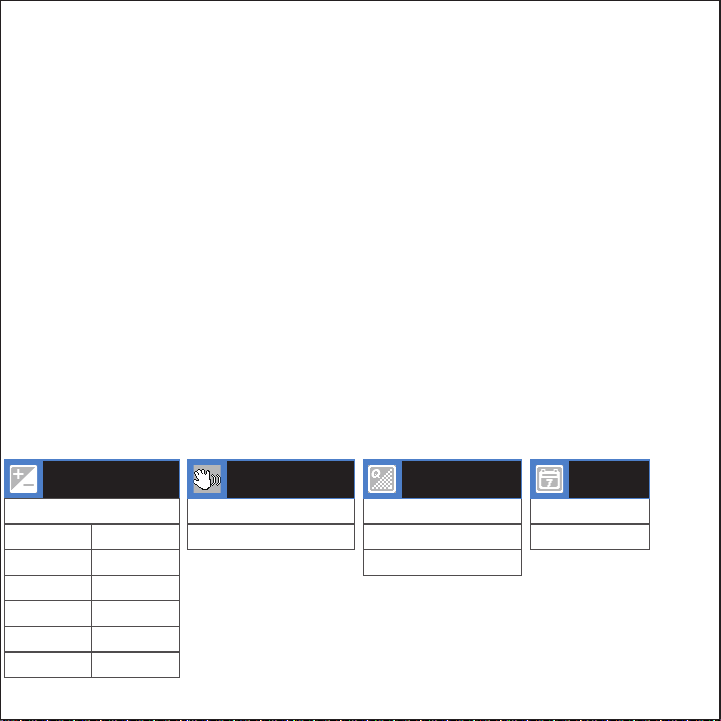
EXPOSURE
OFF
ON
ANTI-SHAKING
OFF
Date
DATE
STAMP
+ 0.0
+2.0
+5/3
+4/3
+1.0
+2/3
+1/3
-1/3
-2/3
-1.0
-4/3
-5/3
-2.0
OFF
2 Seconds
5 Seconds
QUICK REVIEW
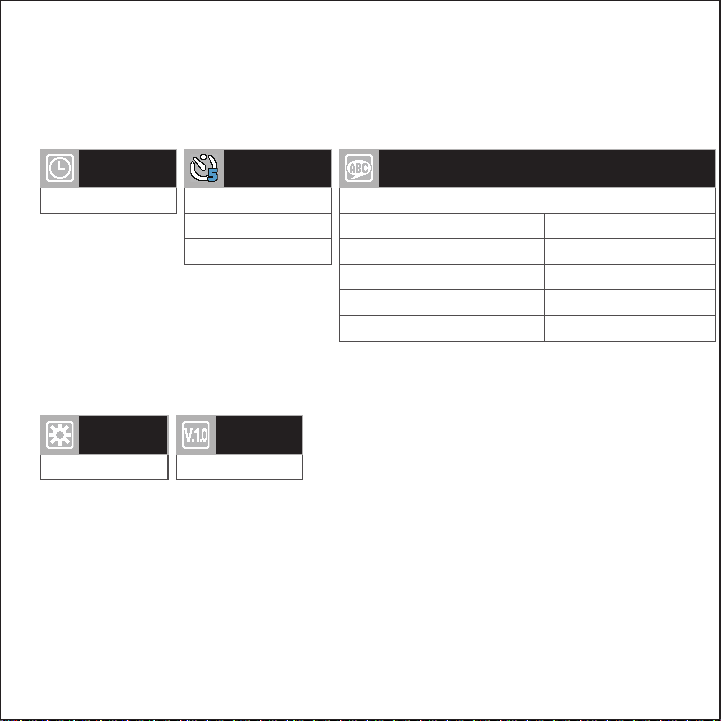
SYSTEM SETTINGS
Manual Input
DATE / TIME
Restore Defaults
DEFAULT
SETTINGS
Firmware Version
VERSION
OFF
1 Minute
3 Minutes
AUTO
POWER OFF
English
LANGUAGES
Español (Spanish)
Français (French)
Italiano (Italian)
Português (Portuguese)
한국어 (Korean)
繁體中文 (Traditional Chinese)
简体中文 (Simplified Chinese)
日本語 (Japanese)
pусский (Russian)
Deutsch (German)
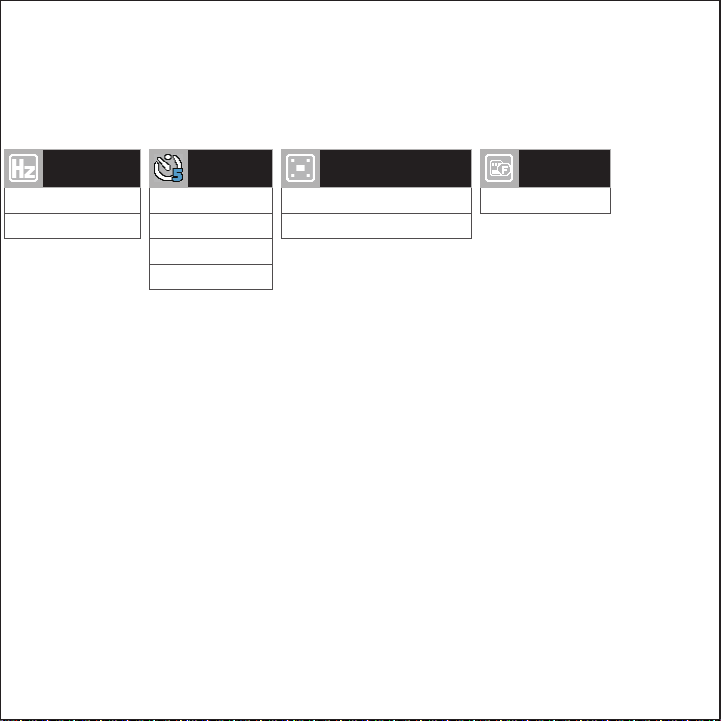
50 Hz
60 Hz
LIGHT
FREQUENCY
OFF
3 Minute
5 Minutes
5 Minutes
SCREEN
SAVER
Format SD Card
FORMAT
OFF
ON
IMAGE ROTATION

rovicams.com
THANK YOU FOR CHOOSING ROVI.
ENHANCE YOUR DRIVING EXPERIENCE.
FOR IMMEDIATE HELP AND SUPPORT,
AS WELL AS HOW-TO VIDEOS, PLEASE VISIT