User Manual
Thanks for your purchase from GRECELL. For the best
performance and safety purposes, please read this manual
carefully before use. Please keep this manual for further reference.
Portable Solar Panel
Model: S80
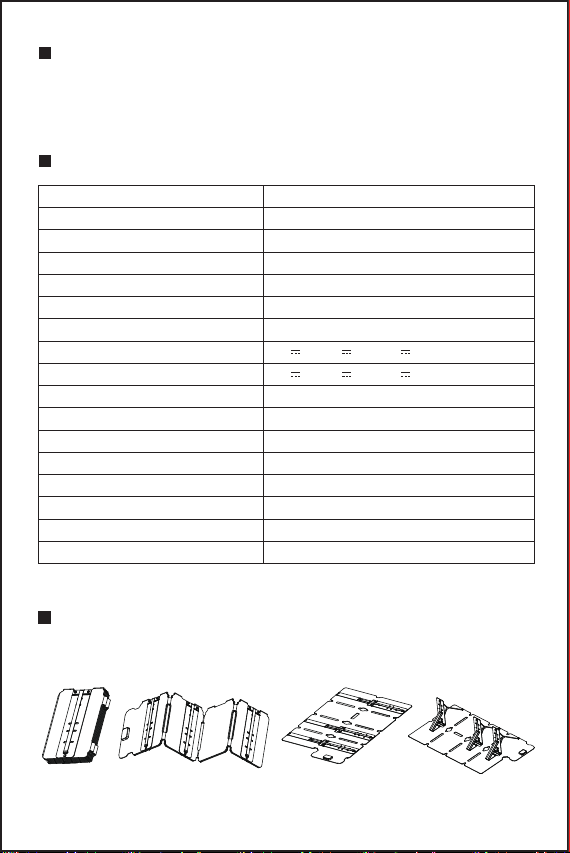
PACKAGE CONTENTS
- 1 -
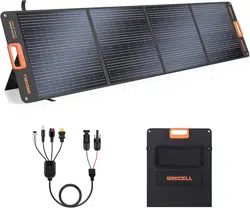
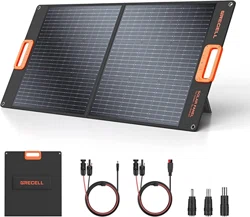
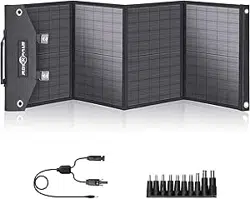
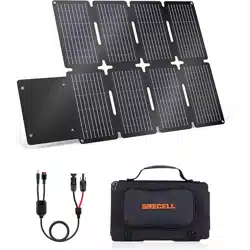
1 x 80W Portable Solar Panel
1 x MC-4 to 2-in-1 Cable (Anderson/DC 5.5*2.1mm Connector)
1 x User Manual
HOW IT WORKS
SPECIFICATIONS
Model
Solar Cell Type
Material
Surface Treatment
Solar Energy Conversion Rate
Peak Power
Output Interface
USB Port
Type-C Port
Open Circuit Voltage(Voc)
Short Circuit Current(Isc)
Max Load Voltage(Vmp)
Max Load Current(Imp)
Operating Temperature
Net Weight
Unfolded Size
Folded Size
S80
Monocrystalline Silicon Cell
IP67 Waterproof Fabric
ETFE Lamination
23%
80W
MC4+USB+TYPE-C
5V 3A, 9V 2A, 12V 1.5A, QC18W
5V 3A, 9V 2A, 12V 1.5A, QC18W
22.2V
4.35A
19V
3.9A
-10°C to 65°C
3.7Kg±0.5%
1144*617*32mm/±5%
306*225*67mm/±5%
1. Unfold
01 040302
- 2 -
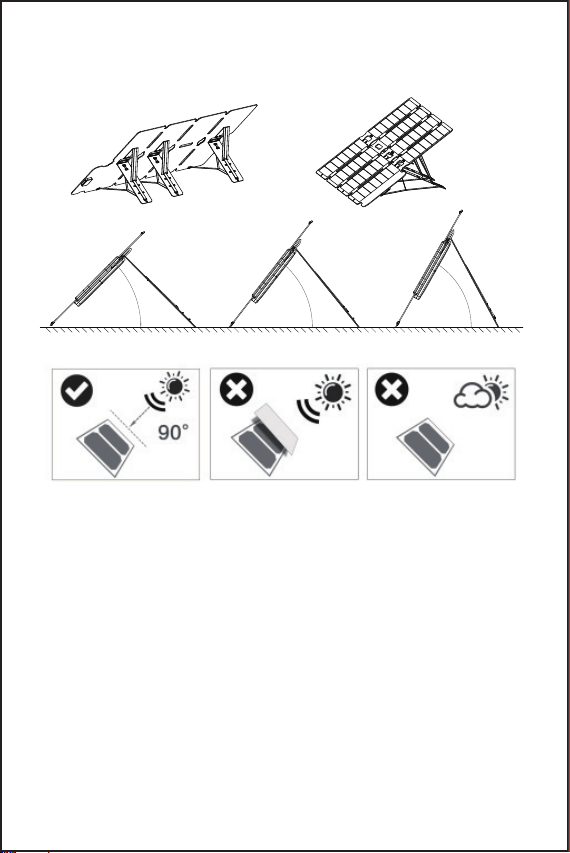
2. Adjust the angle of the solar panel by adjusting
the movable brackets in the built-in Kickstands
Place your solar panel in an area where you can get the most possible
sunlight and adjust the angle to the sun.
All solar panels must be exposed to direct sunlight, and avoid any
possible shelter like buildings and trees.
Solar panels angled at 30-60 degrees from a flat surface will harvest
the solar energy that is most possible.
If your panels must adhere to other surfaces, you need to avoid the
damp or irregular surfaces as they might bring a bit of distortion after a
long time of sunlight exposure. (we can rescue it after a second long
time exposure.)
Please choose the sunny hours in the day (9: 00 am to 5:00 pm) and
panels operate at peak efficiency when the sun is most direct-typically
around mid-day (12:00 am-1:00 pm).
●
●
●
●
●
35
45
55
06
05
- 3 -
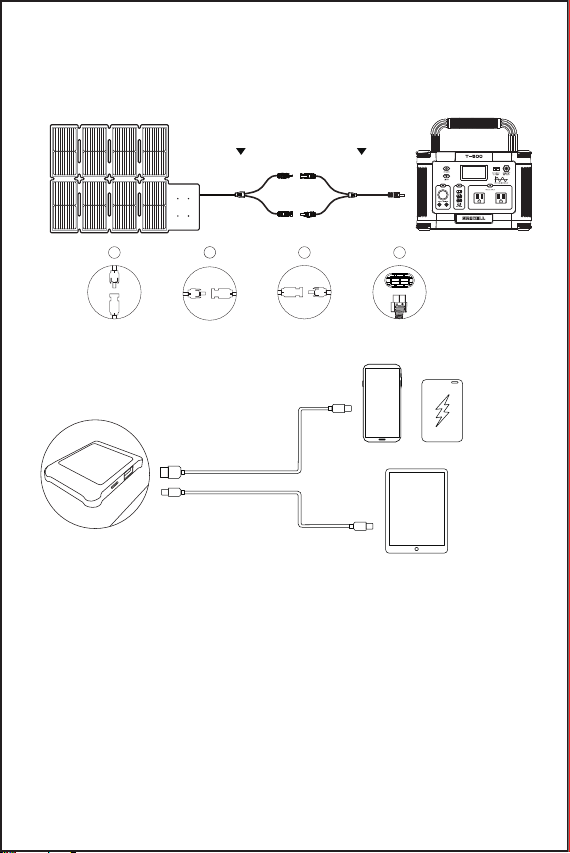
3. Build a Connection Between the Solar Panel and Your Devices
Connect to Your Power Station by MC-4 Connectors
Connect to Your Devices by USB-A/TYPE-C
MC4 Connectors
Solar Charging Cable
Anderson Connector
1 3
4
2
USB Cable (Not included)
Type-C Cable (Not included)
Cellphones
Tables
Power Bank
●
●
●
●
The solar panel generates electricity when the panel meets sunlight,
so please protect it with a cloth before you plug in a power station.
Plugin the cable to the input of your device first, then the other end of
the cable goes towards the output of the solar panel.
You will find a charging sign on your devices, if not, please build the
connection again or replace another charging cable.
If there shows up a charging sign, you can settle your devices to a
cool place for better heat dissipation and turn off your devices to save
the loss of energy during its running hours.
+More
- 4 -
4. How to Chain Multiple Solar Panels Together
●
●
●
●
It is also designed for charging 12V/24V Lead-Acid batteries, including
lithium and other equipment, please do pair the charging with a solar
regulator to protect the battery system from overcharging.
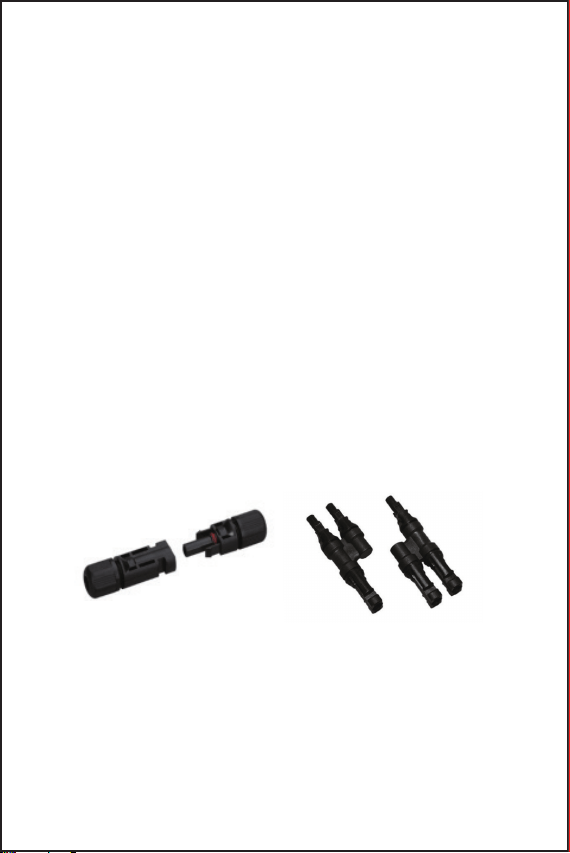
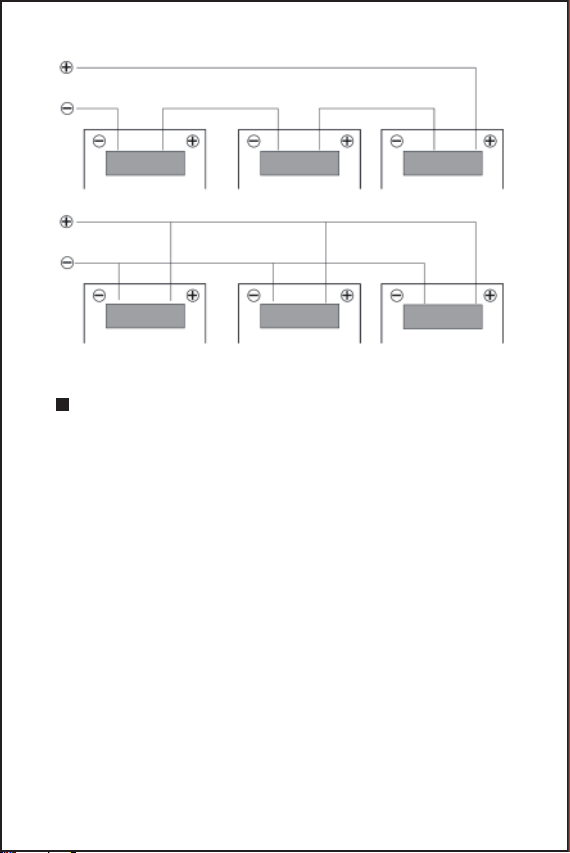
You can add more panels together with MC4 Y connectors(not
included) to get a different output: Voltages are additive when Panels
are connected directly in series, and the currents are additive when
panels are connected directly in parallel.
Only panels with similar electrical output should be connected in the
same string to avoid mismatch effects.
Whether connected in series or parallel, make sure the total voltage of
solar panels is under the power station's input voltage limit.
How to Build the Series or Parallel Connection
The solar panel is equipped with a stranded, PV-rated, output MC4
cable. The Positive connector is a male connector and the negative
connector is a female connector, two cables by themselves are rated
for series connections and could be adapted to hold parallel
connections with an extra MC4 branch Y connectors(not included).
MC4 Branch Y Connectors (Negative to Negative, Positive to Positive)
- 5 -
Panels in Series
Panels in Parallel
QUESTIONS & ANSWERS
Q1: Is the solar panel waterproof?
A1: The solar panel is IP67 water-resistant that provides protection
against water splash. Please do not leave it in the rain or water for a
long time.
Q2: What will affect the final conversion efficiency of solar panels?
A2: The actual solar panel efficiency may be affected by several
factors, like weather,sun intensity, shading, panel orientation,
temperature, location, dust and dirt.
For example, if you live in a place without much sunlight or your panels
are covered by shade, you'll get a very low output or none at all.
Q3: Is the solar panel compatible with the third party's power station?
A3: Yes. Make sure the solar panel's voltage is compatible with your
power station's voltage limitation, while you're using the same
connector. Please feel free to contact us for compatibility with other
power stations.
- 6 -
MC-4 CONNECTORS/USB+TYPE-C PORTS
1. Keep connectors dry and clean, and ensure that connector caps are
hand tight before connecting the panel.
2. Do not attempt making an electrical connection with wet, soiled, or
other faulty connectors.
3. To better preserve its service life, please avoid sunlight exposure
and water immersion of the connectors, and avoid connectors
resting on the ground or roof surface.
4. Faulty connections will result in electrical shock. Please check all
electrical connections at least once every 6 months. Make sure that
all locking connectors are fully fastened and locked.
WARM TIPS
1. Please do not try to modify the PCB circuit inside the back junction
box unless you are a professional technician, or we are not responsible
for such a result.
2. The solar panel charger is built with an anti-flow resistant preventer
inside, it will not occur the back-flow phenomenon.
3. Installing a solar PV system may require specialized skills and
knowledge. Otherwise, it is suggested to have it designed or inquired
with a qualified installer.
MAINTENANCE
1. Regular inspection and maintenance are required to prolong the
lifespan of the solar panel.
2. This solar panel is mainly for emergency charging purposes, we do
not suggest a long time of outdoor exposure as it may shorten the
lifespan of this product.
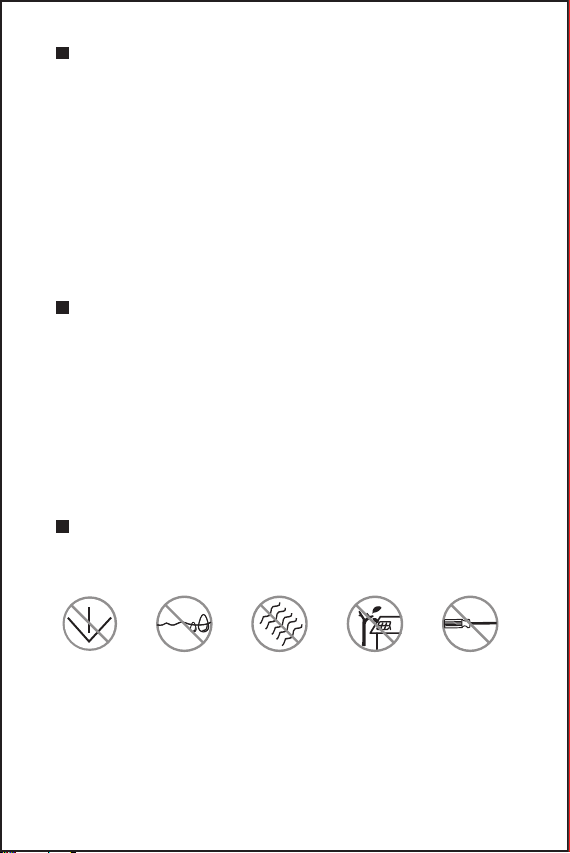
No fall No soak No bend No shading No scratch

- 7 -
3. Not bendable, please handle the solar panel with care, and avoid
hitting it with sharp objects or knocking heavily on it.
4. It is normal that solar panels got hot during working hours and
please store them in the box after they cool down.
5. Dirt and dust can accumulate on the surface over time, this can
cause a general decrease in power output, we recommend periodic
cleaning for panels with a mild, non-abrasive cleaning agent.
6. Do not use solar panels in extreme weather conditions like
thunderstorms, floods, typhoons, etc.
7. Use and storage temperature conditions should be at -10°C-65°C.
WARRANTY
All GRECELL products come with a full 2-year limited warranty from
the date of purchase (accessories excluded). It will be out of
guarantee if damaged due to incorrect use or force majeure.
E-mail: [email protected]