User Manual
Thanks for your purchase from GRECELL. For the best
performance and safety purposes, please read this manual
carefully before use. Please keep this manual for further reference.
Portable Solar Panel
Model: SP-200
Go Green, Go Grecell
SOLAR PANEL
Package Contents
- 1 -
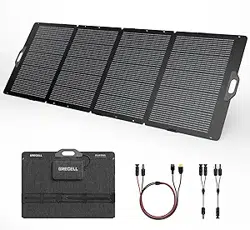
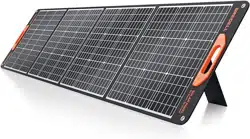
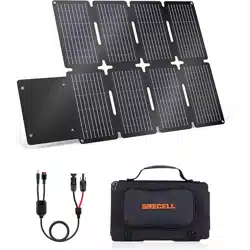
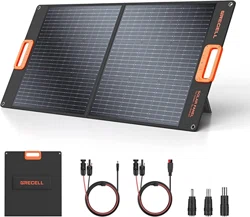
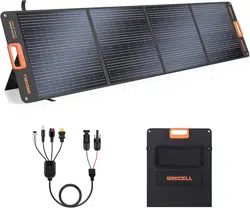
1 x 200W Foldable Solar Panel
1 x MC-4 to 4 in 1 Solar Charge Cable
(XT60/Anderson/DC 79*09mm Connector/Aviation Connector)
1 x User Manual
How It Works
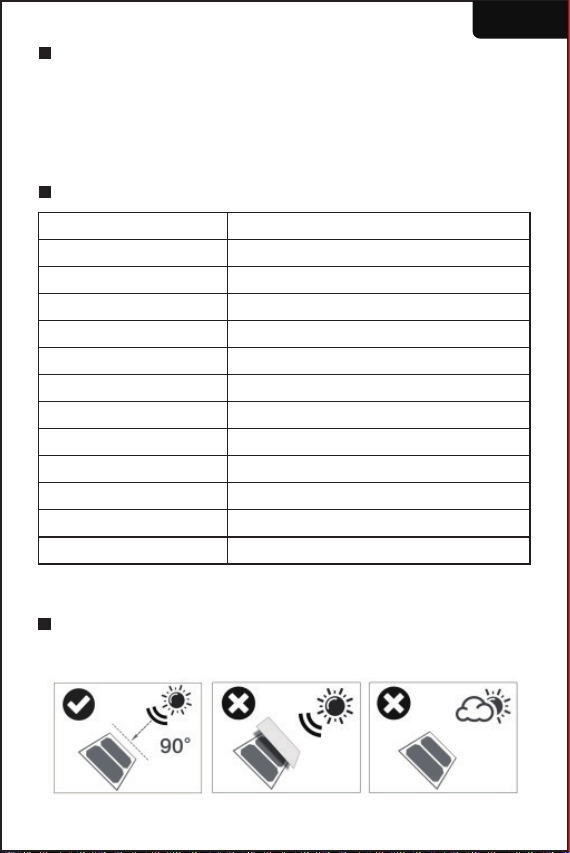
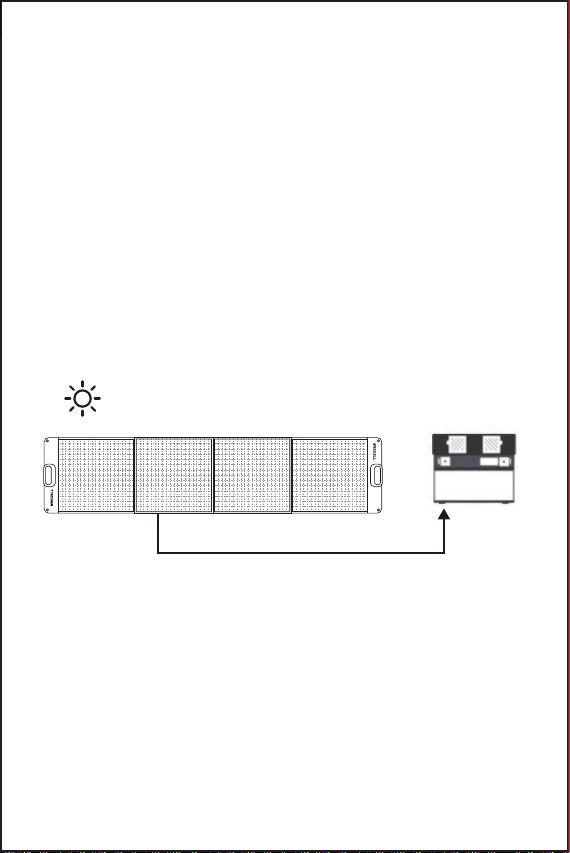
Place your solar panel in an area where you can get the most
possible sunlight and adjust the angle to the sun.
Specifications
English
Model
Solar Panel
Material
Surface Treatment
Solar Energy Conversion Rate
Peak Power
Output Interface
Open Circuit Voltage
Max Load Voltage
Max Load Current
Operating Temperature
Unfolded Size
Folded Size
SP-200
Monocrystalline Silicon Cell
900D Oxford Fabric
ETFE
23%
200W
MC4
23.85V
19V
10.5A
-20°C to 60°C
2172*578*15mm/85.5*22.76*0.6in
585*578*35mm/23*22.76*1.4in
1.
- 2 -
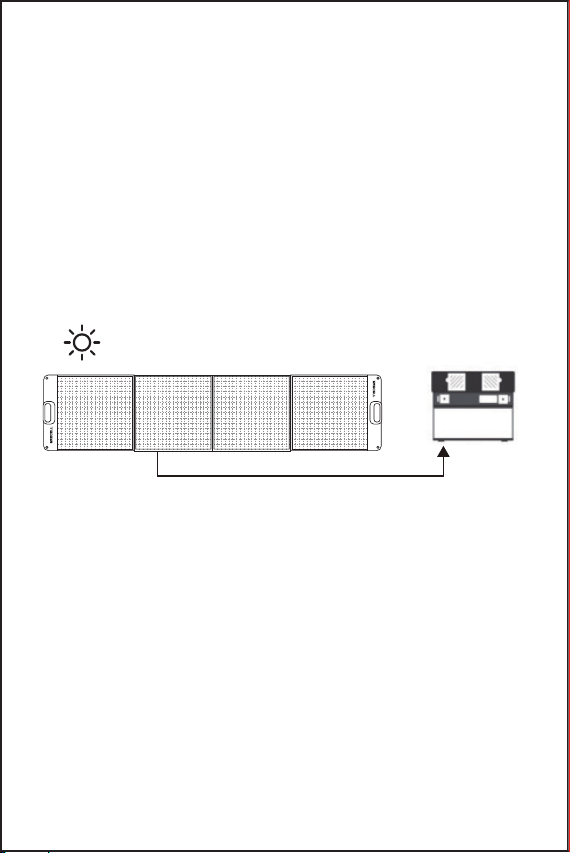
Build a connection between the solar panel and your solar
generators.
2.
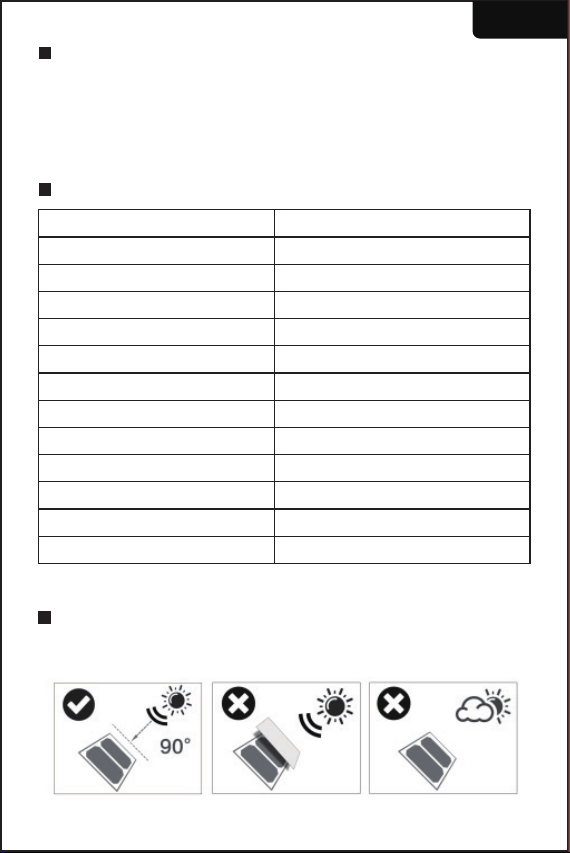
All solar panels must be exposed to direct sunlight, and avoid any
possible shelter like buildings and trees.
Solar panels angled at 30-60 degrees from a flat surface will harvest
the solar energy that is most possible.
If your panels must adhere to other surfaces, you need to avoid the
damp or irregular surfaces as they might bring a bit of distortion after
a long time of sunlight exposure. (we can rescue it after a second
long time exposure.)
Please choose the sunny hours in the day (9: 00 am to 5:00 pm) and
panels operate at peak efficiency when the sun is most direct-typically
around mid-day (12:00 am-1:00 pm)
●
●
●
●
Solar panels generate electricity when panels meet sunlight, so
please protect them with a cloth before you plug in a device.
Plugin the cable to the input of your device first, then the other end
of the cable goes towards the output of the solar panel.
Remove the cloth and you will find a charging sign on your laptop,
if not, please build the connection again or replace another charging
cable.
If there shows up a charging sign, you can settle your device to a
cool place for better heat dissipation and turn off your device to save
the loss of energy during its running hours, especially for laptops.
●
●
●
●
How to chain multiple solar panels together
3.
It is also designed for charging 12V/24V Lead-Acid batteries, including
lithium and other equipment, please do pair the charging with a solar
regulator to protect the battery system from overcharging.
●
Go Green, Go Grecell
SOLAR PANEL
Go Green, Go Grecell
SOLAR PANEL
- 3 -
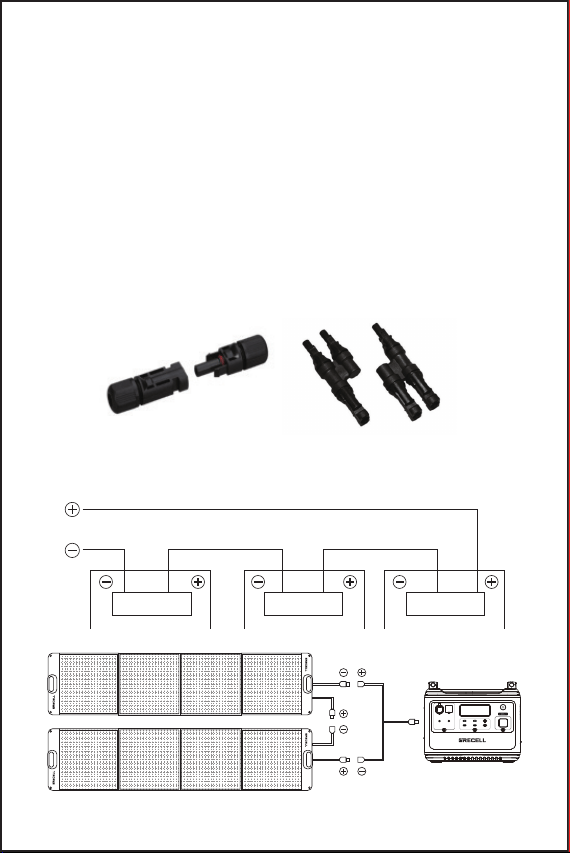
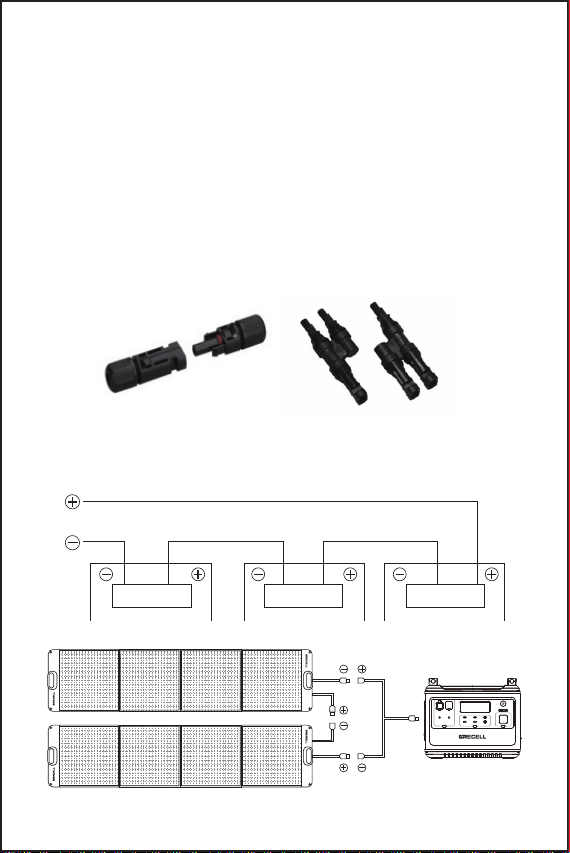
You can add more panels together with MC4 Y connectors to get a
different output: Voltages are additive when Panels are connected
directly in series, and the currents are additive when panels are
connected directly in parallel.
Only panels with similar electrical output should be connected in the
same string to avoid mismatch effects.
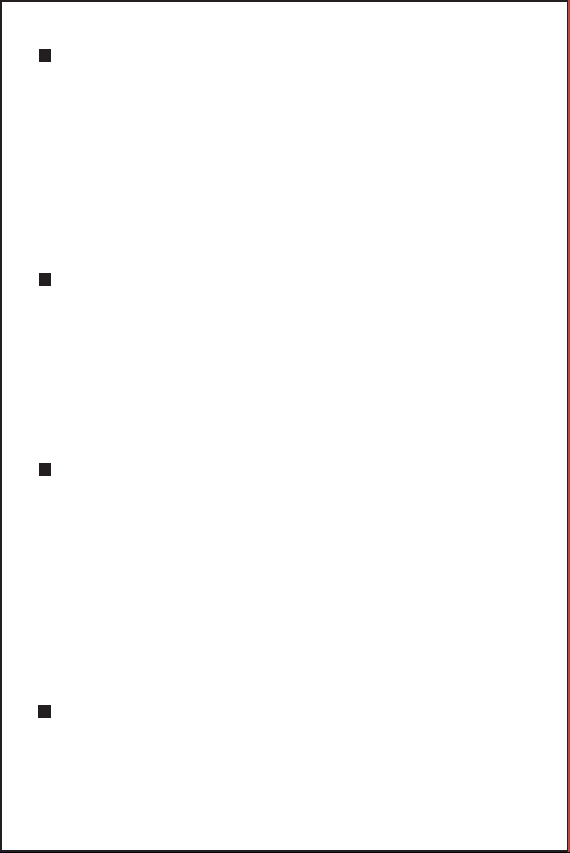
How to build the series connection Every panel is equipped with One
stranded, PV-rated, output MC4 cable. The Positive connector is a
male connector and the negative connector is a female connector,
these wires by themselves are rated for] series connections.
When two solar panels are used together in series, insert the MC4
male connector of the first solar panel into the MC4 female
connector of the second one, and a 400 W solar panel is obtained to
charge your power station.
●
●
●
MC4 connectors (Positive to negative, positive to negative)
Panels in Series
12V/3A 12V/3A
12V/10A 12V/25A
5V/2.4A QC 3.0
5V/2.4A QC 3.0
POWER
USB-C 100W
USB-C 100W
DC USB LED
Go Green, Go Grecell
SOLAR PANEL
Go Green, Go Grecell
SOLAR PANEL
Go Green, Go Grecell
SOLAR PANEL
Go Green, Go Grecell
SOLAR PANEL
- 4 -
MC4 Connectors
Keep connectors dry and clean, and ensure that connector caps are
hand tight before connecting the panel.
Do not attempt making an electrical connection with wet, soiled, or
other faulty connectors.
To better preserve its service life, please avoid sunlight exposure
and water immersion of the connectors, and avoid connectors
resting on the ground or roof surface.
Faulty connections will result in electrical shock. Please check all
electrical connections at least once every 6 months. Make sure that
all locking connectors are fully fastened and locked.
1.
2.
3.
4.
Maintenance
This solar panel is mainly for emergency charging purposes, we do
not suggest a long time of outdoor exposure as it may shorten the
lifespan of this product.
Not bendable, please handle the solar panel with care, and avoid
hitting it with sharp objects or knocking heavily on it.
It is normal that solar panels got hot during working hours and
please store them in the box after they cool down.
Dirt and dust can accumulate on the surface over time, this can
cause a general decrease in power output, we recommend periodic
cleaning for panels with a mild, non-abrasive cleaning agent.
Use and storage temperature conditions should be at -20°C---60°C.
1.
2.
3.
4.
5.
Warranty
All GRECELL products come with a full 2-year limited warranty from
the date of purchase (accessories excluded). It will be out of guarantee
if damaged due to incorrect use or force majeure.
E-mail: [email protected]
Warm Tips
Please do not try to modify the PCB circuit inside the back junction
box unless you are a professional technician, or we are not
responsible for such a result.
The solar panel charger is built with an anti-flow resistant preventer
inside, it will not occur the backflow phenomenon.
Installing a solar PV system may require specialized skills and
knowledge. Otherwise, it is suggested to have it designed or
inquired with a qualified installer.
1.
2.
3.
取扱説明書
この度は、GRECELLの製品を購入頂きまして、誠にありがとうご
ざいます。安全のために、ご使用になる前に、本書をよくお読み
になり、本製品を正しくお使いください。なお、お読みになった
後は、本書を大切に保管してください。
ソーラーパネル
Model: SP-200
Go Green, Go Grecell
SOLAR PANEL
商品のパッケージ
- 5 -
1x200W折りたたみ式ソーラーパネル
1xMC4to4in1充電ケーブル
(XT60/アンダーソンコネクター/7909/航空コネクタープラグ)
1x説明書
使用方法
ソーラーパネルを日差しの良い場所に置いて、太陽に向ける一番良
い角度に調整してください。
製品仕様
モデル
ソーラーパネル
素材
表面処理
変換効率
最大電力
出力ポート
開回路電圧
最大負荷電圧
最大負荷電流
操作温度
展開サイズ
収納サイズ
SP-200
単結晶シリコンセル
900Dオックスフォード
ETFE
23%
200W
MC4
23.85V
19V
10.5A
-20℃〜60℃
2172*578*15mm/85.5*22.76*0.6in
585*578*35mm/23*22.76*1.4in
1.
日本語
- 6 -
ソーラーパネルとノートパソコン/ポータブル電源の接続
2.
全てのパネルが日照を受けさせて、建物や木の陰の下に置かないで
ください。
エネルギー転換の一番効率的な角度は地面に30-60度の角度になり
ます。
地面以外、他のところを選ぶ時、ビショビショやデコボコな場所を
避けてください。日差しを受けた後、変形する恐れがございます。
(万が一変形したら、長時間に日差しを受けてから直せます)
晴れの日、日照が一番良い時間帯は9:00-17:00で、できるだけこ
の時間帯に充電してください(一番強い時間帯は午後12:00-13:00)。
●
●
●
●
パネルは表面に日差しを受けるとパワーを転換するため、設備と接続
していない場合、日差しを遮断してください。
まずはケーブルで設備とパネルを接続してください。
接続完了後、日差しを受けて、設備の充電マークがでたら完了となり、
出ていない場合、抜き差し直しあるいはケーブルを付け替えてくださ
い。
給電開始後、使用場所を変われるので、日差しを受けない場所に移動
しても構いません。
●
●
●
●
Go Green, Go Grecell
SOLAR PANEL
Go Green, Go Grecell
SOLAR PANEL
- 7 -
複数のソーラーパネルをつなぐ方法
3.
●
●
●
パネル直列接続
MC4Y型コネクターとケーブルで数台のパネルを接続し、
異なる出力を得ることができます。
パネルが直接直列に接続されている場合、電圧は加算され、パネルが
直接並列に接続されている場合、電流は加算されます。
不一致の影響を避けるために、同様の電気出力を持つパネルのみを同
じストリングに接続する必要があります。
直列接続の構築方法
すべてのパネルには、パネルに1本のMC4型出力ケーブルを付属し、正
極(+)の端子はオス型、負極(-)の端子はメス型コネクターの場合は接
続可能です。ワイヤー自体は直列接続に使用できます。
2枚のソーラーパネルを直列に使用する場合は、最初のソーラーパネル
のMC4オスコネクタを2番目のソーラーパネルのMC4メスコネクタに挿
入すると、400Wのソーラーパネルが電源の充電に使用されます。
接続の際に、正極(+)対負極(-)
Go Green, Go Grecell
SOLAR PANEL
Go Green, Go Grecell
SOLAR PANEL
Go Green, Go Grecell
SOLAR PANEL
Go Green, Go Grecell
SOLAR PANEL
12V/3A 12V/3A
12V/10A 12V/25A
5V/2.4A QC 3.0
5V/2.4A QC 3.0
POWER
USB-C 100W
USB-C 100W
DC USB LED
- 8 -
MC4コネクタ
取り付ける前に、しっかりと締め付けるかどうかを確認して、乾燥
な状態で取り付けてください。
湿度の高い場所、汚れまた破損がある状態で使用しないでください。
長期間に使用できるよう、日差しが強いまた湿度が高い場所に置か
ないでください。紛失したり、足で踏んたりしないよう、使用後、
きちんと保管してください。
誤った接続方法は感電するため、少なくても6ヶ月ごと全体的の接
続状態をチェックし、正しくしっかりと接続していることを保証し
てください。
1.
2.
3.
4.
使用上の注意事
本製品は主に緊急事態の充電用であるため、長期間に使用できるよ
う、室外に保管することをご遠慮ください。
本体は巻けませんので、持ち運びの時、鋭い物に刺さず、叩かぬ、
落ちないようご注意ください。
使用後のパネルが発熱するのは正常な仕様なので、保管する前に風
通しの良い場所で冷却してください。
使用と伴い、パネルの表面に汚れやホコリを付けますので、充電効
率に影響しないよう、定期に中性の洗剤で表面をお手入れください。
使用温度と保存温度条件、-20℃--60℃。
1.
2.
3.
4.
5.
保証について
ご購入日からの2年間以内に不可抗力や正しくない使い方以外の壊れ
は保証対象となります。
メールアドレス:[email protected]
安全上の注意事
電気工事士資格を持っていない方が改装また修理することは禁止で
す。自らでPCB回路を改装また修理する際に、事故が発生した場合、
責任を取りません。
パネルには逆流防止装置を内蔵していますので、電流の逆流は発生
しません。
ソーラーPVシステムの装着は資格を持っている専門士を雇って、相
談してから取り付けてください。
1.
2.
3.