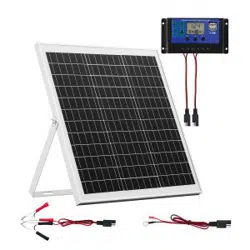

Solar Battery Charger/Maintainer
OWNERS MANUAL
READ THE ENTIRE MANUAL BEFORE USING THIS PRODUCT. FAILURE TO DO SO COULD RESULT IN SERIOUS INJURY.
1. IMPORTANT SAFETY INSTRUCTIONS – SAVE THESE INSTRUCTIONS
1.1 SAVE THESE INSTRUCTIONS – This manual contains important safety and operating instructions.
WARNING: RISK OF ELECTRIC SHOCK OR FIRE.
1.2 Keep out of reach of children.
1.3 Use only recommended attachments. Use of an attachment not recommended or sold by the battery charger manufacturer may result in a risk of re, electric shock or
injury to persons or damage to property.
1.4 To reduce the risk of electric shock, disconnect the clamps from the solar charger before attempting any maintenance or cleaning.
1.5 Do not operate the solar charger if it has received a sharp blow, been dropped or otherwise damaged in any way; take it to a qualied service person.
1.6 Do not disassemble the solar charger; take it to a qualied service person when service or repair is required. Incorrect reassembly may result in a risk of re or electric shock.
WARNING: RISK OF EXPLOSIVE GASES.
1.7 WORKING IN THE VICINITY OF A LEAD-ACID BATTERY IS DANGEROUS. BATTERIES GENERATE EXPLOSIVE GASES DURING NORMAL BATTERY OPERATION.
FOR THIS REASON, IT IS OF UTMOST IMPORTANCE THAT YOU FOLLOW THE INSTRUCTIONS EACH TIME YOU USE THE SOLAR CHARGER.
1.8 To reduce the risk of a battery explosion, follow these instructions and those published by the battery manufacturer and the manufacturer of any equipment you intend to
use in the vicinity of the battery. Review the cautionary markings on these products and on the engine.
1.9 Locate this solar charger 18 inches (45.72 cm) or more above oor level. Do not place on wet ground, anywhere it could be accidently stepped on or in a place or position
where it could fall while being used.
2. PERSONAL PRECAUTIONS
WARNING: RISK OF EXPLOSIVE GASES.
2.1 NEVER smoke or allow a spark or ame in the vicinity of a battery or engine.
2.2 Remove personal metal items such as rings, bracelets, necklaces and watches when working with a lead-acid battery. A lead-acid battery can produce a short-circuit
current high enough to weld a ring or the like to metal, causing a severe burn.
2.3 Be extra cautious to reduce the risk of dropping a metal tool onto the battery. It might spark or short-circuit the battery or other electrical part that may cause an explosion.
2.4 Use this solar charger for charging LEAD-ACID batteries only. It is not intended to supply power to a low voltage electrical system other than in a starter-motor application.
Do not use this solar panel for maintaining or charging dry-cell batteries that are commonly used with home appliances. These batteries may burst and cause injury to
persons and damage to property.
2.5 NEVER charge a frozen battery.
2.6 Consider having someone close enough by to come to your aid when you work near a lead-acid battery.
2.7 Have plenty of fresh water and soap nearby in case battery acid contacts your skin, clothing or eyes.
2.8 Wear complete eye and body protection, including safety goggles and protective clothing. Avoid touching your eyes while working near the battery.
2.9 If battery acid contacts your skin or clothing, immediately wash the area with soap and water. If acid enters your eye, immediately ood the eye with cold running water for
at least 10 minutes and get medical attention right away.
2.10 If battery acid is accidentally swallowed, drink milk, the whites of eggs or water. DO NOT induce vomiting. Seek medical attention immediately.
3. PREPARING TO CHARGE
WARNING: RISK OF CONTACT WITH BATTERY ACID. BATTERY ACID IS A HIGHLY CORROSIVE SULFURIC ACID.
3.1 If it is necessary to remove the battery from the vehicle to charge it, always remove the grounded terminal rst. Make sure all of the accessories in the vehicle are off to
prevent arcing.
3.2 Be sure the area around the battery is well ventilated while the battery is being charged.
3.3 Clean the battery terminals before charging the battery. During cleaning, keep airborne corrosion from coming into contact with your eyes, nose and mouth. Use baking
soda and water to neutralize the battery acid and help eliminate airborne corrosion. Do not touch your eyes, nose or mouth.
3.4 If appicable, add distilled water to each cell until the battery acid reaches the level specied by the battery manufacturer. Do not overll. For a battery without removable
cell caps, such as valve regulated lead acid batteries (VRLA), carefully follow the manufacturer’s recharging instructions.
3.5 Read, understand and follow all instructions for the solar charger, battery, vehicle and any equipment used near the battery and solar charger. Study all of the battery
manufacturer’s specic precautions while in use.
3.6 Determine the voltage of the battery by referring to the vehicle owner’s manual and make sure that the output voltage of the solar charger is the correct voltage.
3.7 Make sure that the solar charger cable clamps make tight connections.
0099002367-01
MODEL
SA1589

• 2 •
4. SOLAR CHARGER LOCATION
WARNING: RISK OF EXPLOSION AND CONTACT WITH BATTERY ACID.
4.1 Locate the solar charger as far away from the battery as the DC cables permit.
4.2 Never place the solar charger directly above the battery being charged or maintained; gases from the battery will corrode and damage the solar panel.
4.3 Do not set the battery on top of the solar panels.
4.4 Never allow battery acid to drip onto the solar panels when reading the electrolyte specic gravity or lling the battery.
4.5 Do not operate the solar charger in a closed-in area or restrict the ventilation in any way.
5. DC CONNECTION PRECAUTIONS
5.1 Never allow the clamps to touch each other.
5.2 Attach the clamps to the battery and chassis, as indicated in sections 6 and 7.
6. FOLLOW THESE STEPS WHEN BATTERY IS INSTALLED IN VEHICLE
WARNING: A SPARK NEAR THE BATTERY MAY CAUSE A BATTERY EXPLOSION. TO REDUCE THE RISK OF A SPARK NEAR THE BATTERY:
6.1 Position the DC cables to reduce the risk of damage by the hood, door and moving or hot engine parts. NOTE: If it is necessary to close the hood during the maintaining or
charging process, ensure that the hood does not touch the metal part of the battery clips or cut the insulation of the cables.
6.2 Stay clear of fan blades, belts, pulleys and other parts that can cause injury.
6.3 Check the polarity of the battery posts. The POSITIVE (POS, P, +) battery post usually has a larger diameter than the NEGATIVE (NEG, N, -) post.
6.4 Determine which post of the battery is grounded (connected) to the chassis. If the negative post is grounded to the chassis (as in most vehicles), see step 6.5. If the
positive post is grounded to the chassis, see step 6.6.
6.5 For a negative-grounded vehicle, connect the POSITIVE (RED) clip from the solar charger to the POSITIVE (POS, P, +) ungrounded post of the battery. Connect the
NEGATIVE (BLACK) clip to the vehicle chassis or engine block away from the battery. Do not connect the clip to the carburetor, fuel lines or sheet-metal body parts.
Connect to a heavy gauge metal part of the frame or engine block.
6.6 For a positive-grounded vehicle, connect the NEGATIVE (BLACK) clip from the solar charger to the NEGATIVE (NEG, N, -) ungrounded post of the battery. Connect the
POSITIVE (RED) clip to the vehicle chassis or engine block away from the battery. Do not connect the clip to the carburetor, fuel lines or sheet-metal body parts. Connect
to a heavy gauge metal part of the frame or engine block.
6.7 Using the quick-connect connector, plug the clips into the solar panel.
6.8 When disconnecting the solar charger, unplug the clips from the charger, remove the clip from the vehicle chassis, then remove the clip from the battery terminal.
7. FOLLOW THESE STEPS WHEN BATTERY IS OUTSIDE VEHICLE
WARNING: A SPARK NEAR THE BATTERY MAY CAUSE A BATTERY EXPLOSION. TO REDUCE THE RISK OF A SPARK NEAR THE BATTERY:
7.1 Check the polarity of the battery posts. The POSITIVE (POS, P, +) battery post usually has a larger diameter than the NEGATIVE (NEG, N, -) post.
7.2 Attach at least a 24-inch (61 cm) long 6-gauge (AWG) (13 mm
2
) insulated battery cable to the NEGATIVE (NEG, N, -) battery post.
7.3 Connect the POSITIVE (RED) solar panel clip to the POSITIVE (POS, P, +) post of the battery.
7.4 Position yourself and the free end of the cable you previously attached to the NEGATIVE (NEG, N, -) battery post as far away from the battery as possible – then connect
the NEGATIVE (BLACK) solar panel clip to the free end of the cable.
7.5 Do not face the battery when making the nal connection.
7.6 Using the quick-connect connector, plug the clamps into the solar charger.
7.7 When disconnecting the solar charger, always do so in the reverse order of the connecting procedure and break the rst connection while as far away from the battery as
practical.
7.8 A marine (boat) battery must be removed and charged on shore. To charge it onboard requires equipment specially designed for marine use.
8. ASSEMBLY AND MOUNTING INSTRUCTIONS
8.1 Unroll the solar charger.
8.2 Remove all cord wraps and uncoil the cables before use.
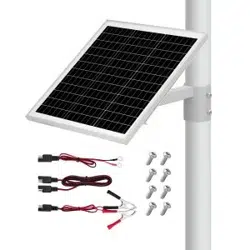
8.3 Secure the solar charger by tying a cord through the grommets. This will help prevent loss or damage from high winds.
9. FEATURES
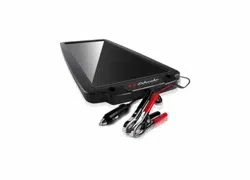
1. USB cable
2. Mounting grommets
3. Quick-connect socket
4. Solar panels
5. Battery clamps with quick connector
1
2
3
4
5

• 3 •
10. OPERATING INSTRUCTIONS
WARNING: This solar charger must be properly assembled in accordance with the assembly instructions before it is used.
The solar charger does not have an ON/OFF switch. The On and Off commands are controlled by placing the solar charger in the sun only after the battery connections
have been made.
You MUST disconnect the solar charger from the battery when starting the engine or driving the vehicle. Electrical surges from the alternator when starting and running
may damage the solar panel.
NOTE: The clamps are always live.
CHARGING A VEHICLE BATTERY
1. Ensure that all of the solar charger components are in place and in good working condition, for example, the plastic boots on the battery clamps.
2. Connect the battery clamps to the solar charger, making sure the connection is secure.
3. Connect the battery following the precautions listed in sections 6 and 7.
4. Place the solar charger in the sun. For optimum solar panel output, face the front (glass) side of the solar panel towards the sun, making sure there are no shadows
being cast on the panel by the vehicle or other objects. The best orientation to place the solar panel is in a south to north direction with the panel tilted at a suitable
angle. The best angle would be the same as your local latitude.
5. To disconnect, reverse the procedure.
NOTE: This unit charges small batteries and maintains large batteries (12 volt or less), keeping them at full charge. However, if you were to use this unit to charge a large
battery, you may lose some of the battery’s capacity. This would cause the battery to be unable to hold a charge and become useless.
NOTE: This is a manual charger and will overcharge a battery if permitted to operate for extended periods of time. Monitor charging often, as not doing so may cause
damage to your battery, or result in other property damage or personal injury.
NOTE: The USB and battery clamp outputs cannot be used simultaneously. If the USB output is connected for charging, the unit will not maintain a vehicle battery.
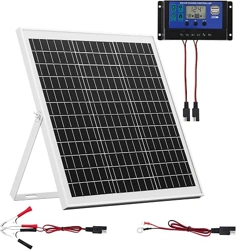
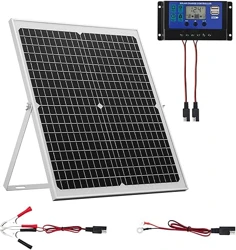
WARNING: The manufacturer strongly recommends using a solar charge controller (p/n 940261073, sold separately) in tandem with this solar charger for optimal results
and to avoid overcharge or discharge of the battery.
USING THE QUICK-CONNECT BATTERY CLAMPS
1. Connect the battery clamp cable assembly to the solar charger. Do not place on wet ground, anywhere it could be accidently stepped on or in a place or position where
it could fall while being used. Never use the output cable for other applications, as reverse polarity and/or overcharge conditions will occur.
2. Follow the steps in sections 6 and 7 to connect the output clamps to the battery.
3. After a good electrical connection is made to the battery, place the solar charger in the sun, per the instructions in step 4 of the Charging a Vehicle Battery section.
11. MAINTENANCE INSTRUCTIONS
11.1 After use and before performing maintenance, unplug and disconnect the solar charger (see sections 6, 7 and 8).
11.2 Use a dry cloth to wipe all battery corrosion and other dirt or oil from the battery clamps, cords and the solar panels.
11.3 The solar panels use a glass substrate; handle with care.
11.4 Always keep the glass surface clean using a soft cloth in order to ensure its maximum output.
11.5 Ensure that all of the solar charger components are in place and in good working condition, for example, the plastic boots on the battery clamps.
11.6 Servicing does not require opening the unit, as there are no user-serviceable parts.
11.7 All other servicing should be performed by qualied service personnel.
12. MOVING AND STORAGE INSTRUCTIONS
12.1 Unplug the solar charger and fold before storing.
12.2 Store inside, in a cool, dry place.
12.3 Do not store the clamps clipped together, on or around metal, or clipped to cables.
12.4 If the solar charger is moved around the shop or transported to another location, take care to avoid/prevent damage to the cords, clamps and solar panels. Failure to do so
could result in personal injury or property damage.
13. SPECIFICATIONS
Solar technology ..............................................................................................................Monocrystalline
Power output ................................................................................................................ 5W max @ 5-16V
Tested under standard conditions ..................................................................... AM1.5, 1000W/m
2
, 25°C
Operating temperature ...............................................................................
-
4° F–185° F (
-
20° C–85° C)
USB port ......................................................................................................................................One, 1A
Dimensions, folded ...........................................................................................7.28 x 4.53 x 0.79 inches
Dimensions, unfolded .....................................................................................15.35 x 7.09 x 0.12 inches
14. ACCESSORIES
Solar charge controller ............................................................................................................940261073
15. BEFORE RETURNING FOR REPAIRS
For REPAIRS OR RETURNS, visit 365rma.com
Visit batterychargers.com for Replacement Parts.
16. LIMITED WARRANTY
For information on our one year limited warranty, please visit batterychargers.com or call 1-800-621-5485 to request a copy.
Go to batterychargers.com to register your product online.