INSTRUCTION MANUAL
S3470, Rev A
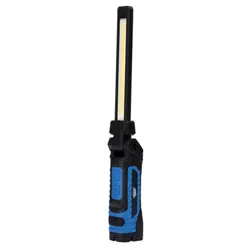
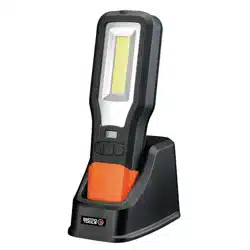
10W Rechargeable
Worklight with UV
Multi-function, worklight & UV top
torch in one
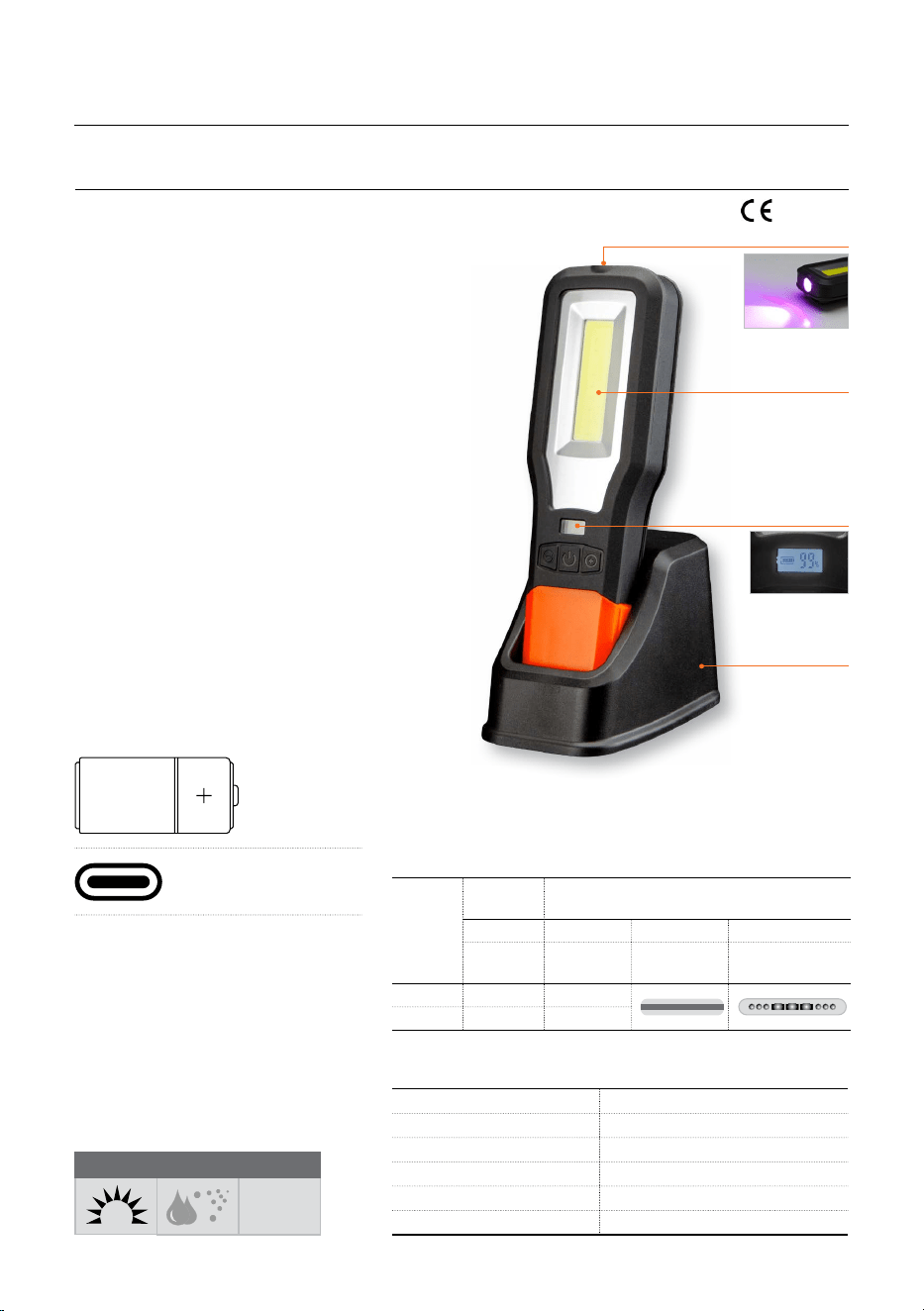
COB Worklight
Featuring COB technology the
worklight delivers extremely high
output with uniform and even
illumination
3W UV Top Torch with 365nm
wavelength
Light Output
High quality output in multiple modes
LCD screen display with battery
percentage left
User controlled output by pressing the
increase (+) or decrease (–) buttons
Unique & innovative 360° swivel & tilt
ball joint mechanism
Multiple Charging Options
a. Charge using Type C docking
station which can be mounted on
the wall using nail or latch.
b. Can also additionally be charged
using Type C cable provided with
the light
Power Source
LITHIUM-ION
RECHARGEABLE
RECHARGEABLE
BATTERY
3.7V 2000mAh
TYPE C
FAST CHARGING
Charge Time
2.5 hours (indicated via LCD display
showing charge level in percentage)
Charge You Mobile Device
USB output port for use as power
bank
LCD display shows
charge level in % of
battery remaining
Wireless
charging
via docking
station
10W COB
Main Light
3W UV
Spotlight
550
MAX. LUMEN
IP54
WATER & DUST
PROOF RATING
UV
WAVELENGTH
365NM
LIGHT
10W COB Worklight & 3W UV Top Torch
LUMEN OUTPUT (WORKLIGHT)
550 lm
OPERATING TIME (WORKLIGHT)
3–15 hours
MATERIAL
PC, TPR
DIMENSION
7-13/16×2-1/2×1-1/8 Inch (198×63×29 mm)
WEIGHT
450 gm (15.8 Oz.)
UV
SPOTLIGHT
MAIN
LIGHT
1ST PRESS 2ND PRESS 3RD PRESS 4TH PRESS
UV LIGHT WORKLIGHT CONTINUOUS
RED LIGHT
RED
FLASHING
LUMEN - 550
RUN TIME 4-5 hrs 3-15 hrs
SPECIFICATIONS
WORKING MODES
RoHs

2
SAFETY INFORMATION
• Follow workshop health & safety rules,
regulations and conditions when using the
worklight
• When not in use, worklight should be stored
in a dry location to inhibit rust
• During their period of use, accessories
must be checked for wear, cracks and other
damage, replace any damaged or worn parts
• Use genuine parts only. Unauthorized parts
may be dangerous and will void the warranty.
• Keep the worklight clean and in good working
order for best and safest performance
• DO NOT use the lamp in the immediate
vicinity of inflammable materials or gases
• DO NOT point the light directly in your own or
any other person’s or animal’s eyes
• DO NOT drop, throw or abuse the worklight.
• Eyes protection: Wear a protective mask or
protective eyewear.
• DO NOT use the UV Light with naked eyes
or directly on skin. Use Gloves and safety
goggles before using the worklight.
• Check that the product has not suered any
damage during transport or storage. Clean
and remove any dust or residual packing
material.
• Read the instructions carefully before using
worklight and keep them for further reference.
WARNING!
• DO NOT immerse worklight in water.
• DO NOT place worklight near a fire or any
other source of intense heat.
• DO NOT attempt to open, disassemble,
modify or service the worklight.
• DO NOT expose worklight to temperatures
above 50°C (122° F).
• DO NOT use worklight if you suspect that the
batteries or the casing is damaged
PACKAGING CONTENT
DESCRIPTION QTY.
10W Rechargeable worklight with UV 1
Type C USB cable 1
Docking Station 1
O.I.P.M. 1
OPERATING INSTRUCTION
1. LCD Screen at the back shows the percentage
charge in the worklight.
2. Fully charge the battery before the first use.
To charge, connect the worklight with type C
USB charger cable provided with it or use the
docking station.
3. While charging, the battery icon will blink
continuously on the LCD screen.
4. When the battery is fully charged, the battery
icon will show 100%. Full charging takes about
2.5 hours.
5. Press the power button located at the front of
the light
• Once for UV light “ON”
• Twice for worklight “ON”
• Three times for continuous red light “ON”
• Four times for red flashing “ON”
• Five times for switching “OFF” the light
6. Intensity of all four modes of light can be
controlled pressing the increase (+) or
decrease (–) buttons at the front of the
worklight.
7. The worklight can also be used as power bank
for charging mobile devices.
8. 360° Swivel & tilt ball joint mechanism can be
used to rotate the light in all the directions.
MAINTENANCE
• Clean any dirt from the housing or the lens
immediately, since it could cause overheating
• If required, clean with a dry and clean cloth.
Do not use cleaners that contain abrasives or
solvents
• When not in use, worklight should be stored in
a dry location
PROBLEM POSSIBLE CAUSE CORRECTIVE ACTION
The worklight has low lumen output
or does not work.
Low battery Recharge the battery
If the worklight still doesn't work Contact nearest authorized service dealer
DISPOSAL
The components or the used products must be given to companies that specialize in the disposal and
recycling of industrial waste.
TROUBLE SHOOTING