D01 Plus Quick Start Guide
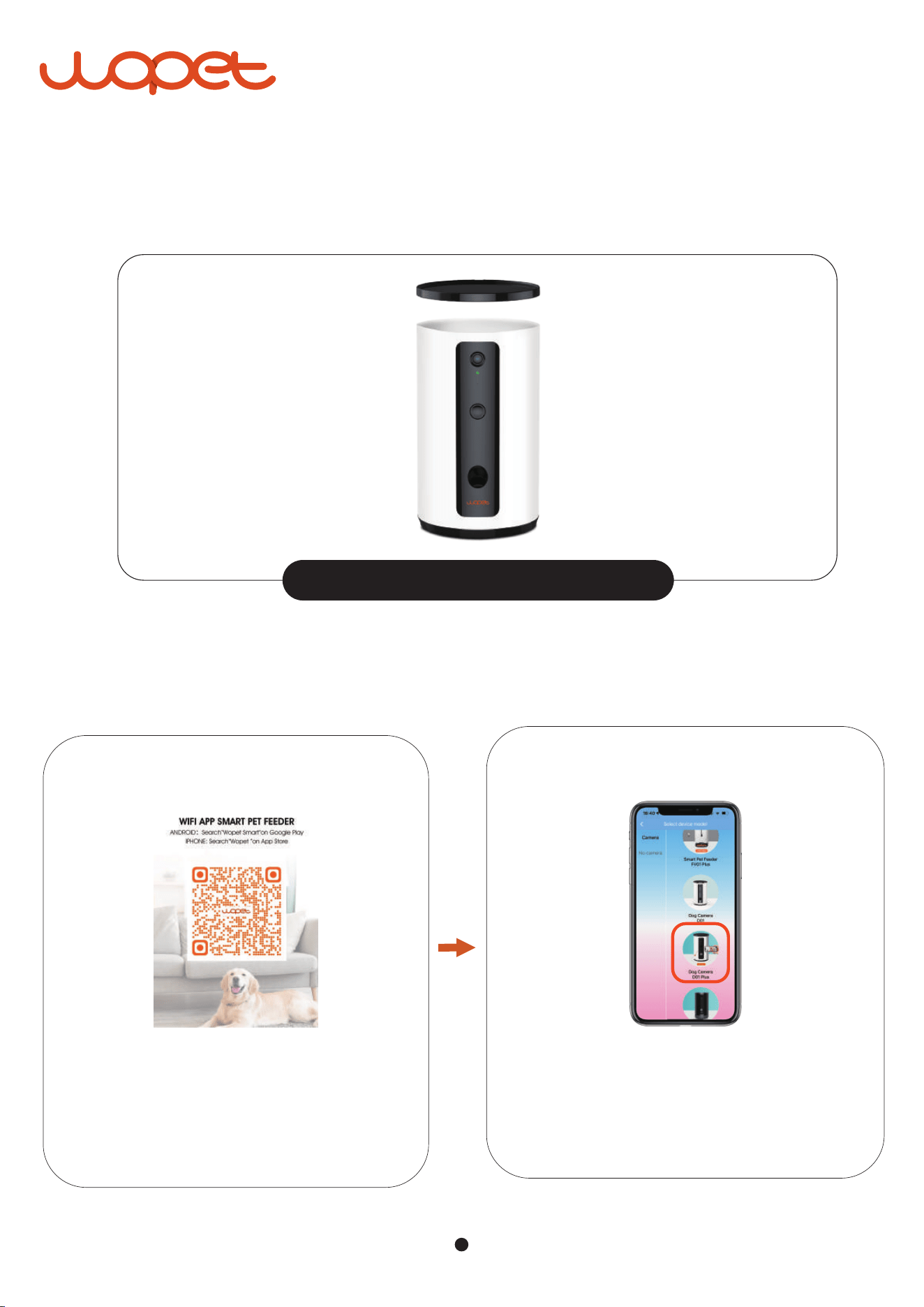
Please plug in the power supply. If the indicator is green, the device is in
normal state.
Install the "Wopet" App, register an account,
then log in.
Andriod:wopet smart iPhone:WOPET
Tip:
Pull firmly upward to open the lid
STEP 1
Choose the "+" option to add a named
D01 Plus device.
STEP 2
1
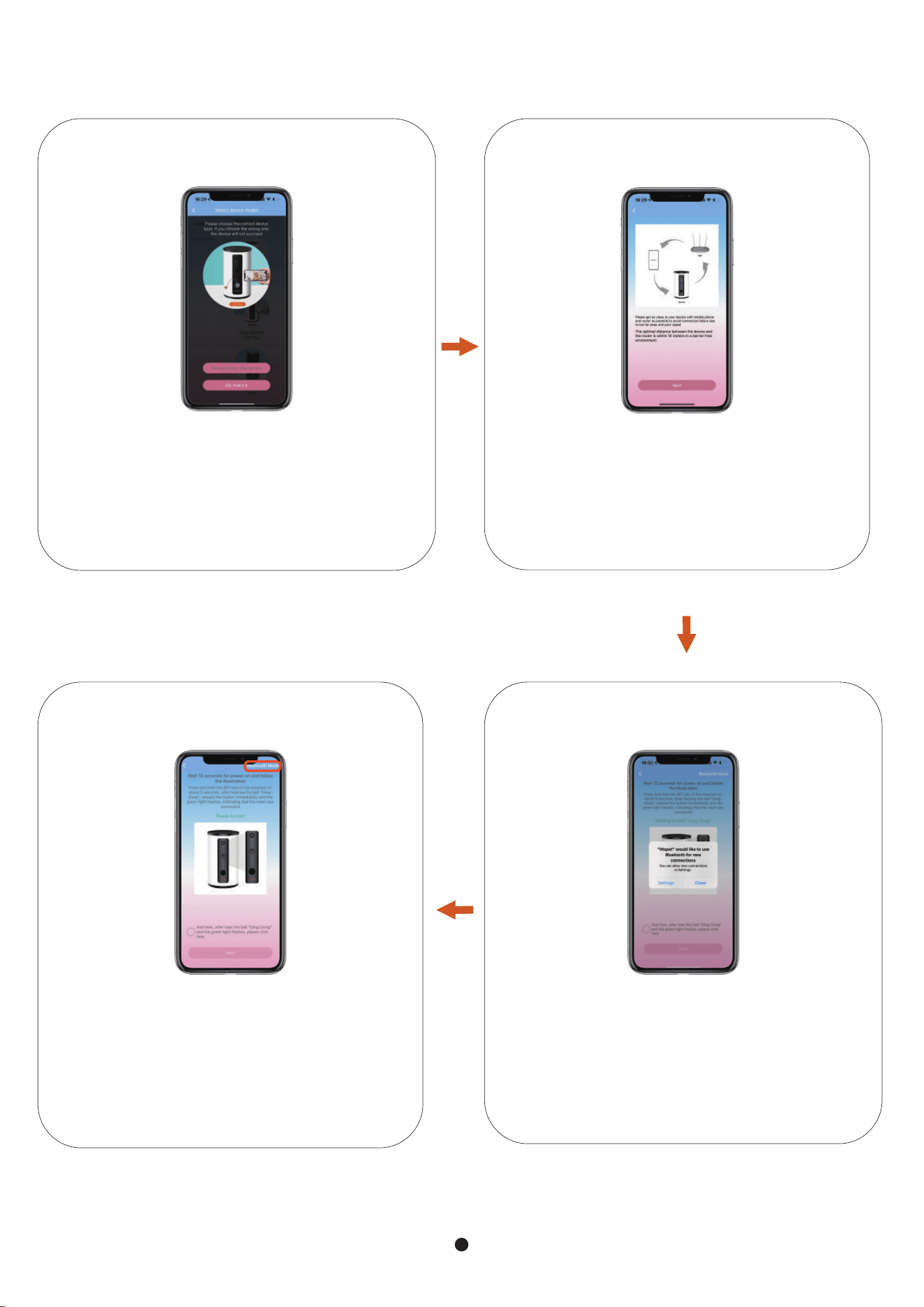
Device, mobile phone, router as close as
possible, recommended device and
router within 10 meters.
STEP 4
Turn on Bluetooth
STEP 5
Long-press the "SET" button, then release
it when the device makes a "ding" sound.
Make sure the green light flashes before
you click on the next step.
(Bluetooth Mode is recommended)
STEP 6
Make sure you found the correct device.
STEP 3
2
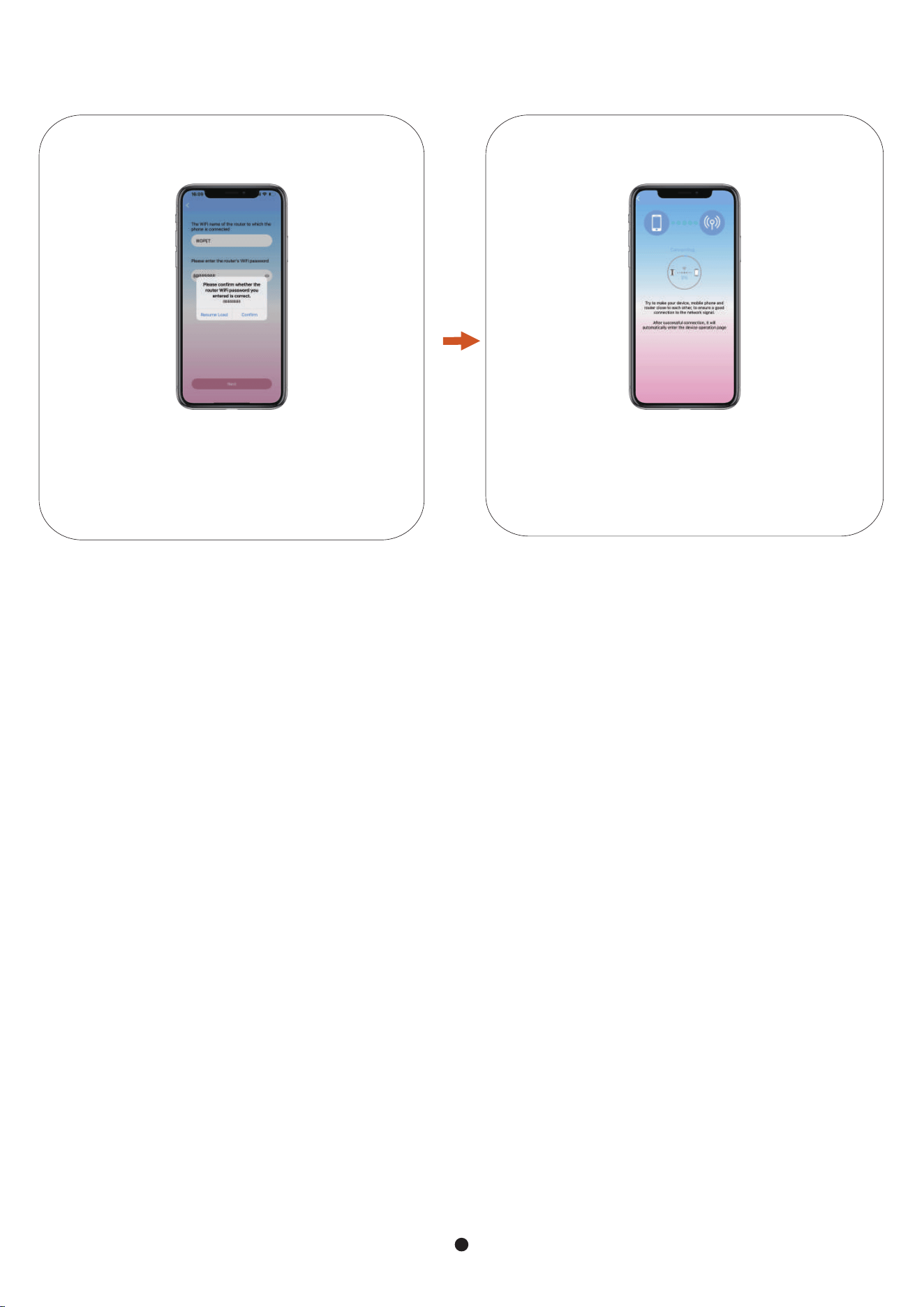
If successful connection, it will enter the
edit page.
If it fails to connect, switch to another mode.
STEP 8
Comfirm the WiFi passward is correct
STEP 7
FAQs
1) Check whether it is plugged in and the indicator on the machine is green. When the feeder is
powered only by battery, the wifi function is unusable, so the connecting will be failed.
2) After long pressing the SET key of the machine, whether to wait for the green light to blink in
the selection mode for the next step.
3) Check if the wifi strength is strong enough and reset the router. The distance between the
feeder and the router should not be too far, within 10m is recommended.
4) Switch between AP mode and scan mode.
5) Re-download the app and register a new email account.
6) Are there LAN restrictions? (You can consult router manufacturers.)
1. Troubleshooting method of connection failure (default Bluetooth mode)
Press and hold the treat icon (in the middle of the screen) for 2 seconds to toss up a treat.
2.How to toss a treat in the app?
1) Check whether the treat size is 6-15mm and remove food debris in the food outlet.
2) Please try to manual feeding to check if the motor is turning properly, and clean all food out.
3.Does the device not toss treat or toss unevenly?
3

1) Please try to use larger size treats to put into the camera to toss it. So sensors inside the
camera are better able to detect treats, so the camera only toss the treats once.
4.The dog camera toss much treats at once?
1) Check if the message reminder button on the app is open.
2) Check if your phone has authorized the right to the APP, and please
go to the phone “settings” page to set.
3) Cannot receive push when it is offline.
4) If the device is only battery powered, no push will be received.
5. Can't get push notifications on your phone?
1) The device responds slowly because the WiFi signal is not good. Please put the
device close to the router.
2) Reset the feeder to factory settings and connect it again.
3) Provide the registered account of app and firmware version number to contct us to check.
6. APP shows "The request timed out"
It can hold about 1 cup food.
7. How much food can the device hold?
If the connection fails, please provide the information to contact our after-sales
team, we'll get back to you within 24 hours.
1. Your order number
2. Register account of wopet app
3. The video failed to connect
4
2
5
/