Page 1 1000003634 (Rev. A - 03/17)
IMPORTANT NOTE – To avoid danger of an electric shock hazard, disconnect
power to your unit before installing the lter.
1500 Gallon Vandal-Resistant Retro-Fit Filter Kit with Filter Monitor
Fig. 1
Installation Manual
EF1500VRBMC
IMPORTANT
THIS IS AN INDOOR APPLICATION ONLY.
ALL SERVICE TO BE PERFORMED BY AN
AUTHORIZED SERVICE PERSON.
TOOLS REQUIRED
BUT NOT PROVIDED:
- SAFETY GLASSES
- GLOVES
- LEVEL
- PENCIL
- MOUNTING SCREWS, ANCHORS, FASTENERS
INSTALLATION STEPS
1. Before starting your installation, verify that
you have the following included pieces.
a. 1 Pinned Torx Bit
b. 2 AA Batteries
c. 1 Pinned Torx Screw
d. 3.5 Feet of Poly Tubing
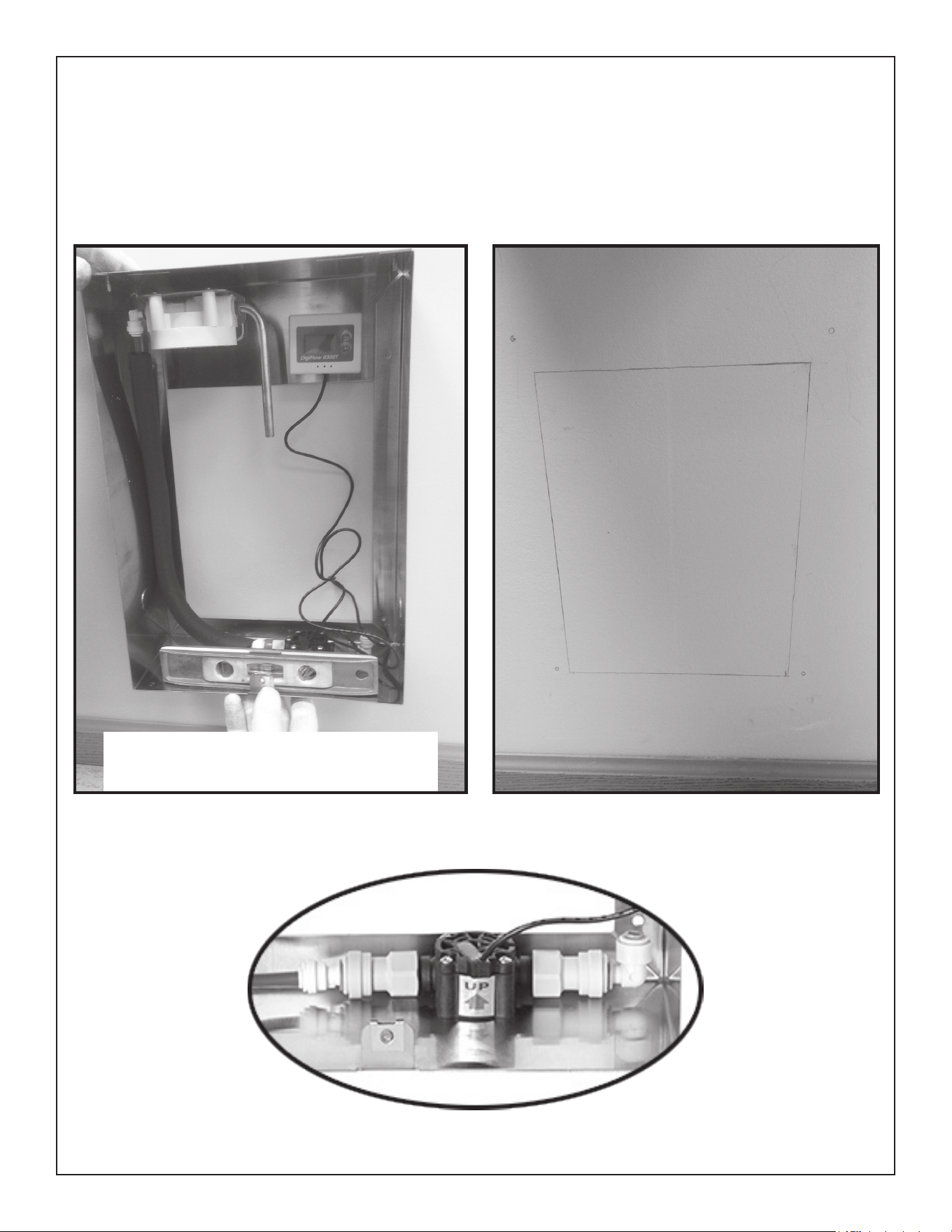
2. Find a location to mount your new lter
box near the water dispenser to which it is
being connected. For accurate monitoring,
the lter box should be mounted vertically
as shown (Fig. 2, page 2).
3. Shut off the water and electricity to the
water dispenser.
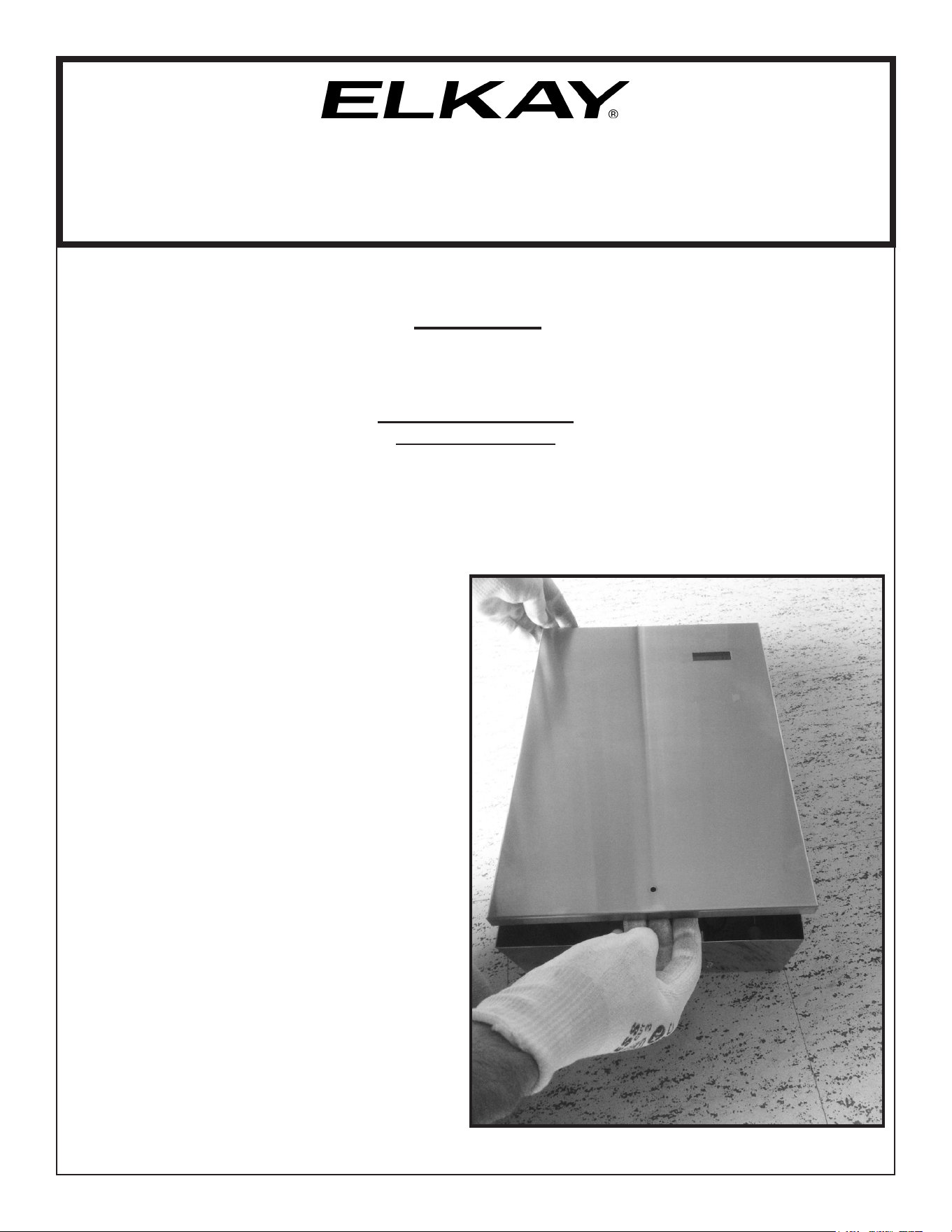
4. Lift the cover at the bottom and slide
upwards toward the top.
Page 2
1000003634 (Rev. A - 03/17)
Fig. 2 Fig. 3
Fig. 4
5. Take the lter box and place on the wall in the desired location. Be sure that the box is
positioned vertically on the wall as shown. The arrow on the water monitor valve should
always be pointing UP (Fig. 4). Make sure the lter box is level, take a pencil and mark
around the inside opening and the mounting locations. If the water will not be coming thru
the wall into the back of the lter box, knock-outs have been provided to allow the water lines
to run thru the sides or bottom. NOTE: If running the water lines thru the knockouts, use the
appropriate protection (not provided) to keep the lines from getting cut.
NOTE: All installations must be
compliant with ADA regulations
Page 3 1000003634 (Rev. A - 03/17)
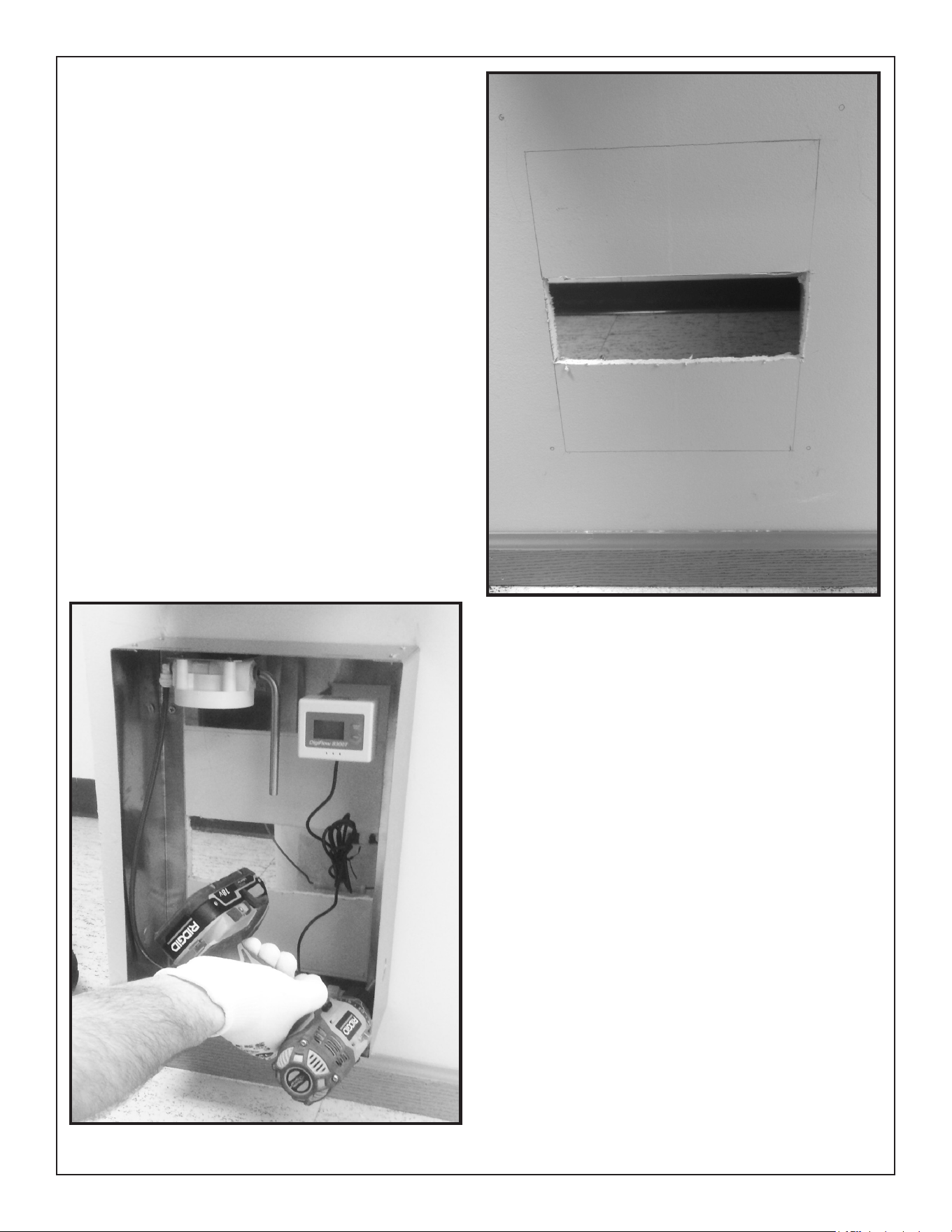
6. Cut a hole in the wall anywhere inside the
marked location to allow room for the water
lines to come into the back of the box.
7. Remove any protective covering from the
outside of the lter box.
8. Using the appropriate fasteners (Not Supplied),
mount the box to the wall.
Fig. 5
Fig. 6
Page 4
1000003634 (Rev. A - 03/17)
Inlet Fitting not included
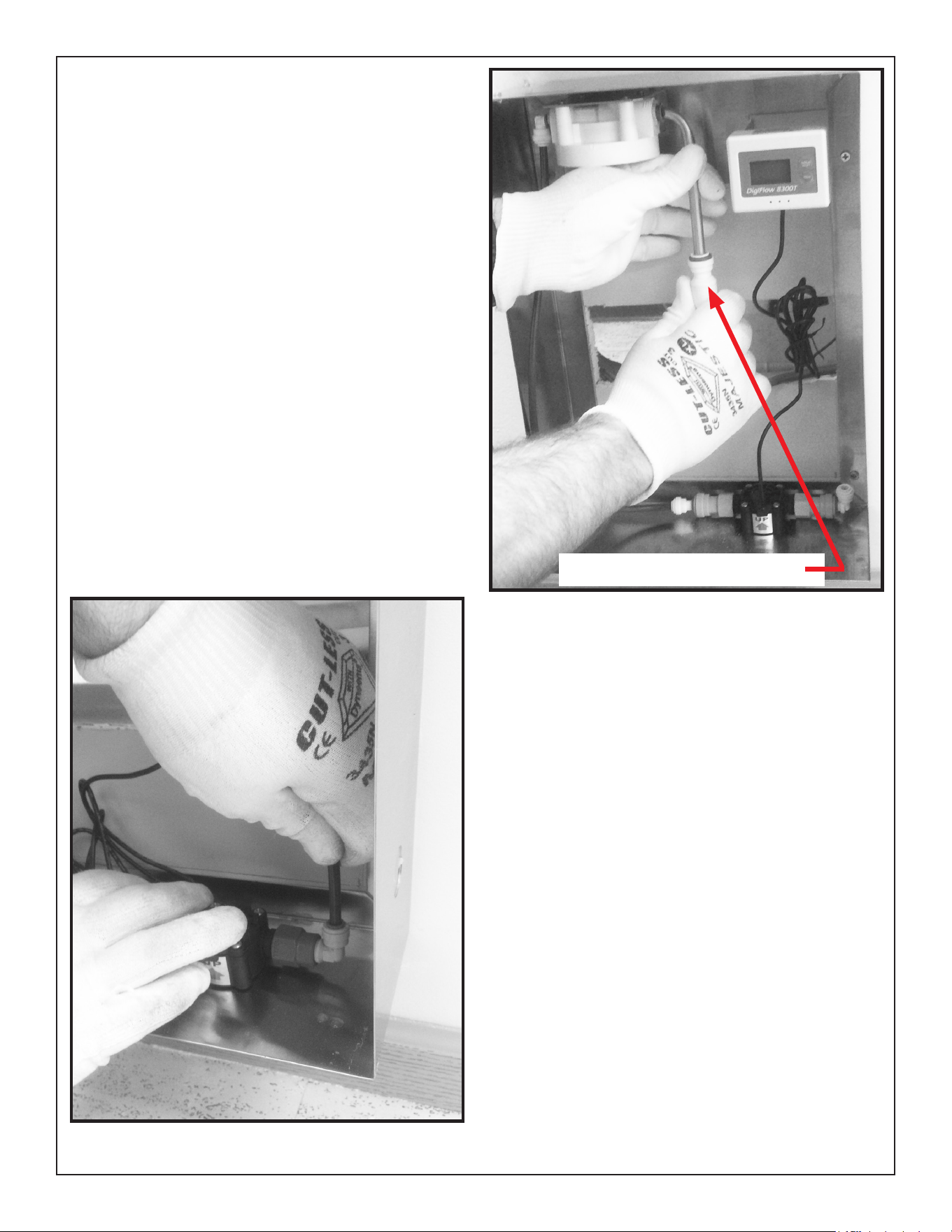
9. Disconnect the water inlet from the water
dispenser and connect to the inlet copper
tube on the lter head.
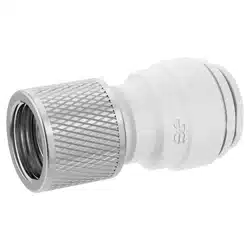
10. Connect the poly tubing from inlet of the water
dispenser to the outlet tting on the ow meter
Fig. 8
Fig. 7
Inlet tting not included
Page 5 1000003634 (Rev. A - 03/17)
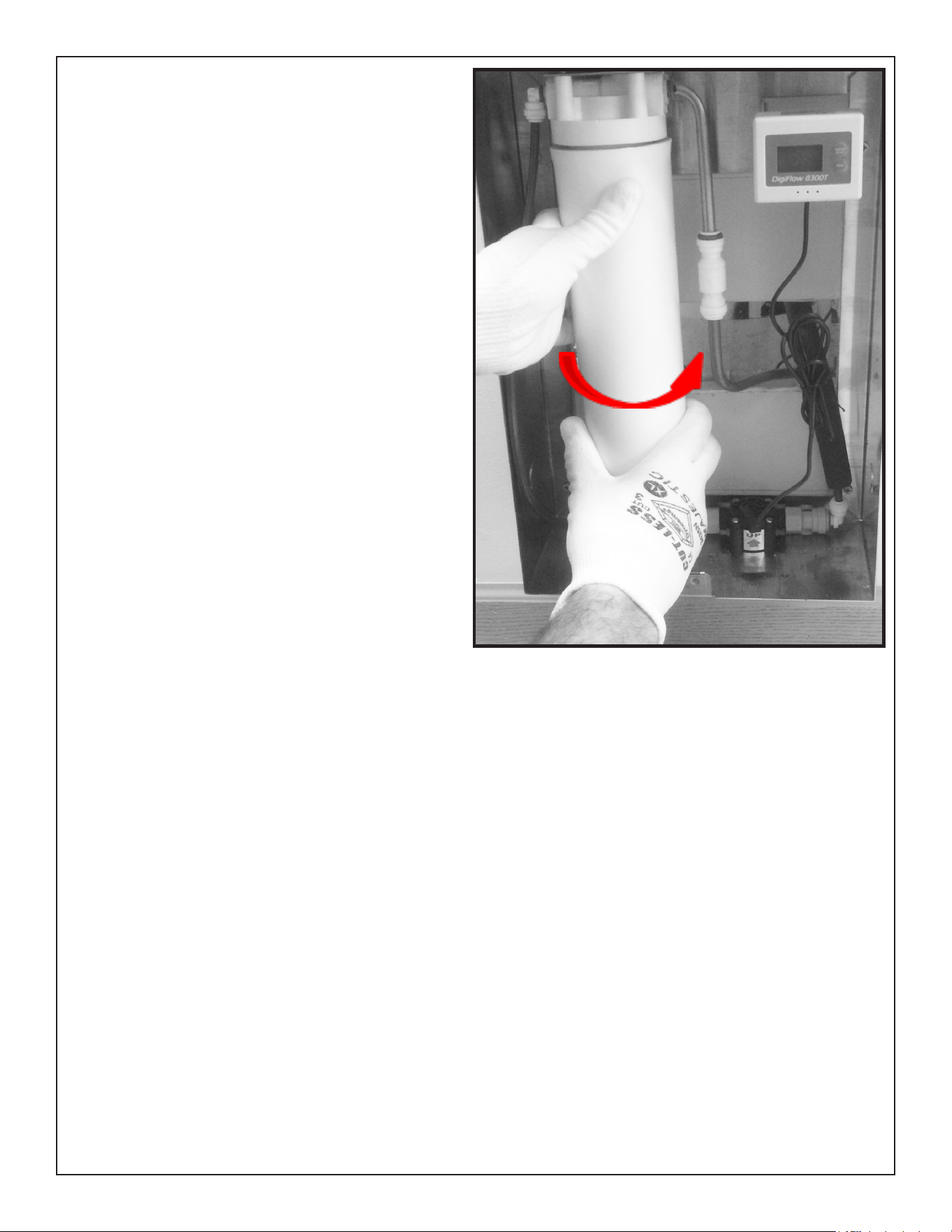
11. Remove the red cap from the lter and
install on the lter head turning clockwise.
Fig. 9
Page 6
1000003634 (Rev. A - 03/17)
13. Turn on the water and check for leaks. Repair as needed
14. Run approximately 1 gallon of water thru the xture. This ushing procedure purges air
and ne carbon particles from the lter. After 1 gallon of water has been purged carefully
inspect all water connections for leaks
Fig. 10
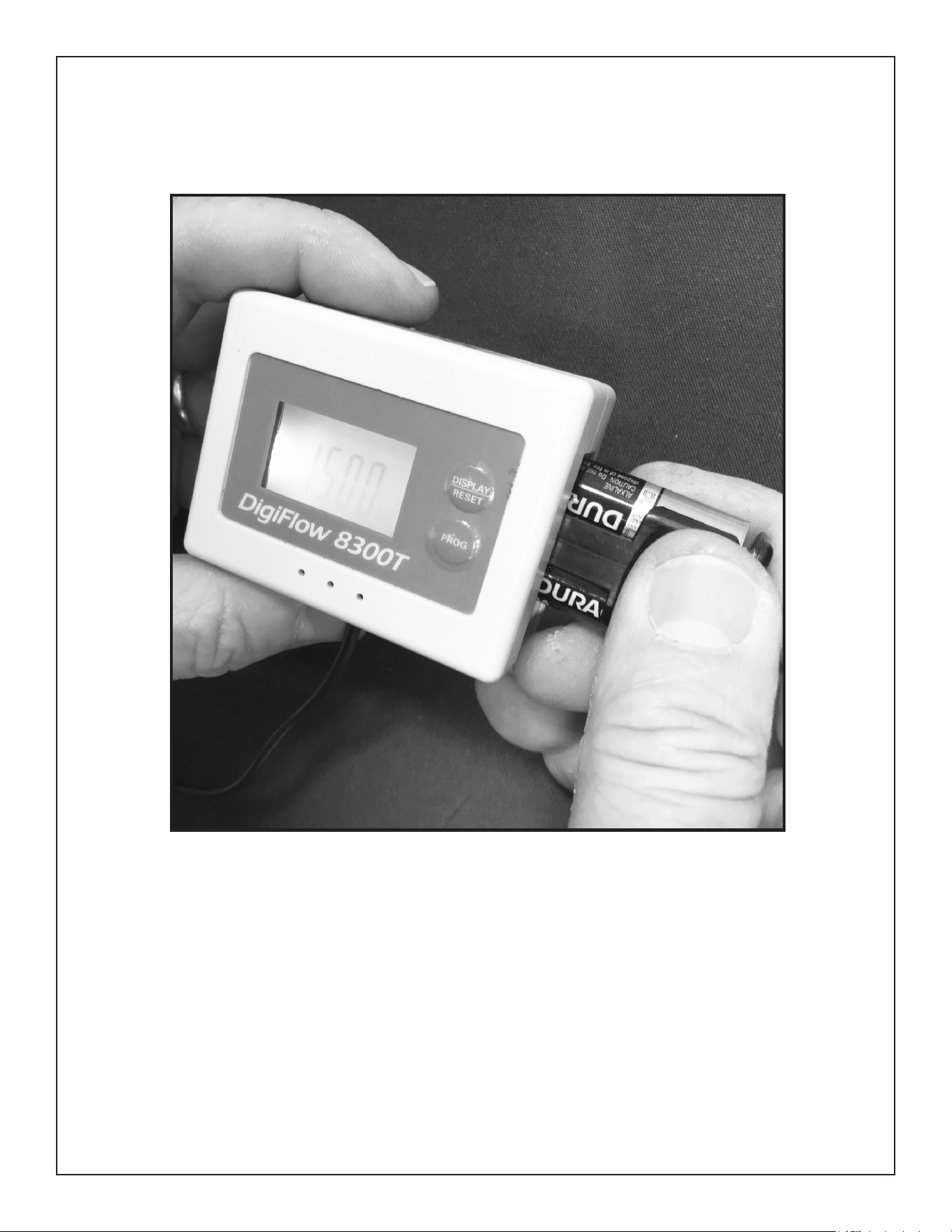
12. Remove the lter monitor from the back of the box and insert the supplied batteries. Once
installed, the monitor will light up. The monitor can now be put back on the back of the box.
Make sure it is positioned so that it can be viewed thru the window in the front cover once it is
installed.
Page 7 1000003634 (Rev. A - 03/17)
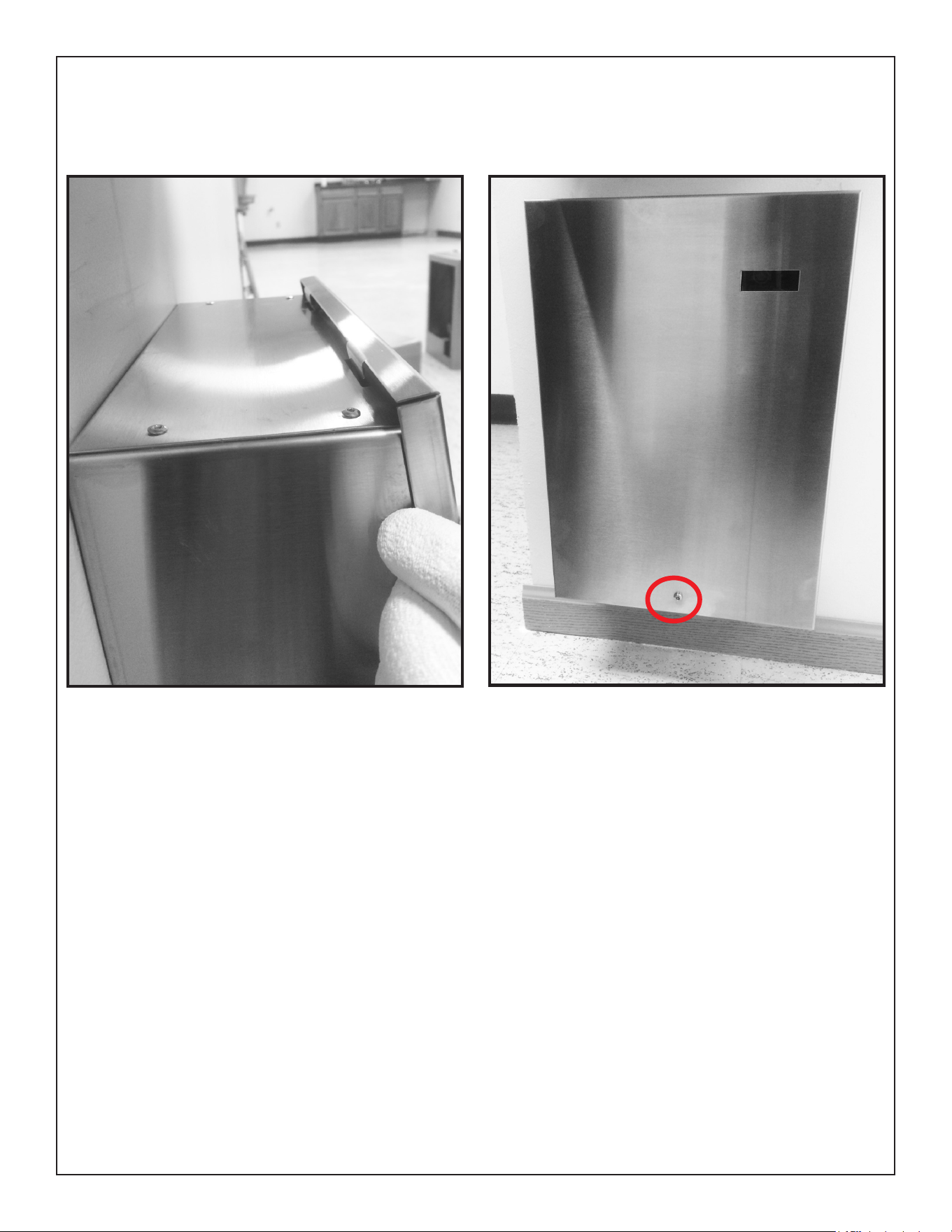
15. After peeling the protective covering from the front cover, hook the tabs on the top into the
slots on the top of the box. Slide the cover down and install the supplied screw. Once done
keep the bit as it will be needed for replacing the lter.
OPERATING INSTRUCTIONS FOR THE FILTER MONITOR
1. The lter monitor backlight automatically turns on when there is water owing through it.
The blue backlight will turn off after approximately 10 seconds but will display the remaining
capacity the entire time water is owing. To conserve battery life, the display will automatically
turn off in 10 seconds when there is no water owing. The power of the two batteries could last
for approximately one year.
2. The ow meter will generates an audible alert and the digits on the LCD will blink red when the
remaining capacity reaches zero.
3. To reset, press the reset button for four seconds. The “RESET” on the LCD blinks twice and
the remaining capacity is reset to the original programming value.
4. When the battery power is low the monitor generates an audible alert and the empty battery
symbol on the upper right corner blinks. The alert status will be released when the batteries
are replaced with new one. NOTE: the data of the last status will be memorized when powered
off.
Fig. 11 Fig. 12
FOR REPLACEMENT FILTER, PLEASE CALL 1.800.834.4816
ELKAY MANUFACTURING COMPANY • 2222 CAMDEN COURT • OAK BROOK, IL 60523 • 630.574.8484
www.Elkay.com

Page 8
1000003634 (Rev. A - 03/17)
To receive maximum benet from your ELKAY WaterSentry
®
lters, note the installation dates below and
change according to the following guidelines.
ELKAY Part No. 51299C WaterSentry
®
VII -- Lead Reduction Filter
Change every 1,500 gallons, or once a year -- whichever occurs rst.
NOTICE
DATE
INSTALLED
MODEL
(TYPE OF FILTER)
SERVICE
PERSON
DATE
INSTALLED
MODEL
(TYPE OF FILTER)
SERVICE
PERSON
-- KEEP THIS SHEET IN A HANDY LOCATION --
FOR REPLACEMENT FILTER, PLEASE CALL 1.800.834.4816
ELKAY MANUFACTURING COMPANY • 2222 CAMDEN COURT • OAK BROOK, IL 60523 • 630.574.8484
www.Elkay.com