4
For additional guidance on recommended crossover settings, visit our Subwoofer Matching Tool at
www.svsound.com/merlin, or contact our support team.
Set the PB17-Ultra R|Evolution volume to -10dB on the App or via the rear panel,
then run auto-set-up in the AV receiver/processor. It is important to re-run your
receiver’s calibration set-up if you are upgrading from another subwoofer and
each time you move the subwoofer.
If your set-up doesn’t include an Auto-EQ feature, adjust
the subwoofer volume control to level-match to your
loudspeakers.
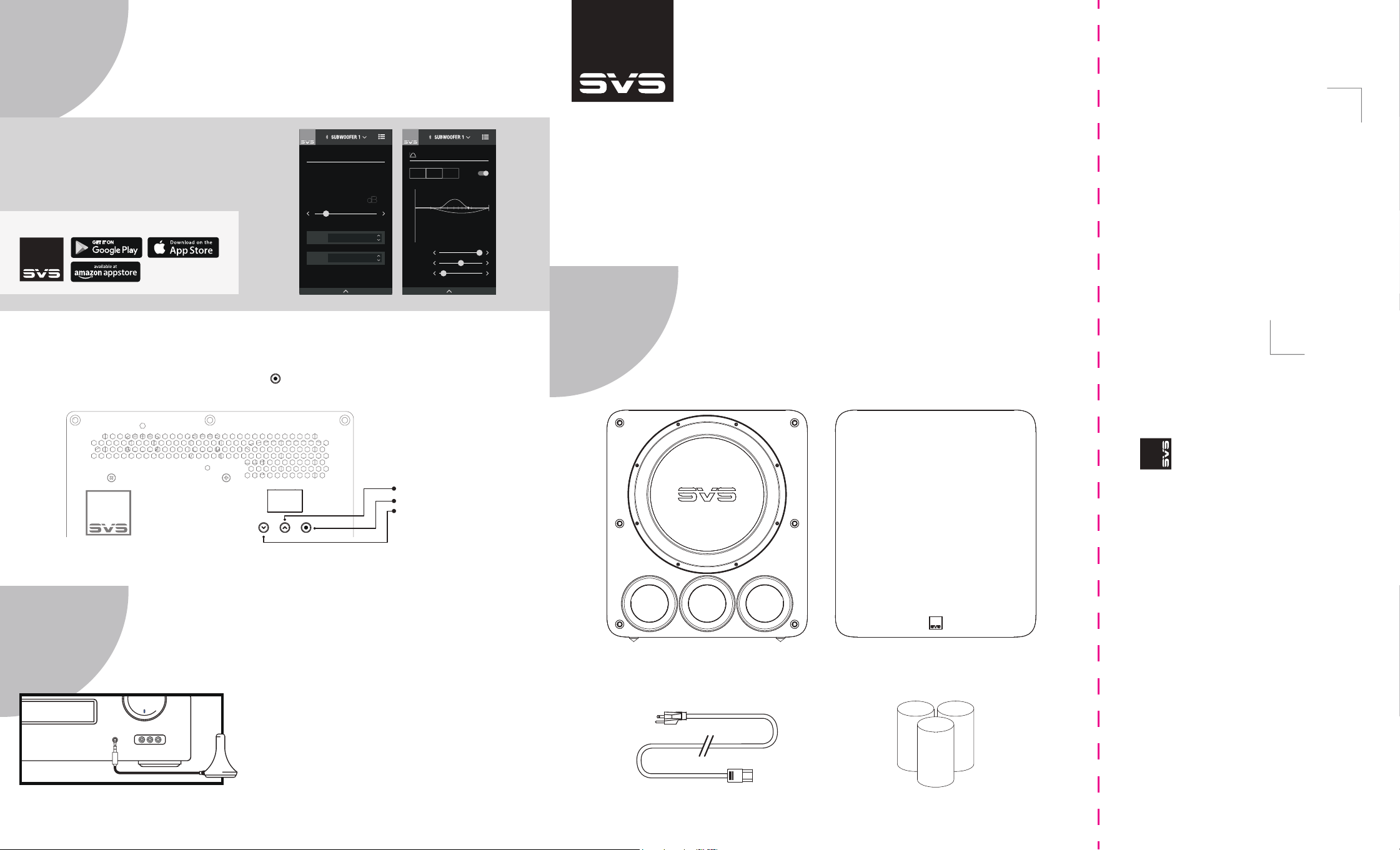
The rear panel features an intuitive user interface with controls for adjusting the subwoofer’s
primary settings. The OLED display shows settings for Volume, Low Pass Frequency, Phase and
more. Navigate the main menu by pressing the [ ] button repeatedly until you reach the setting
you wish to adjust. Use the up and down arrows to adjust the setting in real time.
Please note, some DSP settings can only be accessed using the SVS app, including: polarity, parametric EQs, room gain compensation, custom presets, and more.
The SVS App is the easiest and most convenient
way to access all of the advanced control features
available on your PB17-Ultra R|Evolution, from the
comfort of your favorite seat.
1
Unbox It
Quick Start Guide
PB17-Ultra R|Evolution
Get Control
5
Get Calibrated
HOME / VOLUME
MOVIE
PRESET
LOW PASS FILTER
OPTIONS
-22
10050
20 40
200
0
6
4
2
0
-2
-4
-6
-8
-10
-12
PEQ1
ACTIVE
PEQ2
ACTIVE
PEQ3
DISABLED
BOOST: 0 dB
Q FACTOR: 1.2
FREQ: 200
Hz
PARAMETRIC EQ
AUTO EQ - START
MIC INPUT
If you followed the PB17-Ultra R|Evolution Subwoofer unboxing instructions
properly you will have the following items in front of you. Please confirm all
pieces are available before continuing.
Congratulations on choosing the SVS PB17-Ultra R|Evolution, one of the most powerful and
advanced subwoofers in the world. We know you’re anxious to start playing so the following steps
will guide you through the quick and easy installation process.
We strongly recommend reading the PB17-Ultra R|Evolution Owner’s Manual to get the
best possible performance out of your new subwoofer. You’ll find useful information about
subwoofer placement, connections, DSP functions and more. The full SVS PB17-Ultra R|Evolution
Owner’s Manual can be found here: www.svsound.com/pb17-ultra-revolution-manual
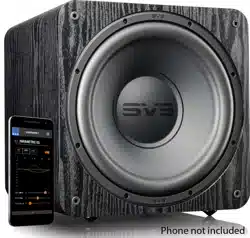
Your SVS PB17-Ultra R|Evolution Subwoofer can be controlled from the SVS
Mobile App or via the rear panel for maximum flexibility when optimizing
performance based on your room layout, speakers, system set-up and more.
Download The App
On The Subwoofer
For iOS, Android, & Amazon Devices
[PB17-Ultra R|Evolution Subwoofer] [Removable Grille]
[Detachable Power Cord] [Port Plugs]
RL
RL
LINE LEVEL
BALANCED
INPUT
OUTPUT
INPUT
OUTPUT
LFE
ON
3V-12V | AC/DC
TRIGGER INPUT
IR INPUT
SVS SOUNDPATH
WIRELESS AUDIO ADAPTER
USB Output:
UP (Adjust setting)
NAVIGATE (Cycle through settings)
DOWN (Adjust setting)
REG
ISTER
REG
ISTER
Register Your
New SVS Product:
Thank you for choosing SVS! Registering your SVS product expedites any Sound Experts
support requests, confirms your warranty registration and provides a proof of purchase.
Plus, as a registered customer, you’ll be the first to get SVS news and updates.
Register your product now at: www.svsound.com/register
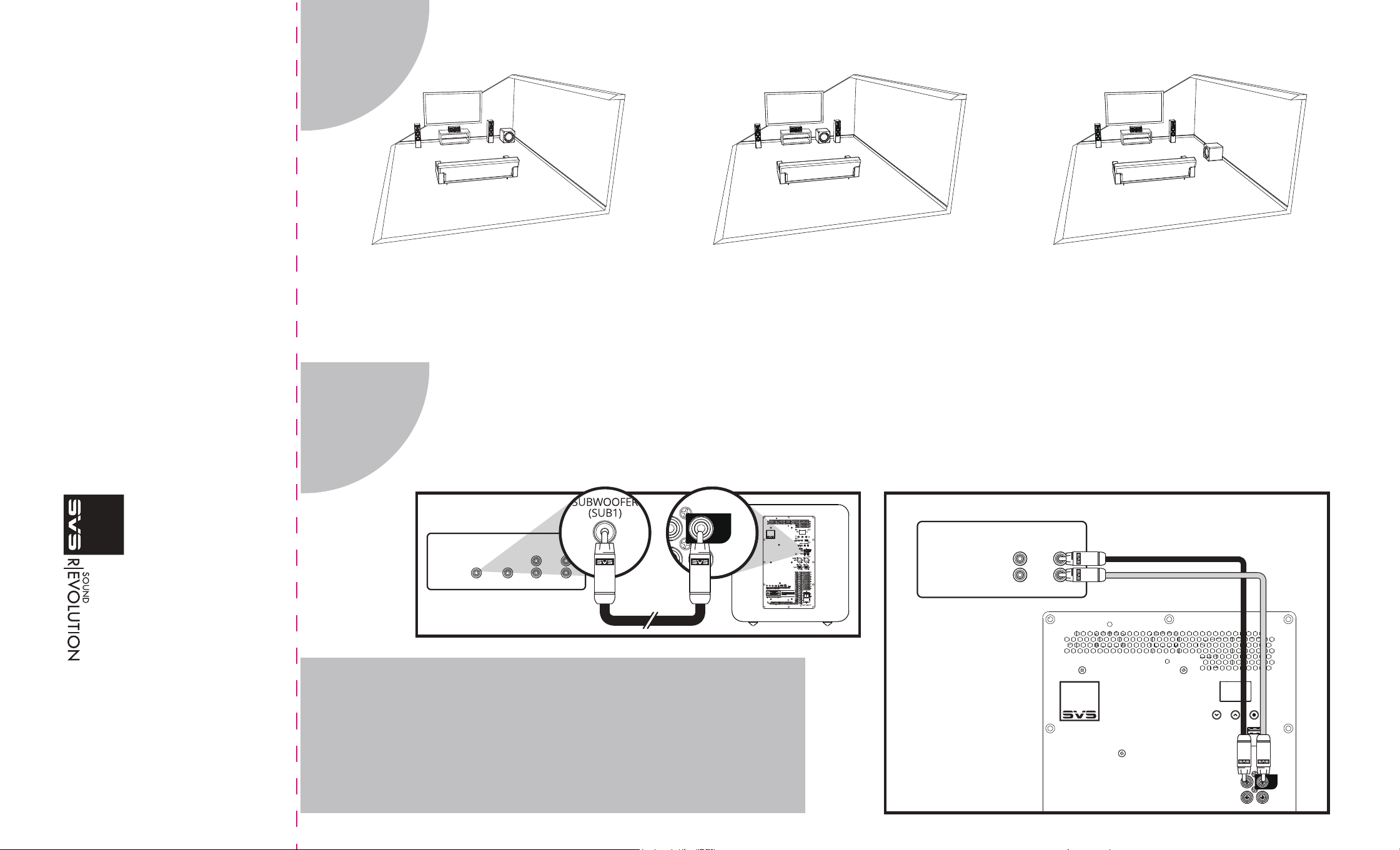
For most set-ups, a single RCA subwoofer interconnect cable running from the AV Receiver’s “SUB 1” output to the PB17-Ultra
R|Evolution’s “LFE” line level input is all that’s required to connect the subwoofer into your system. If you run separate Pream-
plifier and Power Amplifiers, follow the “Line Level Connection – Stereo Receiver or Preamplifier Left/Right Channels” connection
guide below.
CENTER
REAR FRONT
SUBWOOFER
(SUB1)
LINE LEVEL OUTPUTS
RL
RL
LINE LEVEL
BALANCED
INPUT
OUTPUT
INPUT
OUTPUT
LFE
ONOFF
100V-240V ~ 50-60Hz 2000W
3V-12V | AC/DC
TRIGGER INPUT
IR INPUT
SVS SOUNDPATH
WIRELESS AUDIO ADAPTER
SVS | 340 Victoria Rd. Youngstown, OH 44515, USA | svsound.com
USB Output:
INPUT OUTPUT
RL
LINE LEVEL
INPUT
OUTPUT
LFE
RECEIVER/PREAMP
2
Set It Up
3
Hook It Up
Need Help?
Line Level Connection – Single LFE Channel
Line Level Connection – Stereo Receiver or Preamplifier Left/Right Channels
The location of your subwoofer in the listening environment can affect its performance. If possible, start with corner placement
on the same wall as the front speakers, or anywhere along the front stage in between or outside of your main speakers.
Our support team is standing by to help with subwoofer placement, installation,
calibration, AV receiver settings, room rattle and anything else.
Just call, email or chat online 7-days-a-week.
(877) 626-5623 | [email protected] | www.svsound.com
Corner Placement: offers huge impact and reduces the
potential to encounter bass nulls, or ‘dead spots’. If “boomi-
ness” occurs, you can try pulling it away from the wall and
using the DSP tuning controls to smooth performance.
Front Placement: In between or to the side of the front
channel speakers often results in the best blending with the
main speakers and center channel and minimizes localiza-
tion effects.
Side Wall Placement: Side wall placement is less frequently
used but can be an effective subwoofer location for
excellent accuracy and output.
RL
RL
LINE LEVEL
BALANCED
INPUT
OUTPUT
INPUT
LFE
3V-12V | AC/DC
TRIGGER INPUT
IR INPUT
SVS SOUNDPATH
WIRELESS AUDIO ADAPTER
LINE LEVEL OUTPUTS
REAR FRONT
R
L
RECEIVER/PREAMP
Review your product now at: www.svsound.com/review
Review Your
New SVS Product:
Your SVS product is built with the highest standards of engineering excellence to achieve
stunning sound quality and dynamics. Honest feedback is important to us and others making
decisions about audio products. Please share your ownership experience with the SVS
community by writing a review today.
RE
VIEW
RE
VIEW