125KHz 134KHz
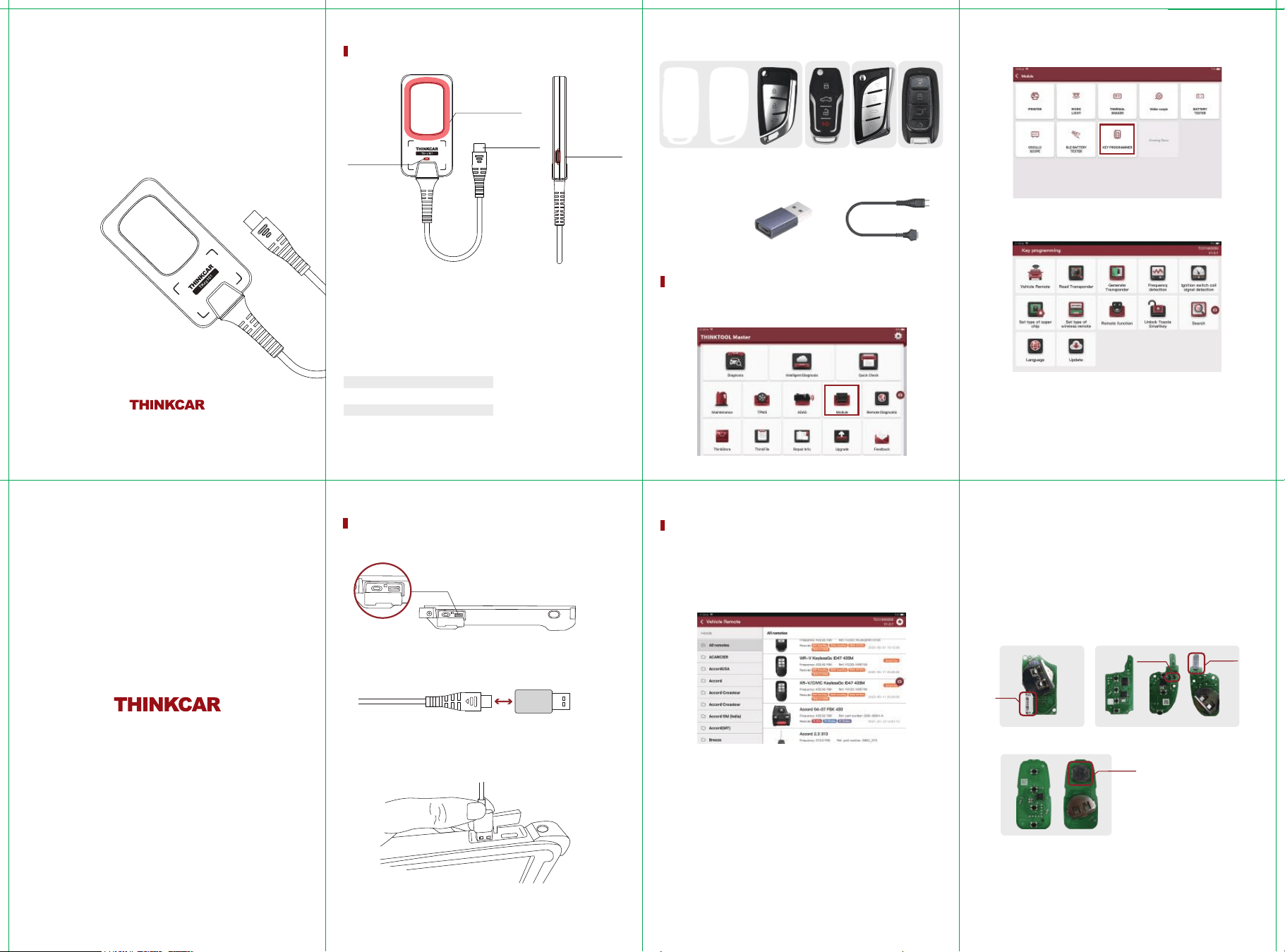
1.Remote frequency
detection area
2. Remote and chip
detection area
TYPE-C connector
Remote genreate
cable interface
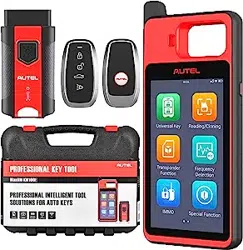
TKey101 is a car key programmer.
Recognizes car keys, generates remote options that can use for program to car
Overview
List:
Main device
Remote generation cable
Universal remote
USB3.0 to TYPE-C
Super chip
x1
x1
x6
x1
x1
TKey101
User Manual
Interfaces
Enter TKey101 Diagnostics main interface → Module → KEY PROGRAMMER
● Type A USB Plug-in Tablet
Main Function 1: Remote Generation
TK-wire TK type remote: There is a socket on the circuit board. (Fig. 1) Need to remove the
battery to generate remote
TE-wireless TE type remote: Circuit board with long inductors.Need to install battery to
generate remote
TN-wireless TN type remote: Circuit board with long inductors.Need to install battery to
generate remote
Note: Customer can check the remote type by using "Remote function → Detect remote".
Note: Batteries are not included with all remotes that come with TKey01 , customers need to
purchase CR2032 type.
For the disassembly and assembly of the remote shell, please refer to the [TKey101] video at
http://www.thinkcar.com/video
Attention:
Only the TK type remote does not require batteries to be installed during the
remote generation process, other remote type require 3-volt batteries to be installed during
the remote generation process, and do not move the device or remote during the remote
generation process, as this may result in the failure of the remote generation.
Fig. 1
Fig. 2
Fig. 3
●
TK-wire type remote
●
TE-wireless type remote
●
TN-wireless type remote
●
Smart key type remote: NXP-Smartkey, TM38-Smartkey, TM38-TOYOTA, TM38-HYUNDAI
Remote Type:
How to indentify the remote type :
● Difference between TE-wireless TE type remote and TN-wireless TN type remote :
The TE type remote has 2 triode and the TN type remote no has(Fig. 2) and support for
generating different chip types
● Smart key type remote: Most of the key appearance is hidden key balde or without key
blade, The circuit board has 3D inductor or 3 independent inductors, need to install the
battery generation.(Fig. 3)
www.thinkcar.com
Socket
Inductor
Triode
● Open the dust cover
●Type-C Plug to Type-A USB Plug
Installation Operations
Type-A
(Type-C)
(Type-A USB)
01
02
03
04
05
06
TK-wire
type remote
TKey Chip
TE-wireless
type remote
Smart key
type remote
TN-wireless
type remote
Remote generation cableUSB3.0 to TYPE-C
Work status indicator
(Flashing light: upgrade mode
Lighted: working mode)
Generating remote requires the use of the corresponding remote type, and each remote
option indicates which type of remote should be use.
●
●
●
3D Inductor
Chip identify: Put the original chip or remote chip into the device coil , which can identify the
current chip type and information.
Chip Generation: Put super chip or TN Type remote in the coil to generate the corresponding
chip .
Note: Because different years or models, the chip type is not the same, you need to consult the
relevant chip information or identify the original key to confirm the specific chip type.
Frequency Detection: Align the remote frequency detection area and press the remote button
to recognize the remote frequency
Put the device coil close to the ignition (close to the emergency sensing area if it is push start
car model), turn on ignition or push start button , when you hear the dripping sound, it means
that the coil signal is detected, you can detect 46 chip, 47 chip and part of the 4D chip type, if
it is the other chip type, it will only show the 4D, it's mainly used to confirm that the coil is
working properly.
Super chip type setting: Put the super chip into the device coil , select the option to set the
super chip to the corresponding chip type, as well as reset the super chip to a blank 46 chip.
TN type remote setting: Put the TN type remote into the device coil , select the option to set
the TN type remote to the corresponding chip type
Remote failure detection: Sudden failure of the remote in normal use requires the use of
this function under the guidance of a technician
Smart key clone: Put the programmed smart key into the coil to read the data, then put a
new smart key that needs to be generated with the same remote options into the coil to
write the data, the new smart key will have all the functions of the programmed smart key
and the programmed smart key will no longer work, (This feature is used to exchange a
programmed smart key for a new smart key without reprogramming, can't be used to add a
key or clone a key, and does not support MQB and VW48 smart key exchanges.
Toyota TM38 smart key Settings: Used to change Toyota TM38 smart key frequency, key
button and signal strength, no need to program key again after writing (only support to
change the TM38 smart key , do not support the option of BA, 4A, do not support to change
the original key)
Smart key customization: This function is used to change the key position of smart key and
smart key remote sensitivity by placing the smart key into the coil to read and change the
values and write them back when all changes are complete, no reprogramming is required
after the write back.
Toyota smart key unlocking: Support 40, 80 bit original Toyota smart key unlocking, need to
install the battery before unlocking, during the unlocking process, the LED light of the key
blinks, and prompts the unlocking success that is complete, otherwise retry.
Search: Search for make, model, and chip type
Entering the corresponding brand model or chip type will give you the corresponding
remote and chip result options.
Update Center: Online key programming updated, firmware update and remote
database update
The TKey101 warranty period is one year, based on the date on the transaction voucher; if there
is no transaction voucher or the transaction voucher is lost, the shipment datrecorded by the
manufacturer shall prevail.
※ Warranty is not available for the following:
Failure to use the machine in accordance with the instructions resulting in machine failure
Damage to the machine due to self-repair or modification
Machine failure due to drop, collision or improper voltage
Damage to the machine due to force majeure
Malfunction or damage to the machine due to prolonged use in bad conditions or on
vehicles or ships.
Dirt and wear on the housing of the main unit due to use
Warranty and after-sales
Main Function 2: Chip identify and Chip generation
Main Function 3: Frequency Detection
Main function 4: Ignition coil detection
Other functions:
Remote function:
Pictures are for reference only, products are subject to the real thing. THINKCAR reserves all rights to this
manual.
Reproduction and distribution of any part of this manual in any form by any person or organization without
permission is prohibited.
The contents of this manual are subject to change without notice due to product improvements.
TKey101
11 12
13
07 08
09
10
Detect remote, partial information about the remote can be detected (cannot be used to
confirm the generated program)
●
●
●
●
●
●
●
●
●
●
THINKCAR will judge the nature of the equipment damage according to its prescribed inspection methods.
No agents, employees or business representatives of THINKCAR are authorized to make any confirmation,
notice or promise related to THINKCAR products.
Service Line: 1-909-757-1959
Customer Service Email: [email protected]
Official Website: www.thinkcar.com
Products tutorial, videos, Q&A and coverage list are available on Thinkcar official website.
Follow us on
@thinkcar.official @ObdThinkcar