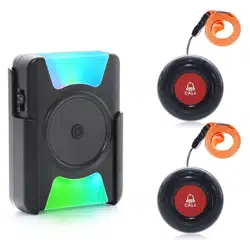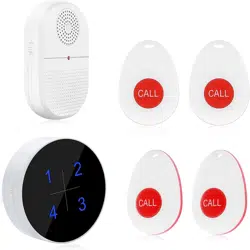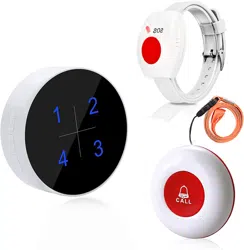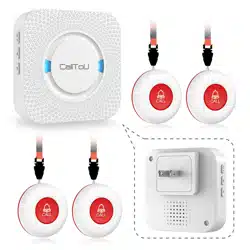

Caregiver Pager System
CC01 Series Instruction Manual
CALLTOU
A Good Life in Old Age
Monitoring and Improving Quality in Long-term Care
As a growing number of frail old people in need of home care, delivering
quality long-term care services, which are effective and responsive in time,
has become a priority for every family.
"Call to You" is determined to provide perfect solutions that enable your
loved ones to retain their independence and dignity in daily life, so they can
live on their own and release your burden with peace of mind.
We "CallToU" focuses on professional home caregiver pagers for more than a
decade, and have helped and cared for millions of ELDERLY and those in need
to help timely.
"Call to you" gives more care for the elderly
You Need, We Here!
CALLTOU
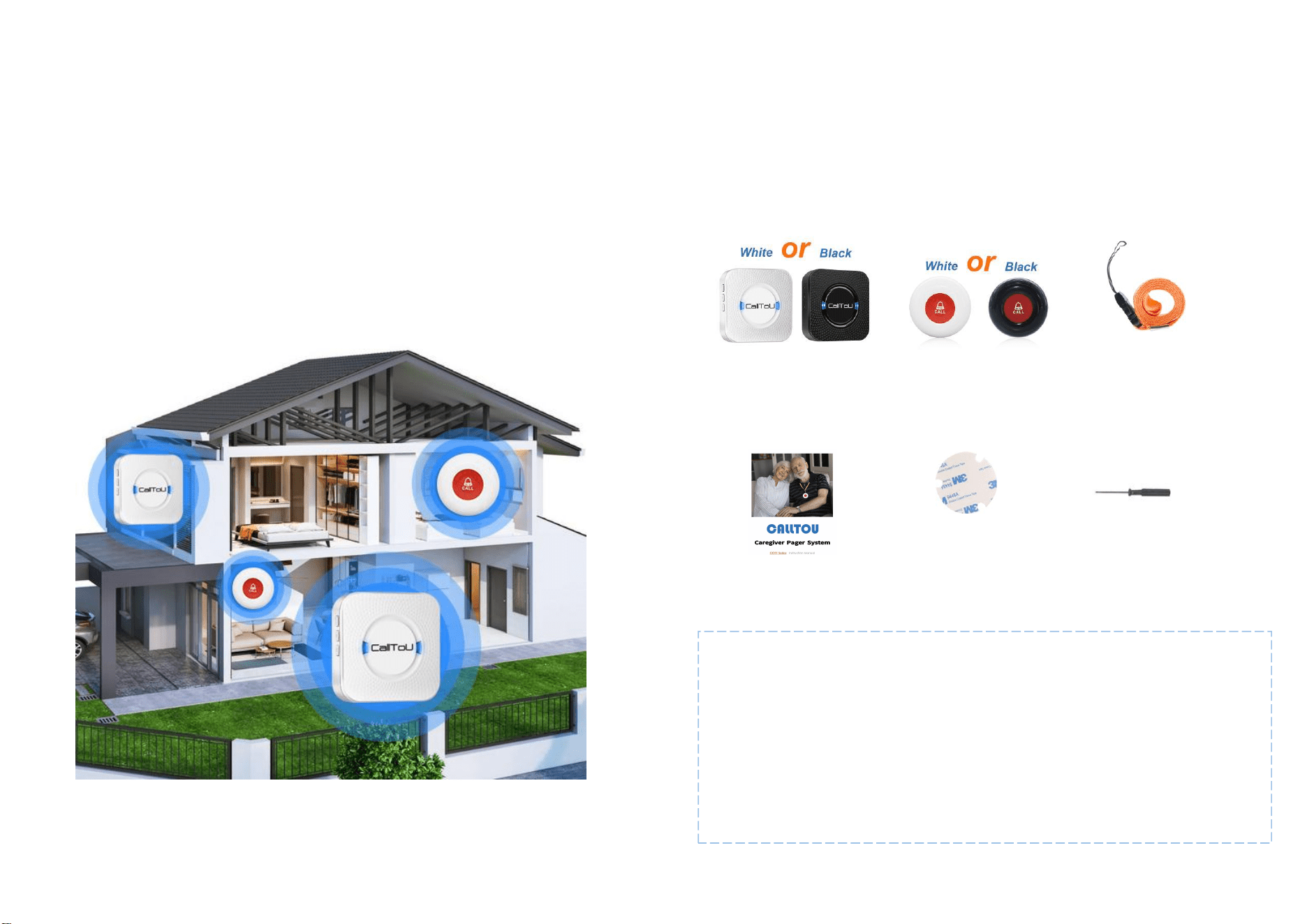
NOTE:
The CC01 series receivers and buttons are universal;
This system is extendable with more receivers and call buttons;
Other models of CallToU receivers and buttons can also be working together;
For more information please refer to our customer service.
Recerver
(white/black)
Call Button(white/black)
Contained battery
Lanyard
Double Sided
Adhesive Tape
Screwdriver
User Mannual
What’s Included
Connected Care
Deliver users' help signal to their family or caregivers
Anywhere in the Home
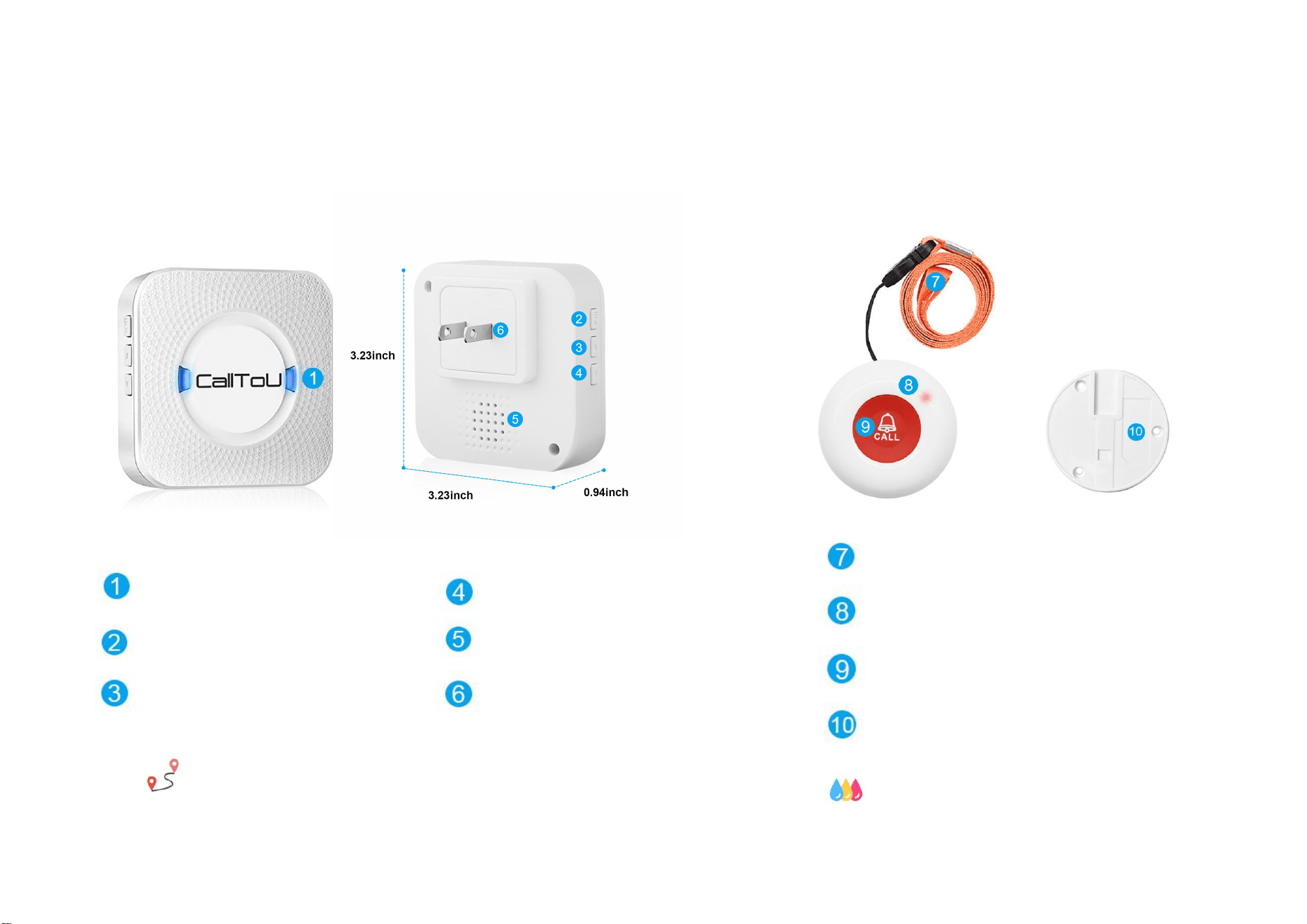
At a Glance - Receiver
Flash Alarm
Volume Button(0-110db)
Forward Button
Backward Button
Speaker
AC Plug
500 feet operating range in open areas
At a Glance - Transmitter
Detachable Lanyard
Red Light indicator after pressing
Silicone cover
Detachable Bracket(wall-mounted)
Waterproof Grade: IP55
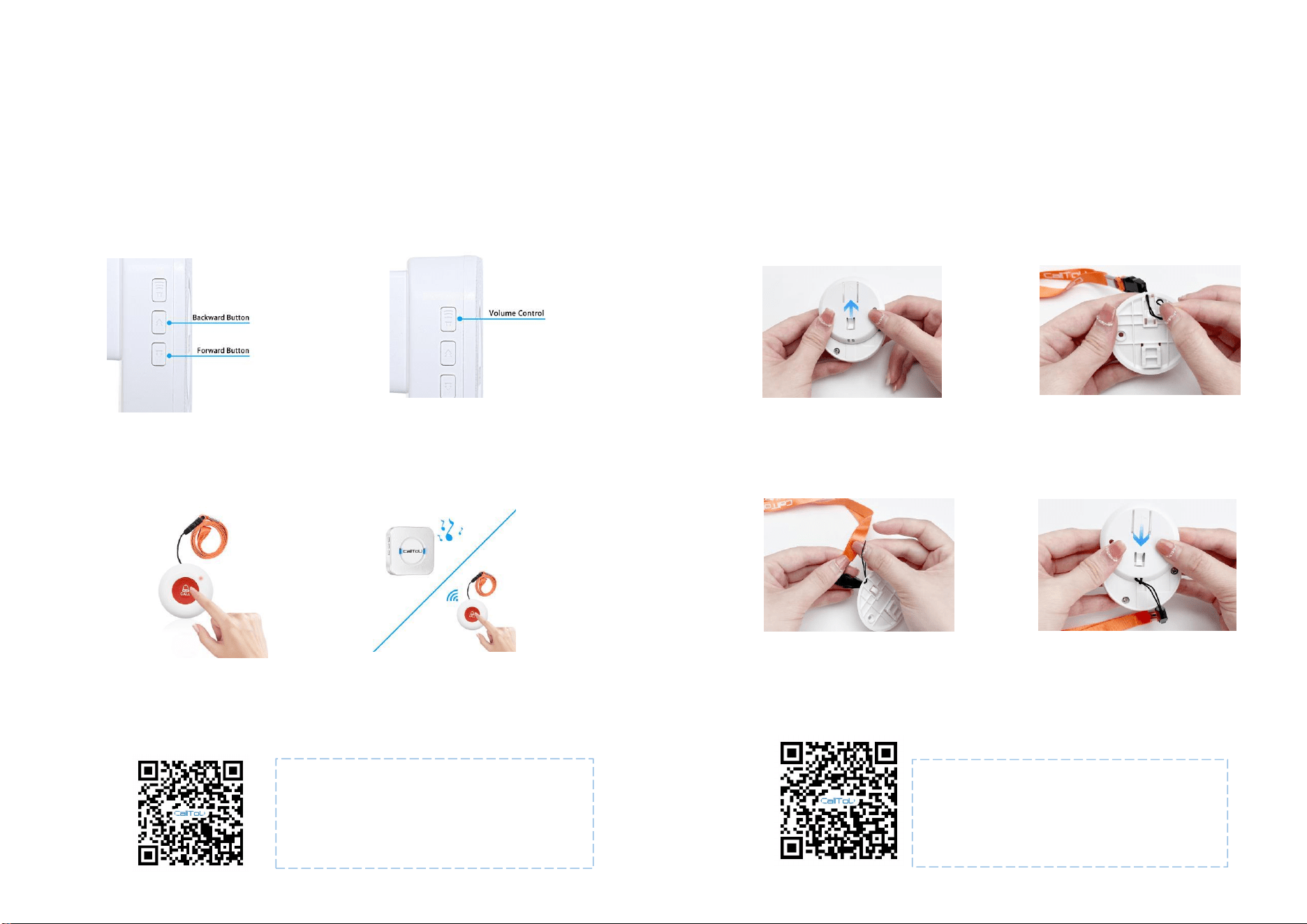
Using Your Pager System
- Pairing
Using Your Pager System
- Attach Lanyard
Slide the back cover according
to the direction of the arrow
STEP 1
STEP 2
Pin the lanyard
STEP 3
Slip the tip of the rope
over the entire lanyard
STEP 4
Slide the back cover back (to where it was)
Video Guide
Transmitter receiver pairing
Suitable for adding/pairing additional Transmitters
Video Guide
Attach Lanyard
Portable Necklace Lanyard
STEP 1
Press the “forward”/”backward” button on
the receiver to select your favorite melody
STEP 2
Press and hold the volume button on the
receiver until the LED light flashes with
a "ding" to enter the pairing mode
STEP 3
Press the call button quickly, and there will
be a "Ding-Ding", and the receiver light
indicator will flash
STEP 4
Press the call button again to confirm if the
ringtone is the one you set. If it is, the
pairing is done.
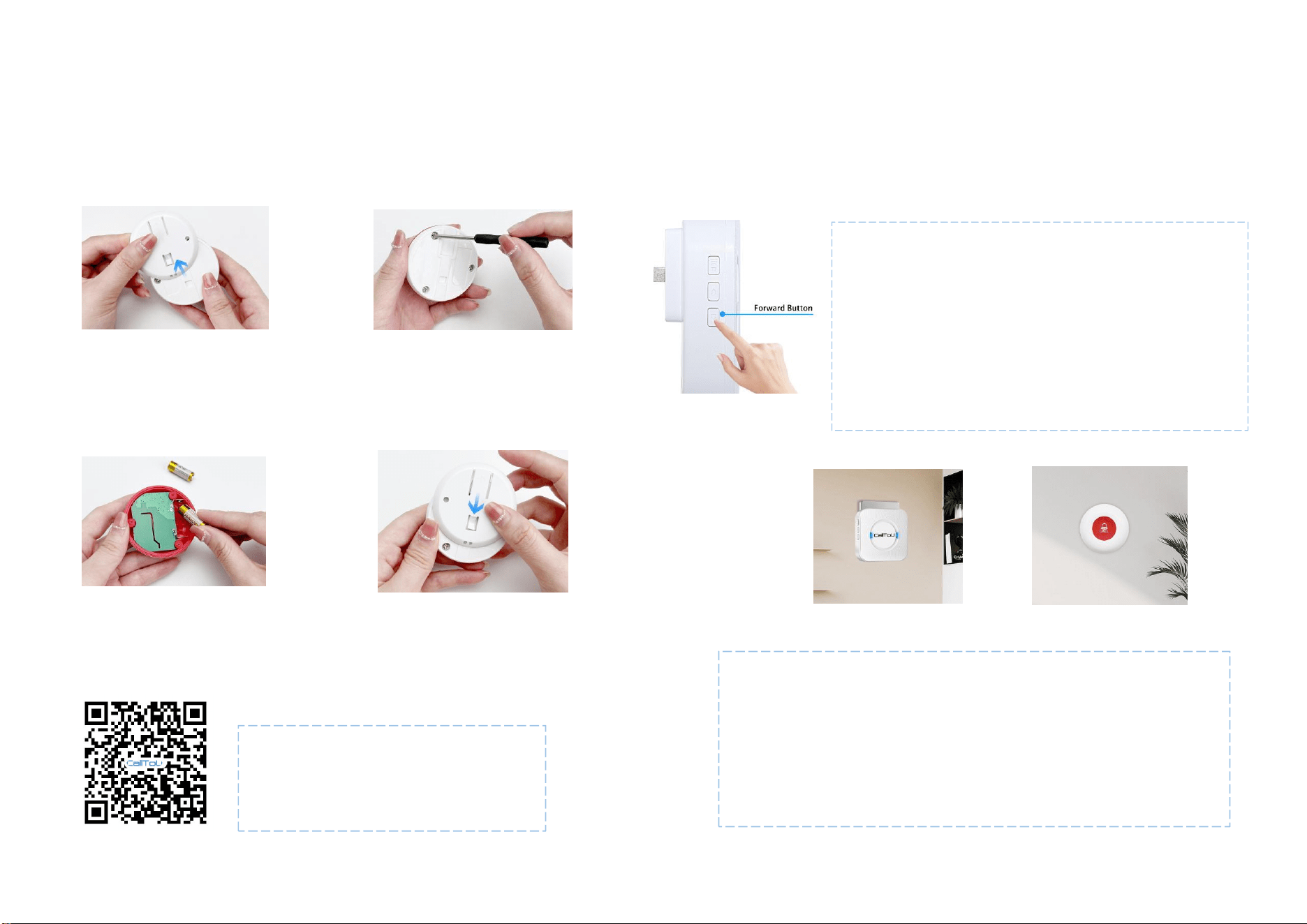
Using Your Pager System
- Replacing Battery
STEP 1
Slide the back cover according
to the direction of the arrow
STEP 2
Open the button base by turning
the screw with a screwdriver
STEP 3
Replace the 23A 12V battery
STEP 4
Installation Guide
Plug the receiver into a mains socket and switch the socket on.
Test the distance to ensure the range of use (the service distance is
500ft, the distance may vary due to the obstacles of the environment)
Fix the transmitter in place with (supplied) double-sided adhesive tape.
(Clean the wall before sticking)
Close the button base, retighten
the screws, and close the back cover
Video Guide
Replace Battery
Battery life depends on how often you use it
Using Your Pager System
- Clearing Setting &Installation
How to Clearing Setting
Press and hold the“Forward" button on the receiver for 5
seconds
Until there is a "Ding", the receiver indicator will flash,
then all the previous settings will be cleared
The transmitters will return to default settings (The set
ringtone will default and added/paired transmitters will
be cleared)
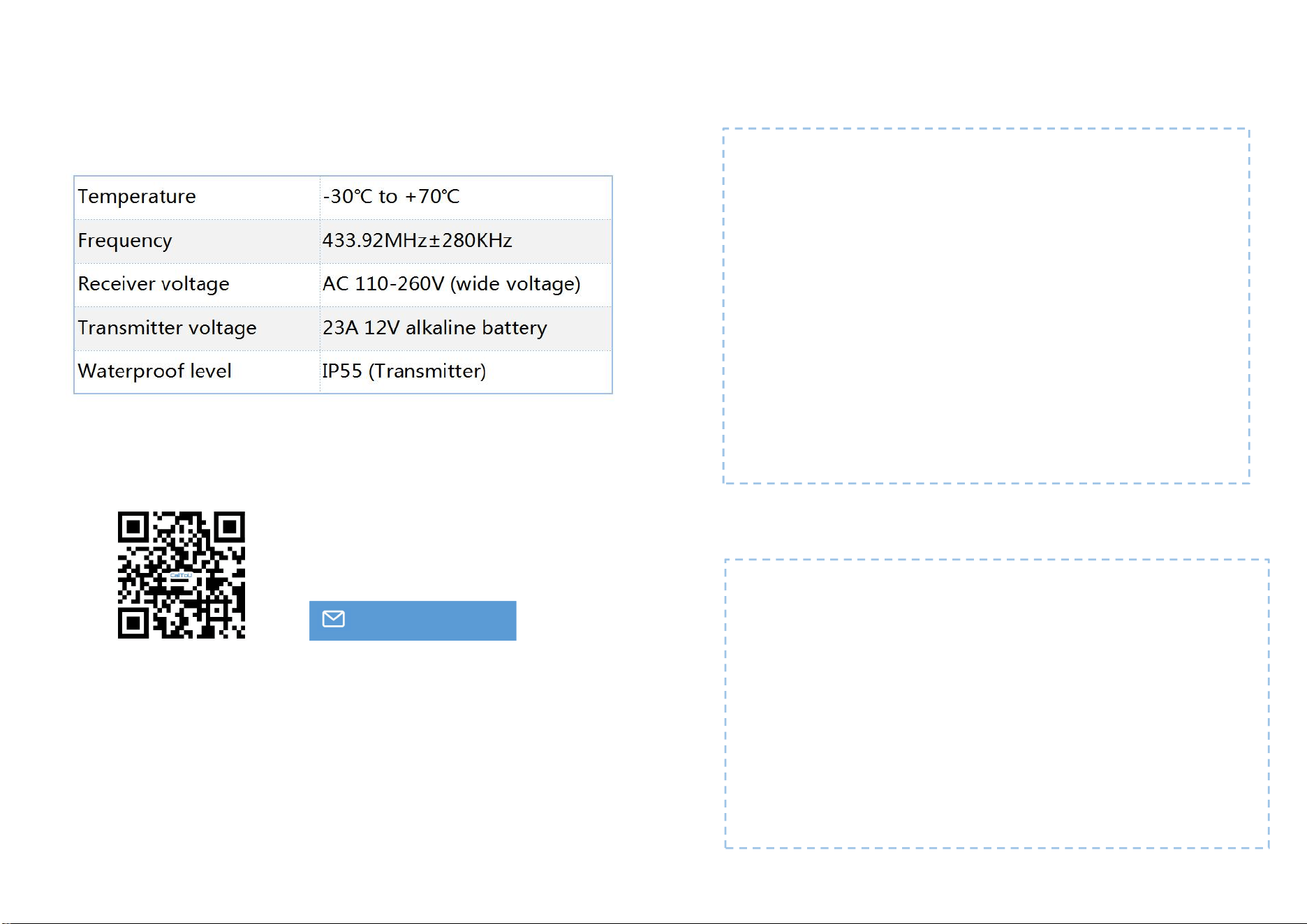
Specifications
For FAQs and more information, please visit:
www.calltou.com
service[email protected]
Address:
room 605, building 2, hengdali factory, chidian
Jinjiang, fujian,CN
The Receiver can not work with the transmitter?
If the Receiver can not work with the transmitter?
When the transmitter battery power is running out, the light will be
weak, and cannot send out signals. Please replace the new battery.
When The pairing was accidentally cleared, please pair the transmitter
and the button again. Please refer to" Using Your Pager
System-Pairing".
When The distance between the transmitter and the receiver is
beyond the working range, signals will not be received. Please keep a
distance of 50-200 meters.
When there are obstacles near the transmitter and receiver, the signal
transmission will be interfered with. Please stay away from obstacles
like power supply TV microwave ovens,iron door, etc.
Trouble-Shooting
Precautions
Please test the working distance between the receiver and the
transmitter before installation!
Please do not install the transmitter on the doors of metal. Metal will
interfere with signals and affect the working range!
Please do not install the receiver near the TV, induction cookers,
microwave ovens, and other electrical appliances with electromagnetic
waves!
Please do not put the receiver and transmitter in water or fire to cause
accidents!
In case of an idle product for a long time, please take out the battery to
prevent the battery from dew and avoid malfunction!

A letter from CallToU
Many thanks for thinking of us and choosing us!
For everyone in CALLTOU family, it's our honor to have us as our
customers. It's always a pleasure serving you and certainly looking
forward to more in the future.
A Big Thank you for helping us to grow
Our customer service, especially in the after-sales phase, guarantees the
satisfaction of our clients. In line with this strategy, we hope you share
with us your feedback at any time, be it positive or negative. There is
always room for improvement, so if we can serve you better in any way,
please do inform us.
We provide 1-year limited product warranty to the original purchaser
against manufacturing defects in materials and workmanship, not
covering any normal wear and tear, improper handling, or accidental
damage.
CallToU Customer Care Support Team
ELDERLY CAREGIVER PAGER
CCO1 HOME CAREGIVING — — MAKING HOME CARE EASY FOR EVERYONE