Visit Our Website
SCAN ME
PyleUSA.com
USER GUIDE
PPHP1979 - PPHP1979BG
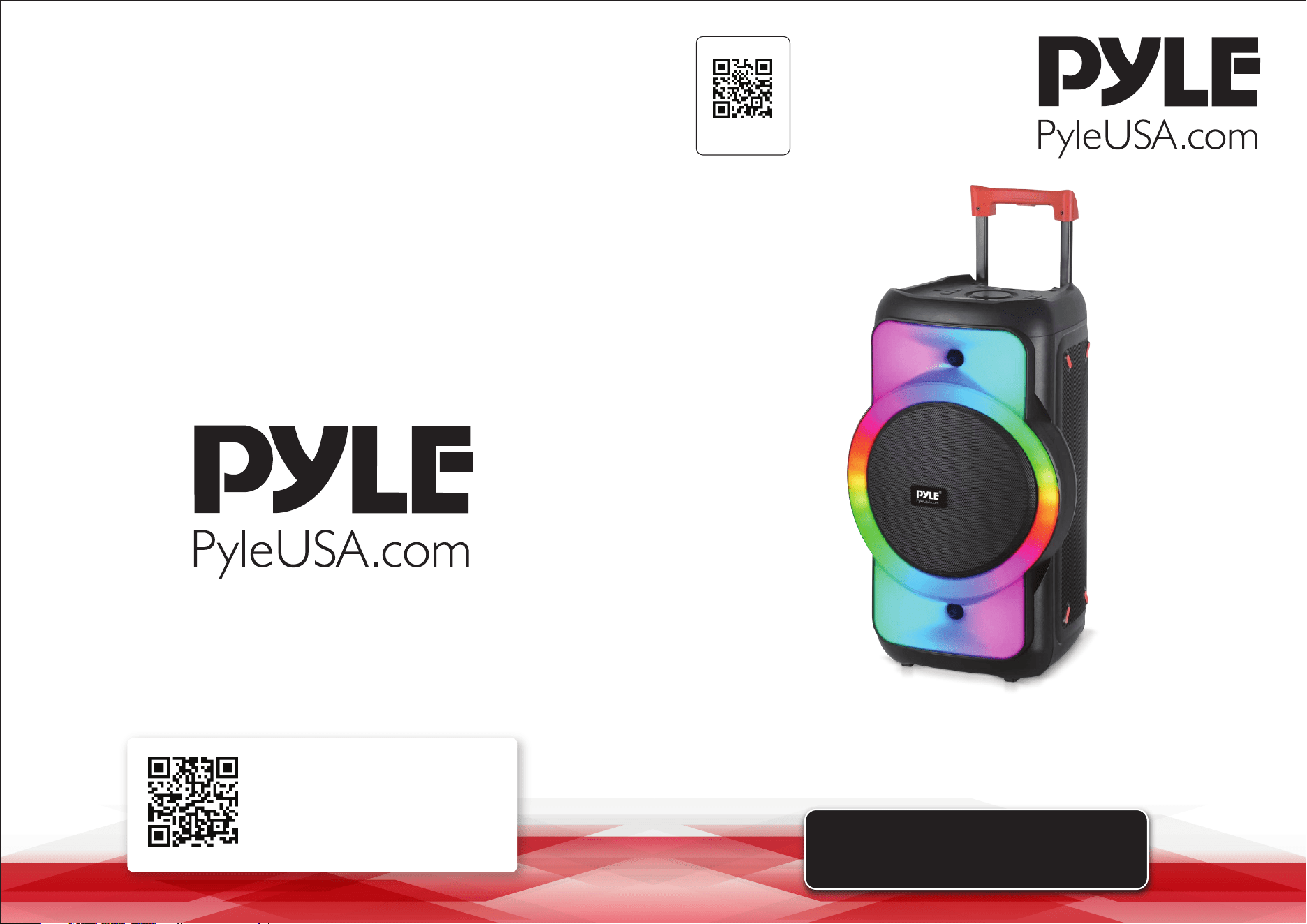
Portable BT PA and Karaoke Speaker System
Questions or Comments?
We are here to help!
Phone: 1.718.535.1800
PyleUSA.com/ContactUs
www.PyleUSA.com2 www.PyleUSA.com 3
READ ALL INSTRUCTIONS CAREFULLY BEFORE USING THIS PRODUCT.
RETAIN THIS OWNER’S MANUAL FOR FUTURE REFERENCE.
Features:
• True Wireless Stereo System
• Rugged, Molded Cabinet Design
• High-Quality Audio Output for Powerful and Clear Sound
• Karaoke Function with Adjustable Microphone Volume Control
• Multiple Input Options Including Bluetooth, USB/ SD, Audio Input, 6.5mm
Microphone Input, and FM Radio
• Bluetooth for Wireless Streaming
• Long-Lasting Built-in Rechargeable Battery
• 6.5mm Microphone input
• Microphone Echo, Bass, and Treble Control Function
• User-Friendly Controls for Volume and Playback
• Auto Mic Priority for Clear Vocals
• Dynamic LED Lights Synced with Music
• Ideal for Parties, Karaoke Nights, and Outdoor Events
• Audio Input: Connect and Stream External Device Audio
• Equipped with Protective Speaker Grill
• Supports Multiple Music Streaming Apps
• LED Display for Clear Visibility of Settings
• Sturdy Handle for Easy Transportation
• Suitable for Indoor/Outdoor Use
Bluetooth Wireless Streaming:
• Built-in Bluetooth Receiver for Wireless Music Streaming
• Easy and Quick Pairing Setup
• Works with Today's Latest Devices (Smartphones, Tablets, Laptops, Computers, etc.)
• Bluetooth Network Name: PYLEUSA
• Bluetooth Version: 5.0
• Wireless Range: 50 ft.
What's in the Box:
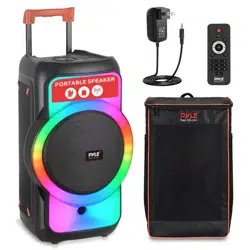
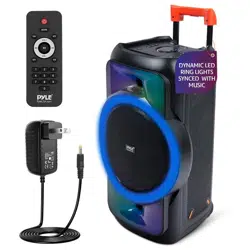
• Portable PA Speaker System
• Power Adapter
• Remote Control
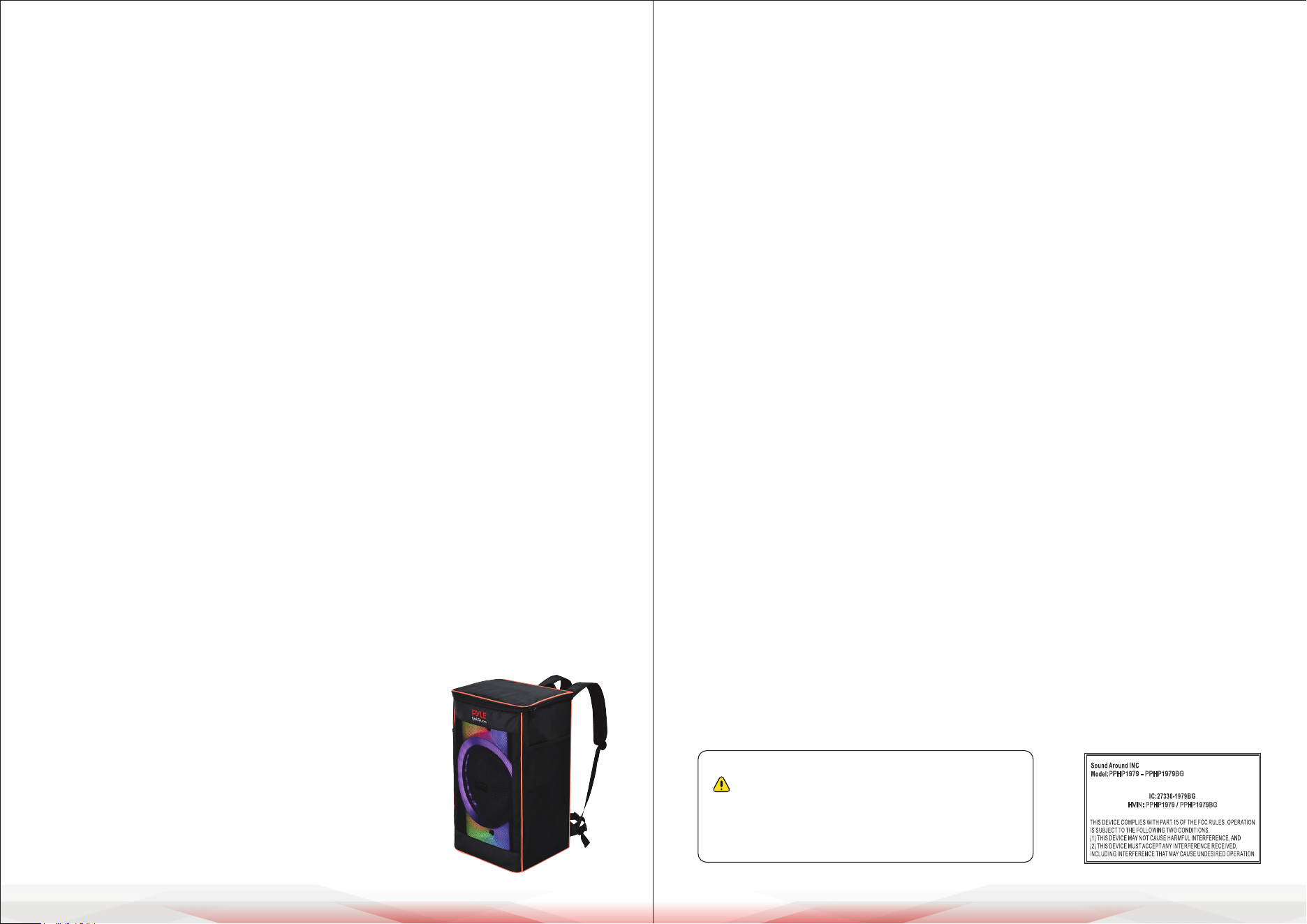
• Speaker Bag (for PPHP1979BG model only)
Technical Specs:
• Construction Material: PP + Iron Grill
• Recommended Power Output: 160W
• RMS Power: 40W
• Sound System: 12" -inches Woofer + 1“- inch Tweeter
• Impedance: 4 Ohm
• USB Interface Type: 2.0
• Digital Audio File Support: MP3, MWA, FLAC, WAV, APE
• Maximum USB Flash Support: 64G
• Remote Control Battery Operated, Requires AAA x 2 Batteries, (Not included)
• Battery Type: 7.4V/ 3600mAh, 26.64Wh Lithium Battery
• Battery Working Time: 2-8 hours (Vary with volume)
• Battery Construction Material: 18650 (4) Battery Cell
• PPHP1979 Item Weight: 13.2 lbs.
PPHP1979BG Item Weight: 15.4 lbs.
• Power Supply: DC 9V
• Product Dimension (L x W x H)
PPHP1979: 13" x 11.8" x 23.2" –inches
PPHP1979BG: 15" x 11.8" x 24.4" –inches
IC warning
- English:
This device complies with Industry Canada licence-exempt RSS standard(s).
Operation is subject to the following two conditions:
(1) This device may not cause interference, and (2) This device must accept any interference, including
interference that may cause undesired operation of the device.
- French:
L’émetteur/récepteur exempt de licence contenu dans le présent appareil est conforme aux CNR d’Innovation,
Sciences et Développement économique Canada applicables aux appareils radio exempts de licence.
L’exploitation est autorisée aux deux conditions suivantes:
(1) L’appareil ne doit pas produire de brouillage; (2)L’appareil doit accepter tout brouillage radioélectrique
subi, même si le brouillage est susceptible d’en compromettre le fonctionnement.
This equipment complies with IC RSS-102 radiation exposure limits set forth for an uncontrolled environment.
This equipment should be installed and operated with minimum distance 20cm between the radiator & your
body.
Cet équipement est conforme aux limites d'exposition aux rayonnements IC établies pour un environnement
non contrôlé. Cet équipement doit être installé et utilisé avec un minimum de 20cm de distance entre la source
de rayonnement et votre corps.
California Prop 65 Warning
WARNING:
This product contains “Lead and lead compounds” which is
known to the state of California to cause cancer birth defects
and other reproductive harm. Do not ingest.
For more info go to: www.P65warnings.ca.gov
PPHP1979 - PPHP1979BG
HVIN: PPHP1979 / PPHP1979BG
www.PyleUSA.com4 www.PyleUSA.com 5
CONTROL BOARD FUNCTIONS
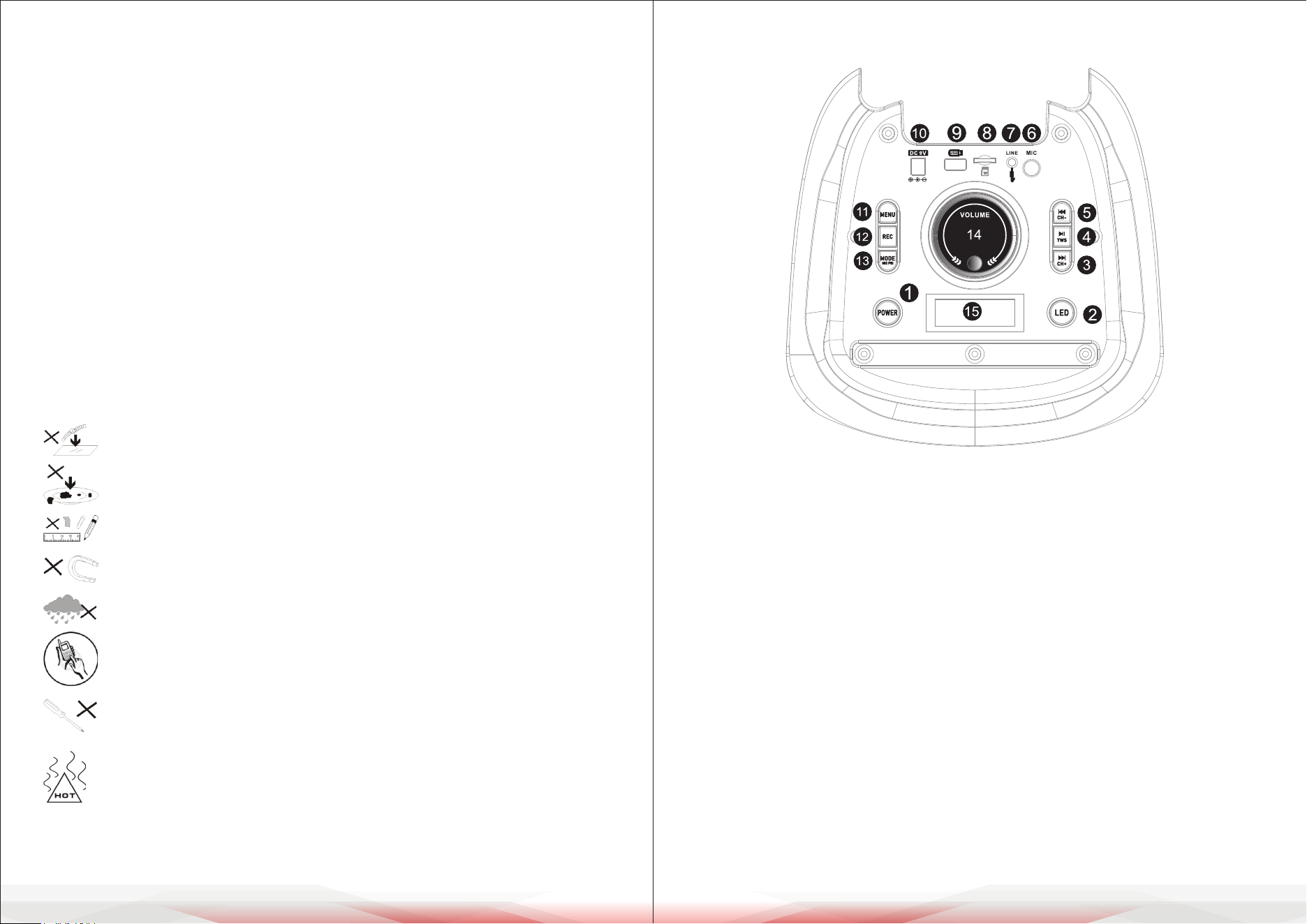
1. Press and hold to turn on/o.
2. Short press to turn on LED light and switch LED light modes.
Press and hold to turn o LED light.
3. Next song. Press and hold to fast forward.
4. Short press to play/pause. Press and hold for TWS function.
5. Previous song. Press and hold to fast rewind.
6. Microphone socket.
7. 3.5mm AUX socket.
8. Micro SD card socket.
9. USB port.
10. DC 9V socket.
11. Short press to select Treble/Bass/Mic Volume/Mic Echo, and then rotate the
main volume knob to adjust.
12. Press and hold to start recording. Short press to play the recording.
13. Short press mode to select Bluetooth/USB/Micro SD/AUX/FM.
Press and hold for microphone priority.
14. Main volume adjustment. Treble/Bass/Mic Volume/Mic Echo adjustment
after short pressing the menu button to select the corresponding function.
15. Display screen.
FCC INFORMATION
WARNING:
Changes or modications not expressly approved by the party responsible for compliance could void the
user’s authority to operate the equipment.
NOTE: This equipment has been tested and found to comply with the limits for a Class B digital device,
pursuant to Part 15 of the FCC Rules. These limits are designed to provide reasonable protection against
harmful interference in a residential installation. This unit generates, uses, and can radiate radio frequency
energy, and if not installed and used in accordance with the instructions, may cause harmful interference to
radio communications. However, there is no guarantee that interference will not occur in a particular
installation. If this equipment does cause harmful interference to radio or television reception, which can be
determined by turning the equipment o and on, the user is encouraged to try and correct the interference
by one or more of the following measures:
• Reorient or relocate the receiving antenna.
• Increase the separation between the equipment and receiver.
• Connect the equipment to an outlet on a circuit dierent from that to which the receiver is connected.
• Consult the dealer or an experienced radio/TV technician for help.
This device complies with Part 15 of the FCC Rules. Operation is subject to the following two conditions:
1. This device may not cause harmful interference.
2. This device must accept any interference received, including interference that may cause undesired operation.
WARNING
Illegal operation may cause personal injury, which could be fatal, and may
cause damage to property.
DO NOT place objects on top of the device, as objects may scratch
the device.
DO NOT expose the device to dirty or dusty environments.
DO NOT insert any foreign objects into the device.
DO NOT expose the device to strong magnetic or electrical elds.
DO NOT use the device in the rain.
Please check with your local authority or retailer for proper disposal
of electronic products.
DO NOT disassemble the device.
Only a certied service technician should perform repair.
The device has apertures to disperse heat.
DO NOT block the device ventilation; the device may become hot
and malfunction as a result.
www.PyleUSA.com6 www.PyleUSA.com 7
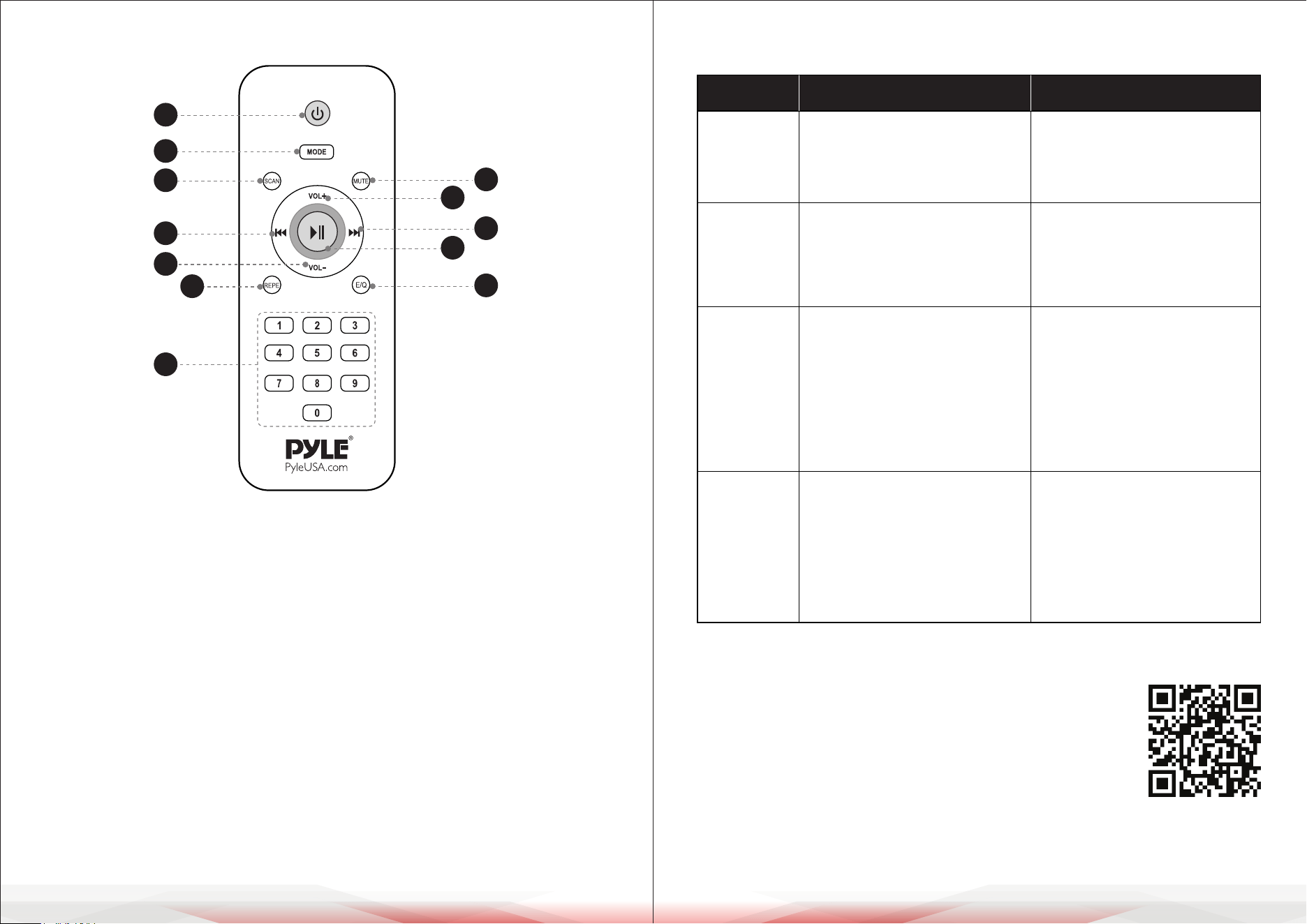
REMOTE CONTROL FUNCTIONS
1. Power: Used to turn on/o the MP3 player power.
2. MODE: Used to switch between AUX/USB/BT/Radio.
3. Mute button
4. Short press to switch to USB mode. In FM mode, press and hold to automatically
search for and save radio stations.
5. USB/SD mode: Next song / press and hold for fast forward.
FM mode: Short press to select the next saved radio station/press and hold
to fast forward frequency to search for a station.
6. USB/SD mode: Previous song / press and hold for fast backward.
FM mode: Short press to select the previous saved radio station/press and
hold for fast backward frequency to search for a station.
7. EQ solution
8. Repeat song
9. Increase volume
10. Decrease volume
11. Play/Pause: In FM mode, press to select a saved radio station.
12. Choose song number directly/In FM mode, choose FM frequency directly.
TROUBLESHOOTING
1
2
4
6
10
8
12
3
9
5
11
7
Register Product
Thank you for choosing PyleUSA. By registering your product,
you ensure that you receive the full benets of our exclusive
warranty and personalized customer support.
Complete the form to access expert support and to keep
your PyleUSA purchase in perfect condition.
Fault Possible Cause Solution
No sound
1. No input sound source.
2. Volume is too low.
1. Use a better music signal.
2. Adjust volume.
Distortion
of sound
1. Volume too high.
2. Speaker may be damaged.
1. Turn down the volume.
2. If the speaker is damaged,
repair or replace it.
Karaoke
does
not work
1. Microphone plug is not fully
inserted.
2. Microphone switch is not on.
3. Microphone volume knob
is at the lowest position.
1. Plug the microphone
properly into the socket.
2. Turn on the microphon
switch.
3. Adjust microphone volume
properly.
MP3 does
not play
1. The audio format in the USB
is incorrect.
2. Improper operation has
caused a process disorder.
3. USB disc is disconnected.
1. Convert the audio format
into MP3 format.
2. Reboot the machine.
3. Reconnect the USB disc.