Operation Manual
Sewing Machine
Product Code: 882-W92
Be sure to read this document before using the machine.
We recommend that you keep this document nearby for future reference. The latest manuals are available at
Brother Support website ( https://s.brother/cpeai/ ).

1
Thank you for purchasing this machine. Before using this
machine, carefully read the “IMPORTANT SAFETY
INSTRUCTIONS”, and then study this manual for the
correct operation of the various functions.
In addition, after you have finished reading this manual,
store it where it can quickly be accessed for future
reference.
Please read these safety instructions before attempting to
use the machine.
DANGER
- To reduce the risk of electric shock
1Always unplug the machine from the electrical
outlet immediately after using, cleaning, making any
user servicing adjustments mentioned in this
manual, or if you are leaving the machine
unattended.
WARNING
- To reduce the risk of burns, fire, electrical shock, or
injury to persons.
2Always unplug the machine from the electrical
outlet, or when making any adjustments mentioned
in the instruction manual.
• To unplug the machine, switch the machine to the
symbol “O” position to turn it off, then grasp the
plug and pull it out of the electrical outlet. Do not
pull on the cord.
• Plug the machine directly into the electrical outlet.
Do not use an extension cord.
• Always unplug your machine if there is a power
failure.
3Electrical Hazards:
• This machine should be connected to an AC power
source within the range indicated on the rating
label. Do not connect it to a DC power source or
inverter. If you are not sure what kind of power
source you have, contact a qualified electrician.
• This machine is approved for use in the country of
purchase only.
4Fire Hazards:
Do not use flammable substances, any type of spray,
or an organic solvent/liquid containing alcohol or
ammonia to clean the inside or outside of the
product. Doing so could cause a fire.
5Never operate this machine if it has a damaged cord
or plug, if it is not working properly, has been
dropped or damaged, or water is spilled on the unit
or its accessories. Return the machine to the nearest
authorized Brother dealer for examination, repair,
electrical or mechanical adjustment.
• While the machine is stored or in use if you notice
anything unusual, such as an odor, heat,
discoloration or deformation, stop using the
machine immediately and unplug the power cord.
• When transporting the machine, be sure to carry it
by its handle. Lifting the machine by any other part
may damage the machine or result in the machine
falling, which could cause injuries.
• When lifting the machine, be careful not to make
any sudden or careless movements, which may
cause a personal injury.
6Always keep your work area clear:
• Do not install or use in areas where explosive or
electrically conductive dusts are generated.
• Never operate the machine with any air openings
blocked. Keep ventilation openings of the machine
and the foot controller free from the build up of lint,
dust, and loose cloth.
• Do not store objects on the foot controller.
• Never drop or insert foreign object into any
opening.
• Do not operate where aerosol (spray) products are
being used or where oxygen is being administered.
• Do not use the machine near a heat source, such as
a stove or iron; otherwise, the machine, power cord
or garment being sewn may ignite, resulting in fire
or an electric shock.
• Do not place this machine on an unstable surface,
such as an unsteady or slanted table, otherwise the
machine may fall, resulting in injuries.
INTRODUCTION
IMPORTANT SAFETY
INSTRUCTIONS

2
7Special care is required when sewing:
• Always pay close attention to the needle. Do not use
bent or damaged needles.
• Keep fingers away from all moving parts. Special
care is required around the machine needle.
• Switch the machine to the symbol “O” position to
turn it off when making any adjustments in the
needle area.
• Do not use a damaged or incorrect needle plate, as
it could cause the needle to break.
• Do not push or pull the fabric when sewing, and
follow careful instruction when free motion stitching
so that you do not deflect the needle and cause it to
break.
8This machine is not a toy:
• Your close attention is necessary when the machine
is used by or near children.
• This product contains small parts. Keep the product
out of the reach of children to prevent accidental
ingestion of small parts.
• The plastic bag that this machine was supplied in
should be kept out of the reach of children or
disposed of. Never allow children to play with the
bag due to the danger of suffocation.
• Do not use the seam ripper in any other way than
how it is intended.
• Do not use outdoors.
9For a longer service life:
• When using and storing this machine, avoid direct
sunlight and high humidity locations. Do not use or
store the machine near a space heater, iron, halogen
lamp, or other hot objects.
• Do not use cleansers or organic solvents, such as
thinner, petroleum ether or alcohol, to clean the
machine. Otherwise, the finish may peel off or
become scratched.
• Always consult the Operation Manual when
replacing or installing any assemblies, the presser
feet, needle, or other parts to assure correct
installation.
10For repair or adjustment:
• If the light unit is damaged, it must be replaced by
an authorized Brother dealer.
• In the event a malfunction occurs or adjustment is
required, first follow the troubleshooting table in the
back of the Operation Manual to inspect and adjust
the machine yourself. If the problem persists, please
consult your local authorized Brother dealer.
Use this machine only for its intended use as described
in the manual.
Use accessories recommended by the manufacturer as
contained in this manual.
The contents of this manual and specifications of this
product are subject to change without notice.
SAVE THESE
INSTRUCTIONS
This machine is intended
for household use.
FOR USERS IN COUNTRIES EXCEPT
EUROPEAN COUNTRIES
This appliance is not intended for use
by persons (including children) with
reduced physical, sensory or mental
capabilities, or lack of experience and
knowledge, unless they have been
given supervision or instruction
concerning use of the appliance by a
person responsible for their safety.
Children should be supervised to
ensure that they do not play with the
appliance.
FOR USERS IN EUROPEAN
COUNTRIES
This appliance can be used by children
aged from 8 years and above and persons
with reduced physical, sensory or mental
capabilities or lack of experience and
knowledge if they have been given
supervision or instruction concerning use
of the appliance in a safe way and
understand the hazards involved. Children
shall not play with the appliance.
Cleaning and user maintenance shall not
be made by children without supervision.

3
FOR USERS IN THE UK,
EIRE, MALTA AND
CYPRUS ONLY
IMPORTANT
• In the event of replacing the plug fuse, use a fuse
approved by ASTA to BS 1362, i.e. carrying the
mark, rating as marked on plug.
• Always replace the fuse cover. Never use plugs with
the fuse cover omitted.
• If the available electrical outlet is not suitable for the
plug supplied with this equipment, you should
contact your authorized Brother dealer to obtain the
correct lead.
Federal Communications
Commission (FCC)
Supplier’s Declaration of
Conformity (For U.S.A.
Only)
This device complies with Part 15 of the FCC Rules.
Operation is subject to the following two conditions: (1)
this device may not cause harmful interference, and (2)
this device must accept any interference received,
including interference that may cause undesired
operation.
This equipment has been tested and found to comply
with the limits for a Class B digital device, pursuant to
Part 15 of the FCC Rules. These limits are designed to
provide reasonable protection against harmful
interference in a residential installation. This equipment
generates, uses, and can radiate radio frequency energy
and, if not installed and used in accordance with the
instructions, may cause harmful interference to radio
communications. However, there is no guarantee that
interference will not occur in a particular installation. If
this equipment does cause harmful interference to radio
or television reception, which can be determined by
turning the equipment off and on, the user is
encouraged to try to correct the interference by one or
more of the following measures:
• Reorient or relocate the receiving antenna.
• Increase the separation between the equipment and
receiver.
• Connect the equipment into an outlet on a circuit
different from that to which the receiver is
connected.
• Consult the authorized Brother dealer or an
experienced radio/TV technician for help.
• This transmitter must not be co-located or operated
in conjunction with any other antenna or
transmitter.
Important
Changes or modifications not expressly approved by
Brother Industries, Ltd. could void the user’s authority
to operate the equipment.
This equipment complies with FCC/IC radiation
exposure limits set forth for an uncontrolled
environment and meets the FCC radio frequency (RF)
Exposure Guidelines and RSS-102 of the IC radio
frequency (RF) Exposure rules. This equipment should
be installed and operated keeping the radiator at least
20cm or more away from person's body.
For Users in Canada
This device complies with Industry Canada’s licence-exempt
RSSs. Operation is subject to the following two conditions:
(1) This device may not cause interference; and
(2) This device must accept any interference, including
interference that may cause undesired operation of the
device.
This equipment complies with FCC/IC radiation exposure
limits set forth for an uncontrolled environment and meets the
FCC radio frequency (RF) Exposure Guidelines and RSS-102
of the IC radio frequency (RF) Exposure rules. This equipment
should be installed and operated keeping the radiator at least
20cm or more away from person's body.
Responsible Party: Brother International Corporation
200 Crossing Boulevard
P.O. Box 6911
Bridgewater, NJ 08807-0911
USA
TEL : (908) 704-1700
declares that the product
Product Name:
Model Number:
Brother Sewing Machine
CX1

4
For Users in Mexico
The operation of this equipment is subject to the following
two conditions:
(1) it is possible that this equipment or device may not cause
harmful interference, and
(2) this equipment or device must accept any interference,
including interference that may cause undesired
operation.
La operación de este equipo está sujeta a las siguientes dos
condiciones:
(1) es posible que este equipo o dispositivo no cause
interferencias perjudiciales y
(2) este equipo o dispositivo debe aceptar cualquier
interferencia, incluyendo la que pueda causar su
operación no deseada.
Declaration of Conformity
(Europe and Turkey only)
We, Brother Industries, Ltd. 15-1 Naeshiro-cho, Mizuho-ku,
Nagoya 467-8561 Japan declare that this product is in
conformity with the essential requirements of all relevant
directives and regulations applied within the European
Community.
The Declaration of Conformity (DoC) can be downloaded
from Brother Support website. Visit support.brother.com
Declaration of Conformity
for RE Directive 2014/53/
EU (Europe and Turkey
only)
(Applicable to models with
radio interfaces)
We, Brother Industries, Ltd. 15-1 Naeshiro-cho, Mizuho-ku,
Nagoya 467-8561 Japan declare that these products are in
conformity with the provisions of the RE Directive 2014/53/
EU.
The Declaration of Conformity (DoC) can be downloaded
from Brother Support website. Visit support.brother.com
Wireless LAN (Models with
Wireless LAN function
only)
This machine supports wireless interface.
Frequency band(s): 2400-2483.5 MHz
Maximum radio-frequency power transmitted in the
frequency band(s): Less than 20 dBm(e.i.r.p)
UK Declaration of
Conformity
(Great Britain only)
We, Brother Industries, Ltd. 15-1 Naeshiro-cho, Mizuho-ku,
Nagoya 467-8561 Japan declare that these products are in
conformity with the relevant UK legislation.
The Declaration of Conformity (DoC) can be downloaded
from Brother Support website. Visit support.brother.com
UK Declaration of
Conformity for Radio
Equipment Regulation
2017
(Great Britain only)
(Applicable to models with
radio interfaces)
We, Brother Industries, Ltd. 15-1 Naeshiro-cho, Mizuho-ku,
Nagoya 467-8561 Japan declare that these products are in
conformity with the provisions of the Radio Equipment
Regulation 2017.
The Declaration of Conformity (DoC) can be downloaded
from Brother Support website. Visit support.brother.com
UK Statements of
Compliance for the
Product Security and
Telecommunications
Infrastructure (Security
Requirements for Relevant
Connectable Products)
Regulations 2023 (Great
Britain only)
We, Brother Industries, Ltd. 15-1, Naeshiro-cho, Mizuho-ku,
Nagoya 467-8561, Japan declare that these products are in
conformity with the provisions of the Product Security and
Telecommunications Infrastructure (Security Requirements for
Relevant Connectable Products) Regulations 2023. A copy of
the Statements of Compliance can be downloaded from
Brother support website. Visit support.brother.com
For Users in Norway
This subsection does not apply for the geographical area
within a radius of 20 km from the centre of Ny-Alesund on
Svalbard.
Dette underavsnittet gjelder ikke for det geografiske området
innenfor en radius av 20 km fra sentrum av Ny-Ålesund på
Svalbard.
5
Laser Notices (For U.S.A.
only)
Laser Safety
This sewing machine is certified as a Class 1 laser product
under the U.S. Department of Health and Human Services
(DHHS) Radiation Performance Standard according to the
Radiation Control for Health and Safety Act of 1968. This
means that the sewing machine does not produce hazardous
laser radiation.
IEC 60825-1 Specification
This machine is a Class 1 laser product as defined in IEC
60825-1:2014 specifications.
For guideline marker
The laser beam emitted by the laser unit installed in this
machine is restricted to an output at a safe level. However, the
machine contains 6-milliwatt, 630-640 nanometer
wavelength, 6-12 degree at parallel divergence angle, 28-40
degree at perpendicular divergence angle, InGaAlP laser
diodes. Therefore, eye damage may result from disassembling
or altering this machine.
Safety precautions have been designed to prevent any
possible laser beam exposure to the operator.
For stitch regulator
The invisible laser beam emitted by the laser unit installed in
this stitch regulator is restricted to an output at a safe level.
The stitch regulator contains 0.6-milliwatt, 840-860
nanometer wavelength, 1.5 mrad divergence angle, pulse
duration 26 μs, pulse frequency 10 kHz, laser module.
However, eye damage may result from disassembling or
altering this stitch regulator.
Safety precautions have been designed to prevent any
possible laser beam exposure to the operator.
FDA Regulations
U.S. Food and Drug Administration (FDA) has implemented
regulations for laser products manufactured on and after
August 2, 1976. Compliance is mandatory for products
marketed in the United States. The label shown on the back of
the sewing machine indicates compliance with the FDA
regulations and must be attached to laser products marketed
in the United States.
Laser Notices (For
European countries)
EN 60825-1:2014+A11:2021 and EN
50689:2021 Specification
For guideline marker
This machine is Class 1 consumer laser product in EN 60825-
1:2014+A11:2021 and EN 50689:2021 specifications.
This laser indicates the needle drop point.
For stitch regulator
This machine is Class 1 consumer laser product in EN 60825-
1:2014+A11:2021 and EN 50689:2021 specifications.
This laser measures the direction and amount of movement of
the cloth.
Laser Notices (For
countries except U.S.A.
and European countries)
IEC 60825-1 Specification
This machine is a Class 1 laser product as defined in IEC
60825-1:2014 specifications.
Brother Industries, Ltd.
15-1, Naeshiro-cho, Mizuho-ku, Nagoya 467-8561,
JAPAN
This product complies with FDA performance standards
for laser products except for conformance with IEC
60825-1 Ed. 3., as described in Laser Notice No. 56,
dated May 8, 2019.
CAUTION
• Use of controls, adjustments or the
performance of procedures other than those
specified in this manual may result in
hazardous radiation exposure.
CLASS 1 CONSUMER
LASER PRODUCT
EN 50689:2021
6
For countries except
U.S.A.
For guideline marker
The laser beam emitted by the laser unit installed in this machine is
restricted to an output at a safe level. However, the machine
contains 6-milliwatt, 630-640 nanometer wavelength, 6-12 degree
at parallel divergence angle, 28-40 degree at perpendicular
divergence angle, InGaAlP laser diodes. Therefore, eye damage
may result from disassembling or altering this machine.
Safety precautions have been designed to prevent any
possible laser beam exposure to the operator.
For stitch regulator
The invisible laser beam emitted by the laser unit installed in
this stitch regulator is restricted to an output at a safe level.
The stitch regulator contains 0.6-milliwatt, 840-860
nanometer wavelength, 1.5 mrad divergence angle, pulse
duration 26 μs, pulse frequency 10 kHz, laser module.
However, eye damage may result from disassembling or
altering this stitch regulator.
Safety precautions have been designed to prevent any
possible laser beam exposure to the operator.
Information for
Commission Regulation
(EU) 801/2013 (Great
Britain only), (EU)2023/
826 (Europe only)
For related information of these regulations, please visit the
Brother support website at support.brother.com
Stitch Regulator
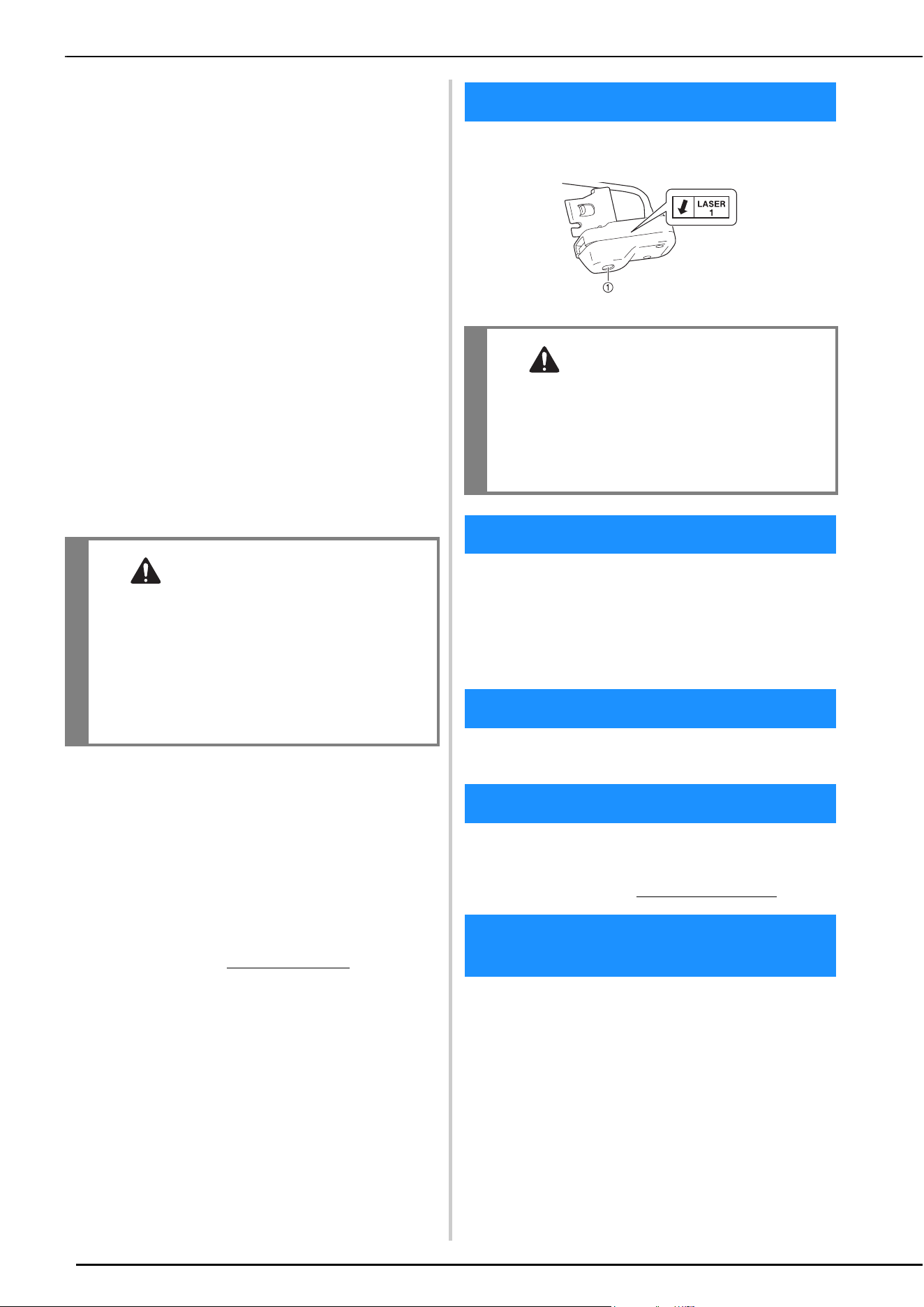
The following caution sign pertains to the stitch regulator.
1 Laser emitting window
WPA™ and WPA2™ are trademarks of Wi-Fi Alliance®.
QR Code is a registered trademark of DENSO WAVE
INCORPORATED.
Any trade names and product names of companies appearing on
Brother products, related documents and any other materials are all
trademarks or registered trademarks of those respective companies.
This product includes software developed by the following
vendor: ©2008 Devicescape Software, Inc.
This product includes open-source software.
To see the open source licensing remarks, please go to the
manual download section on your model’s home page of
Brother Support website at https://s.brother/cpeai/
.
Make sure you use a router or firewall when connecting
your machine to the Internet to protect it against
unauthorized access from the Internet.
CAUTION
• This machine and the stitch regulator have a
Laser module in the Laser Unit. The Laser Unit
should not be opened under any
circumstances.
• Use of controls, adjustments or the
performance of procedures other than those
specified in this manual may result in
hazardous radiation exposure.
WARNING SIGN
CAUTION
• An invisible laser is emitted from the window
indicated by the arrow. Although this product
complies with Class 1 laser product regulations
to ensure safety, do not look into the laser
emitting window since that may be harmful to
your eyes.
TRADEMARKS
COPYRIGHT AND LICENSE
OPEN SOURCE LICENSING REMARKS
PRECAUTION FOR WIRELESS
CONNECTION

CONTENTS
7
1
2
3
4
Chapter 1 GETTING READY 9
NAMES OF MACHINE PARTS................................ 9
INCLUDED ACCESSORIES ................................. 11
Using the Multi-Purpose Screwdriver ................................... 12
Using the Spool Stand.......................................................... 12
TURNING THE MACHINE ON/OFF .................. 14
LCD SCREEN ...................................................... 16
Using the Machine Settings Key ........................................... 20
Using the Machine Help ...................................................... 23
Using the Stitch Pattern Explanation Function ...................... 25
WIRELESS NETWORK CONNECTION
FUNCTIONS ...................................................... 26
Operations Available with a Wireless Network
Connection .......................................................................... 26
Enabling a Wireless Network Connection ............................ 26
Using the Wizard to Set Up the Wireless Network
Connection .......................................................................... 26
CONNECTING THE ACCESSORY TO THE
MACHINE .......................................................... 28
Using a USB Mouse ............................................................. 28
WINDING/INSTALLING THE BOBBIN.............. 29
Winding the Bobbin............................................................. 29
Setting the Bobbin................................................................ 33
Pulling Up the Bobbin Thread.............................................. 34
UPPER THREADING .......................................... 35
Upper Threading.................................................................. 35
Using the Twin Needle Mode .............................................. 38
Using the Spool Stand.......................................................... 39
CHANGING THE NEEDLE.................................. 41
FABRIC/THREAD/NEEDLE COMBINATIONS .... 42
CHANGING THE PRESSER FOOT ...................... 43
Replacing the Presser Foot ................................................... 43
Attaching the Presser Foot with the Included Adapter .......... 43
Chapter 2 SEWING BASICS 45
SEWING ............................................................. 45
Stitch Types ......................................................................... 45
Basic Sewing........................................................................ 45
Using Advanced Multi-Function Foot Controller (Included with
Some Models) ...................................................................... 47
Combining Stitch Patterns.................................................... 49
Sewing Reverse Stitches/Reinforcement Stitches................... 51
Automatic Reverse/Reinforcement Stitching ......................... 51
Automatic Presser Foot Lowering Function and Thread Cutting
Function .............................................................................. 53
STITCH SETTINGS.............................................. 53
Setting the Stitch Width/Stitch Length/“L/R Shift”.................. 53
Setting the Thread Tension................................................... 54
Saving Your Stitch Settings................................................... 55
USEFUL FUNCTIONS......................................... 56
Automatic Thread Cutting .................................................... 56
Adjusting the Needle Drop Point with the Guideline
Marker ................................................................................. 56
Pivoting ............................................................................... 57
Using the Knee Lifter............................................................ 58
Automatic Fabric Sensor System (Automatic Presser Foot
Pressure) .............................................................................. 58
Needle Position - Stitch Placement ...................................... 58
Using the Straight Stitch Needle Plate and the Straight Stitch
Foot ..................................................................................... 59
USEFUL SEWING TIPS ....................................... 60
Sewing Tips ......................................................................... 60
Sewing Various Fabrics ........................................................ 61
Sewing Decorative Stitch Patterns ........................................ 62
Chapter 3 VARIOUS STITCHES 63
UTILITY STITCHES............................................. 63
Straight Stitches.................................................................... 63
Zigzag Stitches ..................................................................... 67
Overcasting.......................................................................... 68
Quilting................................................................................ 69
Blind Hem Stitches............................................................... 75
Shell Tuck Stitches ............................................................... 77
Scallop Stitches .................................................................... 77
Smocking Stitches ................................................................ 77
Fagoting ............................................................................... 78
Attaching Tape or Elastic ...................................................... 78
One-Step Buttonholes .......................................................... 79
Four-Step Buttonholes .......................................................... 81
Bar Tacks ............................................................................. 84
Button Sewing...................................................................... 85
Eyelet ................................................................................... 86
Multi-directional Sewing (Straight Stitch and
Zigzag Stitch) ....................................................................... 86
Zipper Insertion.................................................................... 87
Adjustable Zipper/Piping Insertion........................................ 89
Free-Motion Quilting/Basting with the Stitch Regulator ........ 90
Changing the Start and End Angles of the Stitch Pattern (Stitch
Tapering Function) ............................................................... 95
USING THE COMPACT DUAL FEED FOOT ...... 98
Open Toe for Dual Feed Foot............................................. 100
Dual Feed 1/4 Inch Guide Foot .......................................... 100
Stitch in the Ditch Dual Feed Foot...................................... 100
Using the Dual Feed Quilting Guide .................................. 101
Couching Dual Feed Foot................................................... 102
MAKING ADJUSTMENTS ................................ 104
MAKING STEP STITCH PATTERNS (FOR 7MM
SATIN STITCH PATTERNS ONLY) ................... 105
USING THE MEMORY FUNCTION ................. 106
Saving Stitch Patterns ......................................................... 106
Retrieving Stitch Patterns.................................................... 106
MY CUSTOM STITCH...................................... 107
Retrieving Saved Stitch Patterns.......................................... 110
Chapter 4 APPENDIX 111
CARE AND MAINTENANCE ............................ 111
Cleaning the LCD............................................................... 111
Cleaning the machine surface ............................................ 111
Restrictions on Oiling......................................................... 111
Precautions on Storing the Machine ................................... 111
Cleaning the Race ............................................................. 111
Cleaning the Cutter in the Bobbin Case Area...................... 112
BEFORE LENDING OR DISPOSING OF THE
PRODUCT ....................................................... 113
ADJUSTING THE SCREEN ............................... 113
Touch Panel is Malfunctioning ........................................... 113
TROUBLESHOOTING ..................................... 114
Frequent Troubleshooting Topics ....................................... 114
Upper Thread is Too Tight.................................................. 114
Tangled Thread on Wrong Side of Fabric ........................... 114
Incorrect Thread Tension.................................................... 115
Fabric is Caught in the Machine and Cannot Be
Removed............................................................................ 115
If the Thread Becomes Tangled Under the Bobbin Winder
Seat.................................................................................... 116
List of Symptoms ................................................................ 117
ERROR MESSAGES........................................... 121
SPECIFICATIONS............................................. 123
UPDATING YOUR MACHINE’S SOFTWARE... 124
Update Procedure Using USB Media.................................. 124
Update Procedure Using Wireless LAN Connection ........... 124
CONTENTS

CONTENTS
8
STITCH SETTING CHART................................. 125
INDEX .............................................................. 132
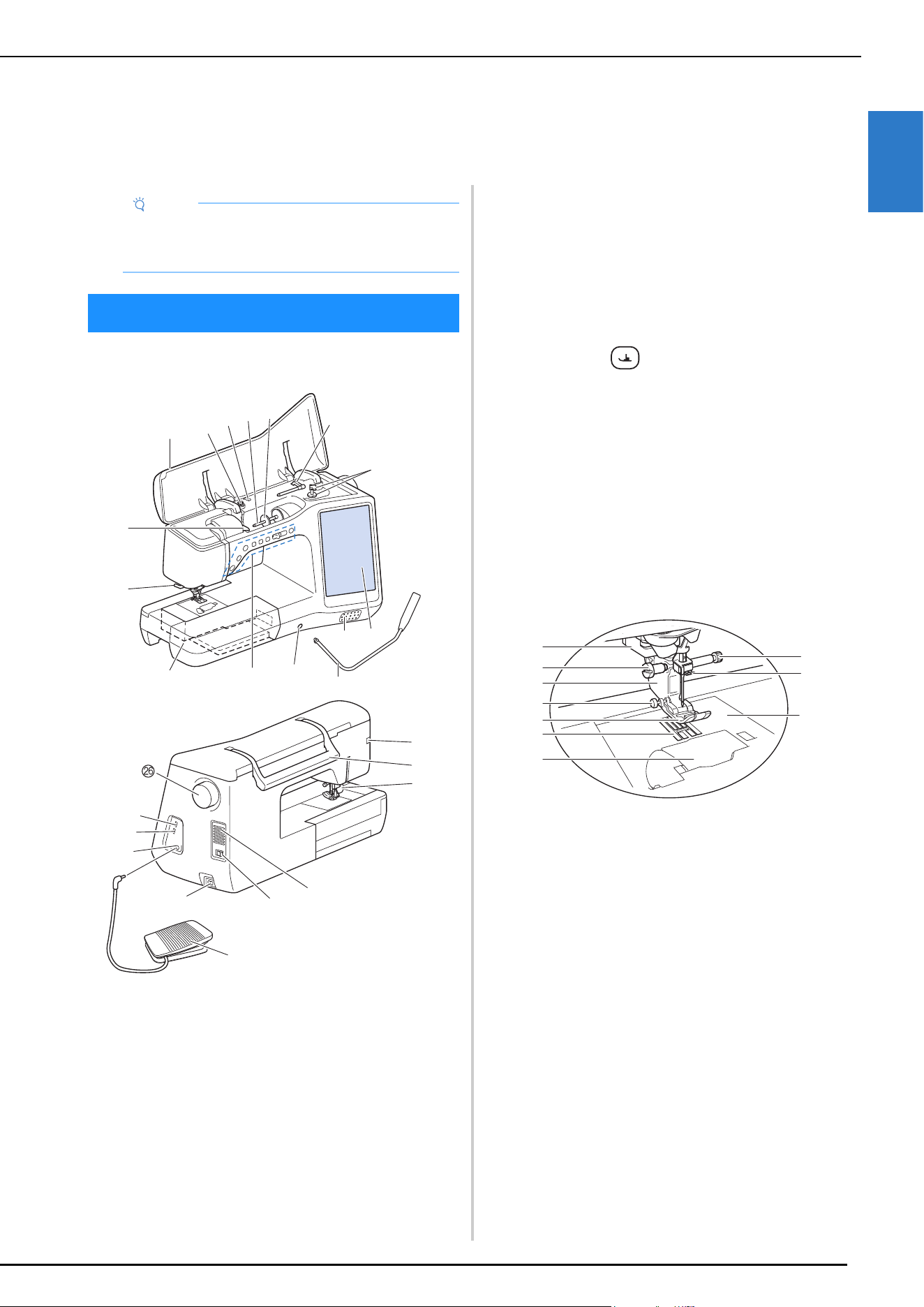
NAMES OF MACHINE PARTS
GETTING READY
9
1
Main Parts
1 Top cover
2 Pretension disk (page 30)
3 Thread guide for bobbin winding (page 30)
4 Spool pin (page 35)
5 Spool cap (page 29)
6 Supplemental spool pin (page 29)
7 Bobbin winder (page 29)
8 LCD (liquid crystal display) (page 16)
9 Speaker
0 Knee lifter (page 58)
A Knee lifter slot (page 58)
B Operation buttons and sewing speed controller
(page 10)
C Flat bed attachment with accessory compartment
(page 11)
D Thread cutter (page 36)
E Thread guide plate (page 32)
F Connector for the presser foot (page 98)
G Handle
Carry the machine by its handle when transporting the
machine.
H Presser foot lever
You cannot use the presser foot lever after the presser foot has
been raised using (Presser foot lifter button).
I Air vent
The air vent allows the air surrounding the motor to circulate.
Do not cover the air vent while the machine is being used.
J Main power switch (page 14)
K Foot controller (page 47)
L Power cord receptacle (page 14)
M Foot controller jack (page 47)
N USB port for mouse (page 28)
O USB port
P Handwheel
Turn the handwheel toward you (counterclockwise) to raise and
lower the needle.
Needle and Presser Foot Section
1 Buttonhole lever (page 80)
2 Presser foot holder screw (page 43)
3 Presser foot holder (page 43)
4 Presser foot locking pin (page 61)
5 Presser foot
The presser foot consistently applies pressure to the fabric as
sewing takes place. Attach the appropriate presser foot for the
selected stitch.
6 Feed dogs
The feed dogs feed the fabric in the sewing direction.
7 Bobbin cover (page 33)
8 Needle plate (page 64)
9 Needle bar thread guide (page 36)
0 Needle clamp screw (page 41)
Chapter 1
GETTING READY
Note
• Be sure to install the latest software.
Refer to “UPDATING YOUR MACHINE’S
SOFTWARE” on page 124.
NAMES OF MACHINE PARTS
a
b
c
d
e
f
g
h
i
j
k
l
m
n
o
p
q
r
s
t
u
v
w
x
y
a
b
c
d
e
f
g
h
i
j
NAMES OF MACHINE PARTS
10
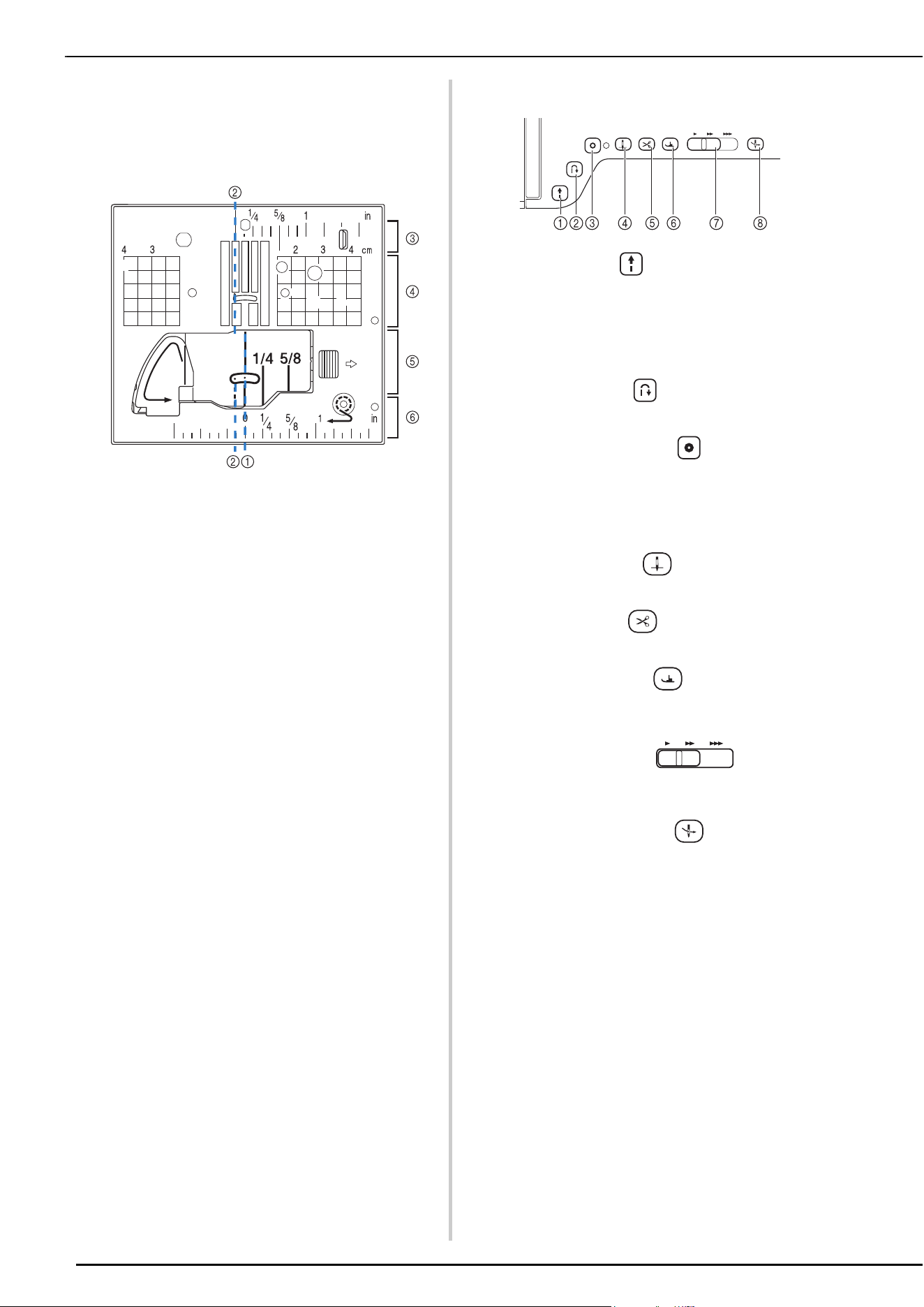
Measurements on the needle plate and the bobbin cover
(with mark)
The measurements on the bobbin cover and needle plate are
references for stitch patterns with a left or middle (center)
needle position.
1 For stitches with a middle (center) needle position
2 For stitches with a left needle position
3 Left needle position on the needle plate <inch>
4 Left needle position on the needle plate <cm>
5 Middle (center) needle position on the bobbin cover
(with mark) <inch>
6 Middle (center) needle position on the needle plate
Operation Buttons
1 “Start/Stop” button
Press the “Start/Stop” button to start or stop sewing. The
button changes color according to the machine’s operation
mode.
2 Reverse stitch button
Press the reverse button to sew reverse or reinforcement
stitches depending on the selected stitch pattern. (page 51)
3 Reinforcement stitch button
Press the reinforcement button to sew a single stitch
repeatedly and tie-off. (page 51)
For character/decorative stitches, press this button to end with
a full stitch instead of at a mid-point.
The LED beside the button automatically lights up while the
stitch is being sewn and goes off when sewing is finished.
4 Needle position button
Press the needle position button to raise or lower the needle
position. Pressing the button twice sews a single stitch.
5 Thread cutter button
Press the thread cutter button after sewing to automatically
trim the excess thread.
6 Presser foot lifter button
Press the presser foot lifter button to lower the presser foot and
apply pressure to the fabric. Press this button again to raise the
presser foot.
7 Sewing Speed controller
Use the sewing speed controller to adjust the sewing speed.
Move the slide to the left to sew at slower speeds. Move the
slide to the right to sew at higher speeds.
8 Automatic threading button
Use the automatic threading button to automatically thread the
needle.
Green: The machine is ready or is operating.
Red: The machine is not ready.
INCLUDED ACCESSORIES
GETTING READY
11
1
For included accessories of your machine, refer to the
additional sheet “Included Accessories”.
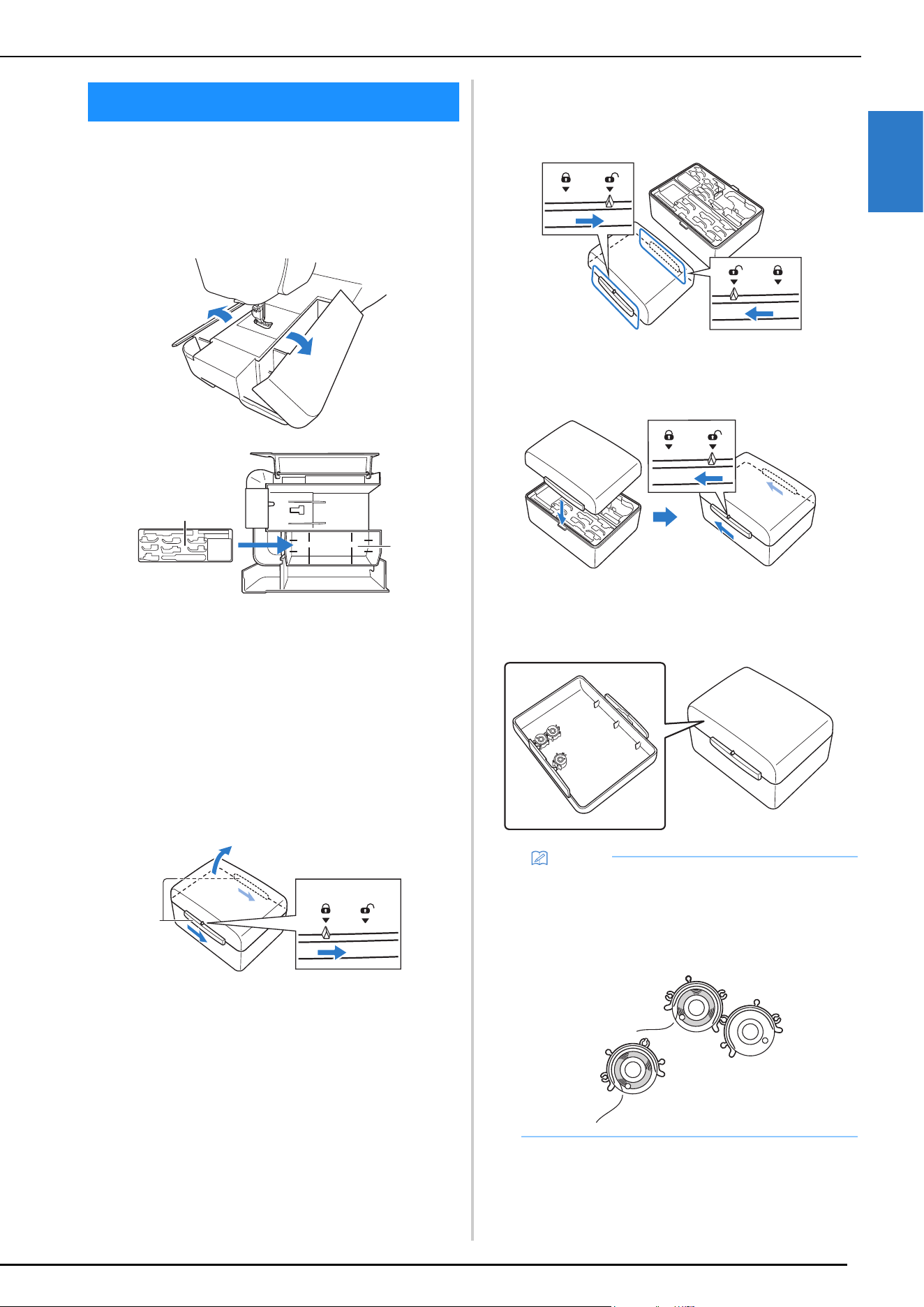
Using the Flat Bed Attachment
Pull the top of the flat bed attachment to open the
accessory compartment.
1 Presser foot storage tray
2 Presser foot storage space of the flat bed attachment
Using the Accessory Case (Included with Some
Models)
Opening the accessory case
Fully slide the bar on each side of the accessory case to
the unlocked position, and then lift off the lid to open the
case.
The case can only be opened or locked correctly if both
bars are slid in the same direction.
1 Bars
Closing the accessory case
a
Fully slide the bar on each side of the accessory case
lid to the unlocked position.
b
Place the lid on top of the case so that the notches in
the lid align with the tabs on the case, and then slide
the bar on each side back to the locked position.
Storing Bobbin Clips
Bobbin clips can be stored inside of the accessory case
cover.
INCLUDED ACCESSORIES
a
b
a
Memo
• Placing bobbin clips on bobbins helps prevent the
thread from unwinding from the bobbin. In
addition, snapping bobbin clips together allows the
bobbins to be conveniently stored and prevents
them from rolling around if they are dropped.
INCLUDED ACCESSORIES
12
Using the Multi-Purpose Screwdriver
Since the screwdriver can be changed to different positions, it
can be extremely useful for the various machine preparations.
With this machine, position “1” and position “2” are used.
To remove the needle plate, use the position “1”.
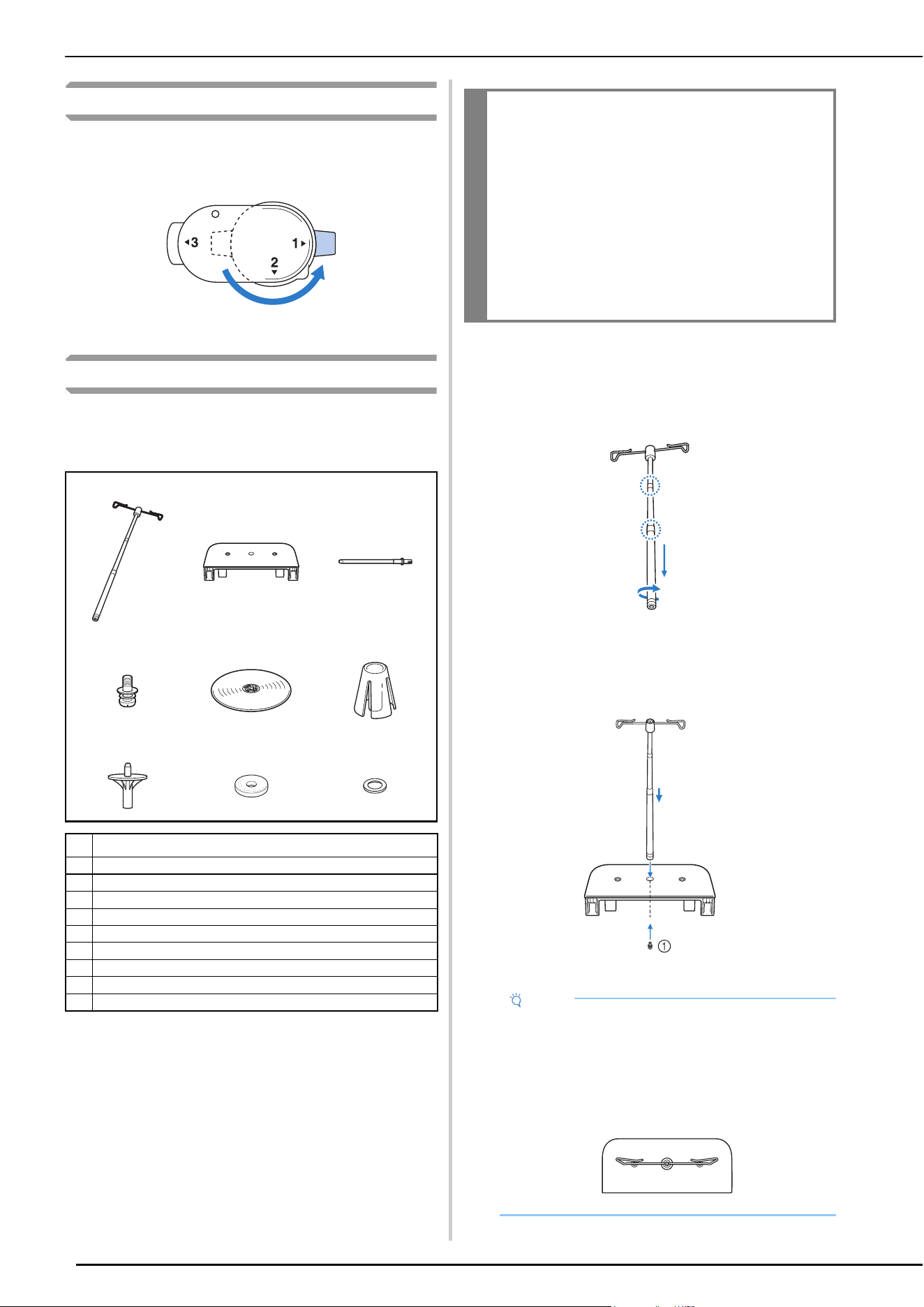
Using the Spool Stand
The included spool stand is useful when using thread spools
with a large diameter (cross-wound thread). The spool stand
can hold two spools of thread.
How to Assemble the Spool Stand
a
Fully extend the telescopic thread guide shaft, and then
rotate the shaft until the two internal stoppers click
into place.
b
Insert the telescopic thread guide into the round hole
at the center of the spool support, and then use a
screwdriver to securely tighten the screw from the
reverse side.
1 Screw
123
456
789
No. Part Name
1 Telescopic thread guide
2 Spool support
3 Spool pin × 2
4 Screw and washer
5Spool cap (XL) × 2
6Spool holder × 2
7 Spool cap base × 2
8Spool felt × 2
9Ring × 4
IMPORTANT
• Do not lift the handle of the machine while the
spool stand is installed.
• Do not push or pull the telescopic thread
guide or spool pins with extreme force,
otherwise damage may result.
• Do not place any object other than spools of
thread on the spool support.
• Do not try to wind thread on the bobbin while
sewing using the spool stand.
Note
• Make sure that the stoppers on the telescopic
thread guide shaft are firmly in place and that the
thread guide openings are directly above the two
holes for spool pins in the spool support. In
addition, check that the shaft is securely tightened
in the spool support.
INCLUDED ACCESSORIES
GETTING READY
13
1
c
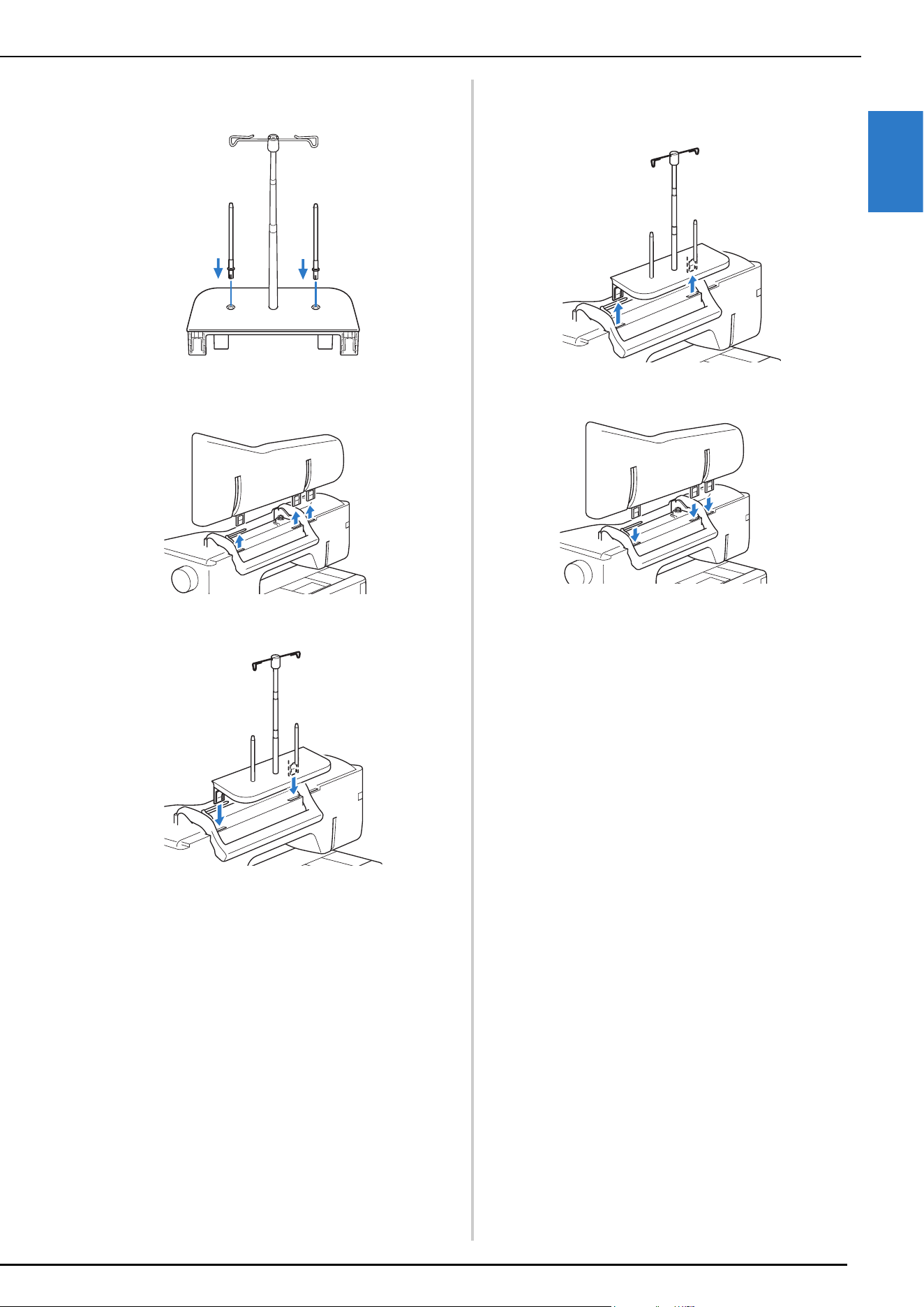
Firmly insert the two spool pins into the two holes in
the spool support.
d
Open the upper cover of the machine, and then pull
the upper cover up to remove it from the machine.
e
Insert the spool stand onto the notches of the machine.
How To Remove
a
Pull the spool stand up to remove it from the machine.
b
Attach the upper cover to the machine.
TURNING THE MACHINE ON/OFF
14
a
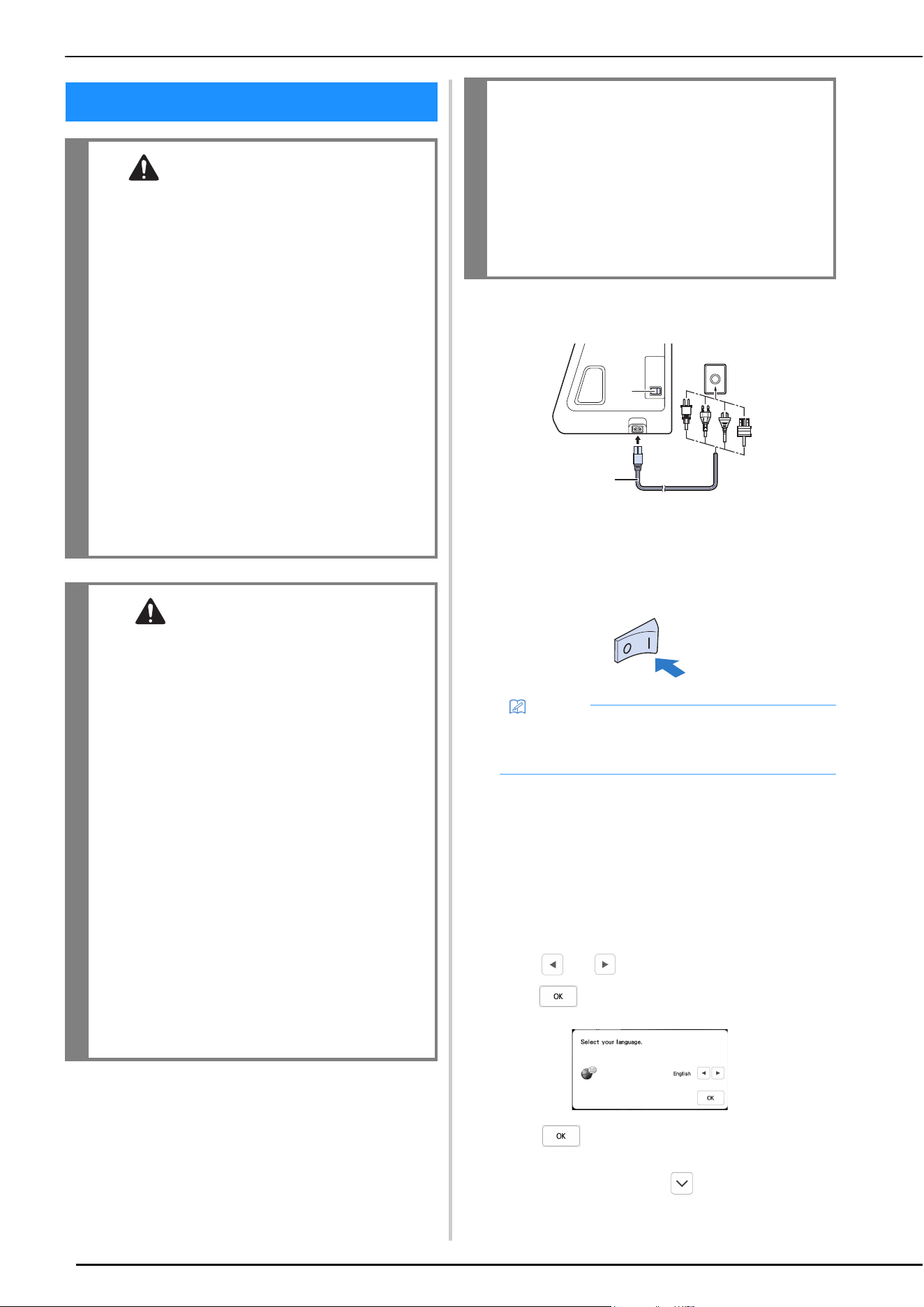
Insert the power supply cord into the power cord
receptacle, then insert the plug into a wall outlet.
1 Main power switch
2 Power supply cord
b
Turn the main power switch to “I” to turn on the
machine.
c
When the machine is turned on, the opening movie is
played. Touch anywhere on the screen.
d
Turn the main power switch to “O” to turn off the
machine.
Setting Your Machine for the First Time
When you first turn on the machine, set the language and
time/date to your language and local time/date.
a
Touch and to set your local language and then
touch .
b
Touch to read end-user-license agreement
(EULA).
* Read every page. Touch to turn the page.
TURNING THE MACHINE ON/OFF
WARNING
• Use only regular household electricity for the
power source. Using other power sources may
result in fire, electric shock, or damage to the
machine.
• Do not touch the plug with wet hands. Electric
shock may result.
• Make sure that the plugs on the power cord
are firmly inserted into the electrical outlet
and the power cord receptacle on the
machine. Otherwise, a fire or electric shock
may result.
• Turn the main power to OFF and remove the
plug in the following circumstances:
• When you are away from the machine
• After using the machine
• When the power fails during use
• When the machine does not operate correctly
due to a bad connection or a disconnection
• During electrical storms
CAUTION
• Use only the power cord included with this
machine.
• Do not use extension cords or multi-plug
adapters with many other appliances plugged
in to them. Fire or electric shock may result.
• When unplugging the machine, always turn
the main power to OFF first. Always grasp the
plug to remove it from the outlet. Pulling on
the cord may damage the cord, or lead to fire
or electric shock.
• Do not allow the power cord to be cut,
damaged, modified, forcefully bent, pulled,
twisted, or bundled. Do not place heavy
objects on the cord. Do not subject the cord to
heat. These things may damage the cord, or
cause fire or electric shock. If the cord or plug
is damaged, take the machine to your
authorized Brother dealer for repairs before
continuing use.
• Unplug the power cord if the machine is not to
be used for a long period of time. Otherwise, a
fire may result.
•(For U.S.A only)
This appliance has a polarized plug (one blade
wider than the other). To reduce the risk of
electrical shock, this plug is intended to fit in a
polarized electrical outlet only one way.
If the plug does not fit fully in the electrical
outlet, reverse the plug. If it still does not fit,
contact a qualified electrician to install the
proper electrical outlet. Do not modify the
plug in any way.
Memo
• The light, LCD and the “Start/Stop” button light up
when the machine is turned on. The machine will
make a sound. This is not a malfunction.
a
b
TURNING THE MACHINE ON/OFF
GETTING READY
15
1
c
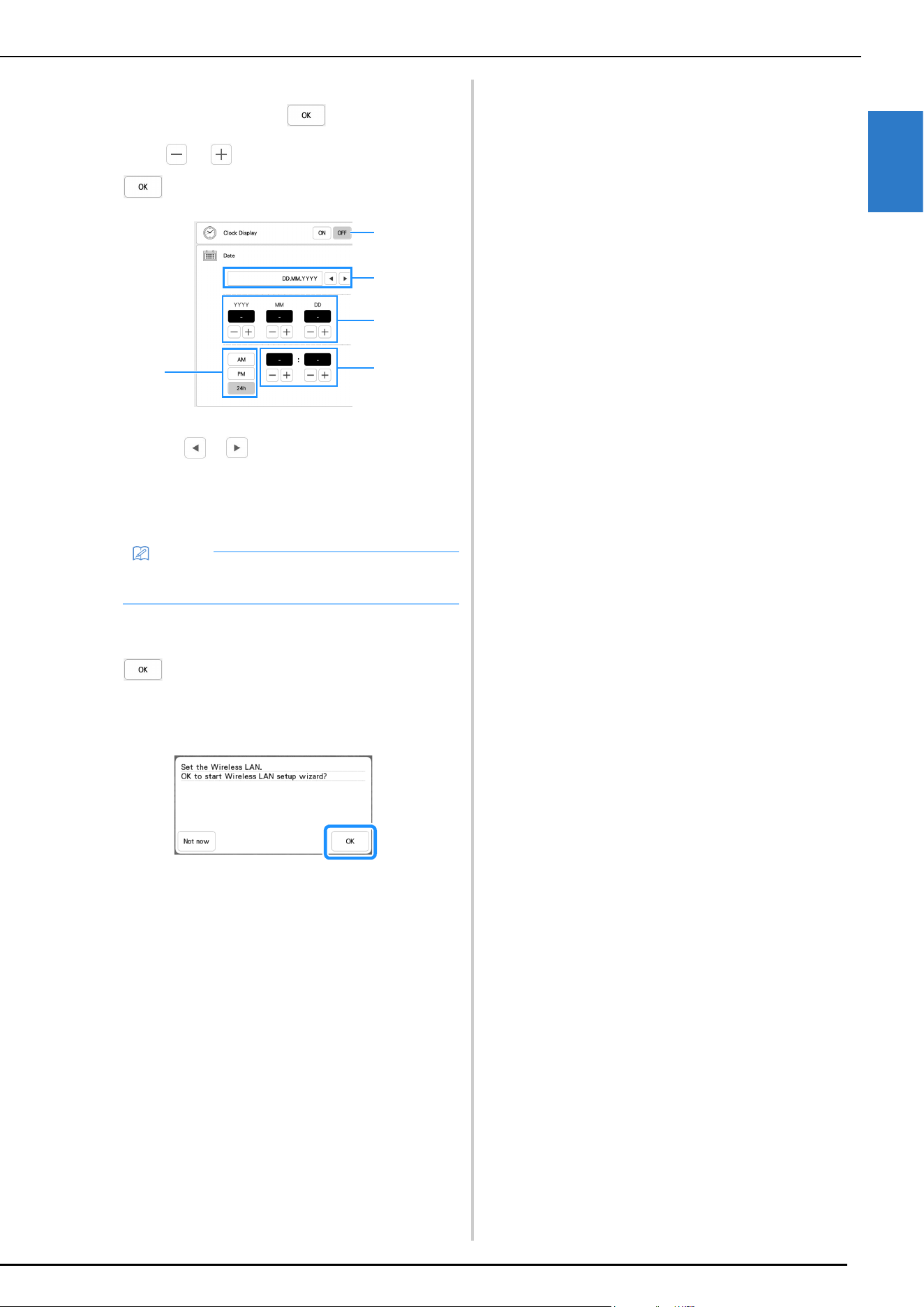
The message screen, confirming if you want to set
time/date, appears. Touch .
d
Touch or to set time/date. And then touch
.
1 Select [ON] to display time/date on the screen.
2 Touch or to select the date display format.
3 Set the year (YYYY), month (MM) and date (DD).
4 Select whether 24h or 12h setting will display.
5 Set the current time.
The clock starts from 0 second of the time you set.
e
The following message about a wireless LAN
connection appears. To set up a connection, touch
, and then refer to steps
c through f in
“Using the Wizard to Set Up the Wireless Network
Connection” on page 26 to finish setting up a wireless
LAN connection.
Memo
• The time/date you set may be cleared, if you don't
turn on the machine for an extended period of time.
3
1
4
5
2
LCD SCREEN
16
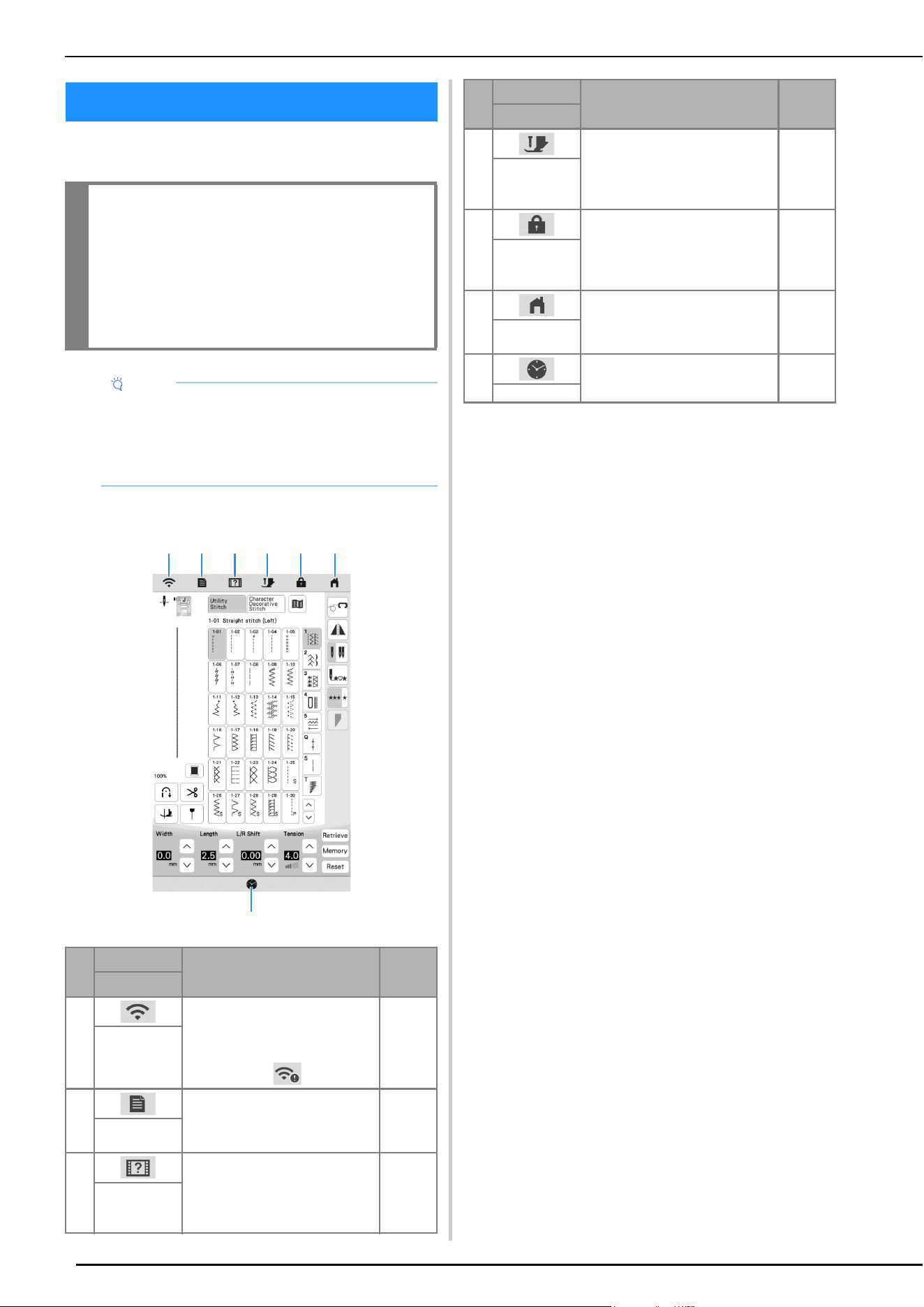
Touch the LCD screen or a key with your finger or the
included touch pen to select a machine function.
Home Page Screen
LCD SCREEN
IMPORTANT
• Only touch the screen with your finger or the
touch pen (stylus) included with the machine.
Do not use a mechanical pencil, screwdriver
or any other hard or sharp object. In addition,
do not press the screen with extreme pressure.
Otherwise the screen may be damaged.
Note
• All or part of the screen may sometimes become
darker or lighter due to changes in the surrounding
temperature or other changes in the environment.
This is not a sign of a malfunction. If the screen is
difficult to read, adjust its brightness.
No.
Display
Explanation Page
Name
1 Shows the machine’s signal
strength. Touch this key to specify
the wireless settings.
If there is a new update file, the
key appears as .
22, 26
Wireless LAN
key
2 Change the needle stop position,
adjust the pattern or screen, and
change other machine settings.
20
Machine
settings key
3 See explanations on how to use
the machine. You can see the
tutorial videos and also MP4
movie files that you have saved on
USB media.
23
Machine help
key
1
7
2 3 4 5 6
4 Touch this key before changing
the needle, the presser foot, etc.
This key locks all key and button
functions to prevent operation of
the machine.
33, 41,
43
Presser foot/
Needle
exchange key
5 Lock the screen. When the screen
is locked, you can still sew, but
cannot change any of the screen
functions. Touch this key again to
unlock the screen.
—
Screen lock
key
6 Return to the home page screen at
any time.
—
Home page
screen key
7 Set the time/date. 14
Time/Date key
No.
Display
Explanation Page
Name
LCD SCREEN
GETTING READY
17
1
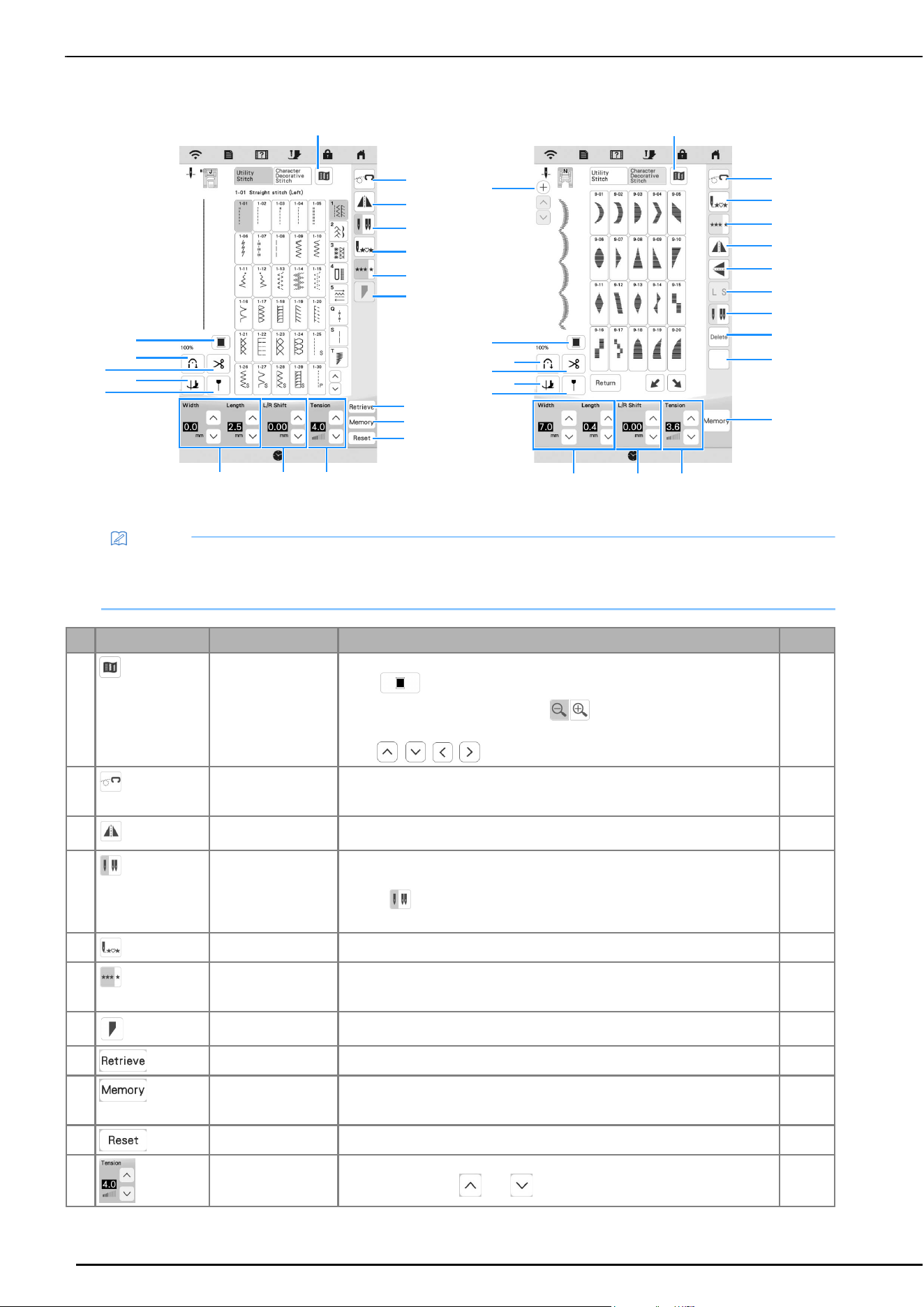
Utility Stitch Screen Character/Decorative Stitch Screen
No. Display Name Explanation Page
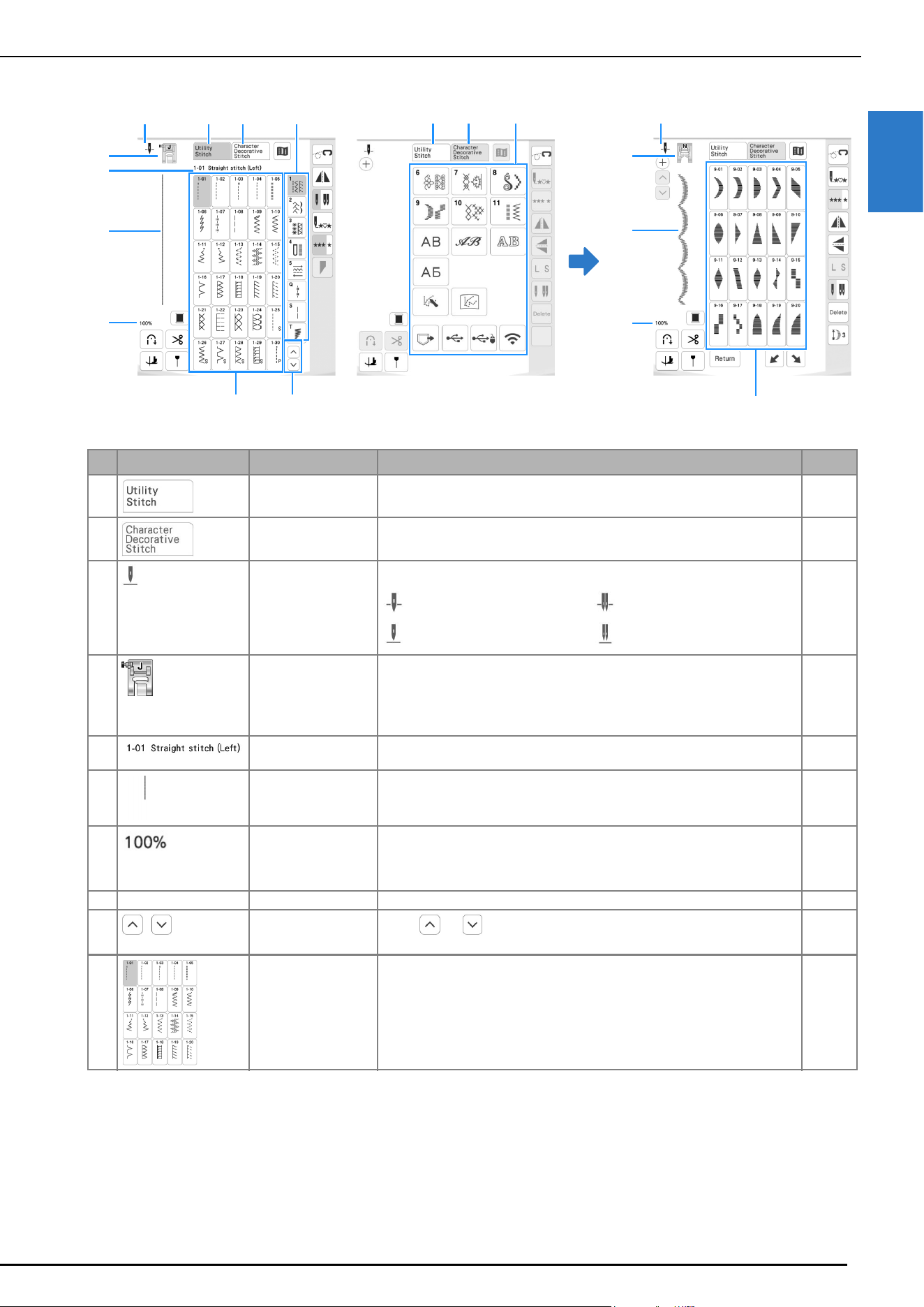
1 Utility stitch key Select a straight stitch, zigzag stitch, buttonhole, blind hem stitch, or other
stitch (utility stitch) commonly used in garment making.
45
2 Character/Decorative
stitch key
Select character or decorative stitch patterns. 45
3 Needle position
setting
Shows single or twin needle mode setting, and the needle stop position. 38, 57
4 Presser foot Shows the presser foot to be used. Attach the presser foot indicated here
before sewing.
* The symbols for certain presser feet, such as zipper foot “I”, may not
appear in the screen.
* Advanced monogramming foot “N+” is displayed as “N” on the screen.
43
5 Selected stitch
display
Shows the name and code number of the selected stitch. –
6 Stitch preview Shows a preview of the selected stitch. When shown at 100%, the stitch
appears in the screen at nearly its actual size.
–
7 Stitch pattern display
size
Shows the approximate size of the stitch pattern selected.
100%: Nearly the same size as the sewn stitch pattern
50%: 1/2 the size of the sewn stitch pattern
25%: 1/4 the size of the sewn stitch pattern
–
8 – Category Select the category of the stitch pattern you want to sew. 45
9
Page key
Touch or , to move the pages of stitch selection screen, one page
at a time. You can scroll up and down the pages by touching the screen.
–
0 Stitch selection
screen
Touch the key for the stitch pattern you want to sew. –
4
5
6
8
7
0 9
213
821
4
6
7
0
3
Single needle/down position Twin needle/down position
Single needle/up position Twin needle/up position
LCD SCREEN
18
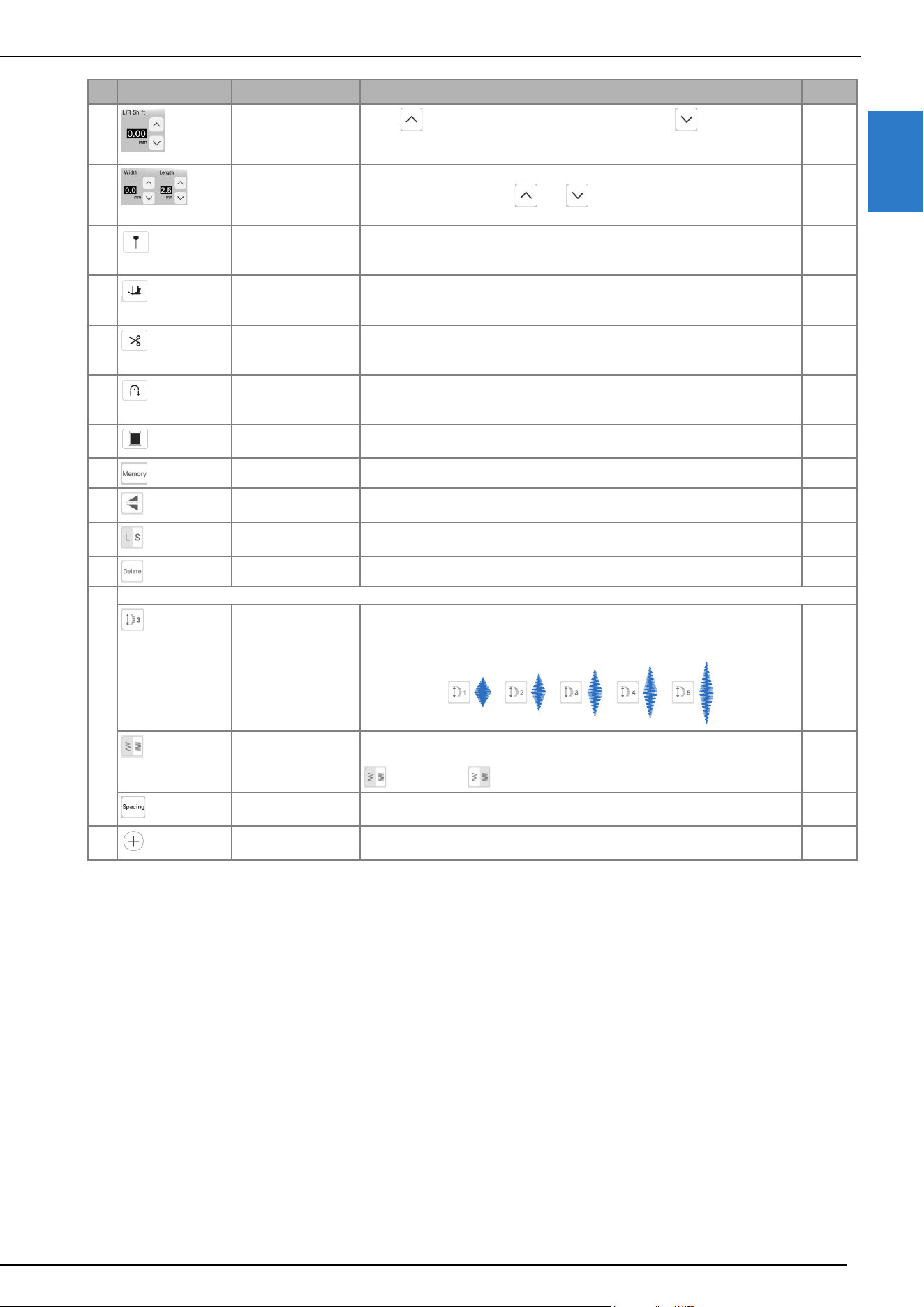
Key Functions
Memo
• Some editing functions cannot be used with certain stitch patterns. Only the functions for the displayed keys are
available when a stitch pattern is selected.
• The machine default setting is highlighted.
No. Display Name Explanation Page
1 Image key Display an enlarged image of the selected stitch pattern.
Touch to change the thread color in the image.
To display the enlarged image, touch .
To view any part of the image that extends out of the viewable display area,
touch / / / .
–
2 Free motion mode
key
Touch this key to enter free motion sewing mode.
The presser foot is raised to an appropriate height and the feed dog is lowered
for free motion quilting.
72
3 Horizontal mirror
image key
Create a horizontal mirror image of the stitch pattern. –
4 Needle mode
selection key (single/
double)
Touch this key to select twin needle mode. The sewing mode changes between
single needle mode and twin needle mode each time you touch the key.
• If the key is light gray after selecting the stitch, the selected stitch
cannot be sewn in the twin needle mode.
38
5 Back to beginning key When sewing is stopped, touch this key to return to the beginning of the stitch. –
6 Single/Repeat sewing
key
Select single stitches or continuous stitches. To finish a complete motif while
sewing the stitch pattern continuously, you can touch this key while sewing.
The machine will automatically stop when the motif is finished.
105
7 Stitch tapering key Touch this key to change the start and end angles of the stitch pattern. 95
8 Retrieve key Retrieve a saved stitch pattern. 55
9 Manual memory key Change the stitch pattern settings (zigzag width and stitch length, thread
tension, etc.), then save them by touching this key. Five sets of settings can be
saved for a single stitch pattern.
55
0 Reset key Return the saved settings for the selected stitch pattern to their defaults. 55
A Thread tension key Shows the automatic thread tension setting of the currently selected stitch
pattern. You can use and to change the thread tension settings.
54
3
8
9
0
A
E
D
1
2
5
4
6
BC
G
F
H
7
D
E
2
5
6
3
J
K
4
L
M
ABC
F
G
H
1
I
N
LCD SCREEN
GETTING READY
19
1
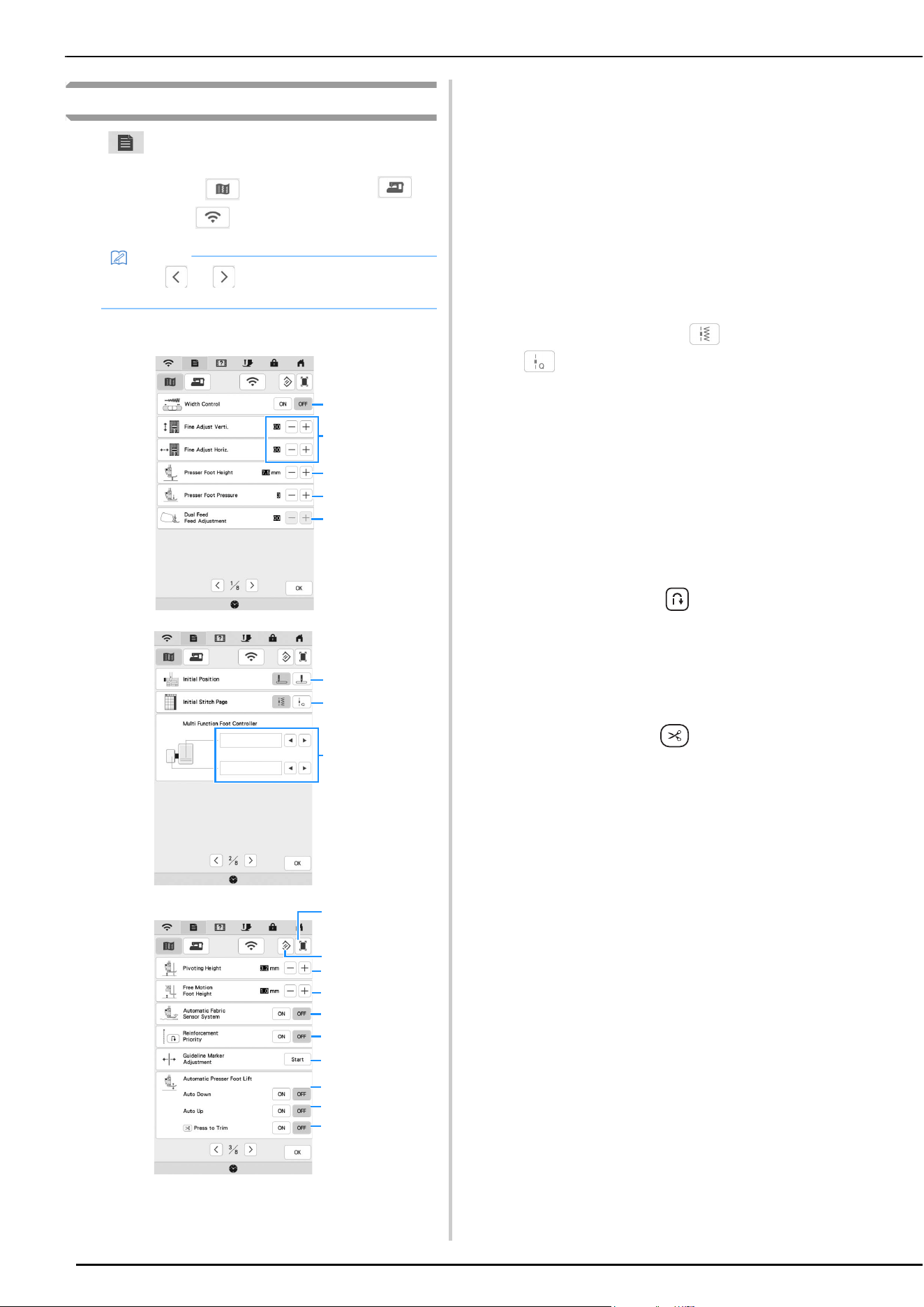
B “L/R Shift” key
Touch to shift the stitch pattern to the right or touch to shift the stitch
pattern to the left. This feature is not available for all stitch patterns. Only those
applicable will be shifted.
54
C Stitch width and
stitch length key
Shows the zigzag width and stitch length settings of the currently selected
stitch pattern. You can use and to adjust the zigzag width and stitch
length settings.
53
D Guideline marker key Display the guideline marker along the sewing line. The guideline marker
makes it easier to align stitches with the fabric edge or other marker on the
fabric.
56
E Pivot key Turn on/off the pivot function. When the pivot function is selected, stopping the
machine lowers the needle and slightly raises the presser foot automatically. In
addition, when sewing is restarted, the presser foot is automatically lowered.
57
F Automatic thread
cutting key
Turn on this function to set the machine to automatically sew reinforcement
stitches (or reverse stitches, depending on the selected stitch pattern) at the
beginning and end of stitching and to trim the threads at the end of stitching.
56
G Automatic reverse/
reinforcement stitch
key
If you select this setting before sewing, the machine will automatically sew
reinforcement stitches at the beginning and end of sewing (depending on the
pattern, the machine may sew reverse stitches).
51
H Thread color change
key
Change the thread color in the image. –
I Memory key Save stitch pattern combinations. 106
J Vertical mirror image
key
Create a vertical mirror image of the stitch pattern. –
K Size selection key Select the size of the decorative stitch pattern or character stitch pattern (large,
small).
–
L Delete key Delete the selected stitch pattern. 50
M Some of the following keys will appear, depending on the selected stitch pattern.
Elongation key When 7mm satin stitch patterns are selected, you can choose from 5 automatic
length settings, without changing the stitch zigzag width or stitch length
settings.
–
Thread density key When the satin stitch patterns are selected, you can change the thread density
of the stitch pattern.
: Low density : High density
–
Character spacing
key
Change the spacing of character stitch patterns. The setting is applied to all
entered characters.
–
N Add stitch pattern key Touch this key when you want to combine decorative stitch patterns and/or
character stitch patterns.
50
No. Display Name Explanation Page
LCD SCREEN
20
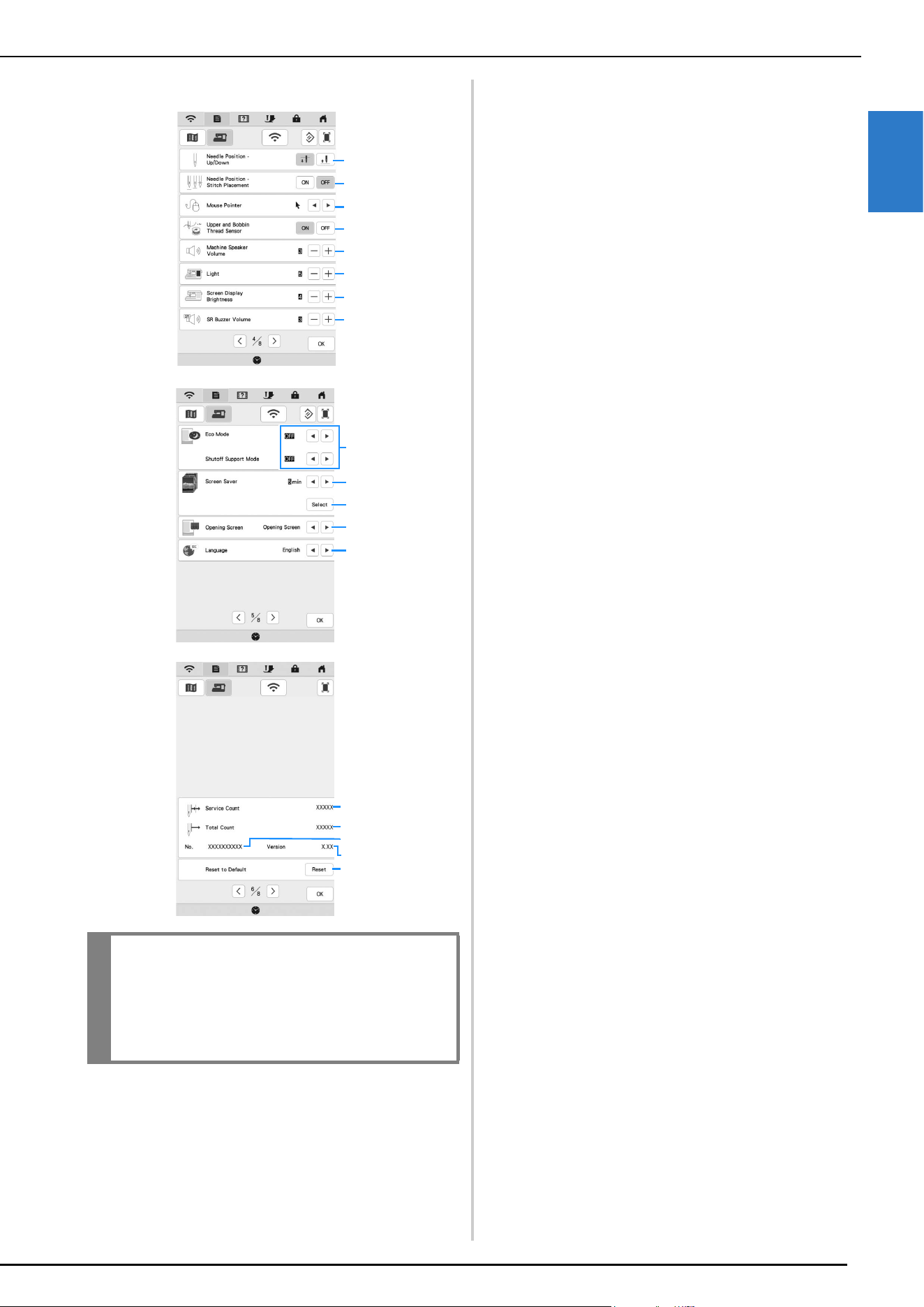
Using the Machine Settings Key
Touch to change the default machine settings (needle
stop position, opening display, etc.). To display the different
settings screens, touch for “Sewing settings”, for
“General settings” or for “Wireless LAN settings”.
Sewing Settings
1 Select whether to use the sewing speed controller to
determine the zigzag width (page 71).
When a straight stitch is selected, the sewing speed
controller can be used to change the needle position.
2 Make adjustments to character or decorative stitch
patterns (page 104).
3 Adjust the presser foot height. Select the height of the
presser foot when the presser foot is raised.
4 Adjust the presser foot pressure. The higher the number,
the greater the pressure will be. Set the pressure at [3]
for normal sewing.
5 Adjust the amount of fabric feeding of the compact dual
feed foot (page 99).
6 Select whether [1-01 Straight stitch (Left)] or [1-03
Straight stitch (Middle)] is the utility stitch that is
automatically selected when the machine is turned on.
7 Select whether utility stitches or quilting stitches
are displayed first in the stitch selection screen.
8 You can activate this setting after connecting the multi-
function foot controller (Included with Some Models).
(These settings appear when the multi-function foot
controller is connected to the machine.) (page 47)
9 Select the height of the presser foot when sewing is
stopped when the pivot setting is selected (page 57).
0 Select the height of the presser foot when the machine is
set to free motion sewing mode (page 72).
A When set to [ON], the thickness of the fabric is
automatically detected by an internal sensor while
sewing. This enables the fabric to be fed smoothly.
(page 58, page 61)
B When set to [ON], reinforcement stitches are sewn at the
beginning and/or end of sewing for a reinforcement
stitch pattern, even when (Reverse stitch button) is
pressed (page 51).
C Adjust the guideline marker position and brightness
(page 57).
D Select whether to lower the presser foot automatically
before starting sewing. (page 53)
E Select whether to raise the presser foot automatically
when stopping sewing. (page 53)
F Select whether touching (Thread cutter button)
automatically lowers the presser foot before cutting the
thread. The presser foot will be raised after the thread is
cut. (page 53)
G You can save the current settings screen image in a USB
media by touching this key when the USB media is
inserted into the USB port. The files are saved in a folder
labeled [bPocket].
H Reset settings on this page to original default. Some
settings are not reset.
Memo
• Touch or to display a different settings
screen.
1
2
3
4
5
6
8
7
H
A
B
C
9
0
G
D
E
F
LCD SCREEN
GETTING READY
21
1
General Settings
1 Select the needle stop position (the needle position
when the machine is not operating) to be up or down.
2 Select the operation of the [Needle Position - Stitch
Placement] to [ON] or [OFF]. (page 58)
3 Select the shape of the pointer when a USB mouse is
used.
4 Turn both the upper and bobbin thread sensors [ON] or
[OFF]. If it is turned [OFF], the machine can be used
without thread.
5 Select the speaker volume. Increase the number for
louder volume, decrease for softer volume.
6 Select the brightness of the work area lights.
7 Select the screen display brightness.
8 Adjust the stitch regulator warnings volume. (page 94)
9 Set the [Eco Mode] and the [Shutoff Support Mode] to
save the machine power (page 22).
0 Select the length of time until the screen saver appears.
A Select the image of the screen saver (page 22).
B Select the initial screen that is displayed when the
machine is turned on.
C Select the display language.
D Shows the service count which is a reminder to take your
machine in for regular servicing. (Contact your
authorized Brother dealer for details.)
E Shows the total number of stitches sewn on this
machine.
F Shows the internal machine number for this machine.
G Shows the program version.
H Erase all saved data, customized settings and network
information in the machine.
IMPORTANT
• When [Upper and Bobbin Thread Sensor] is set
to [OFF], the machine cannot detect tangled
upper thread. Continuing to use the machine
with tangled thread may cause damage.
1
4
6
7
2
3
5
8
0
9
A
B
C
H
F
D
E
G
LCD SCREEN
22
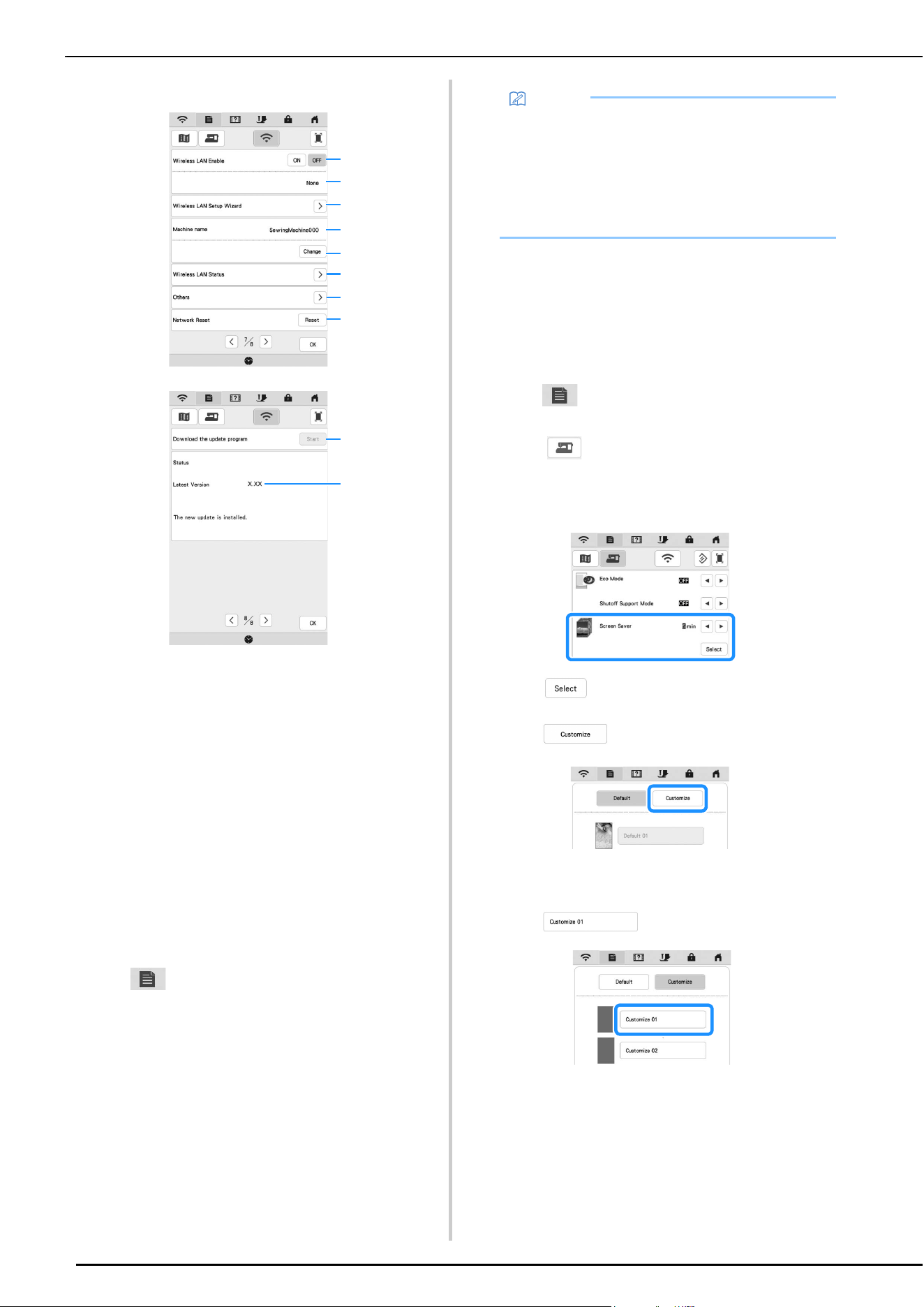
Wireless LAN Settings
1 Enable/Disable the wireless LAN function (page 26).
2 Shows the connected SSID.
3 Set the machine to connect wireless LAN function.
4 Shows the machine name.
5
Change the machine name.
6 Check the wireless LAN status.
7 Display other menus.
8 Reset network operations.
9 If there is a new update program, download the update
file. (page 124)
0 Display update program information. (page 124)
Setting the [Eco Mode] and the [Shutoff
Support Mode]
You can save the machine power by setting the [Eco
Mode] and the [Shutoff Support Mode].
If you leave the machine turned on without using it for the
set period of time, the machine enters in each mode.
Touch to display [Eco Mode] and [Shutoff Support
Mode]. (page 21)
[Eco Mode];
Machine will enter a sleep mode after the set period of
time. Touch the screen or press the “Start/Stop” button to
continue operating.
[Shutoff Support Mode];
Machine will enter the lower power mode after the set
period of time. Turn the machine off and then back on to
restart operating.
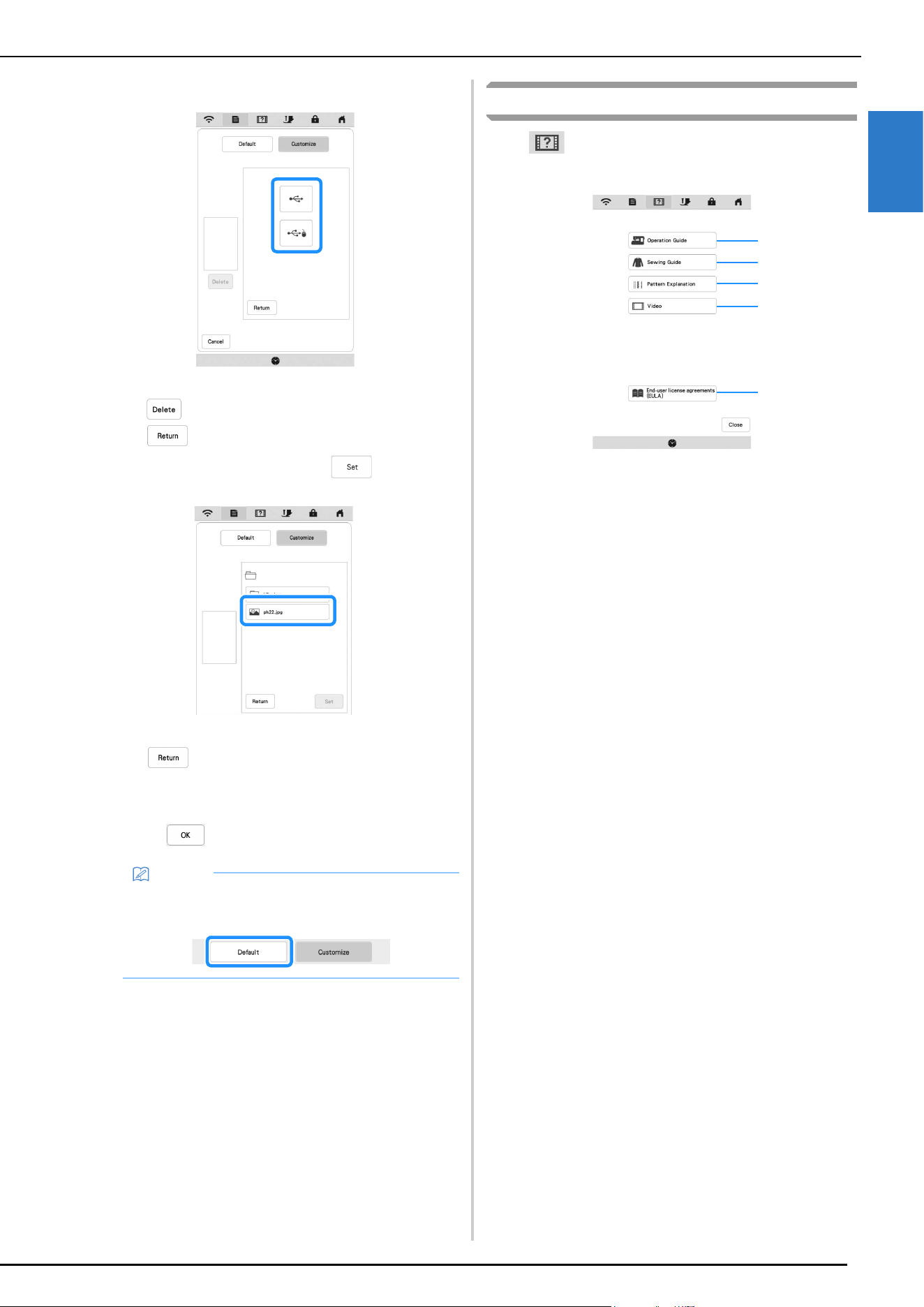
Changing the Screen Saver Image
Instead of the default image, you can select your own
personal images for the screen saver of your machine.
Before changing the screen saver image, prepare the
image on USB media. For details on compatible image
files, refer to “SPECIFICATIONS” on page 123.
a
Touch .
The settings screen appears.
b
Touch .
The general settings screen appears.
c
Display [Screen Saver] in the general settings screen.
d
Touch .
e
Touch .
f
Connect the USB media that contains your personal
image to the USB port of the machine.
g
Touch to select the first image.
1
4
5
6
2
3
7
8
9
0
Memo
• If you turn off the machine while the machine is in
the [Eco Mode] or the [Shutoff Support Mode], wait
for about 5 seconds before turning on the machine
again.
• For details on condition of the [Eco Mode] and
[Shutoff Support Mode], refer to
“SPECIFICATIONS” on page 123.
LCD SCREEN
GETTING READY
23
1
h
Select the device that is connected.
A list of your personal images appears on the screen.
* : Delete the selected image.
* : Return to the previous page.
i
Select a file name and then touch .
The selected image is stored on your machine.
* : Return to the previous page.
j
Repeat steps g through i to set the remaining
images.
k
Touch to return to the original screen.
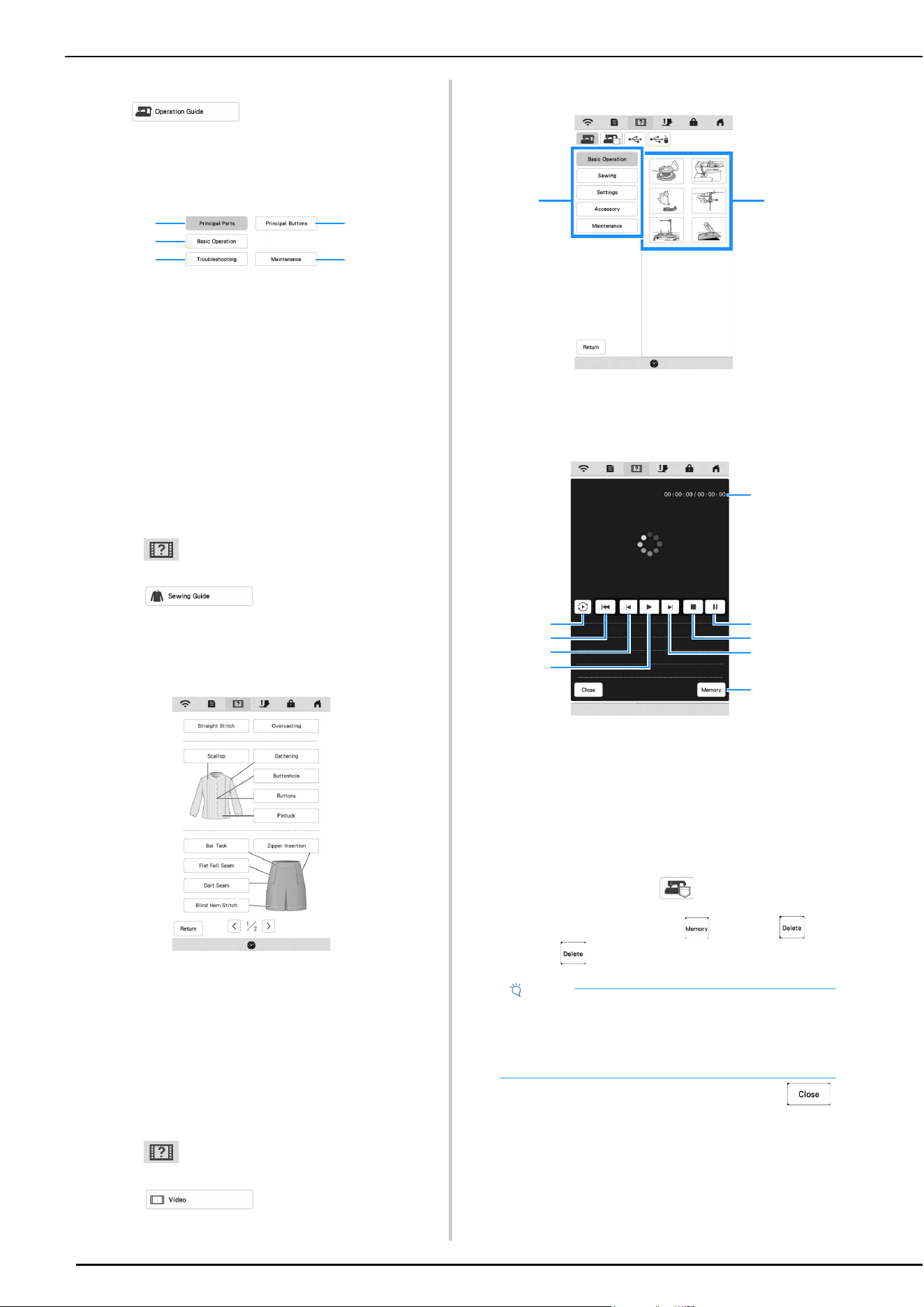
Using the Machine Help
Touch to display the machine help screen. Functions
are available from the screen shown below.
1 Explanation for upper threading, winding the bobbin and
how to use the machine (page 24)
2 Procedures for sewing utility stitches (page 24)
3 Explanation of the stitch selected
4 Tutorial videos or MPEG-4 (MP4) videos (page 24,
page 25)
5 End-user license agreements (EULA)
Memo
• Touch [Default] to select default images for the
screen saver.
1
2
3
4
5
LCD SCREEN
24
Using the Operation Guide Function
Touch to display the screen shown
below. Categories are displayed at the top of the screen.
Touch a key to see more information about that category.
Some of the functions are described in the movies. Watch
these movies for a better understanding of the functions.
1 Information about the main parts of the machine and
their functions
2 Information about the operation buttons
3 Information about threading the machine, changing
presser feet, etc.
4 Information about troubleshooting
5 Information about cleaning the machine, etc.
Using the Sewing Guide Function
Use this function when you are not sure which stitch to
use for your application, or to get advice about sewing
particular stitches.
a
Enter Utility Stitch category.
b
Touch .
c
Touch .
The advice screen is displayed.
d
Touch the key of the category whose sewing
instructions you wish to view.
e
Read the explanations and select the appropriate
stitch.
The screen displays directions for sewing the
selected stitch. Follow the directions to sew the
stitch.
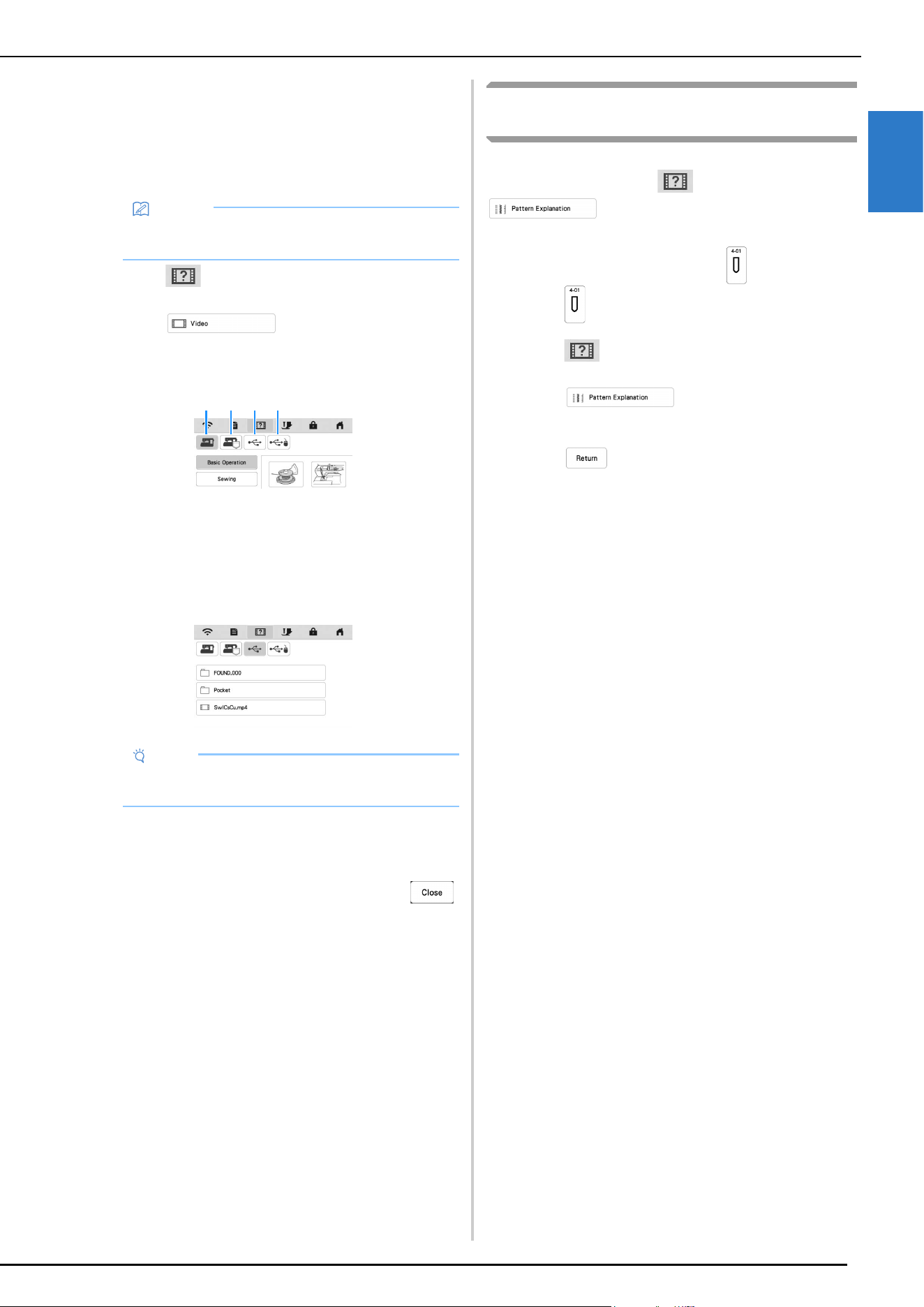
Playing a Tutorial Video
This machine provides tutorial videos on how to use the
machine.
a
Touch .
b
Touch .
c
Select the category and the tutorial video.
1 Category
2 Tutorial video
d
Play the tutorial video.
1 Number of seconds elapsed/Total number of seconds
2 Repeat
3 Return to beginning
4 Skip back 10 seconds
5 Play
6 Skip forward 10 seconds
7 Stop
8 Pause
9 Save to machine (when playing from USB media).
A video can be saved to (favorites) of the
machine, from where it can be played. When playing
from the machine’s memory, changes to .
Touch to delete the video.
e
After you are finished playing the video, touch .
2
5
1
3
4
Note
• The specifications shown in the movie may differ
from the ones on the actual product, in details.
• The movie includes optional parts not included with
this product.
21
1
9
2
3
4
5
8
7
6
LCD SCREEN
GETTING READY
25
1
Playing MPEG-4 (MP4) Videos
Your MP4 videos can be played from USB media. In
addition, the MP4 video can be saved to the machine so
that a tutorial video on creating a project, for example,
can be viewed at any time. For details on supported file
extensions, refer to “SPECIFICATIONS” on page 123.
a
Touch .
b
Touch .
c
Select the device where the video is saved.
1 Tutorial videos
2 Videos saved on the machine (favorites)
3 Videos from USB media plugged into the USB port
4 Videos from USB media plugged into the USB port for
mouse
d
Select the video that you want to play.
e
Play the video.
* Use the operation keys as described in “Playing a
Tutorial Video” on page 24.
f
After you are finished playing the video, touch .
Using the Stitch Pattern Explanation
Function
If you want to know more about the uses of a stitch pattern,
select the pattern and touch and then
to see an explanation of the stitch
selection.
Example: Displaying information about
a
Touch .
b
Touch .
c
Touch .
The screen shows information.
d
Touch to return to the original screen.
Memo
• Some types of MP4 file cannot be played with the
machine.
Note
• Long file names may be shortened when they are
displayed.
1 2 3 4
WIRELESS NETWORK CONNECTION FUNCTIONS
26
Operations Available with a Wireless
Network Connection
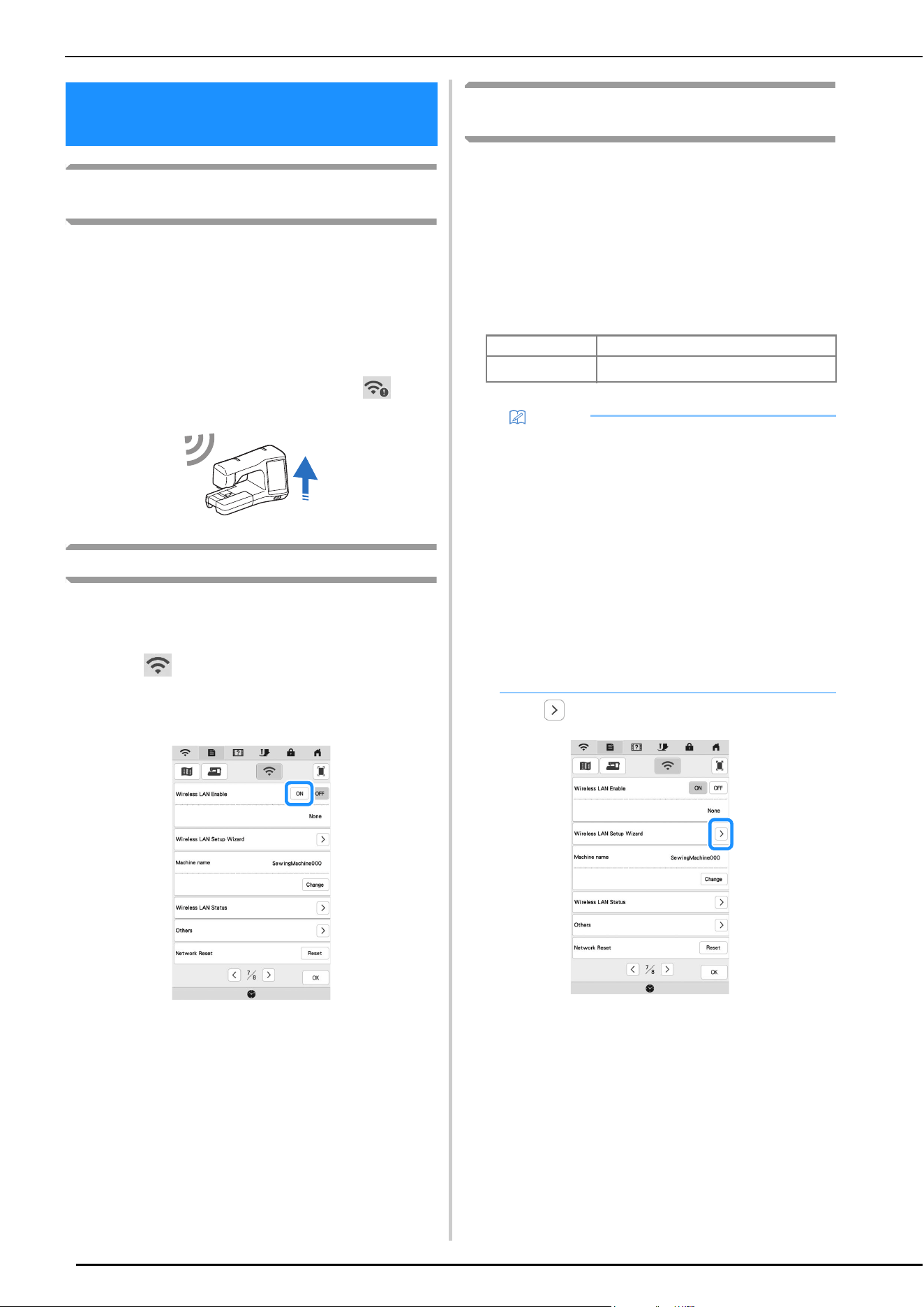
This machine supports a wireless network connection. The
following useful operations will be available if the machine is
connected to a wireless network.
For updating
Directly download the update file to the machine.
(page 124)
When an updated version of the software is available on
our website, the wireless LAN key appears as .
(page 124)
Enabling a Wireless Network Connection
The machine can be connected to your wireless network.
Refer to “SPECIFICATIONS” on page 123 for requirements for
a wireless network connection.
a
Touch .
b
Set [Wireless LAN Enable] to [ON].
The machine begins to emit the wireless network
signal.
Using the Wizard to Set Up the Wireless
Network Connection
There are multiple ways to set up the wireless network
connection. We recommend the method that uses the wizard
on this machine.
a
In order to connect your machine to a wireless
network, the security information (SSID and network
key) for your home network will be required. The
network key may also be called a password, security
key or encryption key. First, find your security
information and note it.
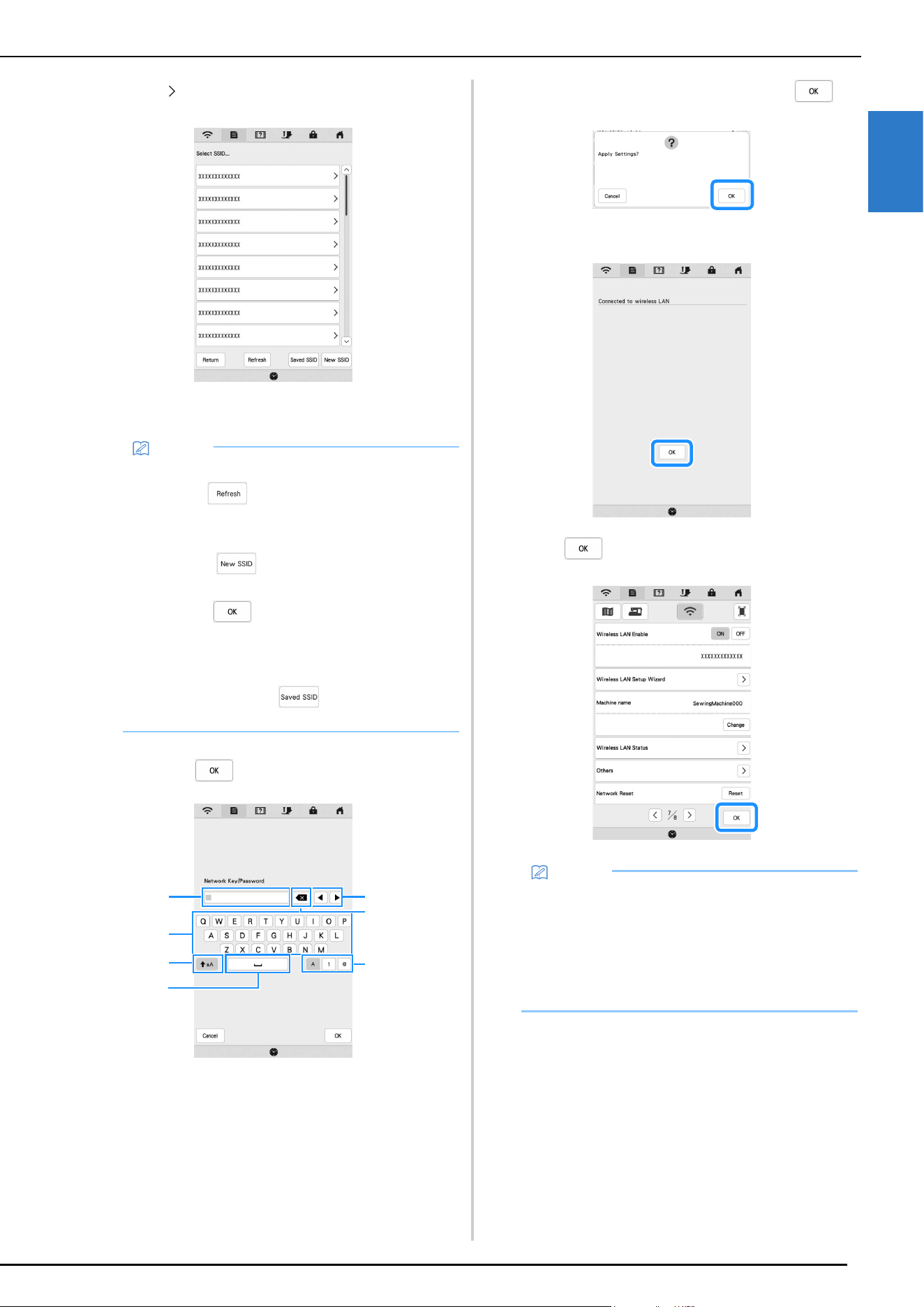
b
Touch beside [Wireless LAN Setup Wizard].
A list of available SSIDs appears.
WIRELESS NETWORK
CONNECTION FUNCTIONS
SSID Network Key (Password)
Memo
• The wireless network connection cannot be set up
if you do not have the security information.
• How to find the security information
1 Check the manual provided with your home
network.
2 The default SSID may be the manufacturer's
name or the model name.
3 If you cannot find the security information,
contact the manufacturer of the router, your
network administrator or your Internet
provider.
4 Some SSIDs and network keys (passwords)
are case (upper case and lower case)
sensitive.
Please properly record your information.
WIRELESS NETWORK CONNECTION FUNCTIONS
GETTING READY
27
1
c
Touch beside the SSID that was noted.
The screen for entering the network key (password)
appears.
d
Enter the network key (password) that was noted, and
then touch .
1 Text input area
2 Character keys
3 Caps key
4 Space key
5 Letters/numbers/symbols key
6 Backspace key (Deletes the character at the cursor's
position.)
7 Cursor keys (Move the cursor to the left or right.)
e
When the following message appears, touch .
When a connection is established, the following
message appears.
f
Touch to exit the setup.
Memo
• If the SSID that was noted does not appear in the
list, touch .
• If the desired network SSID is not displayed,
specify it as described below.
1 Select .
2 Enter the desired network SSID, and then
touch .
3 Select the authentication method and
encryption mode.
• If the machine had already been connected to the
home network, touch , and then select the
saved SSID.
3
2
1
5
4
6
7
Memo
• While connected, the signal strength is indicated
by the icon in the upper-left corner of the display.
• Once a wireless network connection has been set
up, a connection will be established each time the
machine is turned on. However, [Wireless LAN
Enable] in the network settings screen must remain
set to [ON].
CONNECTING THE ACCESSORY TO THE MACHINE
28
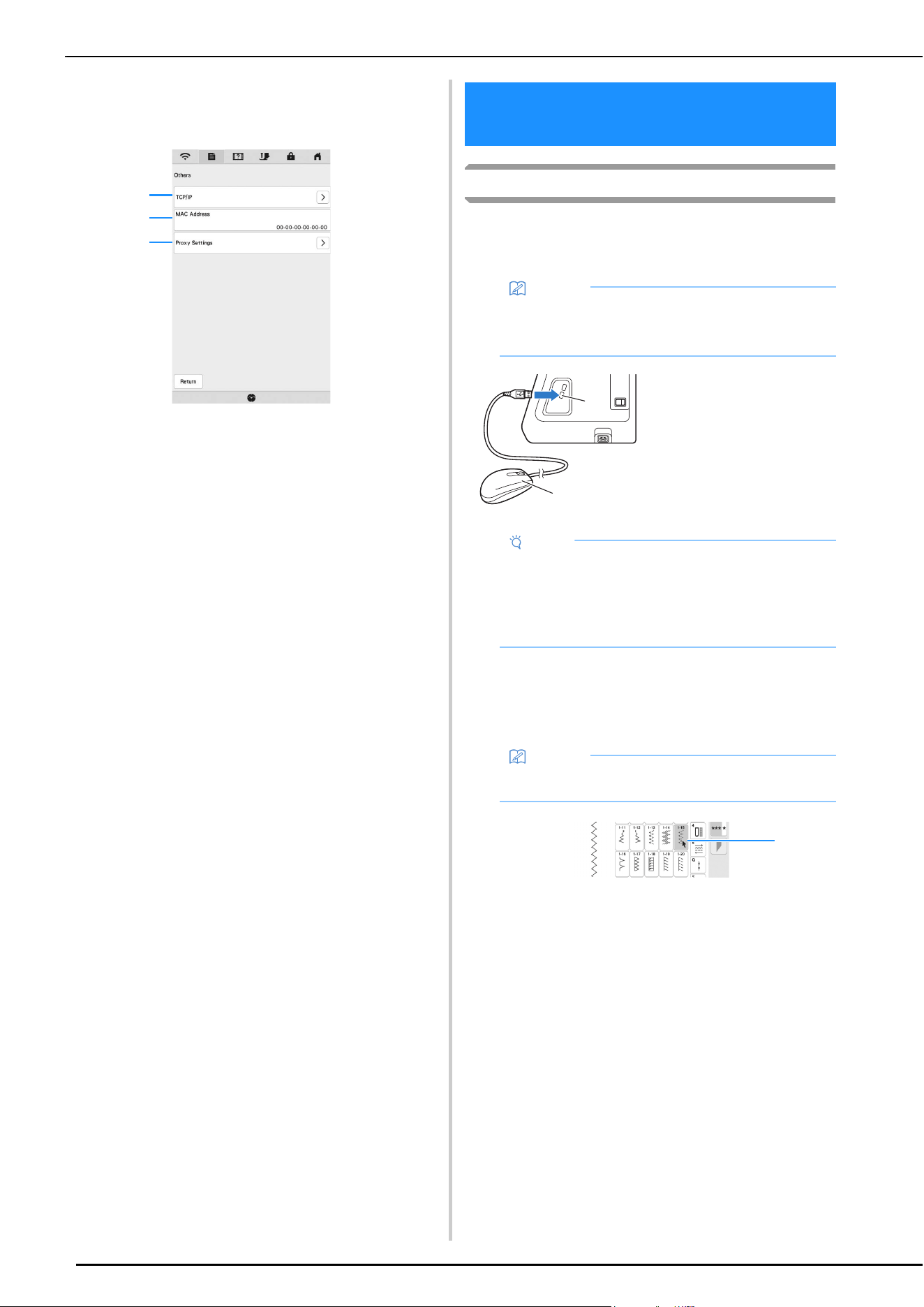
Using the [Others] Menu To Set Up the
Wireless Network Connection
The [Others] menu contains the following items.
1 TCP/IP settings can be manually entered.
2 Shows the MAC address.
3 Use when proxy settings are required.
Using a USB Mouse
A USB mouse, connected to the machine, can be used to
perform a variety of operations in the screens. Connect a USB
mouse to the USB port.
Clicking a Key
When the mouse is connected, the pointer appears on the
screen. Move the mouse to position the pointer over the
desired key, and then click the left mouse button.
1 Pointer
1
2
3
CONNECTING THE ACCESSORY TO
THE MACHINE
Memo
• Use a basic computer mouse to operate the
machine functions. Some USB mouse devices may
not be compatible with this machine.
1 USB port
2 USB mouse
Note
• The left mouse button can be used to perform
operations such as choosing a design and
choosing menu keys.
• The mouse pointer does not appear in the screen
saver or opening screen.
Memo
• Double-clicking has no effect.
a
b
1
WINDING/INSTALLING THE BOBBIN
GETTING READY
29
1
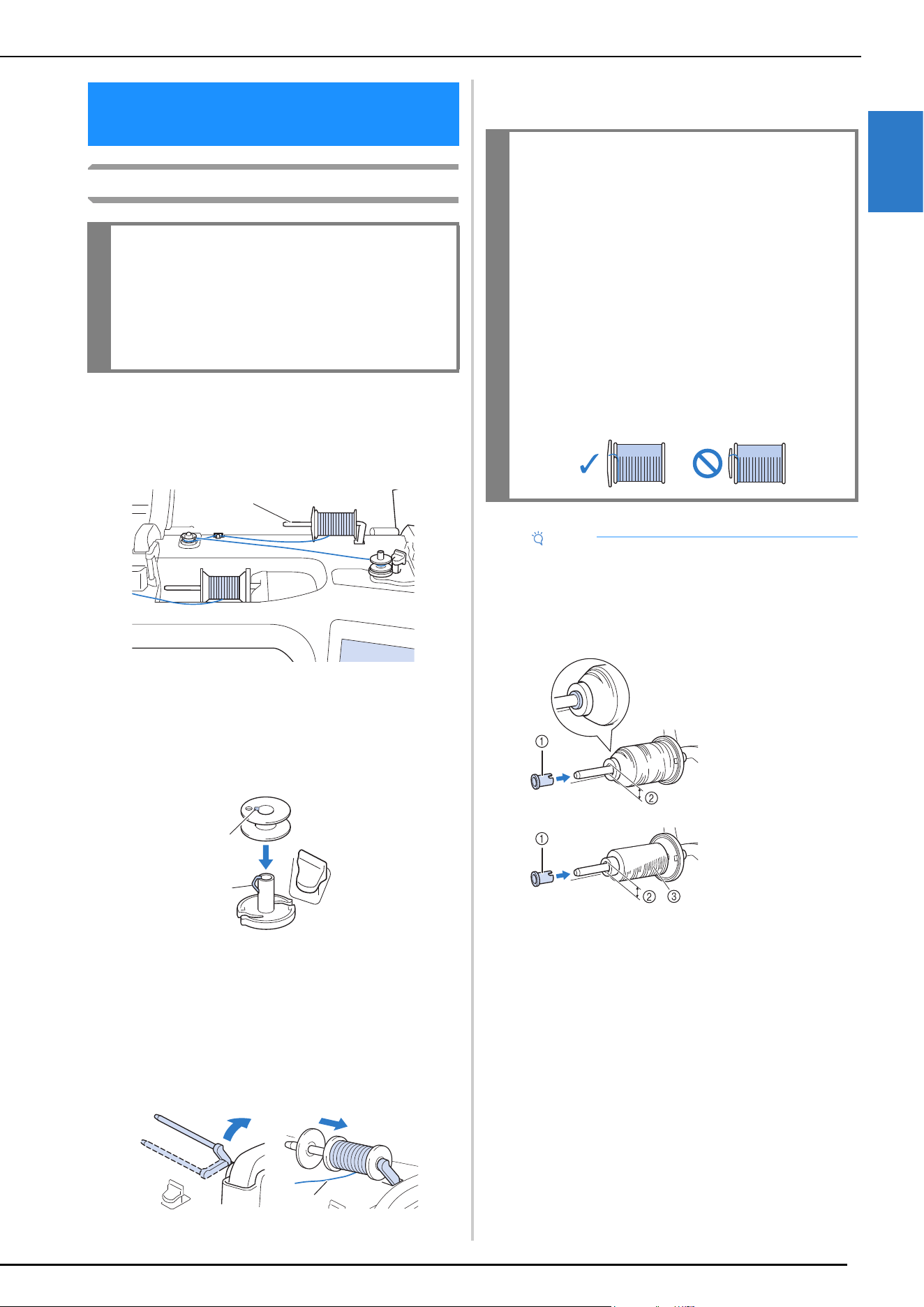
Winding the Bobbin
Using the Supplemental Spool Pin
With this machine, you can wind the bobbin during
sewing. While using the main spool pin for sewing, you
can conveniently wind the bobbin using the supplemental
spool pin.
1 Supplemental spool pin
a
Turn the main power to ON and open the top cover.
b
Align the groove in the bobbin with the spring on the
bobbin winder shaft, and set the bobbin on the shaft.
1 Groove in the bobbin
2 Spring on the bobbin winder shaft
c
Place the spool of thread for the bobbin and the spool
cap onto the supplemental spool pin.
Slide the spool onto the supplemental spool pin so that
the thread unwinds to the front from the bottom.
Otherwise the thread may become tangled around the
supplemental spool pin.
1 The thread unwinds to the front from the bottom.
d
Slide the spool cap onto the spool pin as far as possible
to the right, with the rounded side on the left.
WINDING/INSTALLING THE
BOBBIN
IMPORTANT
• Use the plastic bobbins that came with this
machine or bobbins of the same type: 11.5 mm
(approx. 7/16 inch) plastic Class 15 (A style)
bobbins, which are available from your
Brother dealer.
a
a
b
a
IMPORTANT
• If the spool or the spool cap is not installed
correctly, the thread may become tangled
around the spool pin, and the machine may be
damaged.
• Three spool cap sizes are available, allowing
you to choose a spool cap that best fits the size
of spool being used. If the spool cap is too
small for the spool being used, the thread may
catch on the slit in the spool or the machine
may be damaged. When using mini king thread
spool, use the thread spool insert.
For details on thread spool insert (mini king
thread spool), refer to “Note” on page 29.
Note
• When using the spool as shown below, use the
thread spool insert (mini king thread spool). Make
sure that the thread spool insert is firmly inserted.
After installing it, pull out some thread, and check
that the thread unwinds without getting caught.
1 Thread spool insert
(mini king thread
spool)
2 Hole diameter 8.0
mm to 10.5 mm
(approx. 5/16 inch
to 13/32 inch)
3 Spool (cross-
wound thread)
WINDING/INSTALLING THE BOBBIN
30
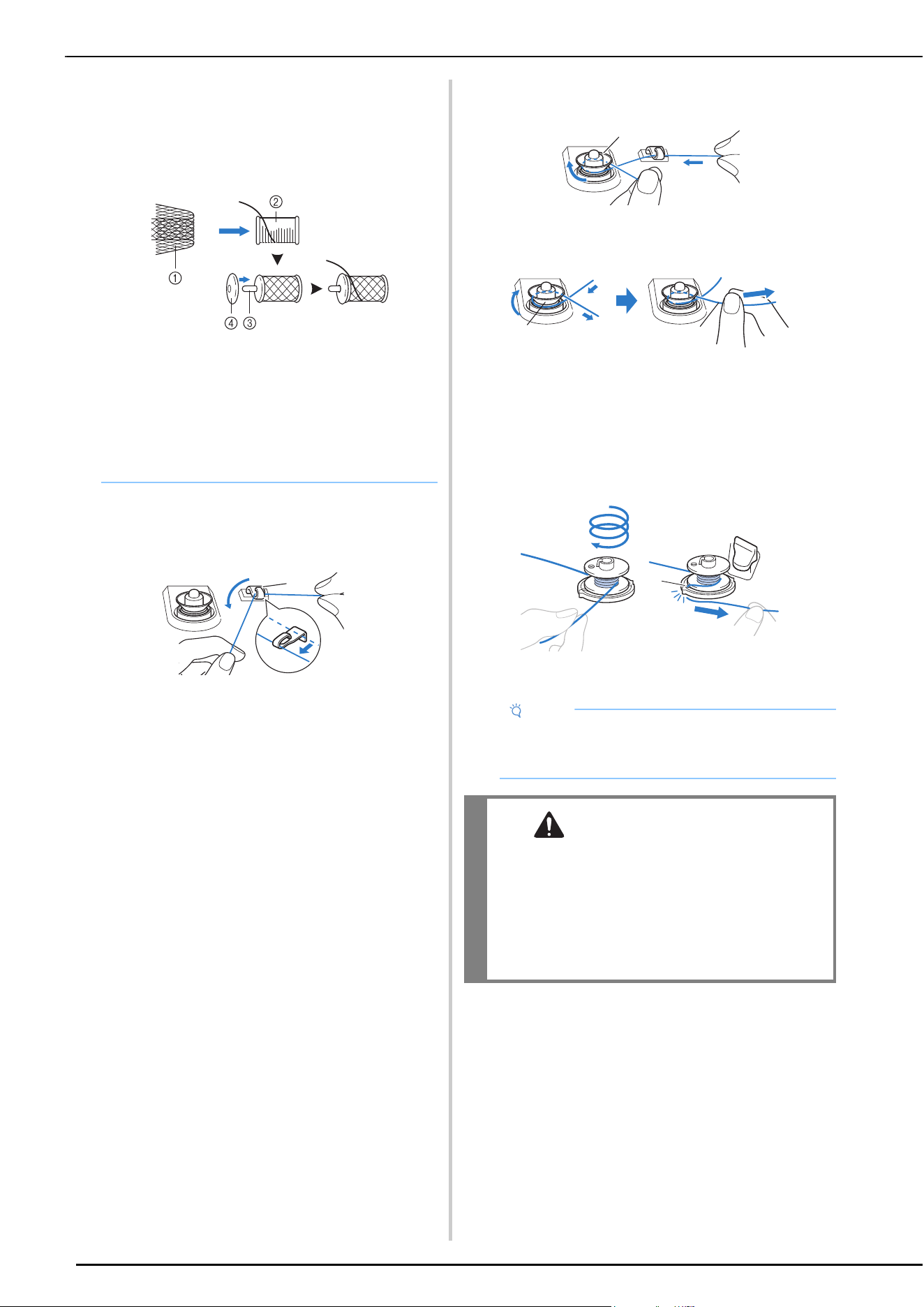
e
With your right hand, hold the thread near the thread
spool. With your left hand, hold the end of the thread,
and use both hands to pass the thread through the
thread guide.
1 Thread guide
f
Pass the thread around the pretension disk making sure
that the thread is under the pretension disk.
1 Pretension disk
Make sure that the thread passes under the
pretension disk.
2 Pretension disk
3 Pull it in as far as possible.
Check to make sure thread is securely set between
pretension disks.
g
Wind the thread clockwise around the bobbin 5 or 6
times, pass the thread through the guide slit in the
bobbin winder seat, and then pull the thread to cut it.
1 Guide slit in bobbin winder seat
(with built-in cutter)
• When using thread that winds off quickly, such as
transparent nylon thread or metallic thread, place
the spool net over the spool before placing the
spool of thread onto the spool pin.
If the spool net is too long, fold it to fit the size of
the spool.
1 Spool net
2 Thread spool
3 Spool pin
4 Spool cap
* When threading the spool with the spool net on,
make sure that 5-6cm (approx. 2 - 2-1/2 inches) of
thread is pulled out.
* It may be necessary to adjust the thread tension
when using the spool net.
a
Note
• Be sure to wind the thread clockwise around the
bobbin, otherwise the thread may become
wrapped around the bobbin winder shaft.
CAUTION
• Be sure to cut the thread as described. If the
bobbin is wound without cutting the thread
using the cutter built into the guide slit in the
bobbin winder seat, the thread may become
tangled in the bobbin or the needle may break
and cause injury when the bobbin thread starts
to run out.
a
b
c
a
WINDING/INSTALLING THE BOBBIN
GETTING READY
31
1
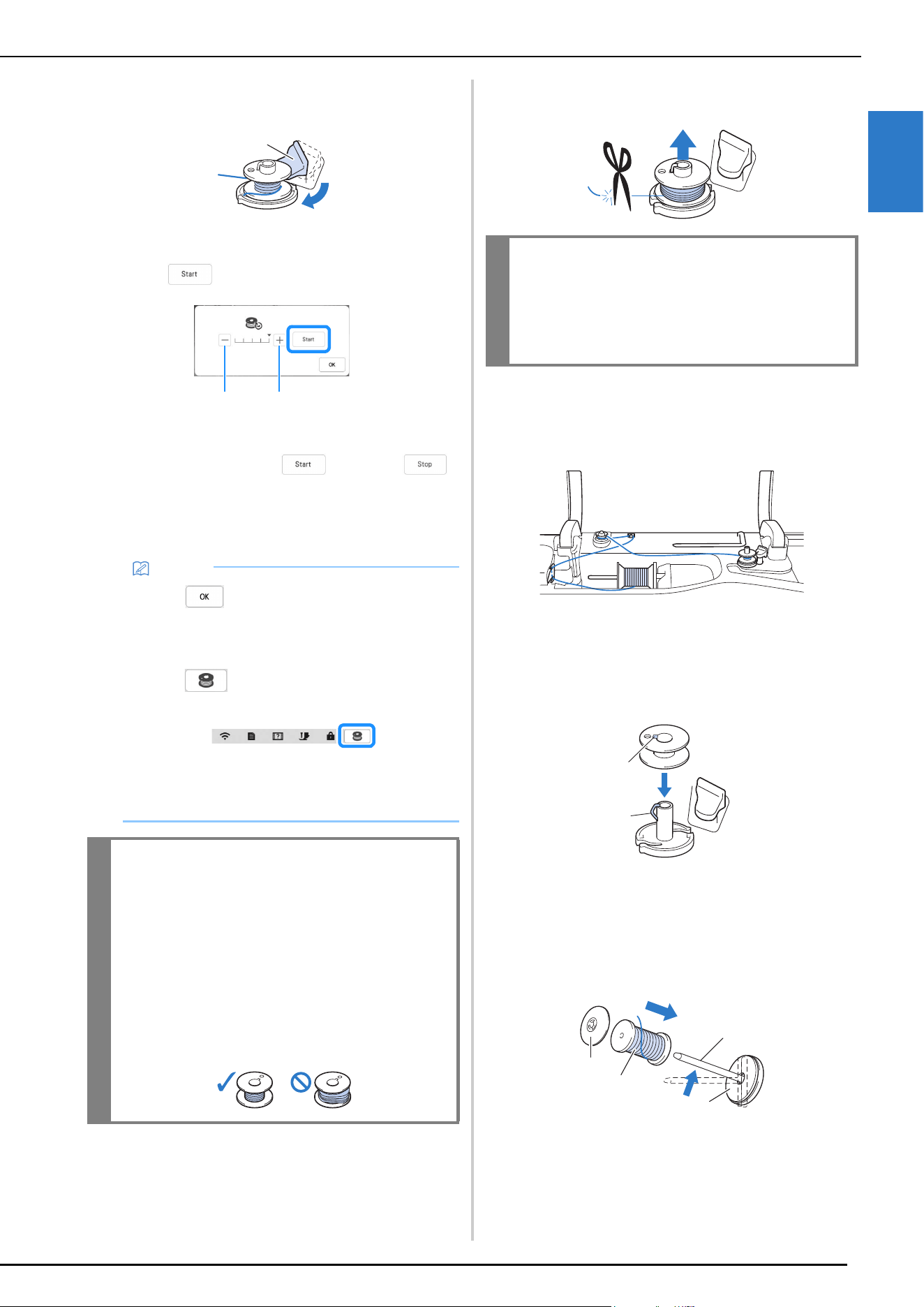
h
Set the bobbin winding switch to the left, until it clicks
into place.
1 Bobbin winding switch
The bobbin winding window appears.
i
Touch .
1 Touch to decrease the winding speed.
2 Touch to increase the winding speed.
Bobbin winding starts. changes to
while the bobbin is winding. The bobbin stops
rotating when bobbin winding is completed. The
bobbin winding switch will automatically return to
its original position.
j
After bobbin winding is finished, cut the thread with
scissors and remove the bobbin.
Using the Spool Pin
You can use the main spool pin to wind the bobbin before
sewing. You cannot use this spool pin to wind the bobbin
while sewing.
a
Turn the main power to ON and open the top cover.
b
Align the groove in the bobbin with the spring on the
bobbin winder shaft, and set the bobbin on the shaft.
1 Groove in the bobbin
2 Spring on the bobbin winder shaft
c
Remove the spool cap and place the spool of thread for
the bobbin onto the spool pin.
Slide the spool onto the spool pin so that the thread
unwinds to the front from the bottom.
1 Spool pin
2 Spool cap
3 Spool of thread
4 Spool felt
Memo
• Touch to minimize the bobbin winding
window. Then, you can perform other operations,
such as selecting a stitch or adjusting the thread
tension, while the bobbin is being wound.
• Touch (in top right of the LCD screen) to
display the bobbin winding window again.
• The sound of winding the bobbin with stiff thread,
such as nylon thread for quilting, may be different
from the one produced when winding normal
thread; however, this is not a sign of a malfunction.
IMPORTANT
• When winding transparent nylon thread on the
bobbin, stop bobbin winding when the bobbin
is 1/2 to 2/3 full. If the bobbin was fully
wound with transparent nylon thread, it may
not be wound neatly, or sewing performance
may suffer. In addition, extreme pressure may
be applied to the bobbin, it may not be
possible to remove the bobbin from the bobbin
winder shaft, or the bobbin may break.
a
1 2
IMPORTANT
• When removing the bobbin, do not pull on the
bobbin winder seat. Doing so could loosen or
remove the bobbin winder seat, and could
result in damage to the machine.
a
b
a
b
c
d
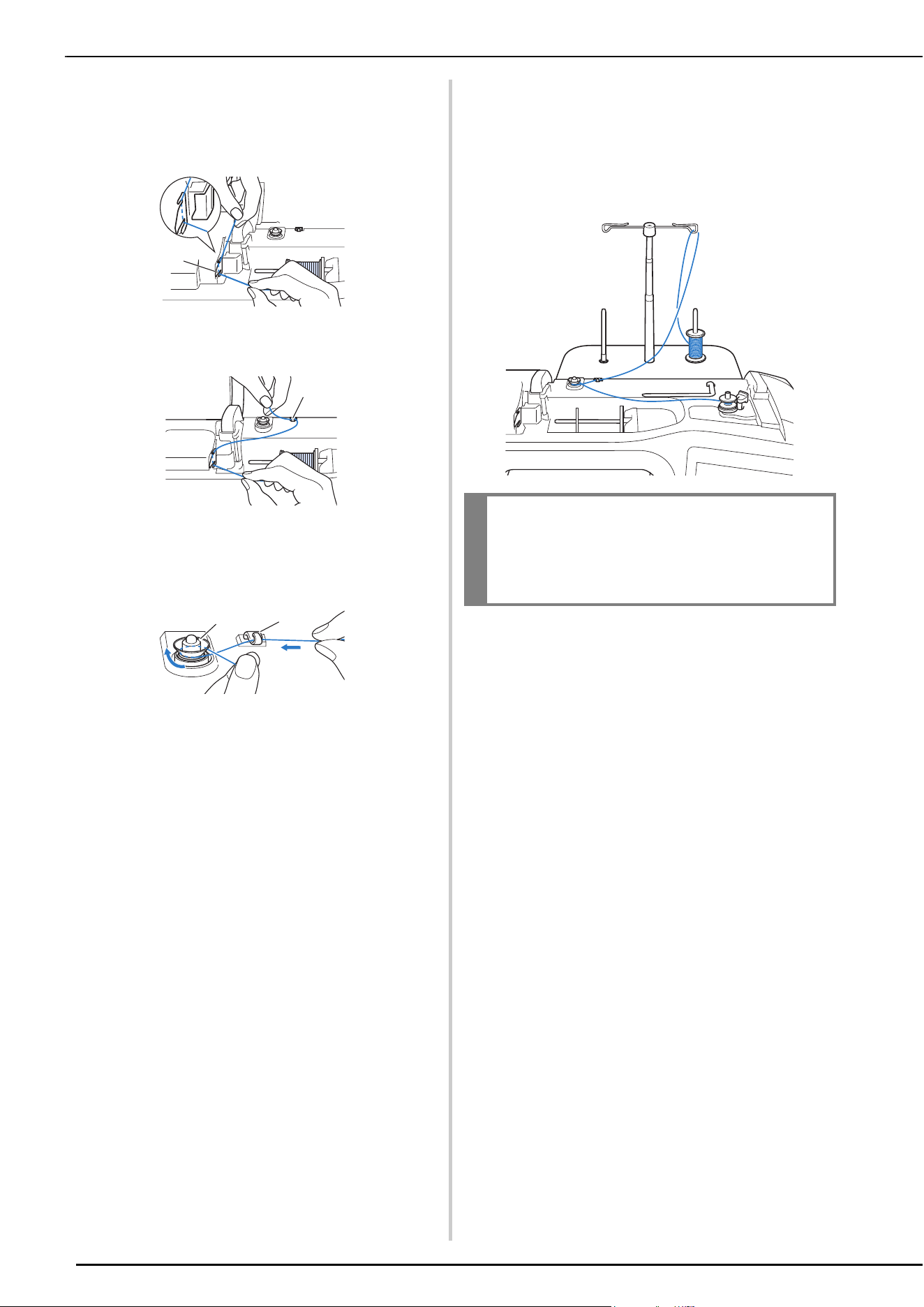
WINDING/INSTALLING THE BOBBIN
32
d
Slide the spool cap onto the spool pin as far as possible
to the right, with the rounded side on the left.
e
While holding the thread with both hands, pass the
thread through grooves of the thread guide plate.
1 Thread guide plate
f
Pass the thread through the thread guide.
1 Thread guide
g
Pass the thread around the pretension disk making sure
that the thread is under the pretension disk.
Pull the thread as far as possible.
1 Pretension disk
2 Thread guide
h
Follow steps g through j on page 30 through
page 31.
Using the Spool Stand
To wind thread on the bobbin while the spool stand is
installed, pass the thread from the spool through the
thread guide on the telescopic thread guide, and then
wind the bobbin according to steps
e through j of
“Using the Supplemental Spool Pin”on page 30 to
page 31.
a
a
a
b
IMPORTANT
• When winding thread on the bobbin, do not
cross the bobbin winding thread with the
upper thread in the thread guides.
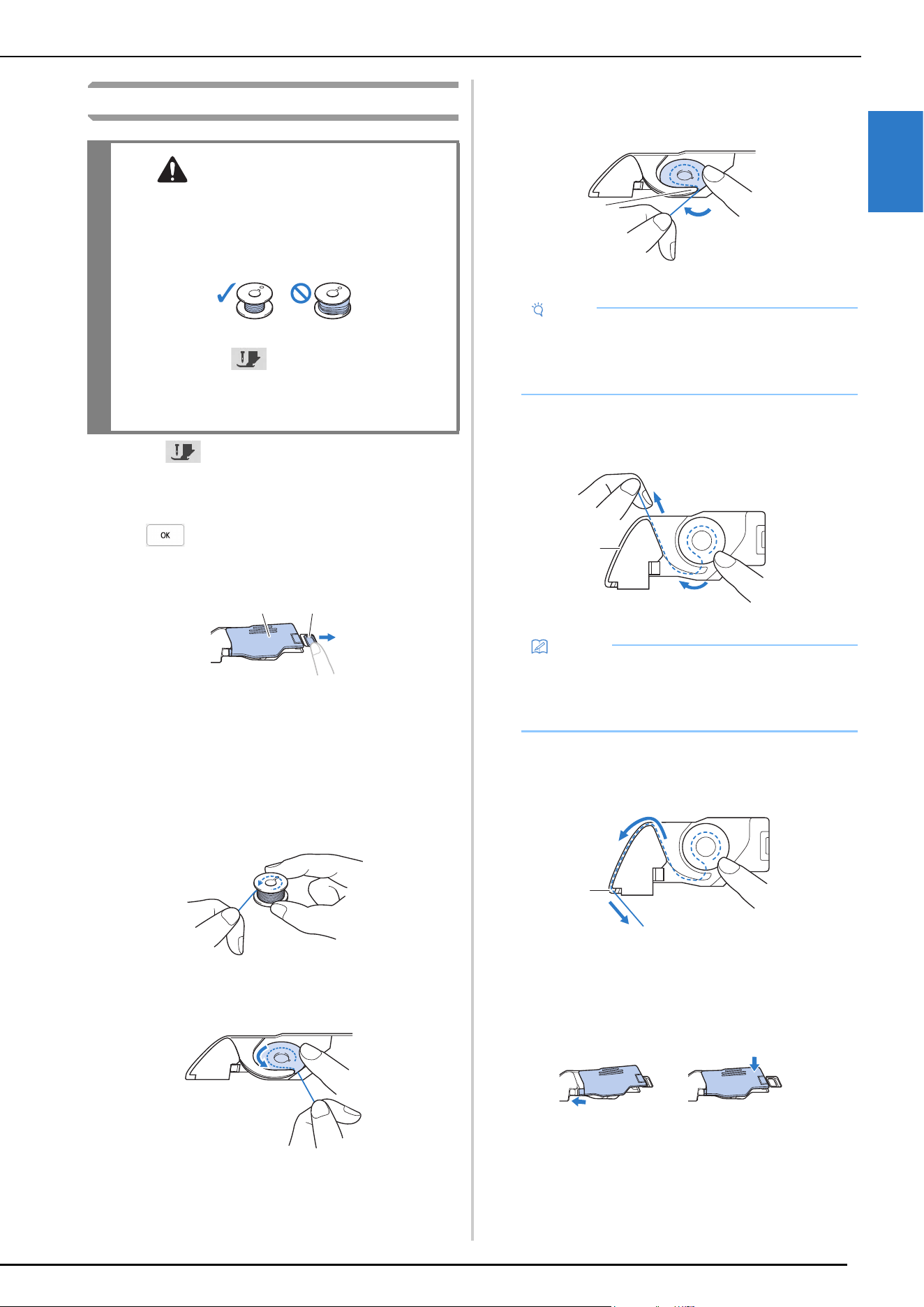
WINDING/INSTALLING THE BOBBIN
GETTING READY
33
1
Setting the Bobbin
a
Touch to lock all keys and buttons and raise the
presser foot.
* If the message [OK to automatically lower the
presser foot?] appears on the LCD screen, touch
to continue.
b
Slide the bobbin cover latch to the right.
1 Bobbin cover
2 Latch
The bobbin cover opens.
c
Remove the bobbin cover.
d
Hold the bobbin with your right hand and hold the end
of the thread with your left hand.
e
Set the bobbin in the bobbin case so that the thread
unwinds to the left.
f
Lightly hold down the bobbin with your right hand,
and then guide the end of the thread around the tab of
the needle plate with your left hand.
1 Tab
g
While lightly holding down the bobbin with your right
hand, guide the thread through the slit in the needle
plate and lightly pull it with your left hand.
1 Slit
h
While lightly holding down the bobbin with your right
hand, continue guiding the thread through the slit with
your left hand. Then, cut the thread with the cutter.
1 Cutter
The cutter cuts the thread.
i
Insert the tab in the lower-left corner of the bobbin
cover (1), and then lightly press down on the right
side to close the cover (2).
CAUTION
• Use a bobbin that has been correctly wound
with thread, otherwise the thread tension may
be incorrect and the needle may break,
causing injuries.
• Before inserting or changing the bobbin, be
sure to touch in the LCD to lock all keys
and buttons. Otherwise injuries may occur if
the “Start/Stop” button or any other button is
pressed and the machine starts sewing.
a
b
Note
• Be sure to hold down the bobbin with your finger
and unwind the bobbin thread correctly, otherwise
the thread may break or the thread tension will be
incorrect.
Memo
• By pulling the thread in this way, the thread will
enter the tension spring of the bobbin case to apply
the appropriate tension to the bobbin thread during
sewing.
a
a
a
1
2
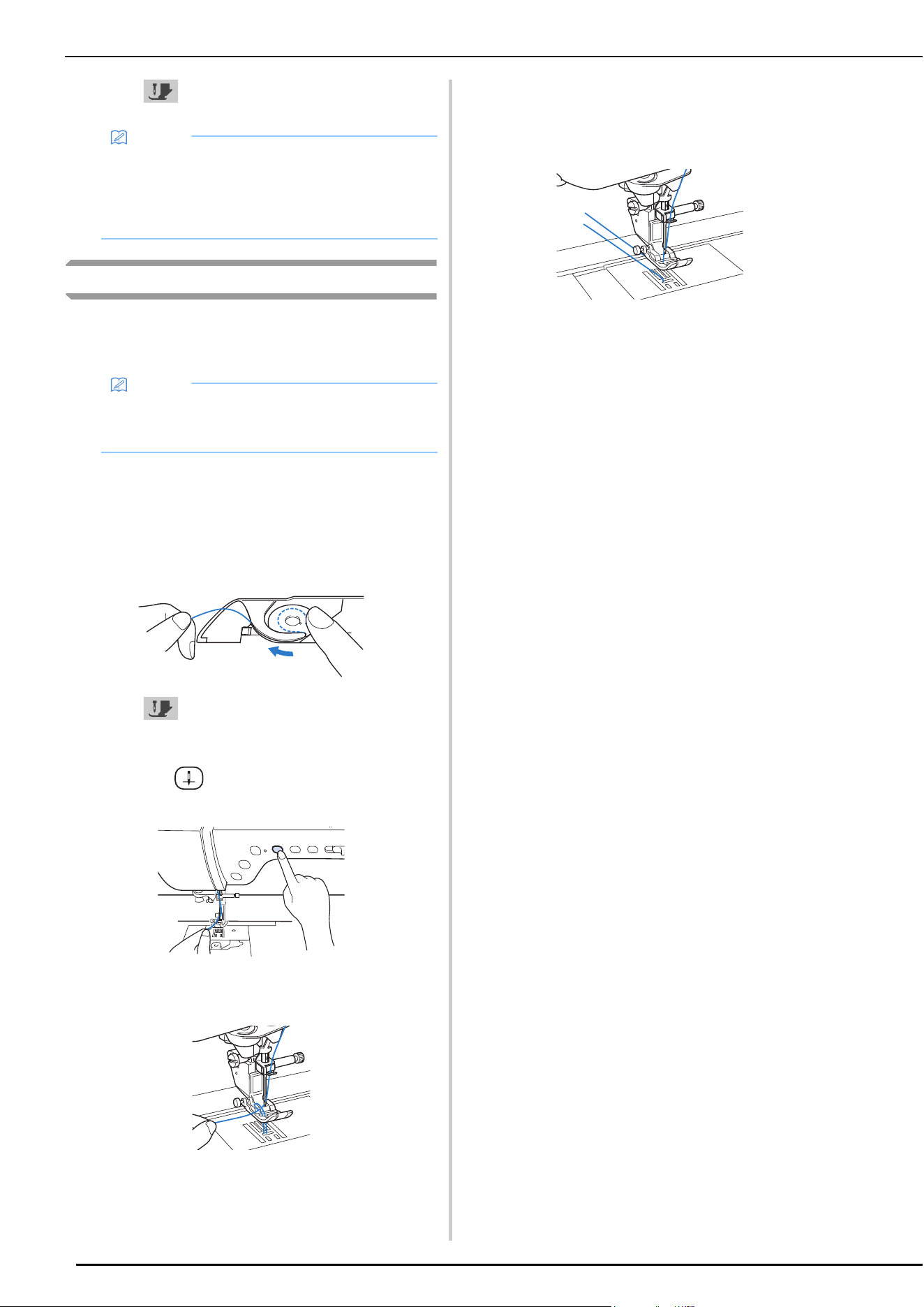
WINDING/INSTALLING THE BOBBIN
34
j
Touch to unlock all keys and buttons.
Pulling Up the Bobbin Thread
There may be some sewing applications where you want to
pull up the bobbin thread; for example, when making gathers,
darts or doing free motion quilting.
a
Follow steps a to e in “Setting the Bobbin” on
page 33 for installing the bobbin into the bobbin case.
b
Guide the bobbin thread through the groove, following
the arrow in the illustration.
* Do not cut the thread with the cutter.
* Do not replace the bobbin cover.
c
Touch to unlock all keys and buttons.
d
While lightly holding the upper thread with your left
hand, press (Needle position button) twice to
lower and then raise the needle.
e
Gently pull the upper thread. A loop of the bobbin
thread will come out of the hole in the needle plate.
f
Pull up the bobbin thread, pass it under the presser
foot and pull it about 10 cm (approx. 4 inches) toward
the back of the machine, making it even with the upper
thread.
g
Reattach the bobbin cover.
Memo
• You can begin sewing without pulling up the
bobbin thread. If you wish to pull up the bobbin
thread before starting to sew, pull up the thread
according to the procedure in “Pulling Up the
Bobbin Thread” on page 34.
Memo
• You can pull up the bobbin thread after threading
the upper thread (“UPPER THREADING” on
page 35).
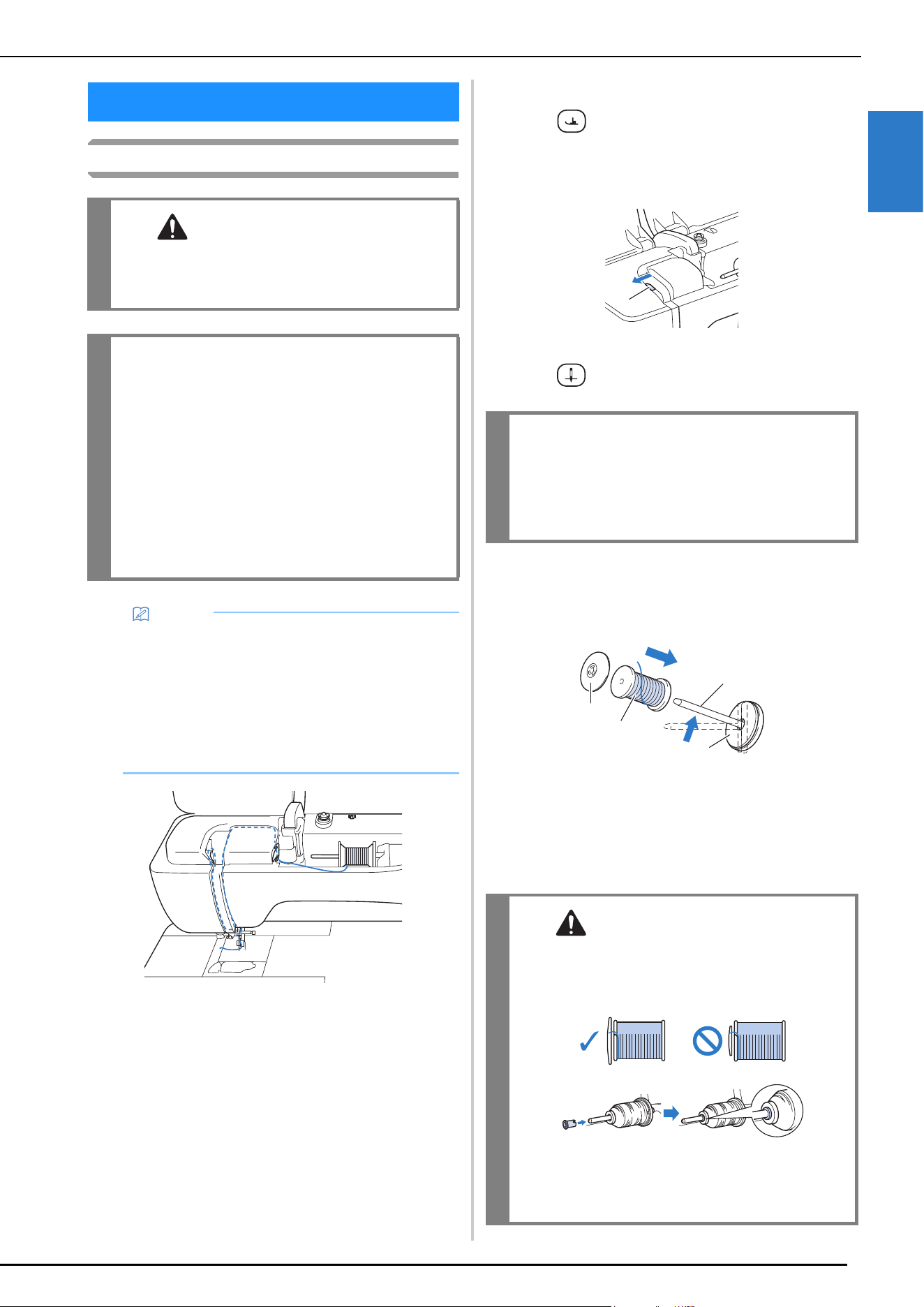
UPPER THREADING
GETTING READY
35
1
Upper Threading
a
Turn the main power to ON.
b
Press (Presser foot lifter button) to raise the
presser foot.
The upper thread shutter opens so the machine can
be threaded.
1 Upper thread shutter
c
Press (Needle position button) to raise the needle.
d
Remove the spool cap and place the spool of thread
onto the spool pin.
Slide the spool onto the spool pin so that the thread
unwinds to the front from the bottom.
1 Spool pin
2 Spool cap
3 Spool of thread
4 Spool felt
e
Slide the spool cap onto the spool pin as far as possible
to the right, with the rounded side on the left.
UPPER THREADING
CAUTION
• Be sure to thread the machine properly.
Improper threading can cause the thread to
tangle and break the needle, leading to injury.
IMPORTANT
• Never use a thread weight of 20 or lower. It
may cause the machine to malfunction. Use
the needle and the thread in the correct
combination. For details on the correct
combination of needles and threads, refer to
“FABRIC/THREAD/NEEDLE
COMBINATIONS” on page 42.
• When using 65/09 needle, manually thread the
needle. If the automatic needle threading
function is used, the unit may be damaged.
Memo
• The automatic threading function can be used with
home sewing machine needle sizes 75/11 through
100/16.
• When threads such as transparent nylon
monofilament or specialty threads are used, it is
not recommended to use the needle threader.
• The automatic threading function cannot be used
with the twin needle.
IMPORTANT
• Be sure to raise the needle before using the
automatic needle threader. Otherwise, the
needle may not thread correctly and the
needle threader may be damaged.
CAUTION
• Choose a spool cap that best fits the size of
spool being used. For more information, refer
to “Note” on page 29.
• If the spool or the spool cap is not positioned
correctly, the thread may become tangled
around the spool pin, possibly causing the
needle to break, resulting in injuries.
a
a
b
c
d
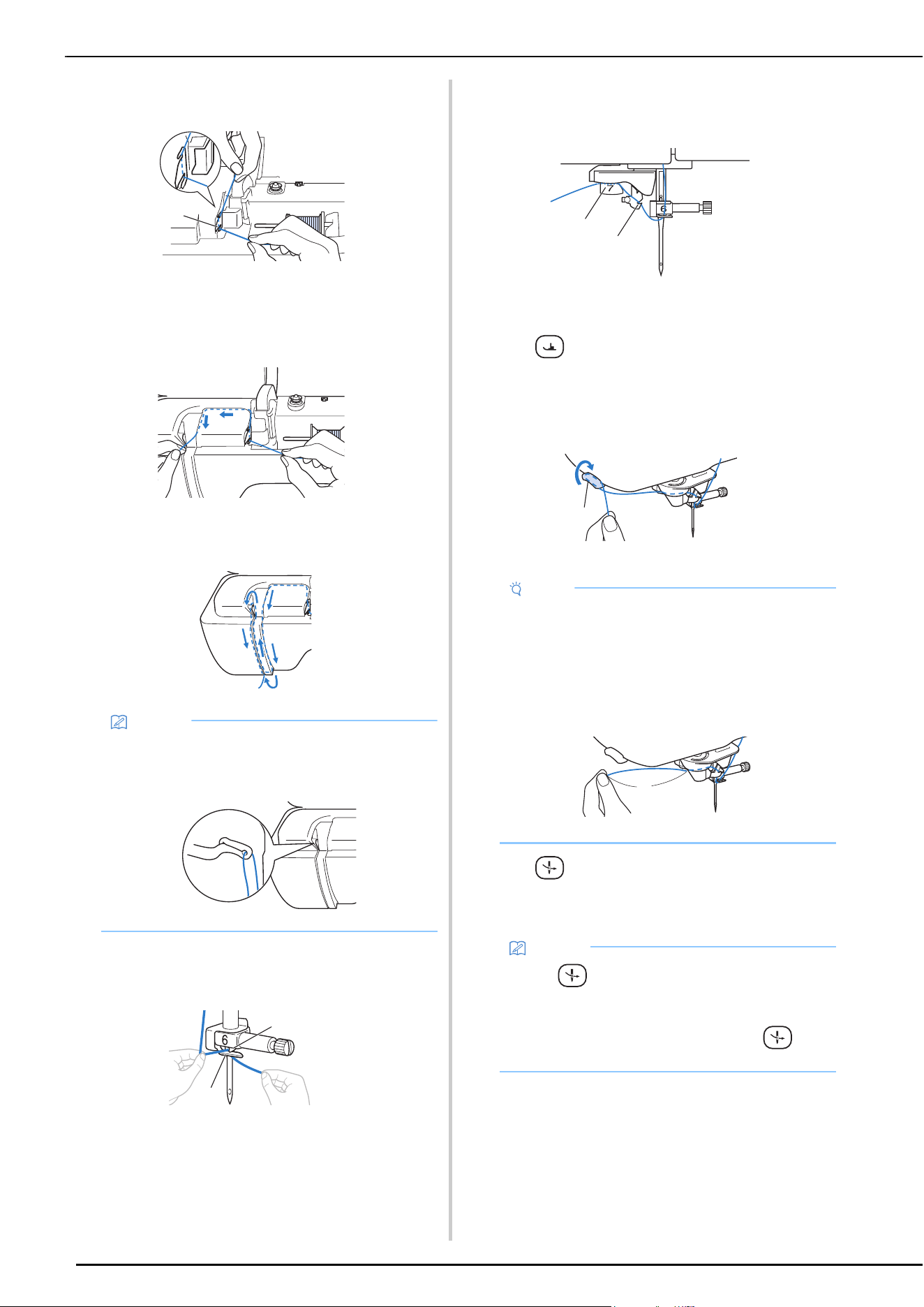
UPPER THREADING
36
f
While holding the thread with both hands, pass the
thread through grooves of the thread guide plate.
1 Thread guide plate
g
While holding the thread in your right hand, pass the
thread through the thread guide in the direction
indicated.
h
Guide the thread down, up, then down through the
groove, as shown in the illustration.
i
Pass the thread through the needle bar thread guide
(marked “6”) by holding the thread with both hands
and guiding it as shown in the illustration.
1 Needle bar thread guide
2 Tab
j
Pass the thread through the notch in the thread guide.
Then firmly pull the thread from front to back into the
slit of the thread guide disk (marked “7”).
1 Notch in thread guide
2 Thread guide disk
k
Press (Presser foot lifter button) to lower presser
foot.
l
Pull the thread up through the thread cutter to cut the
thread, as shown in the illustration.
1 Thread cutter
m
Press (Automatic threading button) to have the
machine automatically thread the needle.
The thread passes through the eye of the needle.
Memo
• Look in the upper groove area to check if the
thread catches on the thread take-up lever visible
inside the upper groove area.
a
a
b
Note
• When using thread that quickly winds off the spool,
such as metallic thread, it may be difficult to thread
the needle if the thread is cut.
Therefore, instead of using the thread cutter, pull
out about 8 cm (approx. 3 inches) of thread after
passing it through the thread guide disks (marked
“7”).
1 About 8 cm (approx. 3 inches) or more
Memo
• When (Automatic threading button) is
pressed, the presser foot will be automatically
lowered. After threading is finished, the presser
foot moves back to the position before
(Automatic threading button) was pressed.
a
b
a
a
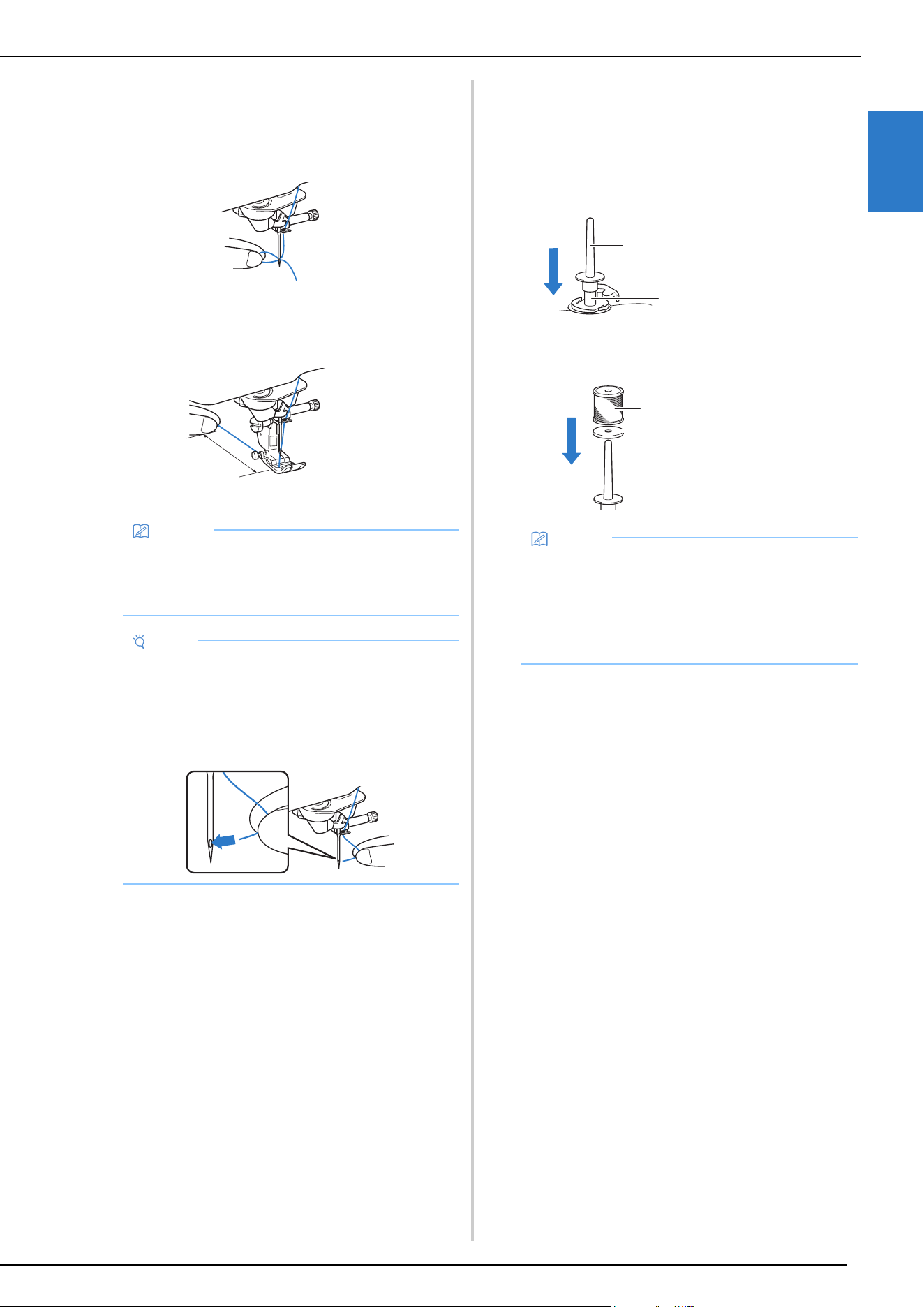
UPPER THREADING
GETTING READY
37
1
n
Carefully pull the end of the thread that was passed
through the eye of the needle.
* If a loop was formed in the thread passed through
the eye of the needle, carefully pull on the loop of
thread through to the back of the needle.
o
Raise the presser foot lever and pull out about 10 cm
(approx. 4 inches) of the thread, and then pass it under
the presser foot toward the rear of the machine.
1 About 10 cm (approx. 4 inches)
Using the Vertical Spool Pin
Use the vertical spool pin when using an irregularly
shaped thread spool, and when sewing with metallic
thread.
a
Insert the vertical spool pin onto the bobbin winder
shaft.
b
Install the spool felt and the thread spool in that order,
and then thread the upper thread.
Memo
• If the needle could not be threaded or the thread
was not passed through the needle bar thread
guides, perform the procedure again starting from
step
c.
Note
• Some needles and threads cannot be threaded
with the needle threader. In this case, instead of
using the needle threader after passing the thread
through the needle bar thread guide (marked “6”),
manually pass the thread through the eye of the
needle from the front.
a
1 Bobbin winder shaft
2 Vertical spool pin
1 Spool felt
2 Thread spool
Memo
• When setting the thread spool, set it so that the
thread winds off from the front of the spool.
• If using metallic thread, we recommend that you
use a 90/14 home sewing machine needle.
• This method keeps the thread from twisting as it
comes off the spool pin.
b
a
b
a
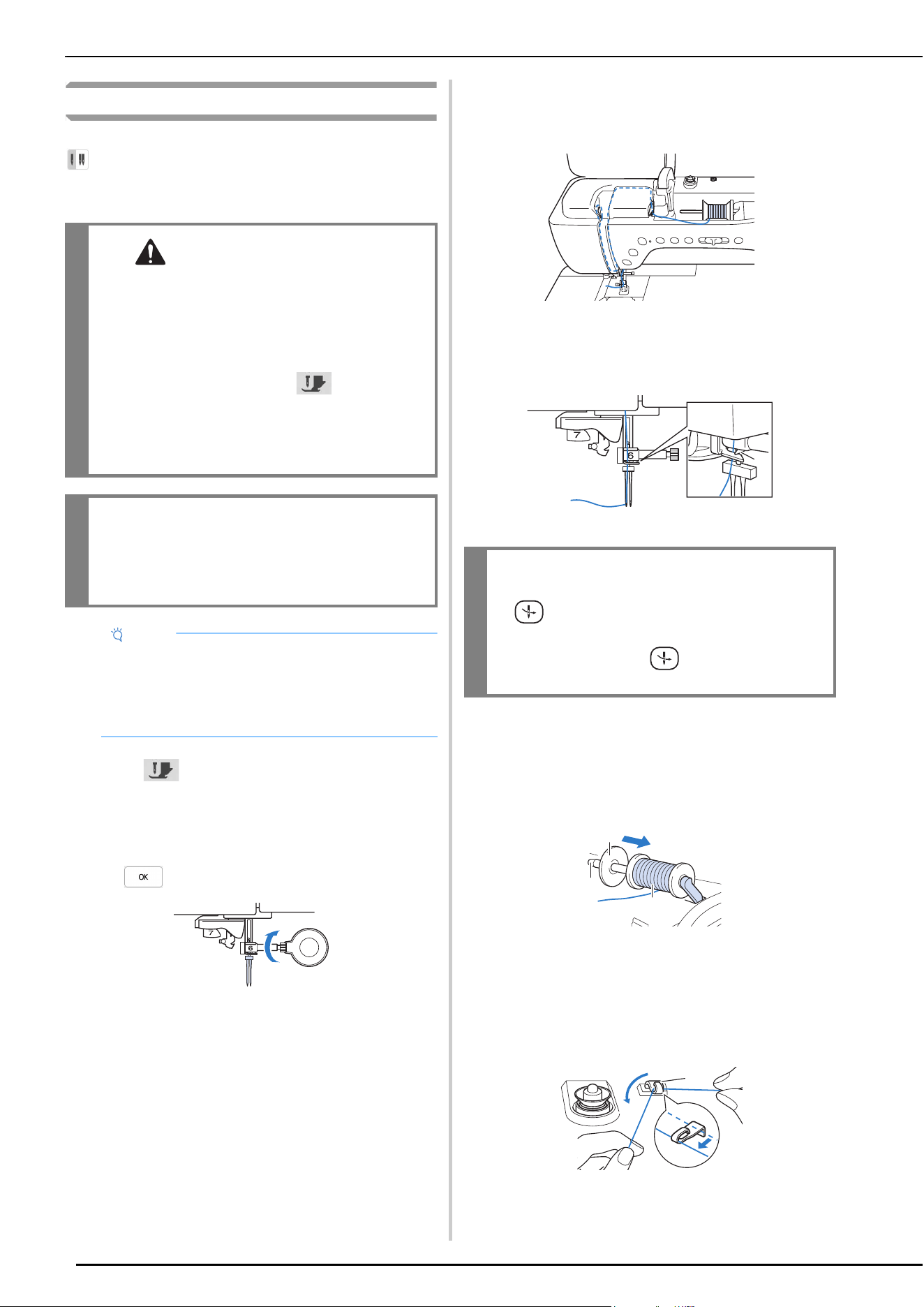
UPPER THREADING
38
Using the Twin Needle Mode
The twin needle can only be used for stitch patterns that show
after being selected. Before you select a stitch pattern,
make sure the stitch can be sewn in the twin needle mode
(refer to the “STITCH SETTING CHART” on page 125).
a
Touch to lock all keys and buttons and then
install the twin needle (“CHANGING THE NEEDLE” on
page 41).
* If the message [OK to automatically lower the
presser foot?] appears on the LCD screen, touch
to continue.
b
Thread the machine for the first needle according to
the procedure for threading a single needle (“Upper
Threading” on page 35).
c
Pass the thread through the needle bar thread guides
on the needle bar, then thread the needle on the left
side manually.
1 Needle bar thread guide
d
Pull up the supplemental spool pin and set it in the up
position. Place the additional spool of thread on the
supplemental spool pin, so that the thread unwinds
from the front. Push the spool cap onto the spool pin as
far as possible to secure the thread spool.
1 Spool cap
2 Spool pin
3 Spool of thread
e
Hold the thread from the spool with both hands, and
place the thread in the thread guide.
* Do not place the thread in the pretension disks.
1 Thread guide
CAUTION
• When using the twin needle, it is
recommended to use presser foot “J”.
Otherwise, the needle may break and cause
injury.
• Before changing the needle or threading the
machine, be sure to touch on the LCD
screen to lock all keys and buttons, otherwise
injuries may occur if the “Start/Stop” button
or any other button is pressed and the machine
starts sewing.
IMPORTANT
• Twin needle (size 2/11) is recommended for
this machine. Contact your authorized Brother
dealer for replacement needles.
Note
• When the twin needle is used, bunched stitches
may occur depending on the types of fabric and
thread that are used.
Use advanced monogramming foot “N+” or attach
stabilizer material.
IMPORTANT
• (Automatic threading button) cannot be
used. Manually thread the twin needle from
front to back. Using (Automatic threading
button) may result in damage to the machine.
a
a
b
c
a
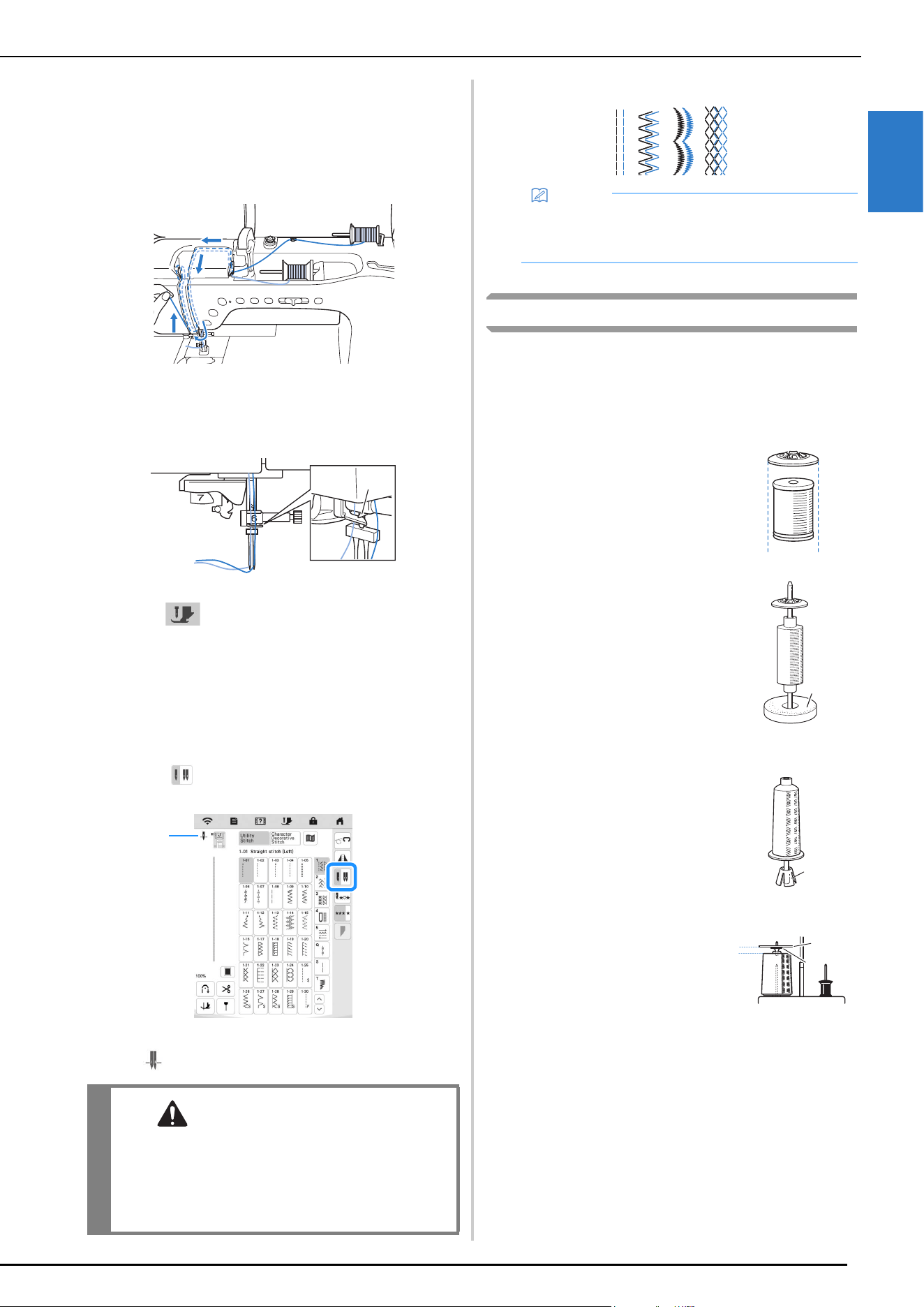
UPPER THREADING
GETTING READY
39
1
f
While holding the thread from the spool, pull the
thread through the lower notch in the thread guide
plate, then through the upper notch. Hold the end of
the thread with your left hand, and then guide the
thread through the groove, following the arrows in the
illustration.
g
Continue threading; however, do not pass the thread in
the needle bar thread guide “6” on the needle bar.
Thread the needle on the right side.
1 Needle bar thread guide
h
Touch to unlock all keys and buttons.
i
Select a stitch pattern.
* Refer to “Basic Sewing” on page 45 for selecting a
stitch pattern.
* Refer to “STITCH SETTING CHART” on page 125
for the proper stitch to use with presser foot “J”.
j
Touch to select the twin needle mode.
1 Single needle/twin needle position setting display
appears.
k
Start sewing.
Using the Spool Stand
The spool stand is useful when using thread on spools with a
large diameter (cross-wound thread). This spool stand can
hold two spools of thread.
Using the Spool Stand
CAUTION
• Be sure to set the twin needle mode when
using the twin needle. Using the twin needle
while the machine is in single needle mode
could cause the needle to break and cause
injury.
a
1
Memo
• To change direction when sewing with the twin
needle, raise the needle from the fabric, raise the
presser foot lever, and then turn the fabric.
• Be sure to use a spool cap
that is slightly larger than the
spool.
If the spool cap that is used is
smaller or much larger than
the spool, the thread may
catch and sewing
performance may suffer.
• When using thread on a thin
spool, place the included
spool felt on the spool pin,
place the thread spool on the
spool pin so that the center of
the spool is aligned with the
hole at the center of the spool
felt, and then insert the spool
cap onto the spool pin.
1 Spool felt
• When using thread on a cone
spool, use the spool holder.
When using cone shaped
thread spool with other than
cotton thread, it is not
necessary to use spool caps.
1 Spool holder
• Depending on the size of
spool or the amount of thread
remaining, choose the
appropriate sized spool cap
(large or medium). Spool cap
(small) cannot be used with
the spool cap base.
1 Spool cap
2 Spool cap base
a
a
a
b
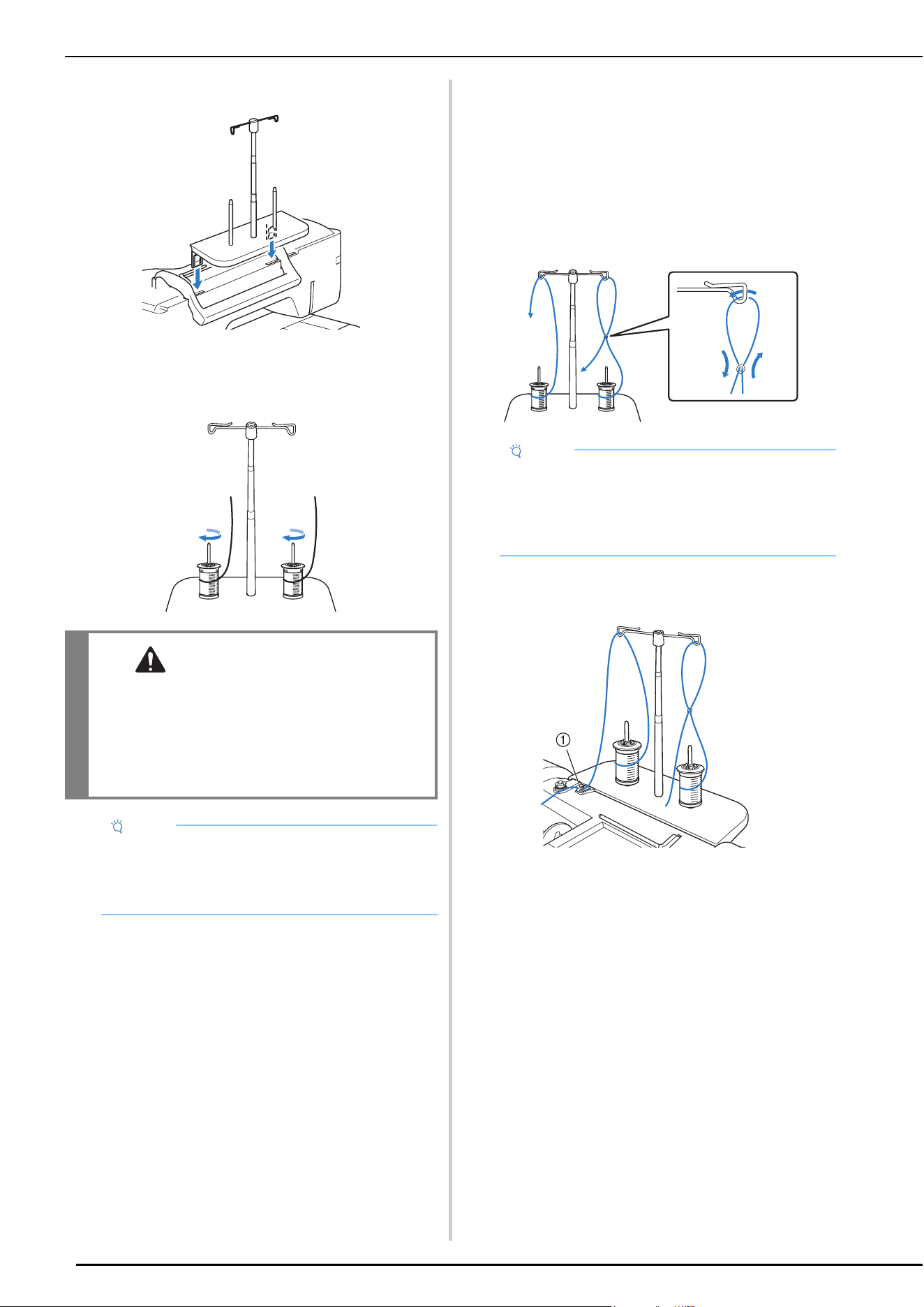
UPPER THREADING
40
a
Attach the spool stand to the machine. (page 12)
b
Place the spool of thread on the spool pin so that the
thread feeds off the spool clockwise. Firmly insert the
spool cap onto the spool pin.
c
Pull the thread off the spool. Pass the thread from the
back to the front through the thread guides at the top.
When using thread that quickly feeds off the spool, such
as metallic thread, use the enclosed ring to prevent the
thread from becoming entangled.
Threading sequence; Pull the thread from the spool,
place the thread through the ring from the bottom up
(1), into the thread guide (2) and through the ring from
the top down (3). When using the ring, do not use the
spool cap base.
d
Pass the thread through the machine’s thread guide
from the right to the left.
1 Thread guide
e
Thread the machine according to the steps f to o of
“Upper Threading” on page 36.
CAUTION
• Make sure that the spools do not touch each
other, otherwise the thread will not feed off
smoothly, the needle may break and cause
injury. In addition, make sure that the spools
do not touch the telescopic thread guide at the
center.
Note
• When using two spools of thread, make sure that
both spools are feeding in the same direction.
• Make sure that the thread is not caught under the
spool.
Note
• Guide the thread so that it does not become
entangled with the other thread.
• After feeding the thread as instructed, wind any
excess thread back onto the spool, otherwise the
excess thread will become tangled.
2
1
3
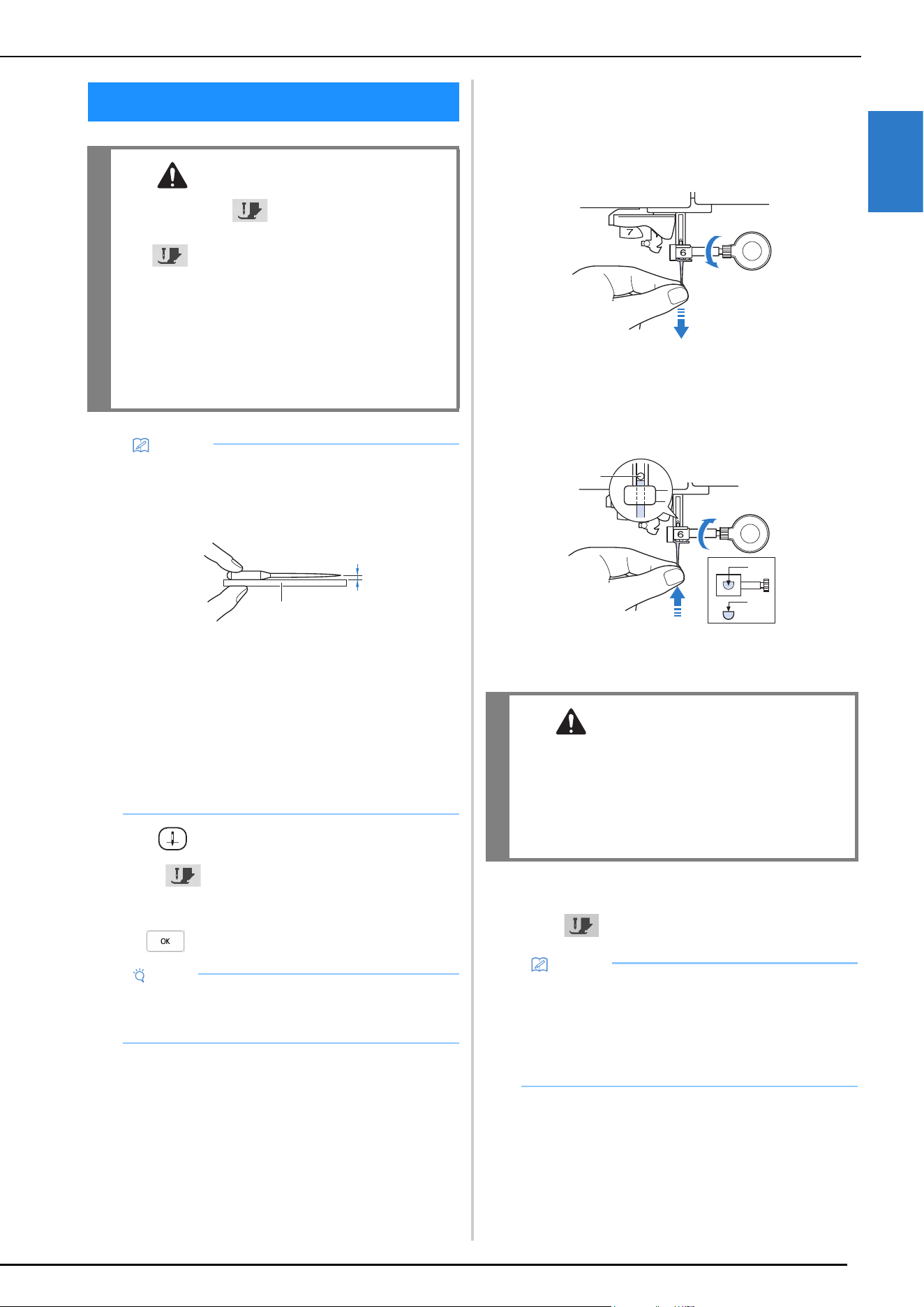
CHANGING THE NEEDLE
GETTING READY
41
1
a
Press (Needle position button) to raise the needle.
b
Touch to lock all keys and buttons.
* If the message [OK to automatically lower the
presser foot?] appears on the LCD screen, touch
to continue.
c
Remove the presser foot. (page 43)
d
Use the disc-shaped screwdriver to turn the needle
clamp screw toward you (counterclockwise) to loosen
the screw. Remove the needle.
e
With the flat side of the needle facing the back, insert
the new needle all the way to the top of the needle
stopper (viewing window) in the needle clamp. Use the
disc-shaped screwdriver to securely tighten the needle
clamp screw.
1 Needle stopper
2 Hole for inserting the needle
3 Flat side of the needle
f
Attach the presser foot. (page 43)
g
Touch to unlock all keys and buttons.
CHANGING THE NEEDLE
CAUTION
• Always touch on the screen to lock all
keys and buttons before changing the needle.
If is not touched and the “Start/Stop”
button or another operation button is pressed
accidentally, the machine will start and injury
may result.
• Use only home sewing machine needles. Other
needles may break and may cause injury.
• Never use a bent needle. This may cause
injury.
Memo
• To check the needle correctly, place the flat side of
the needle on a flat surface. Check the needle from
the top and the sides. Throw away any bent
needles.
1 Parallel space
2 Flat surface (bobbin cover, glass, etc.)
• The machine needles are consumables. Replace
the needle in cases such as those described
below.
- If an unusual sound is produced when the needle
enters the fabric. (The tip of the needle may be
broken or dull.)
- If stitches are skipped. (The needle may be bent.)
- Generally, after completing one project, such as
a piece of clothing.
Note
• Before replacing the needle, cover the hole in the
needle plate with fabric or paper to prevent the
needle from falling into the machine.
a
b
CAUTION
• Be sure to push in the needle until it touches
the stopper, and securely tighten the needle
clamp screw with the disc-shaped screwdriver.
If the needle is not completely inserted or the
needle clamp screw is loose, the needle may
break and cause injury.
Memo
• The automatic threading function can be used with
home sewing machine needle sizes 75/11 through
100/16.
• When threads such as transparent nylon
monofilament or specialty threads are used, it is
not recommended to use the needle threader.
a
b
c
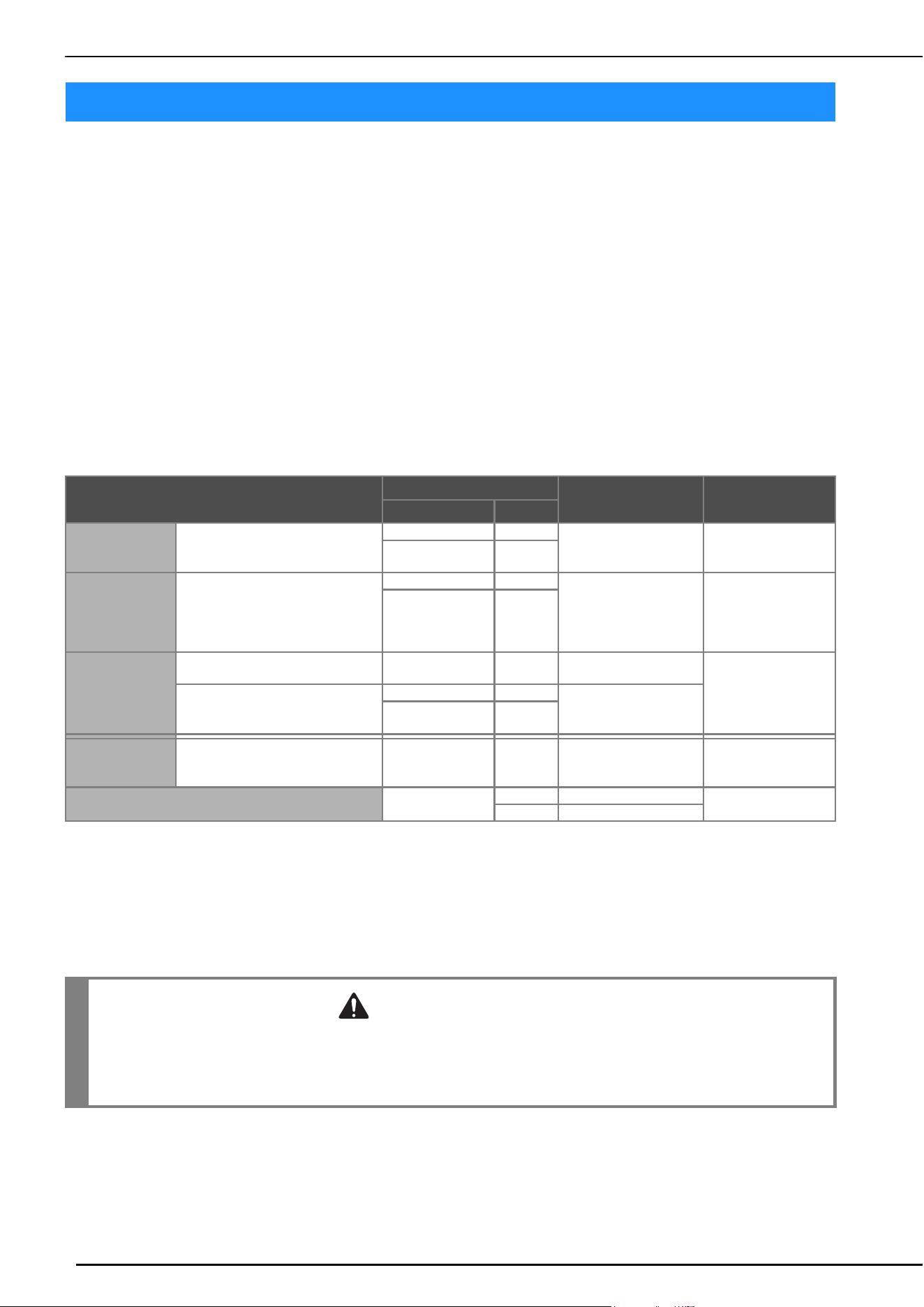
FABRIC/THREAD/NEEDLE COMBINATIONS
42
• Needles that can be used with this machine: Home sewing machine needles (size 65/9 - 100/16)
* The larger the number, the larger the needle. As the numbers decrease, the needles get finer.
• Thread that can be used with this machine: 30 - 90 weight
* Never use thread of 20 weight or lower. It may cause machine to malfunction.
* The smaller the number, the heavier the thread. As the numbers increase, the thread gets finer.
• The machine needle and thread that should be used depends on the type and thickness of the fabric. Refer to
the following table when choosing the thread and needle appropriate for the fabric that you wish to sew.
- The combinations shown in the table provide a general guideline. Be sure to sew trial stitches on the actual number of
layers and type of fabric to be used in your project.
- The machine needles are consumables. For safety and best results, we recommend replacing the needle regularly. For
details on when to replace the needle, refer to “CHANGING THE NEEDLE” on page 41.
• In principle, use a fine needle and thread with lightweight fabrics, and a larger needle and heavier thread with
heavyweight fabrics.
• Select a stitch appropriate for the fabric, and then adjust the stitch length. When sewing lightweight fabrics,
make the stitch length finer (shorter). When sewing heavyweight fabrics, make the stitch length coarser
(longer). (page 54)
When sewing stretch fabrics, refer to “Sewing Stretch Fabrics” on page 62.
Transparent Nylon Thread
Use a home sewing machine topstitching needle, regardless of the fabric or thread.
Sewing Character Stitch Patterns and Decorative Stitch Patterns (Needles and Threads)
When sewing lightweight, medium weight or stretch fabrics, use a ball point needle (gold colored) 90/14. When sewing
heavyweight fabrics, use a home sewing machine needle 90/14.
In addition, #50 to #60 thread should be used.
FABRIC/THREAD/NEEDLE COMBINATIONS
Fabric Type/Application
Thread
Size of needle
Stitch length
mm (inch)
Type Weight
Lightweight
fabrics
Lawn, georgette, challis, organdy,
crepe, chiffon, voile, gauze, tulle,
lining, etc.
Polyester thread 60 - 90
65/9 - 75/11
Fine stitches
1.8-2.5
(approx. 1/16-3/32)
Cotton thread
Silk thread
50 - 80
Medium weight
fabrics
Broadcloth, taffeta, gabardine,
flannel, seersucker, double gauze,
linen, terry cloth, waffle weave,
sheeting, poplin, cotton twill, satin,
quilting cotton, etc.
Polyester thread 60 - 90
75/11 - 90/14
Regular stitches
2.0-3.0
(approx. 1/16-1/8)
Cotton thread
Silk thread
50 - 60
Heavyweight
fabrics
Denim (12 ounces or more), canvas,
etc.
Polyester thread
Cotton thread
30 100/16
Coarse stitches
2.5-4.0
(approx. 3/32-3/16)
Denim (12 ounces or more), canvas,
tweed, corduroy, velour, melton
wool, vinyl-coated fabric, etc.
Polyester thread 60
90/14 - 100/16
Cotton thread
Silk thread
30 - 50
Stretch fabrics
(knit fabrics, etc.)
Jersey, tricot, T-shirt fabric, fleece,
interlock, etc.
Polyester thread
Cotton thread
Silk thread
50
Ball point needle
75/11 - 90/14
Setting appropriate for
the fabric thickness
For top-stitching
Polyester thread
Cotton thread
30 90/14 - 100/16
Setting appropriate for
the fabric thickness
50 - 60 75/11 - 90/14
CAUTION
• The appropriate fabric, thread and needle combinations are shown in the preceding table. If the
combination of the fabric, thread and needle is not correct, particularly when sewing heavy fabrics (such
as denim) with thin needles (such as 65/9 to 75/11), the needle may break and cause injury. In addition,
the stitching may be uneven or puckered or there may be skipped stitches.
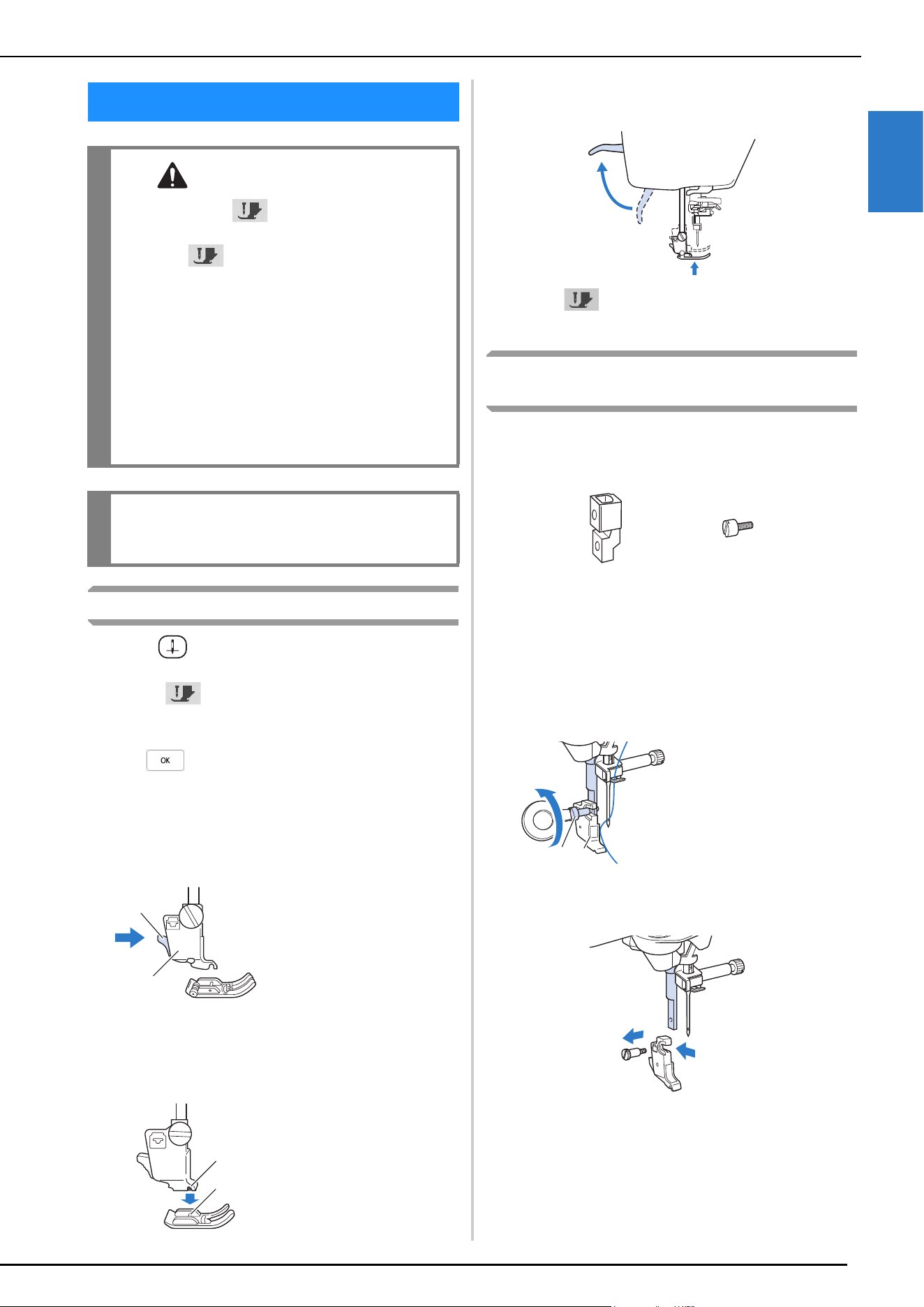
CHANGING THE PRESSER FOOT
GETTING READY
43
1
Replacing the Presser Foot
a
Press (Needle position button) to raise the needle.
b
Touch to lock all keys and buttons.
* If the message [OK to automatically lower the
presser foot?] appears on the LCD screen, touch
to continue.
c
Raise the presser foot lever.
d
Press the black button on the presser foot holder and
remove the presser foot.
e
Place the new presser foot under the holder, aligning
the foot pin with the notch in the holder. Lower the
presser foot lever so that the presser foot pin snaps into
the notch in the holder.
f
Raise the presser foot lever to check that the presser
foot is securely attached.
g
Touch to unlock all keys and buttons.
Attaching the Presser Foot with the Included
Adapter
Some presser feet require using the included adapter and
small screw, for example, the free motion echo quilting foot
“E” and so on.
Attaching the Included Adapter and Small
Screw
a
Follow the steps in “Replacing the Presser Foot” on
page 43.
b
Loosen the screw of the presser foot holder to remove
the presser foot holder.
c
Remove the screw of the presser foot completely from
the presser foot shaft.
CHANGING THE PRESSER FOOT
CAUTION
• Always touch on the screen to lock all
keys and buttons before changing the presser
foot. If is not touched and the “Start/
Stop” button or another button is pressed, the
machine will start and may cause injury.
• Always use the correct presser foot for the
selected stitch pattern. If the wrong presser
foot is used, the needle may strike the presser
foot and break, and may cause injury.
• Make sure that the presser foot is installed in
the correct direction, otherwise the needle
may strike the presser foot, breaking the
needle and causing injuries.
IMPORTANT
• Use presser feet made for this machine.
1 Black button
2 Presser foot holder
1 Notch
2 Pin
a
b
a
b
1 Presser foot holder
screw
2 Presser foot holder
a
b
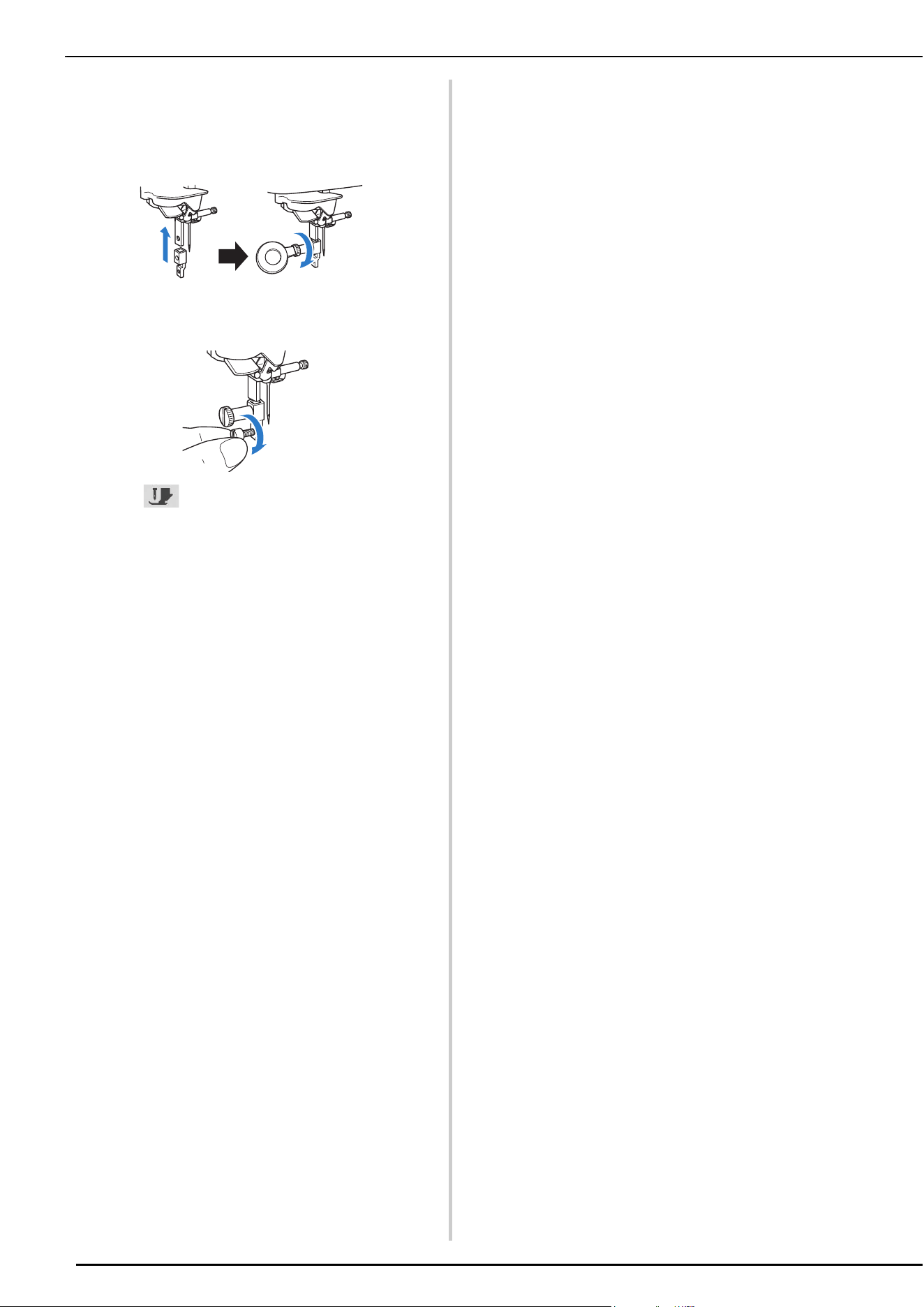
CHANGING THE PRESSER FOOT
44
d
Set the adapter on the presser foot bar, aligning the flat
side of the adapter opening with the flat side of the
presser bar. Align the screw holes in the adapter and
presser foot bar, and then securely tighten the screw
with the disc-shaped screwdriver.
e
Turn the included small screw 2 or 3 times with your
hand.
f
Touch to unlock all keys and buttons.
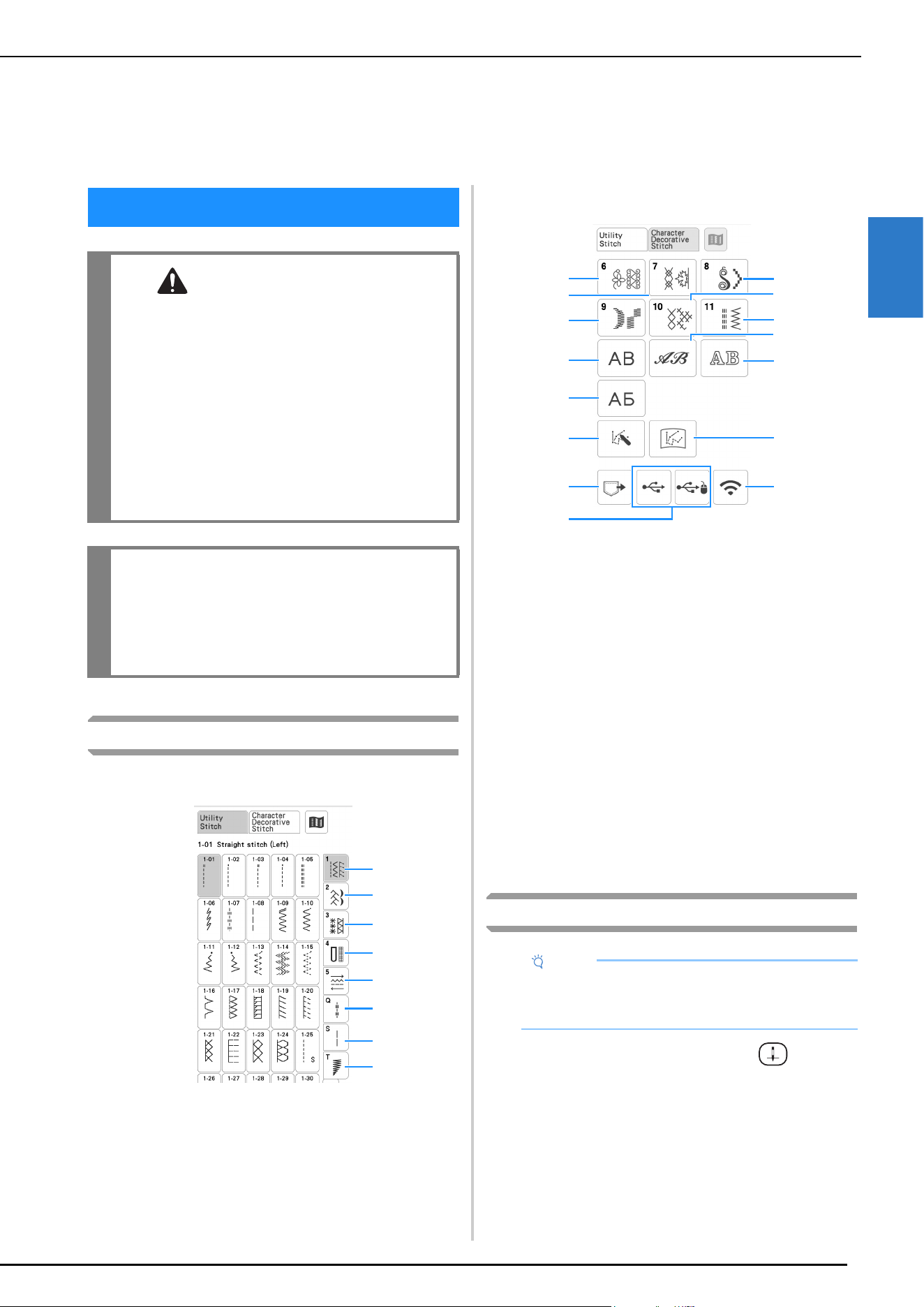
SEWING
SEWING BASICS
45
2
Stitch Types
Utility Stitches
1 Straight/Overcasting
2 Decorative Stitches
3 Heirloom Stitches
4 Buttonholes/Bar tacks
5 Multi-directional
6 Sewing Quilting Stitches
7 Other Stitches
8 Stitch Tapering
Character/Decorative Stitches
1 Decorative stitch patterns
2 7mm decorative stitch patterns
You can set stitch length and width.
3 Satin stitch patterns
4 7mm satin stitch patterns
You can set stitch length and width.
5 Cross stitch
6 Utility decorative stitch patterns
7 Alphabet characters (gothic font)
8 Alphabet characters (handwriting font)
9 Alphabet characters (outline)
0 Cyrillic font
A MY CUSTOM STITCH (page 107)
You can design original stitches.
B Stitch patterns stored in MY CUSTOM STITCH
(page 110)
C Stitch patterns saved in the machine’s memory
(page 106)
D Stitch patterns saved in USB media (page 106)
E Stitch patterns to be transferred via the wireless network
(page 106)
Basic Sewing
a
Turn the main power to ON and press (Needle
position button) to raise the needle.
Chapter 2
SEWING BASICS
SEWING
CAUTION
• To avoid injury, pay special attention to the
needle while the machine is in operation. Keep
your hands away from moving parts while the
machine is in operation.
• Do not stretch or pull the fabric during
sewing. Doing so may lead to injury.
• Do not use bent or broken needles. Doing so
may lead to injury.
• Do not attempt to sew over basting pins or
other objects during sewing. Otherwise, the
needle may break and cause injury.
IMPORTANT
• If stitches become bunched, lengthen the
stitch length setting before continuing sewing.
Otherwise, the needle may break and cause
injury.
1
2
3
4
5
6
7
8
Note
• First, perform a trial sewing, using a piece of fabric
and thread that are the same as those used for
your project.
1
3
2
4
7
0
A
C
6
9
5
8
D
B
E
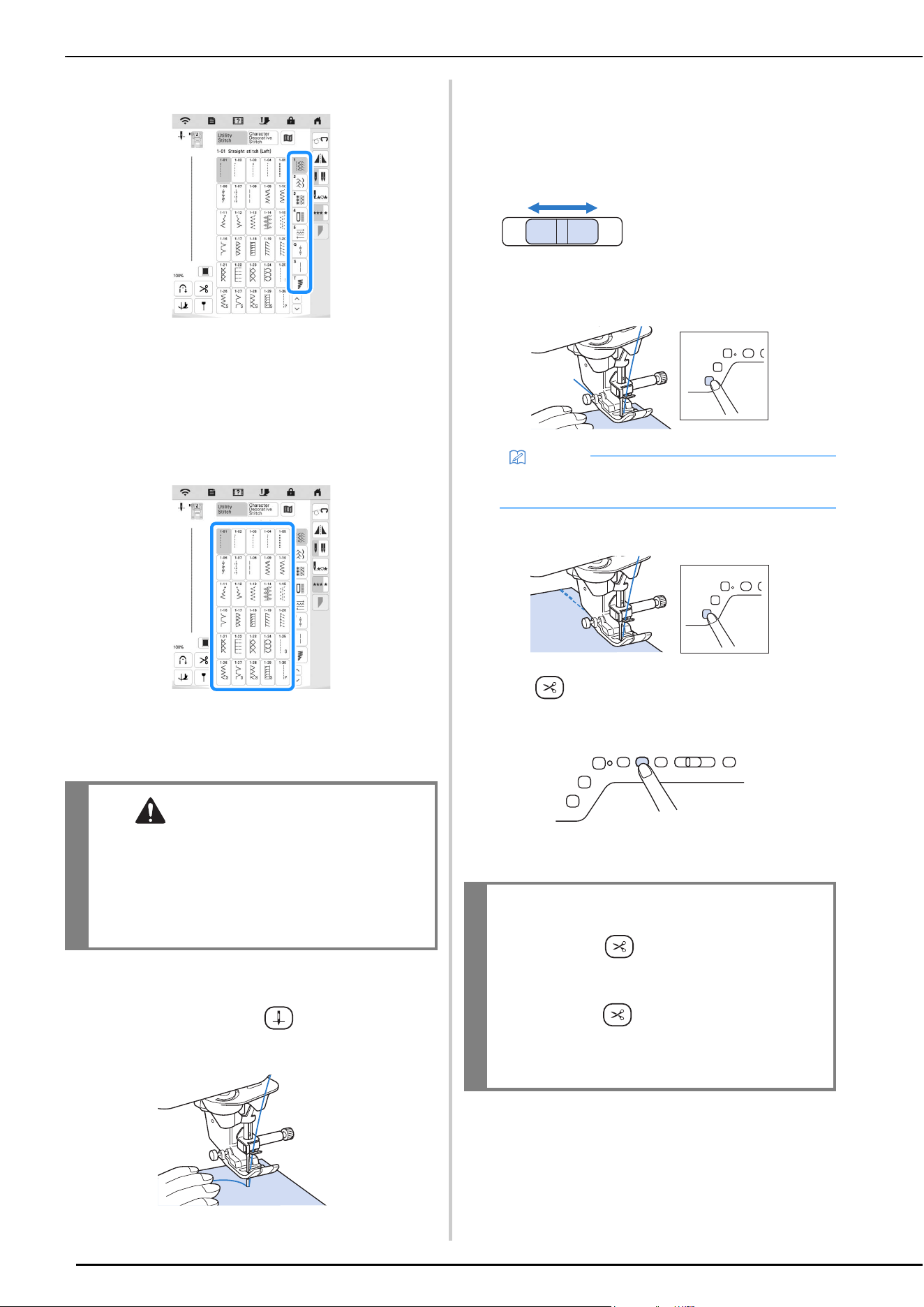
SEWING
46
b
Select the category you want.
c
Touch the key of the stitch you want to sew.
• For details on stitch patterns, refer to “STITCH
SETTING CHART” on page 125.
• For details on the key functions, refer to “Key
Functions” on page 18.
• If necessary, change to the desired stitch width or
stitch length. (page 53)
The symbol of the correct presser foot will be
displayed in the upper left corner of the LCD screen.
d
Install the presser foot (page 43).
e
Set the fabric under the presser foot. Hold the fabric
and thread in your left hand, and rotate the handwheel
counterclockwise or press (Needle position
button) to set the needle in the sewing start position.
f
Lower the presser foot.
* You do not have to pull up the bobbin thread.
g
Adjust the sewing speed with the speed control slide.
* You can use this slide to adjust sewing speed during
sewing.
h
Press the “Start/Stop” button to start sewing.
* Guide the fabric lightly by hand.
i
Press the “Start/Stop” button again to stop sewing.
j
Press (Thread cutter button) to trim the upper
and bobbin threads.
The needle will return to the up position
automatically.
CAUTION
• Always use the correct presser foot. If the
wrong presser foot is used, the needle may
strike the presser foot and break, possibly
resulting in injury.
Refer to “STITCH SETTING CHART” on
page 125 for presser foot recommendations.
1 Slow
2 Fast
Memo
• When the foot controller is being used, you cannot
start sewing by pressing the “Start/Stop” button.
IMPORTANT
• Do not press (Thread cutter button) after
the threads have been cut. Doing so could
tangle the thread or damage the machine.
• Do not press (Thread cutter button) when
there is no fabric set in the machine or during
machine operation. The thread may tangle,
possibly resulting in damage.
a
b
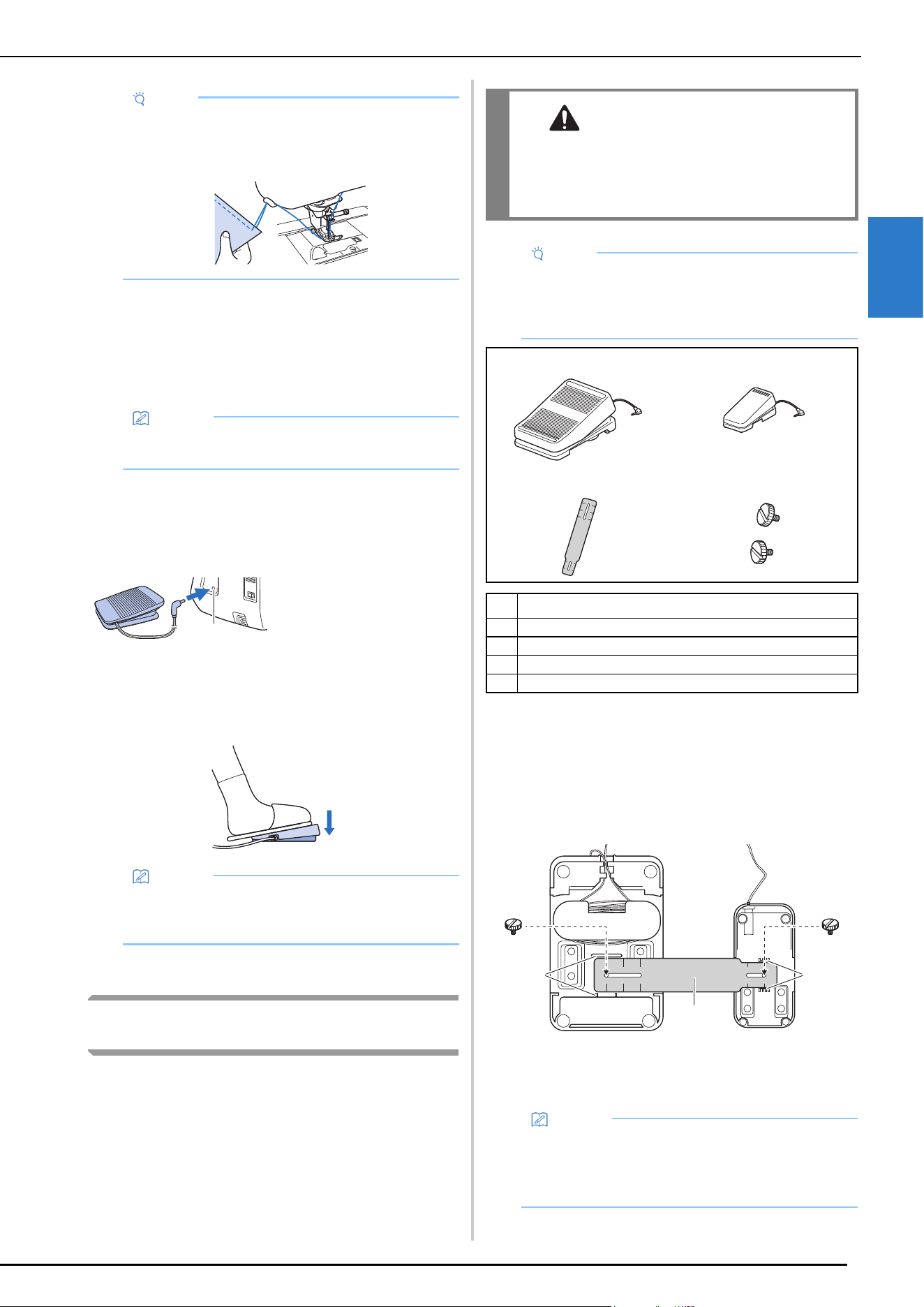
SEWING
SEWING BASICS
47
2
k
When the needle has stopped moving, raise the presser
foot and remove the fabric.
Using the Foot Controller
You can also use the foot controller to start and stop
sewing.
a
Turn off the machine.
b
Insert the foot controller plug into the foot controller
jack on the machine.
c
Turn on the machine.
d
Slowly depress the foot controller to start sewing.
e
Release the foot controller to stop the machine.
Using Advanced Multi-Function Foot
Controller (Included with Some Models)
With the advanced multi-function foot controller, various
sewing machine operations in addition to starting/stopping
sewing, such as thread cutting and reverse stitching, can be
specified to be performed.
a
Align the smaller end of the mounting plate with the
guide on the bottom of the side pedal, and then gently
fasten them together with the mounting screw.
Align the larger end of the mounting plate with the
guide on the bottom of the main foot controller, and
then gently fasten them together with the mounting
screw.
1 Guide on side pedal
2 Mounting plate
3 Guide on main foot controller
Note
• When cutting thread thicker than #30, nylon
monofilament thread, or other decorative threads,
use the thread cutter on the side of the machine.
Memo
• When the foot controller is connected, the “Start/
Stop” button cannot be used to start sewing.
1 Foot controller jack
Memo
• The speed that is set using the sewing speed
controller will be the foot controller’s maximum
sewing speed.
a
WARNING
• The advanced multi-function foot controller
contains small parts. Keep the product out of
the reach of children to prevent accidental
ingestion of small parts.
Note
• (For U.S.A. only) Foot controller: Model X
This foot controller can be used on the machine
with product code 882-W92. The product code is
mentioned on the machine rating plate.
12
34
No. Part Name
1 Main foot controller
2 Side pedal
3 Mounting plate
4 Mounting screw × 2
Memo
• The side pedal can be mounted on either the left or
right side of the main foot controller.
• The main foot controller and side pedal can also be
used without installing the mounting plate.
ac
b
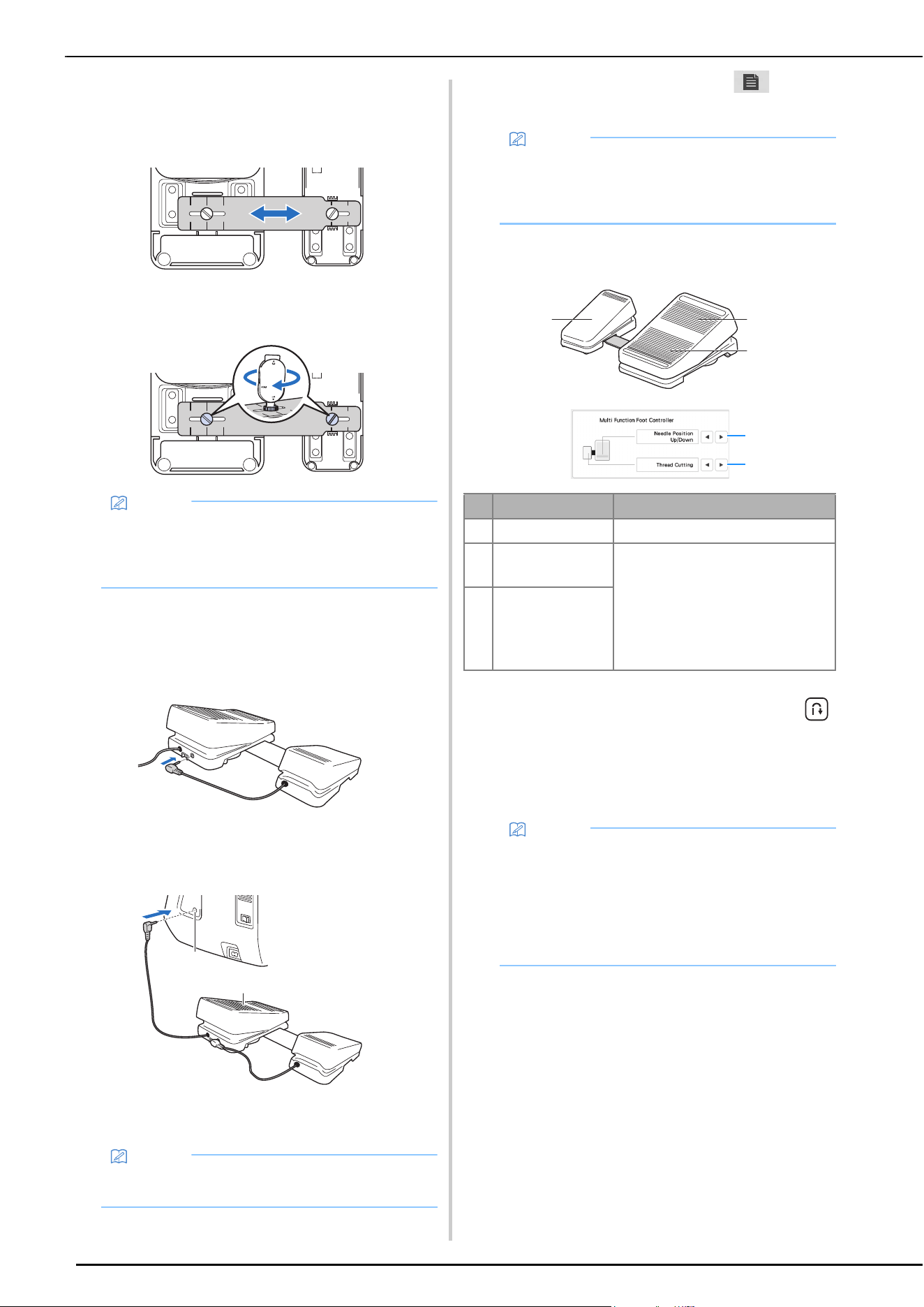
SEWING
48
b
Adjust the spacing between the main foot controller
and side pedal.
* Use the markings on the mounting plate as a
convenient guide to adjust the spacing.
c
Firmly tighten the mounting screws to secure the main
foot controller and side pedal.
d
Turn off the machine.
e
Insert the plug for the side pedal into the jack on the
main foot controller.
f
Insert the plug for the main foot controller into the foot
controller jack on the right side of the machine.
1 Main foot controller
2 Foot controller jack
g
Turn on the machine. And then touch and
display page 2 of the settings screen.
h
Select the functions to be performed by the multi-
function foot controller.
* If you set the “Reverse Stitch” function on the heel
switch, machine operates the same as pressing
(Reverse stitch button) on the machine.
* Reinforcement stitching may be applied depending
on the selected stitch pattern. For the details, refer to
“Automatic Reverse/Reinforcement Stitching” on
page 51.
Memo
• To readjust the spacing between the main foot
controller and side pedal, slightly loosen the
mounting screws, and then adjust the positions of
the main foot controller and side pedal.
Memo
• The length of the cord for the main foot controller
can be adjusted. (page 49)
a
b
Memo
• Before specifying the functions, connect the multi-
function foot controller to the machine. The
settings screen is activated the first time that the
machine detects the multi-function foot controller.
Controller Functions that can be specified
1 Main foot controller Start/Stop
2 Heel switch Select any of the following:
• [Thread Cutting]
• [Needle Position – Up/Down]
• [Single Stitch]
• [Reverse Stitch] (Reinforcement
Stitch) *
• [Presser Foot Up/Down]
• [No Setting]
3 Side pedal
Memo
• If you set [Reverse Stitch] on the side pedal, you
can create a darning stitch effect using zigzag
stitches. With both feet, keep pressing the main
foot controller, and repeat pressing and releasing
the side pedal to sew forward and reverse in turn.
Machine will reverse at the speed you press the
main foot controller.
a
b
c
3
2
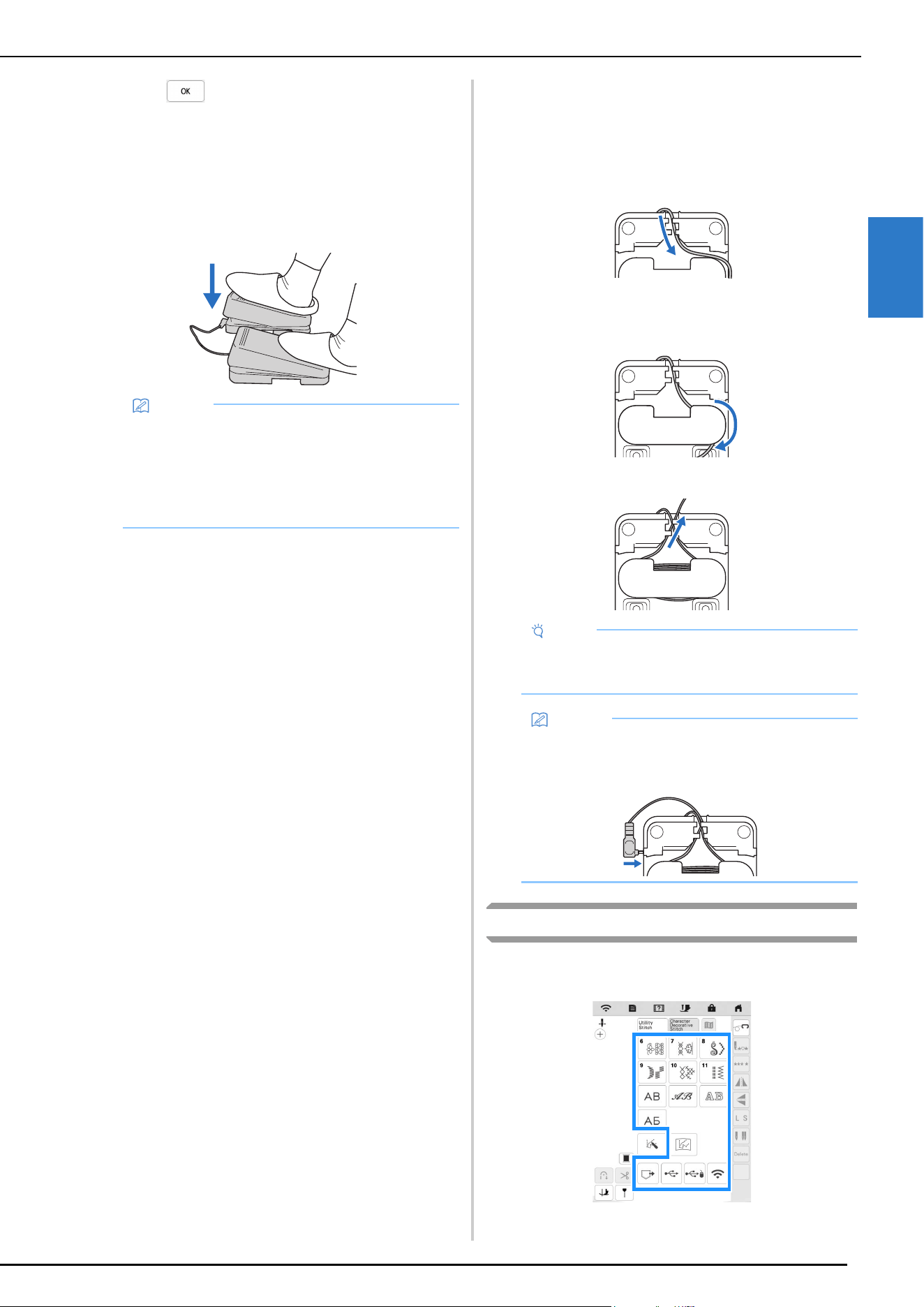
SEWING
SEWING BASICS
49
2
i
Touch .
j
Sew trial stitches and confirm that the settings are as
desired.
Pressing down on the main foot controller increases the
sewing speed; releasing the pressure on the main foot
controller decreases the sewing speed.
Release the main foot controller or side pedal to stop
sewing.
Adjusting the Length of the Cord for the Main
Foot Controller
a
Unwind the cord for the main foot controller.
b
Guide the cord between the tabs.
c
Wind the cord until it is the desired length.
* The cord can be wound either clockwise or
counterclockwise.
d
Pass the cord between the tabs.
Combining Stitch Patterns
Stitch patterns from the following categories can be
combined.
Memo
• The speed that is set using the sewing speed
controller will be the main foot controller’s
maximum sewing speed.
• When the multi-function foot controller is
connected, the “Start/Stop” button cannot be used
to start sewing.
Note
• In order to avoid stepping on the cord with the
main foot controller, pass the cord between the
tabs.
Memo
• When storing the cord, pass it between the tabs,
and then insert the plug into the jack on the main
foot controller.
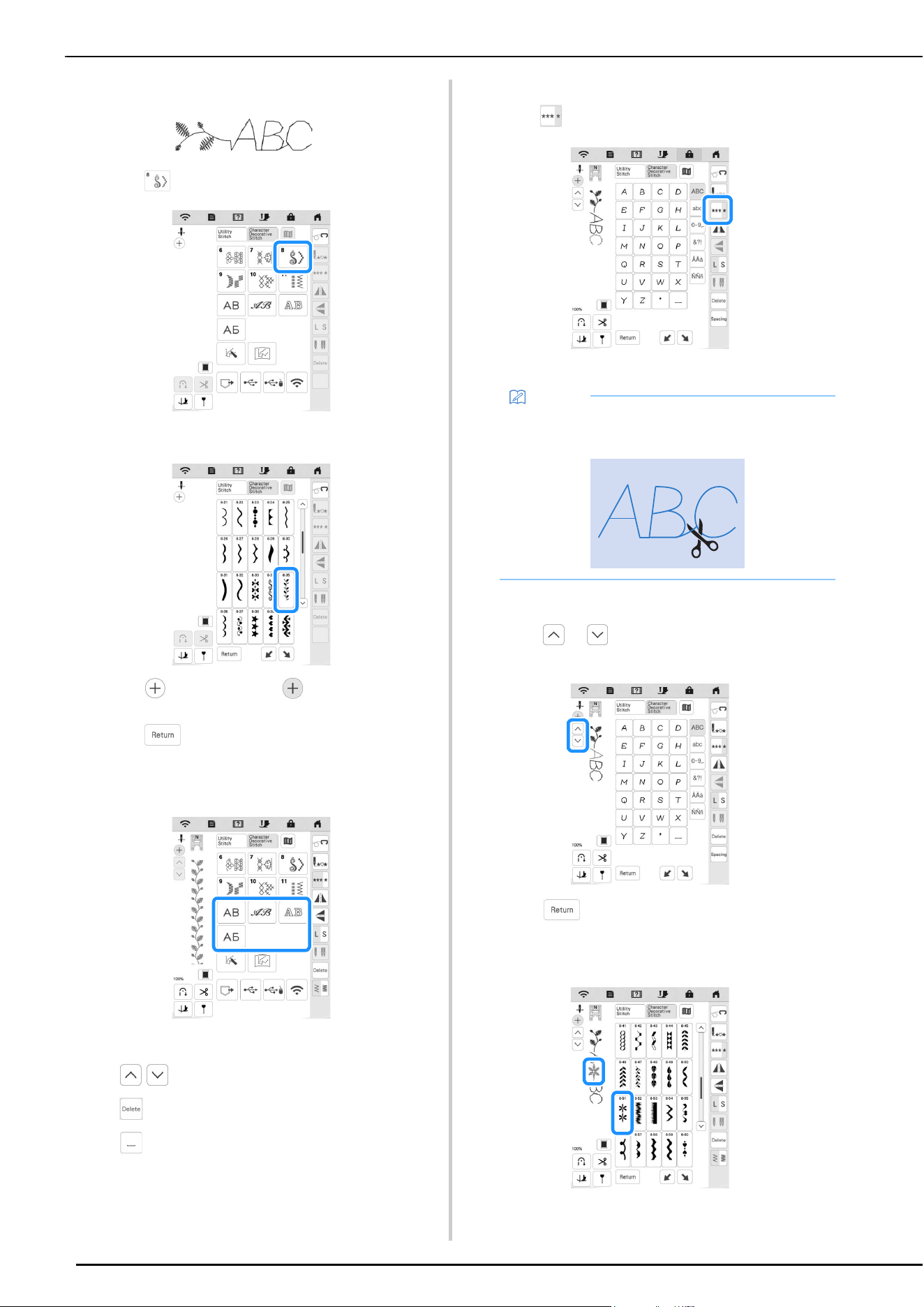
SEWING
50
Example:
a
Touch .
b
Select the following stitch pattern (8-35).
c
Touch so that it displays .
d
Touch .
The display returns to the stitch selection screen.
e
Select a font.
f
Enter characters.
• : Select a stitch pattern individually.
• : Delete the selected stitch pattern.
• : Enter a space.
g
If you want to sew the stitch pattern continuously,
touch .
The stitch pattern turns continuous.
Inserting Stitch Patterns
a
Touch or to select the stitch pattern at the
position where a new stitch pattern will be added.
b
Touch .
c
Select a new stitch pattern.
The new stitch pattern is added immediately after the
stitch pattern selected in step
a.
Memo
• When sewing is completed, trim any excess thread
between characters.
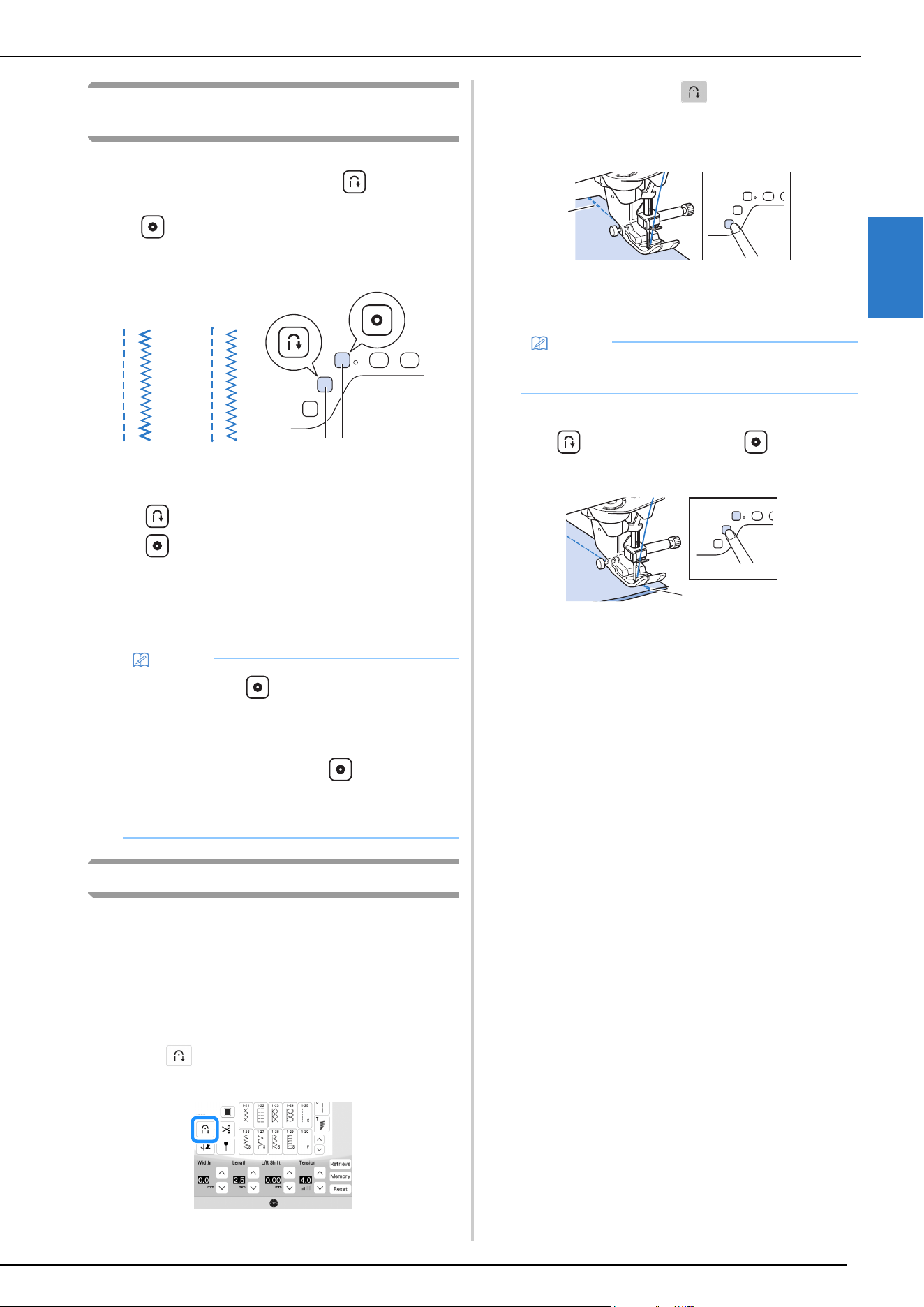
SEWING
SEWING BASICS
51
2
Sewing Reverse Stitches/Reinforcement
Stitches
Reverse/reinforcement stitches are generally necessary at the
beginning and end of sewing. You can use (Reverse stitch
button) to sew reverse/reinforcement stitches. When you keep
pressing (Reinforcement stitch button), the machine will
sew reinforcement stitch at that point 3 to 5 stitches, and then
stop. (page 10)
1 Reverse stitch
2 Reinforcement stitch
3 (Reverse stitch button)
4 (Reinforcement stitch button)
The operation performed when the button is pressed differs
depending on the selected stitch pattern. (Refer to “STITCH
SETTING CHART” on page 125.)
Automatic Reverse/Reinforcement Stitching
After selecting a stitch motif, turn on the automatic
reinforcement stitching function before sewing, and the
machine will automatically sew reinforcement stitches (or
reverse stitches, depending on the stitch motif) at the
beginning and end of sewing.
a
Select a stitch pattern.
b
Touch to set the automatic reinforcement
stitching function.
The key will display as .
c
Set the needle in the start position and press the “Start/
Stop” button to start sewing.
1 Reverse stitches (or reinforcement stitches)
The machine will automatically sew reverse stitches
(or reinforcement stitches) and then continue sewing.
d
Press (Reverse stitch button) or
(Reinforcement stitch button).
1 Reverse stitches (or reinforcement stitches)
The machine will sew reverse stitches (or
reinforcement stitches) and stop.
Memo
• When you press (Reinforcement stitch button)
while sewing character/decorative stitch pattern,
you can end sewing with a full stitch instead of at a
mid-point.
• The green light on the right of (Reinforcement
stitch button) lights up while the machine is sewing
a full motif, and it automatically turns off when the
sewing is stopped.
cd
a
b
Memo
• Pressing the “Start/Stop” button while the machine
is sewing pauses or restarts sewing.
a
a
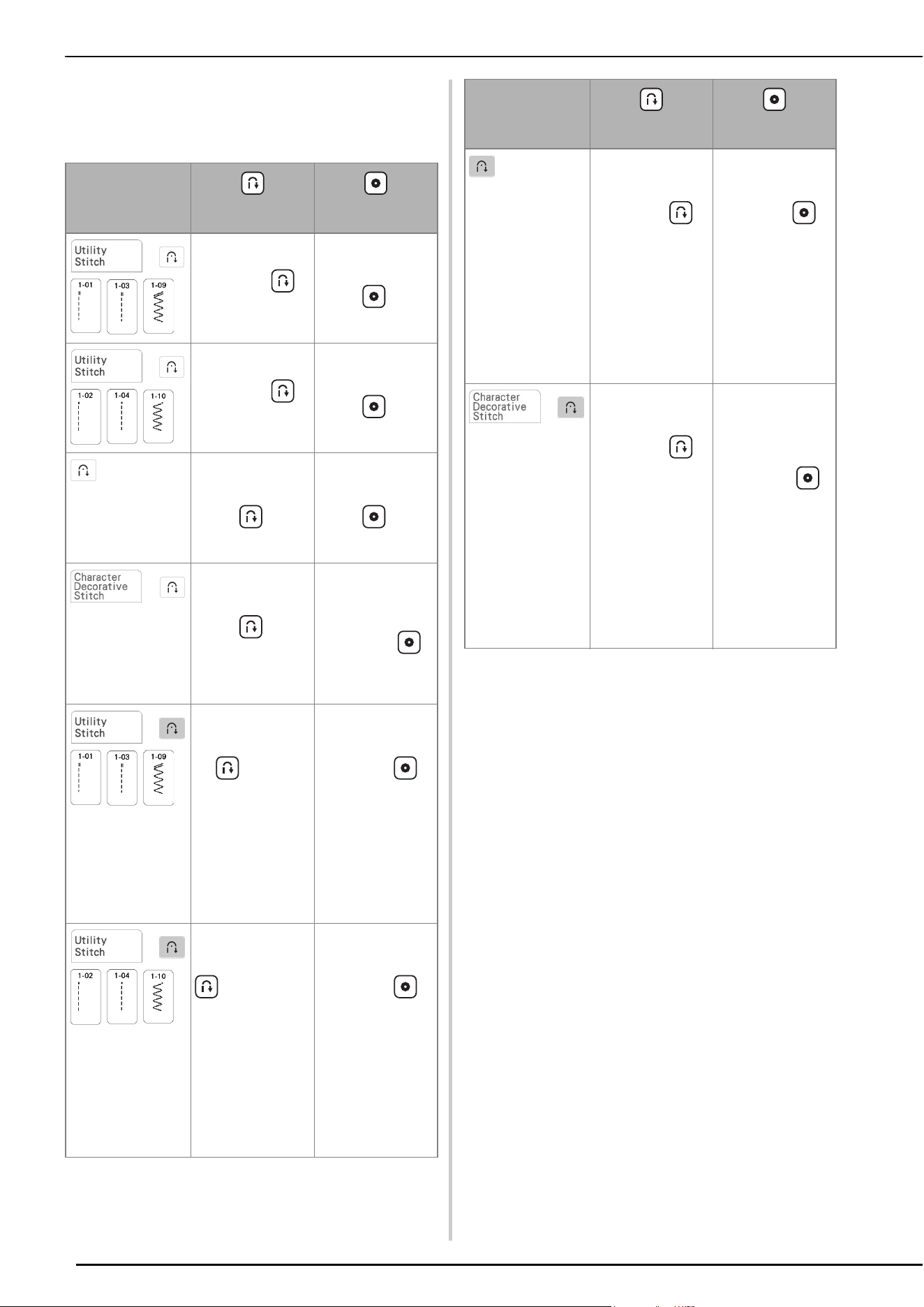
SEWING
52
The operation performed when the button is pressed differs
depending on the selected stitch pattern. Refer to the
following table for details on the operation that is performed
when the button is pressed.
* If [Reinforcement Priority] of the settings screen is set to
[ON] (page 20), reinforcement stitches are sewn instead of
reverse stitches.
(Reverse stitch
button)
(Reinforcement
stitch button)
+
Machine sews
reverse stitches
while holding
(Reverse stitch
button).
Machine sews 3 – 5
reinforcement
stitches while
holding
(Reinforcement
stitch button).
+
Machine sews
reverse stitches
while holding
(Reverse stitch
button).*
Machine sews 3 – 5
reinforcement
stitches while
holding
(Reinforcement
stitch button).
with a stitch
other than reverse or
reinforcement stitch
pattern selected.
Machine sews 3 – 5
reinforcement
stitches while
holding
(Reverse stitch
button).
Machine sews 3 – 5
reinforcement
stitches while
holding
(Reinforcement
stitch button).
+
Machine sews
reinforcement
stitches while
holding
(Reverse stitch
button).
Machine sews
reinforcement
stitches after
completing the stitch
pattern, when
(Reinforcement
stitch button) is
pressed.
+
Machine sews
reverse stitches and
stops sewing when
the (Reverse
stitch button) is
pressed.
(At the beginning of
sewing, reverse
stitches are sewn
automatically when
“Start/Stop” button
is pressed.)
Machine sews
reinforcement
stitches and stops
sewing when
(Reinforcement
stitch button) is
pressed.
(At the beginning of
sewing, reverse
stitches are sewn
automatically when
“Start/Stop” button
is pressed.)
+
Machine sews
reverse stitches and
stops sewing when
(Reverse stitch
button) is pressed.*
(At the beginning of
sewing,
reinforcement
stitches are sewn
automatically when
“Start/Stop” button
is pressed.)
Machine sews
reinforcement
stitches and stops
sewing when
(Reinforcement
stitch button) is
pressed.
(At the beginning of
sewing,
reinforcement
stitches are sewn
automatically when
“Start/Stop” button
is pressed.)
with a stitch
other than reverse or
reinforcement stitch
pattern selected.
Machine sews
reinforcement
stitches and stops
sewing when
(Reverse stitch
button) is pressed.
(At the beginning of
sewing,
reinforcement
stitches are sewn
automatically when
“Start/Stop” button
is pressed.)
Machine sews
reinforcement
stitches and stops
sewing when
(Reinforcement
stitch button) is
pressed.
(At the beginning of
sewing,
reinforcement
stitches are sewn
automatically when
“Start/Stop” button
is pressed.)
+
Machine sews
reinforcement
stitches and stops
sewing when
(Reverse stitch
button) is pressed.
(At the beginning of
sewing,
reinforcement
stitches are sewn
automatically when
“Start/Stop” button
is pressed.)
Machine sews
reinforcement
stitches and stops
sewing after
completing the stitch
pattern, when
(Reinforcement
stitch button) is
pressed.
(At the beginning of
sewing,
reinforcement
stitches are sewn
automatically when
“Start/Stop” button
is pressed.)
(Reverse stitch
button)
(Reinforcement
stitch button)
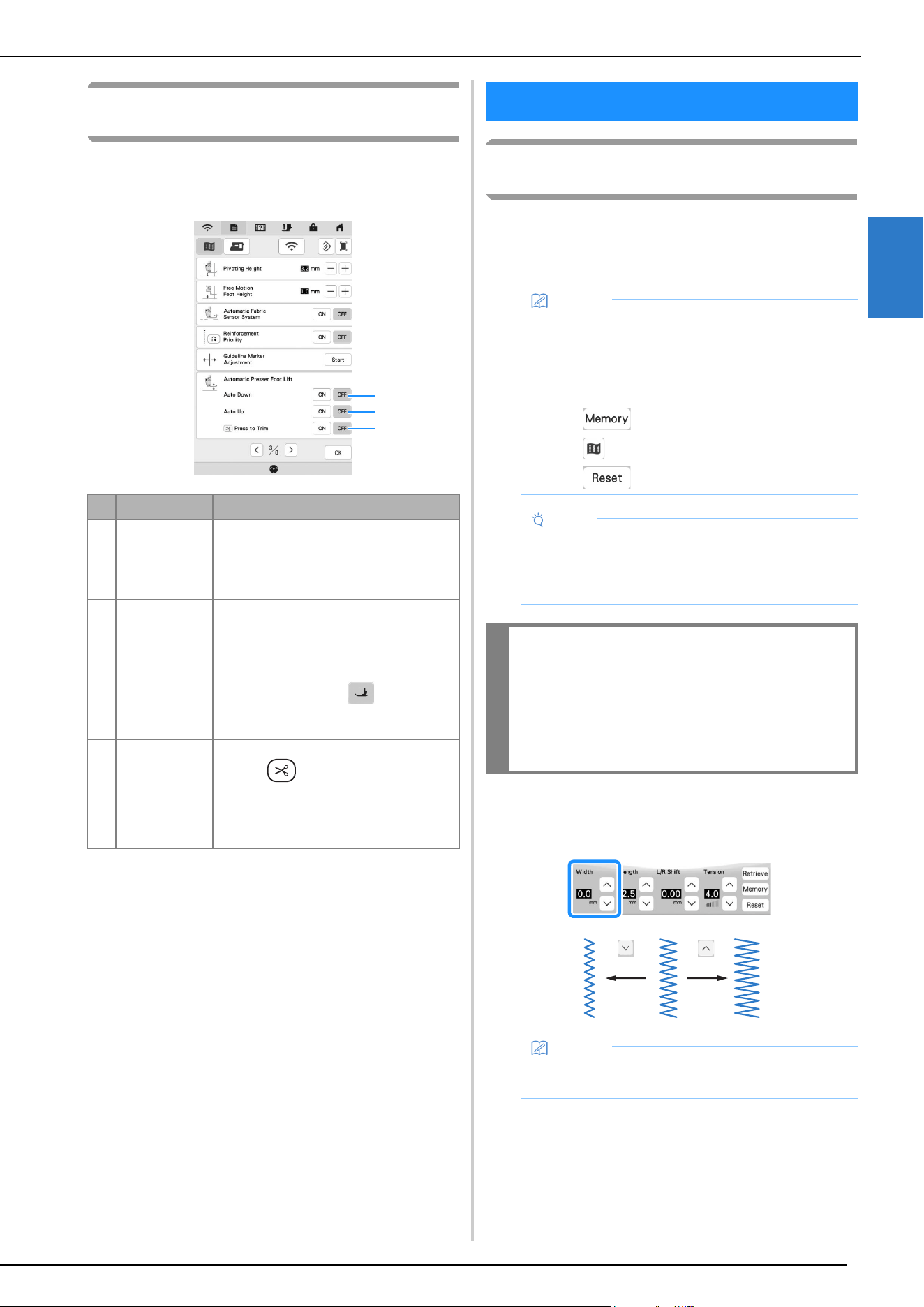
STITCH SETTINGS
SEWING BASICS
53
2
Automatic Presser Foot Lowering Function
and Thread Cutting Function
By setting the machine to automatically raise and lower the
presser foot, sewing operations can be performed more
smoothly.
Setting the Stitch Width/Stitch Length/“L/R
Shift”
When you select a stitch, your machine automatically
selects the appropriate stitch width, stitch length, and L/R
Shift. However, if needed, you can change any of the
individual settings.
Setting the Stitch Width
Follow the steps below when you want to change the zigzag
stitch pattern width.
No. Key Name Explanation
1 [Auto Down] When [Auto Down] is set to [ON], pressing
the "Start/Stop"button or depressing the
foot controller automatically lowers the
presser foot (if it is raised) before starting to
sew.
2 [Auto Up] When [Auto Up] is set to [ON], the presser
foot is raised when stopping sewing.
The presser foot is raised to the height
specified for [Presser Foot Height]
(page 20).
When the pivot setting ( ) is selected,
the presser foot is raised to the height
specified for [Pivoting Height] (page 20).
3 [Press to Trim] When [Press to Trim] is set to [ON],
pressing (Thread cutter button)
automatically lowers the presser foot (if it is
raised) before cutting the thread. The
presser foot will be raised after the thread is
cut.
1
2
3
STITCH SETTINGS
Memo
• Settings for some stitches cannot be changed
(page 125).
• If you turn off the machine or select another stitch
without saving stitch setting changes (page 55), the
stitch settings will return to their default settings.
• Touch to save the stitch settings.
• Touch to check changes made to the stitch.
• Touch to return the original setting.
Note
• After adjusting the stitch width or the “L/R Shift”,
slowly turn the handwheel toward you
(counterclockwise) and check that the needle does
not touch the presser foot.
IMPORTANT
• If the stitches get bunched together, lengthen
the stitch length and continue sewing. Do not
continue sewing without lengthening the stitch
length. Otherwise, the needle may bend or
break.
Memo
• For an alternate method of changing the stitch
width using the speed controller, refer to page 71.
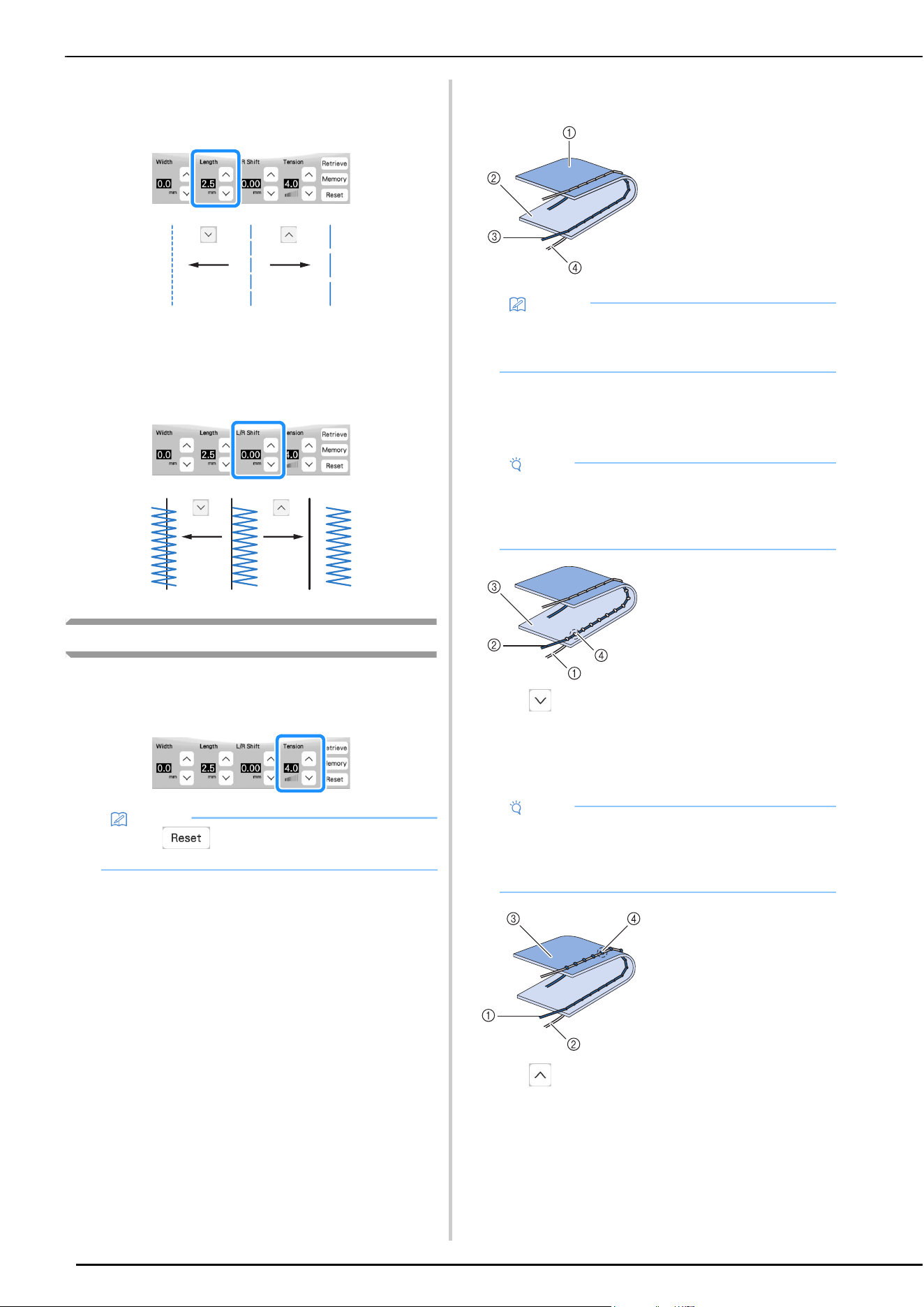
STITCH SETTINGS
54
Setting the Stitch Length
Follow the steps below when you want to change the stitch
pattern length.
Setting the “L/R Shift”
Follow the steps below when you want to change the
placement of the zigzag stitch pattern by moving it left and
right.
Setting the Thread Tension
You may need to change the thread tension, depending on the
fabric and thread being used. Follow the steps below to make
any necessary changes.
Proper Thread Tension
The upper thread and the bobbin thread should cross near
the center of the fabric. Only the upper thread should be
visible from the right side of the fabric, and only the
bobbin thread should be visible from the wrong side of the
fabric.
Upper Thread is Too Tight
If the bobbin thread is visible from the right side of the
fabric, the upper thread is too tight.
Touch , to loosen the upper thread.
Upper Thread is Too Loose
If the upper thread is visible from the wrong side of the
fabric, the upper thread is too loose.
Touch , to tighten the upper thread.
Memo
• Touch to return the thread tension to the
original setting.
1 Wrong side
2 Surface
3 Upper thread
4 Bobbin thread
Memo
• Many decorative stitches and satin stitches are
designed so that the upper thread wraps to the
back slightly for a more attractive finish.
Note
• If the bobbin thread was incorrectly threaded, the
upper thread may be too tight. In this case, refer to
“Setting the Bobbin” on page 33 and rethread the
bobbin thread.
1 Bobbin thread
2 Upper thread
3 Surface
4 Locks appear on
surface of fabric
Note
• If the upper thread was incorrectly threaded, the
upper thread may be too loose. In this case, refer
to “Upper Threading” on page 35 and rethread the
upper thread.
1 Upper thread
2 Bobbin thread
3 Wrong side
4 Locks appear on wrong
side of fabric
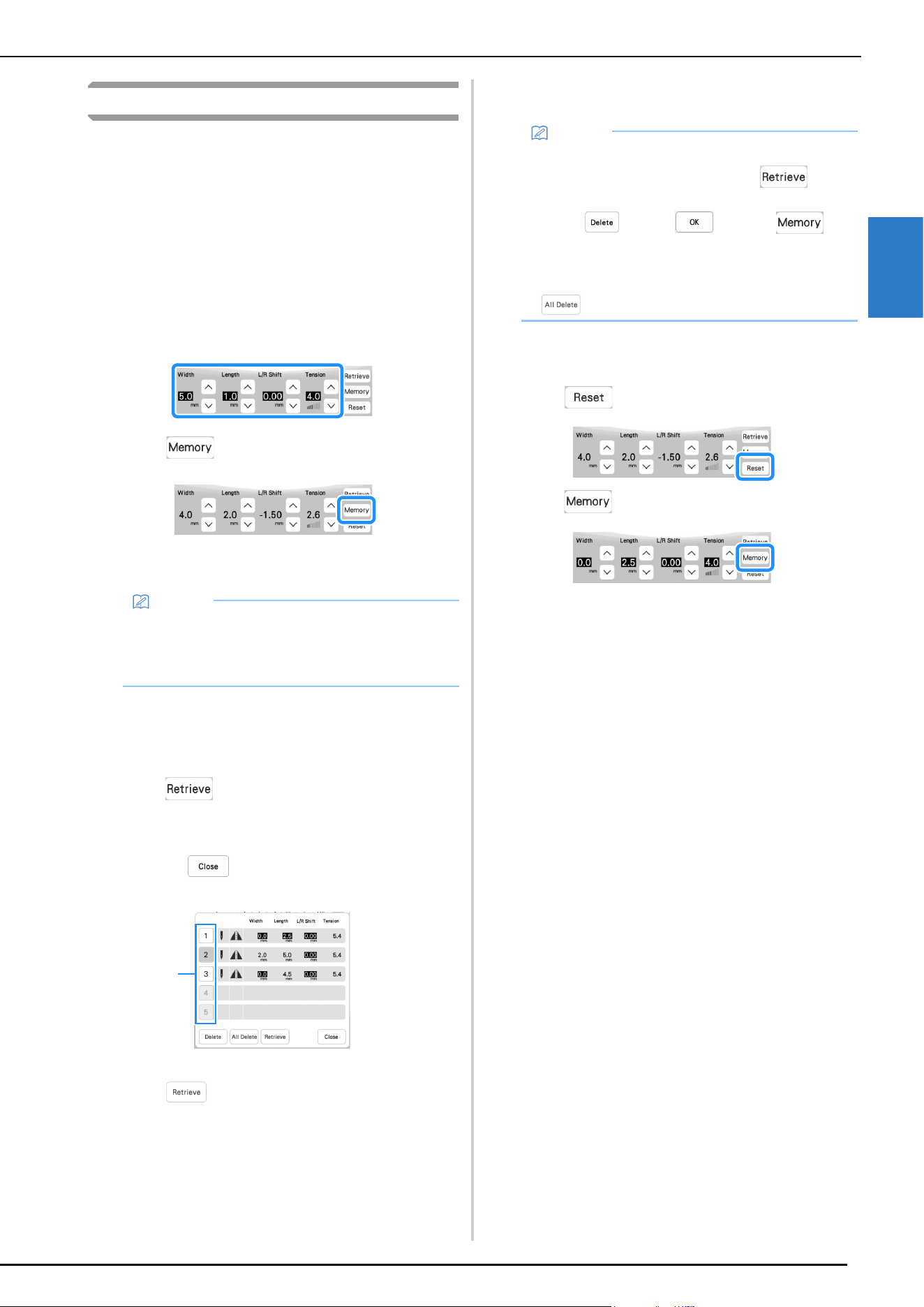
STITCH SETTINGS
SEWING BASICS
55
2
Saving Your Stitch Settings
The settings for the zigzag stitch width, stitch length, thread
tension, etc., are preset in the machine for each stitch.
However, if you have specific settings that you wish to reuse
later for a stitch, you can change the settings so that they can
be saved for that stitch. Five sets of settings can be saved for a
single stitch.
Saving Settings
a
Select a stitch.
b
Specify your preferred settings.
c
Touch .
The settings are saved and the original screen
automatically appears.
Retrieving Saved Settings
a
Select a stitch.
b
Touch .
c
Touch the numbered key of the settings to be retrieved.
* Touch to return to the original screen
without retrieving settings.
1 Numbered keys
d
Touch .
The selected settings are retrieved, and the original
screen automatically appears.
Returning the Selected Stitch Pattern Saved
Settings to the Default Settings
a
Touch .
b
Touch .
Memo
• If you try to save settings when there are already 5
sets of settings saved for a stitch, delete a setting
referring to “Retrieving Saved Settings” on
page 55.
1
Memo
• To save new settings when there are already 5 sets
of settings saved for a stitch, touch . Touch
the numbered key of the setting to be deleted.
Touch , touch and then . The
new setting will be saved in place of the recently
deleted setting.
• You can delete all the saved settings by touching
.
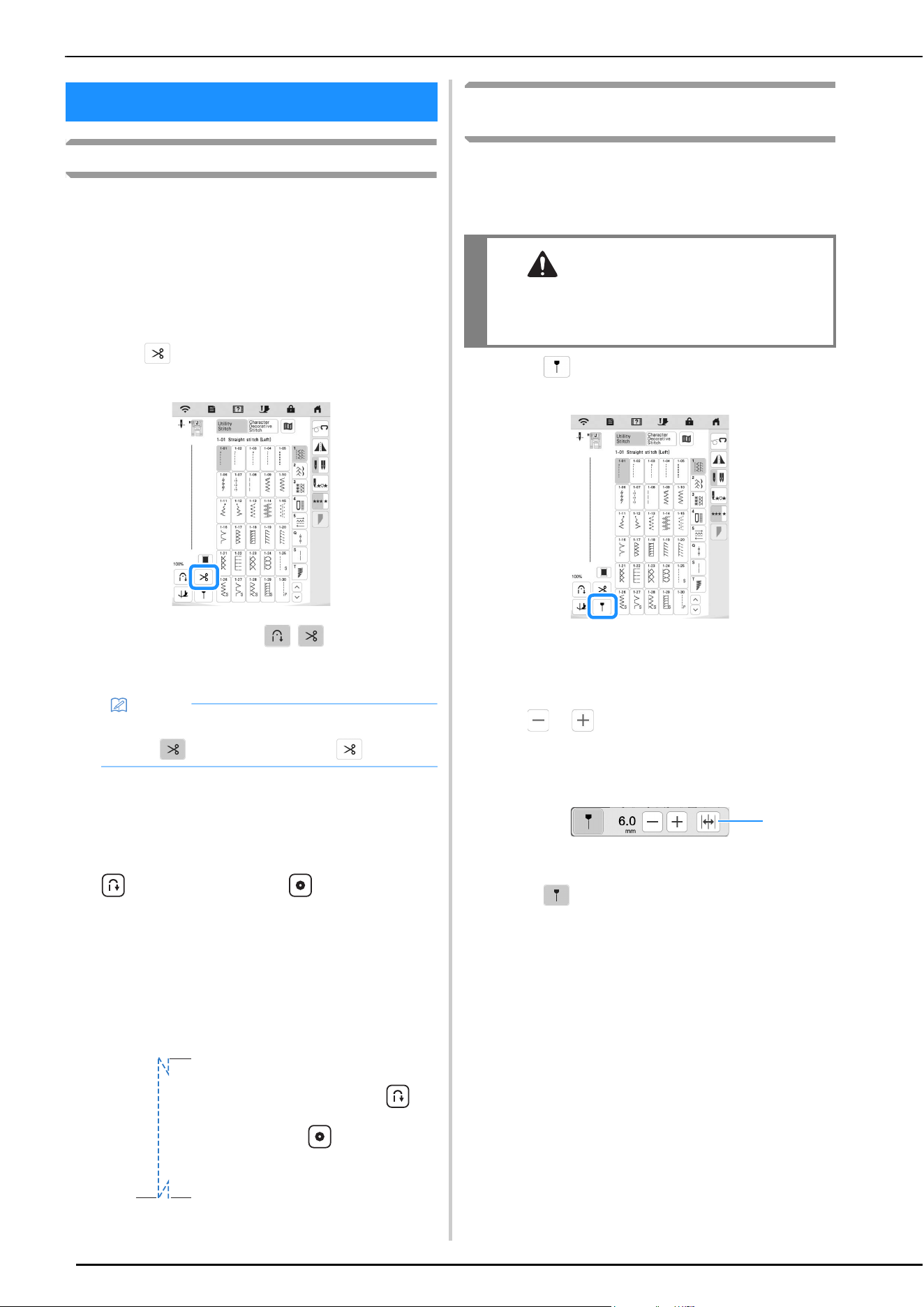
USEFUL FUNCTIONS
56
Automatic Thread Cutting
After selecting a stitch pattern, turn on the automatic thread
cutting function before sewing, and the machine will
automatically sew reinforcement stitches (or reverse stitches,
depending on the stitch pattern) at the beginning and end of
sewing, and trim the threads at the end of sewing. This
function is useful when sewing buttonholes and bar tacks.
a
Select a stitch pattern.
b
Touch to set the automatic thread cutting
function.
The keys will display as
, and the machine
is set for automatic thread cutting function and
automatic reverse/reinforcement stitching.
c
Set the needle into the fabric and start sewing.
The machine will automatically sew reverse stitches
(or reinforcement stitches) and then continue sewing.
d
Once you have reached the end of the stitching, press
(Reverse stitch button) or (Reinforcement
stitch button) once.
If stitching, such as buttonholes and bar tacking, that
includes reinforcement stitching has been selected, this
operation is unnecessary.
After the reverse stitching (or reinforcement stitching)
has been done, the machine stops, and the threads
are cut.
Adjusting the Needle Drop Point with the
Guideline Marker
The red guideline marker indicates the sewing position on the
fabric. You can adjust the sewing position by moving the
guideline marker while checking the guideline marker on the
fabric.
a
Touch to display the guideline marker.
The guideline marker scale appears.
* Depending on the setting of [Initial Position] in the
settings screen, the initial needle drop point is
scaled as either 0.0 mm or 3.5 mm.
b
Use or to move the needle drop point.
Adjust the position from 15.5 mm (approx. 5/8 inch)
to the right of the left needle to -3.5 mm (approx. -1/8
inch) to the left of the left needle.
1 Touch to flip the guideline marker position on the center
needle position.
c
Touch again to stop using the guideline marker.
USEFUL FUNCTIONS
Memo
• To turn off the automatic thread cutting function,
touch again, so it appears as .
1 The point where the
“Start/Stop” button was
pressed.
2 The point where
(Reverse stitch button)
or (Reinforcement
stitch button) was
pressed.
3 The thread is cut here.
32
1
WARNING
• The guideline marker is a laser; therefore, do
not stare at the laser light directly. Otherwise
it may cause blindness.
1
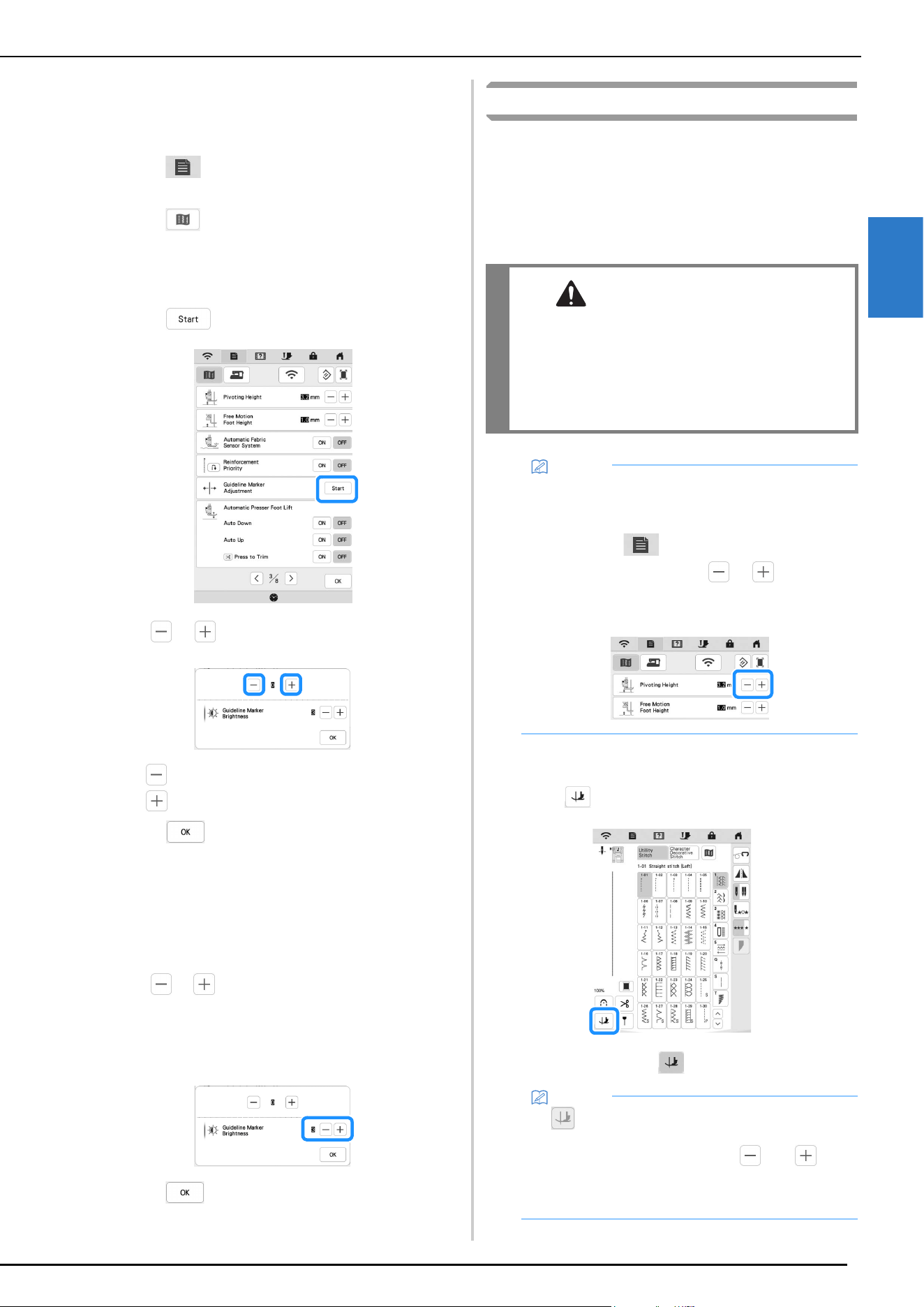
USEFUL FUNCTIONS
SEWING BASICS
57
2
Adjusting the Guideline Marker Position
If the guideline marker indicates the position incorrectly in
the center needle position, adjust the initial position in the
settings screen.
a
Touch .
The settings screen appears.
b
Touch .
The sewing settings screen appears.
c
Display [Guideline Marker Adjustment] in the sewing
settings screen.
d
Touch .
e
Use or to adjust the guideline marker position.
* : Move the guideline marker to the left.
: Move the guideline marker to the right.
f
Touch twice to return to the original screen.
Adjusting the Brightness of the Guideline
Marker
a
Follow steps from a to d to display the [Guideline
Marker Adjustment] screen.
b
Use or to adjust the brightness of the guideline
marker.
Set the brightness of the guideline marker from [1] for
a dim marker, to [5] for the brightest marker, on the
fabric.
c
Touch twice to return to the original screen.
Pivoting
If the pivot function is selected, the machine stops with the
needle lowered (in the fabric) and the presser foot is
automatically raised to an appropriate height when the “Start/
Stop” button is pressed. When the “Start/Stop” button is
pressed again, the presser foot is automatically lowered and
sewing continues. This function is useful for stopping the
machine to rotate the fabric.
a
Select a stitch.
b
Touch to select the pivot setting.
The key appears as .
CAUTION
• When the pivot setting is selected, the
machine starts when the “Start/Stop” button is
pressed or the foot controller is pressed down
even if the presser foot has been raised. Be
sure to keep your hands and other items away
from the needle, otherwise injuries may occur.
Memo
• When the pivot setting is selected, the height of the
presser foot when sewing is stopped can be
changed according to the type of fabric being
sewn. Touch to display [Pivoting Height] of
the settings screen. Touch or to select the
height. To raise the presser foot further, increase
the setting.
Memo
• If appears as light gray when the stitch pattern
was selected, the pivot function cannot be used.
• If the pivot function is selected, and
beside [Presser Foot Height] in the settings screen
are not available and the setting cannot be
changed.
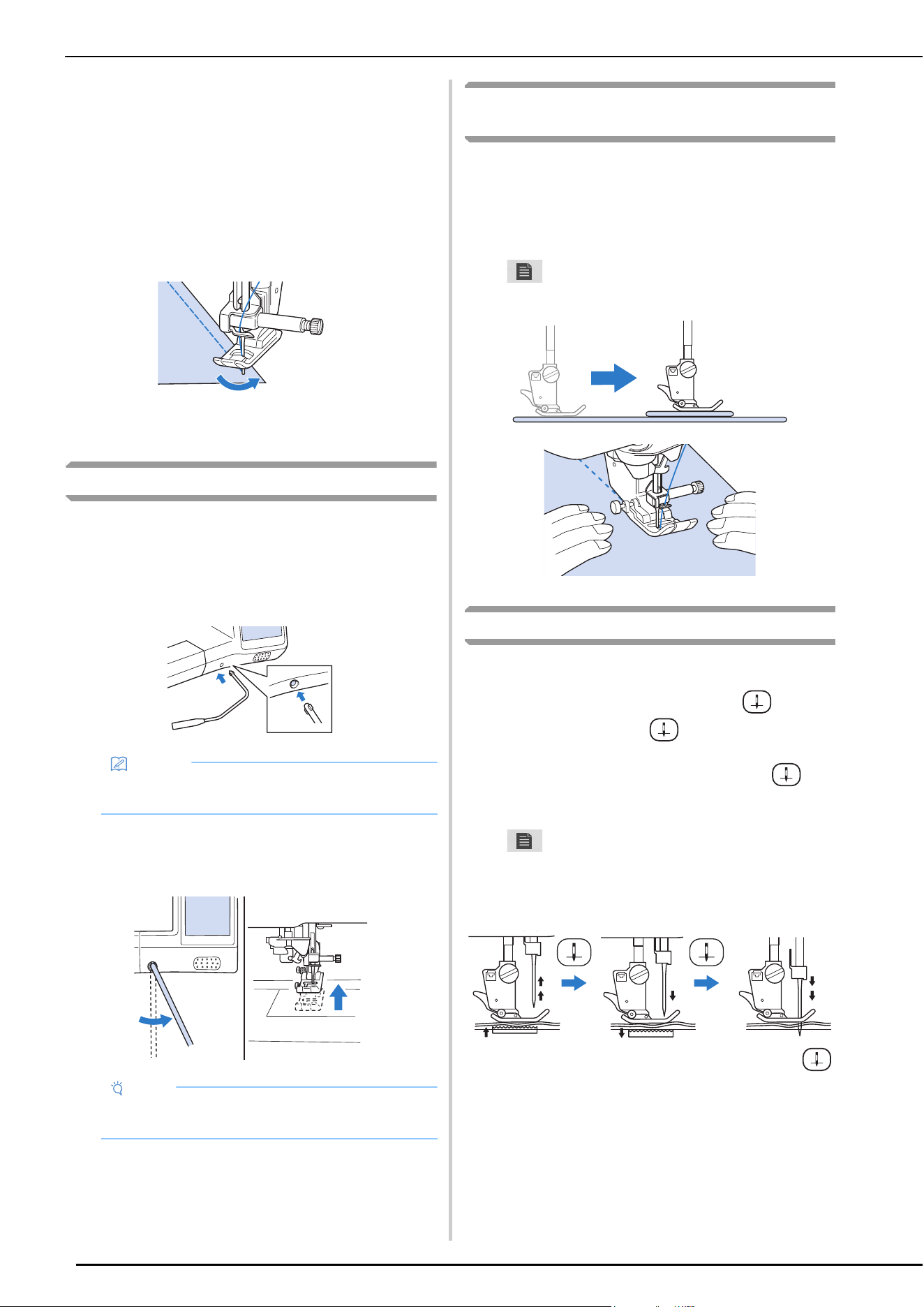
USEFUL FUNCTIONS
58
c
Place the fabric under the presser foot with the needle
at the starting point of the stitching, and then press the
“Start/Stop” button. The machine will begin sewing.
d
Press the “Start/Stop” button to stop the machine at
the point where the sewing direction changes.
The machine stops with the needle in the fabric, and
the presser foot is raised.
e
Rotate the fabric, and then press the “Start/Stop”
button.
The presser foot is automatically lowered, and
sewing continues.
Using the Knee Lifter
Using the knee lifter, you can raise and lower the presser foot
with your knee, leaving both hands free to handle the fabric.
a
Align the tabs on the knee lifter with the notches in the
knee lifter slot on the front of the machine. Insert the
knee lifter bar as far as possible.
b
Use your knee to move the knee lifter bar to the right
in order to raise the presser foot. Slowly return the
knee lifter bar to the left to lower the presser foot.
Automatic Fabric Sensor System (Automatic
Presser Foot Pressure)
The thickness of the fabric is automatically detected and the
presser foot pressure is automatically adjusted with an internal
sensor while sewing, to insure that your fabric is fed smoothly.
The fabric sensor system works continuously while sewing.
This function is useful for sewing heavyweight fabrics
(page 61), or quilting (page 70).
Touch , and then set [Automatic Fabric Sensor System]
to [ON]. (page 20)
Needle Position - Stitch Placement
When the [Needle Position - Stitch Placement] is [ON], the
needle will be partially lowered for precise stitch placement
and then completely lowered when you press (Needle
Position button). Each press of (Needle Position button)
changes the needle to the next position. When the [Needle
Position - Stitch Placement] is [OFF], each press of
(Needle Position button) simply raises and then lowers the
needle.
Touch , and then set [Needle Position - Stitch
Placement] to [ON] or [OFF]. (page 21)
[Needle Position - Stitch Placement] is [ON]
* When the needle is nearly lowered by pressing
(Needle position button), the feed dogs are lowered.
At this time, the fabric can be shifted to finely adjust
the needle drop point.
Memo
• If the knee lifter bar is not pushed into the mounting
slot as far as possible, it may come out during use.
Note
• Be sure to keep your knee away from the knee lifter
during sewing.
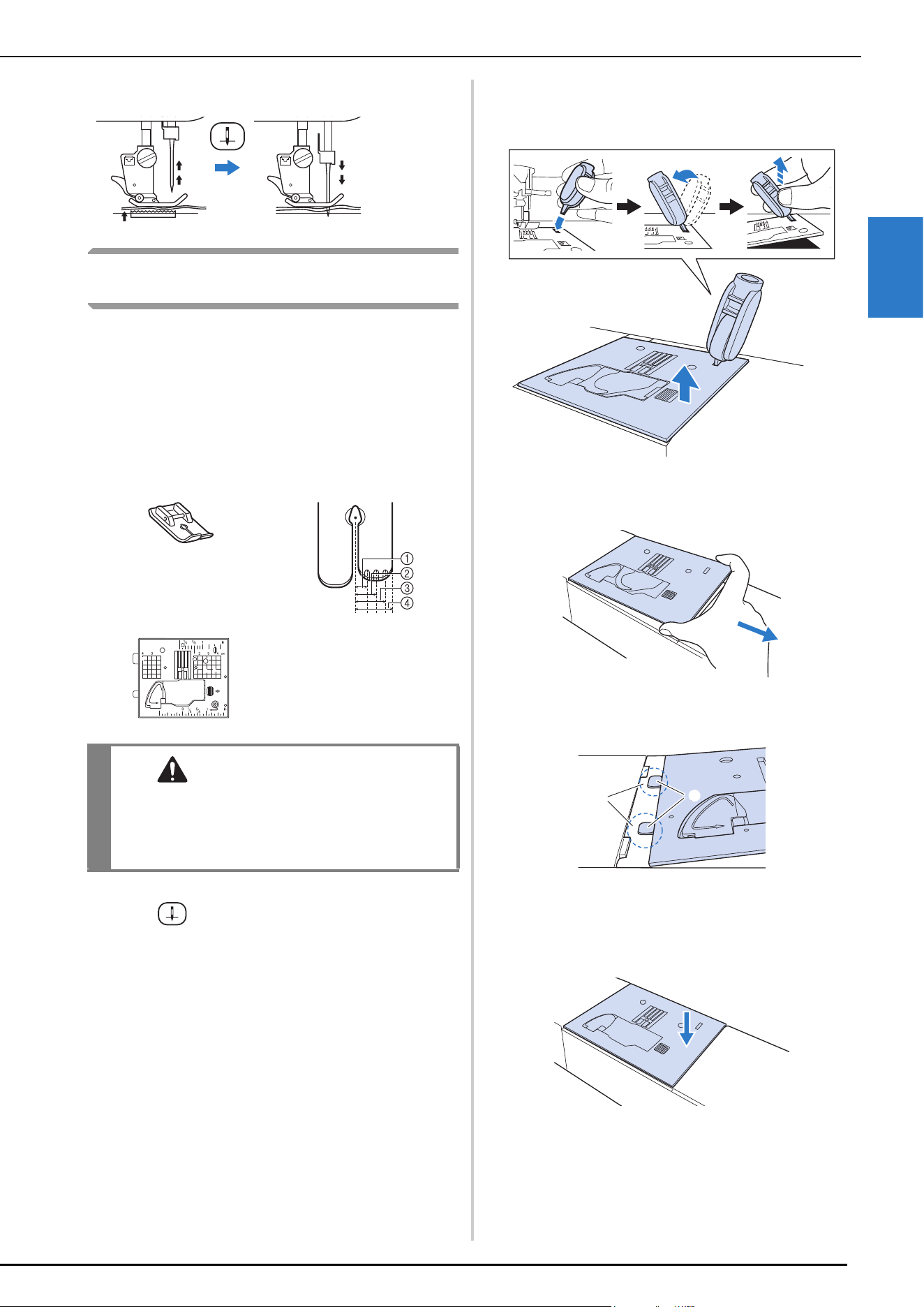
USEFUL FUNCTIONS
SEWING BASICS
59
2
[Needle Position - Stitch Placement] is [OFF]
Using the Straight Stitch Needle Plate and
the Straight Stitch Foot
The straight stitch needle plate and the straight stitch foot can
only be used for straight stitches (middle needle position
stitches). Use the straight stitch needle plate and the straight
stitch foot when sewing thin fabrics or when sewing small
pieces which tend to sink into the hole of the regular needle
plate during sewing. The straight stitch foot is perfect to
reduce puckering on lightweight fabrics. The small opening
on the foot provides support for the fabric as the needle travels
through the fabric.
a
Press (Needle position button) to raise the needle,
raise the presser foot and turn the main power to OFF.
And then unplug the machine.
b
Remove the needle and the presser foot. (page 41,
page 43)
c
Insert the multi-purpose screwdriver into the hole, and
tilt the multi-purpose screwdriver to the left and then
to the back, as shown in the illustration.
d
Slide out the regular needle plate with your right hand
to remove it.
e
Insert the tabs on the straight stitch needle plate into
the notches in the machine.
1 Tabs
2 Notches
f
Press down on the right side of the straight stitch
needle plate to secure it.
1 2.25 mm (1/8 inch)
2 4.25 mm (3/16 inch)
3 6.25 mm (1/4 inch)
4 8.5 mm (5/16 inch)
CAUTION
• Always use the straight stitch foot in
combination with the straight stitch needle
plate. Otherwise, the needle may break and
cause injury.
a
b
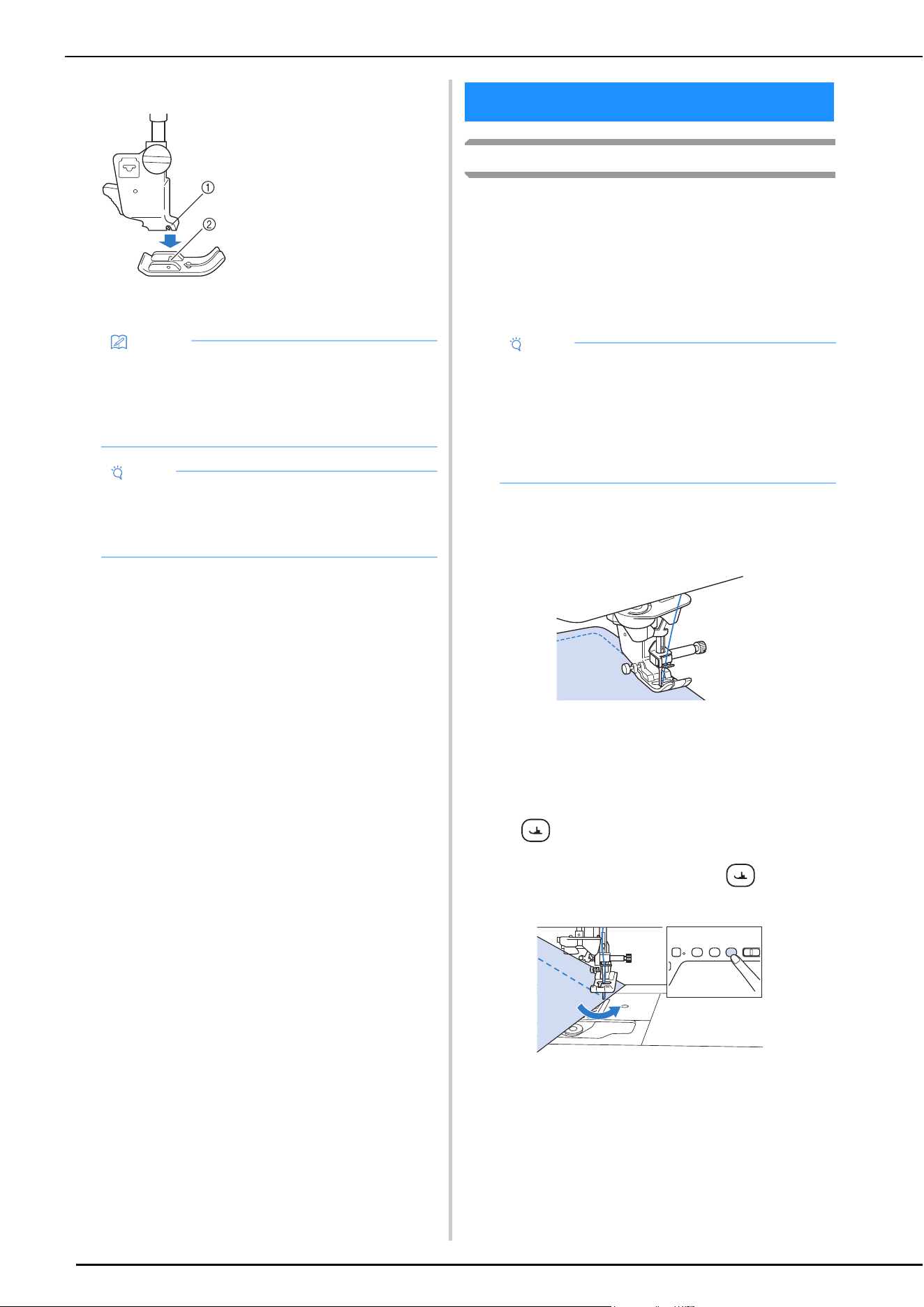
USEFUL SEWING TIPS
60
g
Insert needle and attach the straight stitch foot.
h
Select any of the straight stitches.
i
Start sewing.
* After sewing, make sure to turn off the machine and
to remove the straight stitch needle plate and the
straight stitch foot. Reinstall the regular needle plate
and the presser foot “J”.
Sewing Tips
Trial Sewing
Before starting your sewing project, we recommend
sewing trial stitches using thread and scrap fabric that are
the same as those used for your project.
While checking the sewing results, adjust the thread
tension as well as the stitch length and width according to
the number of fabric layers and stitch that is sewn.
Sewing Curves
Sew slowly while keeping the seam parallel with the
fabric edge as you guide the fabric around the curve.
Shorten the stitch length setting to obtain a fine stitch. Sew
slowly, keeping the seams parallel with the fabric edge as
you guide the fabric around the curve.
Changing Sewing Direction
Stop the machine. Leave the needle in the fabric, and
press (Presser foot lifter button) to raise the presser
foot. Using the needle as a pivot, turn the fabric so that
you can sew in the new direction. Press (Presser foot
lifter button) to lower the presser foot and start sewing.
The pivot setting is useful when changing the sewing
direction. (page 57)
1 Notch
2 Pin
Memo
• Selecting unavailable stitches will cause an error
message to be displayed.
• When the straight stitch needle plate is on the
machine, the needle will automatically move to the
middle position.
Note
• Slowly rotate the handwheel toward you
(counterclockwise) before sewing and make sure
that the needle is not contacting the straight stitch
foot and straight stitch needle plate.
USEFUL SEWING TIPS
Note
• Other factors, such as fabric thickness, stabilizer
material, etc., also have an effect on the stitch, so
you should always sew a few trial stitches before
beginning your project.
• When sewing satin stitch or 7 mm satin stitch
patterns, there may be shrinking or bunching of
stitches, so be sure to use a stabilizer material.
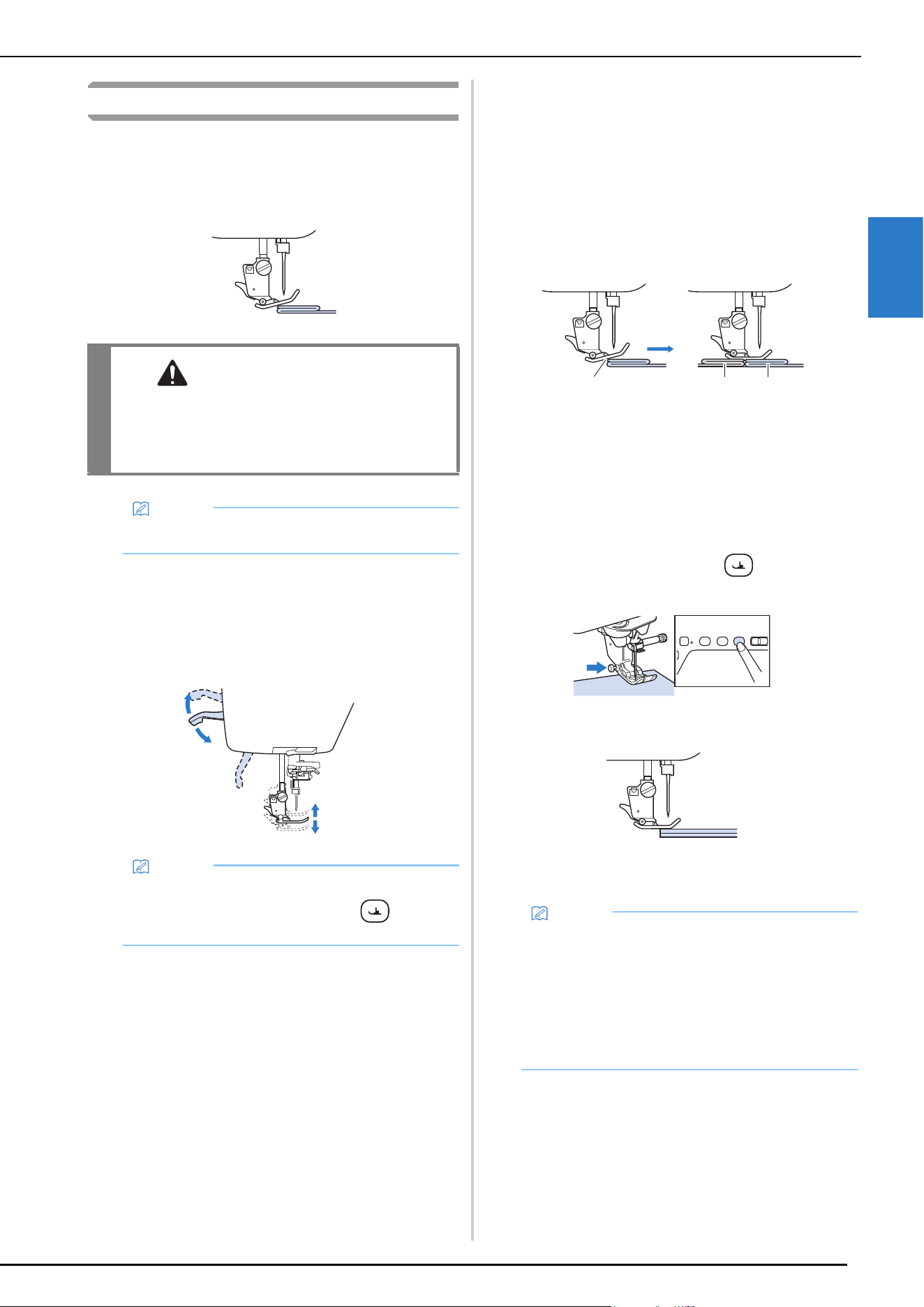
USEFUL SEWING TIPS
SEWING BASICS
61
2
Sewing Various Fabrics
Sewing Heavyweight Fabrics
If the thickness of a seam causes the presser foot to rest at
an angle, help guide the fabric by hand and sew on the
downward slope.
If the Fabric does not Fit under the Presser Foot
If the presser foot is in the up position, and you are sewing
heavyweight or multiple layers of fabric which do not fit
easily under the presser foot, use the presser foot lever to
raise the presser foot to its highest position. The fabric will
now fit under the presser foot.
If the Fabric does not Feed
When sewing thick fabric such as denim or quilting layers,
the fabric may not feed at the start of sewing if the presser
foot is not level, as shown below. In this case, use the
presser foot locking pin (black button on the left side) of
zigzag foot “J” so that the presser foot remains level while
sewing, allowing the fabric to be fed smoothly.
If the presser foot misalignment is too large, place thick
paper or fabric (with the same thickness as the fabric being
sewn) under the heel of the presser foot to be able to start
sewing smoothly.
1 Sewing direction
2 Misalignment
3 Fabric being sewn
4 Fabric or thick paper
a
Raise the presser foot.
b
While keeping the black button on the left side of
presser foot “J” pressed in, press (Presser foot
lifter button) to lower the presser foot.
c
Release the presser foot locking pin.
The presser foot remains level, enabling the fabric to
be fed.
CAUTION
• If fabric more than 6 mm (approx. 1/4 inch)
thick is sewn or if the fabric is pushed with too
much force, the needle may break and cause
injury.
Memo
• Thicker fabrics require a larger needle. (page 42)
Memo
• You cannot use the presser foot lever after the
presser foot has been raised using (Presser
foot lifter button).
Memo
• Once the trouble spot has been passed, the foot
will return to its normal position.
• When [Automatic Fabric Sensor System]
(Automatic Presser Foot Pressure) in the machine
settings screen is set to [ON], the thickness of the
fabric is automatically detected by the internal
sensor so the fabric can be fed smoothly for best
sewing results (page 58).
b
a
d
c
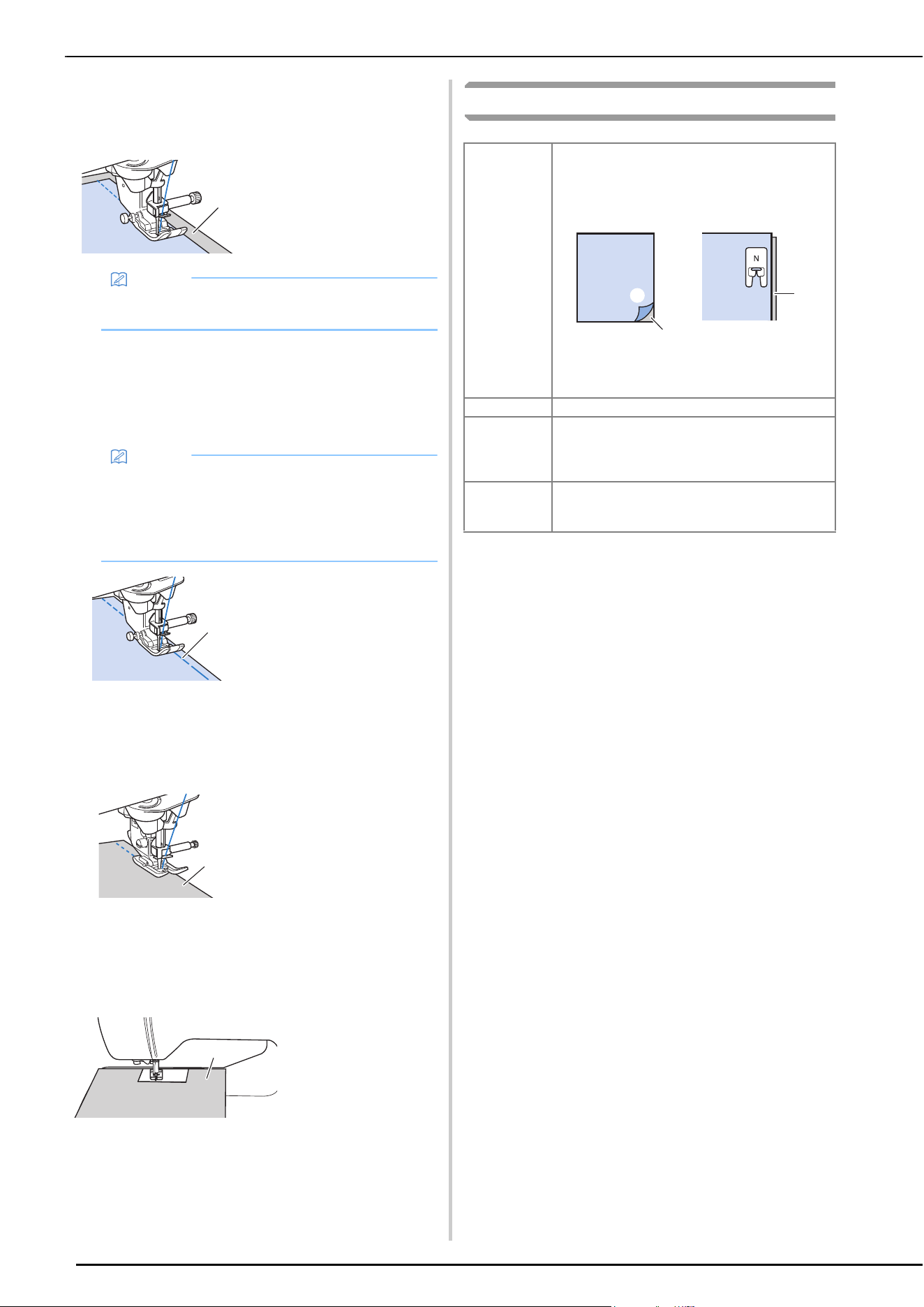
USEFUL SEWING TIPS
62
Sewing Lightweight Fabrics
Place thin paper or tear away embroidery stabilizer under
thin fabrics to make sewing easier. Gently tear off the
paper or the stabilizer after sewing.
Sewing Stretch Fabrics
First, baste together the pieces of fabric, and then sew
without stretching the fabric.
In addition, a better result can be achieved by using thread
for knits or a stretch stitch.
Sewing Leathers or Vinyl Fabrics
When sewing fabrics that may stick to the presser foot, such as
leather or vinyl fabrics, replace the presser foot with the
compact dual feed foot.
If the leather or vinyl fabric sticks to the flat bed attachment,
sew with copy paper or tracing paper placed on top of the flat
bed attachment so the fabric moves smoothly.
If the paper is positioned so that it does not cover the needle
plate, the paper will not be sewn together with the fabric.
Sewing Decorative Stitch Patterns
1 Thin paper
Memo
• Use the center hole of the Adjustable Zipper/Piping
Foot on page 90.
Memo
• For best results when sewing stretch fabrics,
decrease the pressure of the presser foot
(page 20).
• Use the center hole of the Adjustable Zipper/Piping
Foot on page 90.
1 Basting stitching
1 Leather
1 Copy paper or
tracing paper
a
a
a
a
Fabric When sewing on stretch fabrics, lightweight
fabrics, or fabrics with coarse weaves, attach
stabilizer on the wrong side of the fabric. An
alternative would be to place the fabric on thin
paper such as tracing paper.
1 Fabric
2 Stabilizer
3 Thin paper
Thread #50 - #60
Needle With lightweight, regular, or stretch fabrics: the
Ball point needle (golden colored) 90/14
With heavyweight fabrics: home sewing machine
needle 90/14
Presser foot Advanced monogramming foot “N+”.
Using another presser foot may give inferior
results.
a
b
c
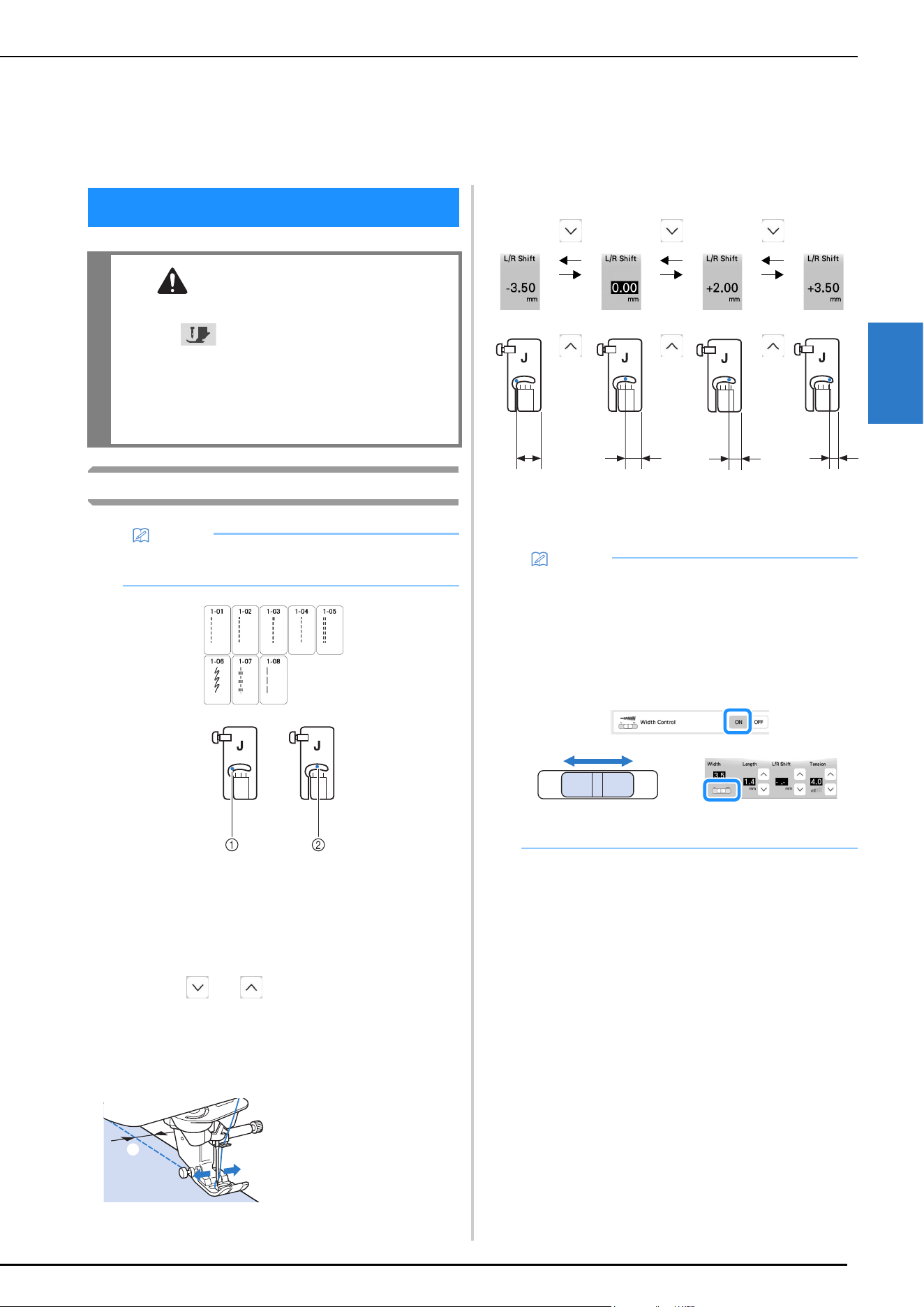
UTILITY STITCHES
VARIOUS STITCHES
63
3
Straight Stitches
1 Left needle position
2 Middle needle position
Changing the Needle Position (Left or Middle
Needle Position Stitches Only)
When you select left or middle needle position stitches,
you can use and in the L/R Shift display to
change the position of the needle. Match the distance
from the right edge of the presser foot to the needle with
the L/R Shift, then align the edge of the presser foot with
the edge of the fabric during sewing for an attractive
finish.
Example: Middle needle position stitches
Chapter 3
VARIOUS STITCHES
UTILITY STITCHES
CAUTION
• Before replacing the presser foot, be sure to
touch to lock all keys and buttons,
otherwise injuries may occur if the “Start/
Stop” button or any other button is pressed
and the machine starts. For details on changing
the presser foot, refer to “Replacing the Presser
Foot” on page 43.
Memo
• For details on stitch patterns, refer to “STITCH
SETTING CHART” on page 125.
1 L/R Shift
a
12.0 mm
(approx. 1/
2 inch)
8.5 mm
(approx. 5/
16 inch)
6.5 mm
(approx. 1/
4 inch)
5.0 mm
(approx. 3/
16 inch)
Memo
• Stitch Q-01 will not permit using the L/R Shift
function.
• When [Width Control] in the Sewing settings screen
is set to [ON], the needle position of a straight
stitch can be changed with the sewing speed
controller.
And use the foot controller to operate the machine.
1 Shift the needle position to the left.
2 Shift the needle position to the right.
a
b
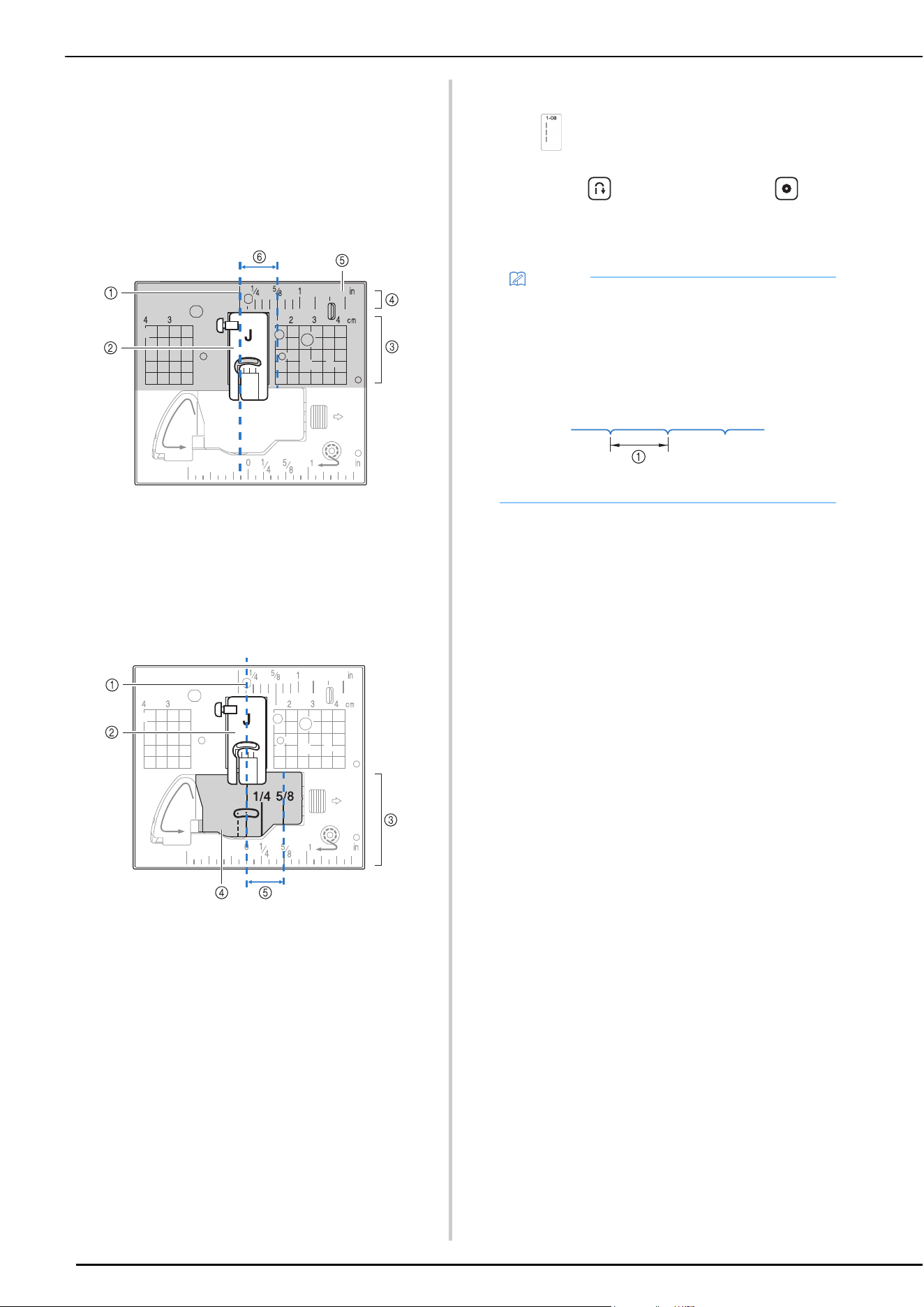
UTILITY STITCHES
64
Aligning the Fabric with a Mark on the Needle
Plate or Bobbin Cover (with Mark)
While sewing, align the edge of the fabric with the 5/8
inch (approx. 1.6 cm) mark on the needle plate or bobbin
cover (with mark) depending on the needle position (left
or middle (center) needle position stitches only).
For stitches with a left needle position
(Stitch width: 0.0 mm)
1 Seam
2 Presser foot
3 Centimeters
4 Inches
5 Needle plate
6 5/8 inch (approx. 1.6 cm)
For stitches with a middle (center) needle position
(Stitch width: 3.5 mm)
1 Seam
2 Presser foot
3 Inches
4 Bobbin cover (with mark)
5 5/8 inch (approx. 1.6 cm)
Basting
a
Select and attach presser foot “J”.
b
Keep pressing (Reverse stitch button) or
(Reinforcement stitch button) to sew 4 stitches of
reinforcement stitches, then press “Start/Stop” button
to continue sewing.
c
When sewing is finished, sew reinforcement stitches,
and then cut the threads to a generous length.
Basting with the Stitch Regulator
The stitch regulator allows free-motion basting with a set
stitch length. Refer to “Free-Motion Quilting/Basting with
the Stitch Regulator” on page 90.
Memo
• Before sewing, pull up the bobbin thread, align it
with the upper thread, and then pull them to the
back of the machine. (page 34) For clean stitching,
hold these thread ends when starting to sew.
• You can set the stitch length between 5 mm
(approx. 3/16 inch) and 30 mm (approx. 1-3/16
inches).
1 Between 5 mm (approx. 3/16 inch) and 30 mm
(approx.1-3/16 inches)
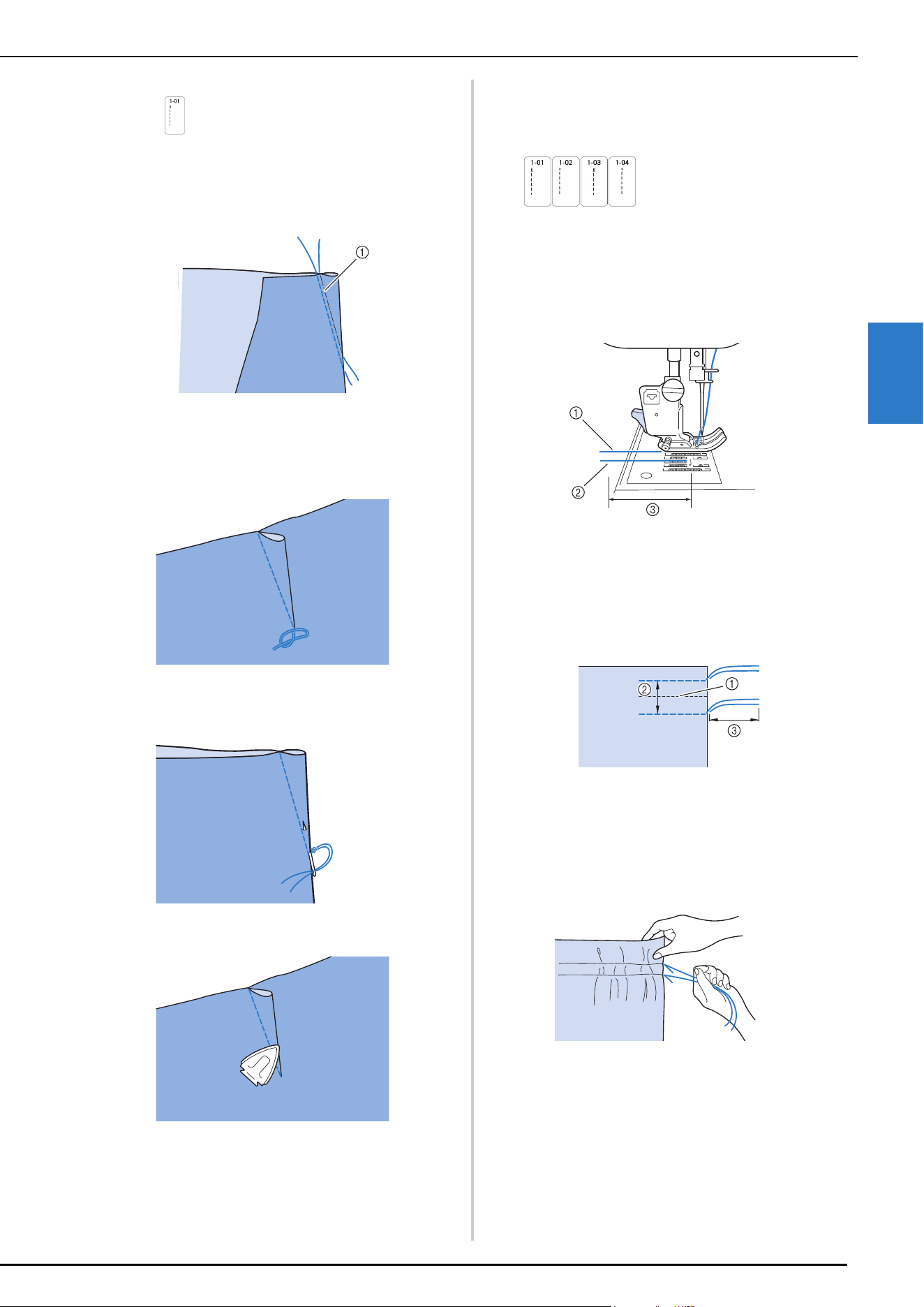
UTILITY STITCHES
VARIOUS STITCHES
65
3
Dart Seam
a
Select and attach presser foot “J”.
b
Sew a reverse stitch at the beginning of the dart and
then sew from the wide end to the other end without
stretching the fabric.
1 Basting
c
Cut the thread at the end leaving 5 cm (approx. 2
inches), and then tie both ends together.
* Do not sew a reverse stitch at the end.
d
Insert the ends of the thread into the dart with a hand
sewing needle.
e
Iron the dart to one side so that it is flat.
Gathering
Use on waists of skirts, sleeves of shirts, etc.
a
Select a straight stitch and attach presser foot “J”.
b
Set the stitch length to 4.0 mm (approx. 3/16 inch) and
the thread tension to approximately 2.0 (weaker
tension).
c
Pull the bobbin and upper threads out by about 10 cm
(approx. 4 inches) (page 34).
1 Upper thread
2 Bobbin thread
3 About 10 cm (approx. 4 inches)
d
Sew two rows of straight stitches parallel to the seam
line, then trim excess thread leaving about 5 cm
(approx. 2 inches).
1 Seam line
2 1 cm to 1.5 cm (approx. 3/8 inch to 9/16 inch)
3 About 5 cm (approx. 2 inches)
e
Pull the bobbin threads to obtain the desired amount of
gather, then tie the threads.
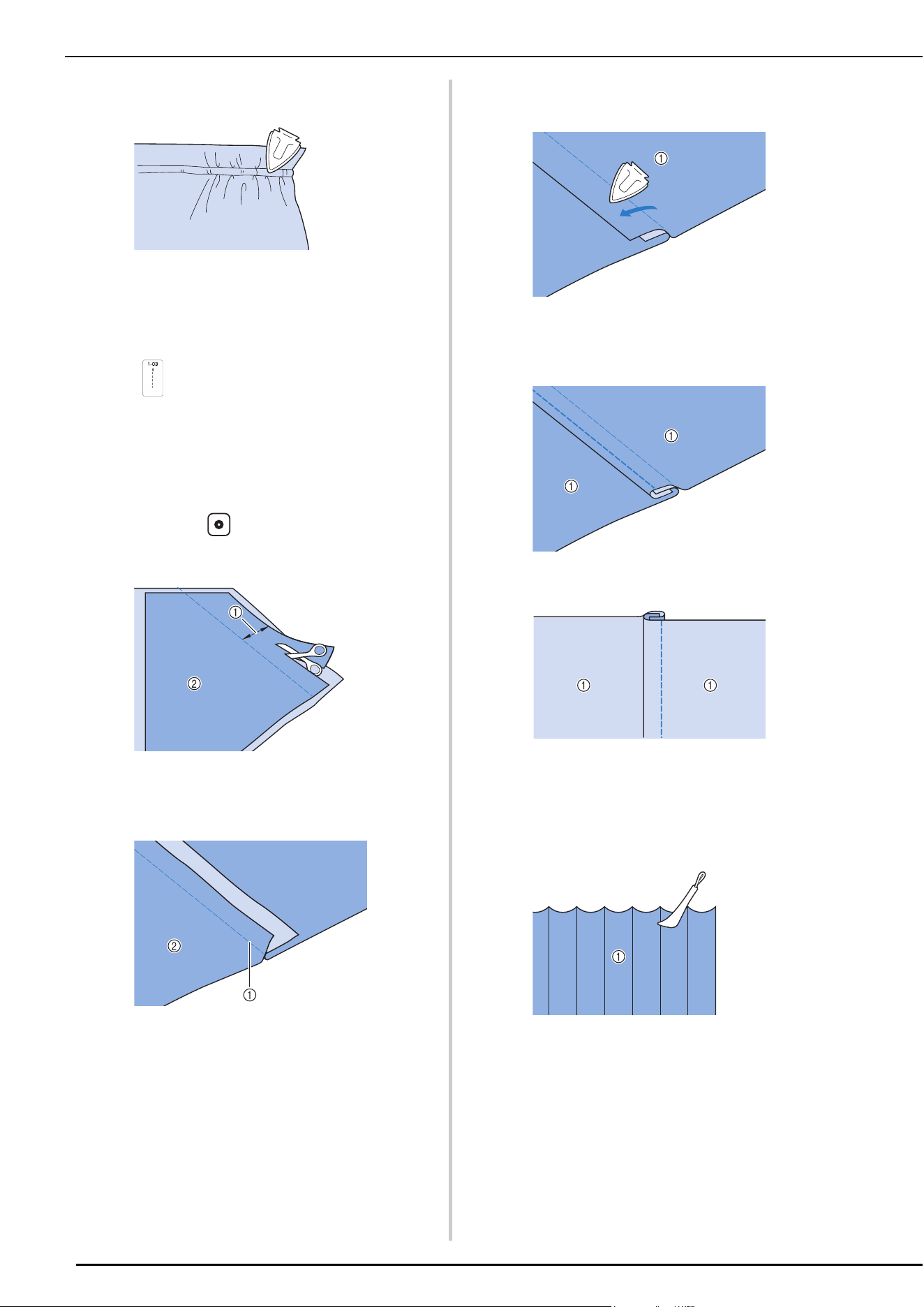
UTILITY STITCHES
66
f
Smooth the gathers by ironing them.
g
Sew on the seam line and remove the basting stitch.
Flat Fell Seam
Use for reinforcing seams and finishing edges neatly.
a
Select and attach presser foot “J”.
b
Sew the seam line, then cut half of the seam allowance
from the side on which the flat fell seam will lie.
* When the automatic thread cutting and automatic
reinforcement stitching are preset, reverse stitches
will be sewn automatically at the beginning of
sewing. Press (Reinforcement stitch button) to
sew a reinforcement stitch and trim the thread
automatically at the end of sewing.
1 About 1.2 cm (approx. 1/2 inch)
2 Wrong side
c
Spread the fabric out along the seam.
1 Seam
2 Wrong side
d
Lay both seam allowances on the side of the shorter
seam (cut seam) and iron them.
1 Wrong side
e
Fold the longer seam allowance around the shorter
one, and sew the edge of the fold.
1 Wrong side
Finished flat fell seam
1 Surface
Pintuck
a
Mark along the folds on the wrong side of the fabric.
1 Wrong side
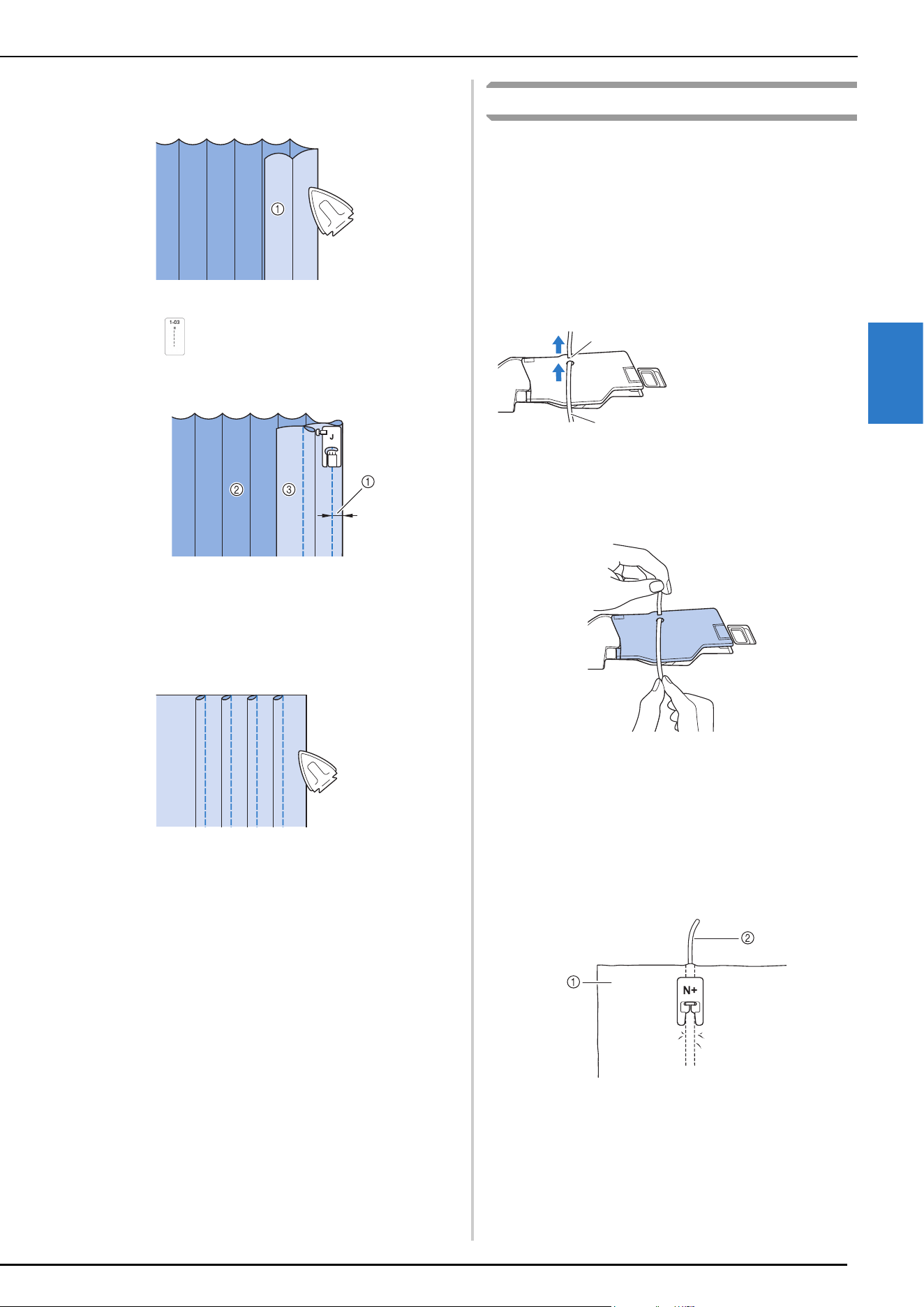
UTILITY STITCHES
VARIOUS STITCHES
67
3
b
Turn the fabric and iron the folded parts only.
1 Surface
c
Select and attach presser foot “J”.
d
Sew a straight stitch along the fold.
1 Width for pintuck
2 Wrong side
3 Surface
e
Iron the folds in the same direction.
Zigzag Stitches
Cord Guide Bobbin Cover (Using a Zigzag
Stitch)
a
Remove the bobbin cover from the machine (page 33).
b
Thread the gimp thread through the hole in the cord
guide bobbin cover from bottom to top. Position the
thread in the notch at the back of the cord guide
bobbin cover.
c
Snap the cord guide bobbin cover into place, making
sure that the gimp thread can be fed freely.
* Make sure there are no restrictions when feeding the
thread.
d
Set the zigzag width from 2.0-2.5 mm (approx. 1/16 -
3/32 inch).
e
Attach advanced monogramming foot “N+”.
f
Position the fabric right side up on top of the cord and
place the cord to the rear of the machine under the
presser foot.
1 Fabric (right side)
2 Gimp thread
1 Notch
2 Gimp thread
a
b
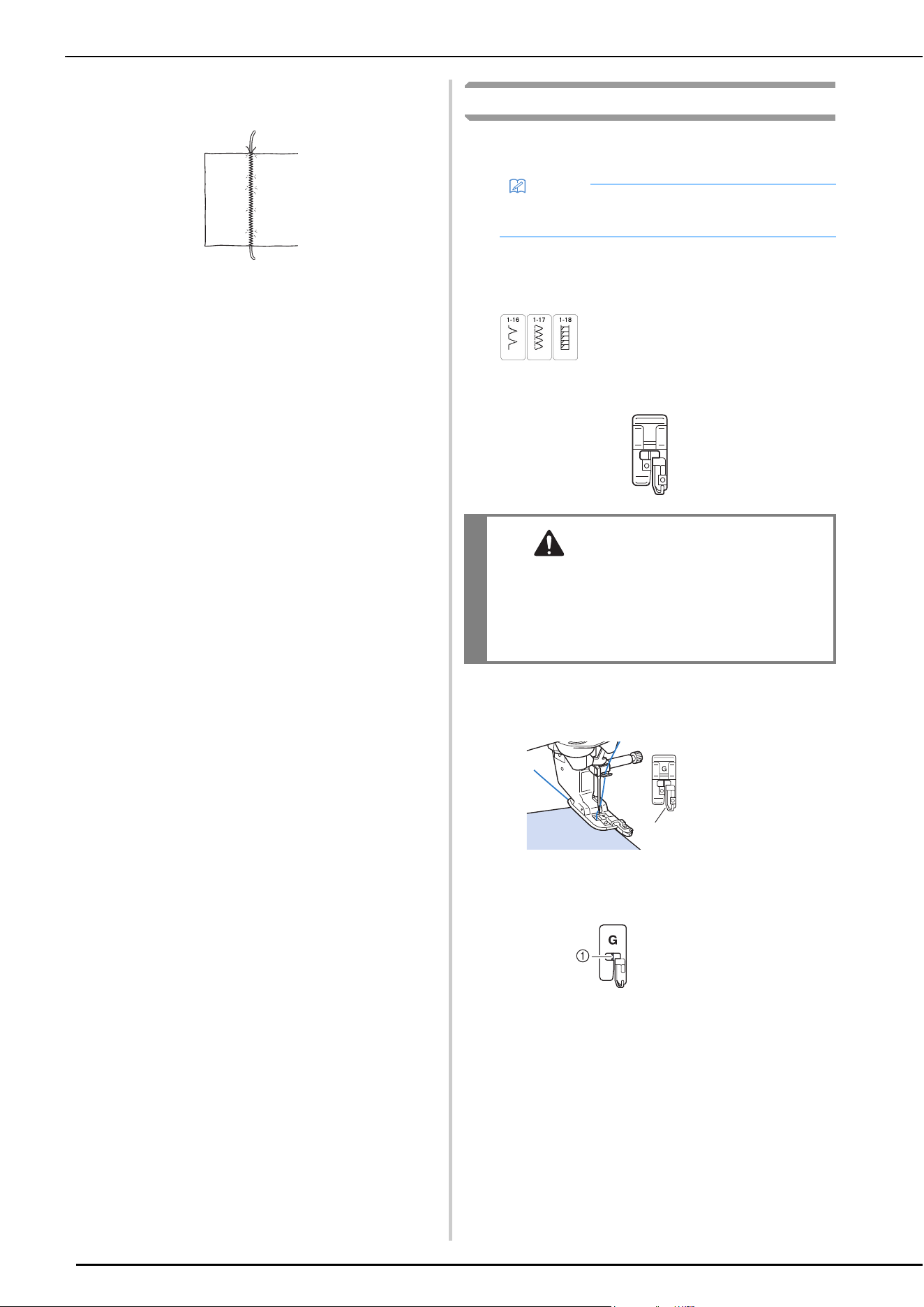
UTILITY STITCHES
68
g
Lower the presser foot and start sewing to make a
decorative finish.
Overcasting
Sew overcasting stitches along the edges of cut fabric to
prevent them from fraying.
Using Overcasting Foot “G”
a
Select a stitch.
b
Attach overcasting foot “G”.
c
Position the fabric with the edge of the fabric against
the guide of the presser foot, and then lower the
presser foot lever.
d
Rotate the handwheel toward you (counterclockwise).
Check that the needle does not touch the presser foot.
Memo
• For details on stitch patterns, refer to “STITCH
SETTING CHART” on page 125.
CAUTION
• When using overcasting foot “G”, be sure
select a stitch that can be used with
overcasting foot “G”. If you sew with the
incorrect stitch, the needle may strike the
presser foot and break, and may cause injury.
1 Guide
1 The needle should
not touch the
center bar
G
a
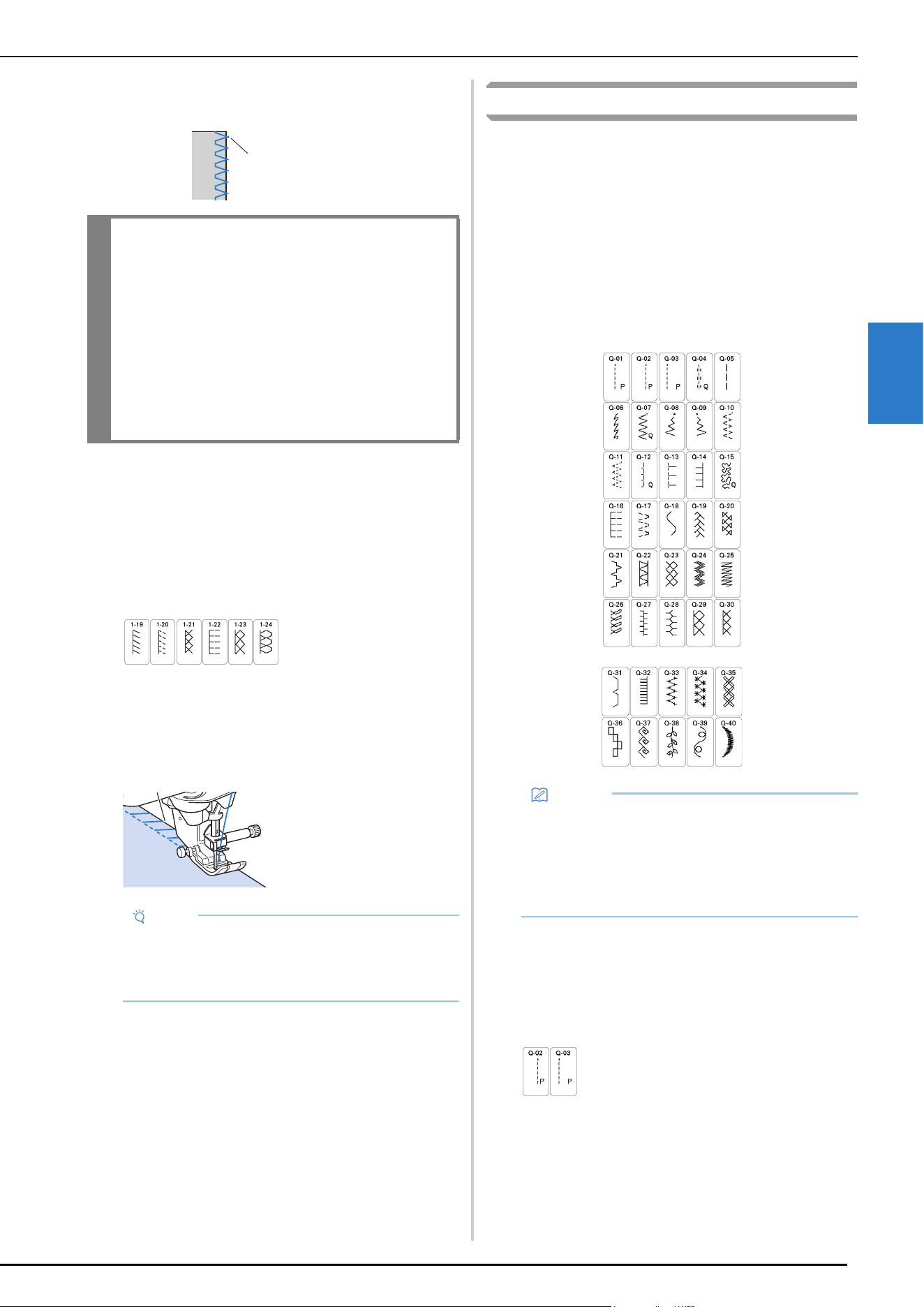
UTILITY STITCHES
VARIOUS STITCHES
69
3
e
Sew with the edge of the fabric against the presser foot
guide.
f
Press the “Start/Stop” button to stop sewing when you
have reached the end of the stitching, and raise the
presser foot and needle to pull the fabric under the
presser foot towards the back of the machine.
Using Zigzag Foot “J”
a
Select a stitch.
b
Attach zigzag foot “J”.
c
Sew along the edge of the fabric with the needle
dropping off the edge at the right.
Quilting
You can make beautiful quilts quickly and easily with this
machine. When making a quilt, you will find it convenient to
use the knee lifter and foot controller to free your hands for
other tasks (“Using the Foot Controller” on page 47, “Using
Advanced Multi-Function Foot Controller (Included with
Some Models)” on page 47 and /or “Using the Knee Lifter” on
page 58)
The 40 quilting stitches Q-01 through Q-40, stitches S-02
through S-04 and the utility stitches with “P” or “Q” indicated
on their key are useful for quilting.
The “P” or “Q” at the bottom of the key display indicates that
these stitches are intended for (“Q”) quilting and (“P”) piecing.
Piecing
Sewing two pieces of fabric together is called piecing.
When cutting pieces for quilt blocks, make sure the seam
allowance is 6.5 mm (approx. 1/4 inch).
a
Select a stitch and attach presser foot “J”.
1 Needle drop point
IMPORTANT
• Be sure to pull the fabric backward after
finished sewing. If you pull the fabric toward
side or forward, the presser foot pin may be
damaged.
• If thread is tangled on the presser foot, remove
the entangled thread, and then raise the
presser foot lever to remove the presser foot. If
the presser foot is raised while entangled with
thread, the presser foot may be damaged.
1 Needle drop point
Note
• Fine adjustment of the stitching on the fabric can
be done with “L/R Shift”. Before sewing your
project, be sure to sew trial stitches using the same
conditions as in the actual project.
1
a
Memo
• When a stitch pattern in the quilting stitches
category (only quilting stitches marked with “Q”) is
selected, a finer stitch width can be set than that
available with stitch patterns in other categories.
• For details on stitch patterns, refer to “STITCH
SETTING CHART” on page 125.
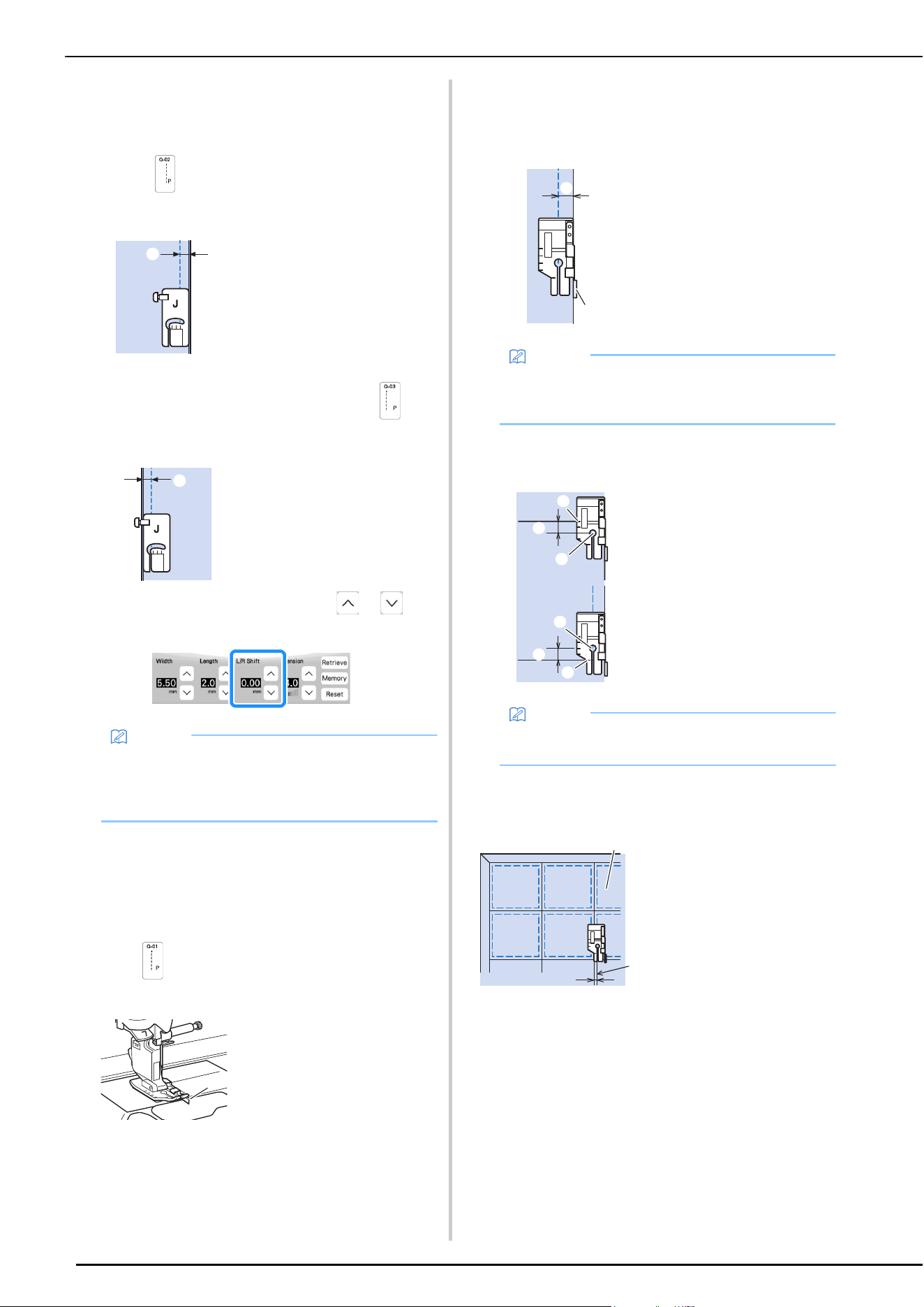
UTILITY STITCHES
70
b
Align the edge of the fabric with the edge of the presser
foot, and start sewing.
* To sew a 6.5 mm (approx. 1/4 inch) seam
allowance along the right edge of the presser foot
with
(Q-02) selected, the width (which is the
needle position) should be set to 5.50 mm (approx.
7/32 inch).
* To sew a 6.5 mm (approx. 1/4 inch) seam allowance
along the left edge of the presser foot with
selected, the width should be set to 1.50 mm
(approx. 1/16 inch).
* To change the needle position, use or in
the L/R Shift display.
Piecing Using the 1/4 Piecing Foot with Guide
This piecing foot can sew an accurate 1/4 inch or 1/8 inch
seam allowance.
It can be used for piecing together a quilt or for
topstitching.
a
Select , and then attach the 1/4 piecing foot with
guide.
b
Use the guide and marks on the presser foot to sew
accurate seam allowances.
Piecing a 1/4 inch seam allowance
Sew keeping the edge of the fabrics against the guide.
Creating an accurate seam allowance
Use the mark on the foot to begin, end, or pivot 1/4 inch
from edge of fabric.
Topstitching quilting, 1/8 inch
Sew with the edge of the fabric aligned with the left side of
the presser foot's front section.
Quilting
Sewing the quilt top, batting, and backing together is
called quilting. You can sew the quilt with the compact
dual feed foot to keep the quilt top, batting, and backing
from sliding. The compact dual feed foot has a motorized
belt that moves together with the feed dogs in the needle
plate during sewing.
For straight line quilting, use the compact dual feed foot
and the straight stitch needle plate. Always select a
straight stitch (middle needle position) when using the
straight stitch needle plate.
1 6.5 mm (approx. 1/4
inch)
1 6.5 mm (approx. 1/4
inch)
Memo
• In the case Q-01(center, at L/R Shift 3.5 mm) is
selected, if the guideline marker is set at 10.0 mm
(3.5 mm plus 6.5 mm, close to 1/4 inch), you can
sew piecing by referring to the guideline marker.
1 Guide
a
a
a
1 Guide
2 1/4 inch
Memo
• For accurate fabric placement, refer to “Aligning
the Fabric with a Mark on the Needle Plate or
Bobbin Cover (with Mark)” on page 64.
1 Align this mark with
edge of fabric to begin.
2 Beginning of stitching
3 End of stitching
4 Opposite edge of fabric
to end or pivot
5 1/4 inch
Memo
• For details on pivoting, refer to “Pivoting” on
page 57.
1 Surface of fabric
2 Seam
3 1/8 inch
a
b
a
e
e
c
d
b
a
b
c
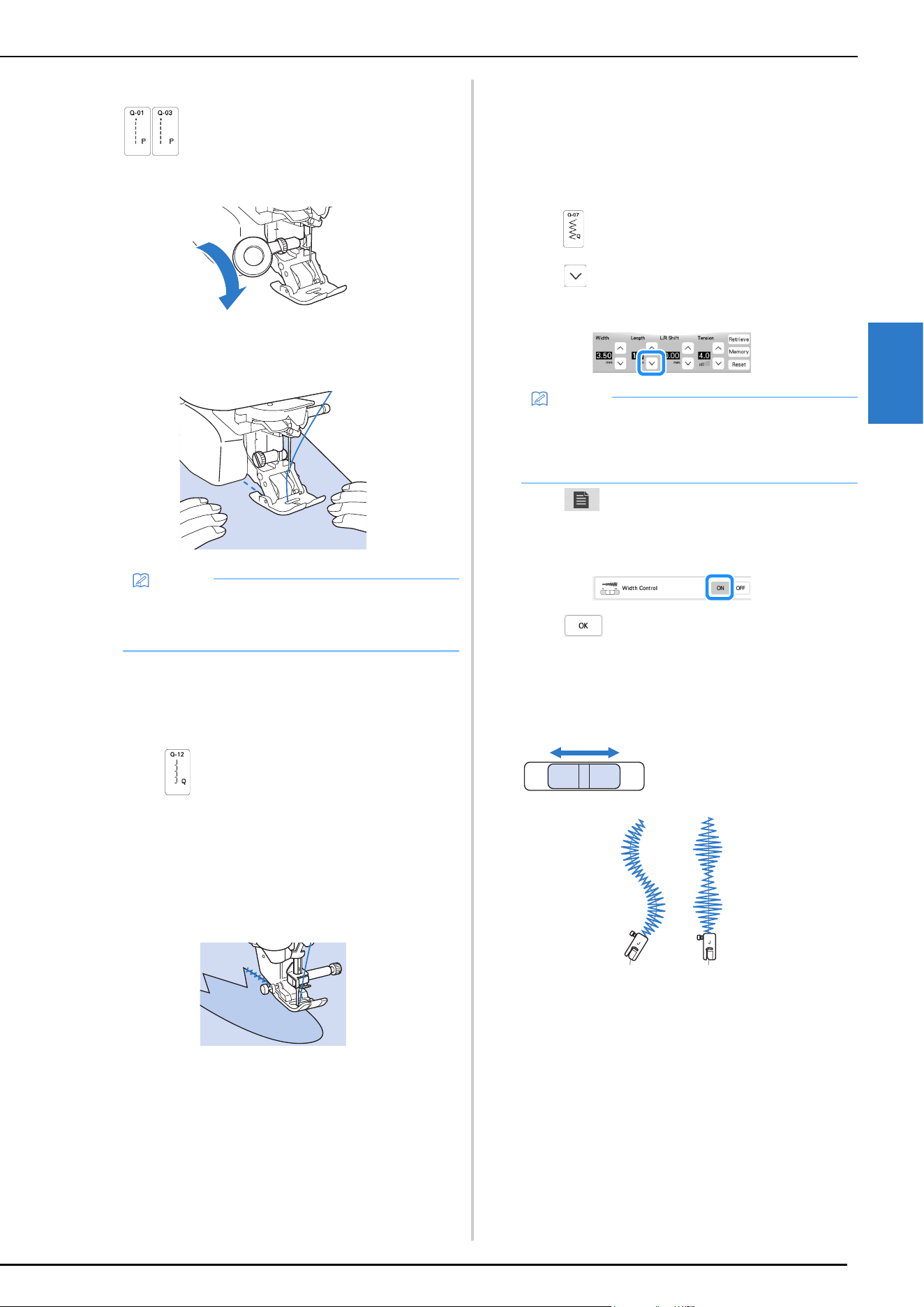
UTILITY STITCHES
VARIOUS STITCHES
71
3
a
Select a stitch.
b
Attach the compact dual feed foot (page 98).
c
Place one hand on each side of the presser foot to hold
the fabric secure while sewing.
Appliqué
a
Use two-sided stabilizer material to secure the
appliqué piece to the base fabric.
b
Select .
c
Attach the zigzag foot “J”.
d
Turn the handwheel toward you (counterclockwise),
and then begin sewing around the edge of the
appliqué, making sure that the needle drops just
outside of the appliqué.
When sewing around corners, stop the machine with
the needle in the fabric just outside of the appliqué,
raise the presser foot lever, and then turn the fabric as
needed to change the sewing direction.
Quilting with Satin Stitches
For better fabric control, use the foot controller to sew
with satin stitches. Set the speed control slide to control
the stitch width to make subtle changes in the stitch width
during sewing.
a
Attach the foot controller (page 47).
b
Select and attach presser foot “J”.
c
Touch in the length display to shorten the stitch
length.
d
Touch to use the speed control slide to control
the stitch width.
e
Set the [Width Control] to [ON].
f
Touch .
The display will return to the original screen.
g
While sewing, slide the sewing speed controller to
adjust the stitch width.
* Adjust the sewing speed with the foot controller.
h
When you are finished sewing, set the [Width Control]
back to [OFF].
Memo
• Sew at slow to medium speed.
• Always check to be sure that your quilting project is
securely basted before beginning to sew.
Memo
• The setting will vary according to the kind of fabric
and the thickness of the thread, but a length of 0.3
to 0.5 mm (approx. 1/64 to 1/32 inch) is best for
satin stitches.
1 narrower
2 wider
a
b
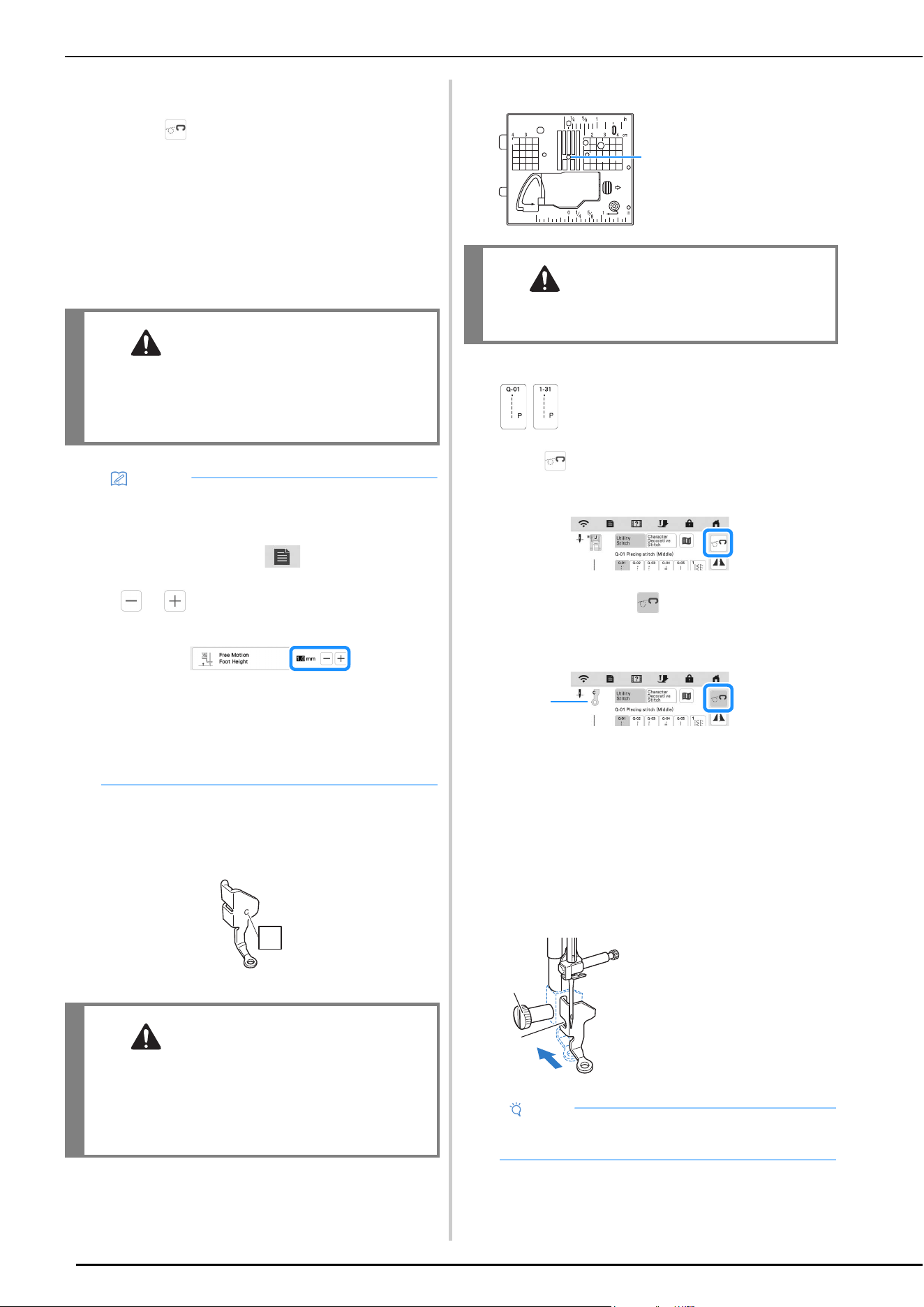
UTILITY STITCHES
72
Free Motion Quilting
With free motion quilting, the feed dogs can be lowered
by touching , so that the fabric can be moved freely in
any direction.
For free motion quilting, use free motion quilting foot “C”
or free motion open toe quilting foot “O” depending on
the stitch that is selected, and set the machine to free
motion sewing mode. In this mode, the presser foot is
raised to the necessary height for free motion sewing.
We recommend attaching the foot controller and sewing
at a consistent speed. You can adjust the sewing speed
with the speed control slide on the machine.
Using free motion quilting foot “C” (Included with some
models)
Use the free motion quilting foot “C” with straight stitch
needle plate for free motion sewing.
Free motion quilting foot “C”
a
Attach the straight stitch needle plate (page 59).
b
Select a stitch.
c
Touch to set the machine to free motion sewing
mode.
The key appears as , the quilting foot is raised to
the necessary height, and then the feed dogs are
lowered for free motion sewing.
1 Free motion quilting foot “C”
When stitch Q-01 or 1-31 is selected, free motion
quilting foot “C” is indicated in the upper-left corner
of the screen.
d
Remove the presser foot holder (page 43).
e
Attach free motion quilting foot “C” at the front with
the presser foot holder screw aligned with the notch in
the foot.
CAUTION
• With free motion quilting, control the feeding
speed of the fabric to match the sewing speed.
If the fabric is moved faster than the sewing
speed, the needle may break and cause injury.
Memo
• When starting to sew, the internal sensor detects
the thickness of the fabric, and the quilting foot is
raised to the height specified in the machine
settings screen. Touch to display [Free
Motion Foot Height] of the settings screen. Touch
or to select the height that the quilting foot
is raised above the fabric.
• In order to sew with a balanced tension, it may be
necessary to adjust the upper thread tension. Test
with a sample piece of fabric that is similar to your
chosen fabric.
• Do not be discouraged with your initial results. The
technique requires practice.
CAUTION
• When using free motion quilting foot “C”, be
sure to use the straight stitch needle plate. If the
needle is moved to any position other than the
middle (center) needle position, the needle may
break, which may result in injuries.
C
1 Round hole
CAUTION
• The machine must be turned off and unplugged
when switching the needle plate.
1 Presser foot holder
screw
2 Notch
Note
• Make sure that the free motion quilting foot “C” is
attached properly and not slanted.
1
1
b
a
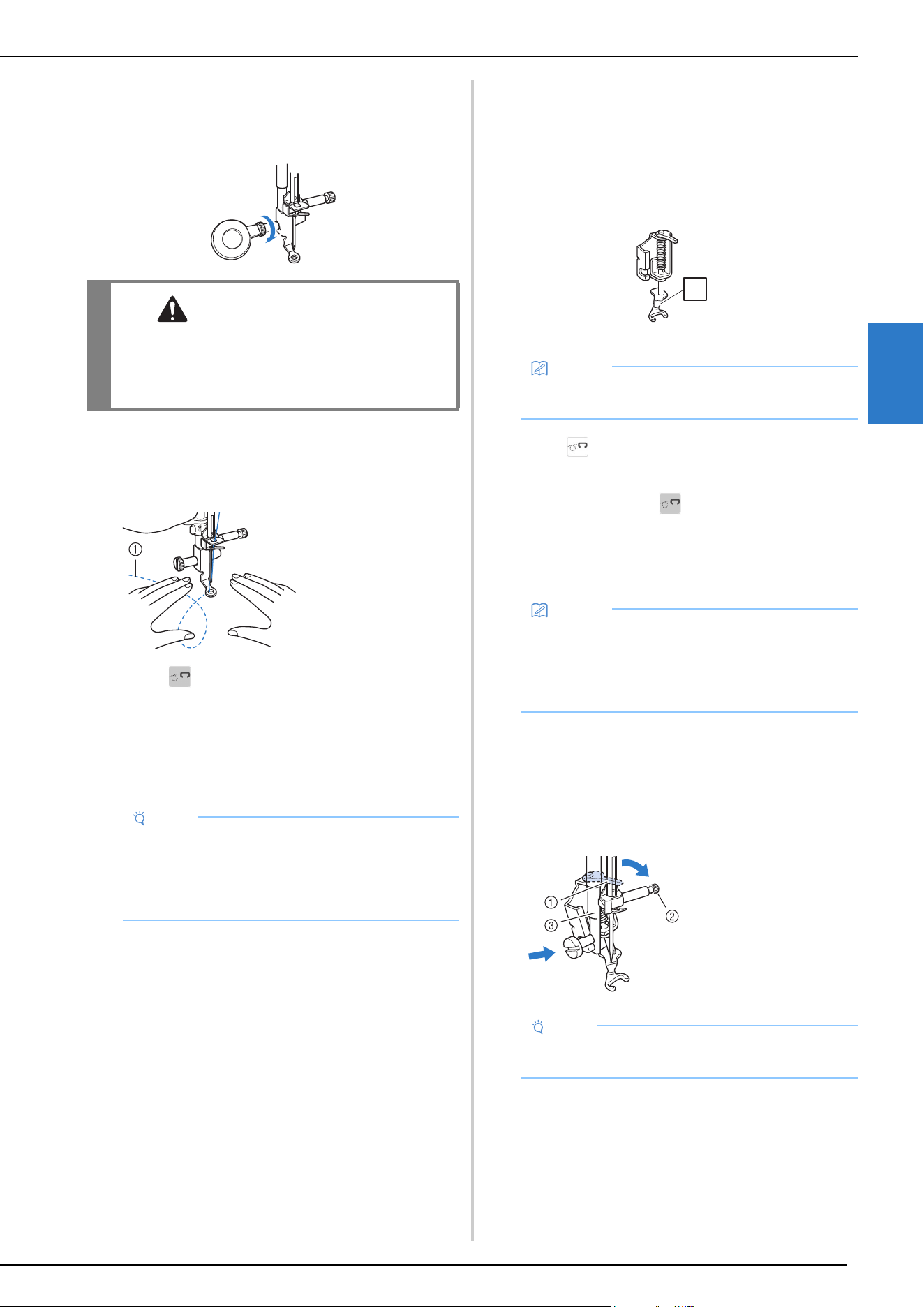
UTILITY STITCHES
VARIOUS STITCHES
73
3
f
Hold the free motion quilting foot “C” in place with
your right hand, and tighten the presser foot holder
screw using the disc-shaped screwdriver with your left
hand.
g
Use both hands to stretch the fabric taut, and then
move the fabric at a consistent pace in order to sew
uniform stitches roughly 2.0-2.5 mm (approx. 1/16 - 3/
32 inch) in length.
h
Touch to cancel the free motion sewing mode.
Rotate the handwheel toward you
(counterclockwise) to raise the feed dogs.
i
After sewing, make sure to remove the straight stitch
needle plate and free motion quilting foot “C”, and
reinstall the regular needle plate.
Using free motion open toe quilting foot “O”
The free motion open toe quilting foot “O” is used for free
motion quilting with zigzag or decorative stitches or for
free motion quilting of straight lines on fabric with an
uneven thickness. Various stitches can be sewn using free
motion open toe quilting foot “O”. For details on the
stitches that can be used, refer to “STITCH SETTING
CHART” on page 125.
Free motion open toe quilting foot “O”
a
Touch to set the machine to free motion sewing
mode.
The key appears as , the quilting foot is raised to
the necessary height, and then the feed dogs are
lowered for free motion sewing.
b
Select a stitch.
c
Remove the presser foot holder (page 43).
d
Attach free motion open toe quilting foot “O” by
positioning the pin of the foot above the needle clamp
screw and aligning the lower-left of the foot and the
presser bar.
CAUTION
• Be sure to securely tighten the screws with the
disc-shaped screwdriver. Otherwise, the
needle may touch the free motion quilting foot
“C”, causing it to break and causing injury.
1 Stitch
Note
• Free motion open toe quilting foot “O” can also be
used with the straight stitch needle plate. We
recommend using free motion open toe quilting
foot “O” with free motion sewing of fabrics of
uneven thicknesses.
Memo
• The standard needle plate must be used if zigzag
or decorative stitch patterns are selected.
Memo
• When stitch Q-01 or 1-31 is selected, free motion
quilting foot “C” is indicated in the upper-left
corner of the screen. When the other stitches are
selected, free motion open toe quilting foot “O” is
indicated in the screen.
1 Pin
2 Needle clamp screw
3 Presser bar
Note
• Make sure that the free motion open toe quilting
foot “O” is not slanted.
O
O
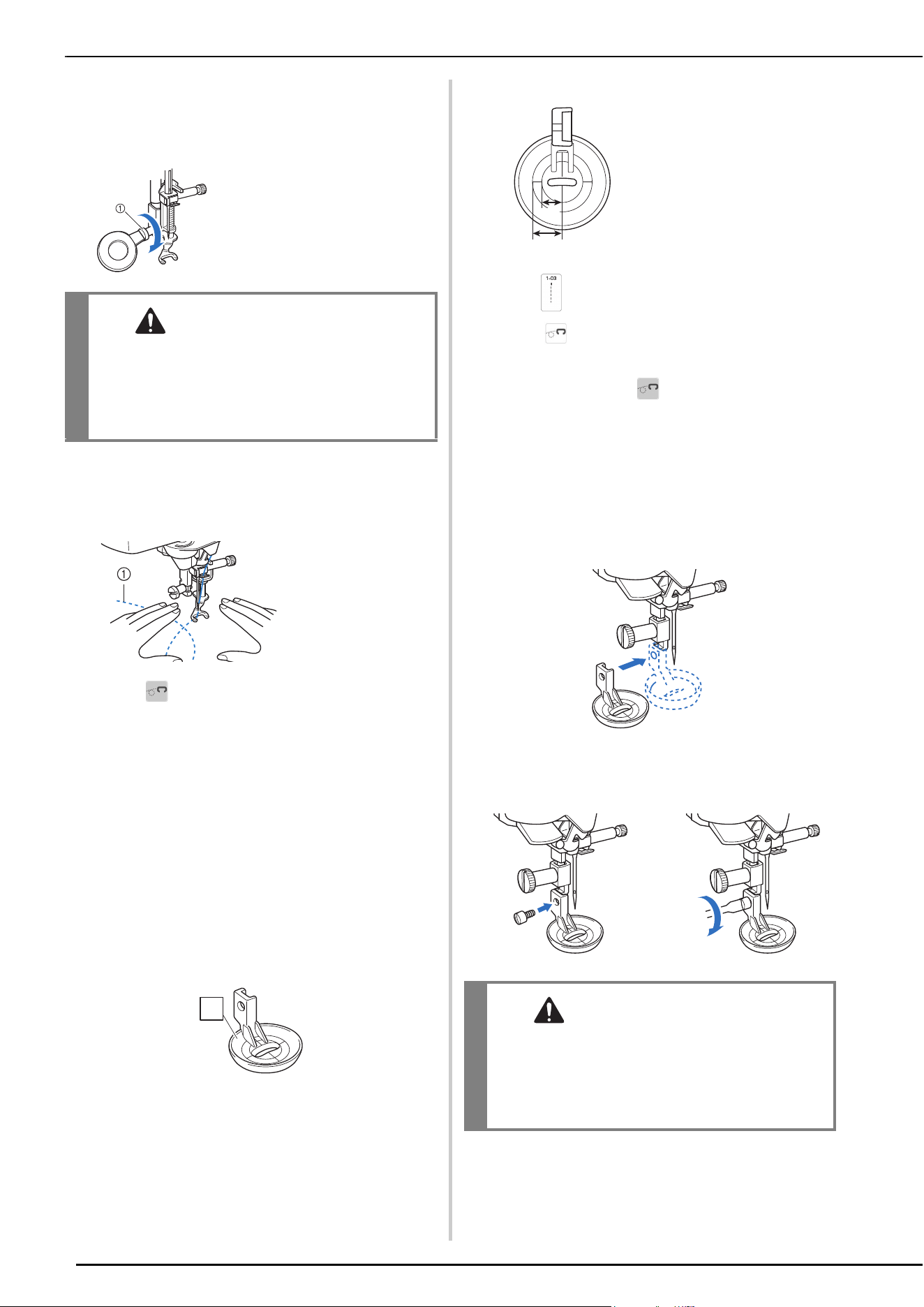
UTILITY STITCHES
74
e
Hold the free motion open toe quilting foot “O” in
place with your right hand, and tighten the presser foot
holder screw using the disc-shaped screwdriver with
your left hand.
f
Use both hands to stretch the fabric taut, and then
move the fabric at a consistent pace in order to sew
uniform stitches roughly 2.0-2.5 mm (approx. 1/16 - 3/
32 inch) in length.
g
Touch to cancel the free motion sewing mode.
Rotate the handwheel toward you
(counterclockwise) to raise the feed dogs.
Echo Quilting Using the Free Motion Echo
Quilting Foot “E” (Included with Some
Models)
Sewing quilting lines at equal distances around a motif is
called echo quilting. The quilting lines, which appear as
ripples echoing away from the motif, are the
distinguishing characteristic of this quilting style. Use the
free motion echo quilting foot “E” for echo quilting. Using
the measurement on the presser foot as a guide, sew
around the motif at a fixed interval. We recommend
attaching the foot controller and sewing at a consistent
speed.
Free motion echo quilting foot “E” measurements
a
Select .
b
Touch to set the machine to free motion sewing
mode.
The key appears as , the quilting foot is raised to
the necessary height, then the feed dogs are lowered
for free motion sewing.
c
Remove the presser foot holder and then attach the
adapter. (page 43)
d
Position the free motion echo quilting foot “E” on the
left side of the presser bar with the holes in the foot
and presser bar aligned.
e
Tighten the screw with the included screwdriver
(large).
1 Presser foot holder
screw
CAUTION
• Be sure to securely tighten the screws with the
disc-shaped screwdriver. Otherwise, the
needle may touch the free motion open toe
quilting foot “O”, causing it to break and
causing injury.
1 Stitch
E
E
1 6.4 mm (approx. 1/4
inch)
2 9.5 mm (approx. 3/8
inch)
CAUTION
• Be sure to securely tighten the screws with the
included screwdriver (large). Otherwise, the
needle may touch the free motion echo
quilting foot “E”, causing it to break and
causing injury.
b
a
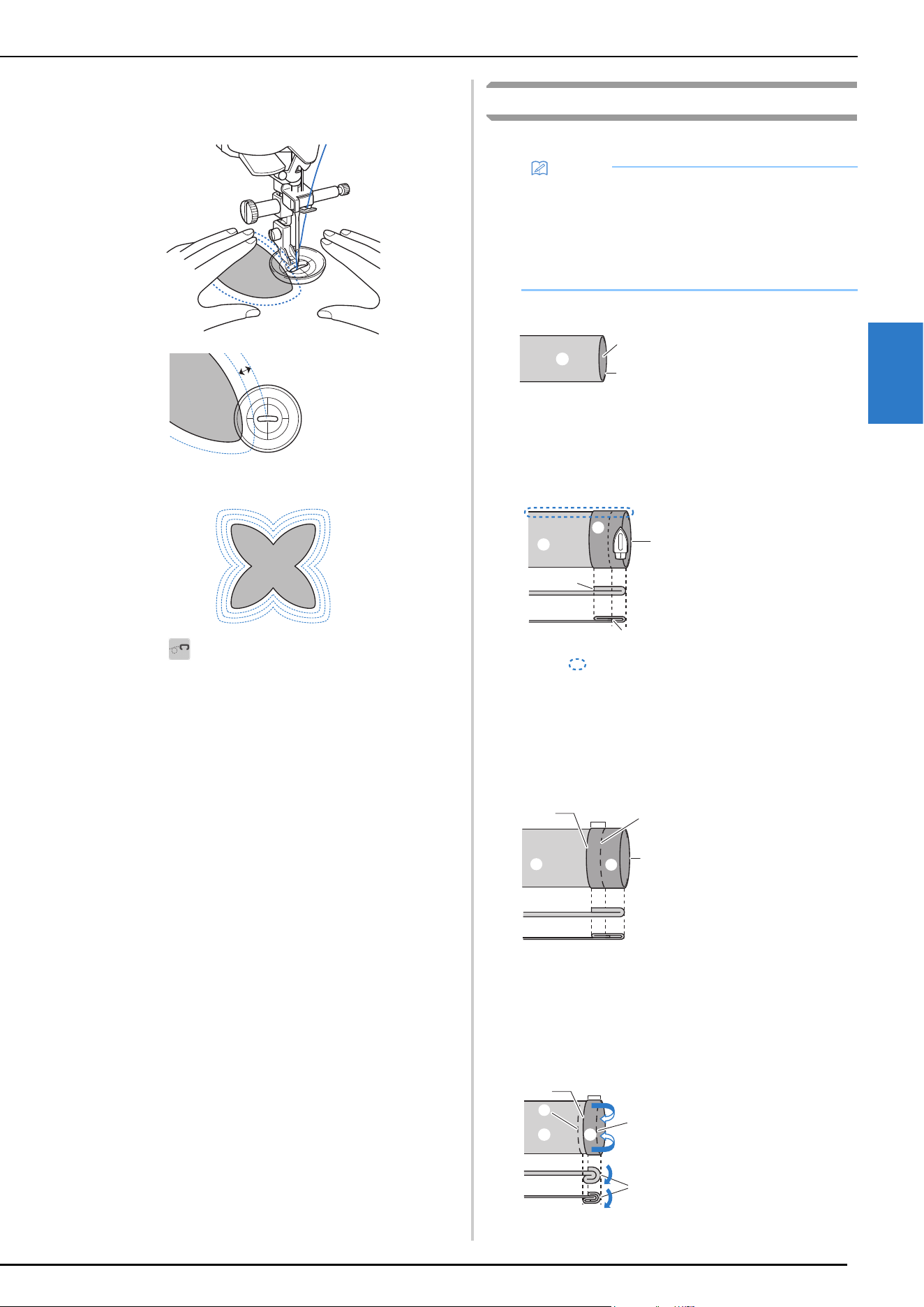
UTILITY STITCHES
VARIOUS STITCHES
75
3
f
Using the measurement on the free motion echo
quilting foot “E” as a guide, sew echo quilting around
the motif.
Finished project
g
Touch to cancel the free motion sewing mode.
Rotate the handwheel toward you
(counterclockwise) to raise the feed dogs.
Blind Hem Stitches
Secure the lower edge of skirts and pants with a blind hem.
a
Turn the skirt or pants inside out.
b
Fold the lower edge of fabric to the desired length to
be hemmed and then press.
c
Using tailor's chalk, mark the fabric about 5 mm
(approx. 3/16 inch) from the edge of the fabric, and
then baste it.
d
Fold back the fabric inside along the basting.
1 6.4 mm (approx.
1/4 inch)
a
Memo
• When the size of cylindrical pieces is too small to
slide onto the arm or the length is too short, the
fabric will not feed and desired results may not be
achieved.
• For details on stitch patterns, refer to “STITCH
SETTING CHART” on page 125.
1 Wrong side of fabric
2 Right side of fabric
3 Lower edge of fabric
1 Wrong side of fabric
2 Right side of fabric
3 Lower edge of fabric
4 Desired length for hem
<Thick fabric>
<Normal fabric>
<Seen from the side>
1 Wrong side of fabric
2 Right side of fabric
3 Lower edge of fabric
4 Desired length for hem
5 5 mm (approx. 3/16
inch)
6 Basting
<Thick fabric>
<Normal fabric>
<Seen from the side>
1 Wrong side of fabric
2 Right side of fabric
3 Lower edge of fabric
4 Desired length for hem
5 5 mm (approx. 3/16
inch)
6 Basting
7 Basting point
<Thick fabric>
<Normal fabric>
<Seen from the side>
a
b
c
1
2
1
2
1
3
3
4
2
1
2
1
2
356
4
1
2
1
3
6
5
1
1
2
7
4
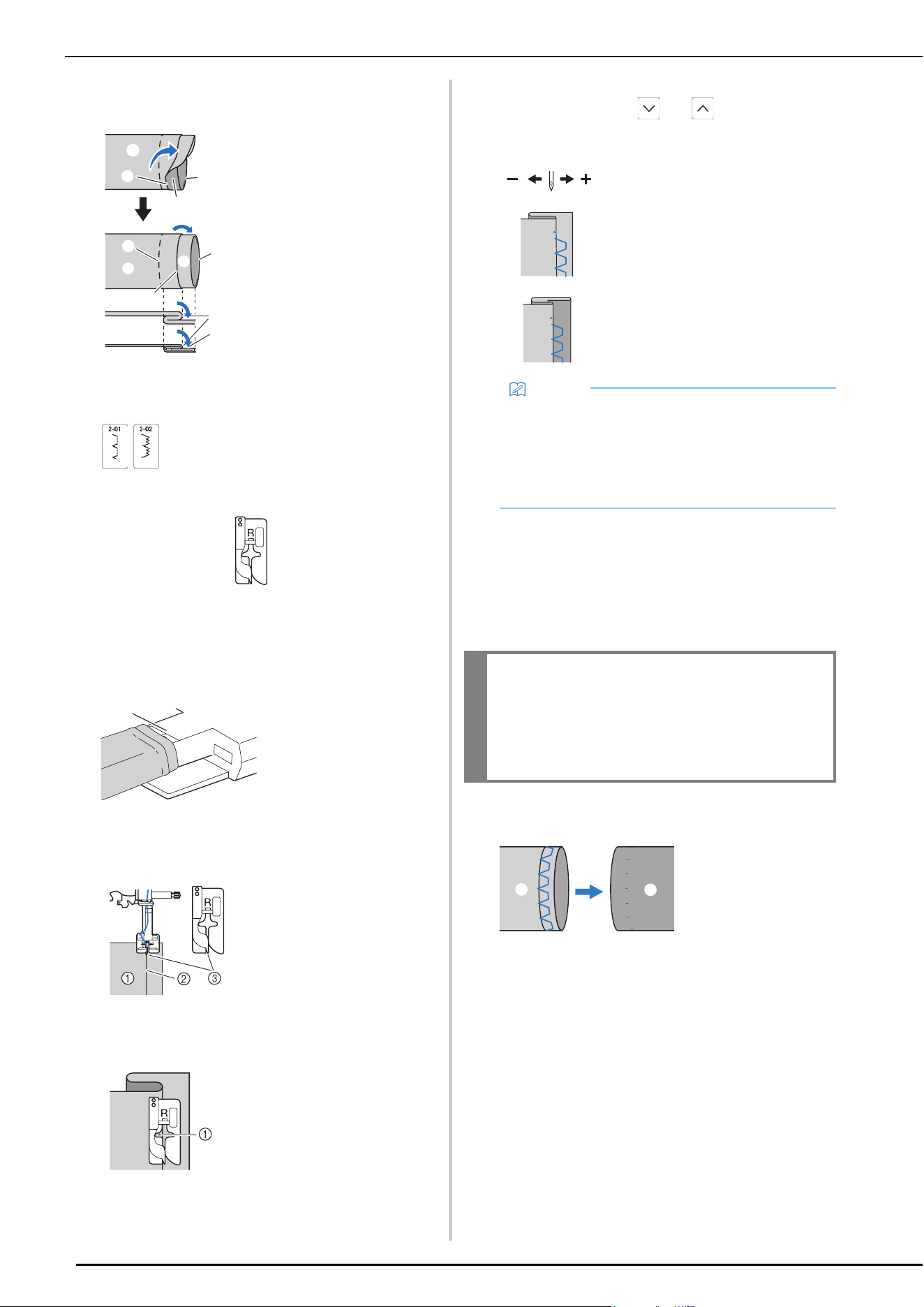
UTILITY STITCHES
76
e
Unfold the edge of fabric, and position the fabric with
the wrong side facing up.
f
Select a stitch.
g
Attach blind stitch foot “R”.
h
Remove the flat bed attachment to use the free arm.
i
Slide the item that you wish to sew onto the free arm,
make sure that the fabric feeds correctly.
j
Position the fabric with the edge of the folded hem
against the guide of the presser foot, and then lower
the presser foot lever.
k
Adjust the stitch width until the needle slightly catches
the fold of the hem. (page 53)
When you change the needle drop point, raise the
needle, and then use and to decide the
needle drop point. (The stitch width setting is in
neither millimeters nor inches.)
l
Sew with the fold of the hem against the presser foot
guide.
m
Press the “Start/Stop” button to stop sewing when you
are finished, and raise the presser foot and needle to
pull the fabric under the presser foot towards the left
of the machine.
n
Remove the basting stitching and turn the fabric with
the right side facing out.
1 Wrong side of fabric
2 Right side of fabric
3 Edge of fabric
4 Desired edge of hem
5 Basting point
6 Basting
<Thick fabric>
<Normal fabric>
<Seen from the side>
1 Free arm
1 Wrong side of
fabric
2 Fold of hem
3 Guide
1 Needle drop point
a
b
f
c
a
a
c
d
a
f
a
a
b
e
a
1 Thick fabric
2 Normal fabric
Memo
• Blind hem stitches cannot be sewn if the left needle
drop point does not catch the fold. If the needle
catches too much of the fold, the fabric cannot be
unfolded and the seam appearing on the right side
of the fabric will be very large, leaving an
unattractive finish.
IMPORTANT
• Be sure to pull the fabric towards the back of
the machine after sewing. If you pull the fabric
toward side or forward, the presser foot may
be damaged.
1 Wrong side of
fabric
2 Right side of
fabric
a
b
1
2
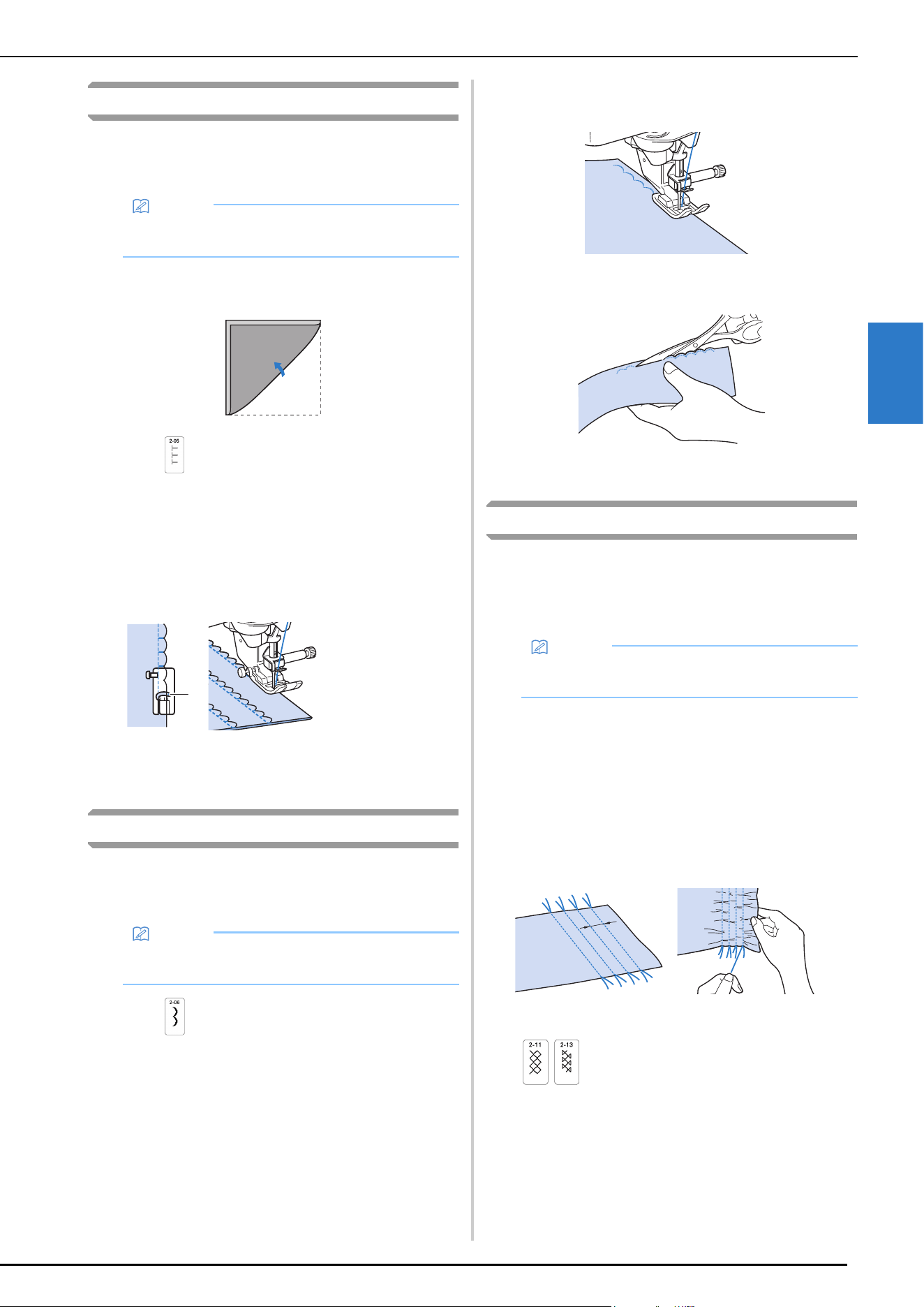
UTILITY STITCHES
VARIOUS STITCHES
77
3
Shell Tuck Stitches
The gathers that look like shells are called “shell tucks”. They
are used to decorate trims, the front of blouses or cuffs made
of thin fabrics.
a
Draw equally spaced lines along the bias, and then fold
the fabric along the lines.
b
Select , and then increase the thread tension.
c
Attach zigzag foot “J”.
d
Sew while making sure that the needle drops slightly
off the edge of the fabric.
One fold at a time, continue folding the fabric along the
line, then sewing it.
e
After sewing is finished, remove the fabric. Unfold the
fabric, and then iron the tucks down to one side.
Scallop Stitches
The wave-shaped satin stitch is called "scalloping". Use this
stitch to decorate the edges of blouse collars and
handkerchiefs or use it as a hem accent.
a
Select .
b
Attach advanced monogramming foot “N+”.
c
Stitch along the edge of the fabric, making sure not to
sew directly on the edge of the fabric.
d
Trim along the stitches.
• Be careful not to cut the stitches.
Smocking Stitches
The decorative stitch created by stitching over gathers is
called “smocking”. It is used to decorate the front of blouses
or cuffs.
The smocking stitch adds texture and elasticity to fabric.
a
Select the straight stitch, and then adjust the stitch
length to 4.0 mm (approx. 3/16 inch) and loosen the
thread tension.
b
Attach zigzag foot “J”.
c
Sew parallel stitching at intervals of 1 cm (approx. 3/
8 inch) and pull the bobbin threads to create gathers.
Smooth the gathers by ironing them.
d
Select a stitch.
Memo
• For details on stitch patterns, refer to “STITCH
SETTING CHART” on page 125.
1 Needle drop
point
Memo
• For details on stitch patterns, refer to “STITCH
SETTING CHART” on page 125.
a
Memo
• For details on stitch patterns, refer to “STITCH
SETTING CHART” on page 125.
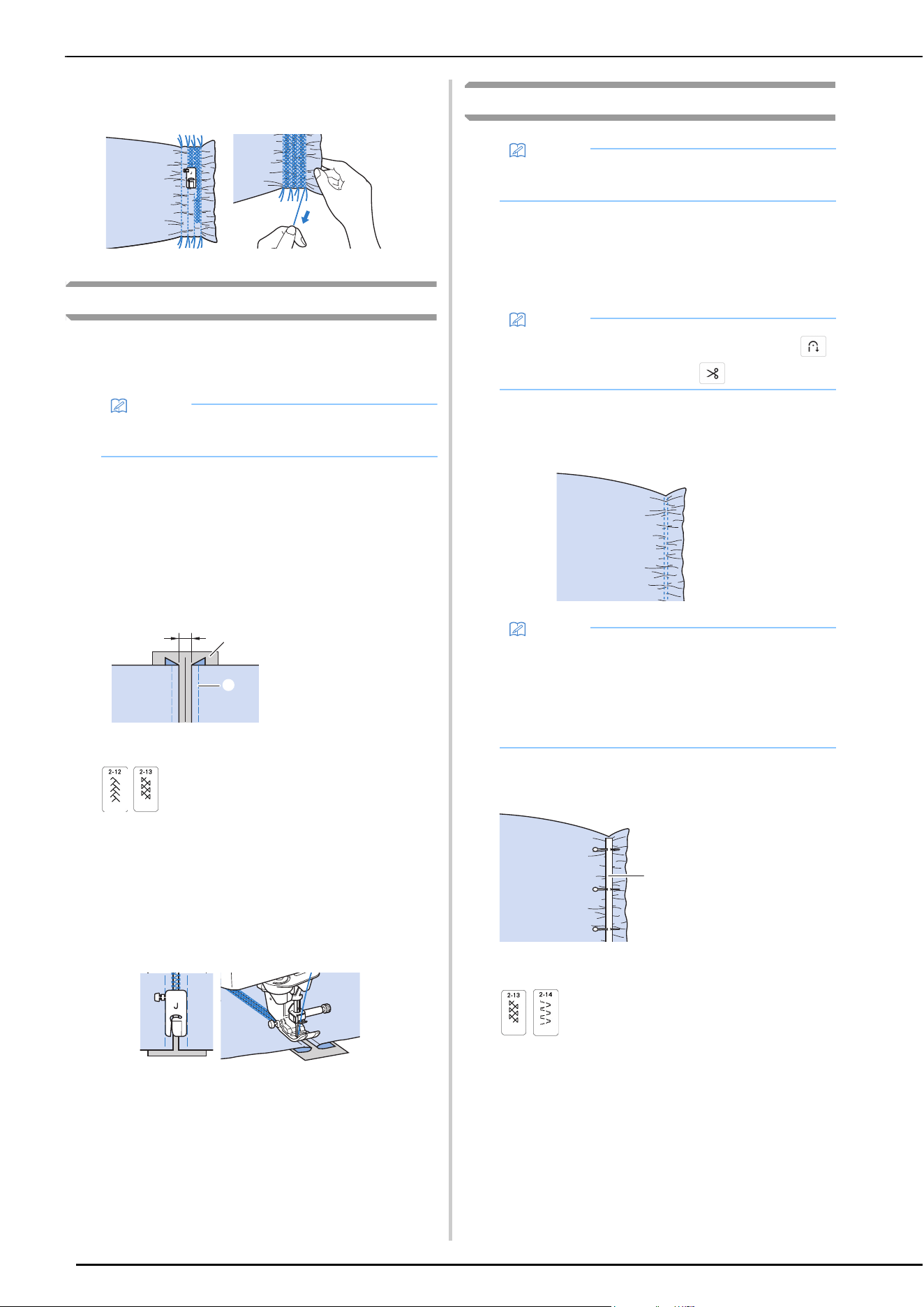
UTILITY STITCHES
78
e
Stitch between the straight stitches and pull out the
threads for the straight stitches.
Fagoting
Stitching across an open seam is called “fagoting”. It is used
on blouses and children's clothing. This stitch is more
decorative when thicker thread is used.
a
Use an iron to fold the two pieces of fabric along their
seams.
b
Baste the two pieces of fabric, separated by about 4
mm (approx. 3/16 inch), onto thin paper or a sheet of
water soluble stabilizer.
If you draw a line down the middle of the thin paper or
water soluble stabilizer, sewing is easier.
c
Select a stitch.
d
Attach zigzag foot “J”.
e
Set the stitch width to 7.0 mm (approx. 1/4 inch).
f
Sew with the center of the presser foot aligned along
the center of the two pieces of fabric.
g
After sewing is finished, remove the paper.
Attaching Tape or Elastic
a
Select a straight stitch and attach presser foot “J”.
b
Set the stitch length to 4.0 mm (approx. 3/16 inch),
and loosen the upper thread tension to 2.0 (page 54).
c
Sew two rows of straight stitches on the right side of
the fabric, then pull the bobbin thread to create the
necessary gather.
d
Place the tape over the gather, and hold it in place with
basting pins.
e
Select a stitch.
Memo
• For details on stitch patterns, refer to “STITCH
SETTING CHART” on page 125.
1 About 4 mm (approx.
3/16 inch)
2 Thin paper or water
soluble stabilizer
3 Basting stitching
a
b
c
Memo
• For details on stitch patterns, refer to “STITCH
SETTING CHART” on page 125.
Memo
• Be sure that neither automatic reinforcement
nor automatic thread cutting is selected.
Memo
• Before sewing the straight stitch, rotate the
handwheel toward you (counterclockwise) and pull
up the bobbin thread. Holding the top and bobbin
thread, pull a length of thread out from the rear of
the machine. (Be sure that the presser foot is
raised.)
1 Tape
a
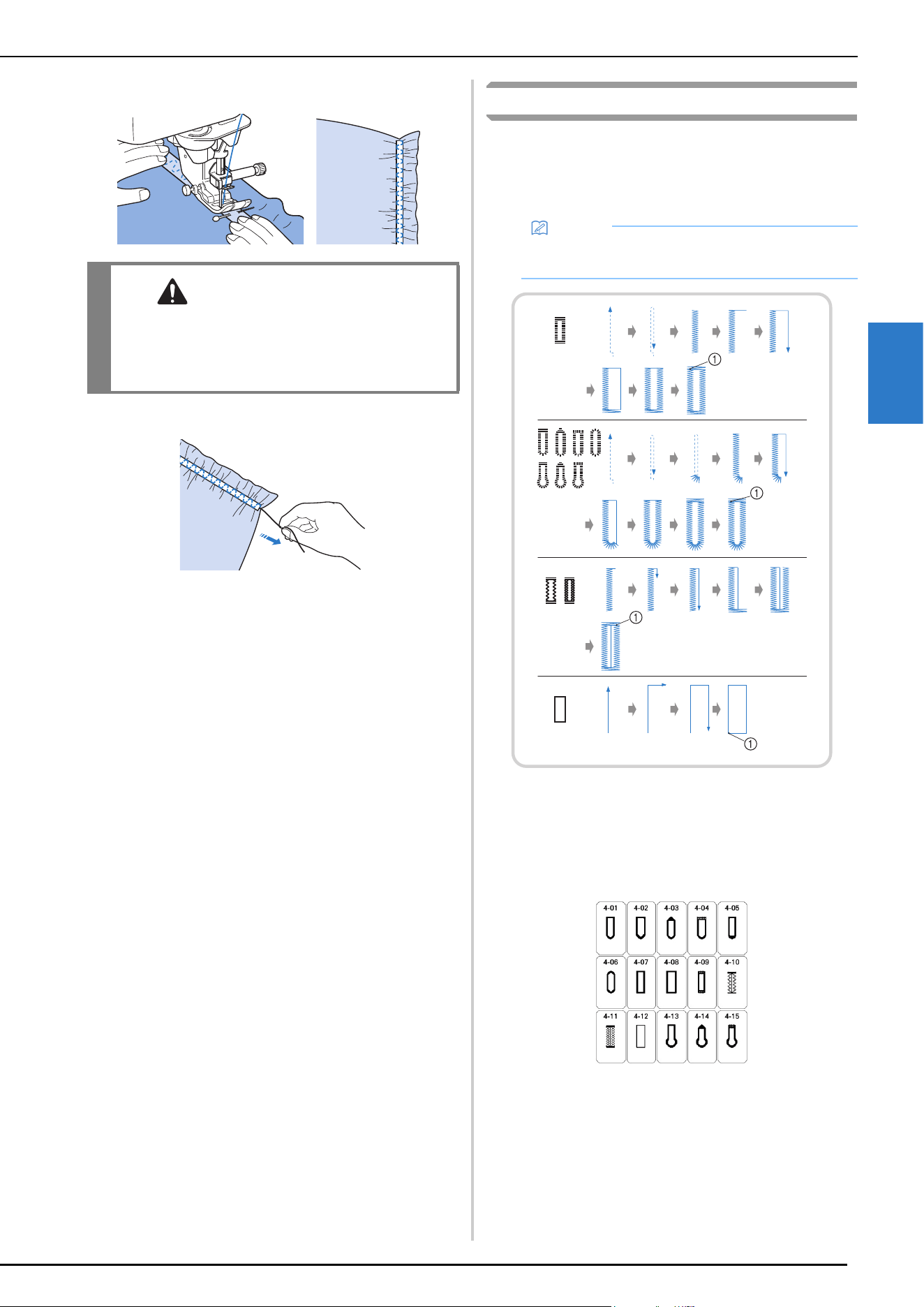
UTILITY STITCHES
VARIOUS STITCHES
79
3
f
Sew over the tape (or elastic).
g
Pull out the straight stitch threads.
One-Step Buttonholes
With one-step buttonholes, you can make buttonholes
appropriate to the size of your button.
One-step buttonholes are sewn from the front of the presser
foot to the back, as shown below.
1 Reinforcement stitching
a
Select a buttonhole stitch, and attach buttonhole foot
“A”.
Position the upper thread under the presser foot by
guiding thread through the hole in the presser foot
before attaching the buttonhole foot “A”.
CAUTION
• Be sure the needle does not strike a basting
pin, or any other objects, during sewing. The
thread could tangle or the needle could break,
causing injury.
Memo
• For details on stitch patterns, refer to “STITCH
SETTING CHART” on page 125.
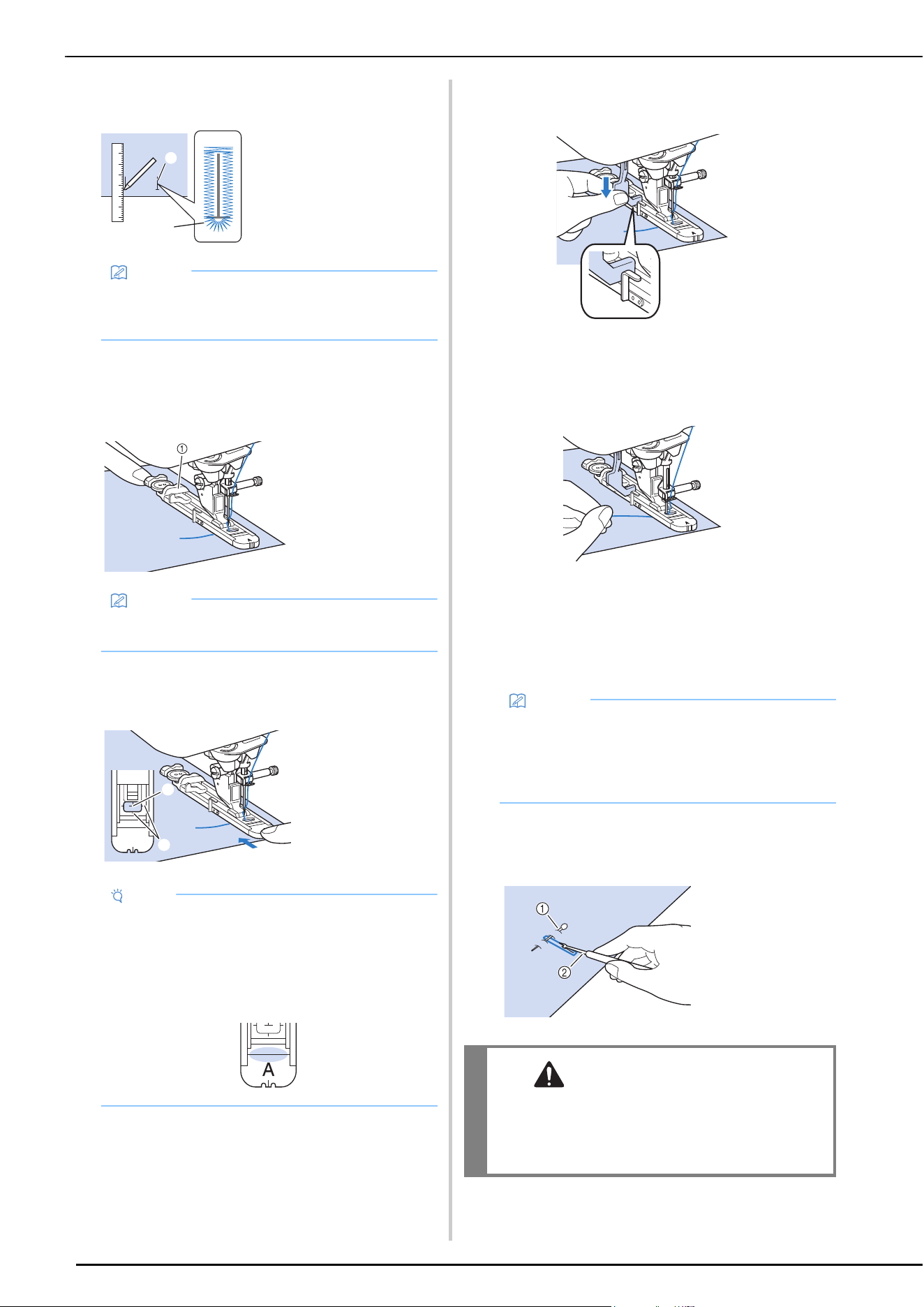
UTILITY STITCHES
80
b
Mark the position and length of the buttonhole on the
fabric.
c
Pull out the button holder plate on the presser foot,
and insert the button that will be put through the
buttonhole. Then tighten the button holder plate
around the button.
d
Align the presser foot with the mark on the fabric, and
lower the presser foot.
e
Lower the buttonhole lever so that it is positioned
behind the metal bracket on the buttonhole foot.
f
Gently hold the end of the upper thread, and then start
sewing.
* Feed the fabric carefully by hand while the
buttonhole is sewn.
Once sewing is completed, the machine
automatically sews reinforcement stitches, and then
stops.
g
Press the “Thread Cutter” button once. Raise the
presser foot, and then remove the fabric.
h
Insert a pin along the inside of one of the bar tacks, and
then insert the seam ripper into the center of the
buttonhole and cut towards the pin.
1 Marks on fabric
2 Buttonhole sewing
Memo
• The maximum buttonhole length is about 28 mm
(approx. 1-1/16 inches) (diameter + thickness of
the button).
1 Button holder
plate
Memo
• The size of the buttonhole is determined by the size
of the button in the button holder plate.
1 Mark on the
fabric
2 Marks on the
presser foot
Note
• Slide the outside frame of the buttonhole foot
backward as far as possible as shown in the
illustration, making sure that there is no gap behind
the part of the foot marked “A”. If the buttonhole
foot is not slid back as far as possible, the
buttonhole will not be sewn at the correct size.
a
b
A
a
b
Memo
• When using the thread cutter on the left side of the
machine or scissors to cut the threads, press the
“Needle Position” button to raise the needle, raise
the presser foot, and then pull out the fabric before
cutting the threads.
1 Basting pin
2 Seam ripper
CAUTION
• When using the seam ripper to open the
buttonhole, do not put your hand or finger in
the path of the ripper. The ripper may slip and
cause injury.
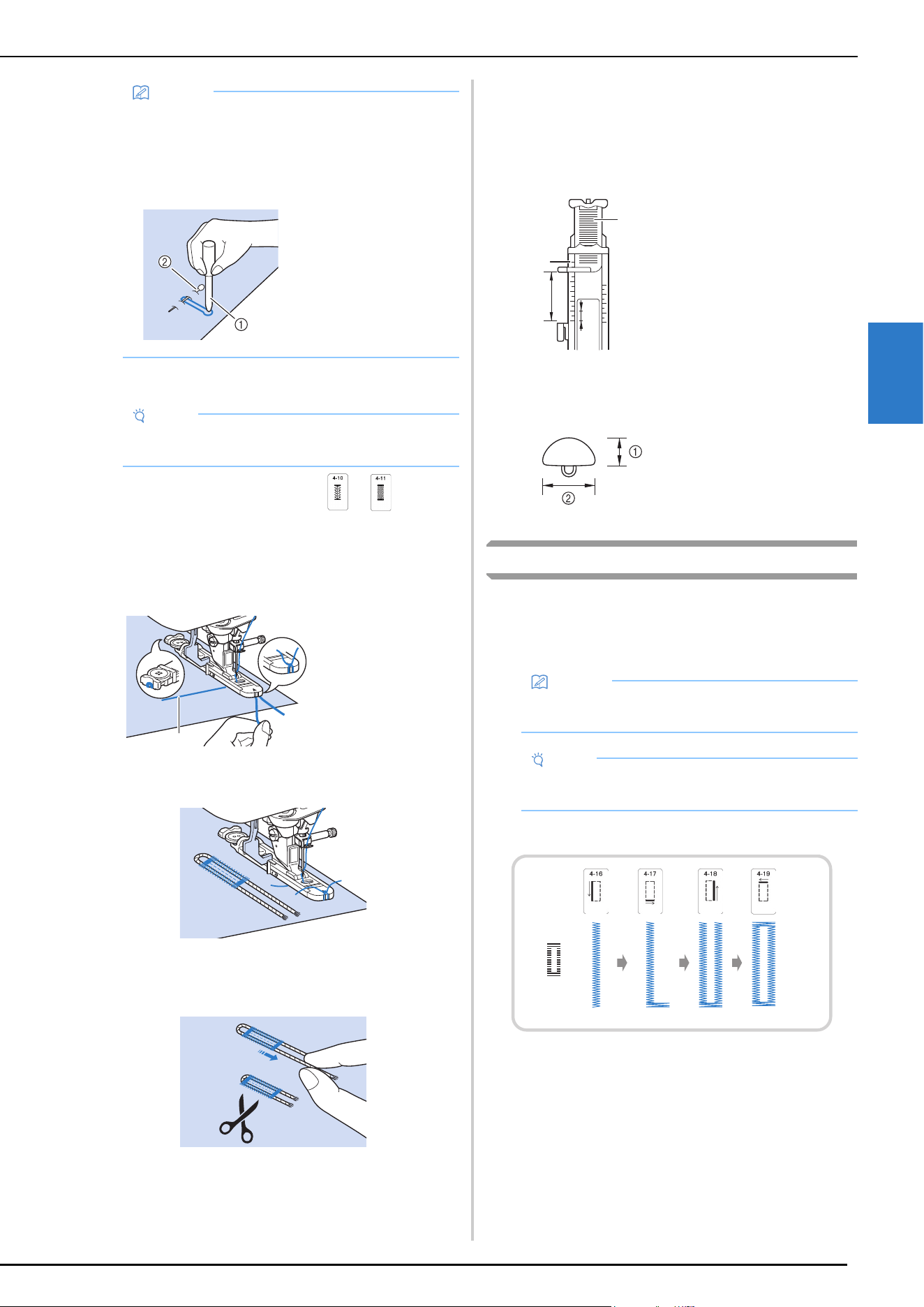
UTILITY STITCHES
VARIOUS STITCHES
81
3
Sewing Stretch Fabrics
When sewing on stretch fabric with or , sew the
buttonhole stitches over a gimp thread.
a
Hook the gimp thread onto the back of presser foot
“A”. Insert the ends into the grooves at the front of the
presser foot, and then temporarily tie them there.
b
Lower the presser foot and start sewing.
c
Once sewing is completed, gently pull the gimp thread
to remove any slack, and trim off any excess.
Odd Shaped Buttons/Buttons that Do Not Fit
into the Button Holder Plate
Add together the diameter and thickness of the button,
and then set the button holder plate to the calculated
length. (The distance between the markings on the presser
foot scale is 5 mm (approx. 3/16 inch).)
Example: For a button with a diameter of 15 mm (approx.
9/16 inch) and a thickness of 10 mm (approx. 3/8 inch),
the scale should be set at 25 mm (approx. 1 inch).
Four-Step Buttonholes
You can sew 4-step buttonholes using the following 4 stitches
together. You can sew any desired length for the buttonhole
when using 4-step buttonholes. 4-step buttonholes are a good
option when attaching oversize buttons.
Four-step buttonholes are sewn as shown below.
Memo
• For keyhole buttonholes, use the eyelet punch to
make a hole in the rounded end of the buttonhole.
Then insert a pin along the inside of one of the bar
tacks, insert a seam ripper into the hole made with
the eyelet punch, and cut towards the pin.
Note
• Attach stabilizer material to the back of stretch
fabrics to prevent them from stretching.
1 Upper thread
1 Eyelet punch
2 Basting pin
a
1 Presser foot scale
2 Button holder plate
3 Combined
measurement of
diameter + thickness
4 5 mm (approx. 3/16
inch)
Memo
• For details on stitch patterns, refer to “STITCH
SETTING CHART” on page 125.
Note
• When changing the stitch settings, make sure that
all stitch settings are changed to match.
a
b
c
d
1 10 mm (approx. 3/8
inch)
2 15 mm (approx. 9/16
inch)
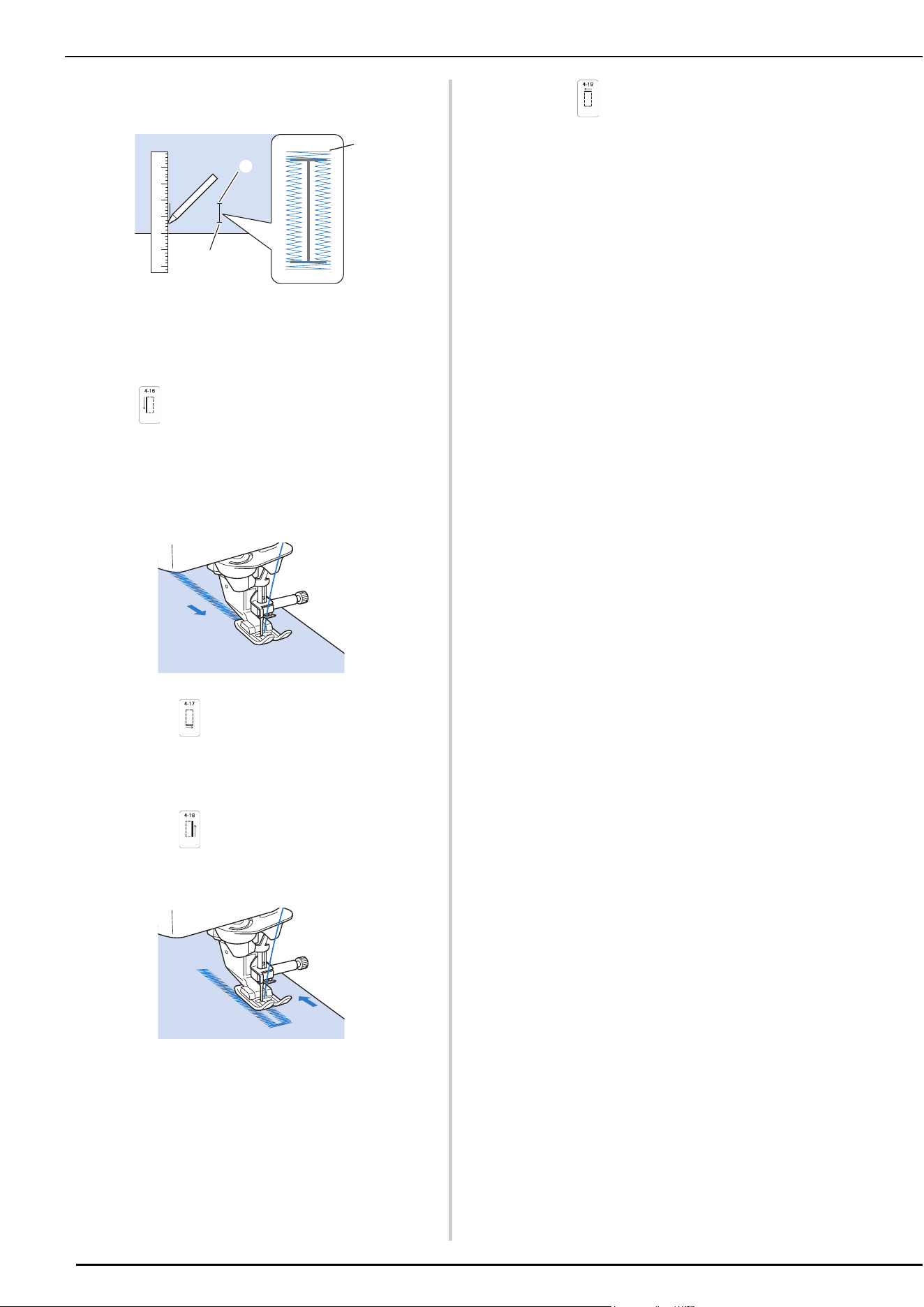
UTILITY STITCHES
82
a
Mark the position and length of the buttonhole on the
fabric.
1 Starting point
2 End point
3 Buttonhole sewing
b
Attach advanced monogramming foot “N+”, and select
stitch to sew the left side of the buttonhole.
c
Press the “Start/Stop” button to start sewing.
d
Sew the desired length for the buttonhole and press the
“Start/Stop” button again.
e
Select stitch to sew the bar tack and press the
“Start/Stop” button.
The machine will automatically stop after sewing the
bar tack.
f
Select stitch to sew the right side of the
buttonhole, and press the “Start/Stop” button to begin
sewing.
g
Sew the right side of the buttonhole and press the
“Start/Stop” button again.
* Sew the right side of the buttonhole the same length
as the left.
h
Select stitch to sew the bar tack and then press the
“Start/Stop” button.
The machine will automatically sew off the bar tack
tie and stop when the bar tack is complete.
i
Raise the presser foot and remove the fabric.
j
Open the buttonhole (page 80).
b
c
a
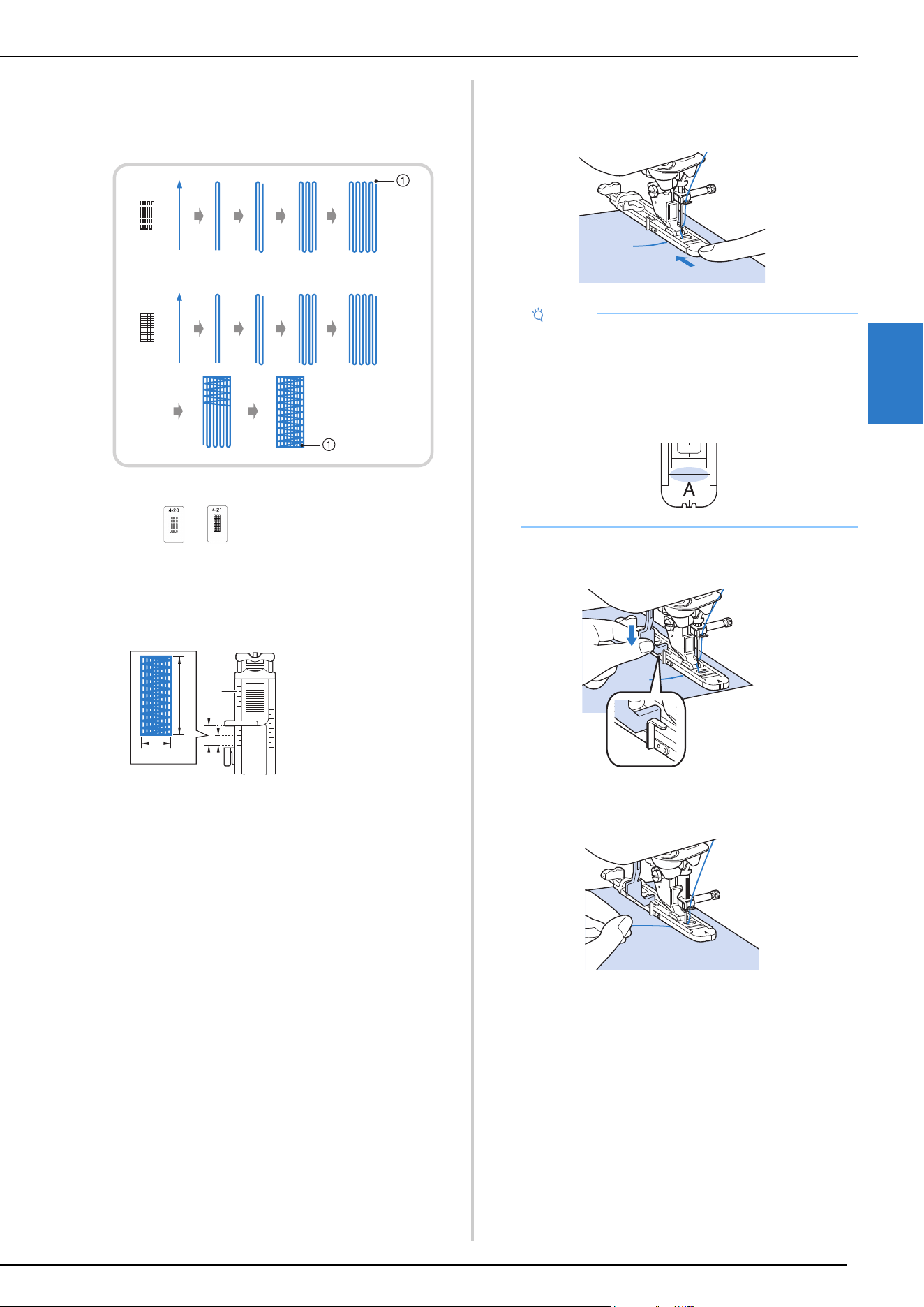
UTILITY STITCHES
VARIOUS STITCHES
83
3
Darning
Use darning stitches for mending and other applications.
Darning is performed by sewing from the front of the
presser foot to the back as shown below.
1 Reinforcement stitches
a
Select or , and attach buttonhole foot “A”.
Position the upper thread under the presser foot by
guiding thread through the hole in the presser foot
before attaching the buttonhole foot “A”.
b
Set the scale to the desired length of the darning.
c
Check that the needle drops at the desired position and
lower the presser foot, making sure the upper thread
passes underneath the buttonhole foot.
d
Lower the buttonhole lever so that it is positioned
behind the metal bracket on the buttonhole foot.
e
Gently hold the end of the upper thread, and then
press the “Start/Stop” button to start the machine.
Once sewing is completed, the machine
automatically sews reinforcement stitches, and then
stops.
1 Presser foot scale
2 Completed length
measurement
3 Width 7 mm
(approx. 1/4 inch)
4 5 mm (approx. 3/
16 inch)
a
d
b
c
Note
• Slide the outside frame of the buttonhole foot
backward as far as possible as shown in the
illustration, making sure that there is no gap behind
the part of the foot marked “A”. If the buttonhole
foot is not slid back as far as possible, the
buttonhole will not be sewn at the correct size.
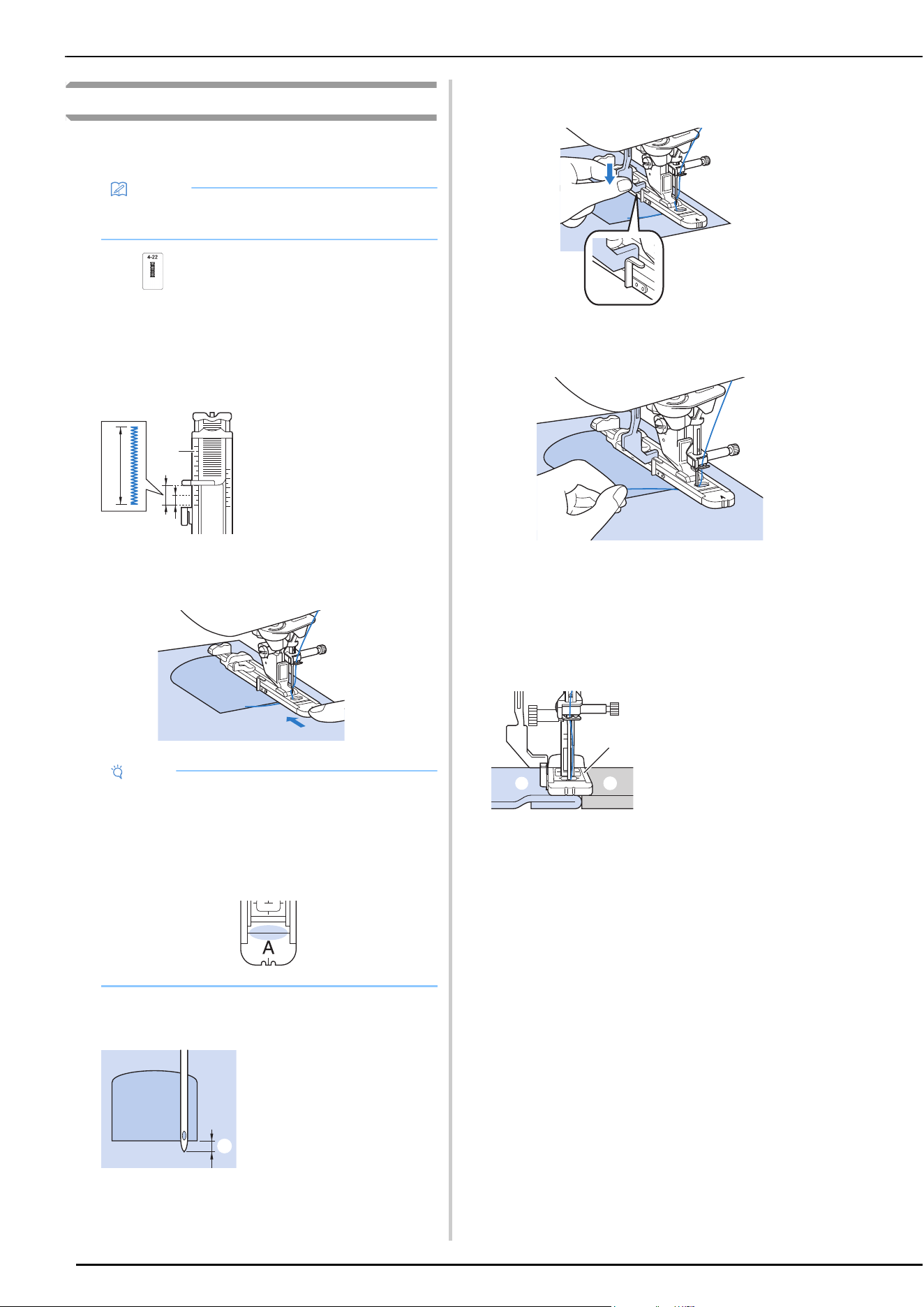
UTILITY STITCHES
84
Bar Tacks
Use bar tacks to reinforce areas that will be subject to strain,
such as pocket corners.
a
Select .
b
Attach buttonhole foot “A” and set the scale to the
length of the bar tack you wish to sew.
Position the upper thread under the presser foot by
guiding thread through the hole in the presser foot
before attaching the buttonhole foot “A”.
c
Set the fabric so that the pocket moves toward you
during sewing.
d
Check the first needle drop point and lower the presser
foot.
e
Lower the buttonhole lever so that it is positioned
behind the metal bracket on the buttonhole foot.
f
Gently hold the end of the upper thread and start
sewing.
When sewing is completed, the machine will sew
reinforcement stitches and stop automatically.
Bar Tacks On Thick Fabrics
Place a piece of folded fabric or cardboard beside the
fabric being sewn to level the buttonhole foot and allow
for easier and even feeding.
Memo
• For details on stitch patterns, refer to “STITCH
SETTING CHART” on page 125.
1 Presser foot scale
2 Completed length
measurement
3 5 mm (approx. 3/16
inch)
Note
• Slide the outside frame of the buttonhole foot
backward as far as possible as shown in the
illustration, making sure that there is no gap behind
the part of the foot marked “A”. If the buttonhole
foot is not slid back as far as possible, the
buttonhole will not be sewn at the correct size.
1 2 mm (approx. 1/16
inch)
a
b
c
a
1 Presser foot
2 Thick paper
3 Fabric
a
b
c
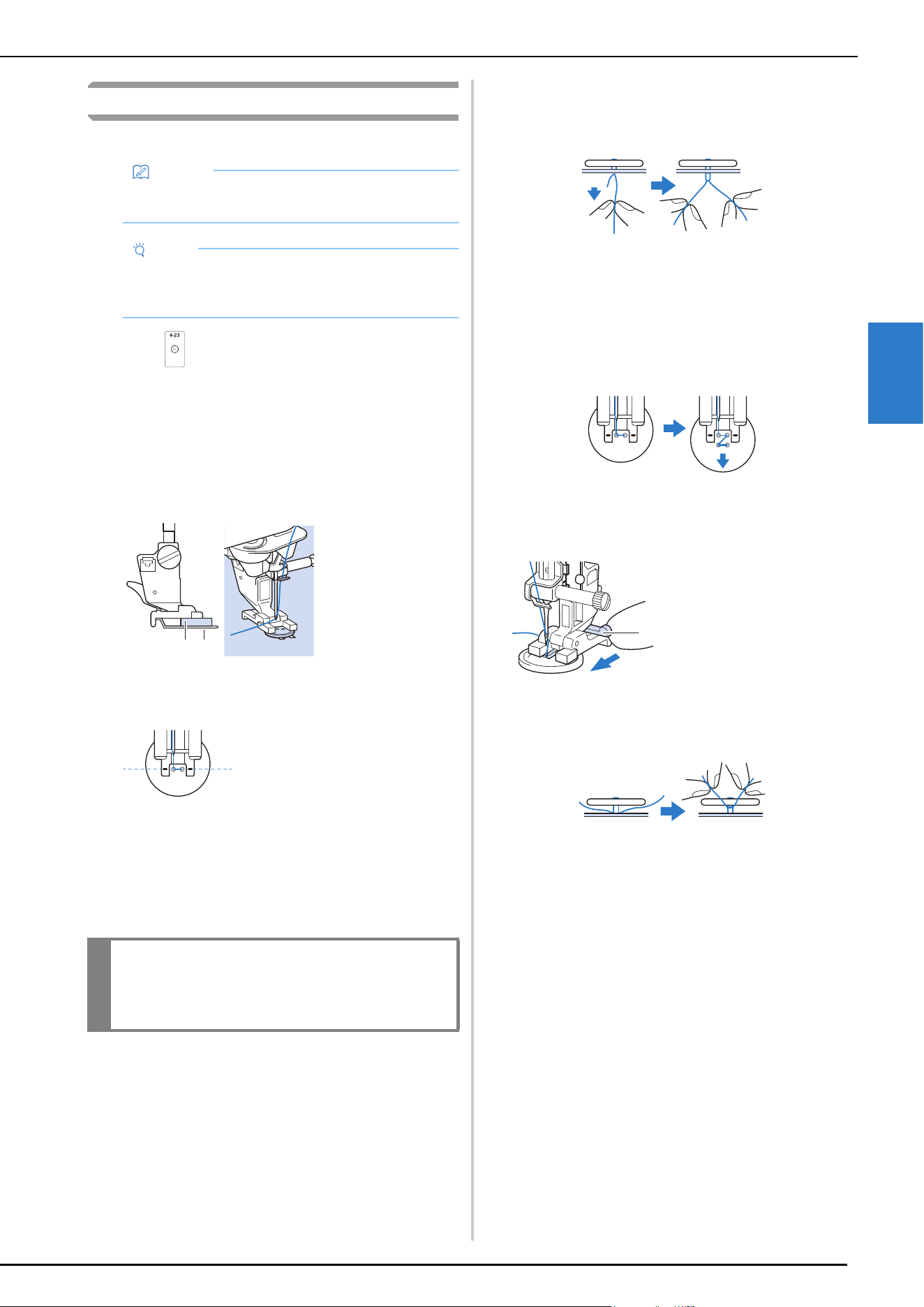
UTILITY STITCHES
VARIOUS STITCHES
85
3
Button Sewing
Buttons with 2 or 4 holes can be attached, using the machine.
a
Select .
The feed dogs are lowered automatically.
b
Raise the presser foot.
c
Attach button fitting foot “M”, slide the button along
the metal plate and into the presser foot, and lower the
presser foot.
d
Rotate the handwheel toward you (counterclockwise)
to check that the needle goes into each hole correctly.
* If the needle does not reach the holes on the left
side, adjust the stitch width.
e
Gently hold the end of the upper thread and start
sewing.
The machine stops automatically when sewing is
finished.
* To attach the button more securely, repeat the
process.
f
From the wrong side of the fabric, pull the end of the
bobbin thread to pull the upper thread through to the
wrong side of the fabric. Tie the two thread ends
together and cut the threads.
g
After the button is attached, select another stitch and
rotate the handwheel toward you (counterclockwise)
to raise the feed dogs.
Attaching 4-Hole Buttons
Sew the two holes closest to you. Then raise the presser
foot and move the fabric so that the needle goes into the
next two holes, and sew them in the same way.
Attaching a Shank to the Button
a
Pull the shank lever toward you before sewing.
b
After sewing is finished, pull the two ends of the upper
thread between the button and the fabric, wind them
around the shank, and then tie them firmly together.
c
Tie the ends of the bobbin thread from the beginning
and end of sewing together on the wrong side of the
fabric.
d
Cut off any excess thread.
Memo
• For details on stitch patterns, refer to “STITCH
SETTING CHART” on page 125.
Note
• Do not use the automatic thread cutting function
when sewing buttons. Otherwise, you will lose the
thread ends.
1 Button
2 Metal plate
1 Align the buttonholes
with the marks on
button fitting foot “M”.
IMPORTANT
• Make sure the needle does not strike the
button during sewing.
a
b
a
1 Shank lever
a
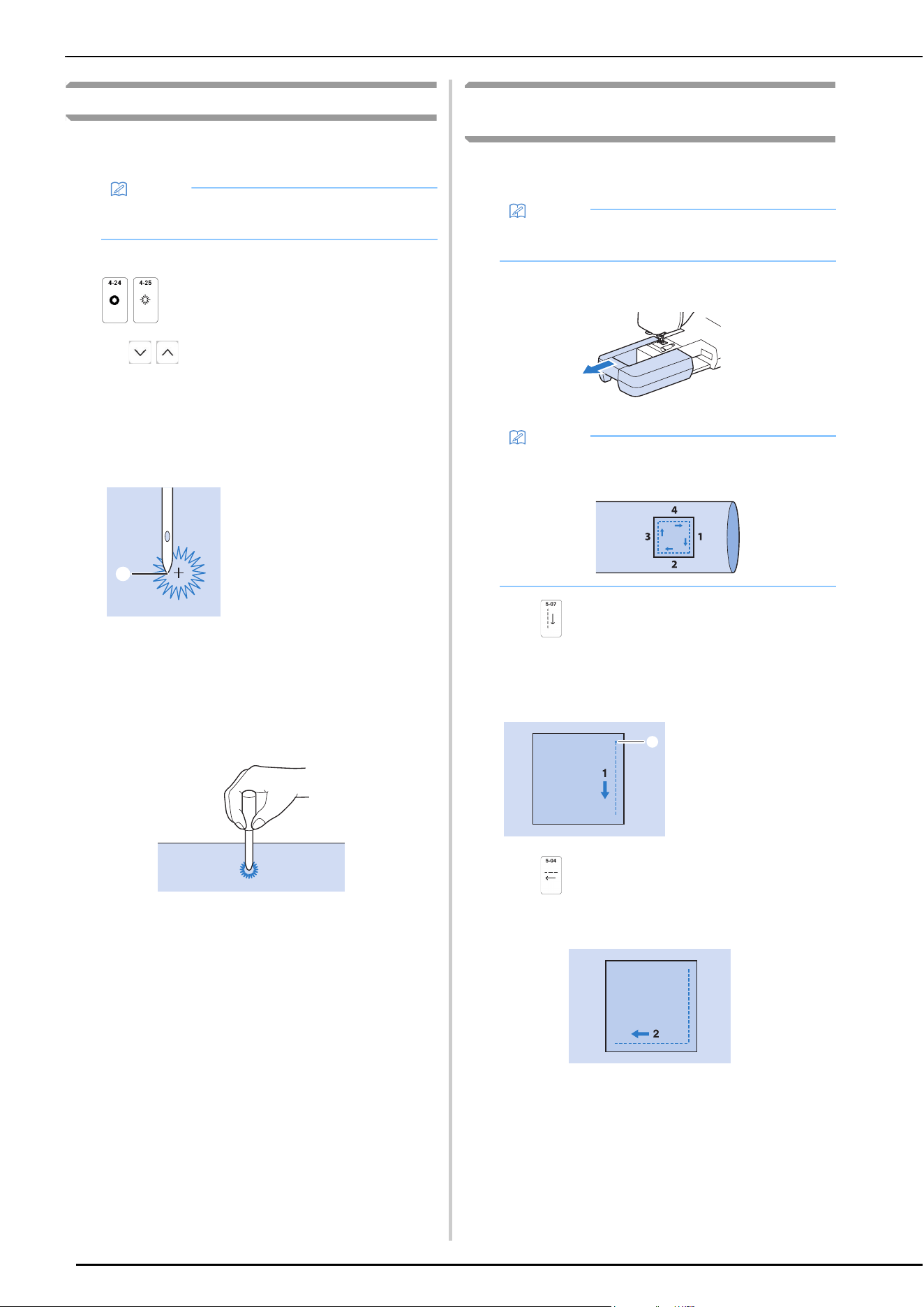
UTILITY STITCHES
86
Eyelet
Use this stitch for making belt holes and other similar
applications.
a
Select a stitch.
b
Use in either the stitch width display or the
stitch length display to choose the size of the eyelet
(page 53).
c
Attach advanced monogramming foot “N+”, then
rotate the handwheel toward you (counterclockwise)
to check the needle drop point.
d
Lower the presser foot and start sewing.
When sewing is finished, the machine sews
reinforcement stitches and stops automatically.
e
Use the eyelet punch to make a hole in the center of
the stitching.
Multi-directional Sewing (Straight Stitch and
Zigzag Stitch)
Use these stitch patterns to attach patches or emblems to pant
legs, shirt sleeves, etc.
a
Remove the flat bed attachment to use the free-arm.
b
Select and attach advanced monogramming foot
“N+”.
c
Set the needle in the fabric at the sewing start point,
and sew seam “1” as shown.
d
Select and sew seam “2” as shown.
* The fabric will move sideways, guide the fabric by
hand to keep sewing straight.
Memo
• For details on stitch patterns, refer to “STITCH
SETTING CHART” on page 125.
1 Needle drop point
a
Memo
• For details on stitch patterns, refer to “STITCH
SETTING CHART” on page 125.
Memo
• Insert the tubular piece of fabric onto the free-arm,
and then sew in the order shown in the illustration.
1 Start Point
a
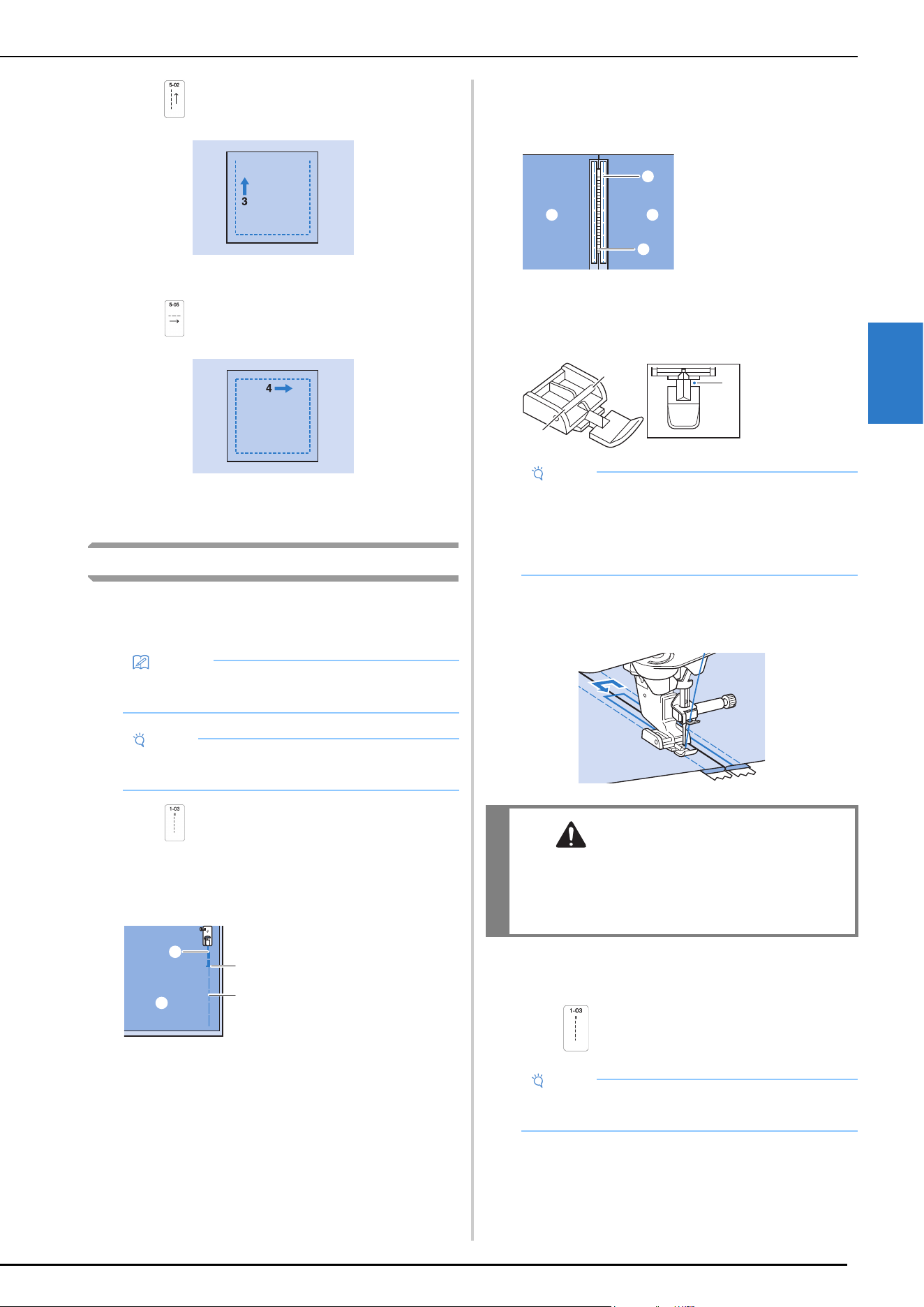
UTILITY STITCHES
VARIOUS STITCHES
87
3
e
Select and sew seam “3” as shown.
The fabric feeds forward while stitching backward.
f
Select and sew seam “4” as shown.
The seam will be connected to the starting point of
seam 1.
Zipper Insertion
Centered Zipper
Use for bags and other such applications.
a
Select .
b
Attach presser foot “J” and sew straight stitches up to
the zipper opening. Change to a basting stitch
(page 64) and sew to the top of the fabric.
c
Press the seam allowance open and attach the zipper
with a basting stitch in the middle of each side of the
zipper tape.
d
Remove presser foot “J”. Align the right side of the pin
in zipper foot “I” with the presser foot holder, and
attach the zipper foot.
e
Topstitch 7 to 10 mm (approx. 1/4 to 3/8 inch) from
the seamed edge of the fabric, then remove the basting.
Inserting a Side Zipper
Use for side zippers in skirts or dresses.
a
Select .
Memo
• For details on stitch patterns, refer to “STITCH
SETTING CHART” on page 125.
Note
• Make sure you sew using the middle needle
position.
1 Basting stitches
2 Reverse stitches
3 End of zipper opening
4 Wrong side
a
c
b
d
1 Basting stitches
2 Zipper
3 Wrong side
1 Right
2 Left
3 Needle drop
point
Note
• When using zipper foot “I”, make sure the straight
stitch, middle needle position is selected. Rotate
the handwheel toward you (counterclockwise) to
make sure the needle does not strike the presser
foot.
CAUTION
• Make sure the needle does not strike the
zipper during sewing. If the needle strikes the
zipper, the needle may break, leading to
injury.
Note
• Make sure you sew using the middle needle
position.
cc
a
b
a
b
c
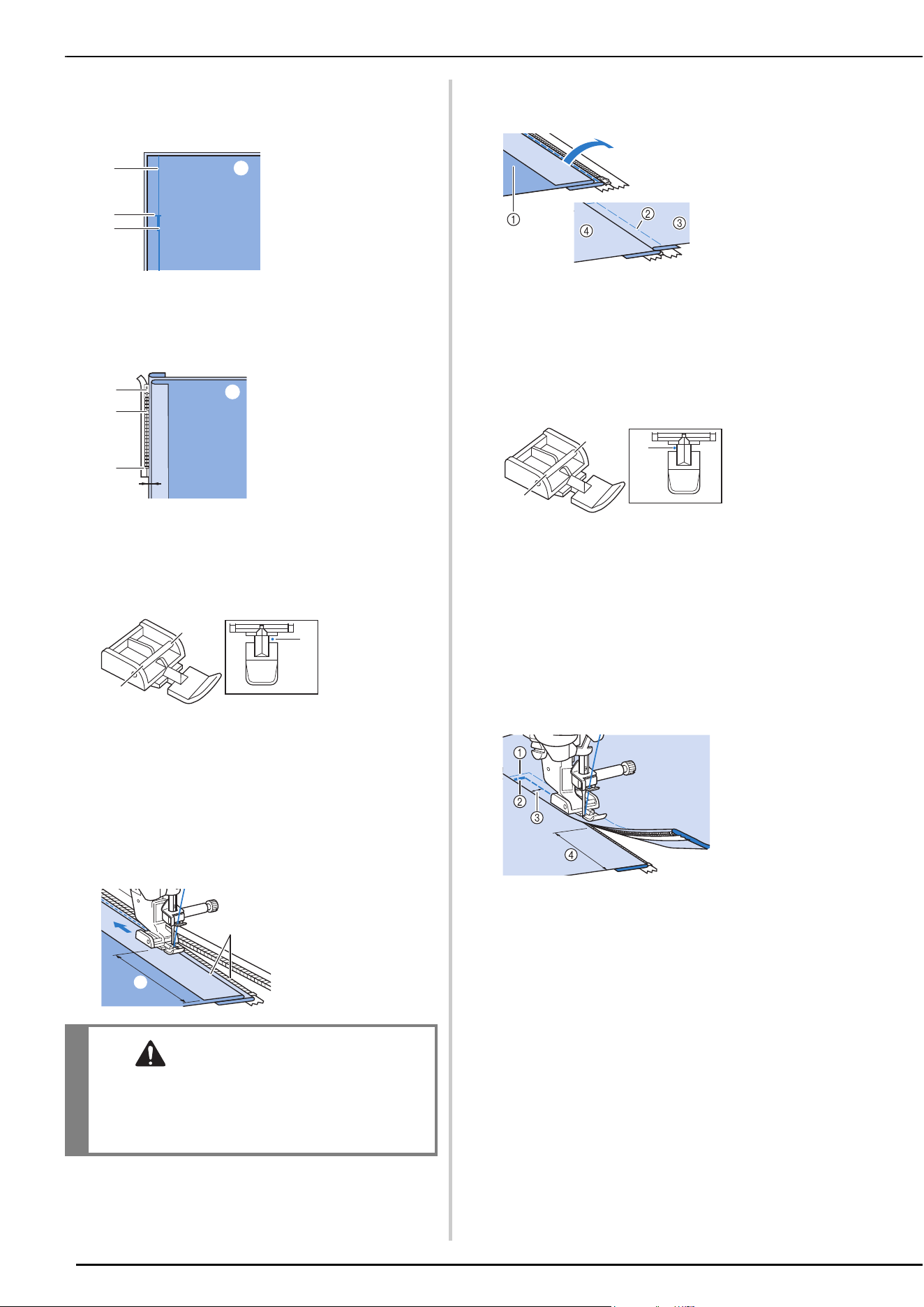
UTILITY STITCHES
88
b
Attach presser foot “J” and sew straight stitches up to
the zipper opening. Change to a basting stitch and sew
to the top of the fabric.
c
Press the seam allowance open and align the folded
hem along the teeth of the zipper, while maintaining 3
mm (approx. 1/8 inch) of sewing space.
d
Remove presser foot “J”.
e
Align the right side of the pin in zipper foot “I” with
the presser foot holder, and attach the presser foot.
f
Set the presser foot in the 3 mm (approx. 1/8 inch)
margin.
g
Starting from the end of the zipper opening, sew to a
point about 5 cm (approx. 2 inches) from the edge of
the fabric, then stop the machine.
h
Pull down the zipper slider, then continue sewing to
the edge of the fabric.
i
Close the zipper, turn the fabric over, and sew a
basting stitch.
j
Remove the presser foot, and reattach it so that the left
side of the pin is attached to the presser foot holder.
* When sewing the left side of the zipper, the needle
should drop on the right side of the presser foot.
When sewing the right side of the zipper, the needle
should drop on the left side of the presser foot.
k
Set the fabric so that the left edge of the presser foot
touches the edge of the zipper teeth.
l
Sew reverse stitches at the top of the zipper, then
continue sewing.
m
Stop sewing about 5 cm (approx. 2 inches) from the
edge of the fabric, leave the needle in the fabric, and
remove the basting stitches.
n
Open the zipper and sew the rest of the seam.
1 Reverse stitches
2 Wrong side of fabric
3 Basting stitches
4 End of zipper opening
1 Zipper pull tab
2 Wrong side of fabric
3 Zipper teeth
4 End of zipper opening
5 3 mm (approx. 1/8
inch)
1 Right
2 Left
3 Needle
drop point
1 About 5 cm (approx.
2 inches)
2 3 mm (approx. 1/8
inch)
CAUTION
• Make sure the needle does not strike the
zipper during sewing. If the needle strikes the
zipper, the needle may break, leading to
injury.
a
b
c
d
a
b
c
d
e
a
b
c
a
b
1 Front of the skirt
(wrong side of
fabric)
2 Basting stitches
3 Front of the skirt
(right side of
fabric)
4 Back of the skirt
(right side of
fabric)
1 Right
2 Left
3 Needle
drop point
1 Basting
stitches
2 Reverse
stitches
3 7 to 10 mm
(approx. 1/4
inch to 3/8
inch)
4 About 5 cm
(approx. 2
inches)
a
b
c
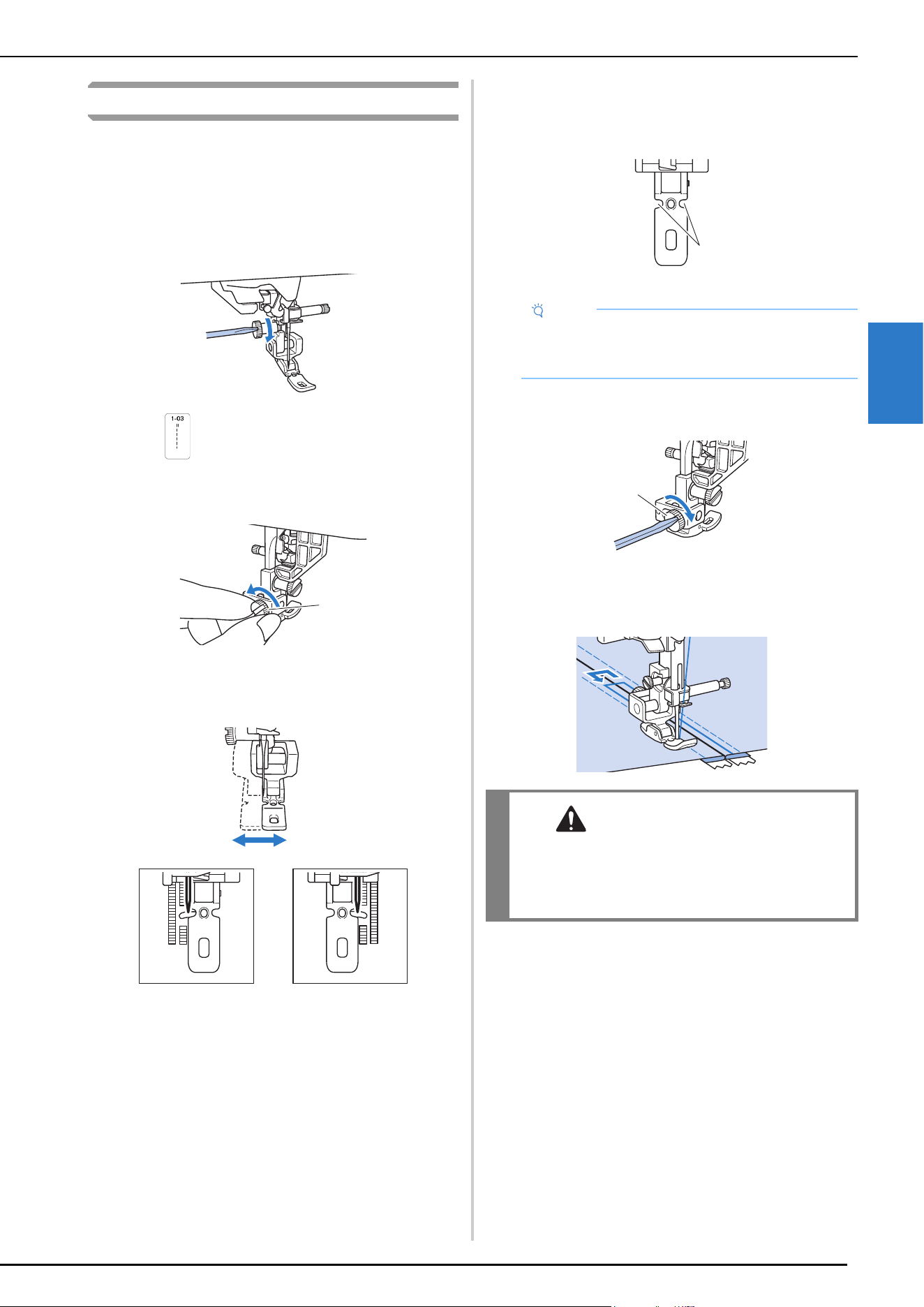
UTILITY STITCHES
VARIOUS STITCHES
89
3
Adjustable Zipper/Piping Insertion
Centered Zipper
a
Refer to step a to c of “Centered Zipper” on
page 87.
b
Remove presser foot “J” and the presser holder to
attach the adjustable zipper/piping foot.
c
Select .
d
Loosen the positioning screw on the back of the presser
foot.
1 Positioning screw
e
Slide the presser foot over either the left or right feed
dog.
f
Change the needle position so that the needle does not
touch the presser foot.
For details, refer to “Setting the Stitch Width” on
page 53.
1 Needle drop point
g
Securely tighten the positioning screw with a
screwdriver.
1 Positioning screw
h
Topstitch 7 to 10 mm (approx. 1/4 to 3/8 inch) from
the seamed edge of the fabric, then remove the basting.
1
Note
• Slowly rotate the handwheel toward you
(counterclockwise) before sewing and make sure
that the needle is not contacting the presser foot.
CAUTION
• Make sure the needle does not strike the
zipper during sewing. If the needle strikes the
zipper, the needle may break, leading to
injury.
1
1
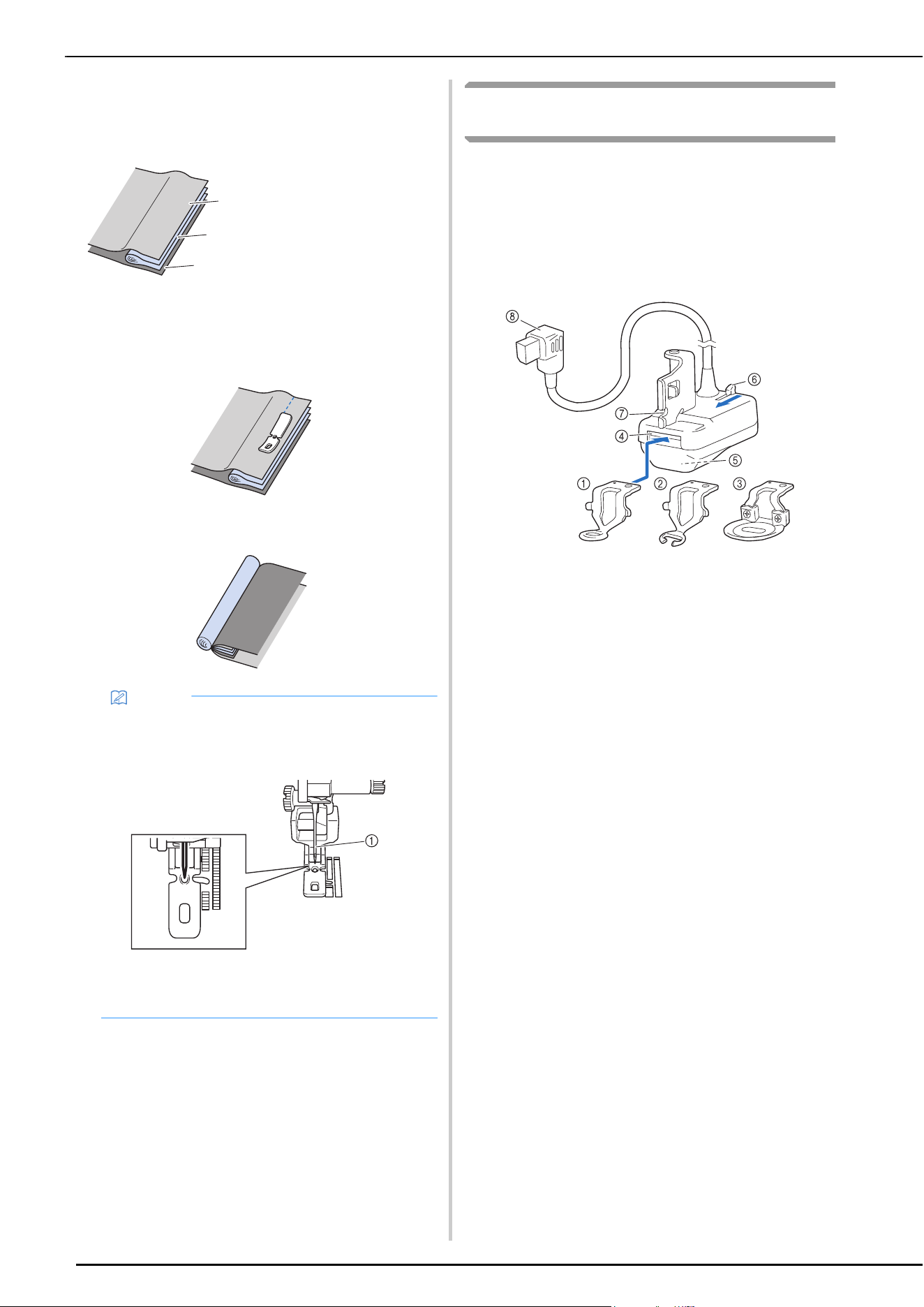
UTILITY STITCHES
90
Inserting a Piping
a
Place the piping between two fabrics inside out, as
shown below.
b
Refer to the steps of attaching the adjustable zipper/
piping foot on the previous page.
c
Sew along the piping.
d
After sewing, turn them over.
Free-Motion Quilting/Basting with the Stitch
Regulator
The stitch regulator allows free-motion quilting and free-
motion basting with a set stitch length. The machine detects
how the fabric is being moved and makes adjustments to
ensure the set stitch length.
Names of Parts and Their Functions
Replace the presser foot to be used with the stitch
regulator, according to your needs.
1 Stitch regulator quilting foot
Used for general quilting.
2 Stitch regulator open toe quilting foot
This presser foot enables you to easily check the needle and
stitching. Carefully sew, making sure that the fabric does not
catch on the tips of the presser foot. Do not use this foot when
selecting [Basting mode].
3 Stitch regulator echo quilting foot
Used for echo quilting. This presser foot is also suitable for
sewing furry fabric or fabric with an uneven surface or for
sewing different types of fabric together.
4 Presser foot slot
5 Stitch regulator window
The inner sensor detects fabric movement.
6 Presser foot release button
Push this toward you to remove the presser foot.
7 Notch in the stitch regulator
8 Connector of the stitch regulator
1 Fabric
2 Piping
3 Fabric
Memo
• The center hole of the presser foot is also available
for sewing straight stitches. This is useful for stable
sewing for elastic or thin fabric.
1 Left needle position
• Make sure that the needle does not touch the
presser foot.
1
2
3
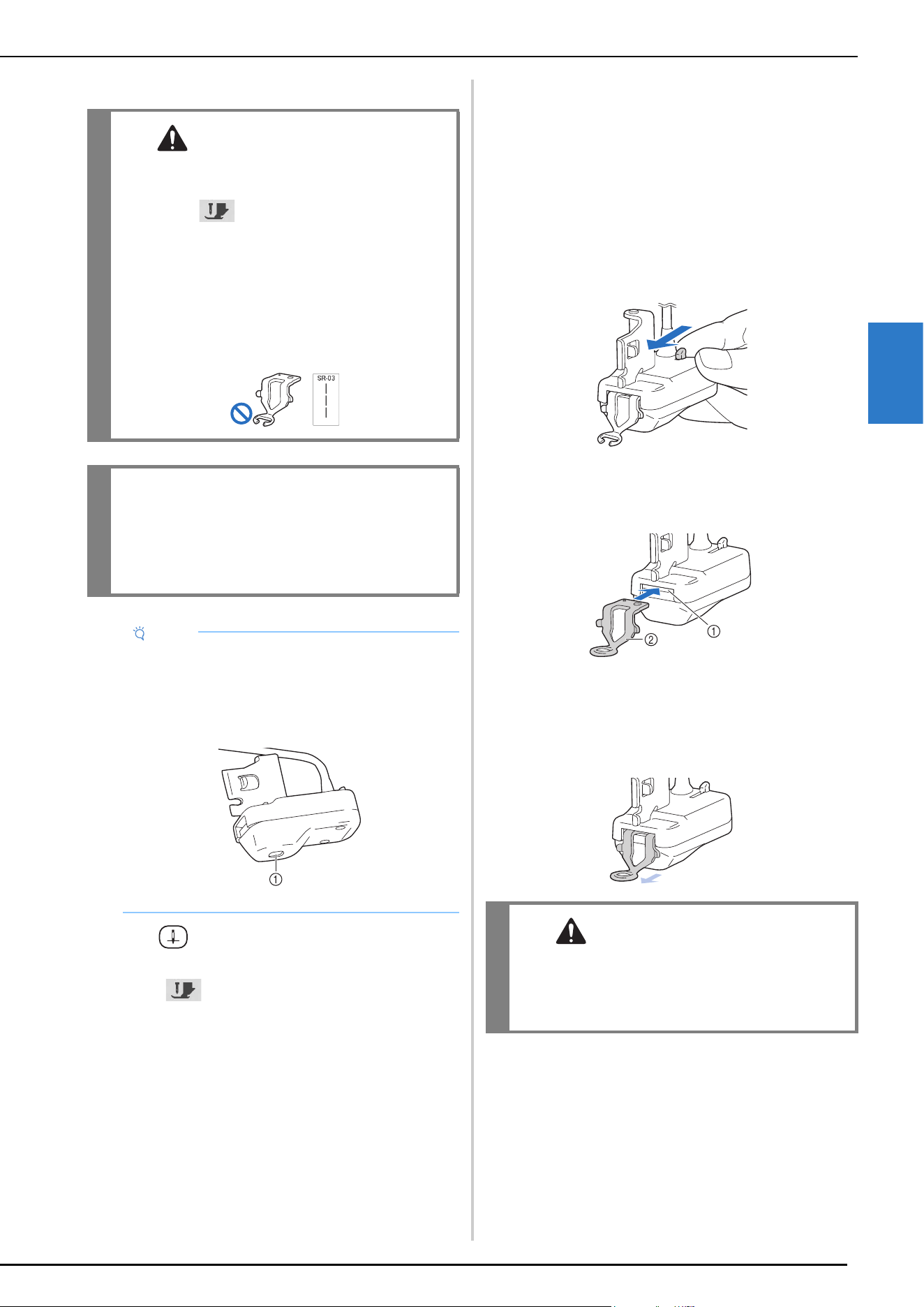
UTILITY STITCHES
VARIOUS STITCHES
91
3
Attaching the Stitch Regulator and Presser Foot
a
Press (Needle position button) to raise the
needle.
b
Touch to lock all keys and buttons.
* If the message [OK to automatically lower the
presser foot?] appears on the LCD screen, touch
[OK] to continue.
c
Raise the presser foot lever.
d
Remove the presser foot and presser foot holder.
(page 43)
e
Prepare the presser foot to be used with the stitch
regulator.
f
If the presser foot already attached to the stitch
regulator will not be used, slowly push the presser foot
release button toward you as far as it will go, and then
remove the presser foot after it has been ejected.
g
Correctly orient the presser foot, insert it horizontally
into the presser foot slot, and then push it in as far as it
will go.
1 Presser foot slot
2 Presser foot
h
Pull the presser foot slightly toward you to check if it is
firmly secured. If the presser foot comes out, reinsert it
as far as it will go.
CAUTION
• Before installing or removing the stitch
regulator or replacing the presser foot, be sure
to touch to lock all keys and buttons.
Unintentional operations such as pressing a
button may cause the machine to start
operating, resulting in injuries.
• We strongly advise to not use the stitch
regulator open toe quilting foot when in
[Basting mode], as the possibility of needle
breakage is increased.
IMPORTANT
• Do not install the stitch regulator onto the
machine if the stitch regulator is wet or has
been damaged from being dropped. The laser
sensor may have been damaged.
Note
• Before using the stitch regulator, check the window
at the bottom. Remove any accumulated dust or
lint with a cotton swab or other soft object without
damaging the built-in lens. Do not use hard objects
such as needles or tweezers.
1 Stitch regulator window
CAUTION
• Make sure that the presser foot is firmly
secured. Otherwise, the presser foot may
come off or the needle may break, causing
injuries.
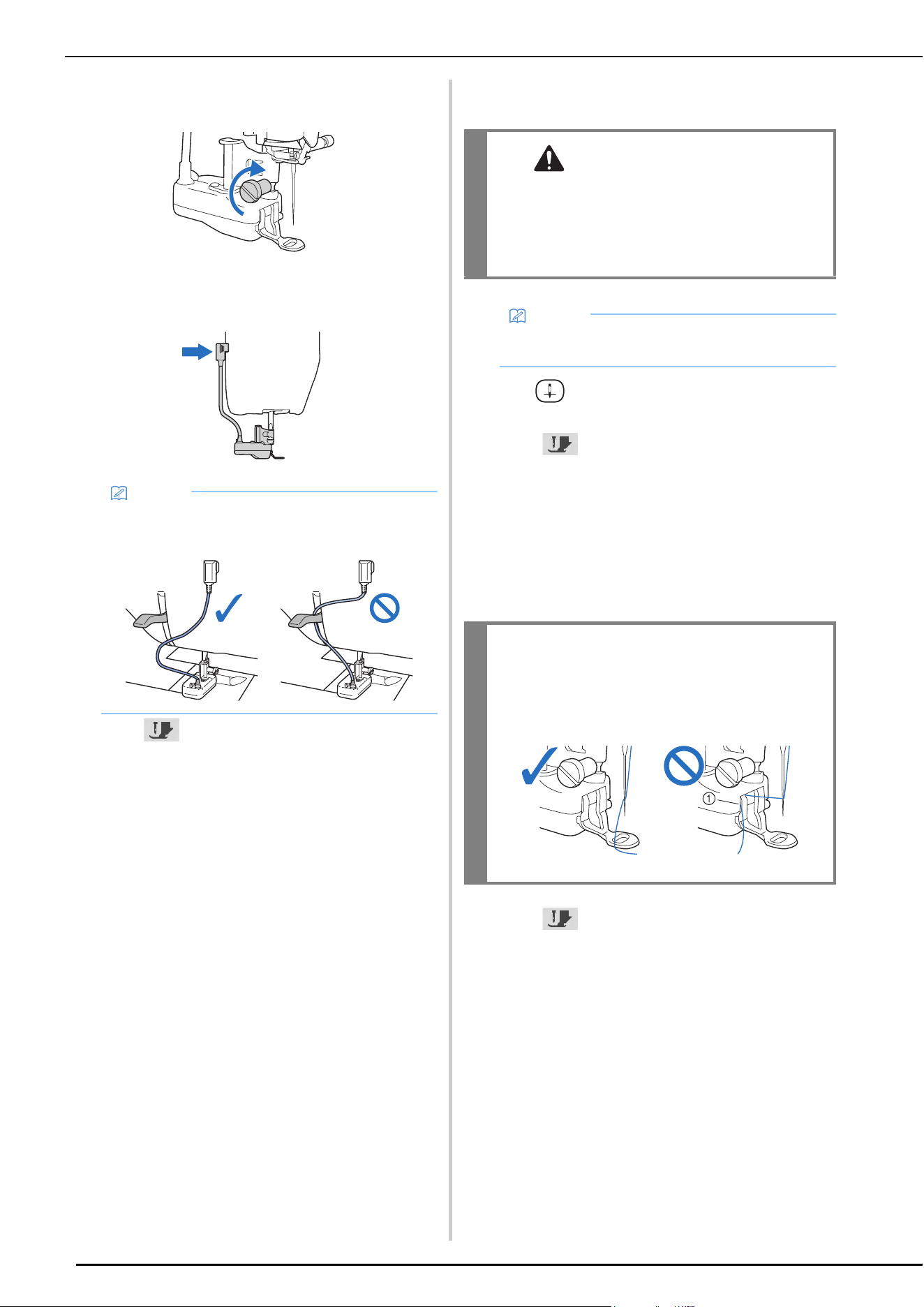
UTILITY STITCHES
92
i
Align the notch in the stitch regulator with the screw
on the presser bar, and then firmly tighten the screw.
j
Plug the connector of the stitch regulator into the jack
on the back of your machine.
k
Touch to unlock all keys and buttons.
Replacing the Presser Foot with the Stitch
Regulator Installed
a
Press (Needle position button) to raise the
needle.
b
Touch to lock all keys and buttons.
c
To replace the presser foot, refer to steps f through
h of “Attaching the Stitch Regulator and Presser
Foot” on page 91. After replacing the presser foot,
make sure that the thread is not caught in the stitch
regulator.
* If the presser foot has been raised, lowering it will
make it easier to replace it.
d
Touch to unlock all keys and buttons.
Memo
• Make sure that the stitch regulator harness does
not catch on the presser foot lever.
CAUTION
• When replacing the presser foot, make sure
that the needle does not strike your fingers or
the presser foot. Otherwise, injuries may
result, or the needle or presser foot may
become damaged.
Memo
• We recommend removing the fabric from the
machine before replacing the presser foot.
IMPORTANT
• If the thread has been caught in the stitch
regulator, remove the presser foot, and then
reattach it, making sure to avoid the thread.
1 The machine cannot sew if the thread is caught.
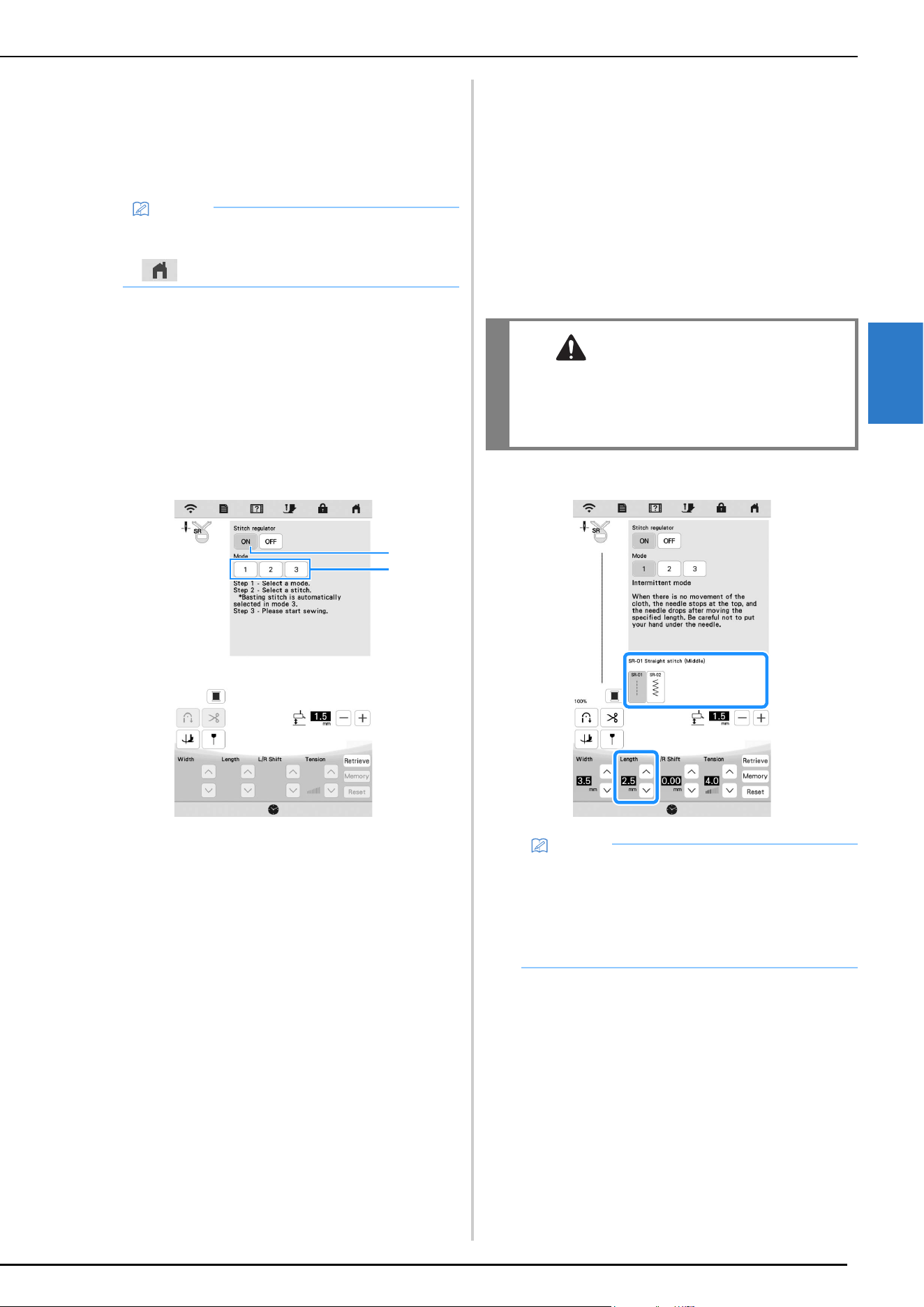
UTILITY STITCHES
VARIOUS STITCHES
93
3
Selecting the Stitch Pattern and Stitch
Regulator Mode
a
Install the stitch regulator onto the machine.
When the message appears, touch [OK]. The stitch
regulator sewing screen appears.
b
Touch a key to select the appropriate mode.
* If using the foot controller with any mode, stepping
on the foot controller starts sewing when the stitch
regulator detects fabric movement. Release the foot
controller to stop sewing.
If using the “Start/Stop” button, pressing the button
starts sewing when the stitch regulator detects fabric
movement. Press the button again to stop sewing.
Depending on the selected mode, the machine
performs differently when the fabric is not being
moved.
1 Intermittent mode:
Stitches are sewn when the fabric is moved the set
length. When the fabric is not being moved, the needle is
raised, the machine enters standby, and the “Start/Stop”
button flashes. Sewing starts when the fabric is moved
while the button is flashing.
A message appears and sewing ends when the fabric
has not been moved for a certain period of time.
2 Continuous mode:
Stitches are continuously sewn after sewing has been
started. This is suitable for sewing shapes with corners
such as rectangles.
If the fabric is not being moved, stitches are slowly sewn
at the same location. Since stitches continue to be sewn
at the same location, be careful that the thread does not
become tangled.
3 Basting mode:
Stitches are sewn spaced far apart. Stitches are sewn
when the fabric is moved the set length. When the fabric
is not being moved, the needle is raised, the machine
enters standby, and the “Start/Stop” button flashes.
Sewing starts when the fabric is moved while the button
is flashing.
A message appears and sewing ends when the fabric
has not been moved for a certain period of time.
Sew trial stitches, check the stitching and how easily the
thread can be removed, and then adjust the thread
tension if necessary.
4 Turn on or off [Stitch regulator]. When switched off,
normal free-motion sewing is possible. Since the
machine does not detect fabric movement, feed the
fabric at a constant speed while you sew.
c
Select a stitch pattern, and then set the stitch length.
Memo
• If the stitch regulator was installed with a screen
other than the utility stitch screen displayed, touch
to display the stitch regulator sewing screen.
4
123
CAUTION
• While using the stitch regulator open toe
quilting foot with [Stitch regulator] switched
off, be careful not to pull the fabric forcefully,
which could cause the needle to break.
Memo
• When using a straight stitch to sew small parts or
stippling, we recommend setting the stitch length
between 1 mm (approx. 1/16 inch) and 1.5 mm
(approx. 1/16 inch).
• Zigzag stitch patterns are suitable for thread
painting.
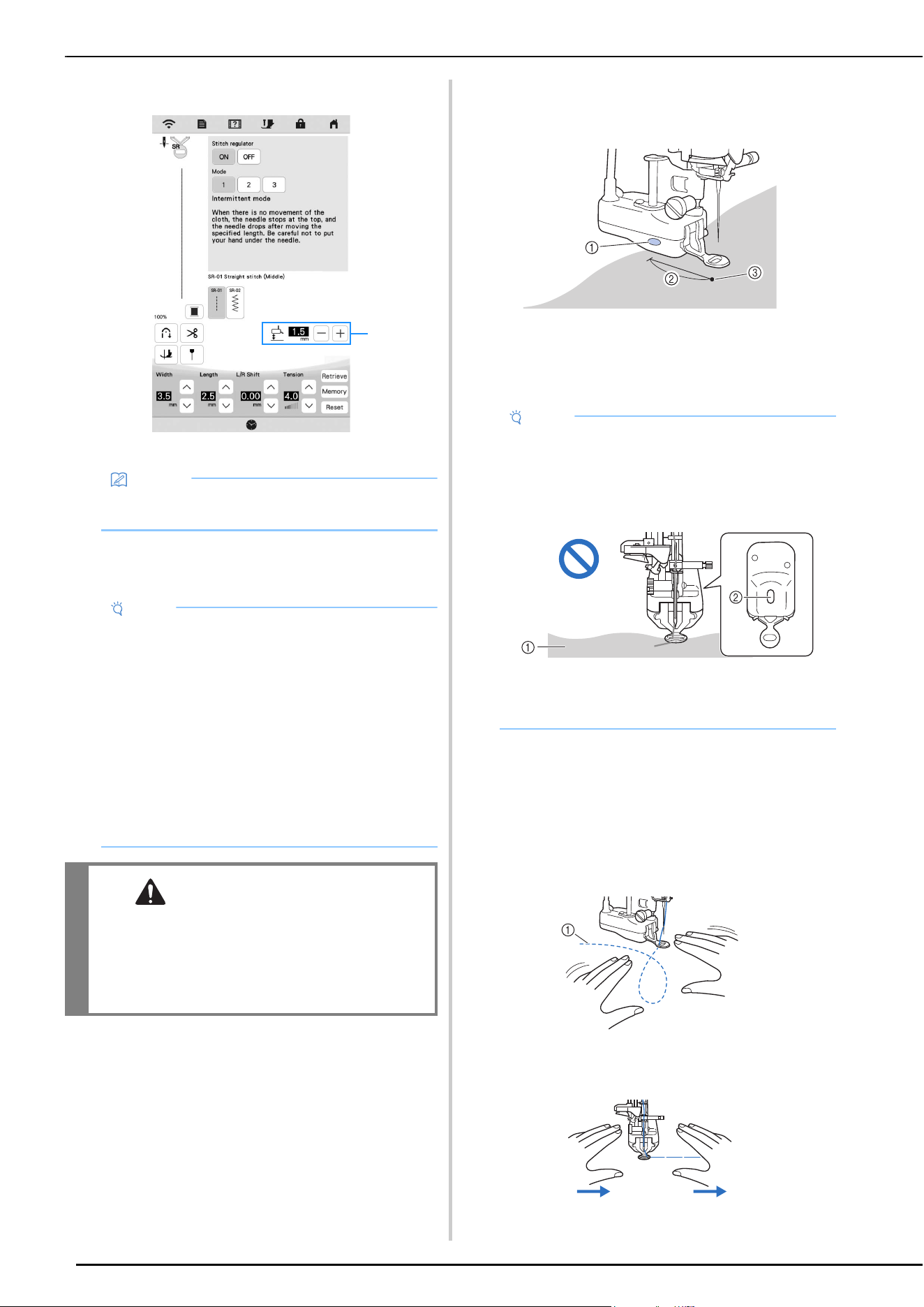
UTILITY STITCHES
94
d
Specify any other settings.
1 Adjust the height of the stitch regulator presser foot.
Free-Motion Quilting/Basting with the Stitch
Regulator
a
Position the fabric on the machine. At this time,
correctly orient the fabric and position it so that it is
under the stitch regulator sensor during sewing.
1 Sensor location
2 About 4 cm (approx. 1 1/2 inches)
Distance from the needle drop point to the sensor
location
3 Needle drop point
b
Pull the bobbin thread up through the fabric.
* Refer to “Pulling Up the Bobbin Thread” on
page 34.
c
Lower the presser foot. Depress the foot controller or
press the “Start/Stop” button, and then move the
fabric.
Quilting
1 Stitching
Basting
Stitches will be sewn at the set stitch length in
response to the speed at which the fabric is moved.
Memo
• For details on the other keys, refer to “Key
Functions” on page 18.
Note
• Before sewing your project, sew trial stitches with
fabric and thread that are the same as those used
in your project.
The result may vary depending on the fabric and
thread used, stitch regulator mode, presser foot
height, and fabric movement.
• If stitches are skipped or the thread becomes
frayed, try sewing test stitches under the following
conditions.
- Use the included ball point needle (gold colored).
- Specify a stitch length of 2 mm (1/16 inch) or less
(when selecting [Intermittent mode] or
[Continuous mode]).
CAUTION
• If the thread tension is too tight, pulling on the
fabric could cause needle breakage.
• Move the fabric, making sure that your hands
keep away from the needle during sewing.
Otherwise, injuries may result.
1
Note
• If there is no fabric under the sensor, it will not be
able to detect fabric movement and will not be able
to sew at the set stitch length. If necessary, make
sure that the fabric has a size that the sensor can
detect.
1 The fabric cannot be detected because it is in
front of the position where the sensor can detect
it.
2 Sensor location
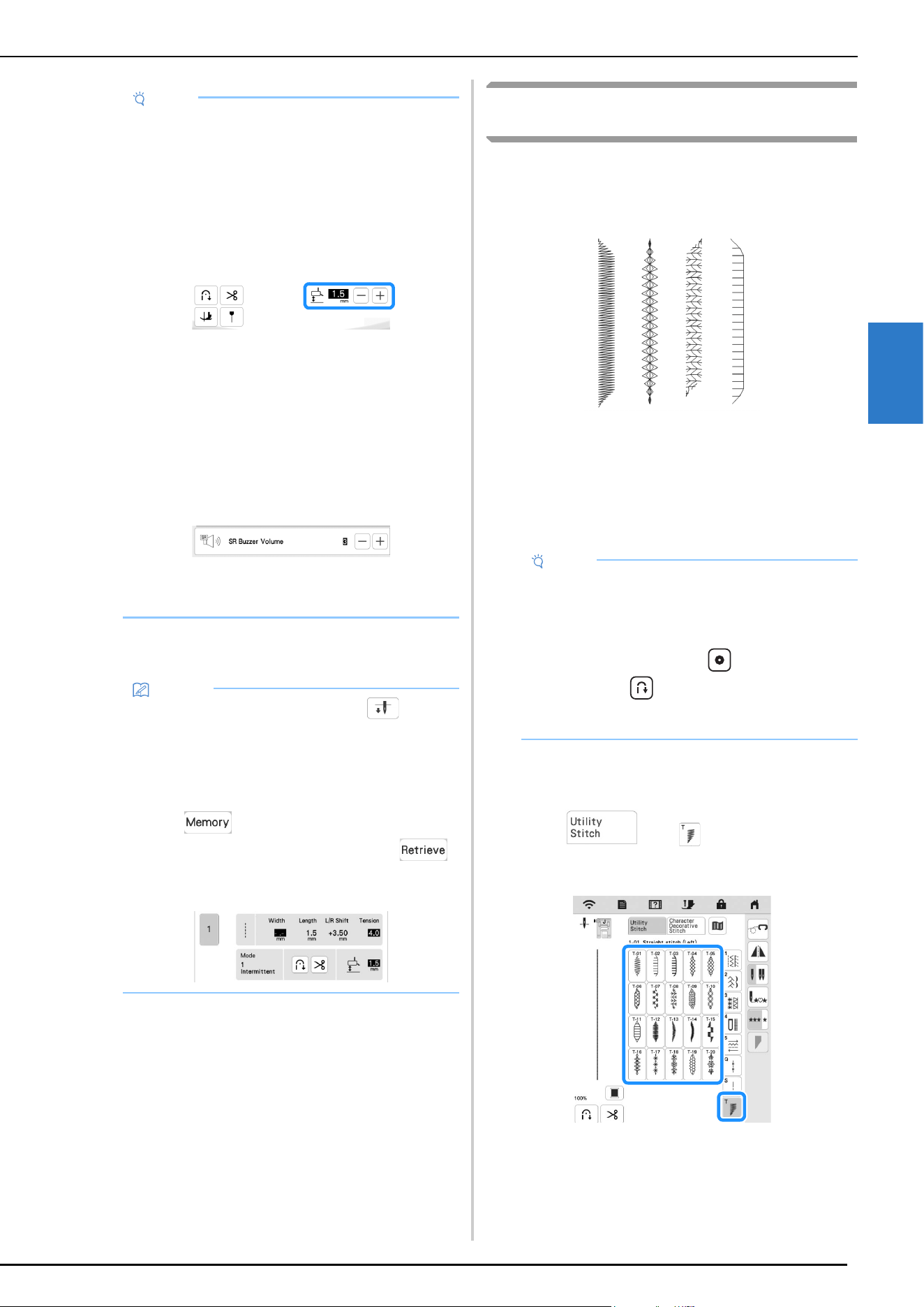
UTILITY STITCHES
VARIOUS STITCHES
95
3
d
Release the foot controller or press the “Start/Stop”
button to stop sewing.
Changing the Start and End Angles of the
Stitch Pattern (Stitch Tapering Function)
The angles of the start and end of stitch patterns can be
changed. This is useful when sewing projects with sharply
defined angles or decorative stitching, attaching appliqués,
etc.
Use the method for finishing sewing the stitch pattern,
according to your needs.
• Method 1: Begin Changing the Angle at the End of
Sewing by Pressing the “Reverse Stitch” Button
(page 95)
• Method 2: Sewing a Specified Number of Stitch
Patterns (page 97)
Method 1: Begin Changing the Angle at the
End of Sewing by Pressing the “Reverse Stitch”
Button
a
Touch , then , and then select a stitch
pattern for stitch tapering.
Note
• Before sewing, make sure that a presser foot has
been attached to the stitch regulator.
• Adjust the height of the stitch regulator presser foot
so that the fabric can be smoothly moved. If the
distance between the stitch regulator sensor and
the fabric is too large, the sensor may not be able
to accurately detect fabric movement. In that case,
lower the height of the stitch regulator presser foot
without hindering fabric movement.
• When the needle is up, move the fabric slowly and
carefully. If the fabric is moved too quickly, an
alarm will sound.
• Do not rotate the fabric while sewing. Otherwise,
the stitch regulator sensor will not be able to
correctly detect fabric movement.
• In order to sew stitches with a uniform length,
move the fabric at a speed that does not cause the
alarm to sound. The alarm volume can be adjusted
in the settings screen.
• In order to sew stitches at the set stitch length,
move the fabric at least as much as the set stitch
length.
Memo
• With the needle stop position set to (down),
the needle remains lowered when sewing stops.
When the foot controller is released after you stop
moving the fabric, or when the “Start/Stop” button
is pressed to finish sewing, an alarm sounds, and
then the needle is lowered.
• Touch to save the current settings. To
retrieve the settings at a later time, touch .
For details, refer to “Saving Your Stitch Settings”
on page 55.
Note
• Using the same material and stitch pattern as your
project, sew trial stitches to check the result. If
necessary, attach a stabilizer material.
• If reinforcement stitches at the beginning and end
of sewing are needed, use (Reinforcement
stitch button). (Reverse stitch button) cannot
be used for reinforcement stitching when stitch
tapering function is on.
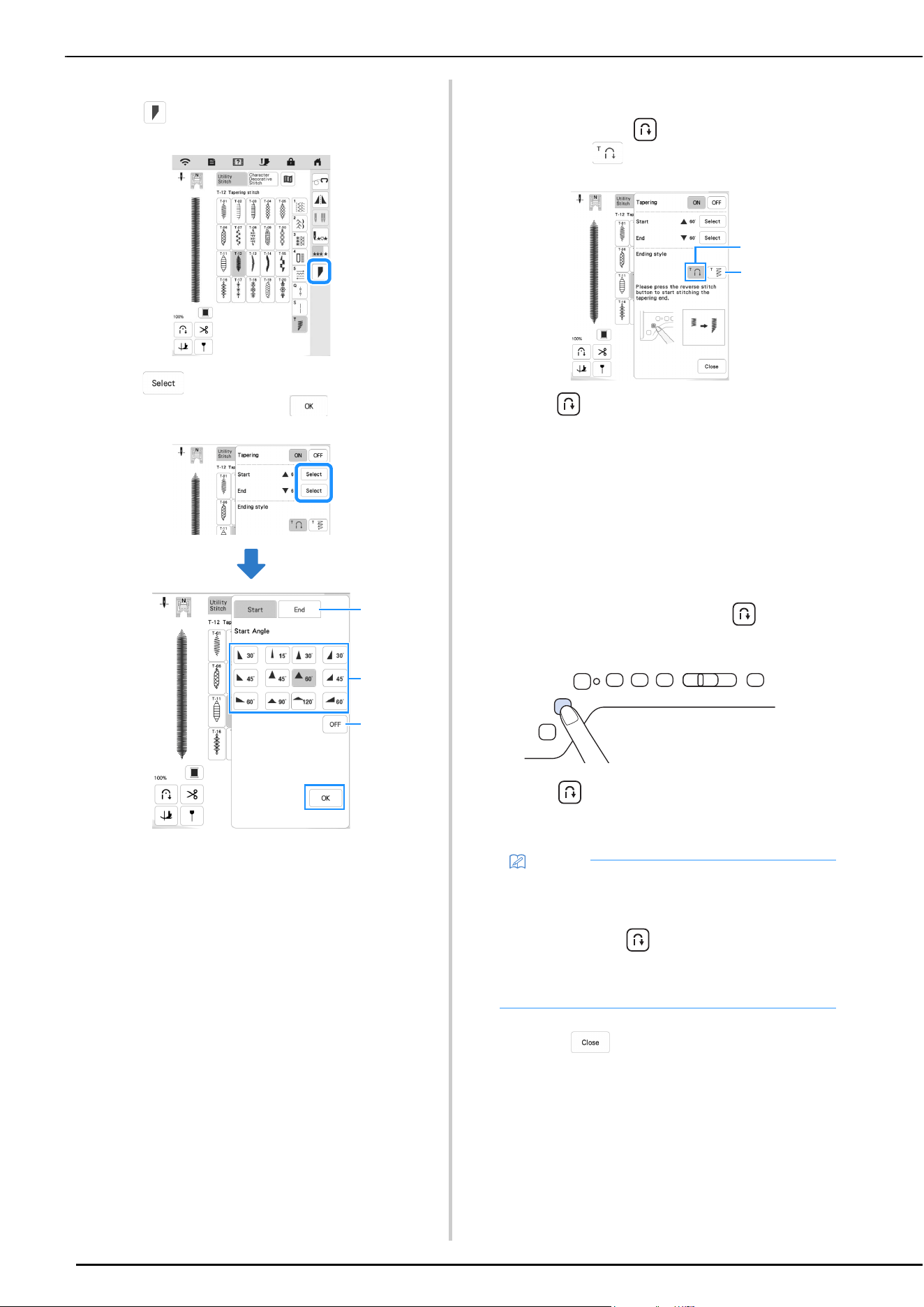
UTILITY STITCHES
96
b
If necessary, change the stitch width and stitch length.
c
Touch .
d
Touch , select the angle settings for the start and
end of sewing, and then touch .
1 Select the start or end of sewing.
2 Select an angle.
3 Specify that the angle does not change.
e
Select the method for finishing sewing. For this
example, since the angle at the end of sewing will
begin changing when (Reverse stitch button) is
pressed, select .
1 Press (Reverse stitch button) for the angle at the
end of sewing to start changing; the machine stops
when sewing is finished.
2 The machine stops when the specified number of stitch
patterns have been sewn. The number of patterns that
are specified includes the number of patterns used to
change the angle. (page 97)
f
If necessary, use a chalk pencil to draw a line at the
location to be sewn.
g
Start sewing.
h
After sewing the desired length, press (Reverse
stitch button).
When (Reverse stitch button) is pressed, the
angle at the end of sewing begins to change, and the
machine stops when sewing is finished.
i
When finished sewing, set [Tapering] to [OFF], and
then touch .
2
1
3
Memo
• If you stop sewing at the point where end tapering
should begin (either by pressing the “Start/Stop”
button or by lifting your foot from the foot
controller), press (Reverse stitch button) and
resume sewing by either pressing the “Start/Stop”
button or pressing on the foot controller. End
tapering will begin as soon as sewing resumes.
2
1
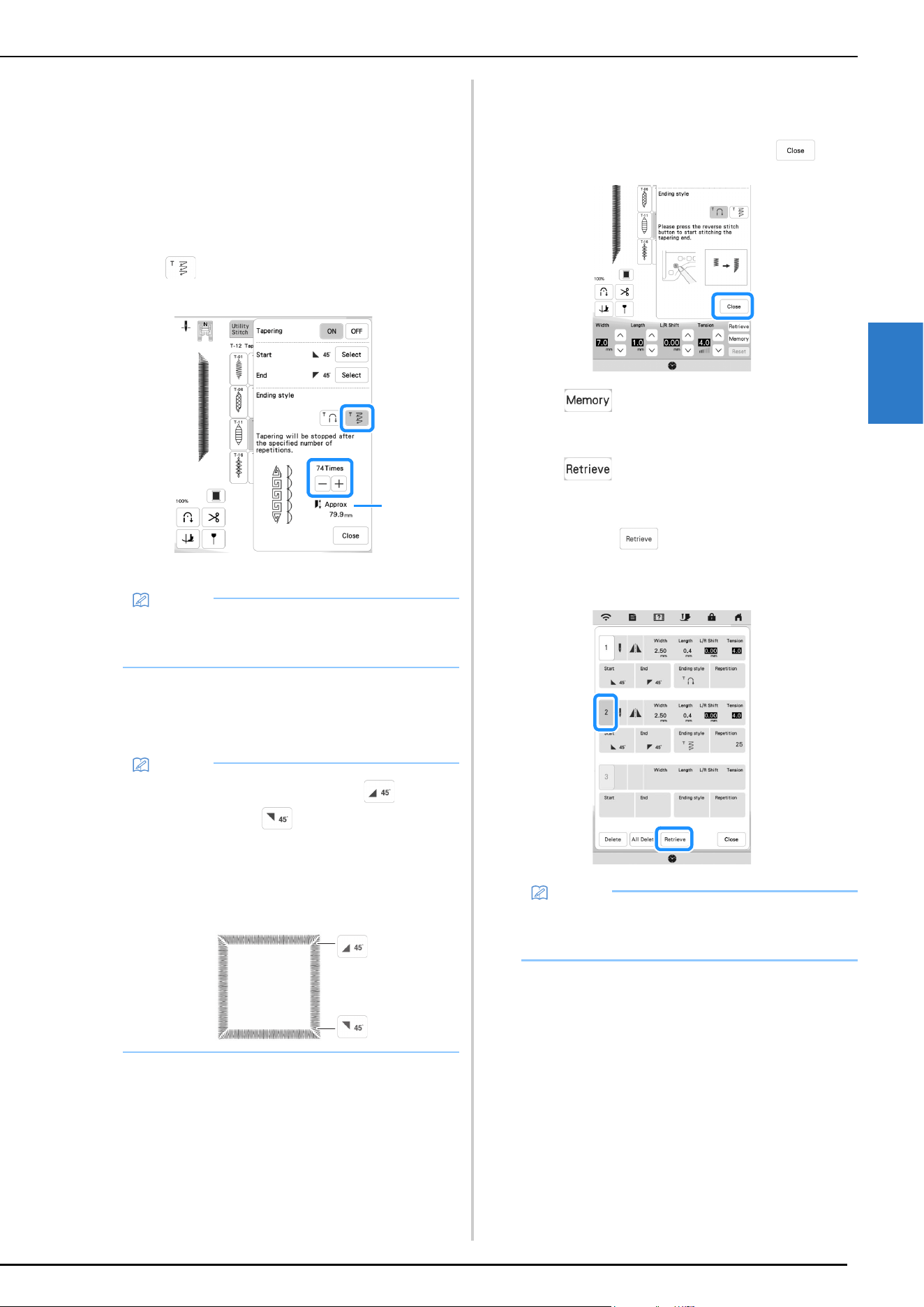
UTILITY STITCHES
VARIOUS STITCHES
97
3
Method 2: Sewing a Specified Number of
Stitch Patterns
With this method, the number of stitch patterns (including
those used to change the angle) are specified. This allows
stitch patterns of the same length to be repeatedly sewn.
a
Refer to steps a through d of “Method 1: Begin
Changing the Angle at the End of Sewing by Pressing
the “Reverse Stitch” Button” on page 95 to select the
angle settings for the start and end of sewing.
b
Touch , and then specify the number of stitch
patterns (including those used to change the angle).
1 Approximate length of the stitch pattern
c
Start sewing.
The machine stops automatically when sewing is
finished.
Saving Settings
Specified angles for start and end, finish tapering method,
and stitch settings can be saved in machine’s memory.
a
After setting the tapering function, touch .
b
Touch .
Retrieving Saved Settings
a
Touch to retrieve the saved setting after
selecting pattern.
b
Touch the numbered key of the settings to be retrieved
and then touch .
* The settings cannot be retrieved if stitch tapering
function is set to [ON].
Memo
• The number of stitch patterns used to change the
angle depends on the pattern and angle. Perform
trial sewing to check the result.
Memo
• To sew stitching in a square, select for the
start of sewing and for the end of sewing, and
then continue sewing the same stitch pattern,
rotating the fabric 90° after sewing each line of
stitching.
The pivot setting is useful when changing the
sewing direction. (page 57)
1
Memo
• For more information on saving and recalling
settings, refer to “Saving Your Stitch Settings” on
page 55.
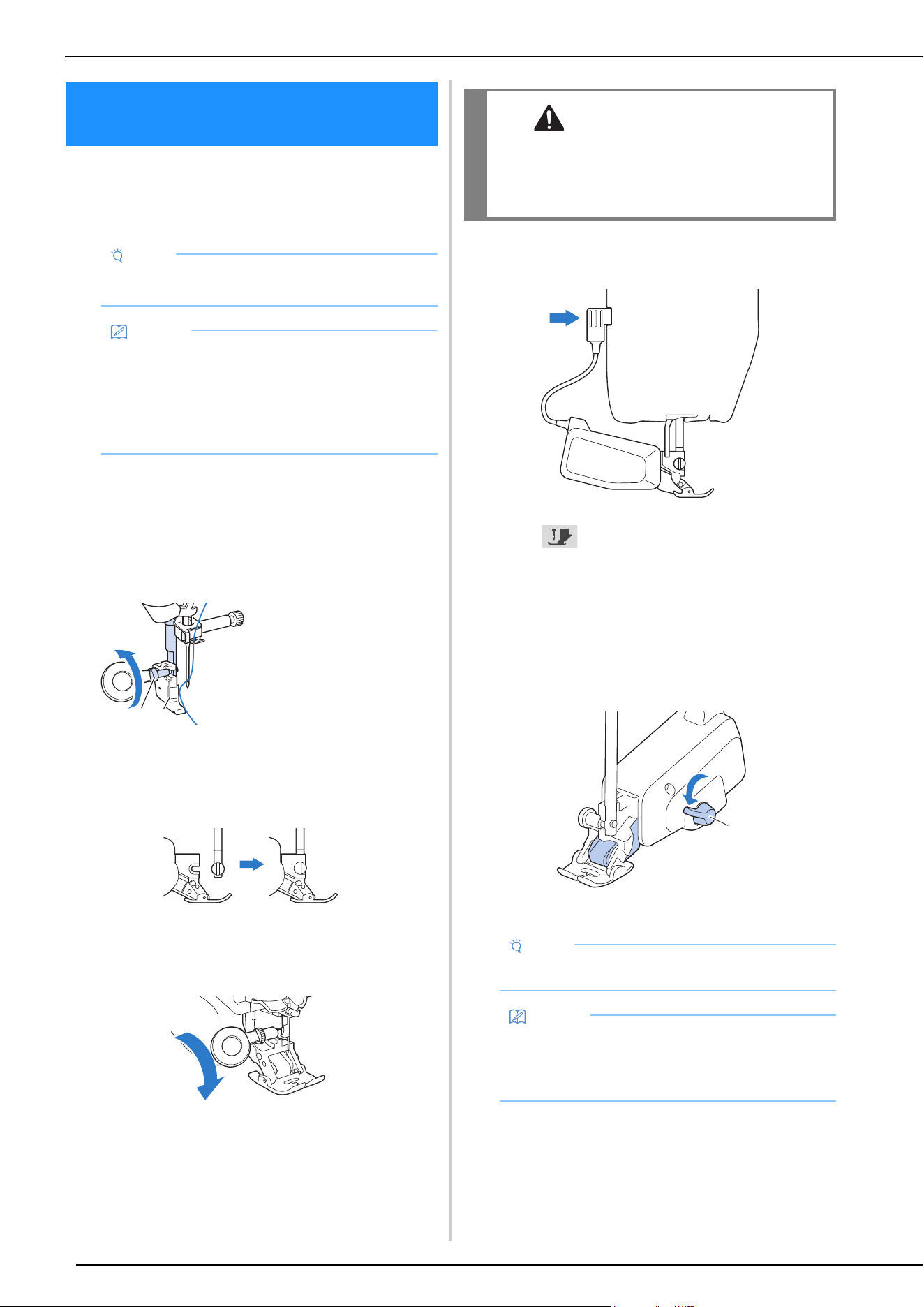
USING THE COMPACT DUAL FEED FOOT
98
The compact dual feed foot enables you to have best fabric
control when sewing difficult fabrics that slip easily, such
as quilted fabrics or fabrics that tend to stick to the bottom
of a presser foot, such as vinyl, leather or synthetic leather.
Attaching the Compact Dual Feed Foot
a
Remove the presser foot. (page 43)
b
Loosen the screw of the presser foot holder to remove
the presser foot holder.
c
Position the compact dual feed foot to the presser foot
bar by aligning the notch of the compact dual feed foot
to the large screw.
Side view
d
Hold the compact dual feed foot in place with your
right hand, then using the disc-shaped screwdriver
securely tighten the large screw.
e
Plug the connector of the compact dual feed foot into
the jack on the back of your machine.
f
Touch to unlock all keys and buttons.
All keys and operation buttons are unlocked, and the
previous screen is displayed.
g
Place the fabric under the compact dual feed foot with
the needle at the starting point of the stitching.
h
Be sure that the feed position lever is pushed down and
the compact dual feed foot is ready to sew.
1 Feed position lever
USING THE COMPACT DUAL FEED
FOOT
Note
• When sewing with the compact dual feed foot, sew
at medium to low speeds.
Memo
• When selecting stitches to be used with the
compact dual feed foot, only the stitches that can
be used will be activated on the display.
• When sewing fabric that easily sticks together, a
more attractive finish can be achieved by basting
the beginning of sewing.
1 Presser foot holder
screw
2 Presser foot holder
a
b
CAUTION
• Use the included screwdriver to firmly tighten
the screw. If the screw is loose, the needle may
strike the presser foot and possibly cause
injury.
Note
• Do not operate the lever while sewing.
Memo
• When the feed position lever is up, dual feed
function is not effective. When the feed position
lever is down, the black roller belt on the compact
dual feed is engaged.
a
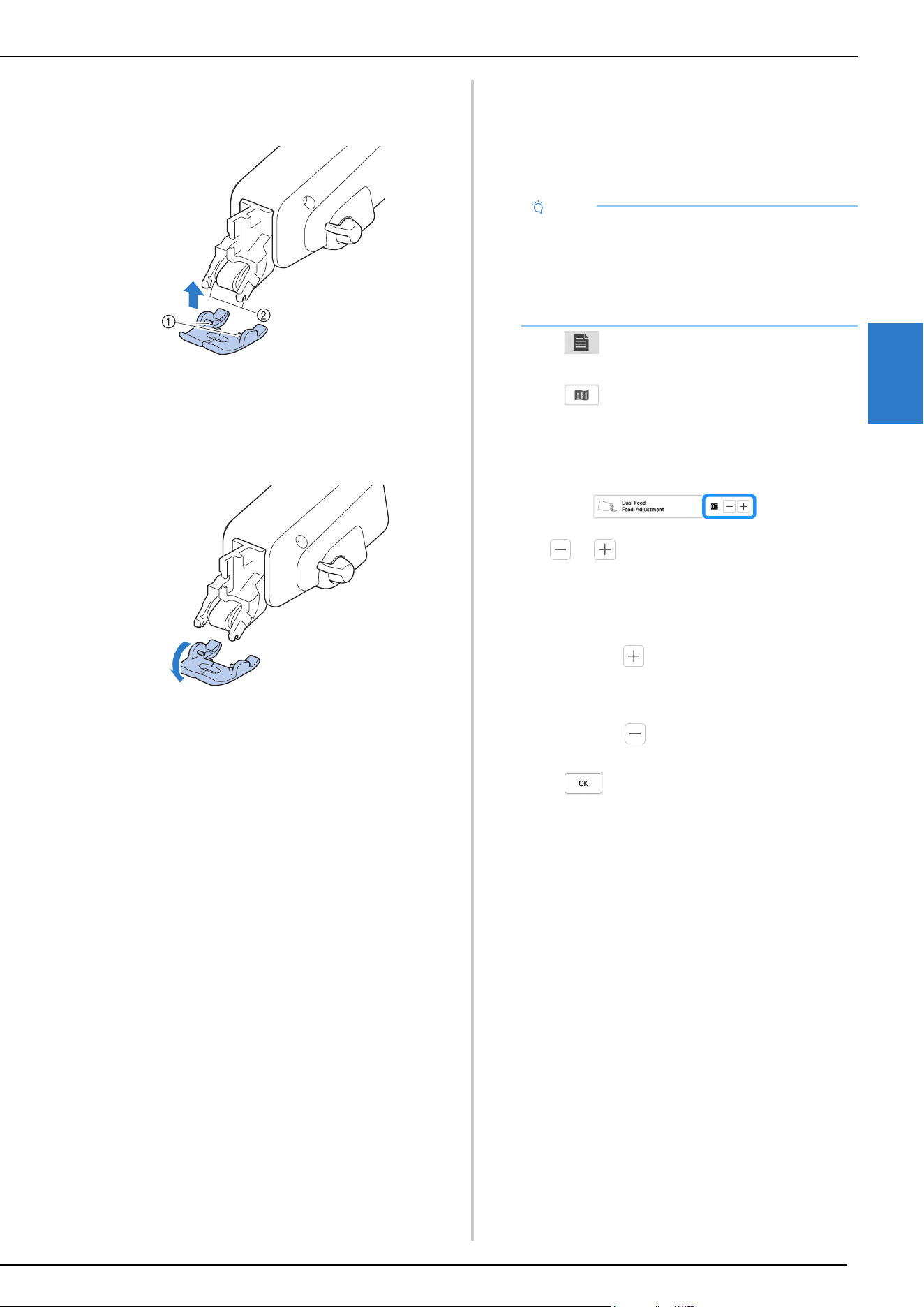
USING THE COMPACT DUAL FEED FOOT
VARIOUS STITCHES
99
3
Attaching/Detaching Toe
Attach the toe by aligning the pins with the notches and
snap it into place.
1 Pins
2 Notches
If you push down on the front and back part of the
compact dual feed foot, the toe of the compact dual feed
foot will snap off.
Adjusting the Amount of Fabric Feeding from
the Compact Dual Feed Foot
The dual feed mechanism pulls the top fabric according to
the set stitch length. With troublesome fabrics, fine tune
the set length, by changing [Dual Feed Feed Adjustment]
in the settings screen.
a
Touch .
The settings screen appears.
b
Touch .
The sewing settings screen appears.
c
Display [Dual Feed Feed Adjustment] in the sewing
settings screen.
d
Use or to increase or decrease the feeding of
the top fabric.
* Select [00] for sewing in most cases.
* If the feed amount for the top fabric is too little,
causing the fabric to be longer than the bottom
fabric, touch to increase the feed amount for the
top fabric.
* If the feed amount for the top fabric is too much,
causing the fabric to be shorter than the bottom
fabric, touch to decrease the feed amount for
the top fabric.
e
Touch to return to the original screen.
Note
• As a default, some keys mentioned in the following
procedures appear in light gray and are not
available. To enable the keys for specifying the
settings, attach the compact dual feed foot to the
machine. The keys are enabled after the compact
dual feed foot is detected.
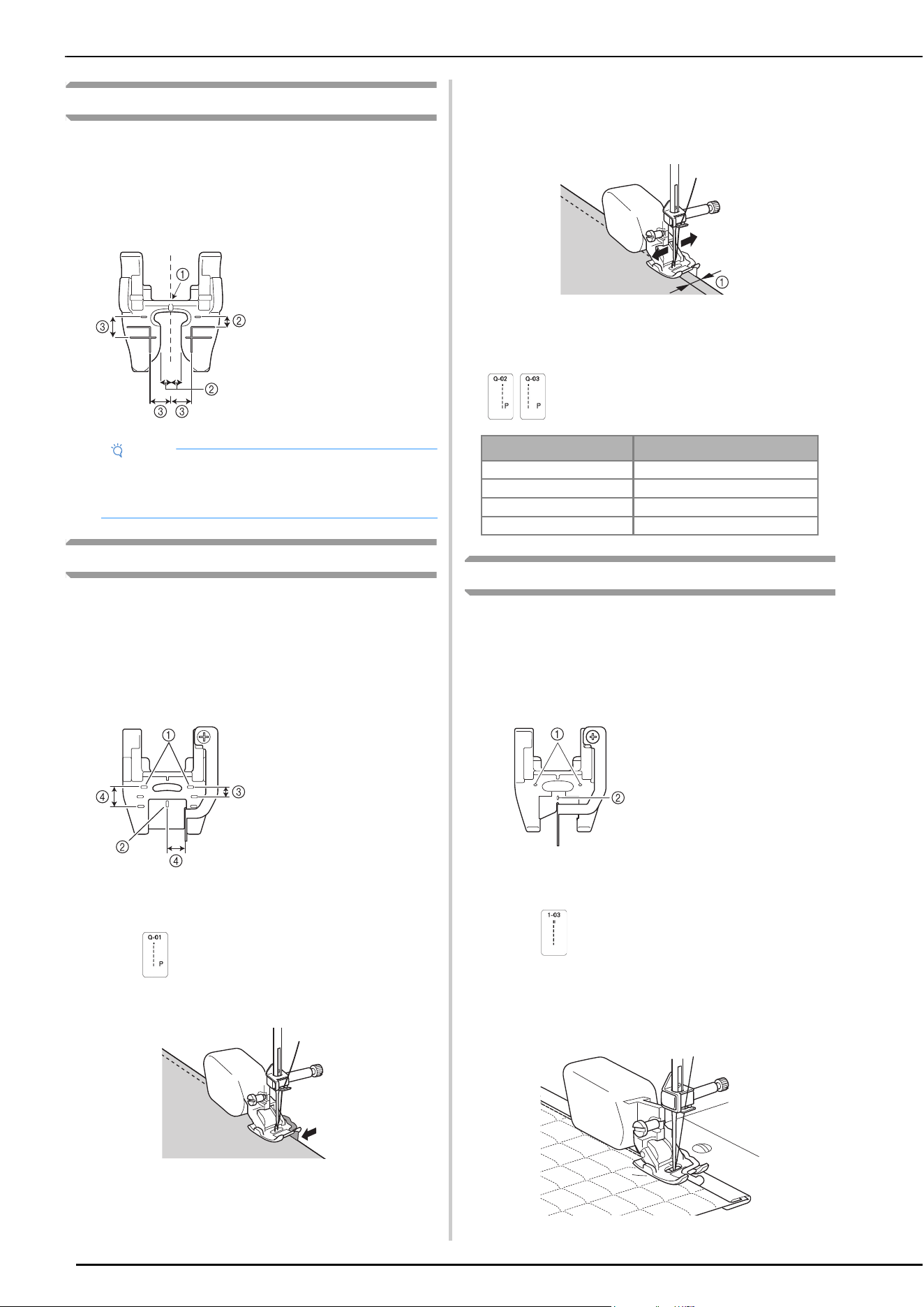
USING THE COMPACT DUAL FEED FOOT
100
Open Toe for Dual Feed Foot
The open toe provides expanded visibility of the needle and
area directly in front of the needle.
Presser Foot Marks
When sewing using the marks, select a stitch with a
middle (center) needle position.
Dual Feed 1/4 Inch Guide Foot
The fabric can be smoothly fed when piecing with a uniform
seam allowance.
Presser Foot Marks
The marks on this presser foot can be used to check the
starting point of sewing and the center of the presser foot
as well as to stop sewing before the edge of the fabric.
Piecing a 1/4 Inch Seam Allowance
a
Select .
b
Align the edge of the fabric with the guide.
Specifying the Seam Allowance and Needle
Position
The seam allowance can be changed by adjusting the
needle position with the stitch width key.
1 Seam allowance
To adjust the needle position, select Q-02 (piecing stitch
(right)) or Q-03 (piecing stitch (left)).
Stitch in the Ditch Dual Feed Foot
The fabric can be smoothly fed when sewing quilt bindings or
concealed seams on clothes.
Presser Foot Marks
The marks on this presser foot can be used to check the
starting point of sewing and the center of the presser foot.
Attaching a quilt binding
a
Select .
b
Position the front side of the fabric up, and then sew
with the presser foot guide aligned with the edges of
the fabric and binding tape.
Sewing binding tape
Note
• When sewing the edge of quilted fabric, upper
fabric may be pulled in under the open toe. Be sure
to pin or baste the fabric edge before sewing.
1 Center needle
position
2 1/8 inch (approx. 3.2
mm) for outline
quilting, etc.
3 1/4 inch (approx. 6.4
mm) for seam
allowance or outline
quilting, etc.
1 Starting point of
sewing
2 Center of presser
foot
3 1/8 inch (approx. 3.2
mm)
4 1/4 inch (approx. 6.4
mm)
Seam allowance Stitch width (needle position)
3.2 mm (1/8 inch) 6.75 mm
6.4 mm (1/4 inch) 3.50 mm
7 mm (approx. 9/32 inch) 3.00 mm
1 cm (approx. 3/8 inch) 0.00 mm
1 Starting point of
sewing
2 Center of presser
foot
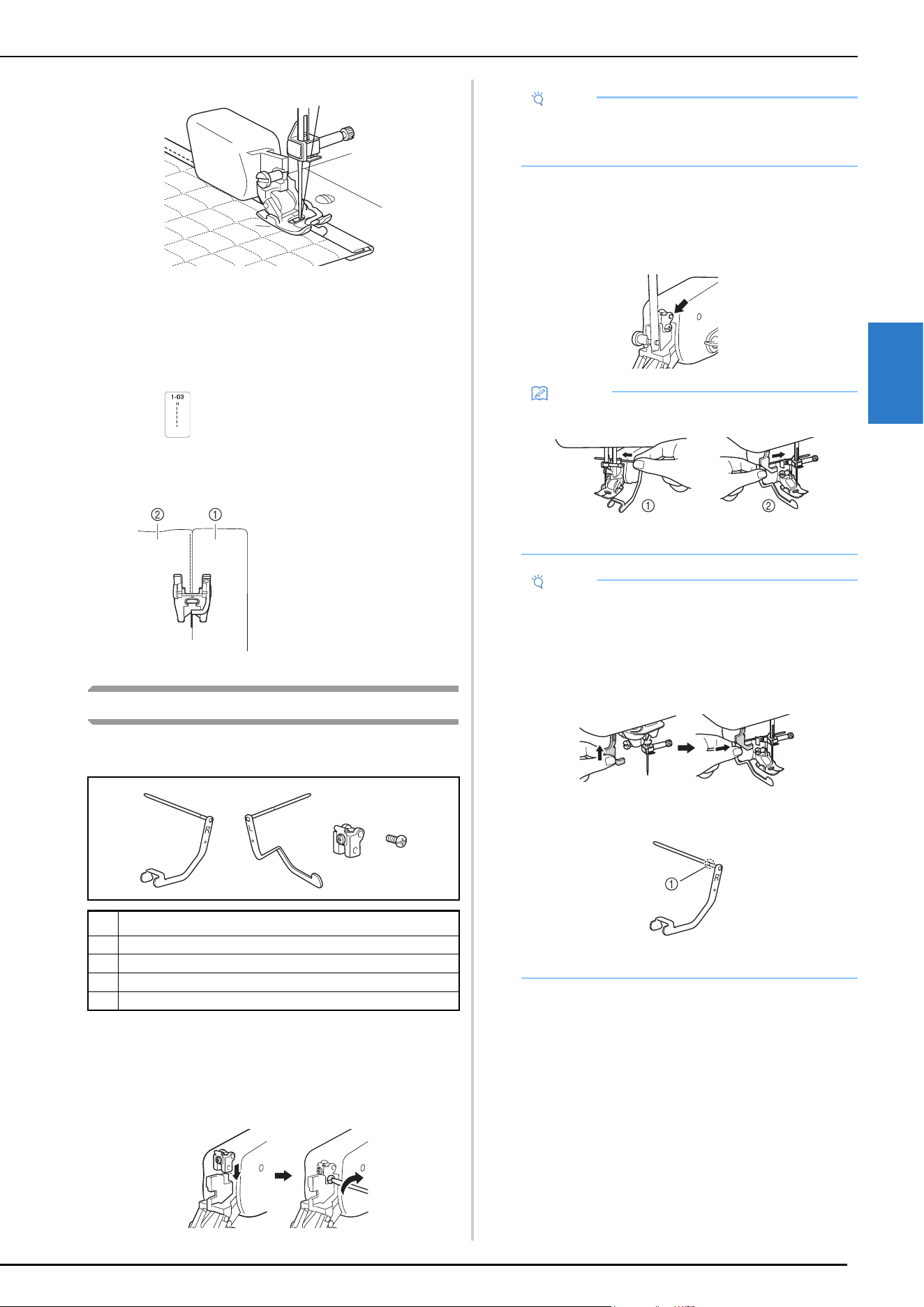
USING THE COMPACT DUAL FEED FOOT
VARIOUS STITCHES
101
3
Sewing the edge of binding tape
Stitch width: 5 - 5.5 mm (3/16 - 7/32 inch)
Sewing Concealed Seams
When attaching belted waistbands to skirts or pants, sew
with the presser foot guide aligned with the edge of the
clothing fabric and seam of the belted waistband.
a
Select .
b
Align the right side of the presser foot guide with the
edge of the belted waistband.
Using the Dual Feed Quilting Guide
The fabric can be smoothly fed while sewing stitching at
equal intervals.
Prepare for Dual Feed Quilting Guide
a
Attach the quilting guide base to the dual feed
attachment, and then use the included screwdriver
(small) to tighten the screw.
b
Attach the dual feed attachment to the machine.
c
Insert the right guide or the left guide straight into the
hole in the quilting guide base.
Sewing with Quilting Guide
When quilting, start stitching from the center of the fabric.
a
Mark a reference line through the center of the fabric.
No. Part Name
1 Right guide
2Left guide
3 Quilting guide base
4 Screw
1 Waistband
2 Clothing fabric (skirts
or pants)
12
34
Note
• Tighten the screw just enough to secure the
quilting guide base. Overtightening may break the
screw.
Memo
• Use the right guide or the left guide as needed.
1 Right guide
2 Left guide
Note
• Be sure to check that the guide is inserted straight
into the hole in the quilting guide base. Inserting it
at an angle may bend the guide.
• When installing the left guide, raise the buttonhole
lever, and then insert the guide into the hole from
behind the buttonhole lever.
• Do not insert the guide further than the notch in the
shaft.
1 Notch
• Before automatic threading, remove the left guide.
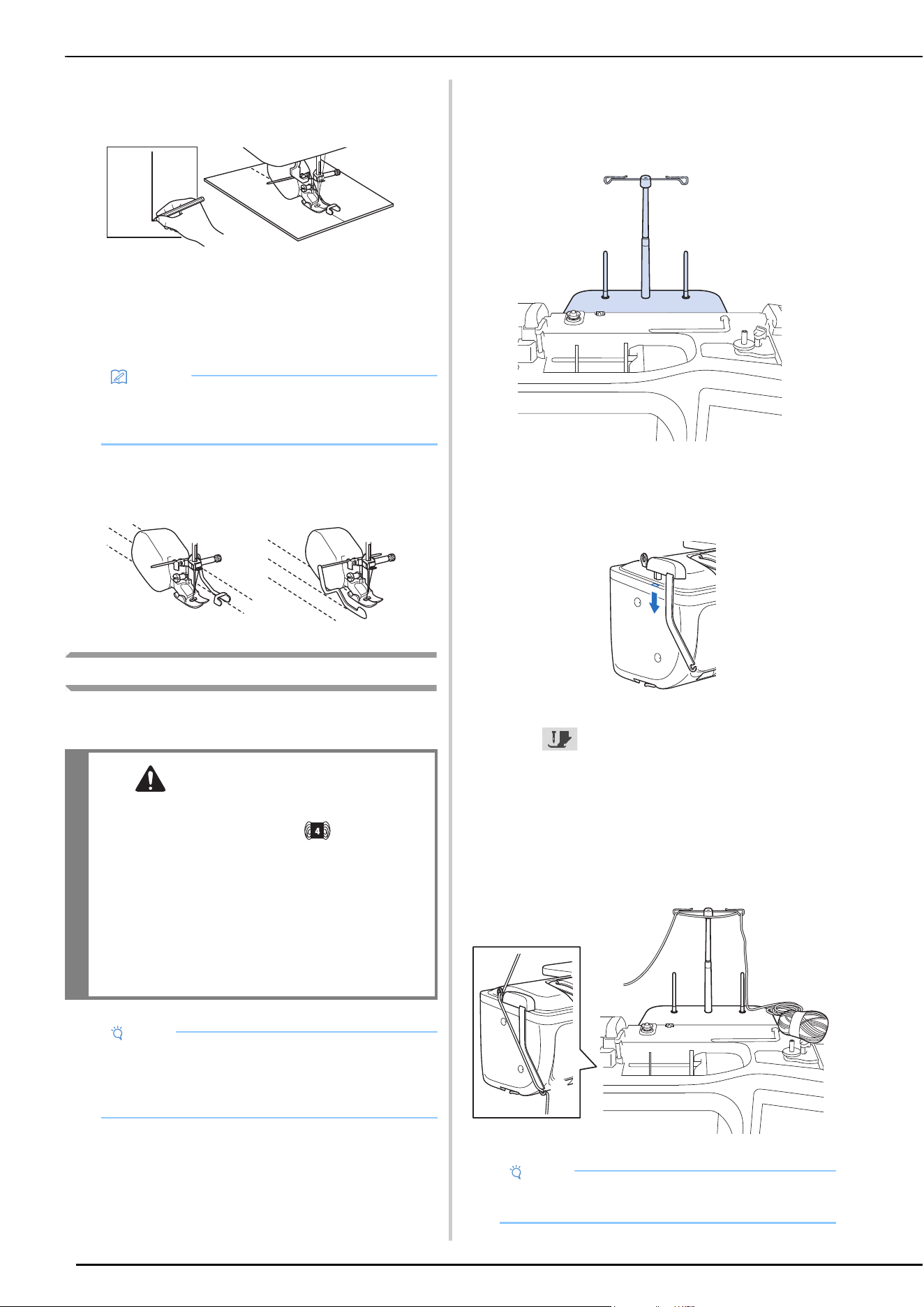
USING THE COMPACT DUAL FEED FOOT
102
b
Select the straight stitch with the center needle
position, align the inside guide of the right guide with
the reference line, and then sew over the line.
c
Decide at what distance from the first quilting line to
sew the second line. Insert the right guide or the left
guide, and then hold the base of the shaft on the guide
to adjust it so that the guide is positioned at the
determined distance from the needle position.
d
Position the fabric to align the first quilting line with
the guide, and then sew the stitching. Repeat the steps
to sew stitching at equal intervals.
Couching Dual Feed Foot
The fabric can be smoothly fed when decorative stitching is
sewn using yarn.
Prepare for Couching
a
Attach the spool stand to the machine.
At this time, do not raise the telescopic thread guide
shaft.
* Refer to “Using the Spool Stand” on page 39.
b
Insert the yarn guide for couching into the slot on the
top left of the machine.
c
Touch to lock all keys and buttons, and then
raise the presser foot lever.
d
Attach the compact dual feed attachment to the
machine without attaching the couching dual feed
foot.
e
Pass the yarn through the telescopic thread guide and
the yarn guide (1) to (2).
Memo
• When sewing with a narrow distance between
quilting lines, use the inside guide of the right
guide.
CAUTION
• When using yarn, we recommend selecting
yarn of weight 4 (MEDIUM ). Medium
yarn is often referred to as worsted weight, 20
knitted stitches per 10 cm, or 9-11 wraps per
inch. The diameter of the yarn is
approximately 2-3 mm (approx. 1/12-1/8
inch). If the yarn is extremely thin or thick, has
an unusual shape (flat or furry), or more than 2
yarns, the best finishing results may not be
achieved, or injuries or damage may result.
Note
• We recommend using a stabilizer material when
sewing stretch fabrics, lightweight fabrics, fabrics
with a coarse weave, or fabrics which are prone to
fabric shrinkage.
Note
• Make sure that the yarn does not become
entangled as you work.
1
2
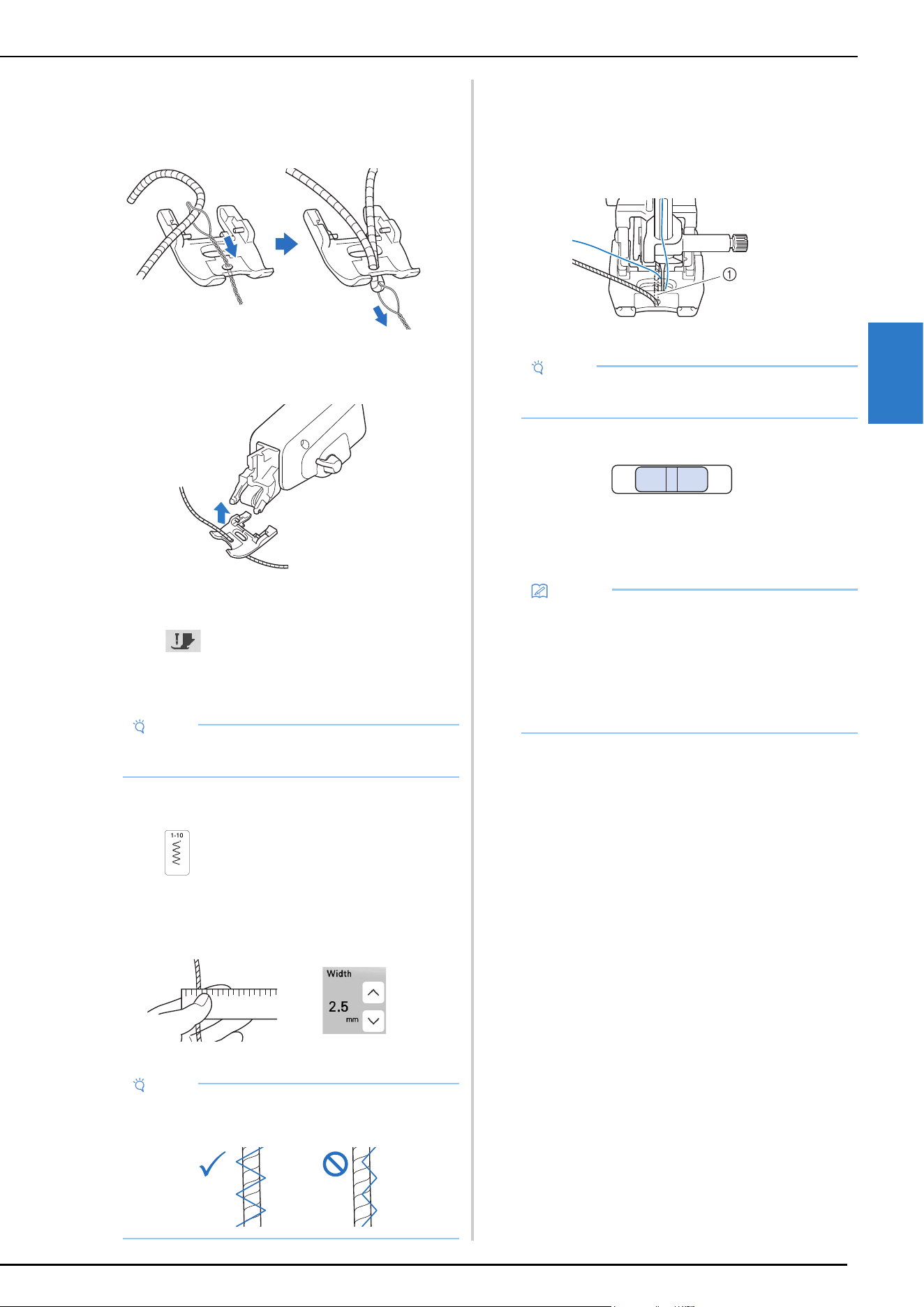
USING THE COMPACT DUAL FEED FOOT
VARIOUS STITCHES
103
3
f
Thread the yarn through the couching dual feed foot.
Pass the yarn trough the loop in the yarn threader, and
then pass the threader from top to bottom through the
hole on the couching dual feed foot.
g
Attach the couching dual feed foot shown below to the
compact dual feed.
h
Pull out the yarn for about 10 cm (approx. 4 inches) to
the back of the machine.
i
Touch to unlock all keys and buttons.
j
Thread the machine with the upper thread.
Sewing Couching
a
Select .
b
Measure the width of the yarn and set the stitch width
according to the width of the yarn.
c
Rotate the handwheel to set the needle in the sewing
start position. Start sewing on the right side of the yarn.
d
Make sure that the yarn passes straight through the
channel in the back of the couching dual feed foot, and
then lower the presser foot.
1 Channel
e
Set sewing speed to a medium speed.
f
Press the “Start/Stop” button to start sewing.
* While lightly holding down the fabric with both
hands, adjust the sewing direction.
Note
• Do not use the spool stand for the upper thread.
Otherwise thread may tangle with yarn.
Note
• Make sure that there is enough width to wrap over
the yarn.
Note
• Pull off an appropriate amount of yarn from the ball
or skein so the yarn does not become taut.
Memo
• The multi-function foot controller can also be very
useful for sharp angle sewing when set to single
stitch sewing. (page 47)
• Pivoting is also useful when rotating fabric with
both hands. (page 57)
• When guideline marker is set to on, it is easy to sew
couching straight. (page 56)
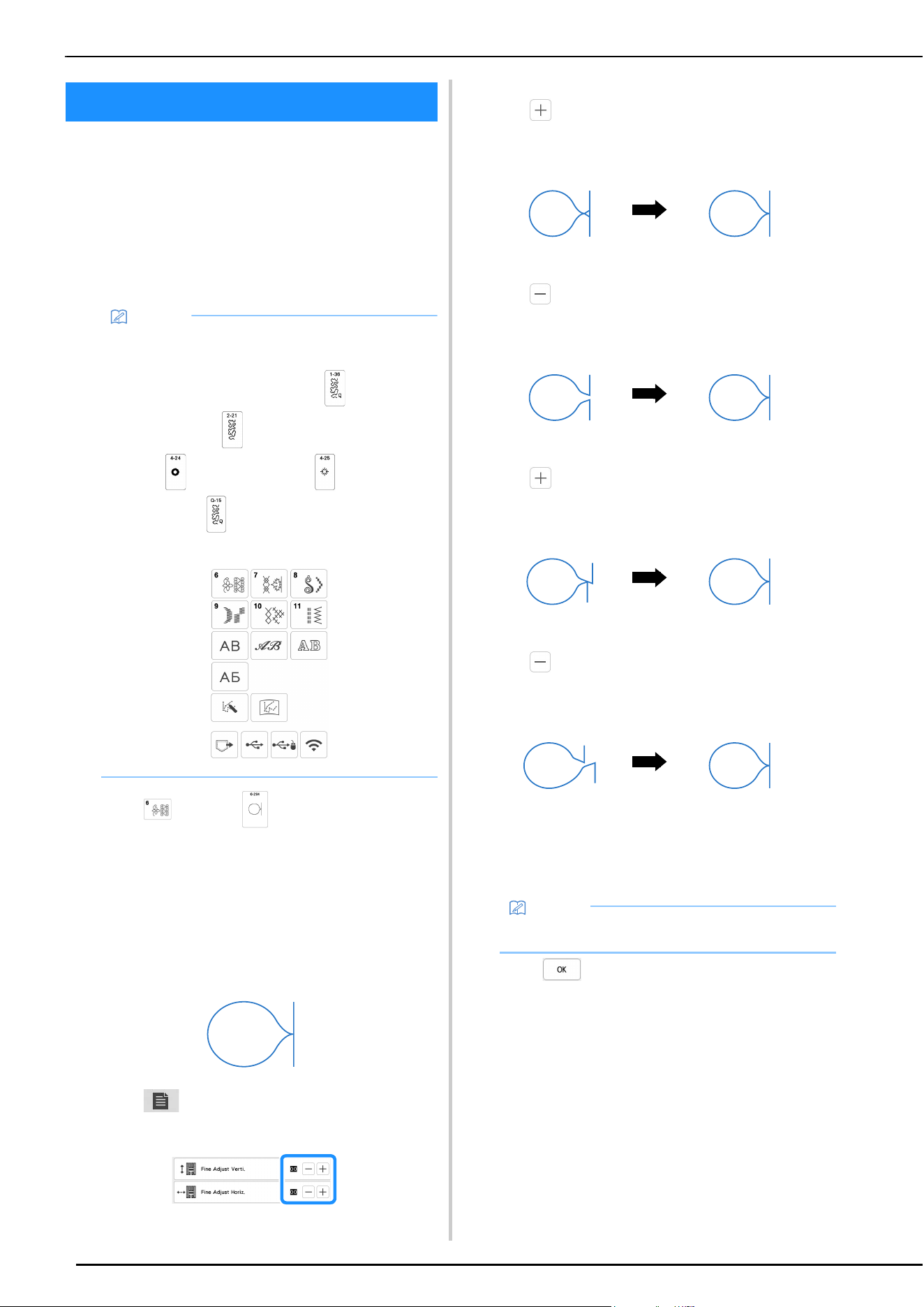
MAKING ADJUSTMENTS
104
Your stitch pattern may sometimes turn out poorly,
depending on the type or thickness of fabric, the stabilizer
material used, sewing speed, etc. If your sewing does not
turn out well, sew trial stitches using the same conditions
as the real sewing, and adjust the stitch pattern as
explained below. If the stitch pattern does not turn out well
even after making adjustments based on the stitch pattern
described below, make adjustments for each stitch pattern
individually.
a
Touch and select (6-284).
b
Attach advanced monogramming foot “N+” and sew
the stitch pattern.
Be sure to use advanced monogramming foot “N+”.
Adjustments may not be made correctly with any other
presser foot.
c
Compare the finished stitch pattern to the illustration
of the correct stitch pattern below.
d
Touch , and then adjust the stitch pattern with
the [Fine Adjust Verti.] or [Fine Adjust Horiz.] displays.
If the stitch pattern is bunched:
Touch in the [Fine Adjust Verti.] display.
The displayed value increases each time the button is
touched and the stitch pattern will lengthen.
If the stitch pattern has gaps:
Touch in the [Fine Adjust Verti.] display.
The displayed value decreases each time the button
is touched and the stitch pattern will shorten.
If the stitch pattern is skewed to the left:
Touch in the [Fine Adjust Horiz.] display.
The displayed value increases each time the button is
touched and the stitch pattern will slide to the right.
If the stitch pattern is skewed to the right:
Touch in the [Fine Adjust Horiz.] display.
The displayed value decreases each time the button
is touched and the stitch pattern will slide to the left.
e
Sew the stitch pattern again.
* If the stitch pattern still comes out poorly, make
adjustments again. Adjust until the stitch pattern
comes out correctly.
f
Touch to return to the original screen.
MAKING ADJUSTMENTS
Memo
• For details on stitch patterns, refer to “STITCH
SETTING CHART” on page 125.
• This adjustment can be made to (1-36 Quilting
stippling stitch), (2-21 Decorative stippling
stitch), (4-24 Eyelet stitch), (4-25 Star
eyelet stitch), (Q-15 Quilting stippling stitch)
and stitch patterns from the following categories.
Memo
• You can sew with the setting screen on the display.
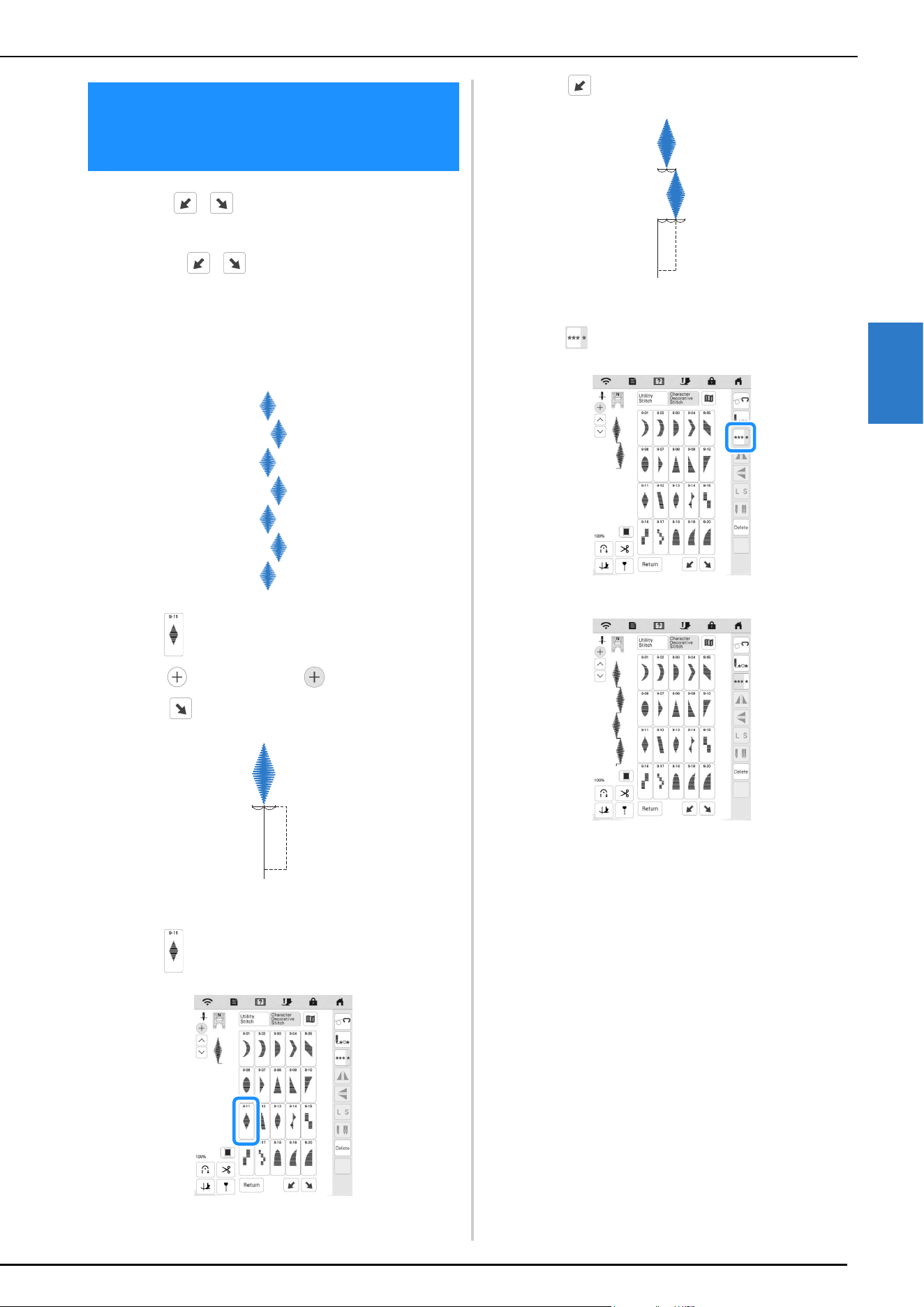
MAKING STEP STITCH PATTERNS (FOR 7MM SATIN STITCH PATTERNS ONLY)
VARIOUS STITCHES
105
3
You can use keys to create a step effect, also
called step stitch patterns.
• Touch to move the stitch pattern a
distance equal to half of the stitch pattern’s size to
the left or right.
• To combine the stitch patterns, refer to page 49.
Example:
a
Select (9-11).
b
Touch so that it displays .
c
Touch .
The next stitch pattern will move to the right.
d
Select (9-11) again.
e
Touch .
The next stitch pattern will move to the left.
f
Touch .
The entered stitch pattern is repeated.
MAKING STEP STITCH PATTERNS
(FOR 7MM SATIN STITCH
PATTERNS ONLY)
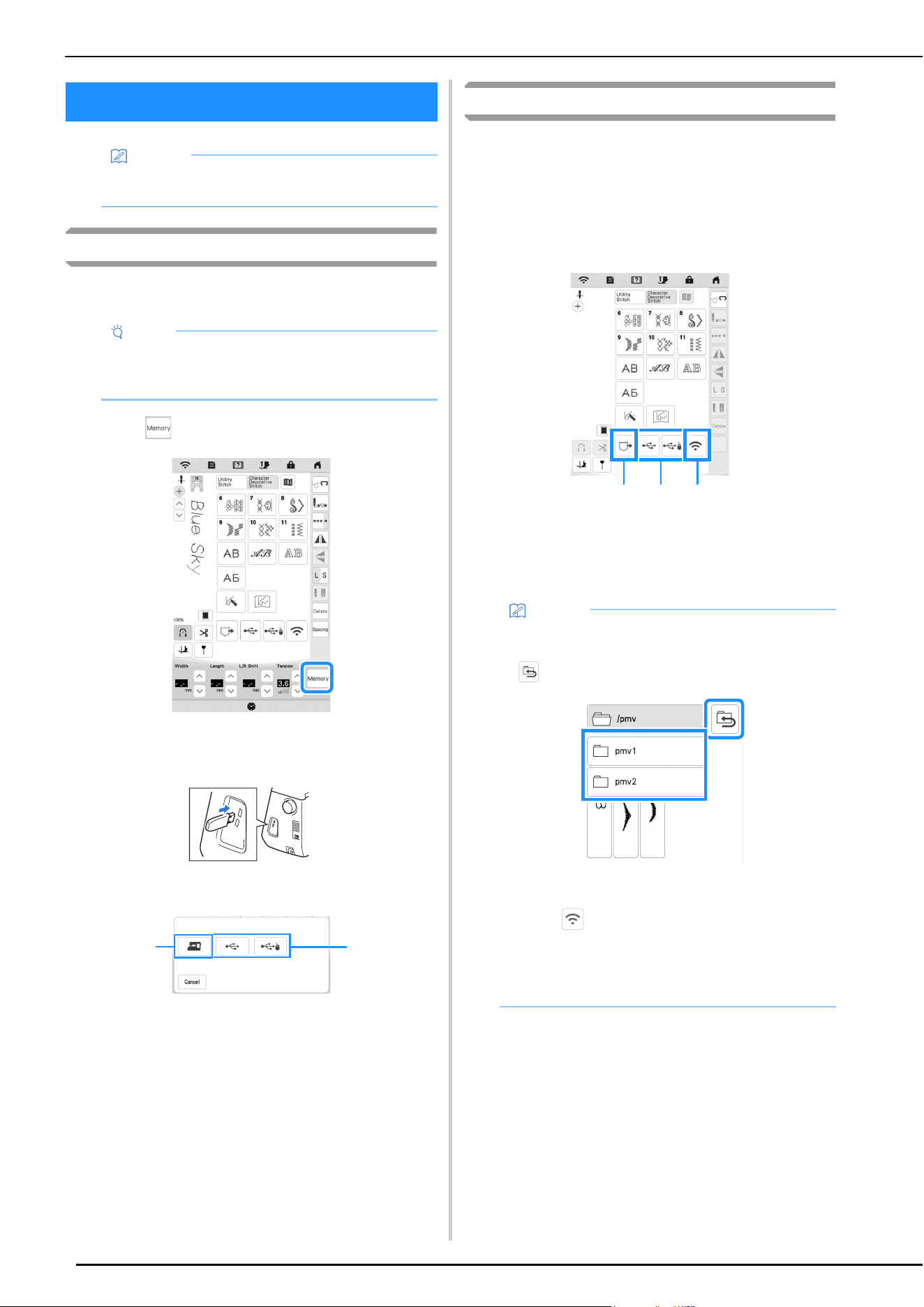
USING THE MEMORY FUNCTION
106
Saving Stitch Patterns
You can save stitch patterns that you have customized in the
machine's memory or USB media.
a
Touch .
b
When saving the stitch pattern in a USB media, insert
the USB media into the USB port on the machine.
c
Touch the desired destination to start saving.
1 Save to the machine’s memory.
2 Save to the USB media.
The stitch pattern is saved in a folder labeled [bPocket].
Retrieving Stitch Patterns
Retrieve stitch patterns saved in the machine's memory or
USB media.
a
When retrieving stitch patterns from a USB media,
insert the USB media into the USB port on the
machine.
b
Touch the desired destination.
1 Retrieve from the machine’s memory.
2 Retrieve from a USB media.
When retrieving stitch patterns from a USB media, insert
the USB media into the USB port on the machine.
3 Retrieve via the wireless network.
USING THE MEMORY FUNCTION
Memo
• For more information about the memory function,
refer to “SPECIFICATIONS” on page 123.
Note
• Do not turn the main power to OFF while the
[Saving…] screen is displayed. You will lose the
stitch pattern you are saving.
2
1
Memo
• If the stitch pattern to be retrieved is in a folder of
the USB media, touch the key for that folder. Touch
to return to the previous screen.
• Folders in the USB media cannot be created with
the machine.
• Touch to retrieve stitch patterns via the
wireless network. For detailed procedures, refer to
PE-DESIGN manual (Version 11 or later).
• For details on supported file extensions, refer to
“SPECIFICATIONS” on page 123.
1 2 3
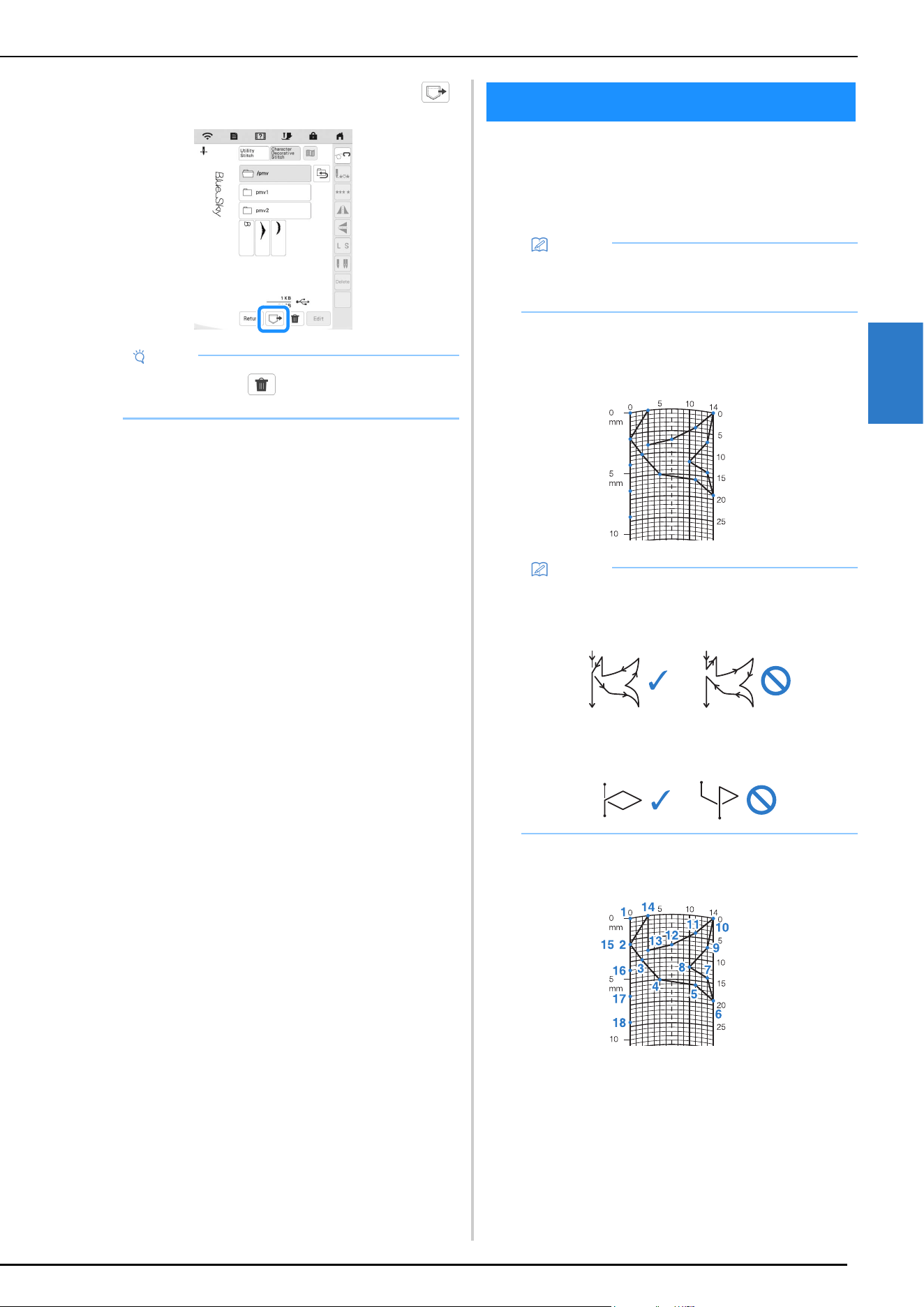
MY CUSTOM STITCH
VARIOUS STITCHES
107
3
c
Select the desired stitch pattern, and then touch .
Designing a Stitch
By using the MY CUSTOM STITCH function, you can
register stitches you have created yourself. You can also
sew designs combining MY CUSTOM STITCH creations
with built-in characters (page 49).
a
Draw the stitch design on the grid sheet.
Place points where the stitch pattern intersects with
the grid, and connect all the points with a line.
b
Determine the x and y coordinates of each of the
marked points.
Note
• When you touch , the selected stitch pattern
will be deleted permanently.
MY CUSTOM STITCH
Memo
• Stitches that you create with MY CUSTOM STITCH
can be a maximum of 7 mm (approx. 9/32 inch)
wide and 37 mm (approx. 1-1/3 inches) long.
Memo
• Simplify the design so that it can be sewn as a
continuous line. For a more attractive stitch, close
the design by intersecting lines.
If the design is to be repeated and linked, the start
point and end point of the design should be at the
same height.
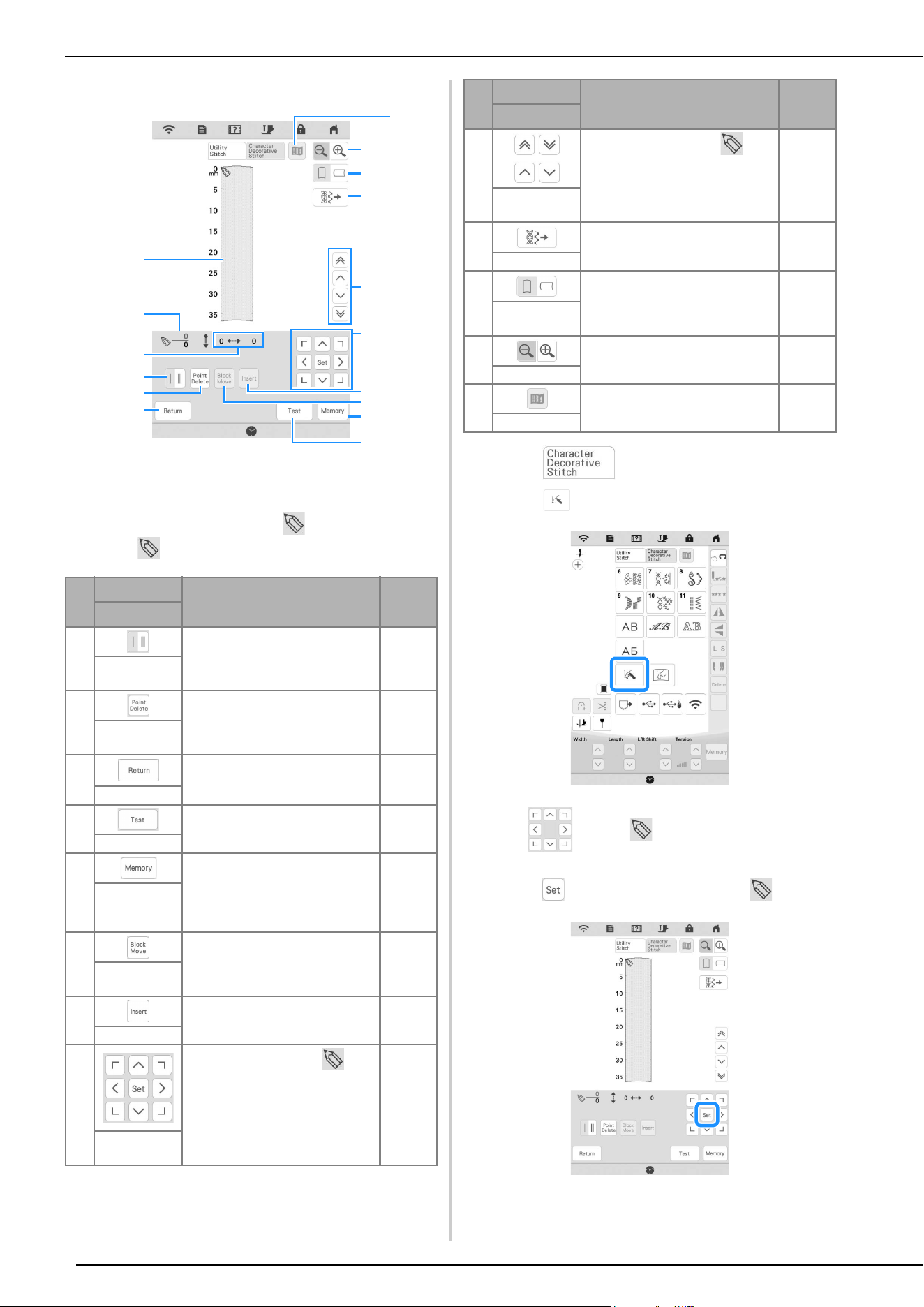
MY CUSTOM STITCH
108
MY CUSTOM STITCH Screen
1 This area displays the stitch being created.
2 Displays the number of the present set point over the
total number of points in the stitch.
3 Displays the y-coordinate of over the x-coordinate
of .
a
Touch .
b
Touch .
c
Use to move to the coordinates of the first
point on the grid.
d
Touch to add the point indicated by .
No.
Display
Explanation Page
Key Name
4 Touch this key to select whether
one or three stitches will be sewn
between two points.
109
Single/triple
stitching key
5 Touch this key to delete a selected
point.
—
Point delete
key
6 Touch this key to exit the entering
stitch data screen.
—
Return key
7 Touch this key to sew a test of the
stitch.
—
Test key
8 Touch this key to store the stitch
being created.
—
MY CUSTOM
STITCH
memory key
9 Touch this key to group points
together and move them together.
109
Block move
key
0 Touch this key to insert new points
on the stitch design.
109
Insert key
A
Use these keys to move over
the display area, and touch the set
key in the center to set a point on
the stitch design.
108-109
Arrow keys
and set key
1
B
9
8
7
2
4
6
3
5
F
A
0
D
C
E
B
Use these keys to move from
point to point on the stitch, or to
the first or last point entered on
the stitch.
109
Point-to-point
key
C Touch this key to edit the utility
stitches in the machine.
—
Stitch edit key
D Touch this key to change the
direction of the grid sheet.
—
Grid direction
key
E Touch this key to see an enlarged
version of the stitch being created.
—
Enlarger key
F Touch this key to view an image of
the stitch.
—
Image key
No.
Display
Explanation Page
Key Name
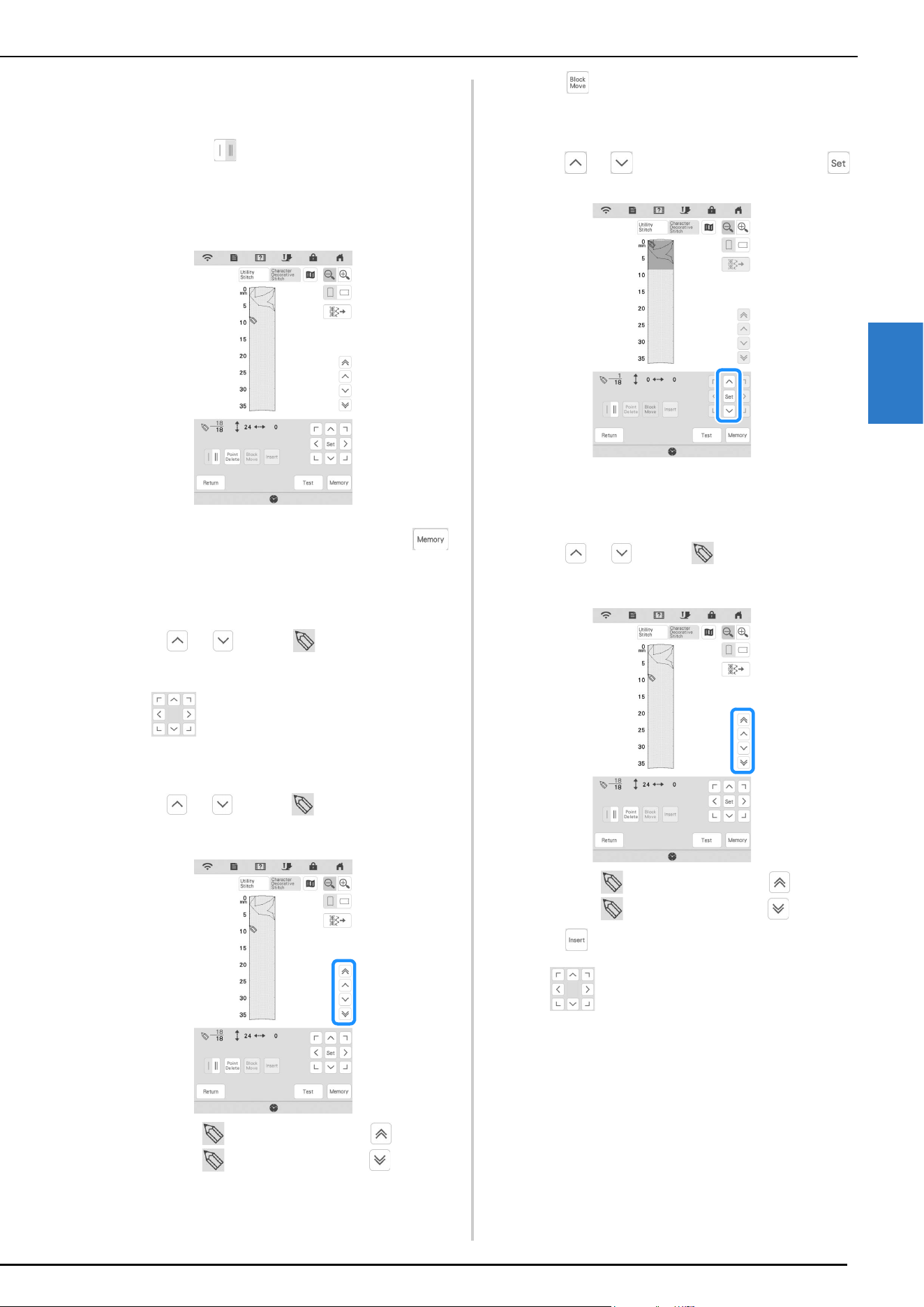
MY CUSTOM STITCH
VARIOUS STITCHES
109
3
e
Select whether single stitch or triple stitches will be
sewn between the first two points.
* To sew three stitches, touch the key so that it
appears as .
f
Repeat the steps for each point that you have drawn on
the grid sheet until the stitch design is drawn on the
screen as a continuous line.
g
Once you finish entering the stitch data, touch
to save the stitch pattern.
Moving a Point
a
Touch or to move to the point that you
want to move.
b
Use to move the point.
Moving Part or All of the Design
a
Touch or to move to the first point of the
section that you want to move.
* To move to the first point, touch .
* To move to the last point, touch .
b
Touch .
The selected point and all points that were entered
after it are selected.
c
Touch or to move the section and touch .
The section will be moved.
Inserting New Points
a
Touch or to move to a place on the
design where you want to add a new point.
* To move to the first point, touch .
* To move to the last point, touch .
b
Touch to insert a new point.
c
Use to move the point.
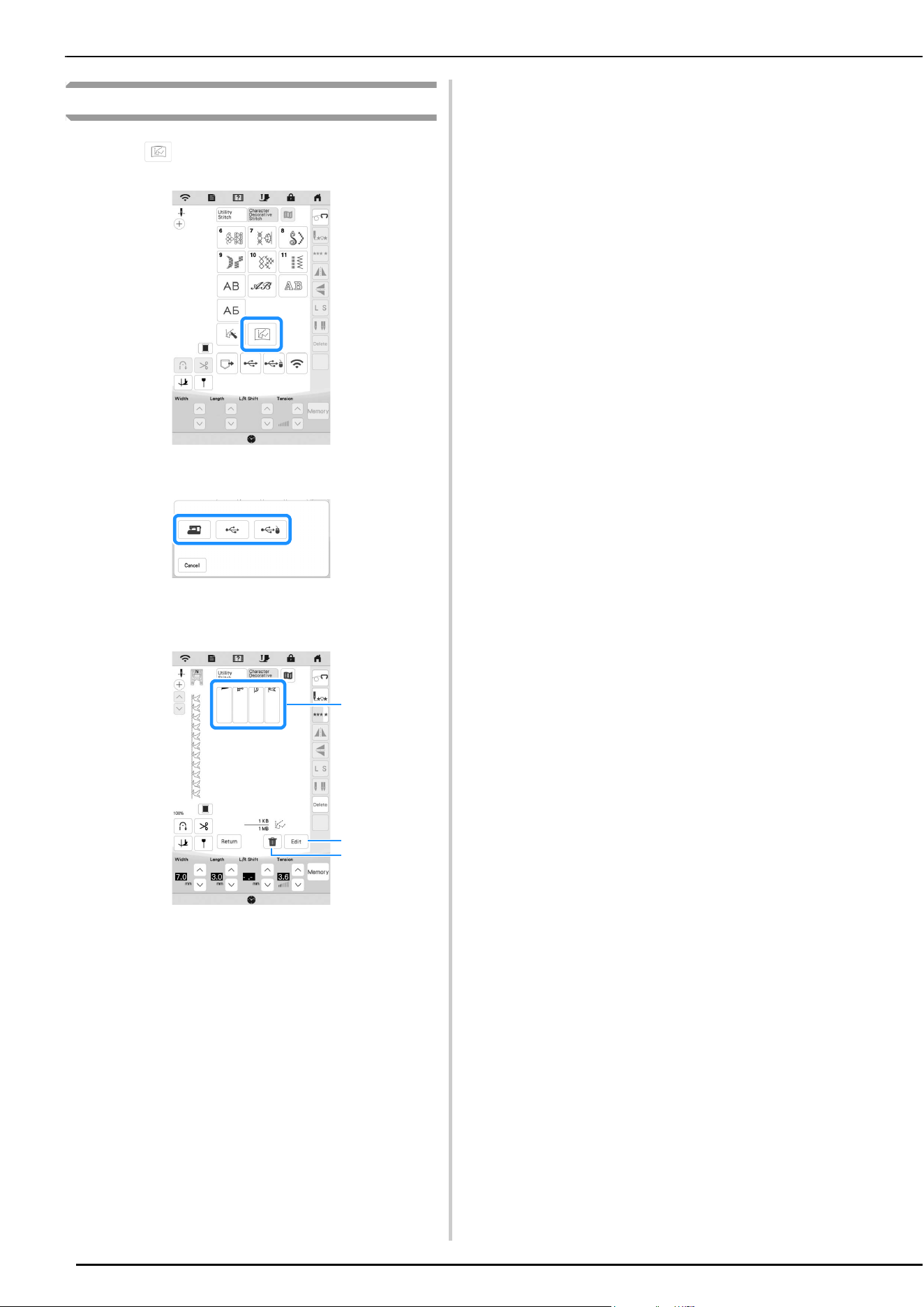
MY CUSTOM STITCH
110
Retrieving Saved Stitch Patterns
a
Touch .
b
Select the device to retrieve the stitch pattern from.
c
Select the stitch pattern.
* You can start sewing when this screen is displayed.
1 Stored stitch patterns
2 Edit the stitch pattern.
3 Delete the stitch pattern.
3
2
1
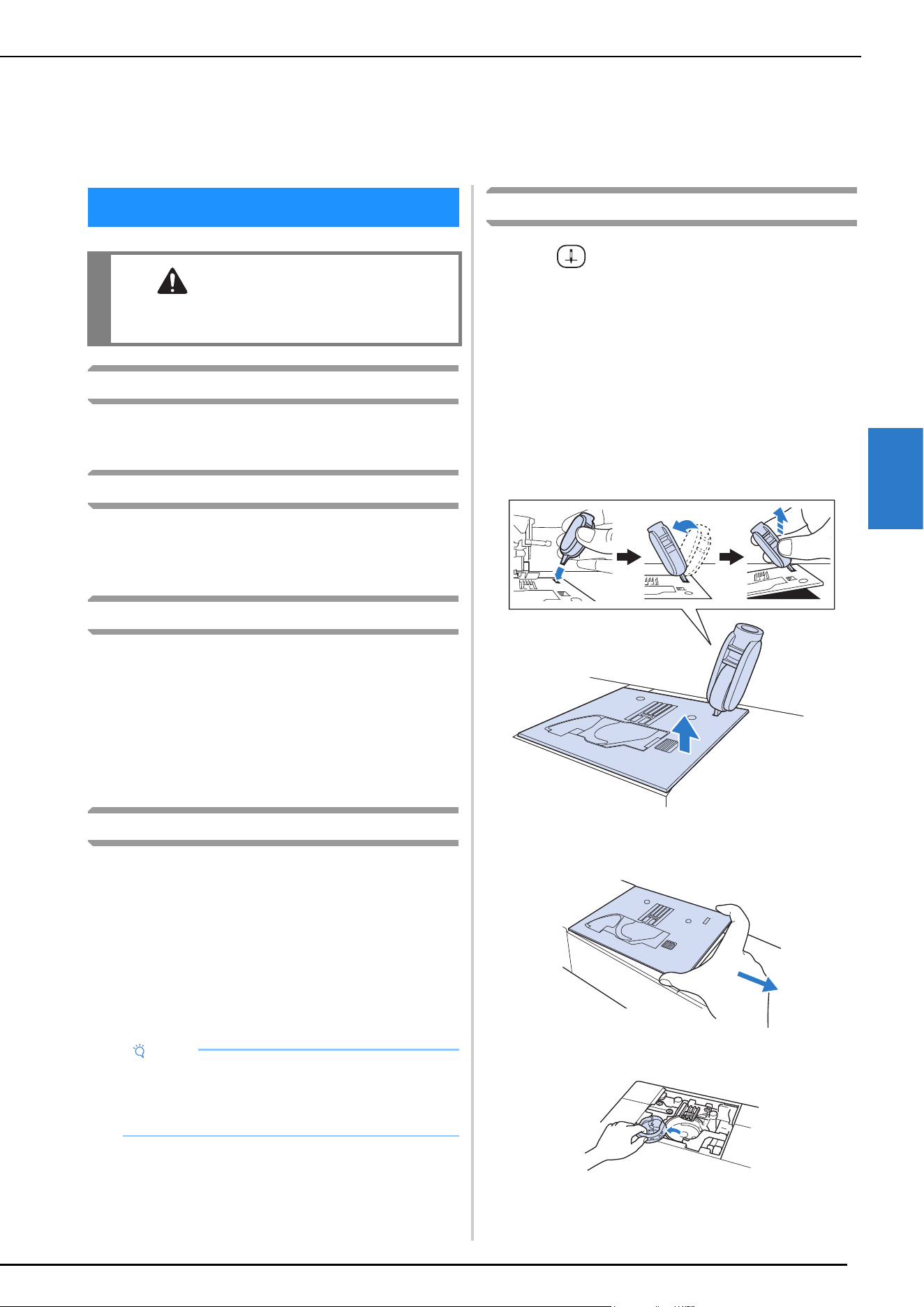
CARE AND MAINTENANCE
111
APPENDIX
4
Cleaning the LCD
If the surface of the LCD is dirty, lightly wipe it with a soft dry
cloth.
Cleaning the machine surface
When wiping dirt off the machine, firmly wring a soft cloth
soaked in (lukewarm) water.
After cleaning the machine, dry it with a soft, dry cloth.
Restrictions on Oiling
In order to prevent damaging this machine, it must not be
oiled by the user. This machine was manufactured with the
necessary amount of oil applied to ensure correct operation,
making periodic oiling unnecessary.
If problems occur, such as difficulty turning the handwheel or
an unusual noise, immediately stop using the machine, and
contact your authorized Brother dealer or the nearest Brother
authorized service center.
Precautions on Storing the Machine
Do not store the machine in any of the locations described
below, otherwise damage to the machine may result, for
example, rust caused by condensation.
* Exposed to extremely high temperatures
* Exposed to extremely low temperatures
* Exposed to extreme temperature changes
* Exposed to high humidity or steam
* Near a flame, heater or air conditioner
* Outdoors or exposed to direct sunlight
* Exposed to extremely dusty or oily environments
Cleaning the Race
a
Press (Needle position button) to raise the needle.
b
Turn the main power to OFF, and then unplug the
machine.
c
Remove the needle and presser foot (page 41,
page 43).
d
Remove the flat bed attachment if it is attached.
e
Insert the multi-purpose screwdriver into the hole, and
tilt the multi-purpose screwdriver to the left and then
to the back, as shown in the illustration.
f
Slide out the needle plate with your right hand to
remove it.
g
Grasp the bobbin case, and then gently lift out.
Chapter 4
APPENDIX
CARE AND MAINTENANCE
CAUTION
• Be sure to unplug the machine before cleaning
it. Otherwise, injury may result.
Note
• In order to extend the life of this machine,
periodically turn it on and use it. Storing this
machine for an extended period of time without
using it may reduce its efficiency.
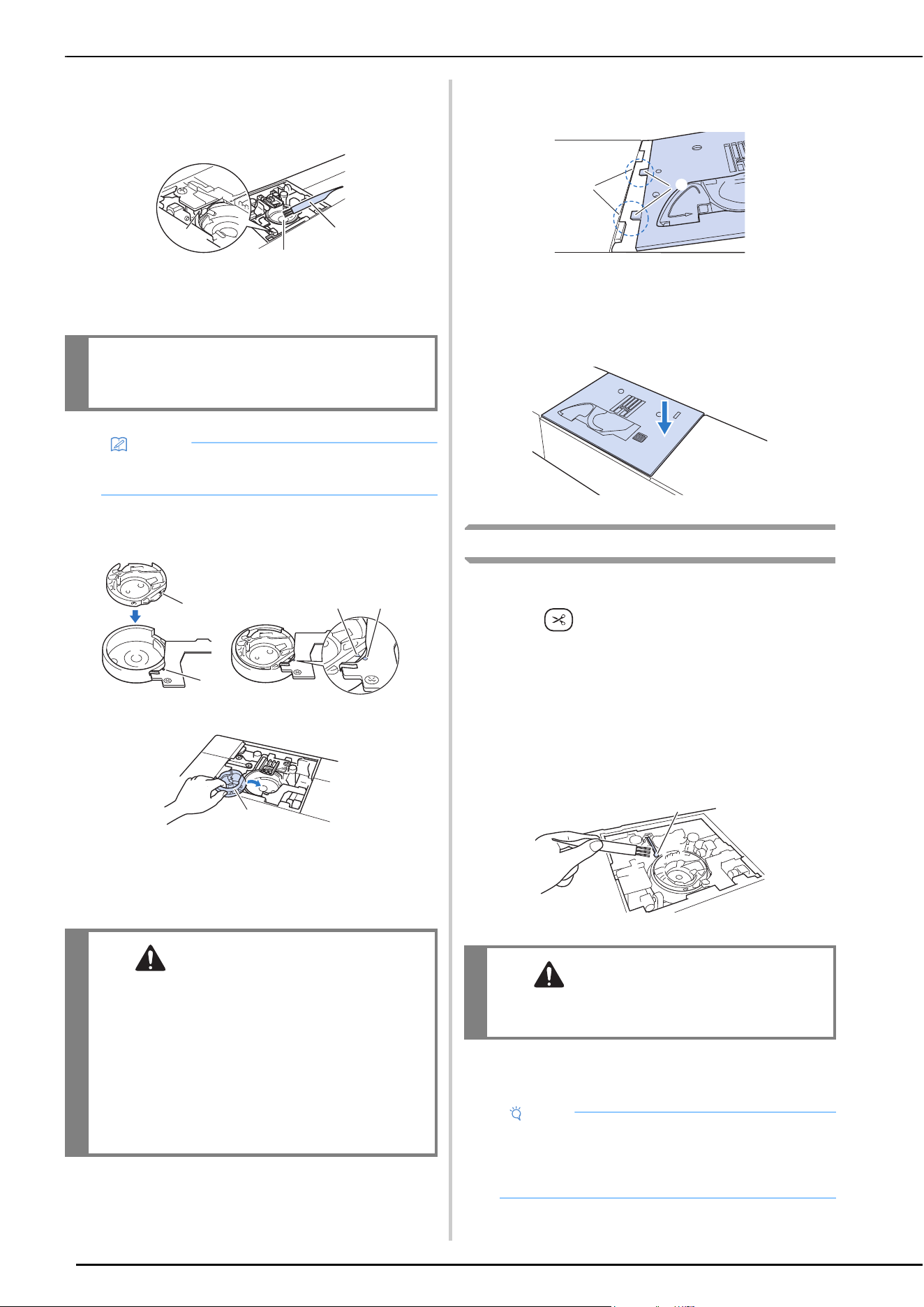
CARE AND MAINTENANCE
112
h
Use the cleaning brush or a vacuum cleaner to remove
any lint and dust from the race and bobbin thread
sensor and the surrounding area.
1 Cleaning brush
2 Race
3 Bobbin thread sensor
i
Insert the bobbin case so that the mark on the
bobbin case aligns with the
mark on the machine.
* Align the and
marks.
1 mark
2
mark
3 Bobbin case
* Make sure that the indicated points are aligned
before installing the bobbin case.
j
Insert the tabs on the needle plate into the notches in
the machine.
1 Tabs
2 Notches
k
Press down on the right side of the needle plate to
secure it.
Cleaning the Cutter in the Bobbin Case Area
The cutter below the needle plate should be cleaned. If dust
or lint accumulate on the cutter, it will be difficult to cut the
thread when (Thread cutter button) is pressed or the
automatic thread cutting function is used. Clean the cutter
when the thread is not easily cut.
a
Follow steps a through g in “Cleaning the Race” to
remove the needle plate and the bobbin case.
b
Use the cleaning brush or a vacuum cleaner to remove
any lint and dust from the cutter in the bobbin case
area.
1 Cutter
c
Insert the bobbin case and attach the needle plate
following steps
i through k in “Cleaning the Race”.
IMPORTANT
• Do not apply oil to the bobbin case.
Memo
• If lint or dust collects on the bobbin thread sensor,
the sensor may not operate correctly.
CAUTION
• Never use a bobbin case that is scratched or
has a burr on it. Otherwise the upper thread
may become tangled, and the needle may
break and cause injury. For a new bobbin case,
contact your nearest Brother authorized
service center.
• Be sure that the bobbin case is correctly
installed, otherwise the needle may break and
cause injury.
a
b
c
a
b
a
b
c
CAUTION
• Do not touch the cutter, otherwise injuries
may result.
Note
• If the needle plate has been removed, check
machine operations to confirm that installation has
been completed correctly. Refer to “Checking
Machine Operations” on page 116.
a
b
a
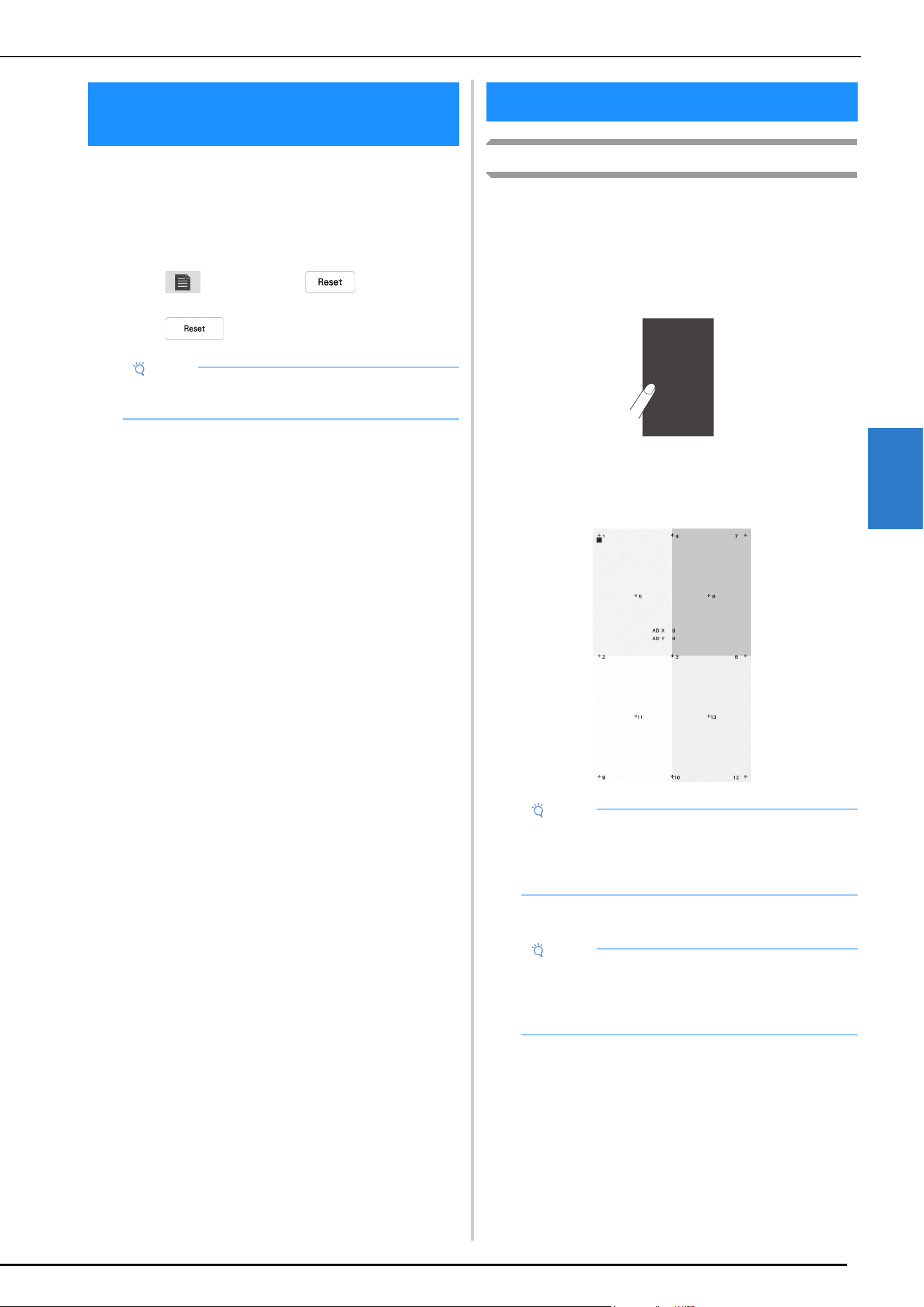
BEFORE LENDING OR DISPOSING OF THE PRODUCT
113
APPENDIX
4
Please be sure to reset the settings of your machine to
delete the following data.
• all saved data
• customized settings
• network information
a
Touch , and then touch beside [Reset to
Default].
b
Touch .
Touch Panel is Malfunctioning
If the screen does not respond correctly when you touch a key
(the machine does not perform the operation or performs a
different operation), follow the steps below to make the
proper adjustments.
a
Holding your finger on the screen, turn the main
power switch to OFF and back to ON.
The touch panel adjustment screen appears.
b
Using the included touch pen, lightly touch the center
of each +, in order from 1 to 13.
c
Turn the main power to OFF, then turn it back to ON.
BEFORE LENDING OR DISPOSING
OF THE PRODUCT
Note
• Do not turn the main power to OFF while the
[Deleting...] screen is displayed.
ADJUSTING THE SCREEN
Note
• Only use the included touch pen to touch the
screen. Do not use a mechanical pencil, pin, or
other sharp object. Do not press too hard on the
screen. Otherwise, damage may result.
Note
• If you finish the screen adjustment and the screen
still does not respond, or if you cannot do the
adjustment, contact your authorized Brother
dealer.
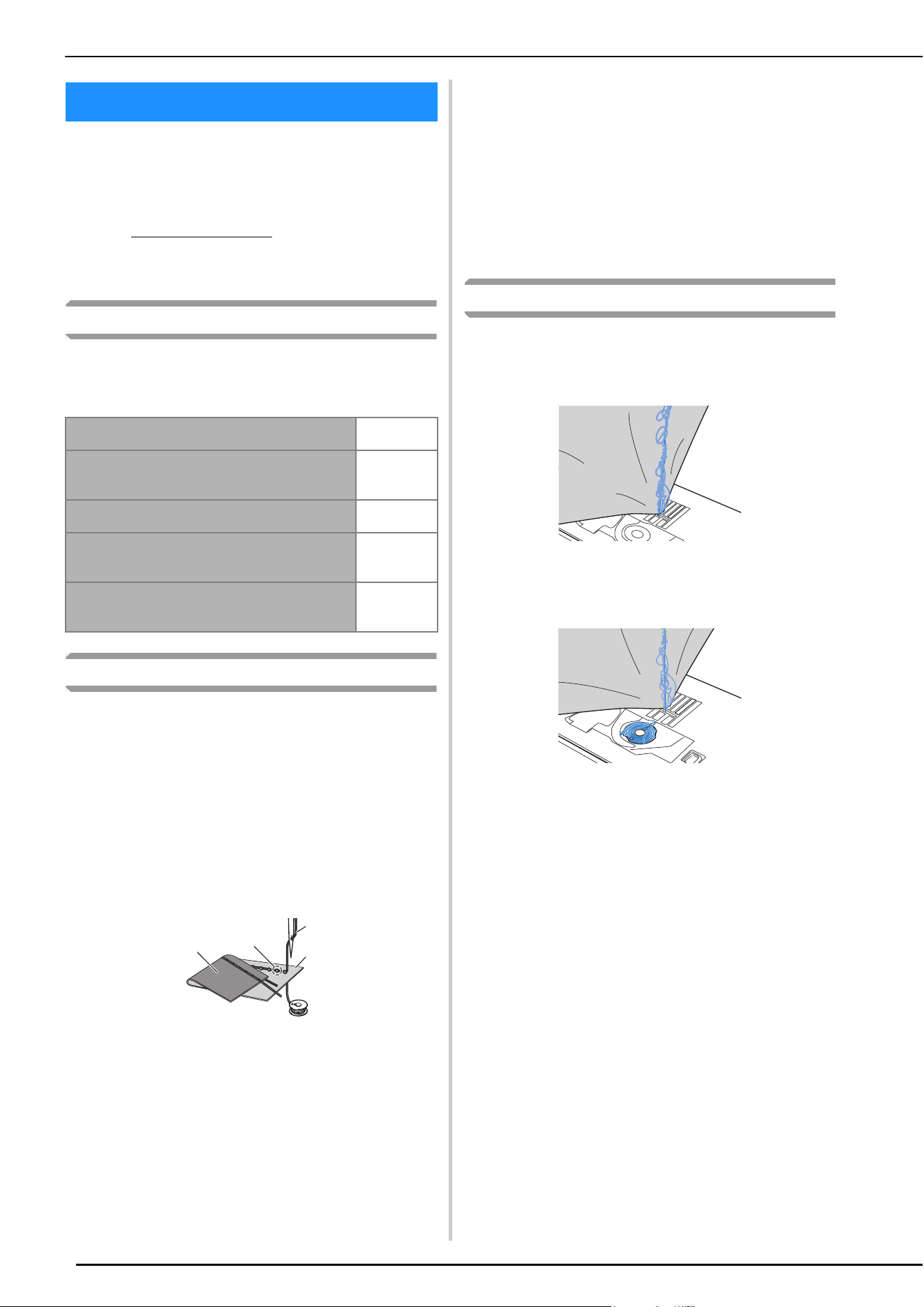
TROUBLESHOOTING
114
If the machine stops operating correctly, check the
following possible problems before requesting service.
You can solve most problems by yourself. If you need
additional help, the Brother Support website offers the
latest FAQs and troubleshooting tips.
Visit us at https://s.brother/cpeai/
.
If the problem persists, contact your authorized Brother
dealer or the nearest Brother authorized service center.
Frequent Troubleshooting Topics
Detailed causes and remedies for common troubleshooting
topics are described below. Be sure to refer to this before
contacting your authorized Brother dealer.
Upper Thread is Too Tight
Symptom
* The upper thread appears as a single continuous
line.
* The bobbin thread is visible from the right side of
the fabric. (Refer to the illustration below.)
* The upper thread has tightened up, and comes out
when pulled.
* The upper thread has tightened up, and wrinkles
appear in the fabric.
* The upper thread tension is tight, and the results do
not change even after the thread tension is adjusted.
1 Wrong side of fabric
2 Bobbin thread visible from right side of fabric
3 Upper thread
4 Right side of fabric
5 Bobbin thread
Cause
Incorrect bobbin threading
If the bobbin thread is incorrectly threaded, instead of the
appropriate tension being applied to the bobbin thread, it
is pulled through the fabric when the upper thread is
pulled up. For this reason, the thread is visible from the
right side of the fabric.
Remedy
Correctly install the bobbin thread. (page 33)
Tangled Thread on Wrong Side of Fabric
Symptom
* The thread becomes tangled on the wrong side of
the fabric.
* After starting sewing, a rattling noise is made and
sewing cannot continue.
* Looking under the fabric, there is tangled thread in
the bobbin case.
Cause
Incorrect upper threading
If the upper thread is incorrectly threaded, the upper
thread passed through the fabric cannot be firmly pulled
up and the upper thread becomes tangled in the bobbin
case, causing a rattling noise.
Remedy
Remove the tangled thread, and then correct the upper
threading.
a
Remove the tangled thread. If it cannot be removed,
cut the thread with scissors.
* Refer to “Cleaning the Race” on page 111.
b
Remove the upper thread from the machine.
c
Correct the upper threading by following the
instructions in “Upper Threading” on page 35.
* If the bobbin was removed from the bobbin case,
refer to “Setting the Bobbin” on page 33 to correctly
install the bobbin.
TROUBLESHOOTING
Upper Thread is Too Tight
page 114
Tangled Thread on Wrong Side of
Fabric
page 114
Incorrect Thread Tension
page 115
Fabric is Caught in the Machine
and Cannot Be Removed
page 115
If the Thread Becomes Tangled
Under the Bobbin Winder Seat
page 116
a
b
c
d
e
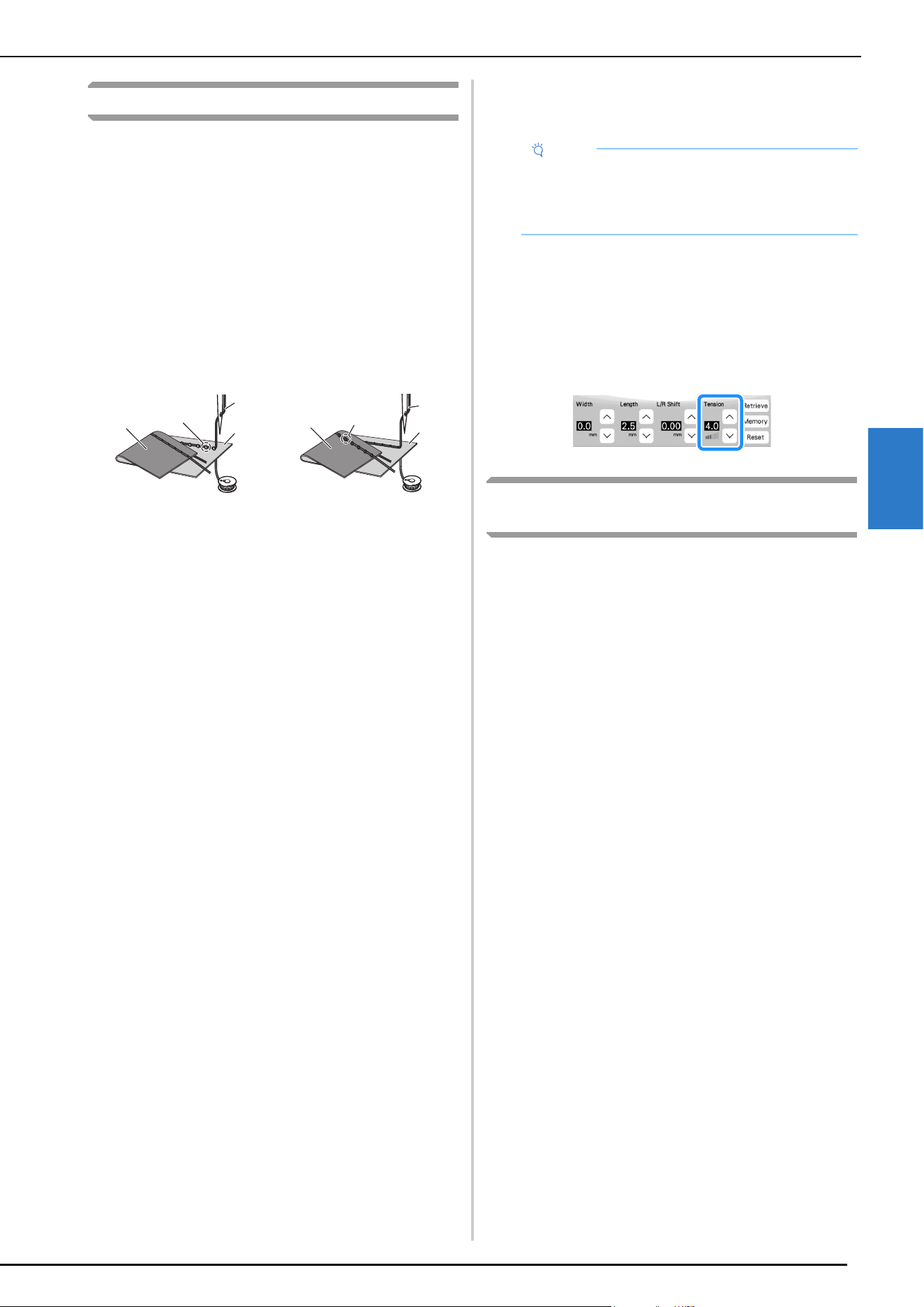
TROUBLESHOOTING
115
APPENDIX
4
Incorrect Thread Tension
Symptoms
• Symptom 1: The bobbin thread is visible from the
right side of the fabric.
• Symptom 2: The upper thread appears as a straight
line on the right side of the fabric.
• Symptom 3: The upper thread is visible from the
wrong side of the fabric.
• Symptom 4: The bobbin thread appears as a straight
line on the wrong side of the fabric.
• Symptom 5: The stitching on the wrong side of the
fabric is loose or has slack.
1 Wrong side of fabric
2 Bobbin thread visible on right side of fabric
3 Upper thread
4 Right side of fabric
5 Bobbin thread
6 Upper thread visible from wrong side of fabric
Cause/Remedy
Cause 1
The machine is not correctly threaded.
<With symptoms 1 and 2 described above>
The bobbin threading is incorrect.
Return the upper thread tension to the standard setting,
and then refer to “Setting the Bobbin” on page 33 to
correct lower threading.
<With symptoms 3 through 5 described above>
The upper threading is incorrect.
Return the upper thread tension to the standard setting,
and then refer to “UPPER THREADING” on page 35 to
correct the upper threading.
Cause 2
A needle and thread appropriate for the fabric are not
being used.
The machine needle that should be used depends on the
type of fabric sewn and the thread thickness.
If a needle and thread appropriate for the fabric are not
being used, the thread tension will not be adjusted
correctly, causing wrinkles in the fabric or skipped
stitches.
* Refer to “FABRIC/THREAD/NEEDLE
COMBINATIONS” on page 42 to check that a
needle and thread appropriate for the fabric are
being used.
Cause 3
An appropriate upper tension is not selected.
Select an appropriate thread tension. Refer to “Setting the
Thread Tension” on page 54.
The appropriate thread tension differs according to the
type of fabric and thread being used.
* Adjust the thread tension while test sewing on a
piece of scrap fabric that is the same as that used in
your project.
* When the bobbin thread is visible on the right side of
the fabric.
Set the upper thread tension to a lower number. (Loosen
the thread tension.)
* When the upper thread is visible on the wrong side of
the fabric.
Set the upper thread tension to a higher number.
(Tighten the thread tension.)
Fabric is Caught in the Machine and Cannot
Be Removed
If the fabric is caught in the machine and cannot be removed,
the thread may have become tangled under the needle plate.
Follow the procedure described below to remove the fabric
from the machine. If the operation cannot be completed
according to the procedure, instead of attempting to complete
it forcefully, contact your nearest Brother authorized service
center.
Removing the Fabric From the Machine
a
Immediately stop the machine.
b
Turn off the machine.
c
Remove the needle.
If the needle is lowered into the fabric, turn the
handwheel away from you (clockwise) to raise the
needle out of the fabric, and then remove the needle.
* Refer to “CHANGING THE NEEDLE” on page 41.
d
Remove the presser foot.
If the thread is entangled on the presser foot, remove the
entangled thread, and then raise the presser foot lever to
remove the presser foot. Otherwise, the presser foot may
be damaged.
* Refer to “CHANGING THE PRESSER FOOT” on
page 43.
e
Lift up the fabric and cut the threads below it.
If the fabric can be removed, remove it. Continue with
the following steps to clean the race.
f
Remove the needle plate and bobbin case.
If threads remain in the bobbin case, remove them.
* Refer to “Cleaning the Race” on page 111.
Symptom 1 Symptom 3
a
b
c
d
e
a
c
d
e
f
Note
• If the upper threading and bobbin threading are
incorrect, the thread tension cannot be adjusted
correctly. Check the upper threading and bobbin
threading first, and then adjust the thread tension.
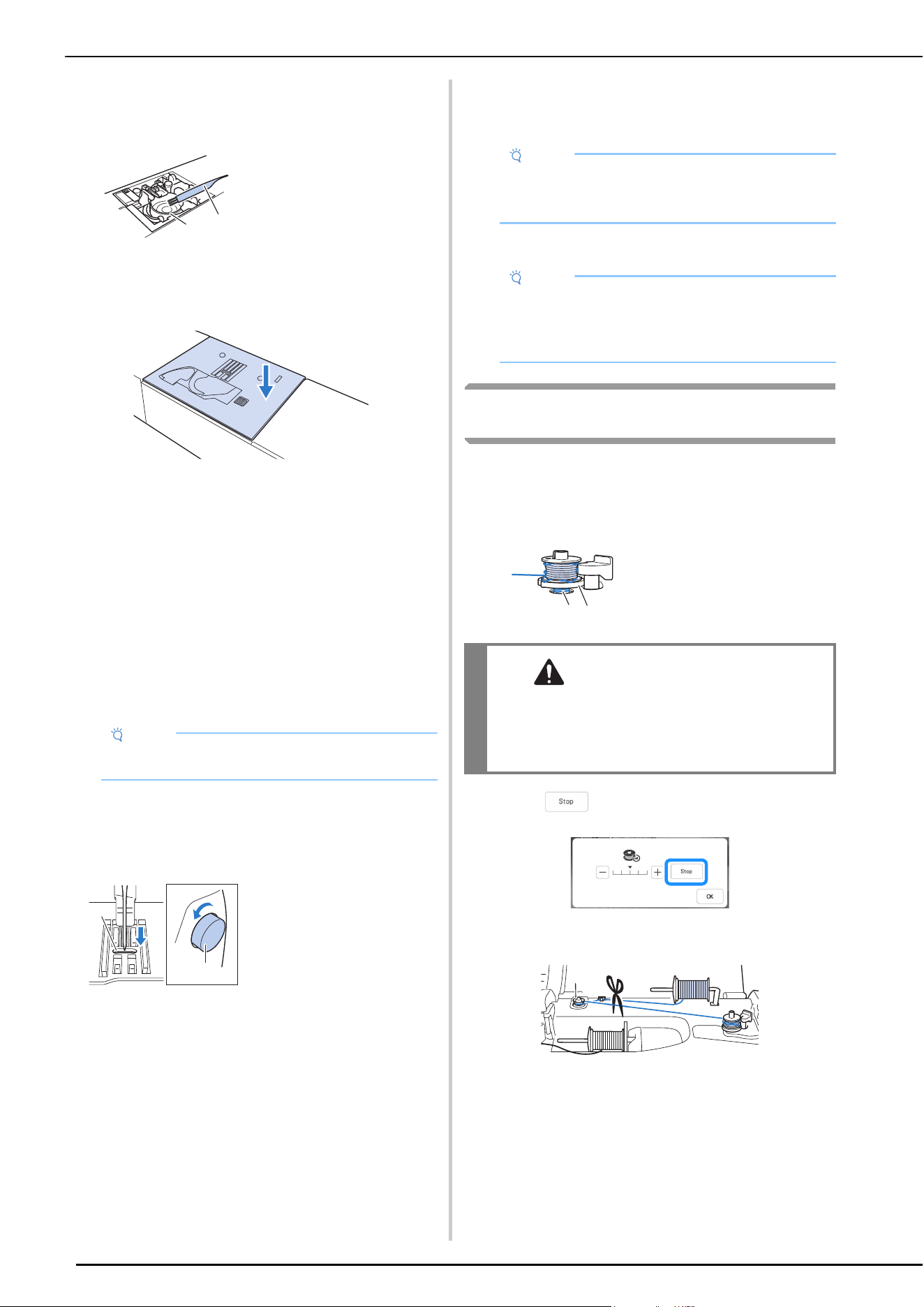
TROUBLESHOOTING
116
g
Remove any threads in the race and around the feed
dogs.
* Refer to step h on page 112.
h
Insert the bobbin case and then attach the needle
plate.
* Refer to steps i through k on page 112.
i
Check the condition of the needle, and then install it.
If the needle is in a poor condition, for example, if it is
bent, be sure to install a new needle.
* Refer to “CHANGING THE NEEDLE” on page 41.
Checking Machine Operations
If the needle plate has been removed, check machine
operations to confirm that installation has been completed
correctly.
a
Turn on the machine.
b
Select Straight stitch (Middle).
c
Slowly turn the handwheel toward you
(counterclockwise), and look from all sides to check
that the needle falls at the center of the opening in the
needle plate.
If the needle or feed dogs contact the needle plate, the
machine may be malfunctioning; therefore, contact
your authorized Brother dealer or the nearest Brother
authorized service center.
d
Turn off the machine, and then install the bobbin and
presser foot.
Never use a scratched or damaged presser foot.
Otherwise, the needle may break, or sewing
performance may suffer.
* Refer to “Setting the Bobbin” on page 33 and
“CHANGING THE PRESSER FOOT” on page 43.
e
Correctly thread the machine.
* For details on the machine, refer to “UPPER
THREADING” on page 35.
f
Perform trial sewing with normal fabric.
If the Thread Becomes Tangled Under the
Bobbin Winder Seat
If the bobbin winding starts when the thread is not passed
through the pretension disk correctly, the thread may become
tangled beneath the bobbin winder seat.
Wind off the thread according to the following procedure.
a
Touch to stop the bobbin winding.
b
Cut the thread with scissors near the pretension disk.
1 Pretension disk
1 Cleaning brush
2 Race
Note
• Do not yet install the presser foot and thread.
1 Opening in the needle
plate
2 Handwheel
a
b
a
b
Note
• The thread may have become tangled as a result of
incorrect upper threading. Make sure that the
machine is correctly threaded.
Note
• Incorrect sewing may be the result of incorrect
upper threading or sewing thin fabrics. If there are
poor results from the trial sewing, check the upper
threading or the type of fabric being used.
1 Thread
2 Bobbin winder seat
CAUTION
• Do not remove the bobbin winder seat even if
the thread becomes tangled under the bobbin
winder seat. The cutter in the bobbin winder
seat may cause injury.
a
b
a
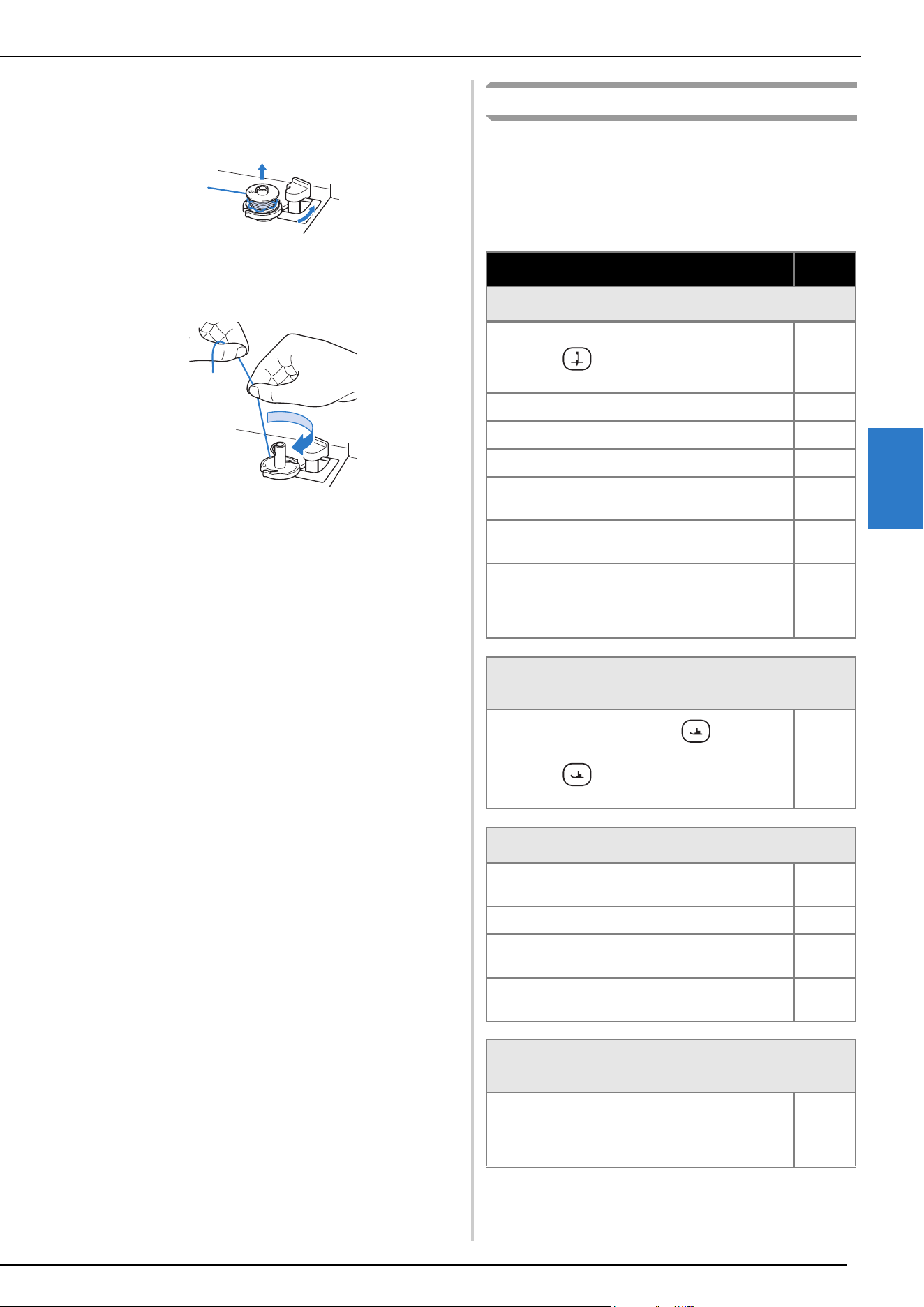
TROUBLESHOOTING
117
APPENDIX
4
c
Push the bobbin winder switch to the right, and then
remove the bobbin from the shaft and cut the thread
leading to the bobbin in order to be able to completely
remove the bobbin from shaft.
d
Hold the thread end with your left hand, and wind off
the thread clockwise from under the bobbin winder
seat with your right hand as shown below.
List of Symptoms
Check the following possible problems before requesting
service. If the reference page is “*”, contact your
authorized Brother dealer or the nearest Brother
authorized service center.
Getting Ready
Symptom, Cause/solution
Reference
Cannot thread the needle.
Needle is not in the correct position.
• Press (Needle position button) to raise
the needle.
10
Needle is installed incorrectly. 41
Needle is turned, bent or the point is dull. 41
Upper threading is incorrect. 35
The needle threader hook is bent and does not
pass through the eye of the needle.
*
The needle threader lever cannot be moved or
returned to its original position.
*
A size 65/9 needle is being used.
• The needle is incompatible with the needle
threader. Manually pass the thread through the
eye of the needle.
37
Cannot lower the presser foot with the presser foot
lever.
Presser foot was raised using (Presser foot
lifter button).
• Press (Presser foot lifter button) to lower
the presser foot.
10
Bobbin thread does not wind neatly on the bobbin.
The thread is not passed through the bobbin
winding thread guide correctly.
30
Bobbin spins slowly. 31
The thread that was pulled out was not wound
onto the bobbin correctly.
30
The empty bobbin was not set on the pin
properly.
29
While winding the bobbin, the bobbin thread was
wound below the bobbin winder seat.
You have not wound the bobbin thread properly
when you initially wound thread on the bobbin.
Ensure that the bobbin thread was properly set in
the guides.
29
TROUBLESHOOTING
118
While Operating
The bobbin thread cannot be pulled up.
Needle is turned, bent or the point is dull. 41
Bobbin is set incorrectly. 33
Machine does not operate
All keys and buttons have been locked by .
41, 43
Nothing appears in the LCD.
Main power switch is not turned on. 14
The plug of the power cord is not inserted into an
electrical outlet.
14
The LCD screen does not look very clear.
The brightness of the screen is not adjusted. 21
Nothing happens, even if the LCD display is touched
Adjust the screen. 113
The screen has been locked.
• Touch either of the following keys to unlock the
screen.
—
The LCD screen is fogged up.
Condensation has formed on the LCD screen.
• After a while, the cloudiness will disappear.
—
Symptom, Cause/solution
Reference
Symptom, Cause/solution
Reference
Machine does not operate.
“Start/Stop” button was not pressed. 10
There is no stitch pattern selected. 45
Presser foot is not lowered. 10
“Start/Stop” button was pressed with the foot
controller attached.
47
The “Start/Stop” button was pressed while the
machine is set for the sewing speed controller to
control the zigzag stitch width.
20, 47
Needle breaks.
Needle is installed incorrectly. 41
Needle clamp screw is not tightened. 41
Needle is turned or bent. 41
Using improper needle or thread for the selected
fabric.
42
Wrong presser foot was used. 125
Upper thread tension is too tight. 54
Fabric is pulled during sewing. —
Spool cap is set incorrectly. 35
There are scratches around the opening in the
needle plate.
* There is a notch on the left side of the opening
in the needle plate. This is not a scratch.
*
There are scratches around the opening in the
presser foot.
*
There are scratches on the bobbin case. *
Needle is defective. 41
A bobbin designed specifically for this machine is
not used.
29
Upper threading is incorrect. 35
Bobbin is set incorrectly. 33
Presser foot is attached incorrectly. 43
Screw of the presser foot holder is loose. 43
Fabric is too thick. 61
Fabric is fed forcefully when sewing thick fabric
or thick seams.
61
Stitch length is too short. 54
Bobbin thread is incorrectly wound. 29
1 Notch
a
TROUBLESHOOTING
119
APPENDIX
4
Upper thread breaks.
Machine is not threaded correctly (used the
wrong spool cap, spool cap is loose, the thread
did not catch the needle bar threader, etc.)
35
Knotted or tangled thread is being used. —
The selected needle is not appropriate for the
thread being used.
42
Upper thread tension is too tight. 54
Thread is twisted. —
Needle is turned, bent or the point is dull. 41
Needle is installed incorrectly. 41
There are scratches around the opening of the
needle plate.
* There is a notch on the left side of the opening
in the needle plate. This is not a scratch.
*
There are scratches around the opening in the
presser foot.
*
There are scratches on the bobbin case. *
Using improper needle or thread for the selected
fabric.
42
A bobbin designed specifically for this machine is
not used.
29
The thread is tangled on the wrong side of the fabric.
Upper threading is incorrect. 35
Using improper needle or thread for the selected
fabric.
42
The upper thread is too tight.
The bobbin thread is incorrectly installed. 33
Bobbin thread breaks.
Bobbin is set incorrectly. 33
Bobbin thread is incorrectly wound. 29
There are scratches on the bobbin or it doesn’t
rotate properly.
33
Thread is twisted. —
A bobbin designed specifically for this machine is
not used.
29
Symptom, Cause/solution
Reference
1 Notch
a
Fabric puckers.
There is a mistake in the upper or bobbin
threading.
33, 35
Spool cap is set incorrectly. 35
Using improper needle or thread for the selected
fabric.
42
Needle is turned, bent or the point is dull. 41
Stitches are too long when sewing thin fabrics. 54
Thread tension is set incorrectly. 54
Wrong presser foot was used. 125
The stitch is not sewn correctly.
The presser foot that is used is not appropriate
for the type of stitch that you wish to sew.
125
The thread tension is incorrect. 54
The thread is tangled, for example, in the bobbin
case.
111
Skipped stitches
Machine is threaded incorrectly. 35
Using improper needle or thread for the selected
fabric.
42
Needle is turned, bent or the point is dull. 41
Needle is installed incorrectly. 41
Needle is defective. 41
Dust or lint has collected under the needle plate. 111
Thin or stretch fabrics are being sewn. 62
No stitching
Needle is turned, bent or the point is dull. 41
Bobbin is set incorrectly. 33
Upper threading is incorrect. 35
High-pitched sound while sewing
Dust or lint is caught in the feed dogs. 111
Pieces of thread are caught in the race. 111
Upper threading is incorrect. 35
A bobbin designed specifically for this machine is
not used.
29
There are needle holes or friction scratches in the
bobbin case.
111
Symptom, Cause/solution
Reference
TROUBLESHOOTING
120
After Sewing
Fabric does not feed through the machine.
Feed dogs are set in the down position.
• Touch , and then turn the handwheel to
raise the feed dogs.
72
Stitches are too close together. 54
Wrong presser foot was used. 125
Needle is turned, bent or the point is dull. 41
Thread is entangled. 115
Zigzag foot “J” is slanted on a thick seam at the
beginning of stitching.
61
The fabric feeds in the opposite direction.
The feed mechanism is damaged. *
The needle contacts the needle plate.
The needle clamp screw is loose. 41
Needle is turned, bent or the point is dull. 41
Fabric being sewn with the machine cannot be
removed.
Thread is tangled below the needle plate. 114
A broken needle has fallen into the machine.
• Turn off the machine, and then remove the
needle plate. If the needle that fell into the
machine can be seen, use tweezers to remove
it. After removing the needle, return the needle
plate to its original position.
Before turning on the machine, slowly turn the
handwheel toward you to check that it turns
smoothly. If the handwheel does not turn
smoothly or the needle that fell into the
machine cannot be removed, consult your
authorized Brother dealer.
115
The handwheel feels sluggish when it is turned.
Thread is tangled in the bobbin case. 114
Symptom, Cause/solution
Reference
Symptom, Cause/solution
Reference
Thread tension is incorrect.
Upper threading is incorrect. 35
Bobbin is set incorrectly. 33
Using improper needle or thread for the selected
fabric.
42
Presser foot holder is not attached correctly. 43
Thread tension is set incorrectly. 54
Bobbin thread is incorrectly wound. 29
Needle is turned, bent or the point is dull. 41
A bobbin designed specifically for this machine is
not being used.
29
Character or decorative stitch patterns are misaligned.
Stitch pattern adjustment settings were set
incorrectly.
104
Stitch pattern does not turn out.
Wrong presser foot was used. 125
Did not use a stabilizer material on thin fabrics or
stretch fabrics.
62
Thread tension is set incorrectly. 54
Fabric was pulled, pushed or fed at an angle while
it was being sewn.
• Sew while guiding the fabric with your hands so
that the fabric is fed in a straight line.
45
The thread is tangled, for example, in the bobbin
case.
114
ERROR MESSAGES
121
APPENDIX
4
Below is an explanation of error messages. Refer to these when necessary (if you touch or do the operation
correctly while the error message is displayed, the message disappears).
ERROR MESSAGES
Error messages Cause/solution
1
Cannot change the configuration of the characters. This message is displayed when there are too many characters and the
curved character configuration is impossible.
2
Data volume is too large for this pattern. This message is displayed when the stitch patterns you are editing take up
too much memory, or if you are editing too many stitch patterns for the
memory. For a combined pattern, reduce the number of patterns.
3
Failed to save file. This message is displayed when no more images can be saved on the USB
media. In this case, delete a file from the USB media or use different USB
media.
4
Lower the presser foot lever.
This message is displayed when (Presser foot lifter button) is pressed
while the presser foot lever is raised and the needle is lowered.
5
Not enough available memory to save the data.
Delete some patterns or use a different media.
This message is displayed when the memory is full and the stitch pattern
cannot be saved.
6
Preventive maintenance is recommended. This message is displayed when the machine needs to be maintained.
Once this message appears, it is recommended to take your machine to an
authorized Brother dealer or the nearest Brother authorized service center for
a regular maintenance check. Although this message will disappear and the
machine will continue to function once you touch , the message will
display several more times until the appropriate maintenance is performed.
7
Set the clock. This message appears when the time/date is not set. Set time/date.
(page 14)
8
The "Start/Stop" button does not operate with the
foot controller attached. Remove the foot controller.
This message is displayed when the “Start/Stop” button is pushed to sew
Utility stitches or Character/Decorative stitches while the foot controller is
connected.
9
The bobbin thread is almost empty. This message is displayed when the bobbin thread is running out.
Although a few stitches can be sewn when the “Start/Stop” button is
pressed, replace with a wound bobbin immediately.
If [Upper and Bobbin Thread Sensor] in the general settings screen of the
machine setting mode is set to [OFF], this message does not appear.
10
The bobbin winder safety device has activated. Is
the thread tangled?
This message is displayed when the bobbin is being wound, and the motor
locks because the thread is tangled, etc.
11
The safety device was activated since the main
shaft motor was heated. Is the thread tangled?
This message is displayed when the temperature of the motor increases,
activating the safety device. Wait until the temperature decreases. If the error
persists, contact your nearest authorized Brother dealer.
12
The safety device was activated since the main
shaft motor seized. Is the thread tangled?
This message is displayed when the motor locks due to tangled thread or for
other reasons related to thread delivery.
13
The safety device was activated since the needle
position sensor malfunctioned.
This message is displayed when an error in the needle position sensor is
detected, activating the safety device. Turn the machine off, then on again. If
the message continues to appear, the machine may be damaged. Contact
your nearest authorized Brother dealer.
14
Turn off the machine before attaching or removing
the needle plate.
This message is displayed when you try to sew with a stitch other than a
middle needle position stitch while the straight stitch needle plate is
installed.
This message is displayed when the needle plate is removed with the
machine on.
15
This file cannot be used. This message appears if the file format is incompatible with this machine.
Check the list of compatible file formats. (page 123)
16
This file exceeds the data capacity and cannot be
used. Use a suitable size file.
This message is displayed when the file size exceeds the data capacity of
the machine.
Confirm the file size and format. (page 123)
ERROR MESSAGES
122
17
This key cannot be used at this time. This message is displayed when you touch [Sewing Guide] in the screen
other than the Utility Stitch.
18
This USB media cannot be used. This message is displayed when you try to use incompatible media.
For a list of compatible USB media, visit https://s.brother/cpeai/
.
19
Turn off the power and replace the needle plate. • This message is displayed when the machine is set to utility decorative
stitch mode while the straight stitch needle plate or no needle plate is
installed.
• This message is displayed when the straight stitch needle plate is installed
while a stitch pattern that cannot be used with that needle plate is
selected.
20
USB media error This message is displayed when an error occurs with the USB media.
For a list of compatible USB media, visit https://s.brother/cpeai/
.
21
When the speed controller is set to control the
zigzag stitch width, the "Start/Stop" button does
not operate.
This message is displayed when the speed control lever is set to control the
zigzag stitch width, and the “Start/ Stop” button is pressed. Set [Width
Control] to [OFF] in the settings screen to use the “Start/Stop” button
(page 20), or use the foot controller to operate the machine (page 71).
Error messages Cause/solution
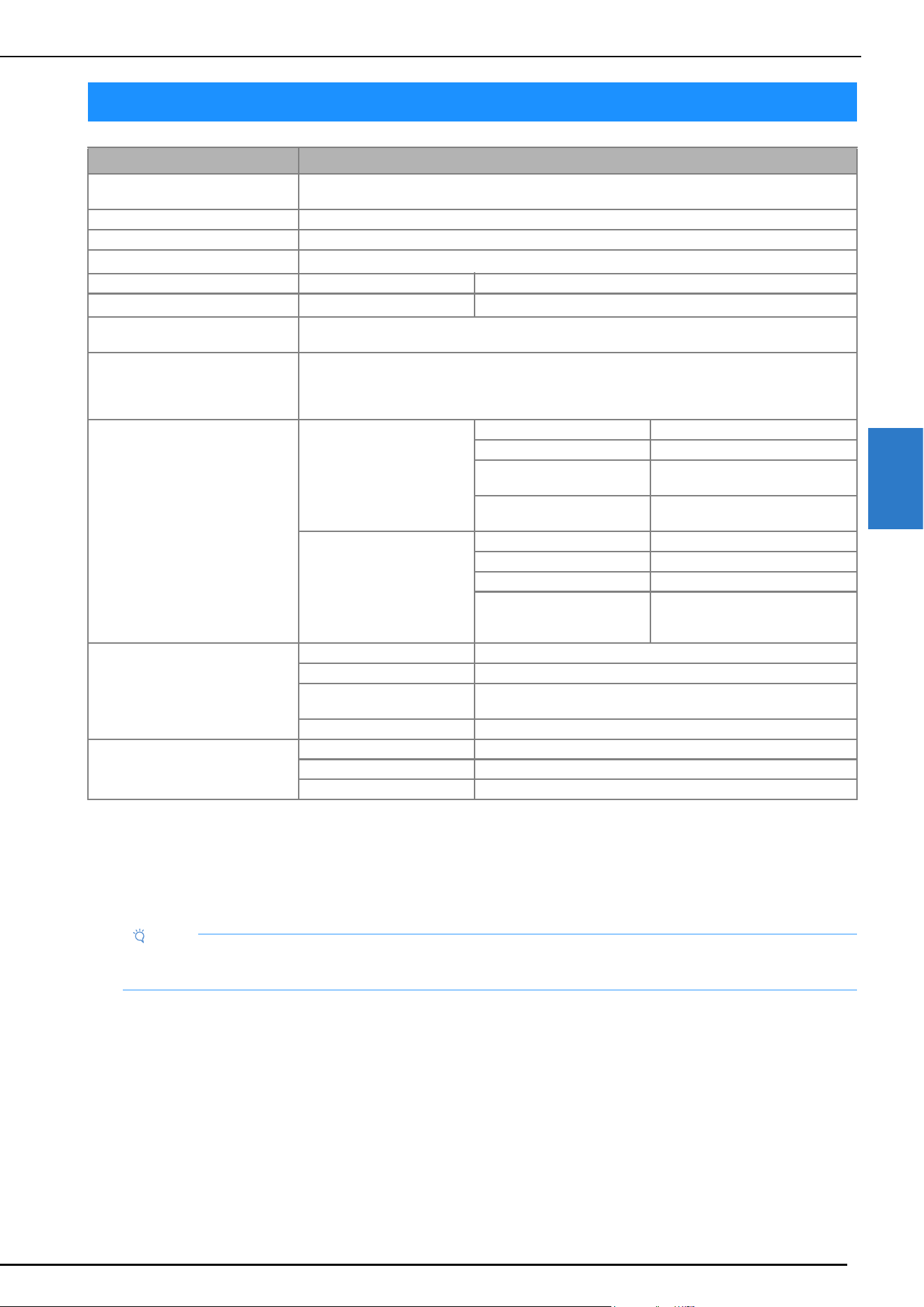
SPECIFICATIONS
123
APPENDIX
4
*1
The wireless network connection complies with IEEE 802.11b/g/n standards and uses the 2.4 GHz frequency.
A wireless network cannot be set up with WPA™/WPA2™ Enterprise.
*2
“.pmu” stitch data files can be retrieved; however, when the machine is used to save the file, it is saved as a “.pmv” stitch data file.
Using data other than that created using this machine or the machine which create “.pmu” data file, may cause the machine to
malfunction.
* Please be aware that some specifications may change without notice.
SPECIFICATIONS
Item Specification
Dimensions of machine Approx. 662 mm (W) × 348 mm (H) × 321 mm (D)
(approx. 26-1/16 inches (W) × 13-11/16 inches (H) × 12-5/8 inches (D))
Weight of machine Approx. 17 kg (approx. 37.5 lb)
Sewing speed 70 to 1050 stitches per minute
Interfaces
Wireless LAN
*1
Memory Stitch patterns 1 MB
Data Types
Stitch patterns
*2
.pmv .pmx .pmu .pmi
Number of decorative stitch pattern
combinations
Up to 70
Types of USB Devices/Media that
can be Used
• USB Flash drive (Type A)
Supported formats: FAT32
Recommended size: 32 GB or less
• Some USB media may not be usable with this machine.
Condition of the [Eco Mode] and
[Shutoff Support Mode]
[Eco Mode] Available time OFF, 10 - 120 (minute)
“Start/Stop” button Green flashing
Suspended function Machine light, Screen display, LED
pointer, Guideline marker
After recovering The machine starts from the
previous operation.
[Shutoff Support Mode] Available time OFF, 1 - 12 (hour)
“Start/Stop” button Green slow flashing
Suspended function All functions
After recovering An error message appears.
You need to turn off and on the
machine to restart.
Compatible image files of the Screen
Saver Image
Format .jpg
File size Max. 150 KB for each image
File dimension 1280 × 1280 pixels or less (If the width is between 800 and 1279
pixels, the image will be displayed at 800 pixels.)
Number allowed 5 or less
Videos that can be played MP4 file format Video - H.264/MPEG-4 AVC, Audio – AAC
Size 450 (H) × 800 (W)
Maximum file size 1 GB
Note
• We recommend using the 26 letters of the alphabet (uppercase and lowercase), the numbers 0 through 9, “-”, and “_” for
the name of the file/folder.
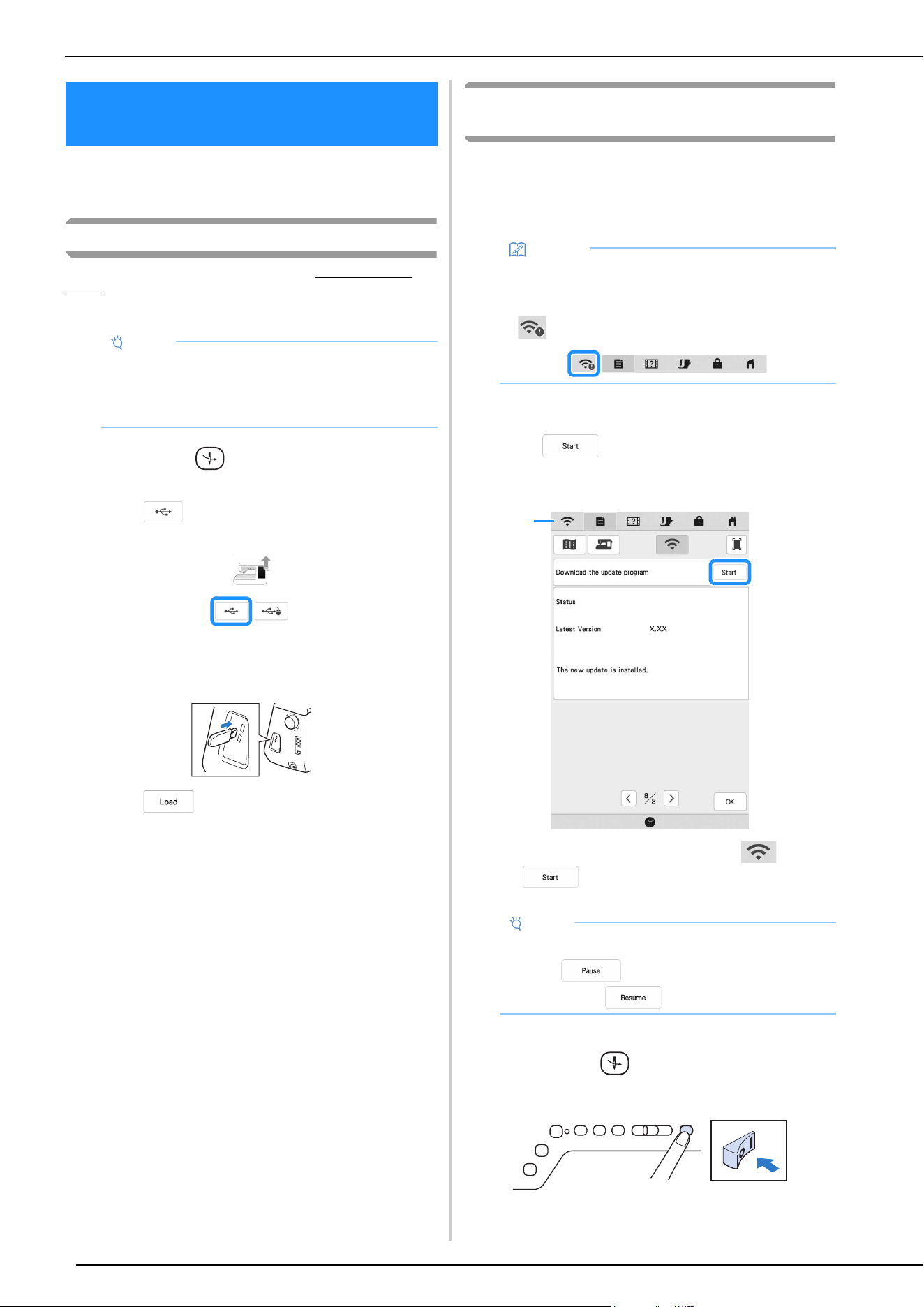
UPDATING YOUR MACHINE’S SOFTWARE
124
You can update your machine’s software using the
following two procedures.
Update Procedure Using USB Media
When an update program is available on https://s.brother/
cpeai/, please download the files following the instructions on
the website and steps below.
a
While pressing (Automatic threading button),
turn the main power to ON.
b
Touch .
c
Insert the USB media into the primary (top) USB port
on the machine.
d
Touch .
When updating is finished, the completion message
appears.
e
Turn the machine off, remove the USB media, and turn
the machine on again.
Update Procedure Using Wireless LAN
Connection
If the machine is connected to a wireless network with a
strong, reliable connection, update files can be downloaded
directly to the machine using this network.
For details on the wireless LAN connection, refer to page 26.
a
Display page 8 of the settings screen.
b
Touch .
* The machine starts to download the update file, if
there is a new update file on server.
1 When the wireless LAN key appears as , touching
causes the machine to check if there is a new
update file. If there is a new file, downloading begins.
c
When downloading is finished, turn off the machine,
then hold down (Automatic threading button)
while turning on the machine.
UPDATING YOUR MACHINE’S
SOFTWARE
Note
• When using USB media to update the software,
check that no data other than the update file is
saved on the USB media being used before
starting to update.
Memo
• The machine periodically checks if there is a new
update file on the server. When there is a new
update file, the wireless LAN key is displayed as
.
Note
• Do not turn off the machine during the download.
• Touch to pause the download. To
restart, touch .
1
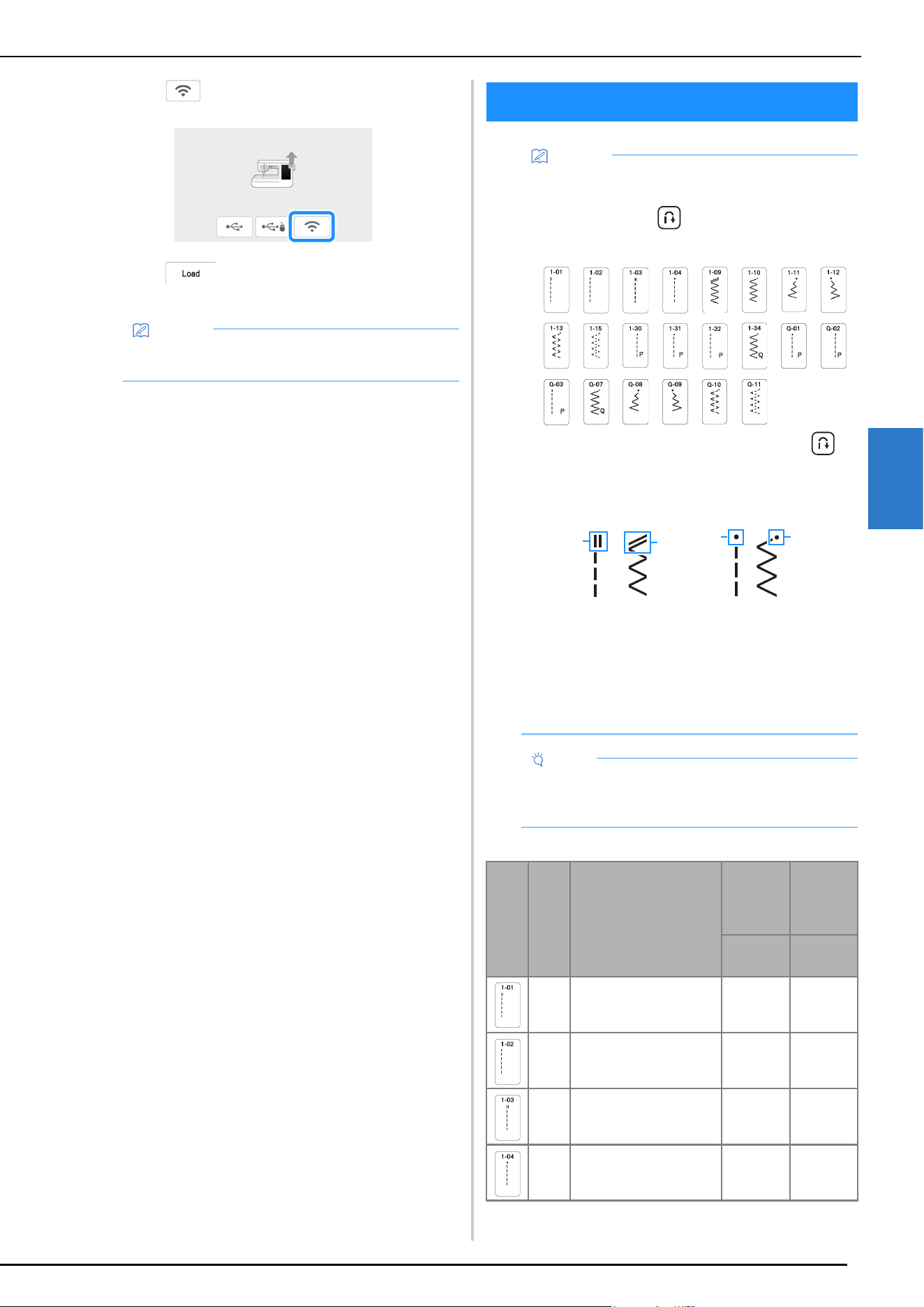
STITCH SETTING CHART
125
APPENDIX
4
d
Touch .
e
Touch to update the machine.
* Do not turn off the machine during the update.
*
Twin needle can be used by attaching zigzag foot “J”.
Memo
• If there are changes or additions to functions,
manuals available on the machine may be updated.
STITCH SETTING CHART
Memo
• When any of the following stitches (reverse stitch
patterns and reinforcement stitch patterns) are
selected, pressing (Reverse stitch button) will
sew reverse stitches.
When any other stitch is selected, pressing
(Reverse stitch button) will sew reinforcement
stitches.
• The stitch pattern symbols indicate the following.
1 Reverse stitch pattern
2 Reinforcement stitch pattern
• Advanced monogramming foot “N+” is displayed
as “N” on the screen.
• Values and measurements provided in inches are
approximate. Actual values are provided in the
metric unit of measurement.
Note
• The presser foot that is displayed on each screen
when Free motion mode is OFF/ON is shown in the
table under “Presser foot”.
Stitch
Presser
foot
Stitch name/
Applications
Stitch
width
(mm
(inch))
Stitch
length
(mm
(inch))
Auto.
Manual
Auto.
Manual
J*/O
Straight stitch (Left)
General sewing, gather,
pintuck, etc.
0.0 (0)
0.0 - 7.0
(0 - 1/4)
2.5 (3/32)
0.2 - 5.0
(1/64 - 3/16)
J*/O
Straight stitch (Left)
General sewing, gather,
pintuck, etc.
0.0 (0)
0.0 - 7.0
(0 - 1/4)
2.5 (3/32)
0.2 - 5.0
(1/64 - 3/16)
J*/O
Straight stitch (Middle)
General sewing, gather,
pintuck, etc.
3.5 (1/8)
0.0 - 7.0
(0 - 1/4)
2.5 (3/32)
0.2 - 5.0
(1/64 - 3/16)
J*/O
Straight stitch (Middle)
General sewing, gather,
pintuck, etc.
3.5 (1/8)
0.0 - 7.0
(0 - 1/4)
2.5 (3/32)
0.2 - 5.0
(1/64 - 3/16)
1
2 2
1
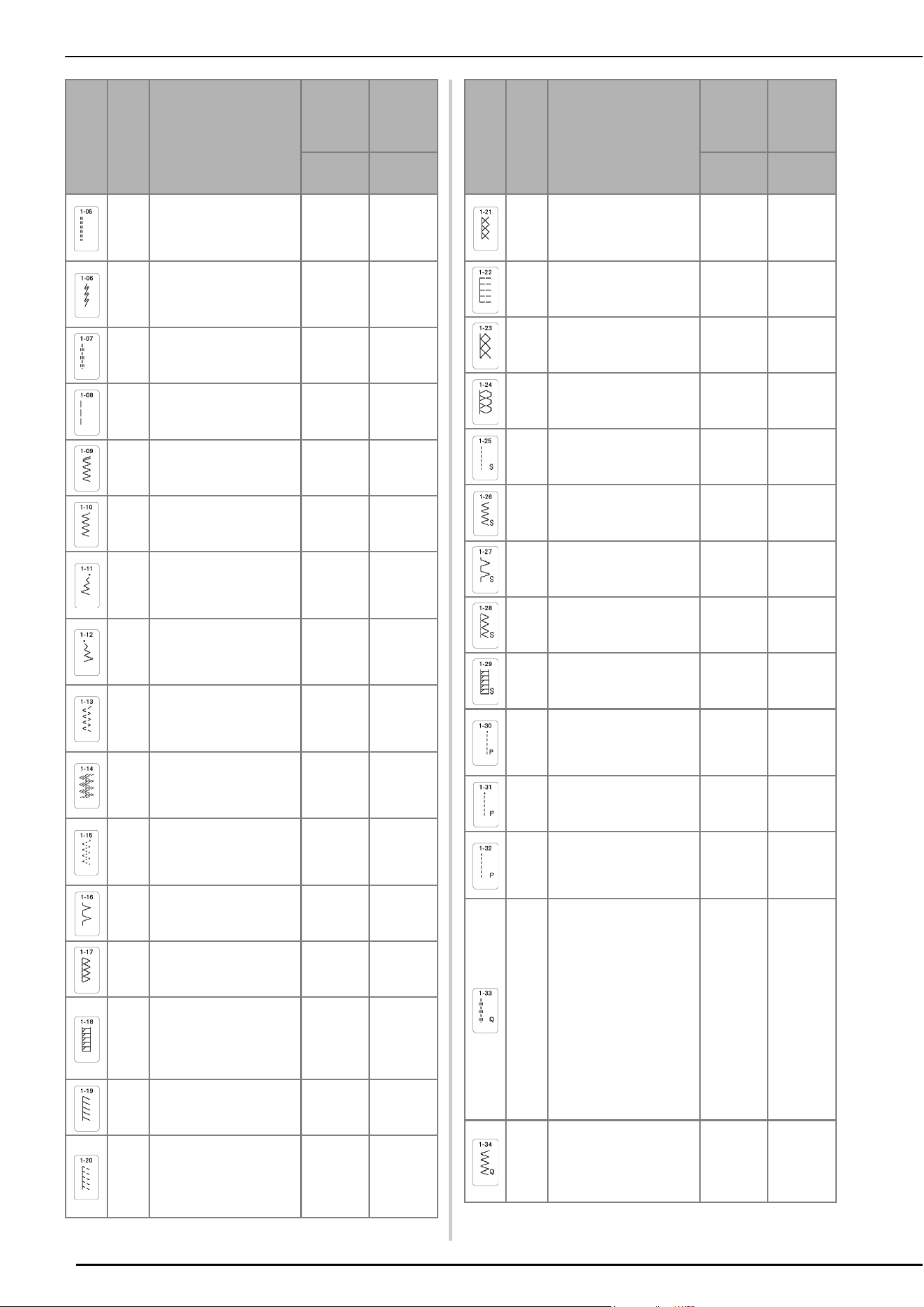
STITCH SETTING CHART
126
J*/O
Triple stretch stitch
General sewing for
reinforcement and
decorative topstitching
0.0 (0)
0.0 - 7.0
(0 - 1/4)
2.5 (3/32)
0.4 - 5.0
(1/64 - 3/16)
J*/O
Stem stitch
Reinforced stitching,
sewing and decorative
applications
1.0 (1/16)
0.0 - 7.0
(0 - 1/4)
2.5 (3/32)
0.4 - 5.0
(1/64 - 3/16)
N*/O
Decorative stitch
Decorative stitching, top
stitching
0.0 (0)
0.0 - 7.0
(0 - 1/4)
2.5 (3/32)
0.4 - 5.0
(1/64 - 3/16)
J/O
Basting stitch
For basting.
0.0 (0)
0.0 - 7.0
(0 - 1/4)
20 (3/4)
5 - 30
(3/16 - 1-1/4)
J*/O
Zigzag stitch
For overcasting, mending.
3.5 (1/8)
0.0 - 7.0
(0 - 1/4)
1.4 (1/16)
0.0 - 5.0
(0 - 3/16)
J*/O
Zigzag stitch
For overcasting, mending.
3.5 (1/8)
0.0 - 7.0
(0 - 1/4)
1.4 (1/16)
0.0 - 5.0
(0 - 3/16)
J*/O
Zigzag stitch (Right)
Start from right needle
position, zigzag sew at
left.
3.5 (1/8)
2.5 - 5.0
(3/32 - 3/16)
1.4 (1/16)
0.3 - 5.0
(1/64 - 3/16)
J*/O
Zigzag stitch (Left)
Start from left needle
position, zigzag sew at
right.
3.5 (1/8)
2.5 - 5.0
(3/32 - 3/16)
1.4 (1/16)
0.3 - 5.0
(1/64 - 3/16)
J*/O
2 steps elastic zigzag
Overcasting (medium
weight and stretch
fabrics), tape and elastic
5.0 (3/16)
0.0 - 7.0
(0 - 1/4)
1.0 (1/16)
0.2 - 5.0
(1/64 - 3/16)
J*/O
2 steps elastic zigzag
Overcasting (medium
weight and stretch
fabrics), tape and elastic
5.0 (3/16)
0.0 - 7.0
(0 - 1/4)
1.0 (1/16)
0.2 - 5.0
(1/64 - 3/16)
J*/O
3 steps elastic zigzag
Overcasting (medium,
heavyweight and stretch
fabrics), tape and elastic
5.0 (3/16)
0.0 - 7.0
(0 - 1/4)
1.0 (1/16)
0.2 - 5.0
(1/64 - 3/16)
G
Overcasting stitch
Reinforcing of light and
medium weight fabrics
3.5 (1/8)
2.5 - 5.0
(3/32 - 3/16)
2.0 (1/16)
0.4 - 5.0
(1/64 - 3/16)
G
Overcasting stitch
Reinforcing of
heavyweight fabric
5.0 (3/16)
2.5 - 5.0
(3/32 - 3/16)
2.5 (3/32)
0.4 - 5.0
(1/64 - 3/16)
G
Overcasting stitch
Reinforcing of medium,
heavyweight and easily
friable fabrics or
decorative stitching.
5.0 (3/16)
3.5 - 5.0
(1/8 - 3/16)
2.5 (3/32)
0.4 - 5.0
(1/64 - 3/16)
J*/O
Overcasting stitch
Reinforced seaming of
stretch fabric
5.0 (3/16)
0.0 - 7.0
(0 - 1/4)
2.5 (3/32)
0.4 - 5.0
(1/64 - 3/16)
J*/O
Overcasting stitch
Reinforcing of medium
stretch fabric and
heavyweight fabric,
decorative stitching
5.0 (3/16)
0.0 - 7.0
(0 - 1/4)
2.5 (3/32)
0.4 - 5.0
(1/64 - 3/16)
Stitch
Presser
foot
Stitch name/
Applications
Stitch
width
(mm
(inch))
Stitch
length
(mm
(inch))
Auto.
Manual
Auto.
Manual
J*/O
Overcasting stitch
Reinforcement of stretch
fabric or decorative
stitching
4.0 (3/16)
0.0 - 7.0
(0 - 1/4)
4.0 (3/16)
0.4 - 5.0
(1/64 - 3/16)
J/O
Overcasting stitch
Stretch knit seam
5.0 (3/16)
0.0 - 7.0
(0 - 1/4)
4.0 (3/16)
0.4 - 5.0
(1/64 - 3/16)
J*/O
Single diamond overcast
Reinforcement and
seaming stretch fabric
6.0 (15/64)
0.0 - 7.0
(0 - 1/4)
3.0 (1/8)
0.4 - 5.0
(1/64 - 3/16)
J*/O
Single diamond overcast
Reinforcement of stretch
fabric
6.0 (15/64)
0.0 - 7.0
(0 - 1/4)
1.8 (1/16)
0.4 - 5.0
(1/64 - 3/16)
S
With side cutter
Straight stitch while
cutting fabrics
0.0 (0)
0.0 - 2.5
(0 - 3/32)
2.5 (3/32)
0.2 - 5.0
(1/64 - 3/16)
S
With side cutter
Zigzag stitch while cutting
fabrics
3.5 (1/8)
3.5 - 5.0
(1/8 - 3/16)
1.4 (1/16)
0.0 - 5.0
(0 - 3/16)
S
With side cutter
Overcasting stitch while
cutting fabrics
3.5 (1/8)
3.5 - 5.0
(1/8 - 3/16)
2.0 (1/16)
0.4 - 5.0
(1/64 - 3/16)
S
With side cutter
Overcasting stitch while
cutting fabrics
5.0 (3/16)
3.5 - 5.0
(1/8 - 3/16)
2.5 (3/32)
0.4 - 5.0
(1/64 - 3/16)
S
With side cutter
Overcasting stitch while
cutting fabrics
5.0 (3/16)
3.5 - 5.0
(1/8 - 3/16)
2.5 (3/32)
0.4 - 5.0
(1/64 - 3/16)
J/O
Piecing stitch (Right)
Piecework/patchwork 6.5
mm (approx. 1/4 inch)
right seam allowance
5.5 (7/32)
0.0 - 7.0
(0 - 1/4)
2.0 (1/16)
0.2 - 5.0
(1/64 - 3/16)
J/C
Piecing stitch (Middle)
Piecework/patchwork
—
2.0 (1/16)
0.2 - 5.0
(1/64 - 3/16)
J/O
Piecing stitch (Left)
Piecework/patchwork 6.5
mm (approx. 1/4 inch) left
seam allowance
1.5 (1/16)
0.0 - 7.0
(0 - 1/4)
2.0 (1/16)
0.2 - 5.0
(1/64 - 3/16)
J/O
Hand-look quilting
Quilting stitch made to
look like hand quilting
when using transparent
nylon thread for the upper
thread and a thread color
matching the quilt for the
bobbin thread.
Sew with a tight thread
tension so that the bobbin
thread is visible from the
right side of the fabric.
Use a needle between 90/
14 and 100/16.
0.0 (0)
0.0 - 7.0
(0 - 1/4)
2.5 (3/32)
0.4 - 5.0
(1/64 - 3/16)
J/O
Quilting appliqué zigzag
stitch
Zigzag stitch for quilting
and sewing on appliqué
quilt pieces
3.5 (1/8)
0.0 - 7.0
(0 - 1/4)
1.4 (1/16)
0.0 - 5.0
(0 - 3/16)
Stitch
Presser
foot
Stitch name/
Applications
Stitch
width
(mm
(inch))
Stitch
length
(mm
(inch))
Auto.
Manual
Auto.
Manual
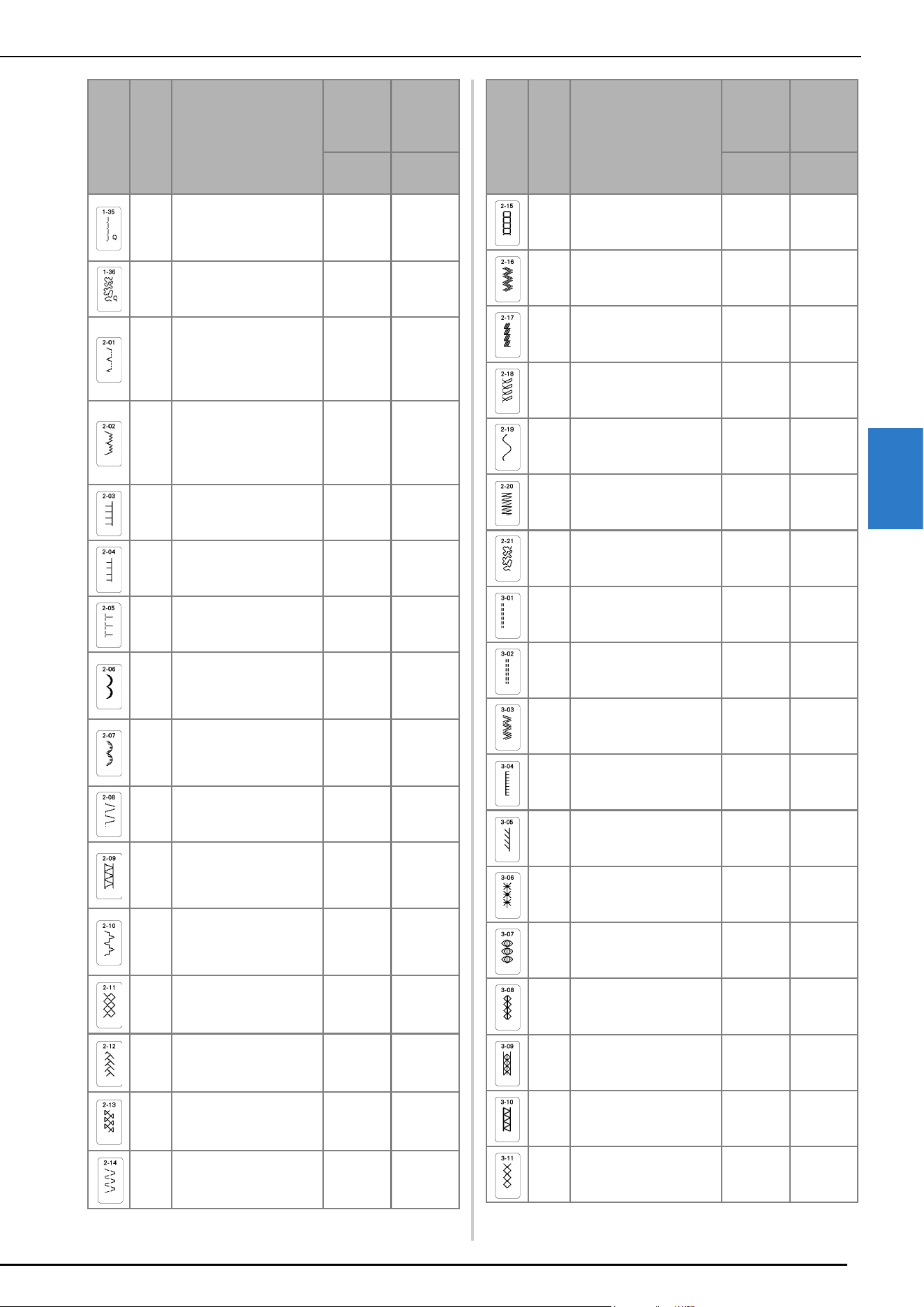
STITCH SETTING CHART
127
APPENDIX
4
J/O
Quilting appliqué stitch
Quilting stitch for invisible
appliqué or attaching
binding
1.5 (1/16)
0.0 - 7.0
(0 - 1/4)
1.8 (1/16)
0.4 - 5.0
(1/64 - 3/16)
J/O
Quilting stippling
Background quilting
7.0 (1/4)
0.0 - 7.0
(0 - 1/4)
1.6 (1/16)
0.4 - 5.0
(1/64 - 3/16)
R
Blind hem stitch
Hemming woven fabrics
* The stitch width setting
is in neither millimeters
nor inches.
00
3 - 3
2.0 (1/16)
0.4 - 5.0
(1/64 - 3/16)
R
Blind hem stitch stretch
Hemming stretch fabric
* The stitch width setting
is in neither millimeters
nor inches.
00
3 - 3
2.0 (1/16)
0.4 - 5.0
(1/64 - 3/16)
J*/O
Blanket stitch
Appliqués, decorative
blanket stitch
3.5 (1/8)
0.0 - 7.0
(0 - 1/4)
2.5 (3/32)
0.4 - 5.0
(1/64 - 3/16)
J*/O
Blanket stitch
Appliqués, decorative
blanket stitch
2.5 (3/32)
0.0 - 7.0
(0 - 1/4)
2.5 (3/32)
0.4 - 5.0
(1/64 - 3/16)
J*/O
Shell tuck edge
Shell tuck edge finish on
fabrics
4.0 (3/16)
0.0 - 7.0
(0 - 1/4)
2.5 (3/32)
0.2 - 5.0
(1/64 - 3/16)
N*/O
Satin scallop stitch
Decorating collar of
blouse, edge of
handkerchief
5.0 (3/16)
0.0 - 7.0
(0 - 1/4)
0.5 (1/32)
0.1 - 5.0
(1/64 - 3/16)
N/O
Scallop stitch
Decorating collar of
blouse, edge of
handkerchief
7.0 (1/4)
0.0 - 7.0
(0 - 1/4)
1.4 (1/16)
0.4 - 5.0
(1/64 - 3/16)
J*/O
Patchwork join stitch
Patchwork stitches,
decorative stitching
4.0 (3/16)
0.0 - 7.0
(0 - 1/4)
1.2 (1/16)
0.2 - 5.0
(1/64 - 3/16)
J*/O
Patchwork double
overlock stitch
Patchwork stitches,
decorative stitching
5.0 (3/16)
0.0 - 7.0
(0 - 1/4)
2.5 (3/32)
0.4 - 5.0
(1/64 - 3/16)
J*/O
Couching stitch
Decorative stitching,
attaching cord and
couching
5.0 (3/16)
0.0 - 7.0
(0 - 1/4)
1.2 (1/16)
0.2 - 5.0
(1/64 - 3/16)
J*/O
Smocking stitch
Smocking, decorative
stitching
5.0 (3/16)
0.0 - 7.0
(0 - 1/4)
1.6 (1/16)
0.4 - 5.0
(1/64 - 3/16)
J*/O
Feather stitch
Fagoting, decorative
stitching
5.0 (3/16)
0.0 - 7.0
(0 - 1/4)
2.5 (3/32)
0.4 - 5.0
(1/64 - 3/16)
J*/O
Fagoting cross stitch
Fagoting, bridging and
decorative stitching
5.0 (3/16)
0.0 - 7.0
(0 - 1/4)
2.5 (3/32)
0.4 - 5.0
(1/64 - 3/16)
J*/O
Tape attaching
Attaching tape to seam in
stretch fabric
4.0 (3/16)
0.0 - 7.0
(0 - 1/4)
1.0 (1/16)
0.2 - 5.0
(1/64 - 3/16)
Stitch
Presser
foot
Stitch name/
Applications
Stitch
width
(mm
(inch))
Stitch
length
(mm
(inch))
Auto.
Manual
Auto.
Manual
J/O
Ladder stitch
Decorative stitching
4.0 (3/16)
0.0 - 7.0
(0 - 1/4)
3.0 (1/8)
0.4 - 5.0
(1/64 - 3/16)
J*/O
Rick-rack stitch
Decorative top stitching
4.0 (3/16)
0.0 - 7.0
(0 - 1/4)
2.5 (3/32)
0.4 - 5.0
(1/64 - 3/16)
J*/O
Decorative stitch
Decorative stitching
1.0 (1/16)
0.0 - 7.0
(0 - 1/4)
2.5 (3/32)
0.4 - 5.0
(1/64 - 3/16)
J*/O
Decorative stitch
Decorative stitching
5.5 (7/32)
0.0 - 7.0
(0 - 1/4)
1.6 (1/16)
0.4 - 5.0
(1/64 - 3/16)
N*/O
Serpentine stitch
Decorative stitching and
attaching elastic
5.0 (3/16)
0.0 - 7.0
(0 - 1/4)
1.0 (1/16)
0.2 - 5.0
(1/64 - 3/16)
N*/O
Decorative stitch
Decorative stitching and
appliqué
6.0 (15/64)
0.0 - 7.0
(0 - 1/4)
1.0 (1/16)
0.2 - 5.0
(1/64 - 3/16)
N/O
Decorative stippling
stitch
Decorative stitching
7.0 (1/4)
0.0 - 7.0
(0 - 1/4)
1.6 (1/16)
0.4 - 5.0
(1/64 - 3/16)
N*/O
Hemstitching
Decorative hems, triple
straight at left
1.0 (1/16)
0.0 - 7.0
(0 - 1/4)
2.5 (3/32)
0.4 - 5.0
(1/64 - 3/16)
N*/O
Hemstitching
Decorative hems, triple
straight at center
3.5 (1/8)
0.0 - 7.0
(0 - 1/4)
2.5 (3/32)
0.4 - 5.0
(1/64 - 3/16)
N*/O
Hemstitching zigzag
Decorative hems, top
stitching
6.0 (15/64)
0.0 - 7.0
(0 - 1/4)
3.0 (1/8)
0.4 - 5.0
(1/64 - 3/16)
N/O
Hemstitching
Decorative hems, lace
attaching pin stitch
3.5 (1/8)
0.0 - 7.0
(0 - 1/4)
2.5 (3/32)
0.4 - 5.0
(1/64 - 3/16)
N/O
Hemstitching
Decorative hems
3.0 (1/8)
0.0 - 7.0
(0 - 1/4)
3.5 (1/8)
0.4 - 5.0
(1/64 - 3/16)
N/O
Hemstitching
Decorative hems daisy
stitch
6.0 (15/64)
0.0 - 7.0
(0 - 1/4)
3.0 (1/8)
0.4 - 5.0
(1/64 - 3/16)
N/O
Hemstitching
Heirloom, decorative
hems
5.0 (3/16)
0.0 - 7.0
(0 - 1/4)
3.5 (1/8)
0.4 - 5.0
(1/64 - 3/16)
N/O
Hemstitching
Heirloom, decorative
hems
5.0 (3/16)
0.0 - 7.0
(0 - 1/4)
3.5 (1/8)
0.4 - 5.0
(1/64 - 3/16)
N*/O
Hemstitching
Heirloom, decorative
hems
5.0 (3/16)
0.0 - 7.0
(0 - 1/4)
3.5 (1/8)
0.4 - 5.0
(1/64 - 3/16)
N*/O
Hemstitching
Heirloom, decorative
hems
5.0 (3/16)
0.0 - 7.0
(0 - 1/4)
4.0 (3/16)
0.4 - 5.0
(1/64 - 3/16)
N*/O
Hemstitching
Heirloom, decorative
hems
4.0 (3/16)
0.0 - 7.0
(0 - 1/4)
2.5 (3/32)
0.4 - 5.0
(1/64 - 3/16)
Stitch
Presser
foot
Stitch name/
Applications
Stitch
width
(mm
(inch))
Stitch
length
(mm
(inch))
Auto.
Manual
Auto.
Manual
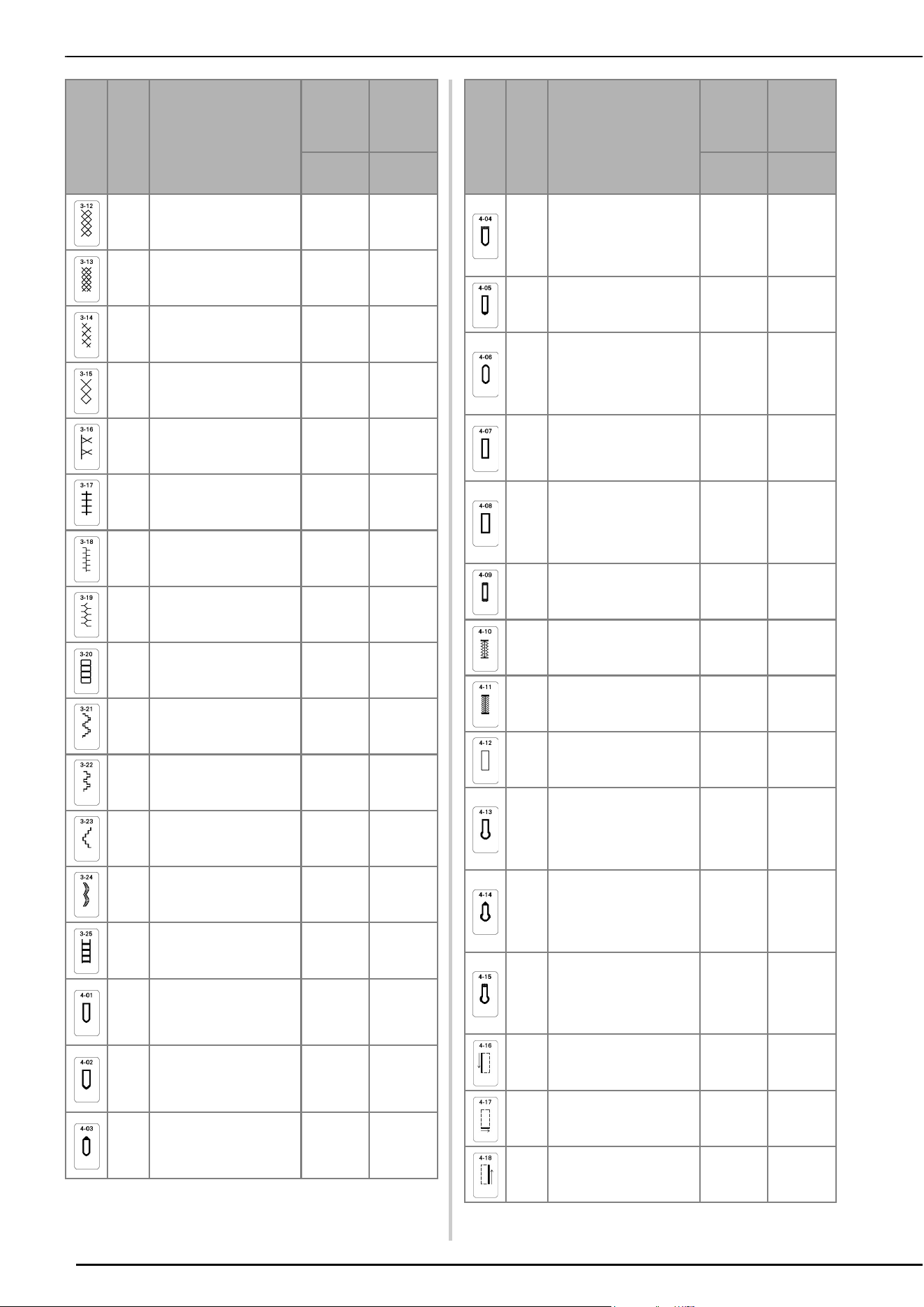
STITCH SETTING CHART
128
N*/O
Honeycomb stitch
Heirloom, decorative
hems
5.0 (3/16)
0.0 - 7.0
(0 - 1/4)
2.5 (3/32)
0.4 - 5.0
(1/64 - 3/16)
N*/O
Honeycomb stitch
Heirloom, decorative
hems
6.0 (15/64)
0.0 - 7.0
(0 - 1/4)
3.5 (1/8)
0.4 - 5.0
(1/64 - 3/16)
N*/O
Hemstitching
Heirloom, decorative
hems
6.0 (15/64)
0.0 - 7.0
(0 - 1/4)
1.6 (1/16)
0.4 - 5.0
(1/64 - 3/16)
N/O
Hemstitching
Heirloom, decorative
hems
6.0 (15/64)
0.0 - 7.0
(0 - 1/4)
3.0 (1/8)
0.4 - 5.0
(1/64 - 3/16)
N*/O
Hemstitching
Heirloom, decorative
hems
6.0 (15/64)
0.0 - 7.0
(0 - 1/4)
4.0 (3/16)
0.4 - 5.0
(1/64 - 3/16)
N/O
Hemstitching
Heirloom, decorative
hems
4.0 (3/16)
0.0 - 7.0
(0 - 1/4)
2.5 (3/32)
0.4 - 5.0
(1/64 - 3/16)
N*/O
Hemstitching
Heirloom, decorative
hems
5.0 (3/16)
0.0 - 7.0
(0 - 1/4)
2.0 (1/16)
0.4 - 5.0
(1/64 - 3/16)
N*/O
Hemstitching
Decorative hems and
bridging stitch
6.0 (15/64)
0.0 - 7.0
(0 - 1/4)
2.0 (1/16)
0.4 - 5.0
(1/64 - 3/16)
N*/O
Hemstitching
Decorative hems.
Fagoting, attaching ribbon
5.0 (3/16)
0.0 - 7.0
(0 - 1/4)
3.0 (1/8)
0.4 - 5.0
(1/64 - 3/16)
N/O
Hemstitching
Decorative hems,
smocking
6.0 (15/64)
0.0 - 7.0
(0 - 1/4)
1.6 (1/16)
0.4 - 5.0
(1/64 - 3/16)
N/O
Hemstitching
Decorative hems,
smocking
5.0 (3/16)
0.0 - 7.0
(0 - 1/4)
1.6 (1/16)
0.4 - 5.0
(1/16 - 3/16)
N/O
Hemstitching
Decorative hems,
smocking
5.0 (3/16)
0.0 - 7.0
(0 - 1/4)
1.6 (1/16)
0.4 - 5.0
(1/64 - 3/16)
N/O
Hemstitching
Decorative hems
5.0 (3/16)
0.0 - 7.0
(0 - 1/4)
1.6 (1/16)
0.4 - 5.0
(1/64 - 3/16)
N/O
Ladder stitch
Decorative hems.
Fagoting, attaching ribbon
7.0 (1/4)
0.0 - 7.0
(0 - 1/4)
1.6 (1/16)
0.4 - 2.5
(1/64 - 3/32)
A
Narrow rounded
buttonhole
Buttonhole on light to
medium weight fabrics
5.0 (3/16)
3.0 - 6.0
(1/8 - 15/64)
0.4 (1/64)
0.2 - 1.0
(1/64 - 1/16)
A
Wide round ended
buttonhole
Buttonholes with extra
space for larger buttons
5.5 (7/32)
3.5 - 6.0
(1/8 - 15/64)
0.4 (1/64)
0.2 - 1.0
(1/64 - 1/16)
A
Tapered round ended
buttonhole
Reinforced waist tapered
buttonholes
5.0 (3/16)
3.0 - 6.0
(1/8 - 15/64)
0.4 (1/64)
0.2 - 1.0
(1/64 - 1/16)
Stitch
Presser
foot
Stitch name/
Applications
Stitch
width
(mm
(inch))
Stitch
length
(mm
(inch))
Auto.
Manual
Auto.
Manual
A
Round ended
buttonhole
Buttonholes with vertical
bar tack in heavyweight
fabrics
5.0 (3/16)
3.0 - 6.0
(1/8 - 15/64)
0.4 (1/64)
0.2 - 1.0
(1/64 - 1/16)
A
Round ended
buttonhole
Buttonholes with bar tack
5.0 (3/16)
3.0 - 6.0
(1/8 - 15/64)
0.4 (1/64)
0.2 - 1.0
(1/64 - 1/16)
A
Round double ended
buttonhole
Buttonholes for fine,
medium to heavyweight
fabrics
5.0 (3/16)
3.0 - 6.0
(1/8 - 15/64)
0.4 (1/64)
0.2 - 1.0
(1/64 - 1/16)
A
Narrow squared
buttonhole
Buttonholes for light to
medium weight fabrics
5.0 (3/16)
3.0 - 6.0
(1/8 - 15/64)
0.4 (1/64)
0.2 - 1.0
(1/64 - 1/16)
A
Wide squared
buttonhole
Buttonholes with extra
space for larger
decorative buttons
5.5 (7/32)
3.5 - 6.0
(1/8 - 15/64)
0.4 (1/64)
0.2 - 1.0
(1/64 - 1/16)
A
Squared buttonhole
Heavy-duty buttonholes
with vertical bar tacks
5.0 (3/16)
3.0 - 6.0
(1/8 - 15/64)
0.4 (1/64)
0.2 - 1.0
(1/64 - 1/16)
A
Stretch buttonhole
Buttonholes for stretch or
woven fabrics
6.0 (15/64)
3.0 - 6.0
(1/8 - 15/64)
1.0 (1/16)
0.5 - 2.0
(1/32 - 1/16)
A
Heirloom buttonhole
Buttonholes for heirloom
and stretch fabrics
6.0 (15/64)
3.0 - 6.0
(1/8 - 15/64)
1.5 (1/16)
1.0 - 3.0
(1/16 - 1/8)
A
Bound buttonhole
The first step in making
bound buttonholes
5.0 (3/16)
0.0 - 6.0
(0 - 15/64)
2.0 (1/16)
0.2 - 4.0
(1/64 - 3/16)
A
Keyhole buttonhole
Buttonholes in
heavyweight or thick
fabrics for larger flat
buttons
7.0 (1/4)
3.0 - 7.0
(1/8 - 1/4)
0.5 (1/32)
0.3 - 1.0
(1/64 - 1/16)
A
Tapered keyhole
buttonhole
Buttonholes in medium to
heavy weight fabrics for
larger flat buttons
7.0 (1/4)
3.0 - 7.0
(1/8 - 1/4)
0.5 (1/32)
0.3 - 1.0
(1/64 - 1/16)
A
Keyhole buttonhole
Buttonholes with vertical
bar tack for reinforcement
in heavyweight or thick
fabrics
7.0 (1/4)
3.0 - 7.0
(1/8 - 1/4)
0.5 (1/32)
0.3 - 1.0
(1/64 - 1/16)
N/O
4 steps buttonhole 1
Left side of 4 step
buttonhole
5.0 (3/16)
1.5 - 7.0
(1/16 - 1/4)
0.4 (1/64)
0.2 - 1.0
(1/64 - 1/16)
N/O
4 steps buttonhole 2
Bar tack of 4 step
buttonhole
5.0 (3/16)
1.5 - 7.0
(1/16 - 1/4)
0.4 (1/64)
0.2 - 1.0
(1/64 - 1/16)
N/O
4 steps buttonhole 3
Right side of 4 step
buttonhole
5.0 (3/16)
1.5 - 7.0
(1/16 - 1/4)
0.4 (1/64)
0.2 - 1.0
(1/64 - 1/16)
Stitch
Presser
foot
Stitch name/
Applications
Stitch
width
(mm
(inch))
Stitch
length
(mm
(inch))
Auto.
Manual
Auto.
Manual
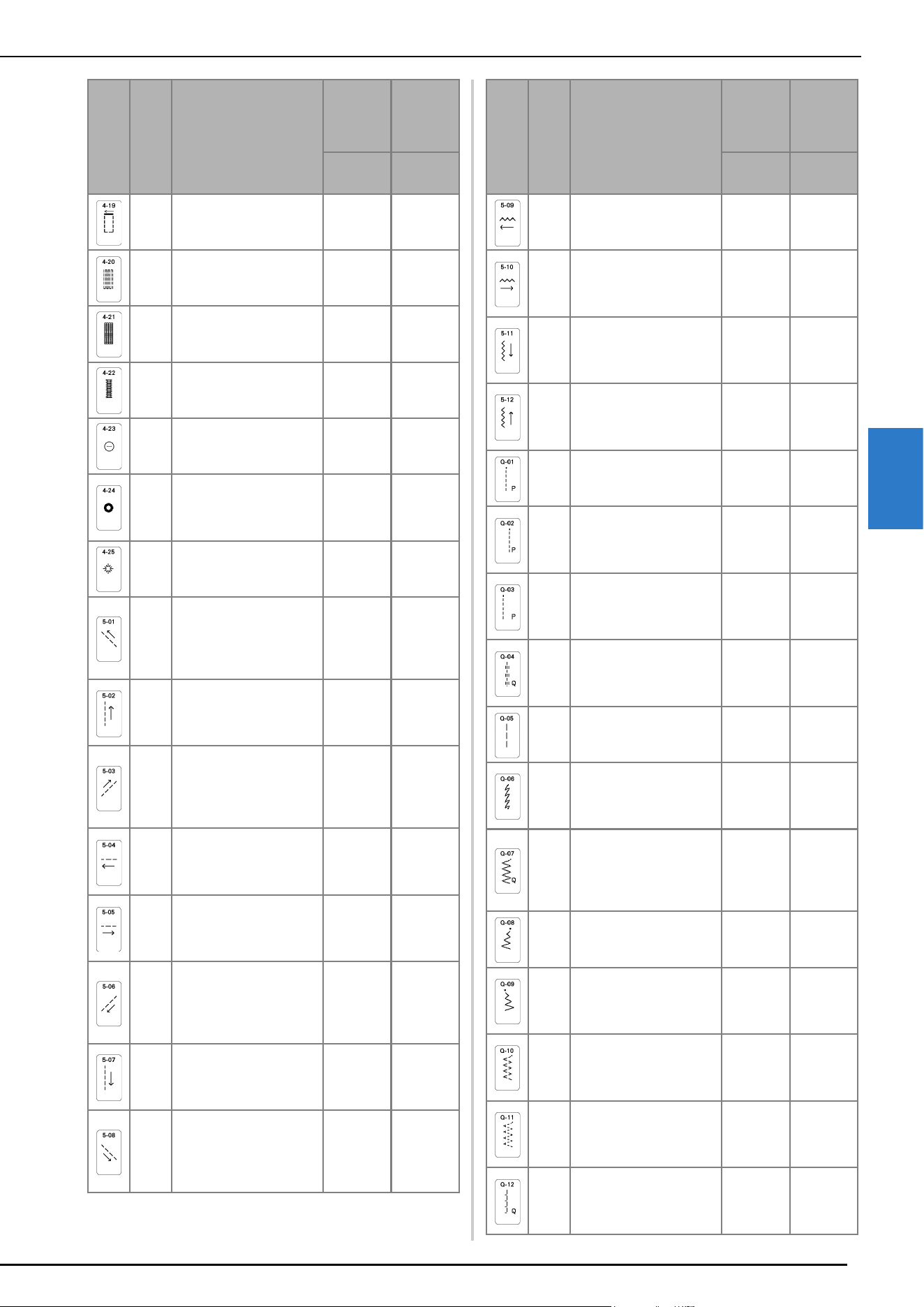
STITCH SETTING CHART
129
APPENDIX
4
N/O
4 steps buttonhole 4
Bar tack of 4 step
buttonhole
5.0 (3/16)
1.5 - 7.0
(1/16 - 1/4)
0.4 (1/64)
0.2 - 1.0
(1/64 - 1/16)
A
Darning
Darning of medium weight
fabric
7.0 (1/4)
2.5 - 7.0
(3/32 - 1/4)
2.0 (1/16)
0.4 - 2.5
(1/64 - 3/32)
A
Darning
Darning of heavyweight
fabric
7.0 (1/4)
2.5 - 7.0
(3/32 - 1/4)
2.0 (1/16)
0.4 - 2.5
(1/64 - 3/32)
A
Bar tack
Reinforcement at opening
of pocket, etc.
2.0 (1/16)
1.0 - 3.0
(1/16 - 1/8)
0.4 (1/64)
0.3 - 1.0
(1/64 - 1/16)
M
Button sewing
Attaching buttons
3.5 (1/8)
2.5 - 4.5
(3/32 - 3/16)
—
N/O
Eyelet
For making eyelets, holes
on belts, etc.
7.0 (1/4)
7.0 6.0 5.0
(1/4 15/64
3/16)
7.0 (1/4)
7.0 6.0 5.0
(1/4 15/64
3/16)
N/O
Star eyelet
For making star-shaped
eyelets on holes.
——
N/O
Diagonally left up
(Straight)
For attaching appliqué on
tubular pieces of fabric
and mitering corners
——
N/O
Reverse (Straight)
For attaching appliqué on
tubular pieces of fabric
and mitering corners
——
N/O
Diagonally right up
(Straight)
For attaching appliqué on
tubular pieces of fabric
and mitering corners
——
N/O
Sideways to left
(Straight)
For attaching appliqué on
tubular pieces of fabric
——
N/O
Sideways to right
(Straight)
For attaching appliqué on
tubular pieces of fabric
——
N/O
Diagonally left down
(Straight)
For attaching appliqué on
tubular pieces of fabric
and mitering corners
——
N/O
Forward (Straight)
For attaching appliqué on
tubular pieces of fabric
and mitering corners
——
N/O
Diagonally right down
(Straight)
For attaching appliqué on
tubular pieces of fabric
and mitering corners
——
Stitch
Presser
foot
Stitch name/
Applications
Stitch
width
(mm
(inch))
Stitch
length
(mm
(inch))
Auto.
Manual
Auto.
Manual
N/O
Sideways to left (Zigzag)
For attaching appliqué on
tubular pieces of fabric
——
N/O
Sideways to right
(Zigzag)
For attaching appliqué on
tubular pieces of fabric
——
N/O
Forward (Zigzag)
For attaching appliqué on
tubular pieces of fabric
and mitering corners
——
N/O
Reverse (Zigzag)
For attaching appliqué on
tubular pieces of fabric
and mitering corners
——
J/C
Piecing stitch (Middle)
Piecework/patchwork
—
2.0 (1/16)
0.2 - 5.0
(1/64 - 3/16)
J/O
Piecing stitch (Right)
Piecework/patchwork 6.5
mm (approx. 1/4 inch)
right seam allowance
5.50 (7/32)
0.00 - 7.00
(0 - 1/4)
2.0 (1/16)
0.2 - 5.0
(1/64 - 3/16)
J/O
Piecing stitch (Left)
Piecework/patchwork 6.5
mm (approx. 1/4 inch) left
seam allowance
1.50 (1/16)
0.00 - 7.00
(0 - 1/4)
2.0 (1/16)
0.2 - 5.0
(1/64 - 3/16)
J/O
Hand-look quilting
Quilting stitch made to
look like hand quilting
stitch
3.50 (1/8)
0.00 - 7.00
(0 - 1/4)
2.5 (3/32)
0.4 - 5.0
(1/64 - 3/16)
J/O
Basting stitch
Basting
3.50 (1/8)
0.00 - 7.00
(0 - 1/4)
20 (3/4)
5 - 30
(3/16 - 1-1/4)
J/O
Stem stitch
Reinforced stitching,
sewing and decorative
applications
1.00 (1/16)
0.00 - 7.00
(0 - 1/4)
2.5 (3/32)
0.4 - 5.0
(1/64 - 3/16)
J/O
Quilting appliqué zigzag
stitch
Zigzag stitch for quilting
and sewing on appliqué
quilt pieces
3.50 (1/8)
0.00 - 7.00
(0 - 1/4)
1.6 (1/16)
0.0 - 5.0
(0 - 3/16)
J/O
Zigzag stitch (Right)
Start from right needle
position, zigzag sew at left
3.50 (1/8)
2.50 - 5.00
(3/32 - 3/16)
1.6 (1/16)
0.3 - 5.0
(1/64 - 3/16)
J/O
Zigzag stitch (Left)
Start from left needle
position, zigzag sew at
right
3.50 (1/8)
2.50 - 5.00
(3/32 - 3/16)
1.6 (1/16)
0.3 - 5.0
(1/64 - 3/16)
J/O
2 steps elastic zigzag
Overcasting (medium
weight and stretch
fabrics), tape and elastic
5.00 (3/16)
0.00 - 7.00
(0 - 1/4)
1.0 (1/16)
0.2 - 5.0
(1/64 - 3/16)
J/O
3 steps elastic zigzag
Overcasting (medium,
heavyweight and stretch
fabrics), tape and elastic
5.00 (3/16)
0.00 - 7.00
(0 - 1/4)
1.0 (1/16)
0.2 - 5.0
(1/64 - 3/16)
J/O
Quilting appliqué stitch
Quilting stitch for invisible
appliqué or attaching
binding
2.00 (1/16)
0.00 - 7.00
(0 - 1/4)
2.0 (1/16)
0.4 - 5.0
(1/64 - 3/16)
Stitch
Presser
foot
Stitch name/
Applications
Stitch
width
(mm
(inch))
Stitch
length
(mm
(inch))
Auto.
Manual
Auto.
Manual
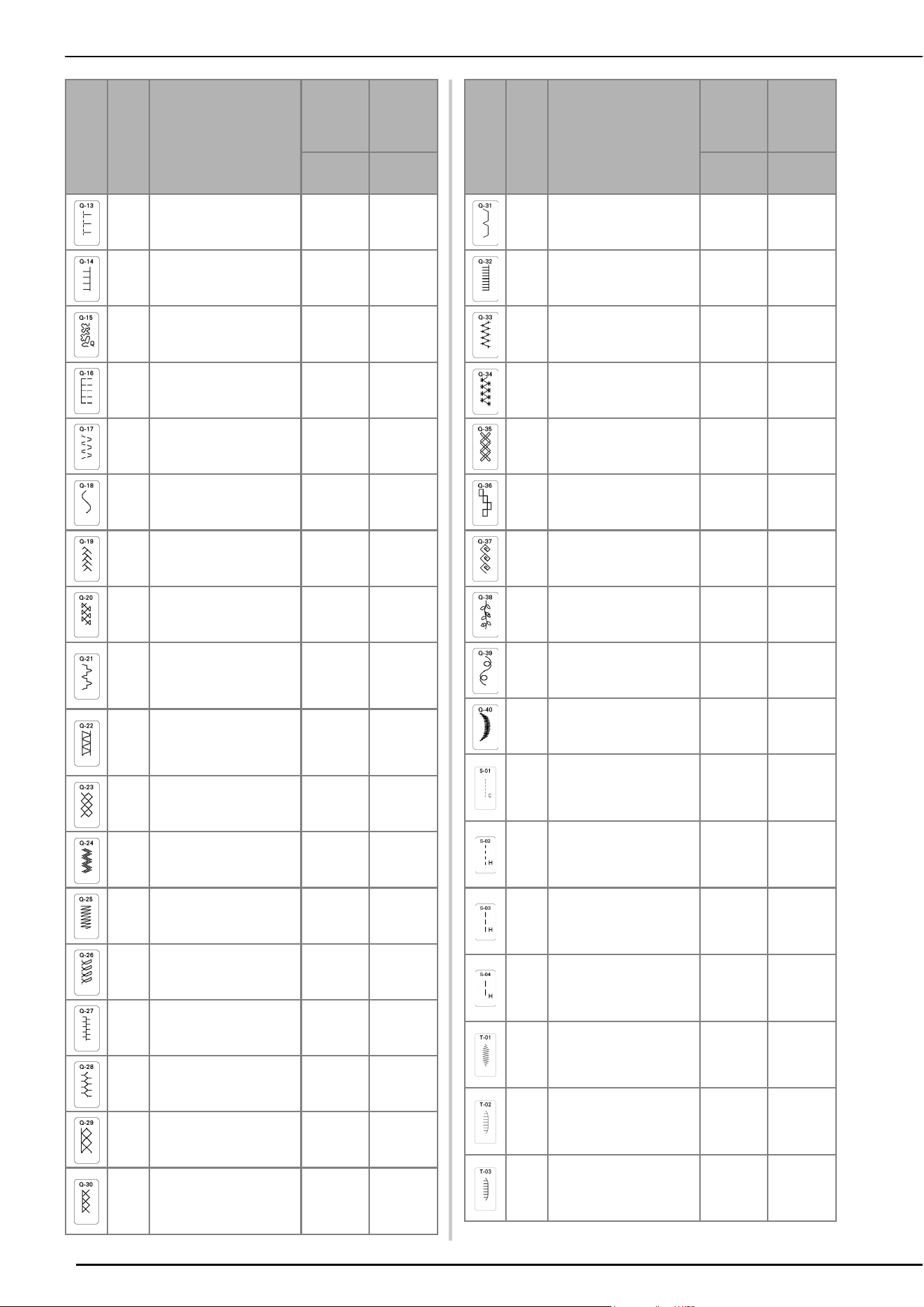
STITCH SETTING CHART
130
J/O
Shell tuck edge
Shell tuck edge finish on
fabrics
4.00 (3/16)
0.00 - 7.00
(0 - 1/4)
2.5 (3/32)
0.2 - 5.0
(1/64 - 3/16)
J/O
Blanket stitch
Appliqués, decorative
blanket stitch
3.50 (1/8)
0.00 - 7.00
(0 - 1/4)
2.5 (3/32)
0.4 - 5.0
(1/64 - 3/16)
J/O
Quilting stippling
Background quilting
7.00 (1/4)
0.00 - 7.00
(0 - 1/4)
1.6 (1/16)
0.4 - 5.0
(1/64 - 3/16)
J/O
Overcasting stitch
Stretch knit seam
5.00 (3/16)
0.00 - 7.00
(0 - 1/4)
4.0 (3/16)
0.4 - 5.0
(1/64 - 3/16)
J/O
Tape attaching
Attaching tape to seam in
stretch fabric
5.50 (7/32)
0.00 - 7.00
(0 - 1/4)
1.4 (1/16)
0.2 - 5.0
(1/64 - 3/16)
N/O
Serpentine stitch
Decorative stitching and
attaching elastic
5.00 (3/16)
0.00 - 7.00
(0 - 1/4)
2.0 (1/16)
0.2 - 5.0
(1/64 - 3/16)
J/O
Feather stitch
Fagoting, decorative
stitching
5.00 (3/16)
0.00 - 7.00
(0 - 1/4)
2.5 (3/32)
0.4 - 5.0
(1/64 - 3/16)
J/O
Fagoting cross stitch
Fagoting, bridging and
decorative stitching
5.00 (3/16)
0.00 - 7.00
(0 - 1/4)
2.5 (3/32)
0.4 - 5.0
(1/64 - 3/16)
J/O
Couching stitch
Decorative stitching,
attaching cord and
couching
5.00 (3/16)
0.00 - 7.00
(0 - 1/4)
1.2 (1/16)
0.2 - 5.0
(1/64 - 3/16)
J/O
Patchwork double
overlock stitch
Patchwork stitches,
decorative stitching
5.00 (3/16)
0.00 - 7.00
(0 - 1/4)
2.5 (3/32)
0.4 - 5.0
(1/64 - 3/16)
J/O
Smocking stitch
Smocking, decorative
stitching
5.00 (3/16)
0.00 - 7.00
(0 - 1/4)
1.6 (1/16)
0.4 - 5.0
(1/64 - 3/16)
J/O
Rick-rack stitch
Decorative top stitching
4.00 (3/16)
0.00 - 7.00
(0 - 1/4)
2.5 (3/32)
0.4 - 5.0
(1/64 - 3/16)
N/O
Decorative stitch
Decorative stitching and
appliqué
6.00 (15/64)
0.00 - 7.00
(0 - 1/4)
1.0 (1/16)
0.2 - 5.0
(1/64 - 3/16)
J/O
Decorative stitch
Decorative stitching
5.50 (7/32)
0.00 - 7.00
(0 - 1/4)
1.6 (1/16)
0.4 - 5.0
(1/64 - 3/16)
N/O
Hemstitching
Heirloom, decorative
hems
5.00 (3/16)
0.00 - 7.00
(0 - 1/4)
2.0 (1/16)
0.4 - 5.0
(1/64 - 3/16)
N/O
Hemstitching
Decorative hems and
bridging stitch
6.00 (15/64)
0.00 - 7.00
(0 - 1/4)
2.0 (1/16)
0.4 - 5.0
(1/64 - 3/16)
J/O
Single diamond overcast
Reinforcement and
seaming stretch fabric
6.00 (15/64)
0.00 - 7.00
(0 - 1/4)
3.0 (1/8)
0.4 - 5.0
(1/64 - 3/16)
J/O
Overcasting stitch
Reinforcement of stretch
fabric or decorative
stitching
4.00 (3/16)
0.00 - 7.00
(0 - 1/4)
4.0 (3/16)
0.4 - 5.0
(1/64 - 3/16)
Stitch
Presser
foot
Stitch name/
Applications
Stitch
width
(mm
(inch))
Stitch
length
(mm
(inch))
Auto.
Manual
Auto.
Manual
N/O
Appliqué stitch
Appliqués, decorative
stitch
3.00 (1/8)
0.00 - 7.00
(0 - 1/4)
2.0 (1/16)
0.4 - 5.0
(1/64 - 3/16)
N/O
Blanket stitch
Appliques, decorative
blanket stitch
4.00 (3/16)
0.00 - 7.00
(0 - 1/4)
2.5 (3/32)
0.4 - 5.0
(1/64 - 3/16)
N/O
Decorative stitch
Decorative stitching
7.00 (1/4)
0.00 - 7.00
(0 - 1/4)
2.5 (3/32)
0.4 - 5.0
(1/64 - 3/16)
N/O
Decorative stitch
Decorative stitching
7.00 (1/4)
0.00 - 7.00
(0 - 1/4)
2.5 (3/32)
0.4 - 5.0
(1/64 - 3/16)
N/O
Decorative stitch
Decorative stitching
7.00 (1/4)
0.00 - 7.00
(0 - 1/4)
2.5 (3/32)
0.4 - 5.0
(1/64 - 3/16)
N/O
Decorative stitch
Decorative stitching
7.00 (1/4)
0.00 - 7.00
(0 - 1/4)
2.5 (3/32)
0.4 - 5.0
(1/64 - 3/16)
N/O
Decorative stitch
Decorative stitching
7.00 (1/4)
0.00 - 7.00
(0 - 1/4)
2.5 (3/32)
0.4 - 5.0
(1/64 - 3/16)
N/O
Decorative stitch
Decorative stitching
7.00 (1/4)
0.00 - 7.00
(0 - 1/4)
2.5 (3/32)
0.4 - 5.0
(1/64 - 3/16)
N/O
Decorative stitch
Decorative stitching
7.00 (1/4)
0.00 - 7.00
(0 - 1/4)
2.5 (3/32)
0.4 - 5.0
(1/64 - 3/16)
N/O
Decorative stitch
Decorative stitching
7.00 (1/4)
0.00 - 7.00
(0 - 1/4)
0.4 (1/64)
0.1 - 5.0
(1/64 - 3/16)
X
Free motion couching
stitch
Free motion couching
stitch
3.50 (1/8)
2.75 - 3.75
(3/32 - 1/8)
–
J/O
Hand-look quilting
Quilting stitch made to
look like hand quilting
stitch
0.0 (0)
0.0 - 7.0
(0 - 1/4)
–
J/O
Hand-look quilting
Quilting stitch made to
look like hand quilting
stitch
0.0 (0)
0.0 - 7.0
(0 - 1/4)
–
J/O
Hand-look quilting
Quilting stitch made to
look like hand quilting
stitch
0.0 (0)
0.0 - 7.0
(0 - 1/4)
–
N/O
Tap eri ng stitch
Stitch pattern can be
tapered at the beginning
or at the end of sewing.
7.0 (1/4)
2.5 - 7.0
(3/32 - 1/4)
1.0 (1/16)
0.1 - 5.0
(1/64 - 3/16)
N/O
Tap eri ng stitch
Stitch pattern can be
tapered at the beginning
or at the end of sewing.
5.0 (3/16)
2.5 - 7.0
(3/32 - 1/4)
2.5 (3/32)
1.4 - 5.0
(1/16 - 3/16)
N/O
Tap eri ng stitch
Stitch pattern can be
tapered at the beginning
or at the end of sewing.
5.0 (3/16)
2.5 - 7.0
(3/32 - 1/4)
2.5 (3/32)
1.4 - 4.0
(1/16 - 3/16)
Stitch
Presser
foot
Stitch name/
Applications
Stitch
width
(mm
(inch))
Stitch
length
(mm
(inch))
Auto.
Manual
Auto.
Manual
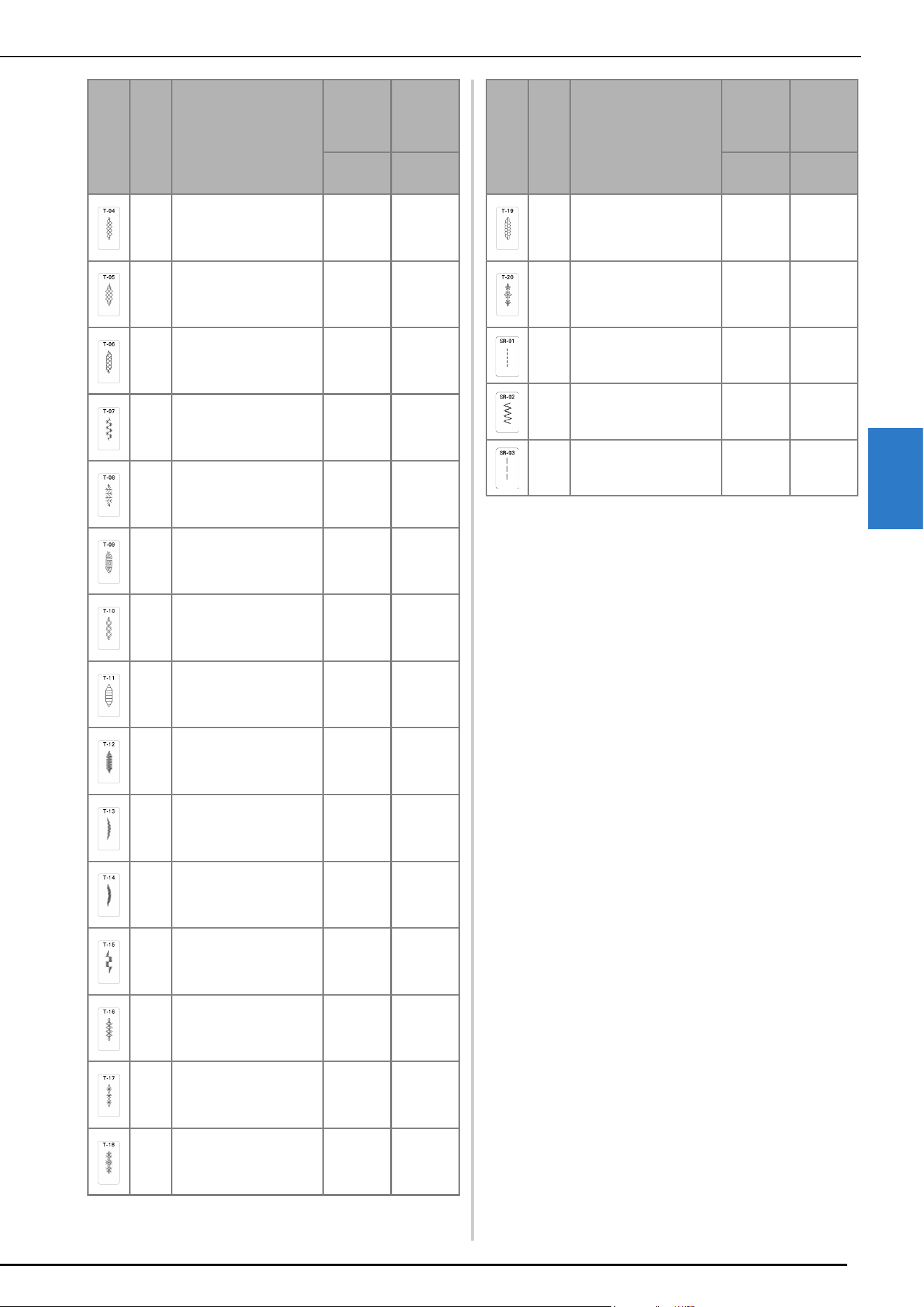
STITCH SETTING CHART
131
APPENDIX
4
N/O
Tap eri ng stitch
Stitch pattern can be
tapered at the beginning
or at the end of sewing.
7.0 (1/4)
2.5 - 7.0
(3/32 - 1/4)
2.0 (1/16)
1.0 - 4.0
(1/16 - 3/16)
N/O
Tap eri ng stitch
Stitch pattern can be
tapered at the beginning
or at the end of sewing.
7.0 (1/4)
2.5 - 7.0
(3/32 - 1/4)
3.5 (1/8)
2.5 - 4.0
(3/32 - 3/16)
N/O
Tap eri ng stitch
Stitch pattern can be
tapered at the beginning
or at the end of sewing.
7.0 (1/4)
2.5 - 7.0
(3/32 - 1/4)
3.0 (1/8)
2.0 - 5.0
(1/16 - 3/16)
N/O
Tap eri ng stitch
Stitch pattern can be
tapered at the beginning
or at the end of sewing.
7.0 (1/4)
3.0 - 7.0
(1/8 - 1/4)
3.0 (1/8)
2.5 - 5.0
(3/32 - 3/16)
N/O
Tap eri ng stitch
Stitch pattern can be
tapered at the beginning
or at the end of sewing.
7.0 (1/4)
3.0 - 7.0
(1/8 - 1/4)
2.5 (3/32)
2.5 - 4.0
(3/32 -
3/16
)
N/O
Tap eri ng stitch
Stitch pattern can be
tapered at the beginning
or at the end of sewing.
7.0 (1/4)
2.5 - 7.0
(3/32 - 1/4)
2.5 (3/32)
1.4 - 4.0
(1/16 -
3/16
)
N/O
Tap eri ng stitch
Stitch pattern can be
tapered at the beginning
or at the end of sewing.
7.0 (1/4)
3.0 - 7.0
(1/8 - 1/4)
2.5 (3/32)
2.0 - 4.0
(1/16 -
3/16
)
N/O
Tap eri ng stitch
Stitch pattern can be
tapered at the beginning
or at the end of sewing.
7.0 (1/4)
4.0 - 7.0
(3/16 - 1/4)
3.0 (1/8)
2.5 - 4.0
(3/32 -
3/16
)
N/O
Tap eri ng stitch
Stitch pattern can be
tapered at the beginning
or at the end of sewing.
7.0 (1/4)
2.5 - 7.0
(3/32 - 1/4)
1.0 (1/16)
0.4 - 5.0
(1/64 - 3/16)
N/O
Tap eri ng stitch
Stitch pattern can be
tapered at the beginning
or at the end of sewing.
6.0 (15/64)
4.0 - 7.0
(3/16 - 1/4)
0.3 (1/64)
0.2 - 2.0
(1/64 - 1/16)
N/O
Tap eri ng stitch
Stitch pattern can be
tapered at the beginning
or at the end of sewing.
6.0 (15/64)
4.0 - 7.0
(3/16 - 1/4)
0.3 (1/64)
0.2 - 2.0
(1/64 - 1/16)
N/O
Tap eri ng stitch
Stitch pattern can be
tapered at the beginning
or at the end of sewing.
7.0 (1/4)
3.5 - 7.0
(1/8 - 1/4)
0.3 (1/64)
0.1 - 2.0
(1/64 - 1/16)
N/O
Tap eri ng stitch
Stitch pattern can be
tapered at the beginning
or at the end of sewing.
7.0 (1/4)
4.0 - 7.0
(3/16 - 1/4)
3.5 (1/8)
2.5 - 4.0
(3/32 - 3/16)
N/O
Tap eri ng stitch
Stitch pattern can be
tapered at the beginning
or at the end of sewing.
7.0 (1/4)
4.0 - 7.0
(3/16 - 1/4)
2.5 (3/32)
2.0 - 4.0
(1/16 - 3/16)
N/O
Tap eri ng stitch
Stitch pattern can be
tapered at the beginning
or at the end of sewing.
7.0 (1/4)
4.5 - 7.0
(3/16 - 1/4)
2.5 (3/32)
2.0 - 4.0
(1/16 - 3/16)
Stitch
Presser
foot
Stitch name/
Applications
Stitch
width
(mm
(inch))
Stitch
length
(mm
(inch))
Auto.
Manual
Auto.
Manual
N/O
Tap eri ng stitch
Stitch pattern can be
tapered at the beginning
or at the end of sewing.
7.0 (1/4)
2.5 - 7.0
(3/32 - 1/4)
2.5 (3/32)
1.6 - 4.0
(1/16 - 3/16)
N/O
Tap eri ng stitch
Stitch pattern can be
tapered at the beginning
or at the end of sewing.
7.0 (1/4)
4.0 - 7.0
(3/16 - 1/4)
2.5 (3/32)
2.0 - 4.0
(1/16 - 3/16)
SR
Straight stitch (Middle)
Straight stitch for the
stitch regulator mode
–
2.5 (3/32)
1.0 - 4.5
(1/16 - 3/16)
SR
Zigzag stitch
Zigzag stitch for the stitch
regulator mode
2.5 (3/32)
0.0 - 3.0
(0 - 1/8)
1.6 (1/16)
1.0 - 3.0
(1/16 - 1/8)
SR
Free-motion basting
Basting stitch for the
stitch regulator mode
–
20.0 (5/8)
10.0 - 30.0
(1/2 - 1 1/4)
Stitch
Presser
foot
Stitch name/
Applications
Stitch
width
(mm
(inch))
Stitch
length
(mm
(inch))
Auto.
Manual
Auto.
Manual

INDEX
132
A
Accessory compartment ............................................................... 11
Adjustments
screen
.................................................................................... 113
Advanced multi-function foot controller
...................................... 47
Air vent
.......................................................................................... 9
Appliqué
quilting
.................................................................................... 71
Arrow keys
................................................................................. 108
Automatic fabric sensor system
.................................................... 58
Automatic thread cutting key
....................................................... 56
Automatic threading button
................................................. 10, 35
B
Ball point needle .......................................................................... 42
Bar tacks
...................................................................................... 84
Basting
......................................................................................... 90
Blind hem stitches
........................................................................ 75
Block move key
......................................................................... 109
Bobbin
pulling up the bobbin thread
.................................................... 34
setting
...................................................................................... 33
winding
.................................................................................... 29
Bobbin case
cleaning
................................................................................. 111
Bobbin clip
.................................................................................. 11
Bobbin cover
......................................................................... 9, 33
Bobbin threading
pulling up the bobbin thread
.................................................... 34
setting the bobbin
.................................................................... 33
winding the bobbin
.................................................................. 29
Bobbin winder
............................................................................... 9
Bobbin winding switch
................................................................ 31
Button sewing
.............................................................................. 85
4 hole buttons
.......................................................................... 85
shank
....................................................................................... 85
Buttonhole lever
............................................................................ 9
Buttonholes
four-step
................................................................................... 81
odd-shaped/buttons that do not fit the button holder plate
....... 81
one-step
................................................................................... 79
C
Character/Decorative Stitches
adjustments
............................................................................ 104
retrieving
................................................................................ 106
saving
.................................................................................... 106
Cleaning
race
........................................................................................ 111
Clock
........................................................................................... 14
Compact dual feed foot
................................................................ 98
Cord guide bobbin cover
............................................................. 67
Couching dual feed foot
............................................................. 102
D
Darning ....................................................................................... 83
Dart seam
.................................................................................... 65
Denim
......................................................................................... 42
Dual feed 1/4 inch guide foot
.................................................... 100
Dual feed quilting guide
............................................................ 101
E
Echo quilting ................................................................................ 74
Eco mode
..................................................................................... 22
Error messages
........................................................................... 121
Eyelet
........................................................................................... 86
F
Fabric .......................................................................................... 42
Fabrics
sewing heavyweight fabrics
..................................................... 61
sewing lightweight fabrics
....................................................... 62
sewing stretch fabrics
....................................................... 62, 81
Fagoting
...................................................................................... 78
Feed dogs
............................................................................... 9, 72
Flat bed attachment
....................................................................... 9
Flat fell Seam
............................................................................... 66
Foot controller
........................................................................ 9, 47
Advanced Multi-Function Foot Controller
................................ 47
Free motion quilting
free motion echo quilting foot “E”
........................................... 74
free motion open toe quilting foot “O”
.................................... 73
free motion quilting foot “C”
................................................... 72
Free motion sewing mode
........................................................... 72
G
Gathering .................................................................................... 65
Grid direction key
..................................................................... 108
Guideline marker
........................................................................ 56
H
Handle .......................................................................................... 9
Handwheel
................................................................................... 9
I
Insert key ................................................................................... 109
K
Key functions
MY CUSTOM STITCH
........................................................... 108
utility stitches
.......................................................................... 18
Knee lifter
............................................................................... 9, 58
L
L/R Shift ....................................................................................... 54
LCD screen
............................................................................ 9, 16
light
......................................................................................... 21
Leather
........................................................................................ 62
M
Machine help key ........................................................................ 23
Main power switch
........................................................................ 9
Metallic thread
............................................................................ 30
MPEG-4 (MP4) videos
................................................................. 25
Multi-directional sewing
.............................................................. 86
MY CUSTOM STITCH
............................................................... 107
retrieving
............................................................................... 110
N
Needle ........................................................................................ 42
changing the needle
................................................................ 41
changing the needle position
................................................... 63
mode
....................................................................................... 17
twin needle
............................................................................. 38
Needle bar thread guide
......................................................... 9, 38
Needle mode selection key
......................................................... 38
Needle plate
.................................................................................. 9
Needle position
.................................................................... 58, 63
Needle position button
................................................................ 10
INDEX

INDEX
133
APPENDIX
4
O
Open toe for dual feed foot ....................................................... 100
Operation buttons
................................................................. 9, 10
Overcasting
................................................................................. 68
P
Piecing ........................................................................................ 69
1/4 piecing foot with guide
...................................................... 70
Pintuck
........................................................................................ 66
Pivoting
....................................................................................... 57
Power cord
.................................................................................. 14
Power cord receptacle
................................................................... 9
Presser foot
pressure
................................................................................... 58
removing
................................................................................. 43
types
...................................................................................... 125
Presser foot holder
................................................................. 9, 43
Presser foot holder screw
............................................................... 9
Presser foot lever
................................................................... 9, 61
Presser foot lifter button
............................................................... 10
Presser foot/Needle exchange key
................................ 38, 41, 43
Pretension disk
............................................................... 9, 30, 32
Q
Quilting ....................................................................................... 69
free motion
.............................................................................. 72
stitch regulator
......................................................................... 90
with satin stitches
.................................................................... 71
R
Race .......................................................................................... 111
Reinforcement stitch
.................................................................... 51
Reinforcement stitch button
......................................................... 10
Retrieving
character/decorative stitch patterns
........................................ 106
machine’s memory
................................................................ 106
MY CUSTOM STITCH designs
............................................... 110
stitch settings
........................................................................... 55
utility stitches
........................................................................... 55
Reverse stitch button
................................................................... 10
Reverse/Reinforcement stitches
.................................................... 51
S
Satin stitches ................................................................................ 71
Saving
character/decorative stitches
.................................................. 106
machine’s memory
................................................................ 106
stitch settings
........................................................................... 55
utility stitches
........................................................................... 55
Scallop stitches
............................................................................ 77
Screen saver
................................................................................ 22
Set key
....................................................................................... 108
Settings
automatic thread cutting
.......................................................... 56
general settings
........................................................................ 21
machine settings key
................................................................ 20
sewing settings
......................................................................... 20
stitch length
............................................................................. 54
stitch width
.............................................................................. 53
thread tension
.......................................................................... 54
Sewing speed controller (speed control slide)
................. 9, 10, 45
Sewing type selection key
............................................................ 24
Shelltuck stitches
......................................................................... 77
Shutoff support mode
.................................................................. 22
Single/Triple stitching key
.......................................................... 109
Smocking stitches
........................................................................ 77
Speaker
....................................................................................... 21
Specifications
............................................................................ 123
Spool cap
...................................................................................... 9
Spool net
..................................................................................... 30
Spool pin
....................................................................................... 9
Spool stand
.......................................................................... 32, 39
Start/Stop button
.......................................................................... 10
Step stitch patterns
..................................................................... 105
Stitch in the ditch dual feed foot
................................................ 100
Stitch regulator
............................................................................. 90
Stitch setting chart
...................................................................... 125
Stitch tapering function
................................................................ 95
Straight stitch foot
........................................................................ 59
Straight stitch needle plate
........................................................... 59
Straight stitches
............................................................................ 63
Supplemental spool pin
................................................. 9, 29, 38
T
Tape or elastic attaching .............................................................. 78
Thread
......................................................................................... 42
thread tension
.......................................................................... 54
Thread cutter
......................................................................... 9, 47
Thread cutter button
.................................................................... 10
Thread guide
........................................................... 9, 30, 32, 38
Thread guide plate
......................................................... 9, 32, 36
Touch pen
......................................................................... 16, 113
Transparent nylon thread
..................................................... 31, 42
Troubleshooting
......................................................................... 114
Tutorial video
.............................................................................. 24
Twin needle
................................................................................. 38
U
Updating .................................................................................... 124
Upper thread
............................................................................... 42
Upper threading
twin needle mode
.................................................................... 38
using the Automatic threading button
....................................... 35
USB mouse
.................................................................................. 28
USB port
........................................................................................ 9
Utility stitches
key functions
............................................................................ 18
pattern explanation key
............................................................ 25
retrieving
.................................................................................. 55
saving
...................................................................................... 55
sewing type selection key
......................................................... 24
stitch setting chart
.................................................................. 125
V
Vinyl fabrics ................................................................................. 62
Z
Zigzag stitches ............................................................................. 67
Zipper insertion
centered
................................................................................... 87
side
.......................................................................................... 87
Zipper/piping Insertion
................................................................. 89




English
882-W92
D037ZR-001
Please visit us at https://s.brother/cpeai/ where you
can get product support and answers to frequently asked
questions (FAQs).
This machine is approved for use in the country of purchase only. Local Brother companies or
their dealers will only support machines purchased in their own countries.
Various optional accessories are available to be
purchased separately.
Visit our website
https://s.brother/coekb/.
Be sure to install the latest software.
A variety of functional improvements are being performed in the latest version.
https://s.brother/cveai/
Instructional Videos