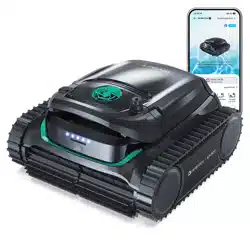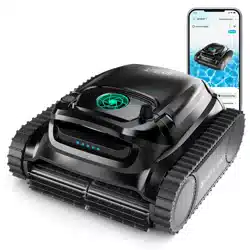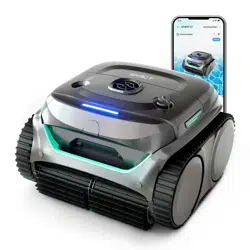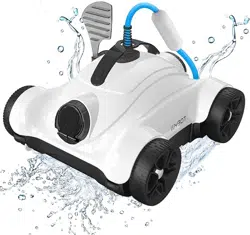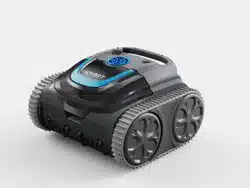
WYBOT S1
Robotic Pool Cleaner
User Manual
Read through the entire manual before running your new
robotic pool cleaner, and keep this manual handy
for your reference.
Copyright© 2023 WYBOTICS Co., Ltd. All Rights Reserved.
EN


Thank you for choosing WYBOT products, your support means a lot to us. Continu-
ous providing the best solution to free you up from pool cleaning and enjoy your
family time is always our pursuit.
WYBOT Robotic Pool Cleaner is dedicated to serving you high efficiency, low power
consumption, easy operation and thorough pool cleaning work.
Its unique appearance and reliable functions as one-button activation, powerful
suction and scrubbing, fine filtration, smart navigation, remote control, and high
compatibility with various pool shapes and constructions materials assure you a
convenient, intelligent, and optimal pool cleaning.
Feel free to contact us by Email or visit our website with any questions. We are very
glad to hear your advice on our continuous improvement.

Caution
Failure to operate the device as per the warnings can cause a damage to the device
or personal damage.
1. Charge the unit before first use.
2. Do not over charge the cleaner, which will reduce the battery life.
3. Charge the cleaner prior to being stored for a long time (over 6 months) to main
tain an optimal battery life.
4. Remember to wash and clean the filter basket after each use.
5. Store the cleaner in a cool and ventilated place, away from direct sunshine or
any heat source.
6. Use only the pool cleaner in the following water conditions:
Chlorine
pH
Temperature
NaCl
Max.4 mg/L
7.0 - 7.8
41 - 95 ℉ (5 - 35 ℃)
Maximum 5000 PPM
Read the manual carefully before you use the cleaner. Your safety is the most
important thing. Please read through and operate the device as per instructions,
WYBOTICS Co., Ltd. is not held liable for any loss or injury caused by improper use.
Warning
Failure to operate the device as per the warnings can result in serious injury,
electrocution or death.
1. Use only the accessories recommended or sold by WYBOTICS Co., Ltd.
2. Dry the charging port after each cleaning. Humidity charging socket may cause a
electric shock.
3. Do not charge the cleaner when it is running (the indicator is on).
4. Use only the original and authorized power charger. Avoid charging any other
devices with this charger. Improper use may result in overheating or corrosive
liquid leakage from the battery.
5. Make sure the electrical outlet is protected by a ground fault circuit interrupter
(GFCI) and an earth leakage interrupter (ELI).
6. Do not use a cord-damaged charger to avoid any electrical shock.
7. Do not try to use extension cord to connect the charger.
8. Never allow children to ride on the cleaner or play with it as a toy.
9. Do not allow child to operate or maintain the device.
10. Do not enter the pool when the cleaner is working in it.
11. Never expose or charge the device in flammable environments.
12. Only licensed professionals can disassemble the sealed parts of the cleaner.
13. Do not operate the cleaner while pool filter is running.

WYBOT S1 AT A GLANCE
Product External Overview
Product Internal Overview
Packing List
GET STARTED
Charge your new WYBOT S1
Setup your new WYBOT S1
Connect to your App
Choose your cleaning mode
Run your new WYBOT S1
DO A FILTER CLEANING
DEVICE SPECIFICATION
LIMITED WARRANTY
HOW TO MAINTAIN YOUR DEVICE
FAQ & TROUBLE SHOOTING
CERTIFICATION
WYBOT CUSTOMER CARE
CONTENTS
01
01
02
02
03
03
04
05
05
06
07
09
09
10
10
12
12
01
WYBOT S1 AT A GLANCE
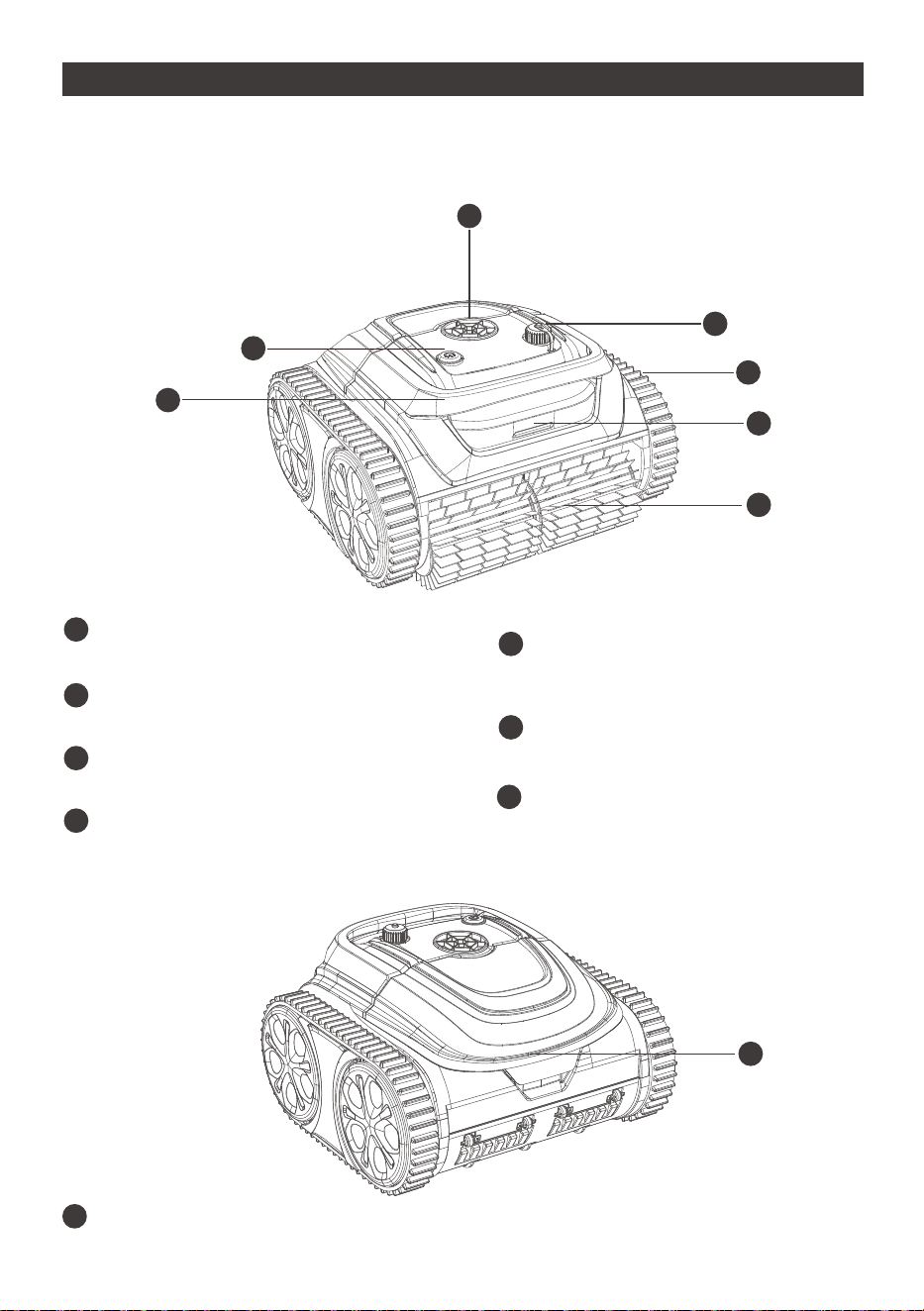
Handle
Remove and transport the device with it
on/off Button
Turn on/ turn off the device
Pump
pump out water through the window
Charging Port
Connect the charger
a
b
c
d
Track
Enhance device’s capability in climbing walls
and various obstacles
LED Indicator
Different light colors to indicate device status
Scrubbing Brush
Knock loose all dirt and roll them all into the
device
e
f
g
Product External Overview
f
c
b
d
e
f
Top Cover Handle
Open the cover to take out the filter basket
h
a
b
c
d
e
f
g
h
h
02
Packing List
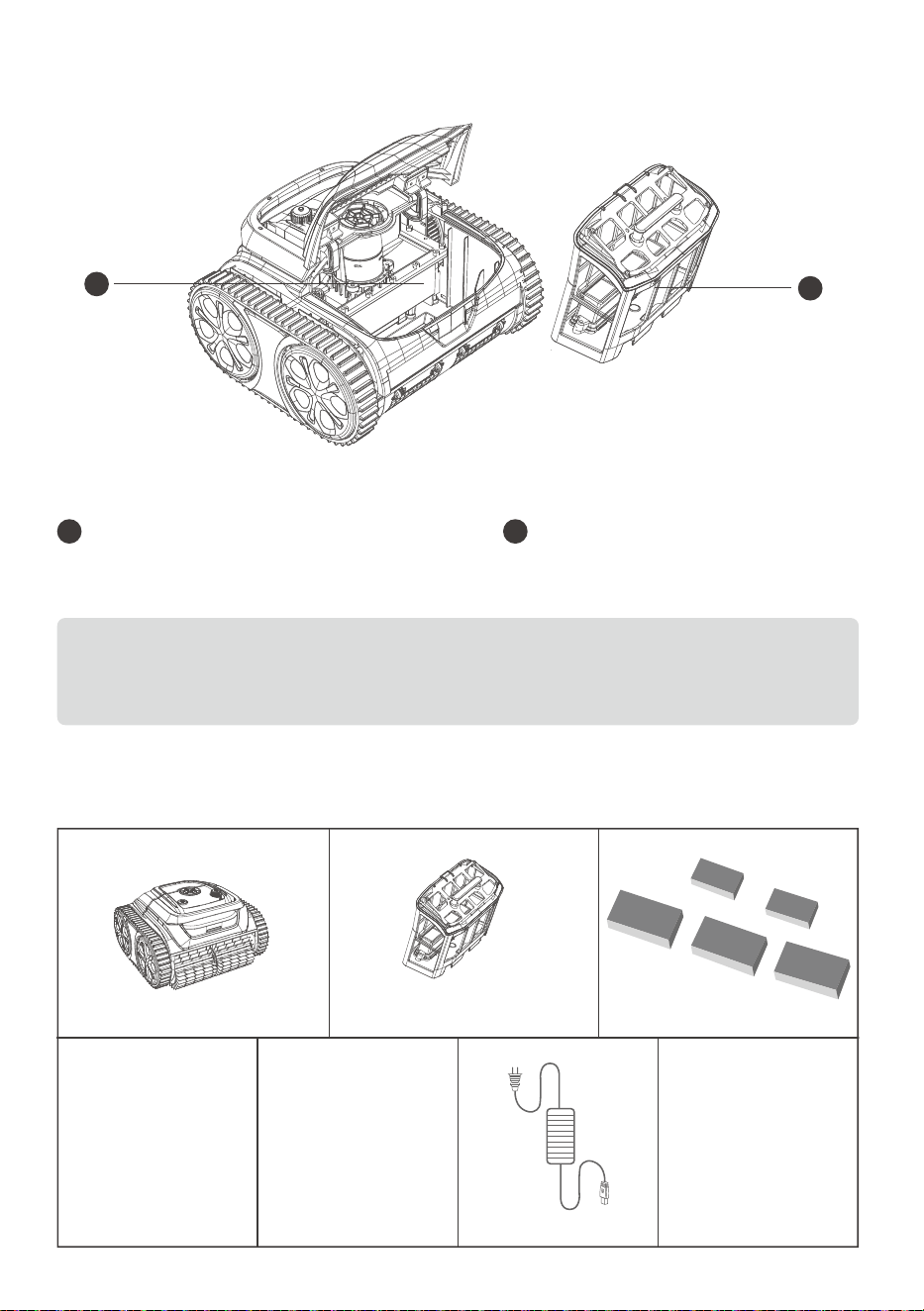
Device x 1
User Manual x 1
Filter Basket x 1
Charger x 1Quick Guide x 1
Adhesive Block x 5
Hook x 1
Filter Basket
Store collected dirt and debris, need be washed
after each use.
i
Sealed Part
Important components are sealed there.
For your safety, do not try to disassemble it
without authorization.
j
Product Internal Overview
Do not operate the device when the top cover or scrubbing brushes are broken.
If there is any liquid leakage from the sealed part, stop charging or running
the device.
i
j
03
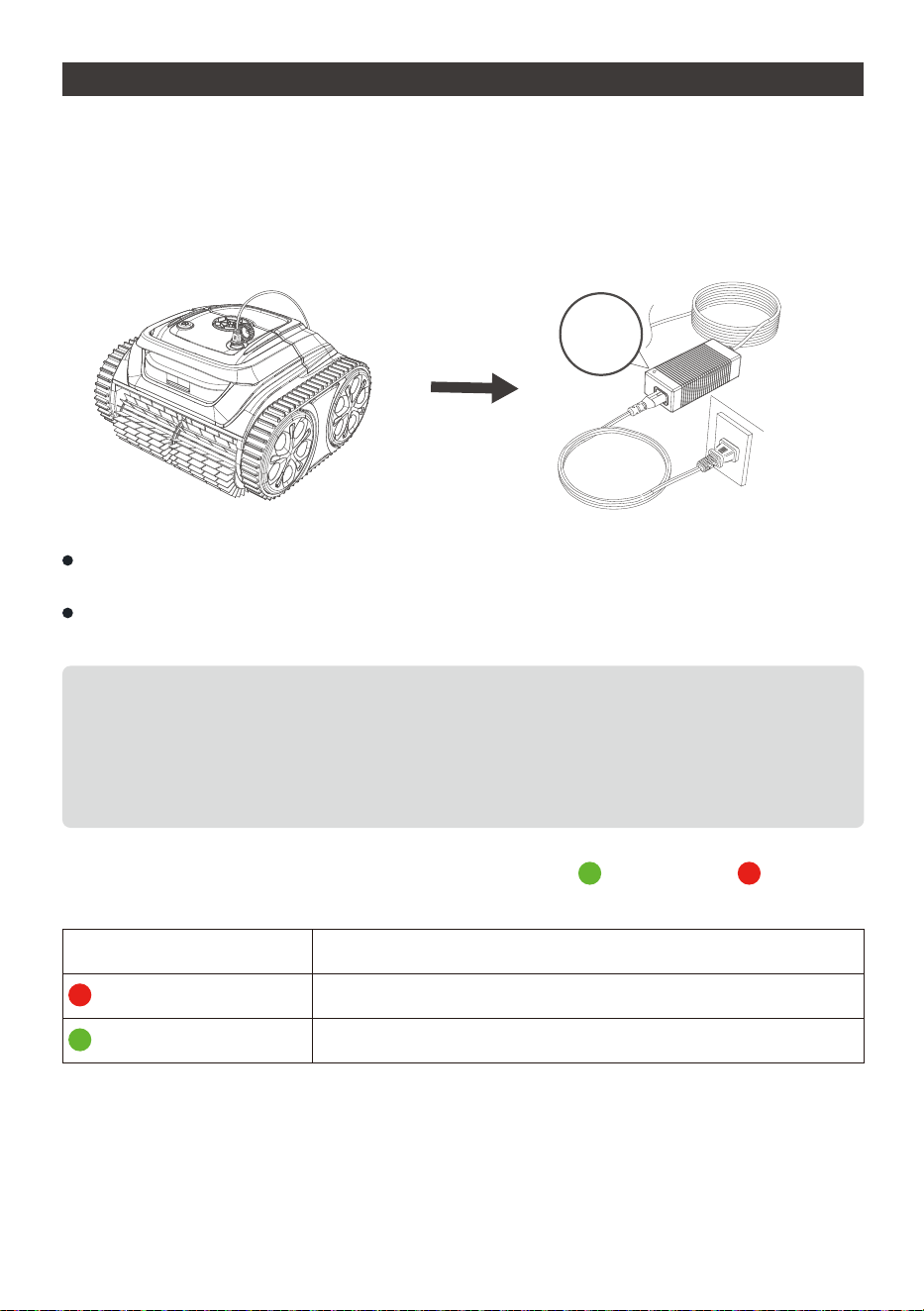
The device has a lithium-ion rechargeable battery, and you need to charge the batte-
ry before first use and when the battery is low.
Connect your device to a power outlet using the included cable and adaptor.
For your important safety, you need to double check the device is powered off and
charging port is dry before charging.
For reducing fire risk, keep your device and adaptor away from direct sunshine or
water when charging.
GET STARTED
Charge your new WYBOT S1
Note:
1. When charging ,you should ensure your device at least 3m (appr. 10ft) away from
the edge of the pool.
2. The best charging environment is temperature at 32℉ -95℉ (0℃ -35℃ ), RH at
5%-95%.
The adaptor has an indicator, it will display green light and red light to tell you
battery is full or not.
Color
Indication
Charging in Progress
Battery is full
Charging
Charging Complete
Charger
Indicator
04
Setup your new WYBOT S1
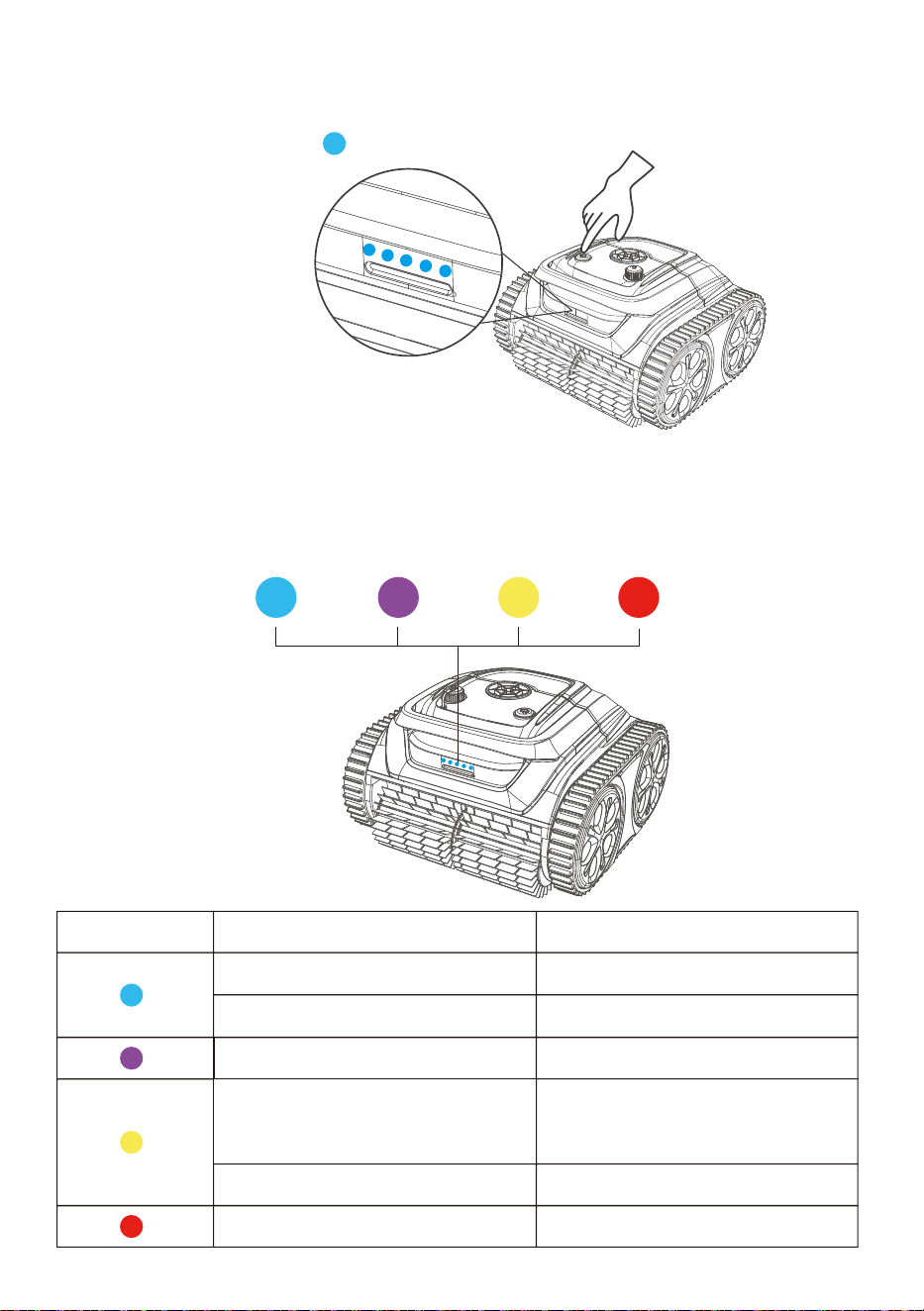
Below is the indication of the LED lights, you may refer it to know different device
status.
LED Light Indication
Solid
Flashing
Solid
Flashing
Breathing (bright to dim)
Solid or flashing
Status
Power On
Under working
Connecting to App
Low battery or under
self-parking in the pool
Self-parking completion
Fault
You can turn on the device by pressing the on/off button. The LED indicator on the
front will display a solid blue when the device is on.
05
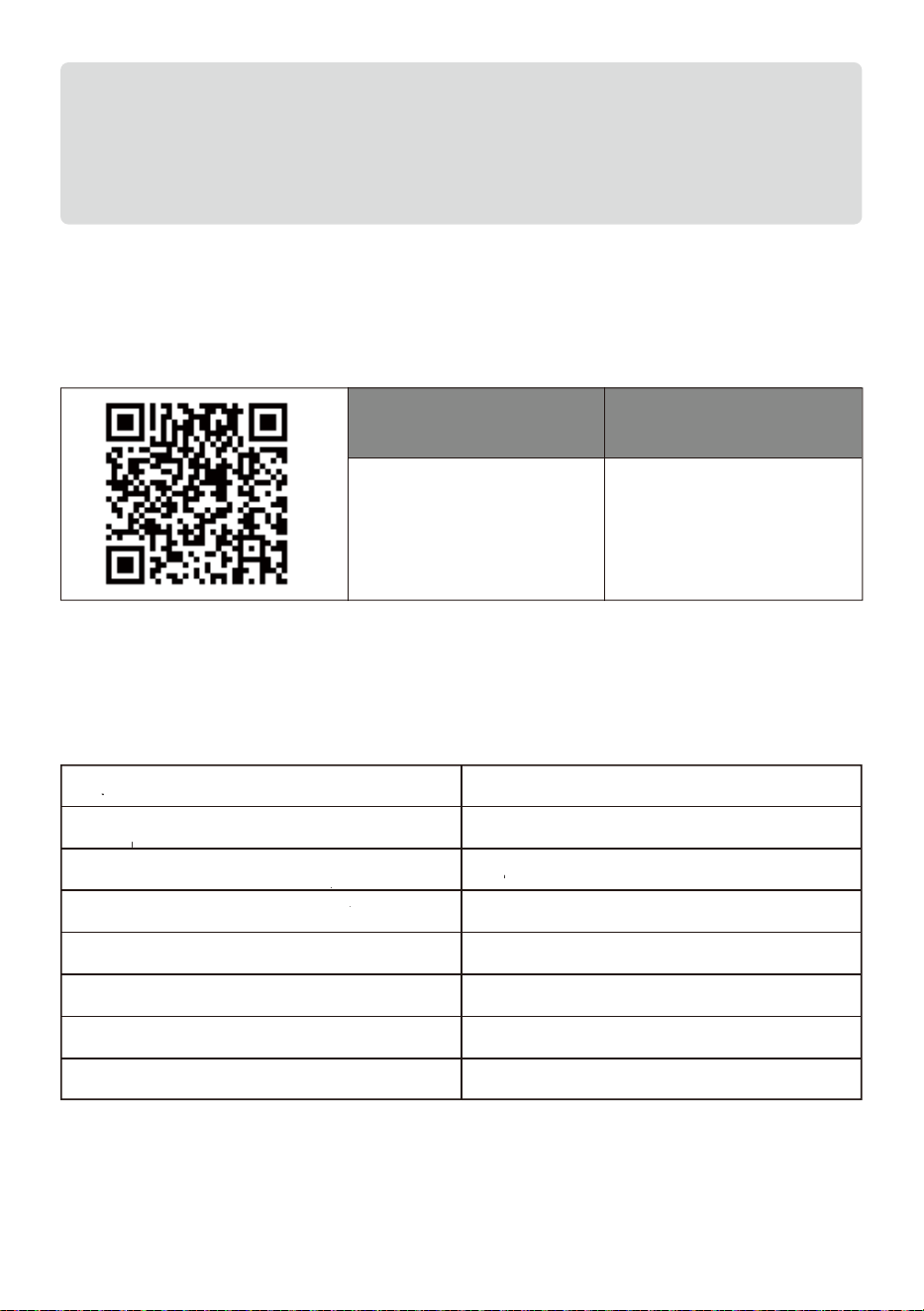
You can download the WYBOT App to your smart mobile device by scanning QR code
below, or from Google Play or App Store.
Connect to your App
Note:
1. When yellow light flashing ,you should remove your device out of water and
charge it.
2. If red LED light is on, you can find solution from trouble shooting in this manual
or call for service.
iOS Android
iOS 10.3 or later Android 4.3 or later
After connecting to your App, you can choose a cleaning mode for your device. There
are 7 cleaning modes, and you can see it below.
Choose your cleaning mode
Mode Cleaning Range
Standard Full-Pool Wall+ Floor+Waterline
Floor only Floor
Wall only Wall
Waterline Waterline
Wall then floor (Combo) Wall *1+ Floor *1
Eco floor Eco mode, floor cleaning only
Turbo Floor Powerful cleaning, floor cleaning only
06
Run your new WYBOT S1
Note:
1. You can modify your cleaning modes via App. The default mode is Wall
then floor.
2. If the device restarts, it will automatically enter the cleaning mode you set
last time.
Note:
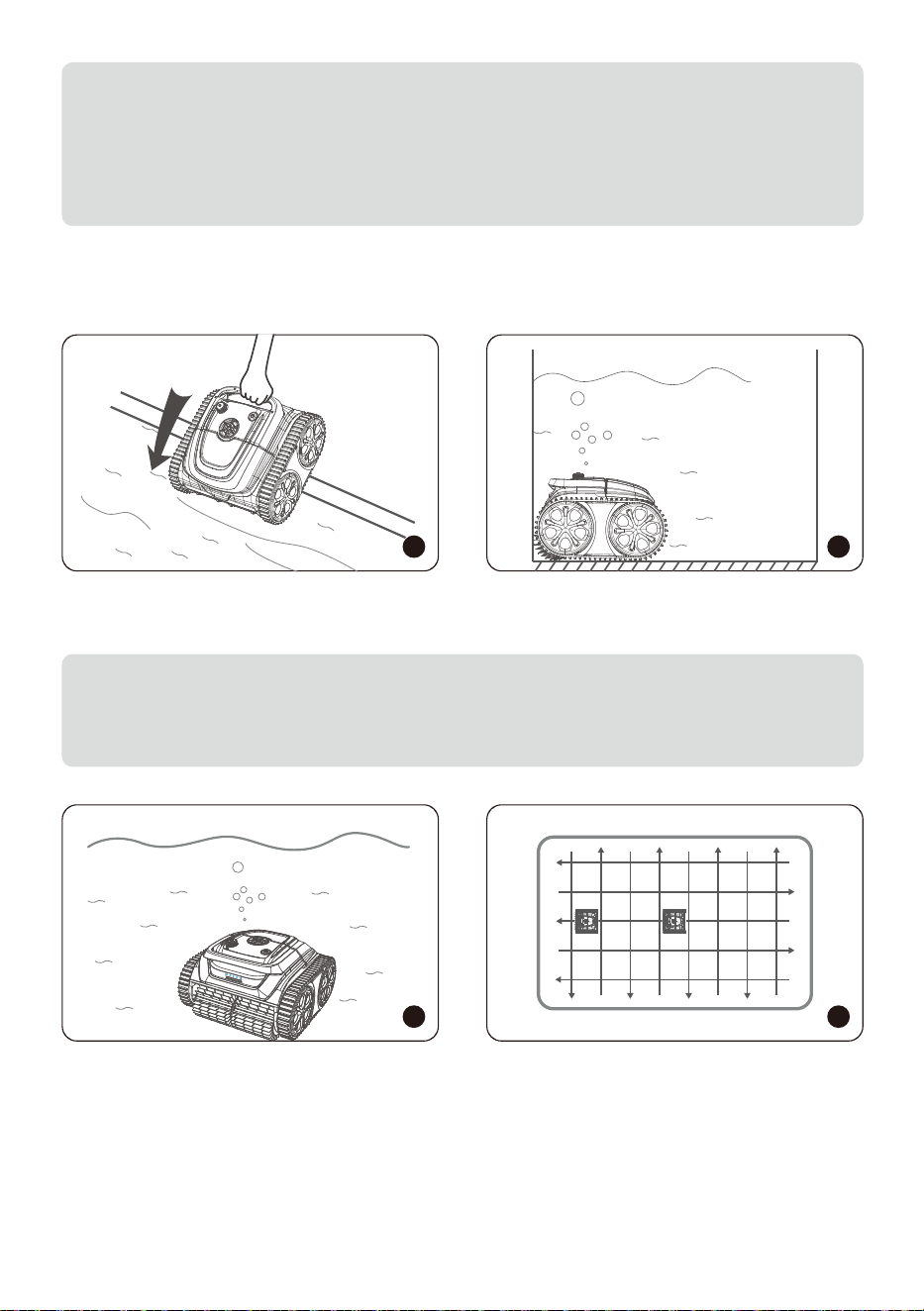
To achieve an optimal cleaning performance, you should ensure the water depth
of the pool is at least 19.5 in (50 cm) high from the top of the device.
2
3
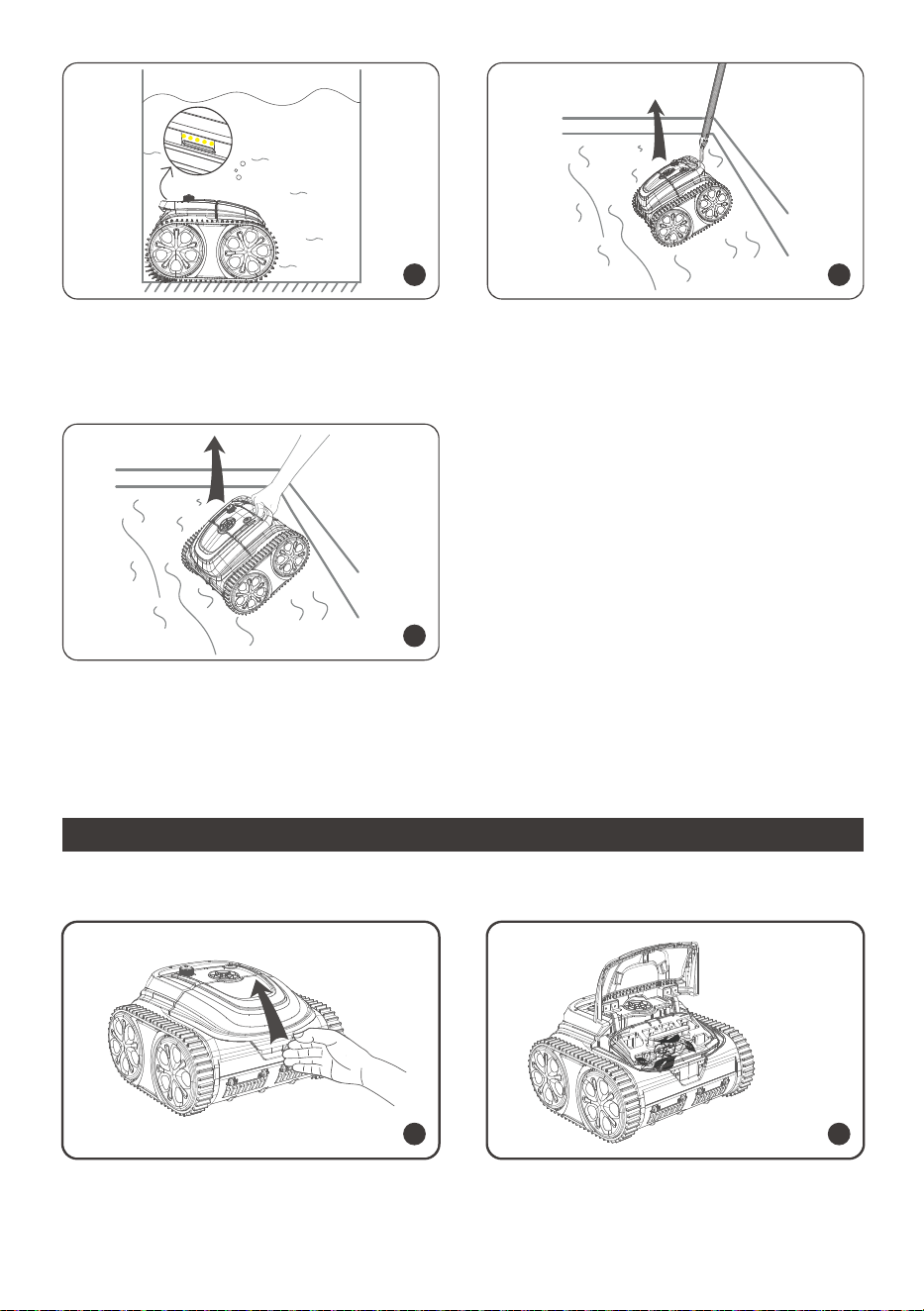
About 30 seconds of self-calibration,
the indicator light will turn to be a flashing
blue. The cleaner is ready to clean.
The cleaner begins to clean walls, floor
and waterline as default or your set
through App.
2
Turn on the device, hold the handle of the
cleaner, and put it into the pool vertically.
Let it sink down to the floor to empty tra-
pped air inside.
1
07
4
5
You should take the cleaner out verti-
cally to drain inside water out quickly.
3
The device will automatically move to
stop by the edge of wall when finishing
cleaning or battery low.
You can insert the included hook into
a pool pole and lift the cleaner out of
the pool.
DO A FILTER CLEANING
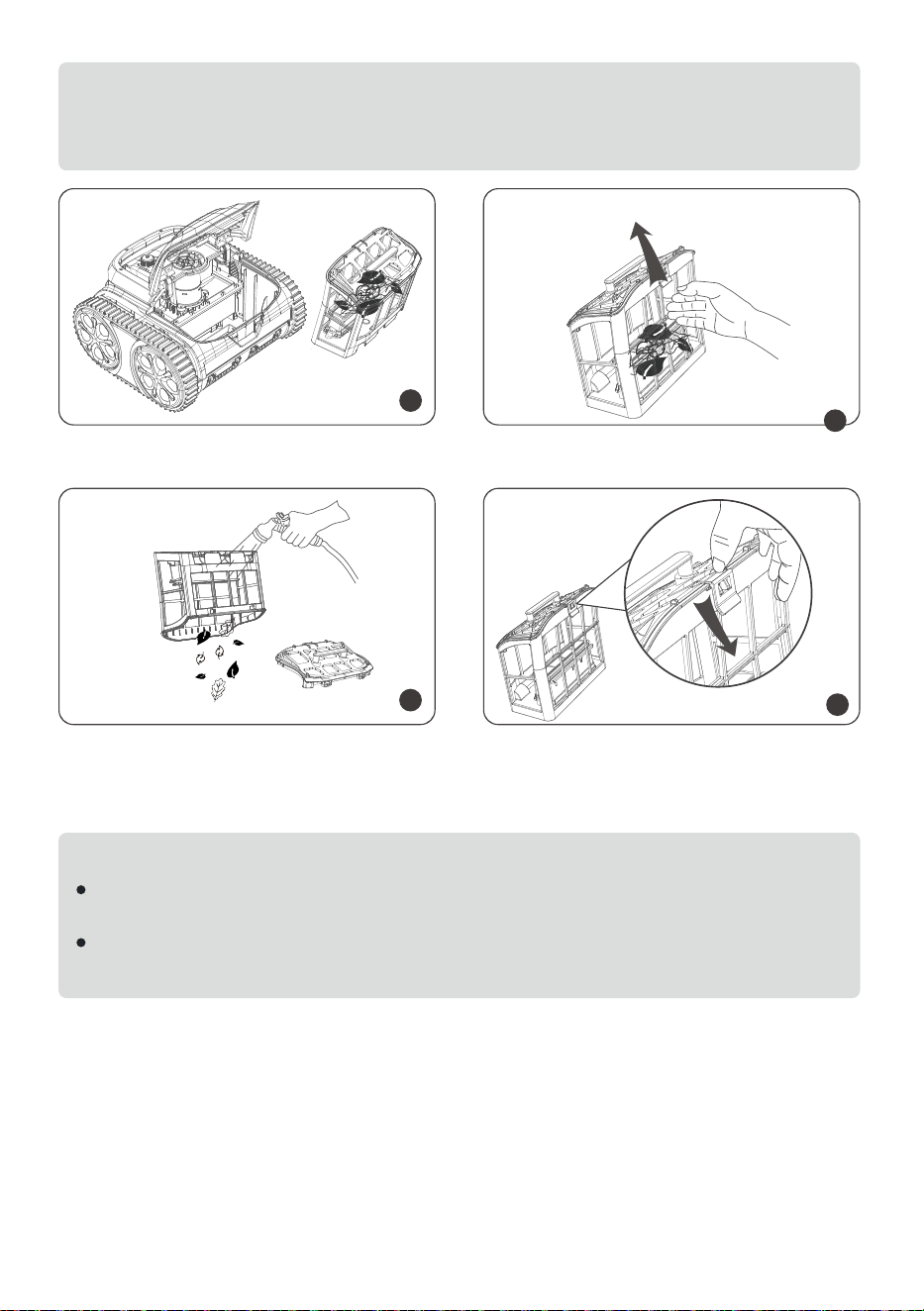
1
2
Hold the filter cover handle, press and lift the cover up.
08
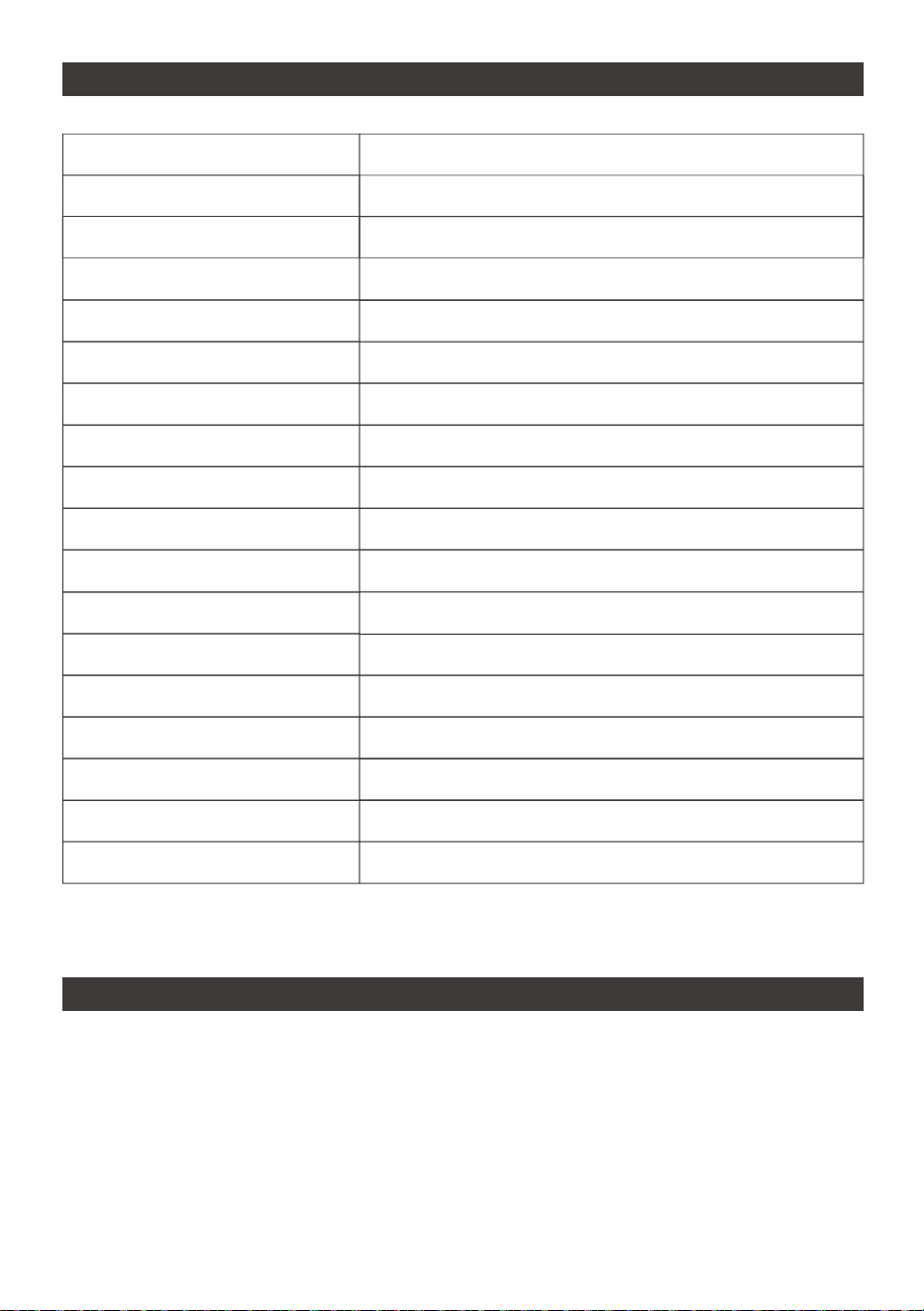
3
4
5
Take out the filter basket. Unbuckle the cover of the basket.
Empty all debris and rinse it with clean
water.
6
After rinsing, close the basket cover
and put the filter basket back into the
cleaner.
Note:
1. You should ensure the device is power off when open the top cover.
2. You need to clean the filter basket before being dry.
Note:
As electric components inside the cleaner, store the cleaner in a cool and ventilat-
ed place, away from direct sunshine or any heat source.
Charge the cleaner prior to being stored for a long time (over 6 months) to main-
tain an optimal battery life.
09
1. All WYBOT pool cleaners in the market have been inspected and licensed to be
sold as per local laws.
2. The warranty duration for battery, motor and PCB is two (2) years from the purchas
ing date. Consumable parts, including filter basket, brush, wheels etc., are beyond
warranty.
3. The warranty apply only to original buyers, and not valid to resale and any other
kinds of transfer.
LIMITED WARRANTY
DEVICE SPECIFICATION
Model
Pool Size
Depth
Device Dimension
Weight
Runtime
Charging Time
Voltage
Power
Charger Input
Charger Output
Battery Capacity
Filter Density
Flow Rate
Moving Speed
Water Resistance
OTA updating
App Connection
WYBOT S1
Up to 1300sp.ft
9.8ft (3m)
18 (L)*17(W)*11.5(H) inches
8Kg
180min.
180min.
Battery/25.2V
90W
100-240V, 47-63Hz
29.4V/3A
6400mAh
180µm
12m³/H
10m/min.
IPX8
Available
Available

10
4. Any damages to the unit caused by improper use, unauthorized repair or disas-
sembly are not covered by WYBOTICS Co., Ltd.’s warranty.
5.The order number or record must be presented for any claim or repair within the
warranty period.
Note:
If your device do not work after a long-term low battery life or being off, please
contact after-sale team for help. For your safety, do not try to disassemble it
without authorization.
You should follow the steps to store your cleaner to maintain good performance.
a) Ensure the device is power off
b) Dry out the cleaner and filter basket
c) Fully charge the battery
d) Store the cleaner in a cool and ventilated place, away from direct sunshine,
heat source, frost and squeezing with an ambient temperature between 5℃/ 41
℉ and 45℃ / 113℉.
e) Charge the cleaner every three months to ensure an optimal battery life.
HOW TO MAINTAIN YOUR DEVICE
Q: What pool shapes and construction materials is the cleaner suitable for?
A: The machine can be applied to rectangle, oval, or irregular shapes of in-ground
swimming pools. Applicable construction materials include PVC, guinite, tile and
other materials.
Q: Will obstacles such as steps, shallow water areas, drains, slopes etc. in the
swimming pool affect the running?
A: The machine can climb steps, drains, and shallow water areas. The above obstacl-
es may influence its cleaning path, but will not affect the operation of the machine.
Q: Are the WYBOT App able to control the device when cleaning under water?
A: Since the signal can not be transferred under water, you need to preset the clean-
ing mode and cleaning path before put into the pool.
FAQ & TROUBLE SHOOTING
If you encounter the following situations when using the cleaner, you can check
the table and solve them by yourself.
11
No.
1
2
Issues
Device does
not work
A flashing red
light
A flashing red
light
A breathing
yellow light
Battery low Fully charge the device
and restart
Charger light
flashes
Unable to ch-
arge
Poor contact Re-plug the charger
3
4
5
Do not climb walls
Abnormal wall
climbing
only clean part area and cannot
clean the entire pool
Climbing slowly
Sinking down
away from wall
or floating on
the water
Filter basket blo-
cked
Filter basket blo-
cked
Wrong cleaning
mode
Firmware not la-
test
Connect to the App and
update the firmware
Connect to the App
and re-choose a suit-
able cleaning mode
Clean the filter basket
Intake air Stick adhesive blocks
(Contact after-sale
team for instruction)
Clean the filter basket
Most front part
moving out of
the waterline
High friction
againt wall
Add more balance
weight(Contact after-
sale team for instruction)
Slippery constru-
ction materials
Stick adhesive blocks
inside(Contact after-sale
team for instruction)
Too dirty water The device is suitable
for keeping pool clean.
It is not recommended
to use for on season
cleaning
Wrong cleaning
mode set in the
WYBOT App
Set wall cleaning mode
Possible Causes
A solid red light
Motor protection
Not put the device
into the water or
the pool water is
too shallow
Restart and put it into
the pool immediately.
Be sure the water dep-
th is over 0.5m
Restart
Impeller is stuck
Suggested Solution
Check the impeller
and clean foreign
Details
Note:
If you can not find a solution from the table, please contact after-sale team.
12
6 Filter basket blo-
cked
front side up when on the floor Clean the filter basket
WYBOT robotic pool cleaners have passed all performance and reliability tests
and also has obtained relevant certifications from the countries in which they are
sold. you can rest assured.
CERTIFICATION
WYBOT CUSTOMER CARE
Wybot Customer Service:
Email: [email protected]
Facebook: @WybotPool
Tel: 1-866-777-6655
Due to the need for continuous products improvement, the products in the
manual are subject to the real products, and WYBOTICS Co., Ltd. reserves the
right to update products.
If you encounter any problems during use, please contact after-sale team.
For more details, please contact WYBOTICS website www.wybotpool.com
C
US
CM
Encounter Obst-
acles
Drain height is
over 3cm
The APP cannot be connected
when the device is in the pool
7
8
Do not clean as set cleaning
path
stuck at water drains
Clean the filter basket
Help the machine away
from the obstacle
Device power off
Not available
Unable to connect to the App Restart
Connect the device
on the shore
www.wybotpool.com
Email: [email protected]
Facebook: @WybotPool
WYBOTICS CO.,LTD
No.30, Zhongnan 4th Street West Zone, TEDA Tianjin, China
All trade names are registered trademarks of respective manufacturers listed.