1707251-41
Contents
1 Important Safety Information
2 Your Portable Speaker
Introduction
What’s in the box
Charge the built-in battery
Power on/off
Silicone housing
Connect a device
Play audio via Bluetooth
Make a call & hands free
Adjust volume
5 Product Information
6 Troubleshooting
7 N
8 Product Parameters
otice
1 Important Safety Information
Please comply with the following basic safety instructions to guarantee
safe and reliable use of the product:
Comply with all warnings and guide information marked on the
product.
Please use charging equipment that can supply 5V of output voltage
to avoid damaging the equipment.
The product uses a built-in polymer lithium battery: please shut
down when not in use.
Removal of the built-in battery invalidates the
warranty and may destroy the product.
Rechargeable batteries have a limited number of
charge cycles. Battery life and number of charge
cycles vary by use and settings.
Caution
Note
Warning
2 Your Portable Speaker
4
5
Introduction
With this speaker, you can:
Listen to audio via Bluetooth connection
Make phone call
What’s in the box
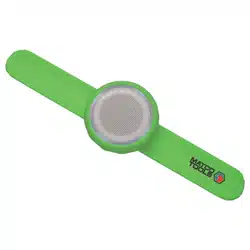
Portable Bluetooth Speaker with silicone housing
USB cable
User manual
3 Getting Started
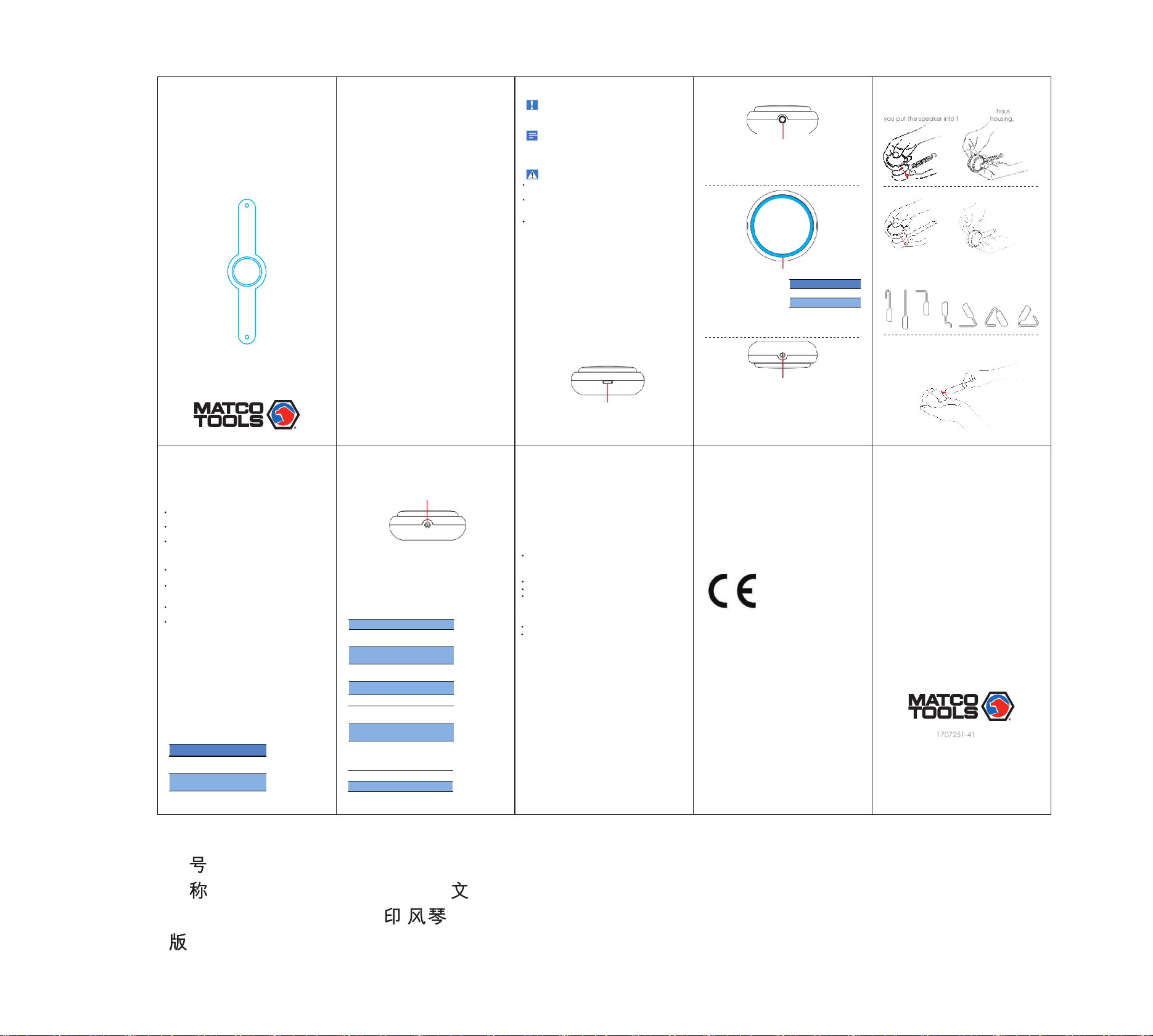
Micro USB cable slot
Note: Before use, fully charge the built-in battery.
Power switch key
LED indicator
Power on/off
Press the key for 2 seconds to power it on or off.
Battery indicator
The LED indicator around
the speaker indicates the
battery status.
Indicator Battery
Solid red Under charged
Off Fully charged
Silicone housing
Bluetooth Speaker
WRISTSPEAKER
User Manual
Reset
Note: Insert a needle in the central little middle
hole and press the "reset" switch; the
speaker will be restarted
4 Using Bluetooth Devices
With the speaker, you can listen to audio from a
player and make a call through Bluetooth.
The operational range between this product and a
Bluetooth device is a pproximately
Any obstacle between this product and a Bluetooth
device can reduce the operational range.
Keep away from any other electronic device that
may cause interference.
Connect a device
On your device, search for Bluetooth devices.
In the device list, select 1Blue.
Connecting is completed when connection is established.
Disconnect a device
On your device, disable the Bluetooth connection
with this speaker.
The speaker prompt will voice "Bluetooth exit"
when disconnected.
Reconnect a device
For a paired Bluetooth device on which the
automatic reconnection is enabled, this product
reconnects once it is detected.
For a paired Bluetooth device that does not support
the automatic reconnection, reconnect it with this
product manually.
Play audio via Bluetooth
If there is an incoming call on the connected
mobile phone, the music play pauses.
Button
Microphone
Adjust volume
Note: Operate on phone to adjust volume of
the speaker.
5 Product Information
Product compatible with all brands of PCs, MID,
mobile phones and tablets.
General information
Bluetooth
Power supply DV 5V
Lithium battery
360mA
Dimensions
(W x H x D)
Weight - Main
Unit
Charging t ime About 0.5 h ou r
Speaker
impenden ce
4O
Speaker po we r 3W
Version V2.1+EDR
Range 10m (Free Sp ac e)
Never operate when the product is wet; do not
drop or spill any liquid on the product.
Never place the product close to high temperature
heat sources; do not dry or blow the product at high
temperature.
Never apply pressure on the product.
Charge the built-in battery
The speaker is powered by a built-in rechargeable
battery.
Note: Power switch key
Note: In Bluetooth mode, if there is no Bluetooth
connection or no audio is streamed to this product
within 10 minutes, this product automatically powers off.
Reset Button
Silicone housing
Keep the power button in line with the housing before
you put the speaker into the silicone housing.
Try different shapes
Try different shapes and configurations of the product
a b
a b
Note:
Note: Before connecting another Bluetooth device,
disconnect the current device first.
6 Troubleshooting
Note: To keep the warranty valid, do not try to
repair the product yourself.
If you encounter problems when using this device,
check the following before requesting service.
If this does not help, you can choose to replace or repair
after the failure (not caused by human) is inspected
and confirmed.
No power
Recharge your speaker.
No sound
Adjust the volume on this product.
Adjust the volume on the connected device.
Make sure that your Bluetooth device is within the
effective operational range.
No response from the speaker
Restart the speaker.
Apply a needle into the microphone to reset the
speaker.
About the Bluetooth device
After connection, the audio quality is poor
Move the device closer to the product or remove
any obstacle .
Cannot connect with the device
This product has connected with another Bluetooth
device.
Disconnect that device and then try again.
Start, off, pause
or resume play
Press
“o”
twice
Change song
“o”
Button Function
Make a call
Note:Choose “speaker” on phone for hands-free
function when making or receiving a call.
7 Notice
Warranty: Return to your seller for replacement
when product failure occurs due to normal use. All
parts must be standard parts of the product in the
warranty period.
Compliance
This product complies with the radio interference
requirements of the European Community.
This product is in compliance with the essential
requirements and other relevant provisions of
Directive 2011/65/EU (test according to RoHs).
Copyright
Shenzhen 1Blue Technology Co., Ltd.
All Rights Reserved.
Specifications are subject to change without notice.
1Blue reserves the right to change products at any
time without being obliged to adjust earlier supplies
accordingly.
8 Product Parameters
Audio Frequency Response: 100HZ-20KHZ
Speaker impendence: 4Ω
Speaker Power: 3W
Charging Voltage: DC 5V
Battery Capacity: 360mAh
Charging Time: About 30 minutes
Playing Time: 2.5 to 4 hours
Audio Source: Bluetooth
Bluetooth Version: 4.2+EDR
THD: <0.15%
SNR: > 90dB
RF Range: 10m
料 :
名
:Bluetooth Speaker F1英 说明书
规格:95*46 双铜彩
折mm
本:
日期: - -2017 7 10
Thank you for purchasing the portable Bluetooth speaker.
This user manual will get you started and help you make
the most out of your Bluetooth Speaker.
3 Getting started
4 Using Bluetooth Devices
60 x 60 x 60 mm
105g
Compatible with all brands of PCs,
MID, mobile phone, Tablet, etc.
30 feet (10 meters).
Fix the wristband like a watchband
Built-in battery