www.oraimo.com
@oraimo accessories
For more information, please visit:
OBS-75D
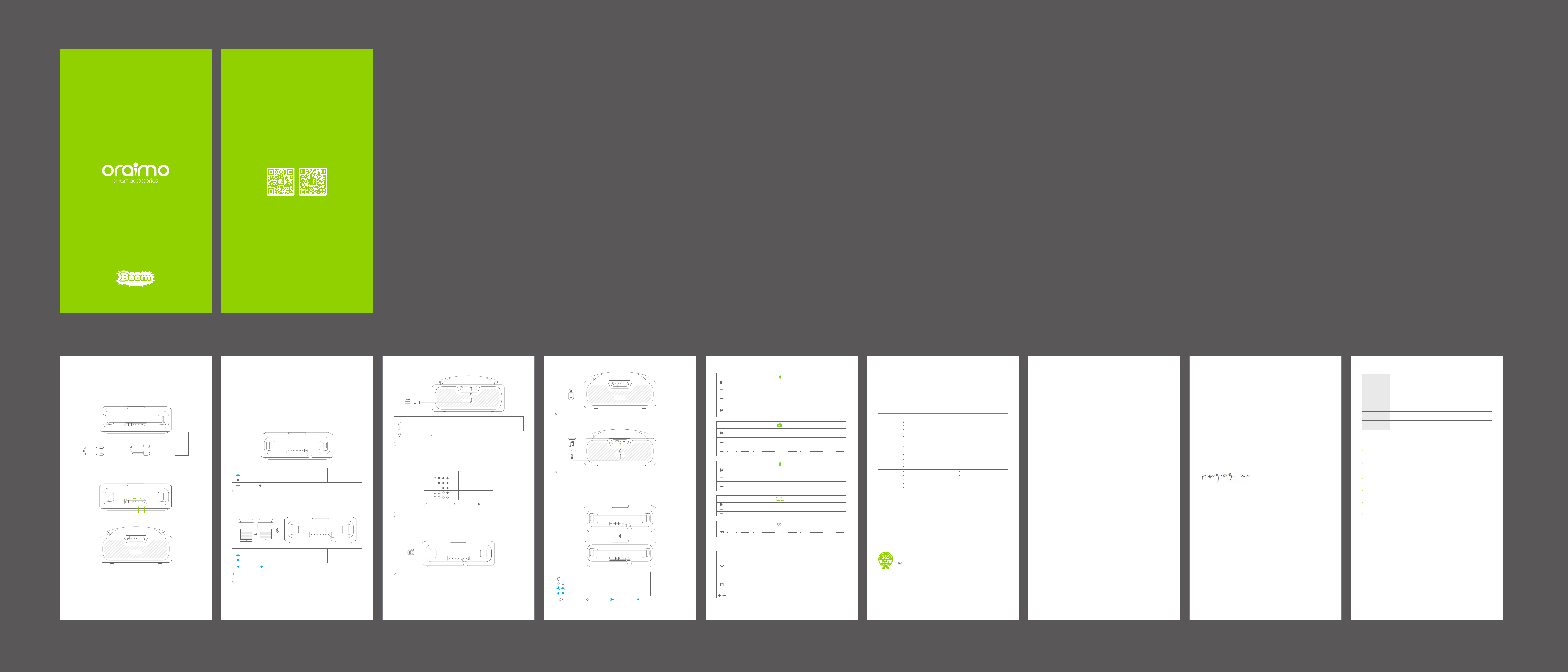
Package Contents
Please read this guide carefully before using the product
WELCOME GUIDE
* For safety issue, the speaker battery remains low capacity during shipping. Please fully
charge the battery before use!
Product Overview
Type-C Charging Cable x 1
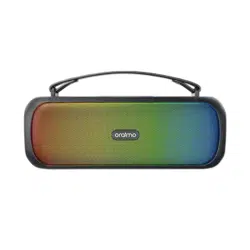
Portable Wireless Speaker x 1
3.5mm AUX-in Cable x 1 User Guide x 1
1. Built-in Microphone
2. Volume Down/Previous Track Button
3. Volume Up/Next Track Button
4. Light Effect Switch Button
5. Play/Pause
6. Mode Switch Button
7. TWS Pairing Button
8. Power Button
9. Power Level Indicator
10. 6.5mm Line-in Microphone Input
11. USB Flash Drive Port
12. 3.5mm AUX Input
13. Type-C Charging Port
EN 01
Using Your Speaker
1. Power on / off
2. Pair with your device
The speaker will automatically turn off after 10 minutes if no device is connected.
When in USB or AUX in mode, the speaker will automatically turn off after 10 minutes if it is paused.
When turned on, the speaker will automatically connect to the last connected device if available.
Otherwise the speaker will enter pairing mode.
Having a connection problem? Remove “oraimo Boom” from your device’s BT list and ensure the
speaker is within 1 meter from the device. Start pairing process again. For the best sound quality,
make sure there is a clear line of sight between the connected device and the speaker.
StatusLED Ring Indicator
Lights off OFF
Slow Flashing Blue ON
Lights off
Slow flashing
StatusLED Indicator
Steady Blue Connected to a device
Slow Flashing Blue Pairing mode
Slow flashing
Steady Blue
02 EN
Controls
Short press once Play / Pause
Short press once Volume down
Short press once Volume up
Long press for 1 second Previous track
Long press for 1 second Next track
EN 0504 EN
Wireless Speaker
Model: OBS-75D
Hereby, ORAIMO TECHNOLOGY LIMITED.
Declares that this Wireless Speaker is in compliance with the essential
requirements and other relevant provisions of directive 2014/53/EU.
CAUTION:
1.Risk of explosion if battery is replaced by an incorrect type, dispose of used batteries according to the
instructions.
– disposal of a battery into fire or a hot oven, or mechanically crushing or cutting of a battery, that can
result in an explosion;
– leaving a battery in an extremely high temperature surrounding environment that can result in an
explosion or the leakage of flammable liquid or gas;
– a battery subjected to extremely low air pressure that may result in an explosion or the leakage of
flammable liquid or gas.
2.The product shall only be connected to a USB interface of version USB2.0
3.EUT Temperature: :0℃~+45℃
Operating Frequency:
BT: 2402-2480MHz
Modulation mode:
GFSK, π/4-DQPSK, 8DPSK
RF output power (only for CE):
BT: 0.64dBm
EN 07
Warranty Terms & Conditions
(dd/mm/yy)
Address :
Tel. No. :
Date of purchase :
Store name :
Warranty period :
Name :
Warranty Certicate
All quality-related defects on items sold directly by oraimo or oraimo’s authorized resellers are covered
by an extensive warranty, starting from the date of purchase.
oraimo’s limited warranty is restricted to the country of purchase. The limited warranty is void on items
taken outside the country they were originally bought in or shipped to directly from an authorized
online purchase.
This warranty covers only original oraimo products. It is not applicable to normal wear and tear, or any
defects arising from damage caused by misuse of this product.
Warranty is for the primary product only nor transferable. Any free additional product(s) are not covered
in this warranty.
If the product fails regardless of usage in compliance with the instruction manual and other written
precaution, replacement will be provided free of charge.
To receive replacement, bring the warranty certificate and the product itself to the store from where you
have purchased the product.
EN 09
5. Connected via FM
You can check the current power level through the LED indicators when the speaker not in charging.
It has voice prompt when the battery is low.
06 EN
EU Declaration of Conformity
In accordance with EU Directives and Regulations
Company name: ORAIMO TECHNOLOGY LIMITED
Address: FLAT N 16/F BLOCK B UNIVERSAL INDUSTRIAL CENTRE 19-25 SHAN MEI STREET FOTAN
NT HONGKONG
as the manufacturerhereby declares under our sole responsibility that the,
Product(s): Wireless Speaker
Model name: OBS-75D
is in conformity with the essential requirements of the RE Directive 2014/53/EU:
Radio ETSI EN 300 328 V2.2.2 (2019-07)
Article 3.2
EMC ETSI EN 301 489-1 V2.2.3 (2019-11)
Article 3.1(b) ETSI EN 301 489-17 V3.2.4 (2020-09);
Safety EN IEC 62368-1:2020+A11:2020
Article 3.1(a)
Health EN 50663:2017, EN 62479:2010
Article 3.1(a)
An EU Type Examination Certificate for this Product was issued in accordance with Annex III (Module B)
of the 2014/53/EU Radio Equipment Directive by Bay Area Compliance Laboratories Corp. (2014/53/EU
Radio Equipment Directive Notified Body Identification Number 1313)
Signed on behalf of ORAIMO TECHNOLOGY LIMITED
(Signature of authorized person)
Nengyong.Wu
Manager
Date: 2022-06-24
08 EN
10 11 12 13
1 982 3 4 5 6 7
oraimo BoomBluetooth on
Long press the Power button for 2 seconds
4. Battery Power Level
Flashing White
Steady white Lights off
Power Level StatusLED Indicator
≤25%
≤50%
≤75%
≤100%
Low Battery
3.Charge the speaker
Use the included Type-C cable to charge the speaker and charge the speaker fully before first use.
Disconnect your speaker from the charger when fully charged.
Do not charge your speaker for extended periods.
StatusLED Indicator
Steady white Fully charged
Flashing White in Sequence Charging
Flashing White
Steady white
StatusLED Indicator
Steady white on both speakers
Slow blue flashing on both speakers
Steady blue on one speaker, slow blue flashing on the other one
TWS Connected
Bluetooth pairing
Connected a device
Slow white flashing on one speaker TWS Pairing mode
Flashing White
Steady white
Flashing blue
Steady blue
Upon detecting that a device is connected via AUX port, the speaker will enter AUX Mode.
When the connection is successful, a voice prompt will be heard.
6. Connected via USB Drive
7. Connected via AUX
8. TWS Pairing- Connected to the other oraimo Boom
Upon detecting that a device is connected via USB Drive port, the speaker will enter USB Drive mode.
When the connection is successful, a voice prompt will be heard.
Please put two Boom within 1 metre. Short press TWS Pairing Button on one speaker to enter TWS
Pairing mode, and it will search the other Boom automatically. When the connection is successful, a
voice prompt will be heard. The speaker can only successfully connect with the other oraimo Boom
under the Bluetooth mode.
Size: 360*135*155mm
BT Range: 10m
Frequency Response: 85Hz-16KHz
Battery Capacity: 3600mAh
Play Time: 6 hours(Lights On); 7 hours (Lights Off) * 50% volume
Speaker Output: 30W
Basic Product Specications
* oraimo Lab test results
EN 03
Short press once
Short press once
Long press for 5 seconds Restore factory settings
Others
Switch among different light effect mode
•No light effects when hands-free call is on. It
will has light effect once the call is ended.
• It will automatically switch off light effects
under the FM mode.
Switch mode among BT/FM/USB
drive/Aux-in mode
• USB Drive port and AUX-in port are
both inserted.
Short press once Play / Pause
Short press once Answer/End a call
Short press once Volume down
Short press once Volume up
Long press for 1 second Previous track
Long press for 1 second Next track
Long press for 1 second Reject call
Long press for 1 second Activate Voice Assistant
Short press once Mute/Unmute
Long press for 1 second Next station
Long press for 1 second Start/Stop to search station
Long press for 1 second Previous station
Short press once Volume down
Short press once Volume up
Short press Mode Switch Button to enter FM mode under the Bluetooth mode without AUX and USB
connection. When the connection is successful, a voice prompt will be heard.
Short press once on one speaker TWS Pairing
Short press once on one speaker Disconnect TWS
Short press once Mute/Unmute
Short press once Volume down
Short press once Volume up
Attention
1. To preserve battery lifespan, fully charge at least once every 45 days
2. Use original or certified cables
3. Do not expose to liquids
4. Do not disassemble
5. Avoid dropping
6. Avoid extreme temperatures
Customer Service
365 DAYS WARRANTY
Email: [email protected]
Considerate Hints
Do not turn up the volume to a fair high level constantly as this could shorten the service life of this
product or impair your hearing.
When encounter any fault during operation, please cut off the power supply and disconnect the USB
cable to prevent further damage to the product or other components.
The wireless transmission range or connectivity could be affected by low battery power. In that case,
please recharge immediately.
1.
2.
3.
Symptom
Battery does
not charge
Make sure you are using the oraimo’s original USB cable.
Connect the USB cable to a different USB power supply.
Connect to a different DC (mains) power source.
On your mobile device, turn the BT feature off and then on. Remove your
speaker from the BT history on your device. Pair your device again.
On your mobile device, turn the BT feature off and then on. Remove your
speaker from the BT history on your device. Pair your device again.
Increase the volume on your soundbar, your device and music source.
Power on the device and play music.
Increase the volume on your speaker and device.
Connect a different device.
Use a different music source. Pair with a different device.
Increase the volume on the device. Check device audio settings.
Speaker does
not pair with
mobile device
No sound
No sound from
a cabled device
Poor sound
quality from a
cabled device
Increase the volume on your speaker and device.
Connect a different device.
Check device audio settings.
Poor sound
quality
Solution
Trouble Shooting
FCC Caution:
Any Changes or modifications not expressly approved by the party responsible for compliance could void
the user's authority to operate the equipment.
This device complies with part 15 of the FCC Rules. Operation is subject to the following two conditions:
(1) This device may not cause harmful interference, and (2) this device must accept any interference
received, including interference that may cause undesired operation.
IMPORTANT NOTE:
Note: This equipment has been tested and found to comply with the limits for a Class B digital device,
pursuant to part 15 of the FCC Rules. These limits are designed to provide reasonable protection against
harmful interference in a residential installation. This equipment generates, uses and can radiate radio
frequency energy and, if not installed and used in accordance with the instructions, may cause harmful
interference to radio communications. However, there is no guarantee that interference will not occur in
a particular installation. If this equipment does cause harmful interference to radio or television reception,
which can be determined by turning the equipment off and on, the user is encouraged to try to correct
the interference by one or more of the following measures:
—Reorient or relocate the receiving antenna.
—Increase the separation between the equipment and receiver.
—Connect the equipment into an outlet on a circuit different from that to which the receiver is connected.
—Consult the dealer or an experienced radio/TV technician for help.
FCC Radiation Exposure Statement:
This equipment complies with FCC radiation exposure limits set forth for an uncontrolled
environment.This equipment should be installed and operated with minimum distance 20cm between the
radiator& your body.
