MP3 Player
User Manual -PGE 1
ユーザーマニュアル-PGE 8
Download User Manual-PGE 13
ダウンロードマニュアル-PGE 13
1
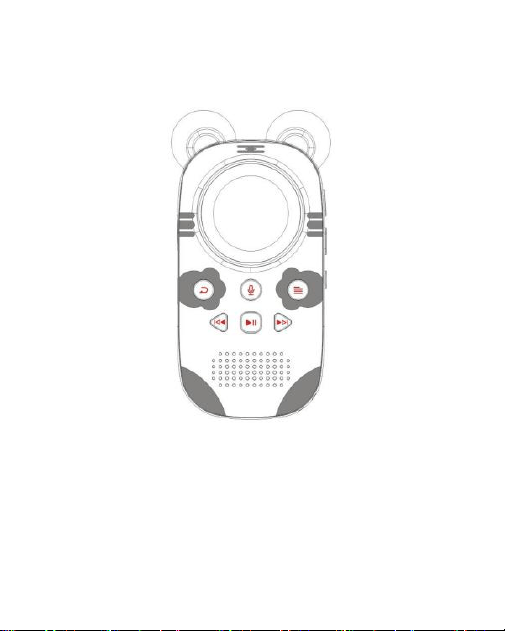
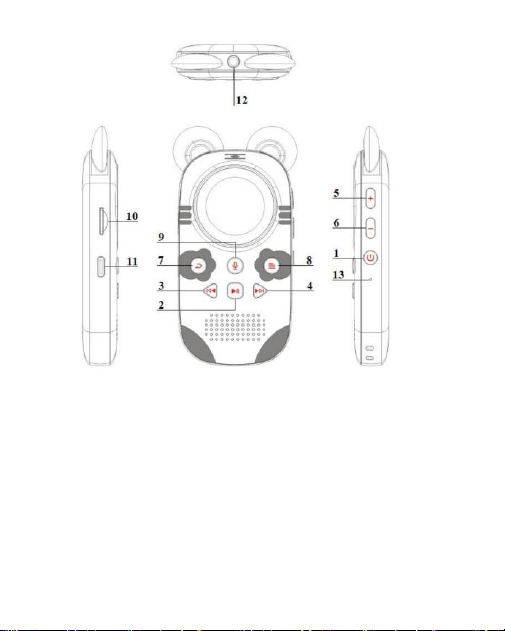
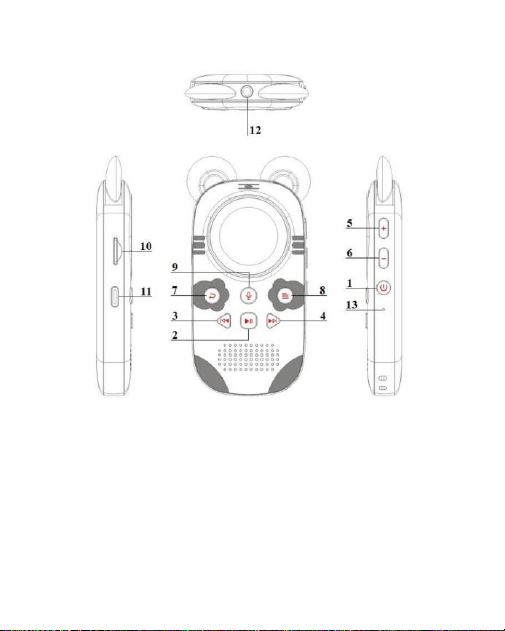
1: Power on/off 2: Play/Pause 3: Previous Song
4: Next Song 5: Volume + 6 : Volume -
7: Return 8: Menu 9: Record
10: TF Port 11: USB Port 12: Earphone Port
13: Reset

2
Basic Operation
● Power On/Off Button
Press and hold the power button for 3s to turn on/off the MP3. When the MP3 is
on, short press to lock/unlock the screen.
● Menu Button
In the music playing interface, short press to enter into the sub-menu.
●Return Button
In any playing interface, short press to return to the previous menu, long press to
return to the main interface.
●Play/Pause Button
Short press in the playing interface to play/pause. In the setting interface, confirm
to save function.
● Previous/Next Song Button
Short press in the playing interface to go to the previous song/next song. And long
press for fast forward or fast backward operation.
● Recording Button
Press and hold in any interface to start recording.
3
● Volume +/-
Short press or long press to adjust the volume
Function description
● Main interface
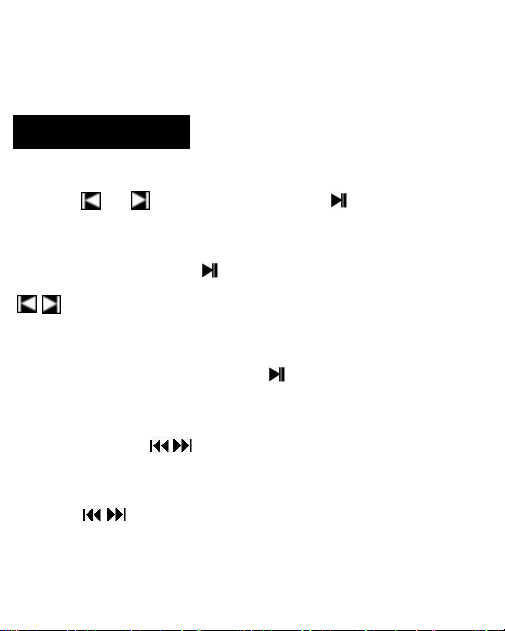
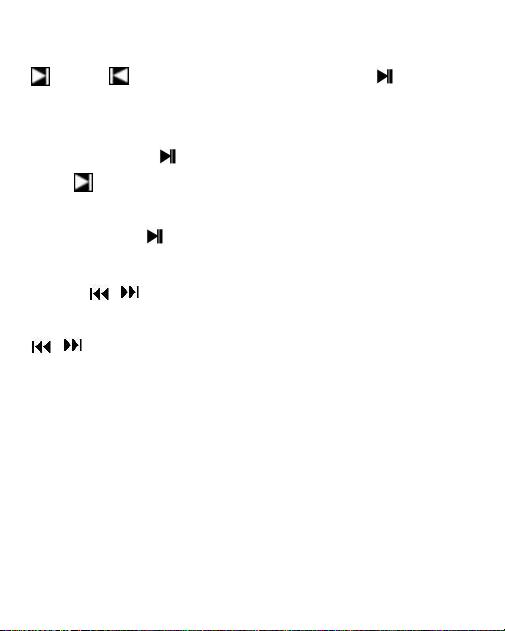
Short press and to select function, short press to enter.
●Music
Select the music function, press to enter all music sub-menu, press
to select the music sub-menu.
●Play/Pause
In the music playing interface, short press to play/pause.
●Fast Forward/Backward
Long press the button to fast forward/fast backward.
●Switch Tracks
Short press to the previous song and the next song.

4
●Music Play Setting Interface
In the music playing interface, short press the menu button to enter into the
sub-menu, the related list is as follow.
※Return to the main interface, Play mode, sound settings, add to playlist,
Remove from the playlist, delete, Bookmarks
●Return key
Short press in any interface(Except for screen protector) to return to the previous
menu, long press to return to the main interface.
●Bluetooth Connection
In the main interface, select Bluetooth and short press to enter the Bluetooth
function. The related menu is as follow.
A.Bluetooth on/off: Turn on/off Bluetooth function
B. Search for device: Select the Bluetooth device around, then select the Bluetooth
device and pair

5
●Folder
In the main interface, short press to enter the folder
●Setting
Short press in the main interface to enter the setting interface. The related
menu is as follow.
A. Language: 28 kinds of language for setting in total
B. Display settings: Brightness, Screensaver, Backlight time
C. Power Off: Off, Set power off time
D. Sleep timer: 1, 2, 3, 5, 10 Minute / Off
E. Speaker Switch: Turn on/off speaker
F. Date and time: Set date and time
G. Information: Player info and disk info
H. Format device: Format internal memory, Format SD card
I. Factory Settings: Restore factory setting
●Start Recording
select recording in the main interface state, select start voice recording, short press
to start recording.
6
●End of Recording
Short press the return key in the recording interface, choose yes/no to
save/un-save the recording
●Play the Recording
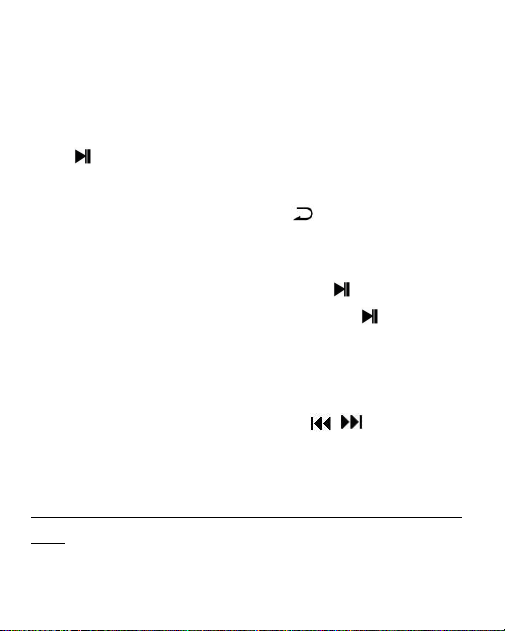
Select the recording library in the recording sub-menu, short press the to enter
the recording library, then select the recording file and short press the to play.
●Recording Settings
Select the recording format/recording bit rate, etc. in the recording sub-menu,
press button to select, and short press the button
to confirm and save.
How to transfer music to this mp3 player from computer
1. Download music to computer PC
2. Connect the mp3 player to computer via the USB data cable
3. After the mp3 player is recognized by computer, copy the music file these
downloaded from computer to the mp3 player and paste the music file to the mp3
player. The mp3 player just like a U disk.
7
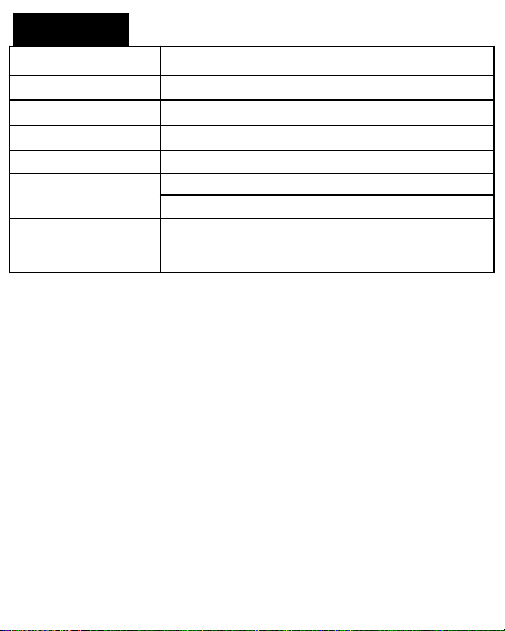
Specification:
Support Micro SD
Card
Up to 128GB
Bluetooth 5.0
10m Connection Distance without Obstacles
Battery
Lithium Polymer Battery 750mAh
USB Connection
USB 2.0 Type C
Audio Formats
MP3/WMA
Recorder Formats
WAV/ MP3
3 Meters Recording Distance
Charging
Input: AC110-240V 50/60Hz Max: 100mA
Output: DC 5V, 500mA-1A, about 2H Full Charge
8
1
:
電源オン/オフ 2:再生/一時停止 3:前の曲
4:次の曲 5:音量+ 6:音量- 7:戻る
7:戻る 8:メニュー 9:録音
10:TF ポート 11:USB ポート 12:イヤホンポート
13: リセット

9
基本操作
●電源オン/オフボタン
電源ボタンを 3 秒間長押しすると、MP3 の電源が ON/OFF になりま
す。MP3 がオンになっているときに短く押すと、画面がロック/アン
ロックされます。
●メニューボタン
音楽再生インターフェースで、短く押すと、サブメニューに入ること
ができます。
●リターンボタン
音楽再生画面で、短押しで前のメニューに戻り、長押しでメイン画面
に戻ります。
●再生/一時停止ボタン
再生インターフェースで短く押すと、再生/一時停止ができます。設
定インターフェイスでは、機能を保存するために確認します。
●前の曲/次の曲ボタン
再生画面で短く押すと、前の曲/次の曲へ移動します。また、長押し
で早送り、早戻しの操作ができます。
●録音ボタン
どのインターフェイスでも長押しすると、録音を開始します。
●ボリューム +/-
短押しまたは長押しで音量を調整します。
10
機能説明
●メインインターフェース
ボタンと ボタンを短く押すと機能が選択され、 ボタンを短
く押すと入力されます。
●音楽
音楽機能を選択し、 ボタンを押すとすべての音楽サブメニューに
入り、 ボタンを押すと音楽サブメ ニューに入ります。
●再生/一時停止
音楽再生画面で ボタンを押すと、再生/一時停止ができます。
●早送り/早戻し
ボタン を長押しして、早送り/早戻しをします。
●曲の切り替え
を短く押すと、前の曲と次の曲に切り替わります。
●音楽再生設定インターフェイス
音楽再生インターフェースでは、メニューボタンを短く押すと、サブ
メニューに入り、関連するリストは以下の通りです。
※メイン画面に戻る、再生モード、サウンド設定、プレイリストへの
追加、プレイリストからの削除、削除、ブックマーク
●リターンキー
どのインターフェイス(スクリーンプロテクターを除く)でも、短く

11
押すと前のメニューに戻り、長く押すとメインインターフェイスに戻
ります。
●Bluetooth 接続
メインインターフェイスで、Bluetooth を選択し、 を短押して
Bluetooth 機能を入力します。関連メニューは以下の通りです。
A.Bluetooth のオン/オフ: Bluetooth 機能をオン/オフする
B. デバイスを検索する: Bluetooth デバイスの周辺を選択し、
Bluetooth デバイスを選択し、ペアリングする
●フォルダー
メインインターフェイスで、 ボタンを短く押すと、フォルダに入
ることができます。
●設定
設定インターフェイスに入るために主要なインターフェイスで
を短く押して下さい。関連メニューは次のとおりです。
A.言語: 設定のための 28 の種類の言語合計で
B.Display 設定: 明るさ、スクリーンセーバー、バックライトの時間
C.パワーオフ: オフ、セットパワーオフ時間
D.スリープタイマー:1、2、3、5、10 分/オフ
E.Speaker スイッチ: スピーカーのオン/オフを切り替える
F.Date and time: 日付と時刻を設定する
G.Information: プレーヤー情報、ディスク情報
H.デバイスをフォーマットする: 内部メモリーのフォーマット、SD
12
カードのフォーマット
I.ファクトリーセッティング 工場出荷時の設定に戻す
●録音を開始する
メインインターフェイスの状態で録音を選択し、音声録音の開始を選
択し、 ボタンを短く押すと録音が開始されます。
●録音の終了
録音インターフェイスでリターンキーの を短く押し、はい/いいえ
で保存/保存解除を選択します。
●録音を再生する
録音サブメニューで録音ライブラリを選択し、 ボタンを短く押す
と録音ライブラリに入り、録音ファイルを選択し、 ボタンを短く
押すと再生されます。
●録画設定
録画サブメニューで録画フォーマット/録画ビットレートなどを選
択し、 ボタンを押して選択し、再生ボタン を短く押して確
定し保存します。
コンピュータからこの mp 3 プレーヤーに音楽を転送する
方法
1. 音楽をパソコンにダウンロードする
2. USB ケーブルで mp 3 プレーヤーをパソコンに接続する
13
3. コンピュータが mp 3 プレーヤーを識別した後、コンピュータがダ
ウンロードした音楽ファイルを mp 3 プレーヤーにコピーし、mp 3
プレーヤーに貼り付ける。MP 3 プレーヤーは U ディスクのようなも
のです。
仕様:
サポート
最大 128GB の Micro SD カード
Bluetooth 5.0
10m 障害物なしでの接続距離
バッテリー
リチウムポリマー電池 750mAh
USB ポート
USB 2.0 タイプ C
オーディオ
MP3/WMA フォーマット
録音フォーマット
WAV/ MP3
3 メートル 録音距離
チャージング
入力: AC110-240V 50/60Hz 最大: 100mA
出力: DC 5V、500mA-1A 約 2H フルチャージ
San and Download User Manual
取扱説明書をスキャンしてダウンロード