
Just wait until you hear this
Wireless Soundbar
Quick Start Guide
1
Just wait until you hear this
Let’s get started
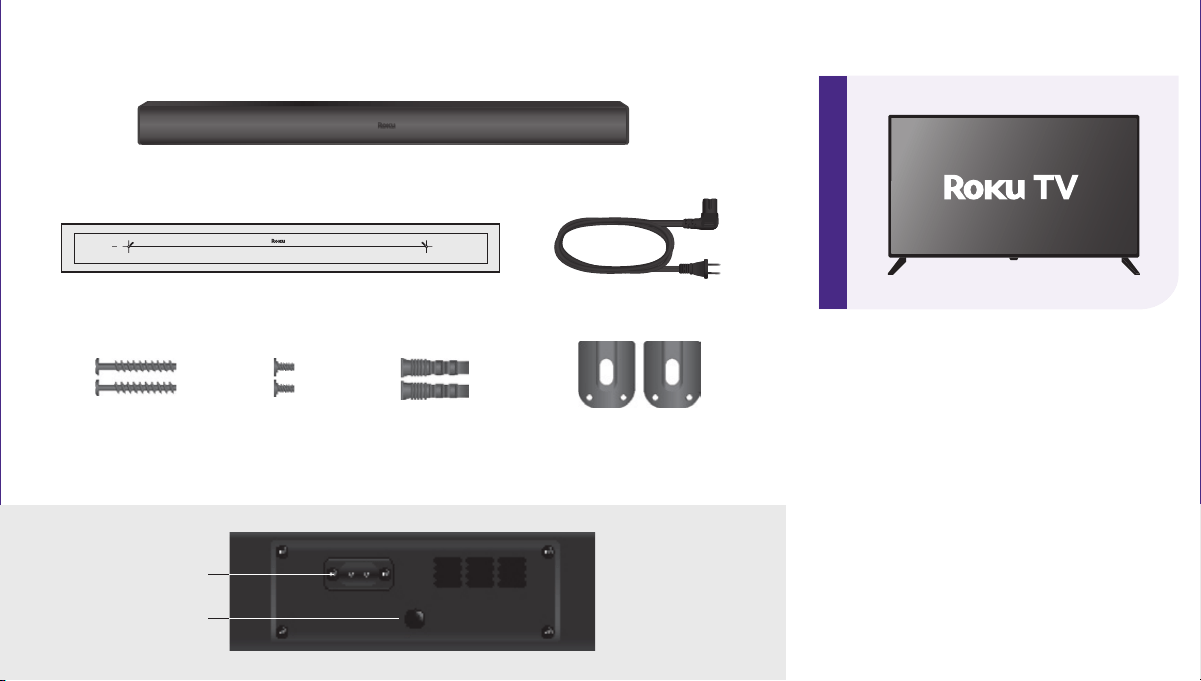
AC power cord
Wall bracket x2
What’s included
Roku TV™ Wireless Soundbar
Wall mount template
Details
Reset
Power
STEP 1: Prepare your Roku TV
Connect your TV to your wireless
network and the internet, if it isn’t
already.
Visit Settings > System > Software
update to ensure your software is
up to date.
Wall anchor
x2
Wall mounting
screw x2
Wall bracket
screw x2
2 3 A
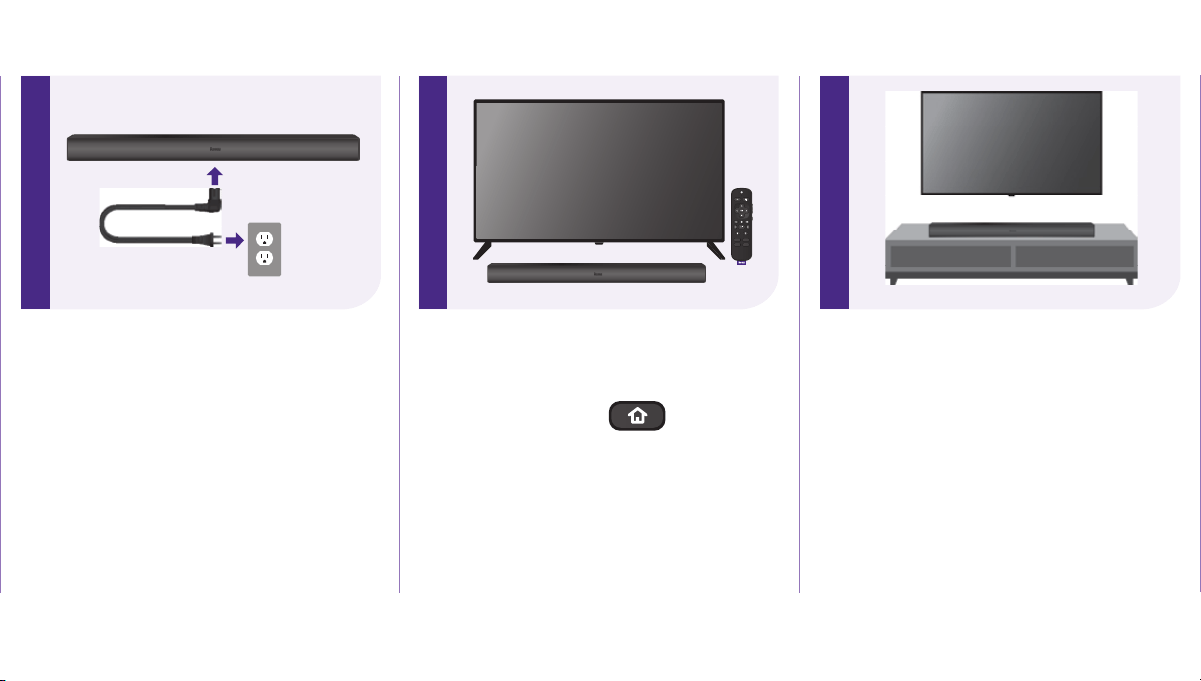
Placing your soundbar
Below your TV
Place your soundbar at the front
edge of your TV stand for the best
sound experience.
STEP 2: Connect your soundbar
to power
Plug in your soundbar using the AC
power cord and wait for the voice
prompt.
The LED light on the front of the
soundbar should illuminate.
STEP 3: Pair your soundbar
Using your Roku TV remote,
press and hold the button
for 5 seconds to enter pairing
mode. Choose Wireless soundbar
from the on-screen options and
select Continue to begin the
pairing process.
B
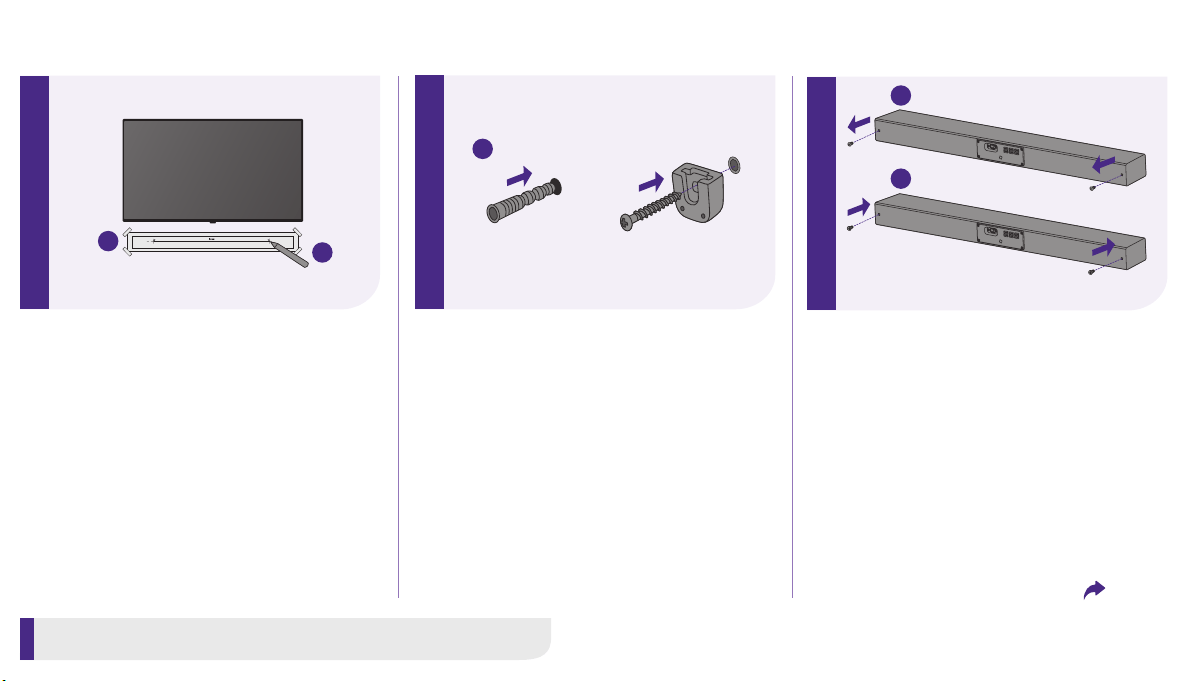
Wall mounting
You can wall mount your soundbar
with the included hardware and wall
mount template.
B
2. Mark where you’ll be drilling
using the mounting holes on
the template, then remove the
template.
3. Drill screw holes at the markings
and insert the wall anchors.
4. Insert the wall bracket screws
through the wall brackets and into
the wall anchors. Fix and tighten.
1
2
4
1. Stick the wall mount template
on the wall with tape, leaving at
least 2 inches below the center of
your TV. Use a level to ensure the
template is positioned accurately.
Tools you’ll need: Phillips screwdriver, drill, pencil, tape, and level
B
5. Remove the screws from the back
of the soundbar and set them
aside.
6. Tighten the wall mounting screws
into the screw holes in the back of
the soundbar.
5
6
Flip to continue wall mount
Using sound settings
While streaming, press
to view sound settings, like:
• Volume leveling
Helps keep your volume consistent
and quiets loud commercials.
• Speech clarity
Improves clarity of voices so your
favorite TV is easier to hear.
• Night mode
Lowers loud scenes while
boosting quiet ones so you don’t
wake the house.
Pairing a Bluetooth® device
• From the home screen, go to
Settings > Remotes & devices >
Smartphones & tablets.
• Then choose Add a new
smartphone or tablet and follow
the instructions.
Easily expandable
Sold separately.
Add even deeper, richer bass
Wireless Bass
Tips and tricks
Visit go.roku.com/soundbar
for more information
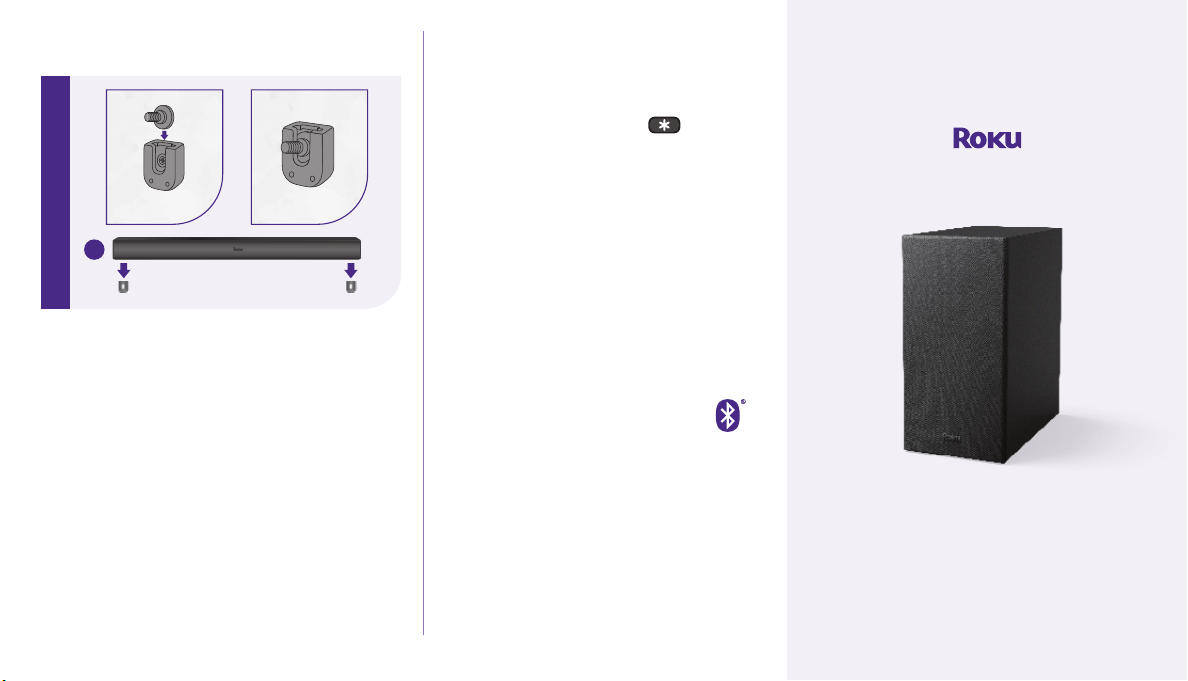
Placing your soundbar
B
7. Plug in your soundbar using the
AC power cord, then hang it on
the wall brackets.
8. Power on your Roku TV, then
refer back to Step 1 to pair your
soundbar.
7
Need more help?
support.roku.com
Video
tutorials
Wi-Fi®
help
See what’s
streaming for free,
tips, and more
roku.com/blog
Follow us
© 2023 Roku, Inc. All rights reserved. Roku, Roku TV, and the Roku logo are the trademarks of Roku,
Inc. All other logos and trademarks herein are the property of their respective owners.
4100001001_01