QUICK
START
GUIDE
Schnellstartanleitung
Guide De Démarrage Rapide
Guida Rapida
Guía De Inicio Rápido
Przewodnik Szybkiego Startu
Snelle Startgids
Snabbstartsguide
Panduan Memulai Cepat

ENGLISH
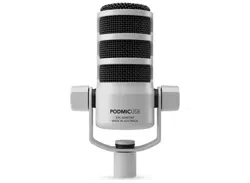
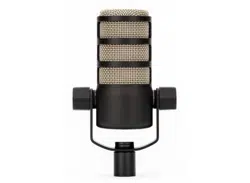
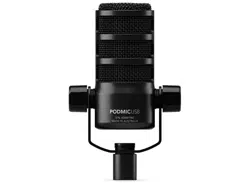
1. Mount your PodMic USB on a stand or boom
arm
2. Use the XLR output to connect to an audio
interface or mixer
OR
Use the USB-C output to connect to your
computer, tablet or phone, and the 3.5mm
headphone output for monitoring
3. Slide the pop lter onto the microphone for
additional protection from plosives
Download RØDE Central to apply processing to USB
audio and update your rmware
rode.com/apps/rode-central
GERMAN
1. Befestigen Sie Ihr PodMic USB auf einem
Ständer oder Ausleger.
2. Verwenden Sie den XLR-Ausgang, um ihn mit
einem Audio-Interface oder Mixer zu verbinden.
ODER
Verwenden Sie den USB-C-Ausgang, um ihn
mit Ihrem Computer, Tablet oder Telefon zu
verbinden, und den 3,5-mm-Kopfhörerausgang
zum Monitoring.
3. Schieben Sie den Pop-Filter auf das Mikrofon für
zusätzlichen Schutz vor Explosivlauten.
Laden Sie RØDE Central herunter, um die
Verarbeitung für USB-Audio anzuwenden und Ihre
Firmware zu aktualisieren:
rode.com/apps/rode-central
FRENCH
1. Montez votre PodMic USB sur un support ou un
bras de suspension.
2. Utilisez la sortie XLR pour la connecter à une
interface audio ou à une table de mixage.
OU
Utilisez la sortie USB-C pour la connecter à votre
ordinateur, tablette ou téléphone, et la sortie
casque 3,5 mm pour le monitoring.
3. Glissez le ltre anti-pop sur le microphone
pour une protection supplémentaire contre les
plosives.
Téléchargez RØDE Central pour appliquer un
traitement à l’audio USB et mettre à jour votre
rmware: rode.com/apps/rode-central
ITALIAN
1. Monta il tuo PodMic USB su un supporto o un
braccio snodato.
2. Usa l’uscita XLR per collegarla a un’interfaccia
audio o a un mixer.
O
Usa l’uscita USB-C per collegarla al tuo
computer, tablet o telefono, e l’uscita cufe da
3,5 mm per il monitoraggio.
3. Inserisci il ltro anti-pop sul microfono per una

protezione aggiuntiva contro le plosive.
Scarica RØDE Central per applicare elaborazioni
all’audio USB e aggiornare il rmware:
rode.com/apps/rode-central
SPANISH
1. Monta tu PodMic USB en un soporte o brazo
giratorio.
2. Utiliza la salida XLR para conectarla a una
interfaz de audio o mezcladora.
O
Utiliza la salida USB-C para conectarla a tu
ordenador, tableta o teléfono, y la salida de
auriculares de 3,5 mm para el monitoreo.
3. Desliza el ltro antipop sobre el micrófono para
una protección adicional contra las explosivas.
Descarga RØDE Central para aplicar procesamiento
al audio USB y actualizar tu rmware:
rode.com/apps/rode-central
POLISH
1. Zamocuj swój PodMic USB na statywie lub
ramieniu.
2. Użyj wyjścia XLR, aby podłączyć go do interfejsu
audio lub miksera.
LUB
Użyj wyjścia USB-C, aby podłączyć go do
komputera, tabletu lub telefonu, a wyjście
słuchawkowe 3,5 mm do monitorowania.
3. Wsuń ltr przeciwwstrząsowy na mikrofon
dla dodatkowej ochrony przed wybuchami
dźwięków.
Pobierz RØDE Central, aby przetwarzać dźwięk USB
i aktualizować oprogramowanie:
rode.com/apps/rode-central
DUTCH
1. Monteer je PodMic USB op een standaard of
zwenkarm.
2. Gebruik de XLR-uitgang om deze aan te sluiten
op een audio-interface of mixer.
OF
Gebruik de USB-C-uitgang om deze aan te
sluiten op je computer, tablet of telefoon, en de
3,5 mm hoofdtelefoonuitgang voor monitoring.
3. Schuif de poplter op de microfoon voor extra
bescherming tegen plofklanken.
Download RØDE Central om verwerking op USB-
audio toe te passen en je rmware bij te werken:
rode.com/apps/rode-central
SWEDISH
1. Montera din PodMic USB på ett stativ eller
bomarm.
2. Använd XLR-utgången för att ansluta till en
ljudenhet eller mixer.
ELLER
Använd USB-C-utgången för att ansluta till

din dator, surfplatta eller telefon, och 3,5 mm
hörlursuttag för övervakning.
3. Skjut på popltret på mikrofonen för extra skydd
mot plosiver.
Ladda ner RØDE Central för att tillämpa bearbetning
på USB-ljud och uppdatera din rmware:
rode.com/apps/rode-central
INDONESIAN
1. Pasang PodMic USB Anda pada stand atau lengan
boom
2. Gunakan output XLR untuk menghubungkan ke
antarmuka audio atau mixer
ATAU
Gunakan output USB-C untuk menghubungkan ke
komputer, tablet atau telepon Anda, dan output
headphone 3.5mm untuk pemantauan
3. 3. Geser lter pop ke mikrofon untuk perlindungan
tambahan dari plosif
Unduh RØDE Central untuk menerapkan pemrosesan ke
audio USB dan memperbarui rmware Anda di
rode.com/apps/rode-central
NORTH AMERICA
This device complies with Part 15 of the FCC
Rules. Operation is subject to the following two
conditions: (1) this device may not cause harmful
interference, and (2) this device must accept any
interference received, including interference that
may cause undesired operation.
Please note that changes or modications of this
product is not expressly approved by the party
responsible for compliance could void the user’s
authority to operate the equipment.
NOTE: This equipment has been tested and
found to comply with the limits for a Class
B digital device, pursuant to Part 15 of the
FCC Rules. These limits are designed to
provide reasonable protection against harmful
interference in a residential installation. This
equipment generates, uses and can radiate radio
frequency energy and, if not installed and used
in accordance with the instructions, may cause
harmful interference to radio communications.
However, there is no guarantee that interference
will not occur in a particular installation.
If this equipment does cause harmful
interference to radio or television reception,
which can be determined by turning the
equipment off and on, the user is encouraged to
try to correct the interference by one or more of
the following measures:
-- Reorient or relocate the receiving antenna
-- Increase the separation between the
equipment and receiver
-- Connect the equipment into an outlet on a
circuit different from that to which the receiver is
connected
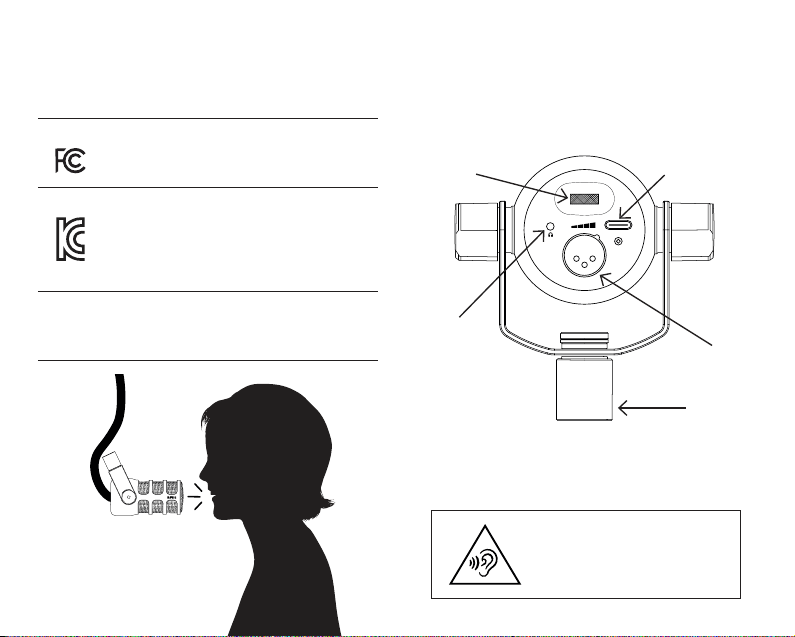
USA
SOUTH KOREA
ID: R-R-R72-PodMic-USB
Company Name: RØDE Microphones
Model: PodMic USB
Country of Origin: Australia
POWER
48Vdc, 0.1A or 5Vdc, 0.5A
To prevent possible hearing
damage, do not listen at
high volume levels for long
periods.
Headphone
Level
USB
Mounting
Thread
XLR
Headphones
-- Consult the dealer or an experienced radio/TV
technician for help
CAN ICES-3 (B) / NMB-3 (B)
RØDE Microphones:
107 Carnarvon St, Silverwater NSW 2128, Australia
Authorised UK Representative:
RØDE UK, Unit A, 23-25 Sunbeam Rd, London
NW10 6JP, United Kingdom
Authorised EU Representative:
RØDE EU, Neukirchner Str. 18, 65510 Hünstetten,
Germany
SCAN FOR MORE INFO
View the user guide to learn more
Sehen Sie sich das Benutzerhandbuch an,
um mehr zu erfahren
Consultez le guide de l’utilisateur pour en savoir plus
Consulta la guida per l’utente per saperne di più
Consulte la guía del usuario para
obtener más información
Zapoznaj się z przewodnikiem użytkownika,
aby dowiedzieć się więcej
Bekijk de gebruikershandleiding voor meer informatie
Se användarhandboken för att lära dig mer
Lihat panduan pengguna untuk mempelajari lebih lanju
t

rode.com
0927-0827-02-10