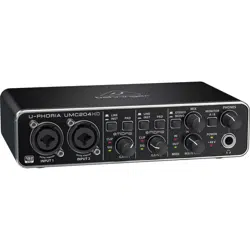
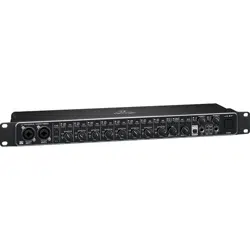
U-PHORIA
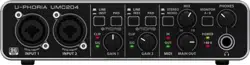
UMC404HD
Audiophile 4x4, 24-Bit/192 kHz
USB Audio/MIDI Interface with Midas Mic Preampliers
UMC204HD
Audiophile 2x4, 24-Bit/192 kHz
USB Audio/MIDI Interface with Midas Mic Preampliers
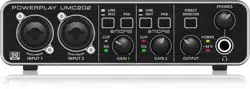
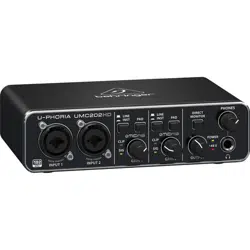
UMC202HD
Audiophile 2x2, 24-Bit/192 kHz
USB Audio Interface with Midas Mic Preampliers
UMC22
Audiophile 2x2 USB Audio Interface with
Midas Mic Preamplier
UM2
Audiophile 2x2 USB Audio Interface with
XENYX Mic Preamplier
Quick Start Guide
V 8.0
2 3Quick Start GuideU-PHORIA UMC404HD/UMC204HD/UMC202HD/UMC22/UM2
Important Safety
Instructions
Terminals marked with this symbol
carry electrical current of sucient
magnitude to constitute risk of electric shock.
Use only high-quality professional speaker
cables with ¼" TS or twist-locking plugs
pre-installed. Allother installation or
modication should be performed only by
qualiedpersonnel.
This symbol, wherever it appears,
alerts you to the presence of
uninsulated dangerous voltage inside the
enclosure - voltage that may be sucient to
constitute a risk ofshock.
This symbol, wherever it appears,
alerts you to important operating
and maintenance instructions in the
accompanying literature. Please read
themanual.
Caution
To reduce the risk of electric shock,
do not remove the top cover (or the rear
section). No user serviceable parts inside.
Refer servicing to qualiedpersonnel.
Caution
To reduce the risk of re or electric
shock, do not expose this appliance to rain and
moisture. Theapparatus shall not be exposed
to dripping or splashing liquids and no objects
lled with liquids, such as vases, shall be
placed on the apparatus.
Caution
These service instructions are
for use by qualied service personnel only.
Toreduce the risk of electric shock do not
perform any servicing other than that
contained in the operation instructions.
Repairshave to be performed by qualied
servicepersonnel.
1. Read these instructions.
2. Keep these instructions.
3. Heed all warnings.
4. Follow all instructions.
5. Do not use this apparatus near water.
6. Clean only with dry cloth.
7. Do not block any ventilation openings.
Install in accordance with the manufacturer’s
instructions.
8. Do not install near any heat sources
such as radiators, heat registers, stoves, or
other apparatus (including ampliers) that
produce heat.
9. Do not defeat the safety purpose of the
polarized or grounding-type plug. A polarized
plug has two blades with one wider than the
other. A grounding-type plug has two blades
and a third grounding prong. The wide blade
or the third prong are provided for your safety.
Ifthe provided plug does not t into your
outlet, consult an electrician for replacement
of the obsolete outlet.
10. Protect the power cord from being
walked on or pinched particularly at plugs,
convenience receptacles, and the point where
they exit from the apparatus.
11. Use only attachments/accessories
specied by themanufacturer.
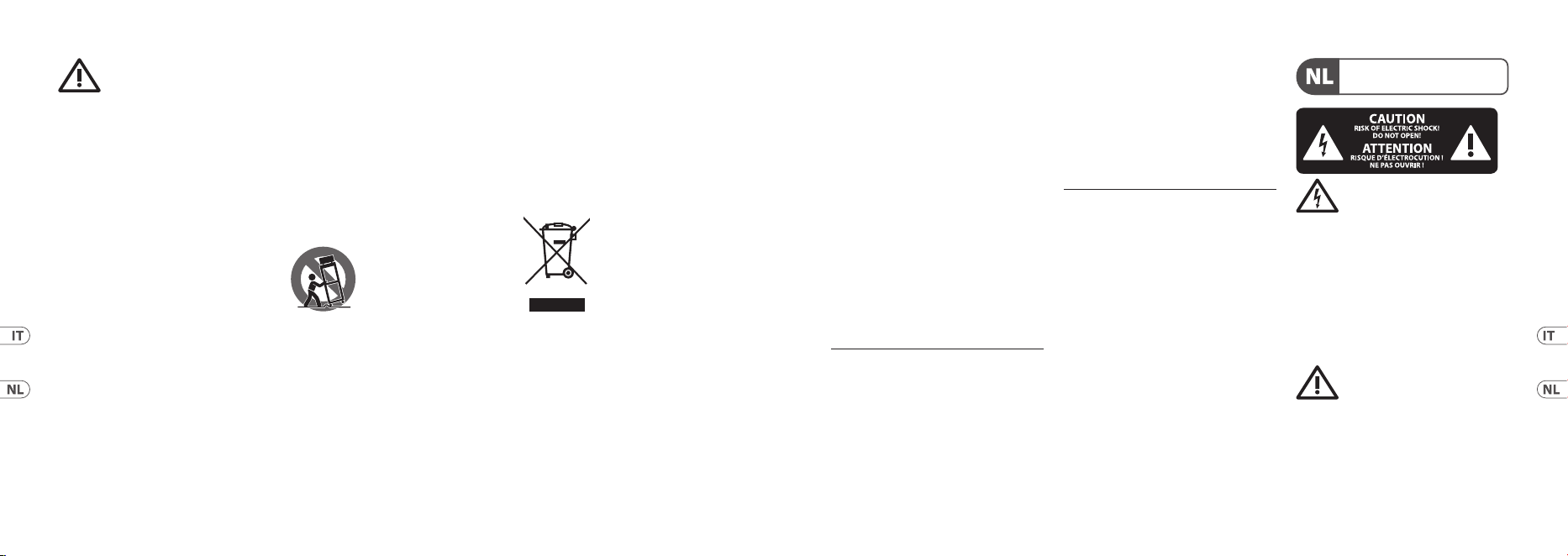
12. Use only with the
cart, stand, tripod, bracket,
or table specied by the
manufacturer, or sold with
the apparatus. When a cart
is used, use caution when moving the cart/
apparatus combination to avoid injury from
tip-over.
13. Unplug this app aratus during lightning
storms or when unused for long periods
oftime.
14. Refer all servicing to qualied service
personnel. Servicing is required when the
apparatus has been damaged in any way, such
as power supply cord or plug is damaged, liquid
has been spilled or objects have fallen into the
apparatus, the apparatus has been exposed to
rain or moisture, does not operate normally,
or has beendropped.
15. The apparatus shall be connected
to a MAINS socket outlet with a protective
earthingconnection.
16. Where the MAINS plug or an appliance
coupler is used as the disconnect device, the
disconnect device shall remain
readilyoperable.
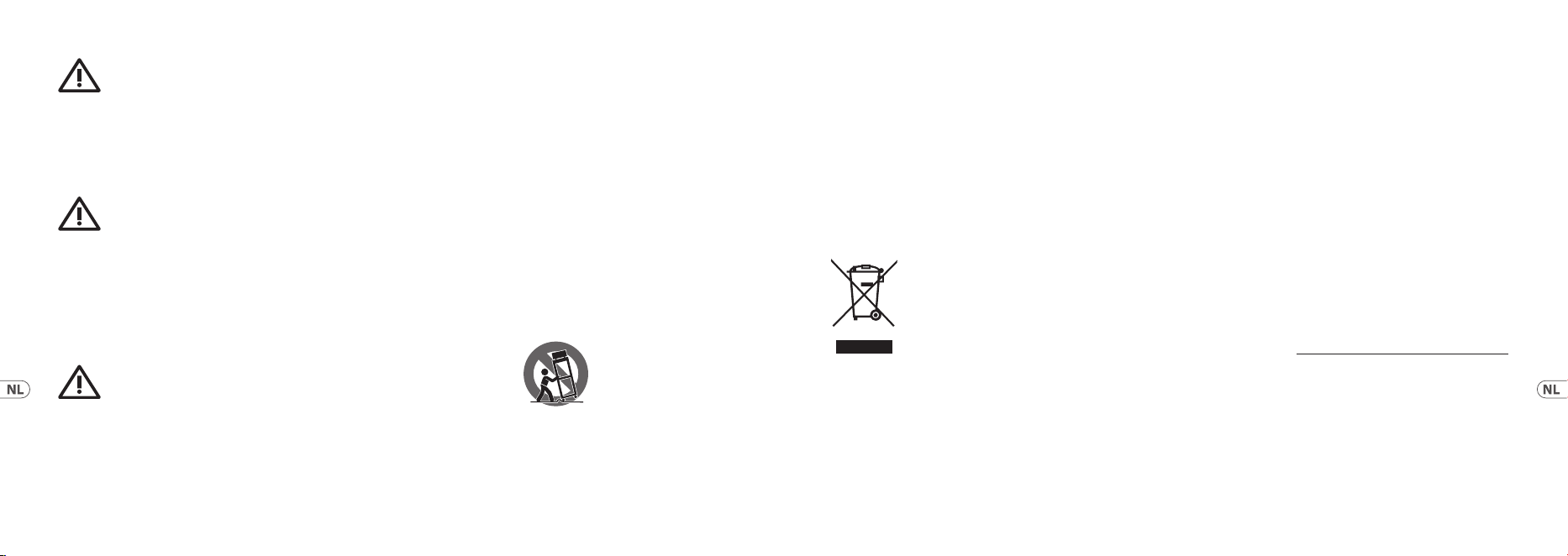
17. Correct disposal of
this product: This symbol
indicates that this product
must not be disposed of
with household waste,
according to the WEEE
Directive (2012/19/EU) and
your national law. This product should be
taken to a collection center licensed for the
recycling of waste electrical and electronic
equipment (EEE). The mishandling of this
type of waste could have a possible negative
impact on the environment and human health
due to potentially hazardous substances that
are generally associated with EEE. At the
same time, your cooperation in the correct
disposal of this product will contribute to the
ecient use of natural resources. For more
information about where you can take your
waste equipment for recycling, please contact
your local city oce, or your household waste
collection service.
18. Do not install in a conned space, such
as a book case or similar unit.
19. Do not place naked ame sources, such
as lighted candles, on the apparatus.
20. Please keep the environmental aspects
of battery disposal in mind. Batteries must be
disposed-of at a battery collection point.
21. This apparatus may be used in tropical
and moderate climates up to 45°C.
LEGAL DISCLAIMER
Music Tribe accepts no liability for any loss
which may be suered by any person who
relies either wholly or in part upon any
description, photograph, or statement
contained herein. Technical specications,
appearances and other information
are subject to change without notice.
All trademarks are the property of their
respective owners. Midas, Klark Teknik,
Lab Gruppen, Lake, Tannoy, Turbosound,
TC Electronic, TC Helicon, Behringer, Bugera,
Aston Microphones and Coolaudio are
trademarks or registered trademarks of Music
Tribe Global Brands Ltd. © Music Tribe Global
Brands Ltd. 2022 All rights reserved.
4 5Quick Start GuideU-PHORIA UMC404HD/UMC204HD/UMC202HD/UMC22/UM2
LIMITED WARRANTY
For the applicable warranty terms and
conditions and additional information
regarding Music Tribe’s Limited Warranty,
please see complete details online at
community.musictribe.com/pages/
support#warranty.
Las terminales marcadas con este
símbolo transportan corriente
eléctrica de magnitud suciente como para
constituir un riesgo de descarga eléctrica.
Utilicesolo cables de altavoz profesionales y
de alta calidad con conectores TS de 6,3 mm o
de bayoneta prejados. Cualquier otra
instalación o modicación debe ser realizada
únicamente por un técnicocualicado.
Este símbolo, siempre que aparece,
leadvierte de la presencia de
voltaje peligroso sin aislar dentro de la caja;
estevoltaje puede ser suciente para
constituir un riesgo dedescarga.
Este símbolo, siempre que aparece,
leadvierte sobre instrucciones
operativas y de mantenimiento que aparecen
en la documentación adjunta. Por favor,
leaelmanual.
Atención
Para reducir el riesgo de descarga
eléctrica, no quite la tapa (olaparte
posterior). Nohay piezas en el interior del
equipo que puedan ser reparadas por el
usuario. Sies necesario, póngase en contacto
con personal cualicado.
Atención
Para reducir el riesgo de incendio o
descarga eléctrica, no exponga este aparato
a la lluvia, humedad o alguna otra fuente
que pueda salpicar o derramar algún líquido
sobre el aparato. Nocoloque ningún tipo de
recipiente para líquidos sobre elaparato.
Atención
Las instrucciones de servicio deben
llevarlas a cabo exclusivamente personal
cualicado. Paraevitar el riesgo de una
descarga eléctrica, no realice reparaciones
que no se encuentren descritas en el
manual de operaciones. Lasreparaciones
deben ser realizadas exclusivamente por
personalcualicado.
1. Lea las instrucciones.
2. Conserve estas instrucciones.
3. Preste atención a todas las advertencias.
4. Siga todas las instrucciones.
5. No use este aparato cerca del agua.
6. Limpie este aparato con un paño seco.
7. No bloquee las aberturas de ventilación.
Instale el equipo de acuerdo con las
instrucciones del fabricante.
8. No instale este equipo cerca de fuentes
de calor tales como radiadores, acumuladores
de calor, estufas u otros aparatos (incluyendo
amplicadores) que puedan producir calor.
9. No elimine o deshabilite nunca la
conexión a tierra del aparato o del cable
de alimentación de corriente. Unenchufe
polarizado tiene dos polos, uno de los cuales
tiene un contacto más ancho que el otro.
Una clavija con puesta a tierra dispone
de tres contactos: dos polos y la puesta a
tierra. El contacto ancho y el tercer contacto,
respectivamente, son los que garantizan una
mayor seguridad. Si el enchufe suministrado
con el equipo no concuerda con la toma de
corriente, consulte con un electricista para
cambiar la toma de corriente obsoleta.
10. Coloque el cable de suministro de
energía de manera que no pueda ser pisado
y que esté protegido de objetos alados.
Asegúrese de que el cable de suministro de
energía esté protegido, especialmente en la
zona de la clavija y en el punto donde sale
delaparato.
11. Use únicamente los dispositivos o
accesorios especicados por el fabricante.
12. Use únicamente
la carretilla, plataforma,
trípode, soporte o mesa
especicados por el
fabricante o suministrados
junto con el equipo. Al transportar el equipo,
tenga cuidado para evitar daños y caídas al
tropezar con algún obstáculo.
13. Desenchufe el equipo durante
tormentas o si no va a utilizarlo durante un
periodo largo.
14. Confíe las reparaciones únicamente
a servicios técnicos cualicados. La unidad
requiere mantenimiento siempre que haya
sufrido algún daño, si el cable de suministro
de energía o el enchufe presentaran daños,
sehubiera derramado un líquido o hubieran
caído objetos dentro del equipo, si el aparato
hubiera estado expuesto a la humedad o la
lluvia, si ha dejado de funcionar de manera
normal o si ha sufrido algún golpe o caída.
15. Al conectar la unidad a la toma de
corriente eléctrica asegúrese de que la
conexión disponga de una unión atierra.
16. Si el enchufe o conector de red sirve
como único medio de desconexión, éste debe
ser accesiblefácilmente.
17. Cómo debe deshacerse
de este aparato: Este símbolo
indica que este aparato
no debe ser tratado como
basura orgánica, según lo
indicado en la Directiva
WEEE (2012/19/EU) y
a las normativas aplicables en su país.
En lugar de ello deberá llevarlo al punto
limpio más cercano para el reciclaje de sus
elementos eléctricos/ electrónicos (EEE). Al
hacer esto estará ayudando a prevenir las
posibles consecuencias negativas para el
medio ambiente y la salud que podrían ser
provocadas por una gestión inadecuada de
este tipo de aparatos. Además, el reciclaje de
materiales ayudará a conservar los recursos
naturales. Para más información acerca del
reciclaje de este aparato, póngase en contacto
con el Ayuntamiento de su ciudad o con el
punto limpio local.
18. No instale esta unidad en un espacio
muy reducido, tal como encastrada en una
librería o similar.
19. No coloque objetos con llama, como una
vela encendida, sobre este aparato.
20. Tenga presentes todas las advertencias
relativas al reciclaje y correcta eliminación
de las pilas. Las pilas deben ser siempre
eliminadas en un punto limpio y nunca con el
resto de la basura orgánica.
21. Puede usar este aparato en lugares con
climas tropicales y moderados que soporten
temperaturas de hasta 45°C.
Instrucciones de
seguridad
6 7Quick Start GuideU-PHORIA UMC404HD/UMC204HD/UMC202HD/UMC22/UM2
Les points repérés par ce symbole
portent une tension électrique
susante pour constituer un risque
d’électrocution. Utilisez uniquement des
câbles d’enceintes professionnels de haute
qualité avec ches Jack mono 6,35 mm ou
ches à verrouillages déjà installées.
Touteautre installation ou modication doit
être eectuée uniquement par un personnel
qualié.
Ce symbole avertit de la présence
d’une tension dangereuse et non
isolée à l’intérieur de l’appareil - elle peut
provoquer des chocs électriques.
Attention
Ce symbol signale les consignes
d’utilisation et d’entre ! Tienimportantes
dans la documentation fournie. Lisez les
consignes de sécurité du manuel d’utilisation
del’appareil.
Attention
Pour éviter tout risque de choc
électrique, ne pas ouvrir le capot de l’appareil
ni démonter le panneau arrière. L’intérieur de
l’appareil ne possède aucun élément réparable
par l’utilisateur. Laissertoute réparation à un
professionnelqualié.
Attention
Pour réduire les risques de feu et
de choc électrique, n’exposez pas cet appareil
à la pluie, à la moisissure, auxgouttes ou
aux éclaboussures. Ne posez pas de récipient
contenant un liquide sur l’appareil (unvase
par exemple).
Attention
Ces consignes de sécurité et
d’entretien sont destinées à un personnel
qualié. Pour éviter tout risque de choc
électrique, n’eectuez aucune réparation sur
l’appareil qui ne soit décrite par le manuel
d’utilisation. Les éventuelles réparations
doivent être eectuées uniquement par un
technicienspécialisé.
NEGACIÓN LEGAL
Music Tribe no admite ningún tipo de
responsabilidad por cualquier daño o
pérdida que pudiera sufrir cualquier persona
por conar total o parcialmente en la
descripciones, fotografías o armaciones
contenidas en este documento. Las
especicaciones técnicas, imágenes y otras
informaciones contenidas en este documento
están sujetas a modicaciones sin previo aviso.
Todas las marcas comerciales que aparecen
aquí son propiedad de sus respectivos dueños.
Midas, Klark Teknik, Lab Gruppen, Lake,
Tannoy, Turbosound, TC Electronic, TC Helicon,
Behringer, Bugera, Aston Microphones y
Coolaudio son marcas comerciales o marcas
registradas de Music Tribe Global Brands
Ltd. © Music Tribe Global Brands Ltd. 2022
Reservados todos los derechos.
GARANTÍA LIMITADA
Si quiere conocer los detalles y condiciones
aplicables de la garantía así como información
adicional sobre la Garantía limitada
de Music Tribe, consulte online toda la
información en la web community.musictribe.
com/pages/support#warranty.
1. Lisez ces consignes.
2. Conservez ces consignes.
3. Respectez tous les avertissements.
4. Respectez toutes les
consignes d’utilisation.
5. N’utilisez jamais l’appareil à proximité
d’un liquide.
6. Nettoyez l’appareil avec un chion sec.
7. Veillez à ne pas empêcher la bonne
ventilation de l’appareil via ses ouïes
de ventilation. Respectezles consignes
du fabricant concernant l’installation
del’appareil.
8. Ne placez pas l’appareil à proximité
d’une source de chaleur telle qu’un chauage,
une cuisinière ou tout appareil dégageant de
la chaleur (y compris un ampli depuissance).
9. Ne supprimez jamais la sécurité des
prises bipolaires ou des prises terre. Les prises
bipolaires possèdent deux contacts de largeur
diérente. Leplus large est le contact de
sécurité. Les prises terre possèdent deux
contacts plus une mise à la terre servant de
sécurité. Si la prise du bloc d’alimentation
ou du cordon d’ali-mentation fourni ne
correspond pas à celles de votre installation
électrique, faites appel à un électricien pour
eectuer le changement de prise.
10. Installez le cordon d’alimentation
de telle façon que personne ne puisse
marcher dessus et qu’il soit protégé d’arêtes
coupantes. Assurez-vous que le cordon
d’alimentation est sufsamment protégé,
notamment au niveau de sa prise électrique
et de l’endroit où il est relié à l’appareil; cela
est également valable pour une éventuelle
rallonge électrique.
11. Utilisez exclusivement des accessoires et
des appareils supplémentaires recommandés
par lefabricant.
12. Utilisez exclusivement
des chariots, des diables,
des présentoirs, despieds
et des surfaces de travail
recommandés par le
fabricant ou livrés avec le produit. Déplacez
précautionneusement tout chariot ou diable
chargé pour éviter d’éventuelles blessures en
cas de chute.
13. Débranchez l’appareil de la tension
secteur en cas d’orage ou si l’appareil reste
inutilisé pendant une longue période
detemps.
14. Les travaux d’entretien de l’appareil
doivent être eectués uniquement par du
personnel qualié. Aucunentretien n’est
nécessaire sauf si l’appareil est endommagé
de quelque façon que ce soit (dommagessur
le cordon d’alimentation ou la prise par
exemple), siun liquide ou un objet a pénétré à
l’intérieur du châssis, si l’appareil a été exposé
à la pluie ou à l’humidité, s’il ne fonctionne
pas correctement ou à la suite d’une chute.
15. L’appareil doit être connecté à une prise
secteur dotée d’une protection par mise à
la terre.
16. La prise électrique ou la prise IEC de tout
appareil dénué de bouton marche/arrêt doit
rester accessible enpermanence.
17. Mise au rebut
appropriée de ce produit:
Ce symbole indique qu’en
accord avec la directive
DEEE (2012/19/EU) et les
lois en vigueur dans votre
pays, ce produit ne doit
pas être jeté avec les déchets ménagers. Ce
produit doit être déposé dans un point de
collecte agréé pour le recyclage des déchets
d’équipements électriques et électroniques
Consignes de sécurité
8 9Quick Start GuideU-PHORIA UMC404HD/UMC204HD/UMC202HD/UMC22/UM2
(EEE). Une mauvaise manipulation de ce type
de déchets pourrait avoir un impact négatif
sur l’environnement et la santé à cause des
substances potentiellement dangereuses
généralement associées à ces équipements.
En même temps, votre coopération dans la
mise au rebut de ce produit contribuera à
l’utilisation ecace des ressources naturelles.
Pour plus d’informations sur l’endroit où vous
pouvez déposer vos déchets d’équipements
pour le recyclage, veuillez contacter votre
mairie ou votre centre local de collecte des
déchets.
18. N’installez pas l’appareil dans un espace
conné tel qu’une bibliothèque ou meuble
similaire.
19. Ne placez jamais d’objets enammés,
tels que des bougies allumées, sur l’appareil.
20. Gardez à l’esprit l’impact
environnemental lorsque vous mettez des
piles au rebus. Les piles usées doivent être
déposées dans un point de collecte adapté.
21. Cet appareil peut être utilisé sous
un climat tropical ou modéré avec des
températures de 45°C maximum.
DÉNI LÉGAL
Music Tribe ne peut être tenu pour
responsable pour toute perte pouvant être
subie par toute personne se ant en partie ou
en totalité à toute description, photographie
ou armation contenue dans ce document.
Les caractéristiques, l’apparence et d’autres
informations peuvent faire l’objet de
modications sans notication. Toutes les
marques appartiennent à leurs propriétaires
respectifs. Midas, Klark Teknik, Lab Gruppen,
Lake, Tannoy, Turbosound, TC Electronic,
TC Helicon, Behringer, Bugera, Aston
Microphones et Coolaudio sont des marques
ou marques déposées de Music Tribe Global
Brands Ltd. © Music Tribe Global Brands Ltd.
2022 Tous droits réservés.
GARANTIE LIMITÉE
Pour connaître les termes et conditions
de garantie applicables, ainsi que les
informations supplémentaires et détaillées sur
la Garantie Limitée de Music Tribe, consultez
le site Internet community.musictribe.com/
pages/support#warranty.
Vorsicht
Die mit dem Symbol markierten
Anschlüsse führen so viel Spannung,
dassdie Gefahr eines Stromschlags
besteht. Verwenden Sie nur hochwertige,
professionelle Lautsprecherkabel
mit vorinstallierten 6,35 mm MONO-
Klinkensteckern oder Lautsprecherstecker
mit Drehverriegelung. Alle anderen
Installationen oder Modikationen sollten
nur von qualiziertem Fachpersonal
ausgeführtwerden.
Achtung
Um eine Gefährdung durch
Stromschlag auszuschließen, darf die
Geräteabdeckung bzw. Geräterückwandnicht
abgenommen werden. ImInnern des
Geräts benden sich keine vom Benutzer
reparierbaren Teile. Reparaturarbeiten
dürfen nur von qualiziertem Personal
ausgeführtwerden.
Achtung
Um eine Gefährdung durch Feuer
bzw. Stromschlag auszuschließen, darf
dieses Gerät weder Regen oder Feuchtigkeit
ausgesetzt werden noch sollten Spritzwasser
oder tropfende Flüssigkeiten in das Gerät
gelangen können. Stellen Sie keine mit
Flüssigkeit gefüllten Gegenstände, wie z. B.
Vasen, aufdasGerät.
Achtung
Die Service-Hinweise sind nur
durch qualiziertes Personal zu befolgen.
Umeine Gefährdung durch Stromschlag
zu vermeiden, führen Sie bitte keinerlei
Reparaturen an dem Gerät durch, dienicht
in der Bedienungsanleitung beschrieben
sind. Reparaturen sind nur von qualiziertem
Fachpersonaldurchzuführen.
1. Lesen Sie diese Hinweise.
2. Bewahren Sie diese Hinweise auf.
3. Beachten Sie alle Warnhinweise.
4. Befolgen Sie alle Bedienungshinweise.
5. Betreiben Sie das Gerät nicht in der
NähevonWasser.
6. Reinigen Sie das Gerät mit einem
trockenen Tuch.
7. Blockieren Sie nicht die
Belüftungsschlitze. Beachten Sie beim Einbau
des Gerätes die Herstellerhinweise.
8. Stellen Sie das Gerät nicht in der Nähe
von Wärmequellen auf. Solche Wärmequellen
sind z. B. Heizkörper, Herde oder andere
Wärme erzeugende Geräte (auch Verstärker).
9. Entfernen Sie in keinem Fall die
Sicherheitsvorrichtung von Zweipol- oder
geerdeten Steckern. Ein Zweipolstecker hat
zwei unterschiedlich breite Steckkontakte.
Ein geerdeter Stecker hat zwei Steckkontakte
und einen dritten Erdungskontakt.
Derbreitere Steckkontakt oder der zusätzliche
Erdungskontakt dient Ihrer Sicherheit. Falls
das mitgelieferte Steckerformat nicht zu
Ihrer Steckdose passt, wenden Sie sich bitte
an einen Elektriker, damit die Steckdose
entsprechend ausgetauscht wird.
10. Verlegen Sie das Netzkabel so, dass es
vor Tritten und scharfen Kanten geschützt
ist und nicht beschädigt werden kann.
Achten Sie bitte insbesondere im Bereich
der Stecker, Verlängerungskabel und an der
Stelle, an der das Netzkabel das Gerät verlässt,
aufausreichendenSchutz.
11. Das Gerät muss jederzeit mit
intaktem Schutzleiter an das Stromnetz
angeschlossensein.
12. Sollte der Hauptnetzstecker oder
eine Gerätesteckdose die Funktionseinheit
zum Abschalten sein, muss diese immer
zugänglichsein.
13. Verwenden Sie nur Zusatzgeräte/
Zubehörteile, dielaut Hersteller geeignet sind.
14. Verwenden Sie nur
Wagen, Stand-vorrich-
tungen, Stative, Halter
oder Tische, die vom
Hersteller benannt oder
im Lieferumfang des Geräts enthalten
sind. Falls Sie einen Wagen benutzen,
seien Sie vorsichtig beim Bewegen der
Wagen- Gerätkombination, umVerlet zungen
durch Stolpern zuvermeiden.
15. Ziehen Sie den Netzstecker bei Gewitter
oder wenn Sie das Gerät längere Zeit
nichtbenutzen.
Wichtige
Sicherhteitshinweise
10 11Quick Start GuideU-PHORIA UMC404HD/UMC204HD/UMC202HD/UMC22/UM2
16. Lassen Sie alle Wartungsarbeiten nur
von qualiziertem Service-Personal
ausführen. EineWartung ist notwendig, wenn
das Gerät in irgendeiner Weise beschädigt
wurde (z. B. Beschädigung des Netzkabels
oder Steckers), Gegenstände oder Flüssigkeit
in das Geräteinnere gelangt sind, das Gerät
Regen oder Feuchtigkeit ausgesetzt wurde,
das Gerät nicht ordnungsgemäß funktioniert
oder auf den Boden gefallen ist.
17. Korrekte Entsorgung
dieses Produkts: Dieses
Symbol weist darauf hin, das
Produkt entsprechend der
WEEE Direktive (2012/19/
EU) und der jeweiligen
nationalen Gesetze nicht
zusammen mit Ihren Haushaltsabfällen zu
entsorgen. DiesesProdukt sollte bei einer
autorisierten Sammelstelle für Recycling
elektrischer und elektronischer Geräte (EEE)
abgegeben werden. Wegen bedenklicher
Substanzen, diegenerell mit elektrischen und
elektronischen Geräten in Verbindung stehen,
könnte eine unsachgemäße Behandlung
dieser Abfallart eine negative Auswirkung auf
Umwelt und Gesundheit haben. Gleichzeitig
gewährleistet Ihr Beitrag zur richtigen
Entsorgung dieses Produkts die eektive
Nutzung natürlicher Ressourcen. Fürweitere
Informationen zur Entsorgung Ihrer Geräte
bei einer Recycling-Stelle nehmen Sie bitte
Kontakt zum zuständigen städtischen
Büro, Entsorgungsamt oder zu Ihrem
Haushaltsabfallentsorgerauf.
18. Installieren Sie das Gerät nicht in
einer beengten Umgebung, zum Beispiel
Bücherregal oder ähnliches.
19. Stellen Sie keine Gegenstände mit
oenen Flammen, etwa brennende Kerzen,
auf das Gerät.
20. Beachten Sie bei der Entsorgung
von Batterien den Umweltschutz-Aspekt.
Batterien müssen bei einer Batterie-
Sammelstelle entsorgt werden.
21. Dieses Gerät ist in tropischen und
gemäßigten Klimazonen bis 45° C einsetzbar.
HAFTUNGSAUSSCHLUSS
Music Tribe übernimmt keine Haftung
für Verluste, die Personen entstanden
sind, die sich ganz oder teilweise auf hier
enthaltene Beschreibungen, Fotos oder
Aussagen verlassen haben. Technische Daten,
Erscheinungsbild und andere Informationen
können ohne vorherige Ankündigung
geändert werden. Alle Warenzeichen sind
Eigentum der jeweiligen Inhaber. Midas,
Klark Teknik, Lab Gruppen, Lake, Tannoy,
Turbosound, TC Electronic, TC Helicon,
Behringer, Bugera, Aston Microphones
und Coolaudio sind Warenzeichen oder
eingetragene Warenzeichen der Music Tribe
Global Brands Ltd. © Music Tribe Global
Brands Ltd. 2022 Alle Rechte vorbehalten.
BESCHRÄNKTE GARANTIE
Die geltenden Garantiebedingungen und
zusätzliche Informationen bezüglich der von
Music Tribe gewährten beschränkten Garantie
nden Sie online unter community.musictribe.
com/pages/support#warranty.
Aviso!
Terminais marcados com o símbolo
carregam corrente elétrica de magnitude
suciente para constituir um risco de choque
elétrico. Use apenas cabos de alto-falantes
de alta qualidade com plugues TS de ¼" ou
plugues com trava de torção pré-instalados.
Todas as outras instalações e modicações
devem ser efetuadas por pessoasqualicadas.
Este símbolo, onde quer que o
encontre, alerta-o para a leitura das
instruções de manuseamento que
acompanham o equipamento. Por favor leia o
manual deinstruções.
Atenção
De forma a diminuir o risco de
choque eléctrico, nãoremover a cobertura
(ouasecção de trás). Não existem peças
substituíveis por parte do utilizador no
seu interior. Para esse efeito recorrer a um
técnicoqualicado.
Atenção
Para reduzir o risco de incêndios ou
choques eléctricos o aparelho não deve ser
exposto à chuva nem à humidade. Alémdisso,
não deve ser sujeito a salpicos, nem devem
ser colocados em cima do aparelho objectos
contendo líquidos, taiscomojarras.
Atenção
Estas instruções de operação devem
ser utilizadas, emexclusivo, por técnicos
de assistência qualicados. Para evitar
choques eléctricos não proceda a reparações
ou intervenções, que não as indicadas nas
instruções de operação, salvo se possuir
as quali-cações necessárias. Para evitar
choques eléctricos não proceda a reparações
ou intervenções, que não as indicadas nas
instruções de operação. Só o deverá fazer se
possuir as qualicaçõesnecessárias.
1. Leia estas instruções.
2. Guarde estas instruções.
3. Preste atenção a todos os avisos.
4. Siga todas as instruções.
5. Não utilize este dispositivo perto
deágua.
6. Limpe apenas com um pano seco.
7. Não obstrua as entradas de ventilação.
Instale de acordo com as instruções
dofabricante.
8. Não instale perto de quaisquer fontes de
calor tais como radiadores, bocas de ar quente,
fogões de sala ou outros aparelhos (incluindo
amplicadores) que produzam calor.
9. Não anule o objectivo de segurança
das chas polarizadas ou do tipo de ligação
à terra. Uma cha polarizada dispõe de duas
palhetas sendo uma mais larga do que a outra.
Uma cha do tipo ligação à terra dispõe de
duas palhetas e um terceiro dente de ligação
à terra. A palheta larga ou o terceiro dente
são fornecidos para sua segurança. Se a
cha fornecida não encaixar na sua tomada,
consulte um electricista para a substituição da
tomada obsoleta.
Instruções de
Segurança Importantes
12 13Quick Start GuideU-PHORIA UMC404HD/UMC204HD/UMC202HD/UMC22/UM2
10. Proteja o cabo de alimentação de
pisadelas ou apertos, especialmente nas
chas, extensões, e no local de saída da
unidade. Certique-se de que o cabo eléctrico
está protegido. Verique particularmente nas
chas, nos receptáculos e no ponto em que o
cabo sai doaparelho.
11. O aparelho tem de estar sempre
conectado à rede eléctrica com o condutor de
protecção intacto.
12. Se utilizar uma cha de rede principal
ou uma tomada de aparelhos para desligar a
unidade de funcionamento, esta deve estar
sempre acessível.
13. Utilize apenas ligações/acessórios
especicados pelofabricante.
14. Utilize apenas com
o carrinho, estrutura,
tripé, suporte, ou mesa
especicados pelo
fabricante ou vendidos com
o dispositivo. Quandoutilizar um carrinho,
tenha cuidado ao mover o conjunto carrinho/
dispositivo para evitar danos provocados
pelaterpidação.
15. Desligue este dispositivo durante as
trovoadas ou quando não for utilizado durante
longos períodos detempo.
16. Qualquer tipo de reparação deve ser
sempre efectuado por pessoal qualicado. É
necessária uma reparação sempre que a
unidade tiver sido de alguma forma
danicada, como por exemplo: no caso do
cabo de alimentação ou cha se encontrarem
danicados; naeventualidade de líquido ter
sido derramado ou objectos terem caído para
dentro do dispositivo; no caso da unidade ter
estado exposta à chuva ou à humidade;
seesta não funcionar normalmente, ou se
tiver caído.
17. Correcta eliminação
deste produto: este símbolo
indica que o produto
não deve ser eliminado
juntamente com os resíduos
domésticos, segundo a
Directiva REEE (2012/19/
EU) e a legislação nacional. Este produto
deverá ser levado para um centro de recolha
licenciado para a reciclagem de resíduos
de equipamentos eléctricos e electrónicos
(EEE). O tratamento incorrecto deste tipo
de resíduos pode ter um eventual impacto
negativo no ambiente e na saúde humana
devido a substâncias potencialmente
perigosas que estão geralmente associadas
aos EEE. Ao mesmo tempo, a sua colaboração
para a eliminação correcta deste produto
irá contribuir para a utilização eciente dos
recursos naturais. Paramais informação
acerca dos locais onde poderá deixar o seu
equipamento usado para reciclagem, é favor
contactar os serviços municipais locais, a
entidade de gestão de resíduos ou os serviços
de recolha de resíduos domésticos.
18. Não instale em lugares connados, tais
como estantes ou unidades similares.
19. Não coloque fontes de chama, tais como
velas acesas, sobre o aparelho.
20. Favor, obedecer os aspectos ambientais
de descarte de bateria. Baterias devem
ser descartadas em um ponto de coletas
debaterias.
21. Esse aparelho pode ser usado em climas
tropicais e moderados até 45°C.
LEGAL RENUNCIANTE
O Music Tribe não se responsabiliza por perda
alguma que possa ser sofrida por qualquer
pessoa que dependa, seja de maneira completa
ou parcial, de qualquer descrição, fotograa,
ou declaração aqui contidas. Dados técnicos,
aparências e outras informações estão
sujeitas a modicações sem aviso prévio.
Todas as marcas são propriedade de seus
respectivos donos. Midas, Klark Teknik, Lab
Gruppen, Lake, Tannoy, Turbosound, TC
Electronic, TC Helicon, Behringer, Bugera,
Aston Microphones e Coolaudio são marcas
ou marcas registradas do Music Tribe Global
Brands Ltd. © Music Tribe Global Brands Ltd.
2022 Todos direitos reservados.
GARANTIA LIMITADA
Para obter os termos de garantia aplicáveis
e condições e informações adicionais a
respeito da garantia limitada do Music Tribe,
favor vericar detalhes na íntegra através do
website community.musictribe.com/pages/
support#warranty.
Attenzione
I terminali contrassegnati da questo
simbolo conducono una corrente elettrica di
magnitudine suciente a costituire un rischio
di scossa elettrica. Utilizzare solo cavi per
altoparlanti professionali di alta qualità con
jack sbilanciati da 6,35mm. o connettori con
blocco a rotazione. Tutte le altre installazioni
o modiche devono essere eseguite
esclusivamente da personale qualicato.
Attenzione
Questo simbolo, ovunque appaia,
avverte della presenza di una
tensione pericolosa non isolata all'interno
dello chassis, tensione che può essere
suciente per costituire un rischio di
scossaelettrica.
Attenzione
Questo simbolo, ovunque appaia,
segnala importanti istruzioni operative e
di manutenzione nella documentazione
allegata. Si invita a leggere il manuale.
Attenzione
Per ridurre il rischio di scosse
elettriche, non rimuovere il coperchio
superiore (o la sezione posteriore). All'interno
non ci sono parti riparabili dall'utente. Per
la manutenzione rivolgersi a personale
qualicato.
Attenzione
Per ridurre il rischio di incendi
o scosse elettriche, non esporre questo
apparecchio a pioggia e umidità.
L'apparecchio non deve essere esposto a
gocciolio o schizzi di liquidi e nessun oggetto
contenente liquidi, come vasi, deve essere
collocato sull'apparecchio.
Informazioni importanti
14 15Quick Start GuideU-PHORIA UMC404HD/UMC204HD/UMC202HD/UMC22/UM2
Queste istruzioni di servizio sono
destinate esclusivamente a
personale qualicato. Per ridurre il rischio di
scosse elettriche non eseguire interventi di
manutenzione diversi da quelli contenuti nel
manuale di istruzioni. Le riparazioni devono
essere eseguite da personale di
assistenzaqualicato.
1. Leggere queste istruzioni.
2. Conservare queste istruzioni.
3. Prestare attenzione a tutti gli avvisi.
4. Applicare tutte le istruzioni.
5. Non utilizzare questo dispositivo
vicinol'acqua.
6. Pulire esclusivamente con un
pannoasciutto.
7. Non bloccare le aperture di ventilazione.
Installare in conformità con le istruzioni del
produttore.
8. Non installare vicino a fonti di calore
come radiatori, termoregolatori, stufe o
altri apparecchi (inclusi amplicatori) che
producono calore.
9. Non escludere la sicurezza fornita dalla
spina polarizzata o con messa a terra. Una
spina polarizzata ha due lame, una più larga
dell'altra. Una spina con messa a terra ha due
lame e un terzo polo di messa a terra. La lama
larga o il terzo polo sono forniti per la vostra
sicurezza. Se la spina fornita non si adatta
alla presa, consultare un elettricista per la
sostituzione della presa obsoleta.
10. Proteggere il cavo di alimentazione dal
calpestio o essere schiacciato in particolare
alle spine, prese di corrente e il punto in cui
esce dall'apparecchio.
11. Utilizzare esclusivamente dispositivi/
accessori specicati dal produttore.
12. Utilizzare solo carrelli,
supporti, treppiedi, stae o
tavoli indicati dal produttore
o venduti con l'apparecchio.
Utilizzando un carrello,
prestare attenzione quando si sposta la
combinazione carrello/apparecchio per evitare
lesioni dovute al ribaltamento.
13. collegare questo apparecchio durante
i temporali o se non è utilizzato per lunghi
periodi di tempo.
14. Per tutte le riparazioni rivolgersi a
personale qualicato. La manutenzione
è necessaria quando l'apparecchio è
danneggiato in qualsiasi modo, come
danneggiamento del cavo di alimentazione
o della spina, versamento di liquido o oggetti
caduti nell'apparecchio, se l'apparecchio è
stato esposto a pioggia o umidità, se non
funziona normalmente o è caduto.
15. L'apparecchio deve essere collegato a
una presa di corrente elettrica con messa a
terra di protezione.
16. Se la spina o una presa del dispositivo è
utilizzata come dispositivo di disconnessione,
deve essere facilmente utilizzabile.
17. Smaltimento corretto
di questo prodotto: questo
simbolo indica che questo
dispositivo non deve essere
smaltito insieme ai riuti
domestici, secondo la
Direttiva RAEE (2012/19 /
UE) e la vostra legislazione nazionale. Questo
prodotto deve essere portato in un centro di
raccolta autorizzato per il riciclaggio di riuti
di apparecchiature elettriche ed elettroniche
(RAEE). La cattiva gestione di questo tipo di
riuti potrebbe avere un possibile impatto
negativo sull'ambiente e sulla salute umana a
causa di sostanze potenzialmente pericolose
che sono generalmente associate alle
apparecchiature elettriche ed elettroniche.
Nello stesso tempo la vostra collaborazione
al corretto smaltimento di questo prodotto
contribuirà all'utilizzo eciente delle risorse
naturali. Per ulteriori informazioni su dove è
possibile trasportare le apparecchiature per
il riciclaggio vi invitiamo a contattare l'ucio
comunale locale o il servizio di raccolta dei
riuti domestici.
18. Non installare in uno spazio ristretto,
come in una libreria o in una struttura simile.
19. Non collocare sul dispositivo fonti di
amme libere, come candele accese.
20. Per lo smaltimento delle batterie, tenere
in considerazione gli aspetti ambientali. Le
batterie devono essere smaltite in un punto di
raccolta delle batterie esauste.
21. Questo apparecchio può essere usato in
climi tropicali e temperati no a 45°C.
DISCLAIMER LEGALE
Music Tribe non si assume alcuna responsabilità
per eventuali danni che possono essere subiti
da chiunque si adi in tutto o in parte a
qualsiasi descrizione, fotograa o dichiarazione
contenuta qui. Speciche tecniche, aspetti e
altre informazioni sono soggette a modiche
senza preavviso. Tutti i marchi sono di proprietà
dei rispettivi titolari. Midas, Klark Teknik,
Lab Gruppen, Lake, Tannoy, Turbosound, TC
Electronic, TC Helicon, Behringer, Bugera, Aston
Microphones e Coolaudio sono marchi o marchi
registrati di Music Tribe Global Brands Ltd.
© Music Tribe Global Brands Ltd. 2022 Tutti i
diritti riservati .
GARANZIA LIMITATA
Per i termini e le condizioni di garanzia
applicabili e le informazioni aggiuntive
relative alla garanzia limitata di Music
Tribe, consultare online i dettagli completi
su community.musictribe.com/pages/
support#warranty.
Waarschuwing
Aansluitingen die gemerkt zijn
met het symbool voeren een zodanig hoge
spanning dat ze een risico vormen voor
elektrische schokken. Gebruik uitsluitend
kwalitatief hoogwaardige, in de handel
verkrijgbare luidsprekerkabels die voorzien
zijn van ¼" TS stekkers. Laat uitsluitend
gekwaliceerd personeel alle overige
installatie- of modicatiehandelingen
uitvoeren.
Dit symbool wijst u altijd op
belangrijke bedienings - en
onderhoudsvoorschriften in de bijbehorende
documenten. Wij vragen u dringend de
handleiding te lezen.
Belangrijke
veiligheidsvoorschriften
16 17Quick Start GuideU-PHORIA UMC404HD/UMC204HD/UMC202HD/UMC22/UM2
Attentie
Verwijder in geen geval de bovenste
afdekking (vanhet achterste gedeelte) anders
bestaat er gevaar voor een elektrische schok.
Hetapparaat bevat geen te onderhouden
onderdelen. Reparatiewerkzaamheden
mogen uitsluitend door gekwaliceerd
personeel uitgevoerdworden.
Attentie
Om het risico op brand of
elektrische schokken te beperken, dient
u te voorkomen dat dit apparaat wordt
blootgesteld aan regen en vocht. Hetapparaat
mag niet worden blootgesteld aan
neerdruppelend of opspattend water en er
mogen geen met water gevulde voorwerpen
– zoals een vaas – op het apparaat
wordengezet.
Attentie
Deze onderhoudsinstructies zijn
uitsluitend bedoeld voor gekwaliceerd
onderhoudspersoneel. Omelektrische
schokken te voorkomen, mag u geen andere
onderhoudshandelingen verrichten dan in
de bedieningsinstructies vermeld staan.
Reparatiewerkzaamheden mogen alleen
uitgevoerd worden door gekwaliceerd
onderhoudspersoneel.
1. Lees deze voorschriften.
2. Bewaar deze voorschriften.
3. Neem alle waarschuwingen in acht.
4. Volg alle voorschriften op.
5. Gebruik dit apparaat niet in de buurt
vanwater.
6. Reinig het uitsluitend met een
drogedoek.
7. Let erop geen van de ventilatie-
openingen te bedekken. Plaats en
installeer het volgens de voor- schriften van
defabrikant.
8. Het apparaat mag niet worden geplaatst
in de buurt van radiatoren, warmte-uitlaten,
kachels of andere zaken (ook versterkers) die
warmte afgeven.
9. Maak de veiligheid waarin door
de polarisatie- of aardingsstekker
wordt voorzien, niet ongedaan.
Eenpolarisatiestekker heeft twee bladen,
waarvaner een breder is dan het andere.
Eenaardingsstekker heeft twee bladen en
eenderde uitsteeksel voor de aarding. Het
bredere blad of het derde uitsteeksel zijn
er voor uw veiligheid. Mochtde geleverde
stekker niet in uw stopcontact passen, laat het
contact dan door een elektricien vervangen.
10. Om beschadiging te voorkomen,
moetde stroomleiding zo gelegd worden
dat er niet kan worden over gelopen en dat
ze beschermd is tegen scherpe kanten. Zorg
zeker voor voldoende bescherming aan de
stekkers, deverlengkabels en het punt waar
het netsnoer het apparaat verlaat.
11. Het toestel met altijd met een
intacte aarddraad aan het stroomnet
aangeslotenzijn.
12. Wanneer de stekker van het
hoofdnetwerk of een apparaatstopcontact de
functionele eenheid voor het uitschakelen is,
dientdeze altijd toegankelijk te zijn.
13. Gebruik uitsluitend door de producent
gespeci- ceerd toebehoren c.q. onderdelen.
14. Gebruik het apparaat
uitsluitend in combinatie
met de wagen, het statief,
de driepoot, de beugel of
tafel die door de producent
is aangegeven, of die in combinatie met het
apparaat wordt verkocht. Bij gebruik van een
wagen dient men voorzichtig te zijn bij het
verrijden van de combinatie wagen/apparaat
en letsel door vallen te voorkomen.
15. Bij onweer en als u het apparaat langere
tijd niet gebruikt, haalt u de stekker uit het
stopcontact.
16. Laat alle voorkomende reparaties door
vakkundig en bevoegd personeel uitvoeren.
Reparatiewerk-zaamheden zijn nodig als het
toestel op enige wijze beschadigd is geraakt,
bijvoorbeeld als de hoofd-stroomkabel of
-stekker is beschadigd, als er vloeistof of
voorwerpen in terecht zijn gekomen, als het
aan regen of vochtigheid heeft bloot-gestaan,
niet normaal functioneert of wanneer het
isgevallen.
17. Correcte afvoer van
dit product: dit symbool
geeft aan dat u dit product
op grond van de AEEA-
richtlijn (2012/19/EU) en
de nationale wetgeving
van uw land niet met het
gewone huishoudelijke afval mag weggooien.
Dit product moet na aoop van de nuttige
levensduur naar een ociële inzamelpost
voor afgedankte elektrische en elektronische
apparatuur (AEEA) worden gebracht, zodat
het kan worden gerecycleerd. Vanwege
de potentieel gevaarlijke stoen die in
elektrische en elektronische apparatuur
kunnen voorkomen, kan een onjuiste
afvoer van afval van het onderhavige type
een negatieve invloed op het milieu en de
menselijke gezondheid hebben. Een juiste
afvoer van dit product is echter niet alleen
beter voor het milieu en de gezondheid,
maar draagt tevens bij aan een doelmatiger
gebruik van de natuurlijke hulpbronnen. Voor
meer informatie over de plaatsen waar u uw
afgedankte apparatuur kunt inleveren, kunt
u contact opnemen met uw gemeente of de
plaatselijke reinigingsdienst.
18. Installeer niet in een kleine ruimte, zoals
een boekenkast of iets dergelijks.
19. Installeer niet in een kleine ruimte, zoals
een boekenkast of iets dergelijks.
20. Plaats geen open vlammen, zoals
brandende kaarsen, op het apparaat.
21. Houd rekening met de milieuaspecten
van het afvoeren van batterijen. Batterijen
moeten bij een inzamelpunt voor batterijen
worden ingeleverd.
22. Dit apparaat kan worden gebruikt in
tropische en gematigde klimaten tot 45 ° C.
WETTELIJKE ONTKENNING
Music Tribe aanvaardt geen aansprakelijkheid
voor enig verlies dat kan worden geleden
door een persoon die geheel of gedeeltelijk
vertrouwt op enige beschrijving, foto of
verklaring hierin. Technische specicaties,
verschijningen en andere informatie kunnen
zonder voorafgaande kennisgeving worden
gewijzigd. Alle handelsmerken zijn eigendom
van hun respectievelijke eigenaren. Midas,
Klark Teknik, Lab Gruppen, Lake, Tannoy,
Turbosound, TC Electronic, TC Helicon,
Behringer, Bugera, Aston Microphones en
Coolaudio zijn handelsmerken of gedeponeerde
handelsmerken van Music Tribe Global Brands
Ltd. © Music Tribe Global Brands Ltd. 2022 Alle
rechten voorbehouden.
BEPERKTE GARANTIE
Voor de toepasselijke garantievoorwaarden
en aanvullende informatie met betrekking
tot de beperkte garantie van Music Tribe, zie
de volledige details online op community.
musictribe.com/pages/support#warranty.
18 19Quick Start GuideU-PHORIA UMC404HD/UMC204HD/UMC202HD/UMC22/UM2
Varning
Uttag markerade med symbolen
leder elektrisk strömstyrka som är
tillräckligt stark för att utgöra en risk för
elchock. Använd endast högkvalitativa,
kommersiellt tillgängliga högtalarkablar
med förhandsinstallerade ¼" TS-kontakter.
All annan installering eller modikation bör
endast utföras av kompetent personal.
Den här symbolen hänvisar till
viktiga punkter om användning och
underhåll i den medfölljande
dokumentationen. Var vänlig och
läsbruksanvisningen.
Försiktighet
Minska risken för elektriska
stötar genom att aldrig ta av höljet upptill
på apparaten (eller ta av baksidan). Inuti
apparaten nns det inga delar som kan
repareras av användaren. Endast kvalicerad
personal får genomföra reparationer.
Försiktighet
För att minska risken för brand och
elektriska stötar ska apparaten skyddas mot
regn och fukt. Apparaten går inte utsättas för
dropp eller spill och inga vattenbehållare som
vaser etc. fårplaceras på den.
Försiktighet
Serviceinstruktionen är enbart
avsedd för kvalicerad servicepersonal.
Föratt undvika risker genom elektriska stötar,
genomför inga reparationer på apparaten,
vilka inte är beskrivna i bruksanvisningen.
Endast kvalicerad fackpersonal får
genomförareparationerna.
1. Läs dessa anvisningar.
2. Spara dessa anvisningar.
3. Beakta alla varningar.
4. Följ alla anvisningar.
5. Använd inte apparaten i närheten
avvatten.
6. Rengör endast med torr trasa.
7. Blockera inte ventilationsöppningarna.
Installeraenligt tillverkarens anvisningar.
8. Installera aldrig intill värmekällor
som värme- element, varmluftsintag,
spisareller annan utrustning som avger värme
(inklusiveförstärkare).
9. Ändra aldrig en polariserad eller jordad
kontakt. Enpolariserad kontakt har två blad – det
ena bredare än det andra. En jordad kontakt
har två blad och ett tredje jordstift. Det breda
bladet eller jordstiftet är till för din säkerhet.
Omden medföljande kontakten inte passar i ditt
uttag, skadu kontakta en elektriker för att få
uttagetbytt.
10. Förlägg elkabeln så, att det inte
är möjligt att trampa på den och att
den är skyddad mot skarpa kanter och
inte kan skadas. Ge i synnerhet akt på
områdena omkring stickkontakterna,
förlängningskablarna och på det
ställe, där elkabeln lämnar apparaten,
ärtillräckligtskyddade.
11. Apparaten måste alltid vara ansluten till
elnätet med intaktskyddsledare.
12. Om huvudkontakten, ellerett
apparatuttag, fungerar som
avstängningsenhet måste denna alltid
varatillgänglig.
13. Använd endast tillkopplingar och
tillbehör som angetts av tillverkaren.
14. Använd endast med
vagn, stativ, trefot, hållare
eller bord som angetts av
tillverkaren, eller som sålts
till-sammans med apparaten.
Om du använder en vagn, var försiktig, när du
föryttar kombinationen vagn-apparat, för
att förhindra olycksfall genom snubbling.
15. Dra ur anslutningskontakten und
åskväder eller när apparaten inte ska
användas under någon längre tid.
16. Låt kvalicerad personal utföra all
service. Serviceär nödvändig när apparaten
har skadats, t.ex.när en elkabel eller kontakt är
skadad, vätskaeller främmande föremål har
kommit in i apparaten, eller när den har fallit
igolvet.
17. Kassera produkten
på rätt sätt: den här
symbolen indikerar att
produkten inte ska kastas i
hushållssoporna, enligtWEEE
direktivet (2012/19/EU)
ochgällande, nationell
lagstiftning. Produkten ska lämnas till ett
auktoriserat återvinningsställe för elektronisk
och elektrisk utrustning (EEE). Om den här
sortens avfall hanteras på fel sätt kan miljön,
och människors hälsa, påverkas negativt
på grund av potentiella risksubstanser som
ofta associeras med EEE. Avfallshanteras
produkten däremot på rätt sätt bidrar
detta till att naturens resurser används på
ett bra sätt. Kontakta kommun, ansvarig
förvaltning eller avfallshanteringsföretag för
mer information om återvinningscentral där
produkten kanlämnas.
18. Installera inte i ett trångt utrymme, t.ex.
i en bokhylsa eller liknande enhet.
19. Placera inte källor med öppen eld, t.ex.
tända ljus, på apparaten.
20. Tänk på miljöaspekterna vid kassering
av batterier. Batterier måste kasseras på ett
batteriuppsamlingsställe.
21. Denna apparat kan användas i tropiska
och måttliga klimat upp till 45 ° C.
FRISKRIVNINGSKLAUSUL
Music Tribe tar inget ansvar för någon förlust
som kan drabbas av någon person som helt
eller delvis förlitar sig på någon beskrivning,
fotogra eller uttalande som nns här.
Tekniska specikationer, utseenden och annan
information kan ändras utan föregående
meddelande. Alla varumärken tillhör respektive
ägare. Midas, Klark Teknik, Lab Gruppen, Lake,
Tannoy, Turbosound, TC Electronic, TC Helicon,
Behringer, Bugera, Aston Microphones och
Coolaudio är varumärken eller registrerade
varumärken som tillhör Music Tribe Global
Brands Ltd. © Music Tribe Global Brands Ltd.
2022 Alla Rättigheter reserverade.
BEGRÄNSAD GARANTI
För tillämpliga garantivillkor och ytterligare
information om Music Tribes begränsade
garanti, se fullständig information online
på community.musictribe.com/pages/
support#warranty.
Viktiga
säkerhetsanvisningar
20 21Quick Start GuideU-PHORIA UMC404HD/UMC204HD/UMC202HD/UMC22/UM2
Uwaga
Terminale oznaczone symbolem
przenoszą wystarczająco wysokie napięcie
elektryczne, aby stworzyć ryzyko porażenia
prądem. Używaj wyłącznie wysokiej
jakości fabrycznie przygotowanych kabli
z zainstalowanymi wtyczkami ¼"TS.
Wszystkie inne instalacje lub modykacje
powinny być wykonywane wyłącznie przez
wykwalikowany personel techniczny.
Ten symbol informuje o ważnych
wskazówkach dotyczących obsługi i
konserwacji urządzenia w
dołączonej dokumentacji. Proszę przeczytać
stosowne informacje w instrukcji obsługi.
Uwaga
W celu wyeliminowania
zagrożenia porażenia prądem zabrania
się zdejmowania obudowy lub tylnej
ścianki urządzenia. Elementyznajdujące
się we wnętrzu urządzenia nie mogą
być naprawiane przez użytkownika.
Naprawymogą być wykonywane jedynie
przez wykwalikowanypersonel.
Uwaga
W celu wyeliminowania
zagrożenia porażenia prądem lub zapalenia
się urządzenia nie wolno wystawiać go
na działanie deszczu i wilgotności oraz
dopuszczać do tego, aby do wnętrza dostała
się woda lub inna ciecz. Nie należy stawiać na
urządzeniu napełnionych cieczą przedmiotów
takich jak np. wazony lub szklanki.
Uwaga
Prace serwisowe mogą być
wykonywane jedynie przez wykwalikowany
personel. Wcelu uniknięcia zagrożenia
porażenia prądem nie należy wykonywać
żadnych manipulacji, które nie są opisane
w instrukcji obsługi. Naprawywykonywane
mogą być jedynie przez wykwalikowany
personeltechniczny.
1. Proszę przeczytać poniższewskazówki.
2. Proszę przechowywać
niniejsząinstrukcję.
3. Należy przestrzegać wszystkich
wskazówek ostrzegawczych.
4. Należy postępować zgodnie z
instrukcjąobsługi.
5. Urządzenia nie wolno używać w
pobliżuwody.
6. Urządzenie można czyścić wyłącznie
suchąszmatką.
7. Nie zasłaniać otworów wentylacyjnych.
Wczasie podłączania urządzenia należy
przestrzegać zaleceńproducenta.
8. Nie stawiać urządzenia w pobliżu
źródeł ciepła takich, jak grzejniki,
piecelub urządzenia produkujące ciepło
(np.wzmacniacze).
9. W żadnym wypadku nie należy usuwać
zabezpieczeń z wtyczek dwubiegunowych
oraz wtyczek z uziemieniem. Wtyczka
dwubiegunowa posiada dwa wtyki
kontaktowe o różnej szerokości. Wtyczkaz
uziemieniem ma dwa wtyki kontaktowe
i trzeci wtyk uziemienia. Szerszy wtyk
kontaktowy lub dodatkowy wtyk uziemienia
służą do zapewnienia bezpieczeństwa
użytkownikowi. Jeśli format wtyczki
urządzenia nie odpowiada standardowi
gniazdka, proszę zwrócić się do elektryka z
prośbą o wymienienie gniazda.
10. Kabel sieciowy należy ułożyć tak, aby nie
był narażony na deptanie i działanie ostrych
krawędzi, co mogłoby doprowadzić do jego
uszkodzenia. Szczególną uwagę zwrócić
należy na odpowiednią ochronę miejsc w
pobliżu wtyczek i przedłużaczy oraz miejsce,
wktórym kabel sieciowy przymocowany jest
dourządzenia.
11. Urządzenie musi być zawsze podłączone
do sieci sprawnym przewodem z uziemieniem.
12. Jeżeli wtyk sieciowy lub gniazdo
sieciowe w urządzeniu pełnią funkcję
wyłącznika, tomuszą one być zawsze
łatwodostępne.
13. Używać wyłącznie sprzętu dodatkowego
i akcesoriów zgodnie z
zaleceniamiproducenta.
14. Używać jedynie
zalecanych przez producenta
lub znajdujących się w
zestawie wózków, stojaków,
statywów, uchwytów i
stołów. W przypadku posługiwania się
wózkiem należy zachować szczególną
ostrożność w trakcie przewożenia zestawu,
aby uniknąć niebezpieczeństwa potknięcia
się i zranienia.
15. W trakcie burzy oraz na czas dłuższego
nieużywania urządzenia należy wyjąć wtyczkę
z gniazdka sieciowego.
16. Wykonywanie wszelkich napraw należy
zlecać jedynie wykwalikowanym
pracownikom serwisu. Przeprowadzenie
przeglądu technicznego staje się konieczne,
jeśli urządzenie zostało uszkodzone w
jakikolwiek sposób (dotyczy to także kabla
sieciowego lub wtyczki), jeśli do wnętrza
urządzenia dostały się przedmioty lub ciecz,
jeśli urządzenie wystawione było na działanie
deszczu lub wilgoci, jeśli urządzenie nie
funkcjonuje poprawnie oraz kiedy spadło
napodłogę.
17. Prawidłowa utylizacja
produktu: Ten symbol
wskazuje, że tego produktu
nie należy wyrzucać razem
ze zwykłymi odpadami
domowymi, tylko
zgodnie z dyrektywą w
sprawie zużytego sprzętu elektrycznego i
elektronicznego (WEEE) (2012/19/EU) oraz
przepisami krajowymi. Niniejszy produkt
należy przekazać do autoryzowanego punktu
zbiórki zużytego sprzętu elektrycznego i
elektronicznego. Niewłaściwe postępowanie
z tego typu odpadami może wywołać
szkodliwe działanie na środowisko naturalnej
i zdrowie człowieka z powodu potencjalnych
substancji niebezpiecznych zaliczanych jako
zużyty sprzęt elektryczny i elektroniczny.
Jednocześnie, Twój wkład w prawidłową
utylizację niniejszego produktu przyczynia się
do oszczędnego wykorzystywania zasobów
naturalnych. Szczegółowych informacji
o miejscach, w których można oddawać
zużyty sprzęt do recyklingu, udzielają urzędy
miejskie, przedsiębiorstwa utylizacji odpadów
lub najbliższy zakład utylizacji odpadów.
Ważne informacje o
bezpieczeństwie

22 23Quick Start GuideU-PHORIA UMC404HD/UMC204HD/UMC202HD/UMC22/UM2
18. Nie instaluj w ograniczonej przestrzeni,
takiej jak półka na książki lub podobny zestaw.
19. Nie stawiaj na urządzeniu źródeł
otwartego ognia, takich jak zapalone świece.
20. Należy pamiętać o środowiskowych
aspektach utylizacji baterii. Baterie należy
utylizować w punkcie zbiórki baterii.
21. To urządzenie może być używane w
klimacie tropikalnym i umiarkowanym do
45 ° C.
ZASTRZEŻENIA PRAWNE
Music Tribe nie ponosi odpowiedzialności
za jakiekolwiek straty, które mogą ponieść
osoby, które polegają w całości lub w
części na jakimkolwiek opisie, fotograi
lub oświadczeniu zawartym w niniejszym
dokumencie. Specykacje techniczne,
wygląd i inne informacje mogą ulec zmianie
bez powiadomienia. Wszystkie znaki
towarowe są własnością ich odpowiednich
właścicieli. Midas, Klark Teknik, Lab
Gruppen, Lake, Tannoy, Turbosound, TC
Electronic, TC Helicon, Behringer, Bugera,
Aston Microphones i Coolaudio są znakami
towarowymi lub zastrzeżonymi znakami
towarowymi rmy Music Tribe Global Brands
Ltd. © Music Tribe Global Brands Ltd. 2022
Wszystkie prawa zastrzeżone.
OGRANICZONA GWARANCJA
Aby zapoznać się z obowiązującymi
warunkami gwarancji i dodatkowymi
informacjami dotyczącymi ograniczonej
gwarancji Music Tribe, zapoznaj się ze
wszystkimi szczegółami w trybie online pod
adresem community.musictribe.com/pages/
support#warranty.
24 25Quick Start GuideU-PHORIA UMC404HD/UMC204HD/UMC202HD/UMC22/UM2
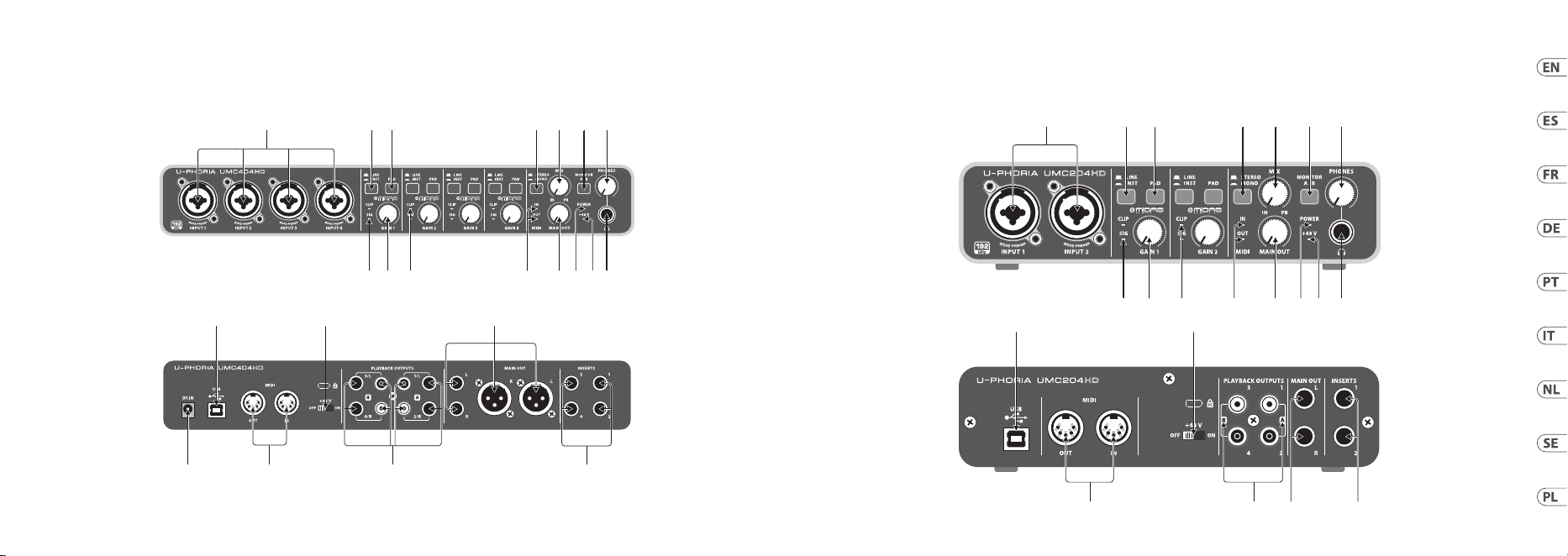
(EN) Step 1: Hook-Up
(ES) Paso 1: Conexión
(FR) Etape 1 : Connexions
(DE) Schritt 1: Verkabelung
(PT) Passo 1: Conexões
(IT) Passo 1: Allacciare
(NL) Stap 1: Aansluiten
(SE) Steg 1: Anslutning
(PL) Krok 1: Podłączeni
U-PHORIA UMC404HD/UMC204HD/UMC202HD/UMC22/UM2 Hook-up
Mobile Recording / Mixing
Sistema de grabación / mezclas móvil
Enregistrement / mixage nomade
Mobiles Recording / Mixing
Gravação em aparelho móvel / Mixagem
Registrazione in esterni / Mixing
Mobiel opnemen / Mixen
Mobil inspelning / Mixning
Mobilne nagrywanie / Miksowanie
HPS3000
XM8500
Laptop
Guitar
Home / Project Studio
Estudio casero / de proyectos
Home Studio/installation
Heim-/Projektstudio
Casa / Estúdio de Projeto
Studio personale / Project Studio
Home / Project Studio
Hem / Projektstudio
Strona główna / Project Studio
B3031A B3031A
MIDI Keyboard
FX2000
Desktop
HPS3000
Guitar
B-2 PRO
26 27Quick Start GuideU-PHORIA UMC404HD/UMC204HD/UMC202HD/UMC22/UM2
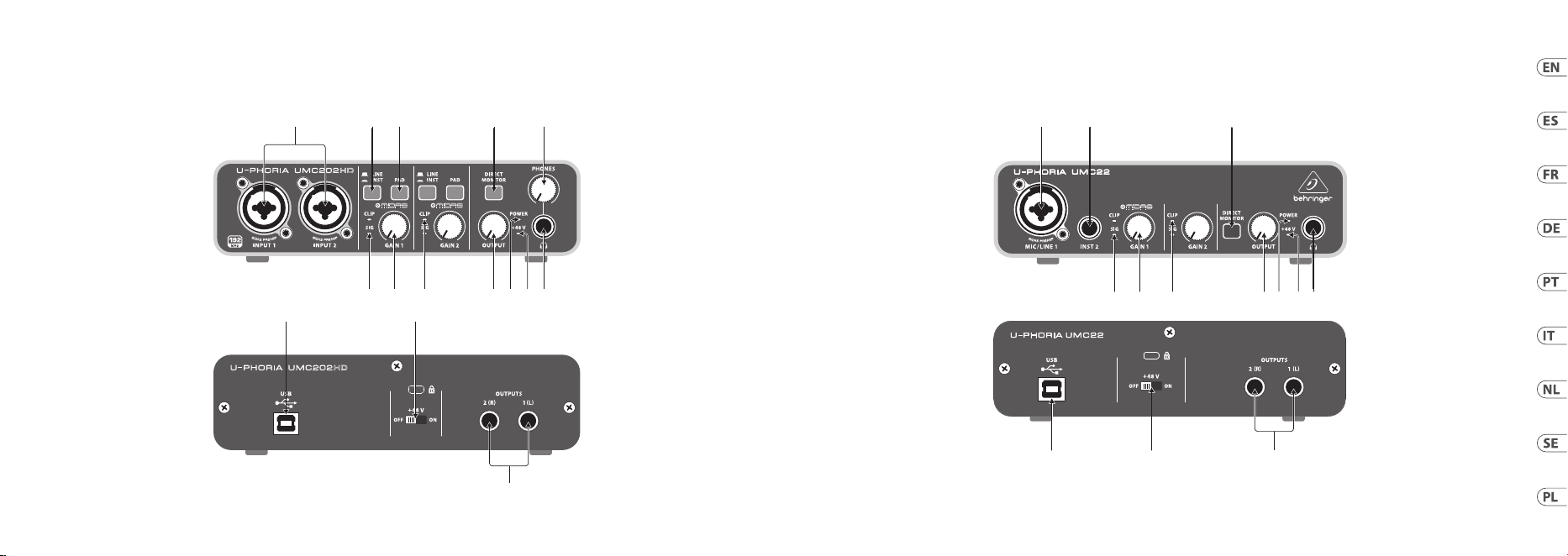
U-PHORIA UMC404HD/UMC204HD/UMC202HD/UMC22/UM2 Controls
(10) (11) (13)
(20)(19) (21)
(22) (23) (24)
(15) (16) (17) (18)
(7) (8) (9)(6)(1) (3) (4)
(25)
(14)
(20)(19)
(10) (11) (13) (14) (15) (16) (17) (18)
(23) (24) (21) (25)
(7) (8) (9)(6)(1) (3) (4)
28 29Quick Start GuideU-PHORIA UMC404HD/UMC204HD/UMC202HD/UMC22/UM2
U-PHORIA UMC404HD/UMC204HD/UMC202HD/UMC22/UM2 Controls
(19) (20)
(21)
(13)
(10)
(11) (15) (16) (17) (18)
(1) (3) (4) (5) (9)
(11) (13) (15) (16) (17) (18)(10)
(1) (2) (5)
(19) (20) (21)
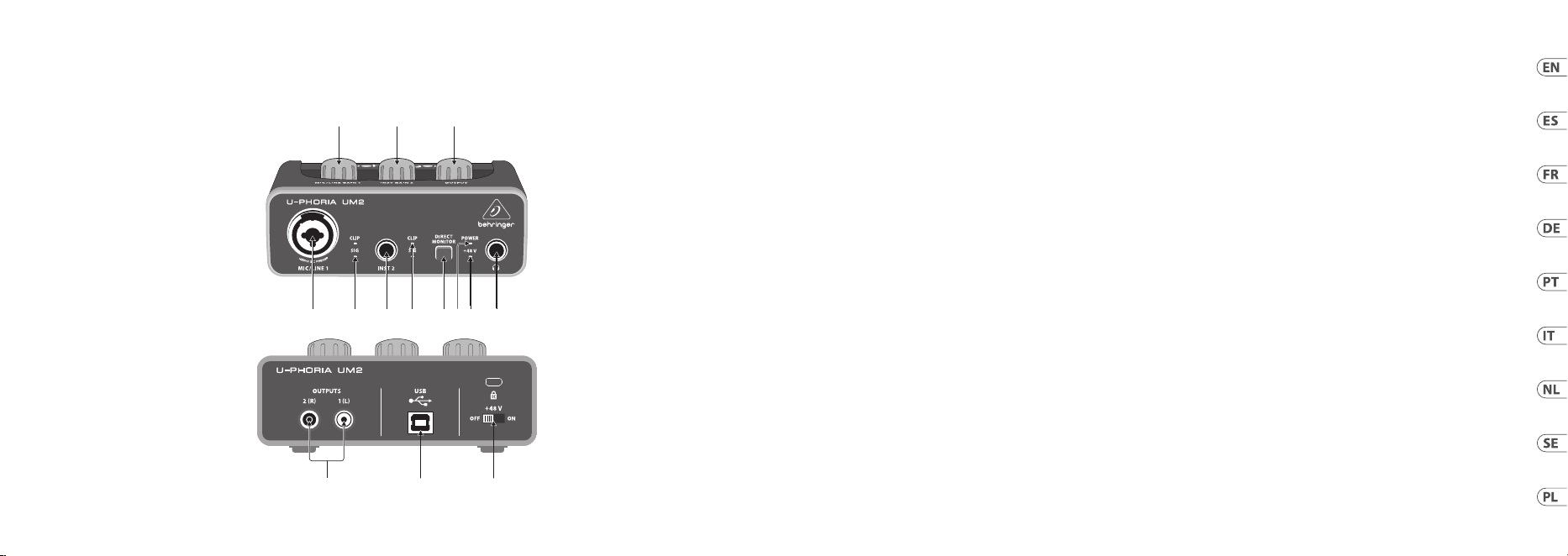
30 31Quick Start GuideU-PHORIA UMC404HD/UMC204HD/UMC202HD/UMC22/UM2
U-PHORIA UMC404HD/UMC204HD/UMC202HD/UMC22/UM2 Controls
(21) (19) (20)
(10) (13) (18)
(15)(12)(11)
(16) (17)
(5)(1) (2)

32 33Quick Start GuideU-PHORIA UMC404HD/UMC204HD/UMC202HD/UMC22/UM2
U-PHORIA UMC404HD/UMC204HD/UMC202HD/UMC22/UM2 Controls
(1)
MIC/LINE 1 (UM2 & UMC22) / INPUT 1
& 2 (UMC202HD & UMC204HD) / INPUT
1 – 4 (UMC404HD) combination XLR/
¼" connectors. Connect microphones,
instruments or line level audio sources to
theseconnectors.
(2)
INST 2 (UM2 & UMC22) ¼" connector.
Connect instrument and audio sources to
this connector.
(3)
LINE / INST (UMC202HD / UMC204HD
/ UMC404HD) selector designates line
level or instrument level input source at
combination XLR/¼"connector(s).
(4)
PAD (UMC202HD / UMC204HD /
UMC404HD) selector reduces input level
for connected sources whenengaged.
(5)
DIRECT MONITOR (UM2 / UMC22 /
UMC202HD) selector activates direct
monitoring of input signals with zero
latency (no delay) whenengaged.
(6)
STEREO/MONO (UMC204HD &
UMC404HD) selector activates mono
monitoring of audio signals connected
to INPUT 1 and INPUT 2 (UMC204HD) or
INPUTS 1 – 4 (UMC404HD) when engaged.
(7)
MIX (UMC204HD & UMC404HD) knob
adjusts the level of input signal to
playback 1-2 signal at the MAIN OUT and
at the output (ifMONITOR A is selected
for the output).
(8)
MONITOR A/B (UMC204HD & UMC404HD)
selector designates output channels
3 & 4 at the output when engaged.
(9)
PHONES (UMC202HD / UMC204HD /
UMC404HD) knob adjusts the output level
at the (headphones)output.
(10)
SIG LED indicates that an audio signal is
present in the channel.
(11)
MIC/LINE GAIN 1 (UM2) / GAIN 1 &2
(UMC22 / UMC202HD /UMC204HD)
GAIN 1 – 4 (UMC404HD) knob adjusts
the input level at MIC/LINE 1 (UM2), MIC/
LINE 1 & INST 2 (UMC22), INPUT 1 & 2
(UMC202HD & UMC204HD), or INPUT 1 – 4
(UMC404HD).
(12)
INST GAIN 2 (UM2) knob adjusts the
input level at the INST 2 input.
(13)
CLIP LED indicates that the audio
signal in the channel is too loud.
Turn the corresponding GAIN knob
counter-clockwise until the CLIP LED
nolongerilluminates.
(14)
MIDI IN/OUT LEDs (UMC204HD &
UMC404HD) indicate MIDI signal activity.
(EN) Step 2: Controls
(15)
OUTPUT (UM2 / UMC22 / UMC202HD) /
MAIN OUT (UMC204HD & UMC404HD)
knob adjusts the output level at the
1(L) & 2(R) OUTPUTS (UM2 / UMC22/
UMC202HD) or the L & R MAIN OUT
(UMC204HD & UMC404HD).
(16)
POWER LED indicates that the unit is
poweredon.
(17)
+48 V LED indicates that +48 V phantom
power isengaged.
(18)
output. Connect to headphones for
playback andmixing.
(19)
USB type B connector. Connect to a
computer via thisconnector.
(20)
+48 V ON/OFF selector engages
+48 V phantom power
(required for professional studio
condensermicrophones).
(21)
1(L) & 2(R) OUTPUTS (UM2 / UMC22
/ UMC202HD) / L & R MAIN OUT
(UMC204HD & UMC404HD) connect to
powered studio monitors for playback
andmixing.
(22)
DC IN (UMC404HD) connect to the mains
via the included power adapter.
(23)
MIDI IN/OUT (UMC204HD & UMC404HD)
connect to external MIDI controllers and
modules via theseconnectors.
(24)
PLAYBACK OUTPUTS A 1 & 2 / B 3 &4
(UMC204HD) / PLAYBACK OUTPUTS A
1/L & 2/R / B 3/L & 4/R (UMC404HD)
connect to external speakers for
additional monitoring options.
(25)
INSERTS 1 & 2
(UMC204
HD
) / 1 – 4
(UMC404
HD
) connect to external signal
processing devices via theseconnectors.

34 35Quick Start GuideU-PHORIA UMC404HD/UMC204HD/UMC202HD/UMC22/UM2
U-PHORIA UMC404HD/UMC204HD/UMC202HD/UMC22/UM2 Controls
(ES) Paso 2: Controles
(1)
Conectores MIC/LINE 1 (UM2 & UMC22)/
INPUT 1 & 2 (UMC202HD & UMC204HD) /
INPUT 1 – 4 (UMC404HD) combo
XLR/ 6,3mm. Conecte en estas tomas
micrófonos, instrumentos o fuentes audio
con nivel de línea.
(2)
Conector INST 2 (UM2 & UMC22)
de 6,3mm. Conecte en esta toma
instrumentos y fuentesaudio.
(3)
El selector LINE / INST (UMC202HD /
UMC204HD/ UMC404HD) elige entre la
fuente de entrada de nivel de línea o de
instrumento para los conectores combo
XLR / 6,3 mm.
(4)
Cuando active el selector PAD (UMC202HD/
UMC204HD / UMC404HD) el nivel de
entrada de las fuentes conectadas será
reducido.
(5)
El selector DIRECT MONITOR
(UM2 /UMC22 / UMC202HD) activa la
monitorización directa de las señales de
entrada con latencia cero (sin retardo)
cuando esactivado.
(6)
Cuando esté activado el selector
STEREO/MONO (UMC204HD &
UMC404HD) activará la monitorización
mono de las señales audio conectadas a
las tomas INPUT 1 e INPUT 2 (UMC204HD)
o INPUTS 1 – 4 (UMC404HD).
(7)
El mando MIX (UMC204HD & UMC404HD)
ajusta el nivel de la señal de entrada
enviada a la señal de reproducción 1-2
en la salida MAIN OUT y (siha elegido
MONITOR A para la salida ).
(8)
Cuando está activado el selector
MONITOR A/B (UMC204HD & UMC404HD)
loscanales de salida 3 & 4 serán enviados
a la salida .
(9)
El mando PHONES (UMC202HD /
UMC204HD / UMC404) ajusta el niveldela
salida (auriculares).
(10)
El piloto SIG indica la presencia de una
señal audio en el canal.
(11)
El mando MIC/LINE GAIN 1 (UM2)/
GAIN1 & 2 (UMC22 / UMC202HD /
UMC204HD) GAIN 1 – 4 (UMC404HD)
ajusta el nivel de entrada en las tomas
MIC/LINE 1 (UM2), MIC/ LINE 1 & INST
2 (UMC22), INPUT 1 & 2 (UMC202HD &
UMC204HD) o INPUT1–4(UMC404HD).
(12)
El mando INST GAIN 2 (UM2) ajusta el
nivel de entrada en la toma INST 2.
(13)
El piloto CLIP indica que la señal audio
del canal es demasiado potente y satura.
Gire hacia la izquierda el control GAIN
correspondiente hasta que este piloto no
se encienda.
(14)
Los pilotos MIDI IN/OUT
(UMC204HD&UMC404HD) leindican
actividadMIDI.
(15)
El mando OUTPUT (UM2 / UMC22 /
UMC202HD) / MAIN OUT (UMC204HD &
UMC404HD) ajusta el nivel de salida en
las tomas 1(L) & 2(R) OUTPUTS (UM2/
UMC22 / UMC202HD) o L & R MAIN OUT
(UMC204HD&UMC404HD).
(16)
El piloto POWER indica que la unidad
estáencendida.
(17)
El piloto +48 V le indica que está activada
la alimentación fantasma de +48 V.
(18)
Salida . Conecte aquí unos auriculares
para monitorizar la reproducción y
mezcla.
(19)
Conector USB de tipo B. Conecte esta
unidad a un ordenador a través de
estatoma.
(20)
El selector +48 V ON/OFF activa
la alimentación fantasma de
+48 V (necesaria cuando use
micrófonoscondensadores profesionales
deestudio).
(21)
1(L) & 2(R) OUTPUTS (UM2 / UMC22
/ UMC202HD) / L&RMAINOUT
(UMC204HD & UMC404HD) conexión a
monitores de estudio autoamplicados
para la reproducción y mezcla.
(22)
La toma DC IN (UMC404HD) le permite
conectar esta unidad a la corriente por
medio del adaptador incluido.
(23)
MIDI IN/OUT (UMC204HD & UMC404HD)
conexión a controladores y módulos MIDI
externos por medio de estos conectores.
(24)
PLAYBACK OUTPUTS A 1 & 2 / B3&4
(UMC204HD) / PLAYBACK OUTPUTS A
1/L & 2/R / B 3/L & 4/R (UMC404HD)
conexión a altavoces externos para
opciones de monitorizaciónadicionales.
(25)
INSERTS 1 & 2 (UMC204HD) / 1–4
(UMC404HD) conexión a dispositivos de
procesado de señal externos a través de
estos conectores.

36 37Quick Start GuideU-PHORIA UMC404HD/UMC204HD/UMC202HD/UMC22/UM2
U-PHORIA UMC404HD/UMC204HD/UMC202HD/UMC22/UM2 Controls
(FR) Etape 2: Réglages
(1)
MIC/LINE 1 (UM2 et UMC22) / INPUT 1
et2 (UMC202HD et UMC204HD) / INPUT
1 – 4 (UMC404HD). Ces connecteurs
combinés XLR/Jack 6,35mm permettent
de connecter vos micros, instruments ou
sources audio à niveau ligne.
(2)
INST 2 (UM2 et UMC22). Ce connecteur
Jack 6,35mm permet de connecter
un instrument ou une source audio à
niveauligne.
(3)
Le sélecteur LINE / INST (UMC202HD/
UMC204HD / UMC404HD) permet
de déterminer si le(s) connecteur(s)
combiné(s) peu(ven)t recevoir des signaux
niveau ligne ouinstrument.
(4)
Le sélecteur PAD (UMC202HD /
UMC204HD / UMC404HD) permet
d’atténuer le niveau d’entrée de la source
connectée.
(5)
Le sélecteur DIRECT MONITOR
(UM2 / UMC22 / UMC202HD) permet
d’activer l’écoute directe des signaux
d’entrée sans latence (pas de délai).
(6)
Le sélecteur STEREO/MONO
(UMC204HDet UMC404HD) permet de
choisir d’écouter les signaux des sources
connectées aux entrées INPUT 1 et
INPUT 2 (UMC204HD) ou INPUT 1 – 4
(UMC404HD) en mono ou stéréo.
(7)
Le potentiomètre MIX (UMC204HD et
UMC404HD) permet de régler la balance
entre les signaux d’entrée et les signaux
en provenance de l’ordinateur envoyés
aux sorties MAIN OUT et (si MONITOR A
est sélectionné pour la sortie ).
(8)
Le sélecteur MONITOR A/B (UMC204HD
et UMC404HD) permet d’envoyer les
canaux de sortie 3 et 4 à la sortie
lorsqu'il estenfoncé.
(9)
Le potentiomètre PHONES (UMC202HD
/ UMC204HD / UMC404HD) permet de
régler le niveau de la sortie (casque).
(10)
La LED SIG indique si un signal audio est
détecté dans la voie correspondante.
(11)
MIC/LINE GAIN 1 (UM2) / GAIN 1 et 2
(UMC22 / UMC202HD /UMC204HD)
GAIN 1 – 4 (UMC404HD). Ce(s)
potentiomètre(s) permet(tent) de régler
le niveau de(s) l’entrée(s) MIC/LINE 1
(UM2), MIC/LINE 1 et INST 2 (UMC22),
INPUT 1 & 2 (UMC202HD et UMC204HD),
ou INPUT 1 – 4 (UMC404HD).
(12)
Le potentiomètre INST GAIN 2
(UM2) permet de régler le niveau de
l’entrée INST 2.
(13)
La LED CLIP s’allume pour indiquer que
le signal de la voie est trop élevé. Tournez
le potentiomètre GAIN correspondant
vers la gauche jusqu’à ce que la Led
CLIP s’éteigne.
(14)
Les LEDS MIDI IN/OUT (UMC204HD &
UMC404HD) indiquent la présence d’un
signal MIDI.
(15)
Le potentiomètre OUTPUT (UM2 /
UMC22/
UMC202HD) / MAIN OUT
(UMC204HD et UMC404HD) permet de
régler le niveau des sorties OUTPUTS
1(L) et 2(R) (UM2 / UMC22 / UMC202HD)
ou MAIN OUT L et R (UMC204HD &
UMC404HD).
(16)
La LED POWER s’allume lorsque l’appareil
est sous tension.
(17)
La LED +48 V s’allume lorsque
l'alimentation fantôme est activée.
(18)
Sortie . Permet de connecter un casque
pour l’écoute et le mixage.
(19)
Connecteur USB type B. Permet de
connecter l’appareil à un ordinateur.
(20)
L’interrupteur +48 V ON/OFF permet
d'activer l’alimentation fantôme +48V
(nécessaire pour les microphones de
studio professionnels àélectret).
(21)
OUTPUTS (SORTIES) 1(L) & 2(R) (UM2/
UMC22 / UMC202HD) / L & R MAIN OUT
(UMC204HD & UMC404HD) permettent
la connexion à des moniteurs de studio
actifs pour écoute et mixage.
(22)
L’embase DC IN (UMC404HD) permet
la connexion au secteur grâce à
l’adaptateurfourni.
(23)
MIDI IN/OUT (UMC204HD & UMC404HD)
permettent la connexion à des contrôleurs
et modules MIDIexternes.
(24)
PLAYBACK OUTPUTS (SORTIES) A 1 &
2 / B 3 & 4 (UMC204HD) / PLAYBACK
OUTPUTS A 1/L & 2/R / B 3/L & 4/R
(UMC404HD) Permet la connexion à des
enceintes externes pour des options
d’écoute supplémentaires.
(25)
INSERTS 1 & 2 (UMC204HD) / 1 – 4
(UMC404HD) Utilisez ces embases pour
connecter un appareil de traitement du
signal externe.

38 39Quick Start GuideU-PHORIA UMC404HD/UMC204HD/UMC202HD/UMC22/UM2
U-PHORIA UMC404HD/UMC204HD/UMC202HD/UMC22/UM2 Controls
(DE) Schritt 2: Bedienelemente
(1)
MIC/LINE 1 (UM2 & UMC22) / INPUT
1 & 2 (UMC202HD & UMC204HD)
/ INPUT 1 – 4 (UMC404HD) XLR /
6,35mm-Kombianschlüsse. Hier
schließen Sie Mikrofone, Instrumente
oder Audioquellen mit Line-Pegel an.
(2)
INST 2 (UM2 & UMC22)
6,35mm-Anschluss. Hier schließen Sie
Instrumente und Audioquellen an.
(3)
LINE / INST-Wahltaste (UMC202HD/
UMC204HD / UMC404HD). Damit
bestimmen Sie, ob eine Signalquelle mit
Line- oder Instrumentenpegel am XLR /
6,35mm-Kombieingang anliegt.
(4)
PAD-Wahltaste (UMC202HD / UMC204HD
/ UMC404HD). Bei Aktivierung wird der
Eingangspegel der angeschlossenen
Signalquelle verringert.
(5)
DIRECT MONITOR-Wahltaste
(UM2/UMC22 / UMC202HD).
Bei Aktivierung ist das latenzfreie
Direktmonitoring der Eingangssignale
(keine Verzögerung) eingeschaltet.
(6)
STEREO/MONO-Wahltaste (UMC204HD
& UMC404HD). Bei Aktivierung kann man
die an INPUT 1 und INPUT 2 (UMC204HD)
oder INPUTS 1 – 4 (UMC404HD)
angeschlossenen Audiosignale in
Mono abhören.
(7)
MIX-Drehregler (UMC204HD &
UMC404HD). Damit stellen Sie das
Pegelverhältnis der Eingangssignale
und Playback-Signale 1-2 am MAIN
OUT-Ausgang und am -Ausgang ein
(wenn MONITOR A für den -Ausgang
gewähltist).
(8)
MONITOR A/B-Wahltaste
(UMC204HD&UMC404HD).
Bei Aktivierung werden
die Ausgangskanäle 3 & 4
zum -Ausgang geleitet.
(9)
PHONES-Drehregler (UMC202HD
/ UMC204HD / UMC404HD). Damit
stellen Sie den Ausgangspegel am
(Kopfhörer)-Ausgang ein.
(10)
SIG LED zeigt an, dass ein Audiosignal auf
dem Kanal übertragen wird.
(11)
MIC/LINE GAIN 1 (UM2) / GAIN 1 & 2
(UMC22 / UMC202HD /UMC204HD) GAIN 1
– 4 (UMC404HD) Drehregler. Damit stellen
Sie den Pegel für die Eingänge MIC/LINE
1 (UM2), MIC/ LINE 1 & INST 2 (UMC22),
INPUT 1 & 2 (UMC202HD & UMC204HD)
oder INPUT 1 – 4 (UMC404HD) ein.
(12)
INST GAIN 2-Drehregler (UM2).
Damitstellen Sie den Pegel am
INST2-Eingang ein.
(13)
CLIP LED zeigt an, dass das Audiosignal
auf dem Kanal zu laut ist. Drehen Sie den
entsprechenden GAIN-Regler nach links,
bis die CLIP LED nicht mehr leuchtet.
(14)
MIDI IN/OUT LEDs (UMC204HD
& UMC404HD) zeigen MIDI-
Signalaktivitäten an.
(15)
OUTPUT (UM2 / UMC22 / UMC202HD) /
MAINOUT (UMC204HD & UMC404HD)
Drehregler. Damit steuern Sie
den Ausgangspegel an den 1(L)
& 2(R) OUTPUTS (UM2 / UMC22 /
UMC202HD) oder den L&R MAIN OUTs
(UMC204HD & UMC404HD).
(16)
POWER LED zeigt an, dass das
Geräteingeschaltet ist.
(17)
+48 V LED zeigt an, dass die +48 V
Phantomspannung aktiviert ist.
(18)
-Ausgang. Hier schließen Sie Ihre
Kopfhörer zum Abspielen und Mischen
des Audiomaterialsan.
(19)
USB Typ B-Anschluss. Hier schließen Sie
Ihren Computer an.
(20)
+48 V ON/OFF-Wahlschalter
aktiviert +48 V Phantomspannung
(erforderlich für professionelle Studio-
Kondensatormikrofone).
(21)
1(L) & 2(R) OUTPUTS (UM2 / UMC22
/ UMC202HD) / L & R MAIN OUT
(UMC204HD & UMC404HD) Hier schließen
Sie aktive Studiomonitore für die
Wiedergabe und Abmischung an.
(22)
DC IN (UMC404HD) Hier schließen
Sie das Gerät über den mitgelieferten
Netzadapter ans Stromnetz an.
(23)
MIDI IN/OUT (UMC204HD & UMC404HD)
Hier schließen Sie externe MIDI Controller
und Module an.
(24)
PLAYBACK OUTPUTS A 1 & 2 / B 3 & 4
(UMC204HD) / PLAYBACK OUTPUTS A
1/L & 2/R / B 3/L & 4/R (UMC404HD) Hier
schließen Sie externe Lautsprecher für
zusätzliche Monitoring-Anwendungen an.
(25)
INSERTS 1 & 2 (UMC204HD) / 1 – 4
(UMC404HD) Hier schließen Sie externe
Signalprozessoren an.

40 41Quick Start GuideU-PHORIA UMC404HD/UMC204HD/UMC202HD/UMC22/UM2
U-PHORIA UMC404HD/UMC204HD/UMC202HD/UMC22/UM2 Controls
(PT) Passo 2: Controles
(1)
Conectores XLR / ¼" MIC/LINE 1 (UM2
& UMC22) / INPUT 1 & 2 (UMC202HD &
UMC204HD) / INPUT 1 – 4 (UMC404HD).
Conecte microfones, instrumentos
ou fontes de áudio de nível de linha a
estes conectores.
(2)
Conector INST 2 (UM2 & UMC22) ¼".
Conecte instrumentos e fontes de áudio a
este conector.
(3)
O seletor LINE / INST (UMC202HD /
UMC204HD / UMC404HD) designa o nível
de linha ou fonte de entrada de nível de
instrumento no(s) conector(es) XLR / ¼".
(4)
O seletor PAD (UMC202HD / UMC204HD /
UMC404HD) reduz o nível de entrada das
fontes conectadas quando habilitado.
(5)
O seletor DIRECT MONITOR
(UM2 / UMC22 / UMC202HD) ativa o
monitoramento direto de sinais de
entrada com latência zero (sem delay)
quando habilitado.
(6)
O seletor STEREO/MONO (UMC204HD &
UMC404HD) ativa o monitoramento mono
de sinais de áudio conectados às entradas
INPUT 1 e INPUT 2 (UMC204HD) ou
INPUTS 1 – 4 (UMC404HD)
quandohabilitado.
(7)
O botão MIX (UMC204HD & UMC404HD)
ajusta o nível de sinal de entrada para o
sinal do playback 1-2 nas saídas MAIN OUT
e (se o MONITOR A estiver selecionado
para a saída ).
(8)
O seletor MONITOR A/B (UMC204HD &
UMC404HD) designa canais de saída
3 & 4 na saída quando habilitado.
(9)
O botão PHONES (UMC202HD /
UMC204HD / UMC404) ajusta o nível de
saída na saída (fonesdeouvido).
(10)
O LED SIG indica que um sinal de áudio
está presente no canal.
(11)
O botão MIC/LINE GAIN 1 (UM2) /
GAIN 1&2 (UMC22 / UMC202HD /
UMC204HD) GAIN 1 – 4 (UMC404HD)
ajusta o nível de entrada no MIC/LINE
1 (UM2), MIC/ LINE 1 & INST 2 (UMC22),
INPUT1 & 2 (UMC202HD & UMC204HD),
ou INPUT 1 – 4 (UMC404HD).
(12)
O botão INST GAIN 2 (UM2) ajusta o nível
de entrada na entrada INST 2.
(13)
O LED CLIP indica que um sinal de áudio
no canal está alto demais. Gire o botão
GAIN respectivo no sentido anti-horário
até que o LED CLIP não esteja mais aceso.
(14)
Os LEDs MIDI IN/OUT (UMC204HD
& UMC404HD) indicam atividade do
sinal MIDI.
(15)
O botão OUTPUT (UM2 / UMC22 /
UMC202HD) / MAIN OUT (UMC204HD &
UMC404HD) ajusta o nível de saída das
saídas 1(L) & 2(R) OUTPUTS (UM2 / UMC22
/ UMC202HD) ou L & R MAIN OUT
(UMC204HD & UMC404HD).
(16)
O LED POWER indica que a unidade
estáligada.
(17)
O LED +48 V indica que a alimentação
fantasma de +48 V está habilitada.
(18)
Saída . Conecte aos fones de ouvido
para playback e mixagem.
(19)
Conector USB tipo B. Conecte a um
computador através desse conector.
(20)
Seletor +48 V ON/OFF habilita a
alimentação fantasma de +48V
(necessária para microfones
condensadores de estúdio prossionais).
(21)
OUTPUTS (SAÍDAS) 1 (L) & 2(R) (UM2/
UMC22 / UMC202HD) / L & R MAIN OUT
(UMC204HD & UMC404HD) conecte a
monitores de estúdio alimentados para
tocar o playback e mixar.
(22)
DC IN (UMC404HD) conecte à rede através
do adaptador incluso.
(23)
MIDI IN/OUT (UMC204HD & UMC404HD)
conecte a controladores MIDI externos e
módulos através destes conectores.
(24)
PLAYBACK OUTPUTS
(SAÍDAS DE PLAYBACK) A 1 & 2 / B 3 &
4 (UMC204HD)/ PLAYBACK OUTPUTS
(SAÍDAS DE PLAYBACK)
A 1/L & 2/R / B 3/L & 4/R (UMC404HD)
conecte a alto-falantes externos para
obter opções de monitoramento a mais.
(25)
INSERTS (entradas) 1 & 2 (UMC204HD) /
1 – 4 (UMC404HD) conecte a dispositivos
de processamento de sinal externo
através destesconectores.

42 43Quick Start GuideU-PHORIA UMC404HD/UMC204HD/UMC202HD/UMC22/UM2
U-PHORIA UMC404HD/UMC204HD/UMC202HD/UMC22/UM2 Controls
(1)
MIC/LINE 1 (UM2 & UMC22) / INPUT 1
& 2 (UMC202HD & UMC204HD) / INPUT
1 – 4 (UMC404HD) connettori COMBO
XLR/jack 6,35 mm. Potete collegare a
questi connettori microfoni, strumenti o
sorgenti audio di livello linea.
(2)
INST 2 (UM2 & UMC22) connettore jack
da 6,35 mm. Potete collegare a questo
connettore strumenti e sorgenti audio di
livello linea.
(3)
LINE / INST (UMC202HD / UMC204HD
/ UMC404HD) selettore per scegliere
sorgenti di livello linea o strumento per i
connettori combo XLR/jack da 6,35 mm.
(4)
PAD (UMC202HD / UMC204HD /
UMC404HD) quando è attivato questo
selettore riduce il livello dell'ingresso per
le sorgenti collegate.
(5)
DIRECT MONITOR (UM2 / UMC22 /
UMC202HD) quando è attivato questo
selettore consente il monitoraggio diretto
dei segnali di ingresso con latenza zero
(nessun ritardo).
(6)
STEREO/MONO (UMC204HD &
UMC404HD) quando è attivato questo
selettore consente il monitoraggio mono
dei segnali audio collegati a INPUT 1
e INPUT 2 (UMC204HD) o INPUT 1 - 4
(UMC404HD).
(7)
MIX (UMC204HD & UMC404HD) manopola
per regolare il livello del segnale in
ingresso per riprodurre il segnale 1-2
all'uscita MAIN OUT e all'uscita ), nel
caso in cui MONITOR A è selezionato per
l'uscita.
(8)
MONITOR A/B (UMC204HD & UMC404HD)
quando è attivato questo selettore invia i
canali di uscita 3 e 4 sull'uscita .
(9)
PHONES (UMC202HD / UMC204HD /
UMC404HD) manopola per regolare il
livello di uscita della cua .
(10)
SIG LED indica che nel canale è presente
un segnale audio.
(11)
MIC/LINE GAIN 1 (UM2) / GAIN 1 &2
(UMC22 / UMC202HD /UMC204HD)
GAIN 1 – 4 (UMC404HD) manopola per
regolare il livello di ingresso di MIC/LINE
1 (UM2), MIC/LINE 1 & INST 2 (UMC22),
INPUT 1 & 2 (UMC202HD & UMC204HD), or
INPUT 1 – 4 (UMC404HD).
(12)
INST GAIN 2 (UM2) manopola per
regolare il livello dell'ingresso INST 2.
(13)
CLIP LED indica che il segnale audio
nel canale è troppo forte. Ruotate la
corrispondente manopola GAIN in
senso antiorario nché il led CLIP non si
accende più.
(14)
MIDI IN/OUT LEDs (UMC204HD &
UMC404HD) indica attività del
segnale MIDI.
(IT) Passo 2: Controlli
(15)
OUTPUT (UM2 / UMC22 / UMC202HD) /
MAIN OUT (UMC204HD & UMC404HD)
manopola per regolare il livello di
uscita di 1(L) & 2(R) OUTPUTS (UM2 /
UMC22/ UMC202HD) o L & R MAIN OUT
(UMC204HD & UMC404HD).
(16)
POWER LED indica che l'unità è accesa.
(17)
+48 V LED indica che l'alimentazione
Phantom +48 V è attiva.
(18)
output. Connessione della cua per
ascolto e missaggio.
(19)
USB type B connector. Connettore per il
collegamento con un computer.
(20)
+48 V ON/OFF interruttore per
attivare alimentazione phantom +48 V
(necessaria per i microfoni a condensatore
professionali).
(21)
1(L) & 2(R) OUTPUTS (UM2 / UMC22
/ UMC202HD) / L & R MAIN OUT
(UMC204HD & UMC404HD) connessione
per monitor da studio attivi per ascolto
e missaggio.
(22)
DC IN (UMC404HD) collegamento a una
presa di corrente elettrica, tramite il
trasformatore fornito.
(23)
MIDI IN/OUT (UMC204HD & UMC404HD)
connettori per il collegamento con
contoller e moduli MIDI.
(24)
PLAYBACK OUTPUTS A 1 & 2 / B 3 &4
(UMC204HD) / PLAYBACK OUTPUTS A
1/L & 2/R / B 3/L & 4/R (UMC404HD)
connessione a diusori attivi esterni per
ulteriori opzioni di monitor.
(25)
INSERTS 1 & 2
(UMC204
HD
) /
1 – 4 (UMC404
HD
) connettori per il
collegamento a dispositivi esterni di
processamento del segnale.

44 45Quick Start GuideU-PHORIA UMC404HD/UMC204HD/UMC202HD/UMC22/UM2
U-PHORIA UMC404HD/UMC204HD/UMC202HD/UMC22/UM2 Controls
(1)
MIC/LINE 1 (UM2 & UMC22) / INPUT 1
& 2 (UMC202HD & UMC204HD) / INPUT
1 – 4 (UMC404HD) combinatie XLR
/ ¼ "connectoren. Sluit microfoons,
instrumenten of line level audiobronnen
aan op deze connectoren.
(2)
INST 2 (UM2 & UMC22) ¼" connector.
Sluit instrument en audiobronnen aan op
deze connector.
(3)
LINE / INST (UMC202HD / UMC204HD /
UMC404HD) ) selector duidt lijnniveau of
instrumentniveau-ingangsbron aan op
combinatie XLR / ¼ "connector (s).
(4)
PAD (UMC202HD / UMC204HD /
UMC404HD) selector verlaagt het
ingangsniveau voor aangesloten bronnen
wanneer deze is ingeschakeld.
(5)
DIRECT MONITOR (UM2 / UMC22 /
UMC202HD) ) selector activeert directe
bewaking van ingangssignalen zonder
vertraging (geen vertraging) wanneer
deze is ingeschakeld.
(6)
STEREO/MONO (UMC204HD &
UMC404HD) selector activeert
monobewaking van audiosignalen
die zijn aangesloten op INGANG 1 en
INGANG 2 (UMC204HD) of INGANGEN
1-4 (UMC404HD) wanneer deze is
ingeschakeld.
(7)
MIX (UMC204HD & UMC404HD) ) past het
niveau van het ingangssignaal aan om
1-2-signalen af te spelen op de MAIN OUT
en op de uitgang (als MONITOR A is
geselecteerd voor de output).
(8)
MONITOR A/B (UMC204HD & UMC404HD)
keuzeschakelaar duidt uitgangskanalen
3 en 4 aan output wanneer
ingeschakeld.
(9)
PHONES (UMC202HD / UMC204HD /
UMC404HD) knop past het uitgangsniveau
aan (hoofdtelefoon) uitgang.
(10)
SIG LED geeft aan dat er een audiosignaal
aanwezig is in het kanaal.
(11)
MIC/LINE GAIN 1 (UM2) / GAIN 1 &2
(UMC22 / UMC202HD /UMC204HD)
GAIN 1 – 4 (UMC404HD) regelaar past het
ingangsniveau aan op MIC/LINE 1 (UM2),
MIC/LINE 1 & INST 2 (UMC22), INPUT 1 & 2
(UMC202HD & UMC204HD), of INPUT 1 – 4
(UMC404HD).
(12)
INST GAIN 2 (UM2) regelaar past het
ingangsniveau aan op de INST 2-ingang.
(13)
CLIP LED igeeft aan dat het audiosignaal
in het kanaal te luid is. Draai de
bijbehorende GAIN-knop tegen de klok in
totdat de CLIP-LED niet meer brandt.
(14)
MIDI IN/OUT LEDs (UMC204HD &
UMC404HD) geven MIDI-signaalactiviteit
aan.
(NL) Stap 2: Bediening
(15)
OUTPUT (UM2 / UMC22 / UMC202HD) /
MAIN OUT (UMC204HD & UMC404HD)
knop past het uitgangsniveau aan op
de 1(L) & 2(R) OUTPUTS (UM2 / UMC22/
UMC202HD) of de L & R MAIN OUT
(UMC204HD & UMC404HD).
(16)
POWER LED geeft aan dat het apparaat is
ingeschakeld.
(17)
+48 V LED geeft aan dat +48 V
fantoomvoeding is ingeschakeld.
(18)
output. Sluit een koptelefoon aan voor
afspelen en mixen.
(19)
USB type B-aansluiting. Maak via deze
connector verbinding met een computer.
(20)
+48 V ON/OFF keuzeschakelaar schakelt
+48 V fantoomvoeding in (vereist
voor professionele studio-
condensatormicrofoons).
(21)
1(L) & 2(R) OUTPUTS (UM2 / UMC22
/ UMC202HD) / L & R MAIN OUT
(UMC204HD & UMC404HD) sluit aan op
actieve studiomonitors voor afspelen
en mixen.
(22)
DC IN (UMC404HD) sluit je aan op
het lichtnet via de meegeleverde
voedingsadapter.
(23)
MIDI IN/OUT (UMC204HD & UMC404HD)
sluit je aan op externe MIDI-controllers en
modules via deze connectoren.
(24)
PLAYBACK OUTPUTS A 1 & 2 / B 3 &4
(UMC204HD) / PLAYBACK OUTPUTS A
1/L & 2/R / B 3/L & 4/R (UMC404HD)
aansluiten op externe luidsprekers voor
extra bewakingsopties.
(25)
INSERTS 1 & 2
(UMC204
HD
)
/ 1 – 4 (UMC404
HD
) via deze
connectoren aansluiten op externe
signaalverwerkingsapparatuur.

46 47Quick Start GuideU-PHORIA UMC404HD/UMC204HD/UMC202HD/UMC22/UM2
U-PHORIA UMC404HD/UMC204HD/UMC202HD/UMC22/UM2 Controls
(1)
MIC/LINE 1 (UM2 & UMC22) / INPUT 1
& 2 (UMC202HD & UMC204HD) / INPUT
1 – 4 (UMC404HD) kombination XLR /
¼ "-anslutningar. Anslut mikrofoner,
instrument eller ljudkällor på linje nivå till
dessa kontakter.
(2)
INST 2 (UM2 & UMC22) ¼" kontakt.
Anslut instrument- och ljudkällor till den
här kontakten.
(3)
LINE / INST (UMC202HD / UMC204HD /
UMC404HD) väljaren anger linjenivå eller
ingångskälla för instrumentnivå vid
XLR / ¼ "-kombinationer.
(4)
PAD (UMC202HD / UMC204HD
/ UMC404HD) väljaren minskar
ingångsnivån för anslutna källor när
den är inkopplad.
(5)
DIRECT MONITOR (UM2 / UMC22 /
UMC202HD) väljaren aktiverar direkt
övervakning av ingångssignaler med
noll latens (ingen fördröjning) när den
är inkopplad.
(6)
STEREO/MONO (UMC204HD &
UMC404HD) väljare aktiverar
monoövervakning av ljudsignaler
anslutna till INPUT 1 och INPUT 2
(UMC204HD) eller INPUTS 1 – 4
(UMC404HD) när den är inkopplad.
(7)
MIX (UMC204HD & UMC404HD) reglaget
justerar ingångssignalens nivå för att
spela upp 1-2-signalen vid MAIN OUT och
vid utgång (om MONITOR A är vald för
produktion).
(8)
MONITOR A/B (UMC204HD & UMC404HD)
väljare anger utgångskanalerna 3 & 4 vid
utgång när den är inkopplad.
(9)
PHONES (UMC202HD / UMC204HD
/ UMC404HD) reglaget justerar
utgångsnivån vid (hörlurar)utgång.
(10)
SIG LED indikerar att det nns en
ljudsignal i kanalen.
(11)
MIC/LINE GAIN 1 (UM2) / GAIN 1 &2
(UMC22 / UMC202HD /UMC204HD)
GAIN 1 – 4 (UMC404HD) reglaget justerar
ingångsnivån vid MIC/LINE 1 (UM2), MIC/
LINE 1 & INST 2 (UMC22), INPUT 1 & 2
(UMC202HD & UMC204HD), eller INPUT
1 – 4 (UMC404HD).
(12)
INST GAIN 2 (UM2) reglaget justerar
ingångsnivån vid INST 2-ingången.
(13)
CLIP LED indikerar att ljudsignalen i
kanalen är för hög. Vrid motsvarande
GAIN-ratt moturs tills CLIP-lysdioden inte
längre tänds.
(14)
MIDI IN/OUT LEDs (UMC204HD &
UMC404HD) indikerar
MIDI-signalaktivitet.
(SE) Steg 2: Kontroller
(15)
OUTPUT (UM2 / UMC22 / UMC202HD) /
MAIN OUT (UMC204HD & UMC404HD)
ratten justerar utgångsnivån vid
1(L) & 2(R) OUTPUTS (UM2 / UMC22/
UMC202HD) eller L & R MAIN OUT
(UMC204HD & UMC404HD).
(16)
POWER lampan indikerar att enheten
är påslagen.
(17)
+48 V LED indikerar att +48 V
fantomeekt är inkopplad.
(18)
produktion. Anslut till hörlurar för
uppspelning och mixning.
(19)
USB type B-kontakt. Anslut till en dator
via den här kontakten.
(20)
+48 V ON/OFF väljare kopplar in
+48 V fantomeekt
(krävs för professionella
studiokondensormikrofoner).
(21)
1(L) & 2(R) OUTPUTS (UM2 / UMC22
/ UMC202HD) / L & R MAIN OUT
(UMC204HD & UMC404HD) ansluts till
strömförsörjda studiomonitorer för
uppspelning och mixning.
(22)
DC IN (UMC404HD) ansluts till elnätet via
den medföljande nätadaptern.
(23)
MIDI IN/OUT (UMC204HD & UMC404HD)
ansluts till externa MIDI-kontroller och
moduler via dessa kontakter.
(24)
PLAYBACK OUTPUTS A 1 & 2 / B 3 &4
(UMC204HD) / PLAYBACK OUTPUTS A
1/L & 2/R / B 3/L & 4/R (UMC404HD)
ansluts till externa högtalare för
ytterligare övervakningsalternativ.
(25)
INSERTS 1 & 2
(UMC204
HD
) / 1 – 4
(UMC404
HD
) ansluts till externa
signalbehandlingsenheter via
dessa kontakter.

48 49Quick Start GuideU-PHORIA UMC404HD/UMC204HD/UMC202HD/UMC22/UM2
U-PHORIA UMC404HD/UMC204HD/UMC202HD/UMC22/UM2 Controls
(1)
MIC/LINE 1 (UM2 & UMC22) / INPUT 1 &
2 (UMC202HD & UMC204HD) / INPUT 1 –
4 (UMC404HD) złącza XLR / ¼ ". Podłącz
mikrofony, instrumenty lub liniowe
źródła audio do tych złączy.
(2)
Złącze ¼" INST 2 (UM2 & UMC22).
Podłącz instrument i źródła dźwięku do
tego złącza.
(3)
Przełącznik LINE / INST
(UMC202HD / UMC204HD / UMC404HD)
wyznacza źródło sygnału wejściowego o
poziomie liniowym lub instrumentalnym
w połączeniu złącza XLR / ¼".
(4)
Przełącznik PAD (UMC202HD /
UMC204HD / UMC404HD) zmniejsza
poziom wejściowy dla podłączonych
źródeł, gdy jest włączony.
(5)
Przełącznik DIRECT MONITOR (UM2
/ UMC22 / UMC202HD) aktywuje
bezpośrednie monitorowanie sygnałów
wejściowych z zerowym opóźnieniem
(bez opóźnienia) po włączeniu
(6)
Przełącznik STEREO/MONO (UMC204HD
& UMC404HD) aktywuje monitorowanie
mono sygnałów audio podłączonych do
INPUT 1 i INPUT 2 (UMC204HD) lub INPUTS
1 - 4 (UMC404HD), gdy jest włączony.
(7)
Pokrętło MIX (UMC204HD & UMC404HD)
reguluje poziom sygnału wejściowego do
odtwarzania sygnału 1-2 na wyjściu MAIN
OUT i wyjście (jeśli MONITOR A jest
wybrany dla wynik).
(8)
Przełącznik MONITOR A/B (UMC204HD &
UMC404HD) swyznacza kanały wyjściowe
3 i 4 na wyjście po włączeniu.
(9)
PHONES (UMC202HD / UMC204HD /
UMC404HD) reguluje poziom wyjściowy
na (słuchawki) wyjście.
(10)
SIG LED sygnalizuje obecność sygnału
audio w kanalesygnalizuje obecność
sygnału audio w kanale.
(11)
MIC/LINE GAIN 1 (UM2) / GAIN 1 &2
(UMC22 / UMC202HD /UMC204HD)
Pokrętło GAIN 1 – 4 (UMC404HD)
reguluje poziom wejściowy na MIC/LINE
1 (UM2), MIC/LINE 1 i INST 2 (UMC22),
INPUT 1 i 2 (UMC202HD i UMC204HD), lub
INPUT 1 – 4 (UMC404HD).
(12)
Pokrętło INST GAIN 2 (UM2) knob adjusts
the input level at the INST 2 input.
(13)
CLIP LED sygnalizuje, że sygnał audio
w kanale jest zbyt głośny. Obracaj
odpowiednie pokrętło GAIN w kierunku
przeciwnym do ruchu wskazówek zegara,
aż dioda CLIP przestanie się świecić.
(14)
MIDI IN/OUT LEDs wskazują aktywność
sygnału MIDI.
(PL) Krok 2: Sterowanica
(15)
OUTPUT (UM2 / UMC22 / UMC202HD) /
MAIN OUT (UMC204HD & UMC404HD)
reguluje poziom wyjściowy na 1(L)
i 2(R) OUTPUTS (UM2 / UMC22/
UMC202HD) lub L & R MAIN OUT
(UMC204HD & UMC404HD).
(16)
POWER LED wskazuje, że urządzenie
jest włączone.
(17)
+48 V LED wskazuje, że włączone jest
zasilanie phantom +48 V.
(18)
wynik. Podłącz do słuchawek,
aby odtwarzać i miksować.
(19)
Złącze USB type B. Podłącz do komputera
przez to złącze.
(20)
Przełącznik +48 V ON/OFF włącza
zasilanie phantom +48 V (wymagane dla
profesjonalnych studyjnych mikrofonów
pojemnościowych).
(21)
1(L) & 2(R) OUTPUTS (UM2 / UMC22
/ UMC202HD) / L & R MAIN OUT
(UMC204HD & UMC404HD) łączą się z
zasilanymi monitorami studyjnymi w celu
odtwarzania i miksowania.
(22)
DC IN (UMC404HD) podłącza się do sieci
za pomocą dołączonego zasilacza.
(23)
MIDI IN/OUT (UMC204HD & UMC404HD)
łączą się z zewnętrznymi kontrolerami
i modułami MIDI za pośrednictwem
tych złączy.
(24)
PLAYBACK OUTPUTS A 1 & 2 / B 3 &4
(UMC204HD) / PLAYBACK OUTPUTS A
1/L & 2/R / B 3/L & 4/R (UMC404HD)
łączą się z głośnikami zewnętrznymi
w celu uzyskania dodatkowych opcji
monitorowania.
(25)
INSERTS 1 & 2
(UMC204
HD
) /
1 – 4 (UMC404
HD
) łączą się z
zewnętrznymi urządzeniami
przetwarzającymi sygnał przez te złącza.
50 51Quick Start GuideU-PHORIA UMC404HD/UMC204HD/UMC202HD/UMC22/UM2
U-PHORIA UMC404HD/UMC204HD/UMC202HD/UMC22/UM2 Getting star ted
(EN) Step 3: Getting started
Windows operating system:
Please visit www.behringer.com and
downloadthe latest USB driver for
your U-Phoria interface. Unzip the le,
double-click the setup.exe and follow the on-screen
instructions.
Mac OS X operating system: No drivers needed, your
U-Phoria interface operates class-compliant.
Connect to the mains
via the provided power
adapter(UMC404HD).
Connect to a computer via the
provided USB cable. Designate your
U-Phoria device as your audio
(UM2 / UMC22 / UMC202HD) or audio/
MIDI (UMC204HD & UMC404HD) interface in your
DAWsoftware.
Connect a pair of studio headphones to
the connector to monitor input
levels and playback from your audio
software. Use the OUTPUT knob (UM2
& UMC22) or PHONES knob (UMC202HD /
UMC204HD / UMC404HD) to adjust the headphone
volume. Engage the DIRECT MONITOR button (UM2 /
UMC22 / UMC202HD) or adjust the MIX knob
(UMC204HD & UMC404HD) to achieve zero latency
monitoring of your inputsignals.
Connect instruments and audio
sources to MIC/LINE 1 and INST 2 (UM2
& UMC22), INPUT 1 and INPUT 2
(UMC202HD & UMC204HD), or INPUT 1
– 4 (UMC404HD). Use the MIC/LINE GAIN 1 and INST
GAIN 2 (UM2), GAIN 1 and GAIN 2 knobs (UMC22/
UMC202 / UMC204HD), or GAIN 1 – 4 (UMC404HD)
knobs to adjust the input level of the connected
audio sources. Engage the +48 V phantom power
switch on the rear panel if you are recording with
condenser microphones.
Connect a MIDI keyboard, controller, or
other MIDI device via the MIDI ports on
the rear panel
(UMC204HD & UMC404HD).
Connect a pair of studio monitors
to the 1(L) & 2(R) OUTPUTS
(UM2/UMC22 / UMC202HD) or
L & R MAIN OUTS (UMC204HD &
UMC404HD) for playback and mixing. Use the
OUTPUT (UM2 / UMC22 / UMC202HD) or MAIN OUT
(UMC204HD & UMC404HD) knob to adjust the
volume level at the OUTPUTS or MAIN OUT.
(ES) Paso 3: Puesta en marcha
Sistemas Windows: Visite la web
www.behringer.com y descárguese la
última versión del driver USB para su
interface U-Phoria. Descomprima el
chero, haga doble clic en el archivo setup.exe y
siga las instrucciones queaparecerán.
Sistemas Mac OS X: No es necesario ningún driver,
por lo que su interface U-Phoria funcionará de
forma directa.
Conecte la unidad a la corriente
pormedio del adaptador
incluido(UMC404HD).
Conecte esta unidad a un ordenador
por medio del cable USB incluido.
Designe su dispositivo U-Phoria como
su interface audio (UM2 / UMC22 /
UMC202HD) o audio/MIDI (UMC204HD &
UMC404HD) en su programa DAW.
Conecte unos auriculares de estudio a
la toma para monitorizar los niveles
de entrada y la reproducción de su
software audio. Use el mando OUTPUT
(UM2 & UMC22) o el mando PHONES (UMC202HD /
UMC204HD / UMC404HD) para ajustar el volumen
de los mismos. Active el botón DIRECT MONITOR
(UM2 / UMC22 / UMC202HD) o ajuste el mando MIX
(UMC204HD & UMC404HD) para conseguir una
monitorización con latencia cero de sus señales de
entrada.
Conecte instrumentos y fuentes audio
a las tomas MIC/LINE 1 y INST 2 (UM2 &
UMC22), INPUT 1 y INPUT 2 (UMC202HD
& UMC204HD) o INPUT 1 – 4
(UMC404HD). Use los mandos MIC/LINE GAIN 1 y
INST GAIN 2 (UM2), GAIN 1 y GAIN 2 (UMC22 /
UMC202HD / UMC204HD), o GAIN 1 – 4 (UMC404HD)
para ajustar el nivel de entada de las fuentes audio
conectadas. Active el interruptor de alimentación
fantasma de +48 V del panel trasero si va a grabar
con micrófonos decondensador.
Conecte un teclado, controlador u
otrodispositivo MIDI a través de
lospuertos MIDI del panel trasero
(UMC204HD & UMC404HD).
Conecte un par de monitores de
estudio a las salidas 1(L) & 2(R)
OUTPUTS (UM2 / UMC22 / UMC202HD)
o L & R MAIN OUTS (UMC204HD &
UMC404HD) para la reproducción y mezcla del
sonido. Use el mando OUTPUT (UM2 / UMC22 /
UMC202HD) o MAIN OUT (UMC204HD & UMC404HD)
para ajustar el nivel de volumen en las salidas
OUTPUTS o MAIN OUT.
52 53Quick Start GuideU-PHORIA UMC404HD/UMC204HD/UMC202HD/UMC22/UM2
U-PHORIA UMC404HD/UMC204HD/UMC202HD/UMC22/UM2 Getting star ted
(FR) Etape 3 : Mise en oeuvre
Systèmes Windows: Consultez la page
www.behringer.com et téléchargez le
dernier pilote USB pour votre interface
U-Phoria. Décompressez le chier,
double-cliquez sur setup.exe puis suivez les
instructions à l’écran.
Systèmes Mac OS X: Aucun pilote n’est nécessaire
pour OS X, votre interface U-Phoria est détectée
automatiquement.
Connectez l’interface au
secteur avec l’adaptateur
fourni(UMC404HD).
Eectuez la connexion à
l’ordinateur avec le câble USB fourni.
Sélectionnez l’U-Phoria comme
interface audio (UM2 / UMC22 /
UMC202HD) ou audio/MIDI (UMC204HD et
UMC404HD) dans votre logiciel séquenceur.
Connectez un casque de studio à la
sortie pour vérier les niveaux des
entrées et écouter les signaux en
provenance duséquenceur. Utilisez le
potentiomètre OUTPUT (UM2 et UMC22) ou PHONES
(UMC202HD / UMC204HD / UMC404HD) pour régler
le volume du casque. Enfoncezle bouton DIRECT
MONITOR (UM2 / UMC22/ UMC202HD) ou réglez le
potentiomètre MIX (UMC204HD et UMC404HD) pour
obtenir un signal d’entrée sanslatence.
Connectez vos instruments et sources
audio aux entrées MIC/LINE 1 et INST 2
(UM2 et UMC22), INPUT 1 et INPUT 2
(UMC202HD et UMC204HD), ou INPUT 1
– 4 (UMC404HD). Utilisez les potentiomètres MIC/
LINE GAIN 1 et INST GAIN 2 (UM2), GAIN 1 et GAIN 2
(UMC22 / UMC202HD / UMC204HD), ou GAIN 1 – 4
(UMC404HD) pour régler le niveau d’entrée des
sources connectées. Activez l’alimentation fantôme
+48 V grâce à l’interrupteur sur la face arrière si
vous enregistrez avec des micros à électret.
Connectez un clavier/contrôleur MIDI
ouun autre appareil MIDI grâce aux
portsMIDI de la face arrière
(UMC204HD et UMC404HD).
Connectez une paire de moniteurs
d’écoutes aux sorties OUTPUTS 1(L) &
2(R) (UM2 / UMC22 / UMC202HD)
ou MAIN OUTS L & R (UMC204HD &
UMC404HD) pour l’écoute et le mixage. Utilisez le
potentiomètre OUTPUT (UM2 / UMC22 / UMC202HD)
ou MAIN OUT (UMC204HD et UMC404HD) pour
régler le niveau des sorties OUTPUT ou MAIN OUT.
(DE) Schritt 3: Erste Schritte
Windows Betriebssystem: Bitte laden
Sie unter www.behringer.com die
neuesten USB-Treiber für Ihr U-Phoria
Interface herunter. Entpacken Sie die
Datei, doppelklicken Sie auf setup.exe und folgen
Sie den Bildschirmanleitungen.
Mac OS X Betriebssystem: Es werden keine Treiber
benötigt. Ihr U-Phoria Interface ist „class-
compliant.“
Schließen Sie das Gerät über den
mitgelieferten Netzadapter ans
Stromnetz an (UMC404HD).
Verbinden Sie das Gerät über das
mitgelieferte USB-Kabel mit einem
Computer. Wählen Sie Ihr U-Phoria-
Gerät als Audio- (UM2 / UMC22 /
UMC202HD) oder Audio/MIDI- (UMC204HD &
UMC404HD) Interface in Ihrer DAWSoftware.
Schließen Sie Ihre Studio-Kopfhörer an
die -Buchse an, um die
Eingangspegel und die Wiedergabe
Ihrer Audio-Software abzuhören.
Stellen Sie die Kopfhörer-Lautstärke mit dem
OUTPUT-Regler (UM2 & UMC22) oder PHONES-
Regler (UMC202HD / UMC204HD / UMC404HD) ein.
Aktivieren Sie die DIRECT MONITOR-Taste (UM2 /
UMC22 /UMC202HD) oder stellen Sie den
MIX-Regler (UMC204HD & UMC404HD) ein, um die
Eingangssignale latenzfrei abzuhören.
Schließen Sie Instrumente und
Audioquellen an die Eingänge MIC/
LINE 1 und INST 2 (UM2 & UMC22),
INPUT 1 und INPUT 2 (UMC202HD &
UMC204HD) oder INPUT 1 – 4 (UMC404HD) an.
Stellen Sie mit den Reglern MIC/LINE GAIN 1 und
INST GAIN 2 (UM2), GAIN 1 und GAIN 2 (UMC22 /
UMC202HD / UMC204HD) oder GAIN 1 – 4
(UMC404HD) den Eingangspegel der
angeschlossenen Audioquellen ein. Aktivieren Sie
den rückseitigen +48 V Phantomspannungs-
Schalter, wenn Sie mit Kondensatormikrofonen
aufnehmen.
Schließen Sie ein MIDI Keyboard, einen
Controller oder andere MIDI-Geräte
über die rückseitigen MIDI-Ports an
(UMC204HD & UMC404HD).
Schließen Sie für die Wiedergabe und
Mischung ein Paar Studiomonitore an
die 1(L) & 2(R) OUTPUTS (UM2 / UMC22
/ UMC202HD) oder L & R MAIN OUTS
(UMC204HD & UMC404HD) an. Stellen Sie mit dem
Regler OUTPUT (UM2 / UMC22 / UMC202HD) oder
MAIN OUT (UMC204HD & UMC404HD) die Lautstärke
an den OUTPUTS oder MAINOUTs ein.
54 55Quick Start GuideU-PHORIA UMC404HD/UMC204HD/UMC202HD/UMC22/UM2
U-PHORIA UMC404HD/UMC204HD/UMC202HD/UMC22/UM2 Getting star ted
(PT) Passo 3: Primeiros Passos
Sistemas Windows: Favor, acessar o
site www.behringer.com para fazer o
download do mais atual driver USB
para sua interface U-Phoria.
Descompacte o arquivo, clique duas vezes em setup.
exe e siga as instruções da tela.
Sistemas Mac OS X: Drivers não são necessários, sua
interface U-Phoria opera de maneira compatível
com a classe.
Conecte à rede através do adaptador
fornecido(UMC404HD).
Conecte a um computador através do
cabo USB fornecido. Designe ao seu
dispositivo U-Phoria a função de áudio
(UM2 / UMC22 / UMC202HD) ou
interface audio /MIDI (UMC204HD & UMC404HD) no
seu software DAW.
Conecte um par de fones de ouvido de
estúdio ao conector para monitorar
os níveis de entrada e tocar o playback
do seu software de áudio. Use o botão
OUTPUT (UM2 & UMC22) ou o botão PHONES
(UMC202HD / UMC204HD / UMC404HD) para ajustar
o volume do fone de ouvido. Habilite o botão DIRECT
MONITOR (UM2 / UMC22 / UMC202HD) ou ajuste o
botão MIX (UMC204HD & UMC404HD) para chegar
ao monitoramento de latência zero dos seus sinais
de entrada.
Conecte instrumentos e fontes de
áudio ao MIC/LINE 1 e INST 2
(UM2 & UMC22), INPUT 1 e INPUT 2
(UMC202HD & UMC204HD), ou INPUT 1
– 4 (UMC404HD). Use os botões MIC/LINE GAIN 1 e
INST GAIN 2 (UM2), GAIN 1 e GAIN 2 (UMC22 /
UMC202HD / UMC204HD), ou GAIN 1 – 4
(UMC404HD) para ajustar o nível de entrada das
fontes de áudio conectadas. Habilite o botão de
alimentação fantasma +48 V no painel traseirose
estiver gravando com microfonescondensadores.
Conecte um teclado MIDI, controlador,
ououtro dispositivo MIDI através das
portas MIDI no painel traseiro
(UMC204HD&UMC404HD).
Conecte um par de monitores de
estúdio às saídas 1(L) & 2(R)
(UM2 / UMC22 / UMC202HD) ou
L & R MAIN OUTS (UMC204HD &
UMC404HD) para playback e mixagem. Use o botão
OUTPUT (UM2 / UMC22 / UMC202HD) ou MAIN OUT
(UMC204HD & UMC404HD) para ajustar o nível do
volume no OUTPUTS ou MAIN OUT.
(IT) Passo 3: Iniziare
Sistema operativo Windows:
visitate www.behringer.com e
scaricate il driver USB più recente per
l'interfaccia U-Phoria. Dezippate il le,
fate doppio clic su setup.exe e seguite le istruzioni
sullo schermo
Sistema operativo Mac OS X: non sono necessari
driver, l'interfaccia U-Phoria è conforme.
Collegate la scheda audio alla corrente
elettrica tramite l'adattatore di
alimentazione fornito (UMC404HD).
Collegare a un computer tramite il cavo
USB fornito. Selezionate la vostra
U-Phoria come interfaccia audio
(UM2 / UMC22 / UMC202HD) o audio/
MIDI (UMC204HD & UMC404HD) nel software della
vostra DAW.
Collegate una cua al connettore
per monitorare i livelli di ingresso e di
ascolto dal vostro software audio. Per
regolare il volume della cua, usate la
manopola OUTPUT (UM2 & UMC22) o PHONES
(UMC202HD / UMC204HD / UMC404HD). Attivate il
tasto DIRECT MONITOR (UM2 / UMC22 / UMC202HD)
o regolate la manopola MIX (UMC204HD &
UMC404HD) per ottenere latenza zero nel
monitoraggio dei vostri segnali in ingresso.
Collegate strumenti e sorgenti audio a
MIC/LINE 1 e INST 2 (UM2 & UMC22),
INPUT 1 e INPUT 2 (UMC202HD &
UMC204HD) o INPUT 1 – 4
(UMC404HD). Per regolare il livello di ingesso delle
sorgenti audio collegate, usate le manopole
MIC/LINE GAIN 1 e INST GAIN 2 (UM2), GAIN 1 e
GAIN 2 (UMC22 / UMC202 / UMC204HD) o
GAIN 1 – 4 (UMC404HD). Se state registrando con
microfoni che la richiedono, attivate l'interruttore
per l'alimentazione phantom +48 V phantom nel
pannello posteriore.
Collegate una tastiera MIDI, un
controller o altri dispositivi MIDI
tramite le porte MIDI nel pannello
posteriore (UMC204HD & UMC404HD).
Per ascolto e missaggio, collegate una
coppia di monitor da studio a 1(L) &
2(R) OUTPUTS (UM2 / UMC22 /
UMC202HD) o L & R MAIN OUTS
(UMC204HD & UMC404HD). Per regolare il livello del
volume di OUTPUTS o MAIN OUT, usate OUTPUT
(UM2 / UMC22 / UMC202HD) o MAIN OUT
(UMC204HD & UMC404HD).
56 57Quick Start GuideU-PHORIA UMC404HD/UMC204HD/UMC202HD/UMC22/UM2
U-PHORIA UMC404HD/UMC204HD/UMC202HD/UMC22/UM2 Getting star ted
(NL) Stap 3: Aan de slag
Windows-besturingssysteem: bezoek
www.behringer.com en download de
nieuwste USB-driver voor uw
U-Phoria-interface. Pak het bestand
uit, dubbelklik op setup.exe en volg de instructies
op het scherm.
Mac OS X-besturingssysteem: geen
stuurprogramma's nodig, uw U-Phoria-interface
werkt klasseconform.
Sluit aan op het lichtnet via de
meegeleverde voedingsadapter
(UMC404HD).
Maak verbinding met een computer
via de meegeleverde USB-kabel.
Wijs uw U-Phoria-apparaat aan als uw
audio- (UM2 / UMC22 / UMC202HD) of
audio / MIDI- (UMC204HD & UMC404HD) -interface
in uw DAW-software.
Sluit een studiohoofdtelefoon aan op
de connector om ingangsniveaus te
bewaken en af te spelen vanaf uw
audiosoftware. Gebruik de OUTPUT-
knop (UM2 & UMC22) of PHONES-knop (UMC202HD
/ UMC204HD / UMC404HD) om het
hoofdtelefoonvolume aan te passen. Activeer de
DIRECT MONITOR-knop (UM2 / UMC22 / UMC202HD)
of pas de MIX-knop (UMC204HD & UMC404HD) aan
om een nul latency monitoring van uw
ingangssignalen te bereiken.
Sluit instrumenten en audiobronnen
aan op MIC/LINE 1 en INST 2 (UM2 &
UMC22), INPUT 1 en INPUT 2
(UMC202HD & UMC204HD), of INPUT 1
– 4 (UMC404HD). Gebruik de MIC/LINE GAIN 1 en
INST GAIN 2 (UM2), GAIN 1 en GAIN 2 knoppen
(UMC22/ UMC202 / UMC204HD), of GAIN 1 – 4
(UMC404HD) knoppen om het ingangsniveau van
de aangesloten audiobronnen aan te passen.
Schakel de +48 V fantoomvoeding schakelaar op
het achterpaneel in als u opneemt met
condensatormicrofoons.
Sluit een MIDI keyboard, controller of
ander MIDI apparaat aan via de MIDI
poorten op het achterpaneel
(UMC204HD & UMC404HD).
Sluit een paar studiomonitors aan op
de 1(L) & 2(R) OUTPUTS (UM2/UMC22
/ UMC202HD) of
L & R MAIN OUTS (UMC204HD &
UMC404HD) voor afspelen en mixen. Gebruik de
OUTPUT (UM2 / UMC22 / UMC202HD) of MAIN OUT
(UMC204HD & UMC404HD) knop om het
volumeniveau op de OUTPUTS of MAIN OUT aan
te passen.
(SE) Steg 3: Komma igång
Windows-operativsystem: Besök
www.behringer.com och ladda ner den
senaste USB-drivrutinen för ditt
U-Phoria-gränssnitt. Packa upp len,
dubbelklicka på setup.exe och följ instruktionerna
på skärmen.
Mac OS X-operativsystem: Inga drivrutiner behövs,
ditt U-Phoria-gränssnitt fungerar klasskompatibelt.
Anslut till elnätet via den medföljande
nätadaptern(UMC404HD).
Anslut till en dator via den
medföljande USB-kabeln. Ange din
U-Phoria-enhet som ditt
ljudgränssnitt (UM2 / UMC22 /
UMC202HD) eller ljud / MIDI (UMC204HD &
UMC404HD) i din DAW-programvara.
Anslut ett par studiohörlurar till
kontakt för att övervaka ingångsnivåer
och uppspelning från din
ljudprogramvara. Använd OUTPUT-
ratten (UM2 & UMC22) eller PHONES-ratten
(UMC202HD / UMC204HD / UMC404HD) för att
justera hörlursvolymen. Koppla in DIRECT
MONITOR-knappen (UM2 / UMC22 / UMC202HD)
eller justera MIX-ratten (UMC204HD & UMC404HD)
för att uppnå noll latensövervakning av
dina insignaler.
Anslut instrument och ljudkällor till
MIC/LINE 1 och INST 2 (UM2 & UMC22),
INPUT 1 och INPUT 2 (UMC202HD &
UMC204HD), eller INPUT 1 – 4
(UMC404HD). Använd knapparna MIC/LINE GAIN 1
och INST GAIN 2 (UM2), GAIN 1 och GAIN 2 knobs
(UMC22/ UMC202 / UMC204HD), eller GAIN 1 – 4
(UMC404HD) för att justera ingångsnivån för de
anslutna ljudkällorna. Sätt i +48 V
fantomströmbrytaren på bakpanelen om du spelar
in med kondensatormikrofoner.
Anslut ett MIDI-tangentbord,
kontroller eller annan MIDI-enhet via
MIDI-portarna på bakpanelen
(UMC204HD & UMC404HD).
Anslut ett par studiomonitorer till
1(L) & 2(R) OUTPUTS (UM2/UMC22 /
UMC202HD) eller
L & R MAIN OUTS (UMC204HD &
UMC404HD) för uppspelning och mixning. Använd
OUTPUT (UM2 / UMC22 / UMC202HD) eller MAIN
OUT (UMC204HD & UMC404HD) för att justera
volymnivån vid OUTPUTS eller MAIN OUT.

58 59Quick Start GuideU-PHORIA UMC404HD/UMC204HD/UMC202HD/UMC22/UM2
U-PHORIA UMC404HD/UMC204HD/UMC202HD/UMC22/UM2 Getting star ted
(PL) Krok 3: Pierwsze kroki
System operacyjny Windows: Odwiedź
witrynę www.behringer.com i pobierz
najnowszy sterownik USB do interfejsu
U-Phoria. Rozpakuj plik, kliknij
dwukrotnie plik setup.exe i postępuj zgodnie z
instrukcjami wyświetlanymi na ekranie.
System operacyjny Mac OS X: sterowniki nie są
potrzebne, interfejs U-Phoria działa zgodnie z klasą.
Podłącz do sieci za pomocą
dostarczonego zasilacza(UMC404HD).
Podłącz do komputera za pomocą
dostarczonego kabla USB. Wyznacz
swoje urządzenie U-Phoria jako
interfejs audio (UM2 / UMC22 /
UMC202HD) lub audio / MIDI (UMC204HD i
UMC404HD) w oprogramowaniu DAW.
Podłącz parę słuchawek studyjnych do
złącze do monitorowania
poziomów wejściowych i odtwarzania
z oprogramowania audio. Użyj
pokrętła OUTPUT (UM2 i UMC22) lub pokrętła
PHONES (UMC202HD / UMC204HD / UMC404HD),
aby wyregulować głośność słuchawek. Włącz
przycisk DIRECT MONITOR (UM2 / UMC22 /
UMC202HD) lub ustaw pokrętło MIX (UMC204HD i
UMC404HD), aby uzyskać zerową latencję
monitorowania sygnałów wejściowych.
Podłącz instrumenty i źródła dźwięku
do MIC / LINE 1 i INST 2 (UM2 i UMC22),
INPUT 1 i INPUT 2 (UMC202HD i
UMC204HD) lub INPUT 1 - 4
(UMC404HD). Za pomocą pokręteł MIC / LINE GAIN 1
i INST GAIN 2 (UM2), GAIN 1 i GAIN 2 (UMC22 /
UMC202 / UMC204HD) lub GAIN 1 - 4 (UMC404HD)
ustaw poziom wejściowy podłączonych źródeł
dźwięku. Włącz przełącznik zasilania phantom
+48 V na tylnym panelu, jeśli nagrywasz z
mikrofonami pojemnościowymi.
Podłącz klawiaturę MIDI, kontroler
lub inne urządzenie MIDI przez porty
MIDI na panelu tylnym (UMC204HD i
UMC404HD).
Podłącz parę monitorów
studyjnych do WYJŚĆ 1 (L) i 2 (R)
(UM2 / UMC22 / UMC202HD) lub
WYJŚĆ GŁÓWNYCH L i R (UMC204HD i
UMC404HD) w celu odtwarzania i miksowania.
Za pomocą potencjometru OUTPUT (UM2 / UMC22 /
UMC202HD) lub MAIN OUT (UMC204HD i
UMC404HD) ustaw poziom głośności na OUTPUTS
lub MAIN OUT.
60 61Quick Start GuideU-PHORIA UMC404HD/UMC204HD/UMC202HD/UMC22/UM2
Specications
Model UMC404HD UMC204HD UMC202HD
Input
Preamp 4 x Midas design 2 x Midas design
Type
4 x XLR/TRS combo connector
(Mic/Line/Instrument)
2 x XLR/TRS combo connector
(Mic/Line/Instrument)
Input level attenuation 4 x Pad switch 2 x Pad switch
Frequency response 10 Hz – 50 kHz (0 / -3 dB)
Impedance Mic in: 3 kΩ / Instrument in: 1 MΩ
Max. input level Mic: -4 dBu / Line: +20 dBu / Instrument: -3 dBu
Phantom power +48 V, switchable
Output
Type
1 x ¼" stereo (Phones),
2 x ¼" TRS (Main Line Out),
2 x XLR (Main Line Out),
4 x ¼" TRS (Playback Line Out),
4 x RCA (Playback Line Out)
1 x ¼" stereo (Phones),
2 x ¼" TRS (Main Line Out),
4 x RCA (Playback Line Out)
1 x ¼" stereo (Phones),
2 x ¼" TRS (Line Out)
Frequency response 10 Hz – 43 kHz (0 / + 0.3 dB)
Max. output level +3 dBu
Model UMC404HD UMC204HD UMC202HD
System Data
Dynamic range 100 dB, A-weighted 110 dB, A-weighted
Frequency response 10 Hz – 43 kHz (0 / + 0.3 dB)
Inserts
Type 4 x ¼" TRS 2 x ¼" TRS n/a
Impedance 100 Ω Send / 10 kΩ Return n/a
Max. input level +3 dBu n/a
MIDI I/O
Type 5-pin DIN; 1 in, 1 out n/a
Monitoring
Direct monitor control Mix Balance control (input <> playback) Direct Monitor switch
Headphones DJ cueing Monitor A/B switch (out 1-2 / 3-4 select) n/a
Security Lock
Kensington security lock Yes
Digital Processing
Supported sample rates 44.1 / 48 / 88.2 / 96 / 176.4 / 192 kHz
Computer Bus Connectivity
Type USB 2.0, type B
62 63Quick Start GuideU-PHORIA UMC404HD/UMC204HD/UMC202HD/UMC22/UM2
Model UMC404HD UMC204HD UMC202HD
Software Support
Operating systems Mac OS X*, Windows XP* or higher*
Drivers
Mac*: No driver required / CoreAudio supported
Windows*: Available as download from behringer.com
Power
Power consumption Max. 2.5 W
Power supply
USB connector (bus-powered from
computer) and adapter
USB connector
(bus-powered from computer)
Mains voltage 100-240 V~,50/60 Hz n/a
Dimensions
Dimensions (H x W x D)
45.81 x 292 x 130 mm
(1.78 x 11.5 x 5.1")
46.45 x 185 x 130 mm
(1.8 x 7.3 x 5.1")
46.45 x 170 x 125 mm
(1.8 x 6.7 x 4.9")
Weight 1.2 kg (2.7 lbs) 0.6 kg (1.4 lbs) 0.5 kg (1.2 lbs)
Specications
Model UMC22 UM2
Input
Preamp 1 x Midas design 1 x XENYX
Type 1 x XLR/TRS combo connector (Mic/Line), 1 x ¼" TRS (Instrument)
Input level attenuation n/a
Frequency response 10 Hz – 30 kHz (0 / - 0.5 dB)
Impedance Mic in: 3 kΩ / Instrument in: 1 MΩ
Max. input level Mic: +2 dBu / Line: +22 dBu / Instrument: +2 dBu
Phantom power +48 V, switchable
Output
Type
1 x ¼" stereo (Phones),
2 x ¼" TRS (Line Out)
1 x ¼" stereo (Phones),
2 x RCA (Line Out)
Frequency response 10 Hz – 30 kHz (0 / -0.5 dB)
Max. output level 0 dBu
System Data
Dynamic range 100 dB, A-weighted
Frequency response 10 Hz – 30 kHz (0 / - 3 dB)
64 65Quick Start GuideU-PHORIA UMC404HD/UMC204HD/UMC202HD/UMC22/UM2
Model UMC22 UM2
Inserts
Type n/a
Impedance n/a
Max. input level n/a
MIDI I/O
Type n/a
Monitoring
Direct monitor control Direct Monitor switch
Headphones DJ cueing n/a
Security Lock
Kensington security lock Yes
Digital Processing
Supported sample rates 32 / 44.1 / 48 kHz
Computer Bus Connectivity
Type USB 1.1, type B
Software Support
Operating systems Mac OS X*, Windows XP* or higher*
Drivers
Mac*: No driver required / CoreAudio supported
Windows*: Available as download from behringer.com
Specications
Model UMC22 UM2
Power
Power consumption Max. 2.5 W
Power supply USB connector (bus-powered from computer)
Mains voltage n/a
Dimensions
Dimensions (H x W x D)
46.45 x 163 x 125 mm
(1.8 x 6.4 x 4.9")
46.45 x 128 x 118 mm
(1.8 x 5.1 x 4.7")
Weight 0.5 kg (1.0 lbs) 0.3 kg (0.6 lbs)
*Mac and OS X are trademarks of Apple Inc., registered in the U.S. and other countries. Windows and Windows XP are registered trademarks of
Microsoft Corporation in the United States and other countries.
66 67Quick Start GuideU-PHORIA UMC404HD/UMC204HD/UMC202HD/UMC22/UM2
Other important information
1. Online registrieren. Bitteregistrieren
Sie Ihr neues Music Tribe-Gerät direkt nach dem Kauf
auf der website musictribe.com. WennSie Ihren Kauf
mit unserem einfachen online Formular registrieren,
könnenwir Ihre Reparaturansprüche schneller und
ezienter bearbeiten. Lesen Sie bitte auch unsere
Garantiebedingungen, fallszutreend.
2. Funktionsfehler. Sollte sich kein Music
Tribe Händler in Ihrer Nähe benden, können Sie den
Music Tribe Vertrieb Ihres Landes kontaktieren, der auf
musictribe.com unter „Support“ aufgeführt ist. Sollte
Ihr Land nicht aufgelistet sein, prüfen Sie bitte, ob Ihr
Problem von unserem „Online Support“ gelöst werden
kann, den Sie ebenfalls auf musictribe.com unter
„Support“ nden. Alternativ reichen Sie bitte Ihren
Garantieanspruch online auf musictribe.com ein, BEVOR
Sie das Produktzurücksenden.
3. Stromanschluss. Bevor Sie das Gerät an
eine Netzsteckdose anschließen, prüfen Sie bitte,
obSie die korrekte Netzspannung für Ihr spezielles
Modell verwenden. Fehlerhafte Sicherungen müssen
ausnahmslos durch Sicherungen des gleichen Typs und
Nennwerts ersetztwerden.
1. Registre-se online. Porfavor, registreseu
novo equipamento Music Tribe logo após a compra
visitando o site musictribe.com Registrar sua compra
usando nosso simples formulário online nos ajuda a
processar seus pedidos de reparos com maior rapidez e
eciência. Além disso, leia nossos termos e condições
de garantia, caso sejanecessário.
2. Funcionamento Defeituoso.
Casoseufornecedor Music Tribe não esteja localizado
nas proximidades, vocêpode contatar um distribuidor
Music Tribe para o seu país listado abaixo de “Suporte”
emmusictribe.com. Se seu país não estiver na lista, favor
checar se seu problema pode ser resolvido com o nosso
“SuporteOnline” que também pode ser achado abaixo
de “Suporte”em musictribe.com. Alternativamente,
favorenviar uma solicitação de garantia online em
musictribe.com ANTES da devolução doproduto.
3. Ligações. Antes de ligar a unidade à tomada,
assegure-se de que está a utilizar a voltagem correcta
para o modelo em questão. Osfusíveis com defeito terão
de ser substituídos, sem qualquer excepção, porfusíveis
do mesmo tipo e correntenominal.
1. Registratevi online. Vi invitiamo a
registrare il nuovo apparecchio Music Tribe subito
dopo averlo acquistato visitando musictribe.com. La
registrazione dell'acquisto tramite il nostro semplice
modulo online ci consente di elaborare le richieste di
riparazione in modo più rapido ed eciente. Leggete
anche i termini e le condizioni della nostra garanzia,
qualora applicabile.
2. Malfunzionamento. Nel caso in cui il
rivenditore autorizzato Music Tribe non si trovi nelle
vostre vicinanze, potete contattare il Music Tribe
Authorized Fulller per il vostro paese, elencato in
“Support” @ musictribe.com. Se la vostra nazione non
è elencata, controllate se il problema può essere risolto
tramite il nostro “Online Support”che può anche essere
trovato sotto “Support” @ musictribe.com. In alternativa,
inviate una richiesta di garanzia online su musictribe.com
PRIMA di restituire il prodotto.
3. Collegamento all'alimentazione.
Prima di collegare l'unità a una presa di corrente,
assicuratevi di utilizzare la tensione di rete corretta
per il modello specico. I fusibili guasti devono essere
sostituiti, senza eccezioni, con fusibili dello stesso tipo e
valore nominale.
Weitere wichtige
Informationen
Outras Informações
Importantes
Informazioni importanti
1. Register online. Pleaseregister your new
Music Tribe equipment right after you purchase it by
visiting musictribe.com. Registeringyour purchase
using our simple online form helps us to process your
repair claims more quickly and eciently. Also, read
the terms and conditions of our warranty, ifapplicable.
2. Malfunction. Should your Music Tribe
Authorized Reseller not be located in your vicinity, you
may contact the Music Tribe Authorized Fulller for
your country listed under “Support” at musictribe.com.
Shouldyour country not be listed, pleasecheck if your
problem can be dealt with by our “OnlineSupport” which
may also be found under “Support” at musictribe.com.
Alternatively, please submit an online warranty claim at
musictribe.com BEFORE returning theproduct.
3. Power Connections. Beforeplugging the unit
into a power socket, please make sure you are using the
correct mains voltage for your particular model. Faulty
fuses must be replaced with fuses of the same type and
rating withoutexception.
1. Registro online. Lerecomendamos que
registre su nuevo aparato Music Tribe justo después
de su compra accediendo a la página web musictribe.
com. Elregistro de su compra a través de nuestro
sencillo sistema online nos ayudará a resolver cualquier
incidencia que se presente a la mayor brevedad posible.
Además,aproveche para leer los términos y condiciones
de nuestra garantía, siesaplicable en sucaso.
2. Averías. En el caso de que no exista un distribuidor
MusicTribe en las inmediaciones, puede ponerse en
contacto con el distribuidor Music Tribe de su país,
queencontrará dentro del apartado “Support” de nuestra
página web musictribe.com. En caso de que su país
no aparezca en ese listado, acceda a la sección “Online
Support” (quetambiénencontrará dentro del apartado
“Support” de nuestra páginaweb) y compruebe si su
problema aparece descrito y solucionado allí. Deforma
alternativa, envíenos a través de la página web una
solicitud online de soporte en periodo de garantía ANTES
de devolvernoselaparato.
3. Conexiones de corriente. Antes de
enchufar este aparato a una salida de corriente, asegúrese
de que dicha salida sea del voltaje adecuado para su
modelo concreto. En caso de que deba sustituir un
fusible quemado, deberáhacerlo por otro de idénticas
especicaciones, sinexcepción.
1. Enregistrez-vous enligne. Prenezle
temps d’enregistrer votre produit Music Tribe aussi vite
que possible sur le site Internet musictribe.com. Lefait
d’enregistrer le produit en ligne nous permet de gérer
les réparations plus rapidement et plus ecacement.
Prenezégalement le temps de lire les termes et
conditions de notregarantie.
2. Dysfonctionnement. Si vous n’avez pas de
revendeur Music Tribe près de chez vous, contactez le
distributeur Music Tribe de votre pays: consultez la liste
des distributeurs de votre pays dans la page “Support”
de notre site Internet musictribe.com. Si votre pays n’est
pas dans la liste, essayez de résoudre votre problème avec
notre “aideen ligne” que vous trouverez également dans
la section “Support” du site musictribe.com. Vouspouvez
également nous faire parvenir directement votre
demande de réparation sous garantie par Internet sur le
site musictribe.com AVANT de nous renvoyer leproduit.
3. Raccordement au secteur. Avant de relier
cet équipement au secteur, assurez-vous que la tension
secteur de votre région soit compatible avec l’appareil.
Veillez à remplacer les fusibles uniquement par des
modèles exactement de même taille et de même valeur
électrique — sans aucuneexception.
Important information
Aspectos importantes
Informations
importantes
68 69Quick Start GuideU-PHORIA UMC404HD/UMC204HD/UMC202HD/UMC22/UM2
Other important information
1. Registreer online. Registreer uw nieuwe
Music Tribe-apparatuur direct nadat u deze hebt
gekocht door naar musictribe.com te gaan. Door uw
aankoop te registreren via ons eenvoudige online
formulier, kunnen wij uw reparatieclaims sneller en
eciënter verwerken. Lees ook de voorwaarden van
onze garantie, indien van toepassing.
2. Storing. Mocht uw door Music Tribe
geautoriseerde wederverkoper niet bij u in de buurt zijn
gevestigd, dan kunt u contact opnemen met de door
Music Tribe Authorized Fulller voor uw land vermeld
onder “Support” op musictribe.com. Als uw land niet in
de lijst staat, controleer dan of uw probleem kan worden
opgelost door onze "Online Support", die u ook kunt
vinden onder "Support" op musictribe.com. U kunt ook
een online garantieclaim indienen op musictribe.com
VOORDAT u het product retourneert.
3. Stroomaansluitingen. Voordat u het
apparaat op een stopcontact aansluit, moet u ervoor
zorgen dat u de juiste netspanning voor uw specieke
model gebruikt. Defecte zekeringen moeten zonder
uitzondering worden vervangen door zekeringen van
hetzelfde type en dezelfde waarde.
1. Registrera online. Registrera din nya Music
Tribe-utrustning direkt efter att du köpt den genom
att besöka musictribe.com. Att registrera ditt köp med
vårt enkla onlineformulär hjälper oss att behandla dina
reparationsanspråk snabbare och mer eektivt. Läs
också villkoren i vår garanti, om tillämpligt.
2. Fel. Om din Music Tribe-auktoriserade återförsäljare
inte nns i din närhet kan du kontakta Music Tribe
Authorized Fulller för ditt land listat under “Support”
på musictribe.com. Om ditt land inte är listat, kontrollera
om ditt problem kan hanteras av vår “Onlinesupport”
som också nns under “Support” på musictribe.com.
Alternativt kan du skicka in ett online-garantianspråk på
musictribe.com INNAN du returnerar produkten.
3. Strömanslutningar. Innan du ansluter
enheten till ett eluttag, se till att du använder rätt
nätspänning för just din modell. Felaktiga säkringar
måste bytas ut mot säkringar av samma typ och märkning
utan undantag.
1. Zarejestrować online. Zarejestruj swój
nowy sprzęt Music Tribe zaraz po zakupie na stronie
musictribe.com. Zarejestrowanie zakupu za pomocą
naszego prostego formularza online pomaga nam
szybciej i efektywniej rozpatrywać roszczenia dotyczące
naprawy. Przeczytaj również warunki naszej gwarancji,
jeśli dotyczy.
2. Awaria. Jeśli Twój autoryzowany sprzedawca
Music Tribe nie znajduje się w pobliżu, możesz
skontaktować się z autoryzowanym dostawcą Music Tribe
dla swojego kraju, wymienionym w sekcji „Wsparcie” na
stronie musictribe.com. Jeśli Twojego kraju nie ma na
liście, sprawdź, czy Twój problem może zostać rozwiązany
przez nasze „Wsparcie online”, które można również
znaleźć w sekcji „Wsparcie” na stronie musictribe.com.
Alternatywnie, prześlij zgłoszenie gwarancyjne online na
musictribe.com PRZED zwrotem produktu.
3. Połączenia zasilania. Przed podłączeniem
urządzenia do gniazdka sieciowego upewnij się, że
używasz odpowiedniego napięcia sieciowego dla danego
modelu. Wadliwe bezpieczniki należy bez wyjątku
wymienić na bezpieczniki tego samego typu i wartości.
Belangrijke informatie
Viktig information
Ważna informacja
70 71Quick Start GuideU-PHORIA UMC404HD/UMC204HD/UMC202HD/UMC22/UM2
FEDERAL COMMUNICATIONS
COMMISSION COMPLIANCE
INFORMATION
Responsible Party Name: Music Tribe Commercial NV Inc.
Address: 122 E. 42nd St.1,
8th Floor NY, NY
10168, United States
Email Address:
U-PHORIA UMC404HD/UMC204HD/
UMC202HD/UMC22/UM2
This equipment has been tested and found to comply with the limits for a ClassB
digital device, pursuant to part 15 of the FCC Rules. These limits are designed
to provide reasonable protection against harmful interference in a residential
installation. This equipment generates, uses and can radiate radio frequency
energy and, if not installed and used in accordance with the instructions,
may cause harmful interference to radio communications. However, there
is no guarantee that interference will not occur in a particular installation.
If this equipment does cause harmful interference to radio or television
reception, which can be determined by turning the equipment o and on,
the user is encouraged to try to correct the interference by one or more of the
followingmeasures:
• •
Reorient or relocate the receiving antenna.
• •
Increase the separation between the equipment and receiver.
• •
Connect the equipment into an outlet on a circuit dierent from that to which
the receiver is connected.
• •
Consult the dealer or an experienced radio/TV technician for help.
This equipment complies with Part 15 of the FCC Rules. Operation is subject to
the following two conditions:
(1) this device may not cause harmful interference, and
(2) this device must accept any interference received, including interference that
may cause undesired operation.
Important information:
Changes or modications to the equipment not expressly approved by Music
Tribe can void the user's authority to use the equipment.
Hereby, Music Tribe declares that this product is in compliance with Directive
2014/30/EU, Directive 2011/65/EU and Amendment 2015/863/EU, Directive
2012/19/EU, Regulation 519/2012 REACH SVHC and Directive 1907/2006/EC.
Full text of EU DoC is available at https://community.musictribe.com/
EU Representative: Music Tribe Brands DK A/S
Address: Gammel Strand 44, DK-1202 København K, Denmark
UK Representative: Music Tribe Brands UK Ltd.
Address: 6 Lloyds Avenue, Unit 4CL London EC3N 3AX, United Kingdom
Behringer
U-PHORIA UMC404HD/UMC204HD/
UMC202HD/UMC22/UM2

We Hear You