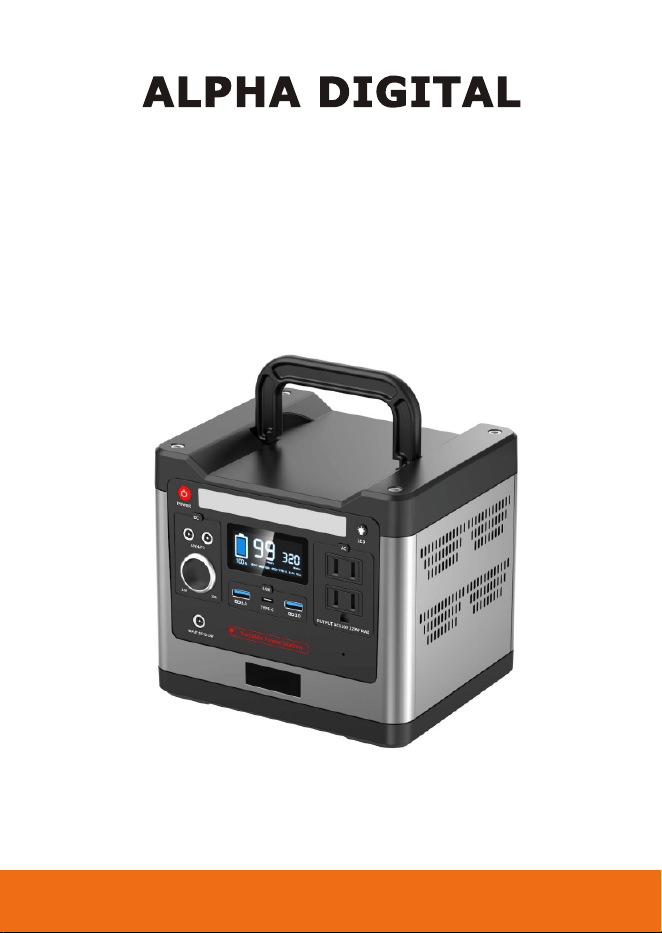
MODEL: MT-CN320
PORTABLE POWER STATION
User manual

CONTENTS
Important Safety Instructions
Important Safety Instructions................................................1
About the Product
What’s in the box..................................................................3
Product Introduction.............................................................4
Spectifications......................................................................5
LCD Battery Display.............................................................6
Overtemperature Indicator Display.......................................6
Radiator Indicator Display.....................................................6
Using the Product
Charging...............................................................................6
Battery Life............................................................................7
Buttons Opeartion.................................................................7
Output Ports..........................................................................8
Customer Management
Statement............................................................................11
Product Storage and Maintenance......................................11
Trobleshooting....................................................................12
Warranty.............................................................................12
FCC and Safety Information...............................................12
Support...............................................................................12
IMPORTANT SAFETY INSTRUCTIONS
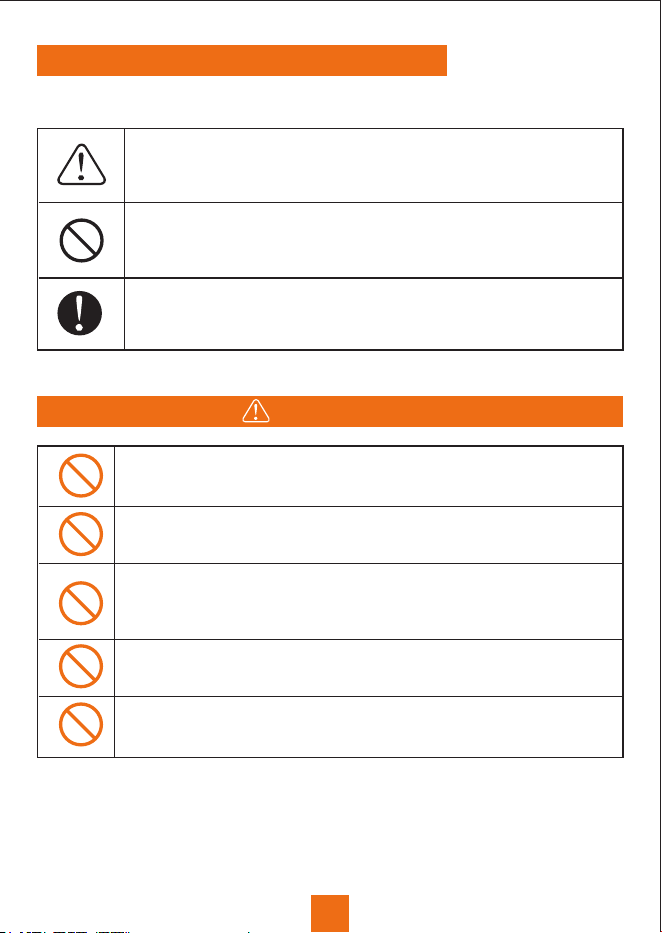
Please be sure to observe the following for safe use
It indicates that attention should be paid to fire, rupture and
high temperature when operating the product. Specific
attention is described in the figure.
This means that this behavior is prohibited when operating a
product. Specific prohibited content is described in the icons
or text in or near the icons.
Represents the mandatory operation of the product in
accordance with the instructions. Specific mandatory content
is described in graphics or text in or near the figure number.
Please do not disassemble, repair or transform, which may
cause electric shock, heat, fire and other dangers.
Do not put the product near the fire source or put it into the
fire or heat, which will cause fire or burns and other dangers.
This product can not be charged and used in dew, bathhouse,
rain and other places; do not use water to clean the product,
it will cause electric shock, heat, fire and other dangers.
Do not use metal to contack AC output interface, it may cause
electric shock, fever, fire and other dangers.
Please do not use it as general waste disposal. Electricity
shock, heat and fire may occur in the garbage collection truck.
DANGER
1
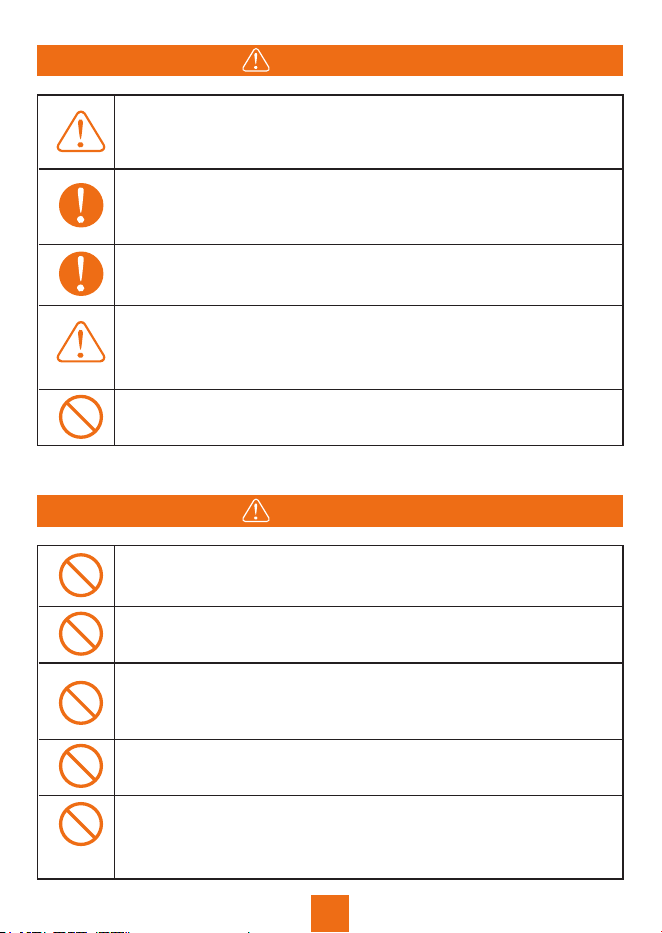
Please stop using the product immediately when there is any
abnormality such as rusting, peculiar smell, fever, etc.
Do not allow this product and the AC cable to get wet with
water or other liquids. It may cause short circuit, heat, fire, etc.
0
Please charge, use this product under 113 F, storage this
0
product under 149 F otherwise may cause poor performance
or heat up.
Please carefully read the operating instructions of the
electrical products to be connected.
Be sure to turn of the main power button during storage to
precent unncessary discharge of the battery and prevent
electric shock.
NOTE
2
f
Please keep the place clean for use and storage. Power or
small metal contact terminal may cause short circuit,
accidents such as smoke or fire.
Be sure to check before use. In case of any abnormality such
as breakage, crack, leakage, fever and AC line breakage,
please stop using the product immediately.
Please charge in the specified voltage range (AC 100~240v).
Otherwise, it may cause heating, fire and other accidents.
WARNING
f
Do not let children use this product. Or it may cause
accidents or injuries.
Remove the AC cable from the socket whtn lighting strikes
during charging. When it thunders, a large current from the
socket may be generated into a fever, fire and other accidents.
3
ABOUT THE PRODUCT
Note: Picture is for reference only, take the actual packed product
as standard.
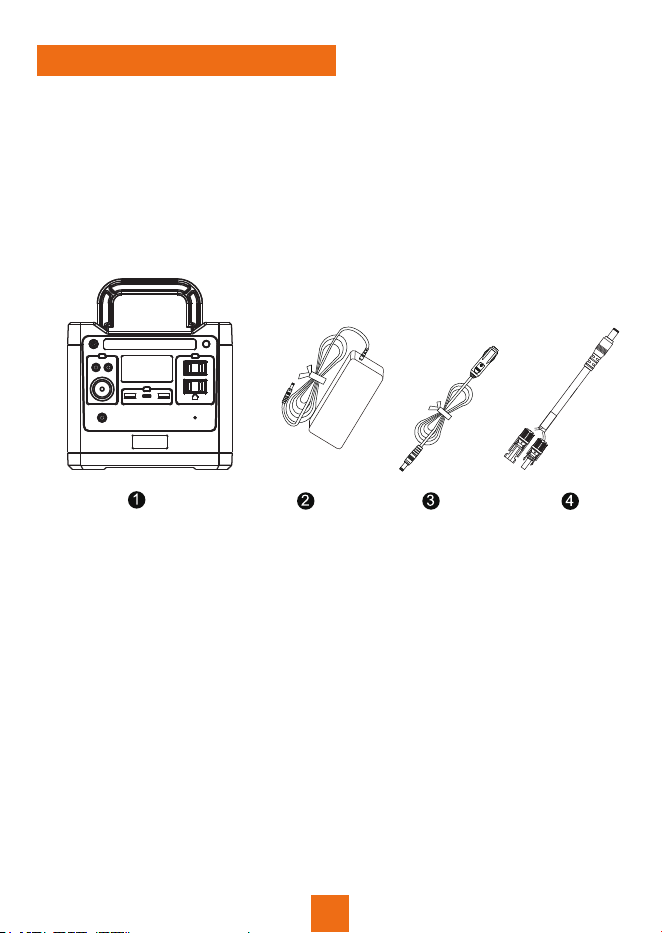
WHAT’S IN THE BOX
1 x 298Wh Portable Power Station
1 x AC Adaptor ( Including AC Charging Cable)
1 x Cigarette Lighter Cable
1 x DC to MC 4 Cable
1 x User Manual
1 x Warranty Card
PRODUCT INTRODUCTION
ABOUT THE PRODUCT
4
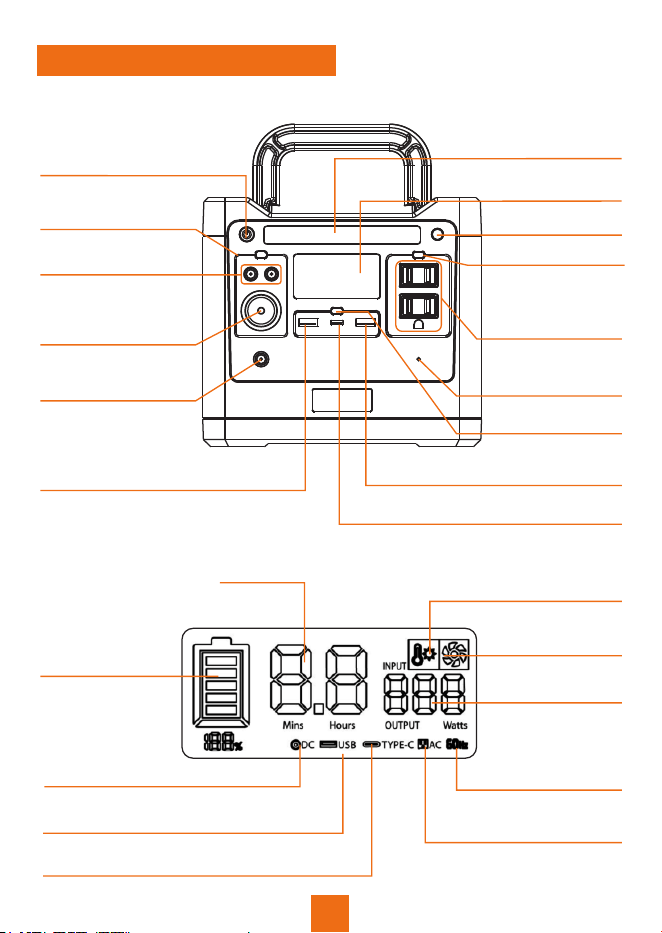
Power ON/OFF
DC Power Button
DC 12V Car Cigarette
Lighter Output Port
DC 12V Output Port
Charging Port
(DC Input)
LCD Screen
LED Light
LED Light Button
AC Power Button
AC Outout Port
USB Power Button
USB Output Port (QC3.0)
Type-C PD Output Port
Reset Hole
USB Output Port (QC3.0)
Battery Capacity
Indicator
Battery Remaining Time
Input/Output Power
DC ON/OFF
USB ON/OFF
Type-C ON/OFF
AC ON/OFF
50/60Hz
Over-temperature Indicator
Radiator Indicator
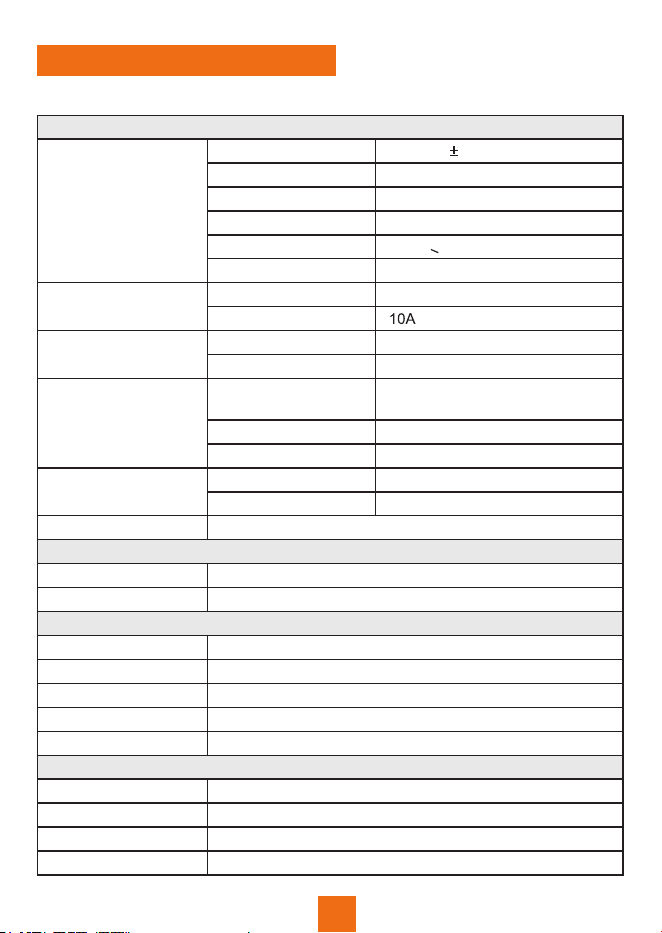
OUTPUT
AC Output
Rated Voltage
Rated Power
Peak Power
Output Waveform
Overload Capability
Frequency
Rated Voltage
Rated Current
Rated Voltage
Rated Current
Quick Charge
Technology
Rated Voltage
Rated Current
Charging Agreement
Rated Output
Type-C Output
USB Output
LED Light
DC 12V Output
(Cigarette Lighter)
DC 12V Output
4W Ultra bright LED light with SOS mode
INPUT
Input
Input Power
BATTERY
Rated Capability
Rated Voltage
Battery Cell Type
Voltage Range
BMS Safety System
12~24 VDC
65W MAX
298Wh(93120mAh)
12.8V
Lithium iron phosphate (LiFePO4)
11.2V~14.6V
Yes
GENERAL
0 0
14 F~149 F
Storage Enviroment
5
Working Temperature
0 0
32 F~113 F
Product Size
Product Net Weight
188*165*200mm or 188*165*170mm
4.1kg
Compatible with most
mobile phones
5V, 9V, 12V
Max 18W
PD (60W)
5V, 9V, 12V, 15V, 20V
12V
50/60Hz (Adjustable)
320W<load<420W
Sine Wave
640W
320W
AC110V 10%
12V
4A
ABOUT THE PRODUCT
SPECTIFICATIONS

6
ABOUT THE PRODUCT
LCD BATTERY DISPLAY
The LCD Battery Display indicates the charge level and the remaining
capacity. When Charging it, you will notice a battery segment blinking
with 1 second interval. This indicates the current charge status and the
number under INPUT shows the real-time charging power. Once it
is fully charged, all battery segments will be lit and remain solid.
OVERTEMPERATURE INDICATOR DISPLAY
0
When the discharge temperature is greater than 149 F, the
over-temperature protection indicator will be displayed on the screen
for 5 seconds.
RADIATOR INDICATOR DISPLAY
The fan will turn on when the power supply internal temperature
0
reaches 113 F.
USING THE PRODUCT
Inportant Tips Before Use
Note: Please charge the product to 100% before using. When charging
the product, the battery capacity display icon on LCD screen will be on
dynamic status, after the battery is fully charged, the display icon will
stay solid.
Note: Always use the standard AC charger that comes with the product.
CHARING
1. Use AC Charge to Charge the Product
7
(1). Connect the product and power putlet with the AC adaptor includer in
the package.
USING THE PRODUCT
(2). Please unplug the charge when charging completed. (It takes about
5~6 hours to fully charge the product with the included power adaptor)
(3). Please use the included adaptor, non-standard adapters may cause
defects to the product.
Note:
1. It is normal for this product to get hot during charging.
2. Make sure that the wiring is in good contact, otherwise the contact
terminals may melt at high temperatures.
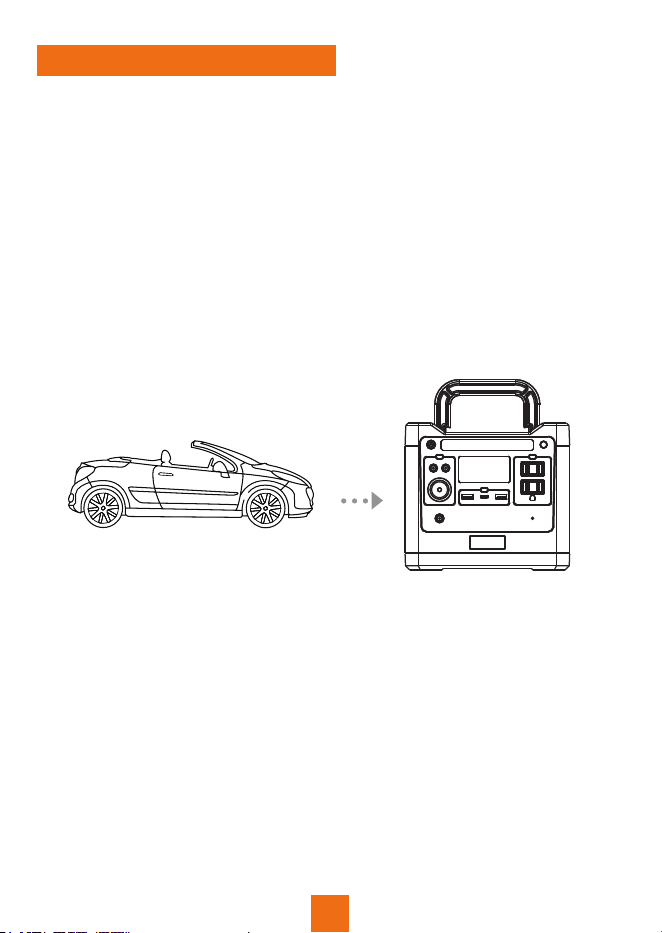
2. Use Car Cigarette Lighter to Charge the Product
(1). Connect the product and the car cigarette lighter socket with the
cigarette lightercable included in package.
(2). Charge the product after starting the car.
Note:
1. Make sure that the wiring is in good contact, otherwise the contact
terminals may melt at high temperatures.
2. The car needs to be started before it can charge the product,
otherwise it may run out of battery power.
USING THE PRODUCT
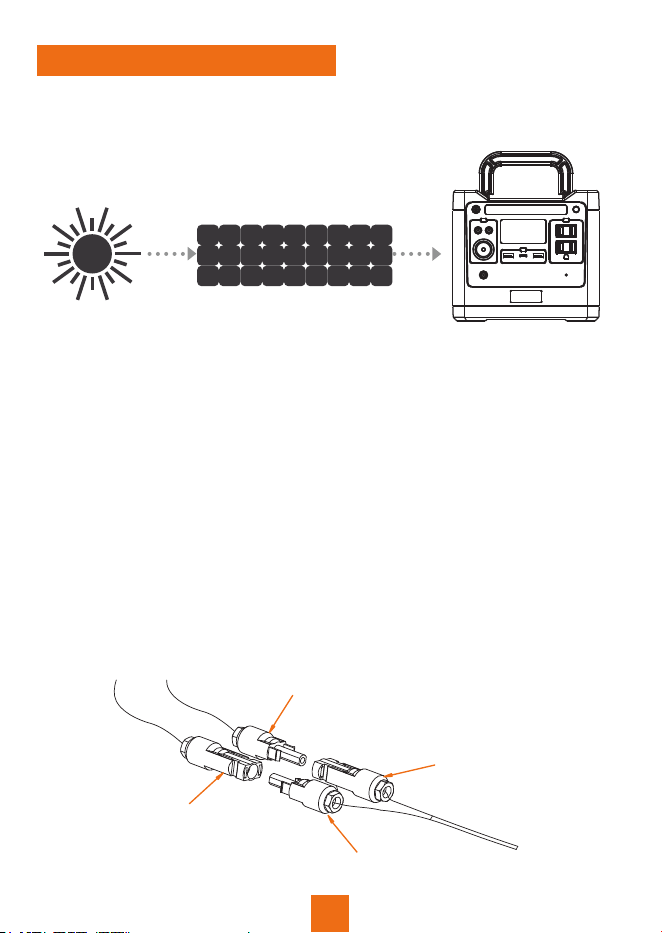
3. Use Solar Panel (not included) to Charge the Product
Please note: Solar panels need to be purchased separately from
Sungale.com.
(1). Choose a suitable solar panel (Voltage 12~24V / Max.(100W) )
(2). Put the solar panel under direct sunshine, face the sun straigtly.
(4). When the product is fully charged, it will stop charging automatically.
Please remove the charging cable, and turn of the product.
(3). Take a MC4 cable or DC5525 cable (not included), connect the
solar panel and the product.
Note:
1. Please make sure the cable connection is secure and stable, otherwise
it may cause the connector in high temperature or create sparking.
0
2. Please charge the product under 32-113 F temperature environment.
3. During charging, it is normal the product gets hot.
4. Charging time is dif erent when sunlight intensity is dif erent.
5. If you choose a solar panel with MC4 connec-tor, please make sure
the positive and negative poles of the solar panel connected correctly.
Refer to the following illustration.
f
f
8
Solar panel PV+
Connecting cable PV+
Connecting cable PV-
Solar panel PV-
f

USING THE PRODUCT
BATTERY LIFE
The product is designed to retain up to 80% of its original capacity at
2000 complete charge cycles when operating under normal conditions.
BUTTONS OPERATION
1. Power ON/OFF the Product
Power of : Press and hold the power button, the LCD screen will be of .
f
f
Power on: Press and hold the power button and the LCD screen lights up.
2. DC Power Button
DC power on: Press the DC button, the LCD will display ( ).
DC power of : Press the DC button, and the LCD will disappear ( ).f
3. AC Power Button
AC power on: Press the AC button, the LCD will display ( ).
AC 60Hz
AC power of : Press the AC button, the LCD will disappear ( ).
AC 60Hz
f
DC
DC
4. USB Button
USB power on: Press the USB button, the LCD will display
( ).
USB
TYPE-C
USB power of : Press the USB button, the LCD will disappear
( ).
USB
TYPE-C
f
5. LED Button
LED power on: Press the LED button in turn, the order of LED light
will be: Micro bright-half bright-fullbright.
LED power of : Press and hold the LED button,the LED lights will be
turned of .
f
f
SOS LED power on: Double press the LED button and the SOS light
will be turned on.
SOS LED power of : Press the LED button and the SOS light will be
turned of .
f
f
9

USING THE PRODUCT
Double click the power button to switch the LCD screen between the
LCD screen between always bright or dim power saving mode.
6. Adjust LCD Screen Brightness
7. Adjust AC Output Frequency
Press and release the power and AC button together, to switch between
50 Hz and 60Hz.
Note:
1. Turn of the product to conserve power when not in use.
2. When no key is pressed after power on, the product will turn of
automatically.
f
f
OUTPUT PORTS (CHARGE DEVICES)
1. USB Output Port
Three USB output ports let you charge up to multi devices simultaneously.
Each USB port maximum output is 18W (Support the Quick Charge
technology).
2. Type-C PD Output Port
Can used to charge smart phones, tablets, etc. Maximum output is 60W.
Support multi-protocol mode, and is compatible with any device that
supports Type-C PD charging.
3. DC 12V Output Port
10
Can used to charge small fan, LED light, etc. Each DC output ports
maximum output is 12V/4A.
4. DC 12V Cigarette Lighter Output Port
For Vehicle Refrigerator, vehicle air pump, vehicle vacuum cleaner and
other 12V equipment. Maximum power output is 12V/10A (120W).
Note: DC output can be used for most small appliances products.
Some products with instantaneous high current may trigger
over-current protection.

USING THE PRODUCT
5. AC Output Port
To be used for laptops, cameras, TV, monitor, power tools, breathing
machine, electric blanket and other AC power equipment. Each AC port
maximum power output is 320W
Note: AC output works with electrical products with power below 320W
or peak power below 640W .
Other Considerations:
1. Make sure electrical device is compatible before connecting to
this product.
2. Electrical output will stop automatically if any safety protection is
triggered.
3. If electrical output stops repeatedly, stop using the product
immediately. Do not use until problem is solved.
PRODUCT STORAGE AND MAINTENANCE
1. Fully charge the machine before storage.
2. Switch of the power when not is use, to prevent power consumption.
3. If there is any dirt or soak, wite clean with a clean cloth.
4. Do not use gasoline, volatile oil, thinner, kerosene on the product.
which may cause damage.
5. Keep it in dry and less dusty place. Keep under temperature between
0 0
within 14 F~149 F , avoid direct sunlight.
6. Please full charge the product at least once every three months.
f
7. Do not store it for long in a car trunk, loading platform, or other hot
surface under direct sunlight. It may cause the product failure,
degradation or thermal problem.
11
CUSTOMER MANAGEMENT
STATEMENT
All rights reserved. Reproduction in whole or in part without written
permission is prohibited. All other trademarks are trademarks of their
respective owners. Features and specifications are subject to change
without notice.

WARNING!!! This equipment has been tested and found to comply with
the limits of a Class B digital device, pursuant to part 15 of the FCC rules.
These limits are designed to provide reasonable protection against
harmful interference in a residential installation.
FCC AND SAFETY INFORMATION
For any support or comments concerning this products, please send an
email to: [email protected] or toll free number in the USA:
800-473-5156
SUPPORT
WARRANTY (1-YEAR-LIMITED)
The manufacture's warranty is void under the following circumstances
but not limited to:
Improper or inadequate maintenance or modification.
Accident, misuse, abuse, contamination, or other external causes.
The use of unspecified adapter and accessories.
Damages that occurs as a result of one's failture to follow the instructions.
If the product cannot charge or power a device, please check according
to following steps:
1. Make sure the 'POWER' button is turned on.
2. Make sure the AC, DC or USB button is on.
3. Check the battery capacity, if it’s lower than 10%, please
recharge the product as soon as possible.
4. Make sure the load power connected doesn’t exceed the max
power of this product, each port has a limit of maximum output too.
If you can’t clear the trouble after above steps, please contact our
service center.
TROUBLESHOOTING
12
CUSTOMER MANAGEMENT