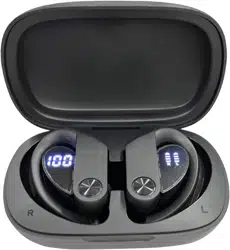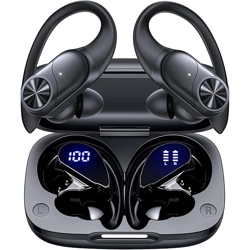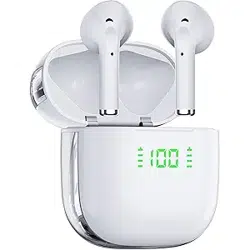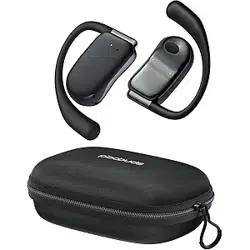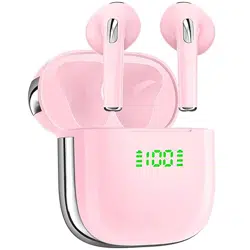
X1 User Manual
True Wireless Earbuds
05
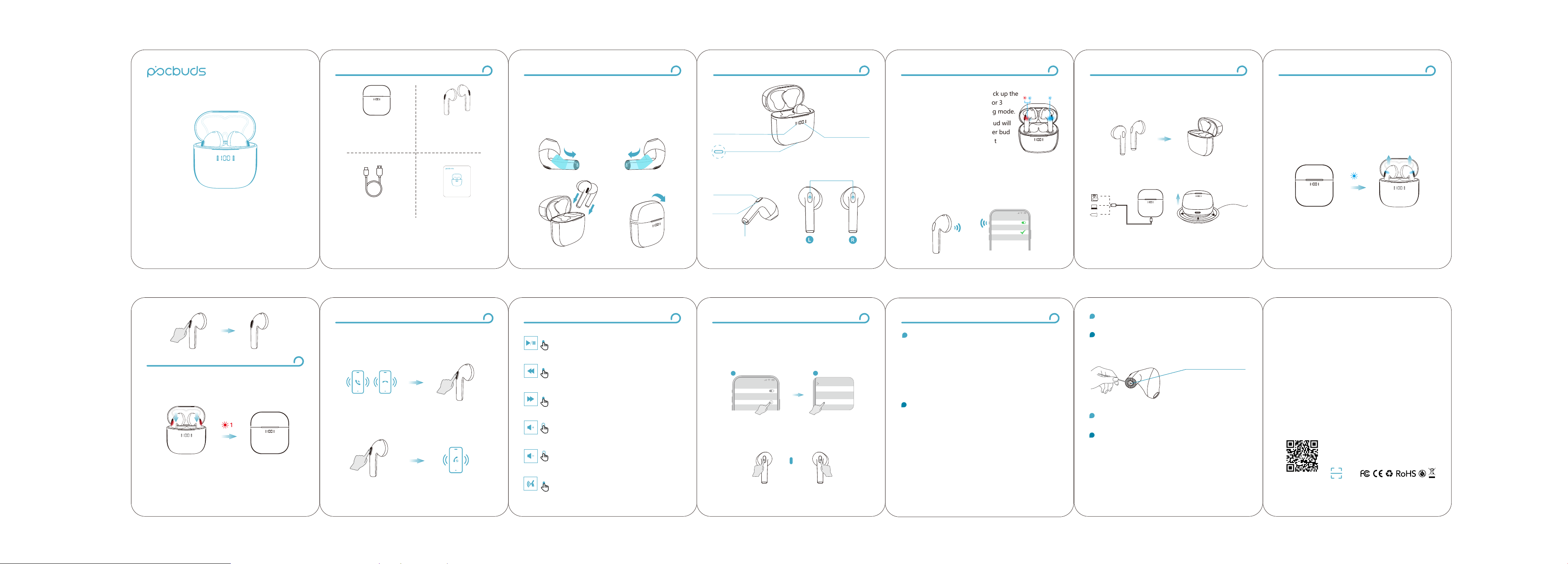
Put both earbuds into the charging case and close the
lip, the charging columns will jump up and down to keep
charging.
Charging the earbuds
The last digit keeps flashing until it is fully charged, and
turns off upon removing the adapter.
Charging the charging case
Charging
Method 1
USB-C Cable (Included)
Method 2
Wireless Charging Pad (not Included)
08
Answer / End call
Tap once L/R Earbud (You will hear voice prompt
"Incoming call+Incoming phone number")
Reject An Incoming Call
Double-tap L/R Earbud
Calling Control
1x
2x
06
1s
Auto Power On
When you open the charging case, the earbuds will
automatically turn on and start to pairing. You will hear
voice prompt "pairing" and the indicator light flash blue
for 1s.
If the earbuds are not connected to any devices over 5
minutes, they will power off automatically.
Manual Power On
Turn on the earbuds manually by pressing the MFB
button for 2 seconds to hear the prompt "power on"
(Both earbuds in power off status)
Power On
03
Power of
Charging Case
Charging Status of
L/R Earbud
USB Charging Port
Charging Contact
MFB
MFB: Multifunction Button
LED Light
Product Diagrammatic Sketch
09
Play/Pause
Tap Once L/R Earbud
Previous Track
Quick Double-tap "L" Earbud
Next Track
Quick Double-tap "R" Earbud
Volume +
Long Press the "R" Earbud
Volume -
Long Press the "L" Earbud
Music Operation
Activate/Stop Voice Assistant
Triple-tap the L/R Earbud
2x
2x
3x
1x
1s
07
Auto Power Off
Put the earbuds into the charging case and close the lip
to power off.
2s
Power O
Power On
02
Before the first use, please tear off the isolating film on
the earbuds. Put the earbuds into the case, then charge
both earbuds and charging case via supplied Type-C
charging cable for at least 10mins (or after not use for a
long time), do not take out the earbuds during this period.
First Time Use
Remove
Remove
04
1. Open the charging case, and pick up the
earbuds from the charging case for 3
seconds to enter Bluetooth pairing mode.
* The LED indicators on the one bud will
flash red-blue alternately, the other bud
will flash blue slowly. Voice prompt
“pairing”means in pairing mode.
2. Select "X1" on your device's Bluetooth list to connect.
* When successfully connected, you will hear the
prompt "connected" and the LED indicator of one bud
flashes 5 seconds, then turn off.
12:00
Bluetooth
Bluetooth
X1
Connected
10
* You might need to reset the earbuds if you experience
any connectivity problems or function issues.
1. Forget all the pairing records of your earbuds on your
device and turn off Bluetooth.
2. Tap the button of the left & right buds 5 times
continuously and simultaneously until the LED indicators
of the earbuds flash red and blue lights alternately 3 times.
12:00
Bluetooth
Bluetooth
X1
Connected
Reset Operation
........................................
5x
L & R Earbuds
12:00
Bluetooth
X1
Device Type
Forget This Device
1
22
3. Put the earbuds back into case, then take out to reconnect.
01
Packing List
User Manual x1Type-C Charging
Cable x1
Earbuds x2Charging Case x1
X1 User Manual
True Wireless Earbuds
11
FAQ
What should I do if any of the following problems
occur?
1. Cannot pair or reconnect with my device.
2. One side does not pair with the other side or my
device.
3. No music plays after connecting with my device.
4. Only one earbud has sound.
Q
A
1. Forget all the pairing records of your earbuds on
your device and turn off Bluetooth.
2. Tap the button of the left & right buds 5 times
continuously and simultaneously until the LED
indicators of the earbuds flash red and blue lights
alternately 3 times.
Pairing
Manual Power Off
Press and hold MFB of L/R earbud for 5 seconds to power
off. (Both earbuds are turned off at the same time).
* Cannot be turned off manually during music/calling.
V2
说明书类型:折页,风琴折
尺寸:74mmx86mm
材质:128g铜版纸,覆哑膜
工艺:四色印刷
12
Q
A
Why can't the earbuds be charged after put back into
the charging case?
Kindly use 70 percent isopropyl alcohol and a dry,
lint-free cloth to clean the metal charging contact
points of the earbuds.
Q
A
Charging Contacts
What should I do if earbuds disconnect or the sound
is choppy?
Please note that this doesn't necessarily mean there is
an issue with the earbuds, but may have something to
do with the connected device and environment.
Bluetooth signals may be influenced by obstructions,
such as walls, pillars, home appliances, Wi-Fi, and
more. To ensure a stable
connection, we recommend
avoiding such obstructions.
To fix this issue, please try the following:
1. Fully charge and reset your earbuds as stated
above and re-pair them.
2. Check the earbuds by listening to a downloaded
song/video.
3. Check the earbuds with another Bluetooth device
in a different environment to see if it works well.
Kindly scan the QR code to activate the
lifetime warranty of your earbuds within
15 days.
www.pocbuds.shop