A
B53-TD07-2293-01-XX
PI-1398-24
210 mm
2293说明书
143*210
80克双胶纸
143 mm
封面封底
PI-1398-24-01/-02
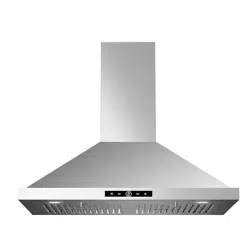
Model Name: RP10 Available Sizes: 30" 36"
内页黑白印刷
If you have any questions or concerns, please reach us online at:
info@vikiohome.com
2 3
FAQ
TROUBLESHOOTING
10
11
12
13
17
18
19
20
25
27
29
29
30
31
7
7
5
4
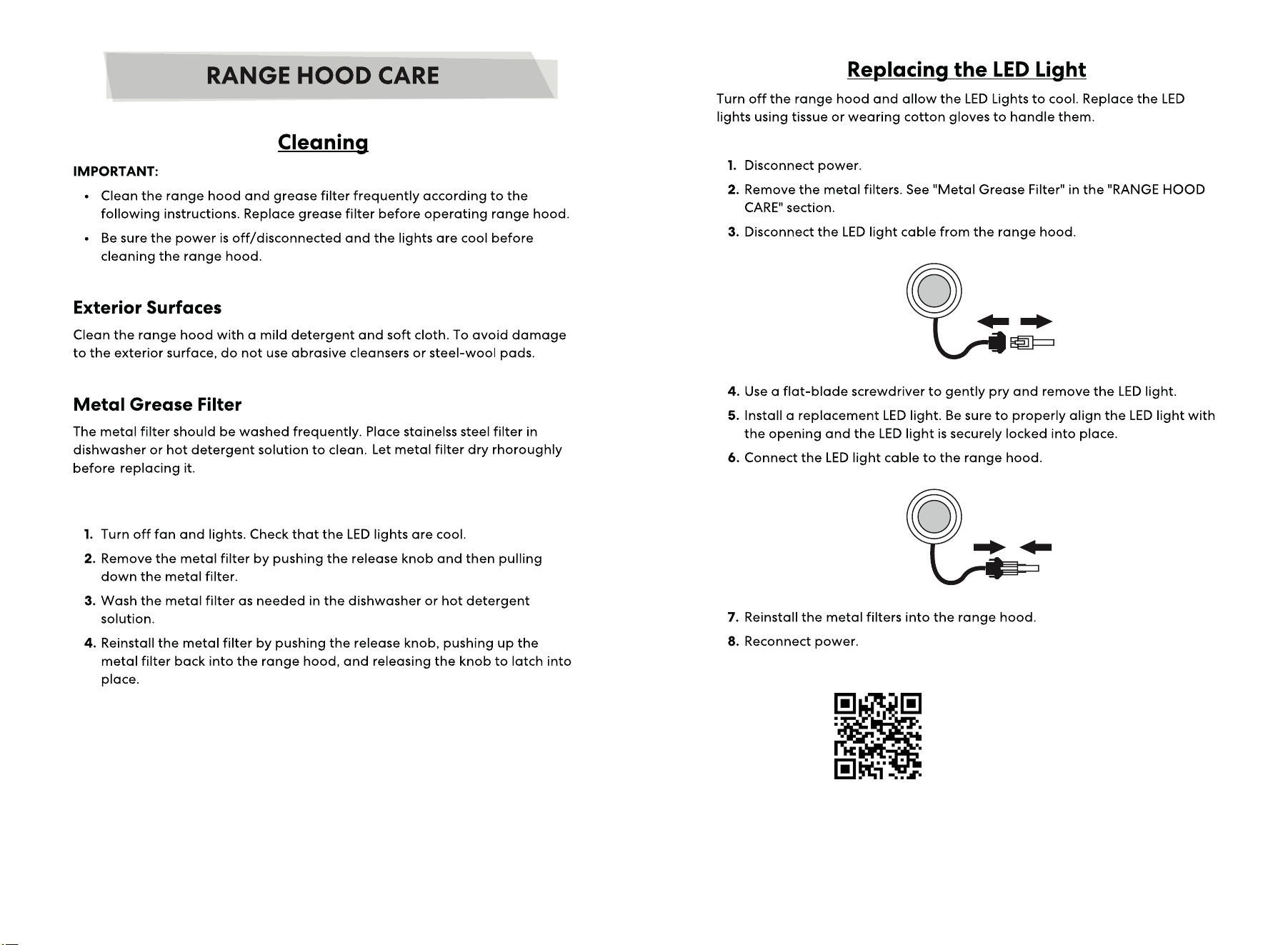
Replacing the LED Light
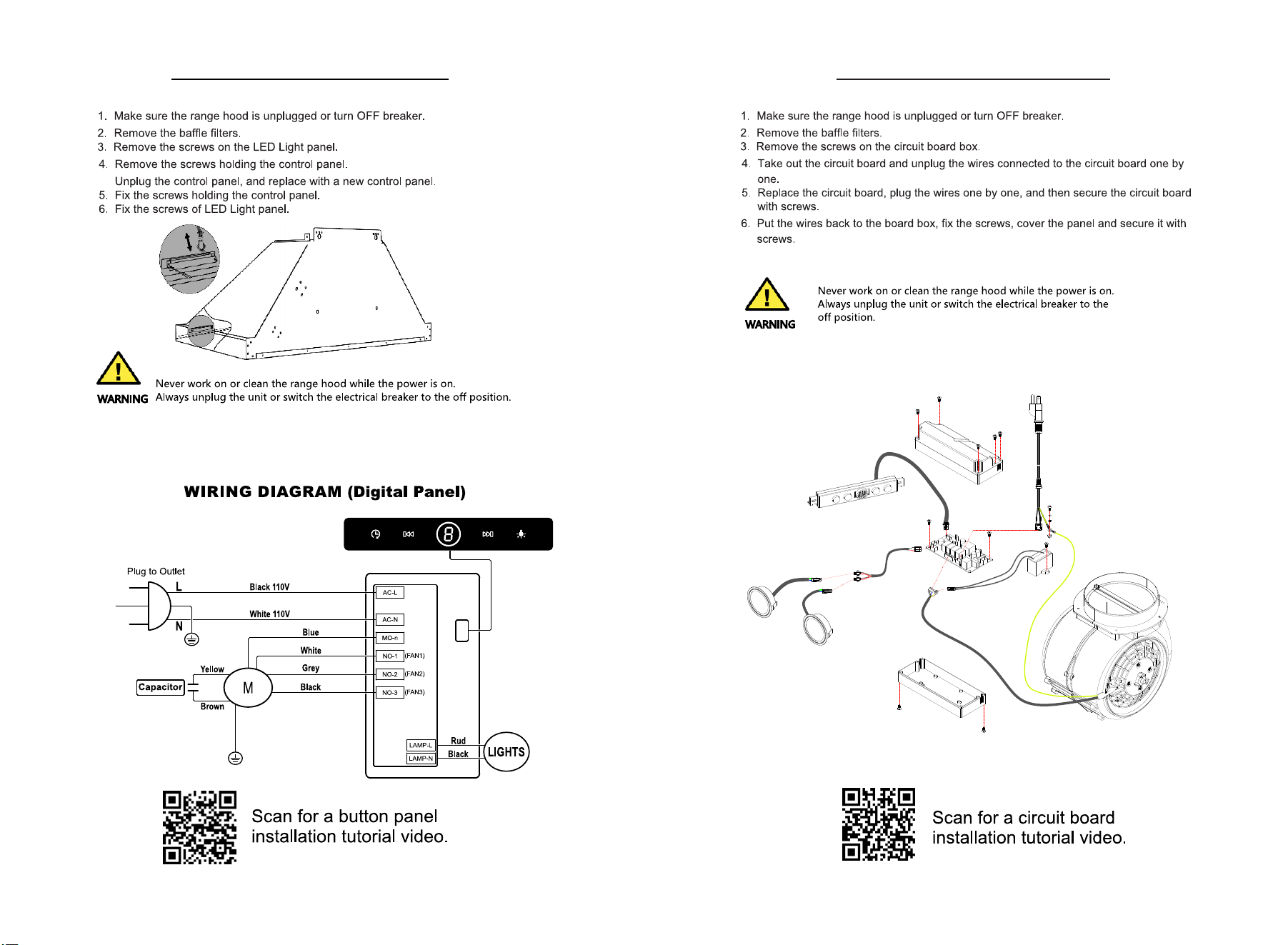
Replacing the Control Panel
32
Replacing the Circuit Board
33
34
35
4 5
This spares is not provided, please buy it individually if need.
6 7
8 9
RP10-EXPLOSION DIAGRAM
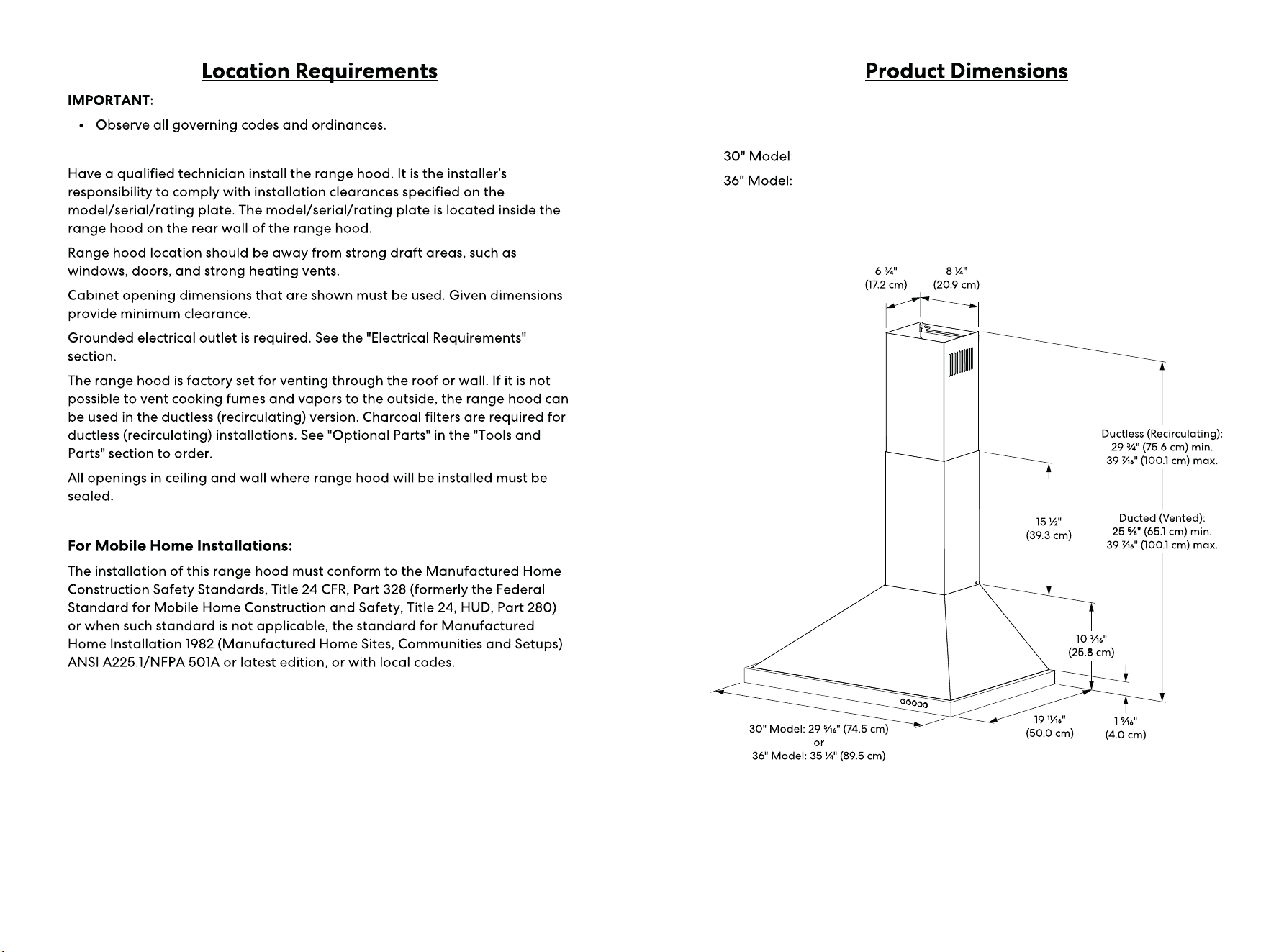
VKARP1030SI
VKARP1036SI
10 11
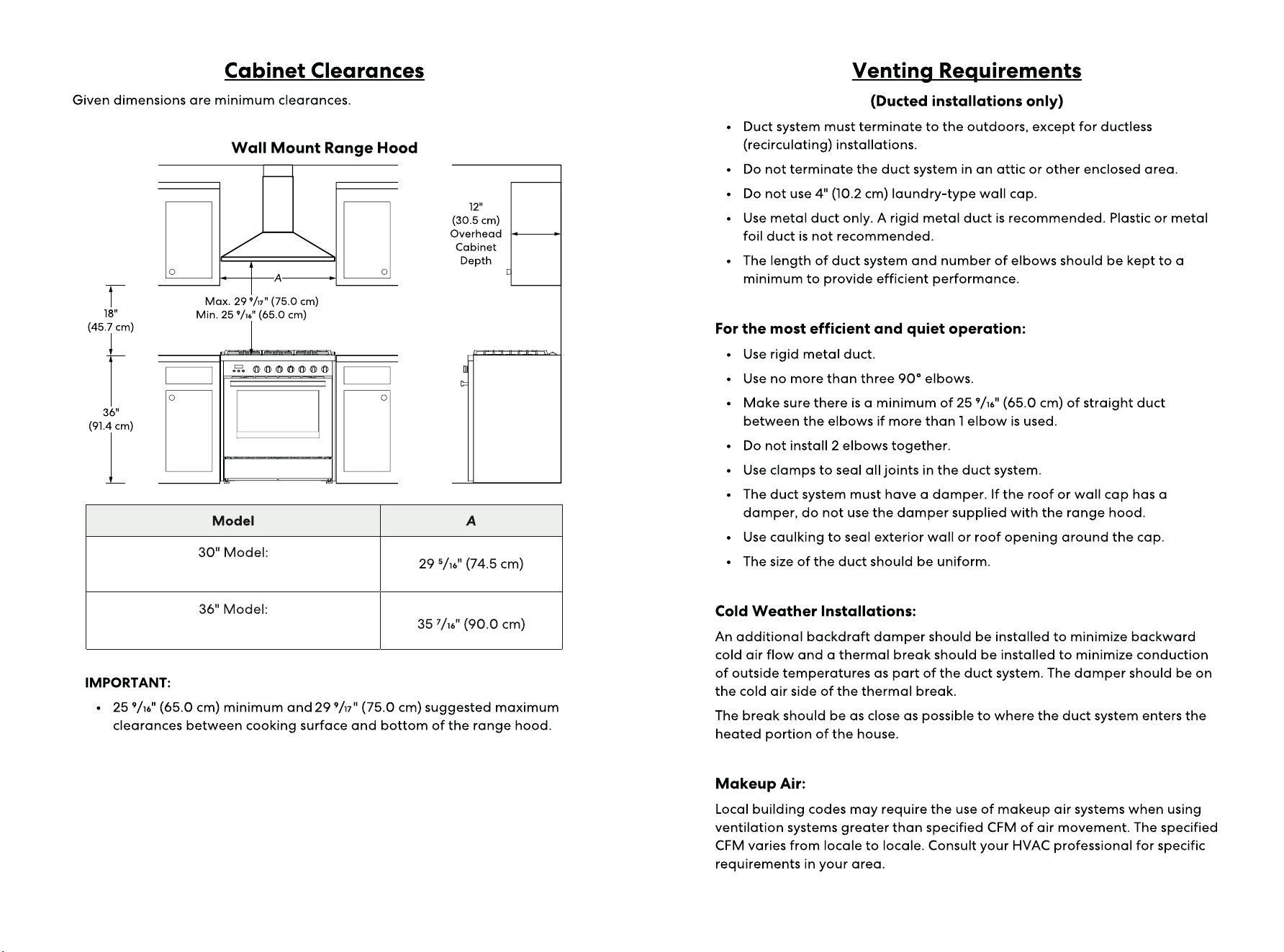
VKARP1030SI
VKARP1036SI
12 13
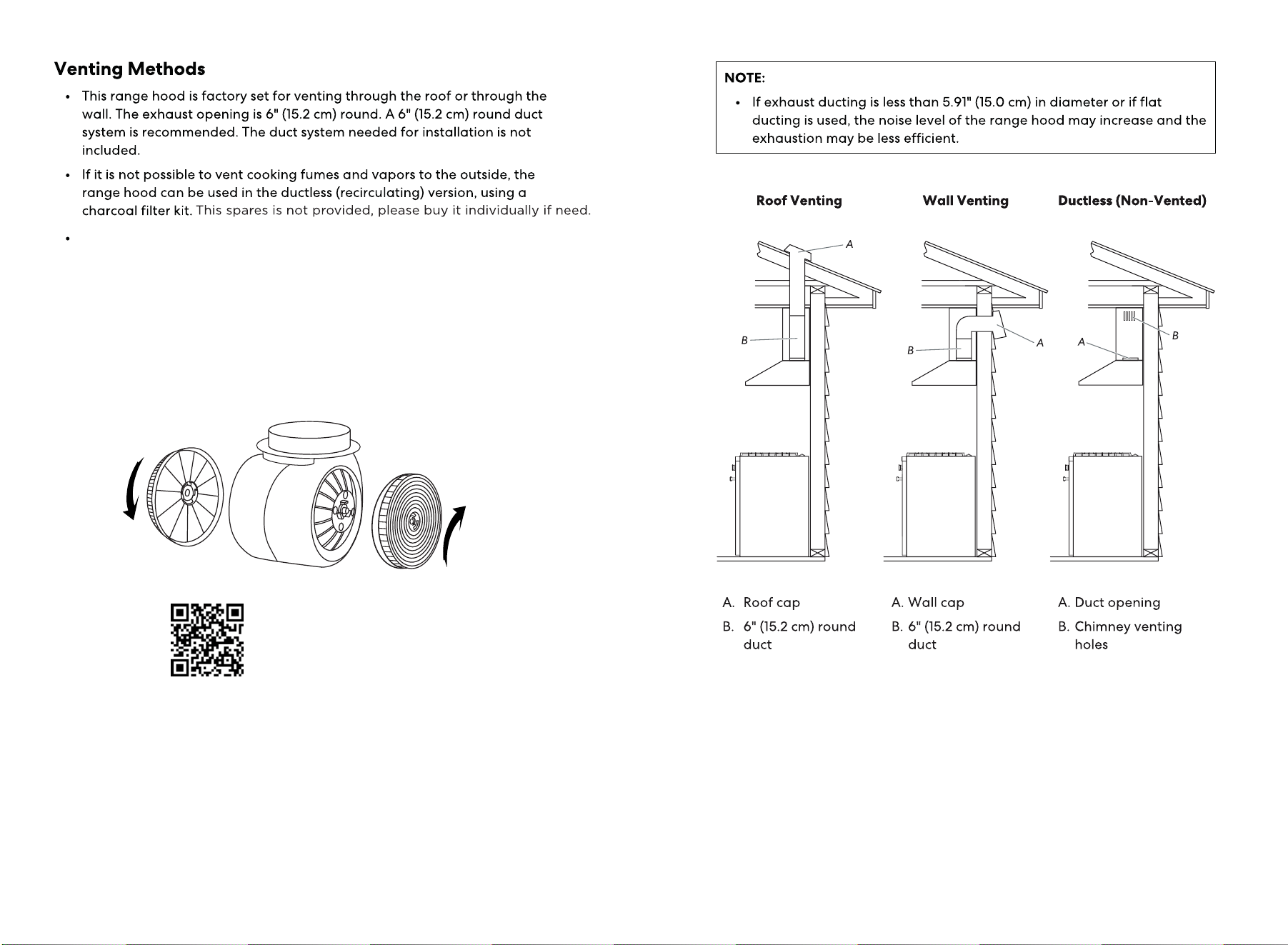
If you need to do a ductless installation, please follow the installation steps
without installing an aluminum pipe. And install the charcoal filters.
HOW TO REPLACE OR CHANGE CHARCOAL FILTERS
It is recommended to use ducting to direct vent your range hood whenever
possible. If you have a recirculating kit installed on your range hood, charcoal
filters are availble to recirculate the air through your hood.
Scan for a charcoal filter installation
tutorial video .
14 15
16 17
VKARP1030SI / VKARP1036SI
18 19
20 21
22 23
24 25
26 27
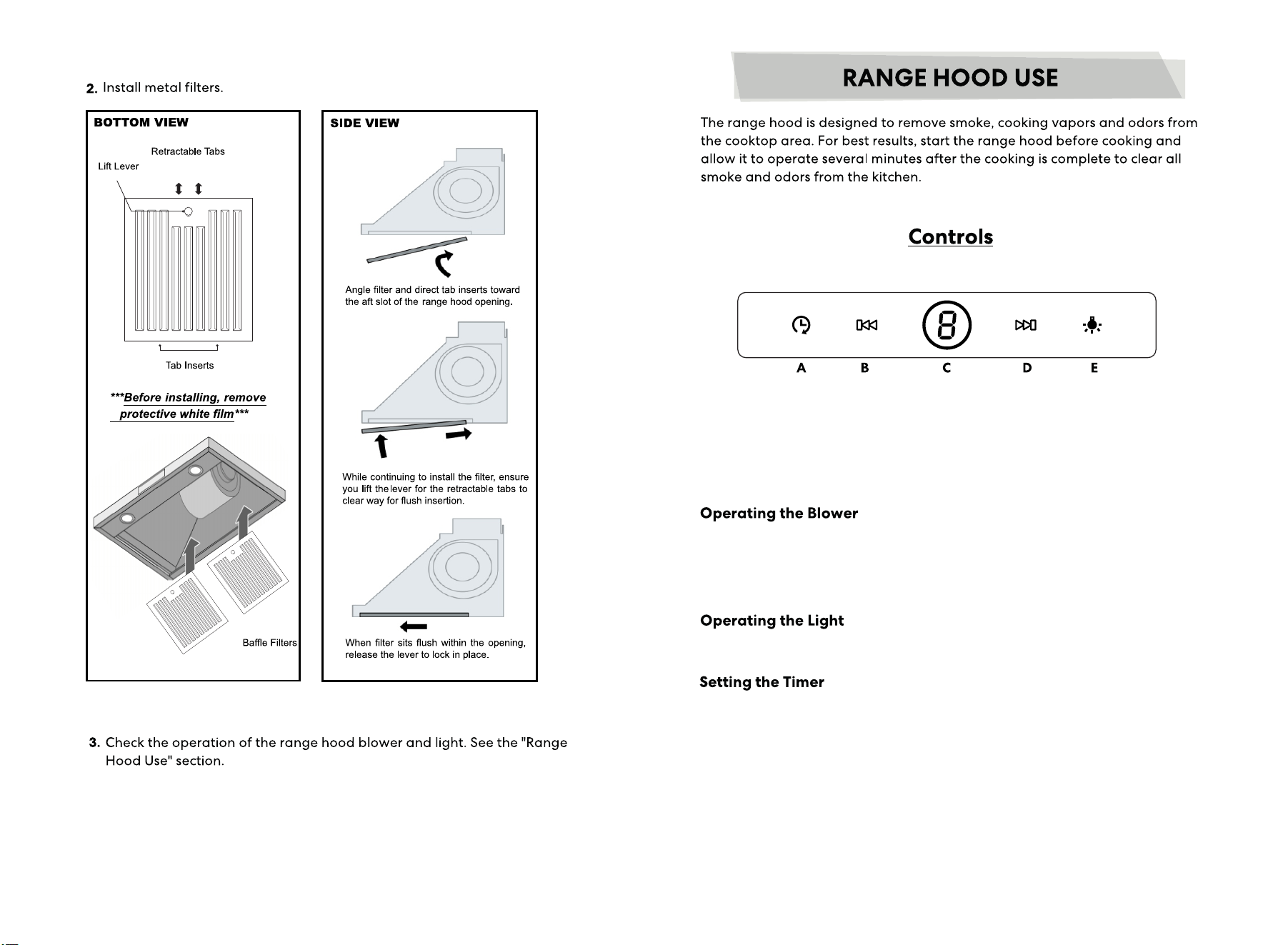
A. Timer button
B. Decrease speed button
C. Power On/Off button
D. Increase speed button
E. Light On/Off button
1. During the shutdown mode, press Power On/Off button (C) to enter standby
mode, and use the Blower speed buttons (B and D) to set the desire speed.
2. To turn the blower off, press Power On/Off button (C).
1. To turn the lights on/off, press Light On/Off button (E) once.
1. When the blower is standby or running, long press Timer button (A) for 2
seconds to access into time delay shutting, press B and D to set the desire
time (1-9 minutes, the default time is 1 minute). Press A or 10 seconds without
operation, the data will be saved and start countdown.
2. When the motor is running, press Timer button (A) to access into 1-min delay
shutting. Countdown ends and then back to shutdown mode.
28 29
30 31
Scan for a light bulb
installation tutorial video. .
32 33
Replacing the Control Panel Replacing the Circuit Board
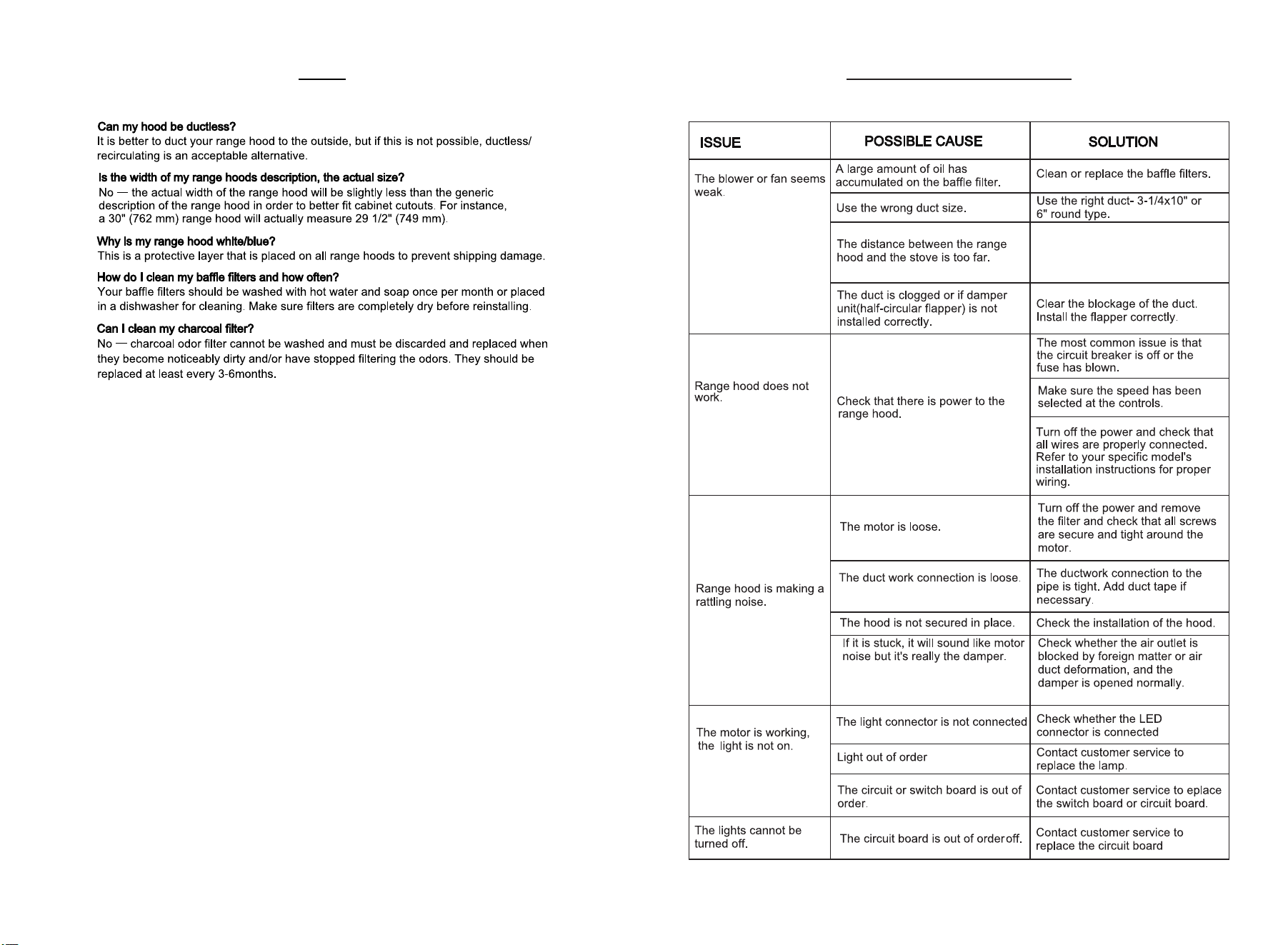
Adjust the distance between the
range hood and stove top,
between 25 9/16" (65.0 cm) and
29 9/17" (75.0 cm)
34 35
FAQ TROUBLESHOOTING
