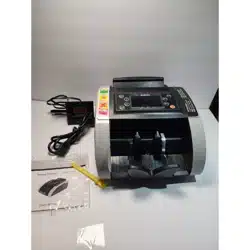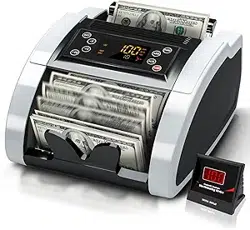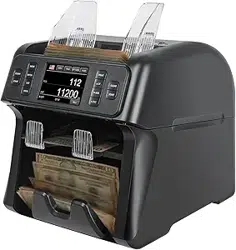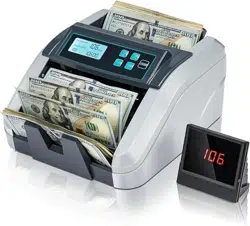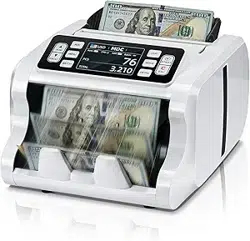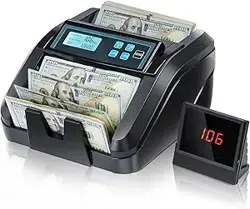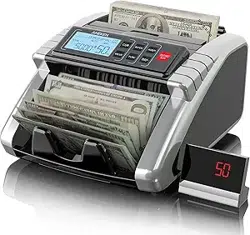

Money Counter Operation Manual
Preface
▪ Thank you for purchasing our m oney counter.
▪ Guarantee is one year from the date of supply.
▪ This user guide compiles all relevant instructions in the use and operation of
the machine.
▪ We recommend the new user to read the manual thoroughly, in order to get
familiarized wit h the controls and operation of the unit.
CONTENT
1. General Introduction
2. Important Safety Instructions
3. Operation Methods
4. Correct Feeding of Bills
5. Co
ntrol Panel Introduction
6. Functions Introduction
7. Hopper Plate Adjustment
8. Error Codes and Solution
9. Common Troubles and Solution
10. Maintenance
11. Features and Specifications
1. General Introduction
The money counter is the perfect solution for a fast, accurate and reliable bill
counting process. This machine is a pioneer i n the development of our counting
technology. Its compact and stylish design is as remarkable as its integrated
electronics and multi-function capabilities . But it is more than just looks and hi-tech
electronics . It is ready to process the most demanding tasks , from counting large
amounts of cash , to batch customizing money quantities . The ability to significantly
reduce labor and counting lo sses is now in your hands.
This machine is an invaluable aid in banks, casinos, supermarkets, movie theaters,
retail stores and m a ny other environments where bills are used.
When opening the box, please make sure that al l items described below are included.
If any item is da m a ged or missing, please contact us as soon as possible to help you
solve the problem.
1. Machine 5. Fuse
2. User manual 6. Conveyor b e
lt (optional)
3. Power cord 7. External display (optional)
4. Cleaning brush 8. Bankbill straps
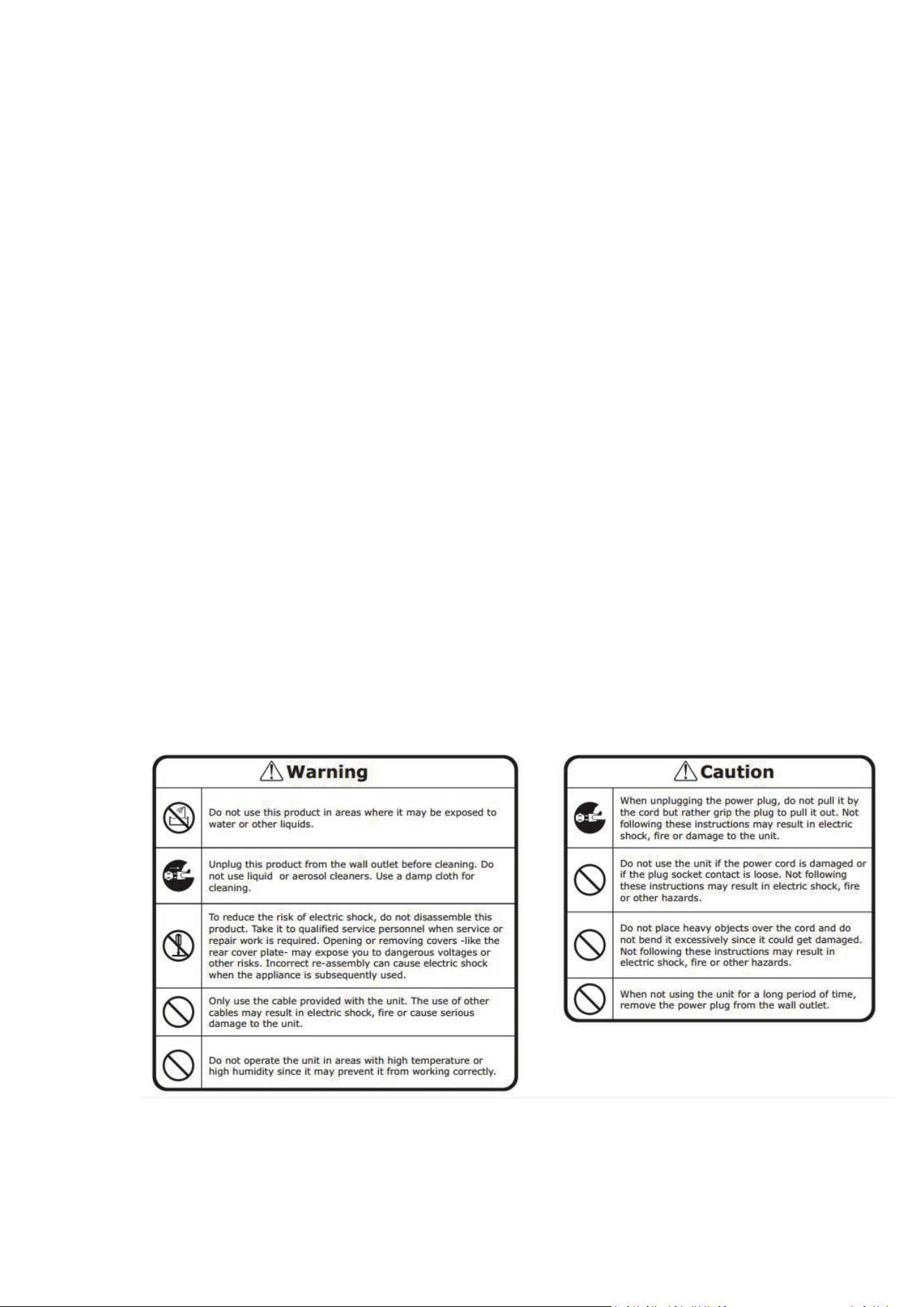
2. Important Safety Instructions
Basic safety precautions to reduce the risk of fire, electric shock, or personal injury
should always be followed when using this money detector; including the following.
3. Operation Methods
▪ Connect the power cord to the machine, then to a power source a nd turn the
power switch on; the machine will conduct a self-check by spinning the counting
wheels se veral times. The counting number display will show "0" when the machine
is ready.
▪ To avoid wrong d etecting, please check and take out the Bills before counting which
are as following:
1. Mended bills with paper 2. Washed bills 3. Very dirty bills 4. Broken bills
4. Correct Feeding o f Bills
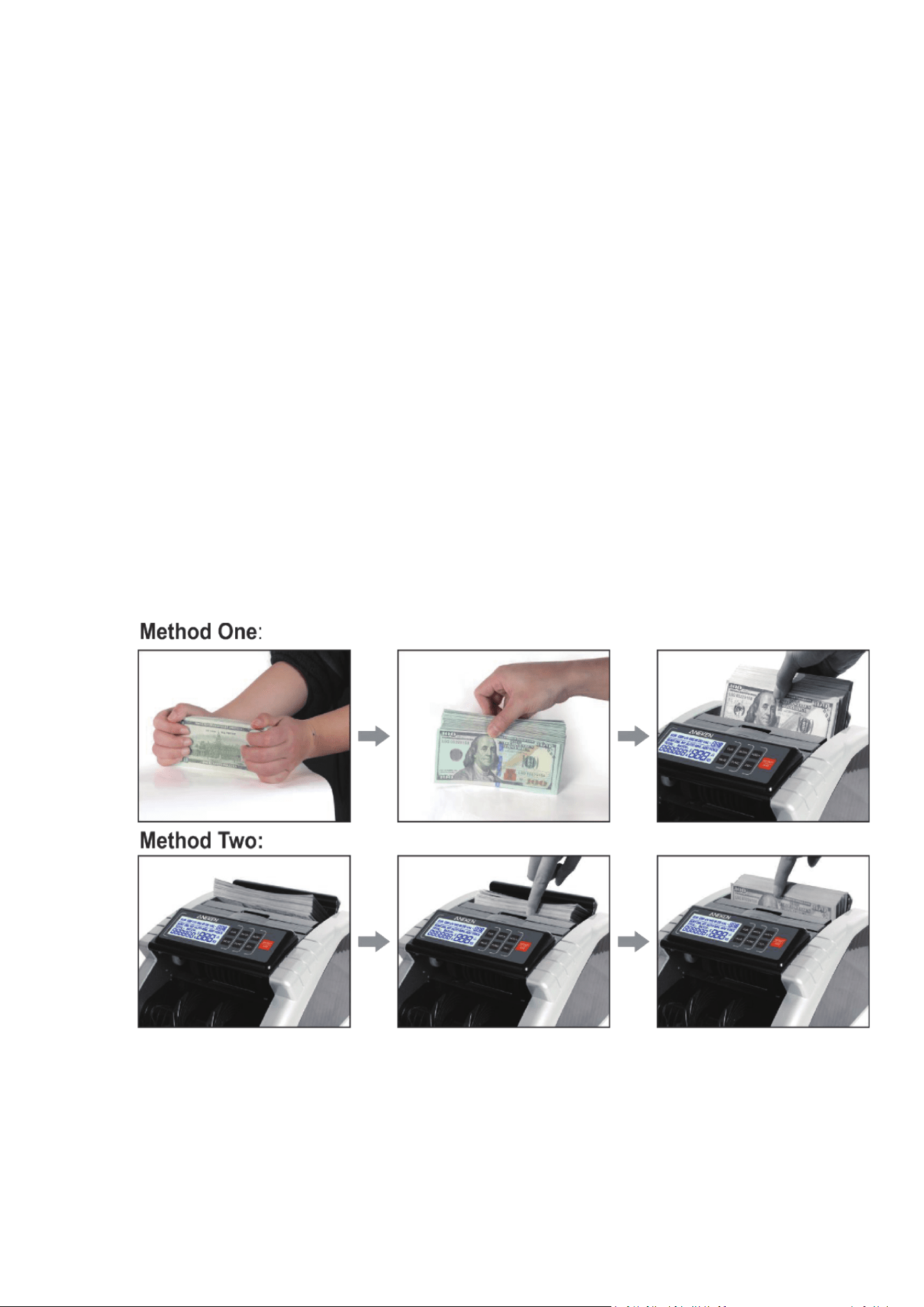
The bills need to be placed in an orderly manne r between the counting guides,
please refer to the following pictures.
5. Control Panel Introduction
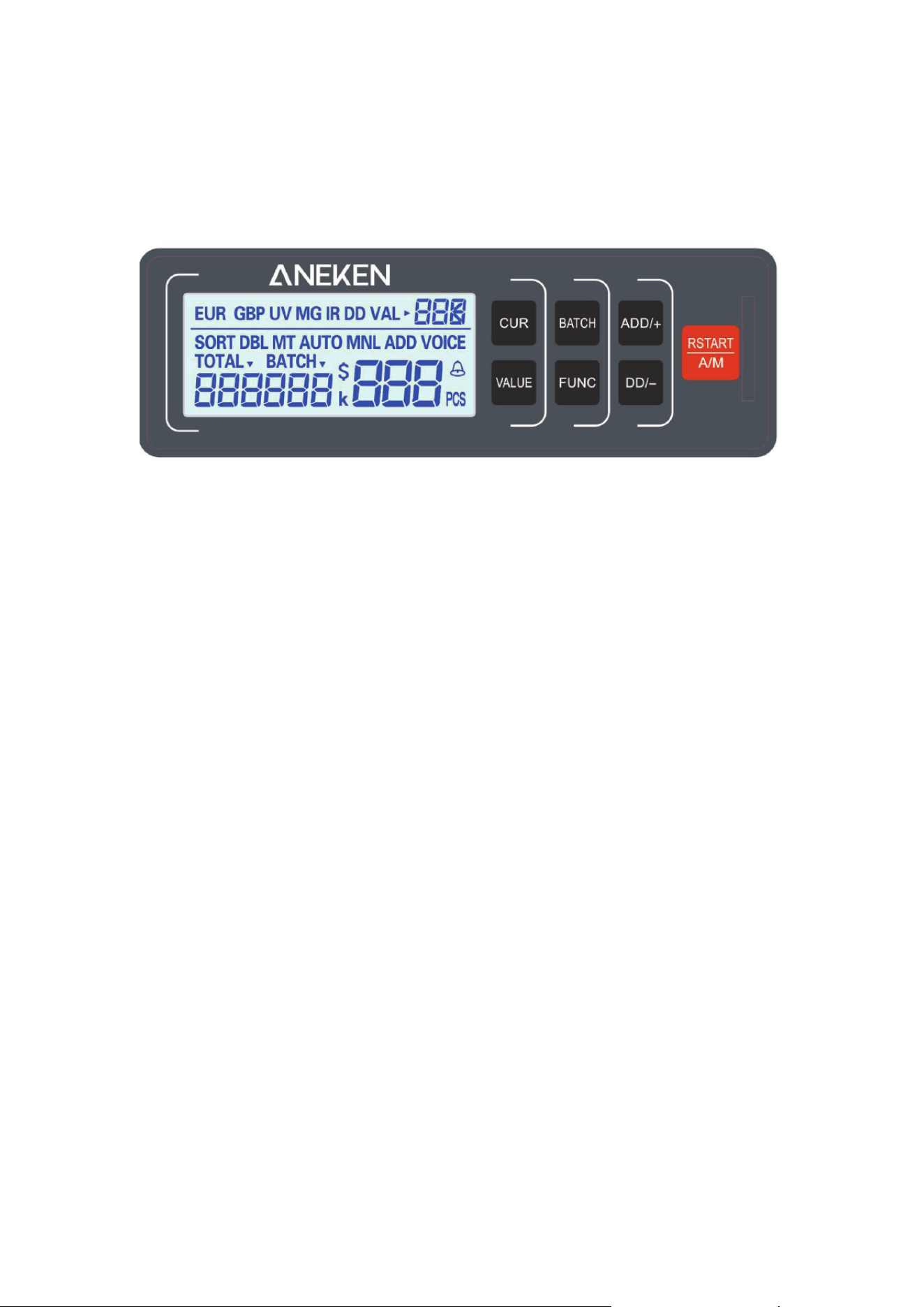
“BATCH” button: press this button to turn on/off the BATCH function. Press BATCH
continuously to change the number of batch operations 100, 50, 20, 10 and then
exit.
“ADD” button: press this button to turn on/off the ADD function. Press the "AD D"
button to increase the quantity i n the preset batch state.
“DD” button: press this button to turn on/off the DD detection. Press the "DD "
button in the preset batch state to reduce the quantity.
“VALUE” button: press this button to ent
er denomination calculation mode. Press
VALUE to increase the denomination in the order of 1, 2, 5, 10, 20, 50, 100, and press
DD to subtract the denomination in the order of 100, 50, 20 , 10, 5, 2, 1. Long press to
exit.
“CUR” button: press this button to choose currency. USD or EUR.
“FUNE” button: press this b utton to toggle or turn on/off MG & UV & IR detection.
Press for the first time to turn off MG detection. Press a second time to t urn off UV
detection. Third press to turn off IR IR de
tection. The fourth time you press, al l
functions are turned on.
“START” button: press this button to clear the count in automatic counting mode,
then press it again to return to the initial mode of power on, and l ong press RSTART
to switch ATUO/MANUAL mode.
6. Functions Introduction
Counting Function
Once the bankbills are correctly placed on the hopper plate, t he machine will
automatically start counting. The number of bills counted will be shown on the
counter display. I
f the count is repeated, the counter di splay will be cleared and the
batch display will show the number of bills last counted.
UV (Ultraviolet) Detection Function

By default, the UV function is automatically turned on when the device is powered
on. If the bill counter detects counterfeit money, it will stop counting and sound a
beep. The display will show the message "A or E10" to alert the user of the presence
of a suspicious piece of mo ney. Remove the counterfeit money and press "START" to
continue counting.
MG (Magnetic) Detection Function
By default, the MG function is automatically turned on when the device is powered
on. If the mach
ine detects a counterfeit bill, it will stop counting and sound a beep.
The display will show the message "b or E6X" to alert the user of the presence of a
suspicious bill. Remove the suspicious bill and press "START" to continue counting.
IR (Infrared) Detection Function
By default, the infrared function is automatically turned on when the machine is
turned on. If the machine detects a counterfeit bill, it will stop counting and em i t a
beep. The display will show the message "C
or EC0" to alert the user that a suspicious
bill is present. Remove the counterfeit bill and press "START" to continue counting.
DD Detection Function
With this function, the width of the first bill counted will be remembered and i f a
wider bill or a narrower bill is detected (the difference in width must be more t han 5
mm), it will stop counting and sound a beep. The display will show the m essage "d or
E8X" to alert the user of the presence of a suspicious bill. Remove the counterfei
t
money and press "START" to continue counting.
Total Value Calculation Function(Optional)
With this function, the user needs to press the VALUE button to select the
denomination manually. For example, when you select 100 and count 10 bills of 100
denominations, the display will show a total value of 1000. please bill that when you
select 100, you must count 100 because if you put other denominations, such as 50
or 20, etc., the machine will also remember it as denomination 10
0.
With the VALUE function, the user can turn on the ADD function if he wants to
calculate many denominations. In this case, the next bill placed in the hopper will b e
calculated and added to the previous total value.
Automatic or Manual Start Mode Function
Automatic Start Mode: When t he bills are placed into t he hopper, the machi ne starts
counting automatically.
Manual Start Mode: After the bills are placed in the hopper, press the "START"
button to start counting.

Batch Function
The batch fu nctio n can be selected or canceled by p ressing the "BAT" button. The
batch number will be displayed on the batch display.
First Press: the batch nu mber is 100
Second Press: the batch number is 50
Third Press: the batch number i s 20
Fourth Press: the batch number is 10
Fifth Press: the batch function is canceled.
In batch counting mode, once the bills are placed in t he hopper, the machin e will
start counting and stop when t he number of bills counted reaches th e preset batch
quantity.
To repeat the batch counting ope ration with the same preset number of batches,
simply remove the counted bills from the stacker. The machine will batch the next set
of bills at the same settings.
If you want to continue th e batching without removing the bills from the stacker,
press the “START” button.
ADD Function
The add function can be p erformed by pressing the "ADD" button (the indicator must
be on). In this case, the next bill placed in t he hopp
er will be counted and added to
the previously counted quantity. The total number of bills added will be displayed on
the counter screen. To turn this function off, press the "ADD" button (the indicator
must be off).
Half Bill Detection Function
The half bill d etection function is automatically turned on by default when t he
machine is turned on. If the machine d etects a half bill while counting, it will stop
and beep, and the display will sh ow the message "F or E4X" to alert the us
er of the
presence of a suspicious bill. Remove the suspicious bill and press the "START"
button to continue counting. Please bill that the su spicious bil l s will b e added to the
counted quantity.
Chained Bill Detection Function
The chained bill detection is automatically turned on by default when the machine is
turned on. If the machine detects a chained bill when counting, it will stop and emit
beeping sound, while the display will show the message “d or E8X” , alerting the us
er
the presence of a suspicio us b i l l. Remove the suspicious bill and press “START”
button to continue counting. Please bill that the suspicious mon ey will be added to
the counted quantity.
Double Bill Detection Function
The double bill detection is automatically turned on by default when the machi ne is
powered up. If the machine detects a double bill while counting, it will stop and beep,
and the display will sh ow the message "C or EC0" to alert the user that a suspicious
bill is present. Remove th e suspicious bill and press the "START" button to continue
cou
nting. Please bill that t he suspicio us bill will be added to the counted quantity.
7. Hopper Plate Adjustment
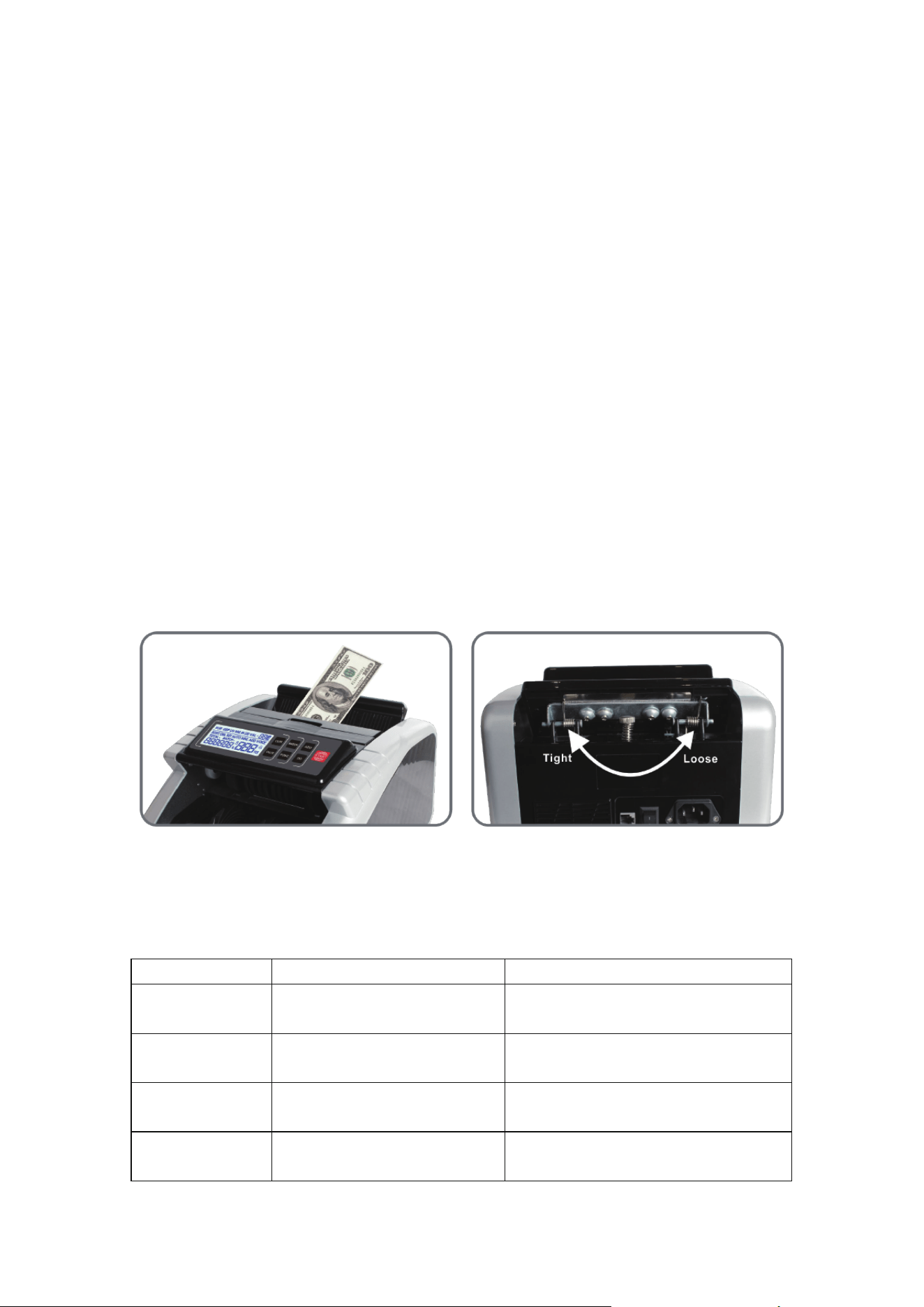
When the bi l l feeding is not smoo th or the bill counting i s no t accurate. You can
adjust the vertical adjustment screw. The screw can adjust the gap between the
rubber and the rubber whe el. Then you can put in a bill and hold it, if you feel a pull,
the machine is working.
Turning it clockwise reduces the gap to increase friction (tight).
Turning it counterclockwise incre
ases the clearance to reduce friction (loose).
8. Error Codes and Solution
The display may show an error code when counting, which means there is a problem
with the machine. Please refer to the table below to find a solution to t he problem.
Error Code
Reason
Solution
A or E10 Fake bill detected by UV
Remove the fake bill from the
stacker, press “ START” to continue
b or E6X Fake bill detected by MG
Remove the fake bill from the
stacker, press “ START” to continue
C or EC0 Double bill detected by IR
Remove the double bill from the
stacker, press “ START” to continue
d or E8X
Chain bill or different width
bill detected
Remove the suspicious bill from the
stacker, press “ START” to continue

F or E4X Half bill detected
Remove the half bill from the
stacker, press “ START” to continue
CE1 Problem with the UV sensor Clean the sensor or replace it
CE2
Problem with code disc
sensor or big motor
Replace the sensor or big motor
CE3
Problem with left counting
sensor
Clean the sensor or replace it
CE4
Problem wit h right counting
sensor
Clean the sensor or replace it
CE5 Problem with hopper sensor Clea n the sensor or replace it
CE7 Problem with MG senso r Replace the MG sensor
CE8 Problem with stacker se nsor Clean the sensor or replace it
In general, most of t he above problems are probably caused by dust or dirt inside the
machine. Therefore it is highly recommended to keep the machine clean.
9. Common Troubles and Solution
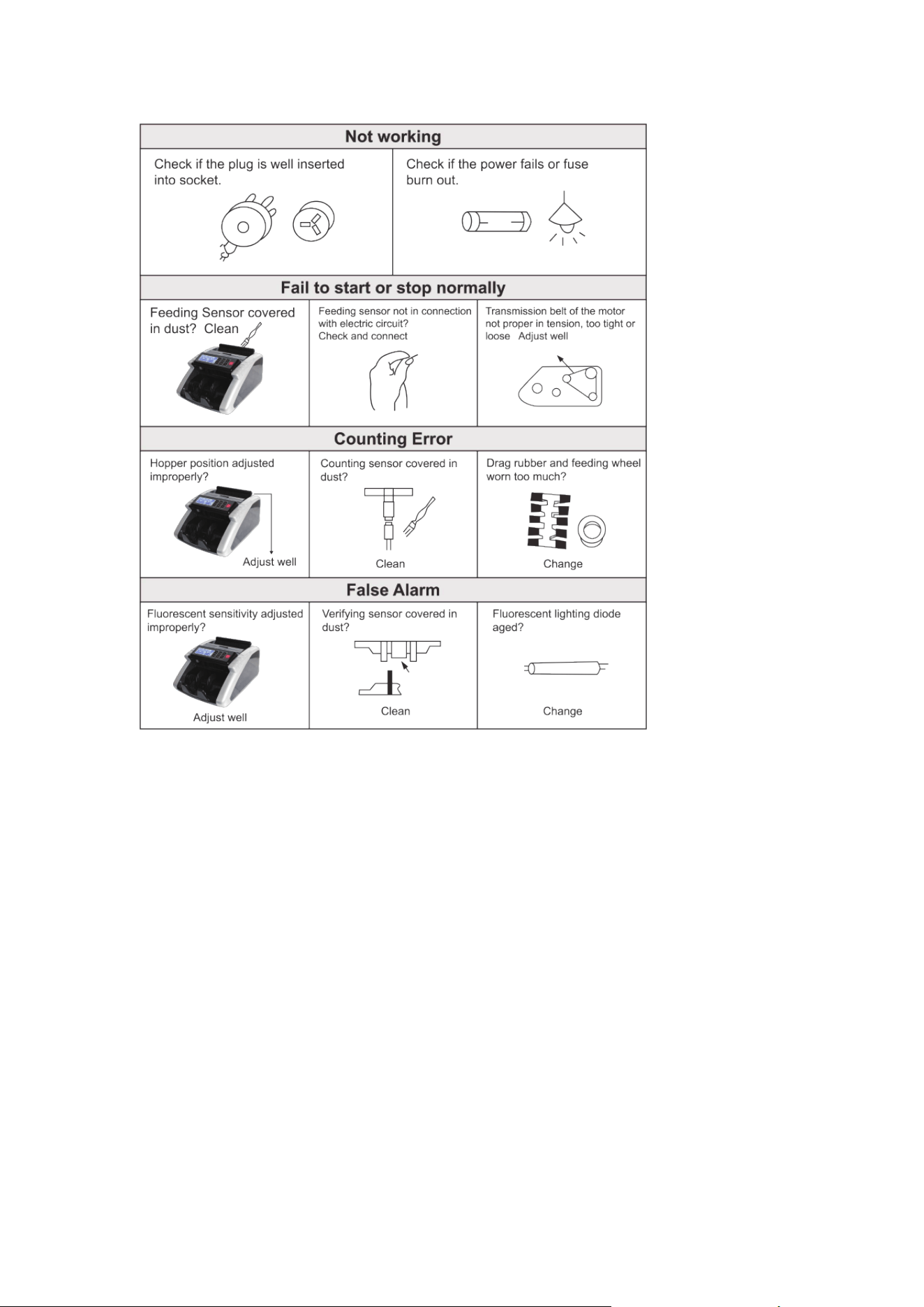
Before repair, please check the problems as below:
Note: before solve the problem, you must turn o ff power switch and unplug the
outlet.
10. Attention
- Do not operate the machine in areas of high temperature or high humidity, as this
may cause the machine to refuse to work or fail to count accurately.
- Unplug the power supply from the wall outlet when the machine is not used for a
long period of time.
-Do not operate the machine under bright light.
-Clean the machine frequently after turning it off and unplugging it.
-Do n ot use this product in areas where it may come in contact with water or other
liquids.
-Unplug th
is product from the wall outlet before cleaning. Do not use liquid cleane rs
or aerosol cleaners. Please use a d a mp cloth for cleaning.
11. Features and Specifications
Features:

Automatic start, stop and clear.
Automatically detects UV (ultraviolet), MG (magnetic) and IR (infrared) while
counting.
Automatically detects half banknotes an d ser i a l ba nknotes.
Double bill detection by IR (infrared) detection system.
With batch, add and self detection functions.
LCD color turns red when counterfeit banknotes are detected (optional).
Specifications:
Ambient Temperature: 0°C - 40°C
Ambient Hu m i dity: 25% - 80%
Feeding System: Roller Friction
System
Hopper Capacity: 200pcs
Stacker Capacity: 200pcs
Size of Countable Bills: MIN: 50x110mm MAX: 90x180mm
Thickness of Countable Bills: 0.075mm - 0.15mm
Counting Display: 4 digits
Batch Display: 3 digits
Power: ≤80 Watts