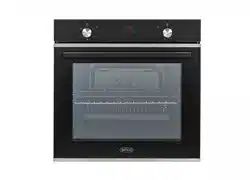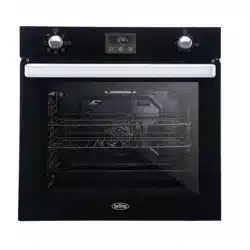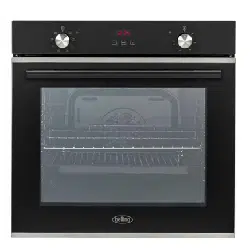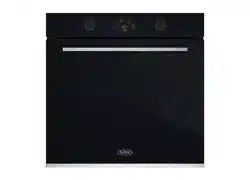
OPERATING AND INSTALLATION
INSTRUCTION OF
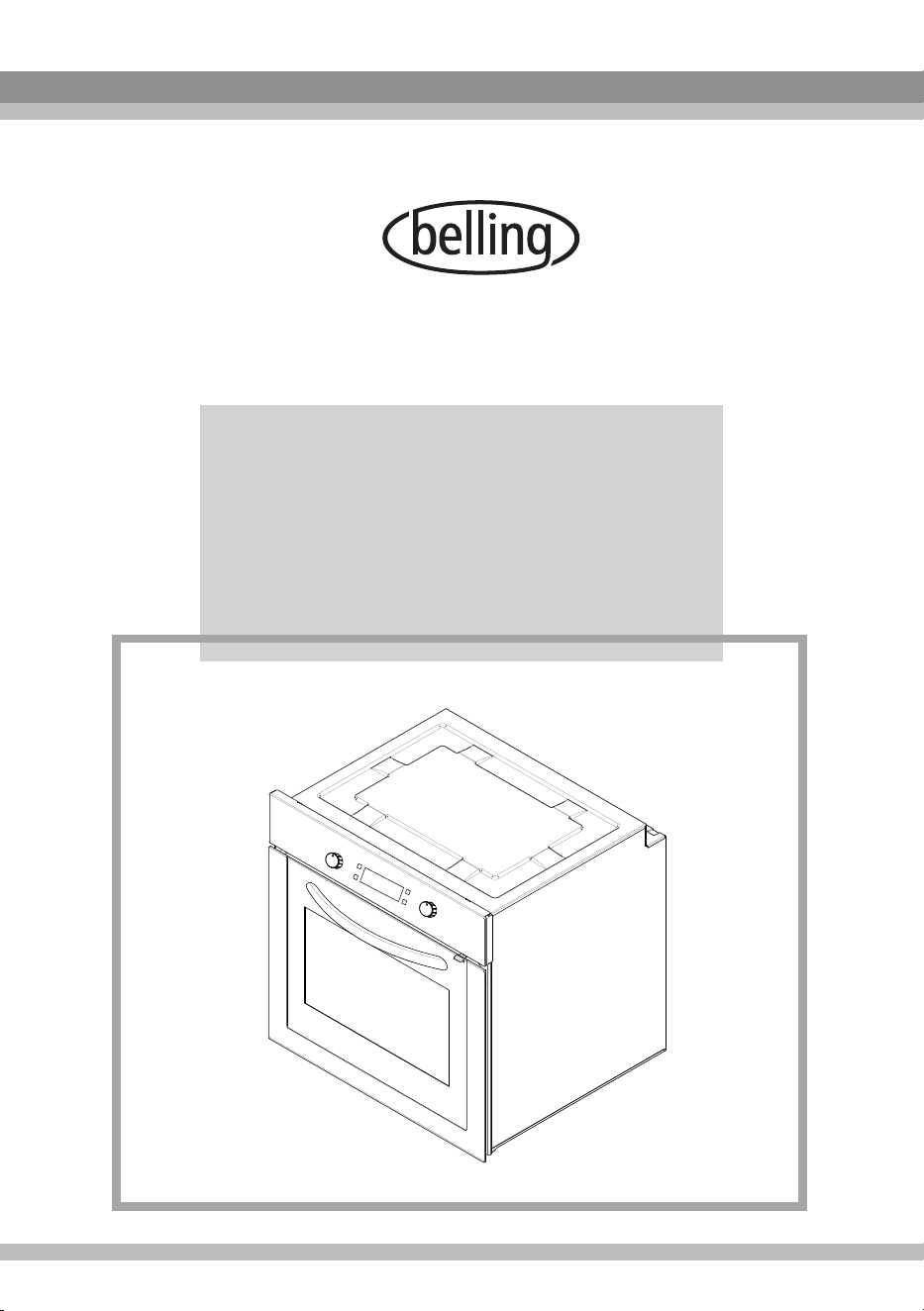
60CM VISIO TOUCH CONTROL
BUILT-IN OVEN
IB609FV


1
Contents
1- Presentation and size of product
2- Warnings
3- Preparation for installation and use
4- Using the oven
5- Cleaning and maintenance of your product
6- Service and Transport
2
PART 1: PRESENTATION AND SIZE OF PRODUCT
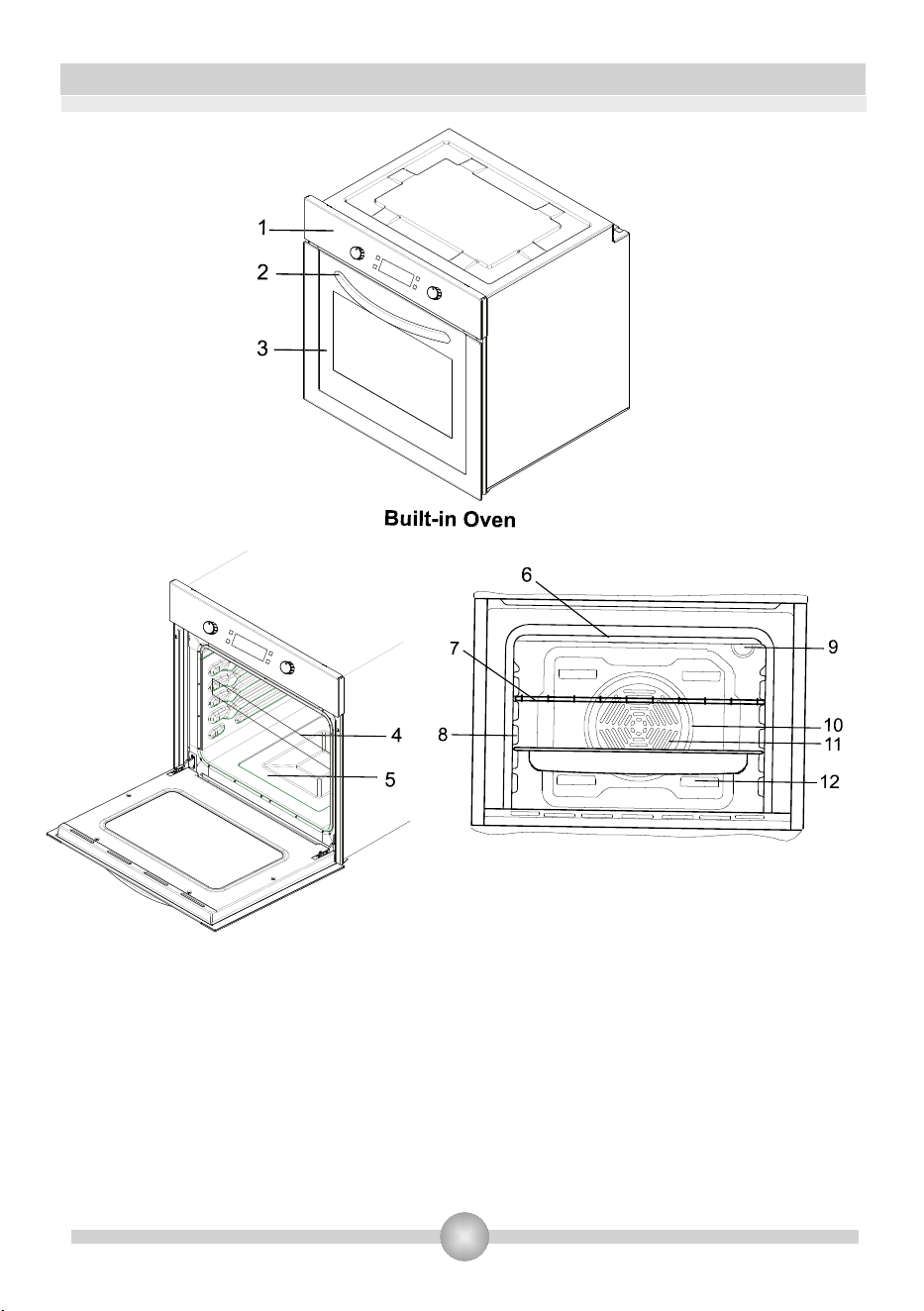
LIST OF COMPONENTS :
1- Control panel
2- Handle
3- Oven Door
4- Child Lock
5- Tray
6- Lower Heating Element (behind the plate)
7- Upper Heating Element (behind the plate)
8- Wire Grill
9- Racks
10- Oven Light
11- Turbo Heating Element(behind the plate)
12- Fan (behind the plate)
13- Air Outlet Shutters

3
PART 2: WARNINGS
READ THESE INSTRUCTIONS CAREFULLY AND COMPLETELY BEFORE USING YOUR
APPLIANCE, AND KEEP IT IN A CONVENIENT PLACE FOR REFERENCE WHEN NECESSARY.
THIS MANUAL IS PREPARED FOR MORE THAN ONE MODEL. YOUR APPLIANCE MAY NOT
HAVE SOME OF THE FEATURES THAT ARE EXPLAINED IN THIS MANUAL. PAY ATTENTION
TO THE EXPRESSIONS THAT HAVE FIGURES, WHILE YOU ARE READING THE OPERATING
MANUAL.
General Safety Warnings
- This appliance can be used by children aged
from 8 years and above and persons with
reduced physical, sensory or mental
capabilities or lack of experience and
knowledge if they have been given
supervision or instruction concerning use of
the appliance in a safe way and understand
the hazards involved. Children shall not play
with the appliance. Cleaning and user
maintenance shall not be made by children
without supervision.
- WARNING: The appliance and its accessible
parts become hot during use. Care should be
taken to avoid touching heating elements.
Children less than 8 years of age shall be kept
away unless continuously supervised.
- WARNING: Danger of fire: do not store items
on the cooking surfaces.
- WARNING: If the surface is cracked, switch
off the appliance to avoid the possibility of
electric shock.

4
- During use, the appliance becomes hot.
Care should be taken to avoid touching
heating elements inside the oven.
- During use, handles held for short periods in
normal use can get hot.
- Do not use harsh abrasive cleaners or sharp
metal scrapers to clean the oven door glass
and other surface since they can scratch the
surfaces, which may result in shattering of the
glass or damage to the surface.
- Do not use steam cleaners for cleaning the
appliance.
- Do not try to lift or move the appliance by
pulling the door handle
- WARNING: Ensure that the appliance is
switched off before replacing the lamp to
avoid the possibility of electric shock.
- CAUTION: Accessible parts may be hot
when the cooking or grilling is in use. Young
children should be kept away.
- Your appliance is produced in accordance with all applicable local and international
standards and regulations.
- Maintenance and repair work must be made only by authorized service technicians.
Installation and repair work that is carried out by unauthorized technicians may
endanger you. It is dangerous to alter or modify the specifications of the appliance in
any way.
- Prior to installation, ensure that the local distribution conditions (nature of the gas
and gas pressure or electricity voltage and frequency) and the requirements of the
appliance are compatible. The requirements for this appliance are stated on the label.
- CAUTION: This appliance is designed only for cooking food and is intended for
indoor domestic household use only and should not be used for any other purpose or in
any other application, such as for non-domestic use or in a commercial environment or
room heating.
- Do not try to lift or move the appliance by pulling the door handle.

- Ensure that the supply cord is not wedged during the installation. If the supply cord is
damaged, it must be replaced by the manufacturer, its service agent or similarly qualified
persons in order to prevent a hazard.
- While the oven door is open, do not let children climb on the door or sit on it. Installation
Warnings
- Do not operate the appliance before it is fully installed.
- The appliance must be installed by an authorized technician before put into use. The
manufacturer is not responsible for any damage that might be caused by defective
placement and installation by unauthorized people.
- When you unpack the appliance, make sure that it is not damaged during transportation.
In case of any defect; do not use the appliance and contact a qualified service agent
immediately. As the materials used for packaging (nylon, staplers, Styrofoam etc) may
cause harmful effects to children, they should be collected and removed immediately.
- Protect your appliance against atmospheric effects. Do not expose it to effects such as
sun, rain, snow etc.
- The surrounding materials of the appliance (cabinet) must be able to withstand a
temperature of min 100°C.
During usage
- When you first run your oven a certain smell will emanate from the insulation materials
and the heater elements. For this reason, before using your oven, run it empty at maximum
temperature for 45 minutes. At the same time you need to properly ventilate the
environment in which the product is installed.
- During usage, the outer and inner surfaces of the oven get hot. While opening the oven
door, step back to avoid the hot steam coming out of the oven. There may be a risk of
burns.
- Do not put flammable or combustible materials, in or near the appliance when it is
operating.
- Always use oven gloves to remove and replace food in the oven.
- Do not leave the cooker while cooking with solid or liquid oils. They may catch fire on
condition of extreme heating. Never pour water on to flames that are caused by oil. Cover
the saucepan or fry pan with its cover in order to choke the flame that has occurred in this
case and turn the cooker off.
- If you will not use the appliance for a long time, unplug it from the power source. Keep the
main control switch off. Also when you do not use the appliance, keep the gas valve off.
- Make sure the appliance control knobs are always in the "0" (stop) position when it is not
used.
- The trays incline when pulled out. Be careful not to let hot liquid spill over.
- When the door or drawer of the oven is open, do not leave anything on it. You may
unbalance your appliance or break the cover.
- Do not put heavy things or flammable or ignitable goods (nylon, plastic bag, paper, cloth
etc) into the drawer. This includes cookware with plastic accessories (e.g.handles).
- Do not hang towels, dishcloths or clothes from the appliance or its handles.
During cleaning and maintenance
- Always turn the appliance off before operations such as cleaning or maintenance. You can
do it after turning the appliance off or turning the main switches off.
- Do not remove the control knobs to clean the control panel.
TO MAINTAIN THE EFFICIENCY AND SAFETY OF YOUR APPLIANCE, WE
RECOMMEND YOU ALWAYS USE ORIGINAL SPARE PARTS AND TO CALL ONLY
OUR AUTHORIZED SERVICE AGENTS IN CASE OF NEED.
5

6
PART 3: PREPARATION FOR INSTALLATION AND USE
When choosing a place for the oven, attention should be paid that there are no flammable
or combustible materials in the close vicinity, such as curtains, oil, cloth etc. which quickly
catch fire.
Furnitures surrounding the oven must be made of materials resistant to temperatures
above 100C° more than room temperature.
Manufactured with best quality parts and materials, this modern, functional and practical
oven will meet your needs in all respects. Make sure to read the manual to obtain successful
results and not to experience any problems in the future. The information given below contain
rules that are necessary for correct positioning and service operations. They should be read
without fail especially by the technician who will position the appliance.
The appliance must be installed by an authorized technician before put into use.
3.1. CHOOSING A PLACE FOR THE OVEN
There are several points to pay attention to when choosing a place for your oven.
Make sure to take into account our recommendations below in order to prevent any
problems and dangerous situations, which might occur later!
7
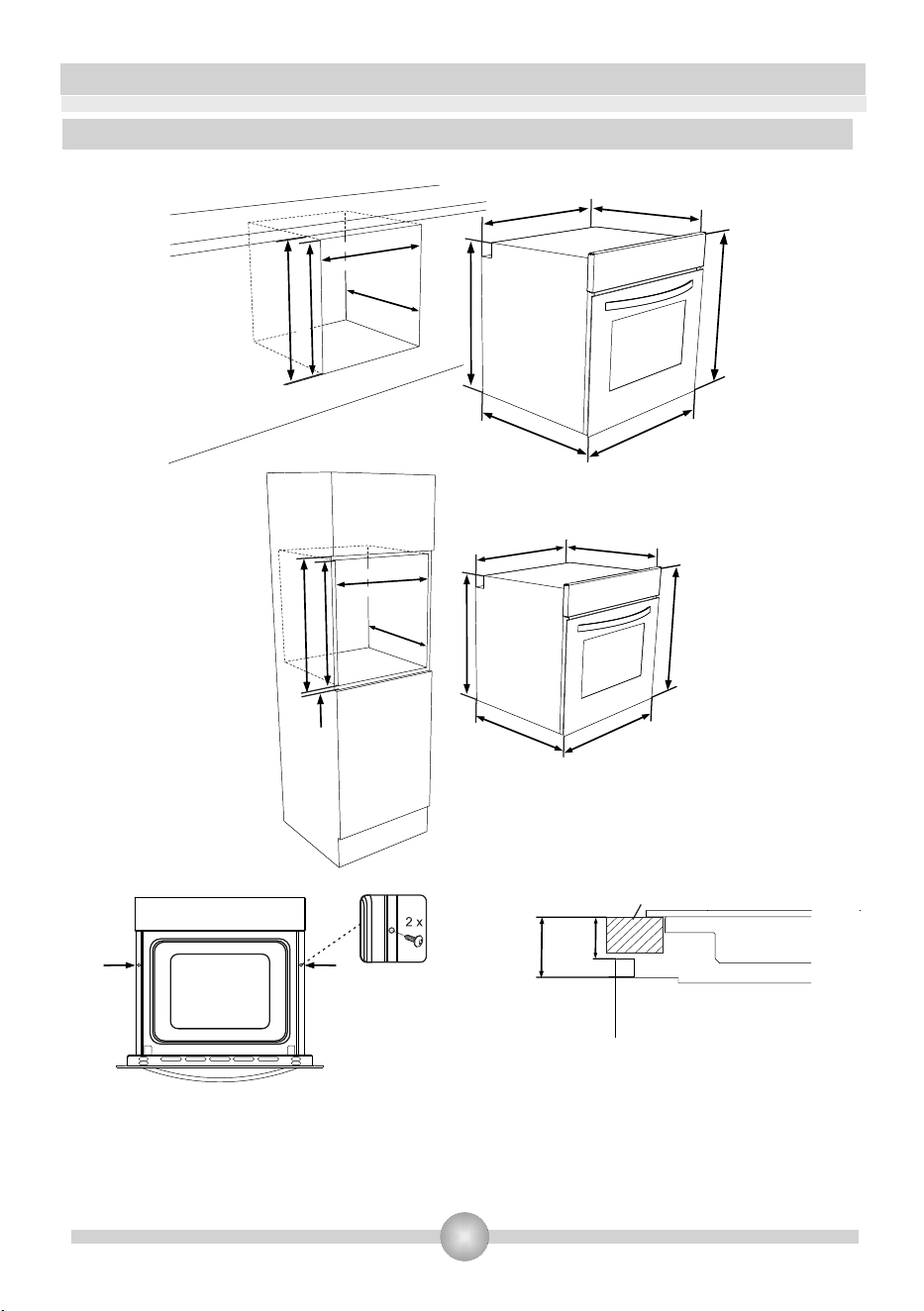
Insert the oven into the cabinet by pushing it
forward. Open the oven door and insert 2 screws
in the holes located on the oven frame. While the
product frame touches the wooden surface of
cabinet, tighten the screws.
If the oven is installed under a hob, the
distance between the worktop and the top
panel of the oven must be minimum 50 mm
and the distance between the worktop and
the top of control panel must be minimum 25 mm.
3.2. INSTALLATION OF BUILT-IN OVEN
min. 600mm
min. 555mm
min. 560mm
max. 580mm
min. 590mm
595mm
595mm
550mm
575mm
557mm
576mm
min. 555mm
min. 600mmmin. 600mm
min.
5mm
min. 590mm
min. 560mm
max. 580mm
595mm
595mm
550mm
575mm
557mm
576mm
Worktop
min.
50 mm
min.
25 mm
Built-in
hob
Built-in
oven
8
3.3. WIRING AND SAFETY OF BUILT_IN OVEN
Wiring of the appliance must be performed by the Authorized Service. The appliance
is designed to connect to 220-240V~ electricity. If the mains electricity is different than the
value given, call the Authorized Service immediately. The appliance is designed for using
with plug ofor fixed connection to the mains. It is necessary that you install a double
pole switch between the product and the electricity supply (mains), with a minimum gap of
3 mm between the switch contacts. (20A rated, delay function type).
The instructions given below must be followed without fail during wiring :
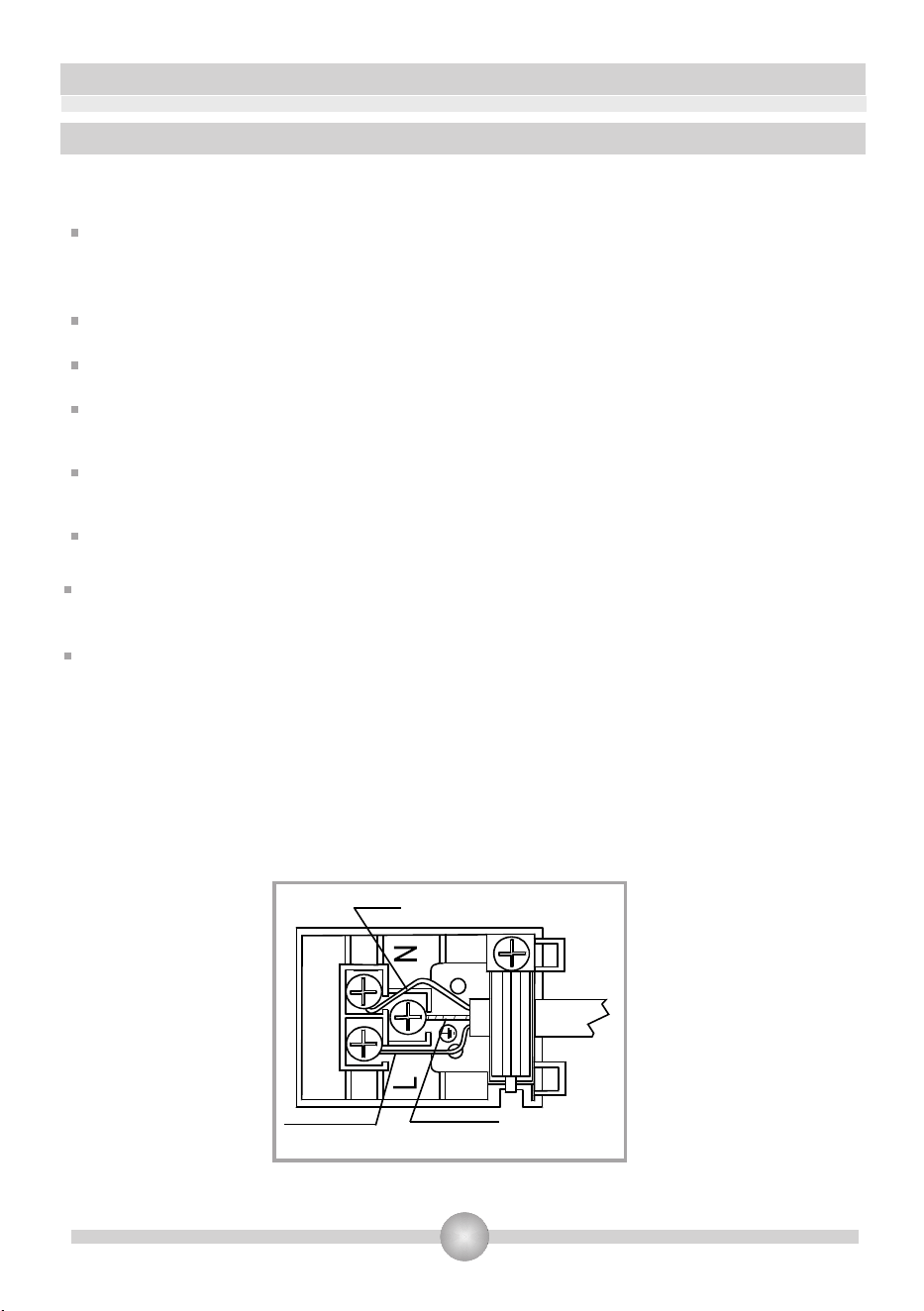
The earthing cable must be connected via the screw with the earthing mark. Supply cable
connection must be as shown in Figure 1. If there is no earthed outlet conforming to
regulations in the installation environment, call an authorized installer immediately.
The earthed outlet must be in close vicinity of the appliance. Never use an extension cord.
The supply cable should not contact the product’s hot surface.
In case of any damage to the supply cable, make sure you call an authorized installer.
The cable can only be replaced by an authorized technician.
Wiring of the appliance must be performed by an authorized installer. H05VV-F type
supply cable must be used.
Faulty wiring may damage the appliance. Such a damage will not be covered under the
warranty.
The appliance is designed to connect to 220-240V~ electricity is different than the
value given above, call the Authorized Service immediately.
The manufacturer declares that it bears no responsibility whatsoever for any kind
of damage or loss arising from not complying with these standard safety
protocols.
Figure 1
BLUE
BROWN YELLOW+GREEN

9
3.4. GENERAL WARNING AND PRECAUTIONS
Your appliance is produced in conformity with the relevant safety instructions relating to
electrical appliances. Maintanance and repair works must be performed only by
Authorized Service technicians trained by the manufacturer firm. Installation and repair
works, performed without observing the rules may be dangerous.
The outer surfaces is heated while your appliance is operating. The elements heating the
inner surface of the oven and the steam out are extremely hot. These sections will continue
to preserve their heat for certain while even if the appliance is switched off. Never touch the
hot surfaces. Keep children away.
In order to cook in your oven, the oven function and temperature setting butttons need to be
adjusted and the oven timer, needs to be programmed. Otherwise, the oven will not
operate.
While the oven door is open, do not place anything on it. You may disturb the balance of the
appliance or break the door.
Unplug your appliance when it is not in use.
Protect your appliance from atmospheric effects. Do not leave it under the effects of the
sun,rain, snow, dust etc.
10
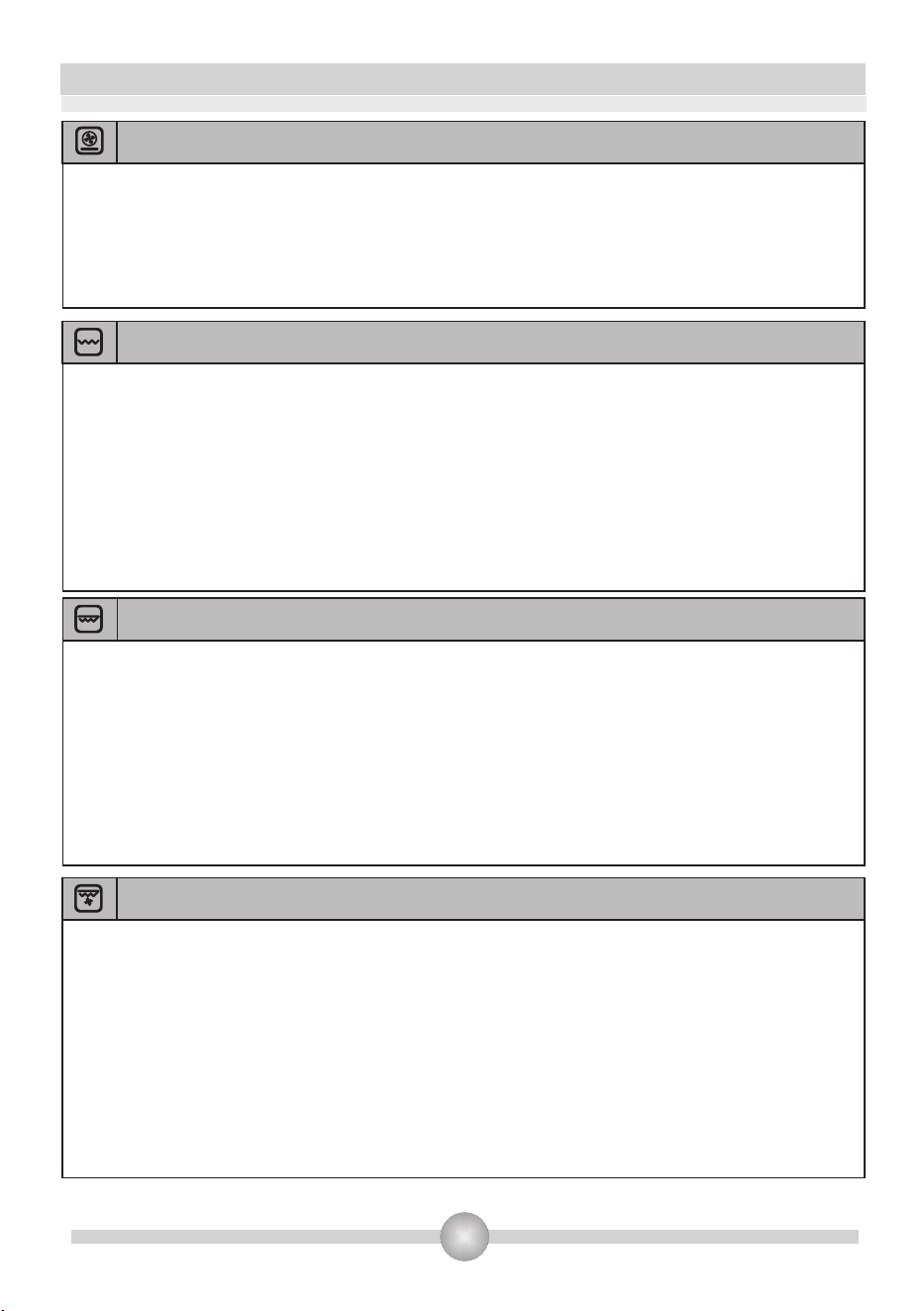
4.1. USING THE OVEN FUNCTION
PART 4: USING THE OVEN
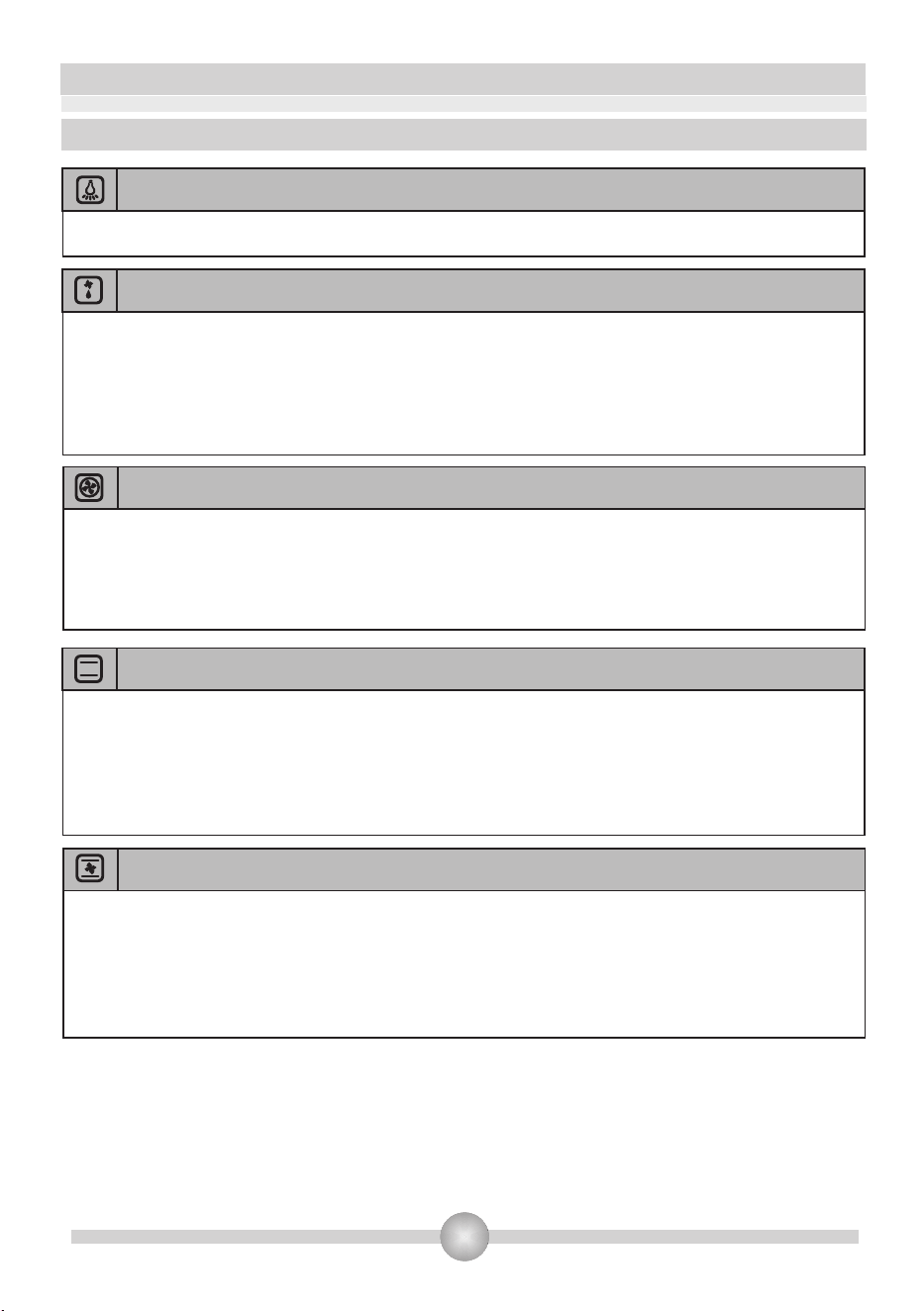
Oven Lamp
Static Cooking Function
Only the oven light will be turned on and it remains on in all the cooking functions.
The oven's thermostat and lights will be turned on, the lower and upper heating
elements will start operating.
The static cooking function emits heat, ensuring even cooking of the lower and upper food. This is
ideal for making pastries, cakes, baked pasta, lasagne and pizza. Prehating the oven for 10 minutes
is recommended and it is best to cook on only one shelf at a time in this function.
Defrost Function
The oven's lights will be turned on, the fan starts operating.
To use the defrost function, take your frozen food and place it in the oven on a shelf placed in the
third slot from the bottom. It is recommended that you can place an oven tray under the
defrosting food, to catch the water accumulated due to melting ice. This function will not cook or
bake your food, it will only help to defrost it.
Turbo Function
The oven's thermostat and lights will be turned on, the ring heating element and fan will start
operating.
The turbo function evenly disperses the heat in the oven. All foods on all racks will be
cooked evenly. It is recommended to pre-heat the oven about 10 minutes.
Fan Function
The oven's thermostat and lights will be turned on, the upper and lower heating
elements and fan will start operating.
This function is very good for obtaining results in baking pastry. Cooking is carried out by the lower
and upper heating element within the oven and by the fan providing air circulation, which will
give a slight grill effect to the food. It is recommended to pre-heat the oven about 10 minutes.
11
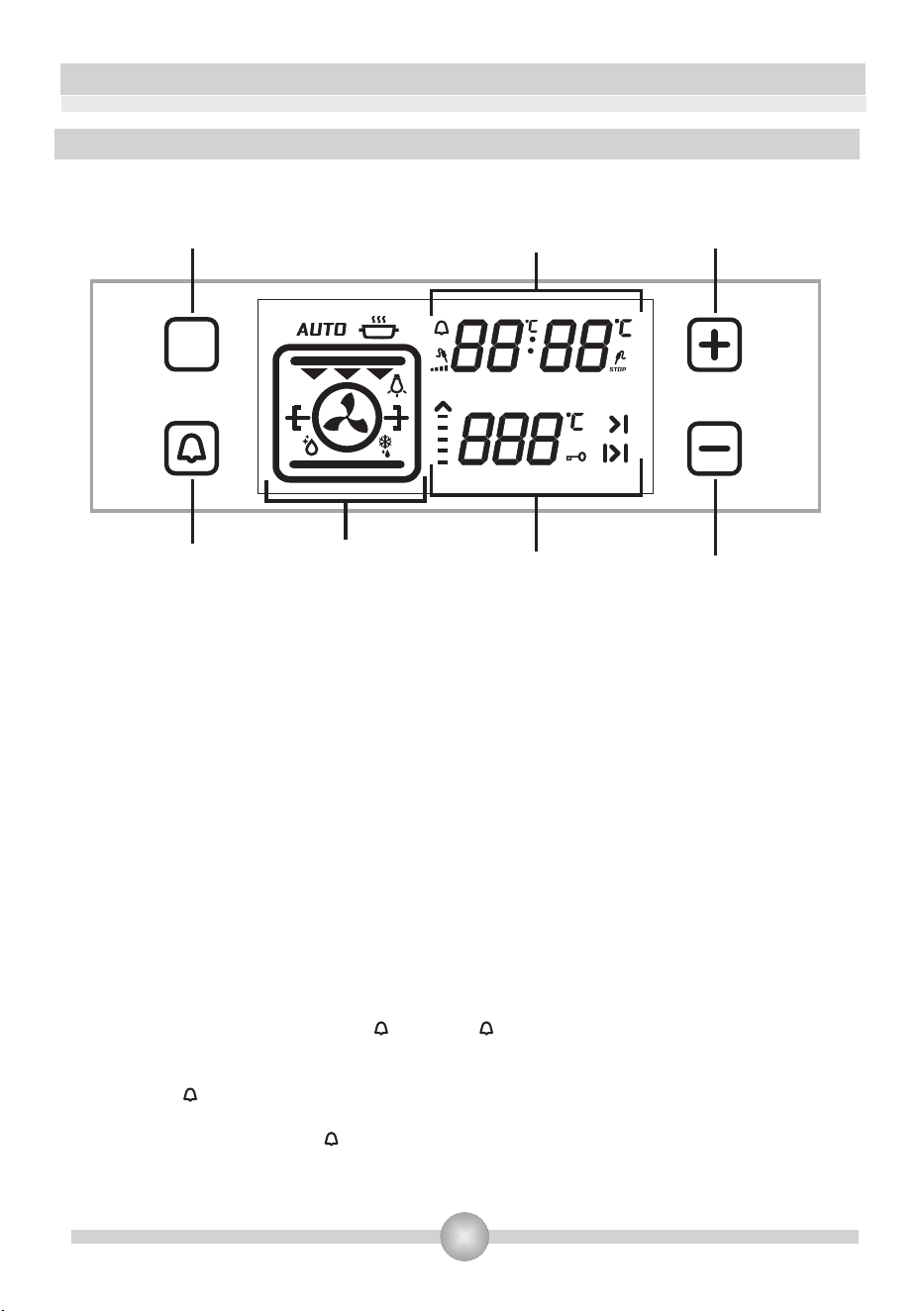
Fan & Bottom Element
The oven's thermostat and lights will be turned on, the ring and lower heating elements and fan
will start operating.
Fan and lower heating function is ideal for baking food, such as pizza, equally in a short time.
While the fan evenly disperses the heat of the oven, the lower heating element ensures the
baking of food dough.
Single Grill
Dual Grill (double)
The oven's thermostat and lights will be turned on, the grill heating element will start
operating.
The function is used for grilling and toasting foods, use the upper shelves of oven. Lightly brush
the wire grid with oil to stop foods sticking and place foods in the center of the grid. Always place
a tray beneath to catch any drips of oil or fat. It is recommended to pre-heat the oven about 10
minutes.
Warning: When grilling, the oven door must be closed and the oven temperature should be
adjusted to 190
0
C.
The oven's thermostat and lights will be turned on, the grill and upper heating
elements will start operating.
The function is used for faster grilling and for covering a larger surface area, such as grilling meats,
use the upper shelves of oven. Lightly brush the wire grid with oil to stop foods sticking and place
foods in the center of the grid. Always place a tray beneath to catch any drips of oil or fat. It is
recommended to pre-heat the oven about 10 minutes.
Warning: When grilling, the oven door must be closed and the oven temperature should be
adjusted to 190
0
C.
Double Grill
and Fan Function (dual grill)
The oven's thermostat and lights will be turned on, the grill and upper heating
elements and fan will start operating.
The function is used for faster grilling of thicker foods and for covering a larger surface area. Both
the upper heating elements and grill with be used along with the fan to ensure food is cooked all
the way through. Use the upper shelves of oven. Lightly brush the wire grid with oil to stop foods
sticking and place foods in the center of the grid. Always place a tray beneath to catch any drips
of oil or fat. It is recommended to pre-heat the oven about 10 minutes.
Warning: When grilling, the oven door must be closed and the oven temperature should be
adjusted to 190
0
C.
12
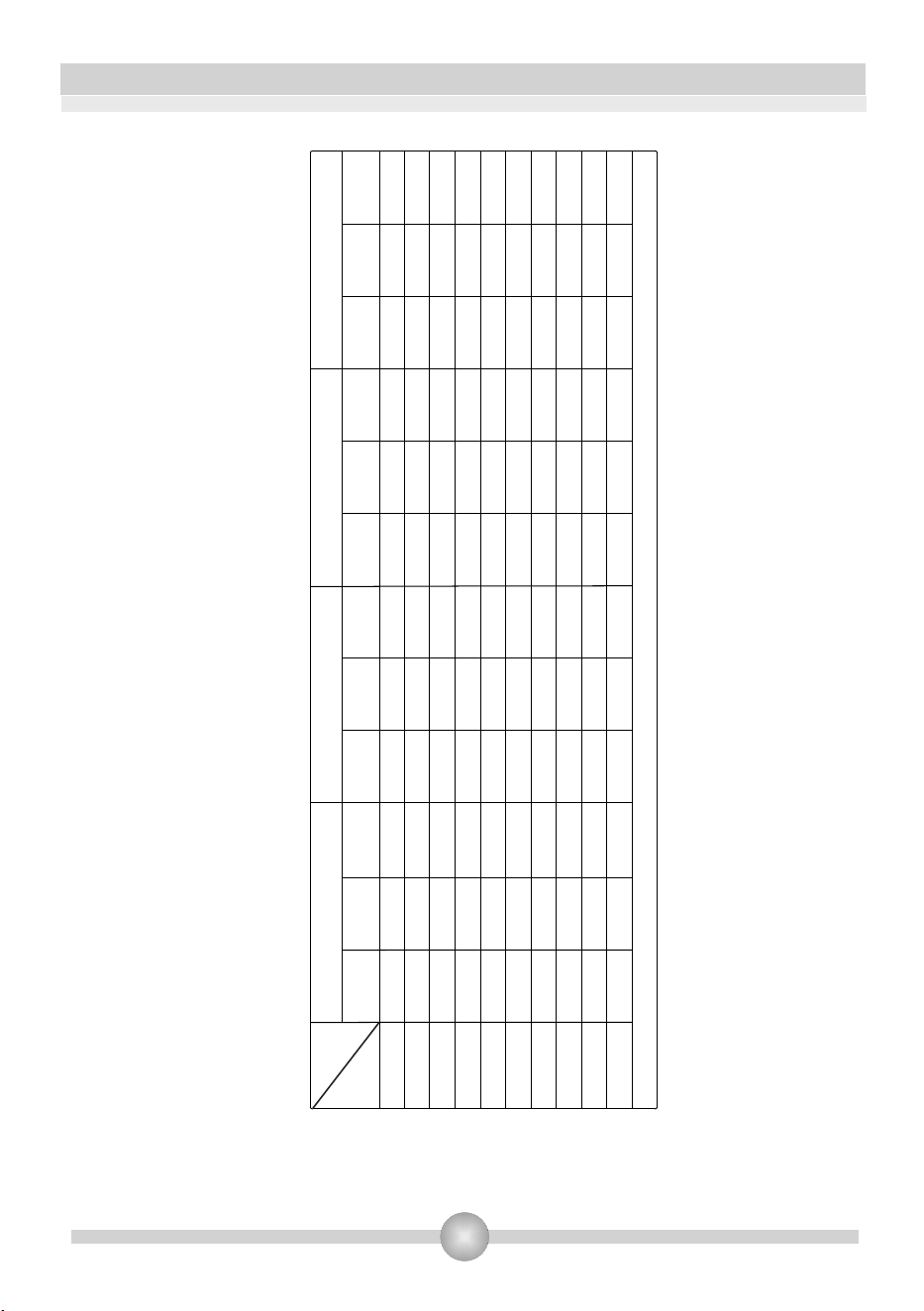
Figure 4
4.2. HOW TO USE THE VISIO TOUCH CONTROL UNIT
Adjusting the Day Time:
When the built in oven is installed, the time of day must be adjusted according to below
instructions – otherwise the oven will not switch on.
When oven installed firstly,“0.00” will start to flash on the display. Touch “M“ sensor or “ -
“ and “ + “ sensors to adjust the day time mode. “ : ” symbol will start to flash on the display.
You can adjust it with “ - “ and “ + “ sensor.
If Auto cooking mode is off, touch “ - “ and “ + “ sensors at the same time to the day time mode.
You can adjust it with “ - “ and “ + “ sensor.
You have to adjust the time of day to use the oven function.
ADJUSTING THE COOKER TIME:
Adjusting the Minute Minder:
Touch alarm sensor which shows “ ” symbol. “ ” will be flashing on the display. “0.00”
will
appear on the clock digits. Adjust the desired time period for the warning by using Timer
Plus and Minus sensor while the symbol is flashing. Some time after the completion
of the adjustment, symbol will begin to light continuously. When the symbol begins
to light continuously, the audible warning time adjustment is done. When the set time is up,
the timer gives an audible warning and symbol begins to flash on the screen. Pressing “ -
“or “+“ will stop the audible warning and the symbol disappears on the screen.
M
Mode Key
Oven function
display
Timer display
Temperature display
Alarm Key
Time setting/Temperature
settings for meat probe/
Key lock Key
Time setting Key

13
Adjusting the Cooking Duration Time:
This function is used to cook in the desired time range. The foods to be cooked are put
into the oven. The oven is adjust to the desired cooking function. The oven temperature
is adjusted to the desired degree depending on the dish to be cooked. T
ouch on the “M”
sensor until you see Duration time symbol “ |>| ” on the timer display screen. “AUTO”
appear on the display. Adjust the cooking period for the food you wish to cook, by using
the Timer Plus and minus sensor while the timer is in this position. Some time after the
adjustment operation is completed, the day's time will appear on the screen and the
Duration time symbol will begin to continuously light on the screen.
At the completion of the set duration, the timer will stop the oven and give an audible
warning. Also, “AUTO” will begin to flash on the screen. Touching any sensor of the control
unit will end the audible warning. “AUTO” will go on to flash. Touch “ - “ and “ + “ symbols at
the same time to finish “AUTO” mode.
Adjusting the Cooking End Time:
This function is used to cook after a certain period of time, within certain duration. The food to
be cooked is put into the oven. The oven is adjusted to the desired cooking function. The
oven temperature is adjusted to the desired degree depending on the dish to be cooked.
Touch on the “M” sensor until you see Duration time symbol “ |>| ” on the timer display
screen. “AUTO” appear on the display. Adjust the cooking period for the food you wish to
cook, by using the Timer Plus and minus sensor while the timer is in this position. Then
touch the “M” sensor until you see “ >| ” symbol. the day time will begin to flash, with the
addition of the cooking period. Adjust the finishing time for the food by using the Timer
Plus and minus sensor while the timer is in this position. Some time after the
adjustment operation is completed, the day time will appear on the screen and the “
>| ” symbol will begin to continuously light on the screen. The oven will start operating
at the time calculated by deducting the cooking period from the set finishing time, and
will stop at the set finishing time. The timer will give an audible warning and “AUTO” will
begin to flash on the screen will begin to flash. Touching any button of the timer will end
the audible warning. “AUTO” will go on to flash. Touch “ - “ and “ + “ symbols at the same
time to finish “AUTO” mode.
Digital Timer Sound Adjustment:
Touch “-“ sensor until you hear sound. timer will give an audible signal beep. After that
each time “-“ sensor is touched, timer will give three different types of signal beep. Do not
touch any further sensor and timer will save the last selected signal type.
Key Lock Function
The key lock function is used to prevent operating any functions of the control unit by
mistake. Touch “+” sensor until you see key lock symbol on the display to activate key
lock. Touch the “+” sensor to deactivate key lock.
While oven is operating, if control switches and touch buttons are not pushed or
touched for 6 hours, oven turns off.
14
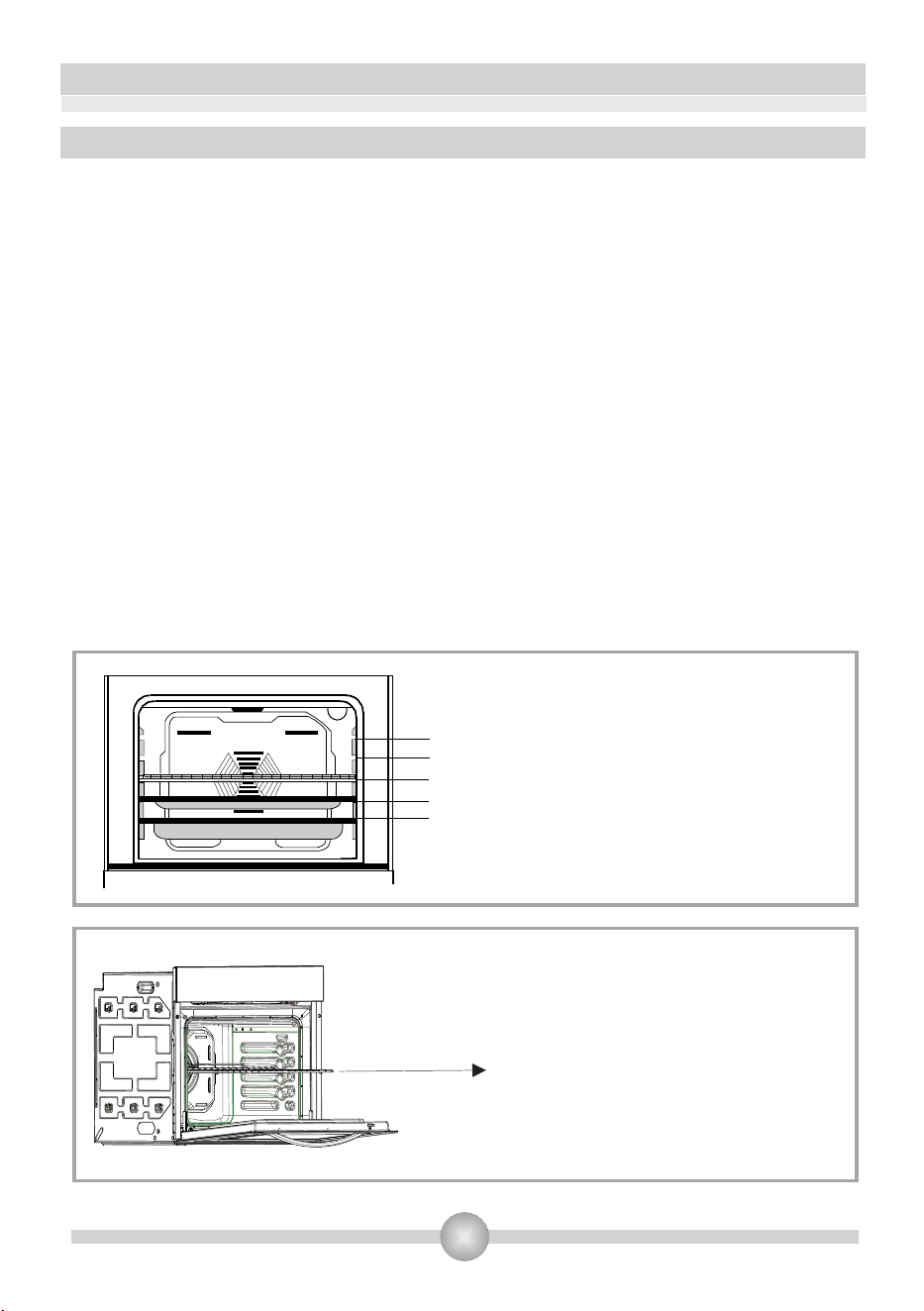
DISHES
FUNCTIONS
TURBO
LOWER-UPPER
LOWER-UPPER-FAN
GRILL
Layered pastry
170-190 170-190
170-190
170-190
170-190
1-2-3
1-2
1-2
1-2
1-2
35-45 35-45
25-35
30-40
30-40
30-40
40-50
30-40
35-45
40-50
45-60
45-60
10-15
15-25
15-25
50-60
25-35
1-2-3
1-2-3
2
1-4
1-4
2
1-2
1-2
4
3-4
4
*
150-170
150-170
25-35
1-2-3
150-170
25-35
1-2-3
150-170
175-200
160-180
170-190
175-200
200
200
200
200
200
200
40-50
2
175-200
Thermostat
0
position( C)
Rack
position
Cooking
period(min.)
Thermostat
0
position( C)
Rack
position
Cooking
period(min.)
Thermostat
0
position( C)
Rack
position
Cooking
period(min.)
Thermostat
0
position( C)
Rack
position
Cooking
period(min.)
Grilled meatballs
Watery food
Chicken
Chop
Beef
Two-tray cake
Two-tray pastry
* Cook with roast chicken skewer
Cake
Cookie
15
5. rack
4. rack
3. rack
2. rack
1. rack
4.3. ACCESSORIES USED IN THE OVEN
It is recommended that you use the containers indicated on the table depending on the food
you will cook in your oven, you can also use glass containers, cake cutters, special oven
trays suiatble for use in your oven, available in the market. Pay attention to the information
given by the mufacturer firm concerning this issue. If small sized containers are used, place
this container on the inner grill wire so it will be precisely on the middle of the wire. The
information given below should be implemented for enamelled containers.
If the food to be cooked does not completely cover the oven tray, if the food is taken out of the
deep-freezer or if the tray is used to collect the dripping juices of the foods during the grill
operation; deformation might be observed on the tray due to high temperatures forming
during the cooking/frying operation. This is normal, physical state thay results during the
heat transfer. Do not leave a glass tray or container in a cold environment immediately after
cooking in them. Do not place them on cold and wet surfaces. Ensure that they slowly cool off
placing them on a dry piece of cloth. Otherwise, the glass tray or container might break. If you
are going to perform a grill operation in your oven, we recommend that use use the grill on
tray, supplied together with your product (if your product includes this equipment). This way,
splattering and dripping oils will not make the oven interior dirty. If you are going to use the
large wire grill, insert a tray into one of the lower racks to avoid accumulation of the oils. To
make cleaning easier, add some water into it as well. In a grilling operation, use the 3. or the
4.rack and ail the grill to prevent the food to be grilled from sticking to the grill.
Wire grid: Used for grills or placing
different containers other than the
cooking tray on it.
Deep tray: Used for baking stews.
WARNING- Fit the grid correctly into
any correspondent rack in the oven
cavity and push it to the end.

16
PART 5: CLEANING AND MAINTENANCE OF YOUR OVEN
5.1. CLEANING
Before starting to clean your oven, be sure that all control buttons are off and your appliance
is cooled off. Unplug the appliance.
Do not use cleaning materials containing particles that might scratch the enamelled and
painted parts of your oven. Use cream cleaners or liquid cleaners, which do not contain
particles. As they might ahrm the surfaces, do not use caustic creams, abrasive cleaning
powders, rough wire wool or hard tools. In the event the excess liquids spilling over your
oven should burn, it may cause a damage to the enamel. Immediately clean up the split
liquids. Do not use steam cleaners for cleaning the oven.
Cleaning the interior of the oven
Make sure to unplug the oven before starting to clean it. You will obtain best results if you
clean the oven interior while the oven is slightly warm. Wipe your oven with a soft piece of
cloth dampened with soap water after each use. Then wipe it again, this time with a wetted
cloth, and wipe it dry. A complete cleaning using dry and powder type cleaners. For product
with catalytic enamel frames, the rear and side walls of the inner frame do not require
cleaning. However; depending on usage, it is recommended that you replace them after a
certain period of time.
5.2. MAINTENANCE
Replacing the Oven Light
It is recommended that you leave this operation to the Authorized Service. Unplug the oven
first and make sure that is cold. After removing the lid in front of the light, take also the bulb of
its place. Insert the new bulb resistant to 300ºC, E14 type, max 25W which you will find at
Authorized Services, into the place of the bulb you have removed. Then fit the light
protecting glass back into its place. After that, your oven will be ready for use.

17
PART 6: SERVICE AND TRANSPORT
6.1. REQUIREMENTS BEFORE CONTACTING SERVICE COMPANY
If the oven does not operate :
The power to the oven may be off. On models fitted with a timer, time may not be set.
If the oven does not heat :
Check thermostat setting.
If the interior lighting lamp does not light :
Check the globe.
Cooking (if lower-upper part does not cook equally) :
Check the shelf locations, cooking period and heat setting values according to the
manual.
If you still have any problems with your product, please call 1300 556 816
(AU) / 09 274 8265 (NZ)
The symbol on the product or on its packaging indicates that
this product may not be treated as household waste. Instead it shall
be handed over to the applicable collection point for the recycling
of electrical and electronic equipment. By ensuring this product is
disposed of correctly, you will help prevent potential negative
consequences for the environment and human health, which could
otherwise be caused by inappropriate waste handling of this
product. For more detailed information about recycling of this
product, please contact your local city office, your household
waste disposal service or the shop where you purchased the
product.
52204330
Contact Details:
Glen Dimplex Australia Pty Ltd
1340 Ferntree Gully Road
Scoresby VIC 3179
Ph: 1300 556 816
Web: www.dimplex.com.au
Glen Dimplex New Zealand Ltd
38 Harris Road
East Tamaki, Auckland
Ph: 09 274 8265
Web: www.dimplex.co.nz