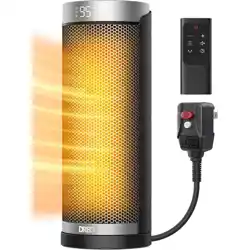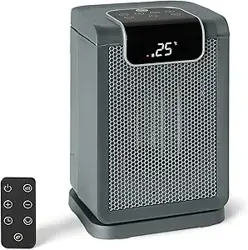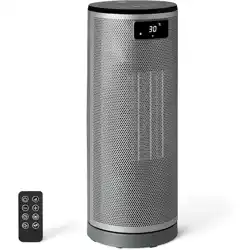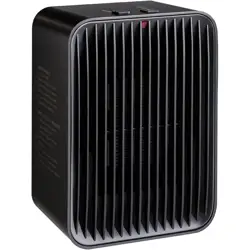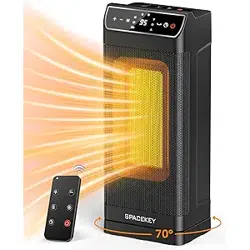
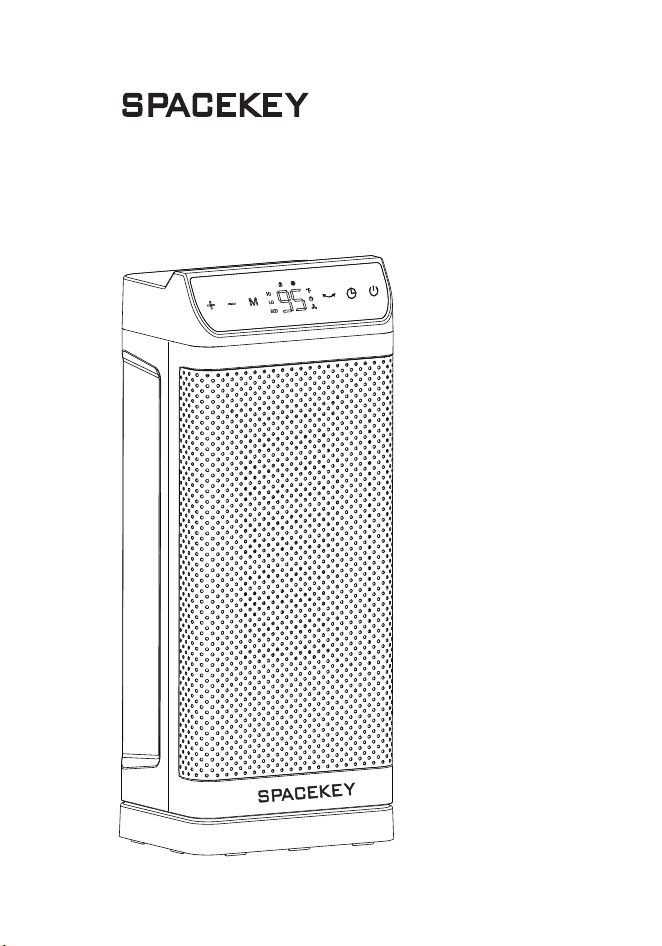
ELECTRIC HEATER
USER MANUAL
Model: JY-HT01
CUSTOMER SERVICE
Our customer service team is standing by to assist you
if you have any questions or concerns.
www.spacekeyshop.com
support@spacekeyshop.com
1-866-668-5801

SAFETY INSTRUCTIONS
KNOWING YOUR HEATER
USING YOUR HEATER
REPLACE THE CELL
CLEANING AND MAINTENANCE
STORAGE
TROUBLESHOOTING
1
4
5
8
9
10
11
CONTENTS
What’s in the box?
1× Heater
1×Back Cover
1× Filter
1×Remote control
1× User Manual
Specifications
Product: Electric Heater
Model: JY-HT01
Power Supply: 120V 60Hz
Rated Power: 1500W
Temperature Range: 41 - 95℉
Time Range: 0-12 Hours
Dimensions: 9.5×5.6×12.8 inches
Weight: 2.76kg / 6.1 lb
SAFETY INSTRUCTIONS
When using electrical
appliances, basic
precautions should
always be followed to
reduce the risk of fire,
electric shock, and
injury to persons and
hyperthermia, includ-
ing the following:
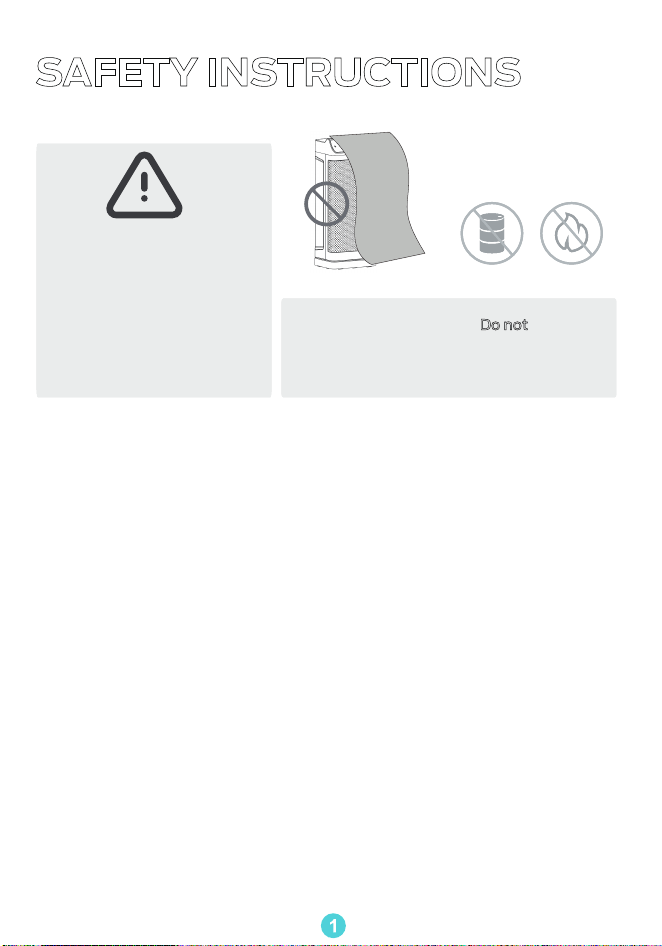
Warning:
In order to avoid
overheating, do not
cover the heater.
Do not use the
fan heater near
flammables and
combustibles.
GENERAL SAFETY
Read all instructions before using this heater.
This heater is hot when in use. To avoid burns, do not let bare skin touch
hot surfaces.
Use the handle to move this heater.
Extreme caution is necessary when any heater is used by or near children
or invalids and whenever the heater is left operating and unattended.
Do not insert or allow foreign objects to enter any ventilation or exhaust.
opening as this may cause an electric shock, fire, or damage the heater.
The output of this heater may vary and its temperature may become hot
enough to burn exposed skin. Use of this heater is not recommended for
persons with a high sensitivity to heat or an inability to react to avoid
Do not attempt to modify or repair the product by yourself. Doing so could
void the warranty and cause damage or personal injury. Only a repair
technician may disassemble or repair this product.
Make sure that no pieces of polystyrene or other packaging material have
been left between elements of the appliance. It may be necessary to pass
over the appliance with a vacuum cleaner.
If the machine is not working as it should, has received a sharp blow, has
been dropped, damaged, left outdoors, or dropped into water, do not use
and contact Customer Support.
There may be a trace of smoke or odor when the unit is first operated. This
indicates that a drop of oil fell on the heating coil during the manufacturing
process. It will quickly evaporate and should not occur again.
1.
2.
3.
4.
5.
6.
7.
8.
10.
9.
1

ELECTRICITY SAFETY
Always unplug heater when not in use.
Do not operate any heater with a damaged cord or plug or after the heater
malfunctions, has been dropped or damaged in any manner. Discard heater,
or return to authorized service facility for examination and/or repair.
Do not run cord under carpeting. Do not cover cord with throw rugs, runners,
or similar coverings. Do not route cord under furniture or appliances.
Arrange cord away from trac area and where it will not be tripped over.
To disconnect heater, turn controls to o, then remove plug from outlet.
Always plug heaters directly into a wall outlet/receptacle.
Never use with an extension cord or relocatable power tap (outlet/power
strip).
If there is a loose fit between the plug and the socket or the plug becomes
very hot, the socket may need to be replaced. Check with a qualified
electrician to replace the socket.
It is normal for the plug and cord to feel warm to the touch.
A plug or cord which becomes hot to the touch or becomes distorted in
shape may be a result of a worn electrical outlet. Worn outlets or
receptacles should be replaced prior to further use of the heater. Plugging
the heater into a worn outlet/receptacle may result in overheating of the
power cord or fire.
This appliance has a polarized plug (one prong is wider than the other). To
reduce the risk of electric shock, this plug is intended to fit in a polarized
outlet only one way. If the plug does not fit fully in the outlet, reverse the plug.
If it still does not fit, contact a qualified electrician. Do not attempt to rig
this safety feature.
1.
2.
3.
4.
5.
6.
7.
8.
10.
9.
LOCATION SAFETY
Do not use outdoors.
Ensure the heater is on a stable, secure surface to eliminate the potential
of tipping it over.
Keep combustible materials, such as furniture, pillows, bedding, papers,
clothes, and curtains at least 3 feet (0.9 m) from the front of the heater
and keep them away from the sides and rear.
A heater has hot and arcing or sparking parts inside. Do not use it in areas
where gasoline, paint, or flammable liquids are used or stored.
To prevent a possible fire, do not block air intakes or exhaust in any
manner. Do not use on soft surfaces, like a bed, where openings may
become blocked.
This heater is not intended for use in bathrooms, laundry areas and similar
indoor locations. Never locate heater where it may fall into a bathtub or
other water container.
1.
2.
3.
4.
5.
6.
2
FOR HOUSEHOLD USE ONLY
READ AND SAVE THESE INSTRUCTIONS
11.
12.
13.
14.
Hyperthermia can result in death. Symptoms of hyperthermia include high
body temperature, headache, nausea, vomiting, tiredness, dizziness, fainting,
and rapid pulse. If you begin to experience symptoms related to hyperthermia,
turn o the heater and seek medical attention.
To avoid excessive room temperatures which can cause hyperthermia:
DO NOT leave product running unattended in a confined space around infants,
or individuals with reduced physical, sensory, or mental capabilities.
Use this heater only as described in this manual. Any other use not
recommended by the manufacturer may cause fire, electric shock, or injury
to persons.
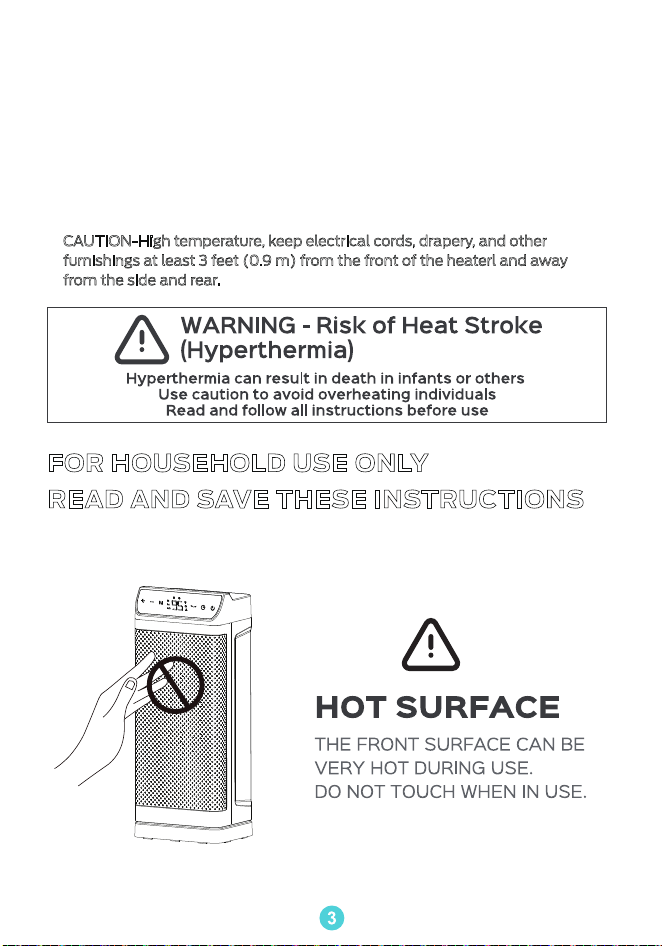
CAUTION-High temperature, keep electrical cords, drapery, and other
furnishings at least 3 feet (0.9 m) from the front of the heaterl and away
from the side and rear.
3
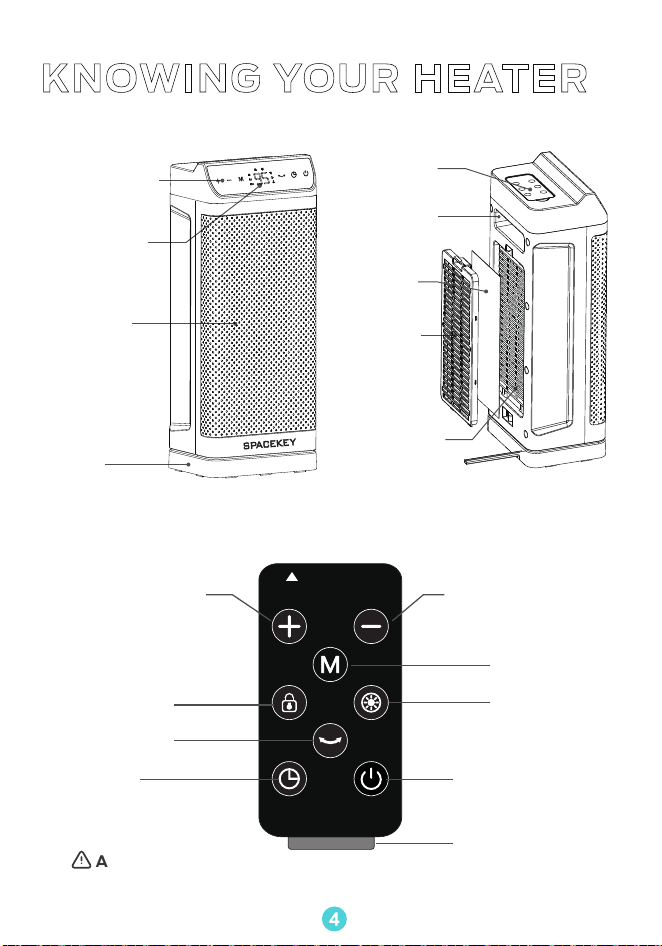
Remote control
KNOWING YOUR HEATER
Control panel
LED Display
Air Outlet
Handle
Remote
control
Air Intlet
Filter
Back
Cover
Base
Temperature +
Temperature -
Mode
Display
on/o
Power on/oTimer
Oscillation
Child Lock
Insulation strip
Before using the remote control, you must remove the insulation strip.
4
ATTENTION
Control Panel
USING YOUR HEATER
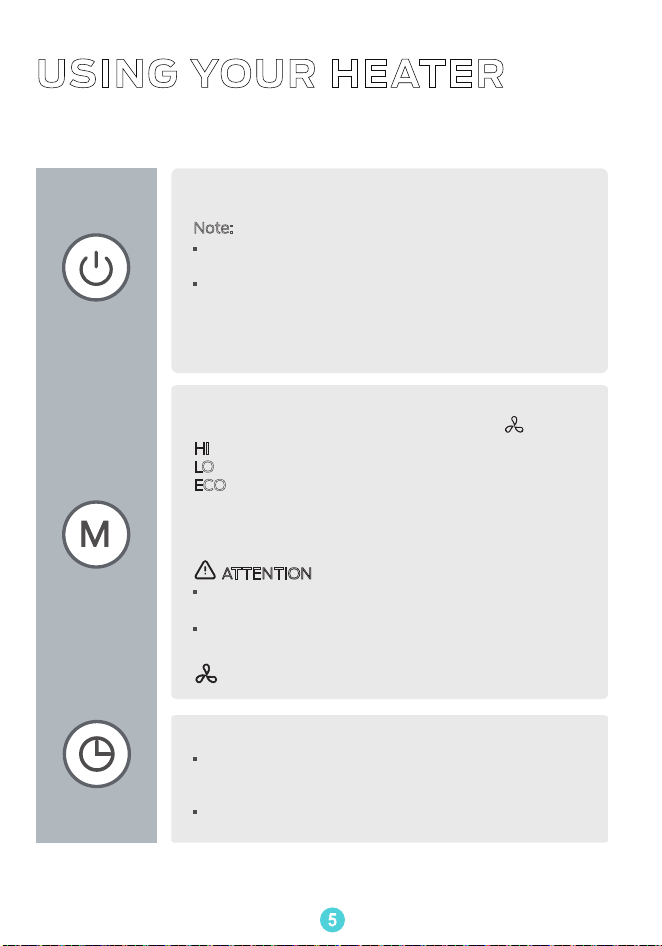
Power On/Off
Touch to turn the heater on or o.
Mode Settings
Auto-Off Timer
HI
: The device operates at high power (1500W).
LO
: The device operates at Low power (950W).
ECO
: The heater will automatically choose to start
and stop based on the dierence between the set
temperature (41-95 degrees Fahrenheit) and the
ambient temperature.
Note:
· When the heater is plugged into the electric outlet,
the power indicator will light in red.
·
Once turned o, a 30-second countdown will show
up on the display as the fan will continue to run for
30 seconds to blow out the remaining heat.
Do not attempt to unplug the unit to stop within 30
seconds.
Touch to switch between - HI - LO - ECO -
: Fan only.
ATTENTION:
·
When the ambient temperature reaches the set
temperature, the heater will turn o automatically.
·
When the ambient temperature is lower than the
set temperature, the heater will start working again.
·
When the heater is on, touch to set a timer (0-12h).
After the timer ends. the heater will turn o
automatically.
·
To cancel, set the timer to 0 hour.
5
Control Panel
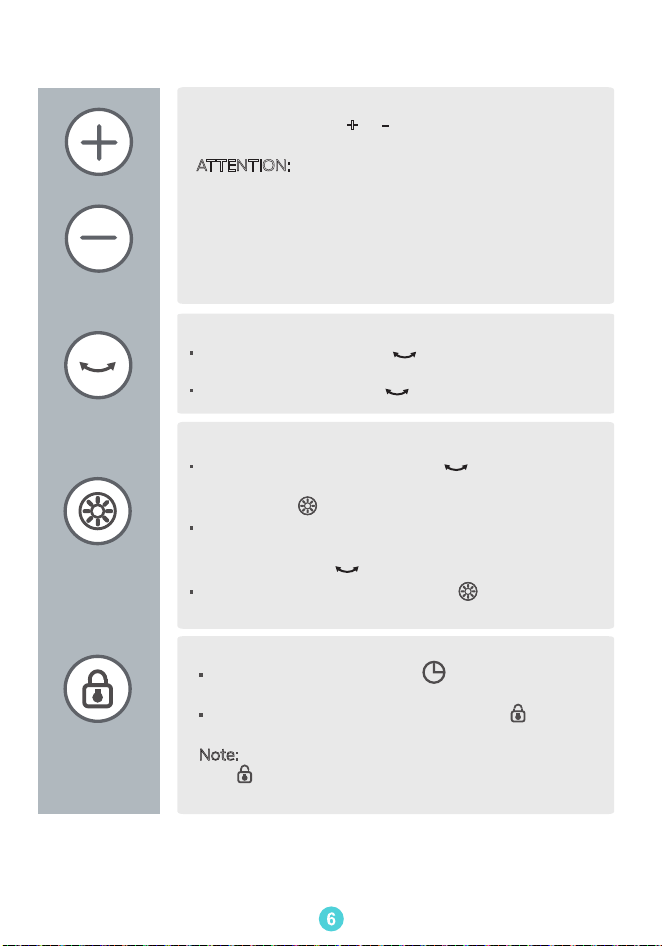
Temperature Adjustment.
In ECO mode, touch
+ or - to adjust the set
temperature from 41℉to 95℉ in 1℉ increments.
ATTENTION:
In ECO mode, the heater will turn o
automatically when the set temperature has been
reached. When the ambient temperature is lower
than the set temperature, the heater will start
working again.
Note: If your heater turns o frequently. please raise
the set temperature, or switch to Power Heat mode.
Oscillation Button
Child Lock
· When the unit is on, press on the heater or remote
control to start oscillating.
·
To stop oscillating, press again.
LED Display OFF
6
· Long press the oscillation button on the control
panel for 2 seconds to turn o the display. and then
the indicator will light up.
· You can also press the display o button on the
remote control to turn o or on the display.
·
Long press the timer button on the control
panel for 2 seconds to turn it on or o.
·
You can also press the child lock button on the
remote control to turn it on or o.
Note
: When the child lock is activated, the indicator
light lights up and all buttons on the space heater
are locked.
· To turn on the display, tab any button on the control
panel to light up the display, and long press the
oscillation button for 2 seconds.
Other Features
24-Hour Auto Off
For safety reasons, the heater will shut o
automatically after continuously running for 24 hours.
Tip-Over Protection
When the heater is tipped over, it will shut o
automatically .
Note:
This safety device is at the bottom of the unit,
please do not disassemble it.
Overheat Protection
1. When the heater overheats, it will shut o
automatically.
2. If the air outlet is fully or partially blocked, the unit
will automatically shut down due to overheating.
pls. wait about 30 minutes for it to cool down and
remove any objects blocking the air outlet.
·
To reduce likelihood of circuit overload, fire and electric
shock, do not operate with a solid state speed device,
·
Do not use this heater with a timer designed to
automatically turn the unit on or o, as this may
accidentally disable the heater’s thermal cutout
safety feature.
variable speed fan or circular saw is not advised.
use product, such as a vacuum cleaner, blender,
on the same electrical circuit as another high energy
such as a dimmer control switch. Use of this appliance
WARNING
7
REPLACE THE CELL
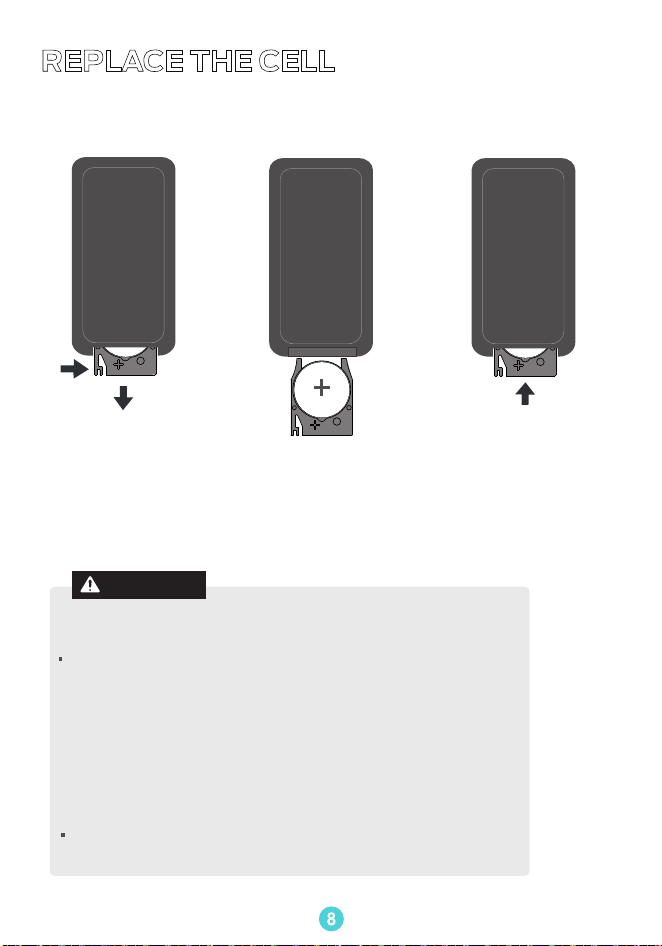
When the remote control is invalid, please consider replacing the battery.
Replace the battery with
the same type (CR2025
3V), make sure the (+)
side facing up.
· This product contains a lithium button/coin cell battery. If
·
Dispose of cells properly and keep away from children. Even
a new or used lithium button/coin cell battery is swallowed
does not close securely, stop using the product, remove
the batteries, and keep it away from children. If you think
batteries might have been swallowed or placed inside
any part of the body, seek immediate medical attention.
used cells may cause injury.
the battery compartment. If the battery compartment
lead to death in as little as 2 hours. Always completely secure
or enters the body, it can cause severe internal burns and can
Chemical Burn and Choking Hazard. Keep batteries away
from children.
WARNING
8
Push in the cell holder
until securely locked
into place.
Push and pull the
cell holder from
inside the remote
control.
Push
Pull
(Back of the remote control)
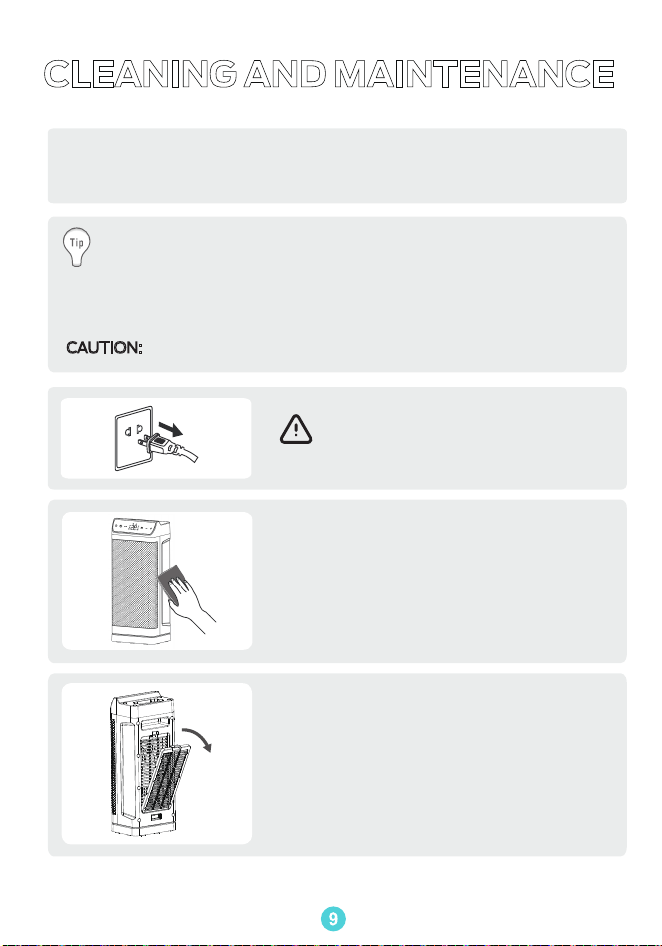
CLEANING AND MAINTENANCE
Aways turn o and unplug before cleaning.
Because your heater moves a substantial amount of air, it will need regular
cleaning. Cleaning the outside of the heater is recommended on a weekly
basis.
Use a soft, dry cloth to gently wipe clean
the oter surface.
You should periodically blow out the heater with pressurized air to
keep heat element and motor clear of dust, hair and debris that can
build up inside the heater as it moves air during use.
This also eliminates unwanted odors caused by accumulation of these
particles inside the unit.
CAUTION:
Do not modify the product with any after market accessory.
Outer Surace
WARNING
Remove the back cover and filter, and clean
with water or a brush.
Attention:
The cover and filter need to be completely
dried before assembling with the heater.
Air Inlet
9
STORAGE
During the o-season or after extended periods of non-use, you may
choose to store your heater. To ensure long life of the product, it is
recommended to store your heater by following these instructions:
1.Unplug power cord and bundle loosely.
2. Cover, or place back in retail carton if available.
This prevents the heater from accumulating dust over time.
3. Store heater in cool and dry location.
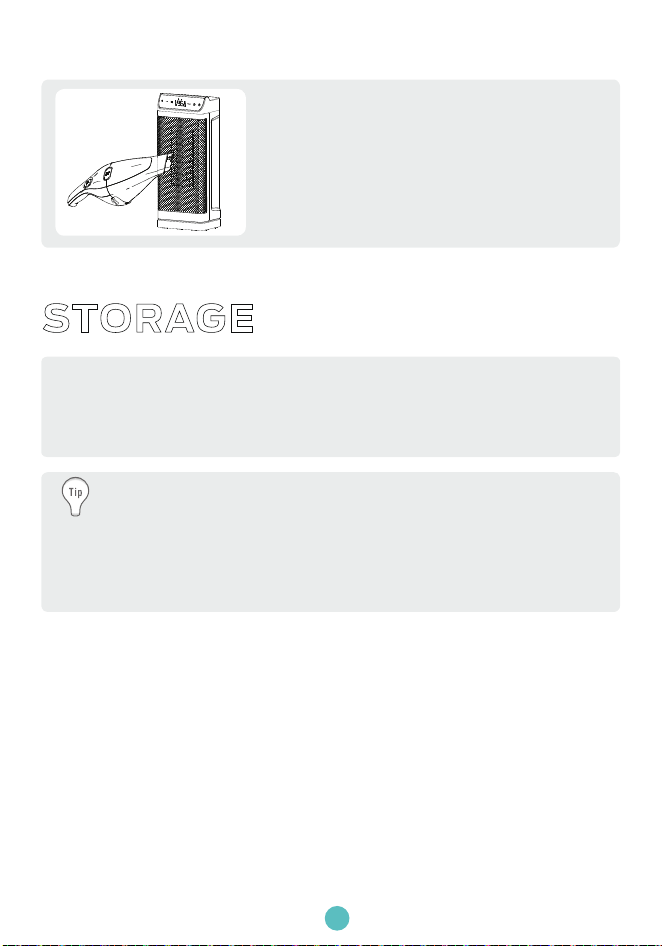
Cleaning is recommended before storage.
Use the brush attachment on your
household vacuum cleaner to remove dust
that has accumulated on the metal grille of
the front air outlet.
Air Outlet
10

TROUBLESHOOTING
Problem Possible Causes Solution
Malfunction
codes on LED
display
Heater does
not start
E2 - Temperature
sensor short circuit.
Unplug it from the power
source and contact
Customer Support.
Unplug it from the power
source and contact
Customer Support.
Unplug and wait for it
to cool down before
plugging in again.
E1- Temperature
sensor open circuit.
E3 -Overheat
Protection.
Power cord is not
properly plugged in.
Overheat protection
has been activated.
Unplug and allow
it to cool.
Remove any objects on
or near the heater.
Connect the plug to
a powered electrical
outlet.
11

Note: If your problem is not listed or still persists, contact our
Customer Support.
Heater does
not start
The heater
suddenly
stops during
heating.
The heater is tipped
over.
In ECO mode, the heater
will turn o automatically
when the set temperature
has been reached.
The temperature
exceeds the
threshold of the
thermal cuto.
No power is passing
through the unit.
Ensure that your circuit
breaker or fuse is working
properly.
Ensure that your heater is
placed on a flat and even
surface.
Turn o and unplug
the unit. Allow it to
cool and plug into the
electrical outlet again.
Ensure that the temperature
is set to be higher than the
ambient temperature.
Place it on a flat, level
and stable surface.
This is normal. If your heater
turns o frequently, please
raise the set temperature, or
switch to power heat mode.
The set temperature
is lower than the
ambient temperature.
12

www.spacekeyshop.com
support@spacekeyshop.com
1-866-668-5801