REV I DATE: 08/01/2023
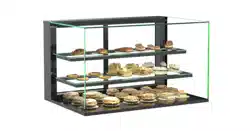
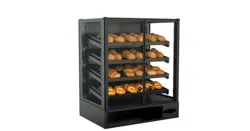
Model CGC2830
Dimensions: 28 ”L x 25”D x 30 1/2”H
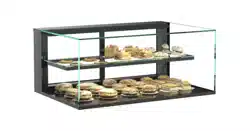
Model CGC3830
Dimensions: 38 ”L x 25”D x 30 1/2”H
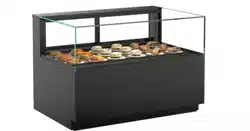
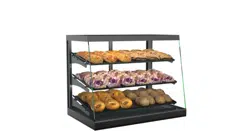
Model CGS2830
Dimensions: 28 ”L x 25”D x 30 1/2”H
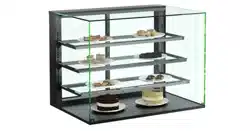
Model CGS3830
Dimensions: 38 ”L x 25”D x 30 1/2”H
USER MANUALS/54151_IMPULSE_USER MANUAL_CGC(L)30_CGS(L)30_AMBIENT_SVC_SELF-SVC_CASE
SERVICE / SELF-SERVICE AMBIENT COUNTERTOP DISPLAY MERCHANDISERS
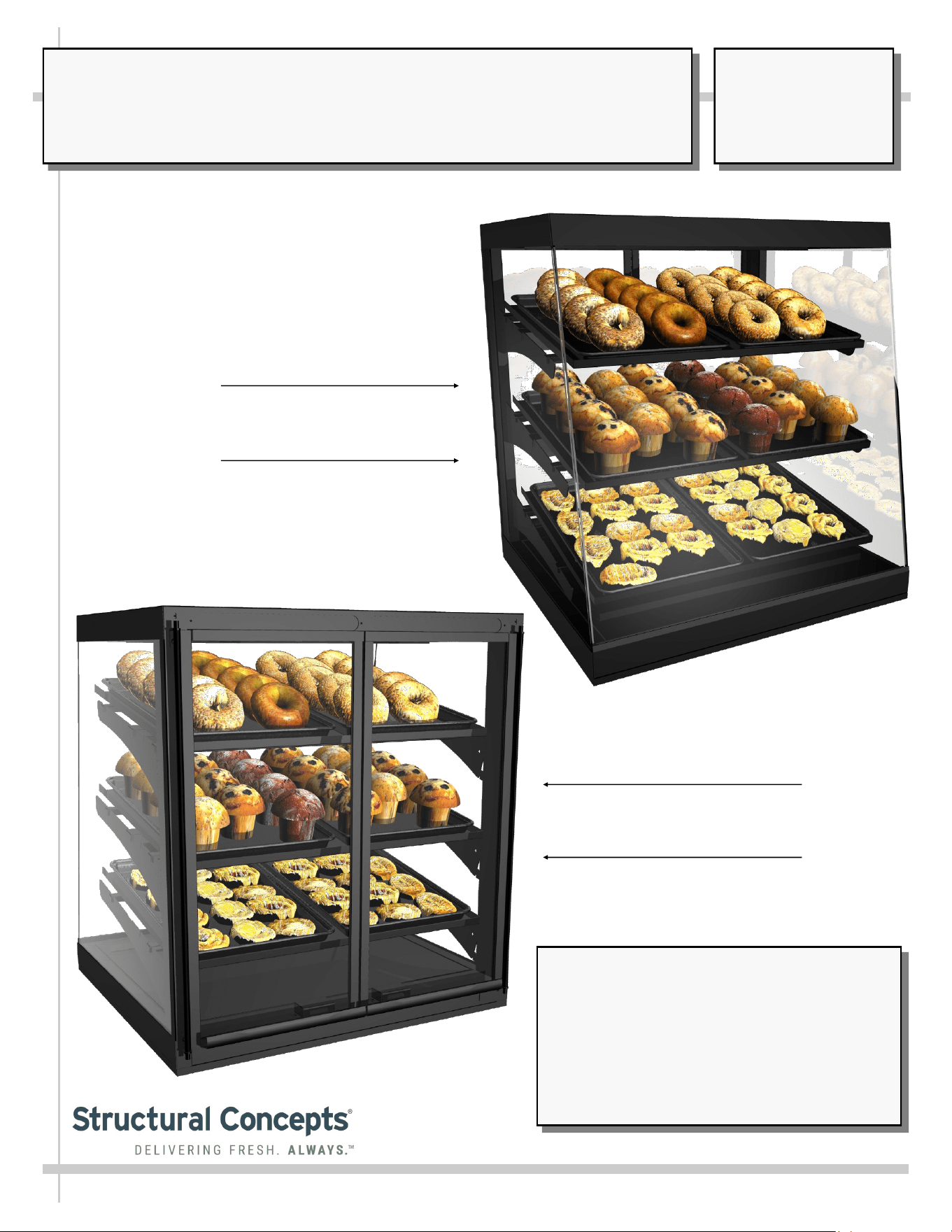
Model CGC2830 in Self-Service
Position and Upward Angled
Shelves
Model CGC2830 in Service
Position and Downward
Angled Shelves
SCC P/N
54151
USER
MANUAL
IMPULSE
CAREFULLY FOLLOW THESE INSTRUCTIONS
Structural Concepts Corp. ∙ 888 E. Porter Rd ∙ Muskegon, MI 49441 Phone: 231.798.8888 Fax: 231.798.4960 ∙ www.structuralconcepts.com
2
TABLE OF CONTENTS
OVERVIEW / TYPE / COMPLIANCE / WARNINGS / PRECAUTIONS / WIRING / PLUGS .....…....…..
START-UP AND OPERATION: CASE PLACEMENT / SERVICE vs. SELF-SERVICE SHELF
SET-UP …………………………………………………………………………………………………...
START-UP AND OPERATION, CONTINUED: BASE SPACER / POWER CORD LENGTH / CORD
CLAMP …………………………………………………………………………………………………...
LED LIGHTING (STANDARD) .………………………………………………….……………………………..
FLUORESCENT LIGHTING (OPTIONAL) …………………………………………………………………...
TROUBLESHOOTING …..…………….………………………………………………………….….…………
SERIAL LABEL LOCATION & INFORMATION LISTED / TECH INFO & SERVICE …………………..
CLEANING SCHEDULE .…………………………………………………...…………………….…………....
TECHNICAL SERVICE CONTACT INFORMATION / WARRANTY INFORMATION ..……..……........
3
4
5
6
7
8
9
10
11
3
OVERVIEW
• These Structural Concepts cases should be installed and
operated according to these instructions to ensure proper
performance. Improper use will void warranty.
• This unit is designed to display of products in ambient
store conditions with a max. temperature of 80 °F (27 °C) .
COMPLIANCE
• Performance issues when in violation of applicable NEC,
federal, state or local electrical codes are not covered by
warranty. See below.
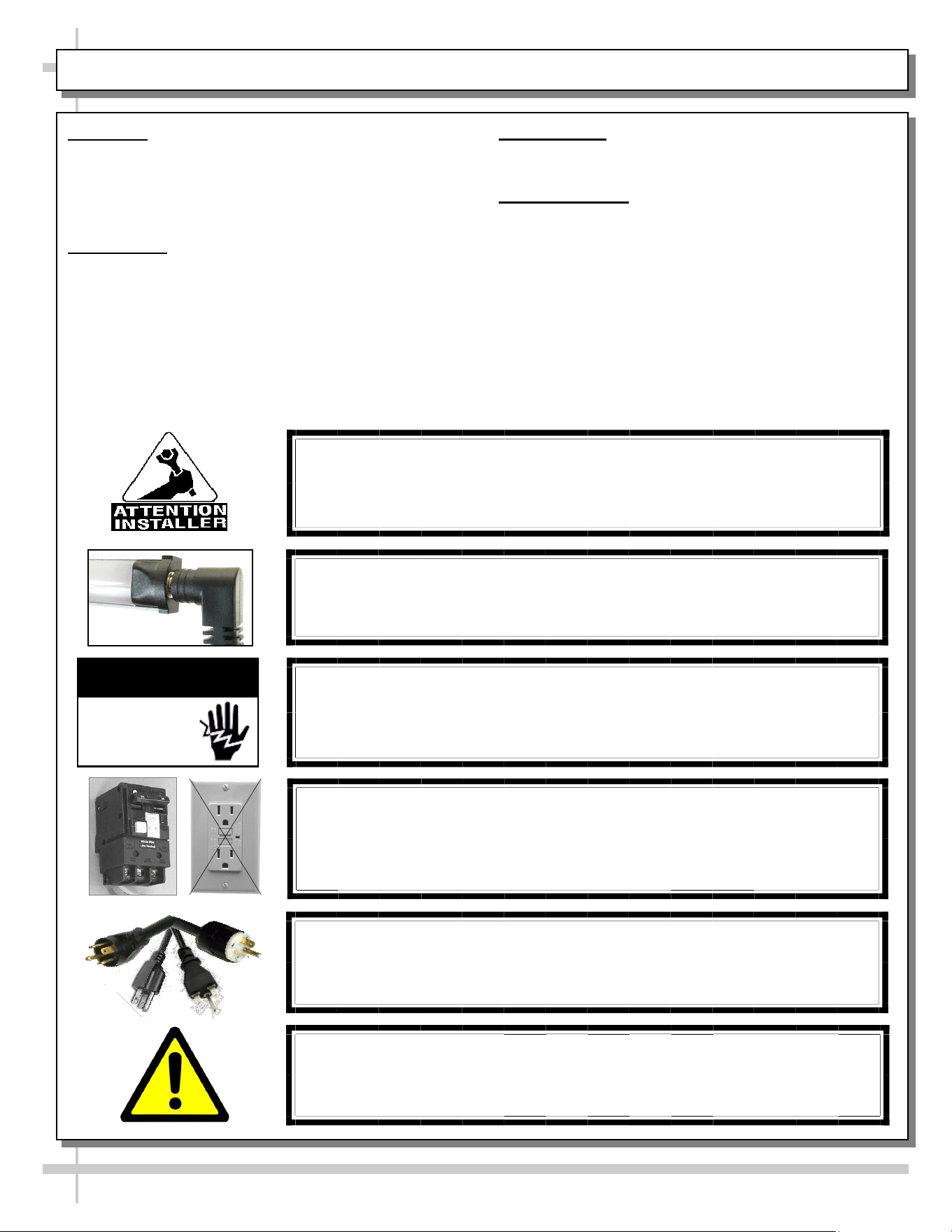
WARNING
Risk of electric shock.
Disconnect ALL ELECTRICAL SOURCES before servicing.
WARNING
ELECTRICAL
HAZARD
COMPLIANCE
This equipment MUST be installed in compliance with all applicable NEC,
federal, state and local electrical and plumbing codes.
PRECAUTIONS
• Following are important precautions to prevent damage
to unit or merchandise. Read carefully!
WIRING DIAGRAM
• Each case has its own wiring diagram folded and in its
own packet. It may be placed near ballast box, field
wiring box, raceway cover, or other related location.
CAUTION! POWER CORD AND PLUG MAINTENANCE
Risk of electric shock. If cord or plug becomes damaged,
replace only with cord and plug of same type.
CAUTION! GFCI BREAKER USE REQUIREMENT
If N.E.C. (National Electric Code) or your local code
requires GFCI (Ground Fault Circuit Interrupter) protection,
you MUST use a GFCI breaker in lieu of a GFCI receptacle.
OVERVIEW / COMPLIANCE / WARNINGS / PRECAUTIONS / WIRING DIAGRAM / CORDS & PLUGS
CAUTION! LAMP REPLACEMENT GUIDELINES
If LED lamps are used, they must be size, shape and overall design.
Any replacements must meet factory specifications.
WARNING: This product can expose you to chemicals, including
Urethane (Ethyl Carbamate), which are known to the state of
California to cause cancer and birth defects or other reproductive
harm. For more information go to P65Warnings.ca.gov.
4
START-UP AND OPERATION: CASE PLACEMENT / SERVICE VS. SELF-SERVICE SHELF SET-UP
1. Case Placement
• Remove case from skid.
• Before placing case on counter,
determine if the case will merchandize as
a front or rear-mounted case.
• Base spacer has a notch at BOTH front
and rear for power cord to route from
EITHER side.
• See general spacer illustration on next
page.
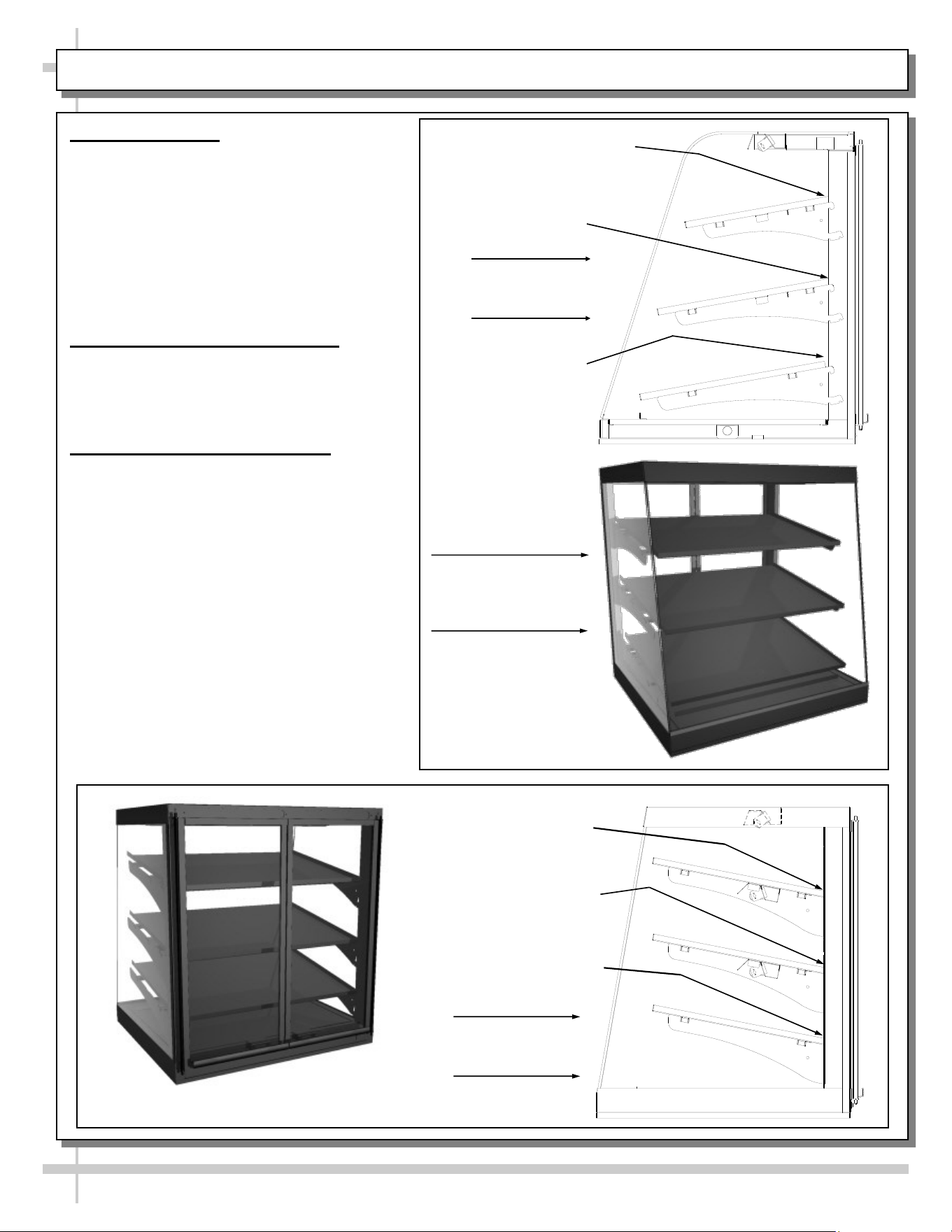
2. Service Case Shelf Positioning
• Shelves may be positioned in the “down”
position to merchandise as a service
case.
• See illustration at right.
3. Self-Service Shelf Positioning
• The shelves may be positioned in the “up”
position. This will allow the case to be
turned around and merchandise from a
rear mounted position.
• See illustrations below for views of
self-service vs. service display cases.
1 Open Slot
1 Open Slot
No Open Slots
Service Case
Shelf Position
Move down 2 slots
from top position
Move down 1 slot
from middle position
Tilt up from
bottom slot position
Self-Servicel
Shelf Set-Up
Model
Displayed As
Service Case
Model Displayed As Self-Service Case
5
START-UP AND OPERATION, CONTINUED: BASE SPACER / POWER CORD LENGTH / CORD CLAMP
• Note: The National Sanitation Foundation (NSF®)
requires the following two steps be done before
this case can be used.
• 1. After case is in position, apply a steady bead of
industrial grade silicone sealant around the base
and counter top. Also, apply silicone sealant to notch
around cord.
• 2. Allow 24 hours for the silicone to dry before using
the case. Plug cord into a certified electrical outlet
with ground.
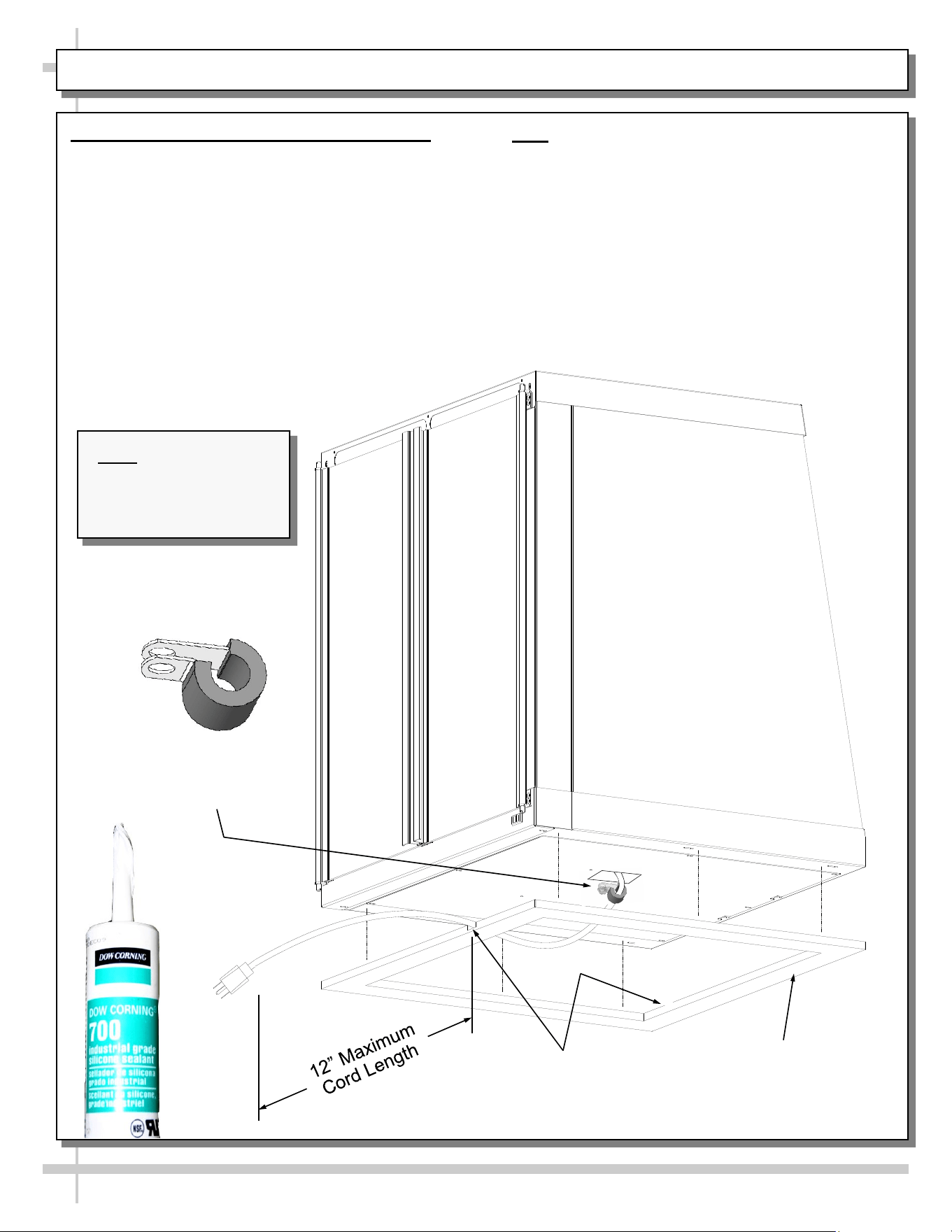
Route Power Cord
Through Either Front
or Rear Notch
Base Spacer
Note: Illustration may
not reflect every
feature or option of
your particular case.
Cord Clamp
(For Adjusting
Cord Length)
4. Base Spacer / Power Cord Length / Clamp
Locate base spacer in location to put case (cord notch
to be in direction of cord to exit).
• Sit case on spacer carefully routing power cord
through either front or rear notch (as shown below).
• Cord to exit at rear doors side for service cases.
• Cord to exit at front side for self-service cases.
• Power cord can only have a 12” MAXIMUM length
from outer notch to plug (as shown below).
• Adjust cord length with cord clamp attached at
underside of base (as shown below). Tighten
clamp screw securely!
• Remove inside deck pan and fasten base to spac-
er.
6
LED LIGHTING (STANDARD)
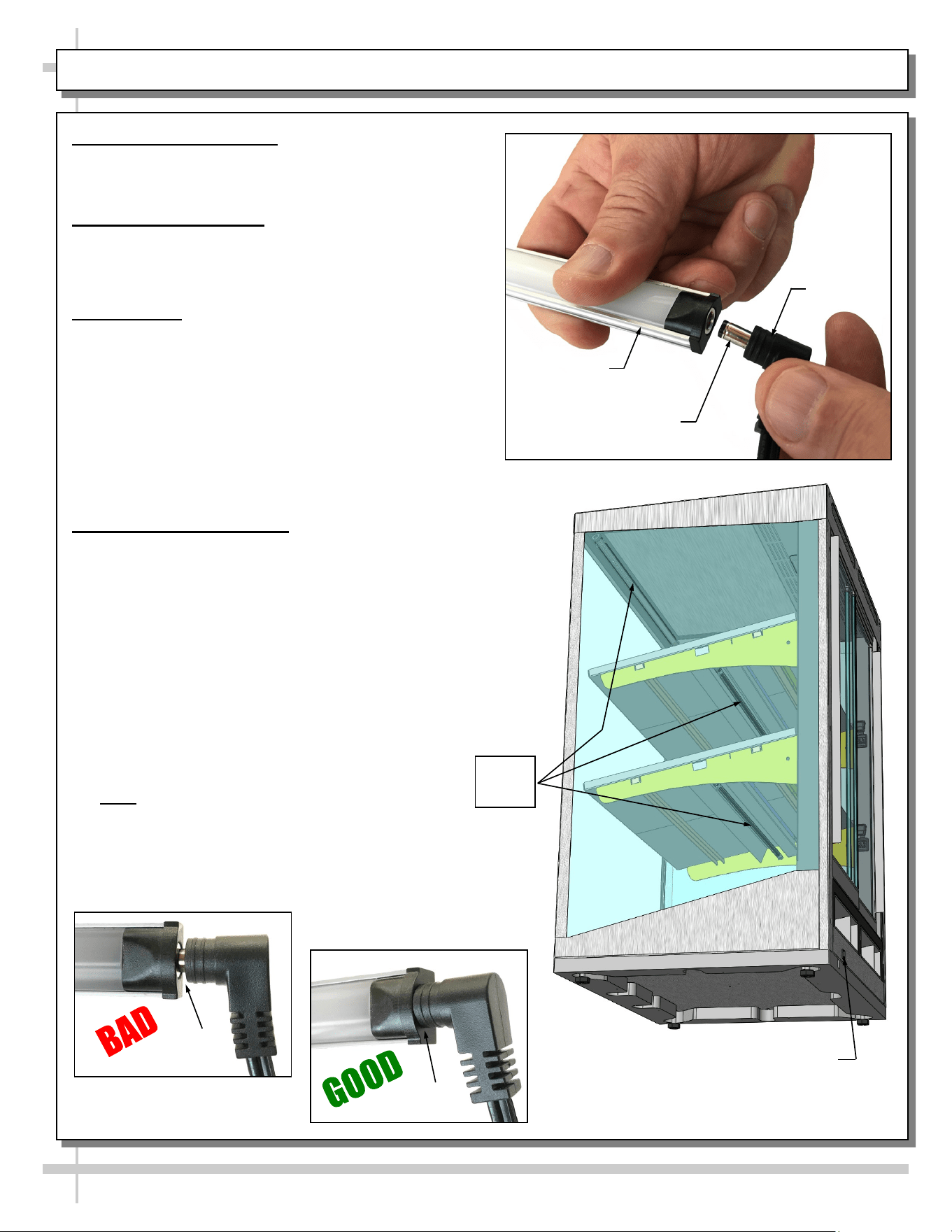
1. LED Style Light Switch
• Light switch is at lower-left-left near LED light.
• See illustration at lower-right.
2. Power Cord and Plug
• Power cord and plug (for LED lights) locations vary
depending upon model.
• Caution! You must plugged in an approved outlet!
3. LED Lights
• LED lights are usually located at both header and
shelving of case; placement on your merchandiser
may differ.
• Check that ALL of the light plugs are properly con-
nected to the LED light.
• Plug must be inserted ALL THE WAY into the LED
light orifice (with no gap) to work properly.
• See TROUBLESHOOTING section in manual if
LED lights malfunction.
4. LED Style Light Fixtures
Removal of faulty LED light:
• LED lights rarely require change-out.
• To remove faulty LED light, simply grasp light near
retaining spring and carefully pull away from its spring.
Disconnect plug from LED’s socket.
• Contact Structural Concepts’ Technical Service
Department for replacement parts (see Technical
Service section of this manual for information).
Replacement of LED light:
• To replace LED light fixture, simply insert new LED light at
proper position (socket must be near plug). Carefully
snap into metal or plastic retainers so LEDs
are held firmly in place.
• Note: LED light and plug must be connected
in a specific manner or they will not work.
• Most plug designs are “barrel type” and merely require
that plug be pushed all the way in.
• See illustrations below and top-right.
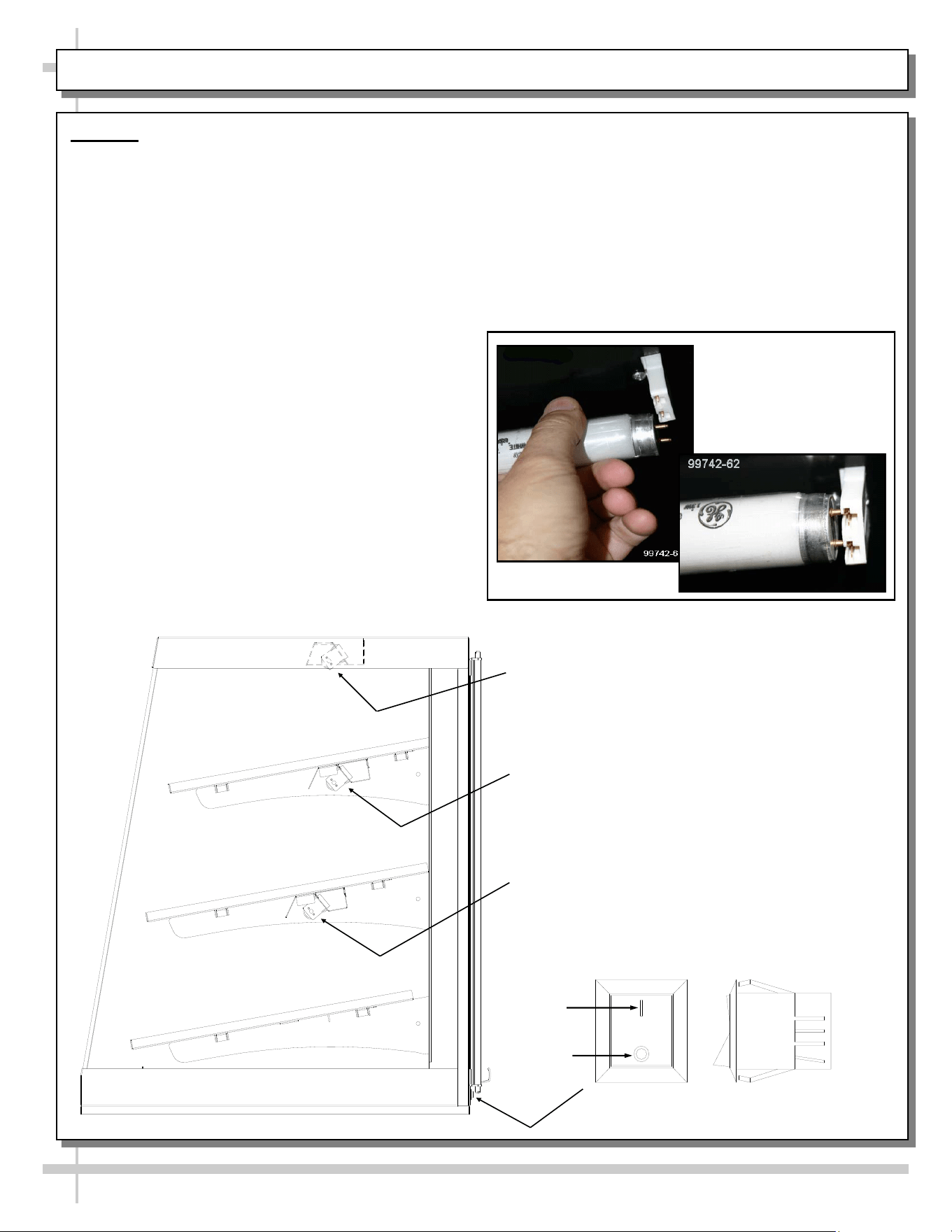
LED Light Switch
LED
Lights
LED Light
Plug
LED’s Barrel
Shaped Insert
No Gap
Gap
7
FLUORESCENT LIGHTING (OPTIONAL)
Lighting
Warning! Disconnect power before providing
maintenance and service to unit.
Caution: Lamps have been treated to resist
breakage and must be replaced with similarly
treated lamps.
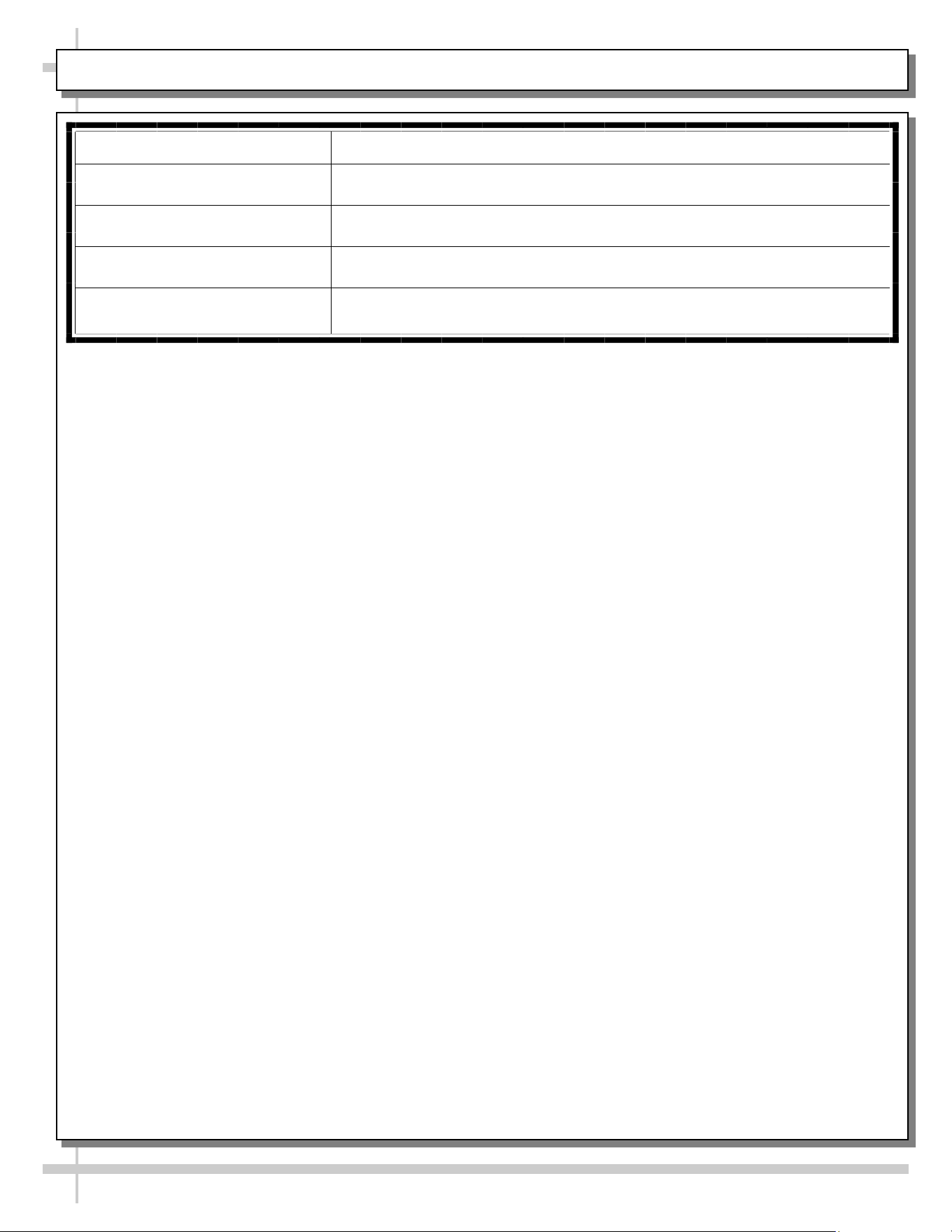
• Startup: Turn lights’ “Rocker Switch” on, (switch
location is below doors).
• The lights should illuminate immediately.
However, first time lighting may require a short
warm-up period for the bulbs.
• Slight dimness or flickering of new bulbs is
normal.
Removal of lamp:
• Rotate lamp (1/4-turn) either direction to
disengage (upper or lower) pins/contacts from
lamp-mounting sockets.
• Remove bulb by applying even pressure from
back side at the bulb ends and pulling the
remaining contact from sockets.
Rocker Switch
ON
OFF
Top Light
(behind top cover)
Top Shelf Light
Middle Shelf Light
Installation of lamp:
• Align pins with slot.
• Insert pins into socket by rotating the bulb
1/4-turn to secure either the (upper or lower)
pin contacts into the sockets.
• Rotate remaining bulb contacts (1/4-turn) into
remaining lamp mounting socket contacts.
>> See previous page for LED lighting and
illustrations.
8
TROUBLESHOOTING
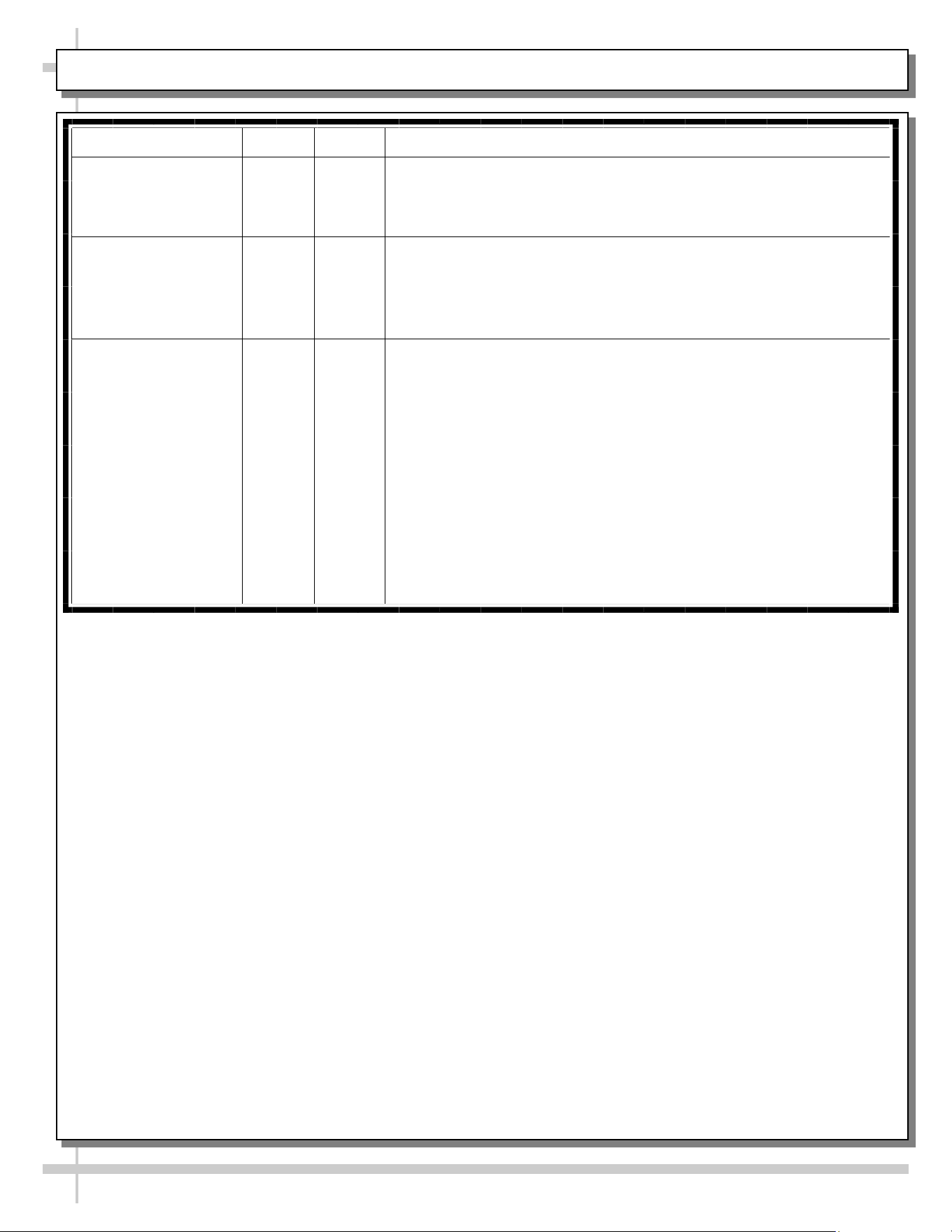
Case Lights Not Working Check bulbs for proper installation and connection.
Check for burned out bulbs.
Clean dirt and dust from the bulbs to prevent flickering.
System is not Operating Confirm the utility power is on (authorized personnel only).
Check the circuit breaker box for tripped circuits (authorized personnel
only).
9
CLEANING SCHEDULE
Cleaning Daily Weekly Task
Interior/Exterior X
Clean all glass surfaces with a household or commercial glass
cleaner and a soft cloth.
X
Clean the deck and shelving surfaces with damp cloth. For
stubborn stains or hardened residue, use hot, soapy water and
soft-bristled brush. Caution! Do not use brushes or pads with
metal bristles or coils to clean this unit as they will scratch
and mar surfaces.
X
Stainless Steel Surfaces:
• Wash with a solution of hand dishwashing liquid detergent and
water; or a solution of baking soda and water. Rinse and polish
dry with paper towel or soft cloth.
• Never use scouring powders or steel wool as they will scratch
stainless steel.
• Brighten by polishing with a cloth dipped in vinegar or in
ammonia; sprinkle baking soda on sponge and rub gently;
rinse. Polish dry with paper towel.
• Remove streaks or heat stains from stainless steel by rubbing
with club soda.
10
SERIAL LABEL LOCATION & INFO LISTED / TECH INFO & SERVICE - AMBIENT/HEATED CASES ONLY
Serial Label Location & Information Listed /
Technical Information & Service
• Serial labels are affixed at a wide range of places
(on the header, at case rear, behind panels or
toe-kicks, on electrical boxes, etc.).
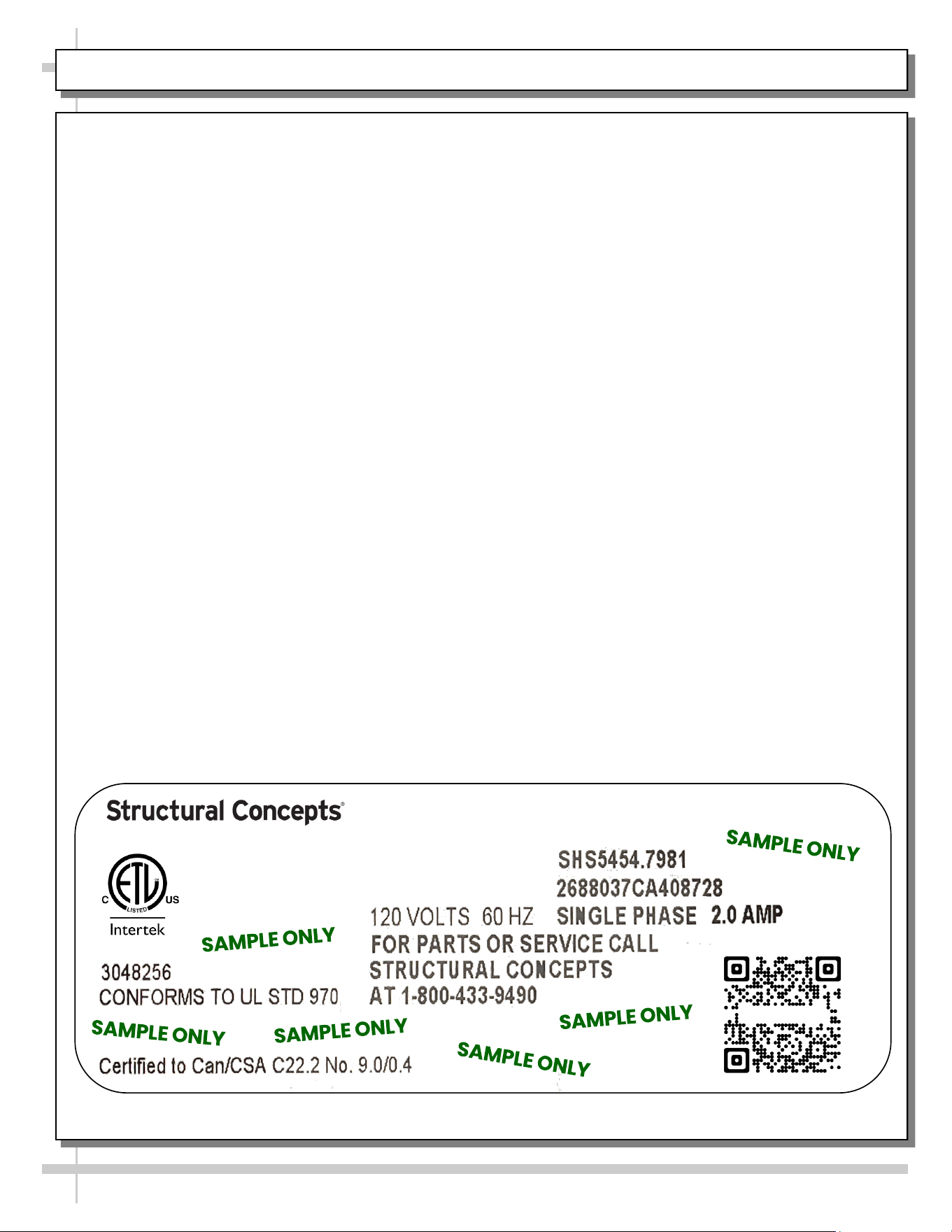
• Serial labels contain electrical information as well
as regulatory standards to which the case
conforms.
• Sample serial label is shown. A variety of models is
displayed on serial label for illustration purposes only.
Your case’s serial label will reflect only one model.
• For additional technical information and service, see
the TECHNICAL SERVICE page in this manual for
instructions on contacting Structural Concepts’
Technical Service Department.
--- Sample Serial Label For Ambient/Heated Cases ---
888 E. Porter Rd - Muskegon, MI 49441
Sample QR Code
SCAN FOR PRODUCT LITERATURE
Reveal
Harmony
Impulse
Addenda
STRUCTURAL CONCEPTS TECHNICAL SERVICE CONTACT INFORMATION & LIMITED WARRANTY
11
TECH SERVICE/WARRANTY CONTACT INFO:
1 (800) 433-9490 / EXTENSION 1
DAYS/HOURS AVAILABLE:
MONDAY - FRIDAY (CLOSED HOLIDAYS)
8:00 AM to 8:00 PM EST
YOU MUST HAVE THE FOLLOWING INFO AVAILABLE
BEFORE CONTACTING STRUCTURAL CONCEPTS:
SERIAL NO. / MODEL NO. / STORE NO. / STORE
ADDRESS / DETAILS (PHOTOS, LEAK LOCATIONS,
DAMAGE, STORE’S AMBIENT CONDITIONS, ETC.)
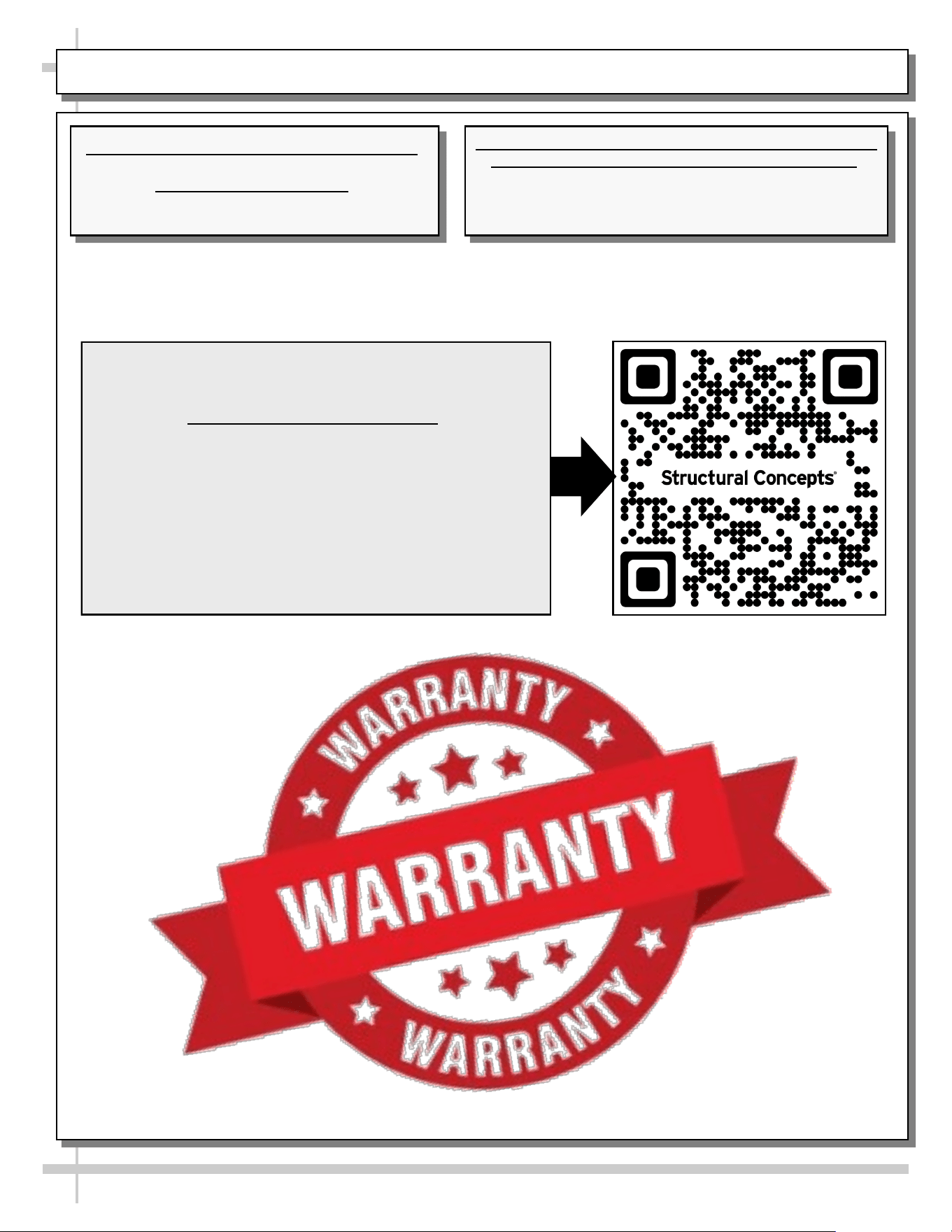
To Access The Limited Warranty To Your
Case, Follow These Instructions:
> If Viewing This Document on Smart Phone,
Tablet or Computer, Select/Click On The QR
Code at Right.
> If Viewing This Document In Print (Hard
Copy), Scan The QR Code at Right With Your
Smart Phone or Tablet.