©COPYRIGHT AVPRO GLOBAL HOLDINGS 2023 - 2222 E 52ND STREET N SIOUX FALLS, SD 57104 ~ 1.877.866.5112
1
ZONE2-PRO
User Manual
8K eARC Audio Processor

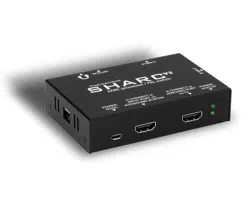
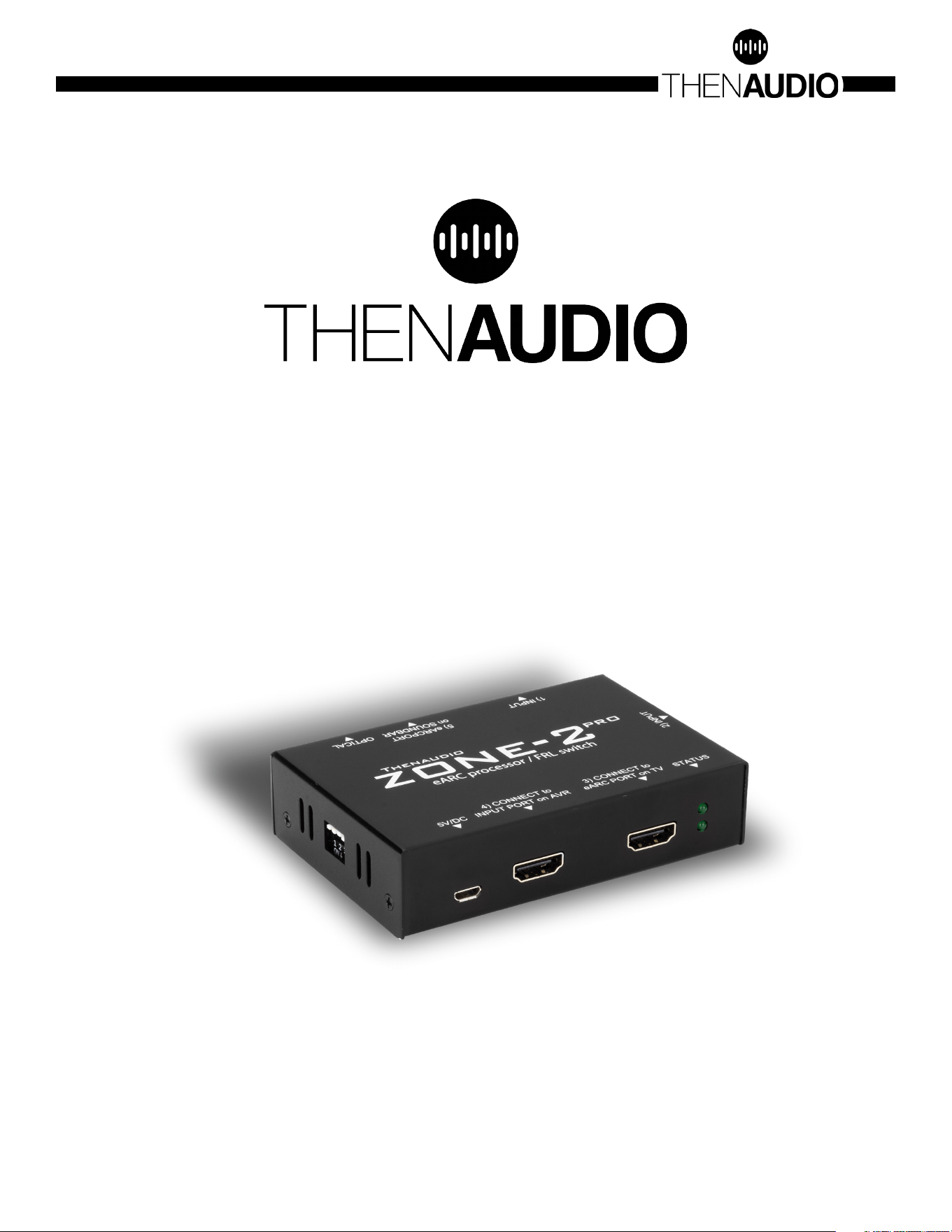
1. Connect port 3) to the eARC/ARC port on the TV.
2. Optional: connect port 4) to one of the _INPUT_ ports of your sound system (it is a
common mistake to connect to the output of the sound system which is typically labeled
“ARC”
3. Optional: connect port 5) to the Soundbar or an AVR port that is labeled as eARC/ARC
port. ZONE2-PRO sends eARC audio into this port on the soundbar/AVR.
• NOTE: port 4) and port 5) should never connect to the same destination audio system.
4. Connect the USB micro cable between the included power supply and the POWER 5V/
DC input on ZONE2-PRO.
5. Optional: Connect source devices, such as Xbox or PS5, to the input ports labeled port
1) and port 2). You can also continue to use the remaining TV inputs.
6. Set the TV into eARC mode and select PASSTHROUGH or AUTO -mode to retain multi-
channel audio.
7. Optional: enable TV per-input bitstream support to enable Atmos/multichannel-PCM
(typically Sound->Additional Setting->bitstream or a similar menu). Default only allows
stereo.
8. Make sure the LED indicator light is solid green (eARC active) or slowly blinking (ARC
active). eARC connection is required for all lossless audio.
QUICK START GUIDE
©COPYRIGHT AVPRO GLOBAL HOLDINGS 2023 - 2222 E 52ND STREET N SIOUX FALLS, SD 57104 ~ 1.877.866.5112
2

DIP SETTINGS
#1: MAT ATMOS MODE
• Some TVs automativally convert all audio into Dolby MAT format. In case AVR does
not understand MAT formats, the audio will be mute.
• UP: All ATMOS formats ok [default]
• DOWN: Convert MAT formats
#2: STREAM CORRECTION
• Speaker placement correction
• UP: According to the TV stream [default]
• DOWN: Correct for 5.1 systems
#3: TRACKSYNC VOLUME
• Proprietary algorithm for volume tracking between the devices in port 4) and port
5). When two audio systems are connected, DIP#4 controls which acts as the priority
device receiving commands. The other connected device volume slowly “tracks” the
priority device volume level.
• UP: Not active [default]
• DOWN: Active
#4: TRACKSYNC PRIORITY
• UP: port 5) audio system priority
• DOWN: port 4) audio system priority
• INDICATOR LED:
• Top LED indicates input port 1) is selected
• Bottom LED indicates input port 2) is selected
• Solid LED light indicates eARC active connection
• Slowly blinking LED indicates ARC active connection
TROUBLESHOOTING:
1. The most common issue is the port 4) is connected to the output port on AVR. Make
sure the port4) connects to one of the input ports on the sound system.
2. Check the indicator LED status corresponds to the desired operation.
3. Disconnect any device connected to the output port of the AVR/receiver/soundbar
(this is an advanced setup and creates a potentially unsupported CEC loop -
contact Thenaudio for help with this)
4. Some TVs require a CEC reset to reload the network
©COPYRIGHT AVPRO GLOBAL HOLDINGS 2023 - 2222 E 52ND STREET N SIOUX FALLS, SD 57104 ~ 1.877.866.5112
3

Q&A
1. I do not see “line-level RCA” out on the unit - Is this the correct photo? (See below)
• Yes, the photo is correct. The line level out is the headphone analog jack.
2. Does the headphone output (3.5mm connection) provide a variable volume level
controlled by the TVs HDMI-CEC commands?
• The headphone output will do volume control, controlled with CEC from the TV. It
reports back volume level to the display.
3. What about the optical output - it is not mentioned in the text. Does the optical
output connection provide a variable volume level controlled by the TVs HDMI-CEC
commands also? Or is the optical output “fixed”?
• The optical is a fixed output. It can support extraction up to Dolby Digital+ Atmos.
But it will not support Dolby True HD or Dolby MAT.
4. What if we need a Fixed audio output level... is there a way to use this device as an
“eARC/ARC” de-embedder with volume control defeated?
• You will have to use the digital output instead.
5. Is the headphone output (3.5mm connection) muted if the eARC/ARC audio signal is
anything other than two-channel PCM? Or does it downmix before de-embedding
eARC/ARC?
• No it will output digital noise. The unit will not support downmixing. We recommend
setting the display to PCM output.
6. Same for the optical... Is the optical output muted if the eARC/ARC audio signal is
anything other than two-channel PCM? Or does it downmix before de-embedding
eARC/ARC?
©COPYRIGHT AVPRO GLOBAL HOLDINGS 2023 - 2222 E 52ND STREET N SIOUX FALLS, SD 57104 ~ 1.877.866.5112
4

©COPYRIGHT AVPRO GLOBAL HOLDINGS 2023 - 2222 E 52ND STREET N SIOUX FALLS, SD 57104 ~ 1.877.866.5112
5

Thank you for choosing Then Audio!
Please contact us with any questions, we are
happily at your service!
CONTACT support@thenaudio.com
IF YOU HAVE ANY QUESTIONS ABOUT OPERATING THIS PRODUCT
ZONE2-PRO is a brand new, one of a kind device in the entire world.
We greatly appreciate all kinds of feedback to help perfect this
product. For the latest firmware and manual visit
www.avproedge.com
©COPYRIGHT AVPRO GLOBAL HOLDINGS 2023 - 2222 E 52ND STREET N SIOUX FALLS, SD 57104 ~ 1.877.866.5112
6