Introduction
2
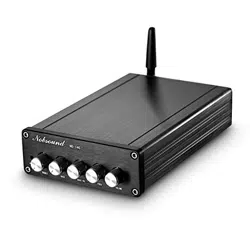
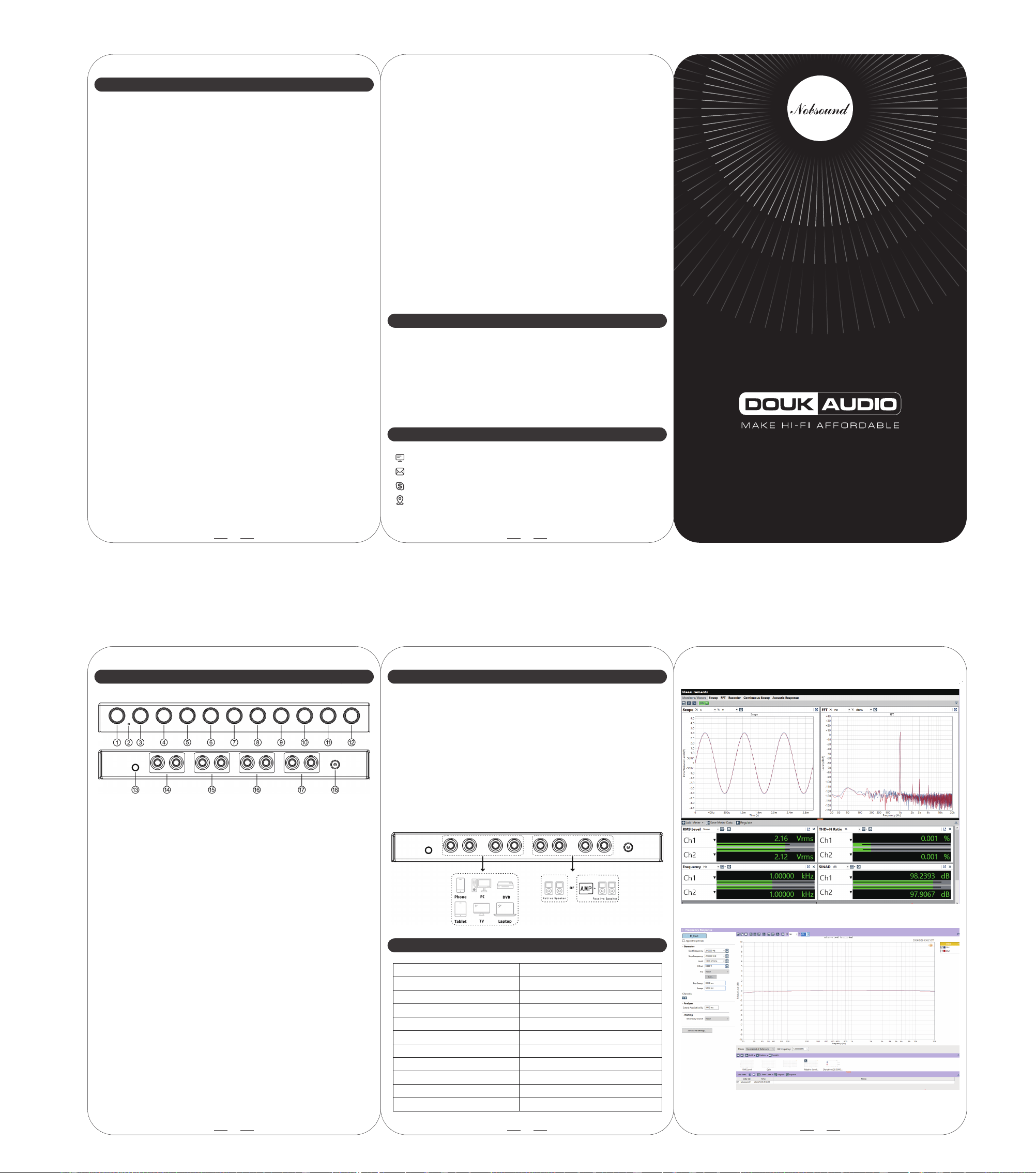
EQ9 front and back panel
1
① ON / off / Input channel switch
② Power indicator
③ 20Hz adjustment knob
④ 60Hz adjustment knob
⑤ 125Hz adjustment knob
⑥ 250Hz adjustment knob
⑦ 500Hz adjustment knob
⑧ 1kHz adjustment knob
⑨ 1kHz adjustment knob
⑩ 6kHz adjustment knob
⑪ 16kHz adjustment knob
⑫ Balanced adjustment
⑬ Tone mode / Bypass mode switch
⑭ CH1 input (white / left sound channel, red / right channel)
⑮ CH2 input
⑯ RCA output 1
⑰ RCA output 2
⑱ Power interface(DC12V≥1.5A)
3
Audio input
Audio output
Input sensitivity
Rated output level
Frequency response
THD
Working voltage
SNR
Frequency adjustment range
Package weight
Package dimensions(W*D*H)
2 groups of Stereo RCA
2 groups of Stereo RCA
1V
2V
20Hz-20kHz(±0.4dB)
0.001%@1kHz
DC12V/≥1.5A
≥111dB
±6dB
0.7kg / 1.54lb
120*345*78mm/4.72*13.58*3.07in
Parameters
Operation steps
1. Connect the active speakers or an amplifier to the RCA output
output of T9.
2. Connect the audio source to the RCA input of T9, and toggle
the switch from OFF position to corresponding input channel.
3. Connect the power supply, and play music on the audio source.
4. Press down or pop up to select the Tone mode or Bypass mode.
5. In Tone mode, adjust the frequency and balance according to
your preferences and enjoy music.
6. After use, please toggle the power switch to OFF position first,
and then disconnect the power adapter.
Q: Why are all cables connected but there is no sound?
A: 1. Check the power indicator light:
① If it can light up normally, please check if the corresponding
input mode is selected.
② If it cannot light up, please use another power supply to
detect whether the fault is the power supply or T9.
2. If the indicator light is on but there is no sound, so the power
supply is normal. Please continue to check according to the
order of audio signal transmission: audio source → audio cable
→ preamp/decoder→ amplifier → speaker.
3. If both are normal, please check whether the audio source is
muted, paused or the volume is too small.
Q: Why is the sound distorted?
A: Maybe the input amplitude is too large. If the sound of audio
source and T9 both are turned to maximum, it is easy to cause
distortion. Please turn down the volume of audio source or T9.
Q: Why is there a loud current sound or buzzing sound on the speaker?
A: 1. Please use the original power supply. Many power supplies in
the market have interference, which will cause current sound.
2. When using unshielded signal cable in no load, there will be
interface signals. Please use the shielded signal cable or unplug it.
3. If there is still noise after eliminating above situations, please
confirm whether it is external noise or internal noise. Disconnect
all inputs and only retain power supply and power cable. If the
noise disappears, it is from audio input; if the noise is still there,
it is possibly disturbed by power supply or generated by the
internal of product.
Q: Can I replace or upgrade the op-amp by myself?
A: Commonly used replaceable op amps: 2604 / 2134 / Muse02, etc.
(dual op amps are generally available), different op amps have
FAQ
4
EQ9
1. Please do not open the shell by yourself, improper operation may
cause a risk of electric shock.
2. Please use the regular manufacturer's switching power supply,
otherwise there will be the risk of damage to T9.
3. Please do not operate T9 in a high temperature or humidity
environment.
Website: www.doukaudio.com
Email: nobsound@doukaudio.com
WeChat/Whatsapp: +86-17704028602
Address: Room 1329, Wang Cheng Building, Long Guan East Road,
Long Hua District, Shen Zhen, Guang Dong, China, 518000
Contact information
Warning
5
different sound effects. (According to the actual product models).
Q: How to reduce or avoid the noise after the device is connected?
A: Please confirm the noise is from the external, connection line or
the internal. Disconnect all inputs, only retain the power supply
and output cable, if the noise disappears, that means the noise
is from the audio input. If the noise is still there, the noise may
be caused by interference with the power supply or generated
inside the amplifier.
Q: Why is there a thumping sound when switching on/off?
A: Please confirm the on-off sequence is correct, normally it follows
the order of signal transmission when turn on: audio source →
preamp / DAC → amplifier → speaker. (The sequence is reversed
when switching off. As the internal capacitors will be discharged
for a while after shutdown. If turn off the preamp firstly and then
turn off amplifier, impact sound will be easily caused which may
damage the amplifier or speaker in severe cases).