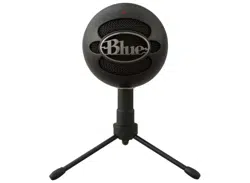
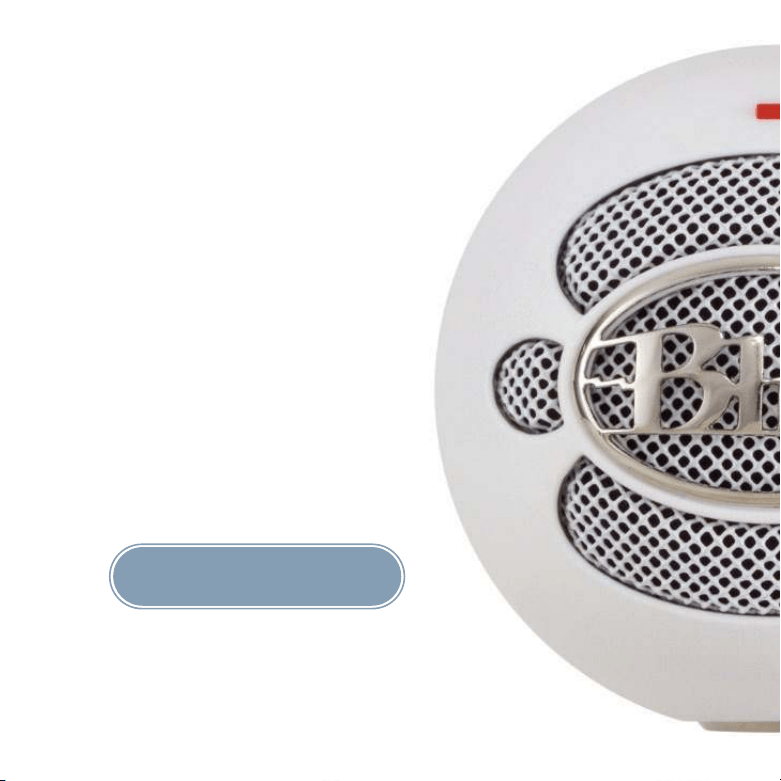
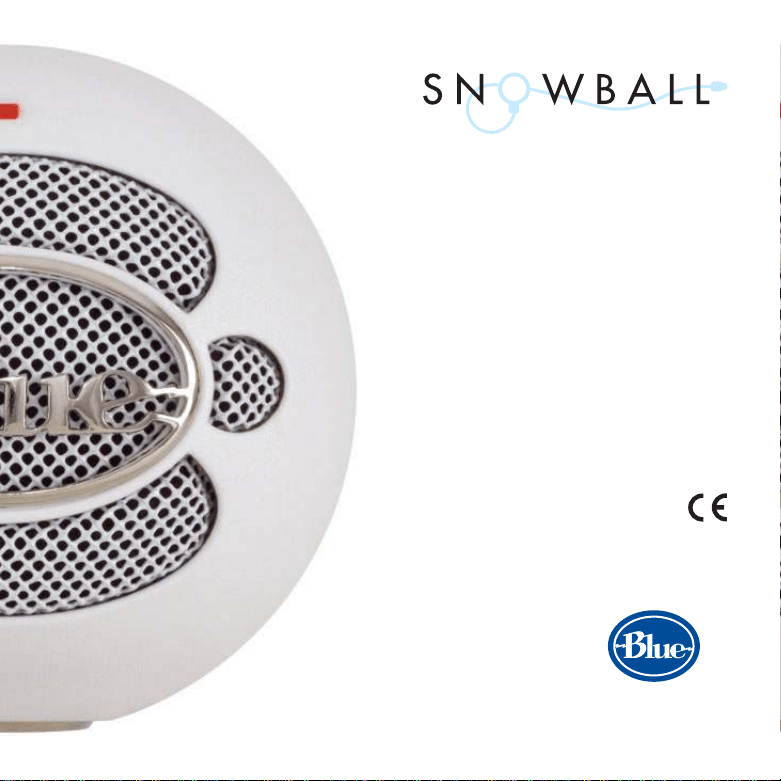
The Snowball
TM
Yo u have just purchase d the wo rld’s mo st unique and inno vative USB profe ssio nal c o ndenser
micro pho ne — the Sno wball ! Here at Blue, we are kno wn fo r designing and building the fine st
micro pho ne s available fo r studio , stage, film, broadc ast — and no w — yo u gue ssed it —
co mputer use. Our mic ropho nes unite the he ritag e o f the wo rld’s mo st respe c te d c lassics with
leading - edge te chno lo g y, inno vative e ngineering and inimitable styling . The Sno wball is the
pro duct o f o ur unrestraine d imag inatio n and o ur years o f micro pho ne and capsule manufac-
turing experience. The re is simply no thing else like it. But do n’t just take o ur wo rd fo r it . . .
“ This thing will make me immo rtal!”
— Fro sty ( le ad singe r o f The Sno wme n)
“ The ne xt be st thing to plugging a USB co nne cto r into yo ur ne ck”
— Rodney Petersb urg, Preside nt, North Platte Star Trek Fan Club
“ Thanks to the Sno wball, I can no w
actually reco rd ON the Matte rhorn!’”
— Lars Jürge nssbo urge r, Winne r,
19 81 Wo rld Yo de ling Co mpe tit io n
“ Finally, so me thing to plug into my lapto p
o n tho se lo ng, winte r nights!”
— The Abo minable Sno wman
Congratulatio ns.
TM
We kno w yo u hate to read manuals. So do we! But b ecause the Sno wball is suc h a unique reco rding
to o l, we really ho pe yo u take the time to familiarize yo urse lf with its features and try the sug ge sted
applicatio n tips that are desig ned to help yo u g et the mo st o ut o f the Sno wball. Yo u might just
learn so me thing to o ! With pro per c are and fe eding , the Sno wball will reward yo u with many ye ars
o f re co rding and perfo rmanc e enjo yme nt and it wo n’t end up as a po ol o f water o n yo ur deskto p!
No w o n with the sho w. ( No re frige ratio n nec e ssary. )
What ’s t hat o n the back?
Well, we ’re g lad yo u aske d. Yo u will find the USB o utput po rt and a three-po sitio n switc h o n the
rear o f the Sno wb all. Yo u can pro bably figure o ut what the USB po rt is fo r, but in c ase yo u c an’t,
this is the plac e where yo u co nnec t the bo xy end o f the USB c able — with the o the r e nd g o ing
into , yo u g uessed it, yo ur c o mputer. No w fo r the fun part. Just ab o ve the USB o utput po rt, yo u
will find a three- po sitio n switc h. Viewed fro m le ft to right, the po sitio ns are as fo llo ws:
Fi rs t positi o n: Activates the c ardio id c apsule.
Se co nd po s itio n: Activates the c ardio id capsule with a - 1 0dB PAD ( mo re geek talk fo r a
devic e that re duces the o utput of the mic fo r use with lo ud so und so urc es that c o uld c ause
disto rtio n o f the sig nal) .
Third positi o n: Activates the o mni capsule.
Snowball s ugge ste d applications
The Sno wball was de sig ned fo r co nvenient studio use witho ut the nec essity fo r a lo t o f sig nal pro -
cessing — o r eve n a mic pre! Because yo u just c o nnect it to yo ur USB po rt, it o ffers a wide rang e
1
2
3
20 30 40 50 100 50 0 1kHz 5kHz 1 0 kHz 20 kHz
-
10
-
5
+
5
+
10
dB
1 setting
2 setting
3 setting
5
10
15
20
25
dB
31 5 °
270 °
225 °
180 °
135 °
90°
45°
0°
10 0 Hz
25 0 Hz
50 0 Hz
1kHz
2.5kHz
4kHz
8kHz
16 kHz
Fre quency Response
Polar Response
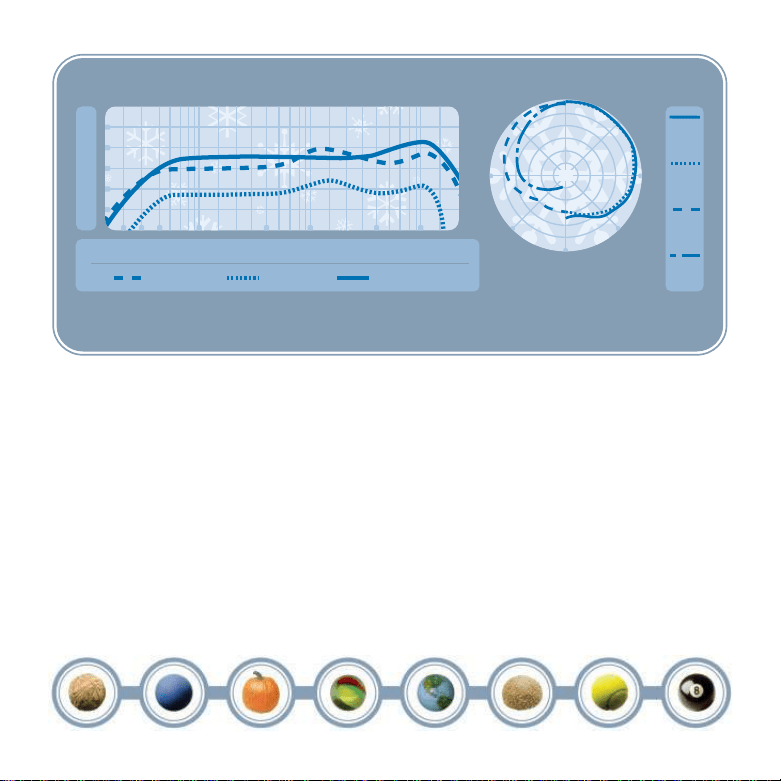
This fre qu e nc y c hart is o nly a start. It give s t he re co rdist a b as is o f th e so und pro vided. How t he m ic ro pho n e re a c t s in a pa rticula r applicatio n will diff e r g reat ly be cause of ma ny
variab le s. Room ac o ustics, distanc e fro m sound source ( proximit y) , tuning o f the inst rume nt and mic cabling are o nly a fe w o f the int e racting issue s. Fo r a n art ist o r a n e ngine e r,
ho w t he micropho nes are use d cre ate s the basis o f the so un d.
o f applicatio ns co uple d with an ease o f use never b efo re o ffered in a studio mic ropho ne. Bec ause
o f its rug ged c o nstructio n, dual-capsule desig n and hig h- spl specific atio n, yo u c an use the
Sno wball virtually anywhe re — inc luding the Arc tic Circle !
Why TWO capsule s? ( well, of course, t wo capsules are bet t er t han one!)
The Sno wball uses two separate capsule s to o ffer yo u a wide varie ty o f applicatio ns. The first c ap-
sule ge nerally “ hears” what’s right in fro nt o f it in a fixed cardio id patte rn with a ne utral so nic sig-
nature ( engineering ge eks call this unidire ct io nal) . The sec o nd c apsule ge nerally “ hears” e verything
aro und it with a b righter o verall so und ( engineering ge eks call this o mnidirectio nal) .
Whe re do you put it?
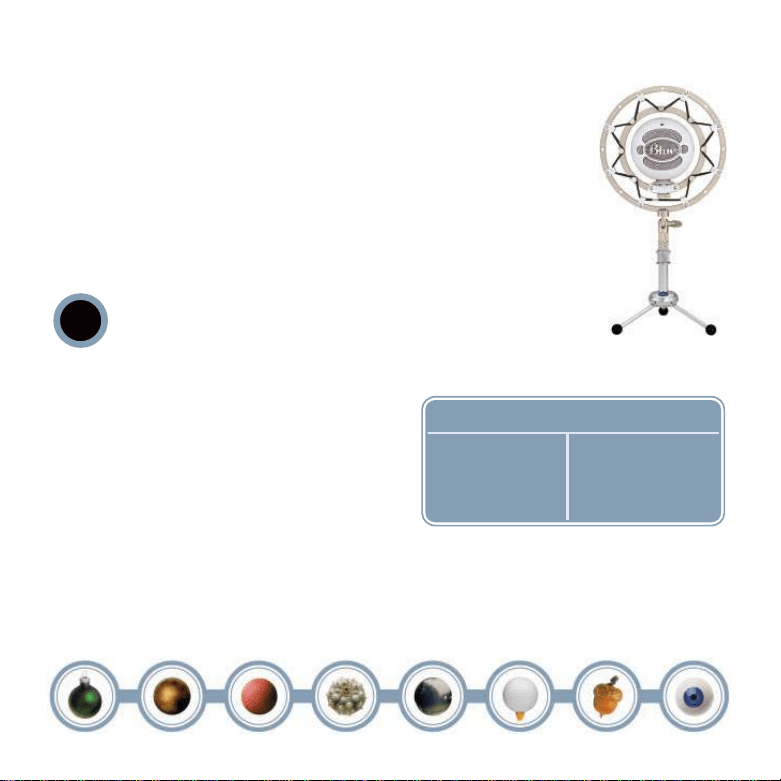
The Sno wball features a unique swivel mo unt lo c ated o n the b o tto m center o f
the mic bo dy. Be sure to mo unt the Sno wball o n the Blue Sno wball de skto p tripo d
o r o n a standard- thread co unter-weighted tripo d mic stand. And fo r reductio n
o f lo w- freque ncy rumb le and additio nal po sitio ning o ptio ns, mo unt the
Sno wball in the Blue Ring er, available from yo ur autho rize d Blue dealer. Tho ugh
the Sno wball is extreme ly durable, we wo uld hate to see it fall due to an inad-
equate stand. Also , be sure to po sitio n the Sno wb all o ver the center le g o f the
tripo d to furthe r prevent tipping. Once mo unted, yo u c an ge ntly pivo t the
Sno wball b ack and fo rth fo r o ptimum po sitio ning in fro nt o f the so und so urc e.
HEADS UP!: Forceful posit ioning of t he swivel mount can
result in damage not covered by t he warrant y, so t here.
What do you conne ct it t o ?
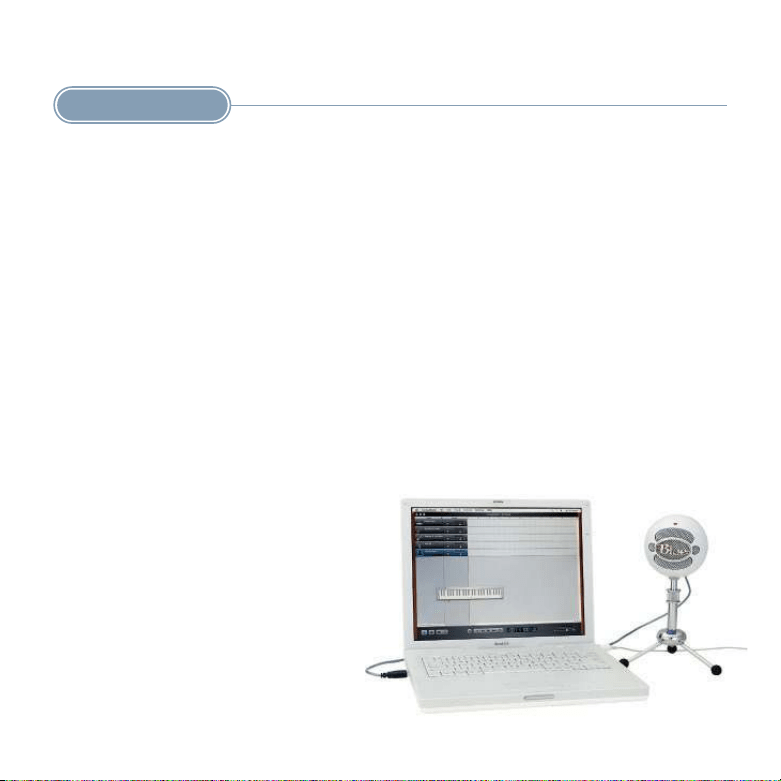
Once safe ly mo unted, co nnec t the Sno wball to the
USB po rt o n yo ur Macinto sh o r Windo ws c o mpute r
( the Sno wb all is USB 2.0 c o mpatible — see the right
sidebar fo r full syste m requireme nts) . Make sure
that the ac tive, o n- axis side o f the diaphragm ( the
side with the BLUE lo go ) is facing the desired
so urce. When c o nnected, the LED just abo ve the
Blue lo go will glo w red, indic ating po wer has reached the Sno wball and it is ready to roll. Fo r addi-
tio nal set- up info rmatio n and FAQs ab o ut the Sno wball, visit the Blue Mic ropho nes we bsite at
www.blue mic.co m, then c lick o n the Sno wball link at the to p o f the ho me page.
!
Macintosh
Mac OSX
USB 1 . 0 o r 2 .0
6 4 MB RAM ( mi nimum)
Syste m Re quire me nts *
Windows
XP Home Edi tio n o r
XP Prof e s s io nal
USB 1 . 0 o r 2 .0
6 4 MB RAM ( mi nimum)
Snowball mo unte d
o n The Ringe r
* While t he Sno wball has b e e n designe d t o wo rk e ffe c tive ly wit h a wide range o f reco rding applicatio ns, we canno t guarante e full co mpatib ility wit h all soft ware o n the market . If you are
e xp e riencing diff icultie s using the Snowball with a partic ular applicat io n, p le ase co ntact t he soft ware manufacturer fo r assista nce and te chnical sup po rt.
Gre at, so now I’m re ady to go! How do I ge t t he most o ut of my Snowball?
The fo llo wing applicatio n hints are intended to g ive yo u a go o d starting po int to ge t the mo st o ut
o f this unique audio to o l. As with all applicatio ns ho wever, there are no rules, o nly g uidelines.
Trust yo ur ge ar and trust yo ur e ars. If it so unds go o d, it is go o d!
Experiment with eac h c apsule o nc e yo u have the Sno wball set up. Yo u’ll find that the o mni capsule
captures mo re o f the roo m so und, while the c ardio id c apsule is mo re fo c use d o n what’s rig ht in
fro nt o f it.
Macinto s h Se tup Pro ce dure :
1 . In system OSX: in the Apple menu, o pen SYSTEM PREFERENCES.
2 . Doub le - c lick the SOUND pre fe renc e file.
3 . Click o n the INPUT tab.
4 . Doub le clic k BLUE USB BALL MIC unde r CHOOSE A DEVICE FOR SOUND INPUT dialo g b o x.
5 . Set input vo lume to the appropriate le vel. The mic is sensitive and may require a very lo w
vo lume setting .
6 . Exit SYSTEM PREFERENCES.
Windows Se tup Pro ce dure :
1 . In Windo ws XP Ho me Editio n o r XP Pro fe ssio nal: Under START MENU o pen SOUNDS AND AUDIO DEVICES
co ntro l panel.
2 . Selec t AUDIO tab; insure BLUE BALL USB MIC is sele cted as DEFAULT DEVICE.
3 . Click o n VOLUME; sele c t appro priate vo lume level. The mic is sensitive and may require a ve ry lo w
vo lume setting .
4 . Exit c o ntrol pane l.
Vo cals
Here’s a little- kno wn sec re t: vo calists lo ve sing ing into unique and impressive mic s like the
Sno wball. Put it in fro nt o f any singer and yo u’re sure to get an inspired perfo rmanc e. Fo r a “ big ”
vo c al so und, po sitio n the vo calist within o ne to fo ur inc hes o f the diaphragm. With the input vo lume
pro perly adjuste d in yo ur c o mputer’s setting s, there is no need to wo rry abo ut o verlo ading the
micro pho ne, but be sure to use a high- quality so nically neutral po p filter, such as
the Blue Pop, to c o ntro l plo sive s and pro te c t the diaphrag m.
Tilt the mic ropho ne slig htly upward ( to ward the fo re head) fo r mo re pro jec tio n and
he ad to ne, straig ht o n at the mo uth fo r maximum b rightness and intellig ibility, o r
do wn to ward the c hest fo r mo re ro bust full lo ws and smo o ther highs. We reco mme nd starting o ut
in po sitio n o ne — o r po sitio n two , which ac tivate s the -10dB PAD fo r real sc reamers.
Ele ctric Guitar
Bec ause of its neutral respo nse and so lid bo tto m e nd, the Sno wball is an exc elle nt mic fo r any
clean o r disto rted g uitar amp. Po sitio n the diaphragm to ward the c ente r o f the
speaker o r dust c ap to c apture mo re hig hs, o r to ward the e dge o f the speaker c o ne
fo r a fuller so und with mo re lo w end. Fo r o ve rdriven o r disto rte d to nes, mo ve the
mic to wards the o uter edge o f the speaker co ne, o r bac k it away fro m the amp a
fo o t o r mo re to b le nd ro o m to ne with direc t pic kup and so fte n hig h freque ncies.
Give the Sno wball a try o n e le c tric b ass, blues harmo nica, and o rg an to o !
Acous t ic Guitar
Micro pho nes require c areful placement when used o n aco ustic guitar, but the Sno wball’s neutral
to ne is well- suite d to this task. Fo r a balanc ed so und with plenty o f sparkling high end, po sitio n
the diaphrag m facing the nec k where it jo ins the b o dy ( usually be twee n the 12 th and 14th frets. )
Initially, keep the mic as c lo se to the instrume nt as po ssib le, tilting the diaphrag m
to ward the so undho le to c apture a blend o f lo w frequencies and pick so und. If yo u
ne ed mo re lo w frequencies, mo ve the Sno wball c lo se r to the so undho le. Fo r mo re h ig h
frequency detail, mo ve the Sno wb all farther away fro m the g uitar, e ither at the same
ne c k po sitio n, o r ab o ve the instrument ne ar the g uitarist’s he ad.
Strings
The Sno wball is an exc elle nt cho ice fo r miking all membe rs o f the b o wed string family. In g ene ral,
the diaphrag m sho uld be ang led to ward the instrume nt’s bridge to pick up a blend
o f bo dy reso nance and b o w so und. On bass and c e llo , plac ement fro m 3 to 6 inc hes
in fro nt o f the bridge is usually ide al. Fo r vio lin and vio la, it is preferable to po si-
tio n the mic ropho ne 1 to 2 feet abo ve the instrume nt. Angle the diaphragm to ward
the bridge fo r mo re bo w so und and lo w to nes, o r to ward the tuning peg s to c apture
a mo re diffuse, b righte r so und.
Drums
The Sno wball’s exce llent transie nt respo nse o ffers numerous advantag es whe n miking drums. Fo r
kit and hand drums, beg in by placing the mic ro pho ne two to fo ur inches abo ve the rim o r ho o p
( whe re the head is sec ured to the she ll) . Ang le the mic to ward the player’s stic k o r
hand to pick up mo re attac k and definitio n. Orienting the diaphrag m to ward the
shell will soften the sharp attack o f a hand drum, o r pic k up mo re o f the brig ht,
crackling buzz fro m a snare drum. Mo ving the mic ropho ne c lo se r to a drum ge nerally
inc rease s the lo w e nd, she ll reso nance, and separatio n from o the r so und so urc es,
while mo re distant plac ement e mphasizes the inte ractio n o f the drum and the enviro nment, pro -
ducing a blended, airier so und. If yo u have multiple USB inputs availab le, try a pair o f Sno wballs
as drum o ve rheads!
Saxo pho ne s, Flut es, and Re e ds
Fo r so prano sax, clarinet, o bo e and related instruments, po sitio n the Sno wball directly abo ve and
in fro nt o f the keys between the middle o f the ho rn and the lo we st pads. Try mo ving the Sno wball
up o r do wn alo ng the le ngth o f the bo dy to adjust the b alanc e o f airy hig hs ( to ward
the mo uthpiec e ) and c utting midrange ( to ward the b ell) . On flute, start b y placing
the Sno wball abo ve the middle o f the instrument, and mo ve the diaphragm c lo se r
to the mo uthpie ce if mo re high frequencies and breath so unds are de sired. Fo r o ther
members o f the saxo pho ne family, start by plac ing the Sno wball two to six inc hes in
fro nt o f the lip o f the bell. Ang le the Sno wball upward to ward the mo uthpiece to c apture mo re air,
brightness, and high no te s. Fo r a mello wer so und, o rie nting the diaphrag m to ward the flo o r will
emphasize the lo w range o f the sax, and will tame the biting upper midrange that pro je c ts straig ht
o ut o f the bell.
Addi t ional Applicat i o ns
The Sno wball is an ideal deskto p mic ropho ne fo r applic atio ns suc h as dic tatio n, vo ice re co rding
and inte rne t telepho ny, and o f c o urse, PODCASTING! Yo u’ll also lo ve it fo r lo o ping dialo g o ver yo ur
pro fe ssio nal o r ho me mo vies.
No w, go ge t the Sno wball co nnecte d and se e ho w c o o l it really is.
Optio nal Acce ss o ri e s
The Ringe r — Unive rsal sho ckmo unt The Pop — Custo m- desig ned po p filter
Fo r mo re info rmatio n o n Blue Micro pho nes and o ur c o mplete line o f award- winning mics, visit us o n the we b at www.blue mic. c o m
Te chnical Spe cif icat io ns
Po si t io n 2 Po si t io n 3
Acous tical Ope rating Pri ncipal
Po lar Pat te rn
Fre que ncy Re s pons e
Po si t io n 1
Pre s s ure Gradie nt
Cardio id
4 0 - 1 8 0 0 0Hz
Pre s s ure Gradie nt
Cardio id
4 0 - 1 8 0 0 0Hz
Pre s s ure Gradie nt
Omnidirecti onal
4 0 - 1 8 0 0 0Hz
1 2
Microphones
Step up to the mic.
TM
TM
TM
©2005 Blue Mic ro pho nes
5706 Co rsa Ave nue, Suite 102
We stlake Village, CA 913 6 2
www. b lue mic.c o m
In keeping with o ur po licy o f c o ntinued p ro duct impro vement,
Balt ic Latvian Universal Ele c tro nic s ( BLUE) rese rve s the right
to alter spe c ific atio ns witho ut prio r no tice.
Blue Micro pho ne s, Snowball, Ball, 8-Ball, Kickball, The Po p and The Ringer
are trademarks o r reg istered trade marks o f Blue Mic ro pho ne s, Inc.
All o the r trademarks co ntained herein are the prope rty
o f the ir respective o wners.
Do no t sto re yo ur Sno wb all in the freeze r.
Made in Latvia.