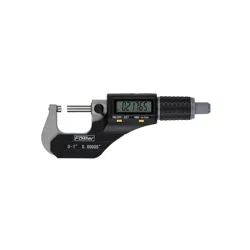
Electronic Micrometer
Part Number:54-850/860 series
Operation Manual
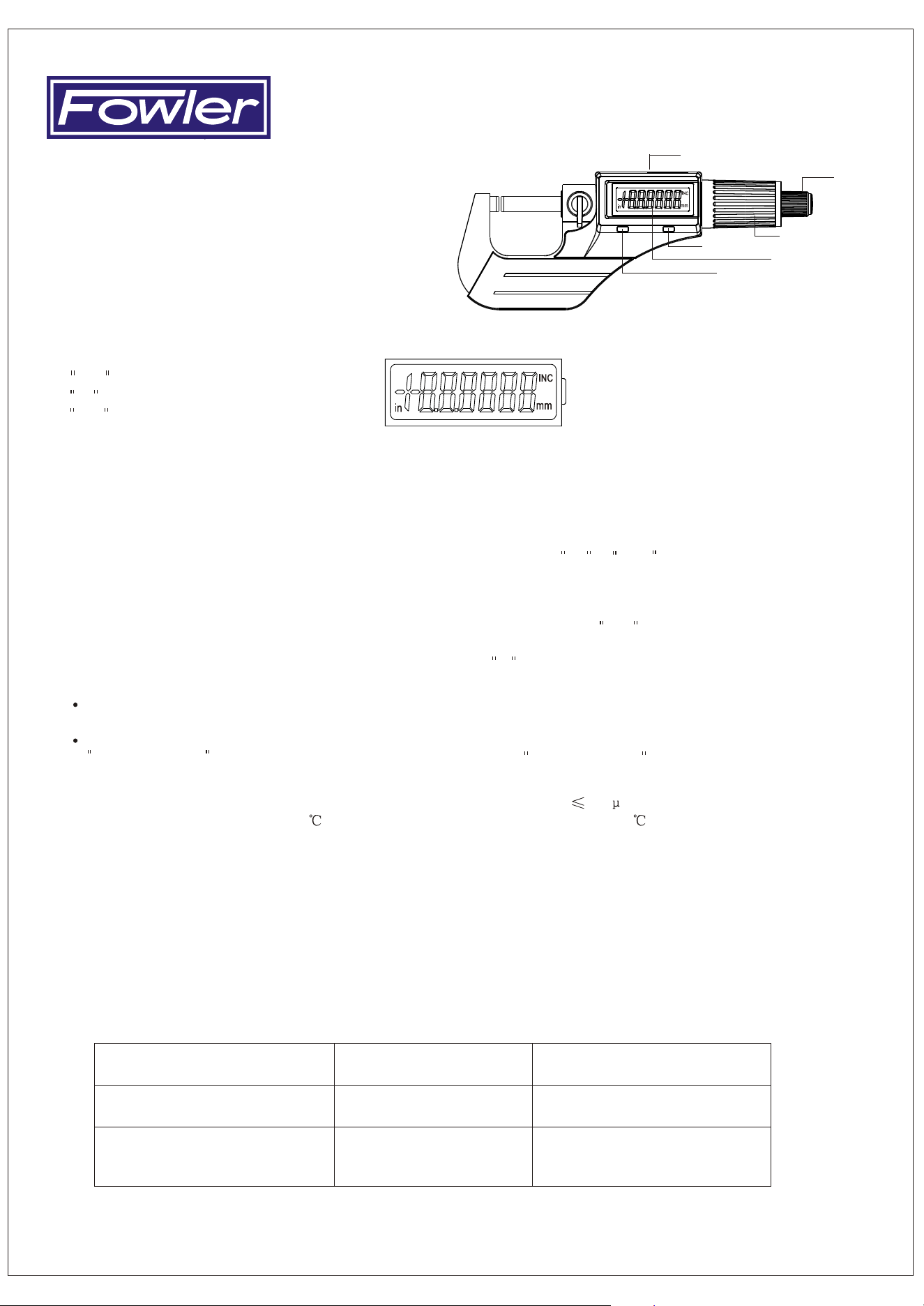
1. Functional elements
1. LCD display
2. Friction drive
3. Quick drive
...
4. ABS/INC UNIT key
...
5. ON/OFF SET key
6. Data output
2. Keys
3. LCD Display
...
ON/OFF SET key: Power switch. Datum set.
...
ABS/INC UNIT key: Absolute & relative measuring. Metric/inch conversion.
...
4.2 ABS/INC UNIT key:
6. Specifications
Measuring force: 5~10N. Power consumption: 20 A
Operating temperature: 0~40 . Storage temperature: -20~60
4. Operation
Two ways of pressing the keys are used in the following illustrations:
(1) Press and release; (2) Press and hold (2 sec.or more).
...
4.1 ON/OFF SET key:
Press and release: Power on/off.
Press and hold (2sec. or more): Datum setting for absolute measurement.
...
...
Origin of metric is 0, 25, 50, 75mm 275mm. Origin of inch is 0 , 1 , 2 , 3 11 .
Sets datum automatically after battery reset.
Press and release: Absolute and relative measuring mode conversion; INC sign displayed on LCD in
relative measuring mode. No sign displayed on LCD in absolute measuring mode.
Press and hold (2 sec. or more): Metric/inch conversion; in sign displayed on LCD for inch, otherwise mm.
5. Power
A CR 2032 Lithium battery is inserted into the back of the instrument with positive pole outward. Replace
the battery when the display data is dim or the data on LCD is flashing.
In not used for approximately five minutes the power will auto-off. The micrometer will turn on by pressing
...
...
ON/OFF SET key. Power off the micrometer by pressing ON/OFF SET key to save the battery.
7. Precautions
8. Troubleshooting
* Do not subject the instrument to blows or knocks. Do not drop it or apply excessive force.
* Do not disassemble the instrument.
* Do not press the keys with a pointed object.
* Do not use or store instrument under direct sunlight, or in an excessively hot or cold area.
* Do not use the instrument near strong magnetic fields and high voltages.
* Use a soft cloth or a cotton swab that is dry to clean the instrument. Do not use organic
solvent such as acetone or benzene. Alcohol may be used.
* Wipe the measuring faces of the instrument before using it.
* Remove the battery if the instrument is not used for a long period of time.
Measuring data is not correct.
1. Dirty measuring surfaces.
2. Preset data is not correct.
1. Clean measuring surfaces.
2. Inspect preset data and reset it.
1. Battery voltage under 2.7v.
2. Battery is not properly set.
1. Replace battery.
2. Reset battery (remove for 3 minutes).
No display on LCD.
Display confused or remains blank
1. Display blurred.
2. The output data is wrong.
Battery voltage under 2.7v
Replace battery.
Replace battery.
(4)
(5)
(1)
(6)
(2)
(3)
.
Fred V. Fowler Co.,Inc. 66 Rowe Street. Newton, MA 02466
.
.
617-332-7004 617-332-4137 (fax) Internet:www.fvfowler.com
.
.
.
INC : Relative measuring mode.
in : Unit: inch.
mm : Unit: metric.