NOTE:
•ManualsinSpanishforthismodelareavailableatsupport.brother.com.
ManualesenEspañolparaestemodeloestándisponiblesen
support.brother.com.
•Thecomponentsincludedintheboxmaydifferdependingonyour
country.
•Theavailableconnectioninterfacesvarydependingonthemodel.
Youmustpurchasethecorrectinterfacecableifyourequireone.
-USB cable
WerecommendusingaUSB2.0cable(TypeA/B)thatisnomore
than6feet(2meters)long.
-Network cable
Useastraight-throughCategory5e(orgreater)twisted-paircable.
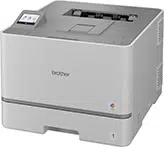
•TheillustrationsinthisQuick Setup GuideshowtheHL-L8570CDW.
•Saveallpackingmaterialsandtheboxincaseyouneedtoshipyour
machine.
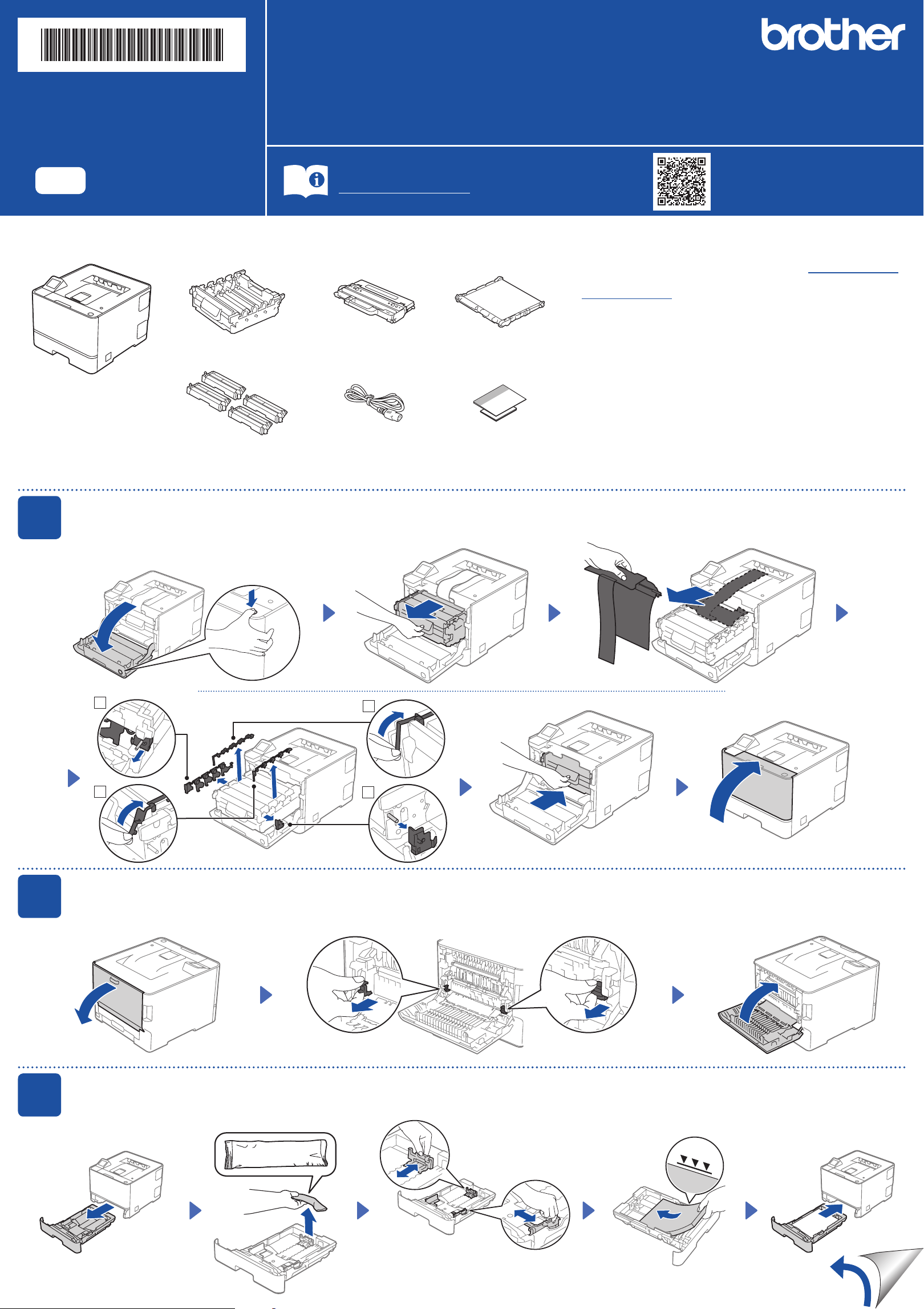
Unpackthemachineandcheckthecomponents
Drum Unit* Waste Toner Box* Belt Unit*
Toner Cartridges*
(Black,Cyan,Magenta,
andYellow)
AC Power Cord Quick Setup Guide
Product Safety Guide
QuickSetupGuide
ReadtheProduct Safety Guidefirst,thenreadthisQuick Setup Guideforthecorrectinstallationprocedure.
Notallmodelsareavailableinallcountries.
ThelatestmanualsareavailableattheBrothersupportwebsite:
support.brother.com/manuals
EN
HL-L8430CDW / HL-L8430CDWT / HL-L8570CDW
D035AH001-00
USA/CAN
Version0
1
Removepackingmaterialsfromthetonercartridgeanddrumunitassembly
3
Loadpaperinthepapertray
Adjustthepaper
guides.
Donotexceedthismark.
2
Removepackingmaterialsfromthefuserunit
*Installedinthemachine
Removeallbluetapeandorangeparts.
2
1
4
3
Back
Removepackingmaterials.
7
Manualwirelesssetup(forwirelessmodelsonly)
Ifthewirelesssetupisnotsuccessful,trytosetuptheconnectionmanually.
FindyourSSID(NetworkName)and
NetworkKey(Password)onyourwireless
accesspoint/routerandwritetheminthe
tableprovidedbelow.
SSID
(Network Name)
Network Key
(Password)
Ifyoucannotfindthisinformation,ask
yournetworkadministratororwireless
accesspoint/routermanufacturer.
SSID:●●●●●
NetworkKey:●●●●●
Press
>
[Find Wi-Fi Network].
FollowtheTouchscreen
instructions.
Goto toinstallsoftware.
Ifsetupisunsuccessful,restartyour
Brothermachineandyourwireless
accesspoint/router,andrepeat
.
SelecttheSSID(NetworkName)foryour
accesspoint/routerandentertheNetwork
Key(Password).
Whenthewirelesssetupissuccessful,the
Touchscreendisplays[Connected].
Fordetailedmachineinformationandproductspecifications,seetheOnline User's Guideatsupport.brother.com/manuals. ©2025BrotherIndustries,Ltd.Allrightsreserved.
6
Connectyourcomputerormobiledevicetoyourmachine
Followthesestepstocompletethesetupusingoneoftheconnectiontypesavailableonyourmachine.
Visitsetup.brother.comtodownloadand
installBrothersoftware.
setup.brother.com
Can’t Connect? Check the following:
Restartyourwirelessaccesspoint/
router(ifpossible).
Disconnectthecable.
Wirednetwork
USBconnection
Ifstillnotsuccessful,goto .
Ifstillnotsuccessful,visitsupport.brother.com
forFAQsandTroubleshooting.
Restartyourmachineand
computer,andthengoto
.
Wirelessnetwork
5
Selectyourlanguage(ifneeded)
1. Onthemachine’sTouchscreen,press
[Settings]>[All Settings]
>[Initial Setup]>
[Local Language].
2. Pressyourlanguage.
3. Press .
D035AH001-00
Follow the on-screen
instructions and
prompts.
Setup Finished
Youcannowprintusingyour
machine.
Important Notice for Network Security:
Werecommendimmediatelychangingthe
defaultpasswordtoprotectyourmachinefrom
unauthorizedaccess.
Beforeconnectingyourmachinetoa5GHzWi-Fi
®
network,confirmthechannelsthatyour
machinesupports.Gotosupport.brother.com/g/d/a5m6/,selectyourproduct,andthenclick
Downloadformoreinformation.
4
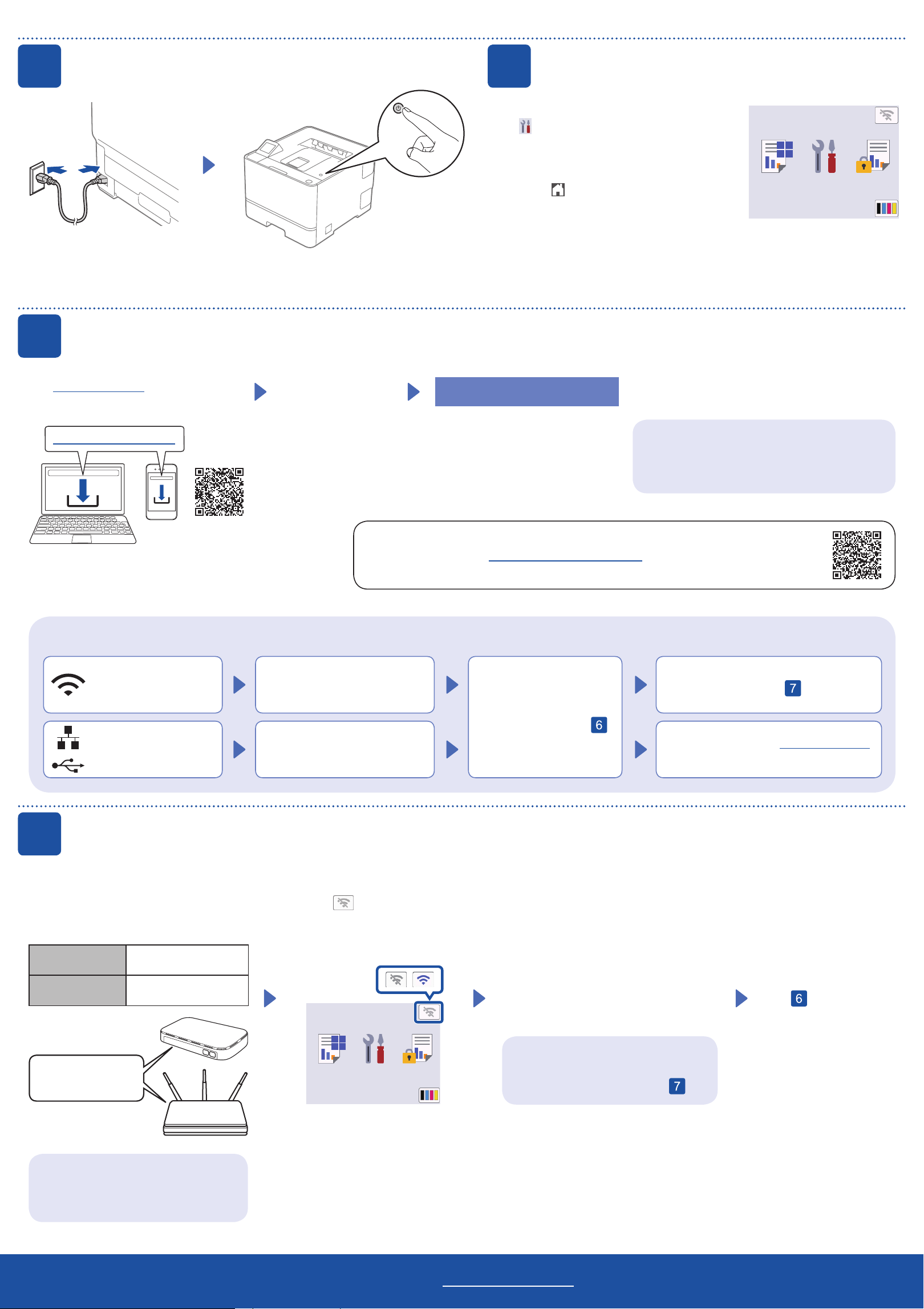
Connectthepowercordandturnthemachineon
Back Front
NOTE:
Beforeconnectingthepowercord,locatetheSerialNumberandpassword(marked"Pwd:")
labelonthebackorsideofthemachine.Recordthemforfutureuse.