Printing a Mounting Template
NOTICE
It is not recommended that you print a mounting template on your own. Use the template that came in the product box.
If you do print the template, you must follow these instructions for printing a mounting template precisely. To print large templates,
you need large enough paper and printer. Failure to have the correct sized paper and printer, or a failure to follow these instructions,
may result in an incorrectly sized template and therefore an incorrect cutout (too large or too small) on the mounting surface of your
boat.
NOTE: The options and locations
of the options differ between Adobe
Acrobat versions and other PDF
viewing/printing applications. Be
sure the scaling is 100% before
printing.
1
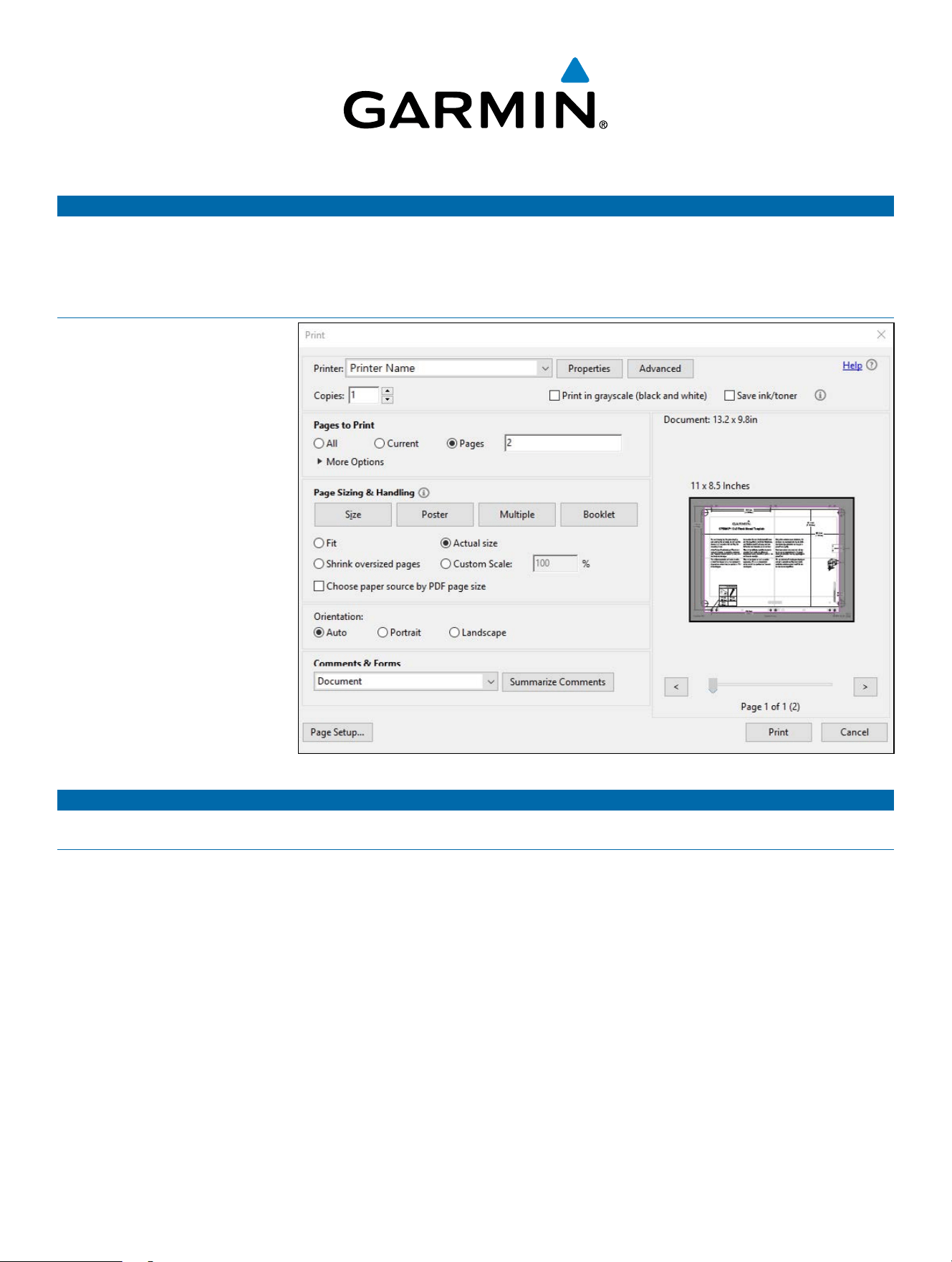
Select File > Print.
2
Enter 2
in Pages to Print ➊➊.
3
Select Actual Size ➋➋ for Page
Sizing & Handling.
4
Verify that the paper size is larger
than the template ➌➌.
In this example, the paper is not
larger than the template.
5
If the paper size is not large
enough, select Properties
➍➍
and select a Paper Size that is
larger than the template.
6
After printing the template, use
a ruler to measure at least one
dimension line to ensure the
template printed to 100% scale.
NOTICE
Garmin is not responsible for any damages or expenses resulting from a miscut mounting surface arising from a failure to follow
these instructions.
➋➋
➌➌
➍➍
➊➊
Force Kraken Trolling Motor
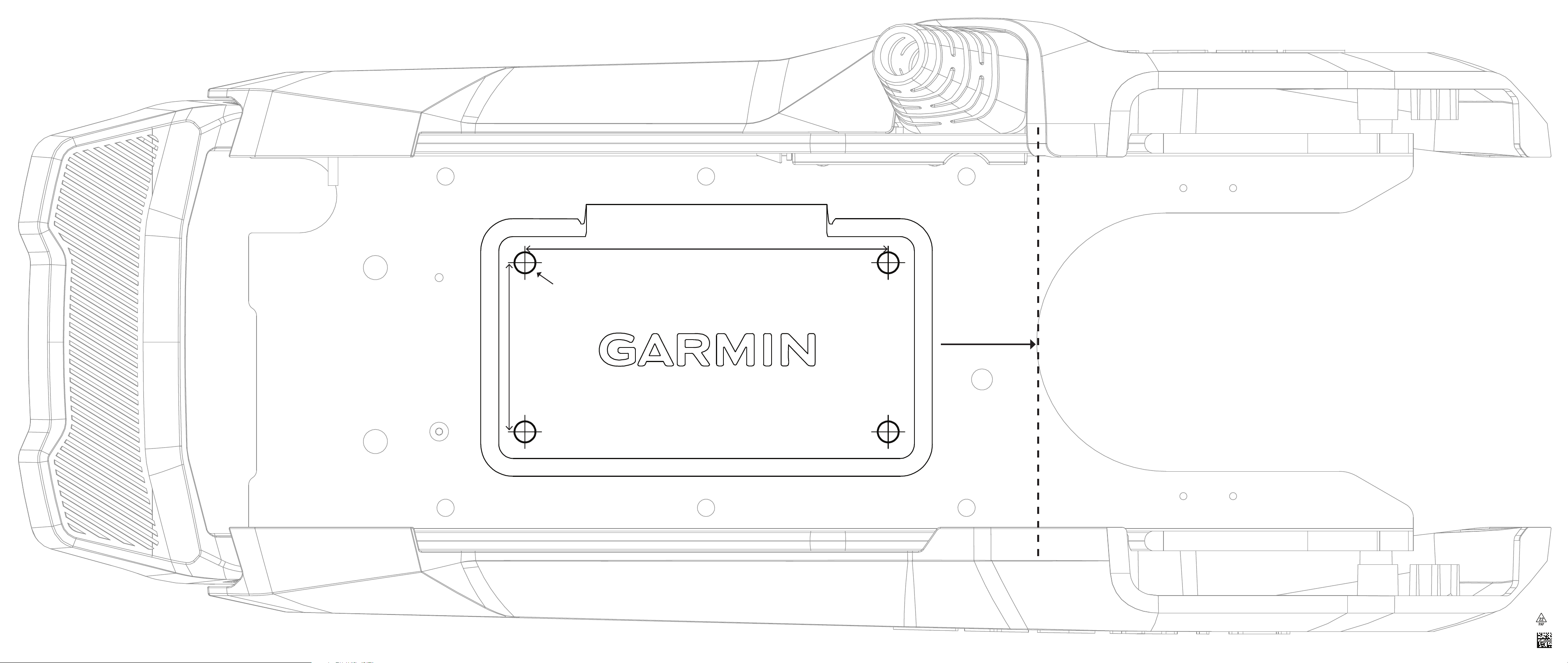
Quick Release Mounting Template
Bow
Proue
Prua
Bug
Proa
Forstavn
Baug
Bog
Ø 8 mm
(
5
/
16
in.)
145.54 mm
(5
11
/
16
in.)
67.06 mm
(2
5
/
8
in.)
Printed in Taiwan © 2023 Garmin Ltd. or its subsidiaries 190-03009-04_0A
Force_Kraken_QR_Bracket_Template.indd 1Force_Kraken_QR_Bracket_Template.indd 1 6/30/2023 3:06:22 PM6/30/2023 3:06:22 PM
