OPERATION MANUAL
User Manual
GSM250
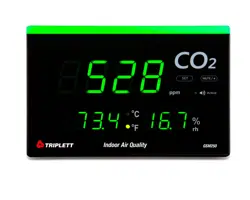
CO2, HUMIDITY, TEMPERATURE WALL MOUNT/DESKTOP MONITORCO2,
HUMIDITY, TEMP.
WALL MOUNT/DESKTOP MONITOR
INTRODUCTION
Thank you for purchasing the Triplett GSM250 CO2, Humidity and Temperature Monitor. This is an accurate,
fast, smart and easy-to-use indoor air quality monitor. In addition to measuring the CO2 concentration, it also
measures the ambient temperature, relative humidity and display the hazardous level. This monitor is developed
to detect the presence of CO2 in ambient air and helps user to take care of Indoor Air Quality.
Features:
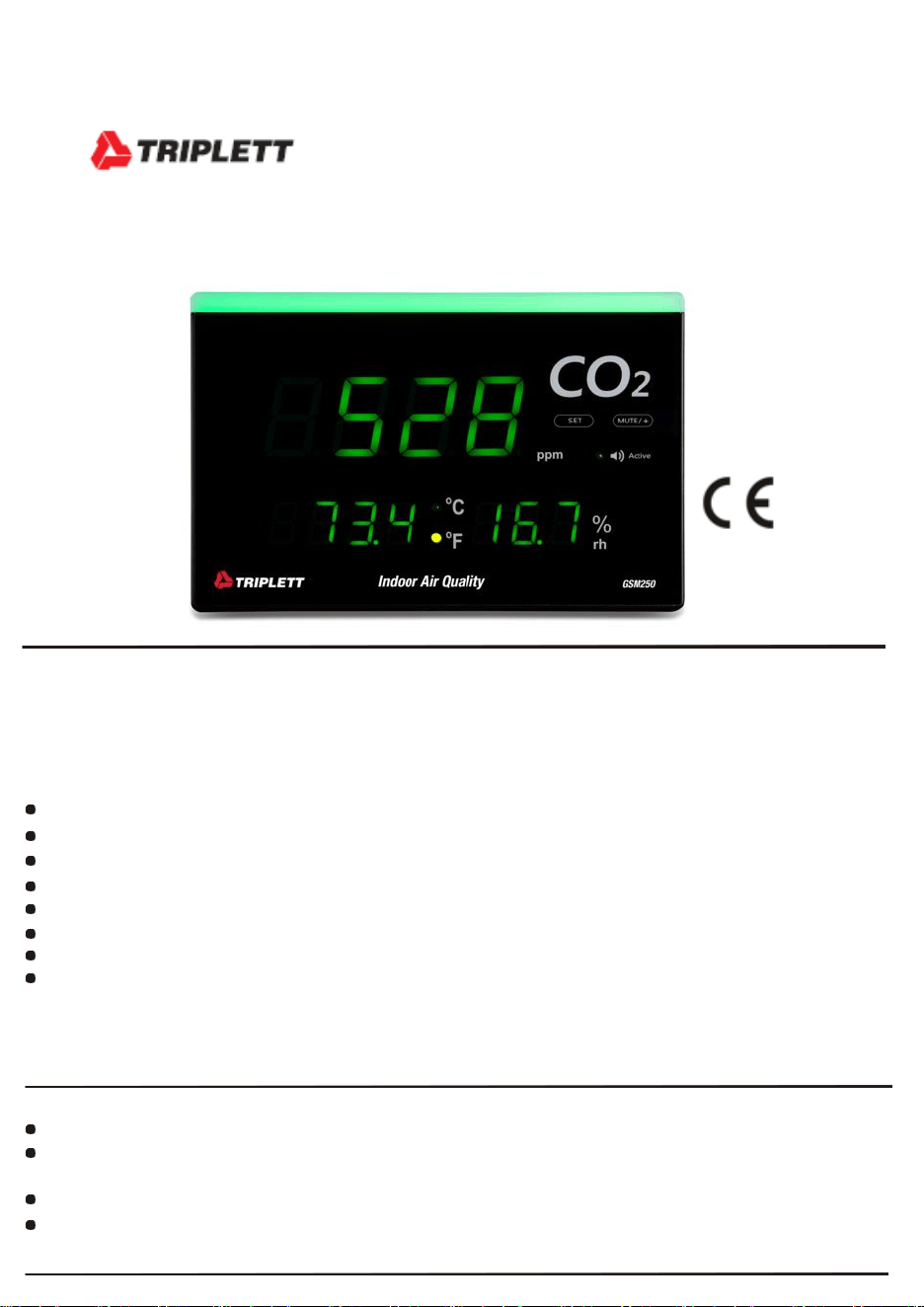
Large LED displays CO2 value, humidity and temperature.
Wall mount display with light bar to provide easy reading from far distance
Touch panel to program the setting
NDIR (non-dispersive infrared) waveguide CO2 technology
3-color light bar (green / yellow / red) gradually changes color with CO2 concentration. CO2
Automatic background calibration (called ABC) for long time drift compensation Buzzer
Alarm function
Areas of application: Widely used in the office building, school, exhibition hall, shopping mall, meeting
room, fitness center, restaurant and other public places where personal comfort and healthy are important.
MATERIAL SUPPLIED
The standard package contains below:
CO2 monitor x 1pc
USB-C cable x 1pc
NOTE: provided USB-C cable is for power charging only, can’t be used for data transfer.
Operation manual x 1pc
Sticker & Screws for wall mount hanging x 1 pack
POWER UP
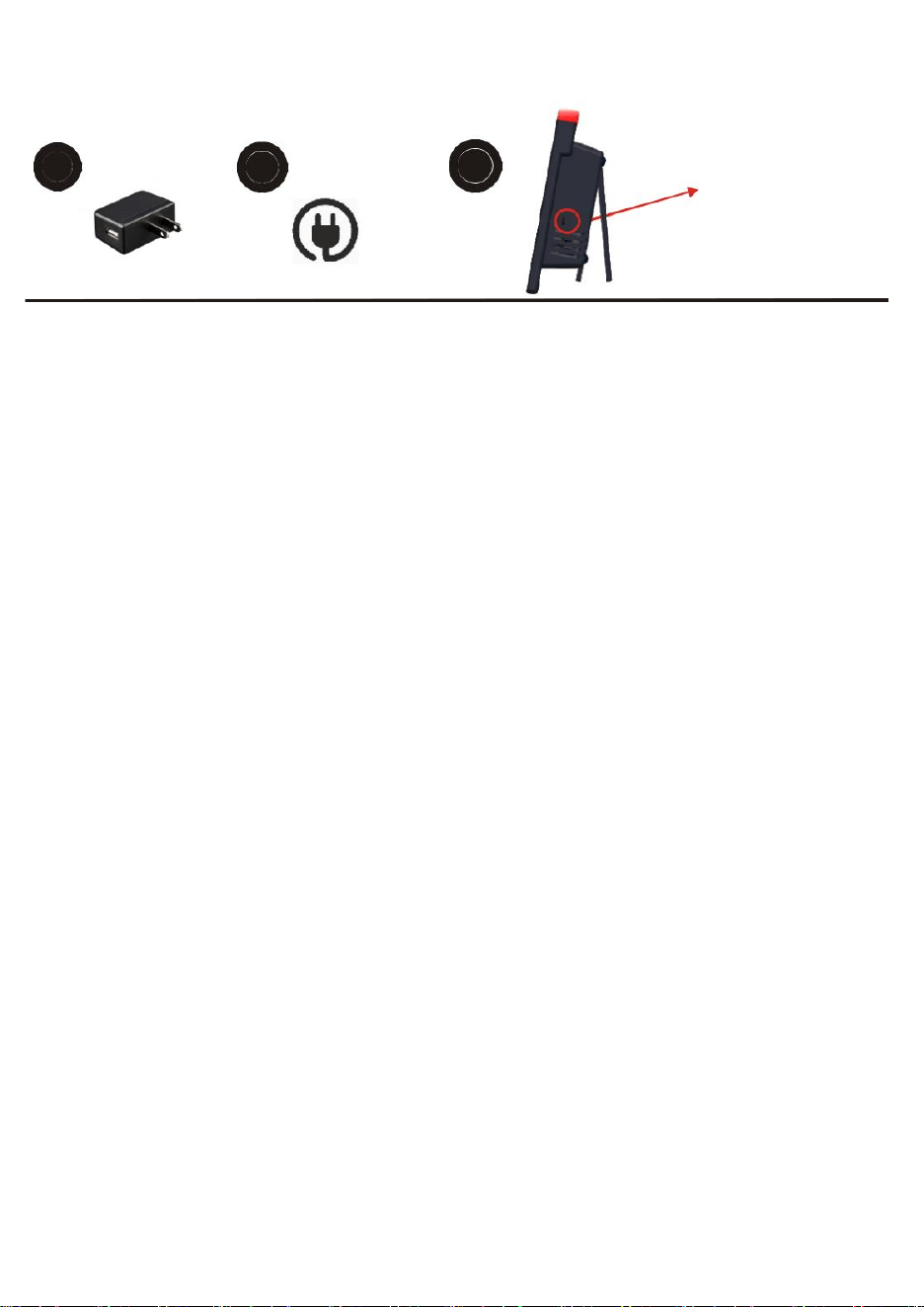
This CO2 meter is designed as wall mount & desktop use. It is powered up by 5VDC through USB-C cable. For
mobility, you may also use power bank for temporary use. Once CO2 is powered, the LED will auto turn on.
1
Prepare an 5V
2
Power up the
3
Power up the
USB adaptor
meter through
meter through
( Not included in package)
USB type-C
USB type-C
CAUTION
Please take off the AC power adapter and store it well when this CO2 monitor left idle for long. Please use a
standard USB power supply (such as PC's USB port, universal AC adapter with USB port). Improper power
supply can cause serious damage to the device, or result in injury or death to the user.
The vents allow the air circulation liquid for measurement of the CO2 concentration and the ventilation
should not be blocked.
1
DISPLAY , KEYPAD, SPECIFICATION
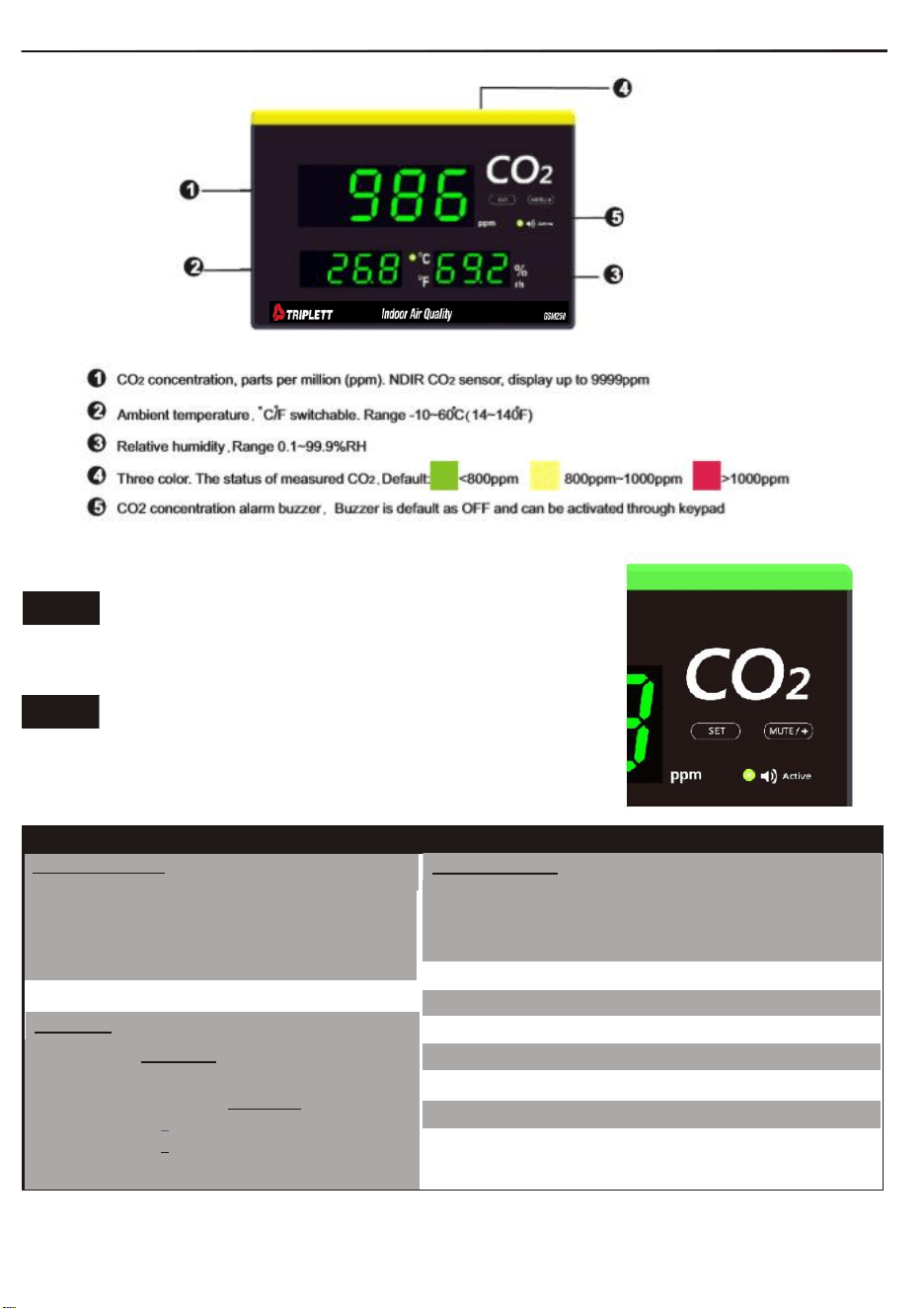
SET
-Setting modes. Long press to enter setting mode
MUTE +
-While buzzer sounds, short press to mute
-While in setting mode, press to adjust value
SPECIFICATION
Measuring range
CO2
0~9999 ppm,
Temperature
14~140
o
F (-10~60
o
C)
Humidity
0.1~99.9% RH
Resolution
1ppm , 0.1
o
C/
o
F, 1%RH
Accuracy
CO2
+50ppm+5% of reading(0~2000ppm)
Other range is 10% of reading
Temperature
+0.6
o
C/+0.9
o
F
+5%RH (at 25
o
C, 10~90%RH) ;
Humidity
+7%RH ( at 25
o
C , other range )
Response time
CO2
<30 seconds (63% step change)
Tair
<20 mins (90% step change)
Humidity
<20 minutes ( 90% step change)
Operating 14°~140°F(-10~60
o
C) , 0~95% RH (avoid
condensation) o
Power supply
5VDC USB type C port
Power consumption
<500mA
Meter size 8.9” x 6.0” x 1.8” ( 226 x 152 x 45 mm)
(L x W x T)
Weight
17.6oz (500g)
Standard package
Meter, manual ,USB type C cable
,Wall Mount accessories.
2
OPERATION
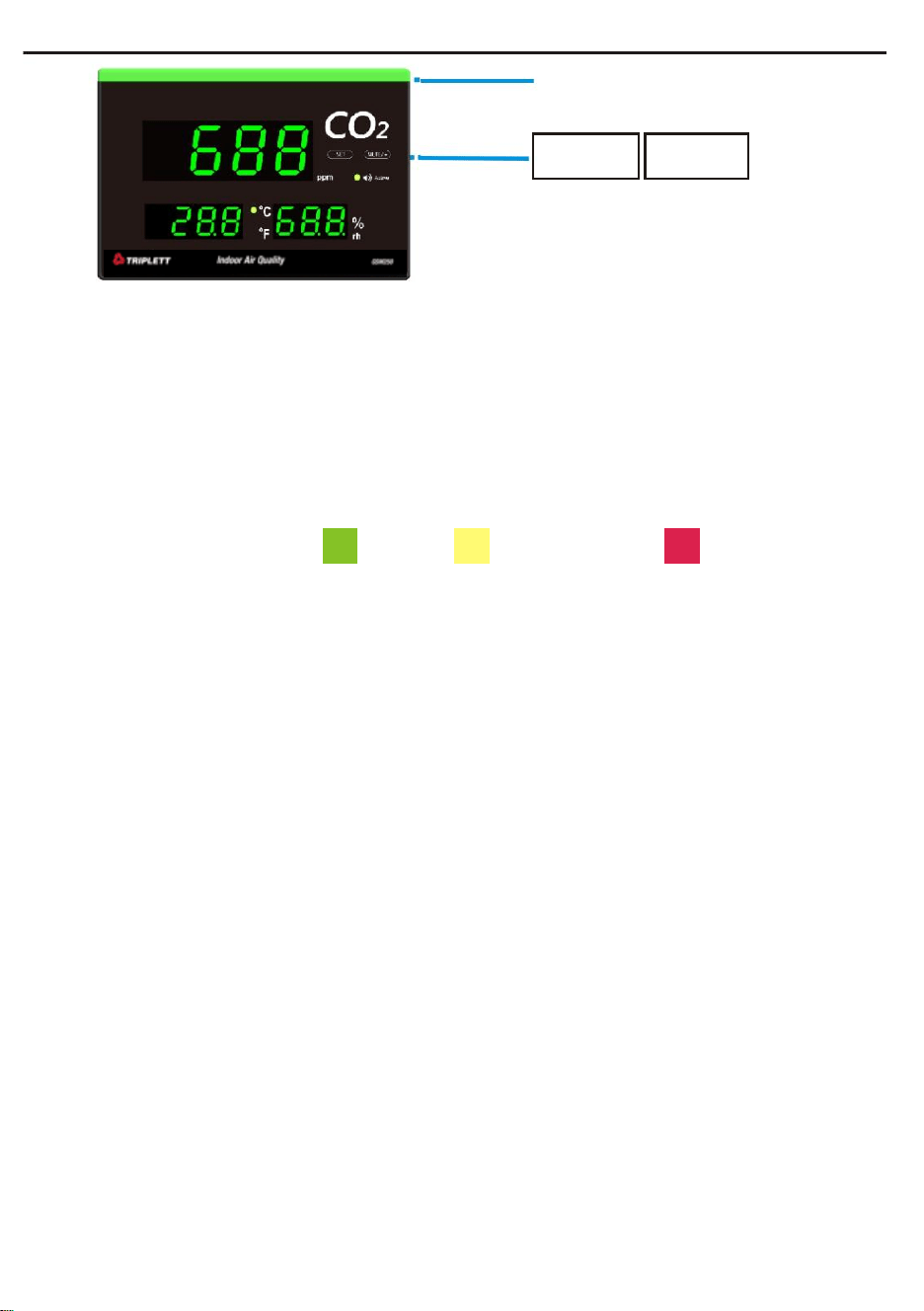
3 different colors
SET
MUTE +
2 functional keys for setup purpose
1. Power on and Measure:
-Connect the USB-C cable to a PC or 5VDC wall adapter or power bank to power on the device.
-After power on, the LED count down for 10 seconds during warm-up.
-The device will start to measure CO2 concentration, ambient temperature and relative humidity after warm-
up.
2. Light bar :
Besides value display, this meter is also equipped with programmable light bar feature.
There are 3 different CO2 light bar color: Green, Yellow and Red. The color auto switches according to the
measured Co2.
The default status of measured CO2.
<800ppm
800ppm~1000ppm
>1000ppm
3. Buzzer & How to turn off buzzer:
Buzzer function is default OFF in case of using in quiet places. It is required to activate buzzer function in
setting mode while audible alarm is needed. While buzzer is activated and measured CO2 is over alarm
threshold, buzzer sounds once a second till pressing “MUTE” key to stop.
4. Setting:
Long pressing "SET" key to enter the settings. And then press "SET" key to select setting modes in sequence:
AL (Alarm setting), Unit (temperature unit), Buzzer, ABC (auto background calibration) and bL (Brightness of
light bar).
Press " + " key to adjust the parameters.
*Note: During the setting process, the device will return to the main screen after 25 sec of idle
time.
4.1 Alarm(AL): The default alarm setting is 1,000ppm. It is adjustable from 800ppm to 3,000ppm, the interval is
100ppm. This threshold is related to buzzer alarm trigger and red light bar trigger. Press “+” to adjust alarm
threshold value.
4.2 Temperature unit: Press “+” to switch between
o
C and
o
F
4.3 Buzzer activation: Buzzer is default OFF for using in quiet places. Press “+” to turn it to ON.
4.4 CO2 ABC function: ABC means the lowest measured CO2 value within 7 days will be used as 400ppm to
auto calibrate the CO2 sensor to reduce the long term drift. It is default as ON. However, it is not suggested to
turn on ABC feature in hospital, green house, winery or any less ventilated places
where CO2 has no chance to get low.
Press “+” to switch between ON and OFF.
4.5 Bightness of light bar: The bightness of light bar is adjustable. From off to strong is 0 to 10, 0 is turned off, 10
is the strongest. Default as 6. Press “+” to adjust the bightness of light bar to fit your application. Though light bar
might be set to off, it will still blink at weakest level 1 brightness while measured CO2 is higher than alarm
threshold.
3
5. Calibration
The meter is calibrated at standard 400ppm CO2 concentration in factory. It’s suggested to do either ABC or
manual calibration regularly to maintain good accuracy.
Press “ SET” + “+”keys at the same time till “CAL” is flashing. Long pressing “SET” key to start the
calibration. During the calibration, “CAL” will flash on display with a 300 seconds count down. After 5 mins
count down, the display return to normal measuring mode to indicate the calibration is done. During the
calibration procedure, long pressing “+” key can quit the calibration function.
CAUTION: Do not calibrate the meter in the air with unknown CO2 level. Otherwise, it will be taken as
400 ppm and leads to inaccurate measurement. The manual calibration is suggested to be done outdoor with
good ventilation, fresh air and sunny day where CO2 level is around 400ppm. Do not calibrate in rainy day
because high humidity will affect the CO2 level in air. Do not calibrate in places crowded with people or close to
where exist high CO2 such as ventilating outlets or fireplaces.
ERROR CODE AND SOLUTIONS
CODE
PROBLEM
SOLUTION
E01
CO2 sensor is damaged
Send back to repair
E02
Measured reading is under the lower limit
For CO2 E02: Re-calibrate. For other E02: leave the meter in
room condition for 30 mins.
If it not works, send back to repair
E03
Measured reading is above the upper limit
For CO2 E03: put the meter in fresh air for 5 mins. For other
E03: leave the meter in room condition for 30 mins.
If it not works, send back to repair
E17
ABC mode of CO2 sensor is fail
Send back to repair
E31.34
Temp./RH measuring circuit is in error
Send back to repair
? Can’t power on
Check whether the adaptor is well plugged and the 5VDC power supply is working.
Warranty
Triplett / Jewell Instruments extends the following warranty to the original purchaser of these goods for use. Triplett warrants to the
original purchaser for use that the products sold by it will be free from defects in workmanship and material for a period of (1) one
year from the date of purchase. This warranty does not apply to any of our products which have been repaired or altered by
unauthorized persons in any way or purchased from unauthorized distributors so as, in our sole judgment, to injure their stability or
reliability, or which have been subject to misuse, abuse, misapplication, negligence, accident or which have had the serial numbers
altered, defaced, or removed. Accessories, including batteries are not covered by this warranty
Copyright © 2021 Triplett
www.triplett.com
