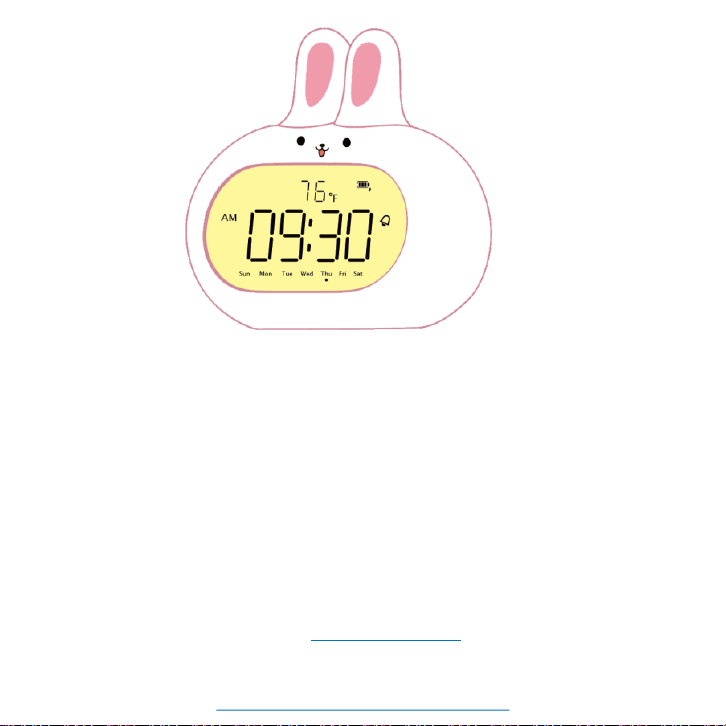
Rabbit Alarm Clock
We value every customer and commit to providing a lifetime warranty
service to each and every one of them. To activate lifetime warranty, please
visit: www.jall-us.com
Missing accessories or any other problems, please contact us:
User's Manual
Please remove the protective film from the mirror surface
when using the clock.
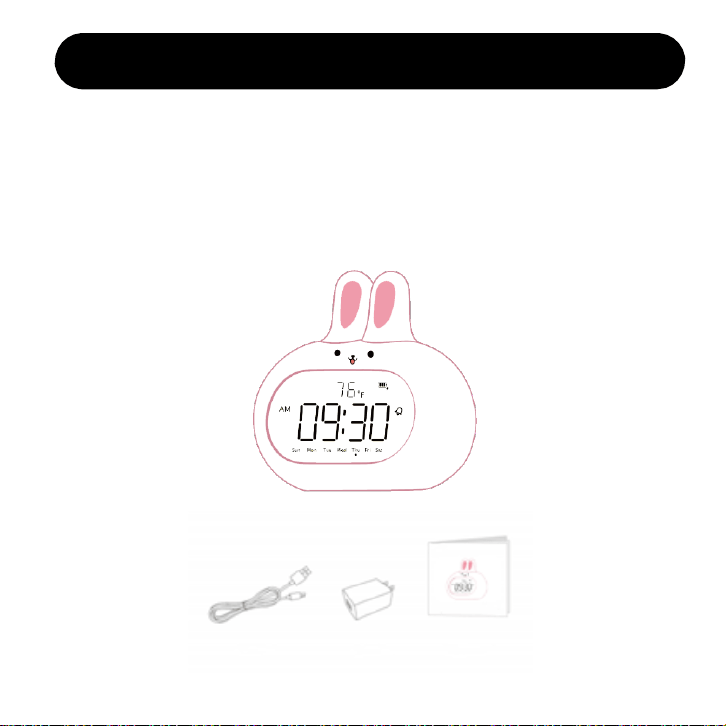
Objects the package contains
This product is packed in a color box, which contains:
1x Rabbit alarm clock 1x power adapter
1x Type-C data line 1x instruction manual
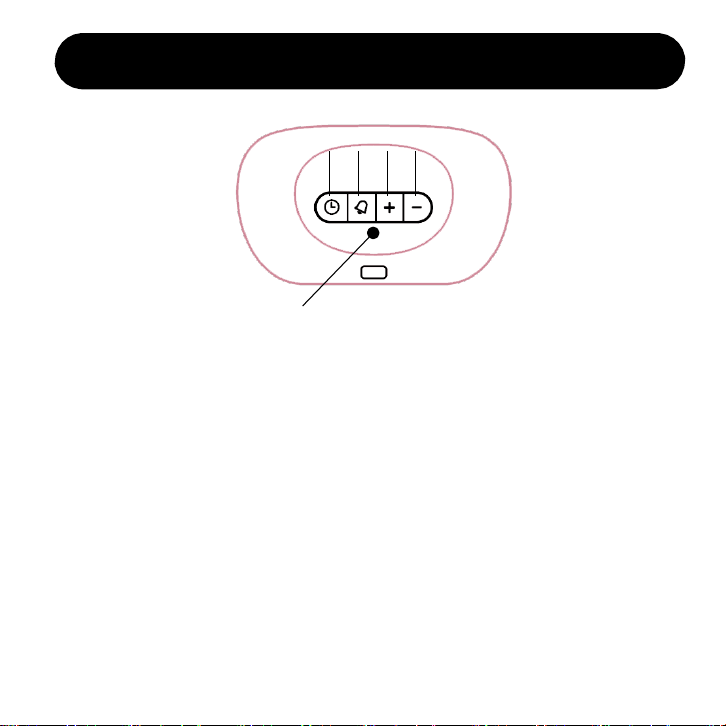
Product appearance & button introduction
①
②
③ ④
②
Time button
Alarm button
④
Volume down button
Volume up button
①
③
⑤
Reset button⑤
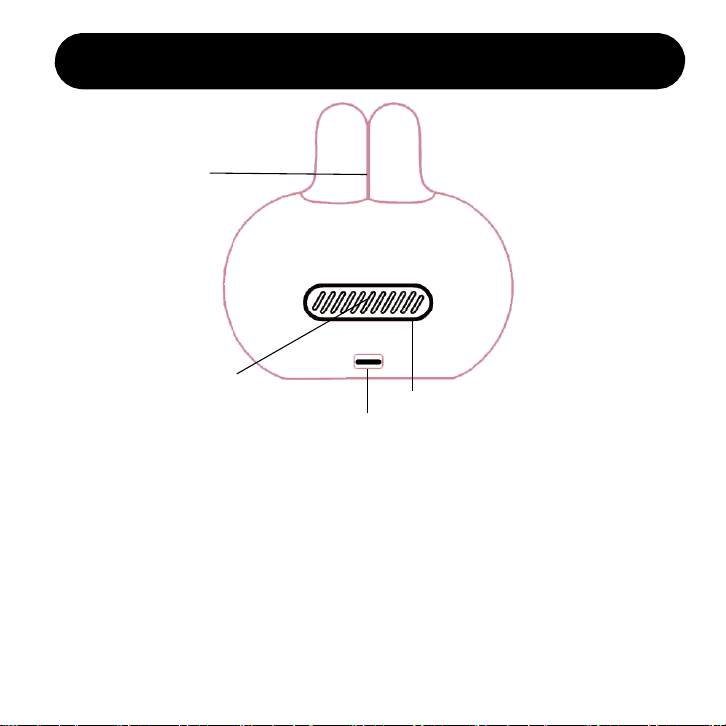
Type-C power input
Temperature sensor
Alarm Horn
Product appearance & button introduction
⑥
⑦
⑥ ⑦
⑧
⑧
⑨
⑨
Snooze / Night light
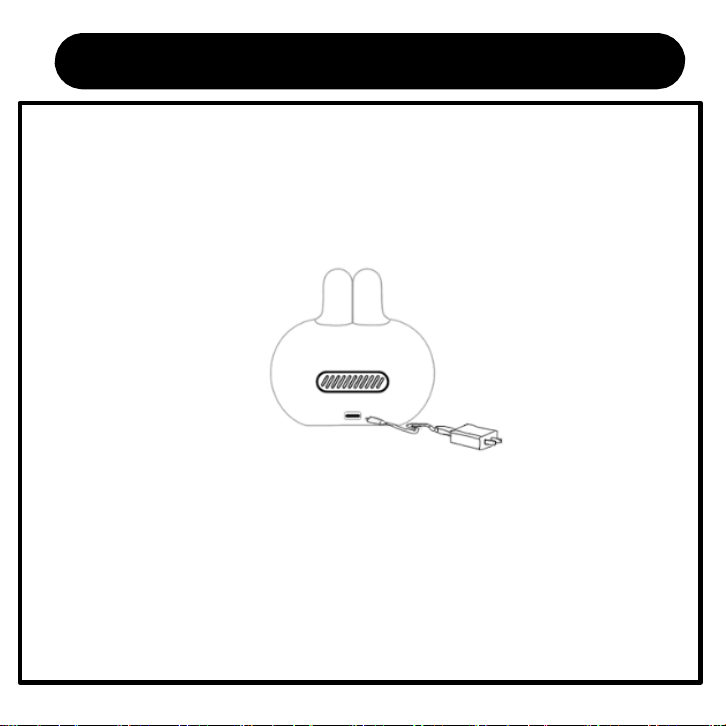
Power on for the first time
• Remove the protective film from mirror surface. Connect Type-c power plug to the
input port of alarm clock. And then connect the USB plug to the adapter. At last
plug the adapter into 100V-240V home socket. As shown in the following figure:
Note:
• Rabbit alarm clock is transported in the off state. It will be turned on when
powered on for the first time.
• Rabbit alarm clock has a built-in lithium battery, which can work by
connecting to the power adapter, or it can work independently after being
fully charged.
Pre-use setting
When powered on for the first time, the time shows AM 12:00
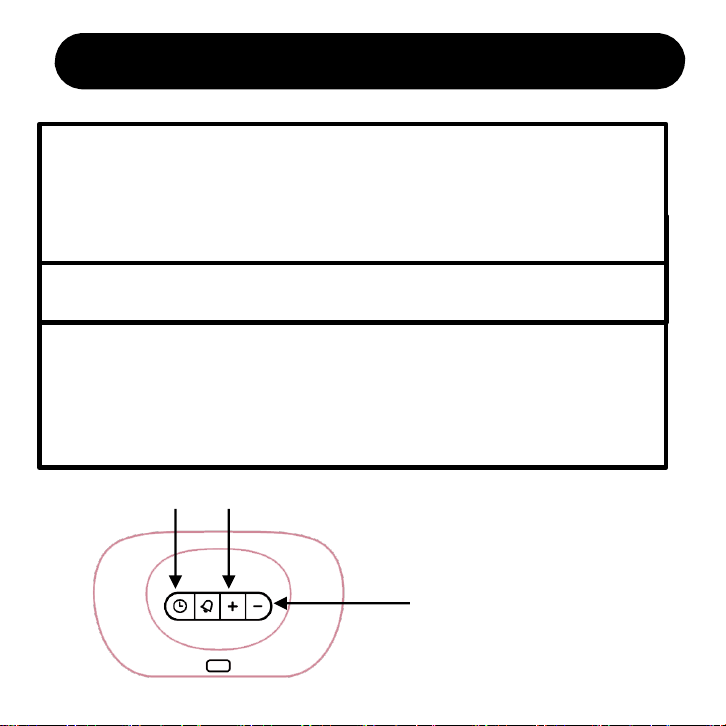
1. Long press TIME button for 2s to enter time setting
• In time setting mode, the number will blink. Click VOLUME UP and VOLUME
DOWN button to set current value. Then click TIME button to confirm.
• The setting sequence: year - month - day - hour - minute - temperature display
mode(℃/℉).
2. Click TIME button to switch 12/24-hour display
• Click TIME button to switch 12/24-hour display after time setting is over.
Note:
• The day of week will be automatically adjusted according to the year, month and day. Do
not need to set it yourself.
• Temperature display mode switching can only be set in time setting mode, which can be
set in Celsius or Fahrenheit
Time setting
TIME VOLUME UP
VOLUME DOWN
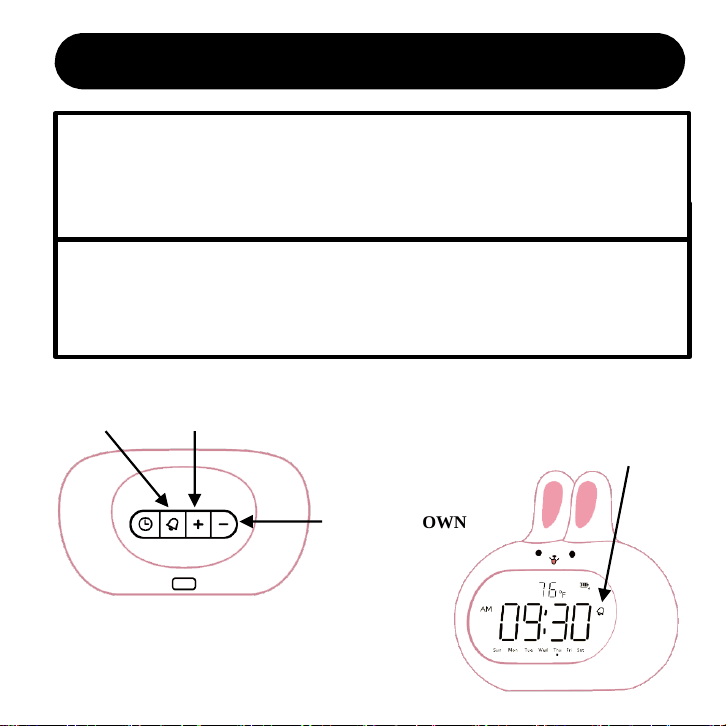
Alarm setting
Long Press ALARM button for 2s to enter alarm setting
• In alarm setting mode, the number will blink. Click VOLUME UP and VOLUME DOWN
button to set the value you need. Then press ALARM button to confirm.
• The setting sequence: hour - minute - working mode(weekday/all 7 day).
Note:
• Alarm will turn on automatically after alarm setting is over. When alarm is turned on, alarm
icon will be displayed on the screen.
• Alarm function can only be turned on or off by clicking the alarm button.
ALARM VOLUME UP
VOLUME DOWN
ALARM ICON
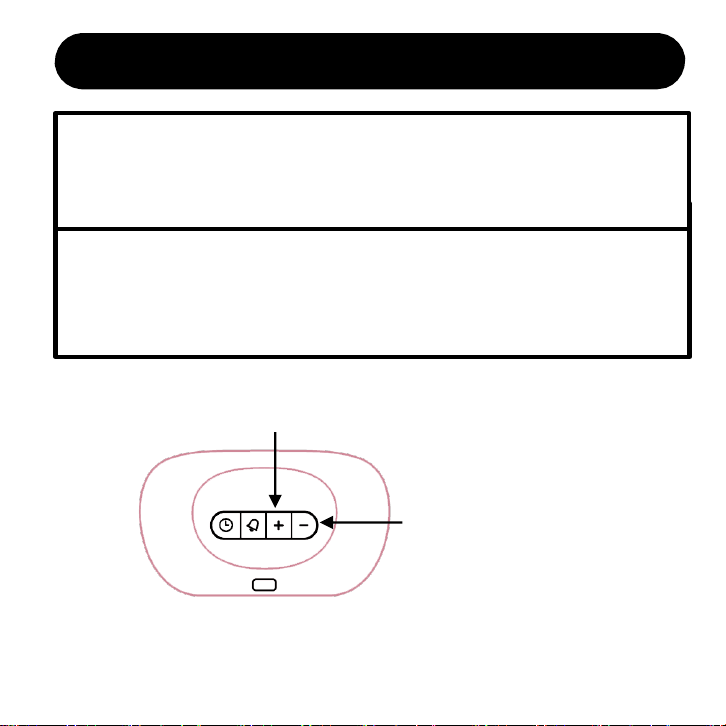
Volume setting
Click VOLUME UP and VOLUME DOWN button to set an
appropriate Key-press volume and alarm volume
• In time display state, click VOLUME UP and VOLUME DOWN button to set an
appropriate Key-press volume and alarm volume.
Note:
• There is total 4 level volume that you can adjust.
• Alarm volume is consistent with Key-press volume and cannot be set separately.
VOLUME UP
VOLUME DOWN
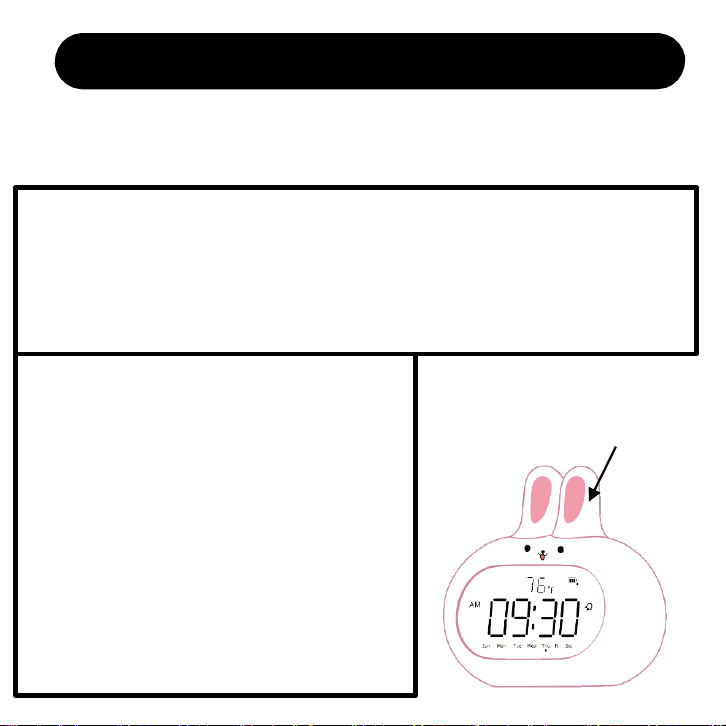
How to SNOOZE or TURN OFF alarm
After the alarm clock is turned on, the alarm clock will ring at the preset time: when
it comes to the setting time of the alarm, it will start to ring and wake you up. When
the alarm goes off, you can do the following:
1. Snooze
• Click SNOOZE button for one time when the alarm goes off, which will enter “Snooze
Mode”. And the alarm icon will blink. Alarm will go off again after 9 minutes.
Note: It's 3 times that you can enter snooze mode in one alarm.
2. Stop today’s alarm.
• When alarm goes off, click any button at the
bottom of the alarm clock to stop today’s alarm and
it will go off on the next setting day.
• When alarm goes off, double click SNOOZE
button to stop today’s alarm and it will go off on
the next setting day.
• When in “Snooze Mode”, click SNOOZE button
for one time to stop today’s alarm and it will go off
on the next setting day.
SNOOZE
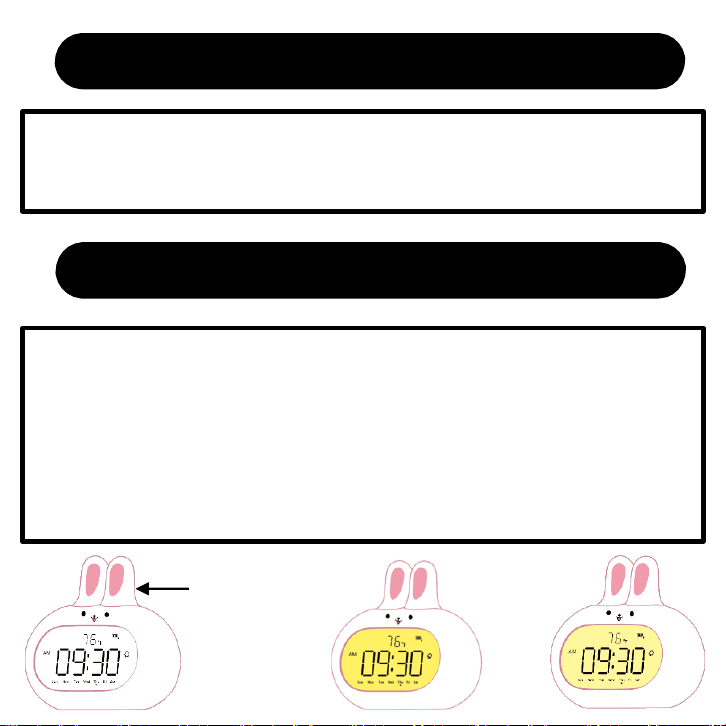
Night light mode
1. Night light mode
• In time display state, press SNOOZE button to turn on the night light.
2. Night light brightness adjustment
• In night light mode, long press SNOOZE button for 3s, and the night light
brightness will change from bright to dark / dark to bright(total two level).
Note: Night light will be stay on when you turn it on. And it will never be turn
off automatically until you turn it off or it's out of power.
Night light brightness adjustment
SNOOZE
Bright Dark
Trouble Shooting
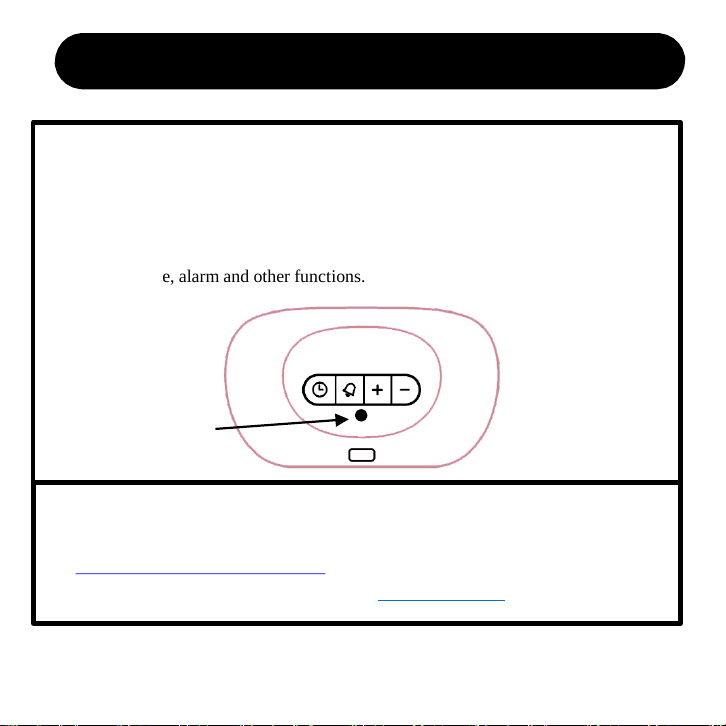
1. what should I do when rabbit alarm clock’s system crashes?
• If you encounter a system crash or an unsolvable problem, first try clicking the
reset button at the bottom of the alarm clock with a small stick. After clicking, the
alarm clock will return to a initial state(screen displays 12 am). And you need to
reset the time, alarm and other functions.
2. What if the reset button can't solve the problem?
• Missing accessories or any other problems, please contact us:
ThreeDucksDirect@outlook.com
• To activate lifetime warranty, please visit: www.jall-us.com
RESET