1 / 6
V18050 Alarm Clock Instructions
We value each and every one of our customers and promise to provide a lifetime warranty
service. Simply visit the following link to activate the lifetime warranty service.
www.jall-us.com
Missing cable, incorrect color or any other problems, please contact us:
ThreeDucksDirect@outlook.com
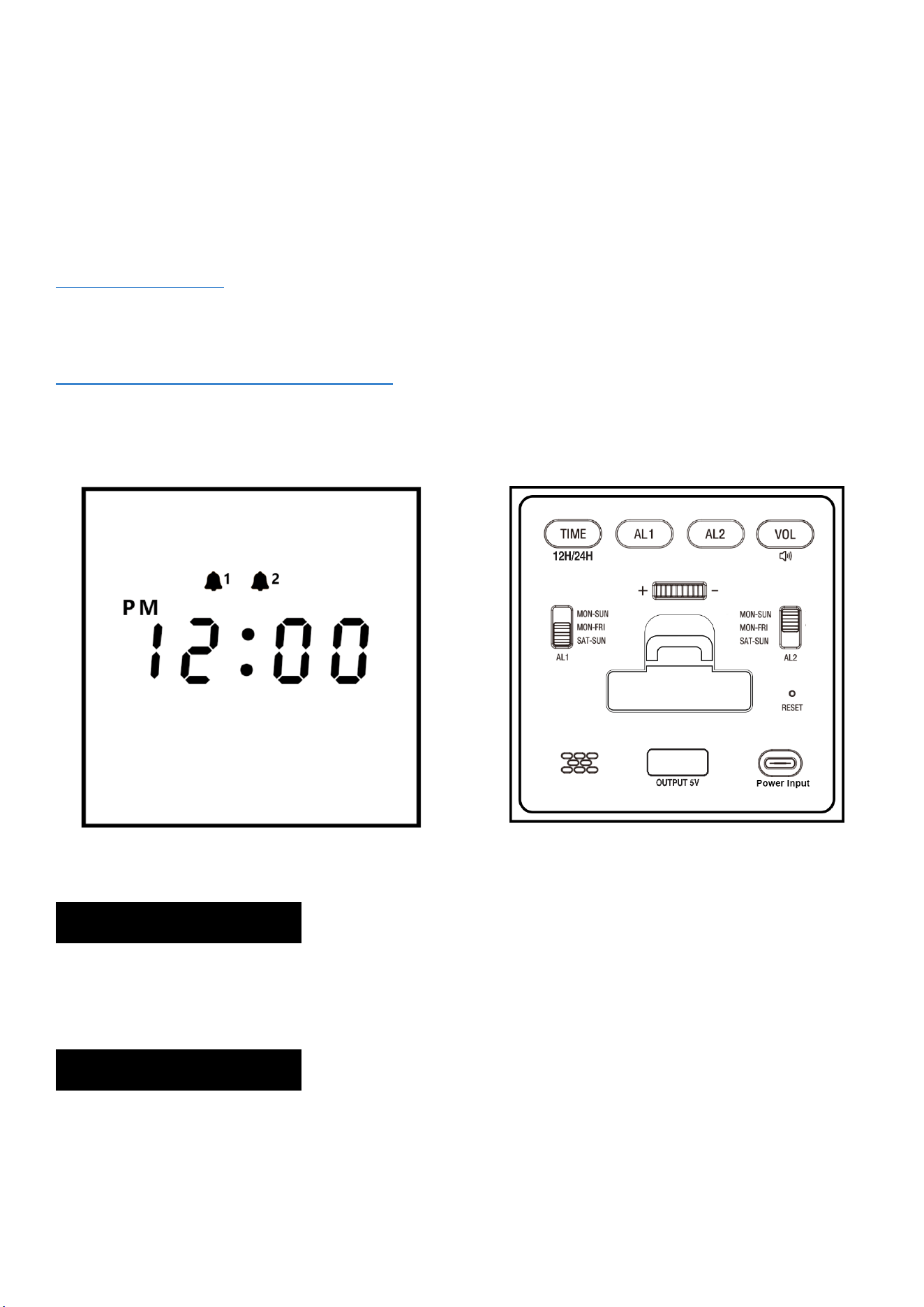
Structure
1. Package Includes:
1 x Alarm Clock
1 x User Manual.
1 x USB Type C Cable
2. Product Features:
Input Voltage: AC110v-240V, 50/60HZ.
Output Voltage: DC5V / 500MA-1000MA
2 / 6
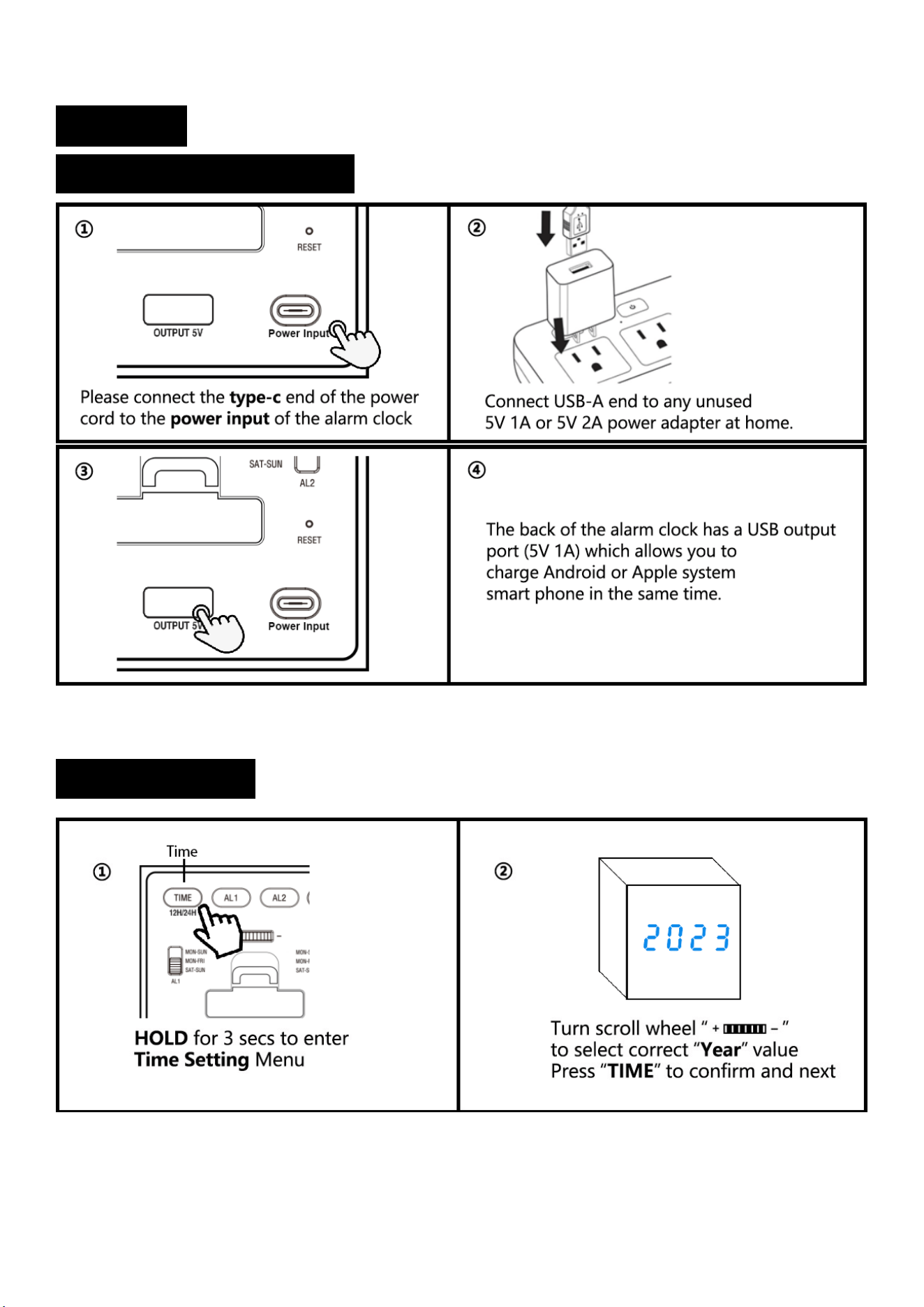
3. Setting:
3.1 Operating Instructions:
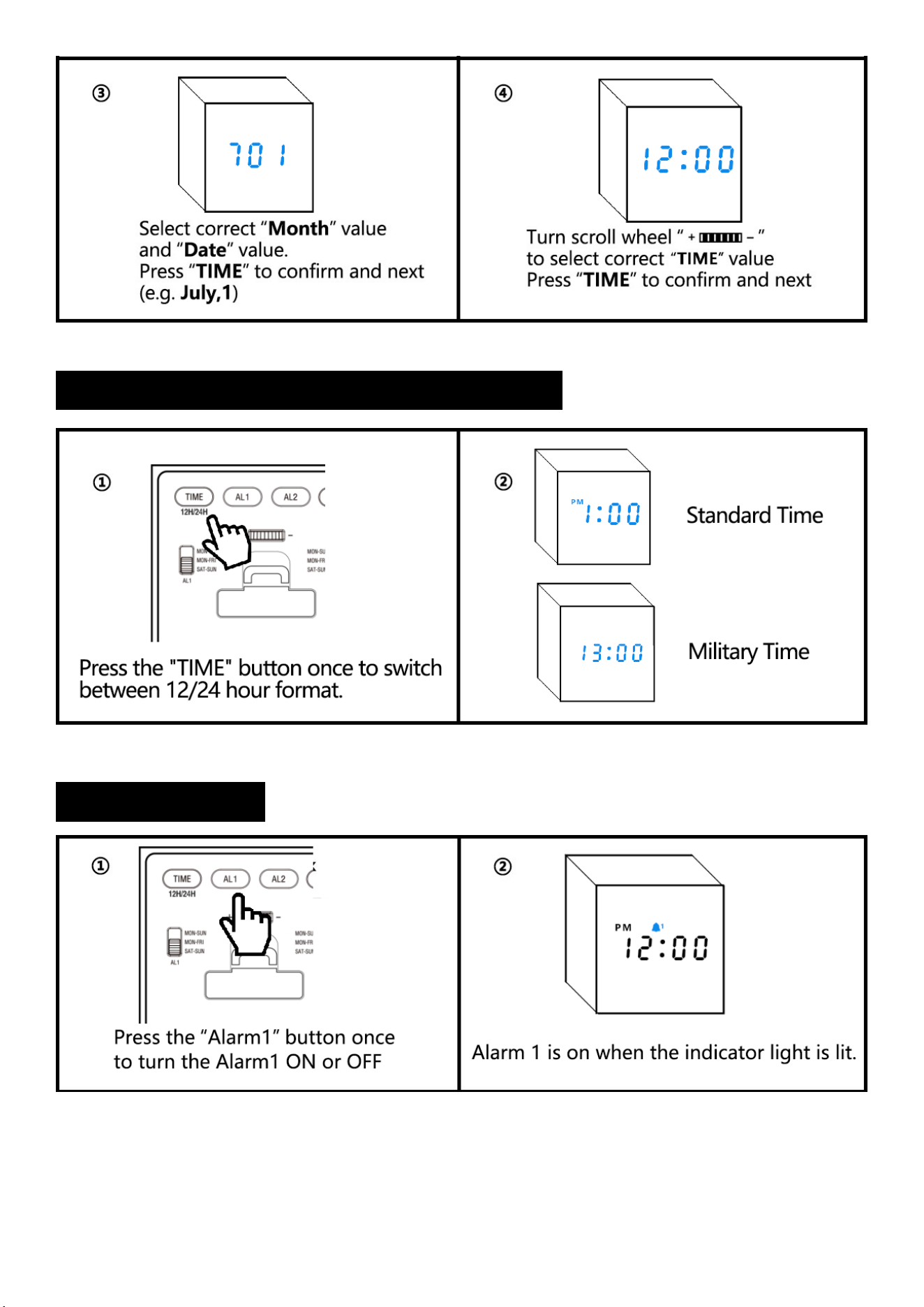
3.2 Time Setting:
3 / 6
3.3 Standard Time Or Military Time (12H/24H):
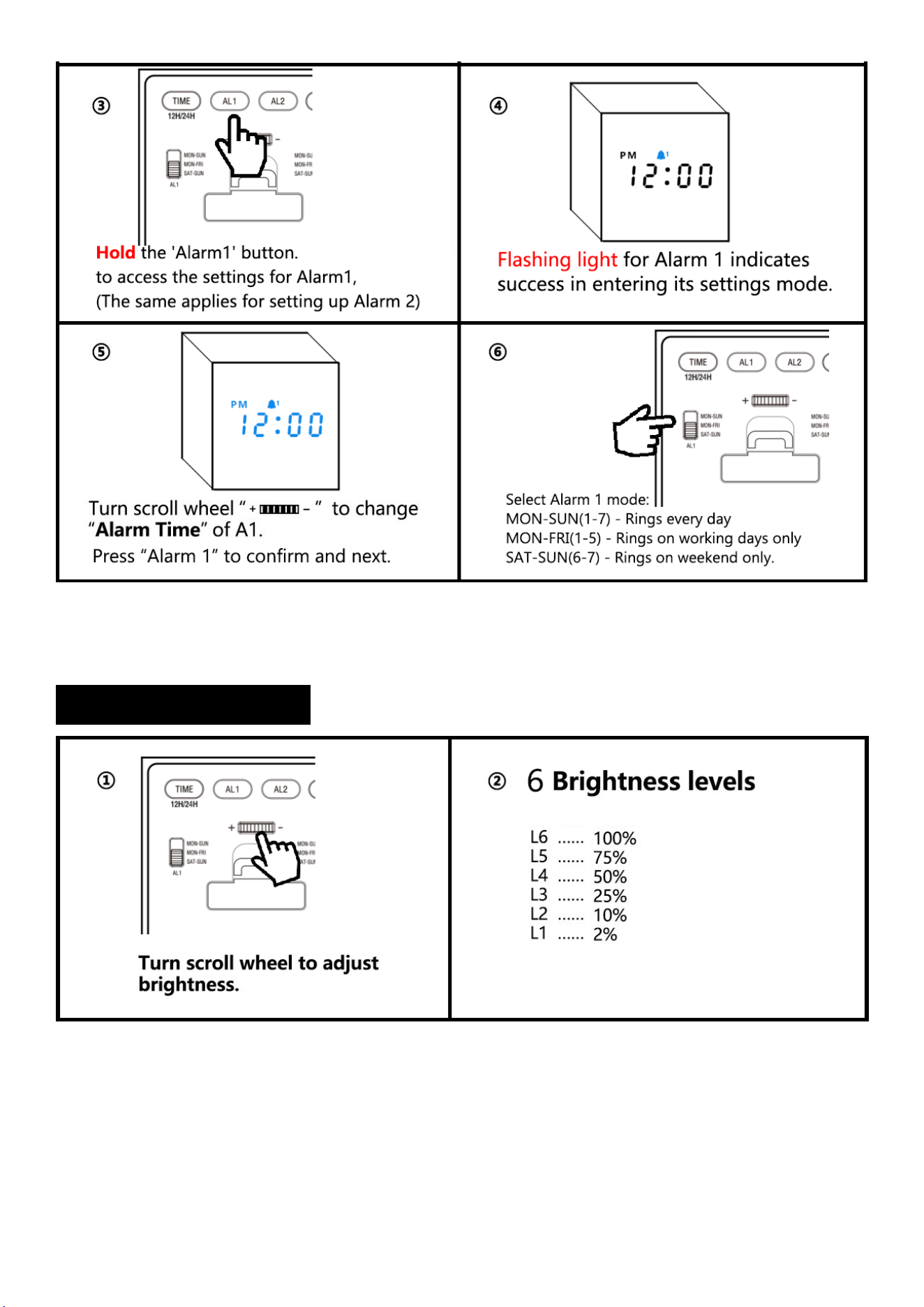
3.4 Alarm Setting:
4 / 6
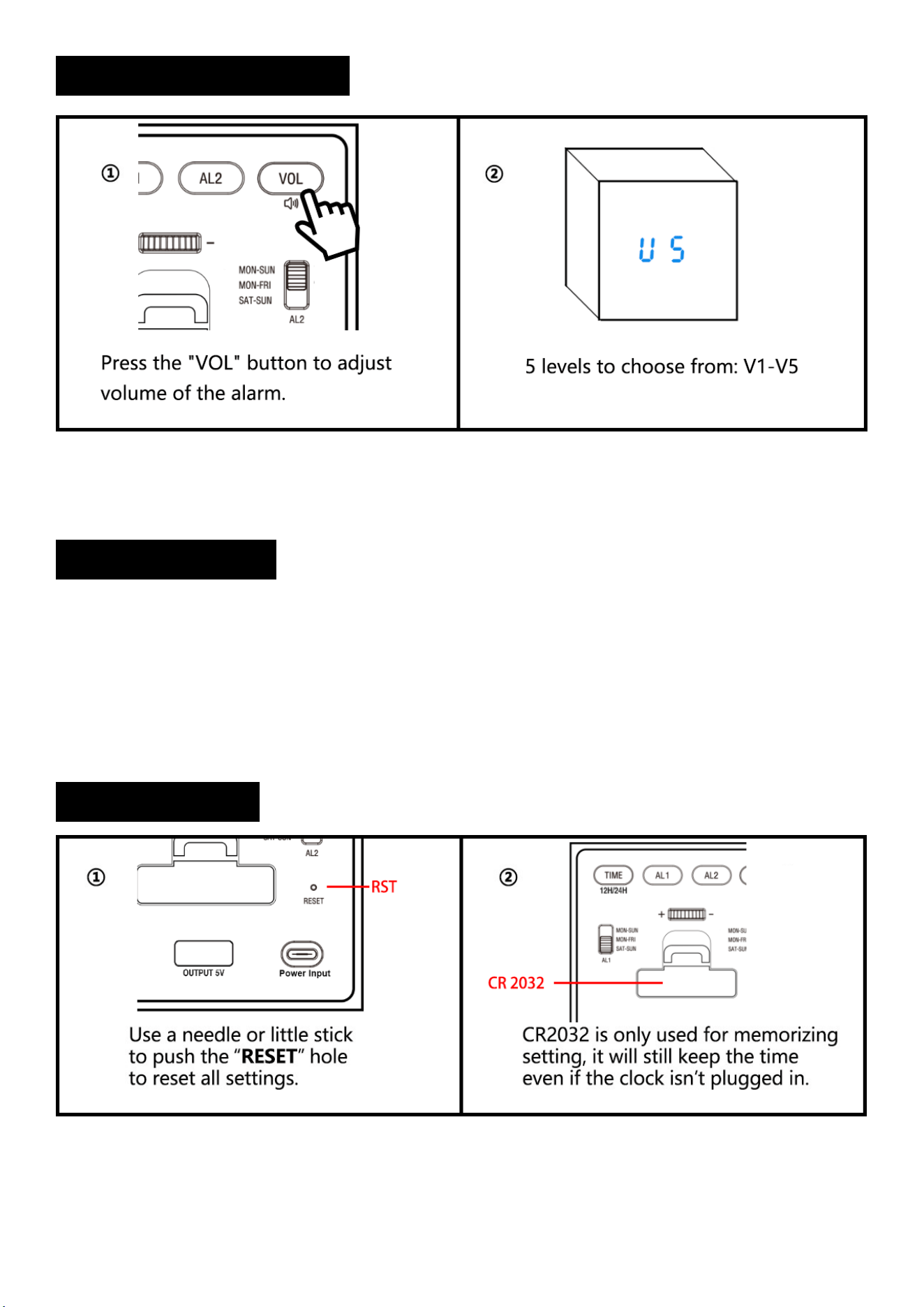
3.5 Brightness Setting:
5 / 6
3.6 Alarm Volume Setting:
3.7 Snooze Setting:
①When the alarm goes off, press any button once. The corresponding alarm indicator light will flash,
giving you an extra 9 minutes of snooze time.
Notice: The snooze function will automatically shut off after 4 consecutive uses.
②To turn off the snooze feature, simply press any button on the back twice. This will stop the flashing of
the alarm indicator light. Alarm will go off on the next day.
3.8 Reset Setting:

6 / 6
4. Trouble Shooting:
1) Missing power cord, or instructions, please contact us on Amazon or by email for a new
replacement.
2) To exit setting mode, stop pressing for 5 secs and it will return to time display
automatically.
3) If you find your alarm clock cannot be restored to the current time after a power outage, it
may be because the CR2032 battery on the back of the clock is depleted. Please try
replacing the battery.
Notice: The CR2032 is only used to store the alarm clock's settings and cannot be used to
power the clock separately. This means that the screen will not light up if the alarm clock
is used without being plugged in.