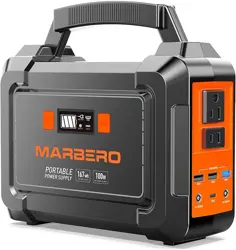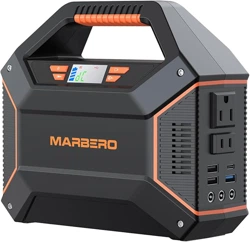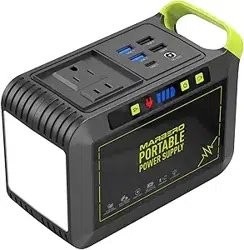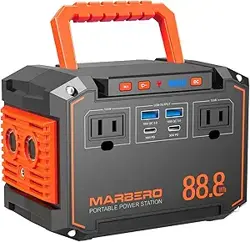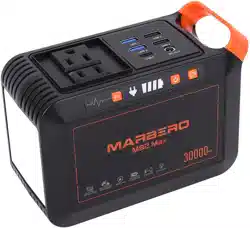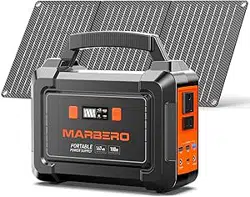

Model:M168SL30
折叠示意图:
英文
封
面
生产大货时,必须参照
右边示意图折叠好!!!
尺寸:525x142.5mm
四折页(105x142.5mm)
材质:128g铜版纸,双面印刷
备注:图中 虚线为
折叠线不需要印刷
正 面
背面
PORTABLE SOLAR GENERATOR
Instruction Manual
【
I
】
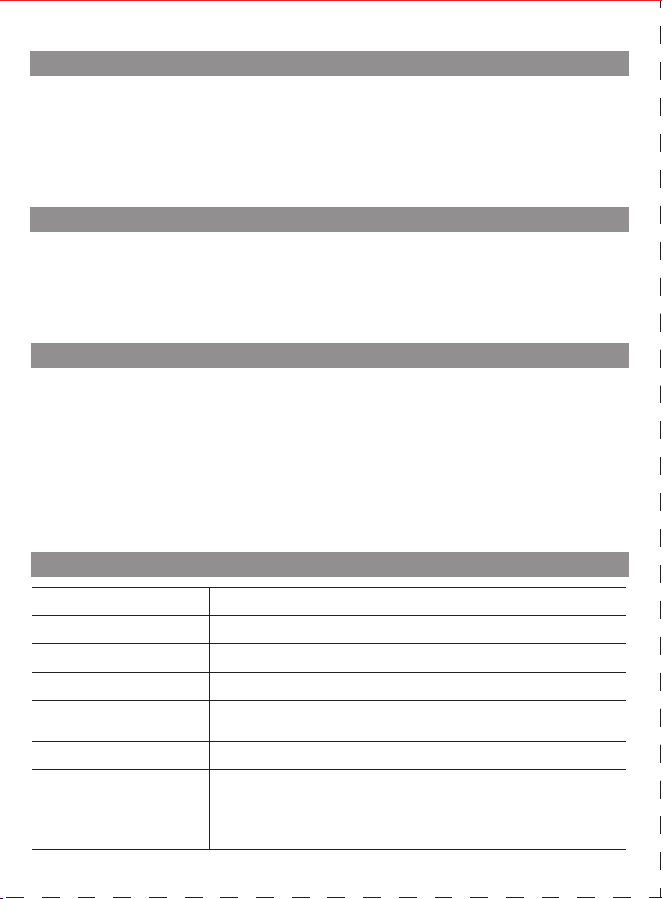
PRODUCT PARAMETERS
【
II
】
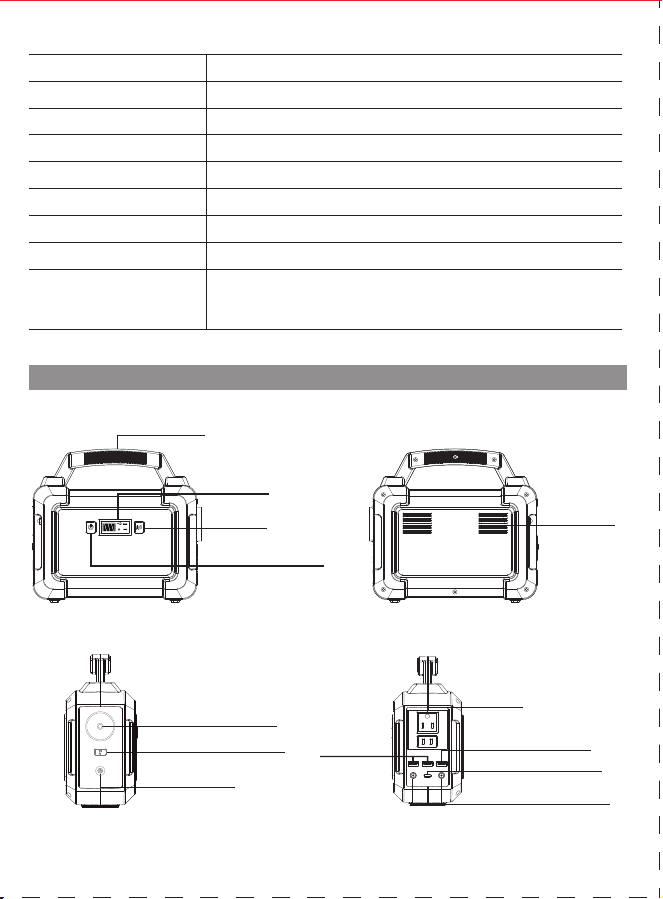
PRODUCT DESCRIPTION
※ There may be some differences on different spare parts.Please adhere to the actual product instead.
【
V
】
PRODUCT APPLICATION SKILLS
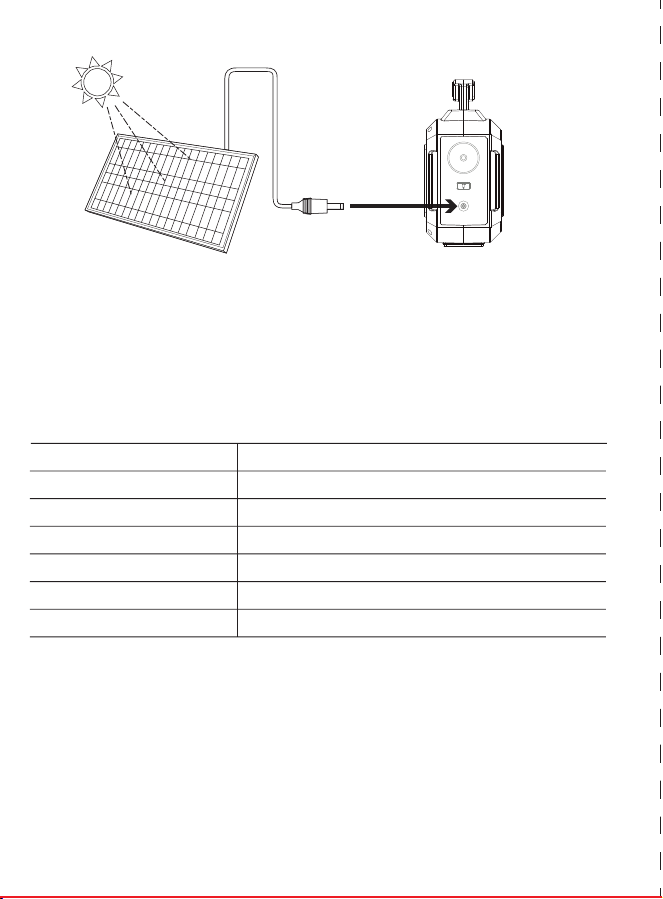
b. Charge from solar panel[not included]
1. Make sure Voc(open circuit voltage) of the solar panel does not exceed 22V.
2. Place your solar panel where it will get as much direct sunlight as possible.
3. Plug the output of the solar panel into the input of the unit to start charging.You will
know the unit is charging when the blue LED Ba�ery Indicator lights up and blinks. The
unit is fully charged when all ba�ery indicators stop blinking and remain solid.
a) This product is built in high quality original lithium ion ba�ery, it has no memory effect
but high-capacity, and it is durable. However, we s�ll recommend you toapply in the
range of 10 ℃ ~30 ℃, so as to obtain the op�mal charging capacity.
b) When charging, in order to avoid interference, please stay away from TV, radio and
other equipment.
c) If the device has not been used for a long �me, please disconnect the cable and store.
d) Some portable devices may need to be set in charge mode to charge, see the
corresponding equipment use manual for more informa�on.
e) In order to extend the life of product (lithium ba�ery), it is best to charge within 3
months, and charge at least once within 6 months.
MADE IN CHINA
Contact Us:
service@marbero.com
Capacity
Dimensions(LWH)
Weight
Built-in Ba�ery
45000mAh /167Wh DC 19V:7 hours
210x90x190mm/8.26x3.54x7.48in
about 1.64Kg/3.61lb
100% Original High Quality Lithium ion Ba�eries
Adapter:DC19V/1.5A
Solar Panel Charging:DC16.6V~25V/1.5A Max
Input Recharging
DC Output(MAX)
Fully Charged Time
USB Output
DC 19V:7 hours
USB1+USB2 5V /3.1A
USB3 5V/9V 2.1A
USB C 5V/9V 2.1A
DC1+DC2 12V~16.6V 10A (13A MAX)
2×5.5MM DC Output 12V~16.6V/10A(13 Max)
AC Output
Ultra bright LED Flashlight
110V/60Hz±10%
AC Power Rate power 100W, Max:150W
1 x Portable Power Sta�on 1 x Power Adapter
1 x Cigare�e Lighter Adapter 1 x Solar Panel
1 x User manual
Package include
Lifecycle >500 �mes
Opera�on temperature
Charge temperature
Power Indicator
LED Display
Bulb Type
【
Front
】
【
Back
】
【
LEFT
】
【
RIGHT
】
Handle
AC Outlet
Ultra bright LED Flashlight
Press 3 seconds to Turn On
Cooling vents
5.5mm DC output
12V~16.6V 10A (13A MAX)
2 x USB 5V
3.1A output
USB 5V/9V 2.1A output
USB C 5V/9V 2.1A output
Press 3 seconds to
switch ON/OFF
Single press the bu�on
to switch ON/OFF
LED DISPLAY
3.5MM/1.35MM
DC Input charging
AC OUT
DC OUT USB C
USB
【
III
】
PRODUCT INSTRUCTION
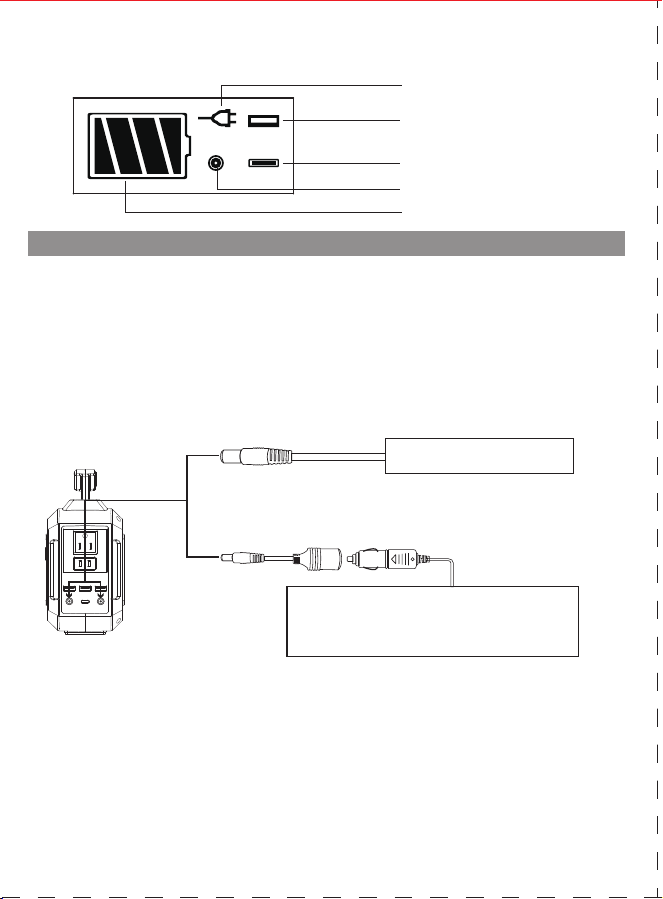
1) How to provide power for DC16V appliances(such as headlamp, fan) with this product?
The 5.5mm 16VDC output is plug and play. Plug your appliances to the DC output port to gain
power. DC output <10A, Max output<13A.
No�ces: Please confirm whether your DC16V appliance support charging with 5.5mm DC
header interface (The diameter of the DC Port of the Product is:5.5mm), otherwise it is unable
to connect with the DC output, you can consult the electrical manufacturer, buy the
corresponding adapter and connect with it.
※Note:
The 16V DC output voltage is range between 12V~16.6V, the maximum output
current is 13A. DC output voltage drops while ba�ery capacity drops due to chemical
characteris�cs of the ba�ery. If your appliance is not built-in input voltage stabilizing func�on, it
may shut down when the input voltage is too low, please unplug your device from the unit in
�me. And please charge the unit in �me.
【
RIGHT
】
Support 5.5mm DC 16V car kits with DC- Cigare�e
Lighter Adapter,such as Vacuum Cleaner,Infla�on,
Pump,Electric wrench, fridge, etc.
Or charge car kits via DC to Cigare�e Lighter Connector
5.5mm DC16V for Fan or LED
lights
【
LED DISPLAY
】
DC Output
USB Output
Battery Capacity
AC Output
USB C Output
AC OUT
DC OUT USB C
USB
Protec�on Mode:
Short-circuit/Overpower Protec�on: If the DC output is short-circuited or overcurrented 13A,
the unit will shut down to protect itself. Please clear the problem and recharge the unit to
recover from protec�on mode.
2) How to provide power for AC appliances with this product?
Connect the power cable plug of the electrical appliance to the AC outlet of the product, switch
on the"AC" bu�on and the unit will start providing power to your appliances. WARNING! The
AC outlets, AC voltage, and frequency are different according to different countries; please
carefully check whether the product specifica�ons are consistent with the appliance
specifica�ons before use, otherwise, it can lead to dangerous situa�ons.
※
When the AC port is not in use, turn it o to conserve power.
Short-circuit/Overpower Protec�on: If the AC output is short-circuited or overpowered(-
Load(s) power>100W), the unit will shut down AC output to protect itself. Please clear the
problem and re-press the AC bu�on for AC output.
※Some devices, such as refrigerator, ice maker or a laser printer may require a surge power to start
or work during a very time period, the surge power could exceed 150W or even higher, this could
cause overpower protection with this unit. Please remove the devices and consult with the device
manufacturers for more information. Please clear the problem and re-press the AC button for AC
output.
Connect the standard USB cable of the digital appliance to the USB output of the unit to gain
power. Then press the " " bu�on switch on and the unit will start providing power to the
devices, if the unit fails to supply power to the USB appliances automa�cally, please switch on
the AC power bu�on "AC" to turn on USB output manually. Please SWITCH OFF the AC power
output bu�on to save power when USB appliances are fully charged.
Limited Appliance Wa�age<100W,such as lamp, Electric
Fan,TV, etc. AC will shut down when it’s short-circuited
or power overloaded. Remove the device and the unit
will recover from short-circuit or overpower protec�on
in a few seconds. Repress the AC output bu�on to
switch on AC out again.
【
RIGHT
】
Protec�on Mode:
3) How to provide power for USB digital appliances with this product?
Quick Charge Output: This product supports Qualcomm QuickCharge 3.0 output, support
5V-9V / 2.1A max output for smart devices which also support Qualcomm QuickCharge 3.0. The
actual output voltage and current depends on the actual smart devices, it can be obtained by
consul�ng the smart device manufacturer.
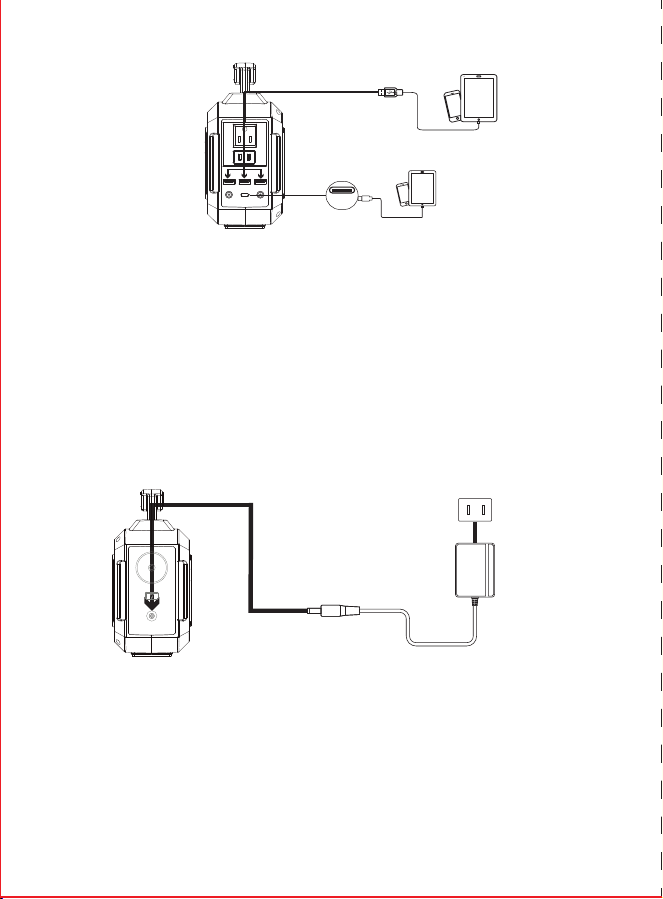
5) How to charge the unit?
a.Charge through AC Wall Charger
Using the included AC Wall Charger, plug the unit into any wall outlet to charge the unit. You
will know the unit is charging when the blue LED ba�ery indicators are blinking. The unit is fully
charged when all ba�ery indicators stop blinking and remain solid. A�er the unit is fully
charged, please remove the AC wall charger in �me.
【
RIGHT
】
4) How to use the flashlight
Warning! Do not point directly at the eyes of human in case of any damage
due to the strong light.
▲
AC Adapter (charger)
AC Socket
▼
【
LEFT
】
USB C
▲
Input Charging
DC 16.6V~25V/1.5A/Max
【
LEFT
】
This unit is built-in white LED flashlight. press 3 seconds to turn on the Light, press again for 1
second to switch to Blink mode, press the third �me( 1 second) to switch to SOS mode. Press
the fourth �me to turn off the light.
ABOUT THE SOLAR GENERATOR
ATTENTION!
This manual is to help you use the product correctly; it does not represent any descrip�on on
the hardware and so�ware configura�on of the product. About the product configura�on,
please refer to the contract related to this product (if there is), or consult to the seller that sells
the product. Pictures in this manual is for reference only, if there are individual pictures do not
match the actual, please prevail in actual products.
Thank you for applying our mul�-func�on portable solar generator in case of power failure or
you need to charge on a travel, you can temporarily charge your electrical or digital devices with
this unit. This unit can provide usb, dc and ac output. You can keep laptops, appliances, lights
and more going for hours longer. With the included solar panel,you can charge the ba�ery
wherever and whenever there is sunlight.Before using this unit, please read the user manual
carefully and properly keep it for reference.
The unit provides Modied Sine Wave output
The unit provides Modified Sine Wave output, and can be compa�ble to AC electric appliance
that works with sinusoidal waveform(power <100w). However, anything that uses an ac motor
isn't going to work to full capacity on a modified sine wave. Such as an electrical fan, it will even
make the electric appliance arouse some noise.Appliances like refrigerators, microwaves, and
compressors that use AC motors and some delicate medical equipment will be be�er off with a
pure sine wave inverter. This product is only used for emergency, it cannot replace the normal
alterna�ng current, for long-term use, please adapts the power sta�on specifica�on required by
electrical appliances.
I.Solar panel specication
II.Connection
c.Charge with included solar panel.
1. Place the included solar panel where it will get as much direct sunlight as possible.
2. Plug the output of the solar panel into the input of the unit to start charging.You will
know the unit is charging when the blue LED Ba�ery Indicator lights up and blinks. The
unit is fully charged when all ba�ery indicators stop blinking and remain solid.
DC Output
Folding Size
Unfold Size
Weight
QC3.0 USB Output
Type-C Output
Solar Panel Rate Power 30W
0.99kg / 2.18lb
5V/3.4A, 9V/2.5A, 12V/2A±5%
5V/3A, 9V/2.22A, 12V/1.6A±5%
16.5V/1.82A (max)
212x304x30mm / 8.34x11.96x1.18in
646x304x20mm / 25.43x11.96x0.78in
DC to DC Cable
DC5.5mm/2.1mm to
DC3.5mm/1.35mm connector
【
IV
】
SECURITY AND MAINTENANCE
Do not short-circuit the unit. To avoid short-circui�ng, keep the unit away from all metal
objects (e.g. coins, hair-pins, keys, etc.).
Do not heat the unit, or dispose of it in fire, water or other liquids. Keep away from high
temperatures. Do not expose the unit to direct sunlight.
Keep away from high humidity, dusty places.
Do not disassemble or reassemble this unit.
Do not drop, place heavy objects on, or allow strong impact to this unit.
This appliance is not intended for use by persons (including children) with reduced physical,
sensory or mental capabili�es, or lack of experience and knowledge, unless they have been
given supervision or instruc�on concerning use of the appliance by a person responsible for
their safety.
Children should be supervised to ensure that they do not play with the appliance.
Do not cover the device with towels, clothing and other item.
The unit may become hot when charging. This is normal. Use cau�on when handling.
Do not charge the unit over the required �me.
Disconnect the unit when fully charged.
Use the unit properly to avoid electronic shock.
a)
b)
c)
d)
e)
f)
g)
h)
i)
j)
k)
l)
m)
n)
Please deal with scrap products in accordance with the regula�ons, do not treat the built-in
ba�ery as a household garbage, so as not to cause the explosion and pollu�on.
The product is only used for emergency situa�ons, it cannot replace the standard DC or AC
power of household appliances or digital products.
A. Cloudy weather and indirect sunlight may cause fluctua�ons in the current. This in turn may hinder
or prevent charging. Place the solar charger in direct sunlight or wait for the weather to clear.
B. Wipe the panels clean with a damp cloth between usage to prevent scratching.
C. Avoid exposure to fire, water and chemical liquid.
IV
.
Cau�on
III
.What if the solar panel is not charging my devices?
1. This charger is not waterproof. Avoid exposure to water, rain, and moist environments.
2. Be�er unplug the solar panel from the unit when Sun is set,or the solar panel might ac�vate the unit
and the ba�ery internal power consump�on might exceed the input power, result in power loss instead
of charging.
【
VII
】
Battery information
【
VIII
】
Statement
Your device has an internal, non-removable, rechargeable ba�ery. Do not a�empt to remove
the ba�ery, as you may damage the device.
The ba�ery can be charged and discharged over 500 �mes, but it will eventually wear out.
All rights reserved. Reproduc�on in whole or in part without wri�en permission is prohibited.
All other trademarks are trademarks of their respec�ve owners. Features and specifica�ons are
subject to change without no�ce.
Always return your used electronic products, ba�eries, and packaging materials to dedicated
collec�on points. This way you help prevent uncontrolled waste disposal and promote the
recycling of materials.
【
VI
】
Recycle
-10℃-40℃/ 14℉ - 104℉
0℃-40℃/ 32℉ - 104℉
Model:M168SL30
折叠示意图:
英文
封
面
生产大货时,必须参照
右边示意图折叠好!!!
尺寸:525x142.5mm
四折页(105x142.5mm)
材质:128g铜版纸,双面印刷
备注:图中 虚线为
折叠线不需要印刷
正 面
背面
PORTABLE SOLAR GENERATOR
Instruction Manual
【
I
】
PRODUCT PARAMETERS
【
II
】
PRODUCT DESCRIPTION
※ There may be some differences on different spare parts.Please adhere to the actual product instead.
【
V
】
PRODUCT APPLICATION SKILLS
b. Charge from solar panel[not included]
1. Make sure Voc(open circuit voltage) of the solar panel does not exceed 22V.
2. Place your solar panel where it will get as much direct sunlight as possible.
3. Plug the output of the solar panel into the input of the unit to start charging.You will
know the unit is charging when the blue LED Ba�ery Indicator lights up and blinks. The
unit is fully charged when all ba�ery indicators stop blinking and remain solid.
a) This product is built in high quality original lithium ion ba�ery, it has no memory effect
but high-capacity, and it is durable. However, we s�ll recommend you toapply in the
range of 10 ℃ ~30 ℃, so as to obtain the op�mal charging capacity.
b) When charging, in order to avoid interference, please stay away from TV, radio and
other equipment.
c) If the device has not been used for a long �me, please disconnect the cable and store.
d) Some portable devices may need to be set in charge mode to charge, see the
corresponding equipment use manual for more informa�on.
e) In order to extend the life of product (lithium ba�ery), it is best to charge within 3
months, and charge at least once within 6 months.
MADE IN CHINA
Contact Us:
service@marbero.com
Capacity
Dimensions(LWH)
Weight
Built-in Ba�ery
45000mAh /167Wh DC 19V:7 hours
210x90x190mm/8.26x3.54x7.48in
about 1.64Kg/3.61lb
100% Original High Quality Lithium ion Ba�eries
Adapter:DC19V/1.5A
Solar Panel Charging:DC16.6V~25V/1.5A Max
Input Recharging
DC Output(MAX)
Fully Charged Time
USB Output
DC 19V:7 hours
USB1+USB2 5V /3.1A
USB3 5V/9V 2.1A
USB C 5V/9V 2.1A
DC1+DC2 12V~16.6V 10A (13A MAX)
2×5.5MM DC Output 12V~16.6V/10A(13 Max)
AC Output
Ultra bright LED Flashlight
110V/60Hz±10%
AC Power Rate power 100W, Max:150W
1 x Portable Power Sta�on 1 x Power Adapter
1 x Cigare�e Lighter Adapter 1 x Solar Panel
1 x User manual
Package include
Lifecycle >500 �mes
Opera�on temperature
Charge temperature
Power Indicator
LED Display
Bulb Type
【
Front
】
【
Back
】
【
LEFT
】
【
RIGHT
】
Handle
AC Outlet
Ultra bright LED Flashlight
Press 3 seconds to Turn On
Cooling vents
5.5mm DC output
12V~16.6V 10A (13A MAX)
2 x USB 5V
3.1A output
USB 5V/9V 2.1A output
USB C 5V/9V 2.1A output
Press 3 seconds to
switch ON/OFF
Single press the bu�on
to switch ON/OFF
LED DISPLAY
3.5MM/1.35MM
DC Input charging
AC OUT
DC OUT USB C
USB
【
III
】
PRODUCT INSTRUCTION
1) How to provide power for DC16V appliances(such as headlamp, fan) with this product?
The 5.5mm 16VDC output is plug and play. Plug your appliances to the DC output port to gain
power. DC output <10A, Max output<13A.
No�ces: Please confirm whether your DC16V appliance support charging with 5.5mm DC
header interface (The diameter of the DC Port of the Product is:5.5mm), otherwise it is unable
to connect with the DC output, you can consult the electrical manufacturer, buy the
corresponding adapter and connect with it.
※Note:
The 16V DC output voltage is range between 12V~16.6V, the maximum output
current is 13A. DC output voltage drops while ba�ery capacity drops due to chemical
characteris�cs of the ba�ery. If your appliance is not built-in input voltage stabilizing func�on, it
may shut down when the input voltage is too low, please unplug your device from the unit in
�me. And please charge the unit in �me.
【
RIGHT
】
Support 5.5mm DC 16V car kits with DC- Cigare�e
Lighter Adapter,such as Vacuum Cleaner,Infla�on,
Pump,Electric wrench, fridge, etc.
Or charge car kits via DC to Cigare�e Lighter Connector
5.5mm DC16V for Fan or LED
lights
【
LED DISPLAY
】
DC Output
USB Output
Battery Capacity
AC Output
USB C Output
AC OUT
DC OUT USB C
USB
Protec�on Mode:
Short-circuit/Overpower Protec�on: If the DC output is short-circuited or overcurrented 13A,
the unit will shut down to protect itself. Please clear the problem and recharge the unit to
recover from protec�on mode.
2) How to provide power for AC appliances with this product?
Connect the power cable plug of the electrical appliance to the AC outlet of the product, switch
on the"AC" bu�on and the unit will start providing power to your appliances. WARNING! The
AC outlets, AC voltage, and frequency are different according to different countries; please
carefully check whether the product specifica�ons are consistent with the appliance
specifica�ons before use, otherwise, it can lead to dangerous situa�ons.
※
When the AC port is not in use, turn it o to conserve power.
Short-circuit/Overpower Protec�on: If the AC output is short-circuited or overpowered(-
Load(s) power>100W), the unit will shut down AC output to protect itself. Please clear the
problem and re-press the AC bu�on for AC output.
※Some devices, such as refrigerator, ice maker or a laser printer may require a surge power to start
or work during a very time period, the surge power could exceed 150W or even higher, this could
cause overpower protection with this unit. Please remove the devices and consult with the device
manufacturers for more information. Please clear the problem and re-press the AC button for AC
output.
Connect the standard USB cable of the digital appliance to the USB output of the unit to gain
power. Then press the " " bu�on switch on and the unit will start providing power to the
devices, if the unit fails to supply power to the USB appliances automa�cally, please switch on
the AC power bu�on "AC" to turn on USB output manually. Please SWITCH OFF the AC power
output bu�on to save power when USB appliances are fully charged.
Limited Appliance Wa�age<100W,such as lamp, Electric
Fan,TV, etc. AC will shut down when it’s short-circuited
or power overloaded. Remove the device and the unit
will recover from short-circuit or overpower protec�on
in a few seconds. Repress the AC output bu�on to
switch on AC out again.
【
RIGHT
】
Protec�on Mode:
3) How to provide power for USB digital appliances with this product?
Quick Charge Output: This product supports Qualcomm QuickCharge 3.0 output, support
5V-9V / 2.1A max output for smart devices which also support Qualcomm QuickCharge 3.0. The
actual output voltage and current depends on the actual smart devices, it can be obtained by
consul�ng the smart device manufacturer.
5) How to charge the unit?
a.Charge through AC Wall Charger
Using the included AC Wall Charger, plug the unit into any wall outlet to charge the unit. You
will know the unit is charging when the blue LED ba�ery indicators are blinking. The unit is fully
charged when all ba�ery indicators stop blinking and remain solid. A�er the unit is fully
charged, please remove the AC wall charger in �me.
【
RIGHT
】
4) How to use the flashlight
Warning! Do not point directly at the eyes of human in case of any damage
due to the strong light.
▲
AC Adapter (charger)
AC Socket
▼
【
LEFT
】
USB C
▲
Input Charging
DC 16.6V~25V/1.5A/Max
【
LEFT
】
This unit is built-in white LED flashlight. press 3 seconds to turn on the Light, press again for 1
second to switch to Blink mode, press the third �me( 1 second) to switch to SOS mode. Press
the fourth �me to turn off the light.
ABOUT THE SOLAR GENERATOR
ATTENTION!
This manual is to help you use the product correctly; it does not represent any descrip�on on
the hardware and so�ware configura�on of the product. About the product configura�on,
please refer to the contract related to this product (if there is), or consult to the seller that sells
the product. Pictures in this manual is for reference only, if there are individual pictures do not
match the actual, please prevail in actual products.
Thank you for applying our mul�-func�on portable solar generator in case of power failure or
you need to charge on a travel, you can temporarily charge your electrical or digital devices with
this unit. This unit can provide usb, dc and ac output. You can keep laptops, appliances, lights
and more going for hours longer. With the included solar panel,you can charge the ba�ery
wherever and whenever there is sunlight.Before using this unit, please read the user manual
carefully and properly keep it for reference.
The unit provides Modied Sine Wave output
The unit provides Modified Sine Wave output, and can be compa�ble to AC electric appliance
that works with sinusoidal waveform(power <100w). However, anything that uses an ac motor
isn't going to work to full capacity on a modified sine wave. Such as an electrical fan, it will even
make the electric appliance arouse some noise.Appliances like refrigerators, microwaves, and
compressors that use AC motors and some delicate medical equipment will be be�er off with a
pure sine wave inverter. This product is only used for emergency, it cannot replace the normal
alterna�ng current, for long-term use, please adapts the power sta�on specifica�on required by
electrical appliances.
I.Solar panel specication
II.Connection
c.Charge with included solar panel.
1. Place the included solar panel where it will get as much direct sunlight as possible.
2. Plug the output of the solar panel into the input of the unit to start charging.You will
know the unit is charging when the blue LED Ba�ery Indicator lights up and blinks. The
unit is fully charged when all ba�ery indicators stop blinking and remain solid.
DC Output
Folding Size
Unfold Size
Weight
QC3.0 USB Output
Type-C Output
Solar Panel Rate Power 30W
0.99kg / 2.18lb
5V/3.4A, 9V/2.5A, 12V/2A±5%
5V/3A, 9V/2.22A, 12V/1.6A±5%
16.5V/1.82A (max)
212x304x30mm / 8.34x11.96x1.18in
646x304x20mm / 25.43x11.96x0.78in
DC to DC Cable
DC5.5mm/2.1mm to
DC3.5mm/1.35mm connector
【
IV
】
SECURITY AND MAINTENANCE
Do not short-circuit the unit. To avoid short-circui�ng, keep the unit away from all metal
objects (e.g. coins, hair-pins, keys, etc.).
Do not heat the unit, or dispose of it in fire, water or other liquids. Keep away from high
temperatures. Do not expose the unit to direct sunlight.
Keep away from high humidity, dusty places.
Do not disassemble or reassemble this unit.
Do not drop, place heavy objects on, or allow strong impact to this unit.
This appliance is not intended for use by persons (including children) with reduced physical,
sensory or mental capabili�es, or lack of experience and knowledge, unless they have been
given supervision or instruc�on concerning use of the appliance by a person responsible for
their safety.
Children should be supervised to ensure that they do not play with the appliance.
Do not cover the device with towels, clothing and other item.
The unit may become hot when charging. This is normal. Use cau�on when handling.
Do not charge the unit over the required �me.
Disconnect the unit when fully charged.
Use the unit properly to avoid electronic shock.
a)
b)
c)
d)
e)
f)
g)
h)
i)
j)
k)
l)
m)
n)
Please deal with scrap products in accordance with the regula�ons, do not treat the built-in
ba�ery as a household garbage, so as not to cause the explosion and pollu�on.
The product is only used for emergency situa�ons, it cannot replace the standard DC or AC
power of household appliances or digital products.
A. Cloudy weather and indirect sunlight may cause fluctua�ons in the current. This in turn may hinder
or prevent charging. Place the solar charger in direct sunlight or wait for the weather to clear.
B. Wipe the panels clean with a damp cloth between usage to prevent scratching.
C. Avoid exposure to fire, water and chemical liquid.
IV
.
Cau�on
III
.What if the solar panel is not charging my devices?
1. This charger is not waterproof. Avoid exposure to water, rain, and moist environments.
2. Be�er unplug the solar panel from the unit when Sun is set,or the solar panel might ac�vate the unit
and the ba�ery internal power consump�on might exceed the input power, result in power loss instead
of charging.
【
VII
】
Battery information
【
VIII
】
Statement
Your device has an internal, non-removable, rechargeable ba�ery. Do not a�empt to remove
the ba�ery, as you may damage the device.
The ba�ery can be charged and discharged over 500 �mes, but it will eventually wear out.
All rights reserved. Reproduc�on in whole or in part without wri�en permission is prohibited.
All other trademarks are trademarks of their respec�ve owners. Features and specifica�ons are
subject to change without no�ce.
Always return your used electronic products, ba�eries, and packaging materials to dedicated
collec�on points. This way you help prevent uncontrolled waste disposal and promote the
recycling of materials.
【
VI
】
Recycle
-10℃-40℃/ 14℉ - 104℉
0℃-40℃/ 32℉ - 104℉
Model:M168SL30
折叠示意图:
英文
封
面
生产大货时,必须参照
右边示意图折叠好!!!
尺寸:525x142.5mm
四折页(105x142.5mm)
材质:128g铜版纸,双面印刷
备注:图中 虚线为
折叠线不需要印刷
正 面
背面
PORTABLE SOLAR GENERATOR
Instruction Manual
【
I
】
PRODUCT PARAMETERS
【
II
】
PRODUCT DESCRIPTION
※ There may be some differences on different spare parts.Please adhere to the actual product instead.
【
V
】
PRODUCT APPLICATION SKILLS
b. Charge from solar panel[not included]
1. Make sure Voc(open circuit voltage) of the solar panel does not exceed 22V.
2. Place your solar panel where it will get as much direct sunlight as possible.
3. Plug the output of the solar panel into the input of the unit to start charging.You will
know the unit is charging when the blue LED Ba�ery Indicator lights up and blinks. The
unit is fully charged when all ba�ery indicators stop blinking and remain solid.
a) This product is built in high quality original lithium ion ba�ery, it has no memory effect
but high-capacity, and it is durable. However, we s�ll recommend you toapply in the
range of 10 ℃ ~30 ℃, so as to obtain the op�mal charging capacity.
b) When charging, in order to avoid interference, please stay away from TV, radio and
other equipment.
c) If the device has not been used for a long �me, please disconnect the cable and store.
d) Some portable devices may need to be set in charge mode to charge, see the
corresponding equipment use manual for more informa�on.
e) In order to extend the life of product (lithium ba�ery), it is best to charge within 3
months, and charge at least once within 6 months.
MADE IN CHINA
Contact Us:
service@marbero.com
Capacity
Dimensions(LWH)
Weight
Built-in Ba�ery
45000mAh /167Wh DC 19V:7 hours
210x90x190mm/8.26x3.54x7.48in
about 1.64Kg/3.61lb
100% Original High Quality Lithium ion Ba�eries
Adapter:DC19V/1.5A
Solar Panel Charging:DC16.6V~25V/1.5A Max
Input Recharging
DC Output(MAX)
Fully Charged Time
USB Output
DC 19V:7 hours
USB1+USB2 5V /3.1A
USB3 5V/9V 2.1A
USB C 5V/9V 2.1A
DC1+DC2 12V~16.6V 10A (13A MAX)
2×5.5MM DC Output 12V~16.6V/10A(13 Max)
AC Output
Ultra bright LED Flashlight
110V/60Hz±10%
AC Power Rate power 100W, Max:150W
1 x Portable Power Sta�on 1 x Power Adapter
1 x Cigare�e Lighter Adapter 1 x Solar Panel
1 x User manual
Package include
Lifecycle >500 �mes
Opera�on temperature
Charge temperature
Power Indicator
LED Display
Bulb Type
【
Front
】
【
Back
】
【
LEFT
】
【
RIGHT
】
Handle
AC Outlet
Ultra bright LED Flashlight
Press 3 seconds to Turn On
Cooling vents
5.5mm DC output
12V~16.6V 10A (13A MAX)
2 x USB 5V
3.1A output
USB 5V/9V 2.1A output
USB C 5V/9V 2.1A output
Press 3 seconds to
switch ON/OFF
Single press the bu�on
to switch ON/OFF
LED DISPLAY
3.5MM/1.35MM
DC Input charging
AC OUT
DC OUT USB C
USB
【
III
】
PRODUCT INSTRUCTION
1) How to provide power for DC16V appliances(such as headlamp, fan) with this product?
The 5.5mm 16VDC output is plug and play. Plug your appliances to the DC output port to gain
power. DC output <10A, Max output<13A.
No�ces: Please confirm whether your DC16V appliance support charging with 5.5mm DC
header interface (The diameter of the DC Port of the Product is:5.5mm), otherwise it is unable
to connect with the DC output, you can consult the electrical manufacturer, buy the
corresponding adapter and connect with it.
※Note:
The 16V DC output voltage is range between 12V~16.6V, the maximum output
current is 13A. DC output voltage drops while ba�ery capacity drops due to chemical
characteris�cs of the ba�ery. If your appliance is not built-in input voltage stabilizing func�on, it
may shut down when the input voltage is too low, please unplug your device from the unit in
�me. And please charge the unit in �me.
【
RIGHT
】
Support 5.5mm DC 16V car kits with DC- Cigare�e
Lighter Adapter,such as Vacuum Cleaner,Infla�on,
Pump,Electric wrench, fridge, etc.
Or charge car kits via DC to Cigare�e Lighter Connector
5.5mm DC16V for Fan or LED
lights
【
LED DISPLAY
】
DC Output
USB Output
Battery Capacity
AC Output
USB C Output
AC OUT
DC OUT USB C
USB
Protec�on Mode:
Short-circuit/Overpower Protec�on: If the DC output is short-circuited or overcurrented 13A,
the unit will shut down to protect itself. Please clear the problem and recharge the unit to
recover from protec�on mode.
2) How to provide power for AC appliances with this product?
Connect the power cable plug of the electrical appliance to the AC outlet of the product, switch
on the"AC" bu�on and the unit will start providing power to your appliances. WARNING! The
AC outlets, AC voltage, and frequency are different according to different countries; please
carefully check whether the product specifica�ons are consistent with the appliance
specifica�ons before use, otherwise, it can lead to dangerous situa�ons.
※
When the AC port is not in use, turn it o to conserve power.
Short-circuit/Overpower Protec�on: If the AC output is short-circuited or overpowered(-
Load(s) power>100W), the unit will shut down AC output to protect itself. Please clear the
problem and re-press the AC bu�on for AC output.
※Some devices, such as refrigerator, ice maker or a laser printer may require a surge power to start
or work during a very time period, the surge power could exceed 150W or even higher, this could
cause overpower protection with this unit. Please remove the devices and consult with the device
manufacturers for more information. Please clear the problem and re-press the AC button for AC
output.
Connect the standard USB cable of the digital appliance to the USB output of the unit to gain
power. Then press the " " bu�on switch on and the unit will start providing power to the
devices, if the unit fails to supply power to the USB appliances automa�cally, please switch on
the AC power bu�on "AC" to turn on USB output manually. Please SWITCH OFF the AC power
output bu�on to save power when USB appliances are fully charged.
Limited Appliance Wa�age<100W,such as lamp, Electric
Fan,TV, etc. AC will shut down when it’s short-circuited
or power overloaded. Remove the device and the unit
will recover from short-circuit or overpower protec�on
in a few seconds. Repress the AC output bu�on to
switch on AC out again.
【
RIGHT
】
Protec�on Mode:
3) How to provide power for USB digital appliances with this product?
Quick Charge Output: This product supports Qualcomm QuickCharge 3.0 output, support
5V-9V / 2.1A max output for smart devices which also support Qualcomm QuickCharge 3.0. The
actual output voltage and current depends on the actual smart devices, it can be obtained by
consul�ng the smart device manufacturer.
5) How to charge the unit?
a.Charge through AC Wall Charger
Using the included AC Wall Charger, plug the unit into any wall outlet to charge the unit. You
will know the unit is charging when the blue LED ba�ery indicators are blinking. The unit is fully
charged when all ba�ery indicators stop blinking and remain solid. A�er the unit is fully
charged, please remove the AC wall charger in �me.
【
RIGHT
】
4) How to use the flashlight
Warning! Do not point directly at the eyes of human in case of any damage
due to the strong light.
▲
AC Adapter (charger)
AC Socket
▼
【
LEFT
】
USB C
▲
Input Charging
DC 16.6V~25V/1.5A/Max
【
LEFT
】
This unit is built-in white LED flashlight. press 3 seconds to turn on the Light, press again for 1
second to switch to Blink mode, press the third �me( 1 second) to switch to SOS mode. Press
the fourth �me to turn off the light.
ABOUT THE SOLAR GENERATOR
ATTENTION!
This manual is to help you use the product correctly; it does not represent any descrip�on on
the hardware and so�ware configura�on of the product. About the product configura�on,
please refer to the contract related to this product (if there is), or consult to the seller that sells
the product. Pictures in this manual is for reference only, if there are individual pictures do not
match the actual, please prevail in actual products.
Thank you for applying our mul�-func�on portable solar generator in case of power failure or
you need to charge on a travel, you can temporarily charge your electrical or digital devices with
this unit. This unit can provide usb, dc and ac output. You can keep laptops, appliances, lights
and more going for hours longer. With the included solar panel,you can charge the ba�ery
wherever and whenever there is sunlight.Before using this unit, please read the user manual
carefully and properly keep it for reference.
The unit provides Modied Sine Wave output
The unit provides Modified Sine Wave output, and can be compa�ble to AC electric appliance
that works with sinusoidal waveform(power <100w). However, anything that uses an ac motor
isn't going to work to full capacity on a modified sine wave. Such as an electrical fan, it will even
make the electric appliance arouse some noise.Appliances like refrigerators, microwaves, and
compressors that use AC motors and some delicate medical equipment will be be�er off with a
pure sine wave inverter. This product is only used for emergency, it cannot replace the normal
alterna�ng current, for long-term use, please adapts the power sta�on specifica�on required by
electrical appliances.
I.Solar panel specication
II.Connection
c.Charge with included solar panel.
1. Place the included solar panel where it will get as much direct sunlight as possible.
2. Plug the output of the solar panel into the input of the unit to start charging.You will
know the unit is charging when the blue LED Ba�ery Indicator lights up and blinks. The
unit is fully charged when all ba�ery indicators stop blinking and remain solid.
DC Output
Folding Size
Unfold Size
Weight
QC3.0 USB Output
Type-C Output
Solar Panel Rate Power 30W
0.99kg / 2.18lb
5V/3.4A, 9V/2.5A, 12V/2A±5%
5V/3A, 9V/2.22A, 12V/1.6A±5%
16.5V/1.82A (max)
212x304x30mm / 8.34x11.96x1.18in
646x304x20mm / 25.43x11.96x0.78in
DC to DC Cable
DC5.5mm/2.1mm to
DC3.5mm/1.35mm connector
【
IV
】
SECURITY AND MAINTENANCE
Do not short-circuit the unit. To avoid short-circui�ng, keep the unit away from all metal
objects (e.g. coins, hair-pins, keys, etc.).
Do not heat the unit, or dispose of it in fire, water or other liquids. Keep away from high
temperatures. Do not expose the unit to direct sunlight.
Keep away from high humidity, dusty places.
Do not disassemble or reassemble this unit.
Do not drop, place heavy objects on, or allow strong impact to this unit.
This appliance is not intended for use by persons (including children) with reduced physical,
sensory or mental capabili�es, or lack of experience and knowledge, unless they have been
given supervision or instruc�on concerning use of the appliance by a person responsible for
their safety.
Children should be supervised to ensure that they do not play with the appliance.
Do not cover the device with towels, clothing and other item.
The unit may become hot when charging. This is normal. Use cau�on when handling.
Do not charge the unit over the required �me.
Disconnect the unit when fully charged.
Use the unit properly to avoid electronic shock.
a)
b)
c)
d)
e)
f)
g)
h)
i)
j)
k)
l)
m)
n)
Please deal with scrap products in accordance with the regula�ons, do not treat the built-in
ba�ery as a household garbage, so as not to cause the explosion and pollu�on.
The product is only used for emergency situa�ons, it cannot replace the standard DC or AC
power of household appliances or digital products.
A. Cloudy weather and indirect sunlight may cause fluctua�ons in the current. This in turn may hinder
or prevent charging. Place the solar charger in direct sunlight or wait for the weather to clear.
B. Wipe the panels clean with a damp cloth between usage to prevent scratching.
C. Avoid exposure to fire, water and chemical liquid.
IV
.
Cau�on
III
.What if the solar panel is not charging my devices?
1. This charger is not waterproof. Avoid exposure to water, rain, and moist environments.
2. Be�er unplug the solar panel from the unit when Sun is set,or the solar panel might ac�vate the unit
and the ba�ery internal power consump�on might exceed the input power, result in power loss instead
of charging.
【
VII
】
Battery information
【
VIII
】
Statement
Your device has an internal, non-removable, rechargeable ba�ery. Do not a�empt to remove
the ba�ery, as you may damage the device.
The ba�ery can be charged and discharged over 500 �mes, but it will eventually wear out.
All rights reserved. Reproduc�on in whole or in part without wri�en permission is prohibited.
All other trademarks are trademarks of their respec�ve owners. Features and specifica�ons are
subject to change without no�ce.
Always return your used electronic products, ba�eries, and packaging materials to dedicated
collec�on points. This way you help prevent uncontrolled waste disposal and promote the
recycling of materials.
【
VI
】
Recycle
-10℃-40℃/ 14℉ - 104℉
0℃-40℃/ 32℉ - 104℉
Model:M168SL30
折叠示意图:
英文
封
面
生产大货时,必须参照
右边示意图折叠好!!!
尺寸:525x142.5mm
四折页(105x142.5mm)
材质:128g铜版纸,双面印刷
备注:图中 虚线为
折叠线不需要印刷
正 面
背面
PORTABLE SOLAR GENERATOR
Instruction Manual
【
I
】
PRODUCT PARAMETERS
【
II
】
PRODUCT DESCRIPTION
※ There may be some differences on different spare parts.Please adhere to the actual product instead.
【
V
】
PRODUCT APPLICATION SKILLS
b. Charge from solar panel[not included]
1. Make sure Voc(open circuit voltage) of the solar panel does not exceed 22V.
2. Place your solar panel where it will get as much direct sunlight as possible.
3. Plug the output of the solar panel into the input of the unit to start charging.You will
know the unit is charging when the blue LED Ba�ery Indicator lights up and blinks. The
unit is fully charged when all ba�ery indicators stop blinking and remain solid.
a) This product is built in high quality original lithium ion ba�ery, it has no memory effect
but high-capacity, and it is durable. However, we s�ll recommend you toapply in the
range of 10 ℃ ~30 ℃, so as to obtain the op�mal charging capacity.
b) When charging, in order to avoid interference, please stay away from TV, radio and
other equipment.
c) If the device has not been used for a long �me, please disconnect the cable and store.
d) Some portable devices may need to be set in charge mode to charge, see the
corresponding equipment use manual for more informa�on.
e) In order to extend the life of product (lithium ba�ery), it is best to charge within 3
months, and charge at least once within 6 months.
MADE IN CHINA
Contact Us:
service@marbero.com
Capacity
Dimensions(LWH)
Weight
Built-in Ba�ery
45000mAh /167Wh DC 19V:7 hours
210x90x190mm/8.26x3.54x7.48in
about 1.64Kg/3.61lb
100% Original High Quality Lithium ion Ba�eries
Adapter:DC19V/1.5A
Solar Panel Charging:DC16.6V~25V/1.5A Max
Input Recharging
DC Output(MAX)
Fully Charged Time
USB Output
DC 19V:7 hours
USB1+USB2 5V /3.1A
USB3 5V/9V 2.1A
USB C 5V/9V 2.1A
DC1+DC2 12V~16.6V 10A (13A MAX)
2×5.5MM DC Output 12V~16.6V/10A(13 Max)
AC Output
Ultra bright LED Flashlight
110V/60Hz±10%
AC Power Rate power 100W, Max:150W
1 x Portable Power Sta�on 1 x Power Adapter
1 x Cigare�e Lighter Adapter 1 x Solar Panel
1 x User manual
Package include
Lifecycle >500 �mes
Opera�on temperature
Charge temperature
Power Indicator
LED Display
Bulb Type
【
Front
】
【
Back
】
【
LEFT
】
【
RIGHT
】
Handle
AC Outlet
Ultra bright LED Flashlight
Press 3 seconds to Turn On
Cooling vents
5.5mm DC output
12V~16.6V 10A (13A MAX)
2 x USB 5V
3.1A output
USB 5V/9V 2.1A output
USB C 5V/9V 2.1A output
Press 3 seconds to
switch ON/OFF
Single press the bu�on
to switch ON/OFF
LED DISPLAY
3.5MM/1.35MM
DC Input charging
AC OUT
DC OUT USB C
USB
【
III
】
PRODUCT INSTRUCTION
1) How to provide power for DC16V appliances(such as headlamp, fan) with this product?
The 5.5mm 16VDC output is plug and play. Plug your appliances to the DC output port to gain
power. DC output <10A, Max output<13A.
No�ces: Please confirm whether your DC16V appliance support charging with 5.5mm DC
header interface (The diameter of the DC Port of the Product is:5.5mm), otherwise it is unable
to connect with the DC output, you can consult the electrical manufacturer, buy the
corresponding adapter and connect with it.
※Note:
The 16V DC output voltage is range between 12V~16.6V, the maximum output
current is 13A. DC output voltage drops while ba�ery capacity drops due to chemical
characteris�cs of the ba�ery. If your appliance is not built-in input voltage stabilizing func�on, it
may shut down when the input voltage is too low, please unplug your device from the unit in
�me. And please charge the unit in �me.
【
RIGHT
】
Support 5.5mm DC 16V car kits with DC- Cigare�e
Lighter Adapter,such as Vacuum Cleaner,Infla�on,
Pump,Electric wrench, fridge, etc.
Or charge car kits via DC to Cigare�e Lighter Connector
5.5mm DC16V for Fan or LED
lights
【
LED DISPLAY
】
DC Output
USB Output
Battery Capacity
AC Output
USB C Output
AC OUT
DC OUT USB C
USB
Protec�on Mode:
Short-circuit/Overpower Protec�on: If the DC output is short-circuited or overcurrented 13A,
the unit will shut down to protect itself. Please clear the problem and recharge the unit to
recover from protec�on mode.
2) How to provide power for AC appliances with this product?
Connect the power cable plug of the electrical appliance to the AC outlet of the product, switch
on the"AC" bu�on and the unit will start providing power to your appliances. WARNING! The
AC outlets, AC voltage, and frequency are different according to different countries; please
carefully check whether the product specifica�ons are consistent with the appliance
specifica�ons before use, otherwise, it can lead to dangerous situa�ons.
※
When the AC port is not in use, turn it o to conserve power.
Short-circuit/Overpower Protec�on: If the AC output is short-circuited or overpowered(-
Load(s) power>100W), the unit will shut down AC output to protect itself. Please clear the
problem and re-press the AC bu�on for AC output.
※Some devices, such as refrigerator, ice maker or a laser printer may require a surge power to start
or work during a very time period, the surge power could exceed 150W or even higher, this could
cause overpower protection with this unit. Please remove the devices and consult with the device
manufacturers for more information. Please clear the problem and re-press the AC button for AC
output.
Connect the standard USB cable of the digital appliance to the USB output of the unit to gain
power. Then press the " " bu�on switch on and the unit will start providing power to the
devices, if the unit fails to supply power to the USB appliances automa�cally, please switch on
the AC power bu�on "AC" to turn on USB output manually. Please SWITCH OFF the AC power
output bu�on to save power when USB appliances are fully charged.
Limited Appliance Wa�age<100W,such as lamp, Electric
Fan,TV, etc. AC will shut down when it’s short-circuited
or power overloaded. Remove the device and the unit
will recover from short-circuit or overpower protec�on
in a few seconds. Repress the AC output bu�on to
switch on AC out again.
【
RIGHT
】
Protec�on Mode:
3) How to provide power for USB digital appliances with this product?
Quick Charge Output: This product supports Qualcomm QuickCharge 3.0 output, support
5V-9V / 2.1A max output for smart devices which also support Qualcomm QuickCharge 3.0. The
actual output voltage and current depends on the actual smart devices, it can be obtained by
consul�ng the smart device manufacturer.
5) How to charge the unit?
a.Charge through AC Wall Charger
Using the included AC Wall Charger, plug the unit into any wall outlet to charge the unit. You
will know the unit is charging when the blue LED ba�ery indicators are blinking. The unit is fully
charged when all ba�ery indicators stop blinking and remain solid. A�er the unit is fully
charged, please remove the AC wall charger in �me.
【
RIGHT
】
4) How to use the flashlight
Warning! Do not point directly at the eyes of human in case of any damage
due to the strong light.
▲
AC Adapter (charger)
AC Socket
▼
【
LEFT
】
USB C
▲
Input Charging
DC 16.6V~25V/1.5A/Max
【
LEFT
】
This unit is built-in white LED flashlight. press 3 seconds to turn on the Light, press again for 1
second to switch to Blink mode, press the third �me( 1 second) to switch to SOS mode. Press
the fourth �me to turn off the light.
ABOUT THE SOLAR GENERATOR
ATTENTION!
This manual is to help you use the product correctly; it does not represent any descrip�on on
the hardware and so�ware configura�on of the product. About the product configura�on,
please refer to the contract related to this product (if there is), or consult to the seller that sells
the product. Pictures in this manual is for reference only, if there are individual pictures do not
match the actual, please prevail in actual products.
Thank you for applying our mul�-func�on portable solar generator in case of power failure or
you need to charge on a travel, you can temporarily charge your electrical or digital devices with
this unit. This unit can provide usb, dc and ac output. You can keep laptops, appliances, lights
and more going for hours longer. With the included solar panel,you can charge the ba�ery
wherever and whenever there is sunlight.Before using this unit, please read the user manual
carefully and properly keep it for reference.
The unit provides Modied Sine Wave output
The unit provides Modified Sine Wave output, and can be compa�ble to AC electric appliance
that works with sinusoidal waveform(power <100w). However, anything that uses an ac motor
isn't going to work to full capacity on a modified sine wave. Such as an electrical fan, it will even
make the electric appliance arouse some noise.Appliances like refrigerators, microwaves, and
compressors that use AC motors and some delicate medical equipment will be be�er off with a
pure sine wave inverter. This product is only used for emergency, it cannot replace the normal
alterna�ng current, for long-term use, please adapts the power sta�on specifica�on required by
electrical appliances.
I.Solar panel specication
II.Connection
c.Charge with included solar panel.
1. Place the included solar panel where it will get as much direct sunlight as possible.
2. Plug the output of the solar panel into the input of the unit to start charging.You will
know the unit is charging when the blue LED Ba�ery Indicator lights up and blinks. The
unit is fully charged when all ba�ery indicators stop blinking and remain solid.
DC Output
Folding Size
Unfold Size
Weight
QC3.0 USB Output
Type-C Output
Solar Panel Rate Power 30W
0.99kg / 2.18lb
5V/3.4A, 9V/2.5A, 12V/2A±5%
5V/3A, 9V/2.22A, 12V/1.6A±5%
16.5V/1.82A (max)
212x304x30mm / 8.34x11.96x1.18in
646x304x20mm / 25.43x11.96x0.78in
DC to DC Cable
DC5.5mm/2.1mm to
DC3.5mm/1.35mm connector
【
IV
】
SECURITY AND MAINTENANCE
Do not short-circuit the unit. To avoid short-circui�ng, keep the unit away from all metal
objects (e.g. coins, hair-pins, keys, etc.).
Do not heat the unit, or dispose of it in fire, water or other liquids. Keep away from high
temperatures. Do not expose the unit to direct sunlight.
Keep away from high humidity, dusty places.
Do not disassemble or reassemble this unit.
Do not drop, place heavy objects on, or allow strong impact to this unit.
This appliance is not intended for use by persons (including children) with reduced physical,
sensory or mental capabili�es, or lack of experience and knowledge, unless they have been
given supervision or instruc�on concerning use of the appliance by a person responsible for
their safety.
Children should be supervised to ensure that they do not play with the appliance.
Do not cover the device with towels, clothing and other item.
The unit may become hot when charging. This is normal. Use cau�on when handling.
Do not charge the unit over the required �me.
Disconnect the unit when fully charged.
Use the unit properly to avoid electronic shock.
a)
b)
c)
d)
e)
f)
g)
h)
i)
j)
k)
l)
m)
n)
Please deal with scrap products in accordance with the regula�ons, do not treat the built-in
ba�ery as a household garbage, so as not to cause the explosion and pollu�on.
The product is only used for emergency situa�ons, it cannot replace the standard DC or AC
power of household appliances or digital products.
A. Cloudy weather and indirect sunlight may cause fluctua�ons in the current. This in turn may hinder
or prevent charging. Place the solar charger in direct sunlight or wait for the weather to clear.
B. Wipe the panels clean with a damp cloth between usage to prevent scratching.
C. Avoid exposure to fire, water and chemical liquid.
IV
.
Cau�on
III
.What if the solar panel is not charging my devices?
1. This charger is not waterproof. Avoid exposure to water, rain, and moist environments.
2. Be�er unplug the solar panel from the unit when Sun is set,or the solar panel might ac�vate the unit
and the ba�ery internal power consump�on might exceed the input power, result in power loss instead
of charging.
【
VII
】
Battery information
【
VIII
】
Statement
Your device has an internal, non-removable, rechargeable ba�ery. Do not a�empt to remove
the ba�ery, as you may damage the device.
The ba�ery can be charged and discharged over 500 �mes, but it will eventually wear out.
All rights reserved. Reproduc�on in whole or in part without wri�en permission is prohibited.
All other trademarks are trademarks of their respec�ve owners. Features and specifica�ons are
subject to change without no�ce.
Always return your used electronic products, ba�eries, and packaging materials to dedicated
collec�on points. This way you help prevent uncontrolled waste disposal and promote the
recycling of materials.
【
VI
】
Recycle
-10℃-40℃/ 14℉ - 104℉
0℃-40℃/ 32℉ - 104℉
Model:M168SL30
折叠示意图:
英文
封
面
生产大货时,必须参照
右边示意图折叠好!!!
尺寸:525x142.5mm
四折页(105x142.5mm)
材质:128g铜版纸,双面印刷
备注:图中 虚线为
折叠线不需要印刷
正 面
背面
PORTABLE SOLAR GENERATOR
Instruction Manual
【
I
】
PRODUCT PARAMETERS
【
II
】
PRODUCT DESCRIPTION
※ There may be some differences on different spare parts.Please adhere to the actual product instead.
【
V
】
PRODUCT APPLICATION SKILLS
b. Charge from solar panel[not included]
1. Make sure Voc(open circuit voltage) of the solar panel does not exceed 22V.
2. Place your solar panel where it will get as much direct sunlight as possible.
3. Plug the output of the solar panel into the input of the unit to start charging.You will
know the unit is charging when the blue LED Ba�ery Indicator lights up and blinks. The
unit is fully charged when all ba�ery indicators stop blinking and remain solid.
a) This product is built in high quality original lithium ion ba�ery, it has no memory effect
but high-capacity, and it is durable. However, we s�ll recommend you toapply in the
range of 10 ℃ ~30 ℃, so as to obtain the op�mal charging capacity.
b) When charging, in order to avoid interference, please stay away from TV, radio and
other equipment.
c) If the device has not been used for a long �me, please disconnect the cable and store.
d) Some portable devices may need to be set in charge mode to charge, see the
corresponding equipment use manual for more informa�on.
e) In order to extend the life of product (lithium ba�ery), it is best to charge within 3
months, and charge at least once within 6 months.
MADE IN CHINA
Contact Us:
service@marbero.com
Capacity
Dimensions(LWH)
Weight
Built-in Ba�ery
45000mAh /167Wh DC 19V:7 hours
210x90x190mm/8.26x3.54x7.48in
about 1.64Kg/3.61lb
100% Original High Quality Lithium ion Ba�eries
Adapter:DC19V/1.5A
Solar Panel Charging:DC16.6V~25V/1.5A Max
Input Recharging
DC Output(MAX)
Fully Charged Time
USB Output
DC 19V:7 hours
USB1+USB2 5V /3.1A
USB3 5V/9V 2.1A
USB C 5V/9V 2.1A
DC1+DC2 12V~16.6V 10A (13A MAX)
2×5.5MM DC Output 12V~16.6V/10A(13 Max)
AC Output
Ultra bright LED Flashlight
110V/60Hz±10%
AC Power Rate power 100W, Max:150W
1 x Portable Power Sta�on 1 x Power Adapter
1 x Cigare�e Lighter Adapter 1 x Solar Panel
1 x User manual
Package include
Lifecycle >500 �mes
Opera�on temperature
Charge temperature
Power Indicator
LED Display
Bulb Type
【
Front
】
【
Back
】
【
LEFT
】
【
RIGHT
】
Handle
AC Outlet
Ultra bright LED Flashlight
Press 3 seconds to Turn On
Cooling vents
5.5mm DC output
12V~16.6V 10A (13A MAX)
2 x USB 5V
3.1A output
USB 5V/9V 2.1A output
USB C 5V/9V 2.1A output
Press 3 seconds to
switch ON/OFF
Single press the bu�on
to switch ON/OFF
LED DISPLAY
3.5MM/1.35MM
DC Input charging
AC OUT
DC OUT USB C
USB
【
III
】
PRODUCT INSTRUCTION
1) How to provide power for DC16V appliances(such as headlamp, fan) with this product?
The 5.5mm 16VDC output is plug and play. Plug your appliances to the DC output port to gain
power. DC output <10A, Max output<13A.
No�ces: Please confirm whether your DC16V appliance support charging with 5.5mm DC
header interface (The diameter of the DC Port of the Product is:5.5mm), otherwise it is unable
to connect with the DC output, you can consult the electrical manufacturer, buy the
corresponding adapter and connect with it.
※Note:
The 16V DC output voltage is range between 12V~16.6V, the maximum output
current is 13A. DC output voltage drops while ba�ery capacity drops due to chemical
characteris�cs of the ba�ery. If your appliance is not built-in input voltage stabilizing func�on, it
may shut down when the input voltage is too low, please unplug your device from the unit in
�me. And please charge the unit in �me.
【
RIGHT
】
Support 5.5mm DC 16V car kits with DC- Cigare�e
Lighter Adapter,such as Vacuum Cleaner,Infla�on,
Pump,Electric wrench, fridge, etc.
Or charge car kits via DC to Cigare�e Lighter Connector
5.5mm DC16V for Fan or LED
lights
【
LED DISPLAY
】
DC Output
USB Output
Battery Capacity
AC Output
USB C Output
AC OUT
DC OUT USB C
USB
Protec�on Mode:
Short-circuit/Overpower Protec�on: If the DC output is short-circuited or overcurrented 13A,
the unit will shut down to protect itself. Please clear the problem and recharge the unit to
recover from protec�on mode.
2) How to provide power for AC appliances with this product?
Connect the power cable plug of the electrical appliance to the AC outlet of the product, switch
on the"AC" bu�on and the unit will start providing power to your appliances. WARNING! The
AC outlets, AC voltage, and frequency are different according to different countries; please
carefully check whether the product specifica�ons are consistent with the appliance
specifica�ons before use, otherwise, it can lead to dangerous situa�ons.
※
When the AC port is not in use, turn it o to conserve power.
Short-circuit/Overpower Protec�on: If the AC output is short-circuited or overpowered(-
Load(s) power>100W), the unit will shut down AC output to protect itself. Please clear the
problem and re-press the AC bu�on for AC output.
※Some devices, such as refrigerator, ice maker or a laser printer may require a surge power to start
or work during a very time period, the surge power could exceed 150W or even higher, this could
cause overpower protection with this unit. Please remove the devices and consult with the device
manufacturers for more information. Please clear the problem and re-press the AC button for AC
output.
Connect the standard USB cable of the digital appliance to the USB output of the unit to gain
power. Then press the " " bu�on switch on and the unit will start providing power to the
devices, if the unit fails to supply power to the USB appliances automa�cally, please switch on
the AC power bu�on "AC" to turn on USB output manually. Please SWITCH OFF the AC power
output bu�on to save power when USB appliances are fully charged.
Limited Appliance Wa�age<100W,such as lamp, Electric
Fan,TV, etc. AC will shut down when it’s short-circuited
or power overloaded. Remove the device and the unit
will recover from short-circuit or overpower protec�on
in a few seconds. Repress the AC output bu�on to
switch on AC out again.
【
RIGHT
】
Protec�on Mode:
3) How to provide power for USB digital appliances with this product?
Quick Charge Output: This product supports Qualcomm QuickCharge 3.0 output, support
5V-9V / 2.1A max output for smart devices which also support Qualcomm QuickCharge 3.0. The
actual output voltage and current depends on the actual smart devices, it can be obtained by
consul�ng the smart device manufacturer.
5) How to charge the unit?
a.Charge through AC Wall Charger
Using the included AC Wall Charger, plug the unit into any wall outlet to charge the unit. You
will know the unit is charging when the blue LED ba�ery indicators are blinking. The unit is fully
charged when all ba�ery indicators stop blinking and remain solid. A�er the unit is fully
charged, please remove the AC wall charger in �me.
【
RIGHT
】
4) How to use the flashlight
Warning! Do not point directly at the eyes of human in case of any damage
due to the strong light.
▲
AC Adapter (charger)
AC Socket
▼
【
LEFT
】
USB C
▲
Input Charging
DC 16.6V~25V/1.5A/Max
【
LEFT
】
This unit is built-in white LED flashlight. press 3 seconds to turn on the Light, press again for 1
second to switch to Blink mode, press the third �me( 1 second) to switch to SOS mode. Press
the fourth �me to turn off the light.
ABOUT THE SOLAR GENERATOR
ATTENTION!
This manual is to help you use the product correctly; it does not represent any descrip�on on
the hardware and so�ware configura�on of the product. About the product configura�on,
please refer to the contract related to this product (if there is), or consult to the seller that sells
the product. Pictures in this manual is for reference only, if there are individual pictures do not
match the actual, please prevail in actual products.
Thank you for applying our mul�-func�on portable solar generator in case of power failure or
you need to charge on a travel, you can temporarily charge your electrical or digital devices with
this unit. This unit can provide usb, dc and ac output. You can keep laptops, appliances, lights
and more going for hours longer. With the included solar panel,you can charge the ba�ery
wherever and whenever there is sunlight.Before using this unit, please read the user manual
carefully and properly keep it for reference.
The unit provides Modied Sine Wave output
The unit provides Modified Sine Wave output, and can be compa�ble to AC electric appliance
that works with sinusoidal waveform(power <100w). However, anything that uses an ac motor
isn't going to work to full capacity on a modified sine wave. Such as an electrical fan, it will even
make the electric appliance arouse some noise.Appliances like refrigerators, microwaves, and
compressors that use AC motors and some delicate medical equipment will be be�er off with a
pure sine wave inverter. This product is only used for emergency, it cannot replace the normal
alterna�ng current, for long-term use, please adapts the power sta�on specifica�on required by
electrical appliances.
I.Solar panel specication
II.Connection
c.Charge with included solar panel.
1. Place the included solar panel where it will get as much direct sunlight as possible.
2. Plug the output of the solar panel into the input of the unit to start charging.You will
know the unit is charging when the blue LED Ba�ery Indicator lights up and blinks. The
unit is fully charged when all ba�ery indicators stop blinking and remain solid.
DC Output
Folding Size
Unfold Size
Weight
QC3.0 USB Output
Type-C Output
Solar Panel Rate Power 30W
0.99kg / 2.18lb
5V/3.4A, 9V/2.5A, 12V/2A±5%
5V/3A, 9V/2.22A, 12V/1.6A±5%
16.5V/1.82A (max)
212x304x30mm / 8.34x11.96x1.18in
646x304x20mm / 25.43x11.96x0.78in
DC to DC Cable
DC5.5mm/2.1mm to
DC3.5mm/1.35mm connector
【
IV
】
SECURITY AND MAINTENANCE
Do not short-circuit the unit. To avoid short-circui�ng, keep the unit away from all metal
objects (e.g. coins, hair-pins, keys, etc.).
Do not heat the unit, or dispose of it in fire, water or other liquids. Keep away from high
temperatures. Do not expose the unit to direct sunlight.
Keep away from high humidity, dusty places.
Do not disassemble or reassemble this unit.
Do not drop, place heavy objects on, or allow strong impact to this unit.
This appliance is not intended for use by persons (including children) with reduced physical,
sensory or mental capabili�es, or lack of experience and knowledge, unless they have been
given supervision or instruc�on concerning use of the appliance by a person responsible for
their safety.
Children should be supervised to ensure that they do not play with the appliance.
Do not cover the device with towels, clothing and other item.
The unit may become hot when charging. This is normal. Use cau�on when handling.
Do not charge the unit over the required �me.
Disconnect the unit when fully charged.
Use the unit properly to avoid electronic shock.
a)
b)
c)
d)
e)
f)
g)
h)
i)
j)
k)
l)
m)
n)
Please deal with scrap products in accordance with the regula�ons, do not treat the built-in
ba�ery as a household garbage, so as not to cause the explosion and pollu�on.
The product is only used for emergency situa�ons, it cannot replace the standard DC or AC
power of household appliances or digital products.
A. Cloudy weather and indirect sunlight may cause fluctua�ons in the current. This in turn may hinder
or prevent charging. Place the solar charger in direct sunlight or wait for the weather to clear.
B. Wipe the panels clean with a damp cloth between usage to prevent scratching.
C. Avoid exposure to fire, water and chemical liquid.
IV
.
Cau�on
III
.What if the solar panel is not charging my devices?
1. This charger is not waterproof. Avoid exposure to water, rain, and moist environments.
2. Be�er unplug the solar panel from the unit when Sun is set,or the solar panel might ac�vate the unit
and the ba�ery internal power consump�on might exceed the input power, result in power loss instead
of charging.
【
VII
】
Battery information
【
VIII
】
Statement
Your device has an internal, non-removable, rechargeable ba�ery. Do not a�empt to remove
the ba�ery, as you may damage the device.
The ba�ery can be charged and discharged over 500 �mes, but it will eventually wear out.
All rights reserved. Reproduc�on in whole or in part without wri�en permission is prohibited.
All other trademarks are trademarks of their respec�ve owners. Features and specifica�ons are
subject to change without no�ce.
Always return your used electronic products, ba�eries, and packaging materials to dedicated
collec�on points. This way you help prevent uncontrolled waste disposal and promote the
recycling of materials.
【
VI
】
Recycle
-10℃-40℃/ 14℉ - 104℉
0℃-40℃/ 32℉ - 104℉
Model:M168SL30
折叠示意图:
英文
封
面
生产大货时,必须参照
右边示意图折叠好!!!
尺寸:525x142.5mm
四折页(105x142.5mm)
材质:128g铜版纸,双面印刷
备注:图中 虚线为
折叠线不需要印刷
正 面
背面
PORTABLE SOLAR GENERATOR
Instruction Manual
【
I
】
PRODUCT PARAMETERS
【
II
】
PRODUCT DESCRIPTION
※ There may be some differences on different spare parts.Please adhere to the actual product instead.
【
V
】
PRODUCT APPLICATION SKILLS
b. Charge from solar panel[not included]
1. Make sure Voc(open circuit voltage) of the solar panel does not exceed 22V.
2. Place your solar panel where it will get as much direct sunlight as possible.
3. Plug the output of the solar panel into the input of the unit to start charging.You will
know the unit is charging when the blue LED Ba�ery Indicator lights up and blinks. The
unit is fully charged when all ba�ery indicators stop blinking and remain solid.
a) This product is built in high quality original lithium ion ba�ery, it has no memory effect
but high-capacity, and it is durable. However, we s�ll recommend you toapply in the
range of 10 ℃ ~30 ℃, so as to obtain the op�mal charging capacity.
b) When charging, in order to avoid interference, please stay away from TV, radio and
other equipment.
c) If the device has not been used for a long �me, please disconnect the cable and store.
d) Some portable devices may need to be set in charge mode to charge, see the
corresponding equipment use manual for more informa�on.
e) In order to extend the life of product (lithium ba�ery), it is best to charge within 3
months, and charge at least once within 6 months.
MADE IN CHINA
Contact Us:
service@marbero.com
Capacity
Dimensions(LWH)
Weight
Built-in Ba�ery
45000mAh /167Wh DC 19V:7 hours
210x90x190mm/8.26x3.54x7.48in
about 1.64Kg/3.61lb
100% Original High Quality Lithium ion Ba�eries
Adapter:DC19V/1.5A
Solar Panel Charging:DC16.6V~25V/1.5A Max
Input Recharging
DC Output(MAX)
Fully Charged Time
USB Output
DC 19V:7 hours
USB1+USB2 5V /3.1A
USB3 5V/9V 2.1A
USB C 5V/9V 2.1A
DC1+DC2 12V~16.6V 10A (13A MAX)
2×5.5MM DC Output 12V~16.6V/10A(13 Max)
AC Output
Ultra bright LED Flashlight
110V/60Hz±10%
AC Power Rate power 100W, Max:150W
1 x Portable Power Sta�on 1 x Power Adapter
1 x Cigare�e Lighter Adapter 1 x Solar Panel
1 x User manual
Package include
Lifecycle >500 �mes
Opera�on temperature
Charge temperature
Power Indicator
LED Display
Bulb Type
【
Front
】
【
Back
】
【
LEFT
】
【
RIGHT
】
Handle
AC Outlet
Ultra bright LED Flashlight
Press 3 seconds to Turn On
Cooling vents
5.5mm DC output
12V~16.6V 10A (13A MAX)
2 x USB 5V
3.1A output
USB 5V/9V 2.1A output
USB C 5V/9V 2.1A output
Press 3 seconds to
switch ON/OFF
Single press the bu�on
to switch ON/OFF
LED DISPLAY
3.5MM/1.35MM
DC Input charging
AC OUT
DC OUT USB C
USB
【
III
】
PRODUCT INSTRUCTION
1) How to provide power for DC16V appliances(such as headlamp, fan) with this product?
The 5.5mm 16VDC output is plug and play. Plug your appliances to the DC output port to gain
power. DC output <10A, Max output<13A.
No�ces: Please confirm whether your DC16V appliance support charging with 5.5mm DC
header interface (The diameter of the DC Port of the Product is:5.5mm), otherwise it is unable
to connect with the DC output, you can consult the electrical manufacturer, buy the
corresponding adapter and connect with it.
※Note:
The 16V DC output voltage is range between 12V~16.6V, the maximum output
current is 13A. DC output voltage drops while ba�ery capacity drops due to chemical
characteris�cs of the ba�ery. If your appliance is not built-in input voltage stabilizing func�on, it
may shut down when the input voltage is too low, please unplug your device from the unit in
�me. And please charge the unit in �me.
【
RIGHT
】
Support 5.5mm DC 16V car kits with DC- Cigare�e
Lighter Adapter,such as Vacuum Cleaner,Infla�on,
Pump,Electric wrench, fridge, etc.
Or charge car kits via DC to Cigare�e Lighter Connector
5.5mm DC16V for Fan or LED
lights
【
LED DISPLAY
】
DC Output
USB Output
Battery Capacity
AC Output
USB C Output
AC OUT
DC OUT USB C
USB
Protec�on Mode:
Short-circuit/Overpower Protec�on: If the DC output is short-circuited or overcurrented 13A,
the unit will shut down to protect itself. Please clear the problem and recharge the unit to
recover from protec�on mode.
2) How to provide power for AC appliances with this product?
Connect the power cable plug of the electrical appliance to the AC outlet of the product, switch
on the"AC" bu�on and the unit will start providing power to your appliances. WARNING! The
AC outlets, AC voltage, and frequency are different according to different countries; please
carefully check whether the product specifica�ons are consistent with the appliance
specifica�ons before use, otherwise, it can lead to dangerous situa�ons.
※
When the AC port is not in use, turn it o to conserve power.
Short-circuit/Overpower Protec�on: If the AC output is short-circuited or overpowered(-
Load(s) power>100W), the unit will shut down AC output to protect itself. Please clear the
problem and re-press the AC bu�on for AC output.
※Some devices, such as refrigerator, ice maker or a laser printer may require a surge power to start
or work during a very time period, the surge power could exceed 150W or even higher, this could
cause overpower protection with this unit. Please remove the devices and consult with the device
manufacturers for more information. Please clear the problem and re-press the AC button for AC
output.
Connect the standard USB cable of the digital appliance to the USB output of the unit to gain
power. Then press the " " bu�on switch on and the unit will start providing power to the
devices, if the unit fails to supply power to the USB appliances automa�cally, please switch on
the AC power bu�on "AC" to turn on USB output manually. Please SWITCH OFF the AC power
output bu�on to save power when USB appliances are fully charged.
Limited Appliance Wa�age<100W,such as lamp, Electric
Fan,TV, etc. AC will shut down when it’s short-circuited
or power overloaded. Remove the device and the unit
will recover from short-circuit or overpower protec�on
in a few seconds. Repress the AC output bu�on to
switch on AC out again.
【
RIGHT
】
Protec�on Mode:
3) How to provide power for USB digital appliances with this product?
Quick Charge Output: This product supports Qualcomm QuickCharge 3.0 output, support
5V-9V / 2.1A max output for smart devices which also support Qualcomm QuickCharge 3.0. The
actual output voltage and current depends on the actual smart devices, it can be obtained by
consul�ng the smart device manufacturer.
5) How to charge the unit?
a.Charge through AC Wall Charger
Using the included AC Wall Charger, plug the unit into any wall outlet to charge the unit. You
will know the unit is charging when the blue LED ba�ery indicators are blinking. The unit is fully
charged when all ba�ery indicators stop blinking and remain solid. A�er the unit is fully
charged, please remove the AC wall charger in �me.
【
RIGHT
】
4) How to use the flashlight
Warning! Do not point directly at the eyes of human in case of any damage
due to the strong light.
▲
AC Adapter (charger)
AC Socket
▼
【
LEFT
】
USB C
▲
Input Charging
DC 16.6V~25V/1.5A/Max
【
LEFT
】
This unit is built-in white LED flashlight. press 3 seconds to turn on the Light, press again for 1
second to switch to Blink mode, press the third �me( 1 second) to switch to SOS mode. Press
the fourth �me to turn off the light.
ABOUT THE SOLAR GENERATOR
ATTENTION!
This manual is to help you use the product correctly; it does not represent any descrip�on on
the hardware and so�ware configura�on of the product. About the product configura�on,
please refer to the contract related to this product (if there is), or consult to the seller that sells
the product. Pictures in this manual is for reference only, if there are individual pictures do not
match the actual, please prevail in actual products.
Thank you for applying our mul�-func�on portable solar generator in case of power failure or
you need to charge on a travel, you can temporarily charge your electrical or digital devices with
this unit. This unit can provide usb, dc and ac output. You can keep laptops, appliances, lights
and more going for hours longer. With the included solar panel,you can charge the ba�ery
wherever and whenever there is sunlight.Before using this unit, please read the user manual
carefully and properly keep it for reference.
The unit provides Modied Sine Wave output
The unit provides Modified Sine Wave output, and can be compa�ble to AC electric appliance
that works with sinusoidal waveform(power <100w). However, anything that uses an ac motor
isn't going to work to full capacity on a modified sine wave. Such as an electrical fan, it will even
make the electric appliance arouse some noise.Appliances like refrigerators, microwaves, and
compressors that use AC motors and some delicate medical equipment will be be�er off with a
pure sine wave inverter. This product is only used for emergency, it cannot replace the normal
alterna�ng current, for long-term use, please adapts the power sta�on specifica�on required by
electrical appliances.
I.Solar panel specication
II.Connection
c.Charge with included solar panel.
1. Place the included solar panel where it will get as much direct sunlight as possible.
2. Plug the output of the solar panel into the input of the unit to start charging.You will
know the unit is charging when the blue LED Ba�ery Indicator lights up and blinks. The
unit is fully charged when all ba�ery indicators stop blinking and remain solid.
DC Output
Folding Size
Unfold Size
Weight
QC3.0 USB Output
Type-C Output
Solar Panel Rate Power 30W
0.99kg / 2.18lb
5V/3.4A, 9V/2.5A, 12V/2A±5%
5V/3A, 9V/2.22A, 12V/1.6A±5%
16.5V/1.82A (max)
212x304x30mm / 8.34x11.96x1.18in
646x304x20mm / 25.43x11.96x0.78in
DC to DC Cable
DC5.5mm/2.1mm to
DC3.5mm/1.35mm connector
【
IV
】
SECURITY AND MAINTENANCE
Do not short-circuit the unit. To avoid short-circui�ng, keep the unit away from all metal
objects (e.g. coins, hair-pins, keys, etc.).
Do not heat the unit, or dispose of it in fire, water or other liquids. Keep away from high
temperatures. Do not expose the unit to direct sunlight.
Keep away from high humidity, dusty places.
Do not disassemble or reassemble this unit.
Do not drop, place heavy objects on, or allow strong impact to this unit.
This appliance is not intended for use by persons (including children) with reduced physical,
sensory or mental capabili�es, or lack of experience and knowledge, unless they have been
given supervision or instruc�on concerning use of the appliance by a person responsible for
their safety.
Children should be supervised to ensure that they do not play with the appliance.
Do not cover the device with towels, clothing and other item.
The unit may become hot when charging. This is normal. Use cau�on when handling.
Do not charge the unit over the required �me.
Disconnect the unit when fully charged.
Use the unit properly to avoid electronic shock.
a)
b)
c)
d)
e)
f)
g)
h)
i)
j)
k)
l)
m)
n)
Please deal with scrap products in accordance with the regula�ons, do not treat the built-in
ba�ery as a household garbage, so as not to cause the explosion and pollu�on.
The product is only used for emergency situa�ons, it cannot replace the standard DC or AC
power of household appliances or digital products.
A. Cloudy weather and indirect sunlight may cause fluctua�ons in the current. This in turn may hinder
or prevent charging. Place the solar charger in direct sunlight or wait for the weather to clear.
B. Wipe the panels clean with a damp cloth between usage to prevent scratching.
C. Avoid exposure to fire, water and chemical liquid.
IV
.
Cau�on
III
.What if the solar panel is not charging my devices?
1. This charger is not waterproof. Avoid exposure to water, rain, and moist environments.
2. Be�er unplug the solar panel from the unit when Sun is set,or the solar panel might ac�vate the unit
and the ba�ery internal power consump�on might exceed the input power, result in power loss instead
of charging.
【
VII
】
Battery information
【
VIII
】
Statement
Your device has an internal, non-removable, rechargeable ba�ery. Do not a�empt to remove
the ba�ery, as you may damage the device.
The ba�ery can be charged and discharged over 500 �mes, but it will eventually wear out.
All rights reserved. Reproduc�on in whole or in part without wri�en permission is prohibited.
All other trademarks are trademarks of their respec�ve owners. Features and specifica�ons are
subject to change without no�ce.
Always return your used electronic products, ba�eries, and packaging materials to dedicated
collec�on points. This way you help prevent uncontrolled waste disposal and promote the
recycling of materials.
【
VI
】
Recycle
-10℃-40℃/ 14℉ - 104℉
0℃-40℃/ 32℉ - 104℉
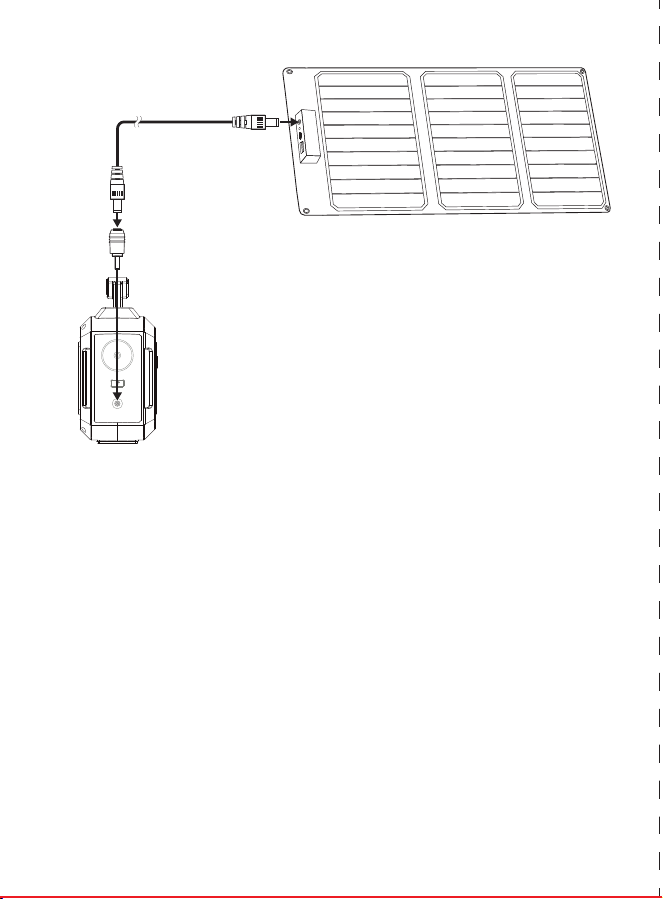
Model:M168SL30
折叠示意图:
英文
封
面
生产大货时,必须参照
右边示意图折叠好!!!
尺寸:525x142.5mm
四折页(105x142.5mm)
材质:128g铜版纸,双面印刷
备注:图中 虚线为
折叠线不需要印刷
正 面
背面
PORTABLE SOLAR GENERATOR
Instruction Manual
【
I
】
PRODUCT PARAMETERS
【
II
】
PRODUCT DESCRIPTION
※ There may be some differences on different spare parts.Please adhere to the actual product instead.
【
V
】
PRODUCT APPLICATION SKILLS
b. Charge from solar panel[not included]
1. Make sure Voc(open circuit voltage) of the solar panel does not exceed 22V.
2. Place your solar panel where it will get as much direct sunlight as possible.
3. Plug the output of the solar panel into the input of the unit to start charging.You will
know the unit is charging when the blue LED Ba�ery Indicator lights up and blinks. The
unit is fully charged when all ba�ery indicators stop blinking and remain solid.
a) This product is built in high quality original lithium ion ba�ery, it has no memory effect
but high-capacity, and it is durable. However, we s�ll recommend you toapply in the
range of 10 ℃ ~30 ℃, so as to obtain the op�mal charging capacity.
b) When charging, in order to avoid interference, please stay away from TV, radio and
other equipment.
c) If the device has not been used for a long �me, please disconnect the cable and store.
d) Some portable devices may need to be set in charge mode to charge, see the
corresponding equipment use manual for more informa�on.
e) In order to extend the life of product (lithium ba�ery), it is best to charge within 3
months, and charge at least once within 6 months.
MADE IN CHINA
Contact Us:
service@marbero.com
Capacity
Dimensions(LWH)
Weight
Built-in Ba�ery
45000mAh /167Wh DC 19V:7 hours
210x90x190mm/8.26x3.54x7.48in
about 1.64Kg/3.61lb
100% Original High Quality Lithium ion Ba�eries
Adapter:DC19V/1.5A
Solar Panel Charging:DC16.6V~25V/1.5A Max
Input Recharging
DC Output(MAX)
Fully Charged Time
USB Output
DC 19V:7 hours
USB1+USB2 5V /3.1A
USB3 5V/9V 2.1A
USB C 5V/9V 2.1A
DC1+DC2 12V~16.6V 10A (13A MAX)
2×5.5MM DC Output 12V~16.6V/10A(13 Max)
AC Output
Ultra bright LED Flashlight
110V/60Hz±10%
AC Power Rate power 100W, Max:150W
1 x Portable Power Sta�on 1 x Power Adapter
1 x Cigare�e Lighter Adapter 1 x Solar Panel
1 x User manual
Package include
Lifecycle >500 �mes
Opera�on temperature
Charge temperature
Power Indicator
LED Display
Bulb Type
【
Front
】
【
Back
】
【
LEFT
】
【
RIGHT
】
Handle
AC Outlet
Ultra bright LED Flashlight
Press 3 seconds to Turn On
Cooling vents
5.5mm DC output
12V~16.6V 10A (13A MAX)
2 x USB 5V
3.1A output
USB 5V/9V 2.1A output
USB C 5V/9V 2.1A output
Press 3 seconds to
switch ON/OFF
Single press the bu�on
to switch ON/OFF
LED DISPLAY
3.5MM/1.35MM
DC Input charging
AC OUT
DC OUT USB C
USB
【
III
】
PRODUCT INSTRUCTION
1) How to provide power for DC16V appliances(such as headlamp, fan) with this product?
The 5.5mm 16VDC output is plug and play. Plug your appliances to the DC output port to gain
power. DC output <10A, Max output<13A.
No�ces: Please confirm whether your DC16V appliance support charging with 5.5mm DC
header interface (The diameter of the DC Port of the Product is:5.5mm), otherwise it is unable
to connect with the DC output, you can consult the electrical manufacturer, buy the
corresponding adapter and connect with it.
※Note:
The 16V DC output voltage is range between 12V~16.6V, the maximum output
current is 13A. DC output voltage drops while ba�ery capacity drops due to chemical
characteris�cs of the ba�ery. If your appliance is not built-in input voltage stabilizing func�on, it
may shut down when the input voltage is too low, please unplug your device from the unit in
�me. And please charge the unit in �me.
【
RIGHT
】
Support 5.5mm DC 16V car kits with DC- Cigare�e
Lighter Adapter,such as Vacuum Cleaner,Infla�on,
Pump,Electric wrench, fridge, etc.
Or charge car kits via DC to Cigare�e Lighter Connector
5.5mm DC16V for Fan or LED
lights
【
LED DISPLAY
】
DC Output
USB Output
Battery Capacity
AC Output
USB C Output
AC OUT
DC OUT USB C
USB
Protec�on Mode:
Short-circuit/Overpower Protec�on: If the DC output is short-circuited or overcurrented 13A,
the unit will shut down to protect itself. Please clear the problem and recharge the unit to
recover from protec�on mode.
2) How to provide power for AC appliances with this product?
Connect the power cable plug of the electrical appliance to the AC outlet of the product, switch
on the"AC" bu�on and the unit will start providing power to your appliances. WARNING! The
AC outlets, AC voltage, and frequency are different according to different countries; please
carefully check whether the product specifica�ons are consistent with the appliance
specifica�ons before use, otherwise, it can lead to dangerous situa�ons.
※
When the AC port is not in use, turn it o to conserve power.
Short-circuit/Overpower Protec�on: If the AC output is short-circuited or overpowered(-
Load(s) power>100W), the unit will shut down AC output to protect itself. Please clear the
problem and re-press the AC bu�on for AC output.
※Some devices, such as refrigerator, ice maker or a laser printer may require a surge power to start
or work during a very time period, the surge power could exceed 150W or even higher, this could
cause overpower protection with this unit. Please remove the devices and consult with the device
manufacturers for more information. Please clear the problem and re-press the AC button for AC
output.
Connect the standard USB cable of the digital appliance to the USB output of the unit to gain
power. Then press the " " bu�on switch on and the unit will start providing power to the
devices, if the unit fails to supply power to the USB appliances automa�cally, please switch on
the AC power bu�on "AC" to turn on USB output manually. Please SWITCH OFF the AC power
output bu�on to save power when USB appliances are fully charged.
Limited Appliance Wa�age<100W,such as lamp, Electric
Fan,TV, etc. AC will shut down when it’s short-circuited
or power overloaded. Remove the device and the unit
will recover from short-circuit or overpower protec�on
in a few seconds. Repress the AC output bu�on to
switch on AC out again.
【
RIGHT
】
Protec�on Mode:
3) How to provide power for USB digital appliances with this product?
Quick Charge Output: This product supports Qualcomm QuickCharge 3.0 output, support
5V-9V / 2.1A max output for smart devices which also support Qualcomm QuickCharge 3.0. The
actual output voltage and current depends on the actual smart devices, it can be obtained by
consul�ng the smart device manufacturer.
5) How to charge the unit?
a.Charge through AC Wall Charger
Using the included AC Wall Charger, plug the unit into any wall outlet to charge the unit. You
will know the unit is charging when the blue LED ba�ery indicators are blinking. The unit is fully
charged when all ba�ery indicators stop blinking and remain solid. A�er the unit is fully
charged, please remove the AC wall charger in �me.
【
RIGHT
】
4) How to use the flashlight
Warning! Do not point directly at the eyes of human in case of any damage
due to the strong light.
▲
AC Adapter (charger)
AC Socket
▼
【
LEFT
】
USB C
▲
Input Charging
DC 16.6V~25V/1.5A/Max
【
LEFT
】
This unit is built-in white LED flashlight. press 3 seconds to turn on the Light, press again for 1
second to switch to Blink mode, press the third �me( 1 second) to switch to SOS mode. Press
the fourth �me to turn off the light.
ABOUT THE SOLAR GENERATOR
ATTENTION!
This manual is to help you use the product correctly; it does not represent any descrip�on on
the hardware and so�ware configura�on of the product. About the product configura�on,
please refer to the contract related to this product (if there is), or consult to the seller that sells
the product. Pictures in this manual is for reference only, if there are individual pictures do not
match the actual, please prevail in actual products.
Thank you for applying our mul�-func�on portable solar generator in case of power failure or
you need to charge on a travel, you can temporarily charge your electrical or digital devices with
this unit. This unit can provide usb, dc and ac output. You can keep laptops, appliances, lights
and more going for hours longer. With the included solar panel,you can charge the ba�ery
wherever and whenever there is sunlight.Before using this unit, please read the user manual
carefully and properly keep it for reference.
The unit provides Modied Sine Wave output
The unit provides Modified Sine Wave output, and can be compa�ble to AC electric appliance
that works with sinusoidal waveform(power <100w). However, anything that uses an ac motor
isn't going to work to full capacity on a modified sine wave. Such as an electrical fan, it will even
make the electric appliance arouse some noise.Appliances like refrigerators, microwaves, and
compressors that use AC motors and some delicate medical equipment will be be�er off with a
pure sine wave inverter. This product is only used for emergency, it cannot replace the normal
alterna�ng current, for long-term use, please adapts the power sta�on specifica�on required by
electrical appliances.
I.Solar panel specication
II.Connection
c.Charge with included solar panel.
1. Place the included solar panel where it will get as much direct sunlight as possible.
2. Plug the output of the solar panel into the input of the unit to start charging.You will
know the unit is charging when the blue LED Ba�ery Indicator lights up and blinks. The
unit is fully charged when all ba�ery indicators stop blinking and remain solid.
DC Output
Folding Size
Unfold Size
Weight
QC3.0 USB Output
Type-C Output
Solar Panel Rate Power 30W
0.99kg / 2.18lb
5V/3.4A, 9V/2.5A, 12V/2A±5%
5V/3A, 9V/2.22A, 12V/1.6A±5%
16.5V/1.82A (max)
212x304x30mm / 8.34x11.96x1.18in
646x304x20mm / 25.43x11.96x0.78in
DC to DC Cable
DC5.5mm/2.1mm to
DC3.5mm/1.35mm connector
【
IV
】
SECURITY AND MAINTENANCE
Do not short-circuit the unit. To avoid short-circui�ng, keep the unit away from all metal
objects (e.g. coins, hair-pins, keys, etc.).
Do not heat the unit, or dispose of it in fire, water or other liquids. Keep away from high
temperatures. Do not expose the unit to direct sunlight.
Keep away from high humidity, dusty places.
Do not disassemble or reassemble this unit.
Do not drop, place heavy objects on, or allow strong impact to this unit.
This appliance is not intended for use by persons (including children) with reduced physical,
sensory or mental capabili�es, or lack of experience and knowledge, unless they have been
given supervision or instruc�on concerning use of the appliance by a person responsible for
their safety.
Children should be supervised to ensure that they do not play with the appliance.
Do not cover the device with towels, clothing and other item.
The unit may become hot when charging. This is normal. Use cau�on when handling.
Do not charge the unit over the required �me.
Disconnect the unit when fully charged.
Use the unit properly to avoid electronic shock.
a)
b)
c)
d)
e)
f)
g)
h)
i)
j)
k)
l)
m)
n)
Please deal with scrap products in accordance with the regula�ons, do not treat the built-in
ba�ery as a household garbage, so as not to cause the explosion and pollu�on.
The product is only used for emergency situa�ons, it cannot replace the standard DC or AC
power of household appliances or digital products.
A. Cloudy weather and indirect sunlight may cause fluctua�ons in the current. This in turn may hinder
or prevent charging. Place the solar charger in direct sunlight or wait for the weather to clear.
B. Wipe the panels clean with a damp cloth between usage to prevent scratching.
C. Avoid exposure to fire, water and chemical liquid.
IV
.
Cau�on
III
.What if the solar panel is not charging my devices?
1. This charger is not waterproof. Avoid exposure to water, rain, and moist environments.
2. Be�er unplug the solar panel from the unit when Sun is set,or the solar panel might ac�vate the unit
and the ba�ery internal power consump�on might exceed the input power, result in power loss instead
of charging.
【
VII
】
Battery information
【
VIII
】
Statement
Your device has an internal, non-removable, rechargeable ba�ery. Do not a�empt to remove
the ba�ery, as you may damage the device.
The ba�ery can be charged and discharged over 500 �mes, but it will eventually wear out.
All rights reserved. Reproduc�on in whole or in part without wri�en permission is prohibited.
All other trademarks are trademarks of their respec�ve owners. Features and specifica�ons are
subject to change without no�ce.
Always return your used electronic products, ba�eries, and packaging materials to dedicated
collec�on points. This way you help prevent uncontrolled waste disposal and promote the
recycling of materials.
【
VI
】
Recycle
-10℃-40℃/ 14℉ - 104℉
0℃-40℃/ 32℉ - 104℉

Model:M168SL30
折叠示意图:
英文
封
面
生产大货时,必须参照
右边示意图折叠好!!!
尺寸:525x142.5mm
四折页(105x142.5mm)
材质:128g铜版纸,双面印刷
备注:图中 虚线为
折叠线不需要印刷
正 面
背面
PORTABLE SOLAR GENERATOR
Instruction Manual
【
I
】
PRODUCT PARAMETERS
【
II
】
PRODUCT DESCRIPTION
※ There may be some differences on different spare parts.Please adhere to the actual product instead.
【
V
】
PRODUCT APPLICATION SKILLS
b. Charge from solar panel[not included]
1. Make sure Voc(open circuit voltage) of the solar panel does not exceed 22V.
2. Place your solar panel where it will get as much direct sunlight as possible.
3. Plug the output of the solar panel into the input of the unit to start charging.You will
know the unit is charging when the blue LED Ba�ery Indicator lights up and blinks. The
unit is fully charged when all ba�ery indicators stop blinking and remain solid.
a) This product is built in high quality original lithium ion ba�ery, it has no memory effect
but high-capacity, and it is durable. However, we s�ll recommend you toapply in the
range of 10 ℃ ~30 ℃, so as to obtain the op�mal charging capacity.
b) When charging, in order to avoid interference, please stay away from TV, radio and
other equipment.
c) If the device has not been used for a long �me, please disconnect the cable and store.
d) Some portable devices may need to be set in charge mode to charge, see the
corresponding equipment use manual for more informa�on.
e) In order to extend the life of product (lithium ba�ery), it is best to charge within 3
months, and charge at least once within 6 months.
MADE IN CHINA
Contact Us:
service@marbero.com
Capacity
Dimensions(LWH)
Weight
Built-in Ba�ery
45000mAh /167Wh DC 19V:7 hours
210x90x190mm/8.26x3.54x7.48in
about 1.64Kg/3.61lb
100% Original High Quality Lithium ion Ba�eries
Adapter:DC19V/1.5A
Solar Panel Charging:DC16.6V~25V/1.5A Max
Input Recharging
DC Output(MAX)
Fully Charged Time
USB Output
DC 19V:7 hours
USB1+USB2 5V /3.1A
USB3 5V/9V 2.1A
USB C 5V/9V 2.1A
DC1+DC2 12V~16.6V 10A (13A MAX)
2×5.5MM DC Output 12V~16.6V/10A(13 Max)
AC Output
Ultra bright LED Flashlight
110V/60Hz±10%
AC Power Rate power 100W, Max:150W
1 x Portable Power Sta�on 1 x Power Adapter
1 x Cigare�e Lighter Adapter 1 x Solar Panel
1 x User manual
Package include
Lifecycle >500 �mes
Opera�on temperature
Charge temperature
Power Indicator
LED Display
Bulb Type
【
Front
】
【
Back
】
【
LEFT
】
【
RIGHT
】
Handle
AC Outlet
Ultra bright LED Flashlight
Press 3 seconds to Turn On
Cooling vents
5.5mm DC output
12V~16.6V 10A (13A MAX)
2 x USB 5V
3.1A output
USB 5V/9V 2.1A output
USB C 5V/9V 2.1A output
Press 3 seconds to
switch ON/OFF
Single press the bu�on
to switch ON/OFF
LED DISPLAY
3.5MM/1.35MM
DC Input charging
AC OUT
DC OUT USB C
USB
【
III
】
PRODUCT INSTRUCTION
1) How to provide power for DC16V appliances(such as headlamp, fan) with this product?
The 5.5mm 16VDC output is plug and play. Plug your appliances to the DC output port to gain
power. DC output <10A, Max output<13A.
No�ces: Please confirm whether your DC16V appliance support charging with 5.5mm DC
header interface (The diameter of the DC Port of the Product is:5.5mm), otherwise it is unable
to connect with the DC output, you can consult the electrical manufacturer, buy the
corresponding adapter and connect with it.
※Note:
The 16V DC output voltage is range between 12V~16.6V, the maximum output
current is 13A. DC output voltage drops while ba�ery capacity drops due to chemical
characteris�cs of the ba�ery. If your appliance is not built-in input voltage stabilizing func�on, it
may shut down when the input voltage is too low, please unplug your device from the unit in
�me. And please charge the unit in �me.
【
RIGHT
】
Support 5.5mm DC 16V car kits with DC- Cigare�e
Lighter Adapter,such as Vacuum Cleaner,Infla�on,
Pump,Electric wrench, fridge, etc.
Or charge car kits via DC to Cigare�e Lighter Connector
5.5mm DC16V for Fan or LED
lights
【
LED DISPLAY
】
DC Output
USB Output
Battery Capacity
AC Output
USB C Output
AC OUT
DC OUT USB C
USB
Protec�on Mode:
Short-circuit/Overpower Protec�on: If the DC output is short-circuited or overcurrented 13A,
the unit will shut down to protect itself. Please clear the problem and recharge the unit to
recover from protec�on mode.
2) How to provide power for AC appliances with this product?
Connect the power cable plug of the electrical appliance to the AC outlet of the product, switch
on the"AC" bu�on and the unit will start providing power to your appliances. WARNING! The
AC outlets, AC voltage, and frequency are different according to different countries; please
carefully check whether the product specifica�ons are consistent with the appliance
specifica�ons before use, otherwise, it can lead to dangerous situa�ons.
※
When the AC port is not in use, turn it o to conserve power.
Short-circuit/Overpower Protec�on: If the AC output is short-circuited or overpowered(-
Load(s) power>100W), the unit will shut down AC output to protect itself. Please clear the
problem and re-press the AC bu�on for AC output.
※Some devices, such as refrigerator, ice maker or a laser printer may require a surge power to start
or work during a very time period, the surge power could exceed 150W or even higher, this could
cause overpower protection with this unit. Please remove the devices and consult with the device
manufacturers for more information. Please clear the problem and re-press the AC button for AC
output.
Connect the standard USB cable of the digital appliance to the USB output of the unit to gain
power. Then press the " " bu�on switch on and the unit will start providing power to the
devices, if the unit fails to supply power to the USB appliances automa�cally, please switch on
the AC power bu�on "AC" to turn on USB output manually. Please SWITCH OFF the AC power
output bu�on to save power when USB appliances are fully charged.
Limited Appliance Wa�age<100W,such as lamp, Electric
Fan,TV, etc. AC will shut down when it’s short-circuited
or power overloaded. Remove the device and the unit
will recover from short-circuit or overpower protec�on
in a few seconds. Repress the AC output bu�on to
switch on AC out again.
【
RIGHT
】
Protec�on Mode:
3) How to provide power for USB digital appliances with this product?
Quick Charge Output: This product supports Qualcomm QuickCharge 3.0 output, support
5V-9V / 2.1A max output for smart devices which also support Qualcomm QuickCharge 3.0. The
actual output voltage and current depends on the actual smart devices, it can be obtained by
consul�ng the smart device manufacturer.
5) How to charge the unit?
a.Charge through AC Wall Charger
Using the included AC Wall Charger, plug the unit into any wall outlet to charge the unit. You
will know the unit is charging when the blue LED ba�ery indicators are blinking. The unit is fully
charged when all ba�ery indicators stop blinking and remain solid. A�er the unit is fully
charged, please remove the AC wall charger in �me.
【
RIGHT
】
4) How to use the flashlight
Warning! Do not point directly at the eyes of human in case of any damage
due to the strong light.
▲
AC Adapter (charger)
AC Socket
▼
【
LEFT
】
USB C
▲
Input Charging
DC 16.6V~25V/1.5A/Max
【
LEFT
】
This unit is built-in white LED flashlight. press 3 seconds to turn on the Light, press again for 1
second to switch to Blink mode, press the third �me( 1 second) to switch to SOS mode. Press
the fourth �me to turn off the light.
ABOUT THE SOLAR GENERATOR
ATTENTION!
This manual is to help you use the product correctly; it does not represent any descrip�on on
the hardware and so�ware configura�on of the product. About the product configura�on,
please refer to the contract related to this product (if there is), or consult to the seller that sells
the product. Pictures in this manual is for reference only, if there are individual pictures do not
match the actual, please prevail in actual products.
Thank you for applying our mul�-func�on portable solar generator in case of power failure or
you need to charge on a travel, you can temporarily charge your electrical or digital devices with
this unit. This unit can provide usb, dc and ac output. You can keep laptops, appliances, lights
and more going for hours longer. With the included solar panel,you can charge the ba�ery
wherever and whenever there is sunlight.Before using this unit, please read the user manual
carefully and properly keep it for reference.
The unit provides Modied Sine Wave output
The unit provides Modified Sine Wave output, and can be compa�ble to AC electric appliance
that works with sinusoidal waveform(power <100w). However, anything that uses an ac motor
isn't going to work to full capacity on a modified sine wave. Such as an electrical fan, it will even
make the electric appliance arouse some noise.Appliances like refrigerators, microwaves, and
compressors that use AC motors and some delicate medical equipment will be be�er off with a
pure sine wave inverter. This product is only used for emergency, it cannot replace the normal
alterna�ng current, for long-term use, please adapts the power sta�on specifica�on required by
electrical appliances.
I.Solar panel specication
II.Connection
c.Charge with included solar panel.
1. Place the included solar panel where it will get as much direct sunlight as possible.
2. Plug the output of the solar panel into the input of the unit to start charging.You will
know the unit is charging when the blue LED Ba�ery Indicator lights up and blinks. The
unit is fully charged when all ba�ery indicators stop blinking and remain solid.
DC Output
Folding Size
Unfold Size
Weight
QC3.0 USB Output
Type-C Output
Solar Panel Rate Power 30W
0.99kg / 2.18lb
5V/3.4A, 9V/2.5A, 12V/2A±5%
5V/3A, 9V/2.22A, 12V/1.6A±5%
16.5V/1.82A (max)
212x304x30mm / 8.34x11.96x1.18in
646x304x20mm / 25.43x11.96x0.78in
DC to DC Cable
DC5.5mm/2.1mm to
DC3.5mm/1.35mm connector
【
IV
】
SECURITY AND MAINTENANCE
Do not short-circuit the unit. To avoid short-circui�ng, keep the unit away from all metal
objects (e.g. coins, hair-pins, keys, etc.).
Do not heat the unit, or dispose of it in fire, water or other liquids. Keep away from high
temperatures. Do not expose the unit to direct sunlight.
Keep away from high humidity, dusty places.
Do not disassemble or reassemble this unit.
Do not drop, place heavy objects on, or allow strong impact to this unit.
This appliance is not intended for use by persons (including children) with reduced physical,
sensory or mental capabili�es, or lack of experience and knowledge, unless they have been
given supervision or instruc�on concerning use of the appliance by a person responsible for
their safety.
Children should be supervised to ensure that they do not play with the appliance.
Do not cover the device with towels, clothing and other item.
The unit may become hot when charging. This is normal. Use cau�on when handling.
Do not charge the unit over the required �me.
Disconnect the unit when fully charged.
Use the unit properly to avoid electronic shock.
a)
b)
c)
d)
e)
f)
g)
h)
i)
j)
k)
l)
m)
n)
Please deal with scrap products in accordance with the regula�ons, do not treat the built-in
ba�ery as a household garbage, so as not to cause the explosion and pollu�on.
The product is only used for emergency situa�ons, it cannot replace the standard DC or AC
power of household appliances or digital products.
A. Cloudy weather and indirect sunlight may cause fluctua�ons in the current. This in turn may hinder
or prevent charging. Place the solar charger in direct sunlight or wait for the weather to clear.
B. Wipe the panels clean with a damp cloth between usage to prevent scratching.
C. Avoid exposure to fire, water and chemical liquid.
IV
.
Cau�on
III
.What if the solar panel is not charging my devices?
1. This charger is not waterproof. Avoid exposure to water, rain, and moist environments.
2. Be�er unplug the solar panel from the unit when Sun is set,or the solar panel might ac�vate the unit
and the ba�ery internal power consump�on might exceed the input power, result in power loss instead
of charging.
【
VII
】
Battery information
【
VIII
】
Statement
Your device has an internal, non-removable, rechargeable ba�ery. Do not a�empt to remove
the ba�ery, as you may damage the device.
The ba�ery can be charged and discharged over 500 �mes, but it will eventually wear out.
All rights reserved. Reproduc�on in whole or in part without wri�en permission is prohibited.
All other trademarks are trademarks of their respec�ve owners. Features and specifica�ons are
subject to change without no�ce.
Always return your used electronic products, ba�eries, and packaging materials to dedicated
collec�on points. This way you help prevent uncontrolled waste disposal and promote the
recycling of materials.
【
VI
】
Recycle
-10℃-40℃/ 14℉ - 104℉
0℃-40℃/ 32℉ - 104℉