
Table of Contents
1. Statement
..............................................................................................1
1.1 Agreement .................................................................................... 1
1.2 Copyright information .................................................................. 1
1.3 Disclaimer ..................................................................................... 2
1.4 Safety Information........................................................................ 2
1.4.1 Inspection Precautions ...................................................... 3
2. Product Description
.............................................................................6
2.1 Product Overview ......................................................................... 6
2.2 Tablet parameter .......................................................................... 6
2.3 V5 Tablet interface instruction ..................................................... 8
2.4 V5 BT Tablet interface instruction ................................................ 9
2.5 V5 BT VCI instruction .................................................................. 10
2.6 V5 BT VCI Parameter ...................................................................11
3. Software Introduction
........................................................................12
3.1 Diagnosis ..................................................................................... 13
3.2 Hot function ................................................................................16
3.3 Quick Support ............................................................................. 17
3.4 DTC Query ...................................................................................18
3.5 Update.........................................................................................18
3.6 Data Manager ............................................................................. 20
3.7 Feedback .....................................................................................21
3.8 Settings ........................................................................................24
4. Product Activation ..............................................................................27
5.1 Cleaning and maintenance ......................................................... 30
5.2 Warranty..................................................................................... 31

1
1. Statement
You must carefully read the instruction manual, especially the
safety instructions, before you can connect, commission and
operate the products of OBDSPACE TECHNOLOGY CO., LTD.,
Ltd. (hereinafter referred to as “OBDSPACE”).
1.1 Agreement
Once the product is used, it is an endorsement of the following:
(1) Please refer to the packing list of the random distribution for the
configuration equipment of this product, whichever is the actual
product;
(2) The functions and pictures described in this manual are subject
to the actual software. All information, specifications and
illustrations in the manual are the latest information at the time of
publication. The company reserves the right to change it without
notice.
1.2 Copyright information
It cannot be copied or stored in any form(electronic, mechanical,
photocopying, recording or otherwise) without prior written
permission being secured from OBDSPACE. Software and data are
owned by technology and protected by copyright laws, international

2
contract law, and other national laws. It is strictly forbidden to copy
or transfer the data and software or some of the contents. If there is
any violation, the technology will be held legally responsible
according to law.
1.3 Disclaimer
(1) This manual only provides the operation and operation
methods for Ancel V5 & V5 BT. The company does not assume any
responsibility for the consequences caused by using the operation
methods for other equipment operations.
(2) The company shall not accept any responsibility for accidents
caused either by the user personally or anyone else, or costs and
expenses due to equipment damages including equipment loss
caused by the user’s abuse or misuse, arbitrary changes or repairs
or operation of the equipment in a manner not in accordance with
the manual requirements.
1.4 Safety Information
For the safety of yourself and others, and to avoid damage to
equipment and vehicles, all personnel handling the equipment must
read the safety precautions mentioned in the manual.

3
1.4.1 Inspection Precautions
(1) Ancel V5 & V5 BT can only be connected to a safety outlet that
is grounded. Before connecting, check and confirm that the
diagnostic circuit is in good condition. Otherwise, it is not necessary
to test to avoid damage to the main unit. If necessary, use a
multimeter to measure the diagnostic seat voltage.
(2) Use only the power cord supplied with the OBDSPACE
diagnostics or detected power line.
(3) Pay special attention to the effects or damage caused by
environmental factors such as acid and alkali, poison gas, and
heavy pressure.
(4) Exhaust gases from the engine contain a variety of toxic
compounds and should be avoided. Park the vehicle in a well
ventilated area before operation.
(5) Do not place the device on the vehicle's power distribution unit.
Strong electromagnetic interference can cause damage to the
equipment.
(6) After the equipment is installed successfully, before starting the
engine, make sure that the parking brake is pulled and the speed
lever is placed in the neutral or parked position to avoid accidents
when the vehicle is started.
(7) When the engine is running at a high temperature, avoid

4
contact with high temperature components such as the water tank
and the exhaust pipe. At the same time, be careful of the voltage
generated by the components such as the ignition coil, the
distributor cover, the ignition circuit and the ignition plug during
engine operation.
1.4.2 Notes on the use of the instrument
(1) This instrument is a precision electronic instrument. Do not
drop it. Handle it as gently as possible, away from heat and
electromagnetic fields.
(2) Ensure that the instrument and diagnostics are well connected
so that signal interruptions do not affect the test.
(3) Use screws as much as possible when using the cables and
connectors to avoid disconnecting and damaging the connectors
when moving. Hold the front end of the connector when pulling the
connector, and avoid pulling the rear cable to avoid damage to the
diagnostic interface.
(4) When the electrical components are energized, the circuit
cannot be disconnected to prevent self-inductance, mutual
inductance and current sensors and the vehicle ECU.
(5) The operation of this instrument requires a certain basis for
vehicle inspection and maintenance, and has a certain
understanding of the electronic control system of the vehicle under
test.
1.4.3 Operating car ECU considerations

5
When performing diagnostic operations on a vehicle equipped with
a computer control system, the following should be noted:
(1) Do not place magnetic objects such as radio speakers close to
the computer, as the magnetic properties of the speakers can
damage the circuits and components in the ECU.
(2) When the ignition switch is turned on, the internal electrical
equipment of the car must not be disconnected. Due to the
self-inductance of the coil when disconnected, a high instantaneous
voltage will be generated, which will cause damage to the sensor
and ECU;
(3) When performing repairs near a computer or sensor, special
care should be taken to avoid damage to the ECU and sensor;
(4) When carrying out maintenance work on or near the
ECU-controlled digital meter, be sure to wear a metal strap with one
end clamped to the body and the other end wrapped around the
wrist;
(5) When performing welding work on a car, the ECU system
power should be turned off beforehand;
(6) Do not use test lights to test ECU-related electrical devices to
prevent damage to the ECU or sensor unless specifically stated;
(7) Test ECU and sensors cannot be tested with a pointer-type
ohmmeter, unless otherwise specified in the test procedure, but
should be tested with a high-impedance digital meter.

6
2. Product Description
2.1 Product Overview
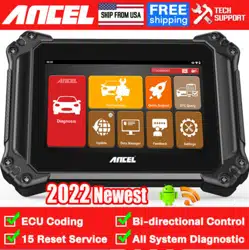
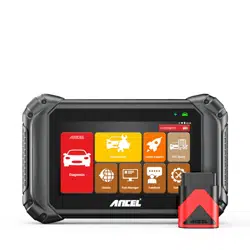
Ancel V5 & V5 BT is an Android based brand new-generation
overall diagnostic tool for heavy duty trucks and commercial
vehicles and machineries. With 7 -inch high-qualified industrial
diagnostic tablet, in which software covering more trucks, buses,
machineries from home and abroad with extensive diagnostic
functions. Featuring new diagnostic experience and cost
performance, it can be a better choice for all users.
2.2 Tablet parameter
Item
Description
Display screen
7”G+G capacitance screen,1024*600
System
Android 5.1,multi language
CPU
A33 ARM Cortex-A7,Quad Core at 1.3G Ghz
GPU
Mali 400 MP2,400 MHz
ROM
32 GB
RAM
1G LPDDR3
Battery
Polymer lithiumion battery;3.7V/5000 mA,Battery
life:5H
Speaker
Double speakers 8Ω/1W
Interface
Type-C,TF card slot(support SDHC/SDXC)

7
Network
WIFI 802.11b/g/n
Bluetooth
Bluetooth 2.1/4.0
Input voltage
5V/2A
Working
temperature
-10 to 70℃(14-158℉),relative humidity:<90%
Storage
temperature
-30 to 120
℃
(-22 to 248
℉
),relative
humidity:<90%
Dimensions(WxHxD)
270 mm(10.63 in) x 193 mm(7.60 in) x 38
mm(1.50 in)
Weight
NW: 1.20 kg (2.65 lb) GW: 3.00 kg (6.61 lb)
Protocols
ISO 9141-2, ISO 14230-2, ISO 15765-4, K/L-Line,
SAE-J1850 VPW, SAE-J1850 PWM, CAN ISO 11898,
Highspeed, Middlespeed, Lowspeed and
Singlespeed CAN, GM UART, UART Echo Byte
Protocol, Honda Diag-H Protocol, TP2.0, TP1.6,
SAE J1939, SAE J1708, Fault-Tolerant CAN etc.
8
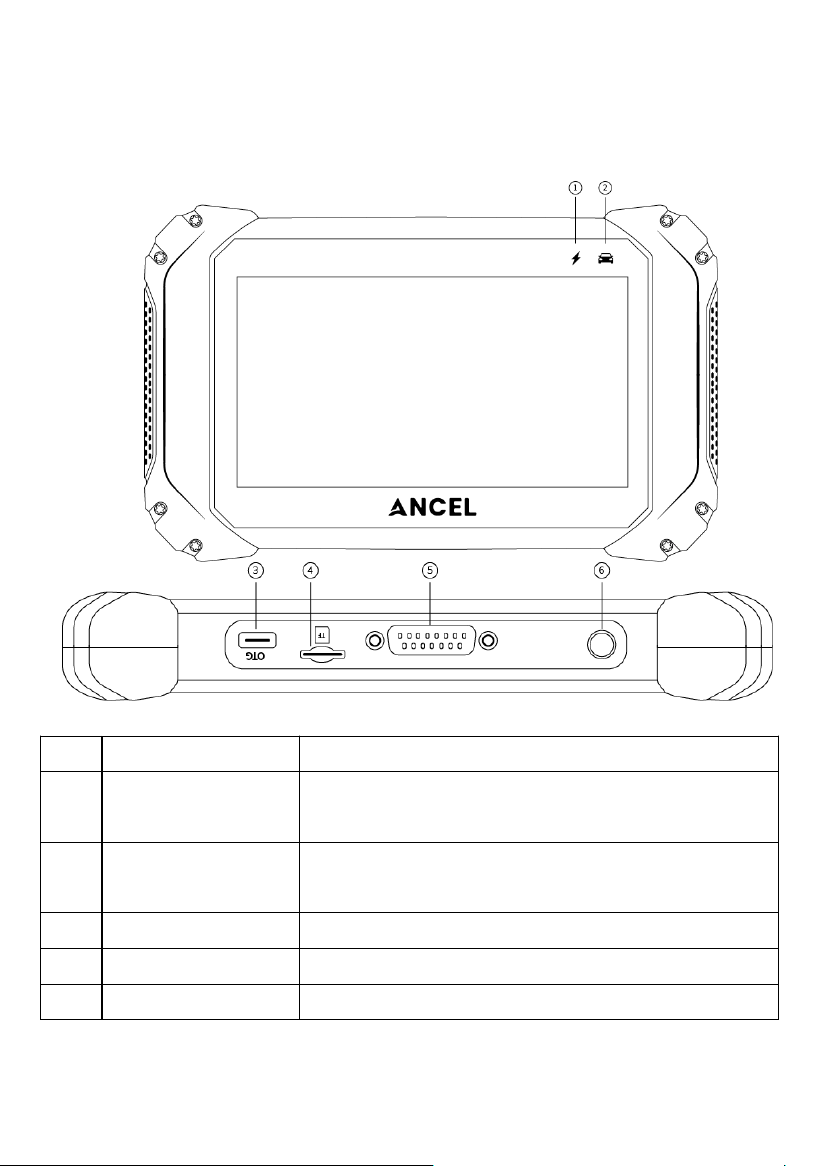
2.3 V5 Tablet interface instruction
No.
Name
Description
①
Charging
Indicator
Light on blue when the tablet chargine
Light off when fully charged
②
Communication
Indicator
The light flashing when diagnose
communication
③
OTG Port
Type-C Port, for battery charging
④
TF Port
TF card port, Up to 32GB expand
⑤
OBD Port
OBDII main cable connector
9
⑥
Start Button
The button turn ON/OFF the tablet
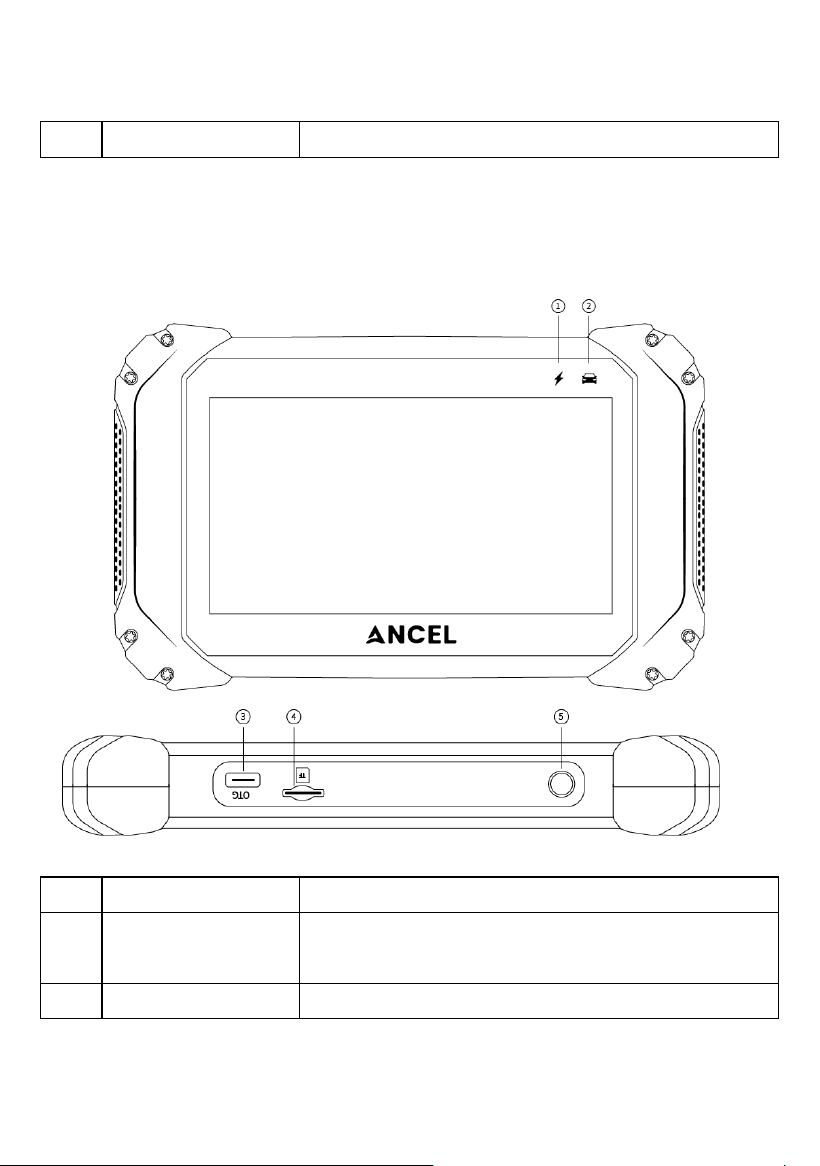
2.4 V5 BT Tablet interface instruction
No.
Name
Description
①
Charging
Indicator
Light on blue when the tablet chargine
Light off when fully charged
②
Communication
The light flashing when diagnose

10
Indicator
communication
③
OTG Port
Type-C Port, for battery charging
④
TF Port
TF card port, Up to 32GB expand
⑤
Start Button
The button turn ON/OFF the tablet
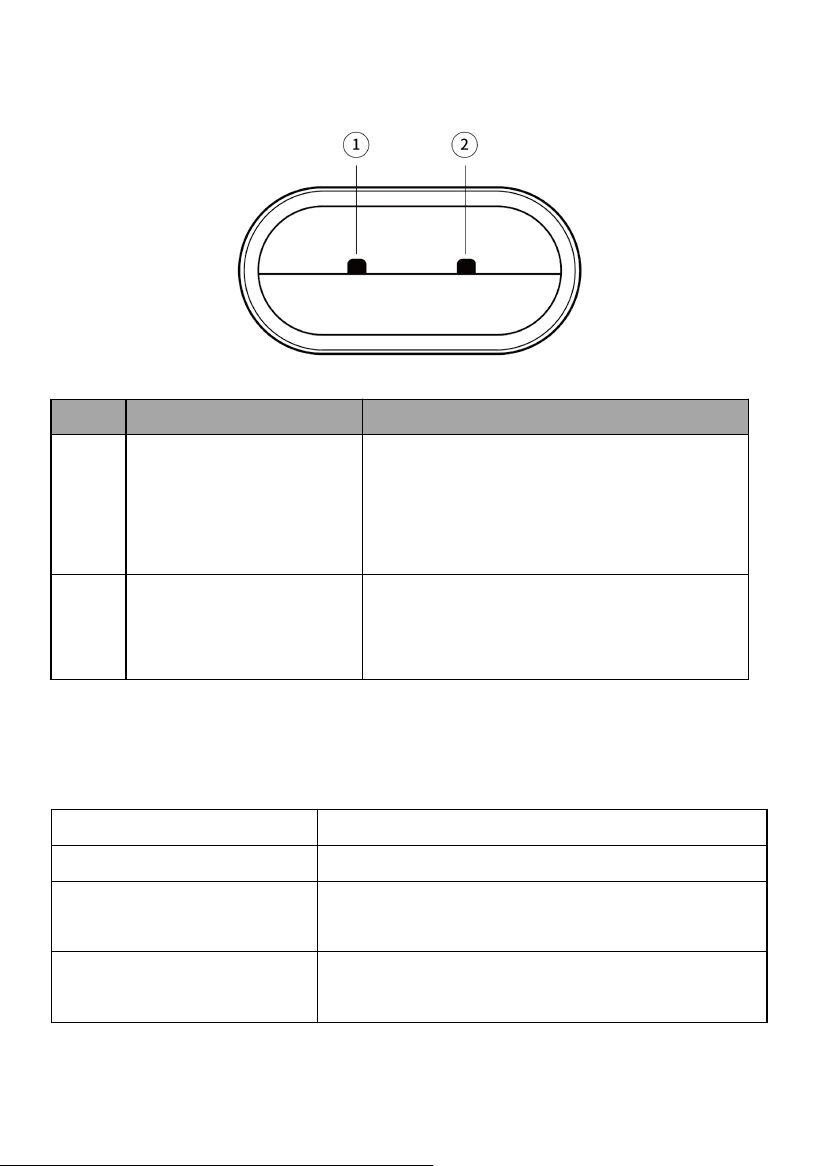
2.5 V5 BT VCI instruction
11
No.
Name
Description
①
Power and Bluetooth
connection Indicator
Light on red & blue flashing: Power on
and Bluetooth is disconnected
Light on blue: Bluetooth is connected
Light on blue flashing: communicating
②
Vehicle
communication
indicator
Flashing When communicating
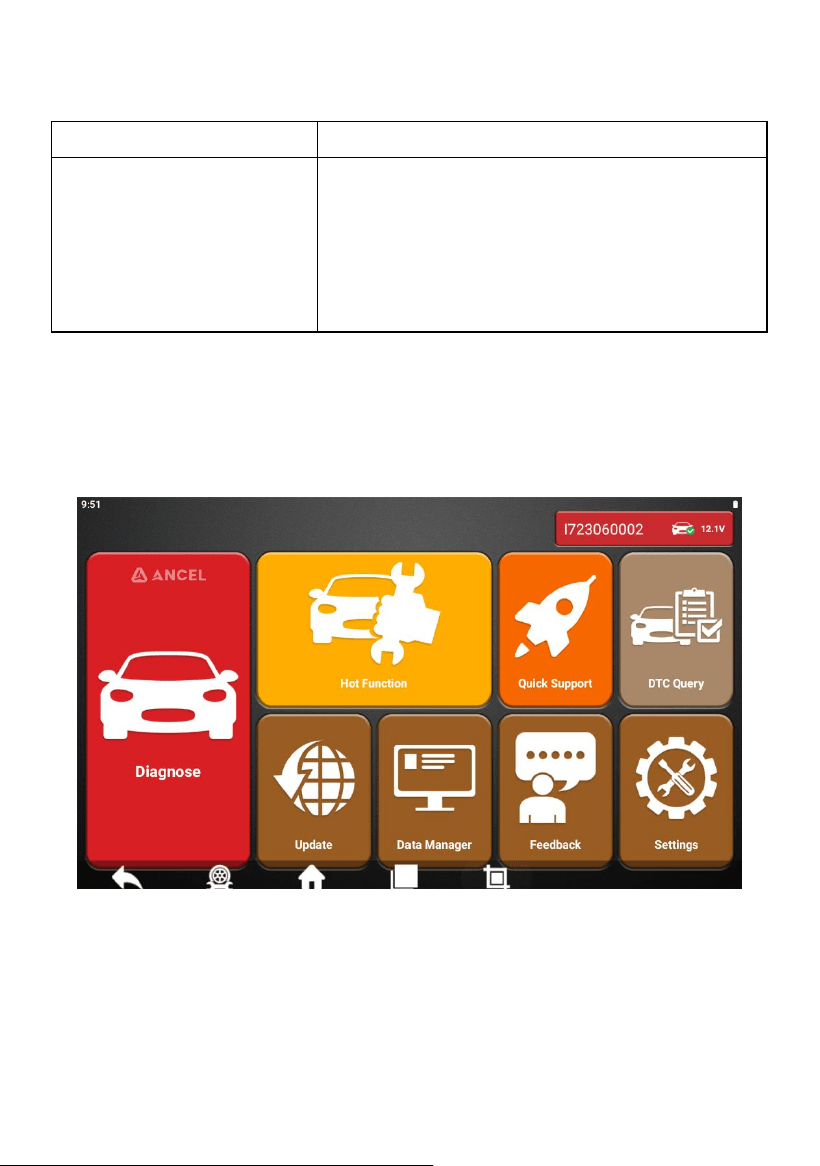
2.6 V5 BT VCI Parameter
Processor
ARM 32-bit Cortex processor
Input Voltage
DC 8-18V
Operating Temperature
-10 to 70℃ (14-158℉),relative
Humidity:<90%
Storage Temperature
-30 to 120℃(-22-248℉),relative
Humidity:<90%
12
Communication model
Bluetooth
Protocols
ISO 9141, ISO14230, ISO15765,
ISO11898, SAE-J1850 VPW, SAE-1850
PWM, J1939, J1708, UDS, K/L lines,
High speed CAN, Middle speed CAN,
Low speed CAN and Single wire CAN
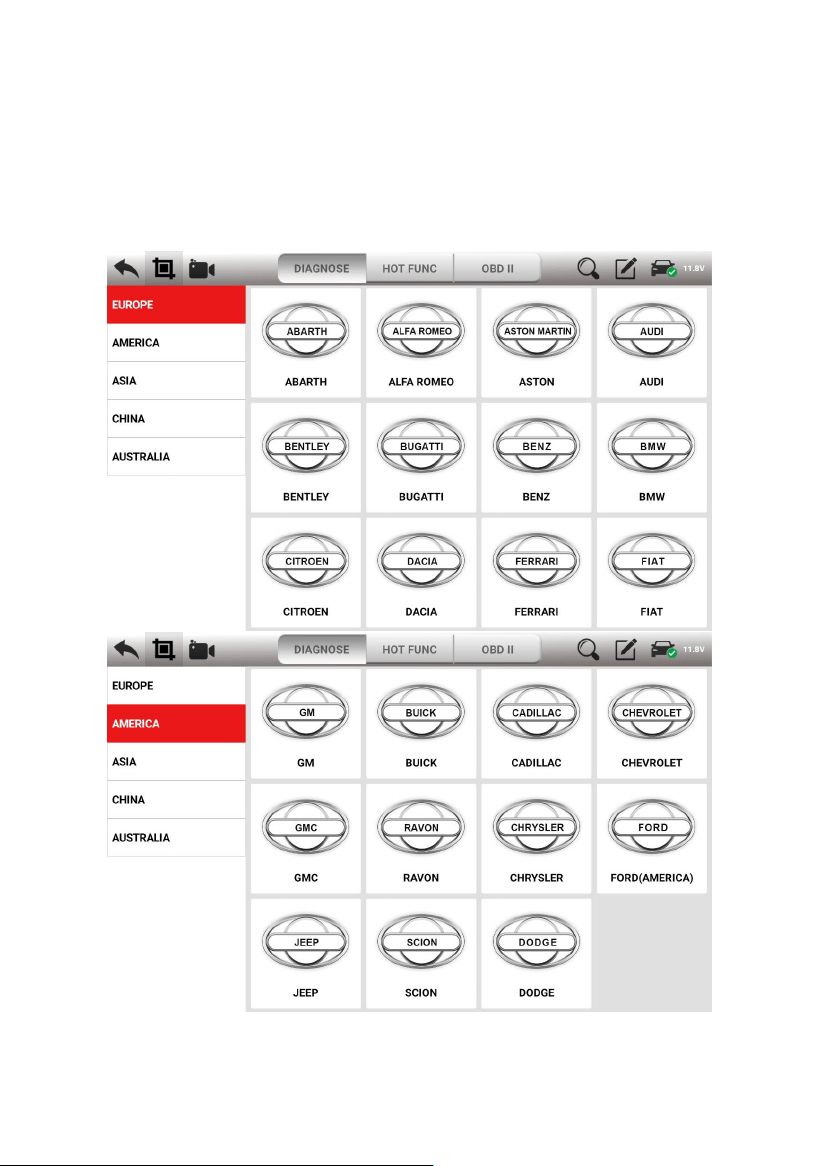
3. Software Introduction
Ancel software client homepage:
13
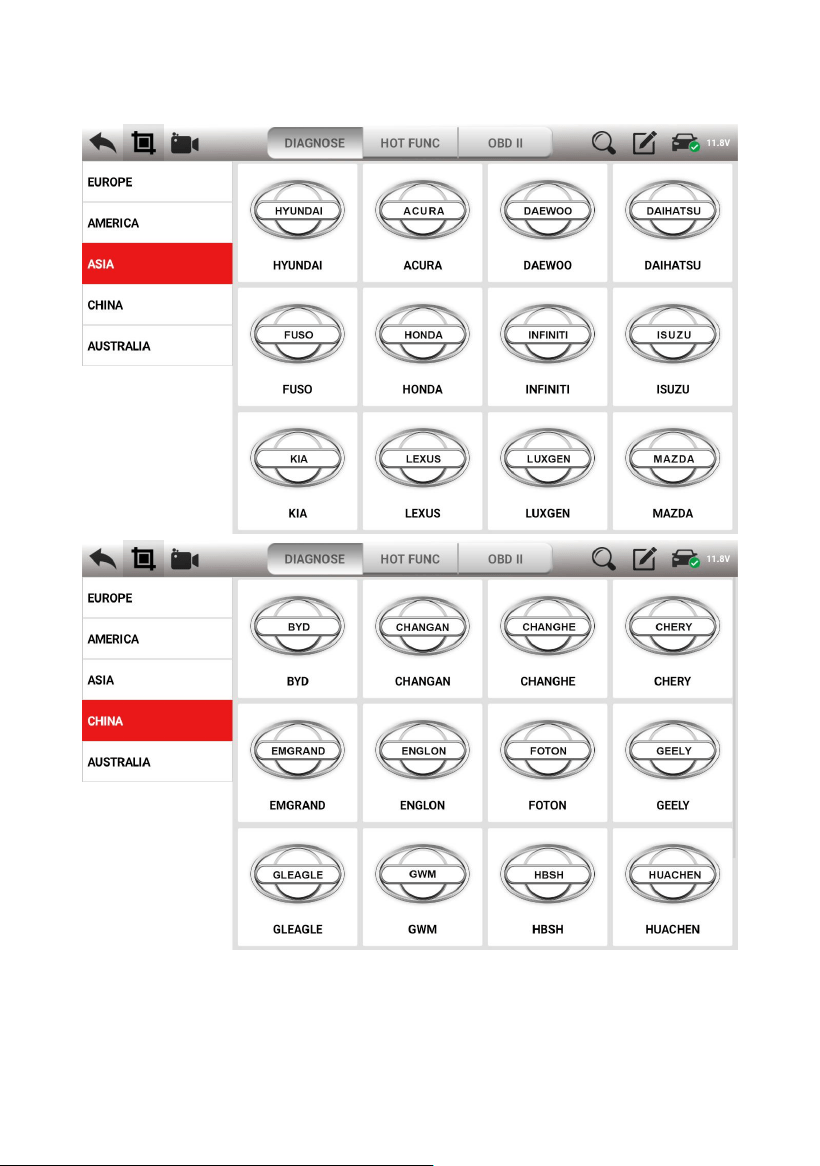
3.1 Diagnosis
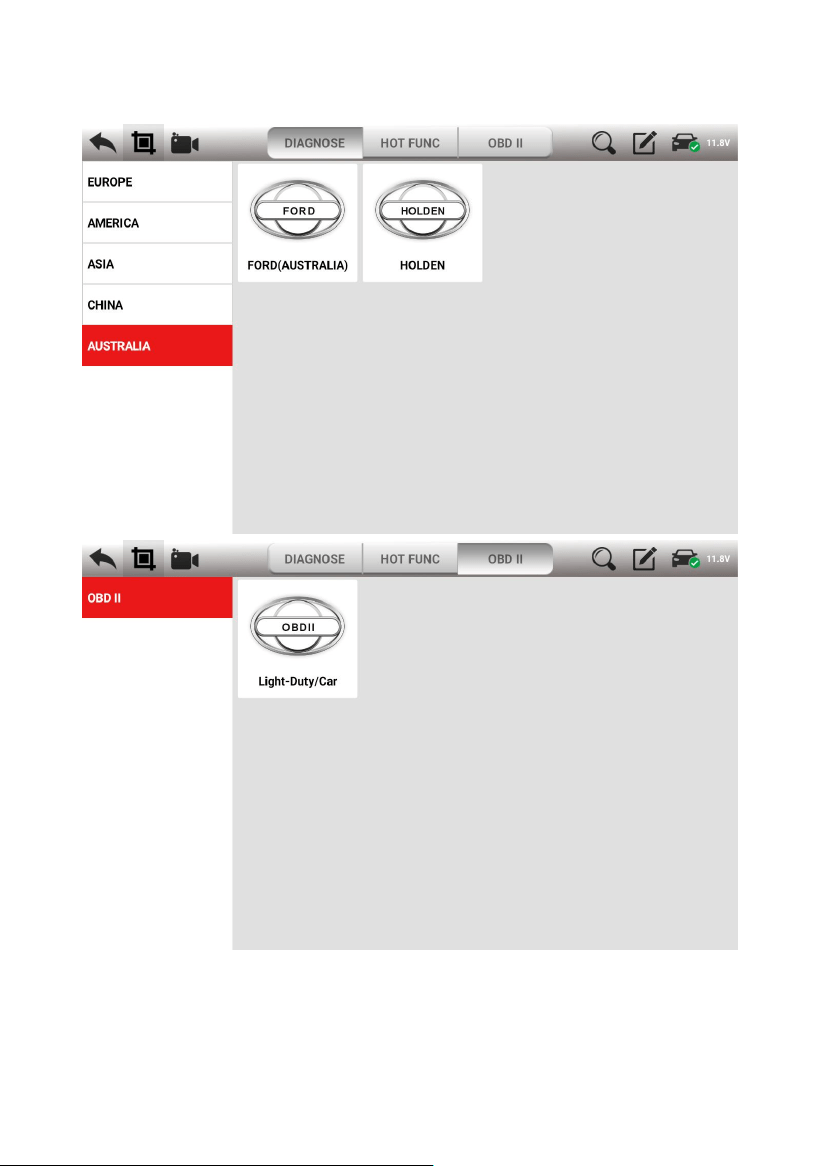
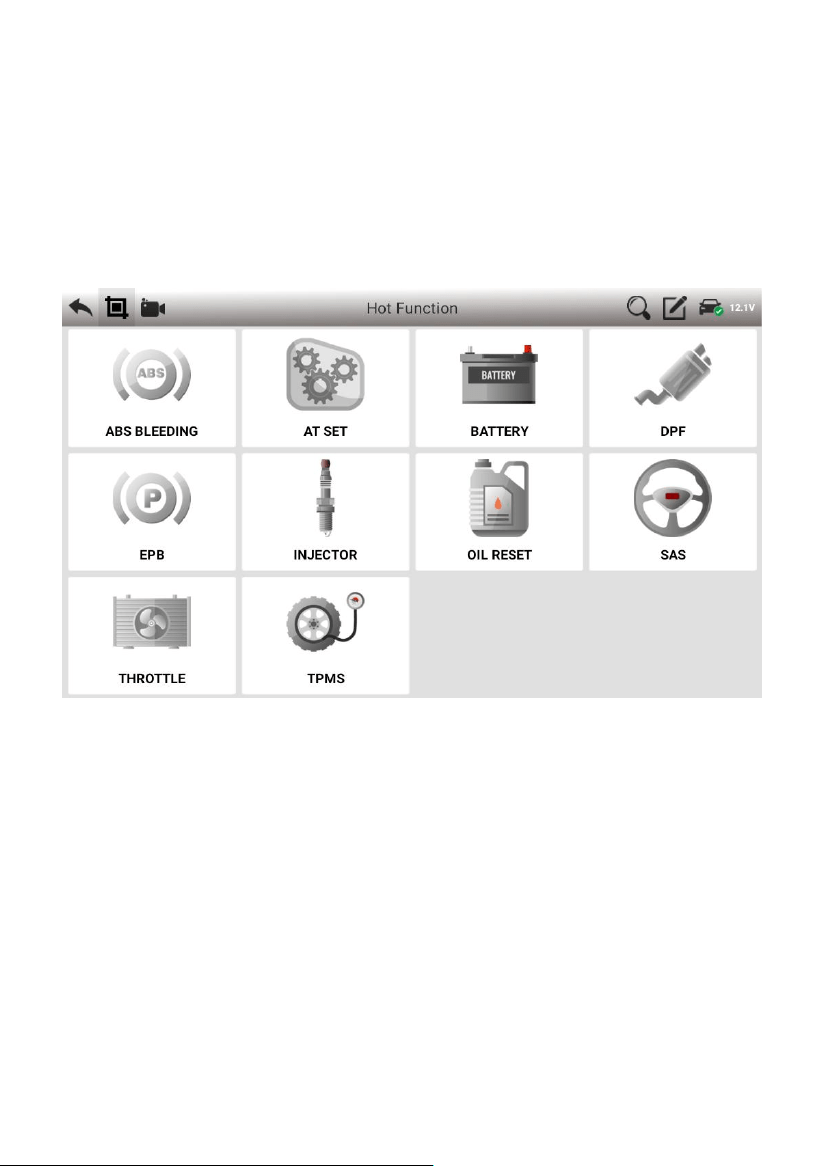
Extensive vehicle coverage for more than 80 Europe, America, Asia,
China and Australia vehicle makes.
14
15
16
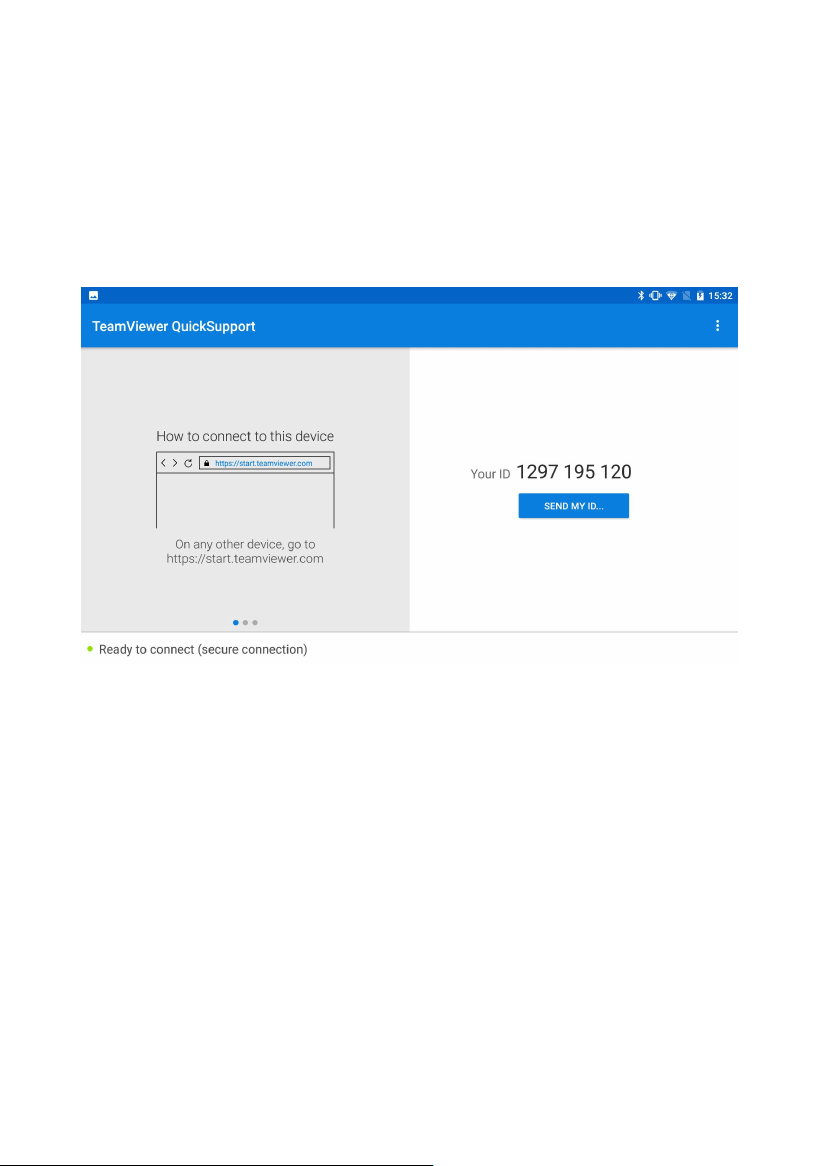
3.2 Hot function
Supporting 10 most commonly used service Reset Functions:
OILREST, ABS BLEEDING, BATTERY, DPF, EPB, INJECTOR,
SAS, THROTTLE, TPMS, AT SET.
17
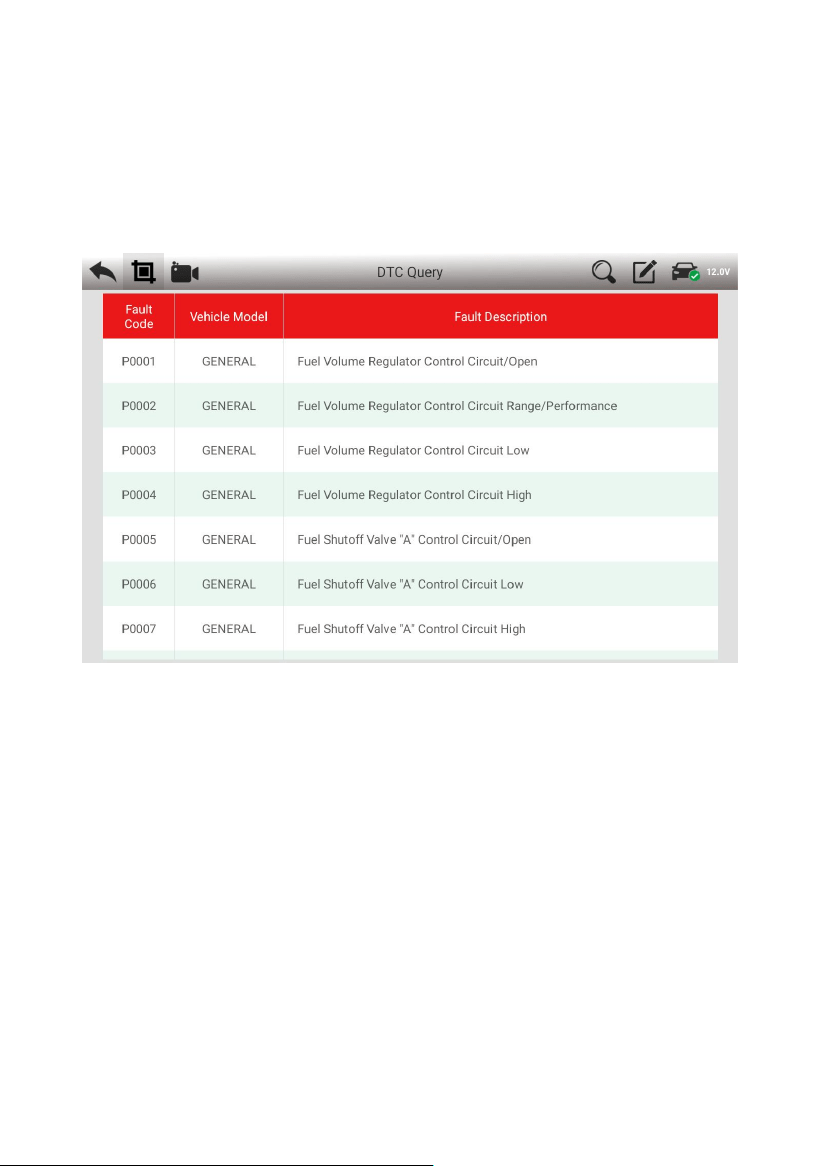
3.3 Quick Support
The function allows OBDSPACE technical staff to connect to your
host through the network remotely to help you diagnose the vehicle.
18
3.4 DTC Query
The fault information corresponding to the fault code can be quickly
retrieved to help the repairer locate the component fault.
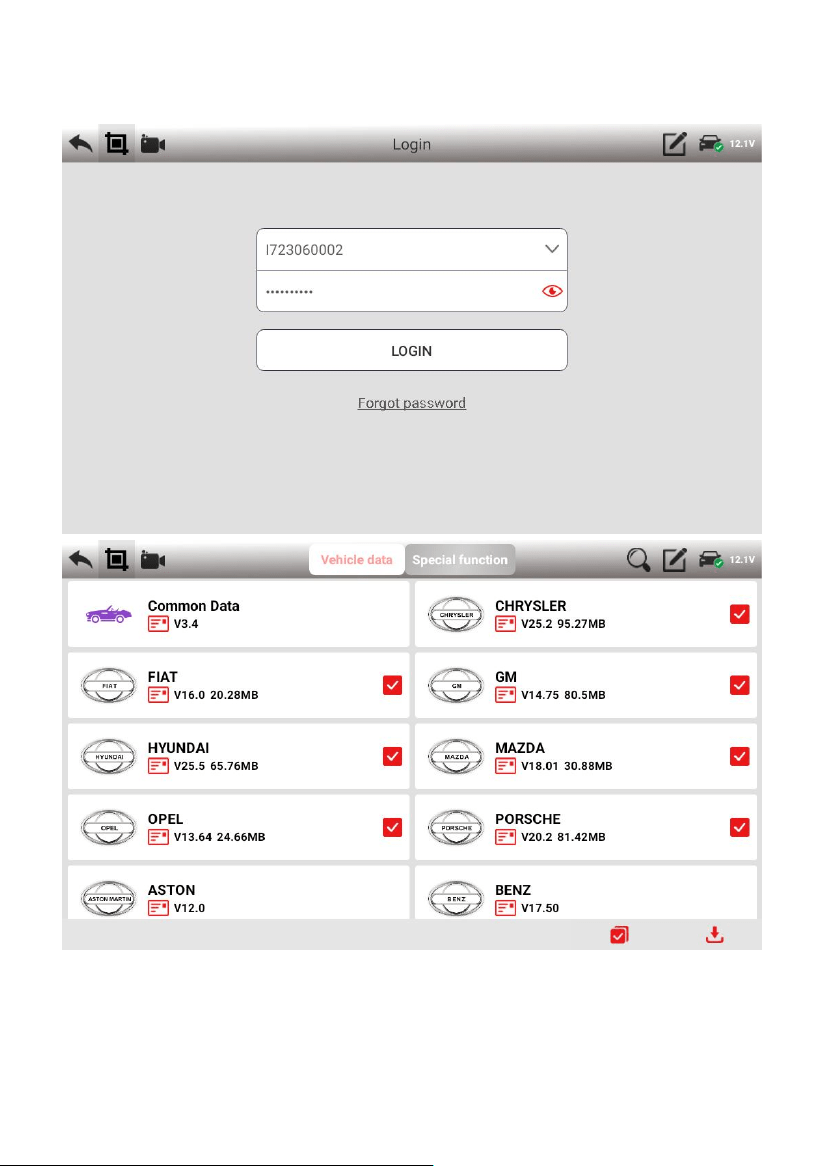
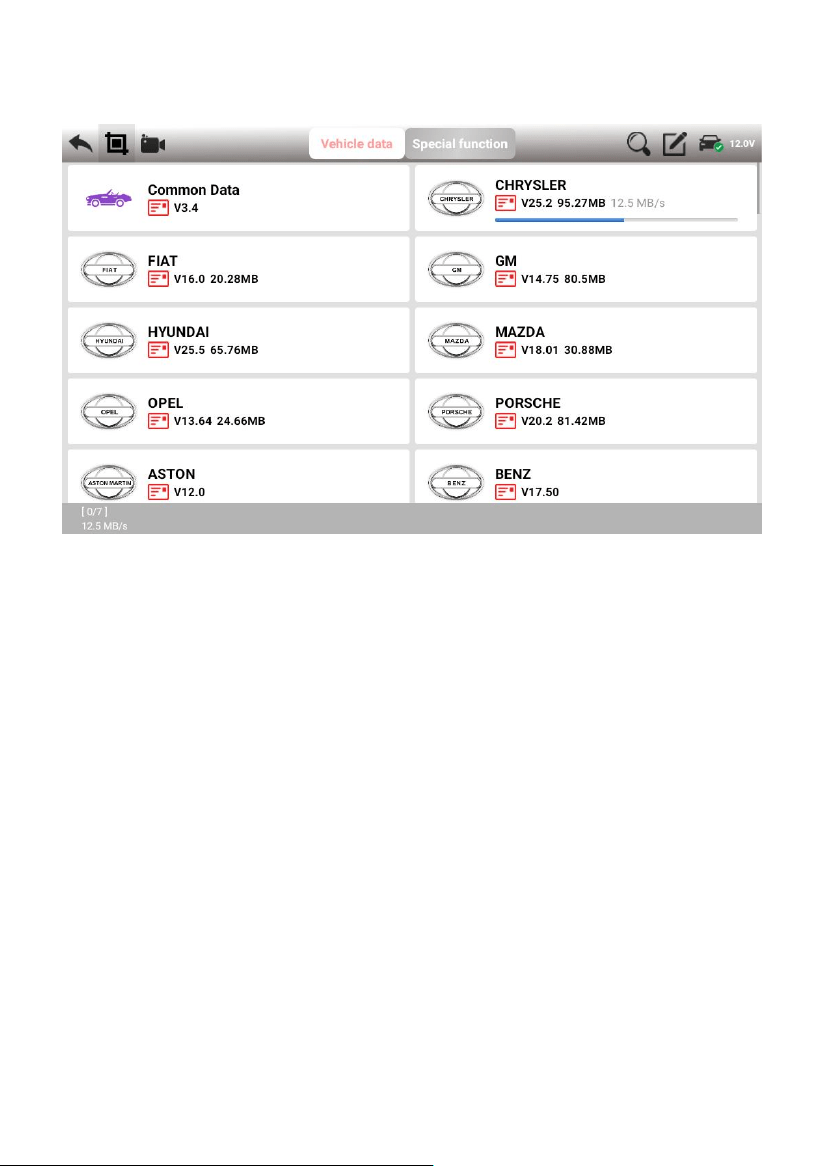
3.5 Update
• Connect the internet by WIFI.
• Login (input the serial number and password at the first time.
• Select the software and click the download button.
19
20
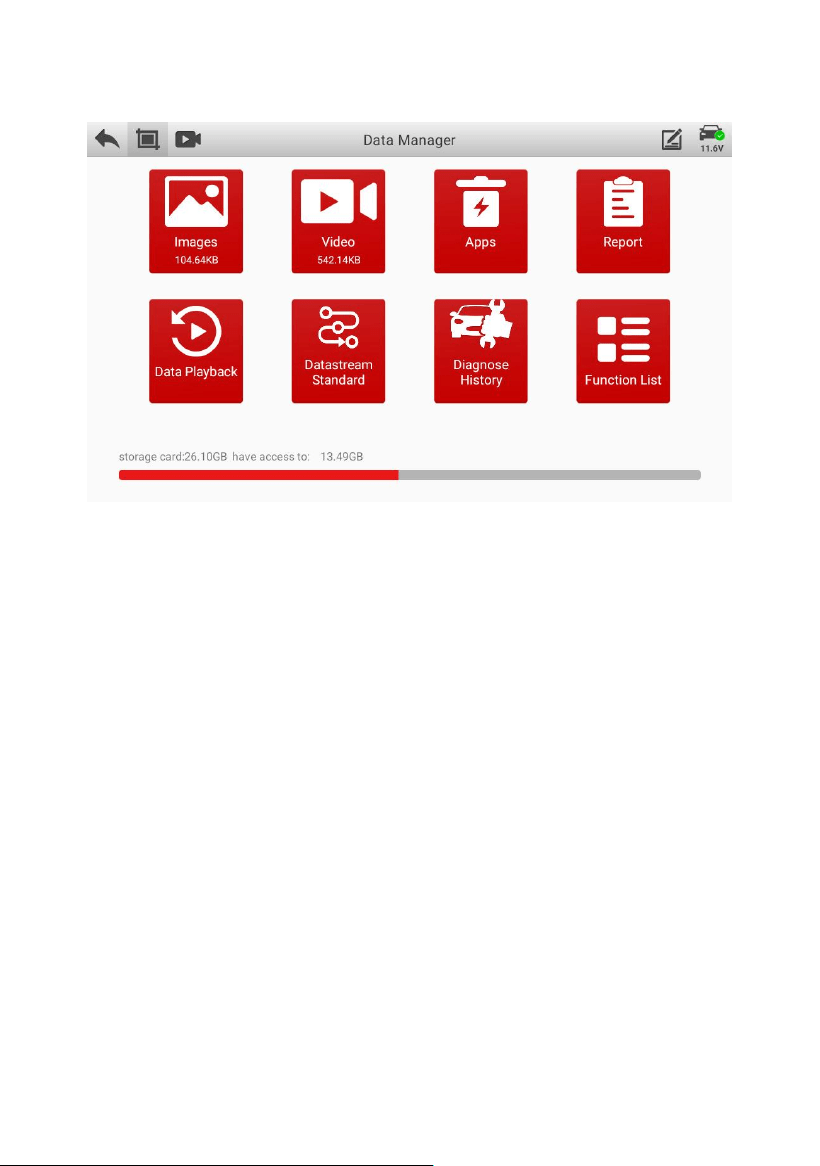
3.6 Data Manager
The storage location of vehicle applications, test pictures, videos,
reports and for user reference.
21
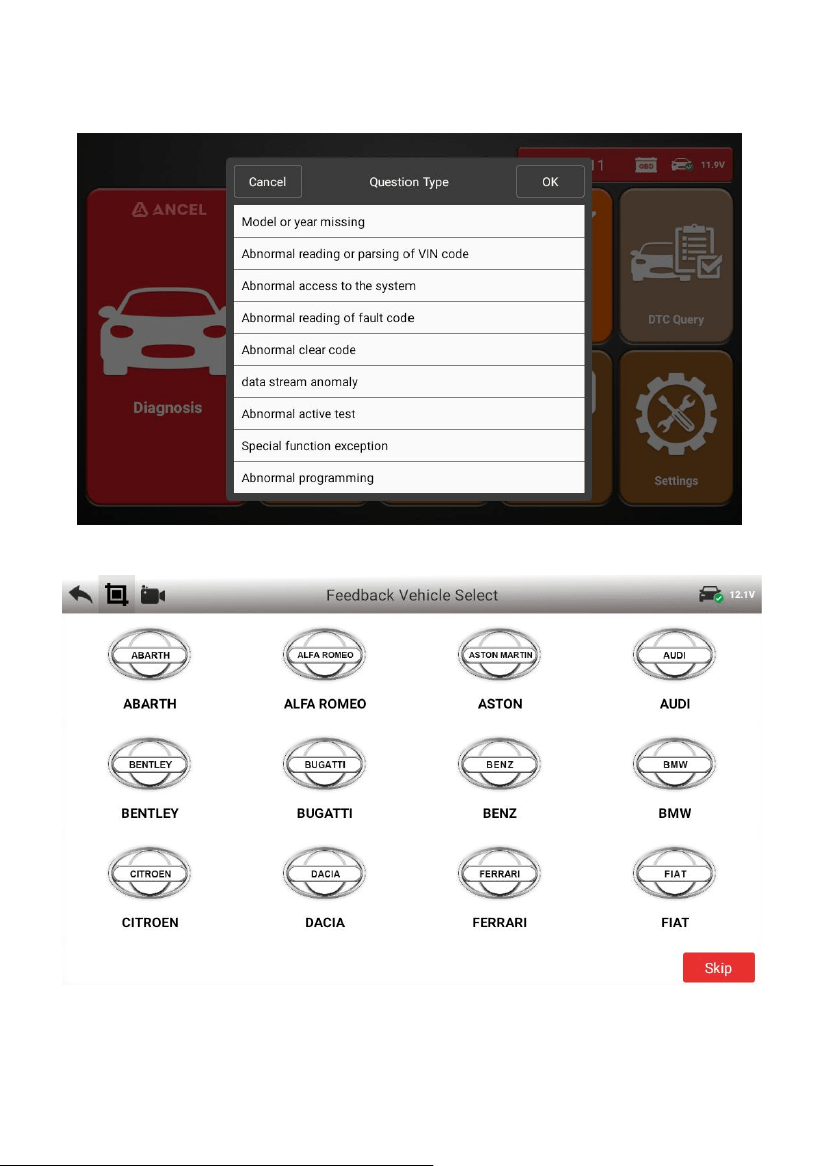
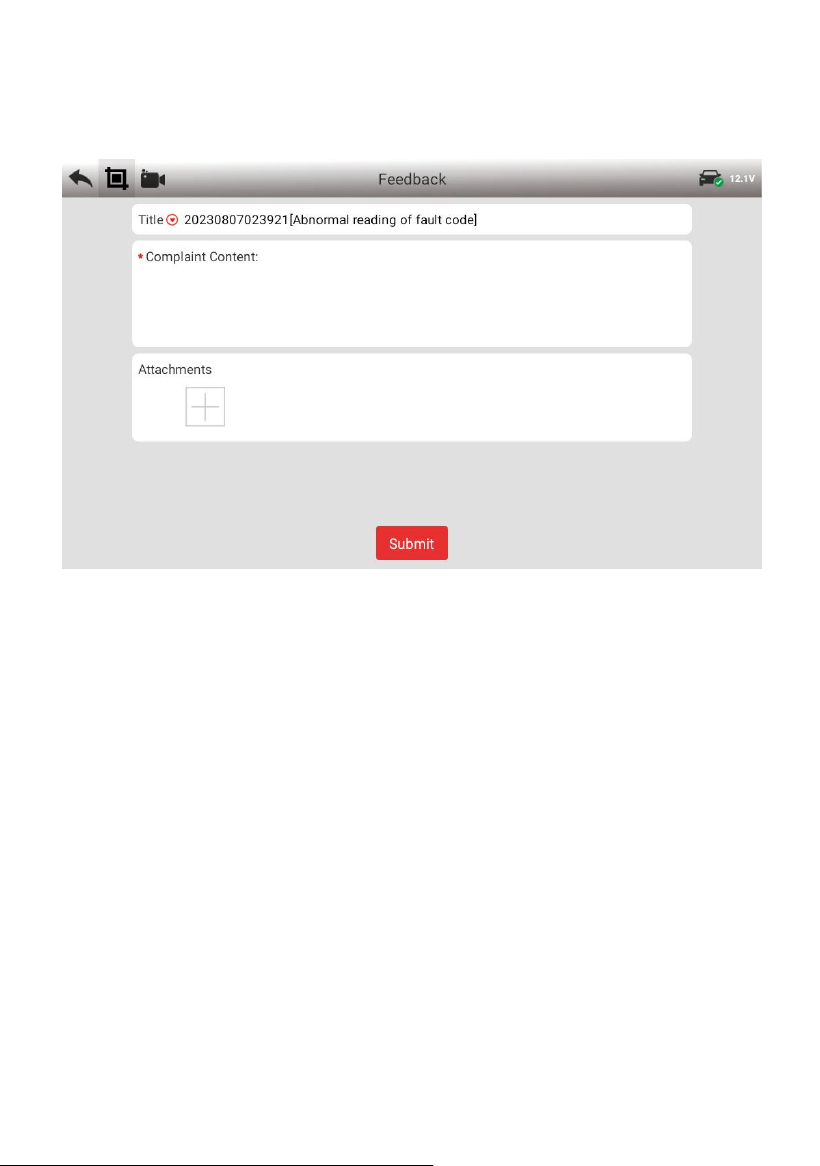
3.7 Feedback
This function allows you upload vehicle diagnostics problems
encountered by users during the use of the software. It can help
engineers repair software errors quickly.
First, select the problem type:
22
Second, select the vehicle brand:
23
Third, input the problem information, and then click “Submit”.
24
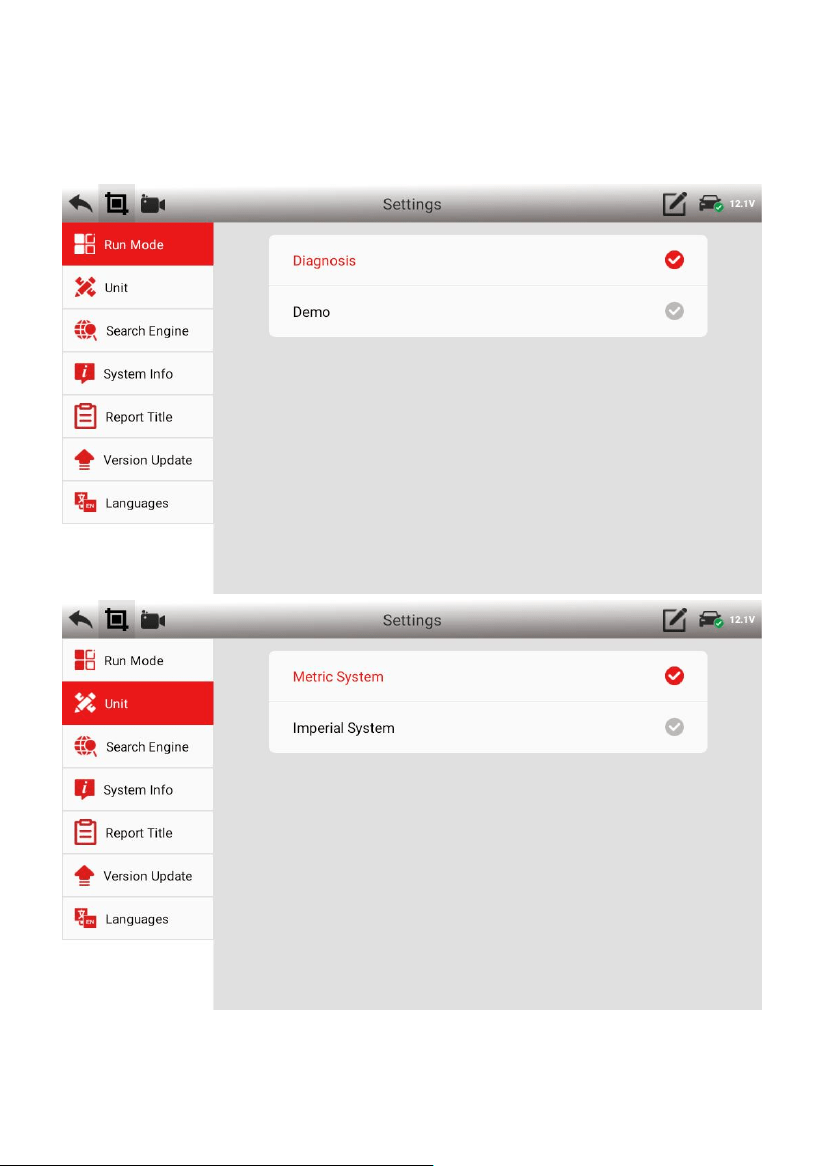
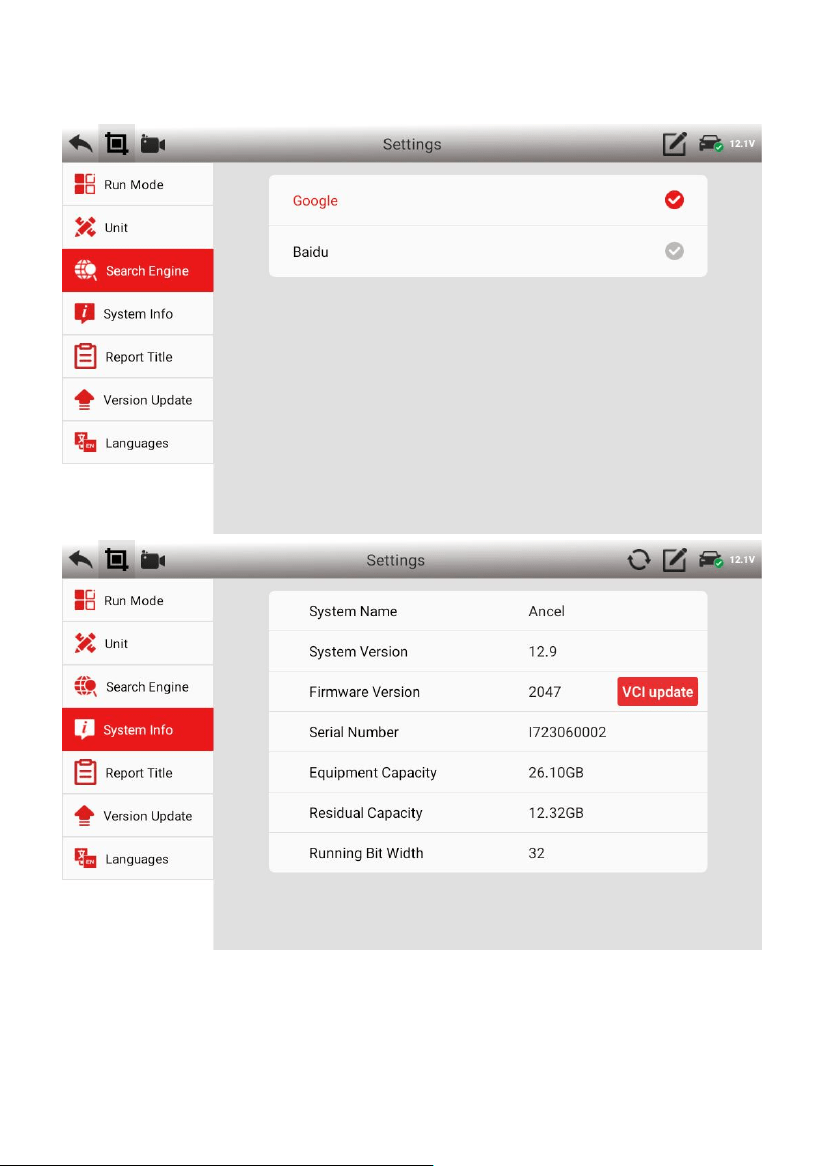
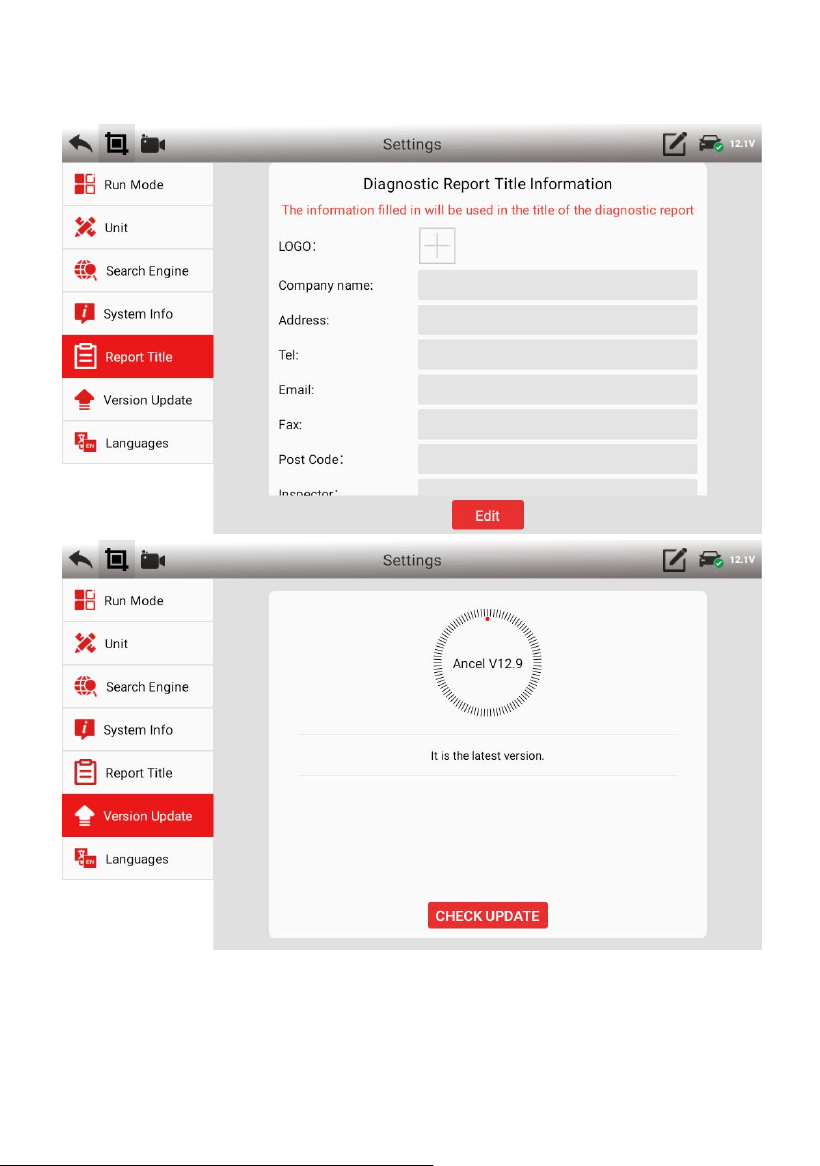
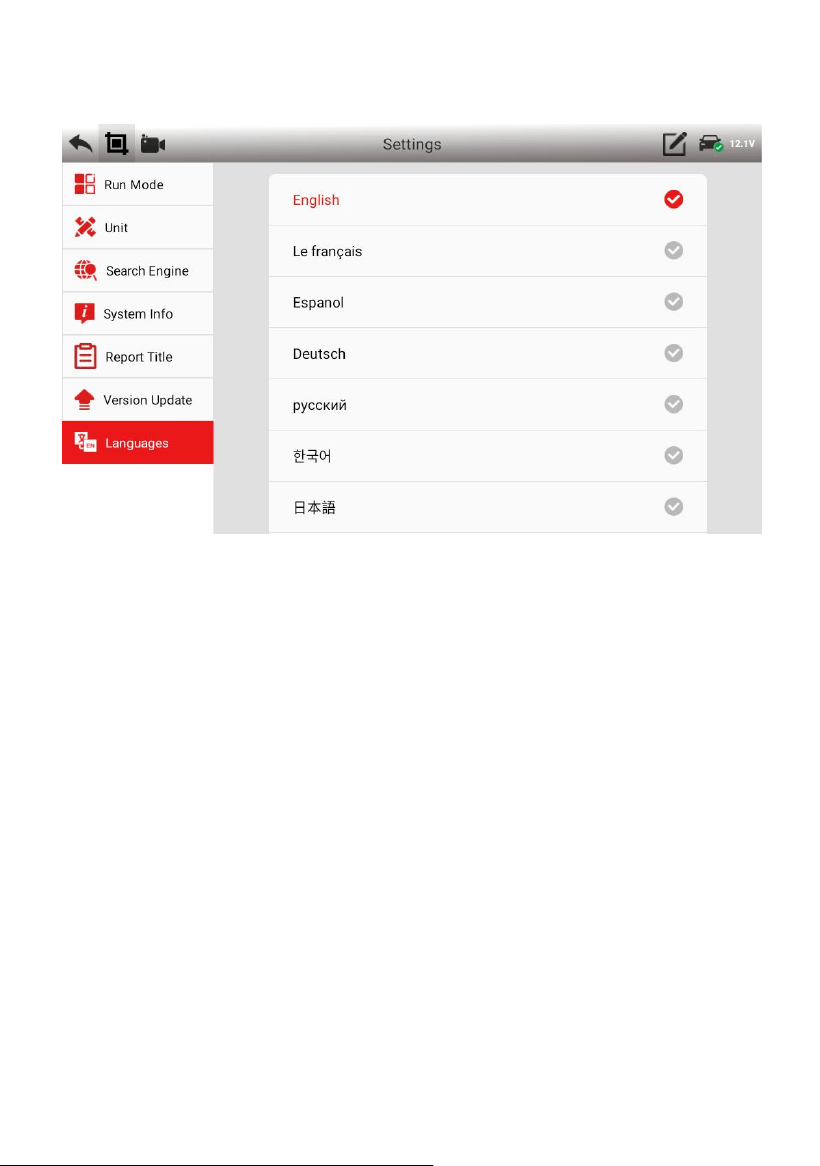
3.8 Settings
25
26
27
4. Product Activation
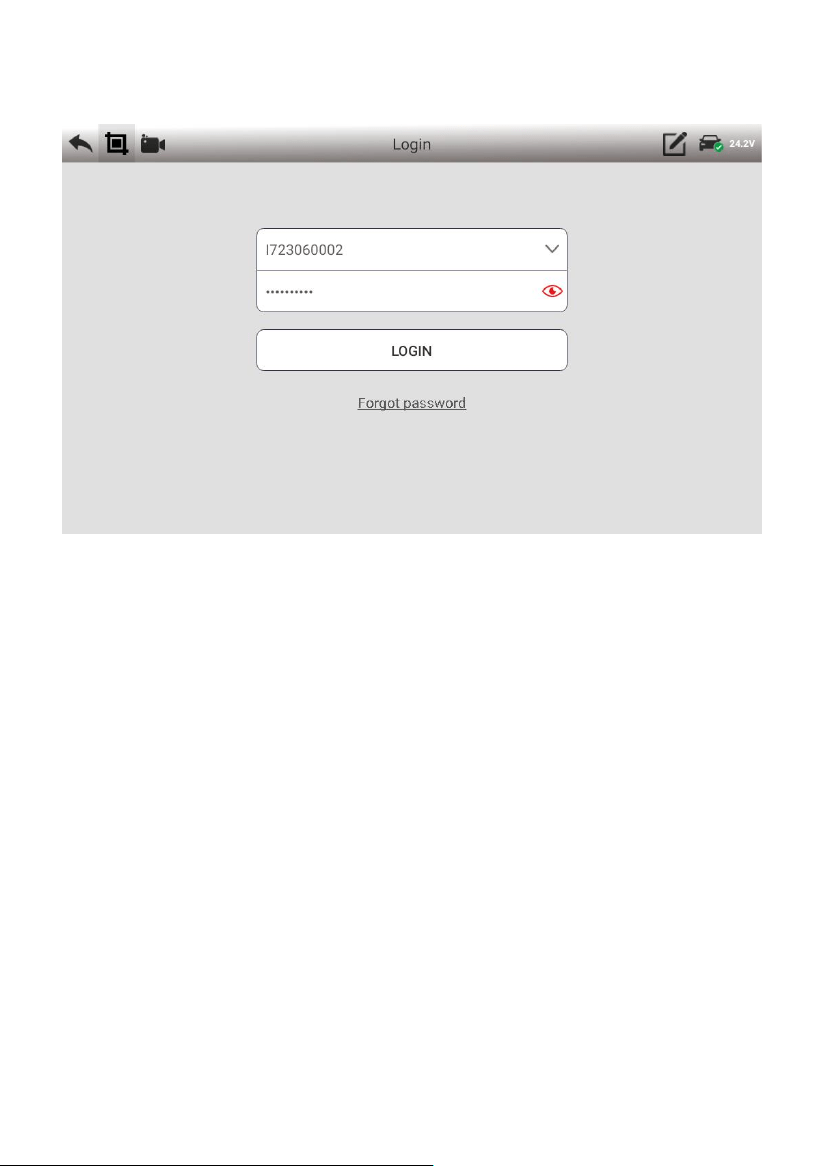
(1) Enter the【Update】function, input the serial number and the
password (you can find the password in the password envelope).
28
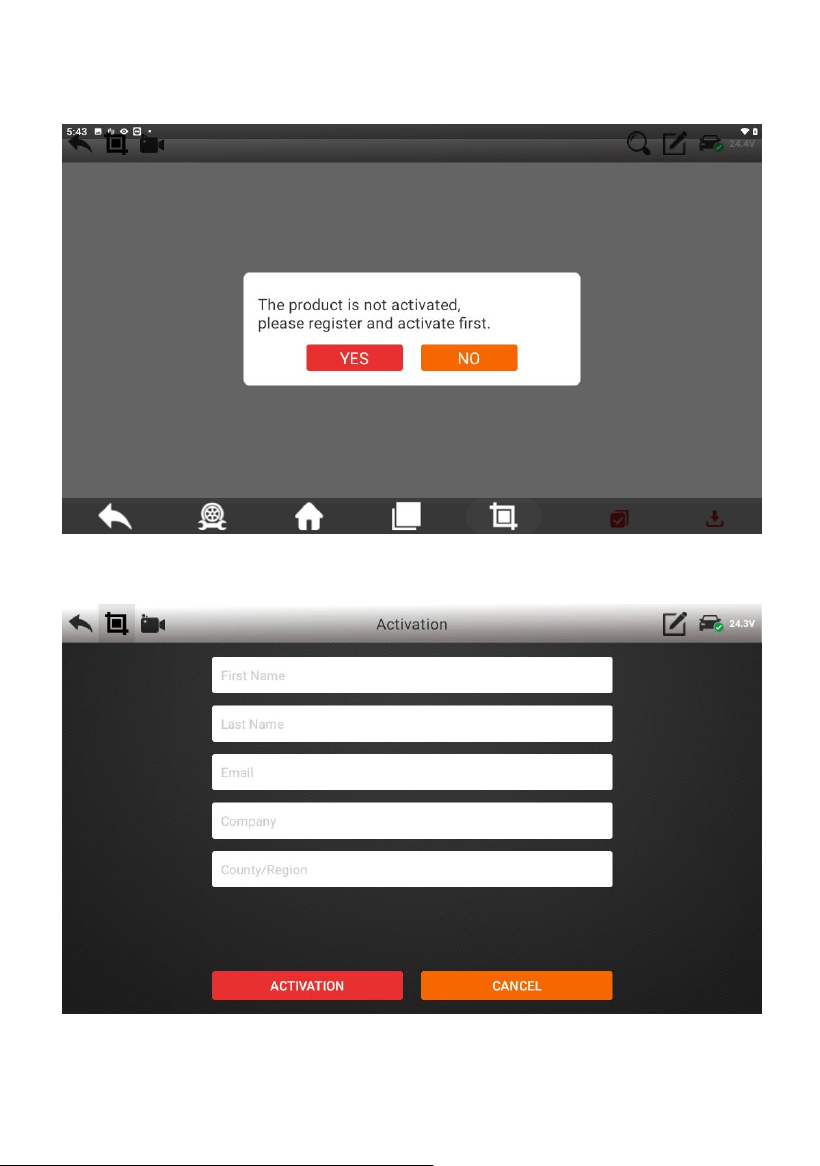
(3) Click【Login】, and a prompt box will pop up.
29
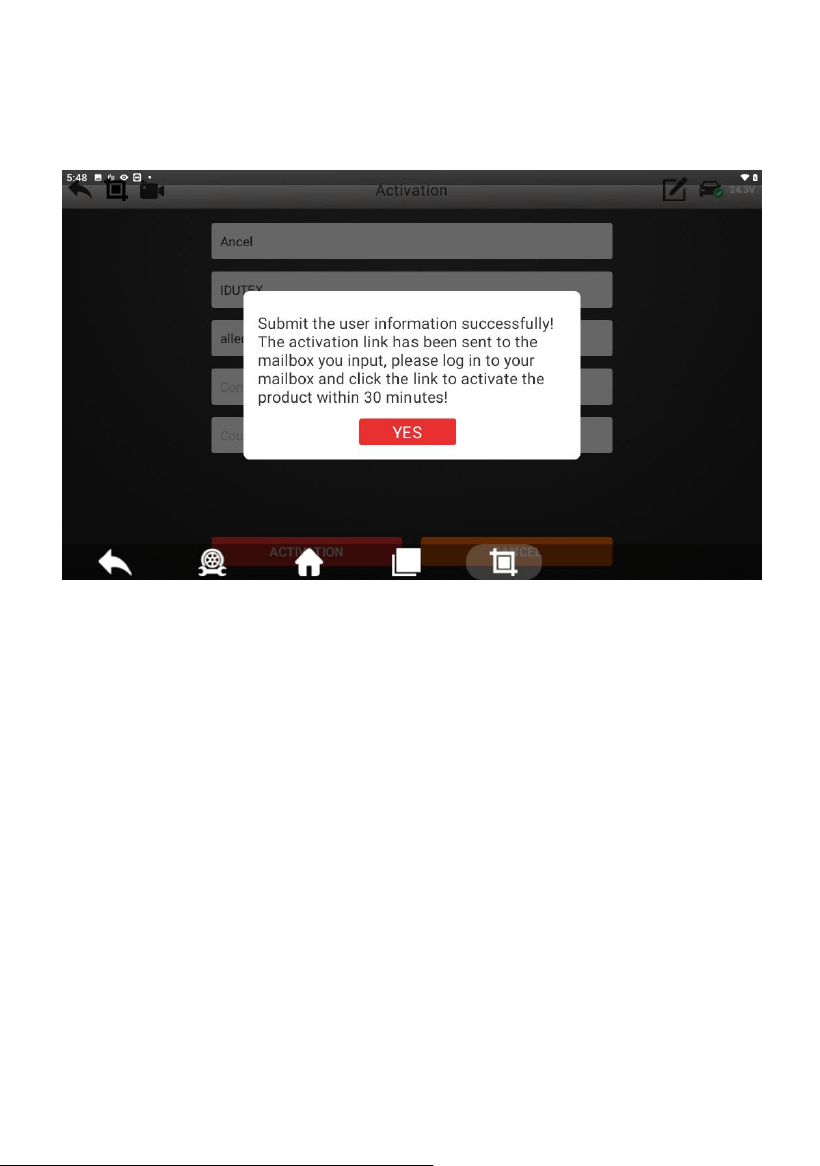
(4) Click 【Yes】 to fill in the activation information.
30
(5) After the information is filled out, click 【ACTIVATION】.
(6) Click【Yes】, complete the product activation.
5. Cleaning and maintenance and warranty
5.1 Cleaning and maintenance
(1) Do not disassemble it, try to handle it gently to avoid impact.
(2) Place the fault diagnosis device in a flat, dry,
temperature-friendly and dust-free place and avoid high

31
temperature and humidity, excessive smoke, easy vibration, direct
sunlight, and strong magnetic field storage environment.
(3) If the vehicle test operation is not performed for a long time,
please run the main machine regularly to avoid moisture.
(4) Unplug the power plug when not in use to avoid aging of
electrical components caused by long-term power.
(5) When the host is dirty, please disconnect the power before
cleaning.
(6) Do not use a cleaning agent with a corrosive function or any
rough cloth to clean the main unit. Only use a soft cloth and a
neutral detergent.
(7) The surface of the screen can be cleaned with a special wiper
for the LCD screen.
(8) Do not place anything on the screen to avoid cracking of the
screen or damage to internal components.
5.2 Warranty
This applies only to products purchased from a product dealer that
has been authorized by OBDSPACE. If products are purchased
from anyone other than a OBDSPACE authorized product dealer,
buyers will be solely responsible for the cost of product
maintenance services and will not be eligible to obtain any warranty

32
from OBDSPACE .
(1) Product acceptance
When you receive the product, please be sure to open the package
check.
Please carefully check the product category and quantity according
to the attached list. If there are any shortages, errors, damages and
other unpredictable abnormal conditions, please keep all the
documents of the product and notify us immediately. Otherwise it is
considered a waiver of the claim.
(2) Product warranty
Beginning on the date of purchase(subject to valid purchase proof
and effective warranty card of the product), if the product suffers
performance failure within one month which is not caused by
deviation from the recommended operation or by uncontrollable
environmental events, you can choose to have evaluation via our
maintenance service or replacement of the product with the same
model. After that, there is one year warranty service for the main
unit, connectors and power adapter.
(3) Product Software Update
Two-year free software update since activation of product, and will
be charged annually after free update session.
(4) Not in the scope of the free warranty

33
A. Failures, defects or flaws not directly related to the quality of the
OBDSPACE products, including but not limited to failing to use the
product according to the user manual’s instructions, crash, fall,
disassemble by anyone other than a OBDSPACE approved service
person, connecting improper accessories, damage owing to impact
because of improper transport or storage of the product, etc.
B. Natural wear and tear of the product: including but not limited to
cover, keypad, touch screen, accessories, etc.
C. Main unit serial number and warranty card serial number
discrepancy, product quality inspection tag or bar code removed,
altered or damaged.
D. Maintenance and modification without the approval of
OBDSPACE or its distributors.
(5) Product warranty program
When the product needs to be repaired, please send the product to
the local distributor or OBDSPACE, and attach the purchase
certificate and warranty card, fill in the following information:
company name, contact name, phone number, problem description,
purchase invoice.
Note: The valid purchase certificate is an important warranty
service certificate. To protect your legal rights, you must obtain a
formal invoice from the dealer when purchasing the machine. The

34
name, model number, serial number and purchase date of the
product should be clearly stated on the invoice. It is covered with
the official seal of the dealer.
(6) Over-warranty product maintenance regulations
If the product needs to be repaired by our company after the
maintenance period, we will charge the maintenance fee
appropriately, and the freight will be borne by the user.
For products that have passed the warranty period, our technical
support personnel will fax the maintenance cost to the user, and will
repair it after confirmation by the customer. After confirming, the
customer will pay the repair fee to the designated account of our
company. After the maintenance fee is received, our company will
Can be repaired.

35