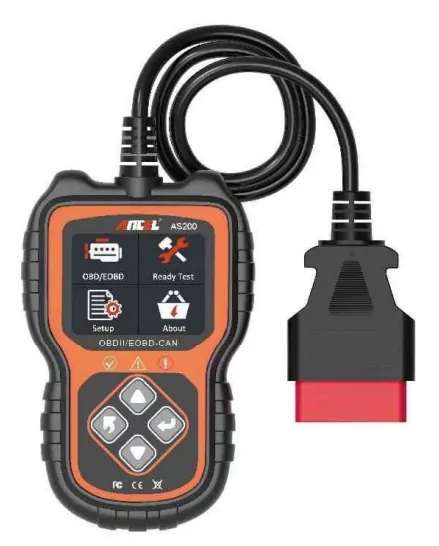
ANCEL AS200 OBD2 Scanner Car Diagnostic Tool
Product's Documents
Below are documents related to this product, you can read online or download:
- User Manual - (English) Read Online | Download pdf
User Manual ANCEL AS200
Support all vehicle engine fault detection for OBD II, 12V and 16 PIN connector.
OBD port is usually in area below the car dashboard.
| Working Voltage | 8V-25V |
|---|---|
| Working Current | 56mA |
| Working Temperature | -20°C ~ 70°C (-4°F ~ 158°F) |
| Storage Temperature | -30°C ~ 80°C (-22°F ~ 176°F) |
| LCD Screen | 2.4-inch color screen with pixels 320 x 240, backlight |
| Shell Size | 130 L x 84 W x 20 H (mm) |
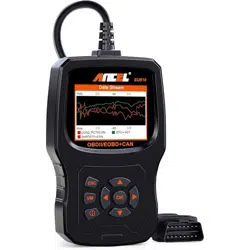
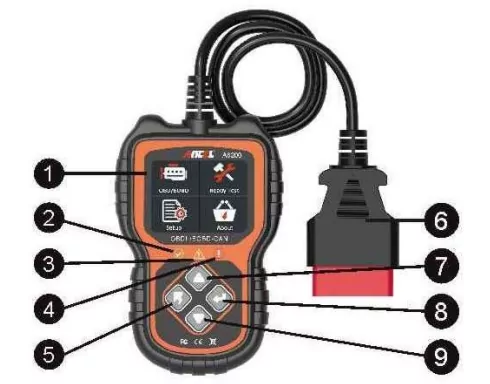
(1) 2.4 inch color display, support graphical interface.
(2) Dual system detection, engine and gearbox are optional.
(3) Fast detection of engine failure by green / yellow / red LED indicator as fault lamp.
(4) Read or clear engine fault code, view fault code analysis.
(5) Dynamic display the data stream of the sensor, support 249 kinds of ECU operation parameters.
(6) View freeze frame data and I/M status information.
(7) Read vehicle information (vehicle identification number, calibration identification number, calibration verification number).
(8) Multi-language.
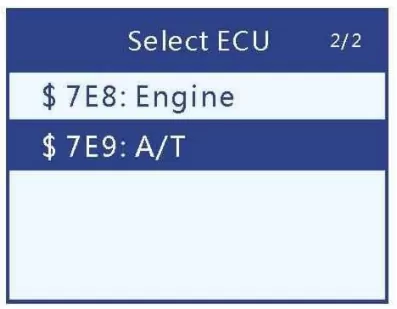
Enter the main interface; click "OBD/EOBD" start scanning the car (DLC) system, detect the single system default into the engine system; detect the dual system into the dual system selection menu, select the system to be detected.
(1) $7E8: Engine: Engine system.
(2) $7E9: A/T: gearbox system.
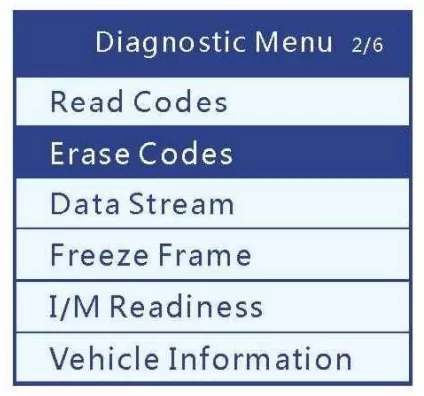
(1) Read Codes: Read the fault code stored in the engine or transmission system, provide the cause analysis of the fault code.
(2) Erase Codes: Clear all fault codes in the system.
(3) Data Stream: Read all the running parameters related to the ECU system dynamically, 249 running parameters can be supported.
(4) Freeze Frame: Freeze Frame data records the vehicle running status information after generating emission related faults (fault code, speed, RPM, water temperature, etc).
(5) I/M Readiness: I/M Readiness function is used to check the operation of the emission system on the vehicle.
Some cars support two types of I/M Readiness tests: "Since DTCs Cleared" and "This Drive Cycle".
(6) Vehicle Information:
View vehicle identification number (VIN) calibration identification number (CALID) and calibration verification number (CVN)
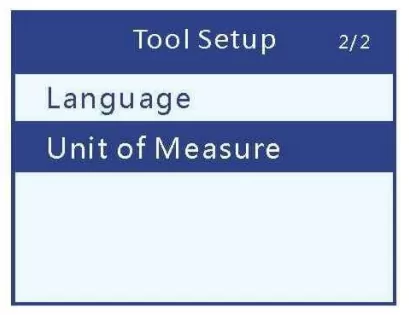
Enter the main interface, click "Setup" to enter the settings interface.
(1) Language: The default is English, It can select other languages manually.
(2) Unit of measure: It supports metric and British units, the default is metric.