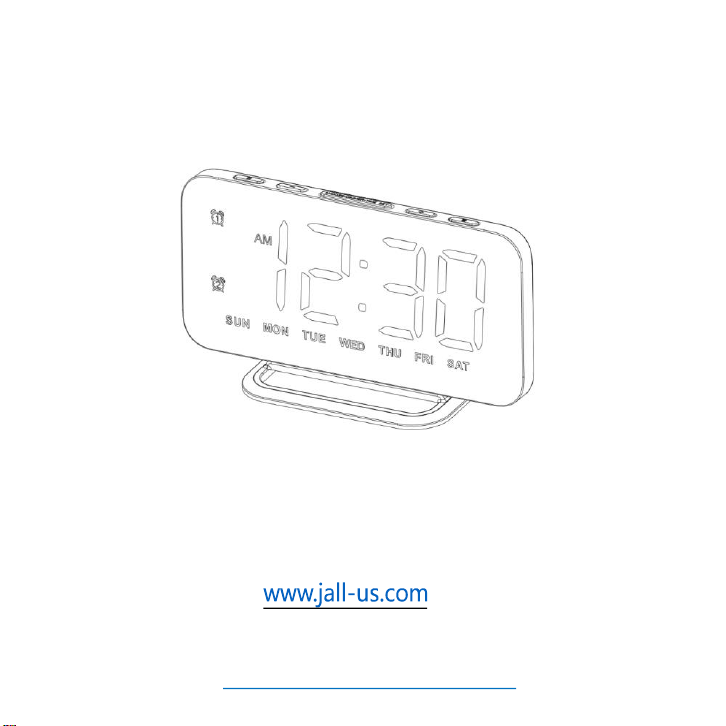
Super-Slim Mirror Alarm
Clock – RGB Display Ver.
User Manual
Missing accessories or any other problems, please contact us:
Please remove the protective film from the mirror surface
when using the clock.
We value every customer and commit to providing a lifetime
warranty service to each and every one of them. To activate lifetime
warranty, please visit:
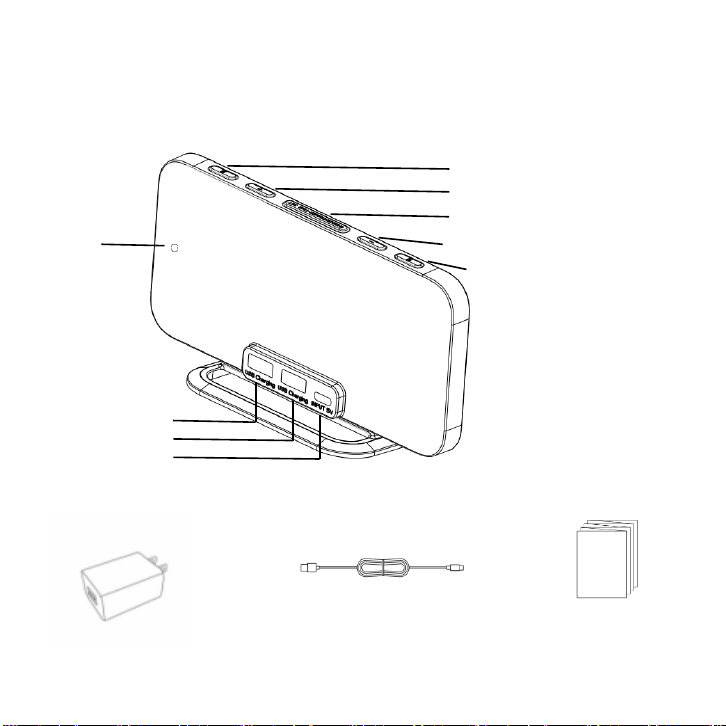
Product list
USB output socket 1
USB output socket 2
Power input socket
Power cord User manual
Power adapter (5V
2A)
Alarm 2 switch / Setting
Change display mode / Setting up
Snooze / Screen brightness
Adjustment / Time setting
Change display mode/ Setting down
Alarm 1 switch / Setting
buzzer
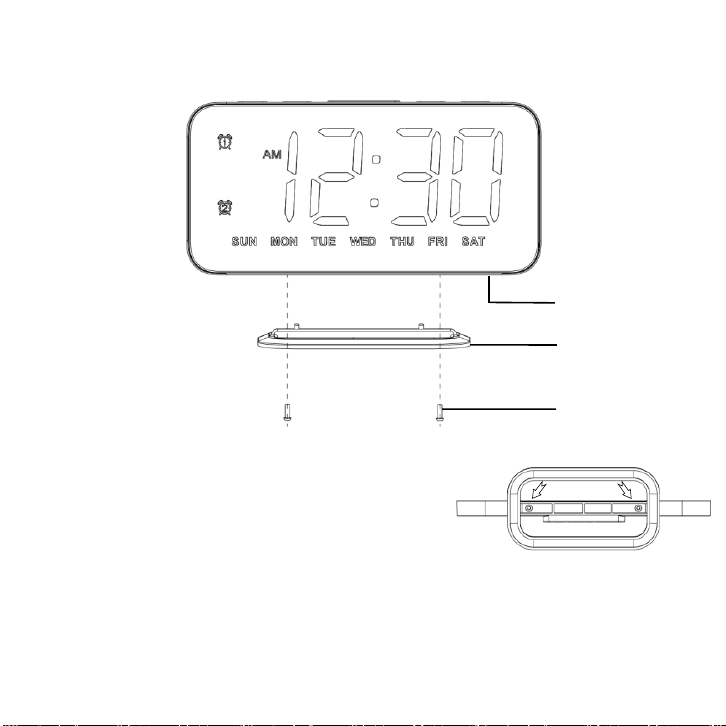
Mainframe
Stand
Screw*2
We have completed installation before the
alarm clock leaving factory.
Bottom of the clock
Product list
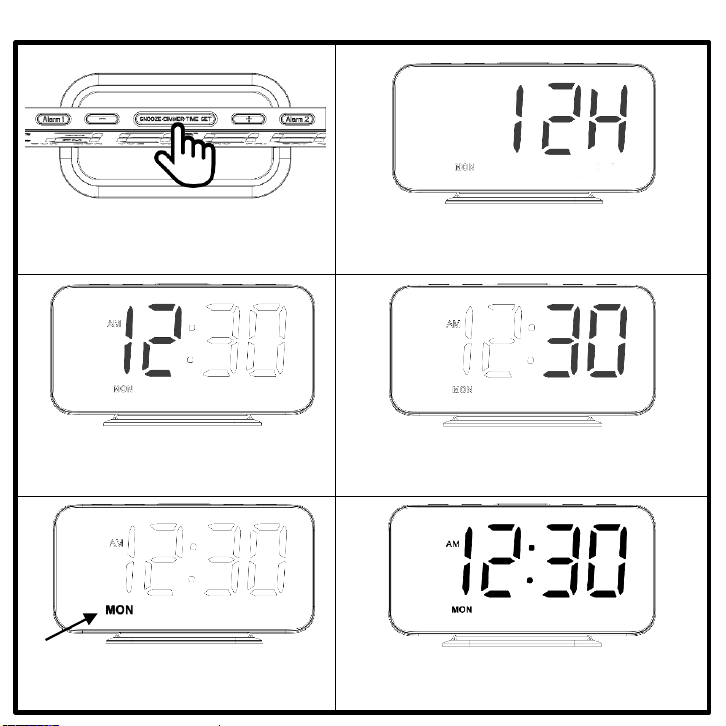
Time setting
Hold for 3s to enter time setting.
Use "+" / "-" button to choose 12/24
hour mode. Then, press “SNOOZE” to
confirm.
① ②
③
④
Use "+" / "-" button to set the hour.
Then, press “SNOOZE” to confirm.
Use "+" / "-" button to set the minute.
Then, press “SNOOZE” to confirm.
⑤
Use "+" / "-" button to set the day.
Then, press “SNOOZE” to confirm.
⑥
Finfish setting.
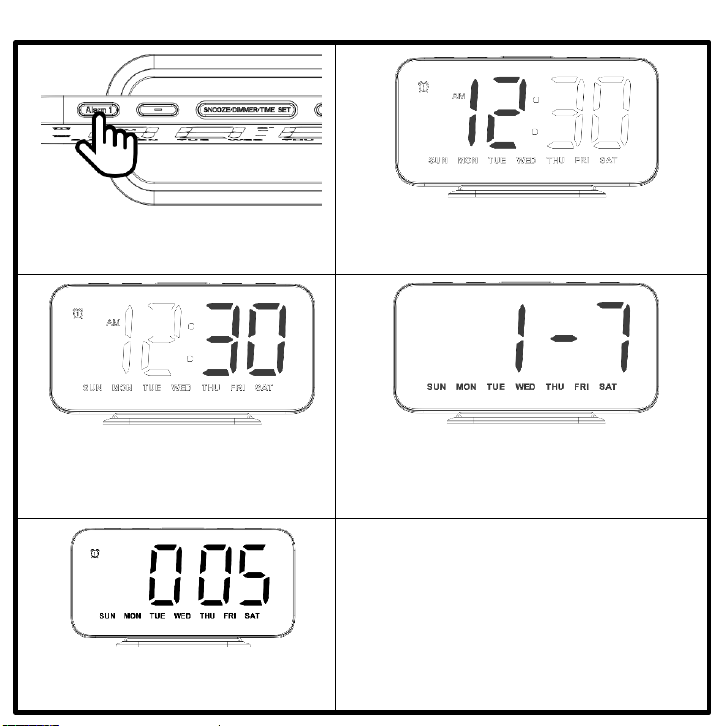
Alarm setting (take alarm 1 as example)
① ②
③
④
⑤ ⑥
Hold for 3s to enter alarm 1 setting.
Use "+" / "-" button to set the hour of
alarm 1. Then, press “ALARM 1” to
confirm.
Use "+" / "-" button to set the minute
of alarm 1. Then, press “ALARM 1”
to confirm.
Use "+" / "-" button to set the working mode
of alarm 1:
1 - 7 = MON – SUN 1 - 5 = MON – FRI
6 - 7= SAT – SUN
Then, press “ALARM 1” to confirm.
Use "+" / "-" button to set the volume
of alarm 1 ( total 5 levels ). Then, press
“ALARM 1” to Finfish setting.
1. Setting of alarm 2 is the same to alarm 1.
2. Press "Alarm 1" / "Alarm 2" button to turn
on / off the corresponding alarm.
3. When alarm is turned on, the
corresponding alarm icon will be displayed.
When alarm is turned on, the alarm clock will ring at the setting time. If it
starts to ring and wake you up, you can do the things following:
1.Snooze
Press "SNOOZE" button to enter the snooze mode. The snooze icon will
display and flash on the screen. After 9 minutes, it will ring again.
P.S. support 3 times of snooze at most.
2.Stop alarm this time
In alarm / snooze state, press any button except "SNOOZE" button will
stop this alarm, and will not affect the alarm next day (Hold "SNOOZE"
button for more than 2S can also stop the alarm this time).
3.When unmanned
When the alarm clock rings for 20MIN without any operation, it will stop
automatically and the alarm next day will not be affected.
Operation when alarm rings
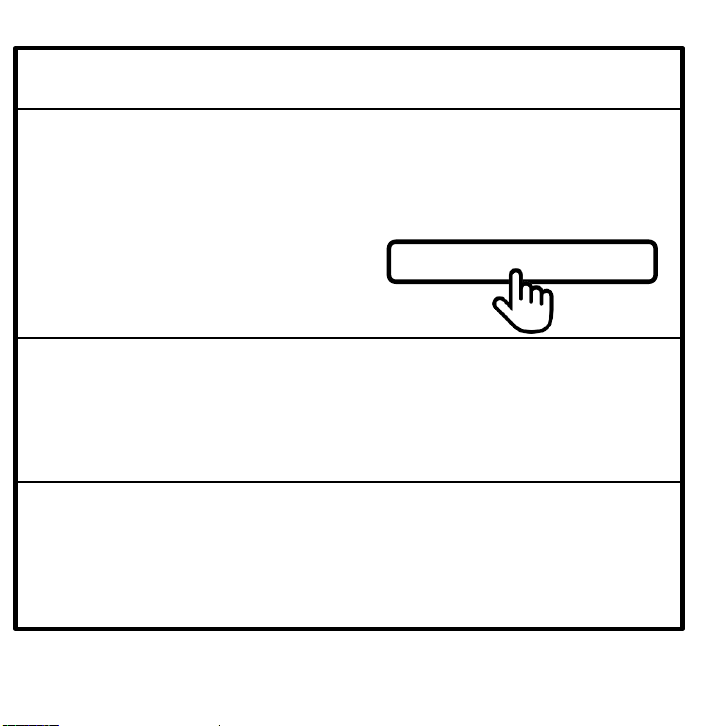
SNOOZE/DIMMER/TIME SET
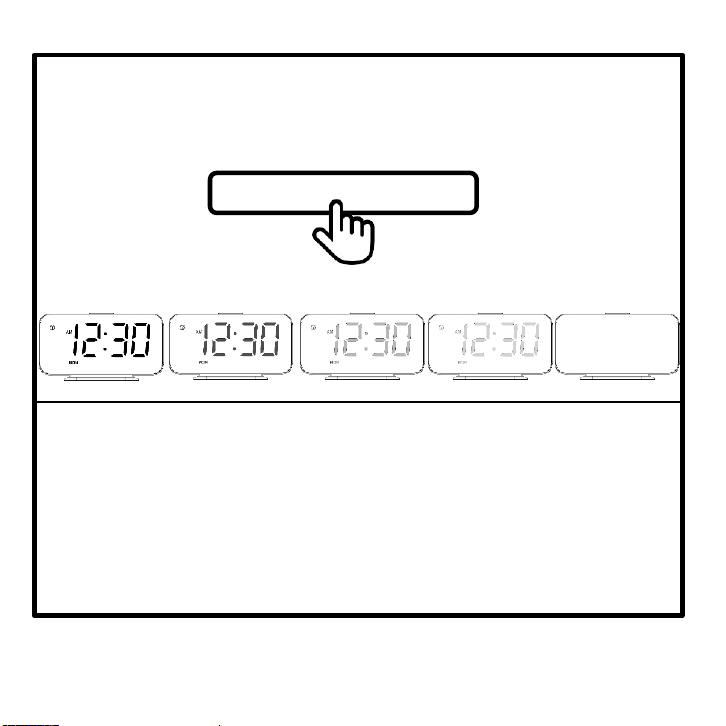
1.Screen brightness
In time display state, press "SNOOZE/DIMMER/TIME SET" button to
adjust brightness of the screen from bright to dark (L4 - L3 - L2 - L1 –
OFF – L4 - ······).
2.Display Mode
Press "+" / "-" button to change display mode of the clock.
All display modes:
White – Red – Green – Blue – RGB Breathing – Random Color - Left to
Right Gradient RGB – Up to Down Gradient RGB
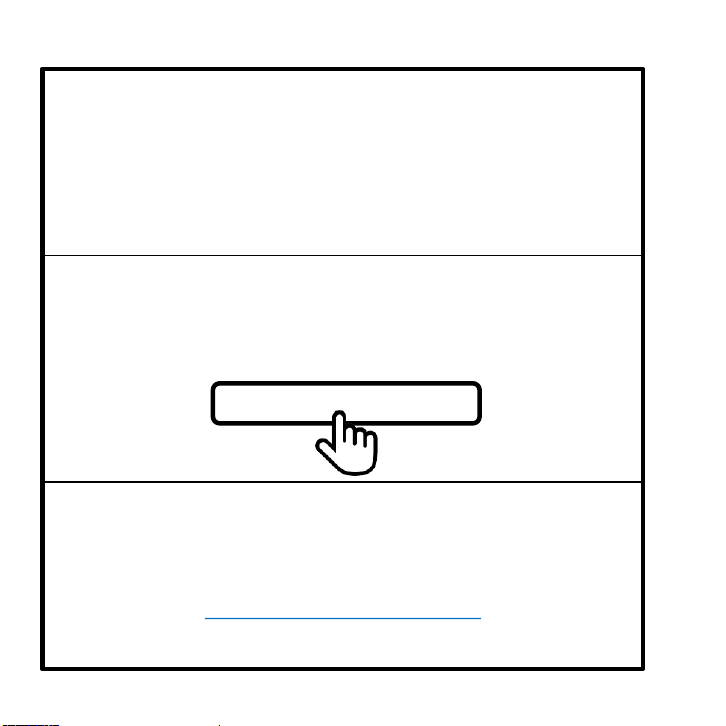
Brightness and Display Mode
SNOOZE/DIMMER/TIME SET
L4
L3
L2
OFF
L1
Trouble shooting
1. Why does the screen of alarm clock flash when charging the
smartphone?
It may be caused by too low input power and too high output
power. Please try not to connect too many high-power-cost
devices or to use a 5V 2A power adapter. The recommended
maximum power of the power adapter is 5V 2A.
2. Why doesn't my alarm clock display anything and can't do
any operation with it?
You may have set the brightness of alarm clock to "OFF" level.
Please try using "SNOOZE" button.
3. What should I do if I have problems on using the alarm clock
or meet quality problems?
Missing accessories or any other problems, please contact us:
ThreeDucksDirect@outlook.com
SNOOZE/DIMMER/TIME SET