1
2
1
13
11
5
6
21
7
8
9
14
4
12
2
3
15
10
9
16
A
3
12
19
20
2
18
3
12
13
3
1
2
18
17
1
2
5
1
2
11
ED
C
B
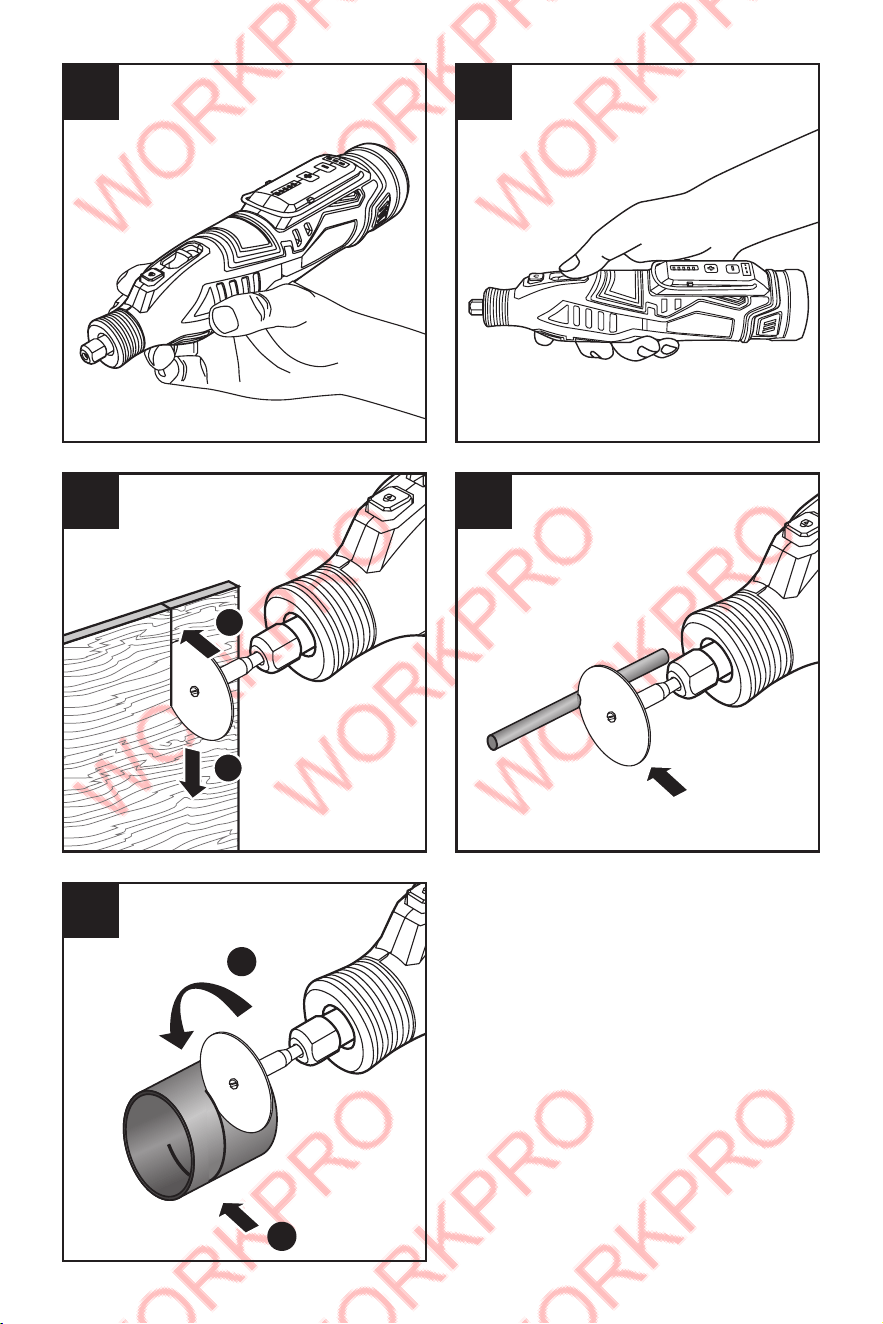
4
1
2
1
2
F G
H
J
I
5
6
7
8
9
10
11
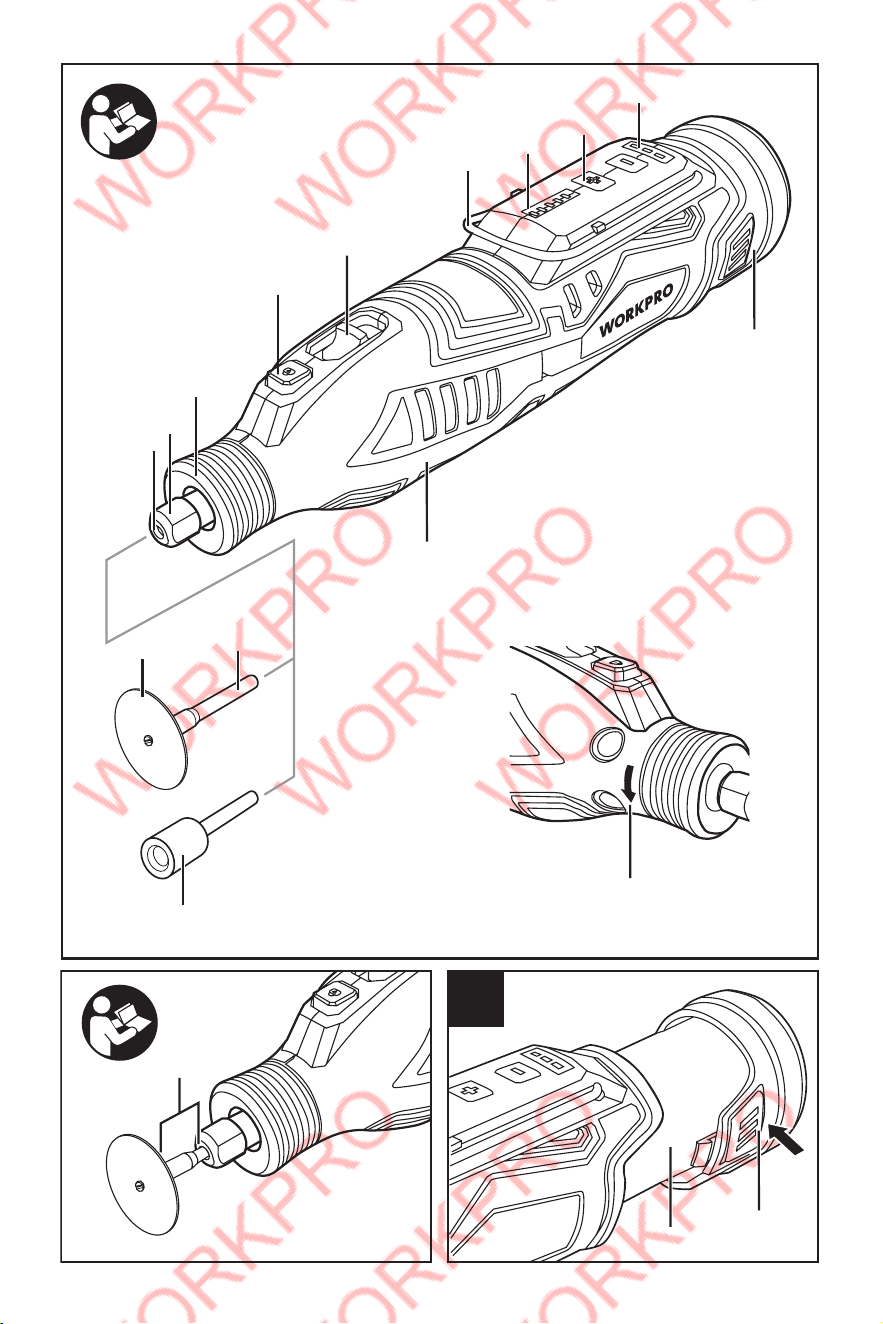
16. Battery unlocking button
17. Open-end spanner/Screwdriver
18. Shank
19. Collet
20. Drive spindle
21. Hanging hook
* The accessories illustrated or described are not
included as standard delivery.
Noise/Vibration Information
Sound emission values determined according to
EN 60745-2-23.
Typically the A-weighted sound pressure level of the
product is 72 dB(A). Uncertainty K=3 dB.
The sound power level is 83 dB(A). Uncertainly K=3
dB.
Wear hearing protection!
Vibration total values ah (triax vector sum) and
uncertainty K determined according to EN 60745-2-
23: ah=10.82m/s2, K=1.5m/s2.
The vibration level given in this information sheet has
been measured in accordance with a standardized
test given in EN 60745 and may be used to
compare one tool with another. It may be used for a
preliminary assessment of exposure.
The declared vibration emission level represents
the main applications of the tool. However if
the tool is used for different applications, with
different accessories or insertion tools or is poorly
maintained, the vibration emission may differ. This
may significantly increase the exposure level over
the total working period.
TECHNICAL DATA
Cordless multi rotary tool
Rated voltage 12V DC
Battery type Li-ion
Battery rated voltage
Maximum 12V, nominal 10.8V
Battery capacity 2000mAh
Charging time Around 1 Hour
Rated speed 7500-32000min
-1
Collet chuck-φ 3.2mm/2.3mm
Weight 0.62kg
Max. Capacity of
accessories
35mm
Permitted ambient
temperature
– during charging
– during operation*
and during storage
0 ~ +45 °C
-20 ~ +50 °C
12
ASSEMBLY
Battery Charging
Charge the battery only with the WORKPRO
charger supplied with the tool or WORKPRO-
approved replacements and according to the
instructions in the WORKPRO Instruction Manual.
Only these battery chargers are matched to the
lithium-ion battery of your power tool.
Note: The battery supplied is partially charged.
To ensure full capacity of the battery, completely
charge the battery in the battery charger before
using your power tool for the first time.
The lithium-ion battery can be charged at any time
without reducing its service life. Interrupting the
charging procedure does not damage the battery.
The lithium-ion battery is protected against deep
discharging. When the battery is empty, the machine
is switched off by means of a protective circuit: The
inserted tool no longer rotates.
Do not continue to press the On/Off switch
after the machine has been automatically
switched off. The battery can be damaged.
Observe the notes for disposal.
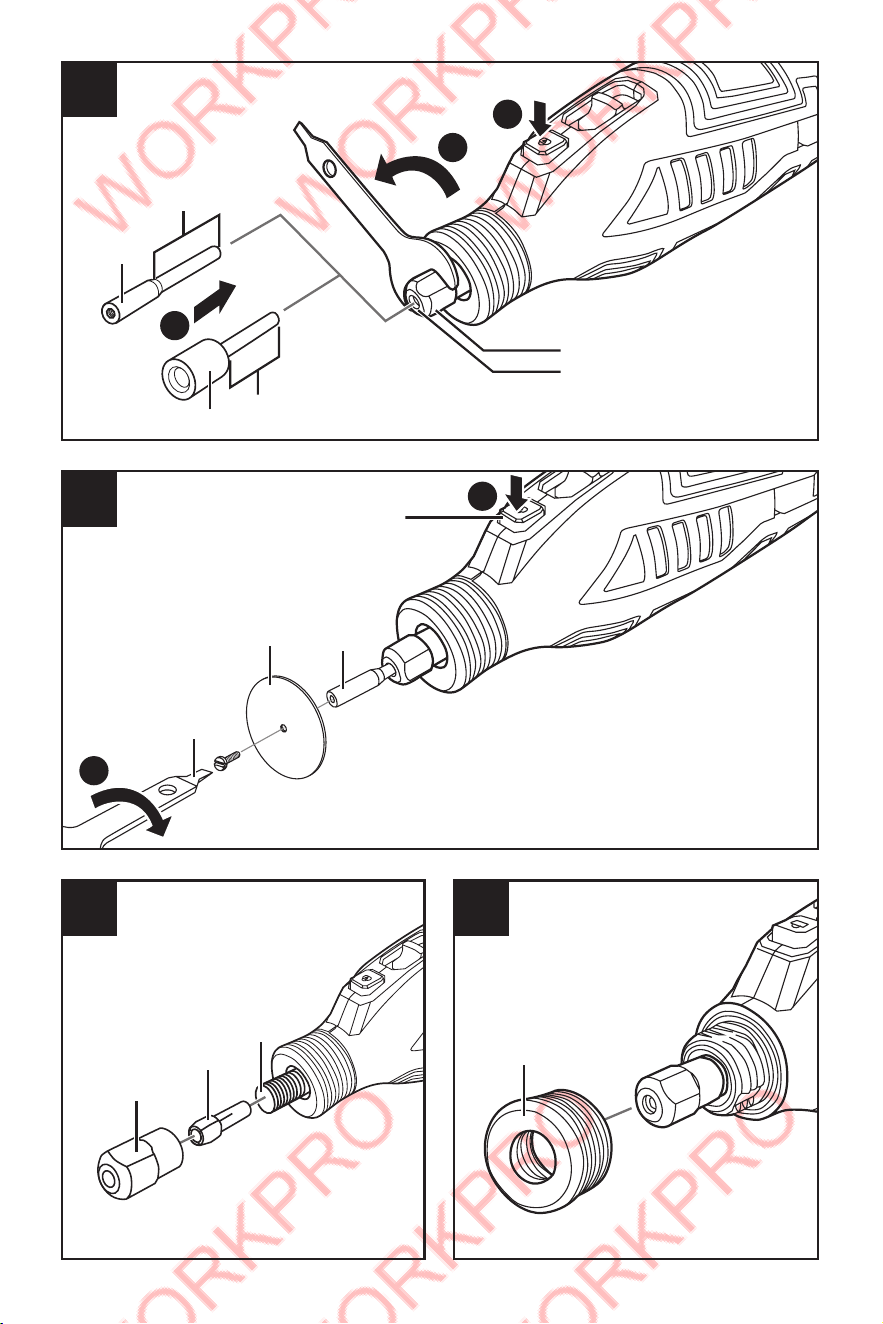
Removing the battery (see figure A)
– To remove the battery 9, press the unlocking
buttons 16 and pull the battery out of the machine to
the rear. Do not exert any force.
Charging the battery
–Insert the battery into the charger base, pay
attention to that the terminals of positive (+) and
negative (-) should match with the corresponding
terminals on charger base correctly and make sure it
clicks into place properly.
–Plug the charger into power supply.
–Red indicator light on while charging; Green indictor
light on while charging complete. Charging time:
around 1 hour.
Battery Charge remaining Indication
The three green LEDs of the battery charge
remaining indicator 8 indicate the charge condition
of the battery 9.
LED Meaning
Continuous lighting 3 x green Battery Capacity ≥2/3
Continuous lighting 2 x green Battery Capacity ≥1/3
Continuous lighting 1 x green Battery Capacity <1/3
Flashing in rotation 3 x green Reserve
Slow Flashing 3 x green (1Hz),
last 15 times
Warning, the switch is ON
while inserting battery pack.
The power tool is in self-
preservation mode
– Switch off and back on to
reset.
Fast flashing 3 x green (2Hz),
last 20 times
Power tool has overloaded
and self- protected!
– Exert less pressure on
the workpiece during work,
switch off and back on to
reset.
13
– Insert the required collet chuck into the drive
spindle 20.
– Screw the clamping nut 12 onto the drive spindle
20 and tighten it slightly in a clockwise direction
using the openend spanner 17.
Dust/Chip Extraction
Dust from materials such as lead-containing
coatings, some wood types, minerals and metal can
be harmful to one’s health. Touching or breathing-in
the dust can cause allergic reactions and/or lead to
respiratory infections of the user or bystanders.
Certain dust, such as oak or beech dust, is
considered carcinogenic, especially in connection
with wood-treatment additives (chromate, wood
preservative). Materials containing asbestos may
only be worked by specialists.
– Provide for good ventilation of the working place.
– It is recommended to wear a P2 filter-class
respirator.
Observe the relevant regulations in your country for
the materials to be worked.
Prevent dust accumulation at the workplace.
Dust can easily ignite.
OPERATION
Starting Operation
Inserting the battery
– Insert the charged battery 9 into the battery port
until it can be felt to engage and is seated flush.
Switching On and Off
To save energy, only switch the power tool on when
using it.
– To start the power tool, push the On/Off switch 5
forwards.
– To switch off the machine, push On/Off switch 5
toward the rear.
Adjusting the Speed
There are 5 various speed setting, Increase rotate
speed by press “+” or decrease rotate speed by
press “-” to enable variable adjustment of the speed
of the power tool.
Speed setting Speed control adjustment
1 6000-9000 min
-1
2 13500-16500 min
-1
3 18500-21000 min
-1
4 23500-26500 min
-1
5 29000-32000 min
-1
– When working with plastics and other materials
with a low melting point, use low speeds.
– Perform cutting work in wood, iron or steel at high
speeds.

14
15

16