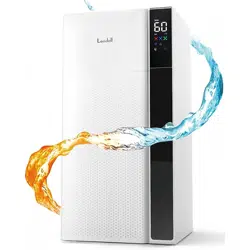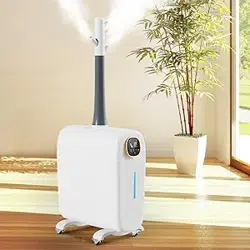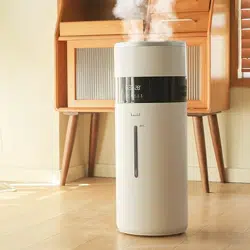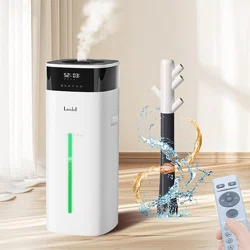
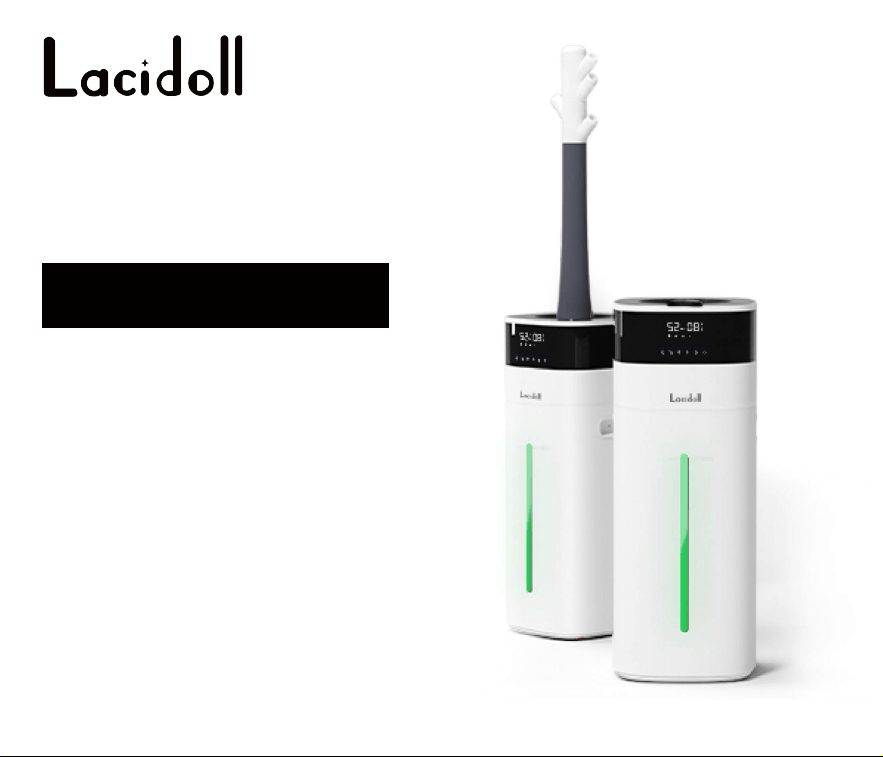
Cool and Warm
Mist Humidifier
LCD-MH-2301J
User Manual
Thanks for your purchase.
We provide a one-year warranty.
If any quality issues,
replacement or refund is available.
Please feel free to contact us via E-mail:

Precautions
Thank you for purchasing our humidifier LCD-MH-2301J.
Please read this manual carefully before using
and keep it for future reference.
All pictures shown are for illustration purposes only.
Actual products may vary due to product enhancement.
For more installation information,
please visit the official website link or scan the QR code:
https://lacidoll.com/pages/user-manual

Safety Guide
Components
Placement
Installation
Water Filling
Using the Aroma Box
Control Panel & Remote
Care & Maintenance
Troubleshooting
Product Specifications
Warranty
1-2
3
4
5-7
8
9
10-13
14-16
17-18
19
20
Contents
0101010101010101
Safety Guide
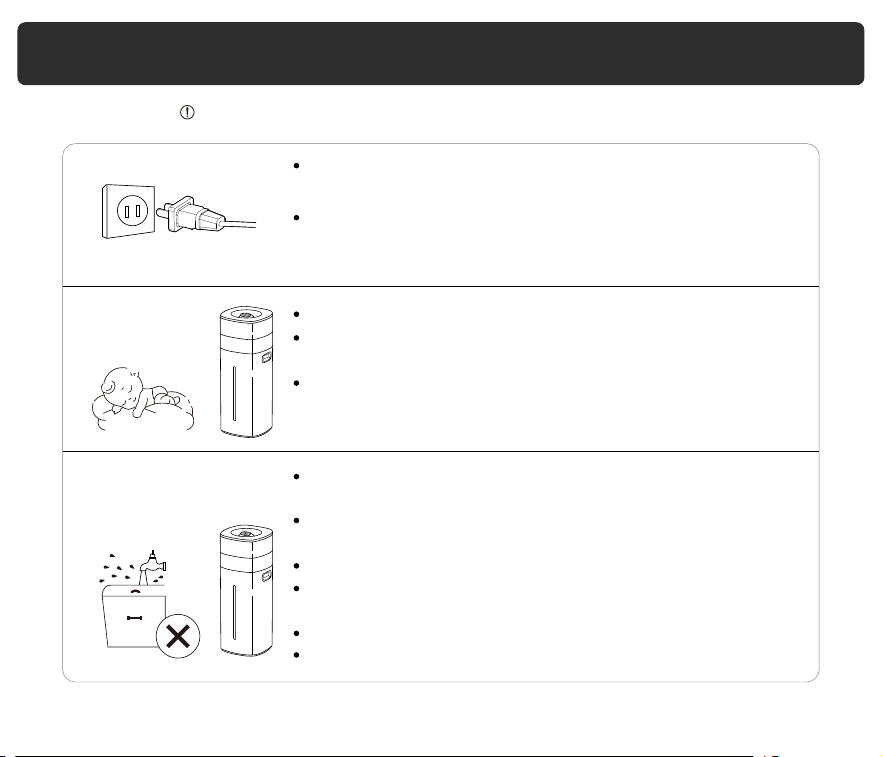
When not in use, turn the humidifier off and disconnect
from power by removing the plug from the outlet.
Keep the humidifier out of reach from children.
Always make sure to place the humidifier on a flat, level
surface before operation.
When discarding the product, keep it out of the reach of
children.
Also, take similar precautions for any parts that may
pose a danger, especially those that could be hazardous
to children.
Always unplug your humidifier from the power outlet
before cleaning your humidifier or detaching the water
tank.
Only use the humidifier as described in this manual.
Do not place the humidifier near sources of heat, such as
stovetops, ovens, or radiators.
Do not use the humidifier in wet environments.
Do not immerse the humidifier sink, power cord, or plug in
water.
Do not handle the power cord or plug with wet hands.
Keep the plug and power cord away from liquids.
020202
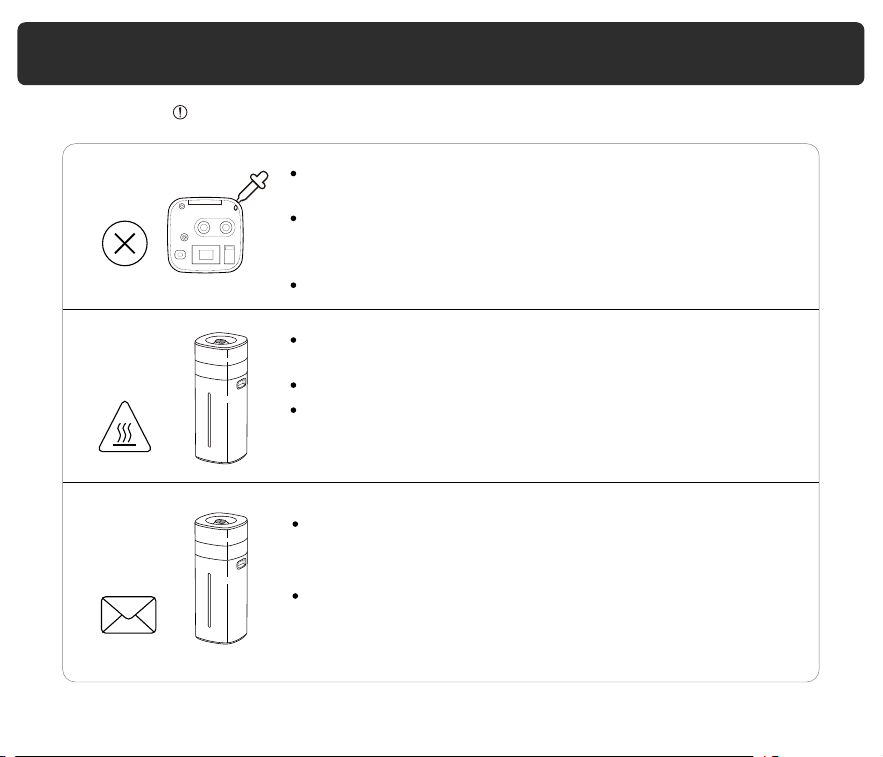
Only fill the water tank with clean water. Never fill the
water tank with any other liquids.
The water temperature inside the tank will heat up during
the heater operation of the warm mist function.
Do not touch it directly as there is a risk of burns.
Safety Guide
Only use the humidifier as described in this manual.
Do not add essential oils, supplemental water treatment
liquids, or water filters into the water tank or sink. This
will damage the humidifier and cause leaks.
Only add essential oils to the aroma pad.
Do not clean the humidifier immediately after turning it off,
especially if it has been diffusing warm mist. Allow the
humidifier to cool down completely before cleaning.
Do not modify the product, and non-professional repair
personnel are prohibited from disassembling or repairing
it, as it may result in fire, electric shock, or injury accidents.
If the product malfunctions, please stop using it
immediately and disconnect the power. Contact the
after-sales team by email.
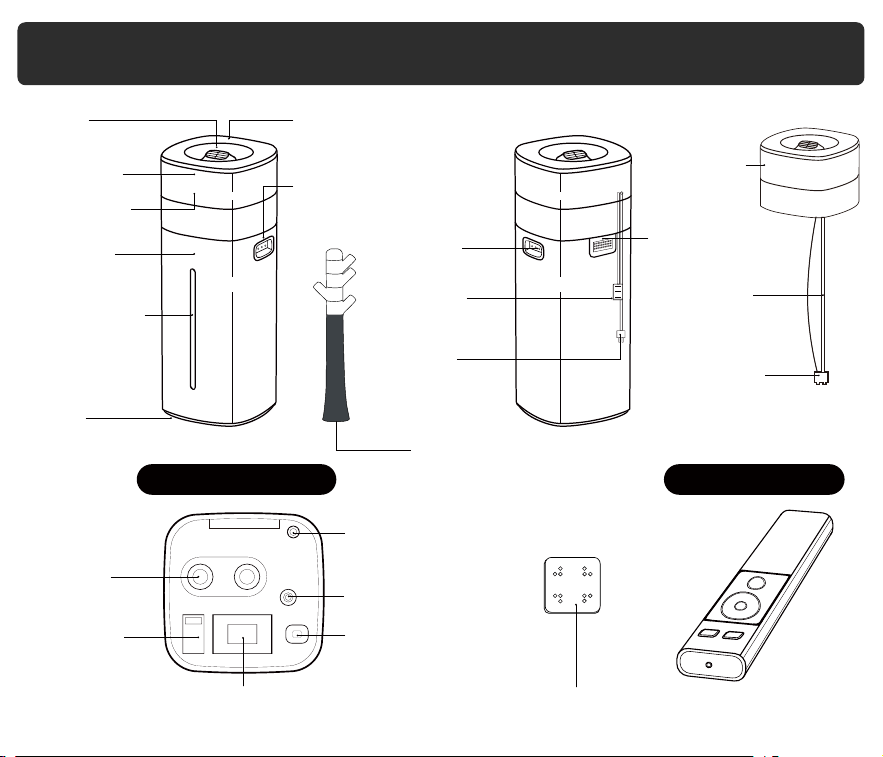
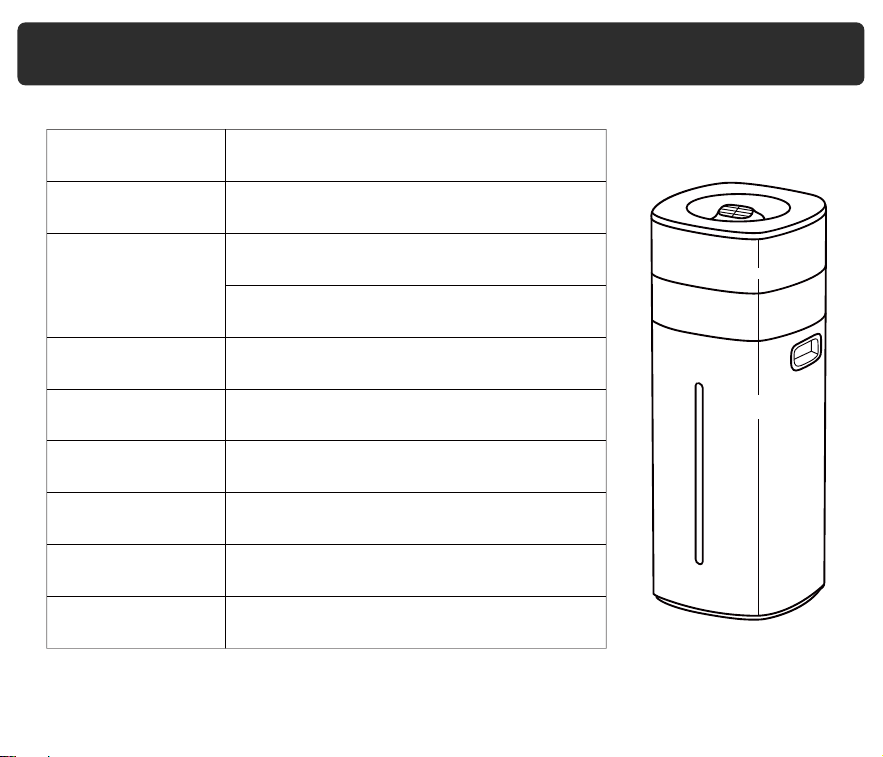
Components
03
Nozzles
Top Cover
LED Display
Control Panel
Aroma Box
Main Body
Water Pipe
Water Pump
Tank
Handle
Power
Cord
Sensor
Safety
Extended Mist Tube
Drain Hole
Water Viewport
Water Tank
Casters
Main Body Inside Remote Control
Heating Element Mineral Absorption Pad
Atomizer
Water Outlet
Water
Overflow Port
Fan Outlet
Float
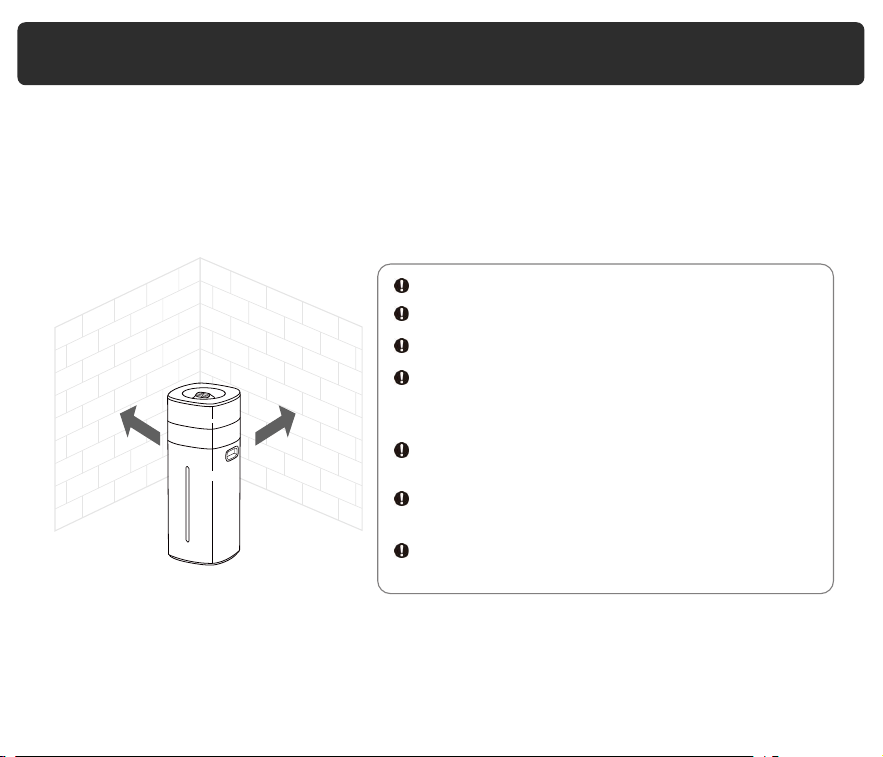
Placement
04
Place the humidifier on a level, dry surface that is free from any inclinations. Ensure
that it is horizontally positioned at a distance of more than 50 cm from any furniture,
walls, appliances, or other items.
Avoid using the humidifier in the following situations to prevent water leakage,
signal jamming, damage, or injury:
Please follow these guidelines carefully to ensure the safe and proper operation of
your humidifier. If you have any questions or concerns, please refer to the user
manual or contact customer support.
In direct sunlight.
50cm 50cm
On an unstable platform.
In high temperatures, humidity, or dust.
Near heat sources like air conditioners,
heaters, stoves, or any other objects that emit
heat.
Under tables, curtains, carpets, bedding, or
any other similar objects to avoid dampness.
Near objects that emit radio waves such as
radios.
Near precision instruments like mobile phones,
computers, and other electronic devices.
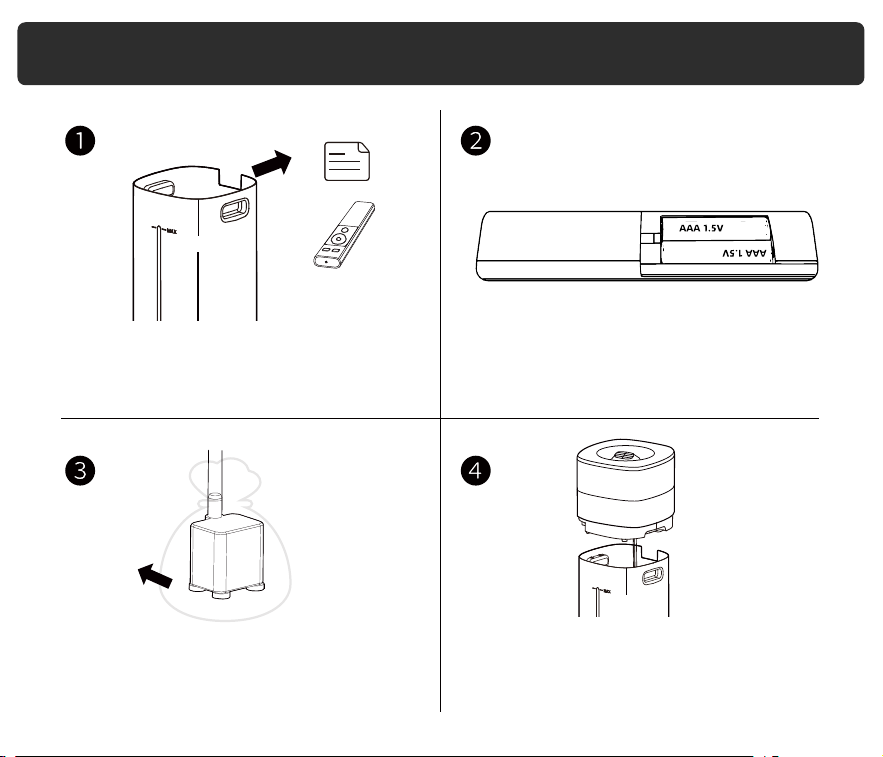
Installation
05
1. Take the main body out of the packaging
and remove the remote control and other
accessories from the water tank.
2. Install AAA 1.5 volt batteries in the remote
control (not included)
3. Remove the packaging bag of the water
pump and check if the pupm is connected
to both ends of the pump and the main
body's interface.
4. Place the main body on the water tank
properly.
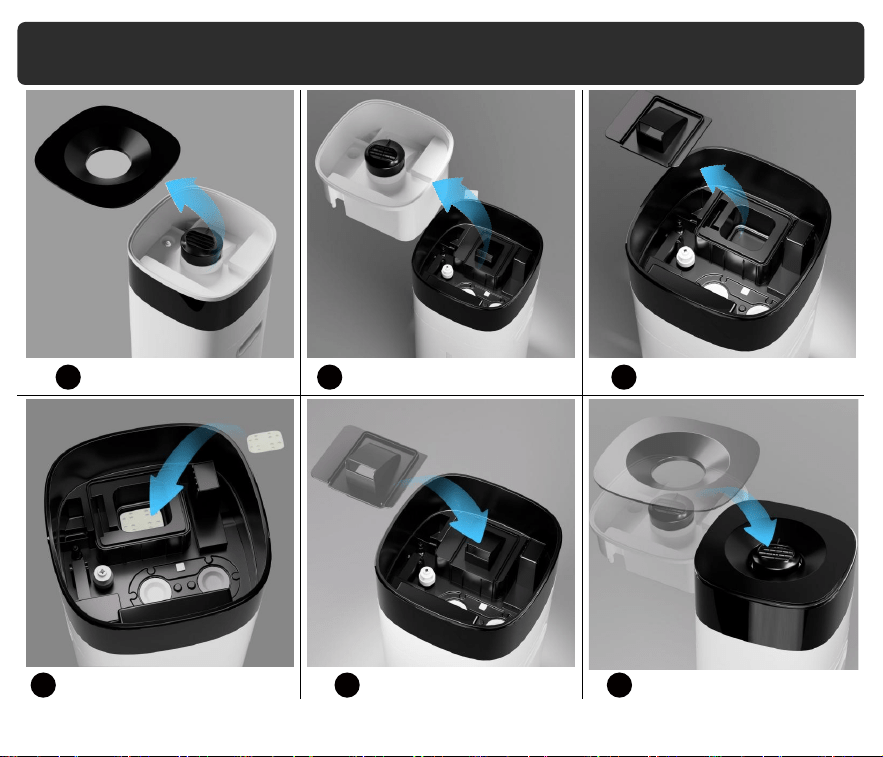
06
Installation
Remove the top cover
Place one absorption pad into
heating element slot
Reattach heater cover
Reattach white upper part
and top cover
Remove the white upper part Remove the heater cover
5
8 9 10
6 7
07
Installation
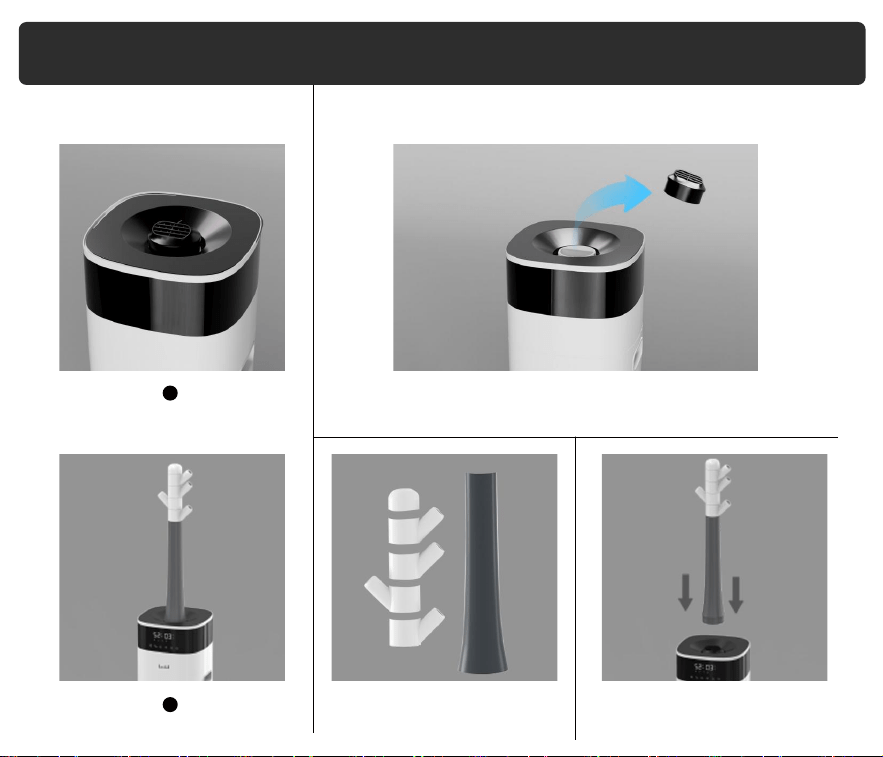
2 Installation Options
How to Install Mist Tube?
Mist nozzle installed
1
2
Step 2
Assemble the extended mist tube
Step 3
Insert mist tube into mist outlet
Extended tube installed
Step 1
Take out the mist nozzle
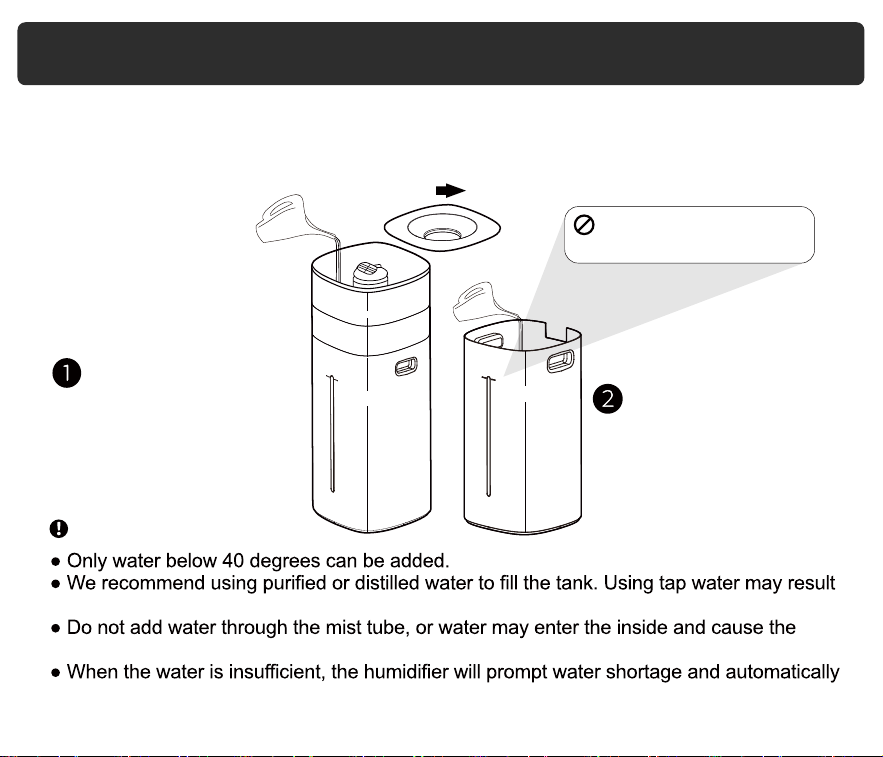
There are two ways to add water.
Fill the water tank up to the "MAX" mark indicated.
You can directly add water to
the machine at the top grid.
in a white dust (dried minerals) on surfaces.
machine to malfunction.
shut down. Please refill with water and turn it on.
Lift the humidifier mainbody
and add water to the water
tank.
Note
Water Filling
Do not exceed the full
water line(MAX).
MAX
MAX
08
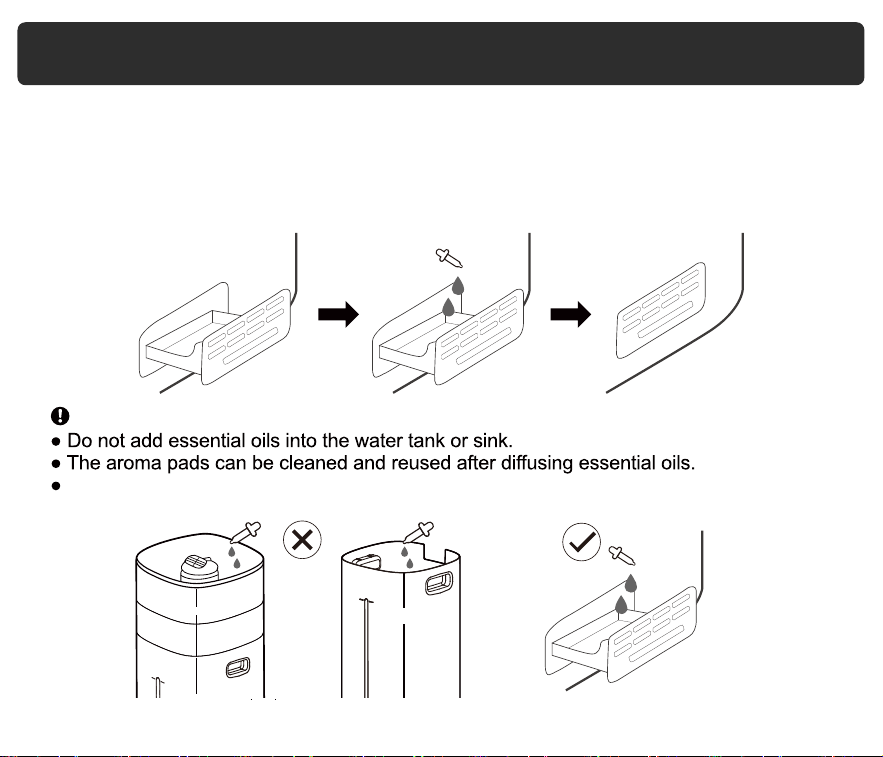
1. Push the aroma box at the back of the tank and pull it out.
3. P
2. Place an aroma pad or sponge in the aroma box.
ut 2-5 drops of essential oils on the aroma pad.
4. Insert the aroma box back into the humidifier.
5. Turn on the humidifier. The humidifier will automatically diffuse aroma when used.
This humidifier uses a small heat-based aroma diffuser. The aroma is intended to be light.
Note
Using the Aroma Box
MAX
09
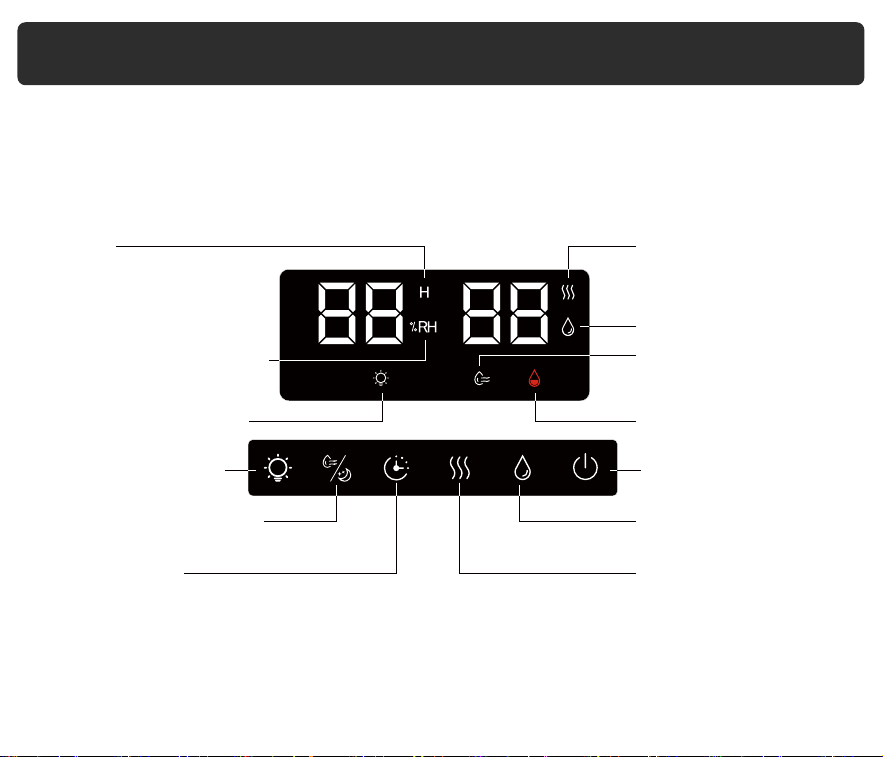
The control panel and remote control allow you to operate the humidifier with ease.
Control Panel & Remote
Night Light Indicator
Night Light Button
Humidity/Sleep Button
Timer Button
Relative Humidity(RH)
Percentage Indicator
Hour
Cool Mist Indicator
Warm Mist Indicator
Humidity Setting
Indicator
No Water Indicatior
Power Button
Cool Mist Button
Warm Mist Button
10
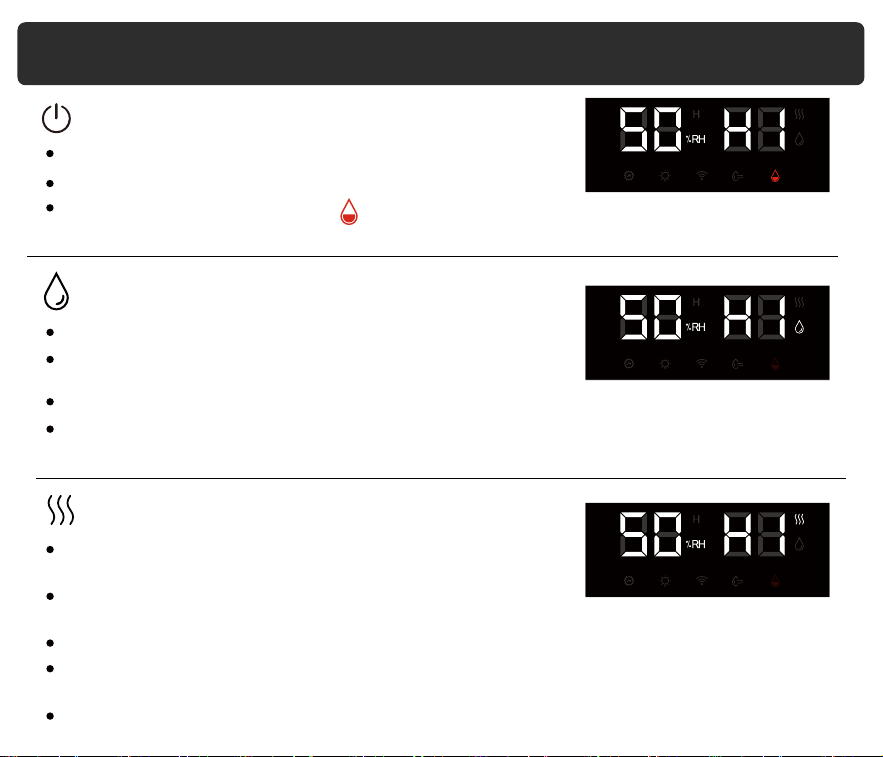
Control Panel & Remote (cont.)
Press to turn the humidifier on/off.
If there is no water in the tank, will flash 5 times, and the humidifier will turn off
automatically.
The humidifier will start misting at the minimum level.
Cool
The humidifier will start misting at the minimum level.
Press repeatedly to cycle through mist settings:
Low, Medium, and High.
The cool mist indicator on the display will light up accordingly.
If there is water around the humidifier during use, it means that the humidity in the room is
too high, please adjust the mist setting appropriately.
Power (ON/OFF)
Warm
Press repeatedly to cycle through mist settings:
Low, Medium, and High.
The warm mist indicator on the display will light up
accordingly.
The humidifier may take 15 minutes to warm up before producing warm mist.
Mist may be hot. Do not place your bare hands, face, or other exposed skin over the
nozzles or the body while using warm mist.
The function is set to be off by default when turning on the humidifier.
11
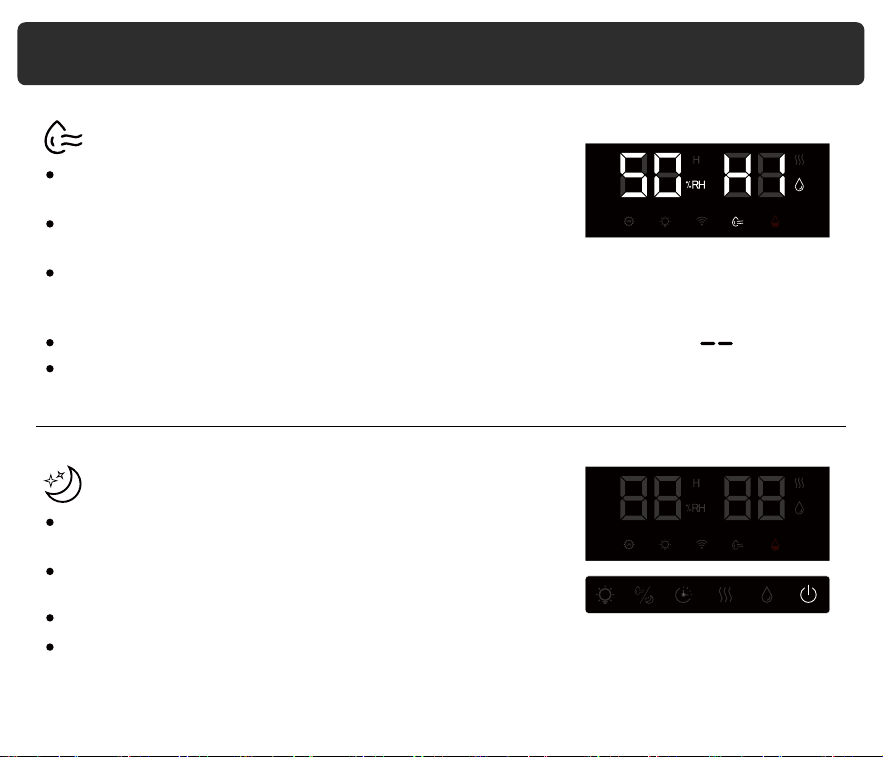
Control Panel & Remote (cont.)
Press repeatedly to cycle through mist settings: 40%-90%.
A comfortable humidity level is between 40% and 60%.
The humidity indicator on the display will light up
accordingly and the display will show the values.
After setting, the panel only displays the current ambient humidity instead of the target
humidity. When the room reaches your preferred humidity, the humidifier will
automatically stop misting.
To stop or reset this function, press repeatedly until the screen displays .
The function is set to be off by default when turning on the humidifier.
Humidity
Long press this button for 3 seconds to enable or disable
the Sleep function.
The screen will dim and the power button will flicker
continuously.
Press any button to wake up the display.
The function is set to be off by default when turning on the machine.
Sleep
12
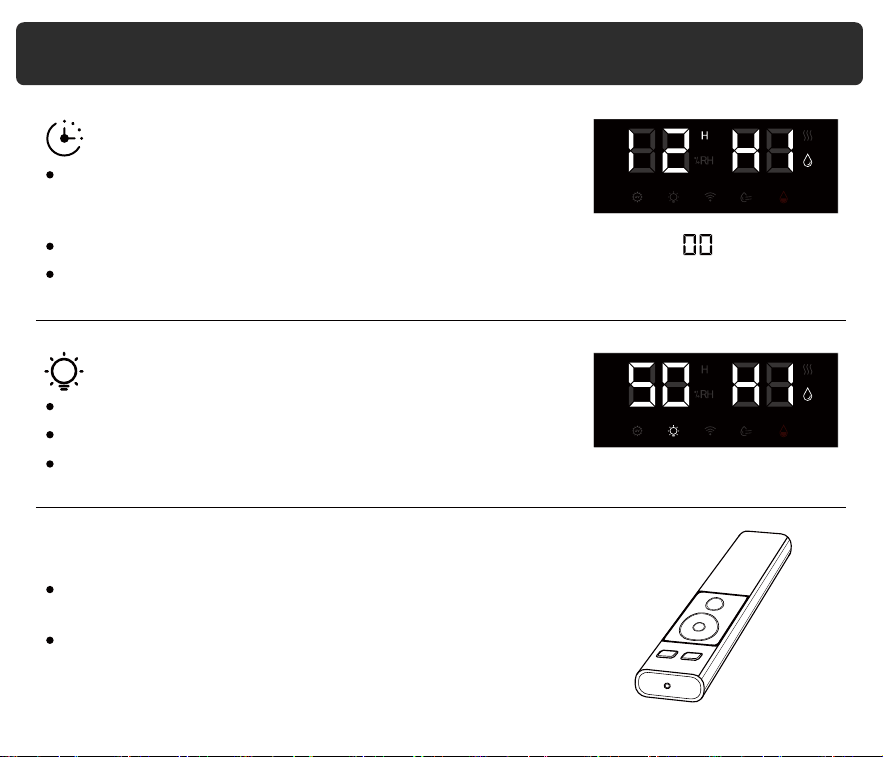
Control Panel & Remote (cont.)
During the operation of the machine, lightly touch this button
to set the misting time range from 1 to 12 hours. The display
will show the corresponding values after 3 seconds.
To stop or reset this function, press repeatedly until the screen displays .
The function is set to be off by default when turning on the humidifier.
Timer
Press this button to activate the night light function.
Note: The remote control uses AAA 1.5 volt batteries
(not included)
Point the infrared emitter of the remote control towards
the humidifier's control panel.
The light mode icon will be dimly lit on the screen.
The function is set to be on by default when turning on the machine.
Night Light
The remote control has the same control function.
13
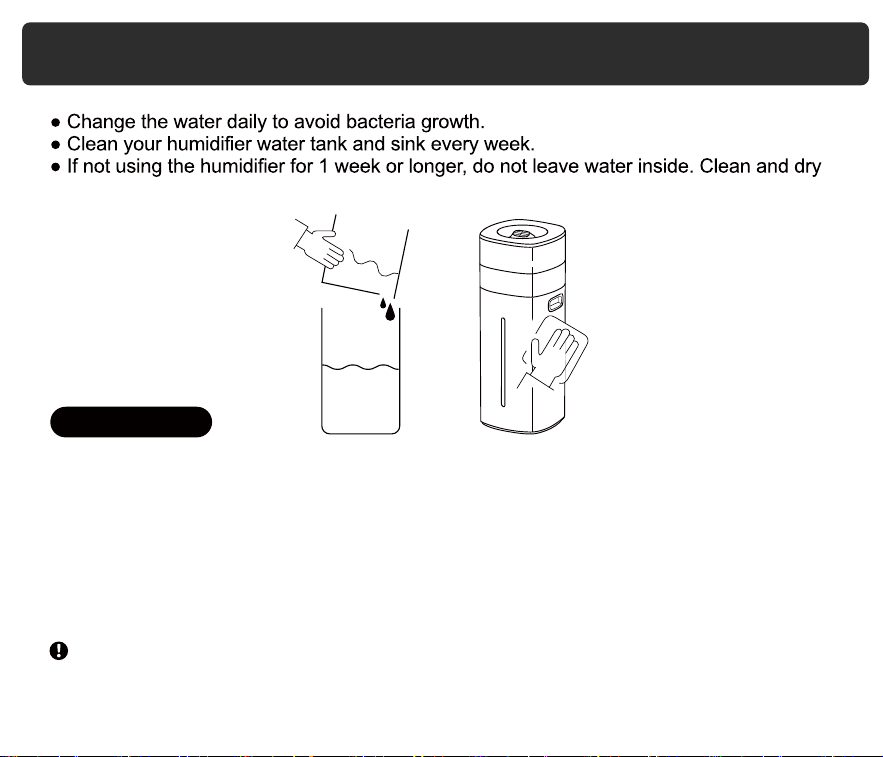
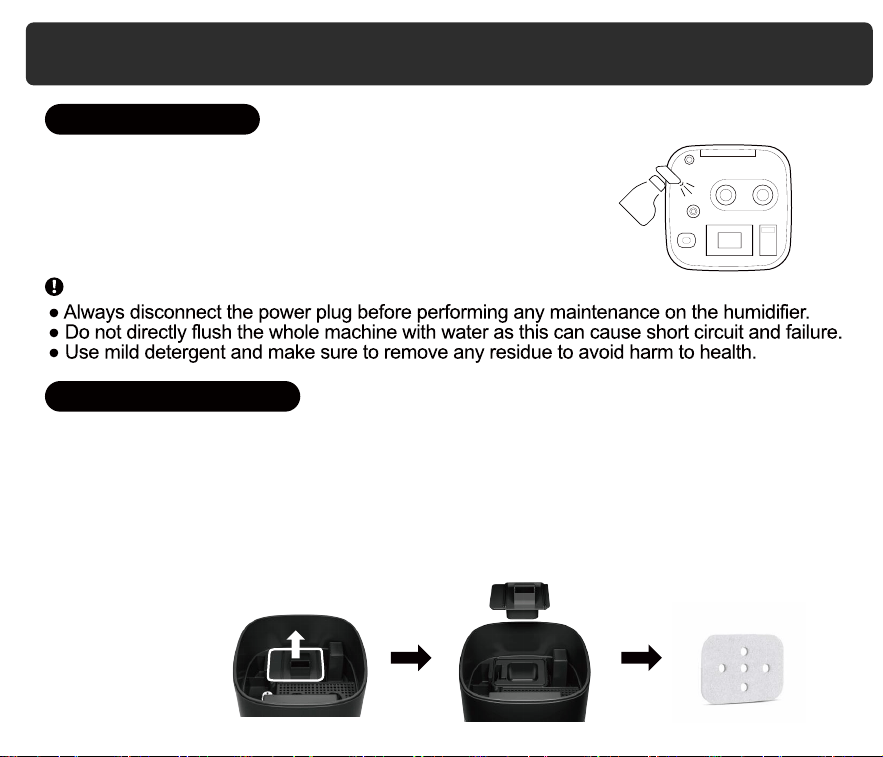
Care & Maintenance
1. Unplug the humidifier.
2. Remove and rinse the water tank cover / aroma box /aroma pad.
3. Remove the mainbody. Pour out any water from the tank and sink.
4. Wipe the outside of the humidifier with a damp soft cloth or sponge below 40 °C.
5. clean the inside surfaces of sinks and tanks with a soft cloth or brush. Never immerse
the mainbody in water or liquid.
6. Dry all parts with a cloth. Make sure all parts are completely dry before reassembling or
storing.
the humidifier instead.
If you’ve been using the warm mist setting, allow the humidifier to cool before cleaning.
Note
Daily Cleaning
14
Care & Maintenance (cont.)
To descale the humidifier (remove mineral buildup):
1. Fill the tank or sink with distilled white vinegar and soak for
15-20 minutes. Vinegar will loosen scale (mineral buildup) .
2. Use a soft cloth and the included cleaning brush to remove
scale from all parts.
3. Rinse all parts until any vinegar smell is completely gone.
The mineral absorption pads help reduce mineral buildup (scale) inside the humidifier,
especially on the heating element.
Open the lid and remove the absorption pads for cleaning.
1. Rinse the pads under warm, running water.
2. Dry the pads with a clean cloth.
3. Place the absorption pad back into the sink.
Note
Humidifier Descaling
Cleaning Absorption Pad
15
Care & Maintenance (cont.)
are included with the humidifier.
To maintain the performance of your humidifier, only use official LACIDOLL absorption
pads. For more information, contact Customer Support.
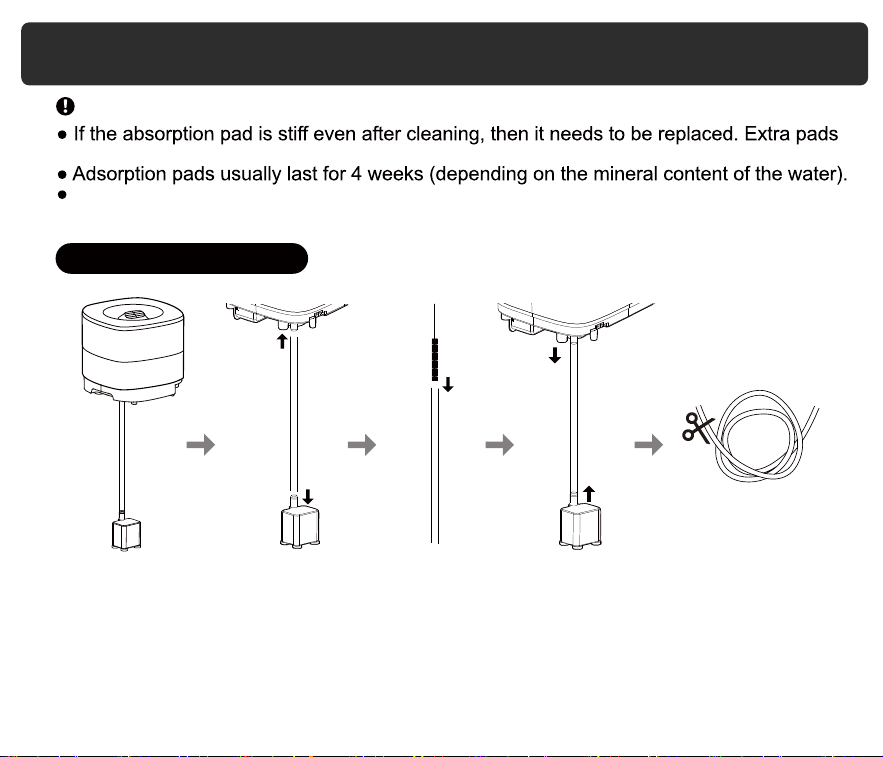
If you notice mineral buildup (scale) in the water pipe, please clean it with a slim brush
or contact our customer service to request a replacement.
1. Unplug the water pipe from the humidifier.
2. Clean the water pipe using a slim brush, or replace it if necessary.
3. Reinstall the water pipe by plugging it back into the humidifier.
4. If the water pipe is too long, you can cut it to a suitable length before reinstalling it.
Note
Cleaning the Water Pipe
16
Q: Why is there white powder around the humidifier?
A: Tap water contains minerals that can adhere to objects.
We recommend using purified or distilled water to fill the humidifier. Avoid using
water with high mineral content, such as tap water. Clean the water tank regularly
and keep precision instruments away from the humidifier to avoid damage.
Q: Why is there scale in the water sink or tank?
A: Tap water contains minerals that can adhere to objects. Clean the water sink and
tank regularly.
Q: Little or no mist comes out.
A: There could be several reasons, such as unclean water, a dirty atomizer plate,
or a clogged air intake. Clean the atomizer plate, replace the water with clean
water, and then check if the air inlet is blocked.
Q: Why is there unusual noise?
A: There could be too little water or the humidifier may be placed on an unstable
surface. Place the humidifier on a solid and sturdy surface and fill the water tank
with water.
Q: Why is the red light flashing?
A: Open the sink and check whether the water can be pumped up.
If not, disassemble the water pump and water pipe and install them again (see
page 14). If neither of these is the issue, please contact customer service to get
replacement pump via email.
Troubleshooting
17
Q: Why does display show an incorrect humidity percentage?
A: Moisture may have built up the humidity sensor. Please dry the sensor with a cloth
or air dry it first.
The humidity sensor will give an improper reading if it is exposed to dust. Avoid
using the humidifier in dusty rooms. Avoid using tap water in the humidifier as this
can increase dust in the air.
Please note that the humidity sensor and hygrometer in the room may have an
error range of 5-10% depending on the sensing method and structure.
If neither of these is the issue, please contact cusstomer service to get
replacement pump via email.
Q: Why is the floor wet or there is water around the humidifier?
A: The humidity may be too high or the humidifier may be placed in a non-ventilated
area, causing the mist to not fully evaporate.
Q: Why is there interference with the TV remote control signal?
A: Keep the humidifier at least 1 meter away from the TV or other objects that emit
radio waves.
Q: Why is the fire on the stove turning red?
*If your problem is not listed, please contact Customer Support.
A: The composition of tap water can react with the flame, so keep the humidifier
away from the stove.
Troubleshooting (cont.)
18
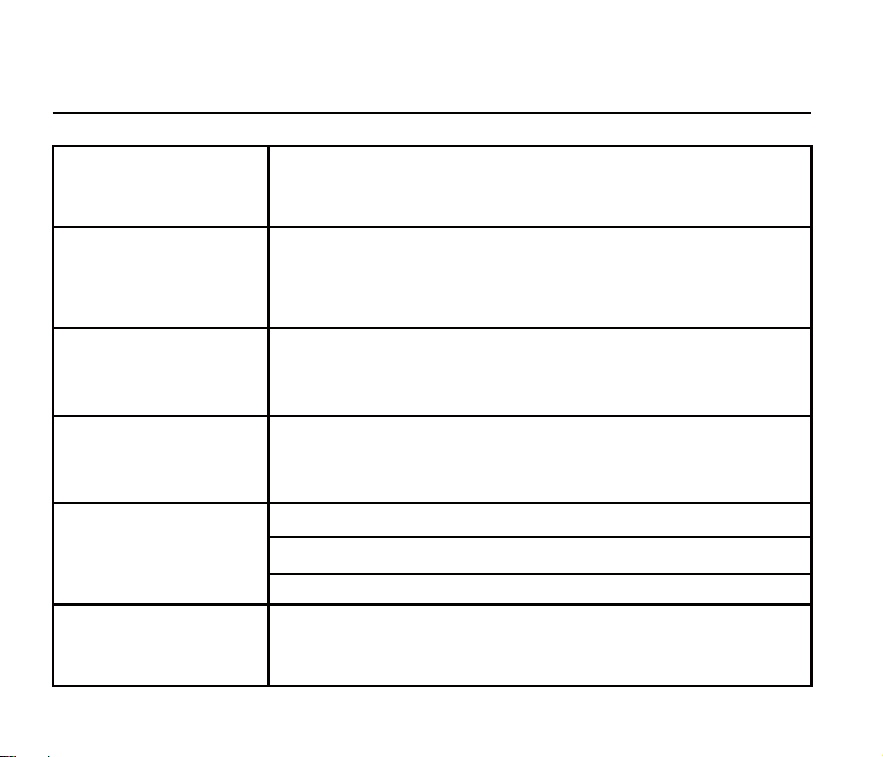
Product Name
Cool and Warm Mist Humidifier
Model Number
LCD-MH-2301J
Operation Mode
Cool : Low Medium High
Warm : Low Medium High
2000mL/h
Rated Power 290W(Warm mist)
Product Specifications
Max. Mist Output
Noise <35dB
Tank Capacity
20L/5.3Gal
Rated Voltage 120V~
Rated Frequency 60Hz
19
20
Warranty Period
Our company provides a one-year warranty starting from the date of purchase.
Warranty Requirements
In order to receive warranty service, please follow these steps:
Provide the warranty card and the order number.
Please note that we cannot provide warranty service if you are unable to provide the
above information.
Thank you for choosing our product, and we hope you enjoy using it. If you have any
questions or concerns, please don't hesitate to contact us.
Describe the problems you are experiencing in detail and provide pictures or videos
if possible.
Non-Warranty Policy
The following conditions are not covered by the warranty:
Damage that occurs after the warranty period has expired.
Damage caused by natural disasters or other force majeure events.
Any damage caused by use that does not follow the requirements outlined in the
User Manual.
Failure or damage caused by the forced use of the product.
The user disassembles or repairs the product without authorization.
Warranty
If you need to return the product, please make sure that it is intact and the
packaging boxes and accessories are complete.
21
Model Number
Warranty Period Within 1 year from the date of purchase
Purchase date Year Month Date
Order Number
Customer
Purchase Store
Warranty Card
Name
Address
Phone Number
LCD-MH-2301J