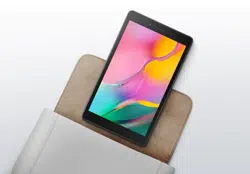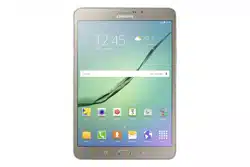
Your device
GH68-55630A
Printed in Korea
Read this document before operating the
mobile device, accessories, or software
(defined collectively and individually as the
“Product”) and keep it for future reference.
This document contains important Terms
and Conditions. Electronic acceptance,
opening the packaging, use, or retention of
the Product constitutes acceptance of these
Terms and Conditions.
Quick
Start
Guide
and
Terms &
Conditions
USB Type-C 3A cable included. For more information
about charging, visit samsung.com/us/support/answer/
ANS00078994
Use only Samsung approved charging devices and
accessories. Damage caused by use of accessories which are
not approved may not be covered by warranty.
Find the user manual
Settings
User manual
Need help?
samsung.com/us/support
youtube.com/samsungcare
samsung.com/us/support/simulators
Register your device
Explore the benets of Galaxy.
Scan the code or visit
samsung.com/us/support/register-product/
Samsung Care+
Protect your Galaxy life.
samsung.com/us/support/samsung-care-
plus
Do more
Set up your device
Scan the code
Use your old device for more
information on how to switch.
or visit
kaywa.me/switchtogalaxy
Approved firmware versions
This device will only operate with
rmware versions that have been
approved for use by the device
manufacturer. If unauthorized rmware is
placed on the device it might not function
properly.
Safeguarding devices
We encourage customers to take
appropriate measures to secure their
devices and invite them to take advantage
of the features available on this device
to help secure it from theft and/or other
unauthorized access and use. This device
has a locking function (e.g., user-dened
codes or patterns) that can serve as a rst
line of defense against unauthorized use
or access to stored information. Preloaded
security applications that allow customers
to track or locate misplaced devices can be
found on several devices.
Charge your device
Use the included USB cable and a USB
Type-C adapter (sold separately).
Turn the device on
Press and hold the Side button
for a few seconds.
Connect to Wi-Fi
Open Settings > Connections > Wi-Fi and
select a network.
Get started
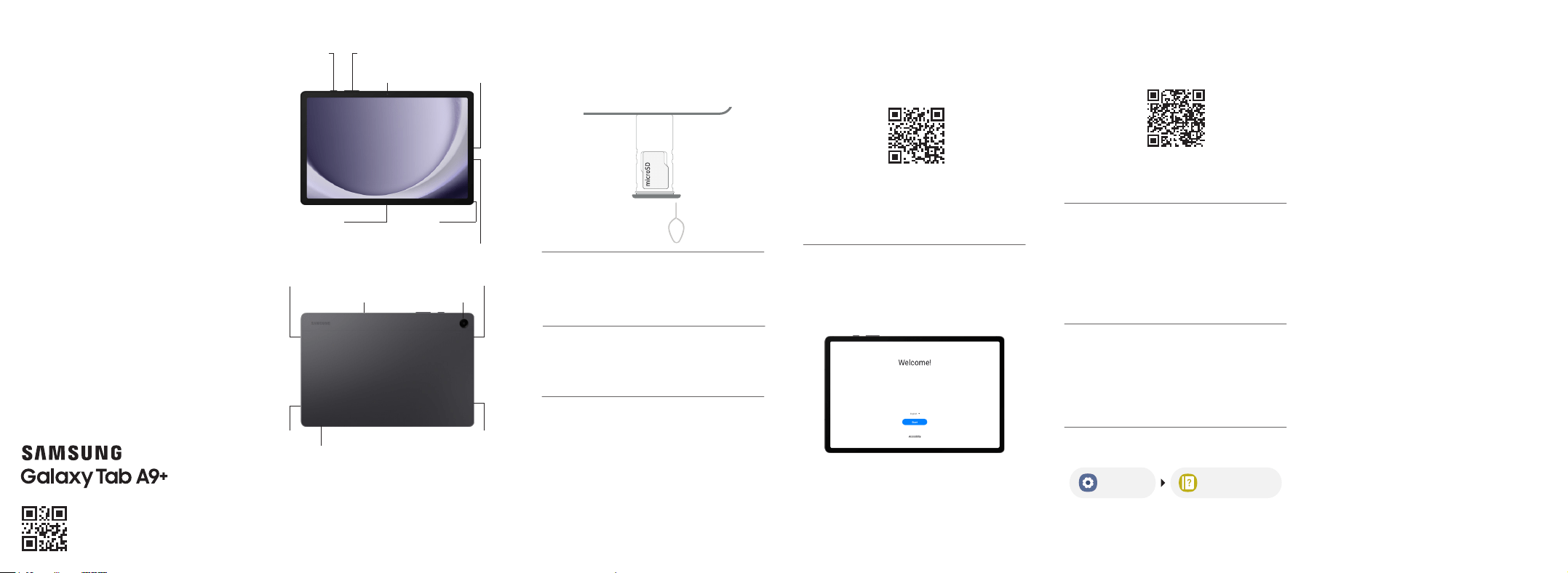
Insert a microSD card
Use the tool to open the tray, then insert the
microSD™ card (not included).
Read this document before operating the product
Camera
microSD
card tray
SpeakerSpeaker
Microphone
Side
button
Camera
Volume
button
USB/
Charging
port
Accessory
connector
Microphone
SpeakerSpeaker
Headset
jack
Start using your new device
Follow the prompts.

Energy Star
As an ENERGY STAR® Partner,
Samsung has determined that this
Product meets the ENERGY STAR
Guidelines for energy efficiency. Samsung is
a proud ENERGY STAR Partner and commits
to meet the guidelines for this product to be
ENERGY STAR certified. By selecting an ENERGY
STAR certified product, you reduce greenhouse
gas emissions and save energy. For more
information, see energystar.gov
• The Power Management setting of this
product has been enabled by default and
has various timing settings (of up to 10 to 30
minutes).
• To change this in Settings, go to the Display
menu > Screen timeout option.
This product can be awakened from sleep mode
by pressing the Side button.
Diagnostic software
This device may be equipped with diagnostic
software reporting usage and performance
information used to assess, deliver and improve
network quality and the overall device experience
to wireless customers. Please refer to your service
provider’s terms and conditions or privacy policy
for more information.
Samsung Electronics America, Inc.
85 Challenger Road
Ridgeeld Park, NJ 07660
Phone: 1.800.SAMSUNG (726-7864)
Internet: www.samsung.com
© 2023 Samsung Electronics America, Inc. Samsung & Samsung
Galaxy are registered trademarks of Samsung Electronics Co.,
Ltd. Other company and product names mentioned herein
may be trademarks of their respective owners. Screen images
simulated. Appearance of device may vary. Images shown are for
reference only. If you use a screen protector, make sure it allows
for use of touch screen features.
The Dispute Resolution Agreement, Standard
One-year Limited Warranty, End User License
Agreement (EULA), and additional Health,
Safety and Device care information, including:
• Device Temperature
• Samsung Knox security platform
• Maintaining Dust and Water Resistance
(IP rating)
• Location, Navigation, GPS and AGPS
• Wireless Emergency Alerts (WEA)
• Hearing Aid Compatibility (HAC)
are available at:
English:
www.samsung.com/us/support/legal/mobile
Spanish:
www.samsung.com/us/support/legal/mobile-sp
This information is also on the device:
Settings > About phone or About device
or About watch or About tablet > Legal
information > Samsung legal or, search for
“Legal”
You can view the Federal Communications
Commission (FCC) certication, if applicable, by
opening Settings > About phone or About
device or About watch or About tablet > Status
or Status information
Specific Absorption Rate (SAR)
certification information
For information visit:
• www.fcc.gov/general/radio-frequency-
safety-0
• www.fcc.gov/encyclopedia/specic-
absorption-rate-sar-cellular-telephones
• www.samsung.com/sar
Exposure to Radio Frequency (RF)
signals
For information, visit www.samsung.com/us/
support/legal/mobile then select Health and
Safety Information > Radio Frequency (RF)
signals
Safe Handling & Recycling of
Batteries WARNING!
Never dispose of batteries in a re because
they may explode. Do not disassemble, crush,
puncture, heat, burn or reuse batteries. For more
information, visit call2recycle.org or call 1-800-
822-8837. Alternatively, visit: www.samsung.
com/recycling or call 1-800-SAMSUNG.
FCC Part 15 Information and Notices
This device complies with part 15 of the FCC Rules.
Operation is subject to conditions: (1) This device
may not cause harmful interference, and (2) this
device must accept any interference received,
including interference that may cause undesired
operation. Operate devices that support wireless
power sharing at least 8inches/20 cm away from
your body.
Emergency calls
Emergency calls may not be possible on all
wireless mobile device networks or when certain
network services and/or mobile device features are
in use. Check with local service providers. If certain
features are in use (e.g. call blocking) you may rst
need to deactivate those features before you can
make an emergency call.
Pacemaker and implantable medical
devices
CAUTION! Persons who have implantable
medical devices should consult their health
care provider before using mobile electronic
devices. For more information, visit
www.samsung.com/us/support/legal/mobile
then select Health and Safety Information >
FCC Part 15 Information and Notices
Important Legal information
Read this document before operating the
mobile device, accessories, or software
(dened collectively and individually as the
“Product”) and keep it for future reference.
This document contains important Terms
and Conditions. Electronic acceptance,
opening the packaging, use, or retention of
the Product constitutes acceptance of these
Terms and Conditions.
You can obtain a copy of the complete Terms
and Conditions and Samsung Standard
One-year Limited Warranty by contacting
Samsung at the address or phone number
provided in this document.
Dispute Resolution Agreement - This
Product is subject to a binding Dispute
Resolution Agreement, which includes
arbitration terms, between you and
SAMSUNG ELECTRONICS AMERICA, INC.
(“Samsung”). You can opt out within 30
calendar days of purchase: email optout@
sea.samsung.com or call 1-800-SAMSUNG
(726-7864) and providing the applicable
information.
Terms &
Conditions
WARNING: Your Samsung device contains
magnets. Keep it away from credit cards and
devices that may be affected by magnets. Keep
your Samsung device more than 6 in./15cm away
from medical devices. If you suspect interference
with a medical device, stop using your Samsung
device and consult your medical provider.