USER MANUAL
Before using, please read the operating instructions carefully to
ensure proper application and achieve satisfactory results.
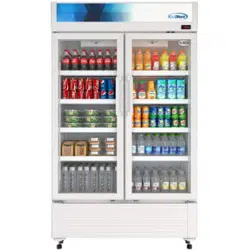
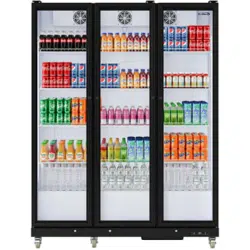
KoolMore Merchandiser Full Glass
Doors Refrigerator
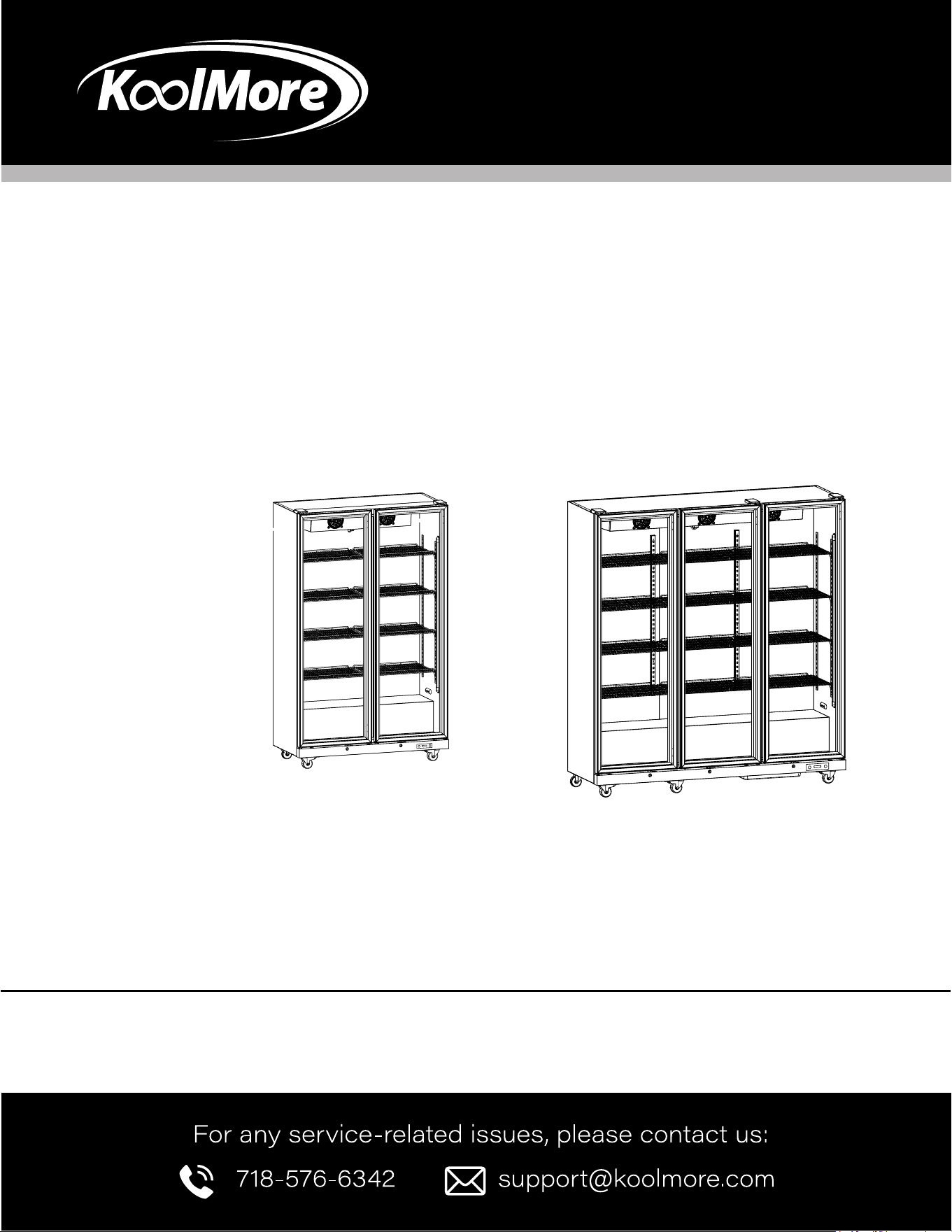
Models: KM-MDR-2FGD | KM-MDR-3FGD
MERCHANDISER
KM-MDR-2FGD KM-MDR-3FGD

Stay informed with the latest information
for your KoolMore Appliance.
If you need any assistance or have questions, our customer
support team is here to help.

3
Contents
Safety ............................................................... 4
Setup ................................................................... 5
Operation .............................................................. 6
Maintenance ....................................................... 7
Troubleshooting ................................................... 8
Warranty ............................................................. 9

4
SAFETY
Safety Information
• This appliance is not intended for use by individuals (including children) with reduced physical, sensory, or mental
capabilities, or lack of experience and knowledge, unless they are supervised by a person responsible for their safety.
• If the supply cord is damaged, it must be replaced by a special cord or assembly available from the manufacturer or
its service agent.
• If the supply cord is damaged, it must be replaced by the manufacturer, its service agent, or similarly qualied persons
to avoid a hazard.
• The rated voltage is 115V, and the rated frequency is 60Hz. If the working voltage is too low or too high, the compres-
sor may be damaged.
• Use a three-prong socket (grounded). For safety, ensure the socket and cord are rated for more than 10A. Always
ensure the socket is properly grounded. Do not modify the power cord or plug. Securely connect the plug and socket
to prevent re hazards.
• When handling the plug, grip it rmly—do not pull by the cord. Do not press or damage the power cord. Exercise cau-
tion when carrying the product to avoid damaging the cord.
• When using and carrying the appliance, avoid pressing or pulling on the glass door to prevent it from breaking. When
transporting, ensure that the front of the packing is not pressed.
• When not using the showcase, keep it away from re hazards. Ensure the door is closed to prevent children from ac-
cessing the machine and causing accidents. Secure the machine in a xed position.
• If there is a gas leak or re, turn off the gas valve, then open the door and windows. Do not remove the plug from the
socket.
• The refrigerator section is for storing refrigerated items only. Do not place frozen food or meat in this section to avoid
thawing and spoilage.
• Do not store gasoline or other ammable liquids near the showcase to prevent re hazards.
• Do not place dangerous substances in the showcase, such as ammable liquids, corrosive substances, acids, alkalis,
etc.
• Prevent children from entering the compressor room or the back gap of the showcase. Also, avoid them placing hands
or feet inside the appliance.
• Do not tear open, modify, or damage the cooling pipes. Maintenance should only be performed by qualied personnel.
• Do not spray water directly on the showcase. Also, do not place the showcase in damp areas to prevent electrical
insulation issues and re hazards.
• Before cleaning or servicing, always unplug the appliance. Wait at least 5 minutes before plugging it back in to avoid
damaging the compressor.
• The fridge door is for cooling only, not freezing. Do not place bottles of beer or drinks in the freezer to avoid breakage.
• Shelves should be used for storing food only. Do not use the shelves for storing items like ower medicines, drugs,
chemicals, blood, etc.
• Keep ventilation openings in the appliance enclosure or built-in structure clear of obstructions.
• Do not use mechanical devices or other means to speed up the defrosting process unless recommended by the man-
ufacturer.
• Do not damage the refrigerant circuit.
• Do not use electrical appliances inside the food storage compartments of the appliance unless they are recommend-
ed by the manufacturer.

5
Setup
• When unpacking, check to ensure all accessories are included. After verication, repack properly before transporta-
tion.
• During handling or transportation, avoid rough handling and shaking. The incline should not exceed 45 degrees to
protect the cooling system.
The appliance should be placed on a solid and level surface to ensure stability and safety.
• Do not place any items taller than 4 inches inside the showcase to ensure optimal operation and energy savings.
• Before connecting to electricity, remove the plastic cover from the plug. Ensure the appliance is running properly be-
fore placing food inside.
• Place the machine on a at and solid surface. If you need to raise the machine, use a at, solid cushion. Do not use
soft cushions or packing materials like foam or polystyrene underneath as a cushion.
• Avoid placing the machine in moist areas or where it could get wet or dirty. Clean it with a soft cloth as soon as possi-
ble to prevent mold and maintain insulation.
• Do not use the machine in very cold environments or outdoors in the rain.
• To ensure proper operation, do not place the machine under direct sunlight or near heat sources.
• Keep the machine in a well-ventilated position and open the door to allow air circulation.
• Although the machine is pre-cleaned at the factory, please clean it again before use.
• The machine should be empty when starting. Set the thermostat and connect it to electricity to begin operation. The
compressor may initially stop after a short period as the machine might be warm. Once the internal temperature
decreases, the machine will function automatically. It is recommended to wait for the internal temperature to lower
before placing items inside the showcase.
6
Operation
Temperature Set
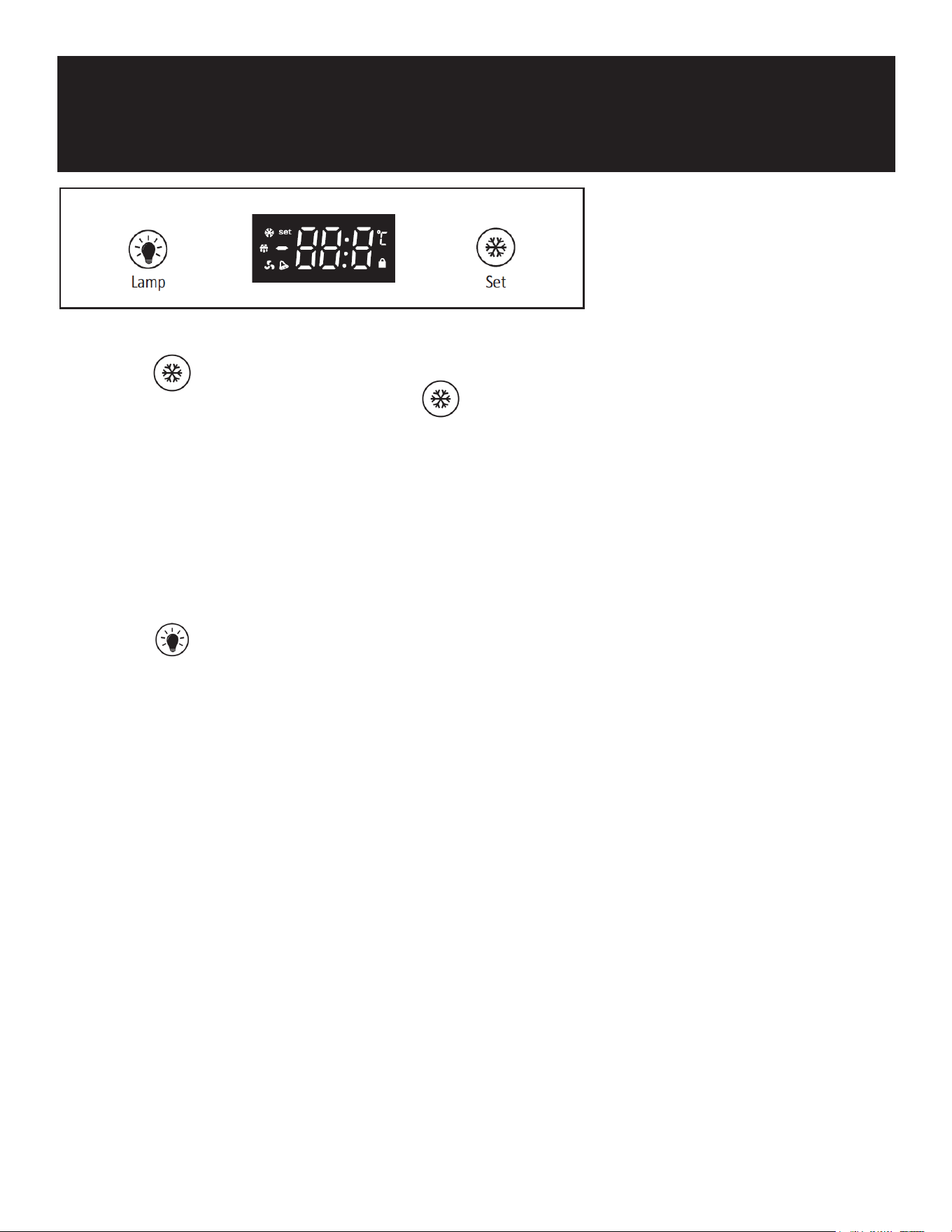
• Press the “SET” button for 3 seconds until the set indicator lights up and the number on the LED display ashes. This
number indicates the current temperature. Press to adjust the number.
• The adjustable temperature range is 0°C to 10°C.
• The temperature setting will be conrmed if no buttons are pressed for 10 seconds.
Compressor Start Delay Time
• When powering on for the rst time or after a brief power outage, the compressor will delay for about 8 minutes be-
fore starting. This delay helps prevent compressor damage from frequent on/off cycling.
Illuminate
• Press the button to turn the lamp on. Press the button again to turn the lamp off.

7
Maintenance
Cleaning
• Before cleaning, always unplug the appliance.
• Use a soft cloth or sponge with clear water or mild soap.
• Do not use organic, alkaline, hot water, or acidic cleaners on the showcase.
• Avoid using water to clean the compressor area. After cleaning, use a cloth to dry any water to prevent rust.
• Ensure hot food is cooled before placing it in the fridge room to prevent damaging the cooling system.
• When placing food, keep a reasonable distance between items to ensure proper airow. Avoid blocking the cooling air
outlet and inlet to maintain cooling eciency.
• Do not frequently open the door or leave it open for long periods while the machine is operating. Keep the door closed
tightly to save energy.
• After a power outage, wait at least 5 minutes before turning the machine back on to avoid damaging it.
• If the internal temperature rises due to a power cut or other failure, it is recommended to stop using the machine until
it returns to normal.
• If the machine will not be used for an extended period, turn off and unplug it. Clean it thoroughly, and after drying, seal
it for storage.
• To prolong the machine’s lifespan, do not turn it off and on frequently. Wait at least 5 minutes between turning it off
and on again.
Defrost ice
• Normally, when the compressor stops, the body temperature will rise, causing the evaporator frost to thaw and drain
to the water box in the compressor room.
• The water in the box will evaporate due to the heat when the compressor is running, eliminating the need for manual
defrosting.
Replace the Lamp
• If the lamp is damaged, contact customer services. Do not attempt to replace the lamp yourself.
8
Troubleshooting
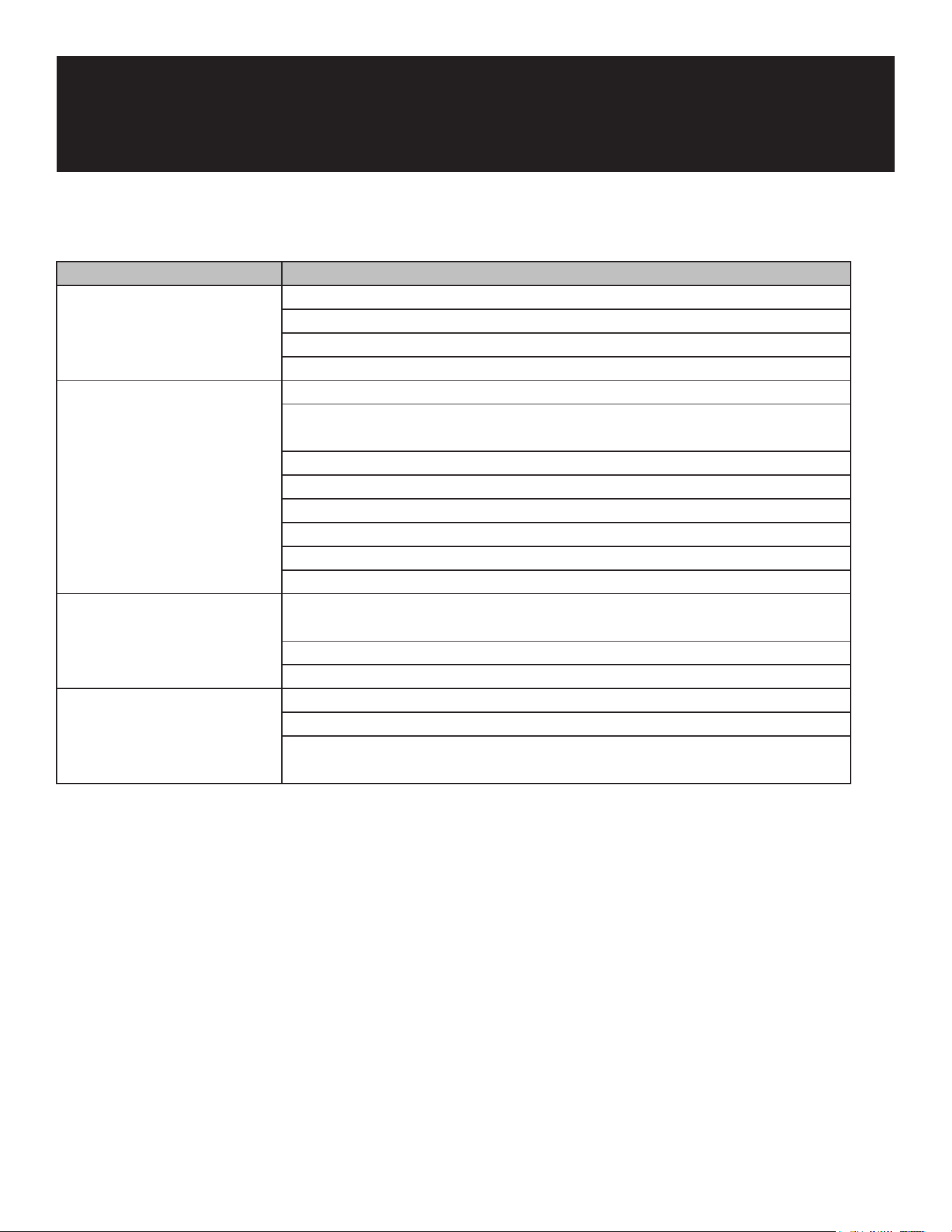
Issue Possible Causes
No cooling Check for a power outage.
Ensure the plug and socket connection is secure.
Check if the fuse is blown.
Verify if the currency protector is functional (if applicable).
Bad cooling effects Ensure the thermostat is set correctly.
Check if the appliance is exposed to direct sunlight or near heat sources.
Clean any dust from the compressor and condenser.
Avoid overloading; ensure there is enough space between stored items.
Avoid placing hot items inside.
Do not open the door too frequently.
Ensure the door is fully closed.
Check if the frost buildup in the inner cabinet is too thick.
The appliance does not stop
working
Check if the thermostat is set too high.
Avoid overloading the appliance.
Check if the ambient temperature is too high.
Big noise Ensure the appliance is on a at and sturdy surface.
Check if the appliance is touching walls or other objects.
Ensure the appliance is not in contact with anything that might easily be
moved or vibrated.

9
WARRANTY
LIMITED WARRANTY
Koolmore Supply, Inc. extends a limited warranty to the original purchaser, guaranteeing that this Koolmore
product is free from manufacturing defects in material or workmanship for one year from the date of
purchase.
Should you discover any such defect within the warranty period, Koolmore Supply, Inc., reserves the right to
repair or replace the product without charge, or to cover the cost of replacement parts and repair labor needed
to correct defects present at the time of purchase or resulting from regular usage, when the appliance has been
installed, operated, and maintained as per the instructions provided.
At its sole discretion, Koolmore Supply Inc. may decide to replace the product. In such an event, your replace-
ment appliance will carry the warranty for the remaining term of the original unit's warranty period.
This warranty is valid exclusively to the original purchaser of the product and only applicable within the United
States. The warranty commences from the date of original consumer purchase. Proof of the original purchase
date will be required to obtain service under this warranty.
Under this limited warranty, your sole and exclusive remedy will be product repair, as outlined above. All
services must be provided by a Koolmore-designated service company.
To claim warranty or request repair service:
Email support@koolmore.com. Please include your name, address, phone number, warranty repair request,
and a copy of your proof of purchase receipt. Alternatively, visit koolmore.com and use the contact us page. A
Koolmore customer service representative will promptly arrange service for your appliance.
We thank you for choosing Koolmore.
WARRANTY EXCLUSIONS
This limited warranty will not cover:
1. Failure of the product to perform during power failures or interruptions,
or due to inadequate electrical service.
2. Damage incurred during transportation or handling.
3. Damage caused by accidents, vermin, lightning, winds, re, oods, or acts of God.
4. Damage resulting from accidents, alterations, misuse, abuse, improper installation, repair, or maintenance.
This includes using any external device that alters or converts the voltage or frequency of
electricity.
5. Unauthorized product modications, repairs by unauthorized centers, or use of non-approved
replacement parts.
6. Abnormal cleaning and maintenance not aligned with the user's manual.
7. Use of incompatible accessories or components.
8. Any costs associated with repairs or replacements under these excluded circumstances shall be the
responsibility of the consumer.