OPERATOR’S MANUAL
FLEX CONNECT™
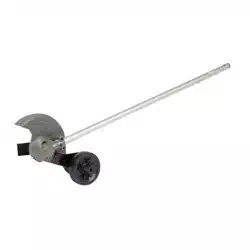
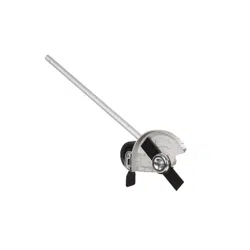
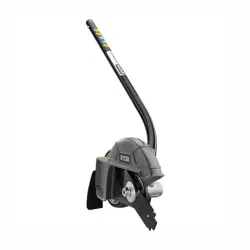
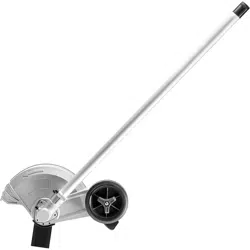
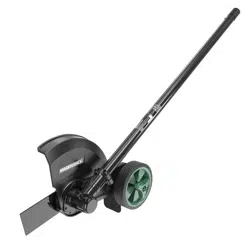
UNIVERSAL 9" EDGER ATTACHMENT
To Reduce The Risk Of Injury, User Must Read
CAUTION
And Understand Operator’s Manual. Save These Instructions For
Future Reference.
267-2150
2901694ME
STC459

TABLE OF CONTENTS
Safety Symbols ........................................................................................................... Page 2
Safety Instructions ...................................................................................................... Page 3
Overview ..................................................................................................................... Page 7
Specications ............................................................................................................. Page 7
Assembly .................................................................................................................... Page 8
Operation .................................................................................................................... Page 9
Maintenance ............................................................................................................ Page 11
Troubleshooting ........................................................................................................ Page 12
Note .......................................................................................................................... Page 13
Warranty ................................................................................................................... Page 14
Page 2
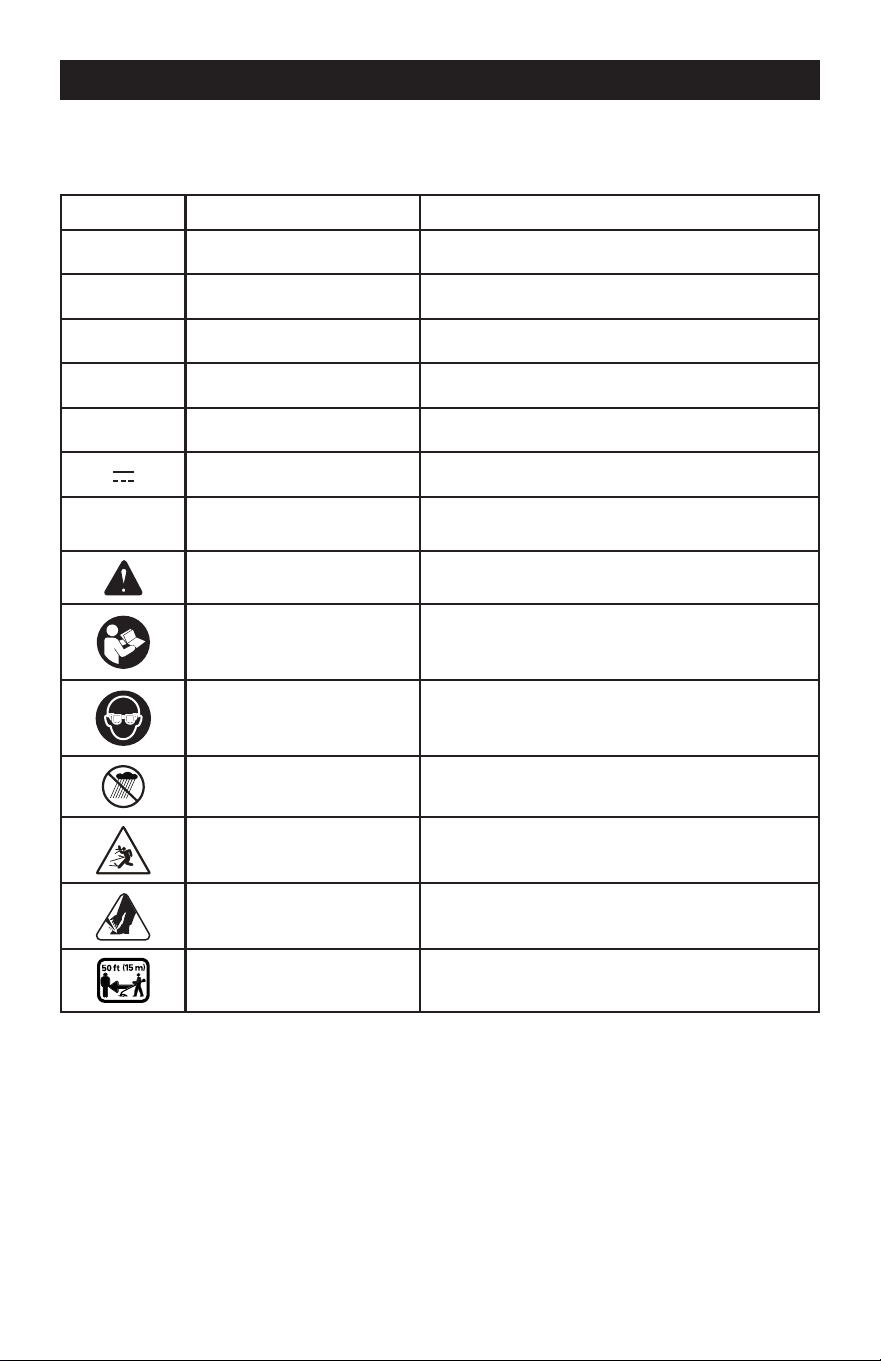
SAFETY SYMBOLS
Some of the following symbols may be used on this product. Please study them and learn their
meaning. Proper interpretation of these symbols will allow you to operate the product better
and safer.
Symbol Name Designation / Explanation
V Volts Voltage
A Amperes Current
Hz Hertz Frequency (cycles per second)
W Watts Power
min Minutes Time
Direct Current Type or a characteristic of current
/min Per Minute
Revolutions, strokes, surface speed, orbits etc.,
per minute
Safety Alert Precautions that involve your safety.
Read The Operator’s
Manual
To reduce the risk of injury user must read and
understand operator’s manual before using this
product.
Eye Protection
Always wear eye protection with side shields
marked to comply with ANSI Z87.1 when
operating this equipment.
Wet Conditions Alert
Do not expose the product to rain or moist
conditions.
Ricochet
Thrown objects can ricochet and result in
personal injury or property damage.
Sharp Blade Keep hands and feet away from blade.
Keep Bystanders Away Keep all bystanders at least 50 ft. (15m) away.
Page 3
SAFETY INSTRUCTIONS
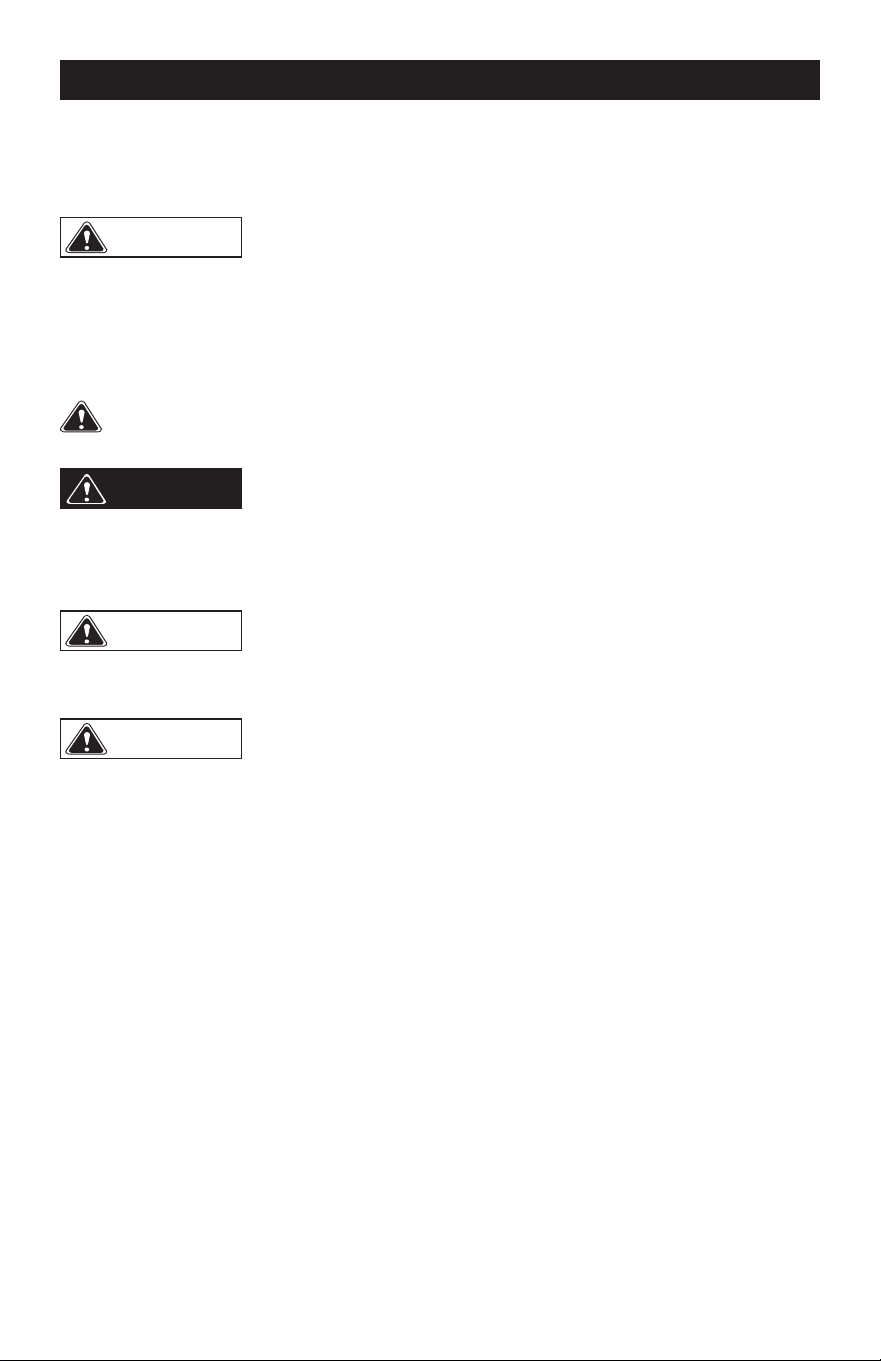
The purpose of safety symbols is to attract our attention to possible dangers. The safety
symbols, and the explanations with them, deserve your careful attention and understanding.
The symbol warnings do not by themselves eliminate any danger. The instructions and
warnings they give are no substitutes for proper accident prevention measures.
Failure to obey this safety warning CAN result in death or serious
injury to yourself or to others. Always follow the safety precautions to reduce the risk of
fire, electric shock and personal injury.
WARNING
Failure to obey this safety warning MAY result in personal injury
to yourself or others or property damage. Always follow the safety precautions to
reduce the risk of fire, electric shock and personal injury.
CAUTION
Failure to obey this warning WILL result in death or serious injury
to yourself or to others. Always follow the safety precautions to reduce the risk of fire,
electric shock and personal injury.
DANGER
Be sure to read and understand all safety instructions in this
manual, including all safety alert symbols such as “DANGER”, “WARNING” and
“CAUTION”, before using this power tool. Failure to follow all instructions listed below
may result in electric shock, fire and/or serious personal injury.
WARNING
SYMBOL MEANING
SAFETY ALERT SYMBOL:
Indicates DANGER, WARNING, OR CAUTION. May be used
in conjunction with other symbols or pictographs.

Page 4
SAFETY INSTRUCTIONS
IMPORTANT SAFETY
INSTRUCTIONS
READ ALL INSTRUCTIONS
BEFORE USING (THIS POWER
TOOL)
WARNING
Read and
understand all instructions before using
this product. Failure to follow all
instructions listed below may result in
electric shock, fire, and/or serious
personal injury.
• Use only identical manufacturer’s
replacement parts and accessories. Use
of any other parts may create a hazard or
cause product damage.
• Always wear safety glasses with side
shields marked to comply with ANSI
Z87.1. Everyday glasses have only impact
resistant lenses. They are NOT safety
glasses. Following this rule will reduce
the risk of eye injury. Use face mask if
operating in dusty workspaces.
• Avoid Dangerous Environment – Don’t
expose power tools to damp or wet
conditions. Water entering a power tool will
increase the risk of electric shock.
• Do not use in rain.
• Keep all bystanders, children, and pets at
least 50 ft. away.
• Dress Properly – Do not wear loose
clothing or jewelry. They can be caught in
moving parts. Use of rubber gloves and
substantial footwear is recommended
when working outdoors. Wear protective
hair covering to contain long hair.
• Use right Appliance. Do not use appliance
for any job except that for which it is
intended.
• Prevent unintentional starting. Ensure
the switch is in the off-position before
connecting to battery pack, picking up
or carrying the appliance. Carrying the
appliance with your nger on the switch or
energizing appliance that have the switch
on invites accidents.
• Do not grasp the exposed cutting blades or
cutting edges when picking up or holding
the appliance.
• Do not Force Appliance – It will do the job
better and with less likelihood of a risk of
injury at the rate for which it was designed.
• Do not overreach – Keep proper footing
and balance at all times.
• Stay alert – Watch what you are doing.
Use common sense. Do not operate this
unit when you are tired, ill or under the
inuence of alcohol, drugs, or medication.
• Always store idle power tools indoors –
When not in use, power tools should be
stored indoors in a dry and high or locked-
up place, out of reach of children.
• Maintain Appliance With Care – Keep
cutting edge sharp and clean for best
performance and to reduce the risk of
injury. Follow instructions for lubricating
and changing accessories. Inspect
appliance cord periodically, and if
damaged, have it repaired by an authorized
service facility. Inspect extension cords
periodically and replace if damaged. Keep
handles dry, clean, and free from oil and
grease. Failure to do so can cause serious
injury.
• Check damaged parts before using the
appliance, a guard or other part that is
damaged should be carefully checked
to determine that it will operate properly
and perform its intended function. Check
for alignment of moving parts, binding of
moving parts, breakage of parts, damaged
mountings, and any other condition that
may affect its operation. A guard or other
part that is damaged should be properly
repaired or replaced by an authorized
service center unless indicated elsewhere
in this manual.
• Do not modify or attempt to repair
the appliance or the battery pack (as
applicable) except as indicated in the
instructions for use and care.
• Do not charge appliance in rain, or in wet
locations.
• Remove or disconnect battery before
servicing, cleaning, or removing material
from the gardening appliance.
• Use appliances only with specifically
designated battery packs. Use of any other
battery packs may create a risk of injury

Page 5
and re.
• Recharge only with the charger specified
by the manufacturer. A charger that is
suitable for one type of battery pack may
create a risk of re when used with another
battery pack.
• Use only with Masterforce Batteries:
267-3313, BAB726, BAB727, BAB728,
BAB729 and other BAB series batteries.
• Use only Masterforce Charger: 267-3314,
CAB809 or other CAB series.
• When battery pack is not in use, keep it
away from other metal objects, like paper
clips, coins, keys, nails, screws, or other
small metal objects, that can make a
connection from one terminal to another.
Shorting the battery terminals together
may cause a re.
• Under abusive conditions, liquid may be
ejected from the battery; avoid contact.
If contact accidentally occurs, flush with
water. If liquid contacts eyes, additionally
seek medical help. Liquid ejected from the
battery may cause irritation or burns.
• Do not use a battery pack or appliance
that is damaged or modified. Damaged
or modified batteries may exhibit
unpredictable behavior resulting in fire,
explosion, or risk of injury.
• Do not expose a battery pack or appliance
to re or excessive temperature. Exposure
to fire or temperature above 265 °F (130
°C) may cause an explosion.
• Do not dispose of the batteries in a fire.
The cells may explode. Check with local
codes for possible special disposal
instructions.
• Do not open or mutilate the batteries.
Released electrolyte is corrosive and may
cause damage to the eyes or skin. It may
be toxic if swallowed.
• Exercise care in handling batteries in order
not to short the battery with conducting
materials such as rings, bracelets, and
keys. The battery or conductor may
overheat and cause burns.
• Follow all charging instructions and do
not charge the battery pack or appliance
outside of the temperature range specied
in the instructions. Charging improperly or
at temperatures outside of the specified
range may damage the battery and
increase the risk of re.
SAFETY INSTRUCTIONS
• Disconnect the battery pack from
the appliance before making any
adjustments, changing accessories, or
storing appliance. Such preventive safety
measures reduce the risk of starting the
appliance accidentally.
• Have servicing performed by a qualified
repair person using only identical
replacement parts. This will ensure that the
safety of the product is maintained.
• Keep guards in place and in working order.
• Keep hands and feet away from cutting
area.
• Keep blades sharp.
The recommended ambient temperature
range:
Condition Temperature
Product
storage
32°F (0°C) - 113°F (45°C)
Product
operation
32°F (0°C) - 113°F (45°C)
Battery
charging
39°F (4°C) - 104°F (40°C)
Charger
operation
39°F (4°C) - 104°F (40°C)
Battery
storage
32°F (0°C) - 113°F (45°C)
Battery
discharging
32°F (0°C) - 113°F (45°C)

Page 6
PROPOSITION 65
This product contains a chemical known to
the state of California to cause cancer, birth
defects or other reproductive harm. Some dust
created by power sanding, sawing, grinding,
drilling, and other construction activities
contains chemicals known to cause cancer,
birth defects or other reproductive harm. Some
examples of these chemicals are:
• Lead from lead-based paints;
• Crystalline silica from bricks and cement
and other masonry products;
• Arsenic and chromium from chemically
treated lumber.
Your risk of exposure to these chemicals
varies depending on how often you do this
type of work. To reduce your exposure to these
chemicals, work in a well-ventilated area, and
work with approved safety equipment, such as
dust masks that are specially designed to lter
out microscopic particles.
CHILD SAFETY
Tragic accidents can occur if the operator is
not aware of the presence of children.
• Keep children out of the working
area and under the watchful care of a
responsible adult.
• Do not allow children under the age
of 14 to operate this trimmer. Children
who are 14 years of age or older must
read and understand the operating
instructions and safety rules in this
manual and must be trained and
supervised by a parent.
• Stay alert and turn the trimmer off if a
child or any other person enters the
working area.
• Look behind and down for small
children before and while cutting
backwards.
• Use extreme care when approaching
blind corners, doorways, shrubs, trees,
or other objects that may obscure your
view of a child who may run into the
path of the trimmer.
SAVE THESE INSTRUCTIONS
SAFETY INSTRUCTIONS
Page 7
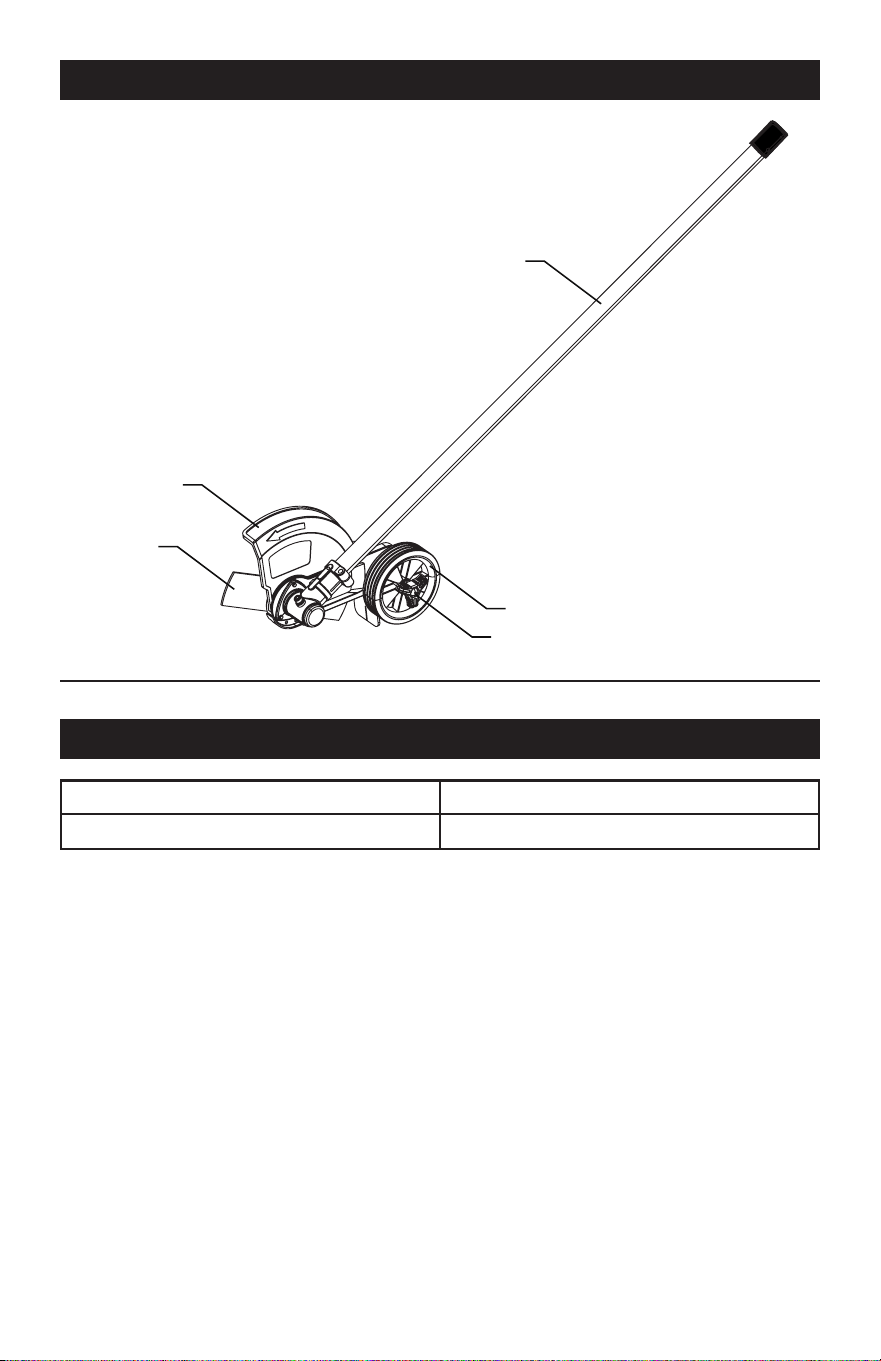
OVERVIEW
SPECIFICATIONS
Cutting head Blade
Blade length 9" (225 mm)
EDGER
ATTACHMENT
GUIDE WHEEL
DEPTH ADJUSTMENT KNOB
GUARD
BLADE
Page 8
locks into the positioning hole.
NOTE:
If the button does not release
completely in the positioning hole, the shafts
are not locked into place. Slightly rotate from
side to side until the button is locked into
place.
5. Tighten the attachment knob securely.
To remove the attachment from the power
head
For removing or changing the attachment:
1. Stop the power head.
2. Remove the battery from the power head.
3. Loosen the attachment knob.
4. Push in the release button and twist the
shafts to remove and seperate ends.
UNPACKING
This product requires assembly.
• Carefully remove the product and any
accessories from the box.
• Inspect the product carefully to make sure
no breakage or damage occurred during
shipping.
• Do not discard the packing material
until you have carefully inspected and
satisfactorily operated the product.
• If any parts are damaged or missing, please
call 1-844-MSTR4CE (844-678-7423) for
assistance.
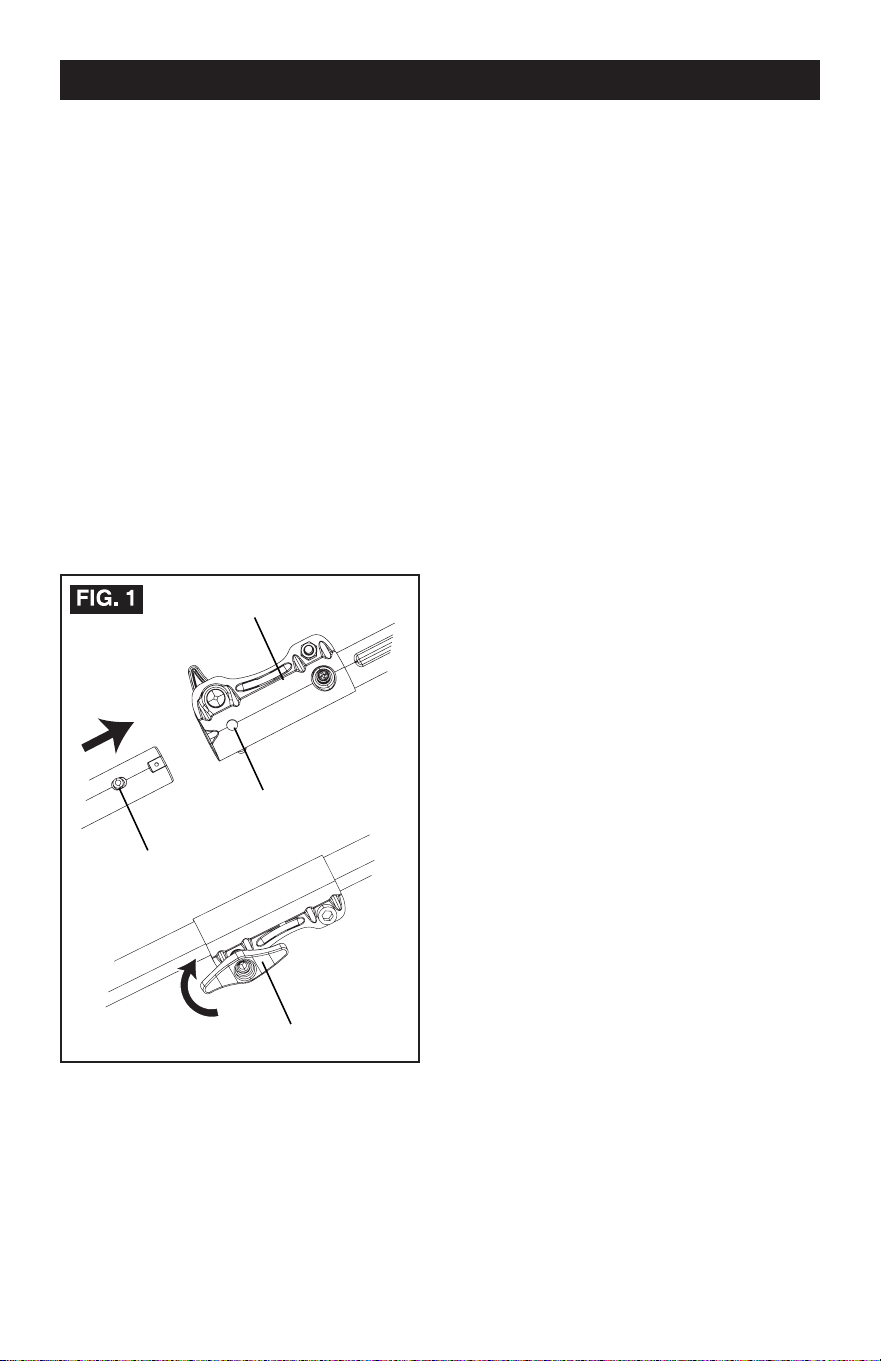
ASSEMBLE THE SHAFT
To install the attachment to the power
head
The attachment connects to the power head
by means of a coupler device.
1. Loosen the attachment knob on the coupler.
2. Push in the release button located on the
attachment shaft.
3. Align the button with the guide recess on
the power head coupler and slide the two
shafts together.
4. Rotate the attachment shaft until the button
ASSEMBLY
Release button
Coupler
Guide recess
Knob
Page 9
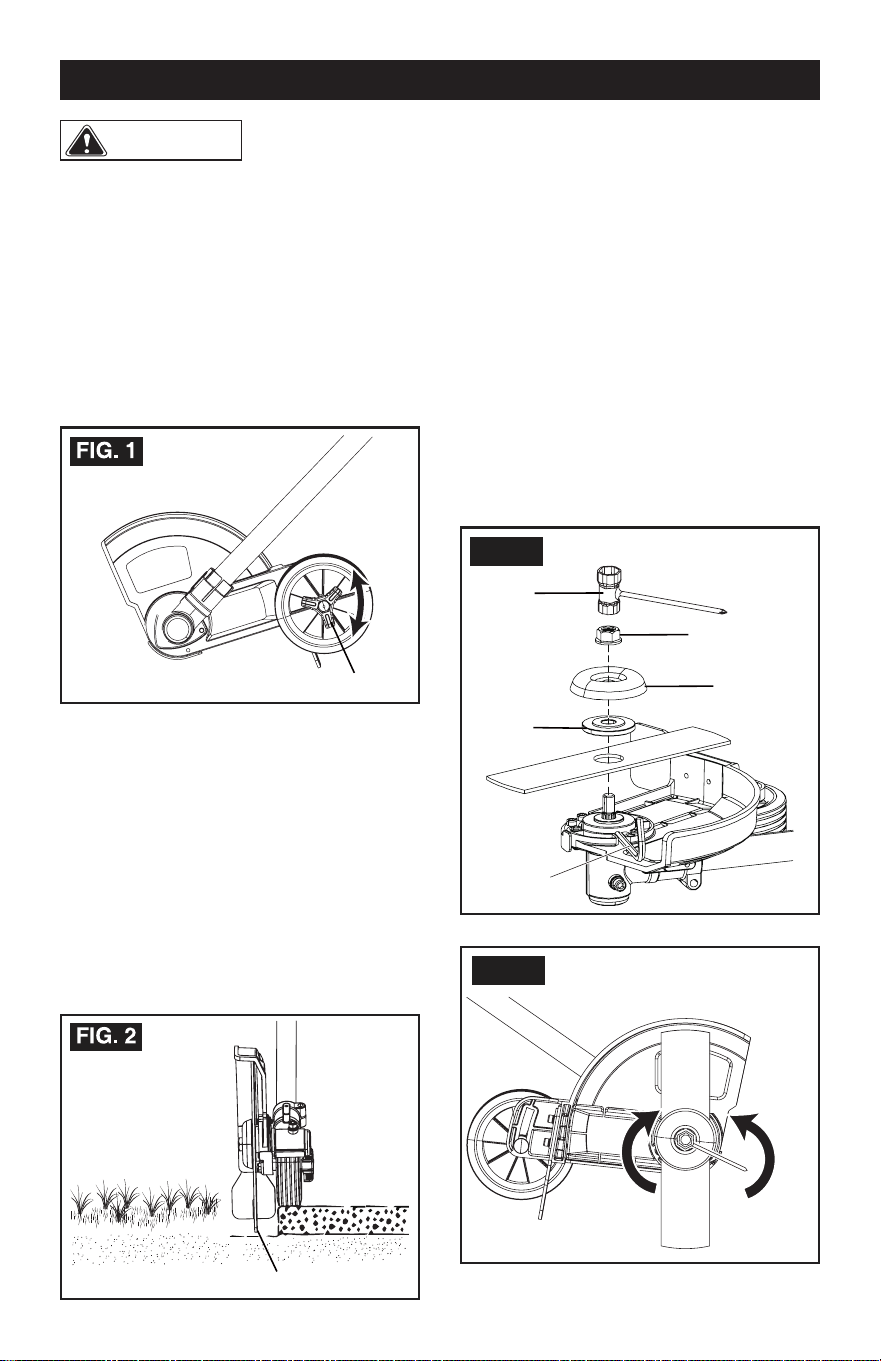
REPLACE THE BLADE
If the blade is worn out, replace it with a new
one (not provided).
1. Remove the battery pack.
2. Insert a metal rod (e.g. a screwdriver) into
the hole on the shaft under the blade to x
the blade in place.
3. Remove the nut by turning it counter-
clockwise with the wrench provided.
4. Remove the outer cup and washer.
5. Remove the old blade and replace it with a
new one.
6. Place the washer on the blade.
7. Place the outer cup on the washer.
8. Place the nut on the outer cup and tighten it
counterclockwise with the wrench provided.
OPERATION
Do not allow familiar-
ity with this product to make you careless.
Remember that a careless fraction of a sec-
ond is sufcient to inict serious injury.
Do not use any attachments or accessories
not recommended by the manufacturer of this
product. The use of attachments or acces-
sories not recommended can result in serious
personal injury.
ADJUST THE DEPTH OF CUT
1. Remove the battery pack.
2. Loosen the depth adjustment knob to
increase or decrease the depth.
3. Adjust the depth so that the blade barely
touches the ground when the machine is
held in a normal operating posture.
4. Tighten the depth adjustment knob.
5. Standing in a normal working position,
check the depth of cut again and correct if
necessary.
6. Replace the battery pack once all
adjustments are complete.
WARNING
Depth adjustment knob
Depth adjustment knob
Nut
FIG. 3
Outer cup
Wrench
Washer
Metal rod
FIG. 4
Loosen
Tighten
Page 10
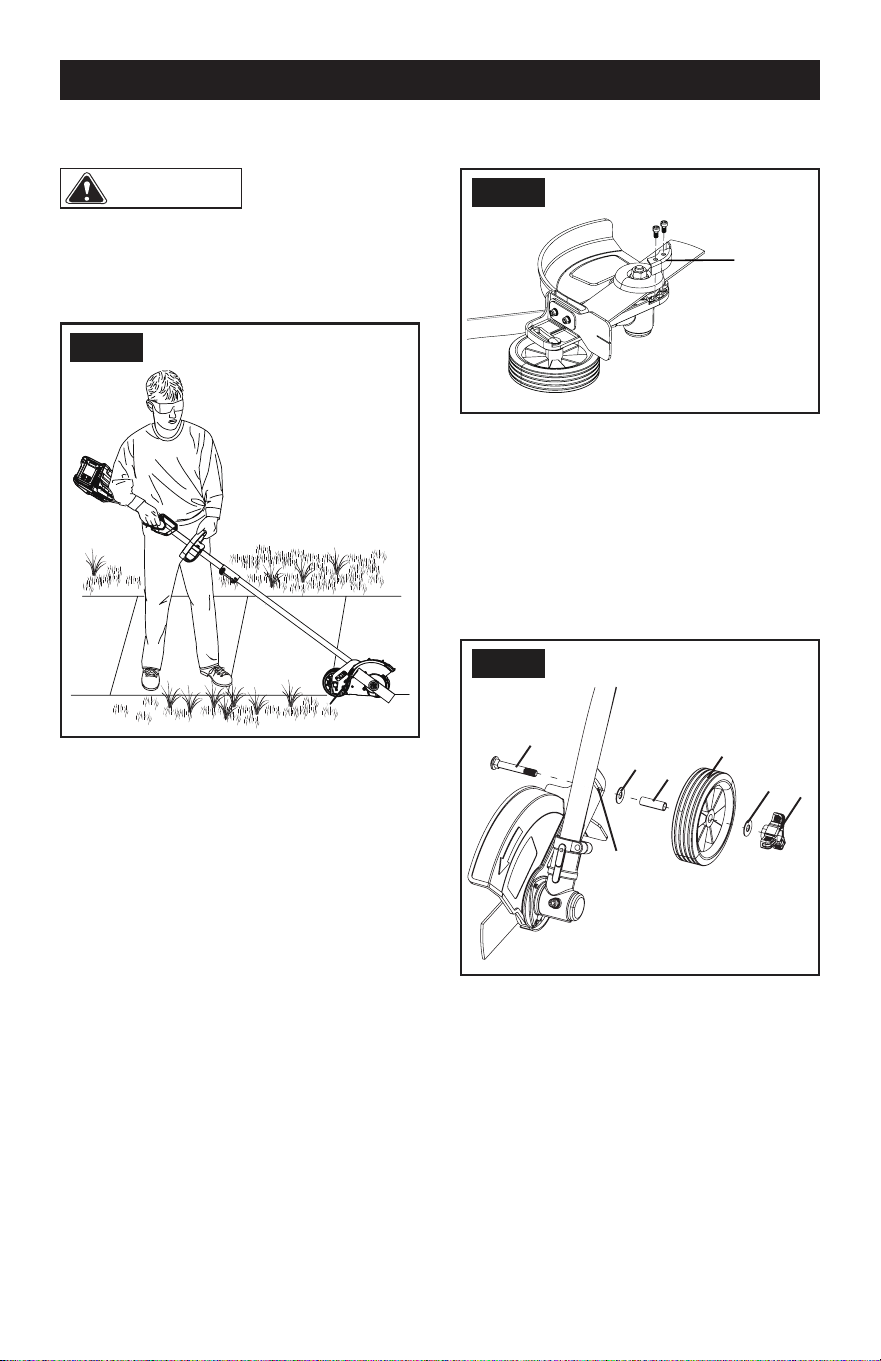
REPLACE THE SKID PLATE
1. Remove the battery.
2. Remove the screws with a Phillips Head
screwdriver (not included).
3. Replace with a new skid plate.
4. Securely tighten the screws.
REPLACE THE WHEEL
1. Remove the battery pack.
2. Remove the wing nut (1), washer (2), wheel
(3), axle sleeve (4), washer (5) and wheel
axle (6) orderly from the wheel assembly.
3. Replace with a new wheel.
4. Insert the wheel axle (6) through the slot
(7), then put the washer (5), axle sleeve
(4), wheel (3), washer (2) and wing nut (1)
orderly through the wheel axle (6).
5. Securely tighten the wing nut (1).
OPERATION
OPERATION TIPS
WARNING
Always hold the
edger away from the body keeping clearance
between your body and the edger. Any
contact with the edger cutting head while
operating can result in serious personal injury.
• Hold the edger with your right hand on the
rear handle and your left hand on the front
handle.
• Keep a rm grip with both hands while in
operation.
• Edger should be held at a comfortable
position with the rear handle about hip
height.
• The edger will edge along sidewalks,
driveways, ower beds, curbs, and similar
areas.
• Cut at a steady pace. If the blade begins
to bog down, you are edging too fast; slow
your pace. Do not force the blade into the
ground.
• Light contact of the blade against the
sidewalk edge, curb, etc., is acceptable
and will not damage the edger.
• Best appearance is obtained when grass
is dry. Avoid edging in wet soil or wet grass
areas or the blade guard might clog and
result in an uneven edge. If the blade guard
becomes clogged, stop the edger, remove
the battery, and remove debris from the
blade guard.
FIG. 5
FIG. 6
Skid plate
FIG. 7
1
2
3
4
5
7
6
Page 11
MAINTENANCE
When servicing, use
only identical replacement parts. Use of any
other parts may create a hazard or cause
product damage.
Before inspecting, cleaning, or servicing the
machine, shut off motor, wait for all moving
parts to stop, and disconnect battery. Failure
to follow these instructions can result in
serious personal injury or property damage.
GENERAL MAINTENANCE
Avoid using solvents when cleaning plastic
parts. Most plastics are susceptible to
damage from various types of commercial
solvents and may be damaged by their
use. Use clean cloths to remove dirt, dust,
lubricant, grease, etc.
Do not at any time
let brake fuids, gasoline, petroleum-based
products, penetrating lubricants, etc., come
in contact with plastic parts. Chemicals can
damage, weaken or destroy plastic which
may result in serious personal injury.
You can often make adjustments and repairs
described here. For other repairs, have
the power head serviced by an authorized
service dealer.
CLEANING THE PRODUCT
• Stop the motor and remove the battery.
• Clean dirt and debris from the power head
using a damp cloth with a mild detergent.
Note: Do not use any strong detergents on
the plastic housing or the handle. They can
be damaged by certain aromatic oils such
as pine and lemon, and by solvents such as
kerosene.
STORING THE PRODUCT
• Clean all foreign material from the product.
• Store it in a well-ventilated place that is
inaccessible to children.
• Keep away from corrosive agents such as
garden chemicals and de-icing salts.
Do not store the
Edger in sunlight, in an excessively warm
place, or near a furnace. The battery life will
be shortened.
WARNING
WARNING
WARNING

Page 12
TROUBLESHOOTING
PROBLEM POSSIBLE CAUSE SOLUTION
The machine does not
start when you push
the trigger.
No electrical contact
between the machine
and the battery pack.
1. Remove battery pack.
2. Check contact and install the battery pack
again.
The battery pack is
depleted.
Charge the battery pack.
The lock-out button
and trigger are not
pushed at the same
time.
1. Push the lock-out button and hold it.
2. Pull the trigger to start the machine.
Edger stops
during use.
Depth is set too low. Adjust the depth as shown in the instruction
manual.
Walking too fast. Do not force the edger through the grass.

Page 13
NOTE
SAVE YOUR RECEIPTS
THIS WARRANTY IS VOID WITHOUT THEM
80V 9" EDGER ATTACHMENT
WARRANTY
4-YEAR LIMITED WARRANTY
This MASTERFORCE™ brand power tool carries our famous No Hassle 4-Year Limited
Warranty to the original purchaser. If, during normal use, this MASTERFORCE™ power
tool breaks or fails due to a defect in material or workmanship within four (4) years from
the date of original purchase, simply bring the tool with the original sales receipt back
to your nearest MENARDS
®
retail store. At its discretion, MASTERFORCE™ agrees
to have the tool or any defective part(s) repaired or replaced with the same or similar
MASTERFORCE™ product or part free of charge, within the stated warranty period,
when returned by the original purchaser with original sales receipt. Not withstanding the
foregoing, this limited warranty does not cover any damage that has resulted from abuse
or misuse of the Merchandise. This warranty: (1) excludes expendable parts including
but not limited to blades, brushes, belts, bits, light bulbs, and/or batteries; (2) shall be
void if this tool is used for commercial and/or rental purposes; and (3) does not cover any
losses, injuries to persons/property or costs. This warranty does give you specific legal
rights and you may have other rights, which vary from state to state. Be careful, tools
are dangerous if improperly used or maintained. Seller’s employees are not qualified
to advise you on the use of this merchandise. Any oral representation(s) made will not
be binding on seller or its employees. The rights under this limited warranty are to the
original purchaser of the merchandise and may not be transferred to any subsequent
owner. This limited warranty is in lieu of all warranties, expressed or implied including
warranties or merchantability and fitness for a particular purpose. Seller shall not be
liable for any special, incidental, or consequential damages. The sole exclusive remedy
against the seller will be for the replacement of any defects as provided herein, as long
as the seller is willing or able to replace this product or is willing to refund the purchase
price as provided above. For insurance purposes seller is not allowed to demonstrate
any of these power tools for you.
For questions / comments, technical assistance or repair parts -
Please call toll free at: 1-844-678-7423 (M-F 8am - 6pm)
Page 14

Page 15
© 2020 Menard, Inc., Eau Claire, WI 54703 9/2023