BG-USB3-LR100
USB 3.0 Extender (100M)
User Manual

BZBGEAR BG-USB3-LR100 PRODUCT MANUAL
Address: 830 National Drive #140, Sacramento, CA 95834, USA · Tel: +1(888)499-9906 · Email: support@bzbgear.com 2

BZBGEAR BG-USB3-LR100 PRODUCT MANUAL
TABLE OF CONTENTS
Statement 4
Safety Precaution 4
Surge protection device recommended 4
Caution - UTP Connectors 4
Introduction 5
Features 5
Packing List 5
Specifications 6
Operation Controls and Functions 7
Transmitter Panel 7
Receiver Panel 8
Connection Diagram 9
Troubleshooting 10
Tech Support 11
Limited Product Warranty Terms 11
Mission Statement 12
Copyright 12
Address: 830 National Drive #140, Sacramento, CA 95834, USA · Tel: +1(888)499-9906 · Email: support@bzbgear.com 3
BZBGEAR BG-USB3-LR100 PRODUCT MANUAL
Statement
Please read these instructions carefully before connecting, operating, or configuring this
product. Please save this manual for future reference.
Safety Precaution
● To prevent damaging this product, avoid heavy pressure, strong vibration, or immersion
during transportation, storage, and installation.
● The housing of this product is made of organic materials. Do not expose to any liquid,
gas, or solids which may corrode the shell.
● Do not expose the product to rain or moisture.
● To prevent the risk of electric shock, do not open the case. Installation and maintenance
should only be carried out by qualified technicians.
● Do not use the product beyond the specified temperature, humidity, or power supply
specifications.
● This product does not contain parts that can be maintained or repaired by users.
Damage caused by dismantling the product without authorization from BZBGEAR is not
covered under the warranty policy.
● Installation and use of this product must strictly comply with local electrical safety
standards.
Surge protection device recommended
This product contains sensitive electrical components that may be damaged by electrical
spikes, surges, electric shocks, lightning strikes, etc. Use of surge protection systems is
highly recommended to protect and extend the life of your equipment.
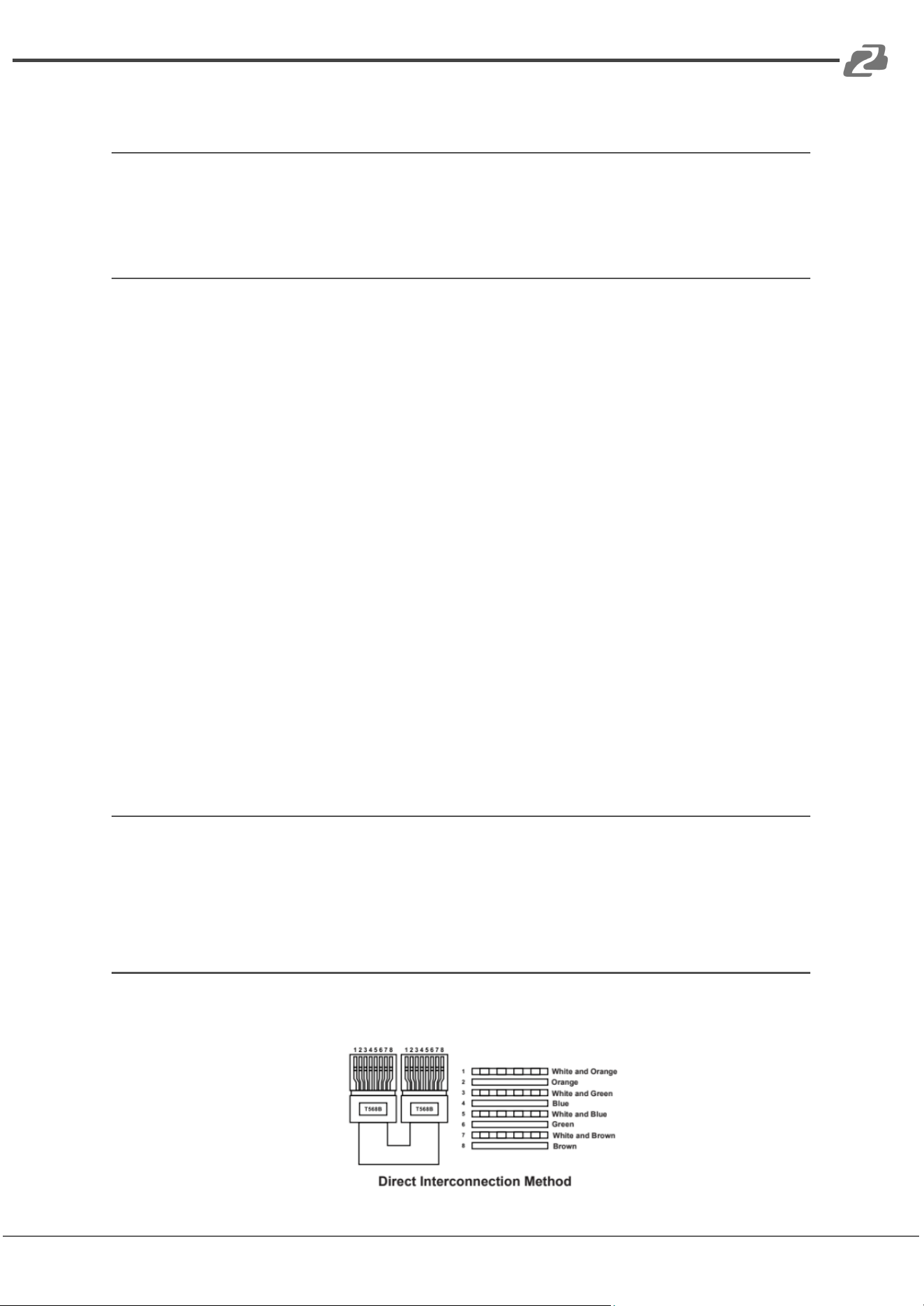
Caution - UTP Connectors
The product requires the use of UTP connectors. Please connect in direct interconnection
method and do not cross-connect.
Address: 830 National Drive #140, Sacramento, CA 95834, USA · Tel: +1(888)499-9906 · Email: support@bzbgear.com 4

BZBGEAR BG-USB3-LR100 PRODUCT MANUAL
Introduction
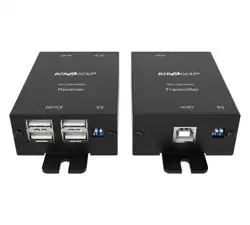
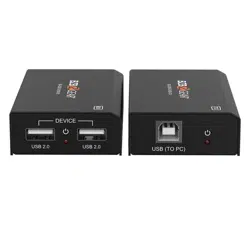
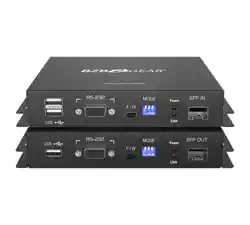
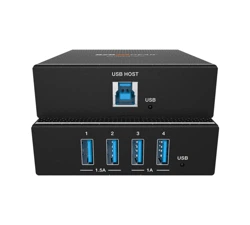
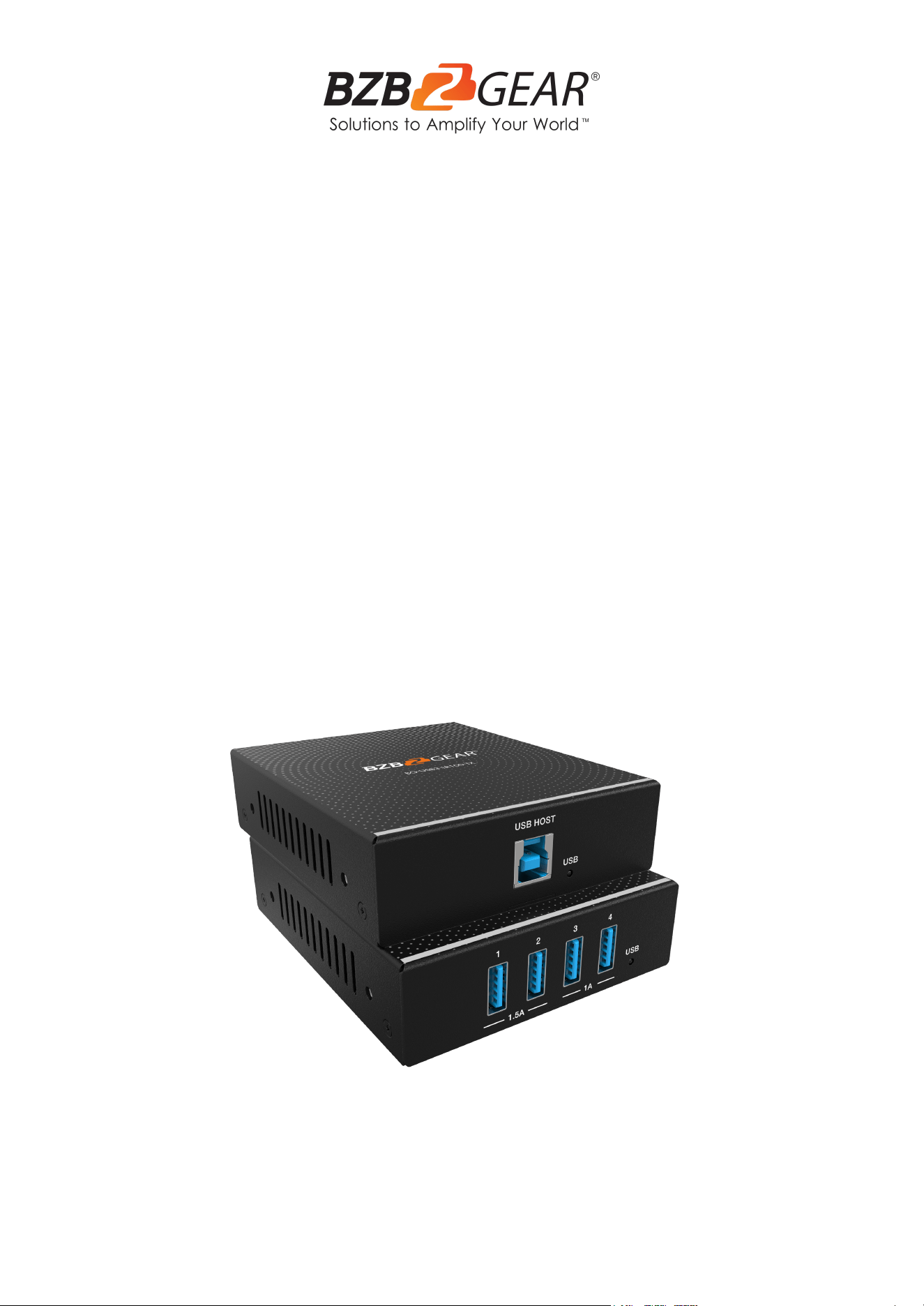
The BG-USB3-LR100 USB 3.0 Extender can extend USB signals up to 100 meters (328
feet) using a single CAT6a cable. The transmitter features one USB 3.0 Type B input, one
FSYNC GPIO input, and one RS-232 pass-through. The receiver has four USB 3.0 Type A
outputs, one FSYNC GPIO output, and one RS-232 pass-through. Bi-directional 24V PoC is
also supported.
This product is ideal for long-distance signal transmission between a PC and USB devices.
Features
● Extension of USB 3.0 up to 100m/328ft over CAT6a cable
● USB 3.0 connectivity with data transfer rate up to 5Gbps
● Backward compatible with USB 2.0 and 1.1
● Hardware acceleration for isochronous and bulk transfer
● USB-A port 1 and 2 support 5V/1.5A, port 3 and 4 support 5V/1A
● on the Receiver
● Support RS-232 pass-through and FSYNC GPIO pass-through (for industry camera
use)
● Support bi-directional 24V PoC
● Simple plug and play, no driver and setting installation required
Packing List
● 1× USB 3.0 Extender (Transmitter)
● 1× USB 3.0 Extender (Receiver)
● 1× 24V/2A Locking Power Supply
● 2× 4pin-3.5mm Phoenix Connector (Male)
● 4× Mounting Ear
● 8× Machine Screw (KM3*4)
● 1× User Manual
Address: 830 National Drive #140, Sacramento, CA 95834, USA · Tel: +1(888)499-9906 · Email: support@bzbgear.com 5
BZBGEAR BG-USB3-LR100 PRODUCT MANUAL
Specifications
Technical
USB Protocol
USB 3.0
Transmission Rate
Up to 5Gbps
Network Bandwidth
10G
Transmission Distance
100m/328ft over CAT6a (F/FTP) cable
ESD Protection
IEC 61000-4-2:
±8kV (Air-gap discharge), ±4kV (Contact discharge)
Connections
Transmitter
Input:
1 × USB HOST [USB-B, 9pin Female]
Output:
1 × HDBT OUT [RJ45, Female]
Control:
1 × RS-232 [3pin-3.5mm Phoenix Connector]
1 × FSYNC [1pin-3.5mm Phoenix Connector]
1 × SERVICE [USB-C, Update Port]
Receiver
Input:
1 × HDBT IN [RJ45, Female]
Output:
4 × USB Devices [USB-A, 9pin Female]
Control:
1 × RS-232 [3pin-3.5mm Phoenix Connector]
1 × FSYNC [1pin-3.5mm Phoenix Connector]
1 × SERVICE [USB-C, Update Port]
Mechanical
Housing
Metal Enclosure
Color
Black
Dimensions (W x D x H)
Transmitter / Receiver: 3.3in x 3.9in x 1in [85mm x 100mm x 25.5mm]
Weight
Transmitter: 0.56 lbs [253g], Receiver: 0.57 lbs [260g]
Power Supply
Input: AC 100~240V 50/60Hz Output: DC 24V/2A
Power Consumption
PoC Power Supply: 40W (Max)
Operating Temperature
32°F ~ 104°F / 0°C ~ 40°C
Storage Temperature
-4°F ~ 140°F / -20°C ~ 60°C
Relative Humidity
20~90% RH (non-condensing)
Address: 830 National Drive #140, Sacramento, CA 95834, USA · Tel: +1(888)499-9906 · Email: support@bzbgear.com 6
BZBGEAR BG-USB3-LR100 PRODUCT MANUAL
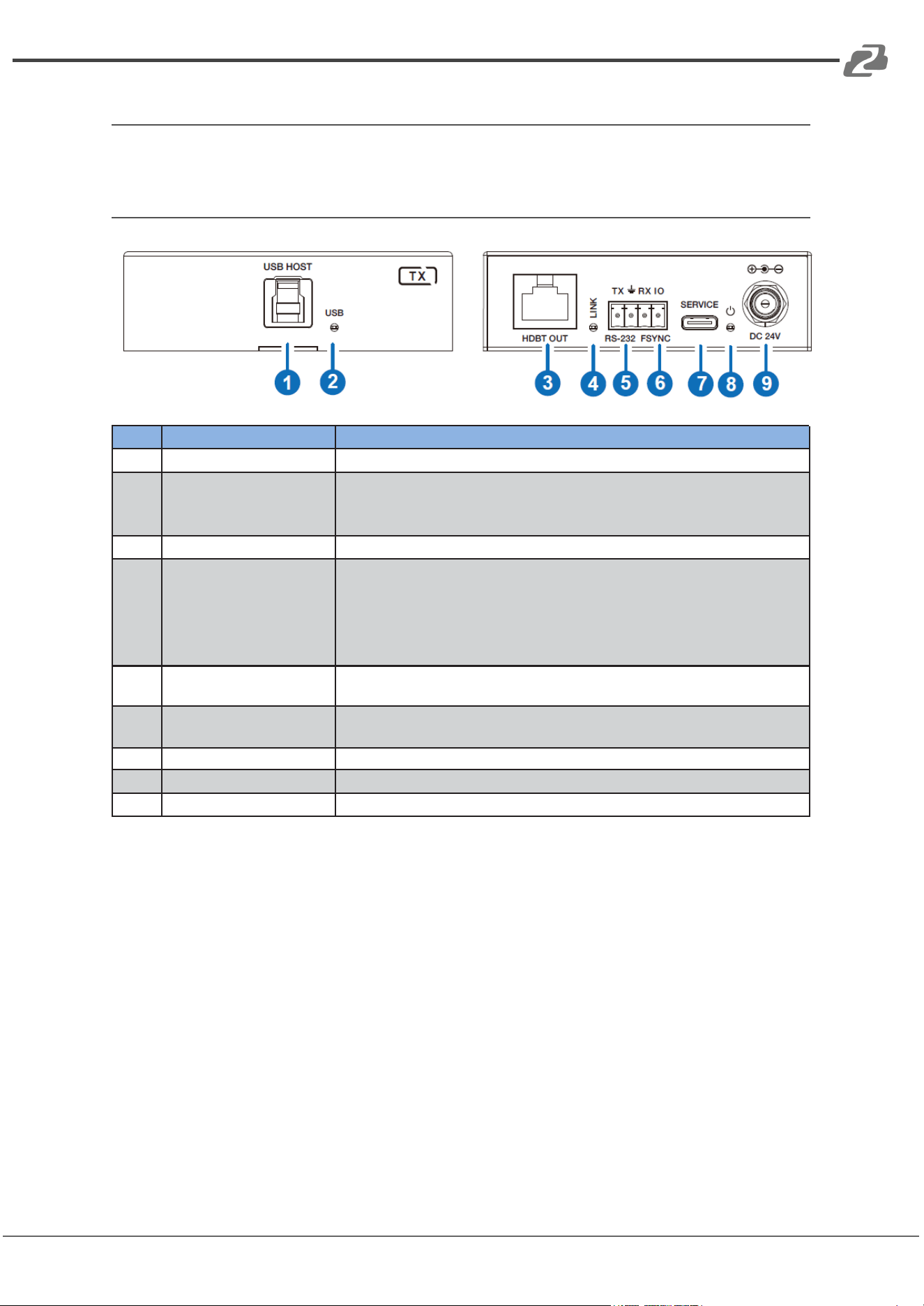
Operation Controls and Functions
Transmitter Panel
No.
Name
Function Description
1
USB HOST
Host port, supporting USB 3.0. Connects to a PC or host.
2
USB LED
USB signal indicator.
▪ On: USB signal is detected.
▪ Off: USB signal is not detected.
3
HDBT OUT
Connects to the HDBT IN port on the Receiver with CAT cable.
4
LINK LED
Connection signal indicator.
▪ On: Transmitter and Receiver are connected and linked.
▪ Flashing: The Transmitter and Receiver link are off due to USB
low power mode.
▪ Off: Transmitter and Receiver are not connected.
5
RS-232
3pin Phoenix connector, connected to a PC or control system for
RS-232 command pass-through.
6
FSYNC
FSYNC port, used for level pass-through to the Receiver and
synchronizing the external devices. The default level is 3.3V.
7
SERVICE
Firmware update port.
8
POWER LED
The LED will be on when the Transmitter is powered on.
9
DC 24V
DC 24V/2A power input port.
Address: 830 National Drive #140, Sacramento, CA 95834, USA · Tel: +1(888)499-9906 · Email: support@bzbgear.com 7
BZBGEAR BG-USB3-LR100 PRODUCT MANUAL
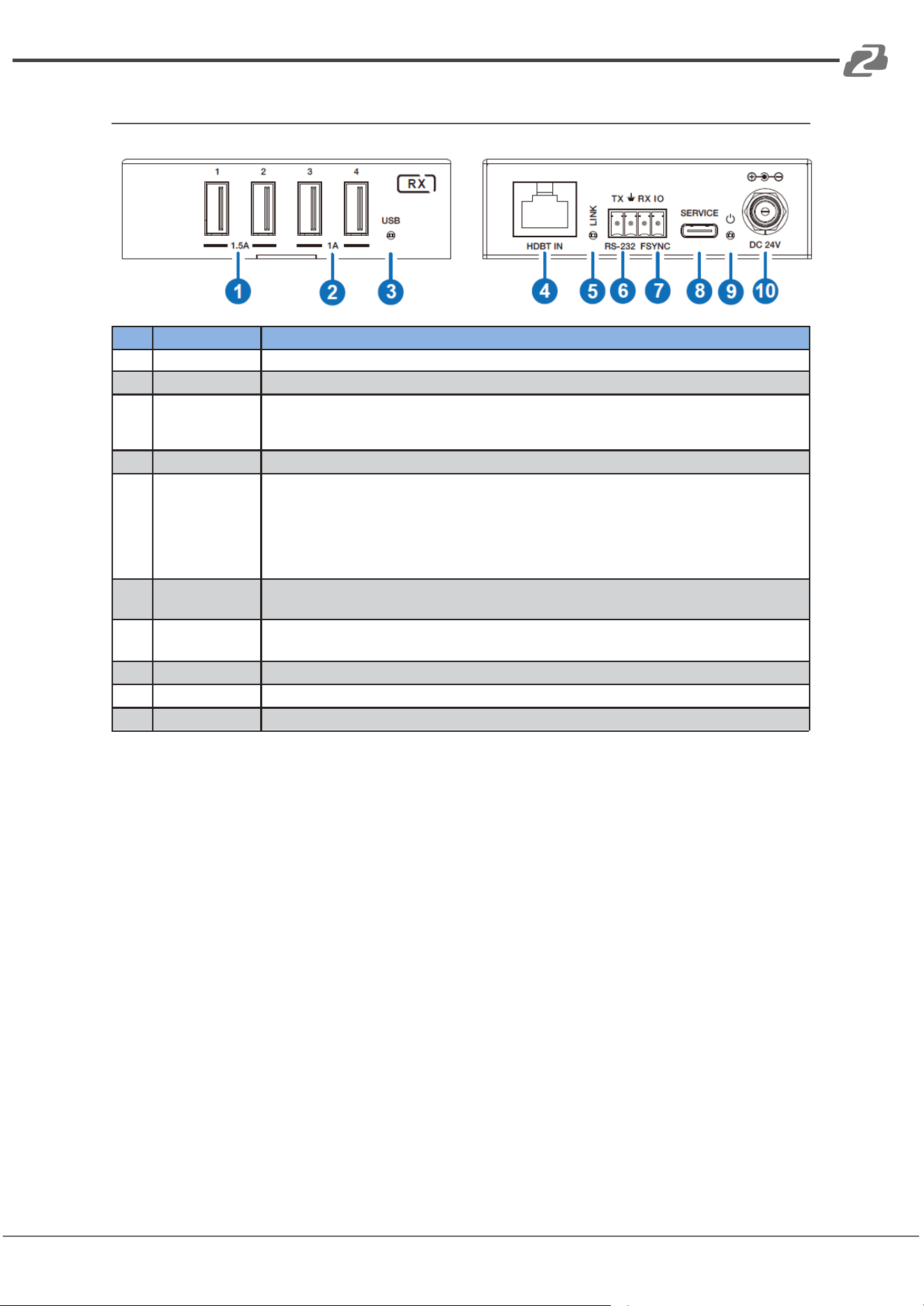
Receiver Panel
No.
Name
Function Description
1
USB 1/2
Connect to USB devices, and max output power is up to 5V/1.5A.
2
USB 3/4
Connect to USB devices, and max output power is up to 5V/1A.
3
USB LED
USB signal indicator.
▪ On: USB signal is detected.
▪ Off: USB signal is not detected.
4
HDBT IN
Connects to the HDBT OUT port on the Transmitter with CAT cable.
5
LINK LED
Connection signal indicator.
▪ On: Transmitter and Receiver are connected and linked.
▪ Flashing: The Transmitter and Receiver link is off due to USB low power
mode.
▪ Off: Transmitter and Receiver are not connected.
6
RS-232
3pin Phoenix connector, connected to a PC or control system for RS-232
command pass-through.
7
FSYNC
FSYNC port, receiving level pass-through from the Transmitter and
synchronizing the external devices. The default level is 3.3V.
8
SERVICE
Firmware update port.
9
POWER LED
The LED will be on when the Receiver is powered on.
10
DC 24V
DC 24V/2A power input port.
Address: 830 National Drive #140, Sacramento, CA 95834, USA · Tel: +1(888)499-9906 · Email: support@bzbgear.com 8
BZBGEAR BG-USB3-LR100 PRODUCT MANUAL
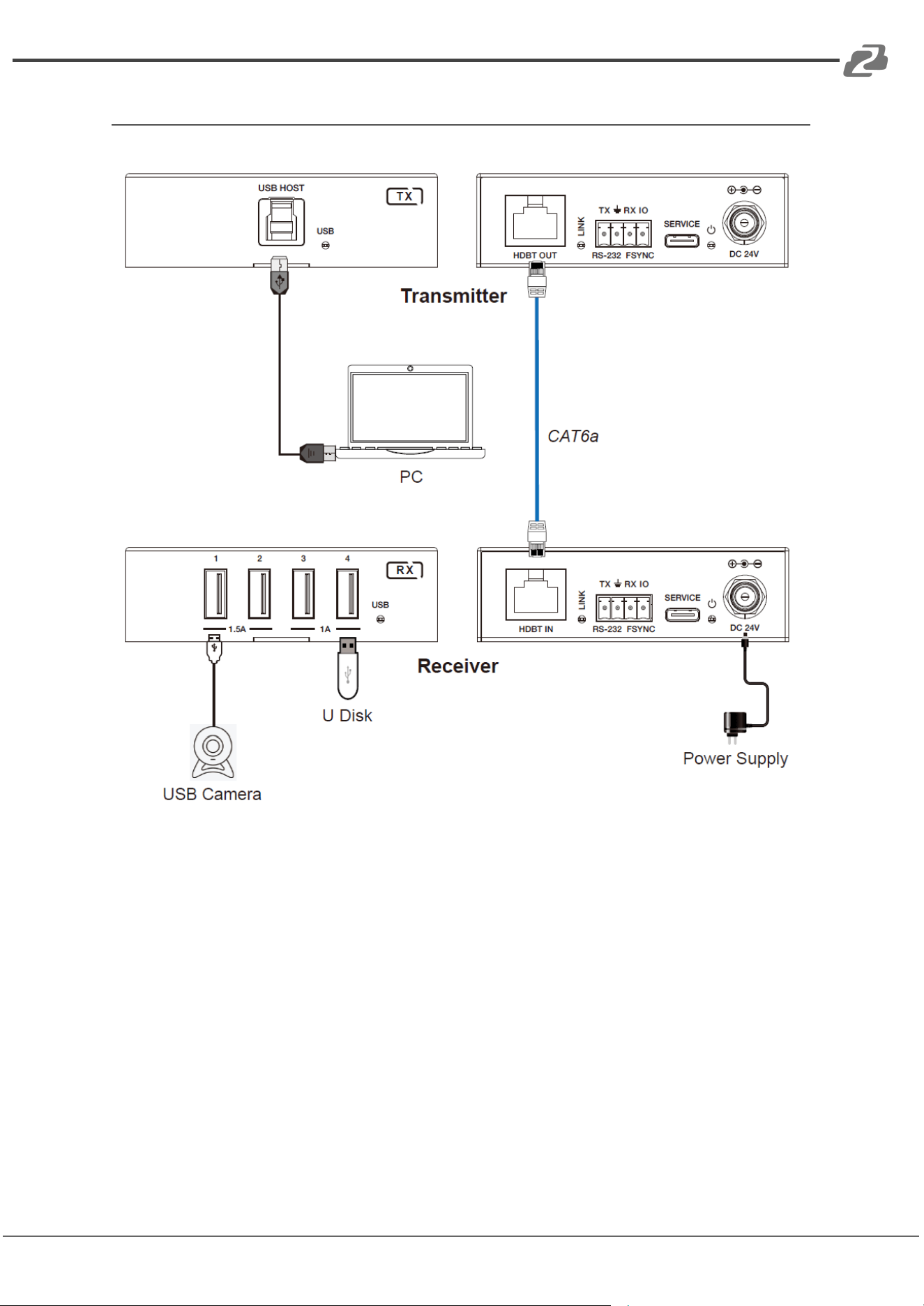
Connection Diagram
Address: 830 National Drive #140, Sacramento, CA 95834, USA · Tel: +1(888)499-9906 · Email: support@bzbgear.com 9
BZBGEAR BG-USB3-LR100 PRODUCT MANUAL
Troubleshooting
Problems
Causes
Solutions
No Power / All LED off
Power supply not connected,
connected fully, or wrong power
supply.
Check if the power supply is
connected correctly and the
output voltage value is within
recommended specifications.
No sound or sound issues
The HDMI connection is faulty,
the audio format is not
supported by the displays, or
the source player is set to
another port for audio output
Check if the HDMI cables are
connected correctly.
Check if the audio format is
supported by the display and
that a user has not changed the
supported audio format on the
player`s audio output. Ensure
output settings from the HDMI
source device as set correctly.
No picture or picture flickers
The HDMI cable may be faulty
or the category cable quality is
faulty.
Check if the HDMI
and category cable connections
are correct and undamaged.
Change to another good
working HDMI cable or category
cable (CAT6 or better cable is
recommended).
Address: 830 National Drive #140, Sacramento, CA 95834, USA · Tel: +1(888)499-9906 · Email: support@bzbgear.com 10

BZBGEAR BG-USB3-LR100 PRODUCT MANUAL
Tech Support
Have technical questions? We may have answered them already!
Please visit BZBGEAR’s support page (bzbgear.com/support) for helpful information and
tips regarding our products. Here you will find our Knowledge Base
(bzbgear.com/knowledge-base) with detailed tutorials, quick start guides, and step-by-step
troubleshooting instructions. Or explore our YouTube channel, BZB TV
(youtube.com/c/BZBTVchannel), for help setting up, configuring, and other helpful how-to
videos about our gear.
Need more in-depth support? Connect with one of our technical specialists directly:
Phone
1.888.499.9906
Email
support@bzbgear.com
Live Chat
bzbgear.com
Limited Product Warranty Terms
Pro Line: 5-year warranty from the date of purchase for AV/Broadcasting products bought
on or after August 1, 2024.
Essential Line: 3-year warranty from the date of purchase for AV/Broadcasting products
bought on or after August 1, 2024.
Cables: Lifetime Limited Product Warranty.
For complete warranty information, please visit bzbgear.com/warranty.
For questions, please call 1.888.499.9906 or email support@bzbgear.com.
Address: 830 National Drive #140, Sacramento, CA 95834, USA · Tel: +1(888)499-9906 · Email: support@bzbgear.com 11

BZBGEAR BG-USB3-LR100 PRODUCT MANUAL
Mission Statement
BZBGEAR is a breakthrough manufacturer of high-quality, innovative audiovisual equipment
ranging from AVoIP, professional broadcasting, conferencing, home theater, to live
streaming solutions. We pride ourselves on unparalleled customer support and services.
Our team offers system design consultation, and highly reviewed technical support for all
the products in our catalog. BZBGEAR delivers quality products designed with users in
mind.
Copyright
All the contents in this manual and its copyright are owned by BZBGEAR. No one is allowed
to imitate, copy, or translate this manual without BZBGEAR’s permission. This manual
contains no guarantee, standpoint expression or other implies in any form. Product
specifications and information in this manual are for reference only and are subject to
change without notice.
All rights reserved. No reproducing is allowed without acknowledgment.
Address: 830 National Drive #140, Sacramento, CA 95834, USA · Tel: +1(888)499-9906 · Email: support@bzbgear.com 12