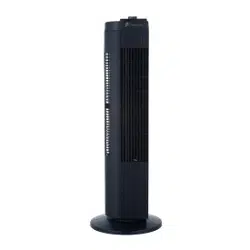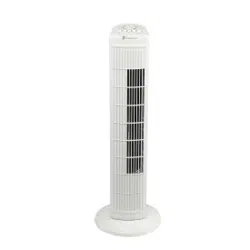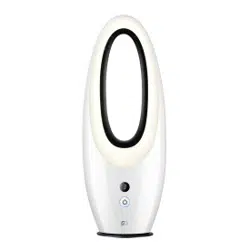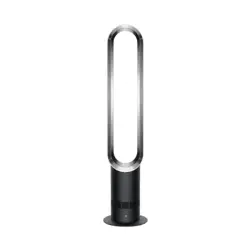
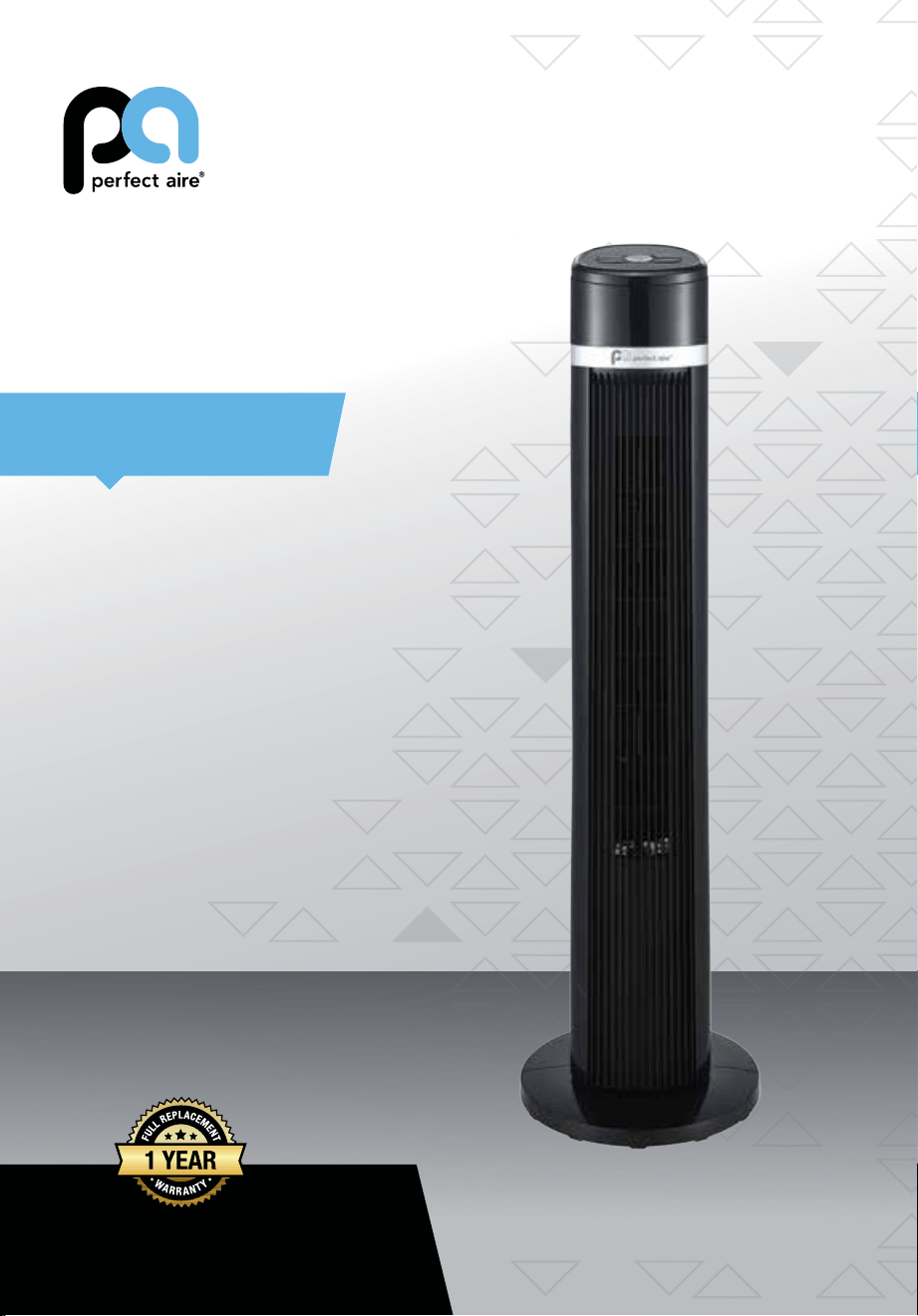
TOWER FAN
40”
USER MANUAL
FOR MODEL:
1PAFT40
Before using your bladeless fan, please
read this manual carefully and keep it for
future reference, along with your receipt.

IMPORTANT SAFETY INSTRUCTIONS
Caution
Read Rules for Safe Operation and Instructions Carefully.
Warning
1. This appliance has a polarized plug (one blade is wider than the other). To reduce the
risk of electric shock, this plug is intended to t in a polarized outlet only one way. If plug
does not t fully in the outlet, reverse the plug. If it still does not t, contact a qualied
electrician. Do not attempt to defeat this safely feature.
2. To reduce the risk of re or electric shock, DO NOT use this fan with any solid state
speed control devices.
Rules for Safe Operation
1. Never insert ngers, pencils, or any other object through the grille when fan is running.
2. Disconnect fan when moving from one location to another.
3. Disconnect fan when removing grilles for cleaning.
4. Be sure fan is on a stable surface when operating to avoid overturning.
5. Do not use fan in window. Rain may create electrical hazard.
6. Ensure that the fan is switched off from the supply mains before removing the grille.
The rules about cord and plug as below:
1. This product employs overload protection (fuse). A blown fuse indicates an overload or
short-circuit situation. If the fuse blows, unplug the product from the outlet. Replace the
fuse as per the user servicing instructions (follow product marking for proper fuse rating)
and check the products. If the replacement fuse blows, a short-circuit may be present
and the product should be discarded or returned to an authorized service facility for
examination and/or repair.
2. Do not operate any fan with a damaged cord or plug. Discard fan or return to an
authorized service facility for examination and/or repair.
3. Do not run cord under carpeting. Do not cover cord with throw rugs, runners, or similar
coverings. Do not route cord under furniture or appliances. Arrange cord away from
trafc area and where it will not be tripped over.
READ AND SAVE THESE INSTRUCTIONS
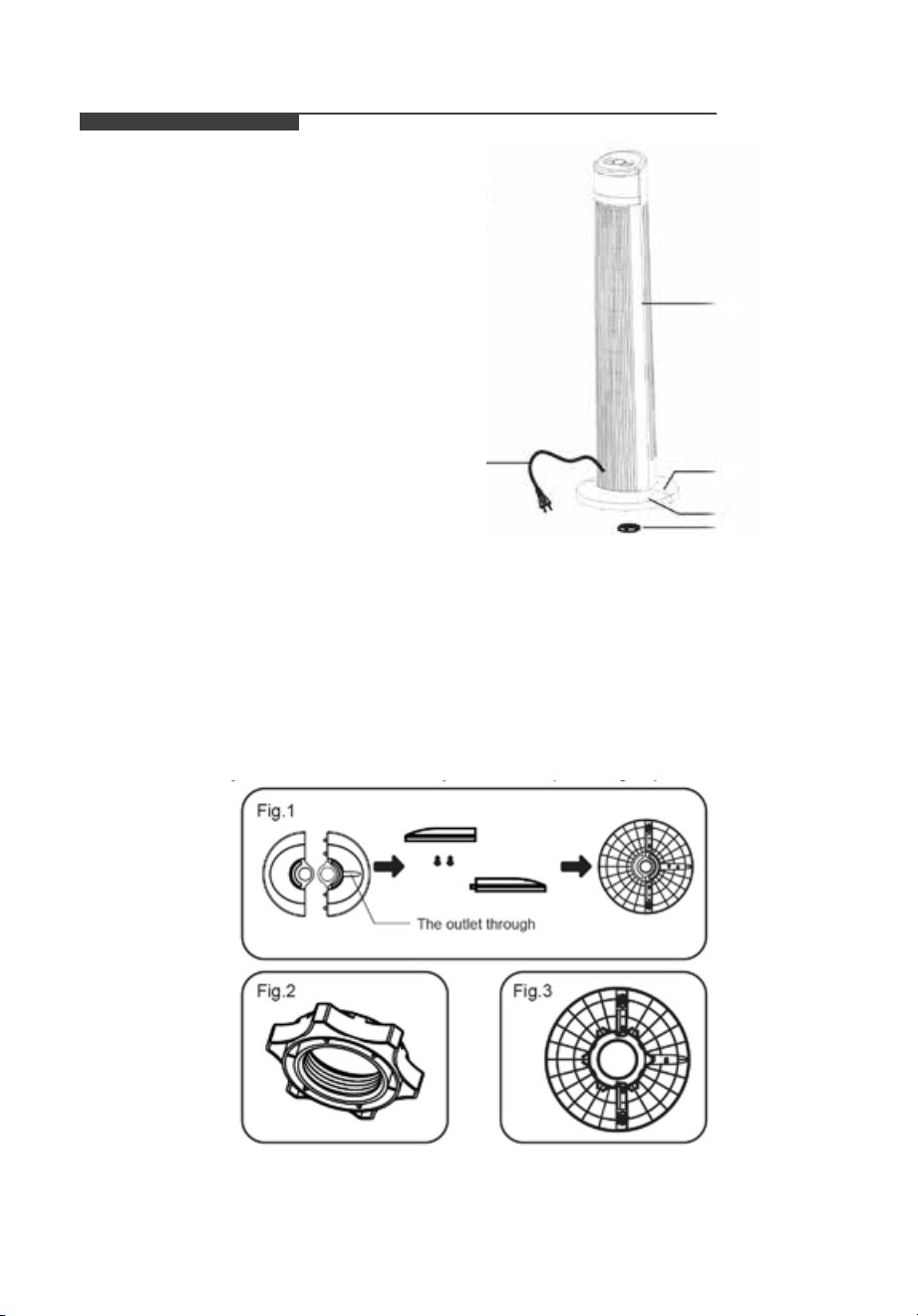
Parts Name
➊
Body
➋
Rear base
➌
Front base
➍
Plastic nut
➎
Power cord
Assembly Instructions
1. Take out the fan body and the spare parts from the box. Put the front base onto rear base
and join them together. (See Fig. 1)
2. Unlock the plastic nut from the fan body.
3. Pass the power cord through the ute, then insert the fan body into the base. (See Fig. 3)
4. Fix the fan body on the base with the plastic nut. (See Fig. 2)
➋
➌
➍
➊
IMPORTANT SAFETY INSTRUCTIONS
Caution
Read Rules for Safe Operation and Instructions Carefully.
Warning
1. This appliance has a polarized plug (one blade is wider than the other). To reduce the
risk of electric shock, this plug is intended to t in a polarized outlet only one way. If plug
does not t fully in the outlet, reverse the plug. If it still does not t, contact a qualied
electrician. Do not attempt to defeat this safely feature.
2. To reduce the risk of re or electric shock, DO NOT use this fan with any solid state
speed control devices.
Rules for Safe Operation
1. Never insert ngers, pencils, or any other object through the grille when fan is running.
2. Disconnect fan when moving from one location to another.
3. Disconnect fan when removing grilles for cleaning.
4. Be sure fan is on a stable surface when operating to avoid overturning.
5. Do not use fan in window. Rain may create electrical hazard.
6. Ensure that the fan is switched off from the supply mains before removing the grille.
The rules about cord and plug as below:
1. This product employs overload protection (fuse). A blown fuse indicates an overload or
short-circuit situation. If the fuse blows, unplug the product from the outlet. Replace the
fuse as per the user servicing instructions (follow product marking for proper fuse rating)
and check the products. If the replacement fuse blows, a short-circuit may be present
and the product should be discarded or returned to an authorized service facility for
examination and/or repair.
2. Do not operate any fan with a damaged cord or plug. Discard fan or return to an
authorized service facility for examination and/or repair.
3. Do not run cord under carpeting. Do not cover cord with throw rugs, runners, or similar
coverings. Do not route cord under furniture or appliances. Arrange cord away from
trafc area and where it will not be tripped over.
READ AND SAVE THESE INSTRUCTIONS
Parts Name
➊
Body
➋
Rear base
➌
Front base
➍
Plastic nut
➎
Power cord
Assembly Instructions
1. Take out the fan body and the spare parts from the box. Put the front base onto rear base
and join them together. (See Fig. 1)
2. Unlock the plastic nut from the fan body.
3. Pass the power cord through the ute, then insert the fan body into the base. (See Fig. 3)
4. Fix the fan body on the base with the plastic nut. (See Fig. 2)
➋
➌
➍
➊
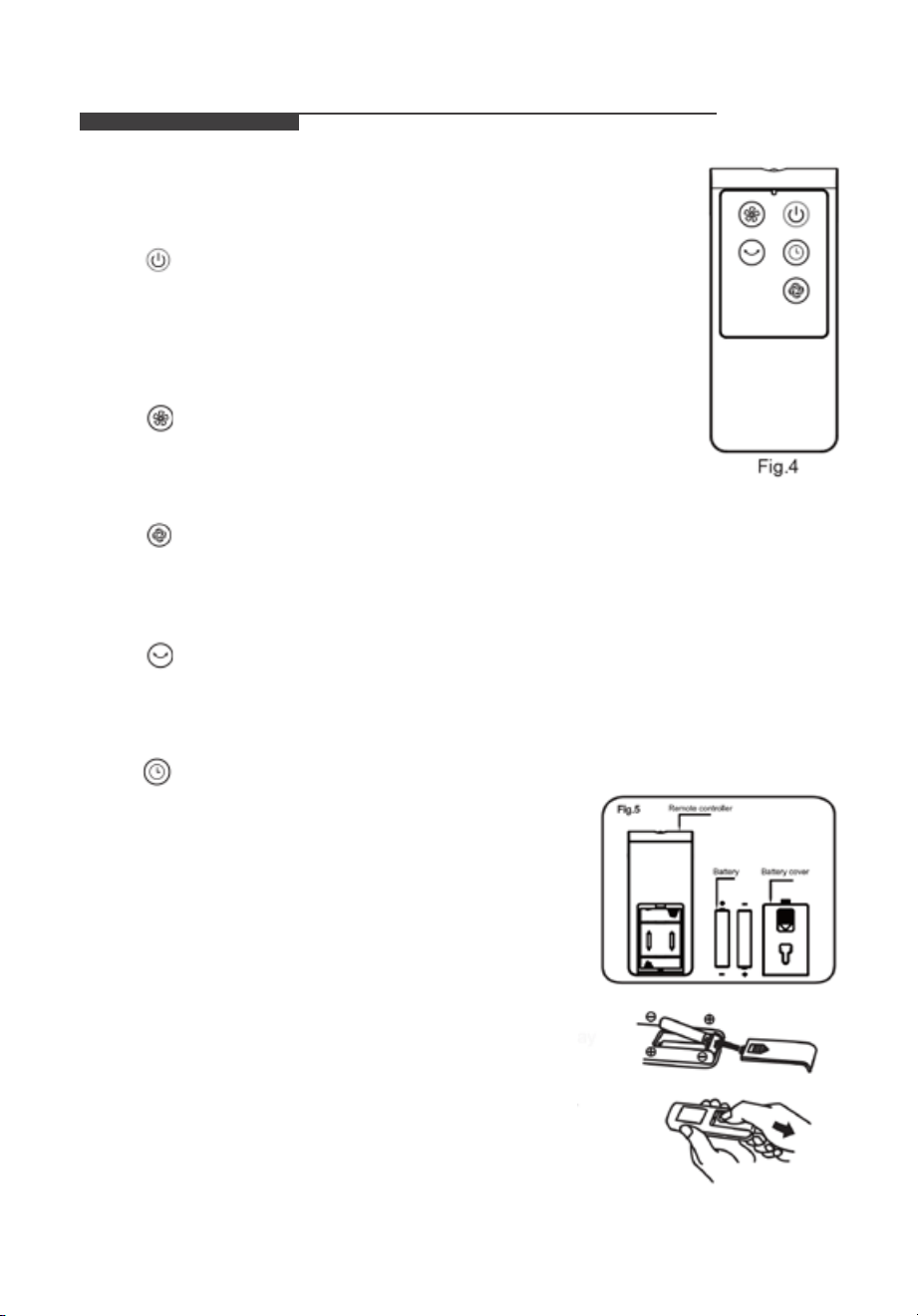
I. Remote Controller (Fig.4)
a. Key Instruction
1. “
” ON/OFF KEY
The “ON” key is for switching on the fan .The fan will be started at
breeze step.
Press the “OFF” key if the fan needs to switch off.
2. “
” SPEED KEY
When the fan started, press this key repeated, the fan will work
with “1-2-3” circulatory.
3. “
” MODE KEY
Press this key to select mode. The sequence is normal, natural, and sleep when this key
being touched repeatedly or continuously. The light indicate mode state.
4. “
” OSC/LOUVER KEY
After the fan has started, press this key to select oscillation mode. The lights on the display
can indicate fan oscillation mode.
5. “ ” TIMING KEY
Press this timer key repeatedly to set the time for air
delivery. Increase in increments up to “1-2-3-4-5-6-7”
hours.
b. Batteries
(battery not included in the packaging)
(1) Slide the battery compartment Cover.
(2) Insert the batteries, and make sure that the batteries
are placed as shown in the Fig.5.
(3) Slide back the battery cover.
Notes: Use size “AAA” manganese or alkaline
batteries. Do not use rechargeable batteries.
OPERATION INSTRUCTIONS
c. Battery Warning As Below
(1) Do not dispose of batteries in re, batteries may explode
or leak.
(2) Do not mix old and new batteries.
(3) Do not mix alkaline, standard (carbon-zinc) or
rechargeable (nickel-cadmium) batteries.
d. Remote Controller Operation
Point the remote controller at the receptor on body of the fan
and press the desired button. The remote controller will work
at distances of up to roughly ve meters and the angle of 30
degree included between right and left from the receptor. The batteries must be removed from
the remote controller before it is scrapped and that they are disposed of safely.
e. Overheat Protection of the Motor
The windings of the motor have a thermal-fuse that burns out and the fan switches off and
temperature of the motor is no longer going up so that plastic parts of the fan don’t subject to
deformation so far so to be burned by the overheat if the motor is overheat for any unexpected
reason.
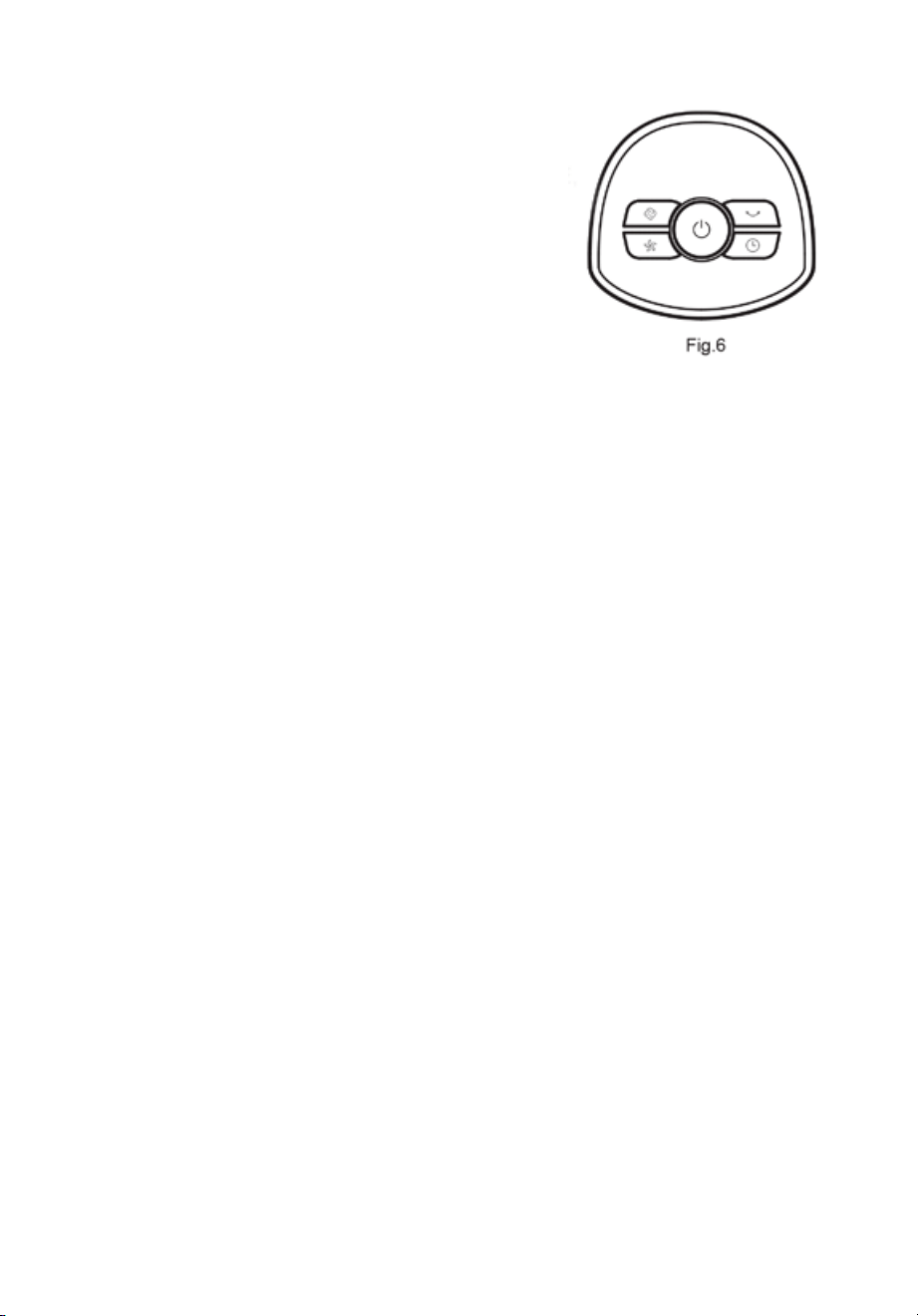
II. Buttons on fan body / Panel indication (Fig.6)
The buttons on the body such as ON/OFF,SPEED, MODE, TIMER, OSCILLATION have the
same functions as those of the corresponding keys on the remote controller.
I. Remote Controller (Fig.4)
a. Key Instruction
1. “
” ON/OFF KEY
The “ON” key is for switching on the fan .The fan will be started at
breeze step.
Press the “OFF” key if the fan needs to switch off.
2. “
” SPEED KEY
When the fan started, press this key repeated, the fan will work
with “1-2-3” circulatory.
3. “
” MODE KEY
Press this key to select mode. The sequence is normal, natural, and sleep when this key
being touched repeatedly or continuously. The light indicate mode state.
4. “
” OSC/LOUVER KEY
After the fan has started, press this key to select oscillation mode. The lights on the display
can indicate fan oscillation mode.
5. “ ” TIMING KEY
Press this timer key repeatedly to set the time for air
delivery. Increase in increments up to “1-2-3-4-5-6-7”
hours.
b. Batteries
(battery not included in the packaging)
(1) Slide the battery compartment Cover.
(2) Insert the batteries, and make sure that the batteries
are placed as shown in the Fig.5.
(3) Slide back the battery cover.
Notes: Use size “AAA” manganese or alkaline
batteries. Do not use rechargeable batteries.
OPERATION INSTRUCTIONS
c. Battery Warning As Below
(1) Do not dispose of batteries in re, batteries may explode
or leak.
(2) Do not mix old and new batteries.
(3) Do not mix alkaline, standard (carbon-zinc) or
rechargeable (nickel-cadmium) batteries.
d. Remote Controller Operation
Point the remote controller at the receptor on body of the fan
and press the desired button. The remote controller will work
at distances of up to roughly ve meters and the angle of 30
degree included between right and left from the receptor. The batteries must be removed from
the remote controller before it is scrapped and that they are disposed of safely.
e. Overheat Protection of the Motor
The windings of the motor have a thermal-fuse that burns out and the fan switches off and
temperature of the motor is no longer going up so that plastic parts of the fan don’t subject to
deformation so far so to be burned by the overheat if the motor is overheat for any unexpected
reason.
II. Buttons on fan body / Panel indication (Fig.6)
The buttons on the body such as ON/OFF,SPEED, MODE, TIMER, OSCILLATION have the
same functions as those of the corresponding keys on the remote controller.

In the event of a warranty claim or if service is required for this product, please contact us at
the following number:
Toll Free: 1-866-646-4332
For questions or comments please write to:
Midea America Corporation
Customer Care Center
11411 NW 107th Street,
Suite 12 Miami, FL 33178
For your records, staple your sales receipt to this manual and record the following:
Date of Purchase:_________________________________
Place of Purchase:_________________________________
(STAPLE SALES RECEIPT HERE)
Note: Proof of Purchase is Required for All Warranty Claims
Printed in China
• Please read all instructions before attempting to use this product.
Midea America Corporation warrants as limited herein to the original purchaser of retail
that each new Fan, shall be free of defects in material and workmanship for a period of
one (1) year from the date of original purchase. This one (1) year warranty is limited to
the Motor and Electric Element.
In the event of malfunctions or failure of your Fan, simply deliver or send the Fan,
postage prepaid along with PROOF OF PURCHASE, within the warranty period of one
(1) year, to Midea America Corporation. Midea America Corporation reserves the right
to inspect the claimed defective part or parts to determine if the defect or malfunction
complaint is covered by this warranty. Midea America Corporation shall, within sixty
(60)days after receipt of the product, at its option, repair and/or replace the defective part
or parts free of charge. This warranty shall only cover defect arising from normal usage.
Midea America Corporation assumes no responsibility whatsoever if the Fan should fail
during the warranty period by reason of:
• Misuse, negligence, physical damage or accidents.
• Lack of maintenance (see instructions for proper maintenance).
• Repair by any unauthorized party during the warranty period.
• Damage caused by connection to an improper input voltage
(see specication label on your Fan).
Midea America Corporation makes no further warranties or representations, express or
implied except those contained herein. No representative or dealer is authorized to assume
any other liability regarding the Fan. The duration of the implied warranty granted under
State law, including warranties of merchantability and tness for particular purpose are
limited in duration should the duration of the express warranty grant it hereunder. Midea
America Corporation shall in no event be liable for direct, indirect, special or consequential
damages.
Some states do not allow limitations on how long an implied warranty lasts, and/or the
above limitations or exclusion may not apply to you. This warranty gives you specic legal
rights and you may have other rights which vary from state to state.
SERVICE SUPPORT ONE (1) YEAR LIMITED WARRANTY

In the event of a warranty claim or if service is required for this product, please contact us at
the following number:
Toll Free: 1-866-646-4332
For questions or comments please write to:
Midea America Corporation
Customer Care Center
11411 NW 107th Street,
Suite 12 Miami, FL 33178
For your records, staple your sales receipt to this manual and record the following:
Date of Purchase:_________________________________
Place of Purchase:_________________________________
(STAPLE SALES RECEIPT HERE)
Note: Proof of Purchase is Required for All Warranty Claims
Printed in China
• Please read all instructions before attempting to use this product.
Midea America Corporation warrants as limited herein to the original purchaser of retail
that each new Fan, shall be free of defects in material and workmanship for a period of
one (1) year from the date of original purchase. This one (1) year warranty is limited to
the Motor and Electric Element.
In the event of malfunctions or failure of your Fan, simply deliver or send the Fan,
postage prepaid along with PROOF OF PURCHASE, within the warranty period of one
(1) year, to Midea America Corporation. Midea America Corporation reserves the right
to inspect the claimed defective part or parts to determine if the defect or malfunction
complaint is covered by this warranty. Midea America Corporation shall, within sixty
(60)days after receipt of the product, at its option, repair and/or replace the defective part
or parts free of charge. This warranty shall only cover defect arising from normal usage.
Midea America Corporation assumes no responsibility whatsoever if the Fan should fail
during the warranty period by reason of:
• Misuse, negligence, physical damage or accidents.
• Lack of maintenance (see instructions for proper maintenance).
• Repair by any unauthorized party during the warranty period.
• Damage caused by connection to an improper input voltage
(see specication label on your Fan).
Midea America Corporation makes no further warranties or representations, express or
implied except those contained herein. No representative or dealer is authorized to assume
any other liability regarding the Fan. The duration of the implied warranty granted under
State law, including warranties of merchantability and tness for particular purpose are
limited in duration should the duration of the express warranty grant it hereunder. Midea
America Corporation shall in no event be liable for direct, indirect, special or consequential
damages.
Some states do not allow limitations on how long an implied warranty lasts, and/or the
above limitations or exclusion may not apply to you. This warranty gives you specic legal
rights and you may have other rights which vary from state to state.
SERVICE SUPPORT ONE (1) YEAR LIMITED WARRANTY

Specification and performance data is subject to change without notice.
Printed in China
Perfect Aire, LLC
5401 Dansher Rd.
Countryside, IL 60525
844-4PA-AIRE | 844-472-2473
www.perfectaire.us
Distributed by:
PA/User_1PAFT40_06182020