-1- -2-
Please contact customer service for help.
-1- -2-
Please contact customer service for help.
-3- -4-
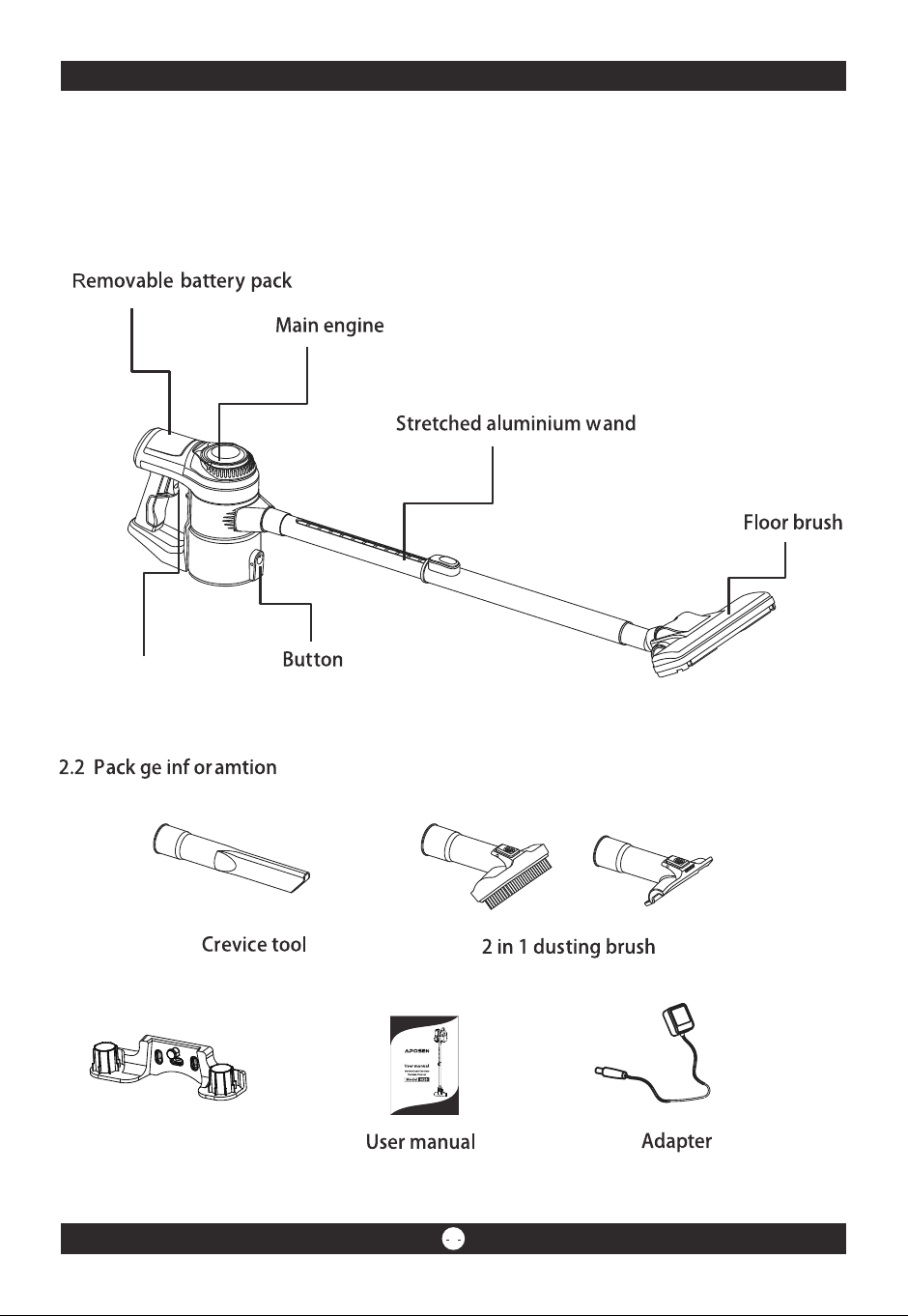
Wall hanger
Package information
2. Machine features
2.1 Package information
On/Off switch
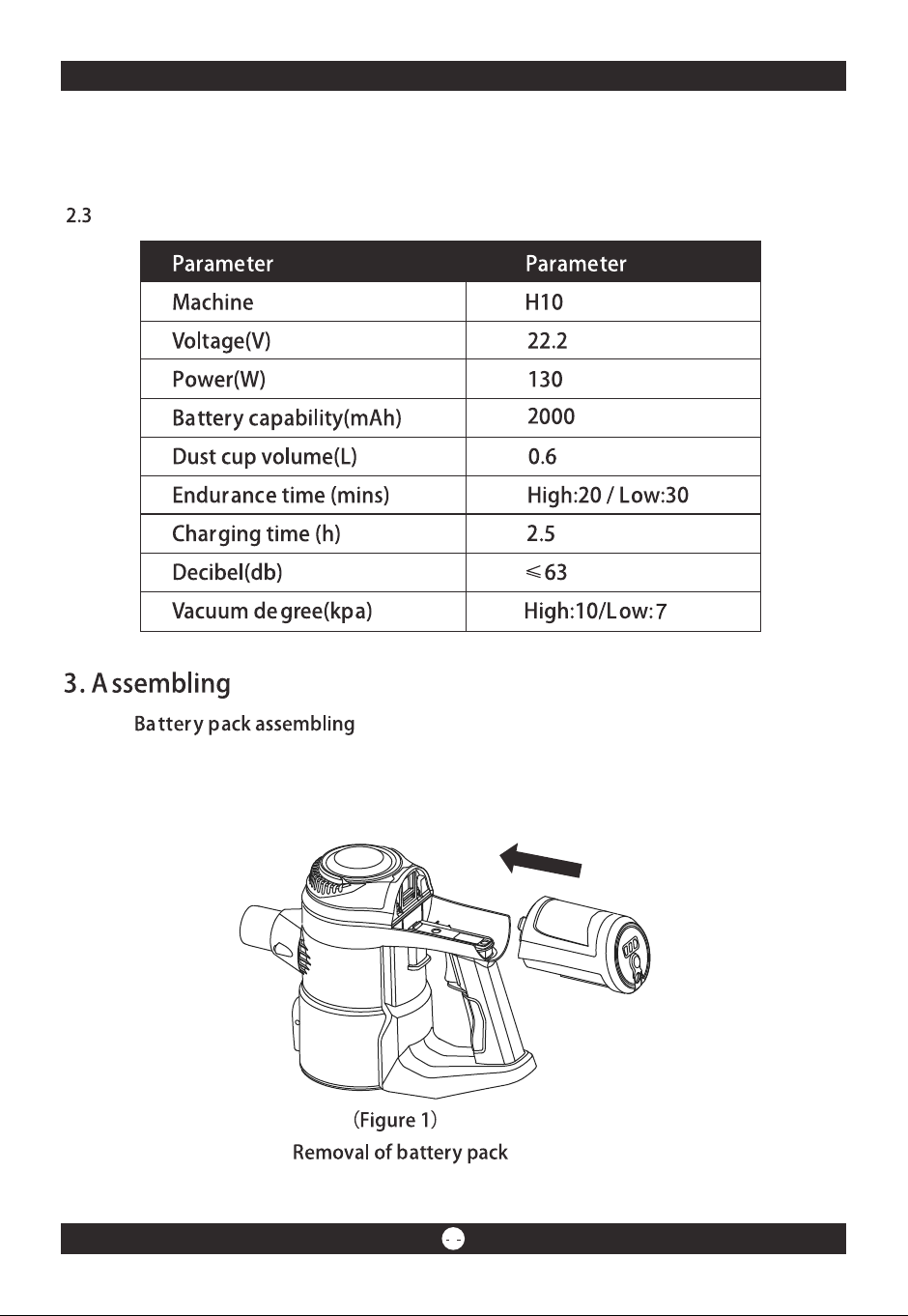
*Aim at the slot of main engine and plug it with the batter pack. A "click" will be heard
if it is connected well.(Figure 1)
-3- -4-
Wall hanger
Package information
2. Machine features
2.1 Package information
On/Off switch
*Aim at the slot of main engine and plug it with the batter pack. A "click" will be heard
if it is connected well.(Figure 1)
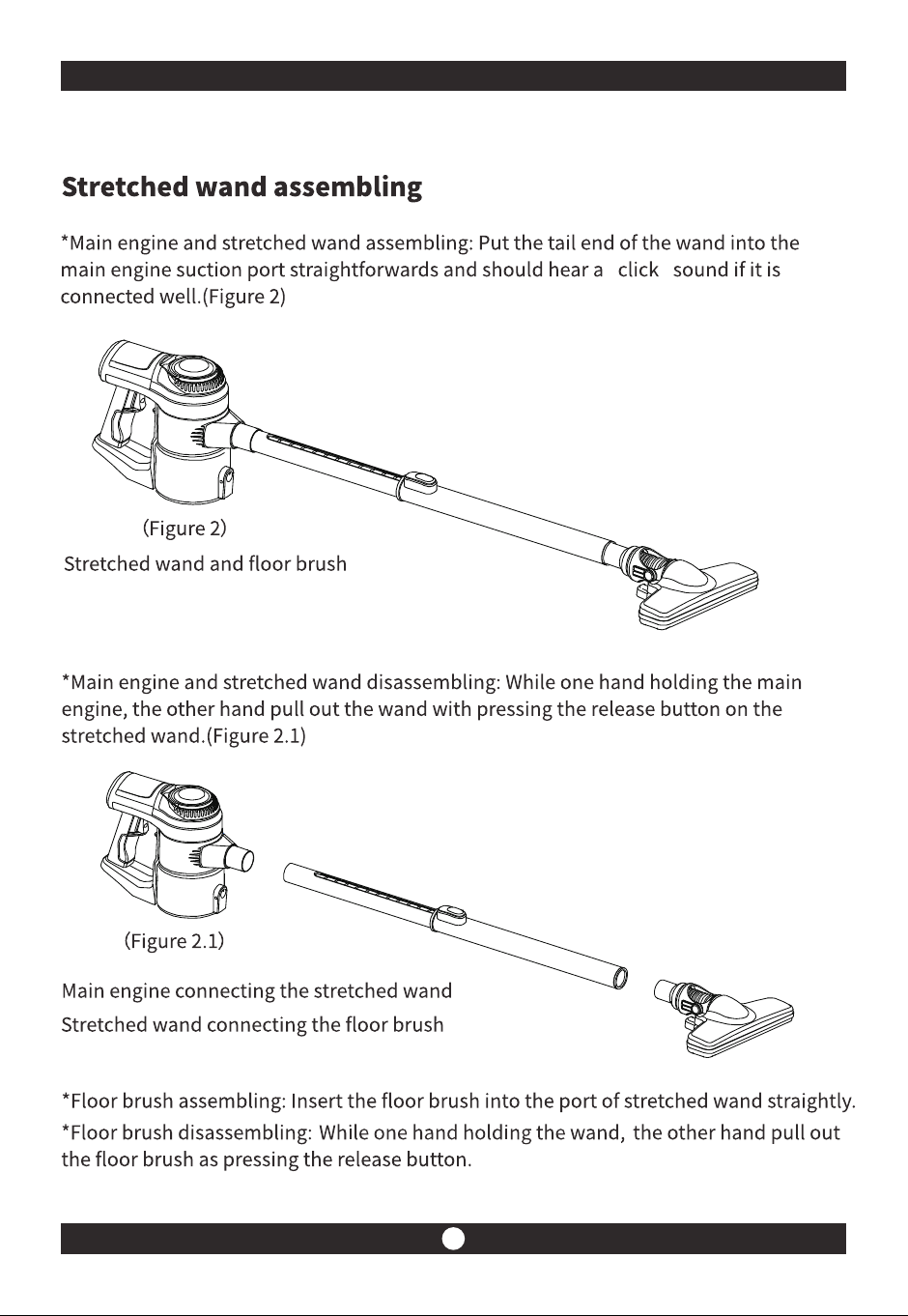
-5- -6-
" "
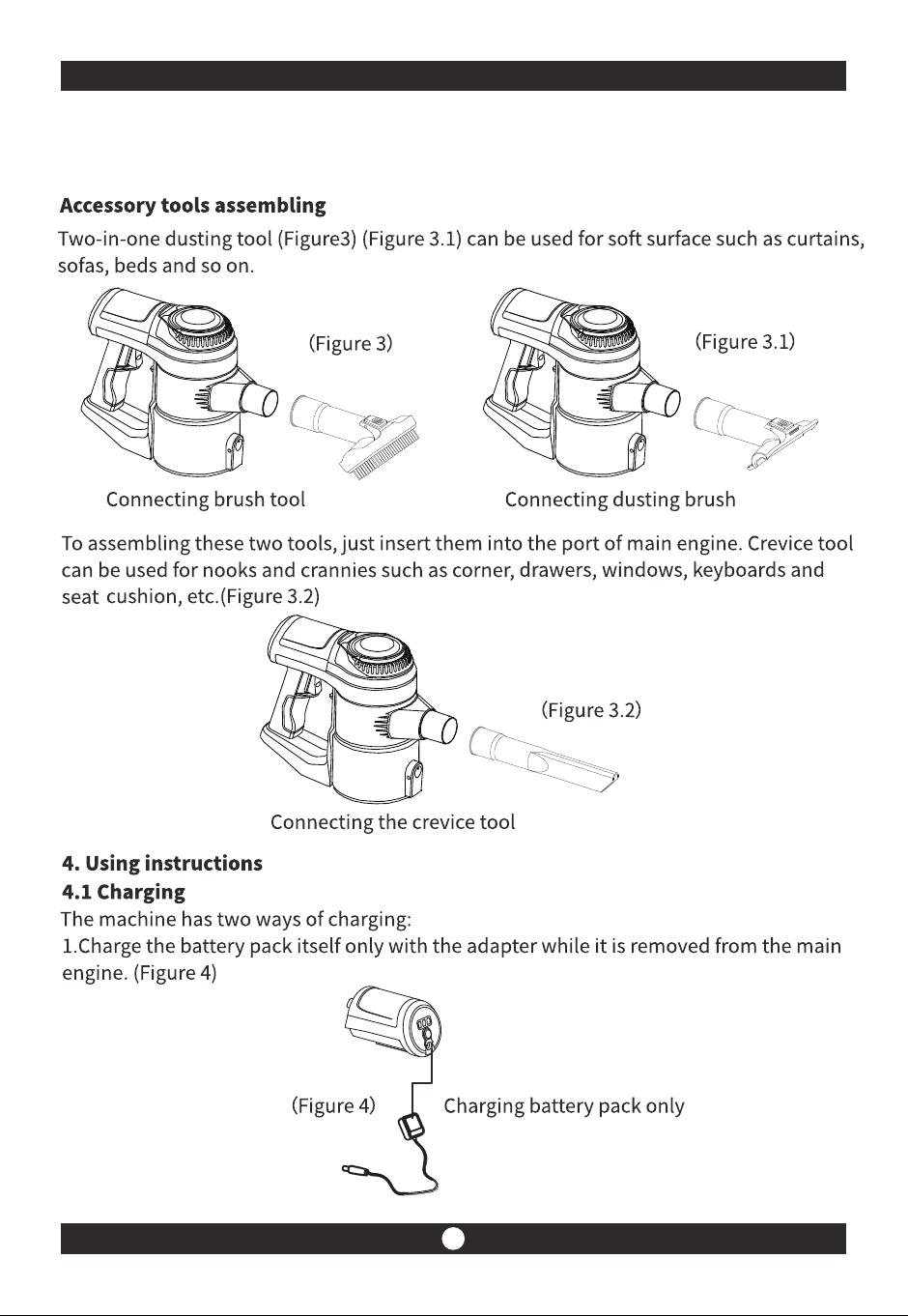
-5- -6-
" "
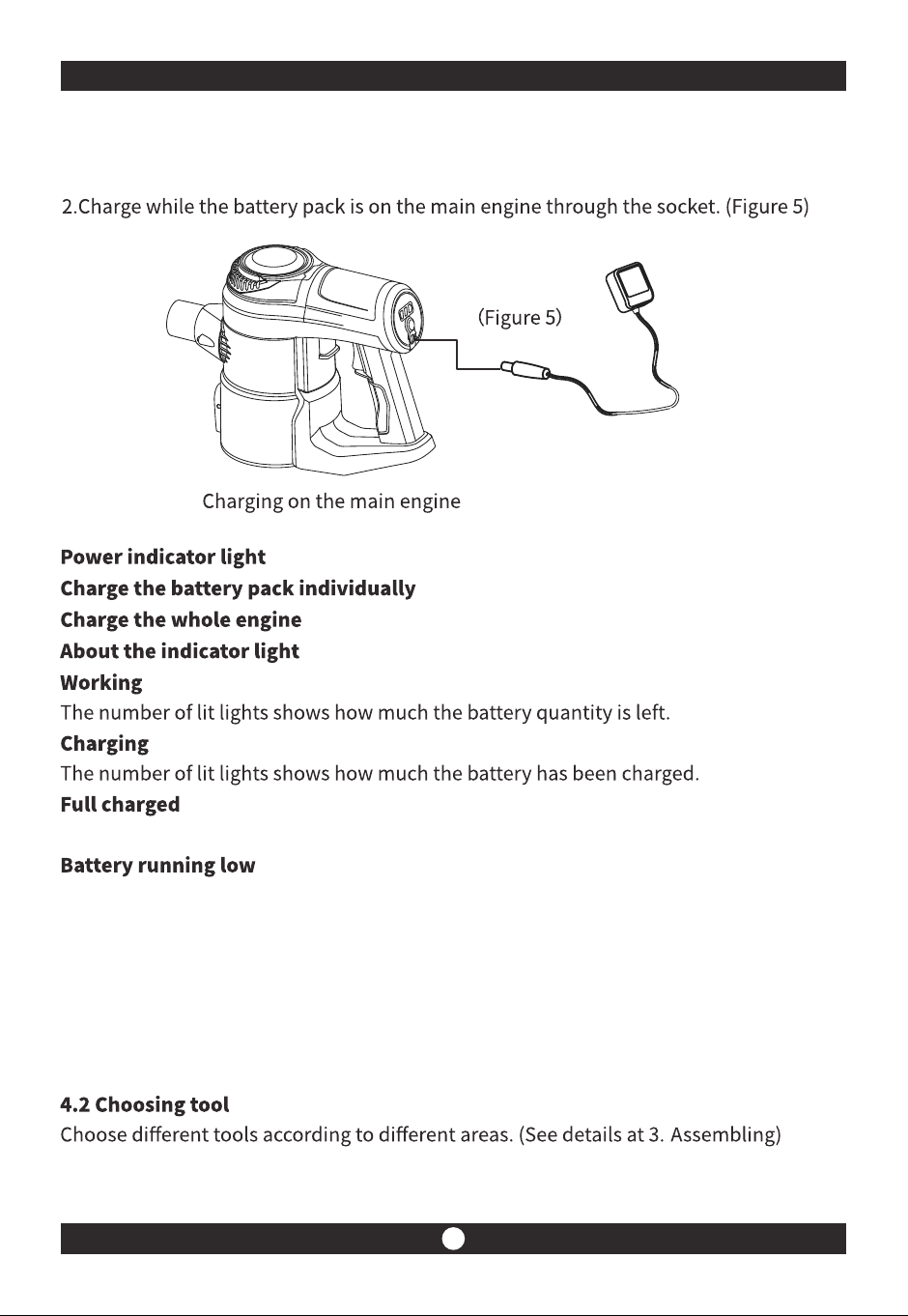
-7- -8-
When all three indicator lights are off, it shows that the battery is fully charged.
When there is only on light blinking, it shows the battery is running out and please
stop using to charging.
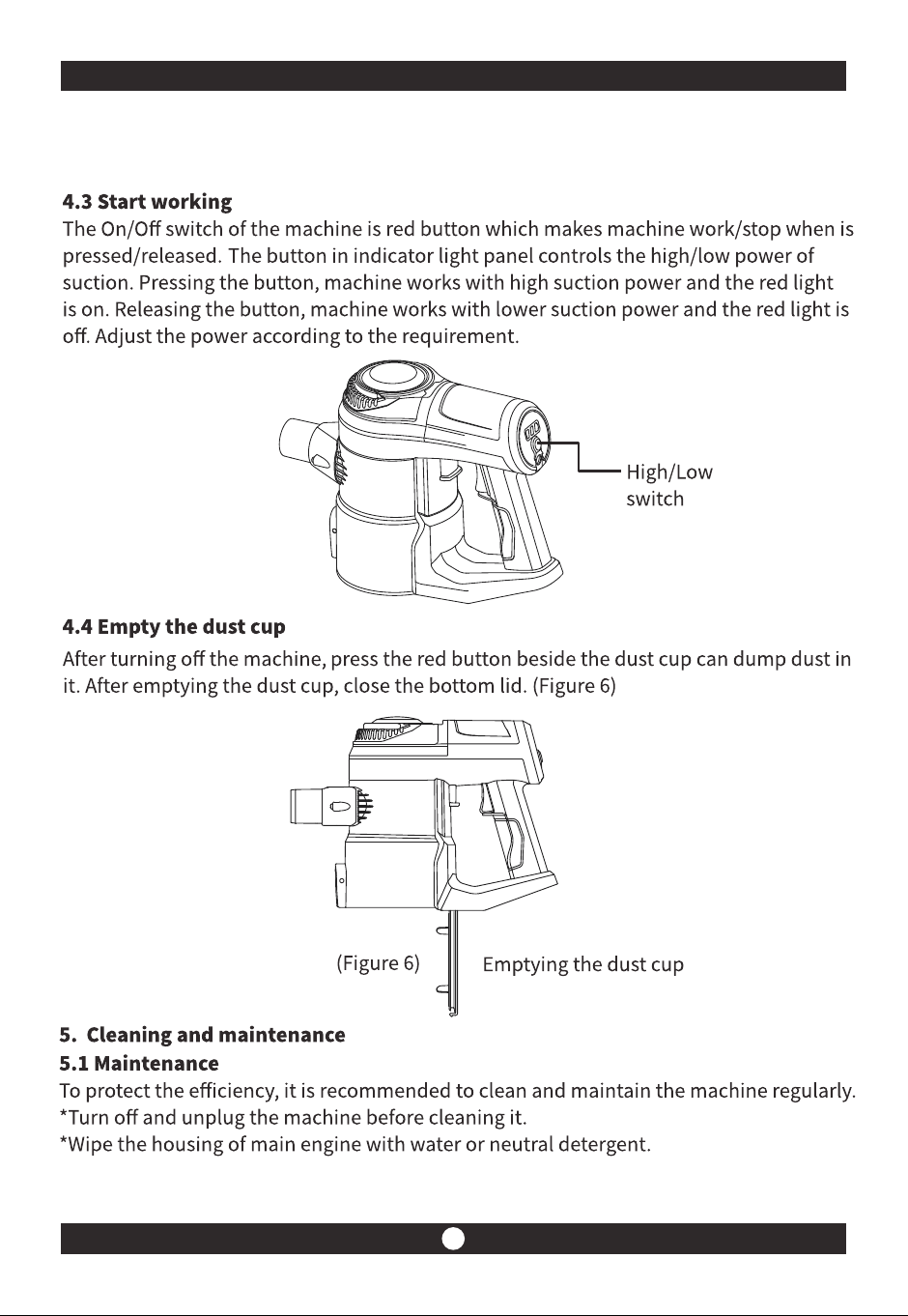
-7- -8-
When all three indicator lights are off, it shows that the battery is fully charged.
When there is only on light blinking, it shows the battery is running out and please
stop using to charging.
-9- -10-
Pr oblem P o ssible reason Po tential solution
The machine does no t work
Less than normal or no pickup
than usual
Noise coming from working
machine
The machine c an not be charged
1.Battery runs low/out
2.The cleaner head has blockage
1.Filtering parts are full of dust
2.HEP A has blockage
Blockag e in the �ltering parts/
stretched w and
The battery and the adapter is
no t connec ted well
1.C h arge the battery
2.C h eck for b lo ckage and clean it
1.Rem ove an d d ust cup and
�lterin g p arts
2.Rem ove the H EPA to clean or
change it
R em ove the �ltering parts/
stretched w and ch eck for
blo ckage and clean it th o ro u gh ly
C heck the connectio n and
recon n ect to charge
Storing the appliance
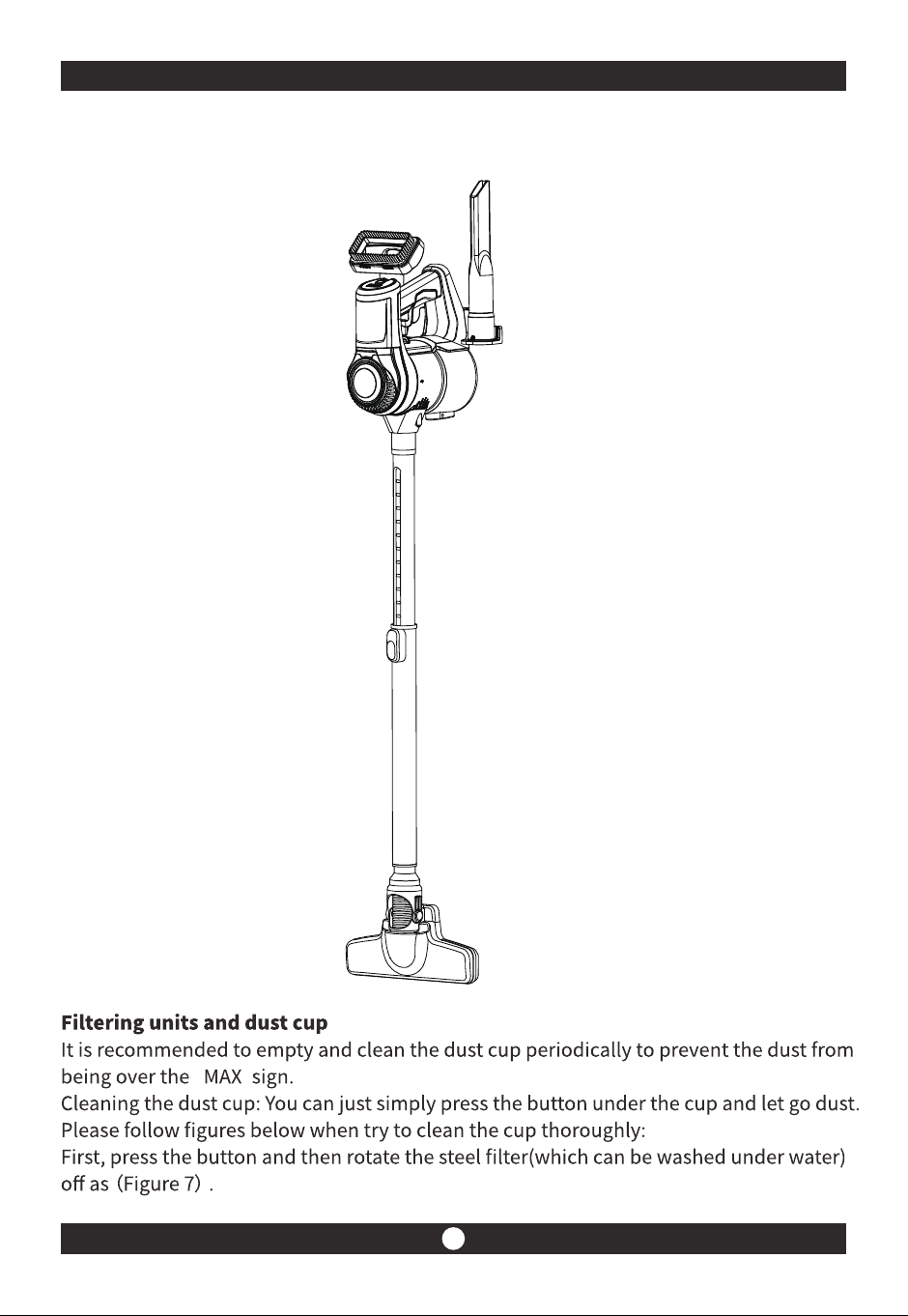
To store the appliance, install the wall hanger and hang the machine on it.
'
" "
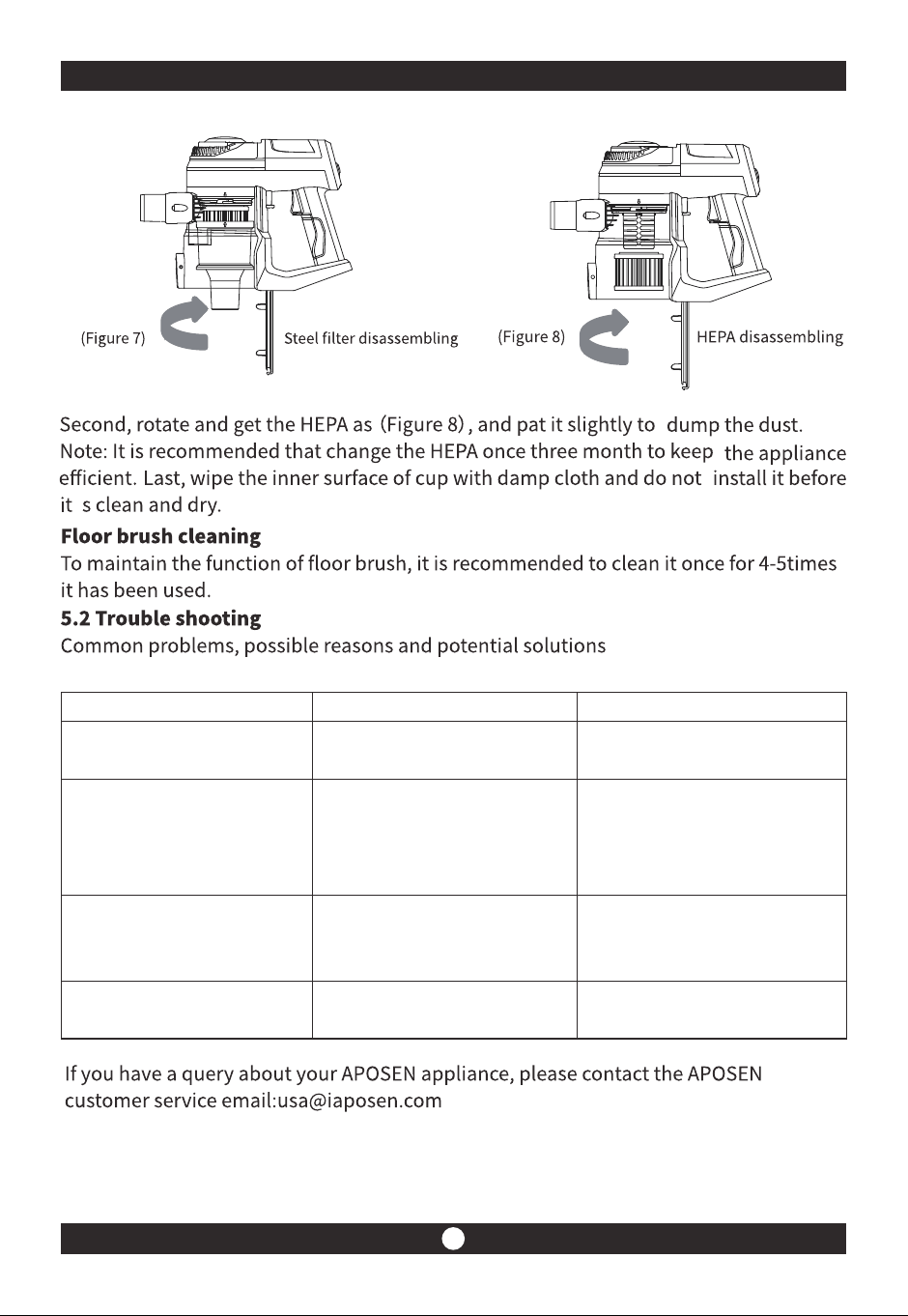
-9- -10-
Pr oblem P o ssible reason Po tential solution
The machine does no t work
Less than normal or no pickup
than usual
Noise coming from working
machine
The machine c an not be charged
1.Battery runs low/out
2.The cleaner head has blockag e
1.Filtering parts are full of dust
2.HEP A has blockage
Blockag e in the �ltering parts/
stretched w and
The battery and the adapter is
no t connec ted well
1.C h arge the battery
2.C h eck for b lo ckage and clean it
1.Rem ove an d d ust cup and
�lterin g p arts
2.Rem ove the H EPA to clean or
change it
R em ove the �ltering parts/
stretched w and ch eck for
blo ckage and clean it th o ro u gh ly
C heck the connectio n and
recon n ect to charge
Storing the appliance
To store the appliance, install the wall hanger and hang the machine on it.
'
" "