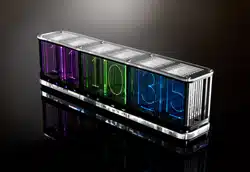
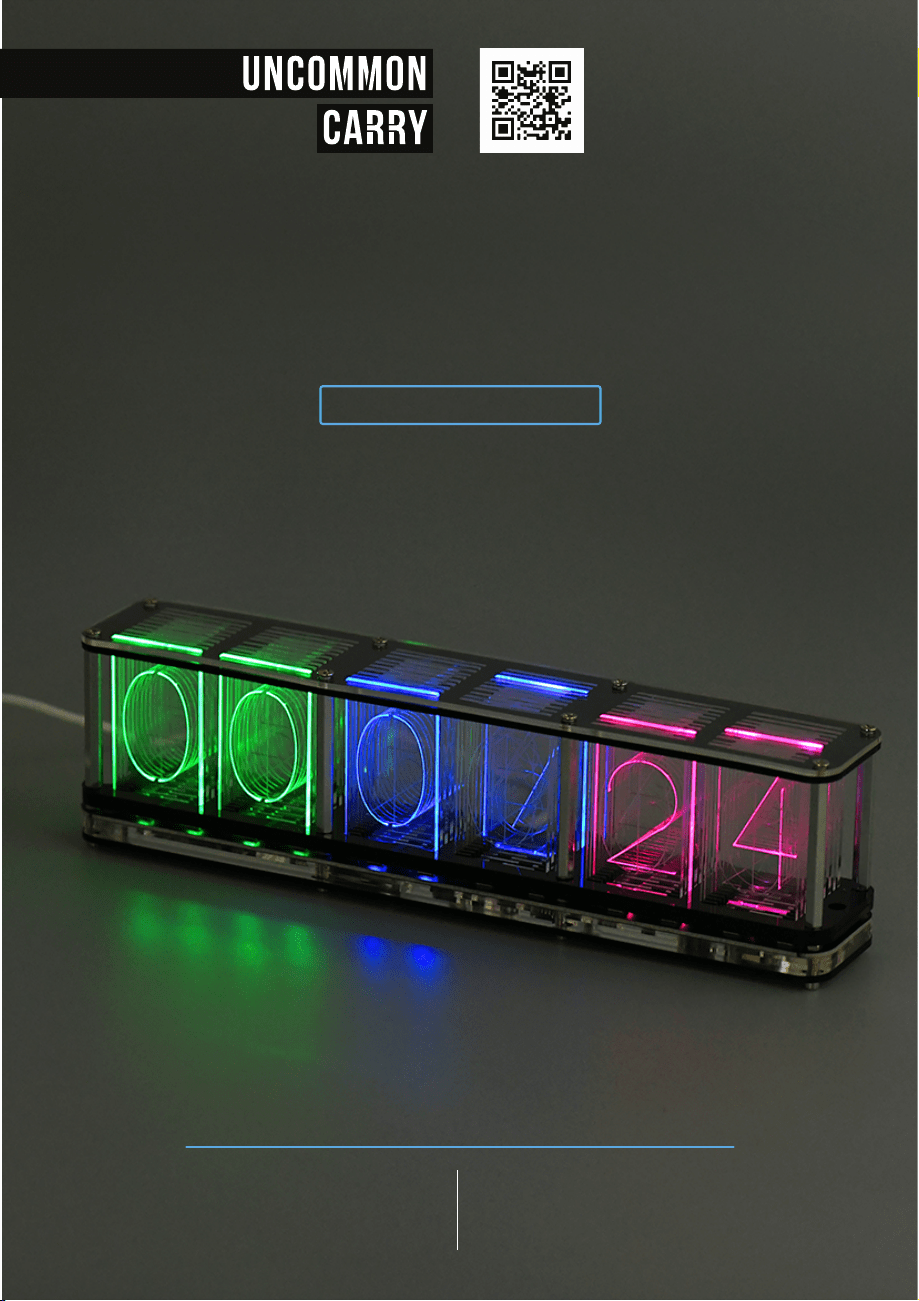
RGB Tube Clock
USER GUIDE
DISTRIBUTED BY
Uncommon Carry
207-536-1174
www.uncommoncarry.com
10 W Point Ln., Suite 10-215,
Biddeford, ME 04005

RGB TUBE CLOCK
table of
content
Features
Long press the setting button to:
CLOCK MODE FUNCTION
MUSIC SPECTRUM DISPLAY FUNCTION
Short press the switch button to:
SWITCH THE COLOR EFFECT
Short press the setting button to:
PAUSE THE COLOR CHANGE
Rainbow gradient effect
Two grid cool color gradient effect
Aurora color gradient effect
Two grid rainbow gradient
Full color gradient effect
Two-cell Aurora color gradient effect
Cool aurora gradient effect
Full color same color gradient effect
Display custom colors
Color Effect List:
instructions
01
02
03
04
05
06
07
08
09
SETTING BUTTON SWITCH BUTTON
Specs
ACRYLIC SHELL
MULTI-LAYER
DS3231 CLOCK CHIP
HIGH-PRECISION
USB DC 5V
POWER SUPPLY
OVERALL SIZE
10”x 1.8”x 2.75”
(25.2*4.6*7cm)
1.15 lbs (520g)
WEIGHT
ALARM FUNCTION
TIMER FUNCTION
STOPWATCH FUNCTION
AURORA GRADIENT EFFECT
HIGHLIGHT RGB COLOR EFFECTS
MUSIC SPECTRUM DISPLAY FUNCTION
01
02
03
04
05
06
01 02
SWITCH
Features
Long press the setting button to:
CLOCK MODE FUNCTION
MUSIC SPECTRUM DISPLAY FUNCTION
Short press the switch button to:
SWITCH THE COLOR EFFECT
Short press the setting button to:
PAUSE THE COLOR CHANGE
Rainbow gradient effect
Two grid cool color gradient effect
Aurora color gradient effect
Two grid rainbow gradient
Full color gradient effect
Two-cell Aurora color gradient effect
Cool aurora gradient effect
Full color same color gradient effect
Display custom colors
Color Effect List:
instructions
01
02
03
04
05
06
07
08
09
SETTING BUTTON SWITCH BUTTON
Specs
ACRYLIC SHELL
MULTI-LAYER
DS3231 CLOCK CHIP
HIGH-PRECISION
USB DC 5V
POWER SUPPLY
OVERALL SIZE
10”x 1.8”x 2.75”
(25.2*4.6*7cm)
1.15 lbs (520g)
WEIGHT
ALARM FUNCTION
TIMER FUNCTION
STOPWATCH FUNCTION
AURORA GRADIENT EFFECT
HIGHLIGHT RGB COLOR EFFECTS
MUSIC SPECTRUM DISPLAY FUNCTION
01
02
03
04
05
06
01 02
SWITCH
Parameters List:
The modification sequence is: year-month-day.
00
00
01
01
02
02
03
03
04
04
05
06
07
08
09
10
11
12
13
14
clock mode
ENTER & EXIT MENU:
Press setting & switch button at the same time.
SWITCH BETWEEN PARAMETERS:
Short touch the switch button.
ENTER THE SETTINGS:
Short press the setting button.
MODIFY PARAMETER VALUE:
After you entered the settings, use the
switch button to modify parameter value.
Time Setting
Date setting
Alarm setting
Format setting
Switching effect
selection
Switching duration
setting
LED effect selection
at the bottom
Switch automatic
dimming function
Switch voice-activated
wake-up function
Custom number color
Set the hourly and
half-hourly chime
animation effect
Set the second digital
conversion effect
Countdown function
Stopwatch function
Set the color
gradation speed
PARAMETER SETTINGS:
TIME SETTING
Press switch button to modify the flashing parameter value.
Press setting button to confirm the modification.
DATE SETTING
ALARM SETTING
Turn on the alarm and enter the alarm time setting.
0- Turn off the alarm.
FORMAT SETTING
HOUR FORMAT: 24-24 hour system mode / 12-12 hour system mode
DATE FORMAT: 12-31: month-day mode / 31-12: day-month mode
TEMPERATURE FORMAT: Celsius / Fahrenheit
SWITCHING EFFECT SELECTION
Only time display
Sweeping effect from left to right
Overall sweeping effect
The middle to the two sides one by one lighting effect
Light up the effect one by one from left to right
Random sweep effect
Sweeping effect from the middle to both sides
Note: The order of switching display is: time-temperature-date week
0 -
1 -
0 -
1 -
2 -
0 -
1 -
2 -
3 -
4 -
5 -
6 -
03 04

Parameters List:
The modification sequence is: year-month-day.
00
00
01
01
02
02
03
03
04
04
05
06
07
08
09
10
11
12
13
14
clock mode
ENTER & EXIT MENU:
Press setting & switch button at the same time.
SWITCH BETWEEN PARAMETERS:
Short touch the switch button.
ENTER THE SETTINGS:
Short press the setting button.
MODIFY PARAMETER VALUE:
After you entered the settings, use the
switch button to modify parameter value.
Time Setting
Date setting
Alarm setting
Format setting
Switching effect
selection
Switching duration
setting
LED effect selection
at the bottom
Switch automatic
dimming function
Switch voice-activated
wake-up function
Custom number color
Set the hourly and
half-hourly chime
animation effect
Set the second digital
conversion effect
Countdown function
Stopwatch function
Set the color
gradation speed
PARAMETER SETTINGS:
TIME SETTING
Press switch button to modify the flashing parameter value.
Press setting button to confirm the modification.
DATE SETTING
ALARM SETTING
Turn on the alarm and enter the alarm time setting.
0- Turn off the alarm.
FORMAT SETTING
HOUR FORMAT: 24-24 hour system mode / 12-12 hour system mode
DATE FORMAT: 12-31: month-day mode / 31-12: day-month mode
TEMPERATURE FORMAT: Celsius / Fahrenheit
SWITCHING EFFECT SELECTION
Only time display
Sweeping effect from left to right
Overall sweeping effect
The middle to the two sides one by one lighting effect
Light up the effect one by one from left to right
Random sweep effect
Sweeping effect from the middle to both sides
Note: The order of switching display is: time-temperature-date week
0 -
1 -
0 -
1 -
2 -
0 -
1 -
2 -
3 -
4 -
5 -
6 -
03 04

Switch every 5 seconds;
Switch every -10 seconds;
Switch every -30 seconds;
Switch every -60 seconds;
Switch every 5 minutes;
Switch every 10 minutes;
Switch every 15 minutes;
Switch every 30 minutes;
Switch every 60 minutes;
No conversion effect
Sweeping effect
Fading effect
Mixing effect - the hourly chime enters the sweep
effect, the half-hourly chime enters the fade effect
05
06
07
09
10
11
12
08
Press switch button to modify the color value
of the flashing number (a total of 17colors).
Press setting button to confirm the modified color
and enter the color setting of the next number.
SWITCHING DURATION SETTING
SWITCH AUTOMATIC DIMMING FUNCTION
SWITCH VOICE-ACTIVATED WAKE-UP FUNCTION
CUSTOMIZE THE COLOR OF THE NUMBER
SET THE HOURLY AND HALF-HOURLY CHIME ANIMATION EFFECT
LED EFFECT SELECTION AT THE BOTTOM
SET THE DIGITAL CONVERSION EFFECT OF SECONDS
COUNTDOWN FUNCTION
Turn off the bottom LED effect
Rainbow color gradient
Press the button to turn off the light
Cool color gradient
Candlelight color effect
Aurora color gradient
0 -
1 -
2 -
3 -
4 -
5 -
0 -
1 -
0 -
1 -
2 -
3 -
0 -
1 -
2 -
3 -
0 -
1 -
TURN OFF dark mode
TURN ON the automatic dark mode
TURN OFF the voice-activated wake-up function
TURN ON the voice-activated wake-up function
No transformation effect
Digital progressive effect
Digital breathing effect
Mixed effect-automatically switch every day
Enter the minutes and seconds, press the set button (square icon) to
start the countdown, the countdown ends the buzzer buzzer, and
any touch key to exit the countdown;
05 06
When the ambient light is detected to be dark, it
will automatically enter the low brightness mode.
Tap the desktop or press any touch button to wake up.

Switch every 5 seconds;
Switch every -10 seconds;
Switch every -30 seconds;
Switch every -60 seconds;
Switch every 5 minutes;
Switch every 10 minutes;
Switch every 15 minutes;
Switch every 30 minutes;
Switch every 60 minutes;
No conversion effect
Sweeping effect
Fading effect
Mixing effect - the hourly chime enters the sweep
effect, the half-hourly chime enters the fade effect
05
06
07
09
10
11
12
08
Press switch button to modify the color value
of the flashing number (a total of 17colors).
Press setting button to confirm the modified color
and enter the color setting of the next number.
SWITCHING DURATION SETTING
SWITCH AUTOMATIC DIMMING FUNCTION
SWITCH VOICE-ACTIVATED WAKE-UP FUNCTION
CUSTOMIZE THE COLOR OF THE NUMBER
SET THE HOURLY AND HALF-HOURLY CHIME ANIMATION EFFECT
LED EFFECT SELECTION AT THE BOTTOM
SET THE DIGITAL CONVERSION EFFECT OF SECONDS
COUNTDOWN FUNCTION
Turn off the bottom LED effect
Rainbow color gradient
Press the button to turn off the light
Cool color gradient
Candlelight color effect
Aurora color gradient
0 -
1 -
2 -
3 -
4 -
5 -
0 -
1 -
0 -
1 -
2 -
3 -
0 -
1 -
2 -
3 -
0 -
1 -
TURN OFF dark mode
TURN ON the automatic dark mode
TURN OFF the voice-activated wake-up function
TURN ON the voice-activated wake-up function
No transformation effect
Digital progressive effect
Digital breathing effect
Mixed effect-automatically switch every day
Enter the minutes and seconds, press the set button (square icon) to
start the countdown, the countdown ends the buzzer buzzer, and
any touch key to exit the countdown;
05 06
When the ambient light is detected to be dark, it
will automatically enter the low brightness mode.
Tap the desktop or press any touch button to wake up.

To enter the music spectrum mode you only need to put out the
music playback device (mobile phone, speaker, MP3 player, etc.).
MUSIC SPECTRUM BOUNCE EFFECT is better when placed on
the back of the microphone.
13
14
15
START TIMING:
Press switch button.
PAUSE TIMING:
Press switch button again.
RESET THE TIMER:
Press switch button again.
EXIT THE STOPWATCH:
Press setting button.
SWITCH THE TEST COLOR:
Press the switch button to switch the test color.
A total of three colors of red, green and blue are tested.
EXIT THE TEST:
Press setting button.
STOPWATCH FUNCTION
SET THE COLOR GRADIENT SPEED
TEST THE QUALITY OF LED
Seven level settings 1-7: from fast to slow;
07 08
music spectrum mode
Maximum timing is 99 minutes, 60 seconds, and 990 milliseconds.

To enter the music spectrum mode you only need to put out the
music playback device (mobile phone, speaker, MP3 player, etc.).
MUSIC SPECTRUM BOUNCE EFFECT is better when placed on
the back of the microphone.
13
14
15
START TIMING:
Press switch button.
PAUSE TIMING:
Press switch button again.
RESET THE TIMER:
Press switch button again.
EXIT THE STOPWATCH:
Press setting button.
SWITCH THE TEST COLOR:
Press the switch button to switch the test color.
A total of three colors of red, green and blue are tested.
EXIT THE TEST:
Press setting button.
STOPWATCH FUNCTION
SET THE COLOR GRADIENT SPEED
TEST THE QUALITY OF LED
Seven level settings 1-7: from fast to slow;
07 08
music spectrum mode
Maximum timing is 99 minutes, 60 seconds, and 990 milliseconds.