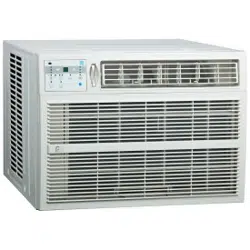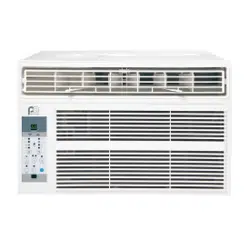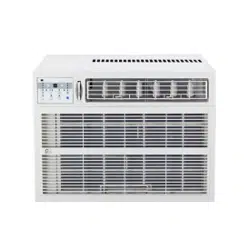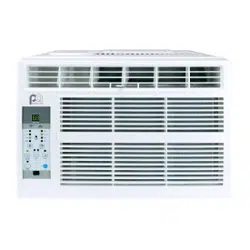
Perfect Aire, LLC
5151 Belt Line Rd.
Suite 878
Dallas, TX 75254
Distributed by:
844-4PA-AIRE | 844-472-2473
www.perfectaire.us
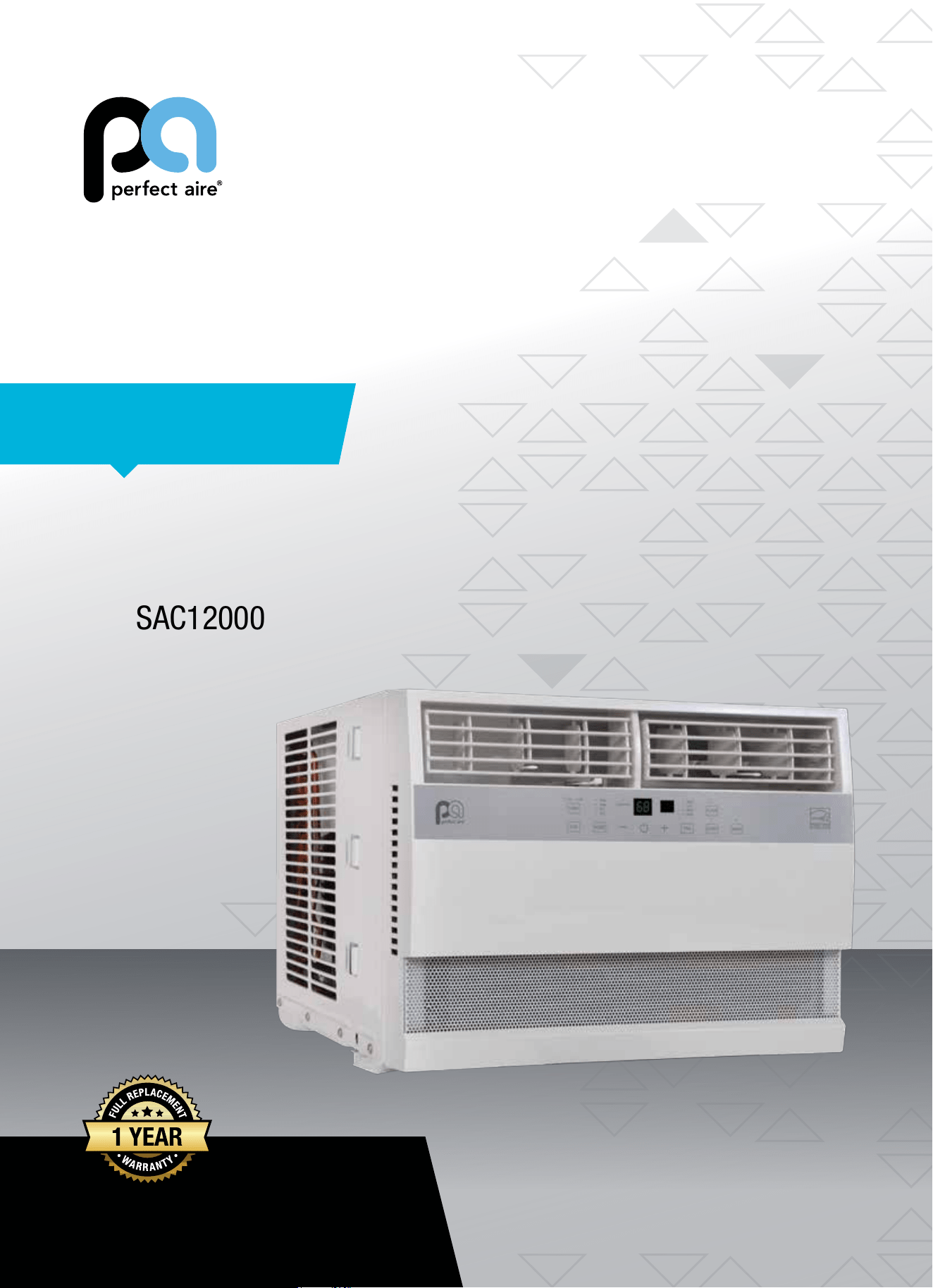
WINDOW
AIR CONDITIONER
FOR SMART AC MODELS:
5SAC10000
5SAC12000
Before using your air conditioner, please
read this manual carefully and keep it for
future reference, along with your receipt.
Specification and performance data is subject to change without notice.
Printed in China
PA/User5SAC10000_5SAC12000/10242017
USER MANUAL
For your own records, please attach a copy of your sales receipt to this manual and complete the following:
Model Number: _____________________________________ Serial Number: _______________________________________
Purchase Date: ____________________________________ Store Purchased: _____________________________________
Installation Date: ___________________________________ Installation Co.: _______________________________________
Installer Name: _____________________________________ Installer Phone No.: ___________________________________
CONSUMER PRODUCT INFORMATION
SAFETY PRECAUTIONS ...................................................................1
IMPORTANT SAFETY INSTRUCTIONS ...........................................3
INSTALLATION INSTRUCTIONS .....................................................4
NORMAL SOUNDS ...........................................................................9
AIR CONDITIONER FEATURES .......................................................9
CARE AND CLEANING ....................................................................12
TROUBLESHOOTING ....................................................................... 13
CONTENTS
This manual provides the information needed for proper use and maintenance
of this air conditioner. Basic preventative care can help extend the life of
this unit. The “Troubleshooting” section in this manual contains a chart with
solutions to the most common problems. Referring to this section may save
time and prevent the need for a service call in the event of a problem.
CAUTION
● Contactanauthorizedservicetechnicianforrepairormaintenanceofthisunit.
● Contactaninstallerforinstallationofthisunitifnecessary.
● Theairconditionerisnotintendedforusebyyoungchildrenwithoutadultsupervision.Youngchildrenshouldbe
supervised to ensure that they do not play with the air conditioner.
● Disabledpersonsmayrequireassistancewithsetup.
● Ifthepowercordistobereplaced,replacementworkshouldbeperformedbyauthorizedpersonnelonly.
● Installationandrepairworkmustbeperformedinaccordancewiththenationalwiringstandardsbyauthorized
personnel only.
● Donotoperateyourairconditionerinawetroomsuchasabathroomorlaundryroom.
NOTE: All the illustrations in this manual are for explanation purposes only. Unit purchased may be
slightlydierent.
Thedesignandspecicationsaresubjecttochangewithoutpriornoticeforproductimprovement.Contactcustomer
service for details.
1
WARNINGS
Plug in power cord properly. Failuretodosomaycauseelectricshockorredueto
excess heat generation.
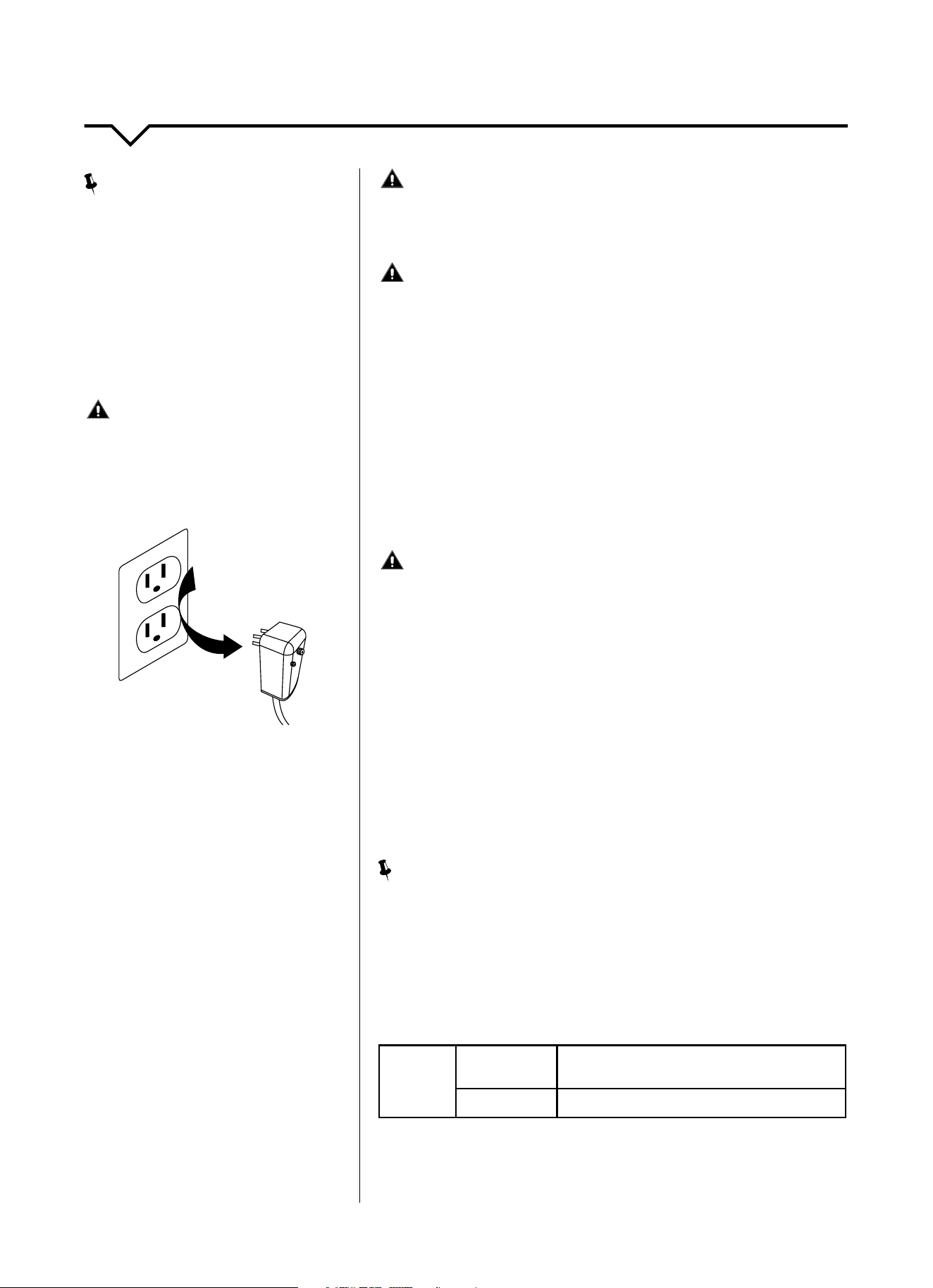
DO NOT operate or stop the unit by inserting or pull-
ing out the power plug directly from the wall.
Doingsomaycauseelectricshockorredueto
heat generation.
DO NOT use a damaged power cord.
Doingsomaycauseelectricshockorre.Ifthepower
cord is damaged, it must be replaced by the manufactur-
eroranauthorizedservicecenterorasimilarlyqualied
personinordertoavoidahazard.
DO NOT modify power cord length or share the
outlet with other appliances.
Doingsomaycauseelectricshockorredueto
heat generation.
DO NOT operate with wet hands or in
damp environment.
Doingsomaycauseelectricshock.
DO NOTdirectairowdirectlyatroomoccupants.
This could cause health issues.
Alwaysensureeectivegrounding. Incorrectgroundingmaycauseelectricshock.
DO NOT allow water to run into electric parts.
Doingsomaycausefailureofmachineorelectricshock.
Alwaysinstallcircuitbreakerandadedicated
power circuit.
Incorrectinstallationmaycausereandelectricshock.
Always unplug the unit if strange sounds, smell or
smokecomesfromtheunit.
Failuretodosomaycausereandelectricshock.
DO NOTusethesocketifitislooseordamaged.
Doingsomaycausereandelectricshock.
DO NOT open the unit during operation.
Doingsomaycauseelectricshock.
DO NOTuserearmsnearunit.
Doingsomaycausere.
DO NOT use the power cord close to
heating appliances.
Doingsomaycausereandelectricshock.
DO NOT disassemble, modify, or drill holes into
the air conditioner.
Doingsomaycausefailureandelectricshockandvoid
the manufacturer’s warranty.
Ventilate room before operating air conditioner if
thereisagasleakfromanotherappliancesuchas
a stove.
Failuretodosomaycauseexplosion,reandburns.
DO NOT
usethepowercordnearammablegasor
combustibles,suchasgasoline,benzene,thinner,etc.
Doingsomaycauseanexplosionorre.
READ SAFETY PRECAUTIONS BEFORE INSTALLATION
Topreventinjurytotheuserorotherpeopleandpropertydamage,thefollowinginstructionsmustbefollowed.
Incorrectoperationduetoignoringofinstructionsmaycauseharmordamage.Theseriousnessisclassiedbythe
following indications.
THIS SYMBOL INDICATES THAT IGNORING INSTRUCTIONS MAY CAUSE
DEATH OR SERIOUS INJURY.
NEVER DO THIS.OTHER SYMBOLS: ALWAYS DO THIS.
THIS SYMBOL INDICATES THAT IGNORING INSTRUCTIONS MAY CAUSE
MODERATE INJURY TO YOUR PERSON, OR DAMAGE TO YOUR UNIT OR
OTHER PROPERTY.
SAFETY PRECAUTIONS
2
CAUTIONS
Whenremovingairlter,DO NOT touch metal parts of
the unit.
Doingsomaycauseaninjury.
DO NOT clean with water.
Water may enter the unit and degrade the insulation
causinganelectricshock.
Ensure proper ventilation, especially in rooms with a
stove or other appliances.
Failure to do so may result in an oxygen shortage.
Unitandcircuitbreaker/fusemustbeswitchedOFF
when cleaning.
CleaningunitwhenpowerisONmaycausereand
electricshockandmaycauseaninjury.
DO NOT put a pet or house plant where it will be ex-
posedtodirectairow.
Thiscouldinjurethepetorplant.
Use ONLY as intended. This unit is NOT intended to preserve precision devic-
es,food,pets,plants,andartobjects.Itmaycause
deteriorationofquality,etc.
Stop operation and close the window in severe
storms or hurricanes.
Operationwithwindowsopenmaycausemoistureto
enter the room.
Hold the plug by the head of the power plug when
takingitout.
Failuretodosomaycauseelectricshock
and damage.
If unit will not be used for a long period of time,
unplug or turn OFF main power switch.
Leavingpoweronmaycauseunitfailureorre.
DO NOT place obstacles around air-inlets or inside of
air-outlet.
Obstaclesmaycauseappliancefailureoraccident.
Periodicallycheckinstallationbracketfordamage. Prolonged exposure to outdoor elements may cause
damagetoinstallationbracket,causingunittofall.
Alwaysinsertlter(s)securely.Cleanlter(s)AT LEAST
onceeverytwoweeks.
Operationwithoutsecured,installedltersmay
causefailure.Adirtyltercancausetheunittonot
runeciently.
Use only a soft cloth to clean the unit. Cleaners or detergents may change the color or
scratch the surface of the unit.
Usecautionwhenunpackingandinstalling. Sharpedgescouldcauseinjury.
NEVERdrinkwaterdrainedfromairconditioner.
Water from unit contains contaminants and could
cause illness.
DO NOTplaceheavyobjectsonthepowercordand
always ensure that the cord is not compressed.
Thereisdangerofreorelectricshock.
If water enters the unit’s electrical components, turn
theunitoatthepoweroutletandswitchothecir-
cuitbreaker.Isolatesupplybytakingthepower-plug
outandcontactaqualiedservicedtechnician.
Thereisdangerofelectricshock.
3
IMPORTANT SAFETY INSTRUCTIONS
NOTE
:
The power supply cord with this air
conditioner contains a current detection
devicedesignedtoreducetherisk
ofre.Pleaserefertothesection
“OperationofCurrentDevice”(below)
for details. In the event that the power
supply cord is damaged, it cannot be
repaired. It must be replaced by an
authorizedrepairtechnicianwithacord
from the Product Manufacturer.
WARNING
Avoidrehazardsorelectricshock.DO
NOT use an extension cord or an adapter
plug. DO NOT remove any prong from the
power cord.
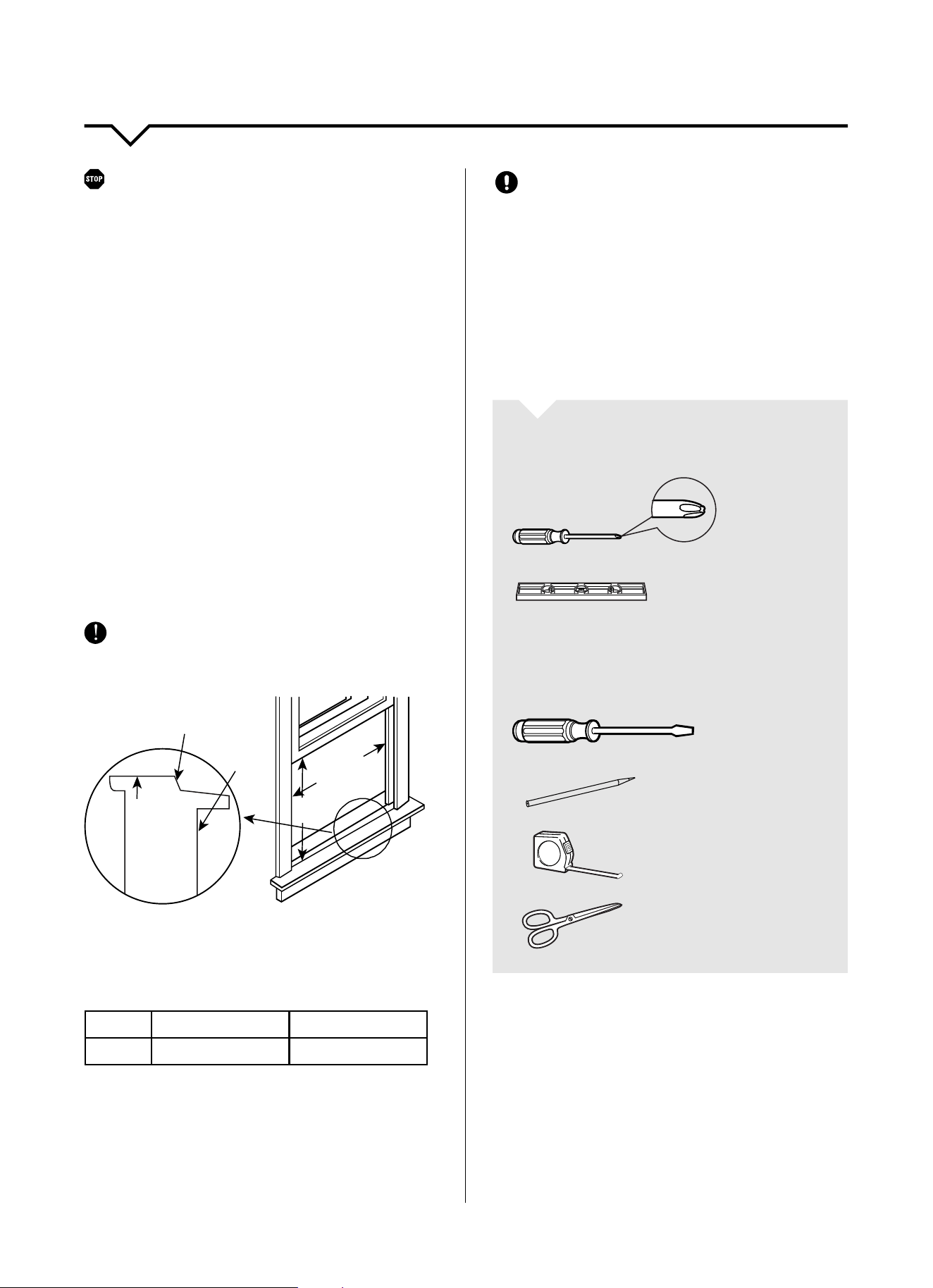
OPERATION OF
CURRENT DEVICE:
The power supply cord contains a
current device that senses damage
to the power cord. To test your power
supply cord, do the following:
1. Plug in the air conditioner.
2. The power supply cord will have
TWObuttonsontheplughead.Press
theTESTbutton.Youwillnoticea
clickastheRESETbuttonpopsout.
3. Press the RESET button. Again,
youwillnoticeaclickasthe
button engages.
4. The power supply cord is now
supplyingelectricitytotheunit.(On
some products this is also indicated
byalightontheplughead.)
WARNING
FORYOURSAFETY:Donotstoreorusegasolineorotherammable
vaporsandliquidsinthevicinityofthisoranyotherappliances.
WARNING - PREVENT ACCIDENTS
Toreducetheriskofre,electricalshock,orinjurytopersonswhenusing
your air conditioner, follow basic precautions, including the following:
● Besuretheelectricalserviceisadequateforthemodelyouhave
chosen. This information can be found on the serial plate, which is
located on the side of the cabinet and behind the grille.
● Iftheairconditioneristobeinstalledinawindow,youwillprobably
wanttocleanbothsidesoftheglassrst.Ifthewindowisatriple-
tracktypewithascreenpanelincluded,removethescreencompletely
before installation.
● Besuretheairconditionerhasbeensecurelyandcorrectlyinstalled
according to the installation instructions in this manual.
●
Save this manual for possible future use in removing or installing this unit.
● Whenhandlingtheairconditioner,becarefultoavoidcutsfromsharp
metalnsonfrontandrearcoils.
WARNING - ELECTRICAL INFORMATION
The complete electrical rating of your new room air conditioner is
statedontheserialplate.Refertotheratingwhencheckingthe
electricalrequirements.
● Besuretheairconditionerisproperlygrounded.Tominimizeshock
andrehazards,propergroundingisimportant.Thepowercordis
equippedwithathree-pronggroundingplugforprotectionagainst
shockhazards.
● Yourairconditionermustbeusedinaproperlygroundedwall
receptacle.Ifthewallreceptacleyouintendtouseisnotadequately
groundedorprotectedbyatimedelayfuseorcircuitbreaker,havea
qualiedelectricianinstalltheproperreceptacle.
● Ensurethereceptacleisaccessibleaftertheunitinstallation.
● DO NOT run air conditioner without side protective cover in place. This
could result in mechanical damage within the air conditioner.
● DO NOT use an extension cord or an adapter plug.
NOTE
:
DO NOTusetheplugtoturntheunitonoro.
● AlwaysmakesuretheRESETbuttonispushedinforcorrectoperation.
● ThepowersupplymustbereplacedifitfailsresetwheneithertheTEST
button is pushed or it cannot be reset.
● Ifpowersupplycordisdamaged,itcannotberepaired.Pleasecall
Consumer Services at 844-472-2473 to assist with replacement.
NOTE: This air conditioner is designed to be operated under the
following conditions:
Cooling
Operation
Outdoor Temp:
64–109°F/18–43°C
(64–125°F/18–52°Cforspecialtropicalmodels)
Indoor Temp:
62–90°F/17–32°C
Performance may be reduced outside of these operating temperatures.
Grounding Type
Wall Receptacle
Do not, under any
circumstances, cut,
remove, or bypass the
ground prong.
Power supply cord
with 3-prong grounding
plug and current
detection device
4
BEFORE YOU BEGIN
Read these instructions completely and carefully.
IMPORTANT- Save these instructions.
IMPORTANT-Observeallgoverningcodesand
ordinances.
Note to Installer- Be sure to leave these instructions with
the Consumer.
Note to Consumer- Keep these instructions for future
reference.
Skill level-Installationofthisappliancerequiresbasic
mechanicalskills.
Completion time- Approximately 1 hour.
We recommend that two people install this product.
Proper installation is the responsibility of the installer.
Product failure due to improper installation is not
covered under the Warranty.
YouMUSTuseallsuppliedpartsanduseproper
installation procedures as described in these
instructions when installing this air conditioner.
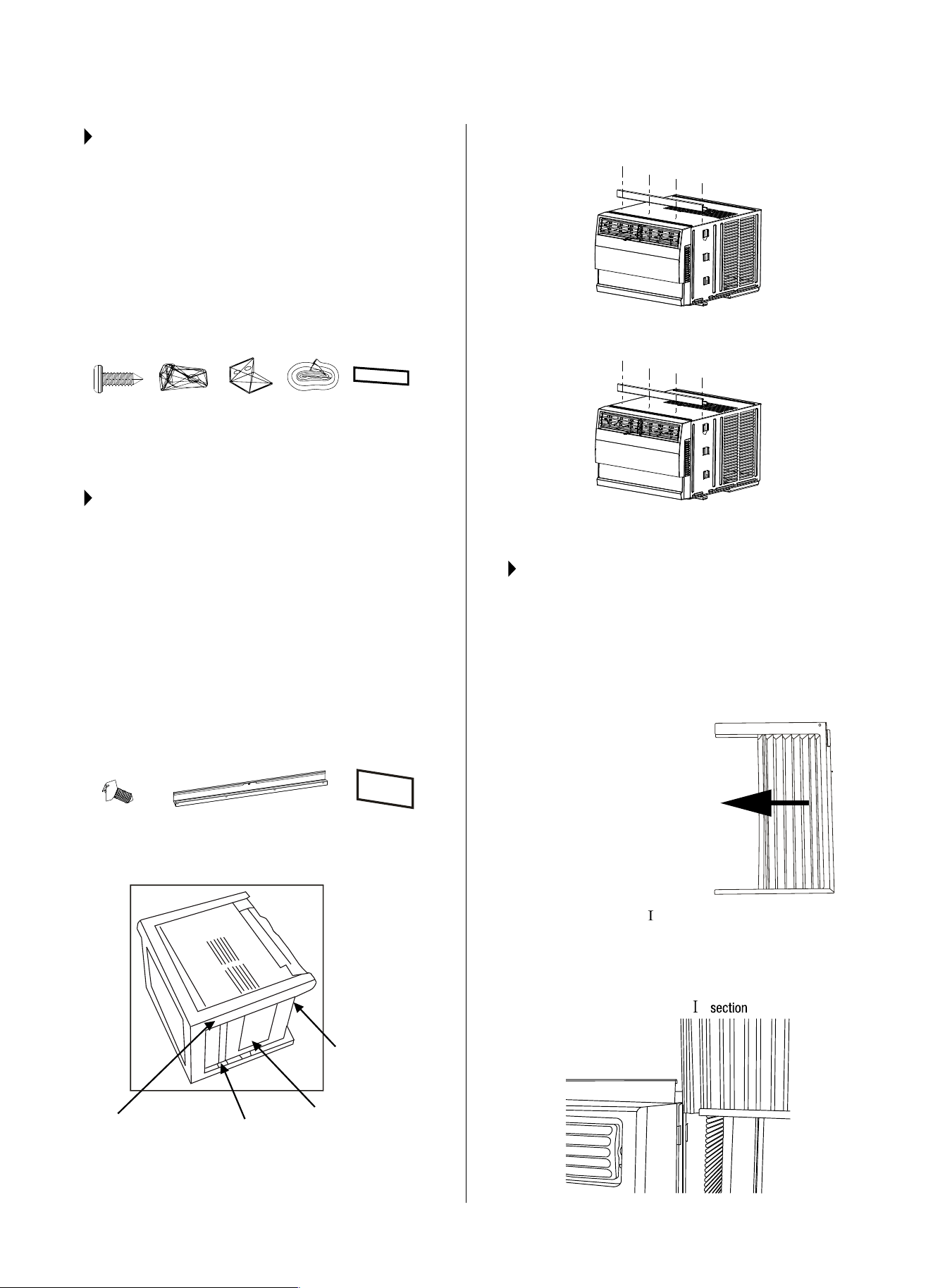
WINDOW REQUIREMENTS
Yourairconditionerisdesignedtoinstallinstandard
double hung windows with opening widths of 23 to 36
inches(584mmto914mm).
NOTE: H = vertical opening. See table below.
TABLE 1:
Model 5000~8000Btu/h 10000~12000Btu/h
Size(H) 14″(356mm) 15½″(394mm)
CAUTION
DO NOT, under any circumstances, cut or remove the
third(ground)prongfromthepowercord.
DO NOT change the plug on the power cord of the air
conditioner.
Aluminum house wiring may present special problems-
consultaqualiedelectrician.
When handling unit, be careful to avoid cuts from sharp
metaledgesandaluminumnsonfrontandrearcoils.
TOOLS YOU WILL NEED
Phillips
Screwdriver
Level
TOOLS YOU MAY NEED
Screwdriver
Pencil
Ruler or Tape
Measure
Scissors or
Knife
NOTE: Save carton and these Installation Instructions for
future reference. The carton is the best way to store unit
during winter or when not in use.
INSTALLATION INSTRUCTIONS
INNER
OFFSET
WOODEN WINDOWS
23–36 in.
584–914 mm
H
EXTERIOR
WALL
INNER
WINDOW
SILL
INTERIOR
WALL
5
STEP 1:
PREPARE THE WINDOW
Lowersashmustopensucientlytoallowaclear
verticalopening(H)ofthefollowingsize.(SeeTable
1onpreviouspage.)Sidelouversandtherearofthe
AC must have clear air space to allow enough
airowthroughthecondenserforheatremoval.
The rear of the unit must be outdoors, not inside a
building or garage.
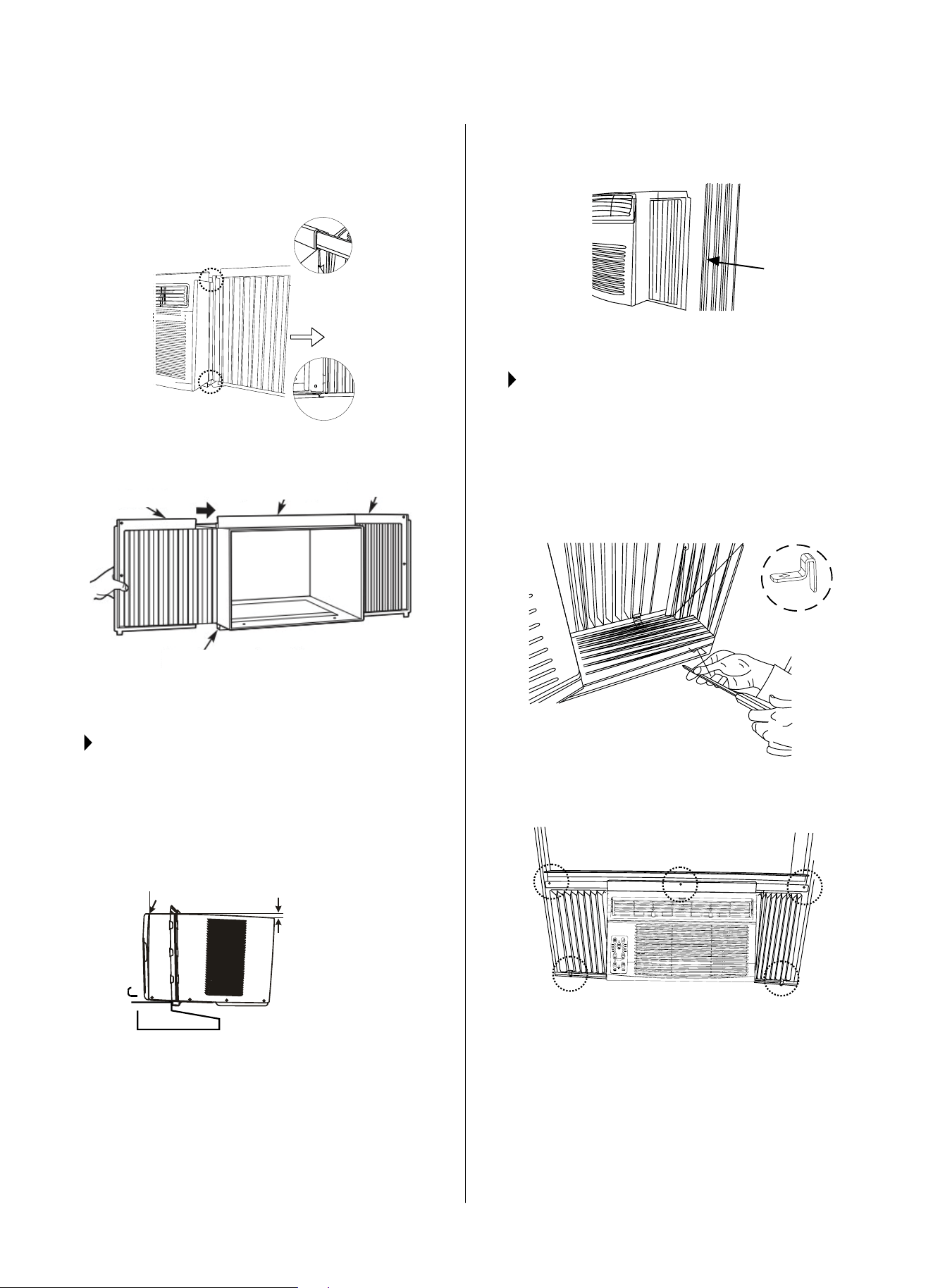
MOUNTING HARDWARE:
3/4" (or 1/2")
Screws (7 pcs)
Lock Frame
(2 pcs)
Sash Lock
(1 pc)
Window
Sash Seal
Foam (1 pc)
Weather Stripping
10"x
3
/4"x
1
/12"
(5 pcs)
STEP 2:
PREPARE AIR CONDITIONER
A. Remove the air conditioner from the carton and
placeonaatsurface.
NOTE: The top rail hardware and Fig. A, Fig. B, and
Fig.Carenotapplicabletotheunits10,000BTU/hor
greater.Formodelslessthan10,000BTU/h,thetop
rail must be assembled.
B. Remove top rail and insulation panels from the
rearofthepackagingmaterialasshowninFig.A.
(EnergyStarratedunitsonly.)
TOP RAIL HARDWARE:
3/8" Screws
(4 pcs)
Top Rail
(1 pc)
R1 Hardware
(2 pcs)
C. Align the hole in the top rail with those in the top of
the unit as shown in Fig. B.
D. Securethetoprailtotheunitwiththe3/8″screws
as shown in Fig. C.
STEP 3:
INSTALL THE ACCORDION PANELS
NOTE: Top rail and accordion panels on each side
areosettoprovidetheproperpitchof5/16″tothe
rear. This is necessary for proper condensed water
utilizationanddrainage.Ifyouarenotusingthe
accordion panels for any reason, this pitch to the rear
must be maintained.
B. Slide the free end “ ” section of the panel directly
into the cabinet as shown in Fig. 2. Slide the
panel down. Be sure to leave enough space to slip
the top and bottom of the frame into the rails on
the cabinet.
" "
FIG. A
Packaging Top Rail
Insulation Panels
(for <10,000 Btu/h
models only)
Insulation Panels
(for ≥10,000 Btu/h
models only)
FIG. B
FIG. C
FIG. 1
FIG. 2
A.Placeunitonoor,a
bench or a table. Hold the
accordion panel in one hand
andgentlypullbackthe
centertolltheopenend.
See Fig.1.
6
C. Oncethepanelhasbeeninstalledonthesideof
thecabinet,makesureitsitssecurelyinsidethe
framechannelbymakingslightadjustments.Slide
the top and bottom ends of the frame into the top
andbottomrailsofthecabinet.(Fig.3)
D. Slide the panel all the way in and repeat on the
otherside.(Fig.4)
NOTE:IfstormwindowblocksAC,seeFig.15,pg.8.
STEP 4:
SECURE THE ACCORDION PANELS
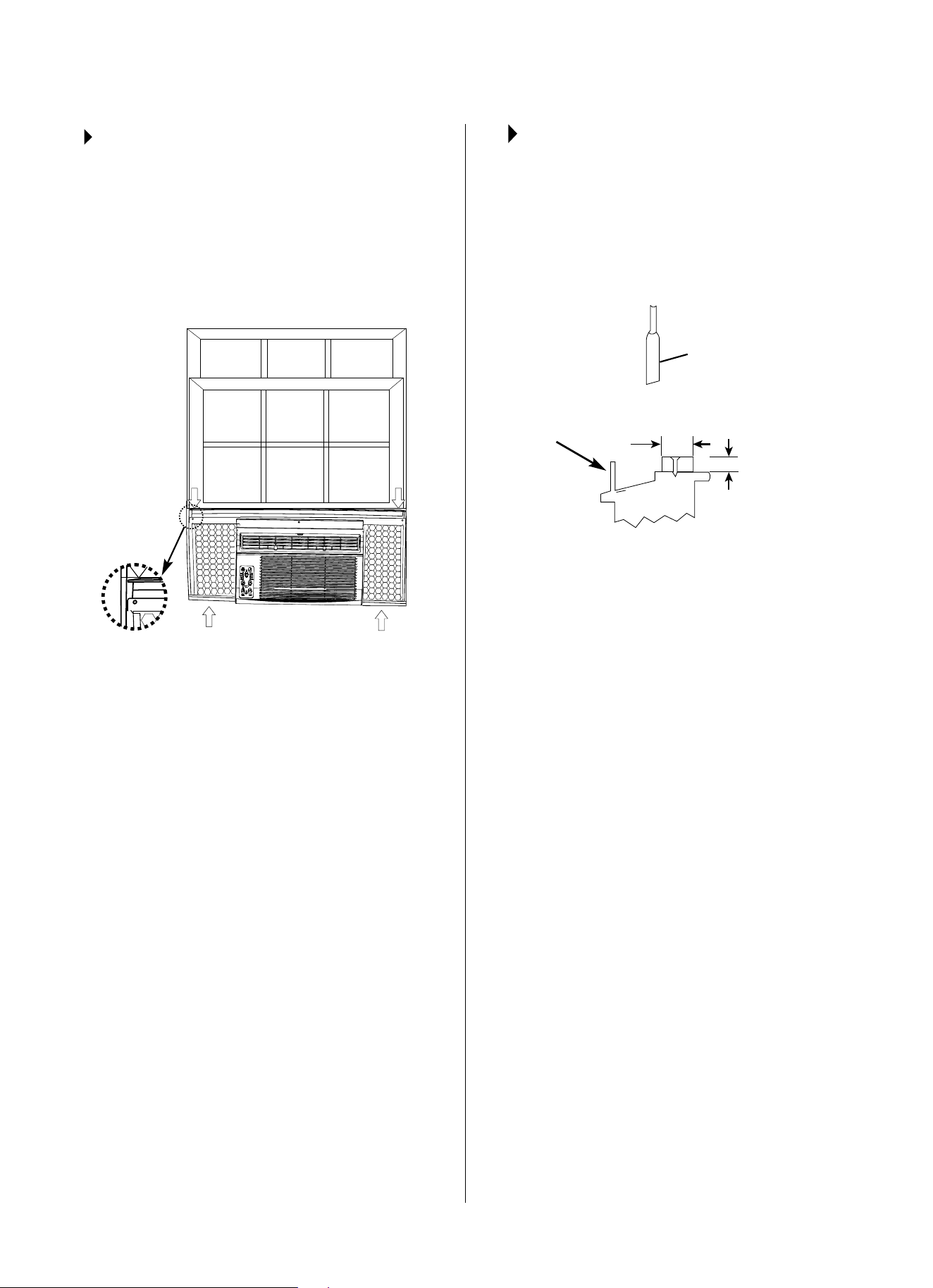
A.Keepingarmgripontheairconditioner,carefully
place the unit into the window opening so the
bottom of the air conditioner frame is against the
windowsill(Fig.5).Carefullyclosethewindow
behind the top rail of the unit.
H
NOTE:Checkthatairconditioneristiltedback
approximatelyH(Fig.5above)(tiltedabout3° to 4°
downwardtotheoutside).If,afterproperinstallation,
condensationdoesnotdrainfromtheoverowdrain
holeduringnormaluse,adjustslope.
B. Extend the accordion panels out against the
windowframe(Fig.6).
STEP 5:
INSTALL SUPPORT BRACKET
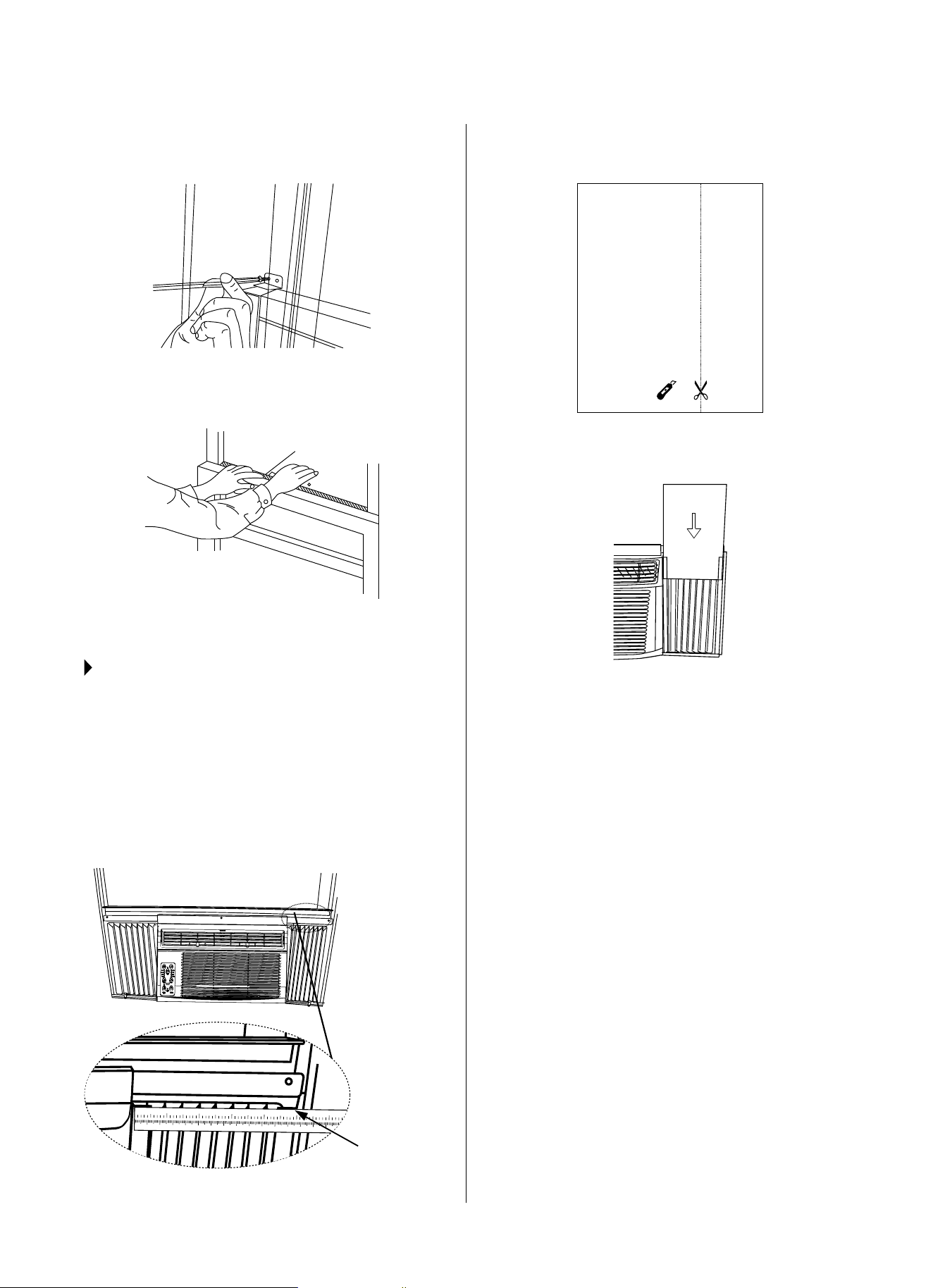
A.Placetheframelockbetweentheframeaccordion
panels and the window sill as shown in Fig. 7.
Drive3/4″(19mm)or1/2″(12.7mm)locking
screwsthroughtheframelockandintothesill.
NOTE: Topreventwindowsillfromsplitting,drill1/8″
(3mm)pilotholesbeforedrivingscrews.
B. Drive3/4″(19mm)or1/2″(12.7mm)locking
screws through frame holes into window sash
(Fig.8).
FIG. 3
FIG. 6
FIG. 7
FIG. 8
FIG. 4
FIG. 5
Top Left
Top Rail
Bottom Rail
Window
Frame
Measure from the cabinet edge
Wooden Windows
INSIDE
OUTSIDE
Top Right
H: Approx. 3/4″ to 1″ for
5,000 – 8,000 Btu units
H: Approx. 1″ to 1
3
/8″ for
10,000 – 12,000 Btu units
7
C. To secure lower sash in place, attach right angle sash
lockwith3/4″(19mm)or1/2″(12.7mm)screwas
shown(Fig.9).
D. Cut window sash seal foam and insert it in the space
betweentheupperandlowersashes(Fig.10).
STEP 6:
INSTALL INSULATION PANELS
NOTE: This step applies to Energy Star rated units only.
Inordertominimizeairleaksandensureoptimal
insulation, it is necessary to install the included
insulation panels to the accordion panels. Follow the 4
steps in these instructions:
STEP 6.1: After the unit is installed in the window,
measure the inner width of one of the accordion panels
as shown in Fig. 11.
1 2 3 4 5 6 7 8 9 10 11 12 13
14 15 16 17
1
2 3 4 5 6
STEP 6.2:Markalineononeoftheprovidedinsulation
panels, matching the measured width in Step 6.1; Cut
theinsulationpanelalongtheline(Fig.12).
or
STEP 6.3:Slidetheinsulationpanelyoujustcutinto
theaccordionpanel(curtain).Thesideoftheinsulation
panel with the pattern on it should face indoors.
STEP 6.4: Repeat on other side with the second
insulation panel.
FIG. 9
FIG. 12
FIG. 13
FIG. 10
FIG. 11
Foam Seal
Measure the inner
width of one of
the accordion
panels.
8
STEP 7:
INSTALL WEATHER STRIPPING
NOTE: This step applies to Energy Star rated
units only.
Inordertominimizeairleaksbetweentheroomair
conditioner and the window opening, install weather
stripping into any gaps as you see necessary by
trimming the weather stripping to the desired length,
peelingotheprotectivebackingandllingthese
gaps.(Fig.14)
IF AC IS BLOCKED BY A
STORM WINDOW
AddwoodasshowninFig.15,orremovestorm
window before air conditioner is installed.
If storm window frame must remain, be sure the
drainholesorslotsarenotcaulkedorpaintedshut.
Accumulated rain water or condensation must be
allowed to drain out.
REMOVING AC FROM WINDOW
● TurnACo,anddisconnectpowercord.
● Removesashsealfrombetweenwindows,and
unscrewsafetysashlock.
● Removescrewsinstalledthroughframeand
frame-lock.
● RemovetheInsulationPanelsandclose(slide)side
accordion panels into frame.
● Keepingarmgriponairconditioner,raisesash
and carefully remove.
● Becarefulnottospillanyremainingwater
while lifting unit from window. Store parts WITH
air conditioner.
FIG. 14
FIG. 15
Sash
Storm window
frame or other
obstruction.
1½″ min
(38 mm)
Board thickness
as required, for
proper pitch to
rear, along entire
sill. Fasten with
nails or screws.
9
TIMER
ECO MODE
FILTER
On Off
Auto
Cool
Dry
Fan
Follow me
Auto
Low
Med
High
FAN SLEEP
SMART
NORMAL SOUNDS
AIR CONDITIONER FEATURES
VIBRATION
Unitmayvibrateandmake
noise because of poor wall or
window construction or incorrect
installation.ThisDOESNOT
indicate a defective unit.
PINGING OR SWITCHING
Droplets of water hitting
condenser during normal
operation may cause “pinging”
or “switching” sounds.
HIGH PITCHED CHATTER
Higheciencycompressors
may have a high pitched chatter
during the cooling cycle.
SOUND OF RUSHING AIR
At the front of the unit,
the sound of rushing air
being moved by the fan
may be heard.
GURGLE/HISS
“Gurgling” or “hissing”
noise may be heard due
to refrigerant passing
through evaporator during
normal operation.
NOTE: Allofthepicturesinthismanualareforexplanatorypurposesonly.Theactualshape/lookof
theairconditionerpurchasedmaybeslightlydierent,buttheoperationsandfunctionsaresimilar.
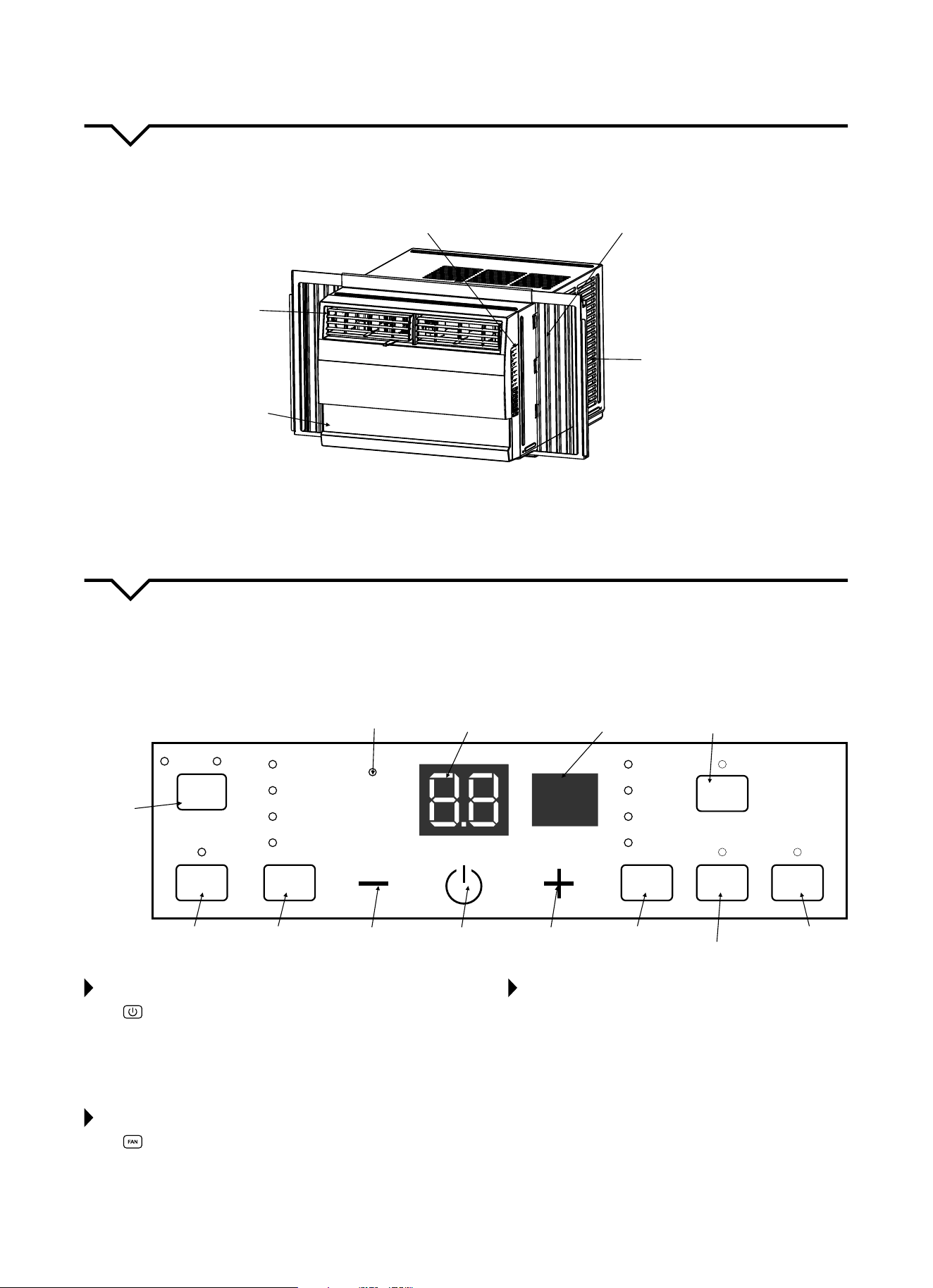
Thoroughlyfamiliarizeyourselfwiththecontrolpanelshownbelowandallofitsfunctions.Afterwards,followthe
symbolforthefunctionsyoudesireBEFOREoperatingtheunit.This unit can be controlled by the unit control, the remote
control or the app installed on your smart device.(SeeAppmanualincludedwiththisairconditionerforappinstallation/
operation instructions.
“FOLLOW ME”
Indicator
Energy Saver
Mode
Sets Mode
Sleep Mode
Turns Unit
On or Off
Set Fan
Speed
SMART
Feature
Adjusts Temp.
or Time
Adjusts Temp.
or Time
Remote Signal
Receptor
Check Filter
Reset Button
Activates
Timer
Displays
Temperature or the
Time or Error Codes
TO TURN UNIT ON OR OFF:
Press ON/OFFbuttontoturntheunitonoro.
NOTE: The unit will automatically initiate the Energy
SaverfunctionunderCOOL,DRYandAUTO(only
AUTO-COOLINGandAUTO-FANmodes).
TO ADJUST FAN SPEEDS:
Press to select the Fan Speed in four steps: Auto,
Low, Med or High. Each time the button is pressed,
thefanspeedisshifted.InDRYmode,thefanspeed
is automatically controlled at Low.
TO CHANGE TEMPERATURE SETTING:
Press+/–UP/DOWNbuttontochangethe
temperature setting.
NOTE: PressorholdeitherUP(+)orDOWN(–)button
until the desired temperature is seen on the display.
The temperature will be automatically maintained
anywherebetween62°F(17°C)and86°F(30°C)
10
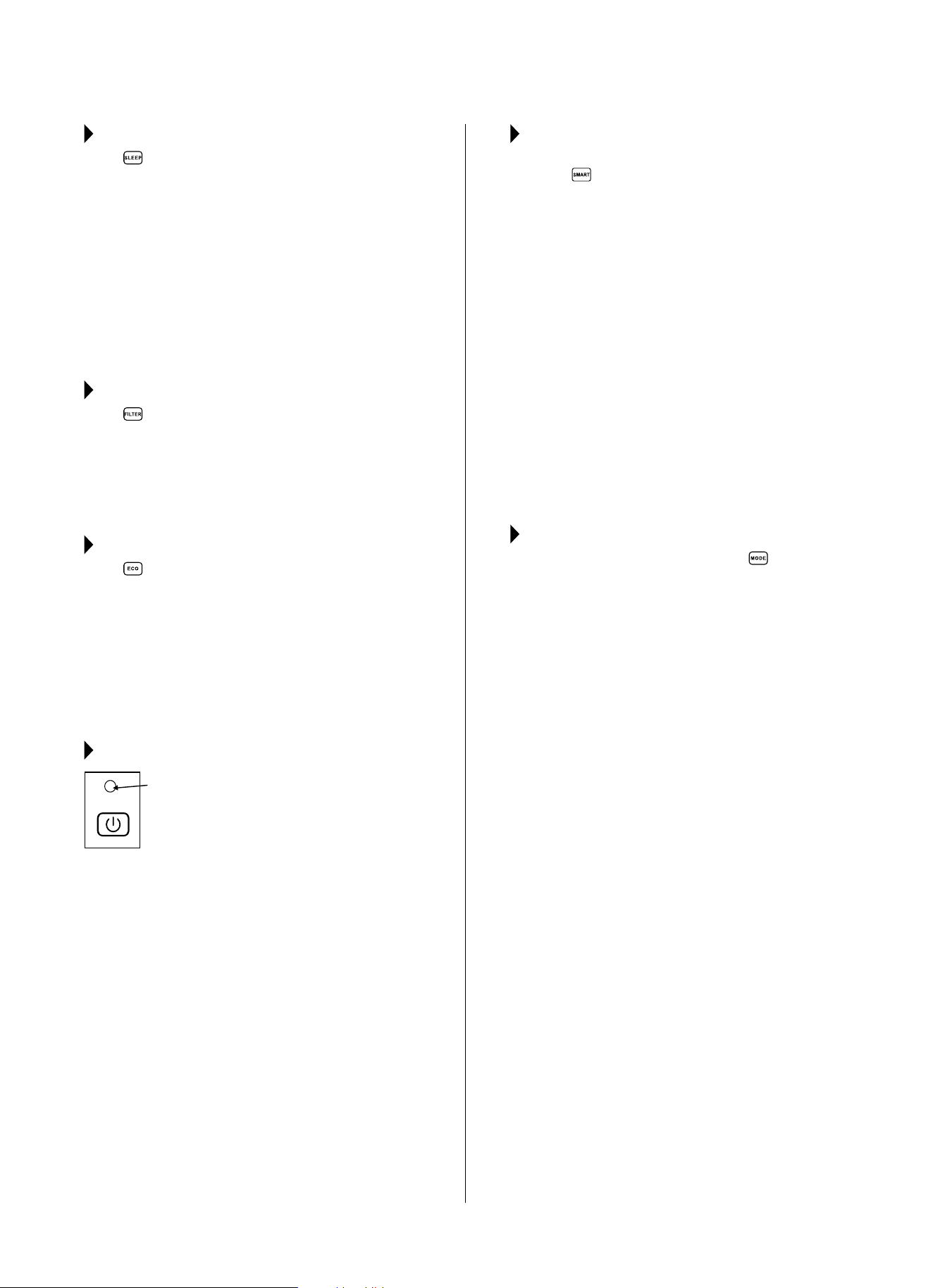
SLEEP FEATURE:
Press SLEEP button to initiate the SLEEP
mode. In this mode, the selected temperature will
increaseby2°F(1°C)30minutesafterthemodeis
selected.Thetemperaturewillthenincrease(cooling)
ordecrease(unitswithheatingonly)byanother
2°F(1°C)afteranadditional30minutes.Thisnew
temperature will be maintained for 6 hours before it
returns to the originally selected temperature. This
ends the SLEEP mode and the unit will continue
to operate as originally programmed. The SLEEP
mode program can be canceled at any time during
operation by pressing the SLEEP button again.
CHECK FILTER FEATURE:
Press CHECK FILTER button to initiate this
feature. This feature is a reminder to clean the Air
Filterformoreecientoperation.TheLED(light)will
illuminateafter250hoursofoperation.Toresetafter
cleaningthelter,presstheCHECK FILTER button
andthelightwillgoo.
ENERGY SAVER FEATURE (ECO):
Press ENERGYSAVER button to initiate this
function. This function is available on COOL, DRY
and AUTO(onlyAUTO-COOLINGand AUTO-FAN)
modes. In this mode, the fan will continue to run for 3
minutesafterthecompressorshutso.Thefanthen
cycles on for 2 minutes, at 10 minute intervals, until
the room temperature is above the set temperature,
atwhichtimethecompressorturnsbackonand
cooling starts.
FOLLOW ME FEATURE:
This feature can ONLY be activated
from the remote control. The
remote control serves as a remote
thermostat, allowing for precise
temperature control at its location.
To activate the Follow Me feature, point the remote
controltowardstheunitandpresstheFOLLOWME
button. The remote displays the actual temperature
at its location. The remote control will send this
signal to the air conditioner every 3 minutes until the
FOLLOWMEbuttonispressedagain.Iftheunitdoes
not receive the Follow Me signal during any 7 minute
interval, the unit will beep to indicate use of the
Follow Me feature has ended.
SMART FEATURE:
WhenusingtheSmartfeatureforthersttime,
press the
SMART button for 3 seconds to initiate
the SMART Discovery mode. The LED Display will
show“AP”for1secondandthengoblankfor2
seconds repeatedly to indicate that it is ready for
youtocongurethewirelesssmartconnection.If
the connection is successful within 8 minutes, the
unit will exit Discovery mode automatically and the
SMART indicator will illuminate. The unit can then be
operated in SMART mode. If connection fails within
therst8minutes,theunitwillexitDiscoverymode
automatically and “AP” will disappear. See App Guide
for instructions and additional information.
Duringthenetworkcongurationprocess,donottry
using the remote control or the controls on the front
panel of the air conditioner as they will be inoperative.
Youmayusetheremotecontrolandfrontpanel
buttonsagainafterthenetworkcongurationprocess
iscomplete.(Thecongurationprocessusuallytakes
8–10minutes.)
TO SELECT THE OPERATING MODE:
To choose operating mode, press the MODE
button. Each time you press the button, a mode is
selectedinasequencethatgoesfromAUTO,COOL,
DRY and FAN. The indicator light will be illuminated
and remain on once the mode is selected. The unit
will automatically initiate the Energy Saver function
under COOL, DRY, and AUTO (only AUTO-COOLING and
AUTO-FAN) modes.
TO OPERATE ON AUTO FEATURE:
When you set the air conditioner to AUTO mode, it
will automatically select cooling, or fan only operation
depending on what temperature you have selected
and the room temperature. The air conditioner will
control room temperature automatically around the
temperature you set. In this mode, the fan speed
cannot be adjusted. It starts automatically at a speed
according to the room temperature.
TO OPERATE ON FAN ONLY:
Use this function only when cooling is not desired,
such as for room air circulation or to exhaust stale air.
(Remembertoopentheventduringthisfunction,but
keepitclosedduringcoolingformaximumcooling
eciency.)Youcanchooseanyfanspeedyouprefer.
During this function, the display will show the actual
room temperature, not the set temperature as in the
cooling mode.
TO OPERATE ON DRY MODE:
In this mode, the air conditioner will reduce air
humidity. If the space is a closed or sealed area,
some degree of cooling will continue.
Light
Flashing
Follow
Me
11
TIMER: AUTO START/STOP FEATURE:
● Whentheunitisonoro,rstpress TIMER
button.TheTIMERONindicatorlightilluminates.
It indicates the Auto Start program is initiated.
● WhenTIMERONisdisplayed,pressingthe
TIMERbuttonagainilluminatestheTIMEROFF
indicator light and indicates the Auto Stop program
is initiated.
● PressorholdtheUPorDOWNbuttontochange
theAutotimeby0.5hourincrements,upto10
hours, then by 1 hour increments, up to 24 hours.
The control will count down the time remaining
until start.
● Theselectedtimewillregisterin5secondsand
thesystemwillautomaticallyrevertbacktodisplay
the previous temperature setting or the room
temperature(dependingonwhethertheunitis
poweredonoroandthemodeitisin).
● TurningtheunitONorOFFatanytimeoradjusting
thetimersettingto0.0willcanceltheAutoStart/
Stop program.
A NOTE ABOUT THE TIMER:
When you set the timer, the
unitwillonlygoononceandoonce.Ifyouwantthe
airconditionertocycleonandobasedondesired
room temperature, you do not need to set the timer.
Instead, set your desired temperature and the unit will
cycleonandobasedonthattemperaturesetting.
DISPLAY:
Shows the set temperature in °F or °C and the Auto-
timer settings. While on FAN only mode, it shows the
room temperature.
ERROR CODES:
AS - Room Temperature Sensor Error - Unplug the
unitandplugitbackin.Iferrorrepeats,call
Consumer Services at 844-472-2473.
HS - Electric Heating Sensor Error - Unplug the
unitandplugitbackin.Iferrorrepeats,call
Consumer Services at 844-472-2473.
●- Evaporator Temperature Sensor Error - Unplug
theunitandplugitbackin.Iferrorrepeats,call
Consumer Services at 844-472-2473.
NOTE: If an error code occurs in Fan only mode, the
unitwilldisplay“LO”(looseconnection)or“HI”
(shortcircuit).
NOTE
:
Iftheunitbreaksounexpectedlyduetopowerbeing
cut, it will automatically restart with the previous
function setting when the power resumes.
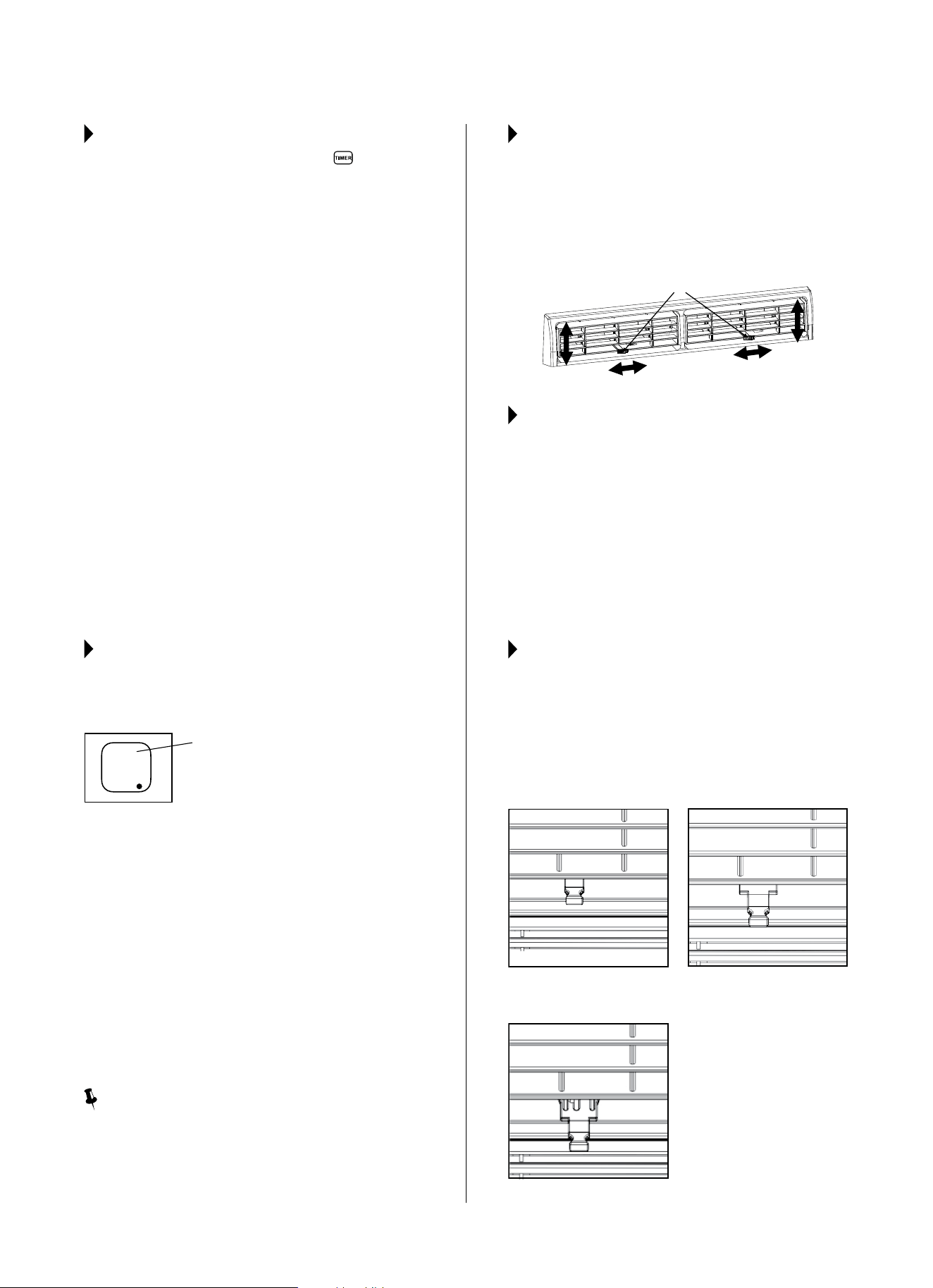
AIR DIRECTIONAL LOUVERS:
Thelouverswillallowyoutodirecttheairowupor
down(onsomemodels)andleftorrightthroughout
theroomasneeded.Pivothorizontallouversuntilthe
desiredvertical(up/down)directionisobtained.Move
theleversfromsidetosideuntilthedesiredhorizontal
(left/right)directionisobtained.
ADDITIONAL THINGS YOU
SHOULD KNOW:
● TheCoolcircuithasanautomatic3minutetime-
delayedstartiftheunitisturnedoandonquickly.
This prevents overheating of the compressor
andpossiblecircuitbreakertripping.Thefanwill
continue to run during this time.
● Thecontroliscapableofdisplayingtemperaturein
degrees Fahrenheit or degrees Celsius. To convert
from one to the other, press and hold the left and
right TEMP/TIMERbuttons(+and–)atthesame
time for 3 seconds.
FRESH AIR VENT CONTROL
(on 10,000 – 12,000 Btu/h models):
The Fresh Air Vent allows the air conditioner to:
1. Recirculateinsideair(VentClosed-Fig.A)
2. Drawfreshairintotheroom(VentOpen-FigB)
3. Exchange air from the room and draw fresh air into
theroom(VentandExhaustOpen-FigC)
Fig. A (VENT CLOSED)
Fig. B (VENT OPEN)
Fig. C (VENT AND EXHAUST OPEN)
Levers
Air Direction
Display
Evaporator Temperature Sensor Error
12
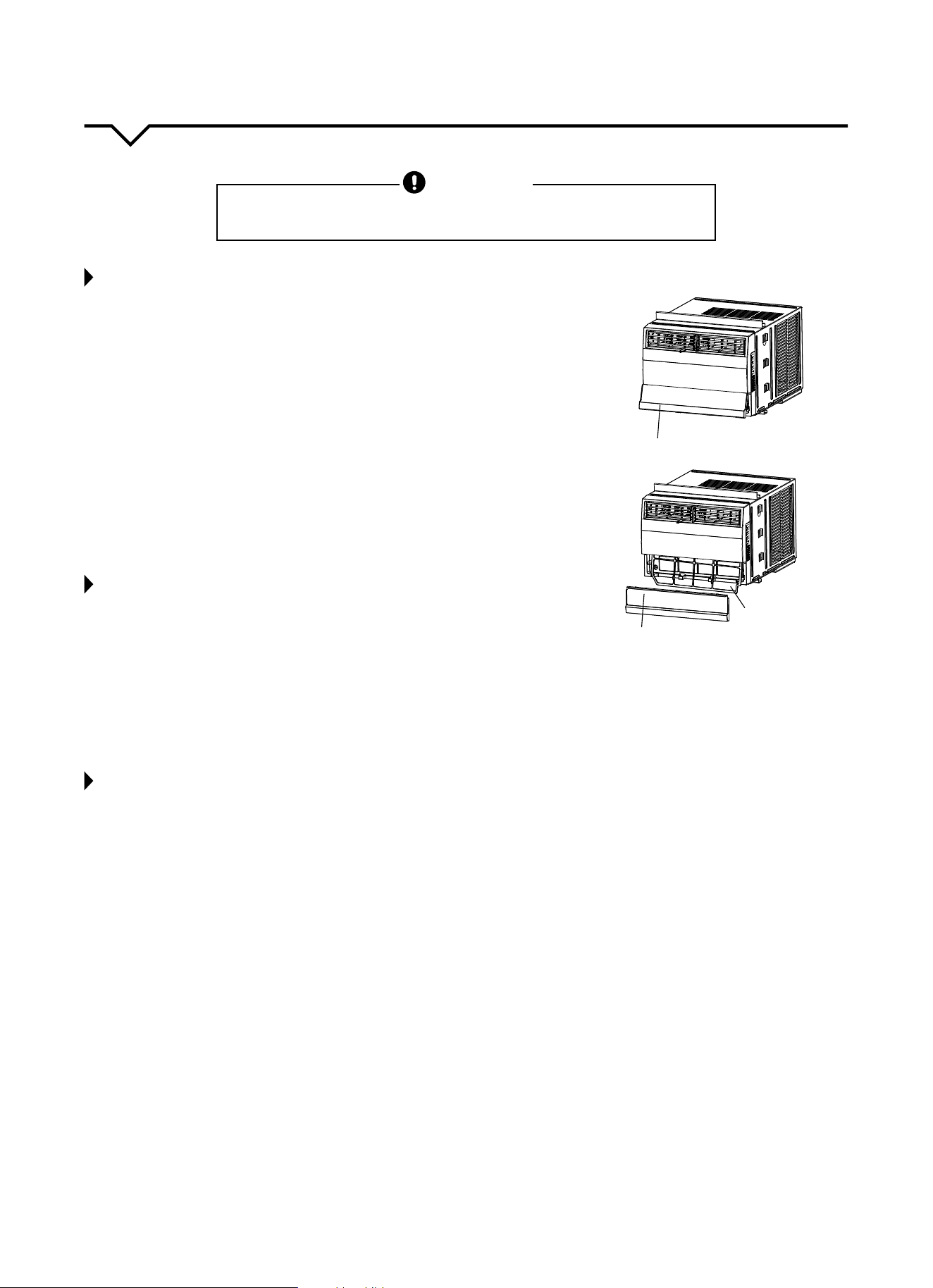
Lower Front Panel
Remove Lower Front Panel
Remove the Filter
CARE AND CLEANING
CAUTION
Cleanairconditioneroccasionallytokeepitlookingandoperatinglikenew.
Be sure to unplug the unit before cleaning to prevent shock or fire hazards.
AIR FILTER CLEANING
Theairltershouldbecleanedatleasteverytwoweeksoras
necessary.Trappedparticlesintheltercanbuildupandcausean
accumulation of frost on the cooling coils.
● Pullbothsides(leftandright)ofthelowerfrontpanelupandthenoutto
removethepanelasshowningurestotheright.
● Removethelter,asshowninbottomguretotheright.
● Washthelterusingliquiddishwashingdetergentandwarmwater.Rinse
lterthoroughly.
● Gentlyshakeexcesswaterfromthelter.Besurethelteristhoroughly
dry before replacing.
● Asanalternativetowashingthelter,vacuumthelterclean.
NOTE: Neverusehotwaterover104°F(40°C)tocleantheairfilter.Never
attempt to operate the unit without the air filter.
CABINET CLEANING
● Besuretounplugtheairconditionertopreventshockorrehazard.
The cabinet and front may be dusted with an oil-free cloth or with a
clothdampenedinasolutionofwarmwaterandmildliquiddishwashing
detergent. Rinse thoroughly and wipe dry.
● Neveruseharshcleaners,waxorpolishonthecabinetfront.
● Besuretowringexcesswaterfromtheclothbeforewipingthecontrols.
Excess water in or around the controls may cause damage to the air
conditioner.
● Pluginairconditionerafterunithasdriedcompletely.
WINTER STORAGE
If air conditioner will be stored during the winter, remove it carefully from
the window according to the installation instructions. Cover it with plastic or
return it to the original carton.
ALWAYS STORE UNIT IN AN UPRIGHT POSITION AND IN A COOL, DRY LOCATION.
13
NOTE
Ahighlyrecommendedtroubleshootforanyissueingeneralconsistsofturningounitandunpluggingfor5minutes.Itis
also recommended to try another wall outlet. For further assistance, contact Consumer Services at 844-472-2473.
Forproblemswiththe“SMART”feature/modeandApp,seethe“AppInstallationGuide”includedwiththisunit.
TROUBLESHOOTING
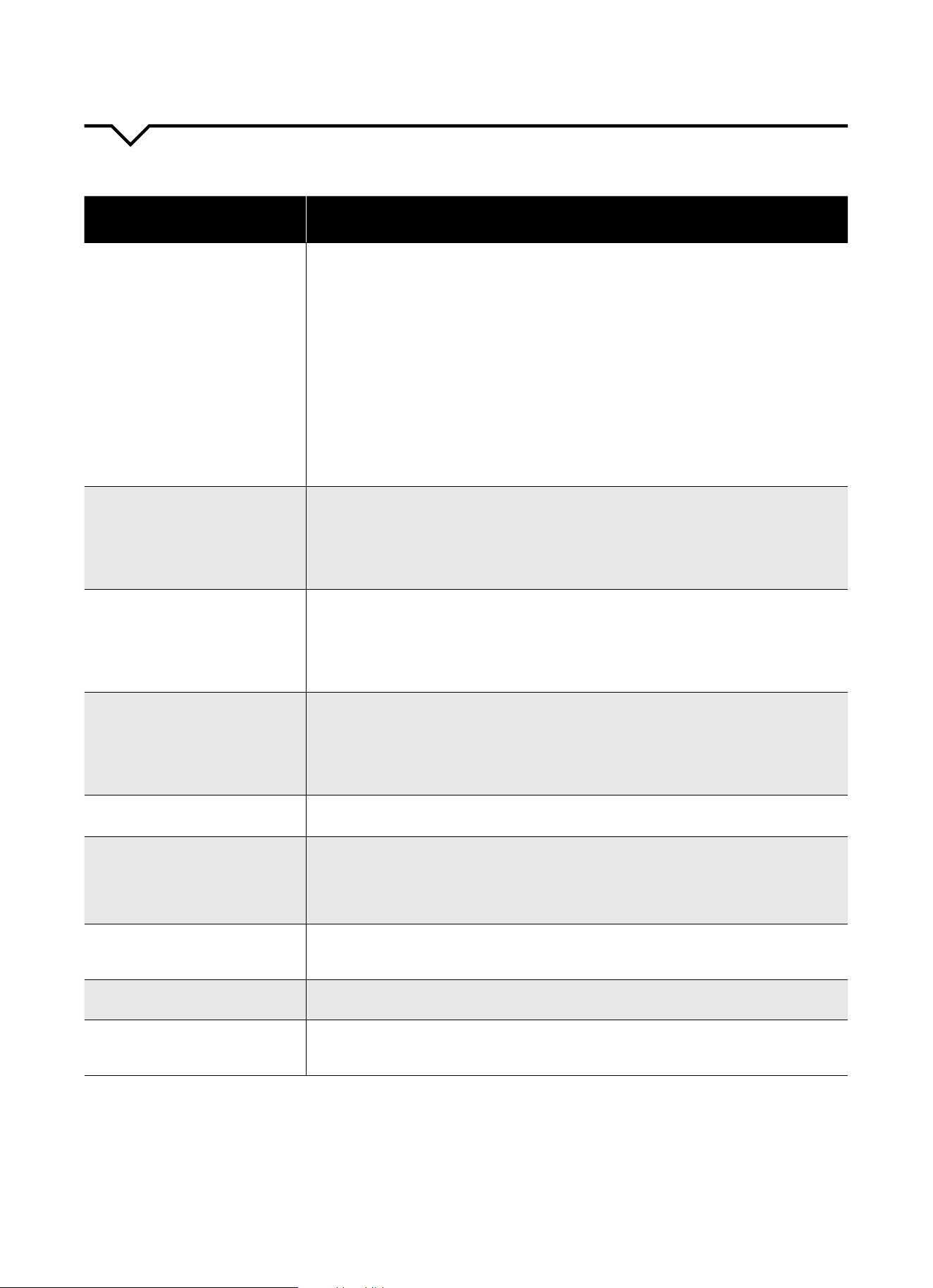
BEFORE CALLING FOR SERVICE, PLEASE REVIEW THE CHART BELOW
ISSUE POSSIBLE CAUSES
AIR CONDITIONER NOT
COOLING ROOM, OR NOT BLOWING
COLD AIR
•Besureunitisnottoolargeortoosmallfortheareaoftheroom.
•Verifythatalldoors,windows,curtainsandanyotheropeningsareclosed.
Verify nothing is obstructing the front grille of unit, such as curtains, etc.
•Allowenoughtimeforroomtocool,especiallyifoutsidetempisveryhigh.
•Checkthatthelterisnotdirtyandlouversareopenallthewayandblowinginthe
desired direction.
•CheckthatunitissettoCOOLmodeandthattemperatureisdownenough(but
nottoolow).
•Ifunitisnearaheatsource,suchasastove,etc.,relocateunit.
•Ifaircomingfromunitiscooltothetouch,thenunitisworkingproperly;please
doublechecktherstthreebulletpointsabove.
•IfusingFollowMeremotefeature,moveremoteawayfromunit.
•Temperaturesensorbehindairltertouchingcoldcoil.Thesetwoelementsshould
not be touching. Carefully straighten tube away from coil.
•Unplugunitforatleast5minutes.FollowResetinstructionsonplug.
AIR CONDITIONER COOLING
BUT ROOM IS TOO WARM - ICE
FORMING ON COOLING COIL
BEHIND DECORATIVE FRONT
•Outdoortemperatureisbelow64ºF(18ºC).Todefrostthecoil,settoFAN
only mode..
•Airltermaybedirty.Cleanlter.RefertoCareandCleaningsection.Todefrost,
set to FAN only mode.
•Thermostatissettoocoldfornight-timecooling.Todefrostthecoil,settoFAN
only mode. Then, set temperature to a higher setting.
AIR CONDITIONER CYCLING ON
AND OFF TOO FREQUENTLY OR
NOT ENOUGH
•Besureunitisnottoolargeortoosmallfortheareaoftheroom.
•Removegrilleandmakesurethetemperaturesensorisnottooclosetothecoils.
These two elements should not be touching. Carefully straighten tube away
from coil.
•Makesurenothingisblockingthegrilleorsidevents.
•Makesurethereisnodirtordebrisinsidetheunitoronthelter.
UNIT WILL NOT TURN ON
•Resetcircuitbreaker.Makesuretherearenottoomanyitems(i.e.lamps,TV’s,
etc.)workingothesamebreaker.
•Checkplugconnection.
•Ifplugisoperatingonanon/oswitch,besurethattheswitchis‘on’.
•Trypluggingunitintoanotheroutlet.
•Unplugunitforatleast5minutes.FollowResetinstructionsonplug.
UNIT BLOWS FUSES OR POPS
CIRCUIT BREAKER
•Makesurethereareenoughavailableampsonthecircuitfortheairconditioner.
•Largeunitswhichrunona230vwillrequireadedicated20or30ampcircuit.
AIR CONDITIONER IS
MAKING NOISES
•Checktobesuretheunitisfreefromdebrissuchasleaves,sticks,etc.Verify
nothing is obstructing the unit.
•Checkthefanbladeforcracksorchips.
•Makesuretheunitisproperlyandsecurelymountedinsidethewindoworwall.
•Cleantheairlter.
WATER PUDDLES INSIDE UNIT OR IS
COMING INTO ROOM
•Adjusttheslopeoftheunitsothatitdrainsdownwardtowardtheexteriorofthe
home.(SeeInstallationInstructions.)
•Makesurethatthereisnodebrisblockingthedrainageareaoftheunit.
WATER DRIPPING OUTSIDE
•Unitisremovingalargequantityofmoisturefromahumidroom.Thisisnormal
during excessively humid days.
REMOTE SENSING / FOLLOW ME
DEACTIVATING PREMATURELY
•Remotecontrolnotlocatedwithinrange.Placeremotecontrolwithin20ftand
180ºradiusofthefrontoftheunit.
•Remotecontrolsignalobstructed.Removeobstruction.



The design and specifications are subject to change without prior notice for
product improvement. Consult with the sales agency or manufacturer for details.
Perfect Aire, LLC
5151 Belt Line Rd.
Suite 878
Dallas, TX 75254
Distributed by:
844-4PA-AIRE | 844-472-2473
www.perfectaire.us
WINDOW
AIR CONDITIONER
FOR SMART AC MODELS:
5SAC10000
5SAC12000
Before using your air conditioner, please
read this manual carefully and keep it for
future reference, along with your receipt.
Specification and performance data is subject to change without notice.
Printed in China
PA/User5SAC10000_5SAC12000/10242017
USER MANUAL